
CYBER SECURITY Identifying Understanding and Mitigating the Latest
CYBER SECURITY Identifying, Understanding and Mitigating the Latest Security Threats to Hit Nonprofits
Top Security Threats • • • Malvertising Phishing / Spear Phishing / Whaling Cryptojacking / Ransomware Internal Threats External Threats
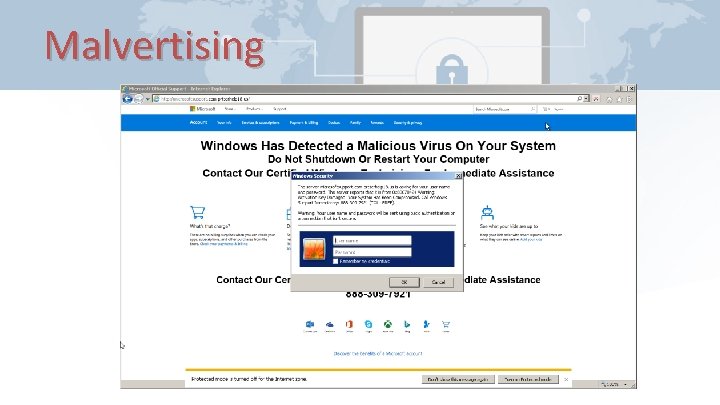
Malvertising
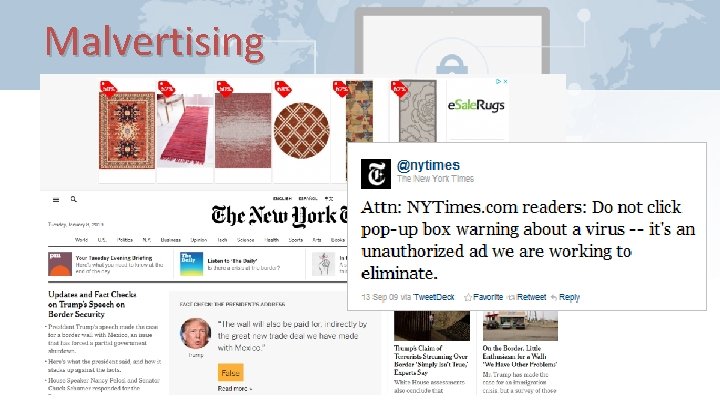
Malvertising
Malvertising • Advertising Blockers (plugins, extensions for browsers) – Ad. Blocker Ultimate – u. Block Origin – Ghostery – Ad. Block Plus – many more
Malvertising • Internet Browsers with built-in blockers – Opera / Opera Mini / Opera Touch – Firefox Focus – Microsoft Edge – Brave Browser – Ghostery Privacy Browser – Slimjet – and a few others
Malvertising • DNS Web Filters – – – Open. DNS Clean. Browsing DNS Safe. DNS Norton Connect. Safe Comodo Secure DNS Quad 9 • VPN Services – – – Nord. VPN Express. VPN Bullet. VPN Private. Internet. Access Cyber. Ghost VPN Tunnel. Bear VPN
Malvertising • Applications / Appliances / Hardware – 1 Blocker (i. OS, Mac) – Ad. Lock (Windows $22, Android $11) – Disconnect. me – Sophos UTM Home* – clear. OS* * May require additional IT service/support
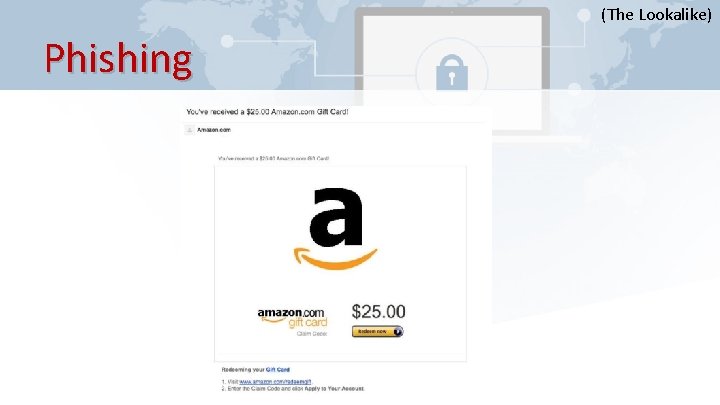
(The Lookalike) Phishing
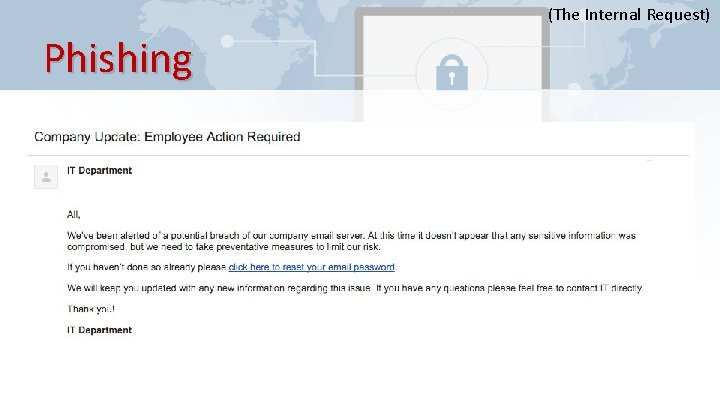
(The Internal Request) Phishing
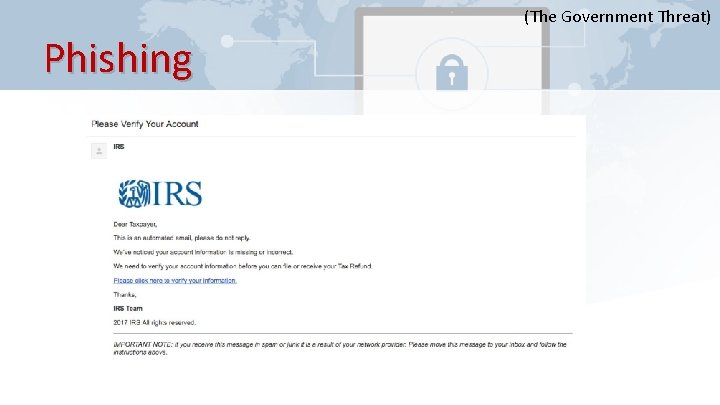
(The Government Threat) Phishing
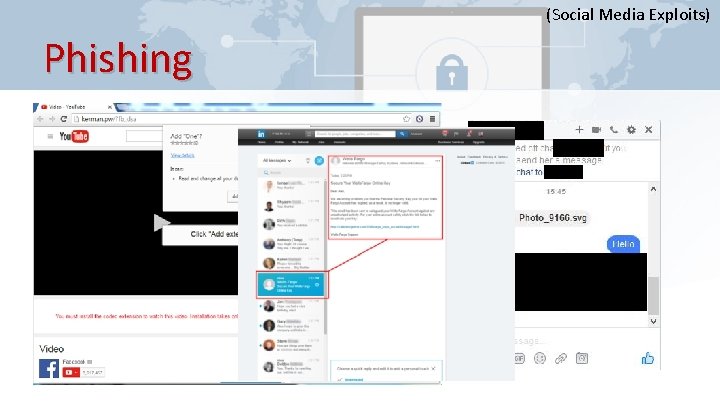
(Social Media Exploits) Phishing
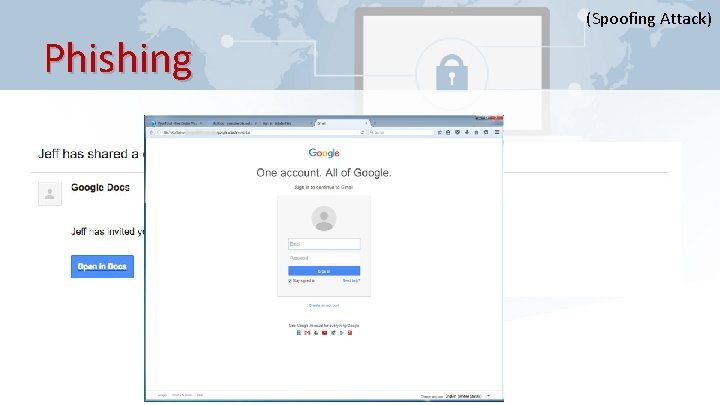
(Spoofing Attack) Phishing
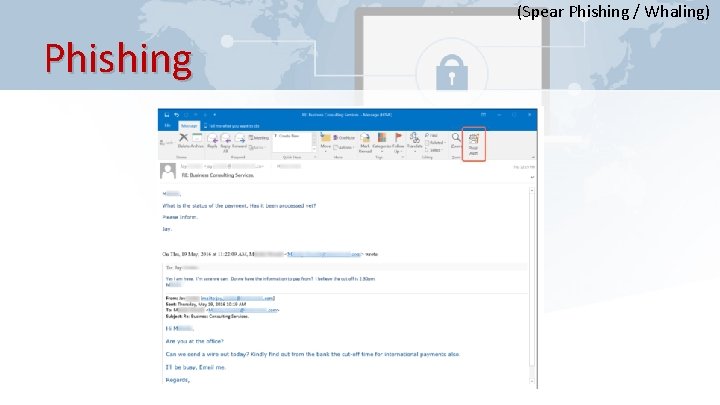
(Spear Phishing / Whaling) Phishing
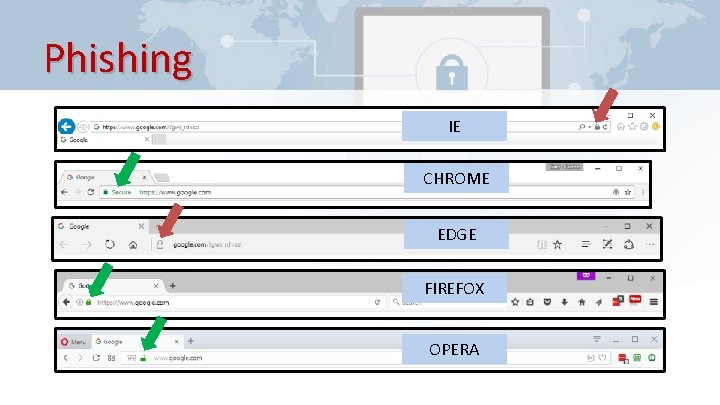
Phishing IE CHROME EDGE FIREFOX OPERA
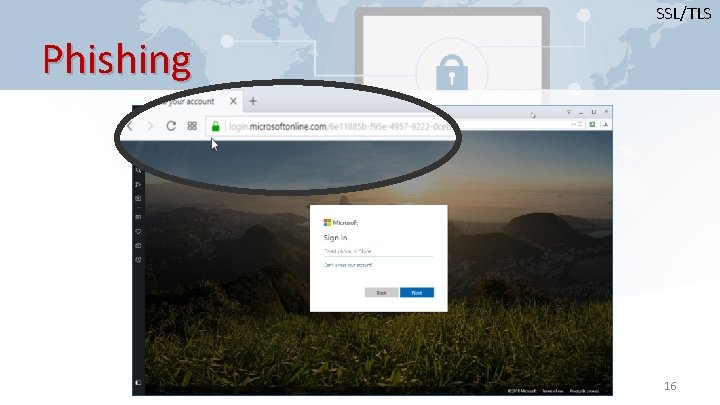
SSL/TLS Phishing 16
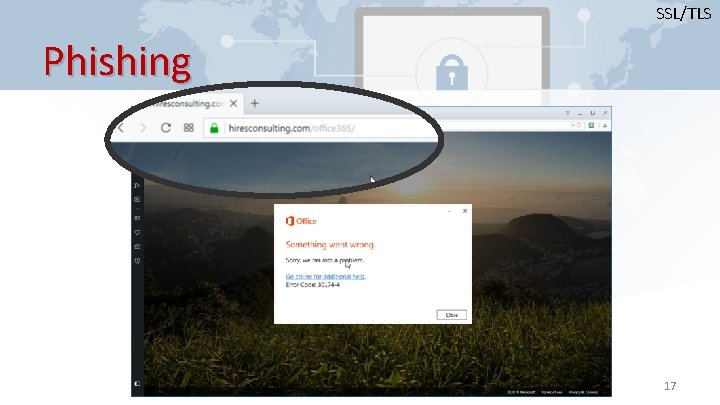
SSL/TLS Phishing 17
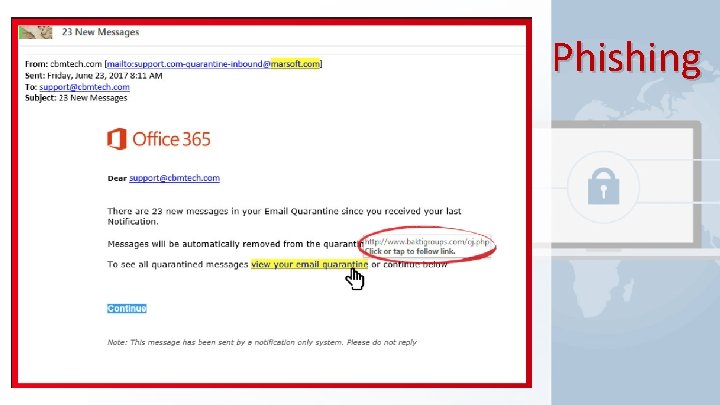
Phishing
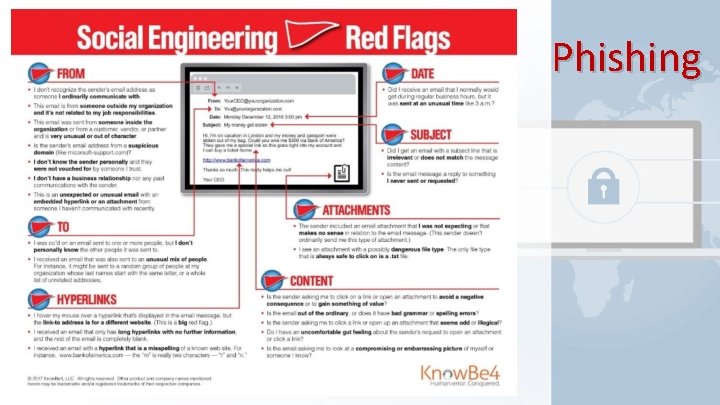
Phishing
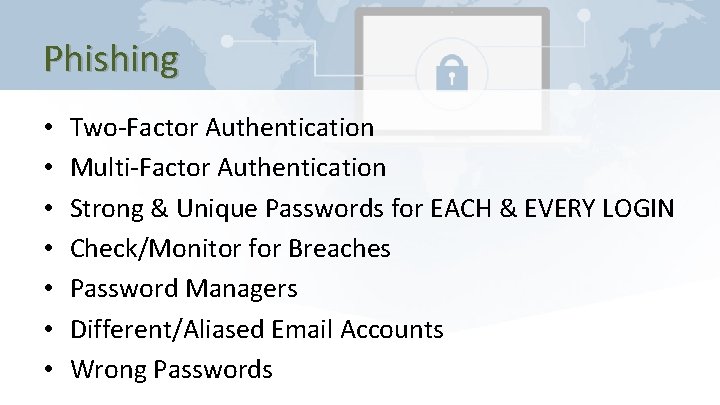
Phishing • • Two-Factor Authentication Multi-Factor Authentication Strong & Unique Passwords for EACH & EVERY LOGIN Check/Monitor for Breaches Password Managers Different/Aliased Email Accounts Wrong Passwords
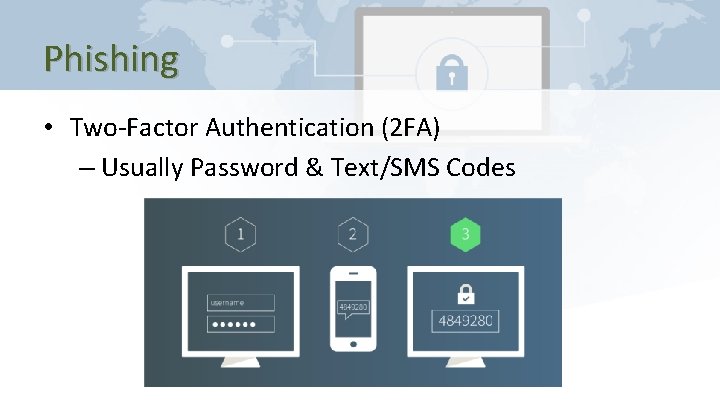
Phishing • Two-Factor Authentication (2 FA) – Usually Password & Text/SMS Codes
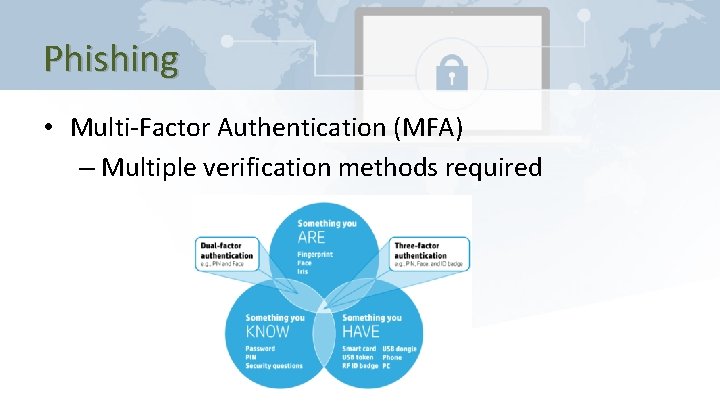
Phishing • Multi-Factor Authentication (MFA) – Multiple verification methods required
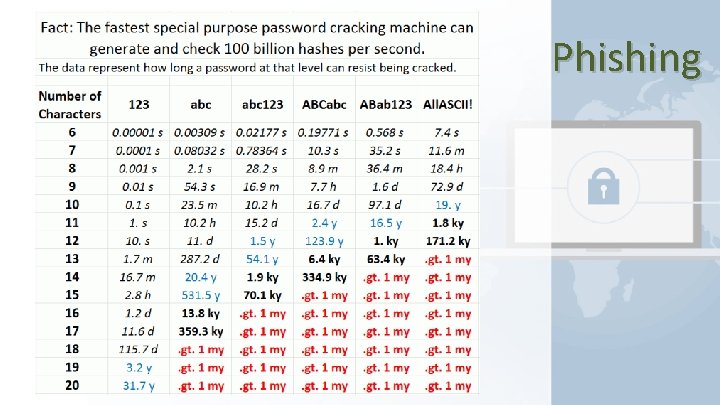
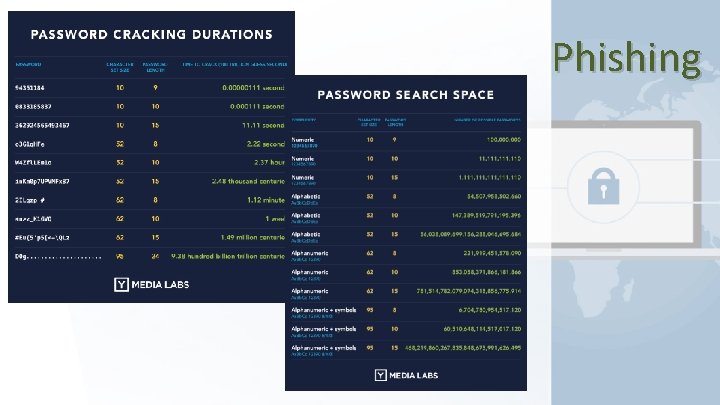
Phishing • Strong & Unique Password for EACH & EVERY LOGIN – https: //howsecureismypassword. net – https: //lastpass. com/howsecure. php – https: //password. kaspersky. com/ – https: //passwordsgenerator. net/ – https: //www. lastpass. com/password-generator/ – https: //www. roboform. com/password-generator
Phishing • Check/Monitor for Account Breaches – https: //haveibeenpwned. com – https: //www. dehashed. com/ – https: //monitor. firefox. com – https: //www. creditkarma. com/id-monitoring – https: //wallethub. com/free-credit-monitoring/
Phishing
Phishing
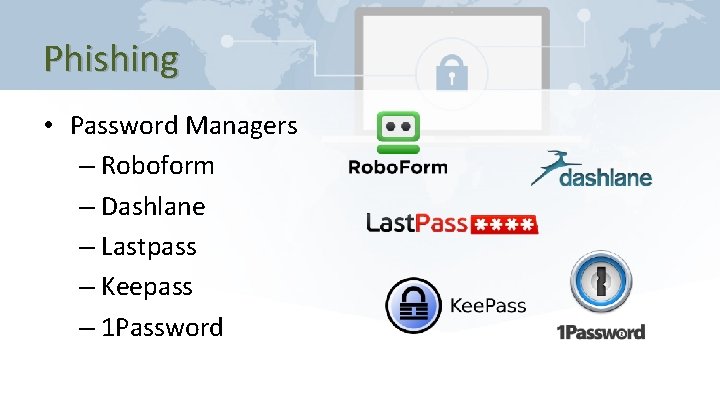
Phishing • Password Managers – Roboform – Dashlane – Lastpass – Keepass – 1 Password
Phishing • Different / Shared / Aliased Email Accounts / Profiles – Generic / Shared Mailboxes • info@mydomain. org, admin@mydomain. org, media@mydomain. org, accounts@mydomain. org – Aliased Email Accounts • Primary email: garyhires@mydomain. org • Alias email: it@mydomain. org, network@mydomain. org
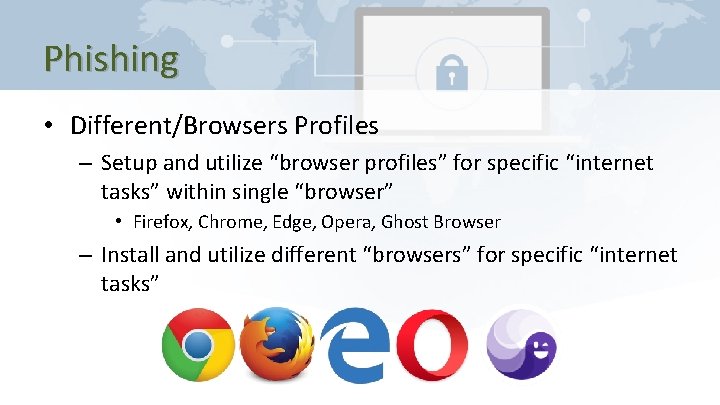
Phishing • Different/Browsers Profiles – Setup and utilize “browser profiles” for specific “internet tasks” within single “browser” • Firefox, Chrome, Edge, Opera, Ghost Browser – Install and utilize different “browsers” for specific “internet tasks”
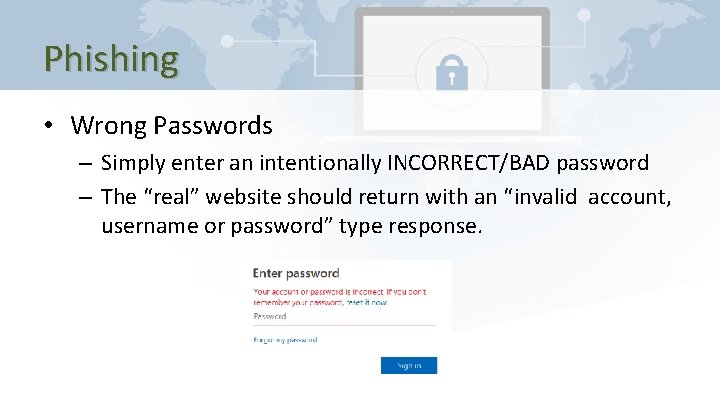
Phishing • Wrong Passwords – Simply enter an intentionally INCORRECT/BAD password – The “real” website should return with an “invalid account, username or password” type response.
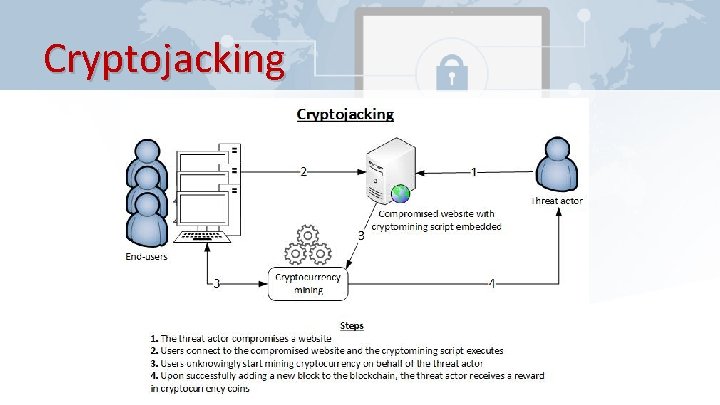
Cryptojacking
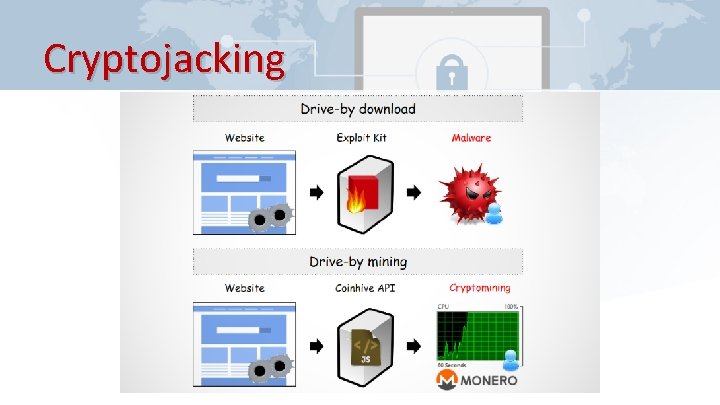
Cryptojacking
Cryptojacking
Cryptojacking
Cryptojacking
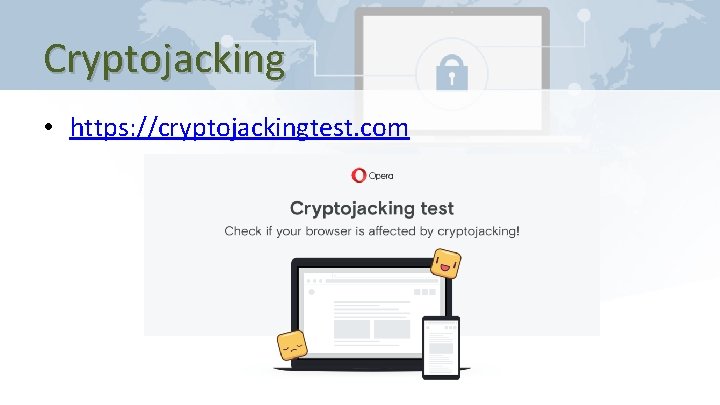
Cryptojacking • https: //cryptojackingtest. com
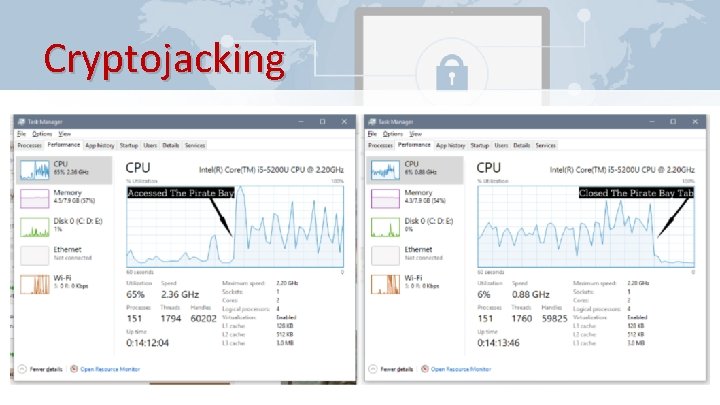
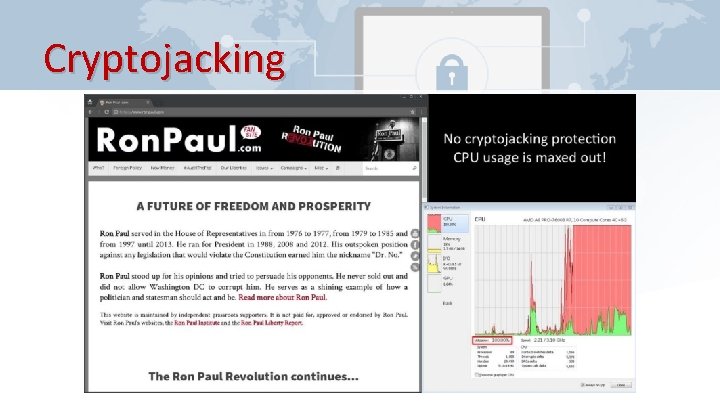
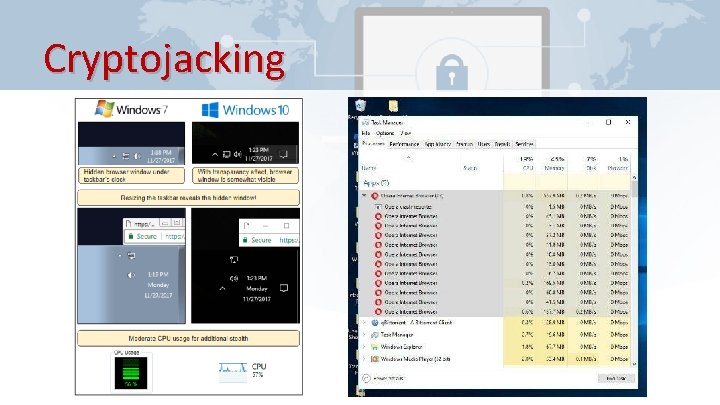
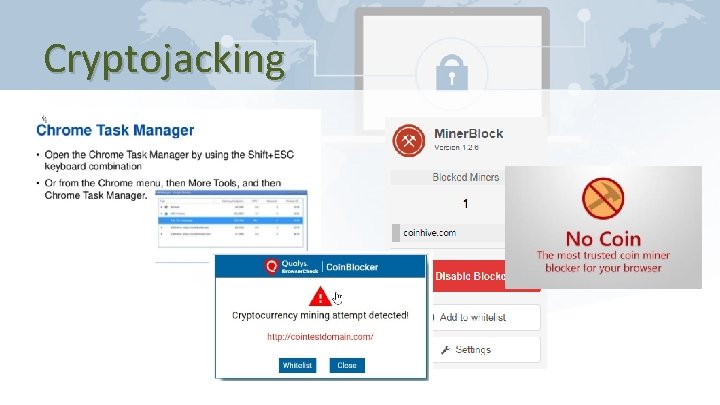
Cryptojacking • Use the Task Manager (Windows) or Activity Monitor (Mac OS X) • Disable Java. Script in the browser • Browser extensions like “No Coin”, “Miner Blocker”, “Coin. Blocker” are available for most browsers. Opera has it enabled already. • Install third-party malware detection and anti-virus software • Update and patch software
Cryptojacking
Cryptojacking • Anti-Malware, Anti-Spyware, Anti-Spamware – – https: //www. malwarebytes. com/ http: //www. safer-networking. org/private/ https: //superantispyware. com/ https: //www. malwarebytes. com/adwcleaner/
Ransomware
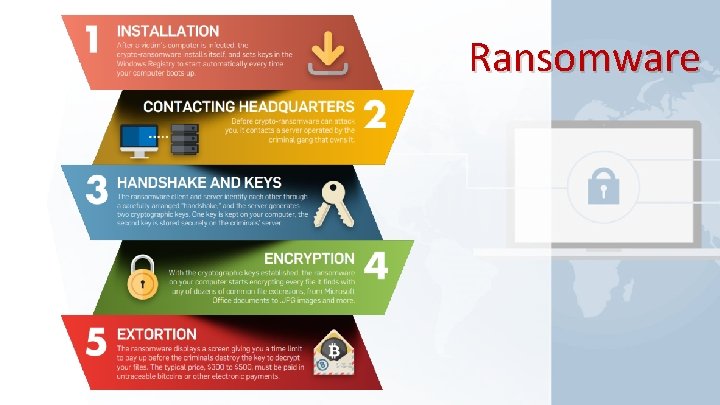
Ransomware
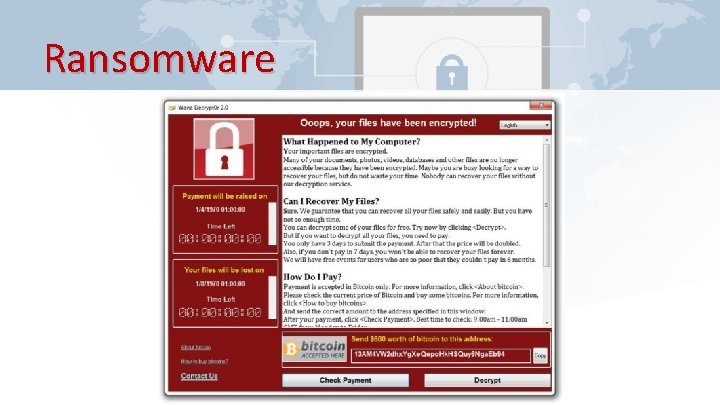
Ransomware • Education • Backups • Remove local administrative rights from daily use account • Be wary of any email attachments
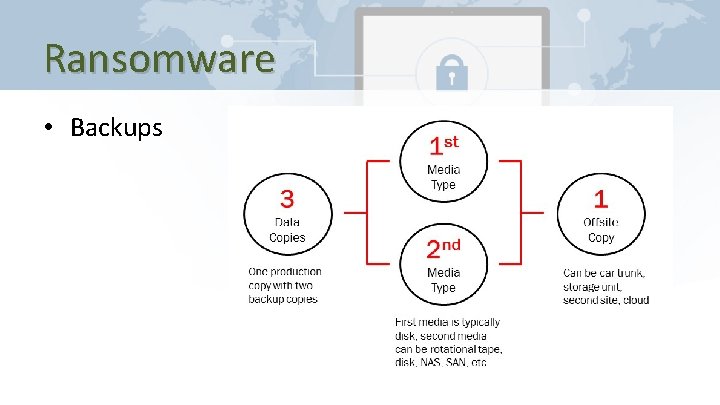
Ransomware • Backups
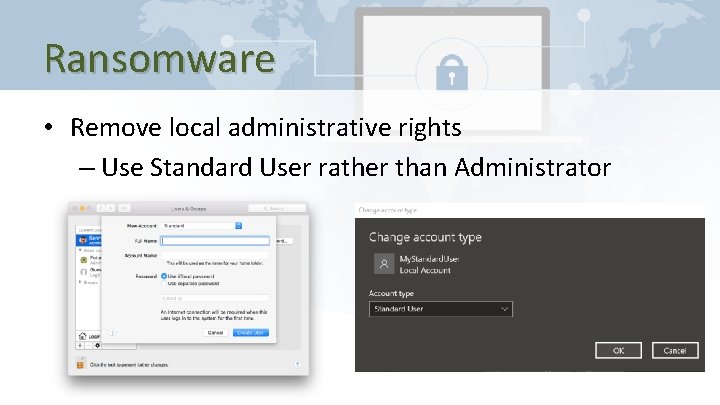
Ransomware • Remove local administrative rights – Use Standard User rather than Administrator
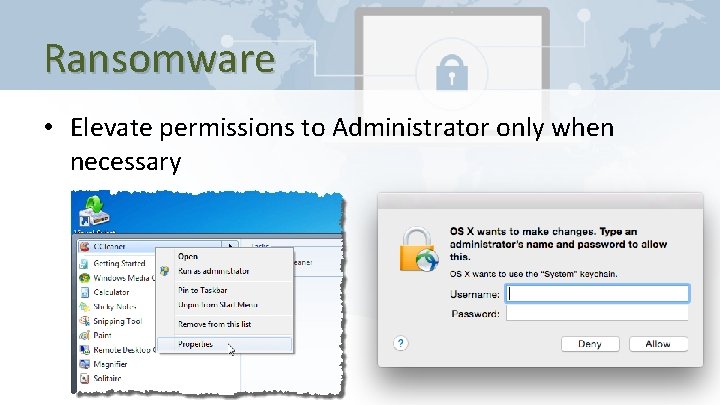
Ransomware • Elevate permissions to Administrator only when necessary
Internal Threats • Employees – Insider malice – Poor Password Practices – Weak Access Policies – Unsafe Downloads – Unprotected Data and Email
Internal Threats • Software / Systems – Unsecured Software – Unsecured Devices – Unsecured Network / Wi-Fi – Bad Access Practices
Internal Threats • Devices / Internet-of-Things (Io. T) – Employee’s BYOD – Bring your own device – Employee Online Access, VPN, Remote Access/Connectivity • Automation/“Connected” Devices – Software/Firmware Outdated/Unpatched • Websites, Remote Access Gateways, VPN, Servers – Outdated/Unpatched – Unmanaged and Unmonitored
Internal Threats • • Education, Education IT Service/Support/Consultants Conditional Access Privileged Access Updated/Patched Software/Firmware Managed/Monitored Servers, Software and Devices Intentional Increased Security Measures
External Threats • Employees – BYOD – Bring your own device – Online Access, VPN, Remote Access/Connectivity – Severed, Malicious Intentions • Websites, Remote Access Gateways, VPN, Servers – Outdated/Unpatched – Unmanaged and Unmonitored
External Threats • • Education, Education IT Service/Support/Consultants Conditional Access (Filtering, Blocking) Privileged Access Updated/Patched Software Managed/Monitored Servers, Software and Devices Intentional Increased Security Measures
Questions & Answers
Contact Information � Midland Shared Spaces (MSS) 3500 N A St, Ste 1100 Midland, TX 79705 (432) 685 -0400 main ghires@midlandss. org https: //midlandss. org � Hires Consulting (website for this presentation) http: //hiresconsulting. com
- Slides: 53