
CXF Web Services CXF Web Services SOAPBasic Profile
CXF介绍 Web Services 标准:CXF 支持多种 Web Services 标准,包含 SOAP、Basic Profile、 WS-Addressing、WS-Policy、WSReliable. Messaging 和 WS-Security。 � Frontends:CXF 支持多种“Frontend”编程模型, CXF 实现了 JAX-WS API (遵循 JAX-WS 2. 0 TCK 版本),它也包含一个“simple frontend” 允许客户端和 End. Point 的创建,而不需要 Annotation 注解。CXF 既支持 WSDL 优先开发, 也支持从 Java 的代码优先开发模式 � 支持
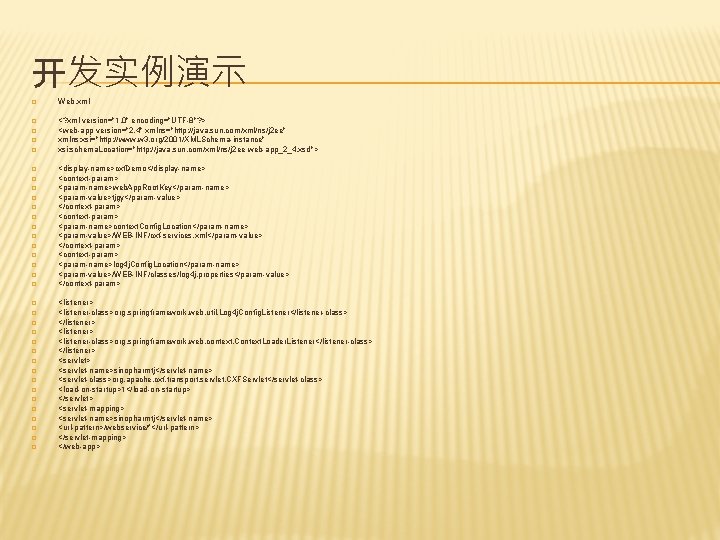
开发实例演示 � Web. xml � <? xml version="1. 0" encoding="UTF-8"? > <web-app version="2. 4" xmlns="http: //java. sun. com/xml/ns/j 2 ee" xmlns: xsi="http: //www. w 3. org/2001/XMLSchema-instance" xsi: schema. Location="http: //java. sun. com/xml/ns/j 2 ee web-app_2_4. xsd"> � � � � � � � � <display-name>cxf. Demo</display-name> <context-param> <param-name>web. App. Root. Key</param-name> <param-value>tjgy</param-value> </context-param> <param-name>context. Config. Location</param-name> <param-value>/WEB-INF/cxf-services. xml</param-value> </context-param> <param-name>log 4 j. Config. Location</param-name> <param-value>/WEB-INF/classes/log 4 j. properties</param-value> </context-param> <listener-class>org. springframework. web. util. Log 4 j. Config. Listener</listener-class> </listener> <listener-class>org. springframework. web. context. Context. Loader. Listener</listener-class> </listener> <servlet-name>sinopharmtj</servlet-name> <servlet-class>org. apache. cxf. transport. servlet. CXFServlet</servlet-class> <load-on-startup>1</load-on-startup> </servlet> <servlet-mapping> <servlet-name>sinopharmtj</servlet-name> <url-pattern>/webservice/*</url-pattern> </servlet-mapping> </web-app>
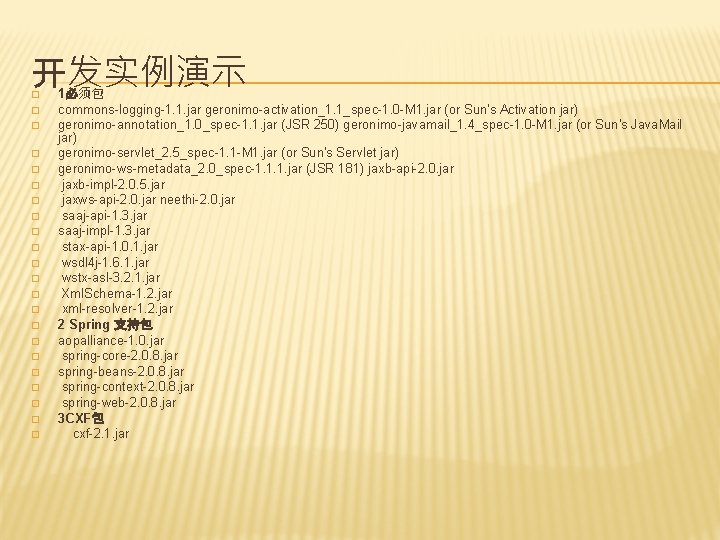
开发实例演示 � � � � � � 1必须包 commons-logging-1. 1. jar geronimo-activation_1. 1_spec-1. 0 -M 1. jar (or Sun's Activation jar) geronimo-annotation_1. 0_spec-1. 1. jar (JSR 250) geronimo-javamail_1. 4_spec-1. 0 -M 1. jar (or Sun's Java. Mail jar) geronimo-servlet_2. 5_spec-1. 1 -M 1. jar (or Sun's Servlet jar) geronimo-ws-metadata_2. 0_spec-1. 1. 1. jar (JSR 181) jaxb-api-2. 0. jar jaxb-impl-2. 0. 5. jar jaxws-api-2. 0. jar neethi-2. 0. jar saaj-api-1. 3. jar saaj-impl-1. 3. jar stax-api-1. 0. 1. jar wsdl 4 j-1. 6. 1. jar wstx-asl-3. 2. 1. jar Xml. Schema-1. 2. jar xml-resolver-1. 2. jar 2 Spring 支持包 aopalliance-1. 0. jar spring-core-2. 0. 8. jar spring-beans-2. 0. 8. jar spring-context-2. 0. 8. jar spring-web-2. 0. 8. jar 3 CXF包 cxf-2. 1. jar
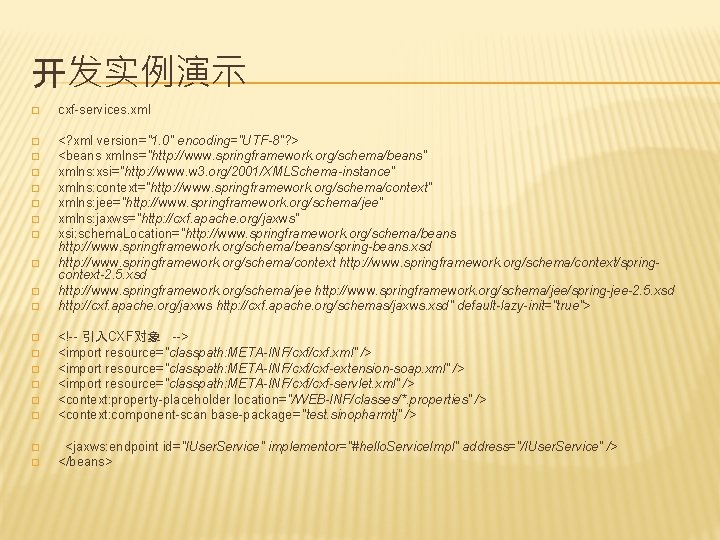
开发实例演示 � cxf-services. xml � <? xml version="1. 0" encoding="UTF-8"? > <beans xmlns="http: //www. springframework. org/schema/beans" xmlns: xsi="http: //www. w 3. org/2001/XMLSchema-instance" xmlns: context="http: //www. springframework. org/schema/context" xmlns: jee="http: //www. springframework. org/schema/jee" xmlns: jaxws="http: //cxf. apache. org/jaxws" xsi: schema. Location="http: //www. springframework. org/schema/beans/spring-beans. xsd http: //www. springframework. org/schema/context/springcontext-2. 5. xsd http: //www. springframework. org/schema/jee/spring-jee-2. 5. xsd http: //cxf. apache. org/jaxws http: //cxf. apache. org/schemas/jaxws. xsd" default-lazy-init="true"> � � � � � <!-- 引入CXF对象 --> <import resource="classpath: META-INF/cxf. xml" /> <import resource="classpath: META-INF/cxf-extension-soap. xml" /> <import resource="classpath: META-INF/cxf-servlet. xml" /> <context: property-placeholder location="/WEB-INF/classes/*. properties" /> <context: component-scan base-package="test. sinopharmtj" /> <jaxws: endpoint id="IUser. Service" implementor="#hello. Service. Impl" address="/IUser. Service" /> </beans>
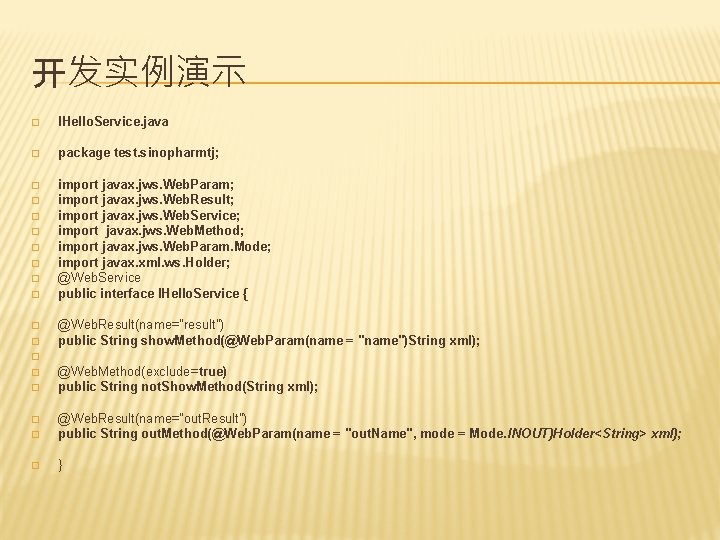
开发实例演示 � IHello. Service. java � package test. sinopharmtj; � import javax. jws. Web. Param; import javax. jws. Web. Result; import javax. jws. Web. Service; import javax. jws. Web. Method; import javax. jws. Web. Param. Mode; import javax. xml. ws. Holder; @Web. Service public interface IHello. Service { � � � � � @Web. Result(name="result") public String show. Method(@Web. Param(name = "name")String xml); � � � @Web. Method(exclude=true) public String not. Show. Method(String xml); � @Web. Result(name="out. Result") public String out. Method(@Web. Param(name = "out. Name", mode = Mode. INOUT)Holder<String> xml); � } �
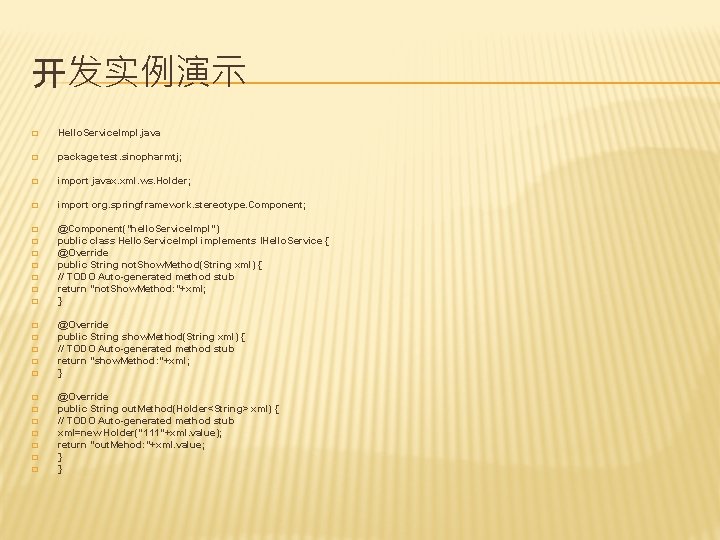
开发实例演示 � Hello. Service. Impl. java � package test. sinopharmtj; � import javax. xml. ws. Holder; � import org. springframework. stereotype. Component; � @Component("hello. Service. Impl") public class Hello. Service. Impl implements IHello. Service { @Override public String not. Show. Method(String xml) { // TODO Auto-generated method stub return "not. Show. Method: "+xml; } � � � � � @Override public String show. Method(String xml) { // TODO Auto-generated method stub return "show. Method: "+xml; } @Override public String out. Method(Holder<String> xml) { // TODO Auto-generated method stub xml=new Holder("111"+xml. value); return "out. Mehod: "+xml. value; } }
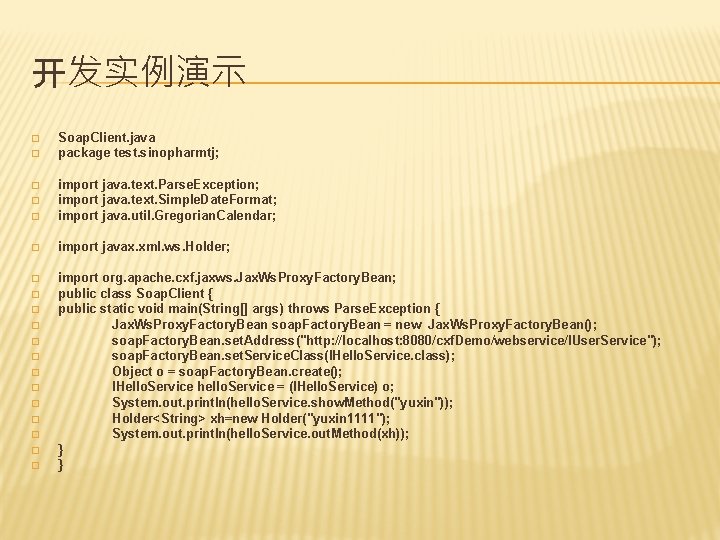
开发实例演示 � � Soap. Client. java package test. sinopharmtj; � import java. text. Parse. Exception; import java. text. Simple. Date. Format; import java. util. Gregorian. Calendar; � import javax. xml. ws. Holder; � import org. apache. cxf. jaxws. Jax. Ws. Proxy. Factory. Bean; public class Soap. Client { public static void main(String[] args) throws Parse. Exception { Jax. Ws. Proxy. Factory. Bean soap. Factory. Bean = new Jax. Ws. Proxy. Factory. Bean(); soap. Factory. Bean. set. Address("http: //localhost: 8080/cxf. Demo/webservice/IUser. Service"); soap. Factory. Bean. set. Service. Class(IHello. Service. class); Object o = soap. Factory. Bean. create(); IHello. Service hello. Service = (IHello. Service) o; System. out. println(hello. Service. show. Method("yuxin")); Holder<String> xh=new Holder("yuxin 1111"); System. out. println(hello. Service. out. Method(xh)); } } � � � �
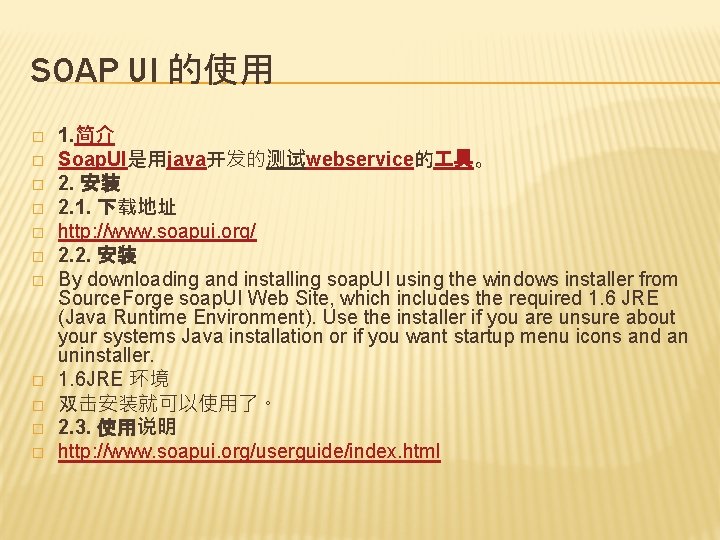
SOAP UI 的使用 � � � 1. 简介 Soap. UI是用java开发的测试webservice的 具。 2. 安装 2. 1. 下载地址 http: //www. soapui. org/ 2. 2. 安装 By downloading and installing soap. UI using the windows installer from Source. Forge soap. UI Web Site, which includes the required 1. 6 JRE (Java Runtime Environment). Use the installer if you are unsure about your systems Java installation or if you want startup menu icons and an uninstaller. 1. 6 JRE 环境 双击安装就可以使用了。 2. 3. 使用说明 http: //www. soapui. org/userguide/index. html
- Slides: 16