
CWNA Guide to Wireless LANs Second Edition Chapter
- Slides: 35
CWNA Guide to Wireless LANs, Second Edition Chapter Two Wireless LAN Devices and Standards CWNA Guide to Wireless LANs, Second Edition
Objectives • List WLAN devices and describe their basic functions • Explain the different types of communication standards and why standards are important • List the three major wireless standards and regulatory agencies and their functions • Describe the different IEEE WLAN standards CWNA Guide to Wireless LANs, Second Edition 2
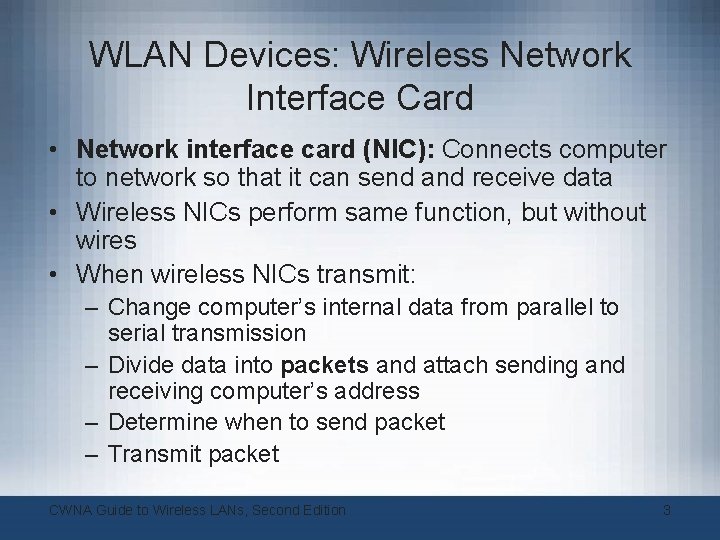
WLAN Devices: Wireless Network Interface Card • Network interface card (NIC): Connects computer to network so that it can send and receive data • Wireless NICs perform same function, but without wires • When wireless NICs transmit: – Change computer’s internal data from parallel to serial transmission – Divide data into packets and attach sending and receiving computer’s address – Determine when to send packet – Transmit packet CWNA Guide to Wireless LANs, Second Edition 3
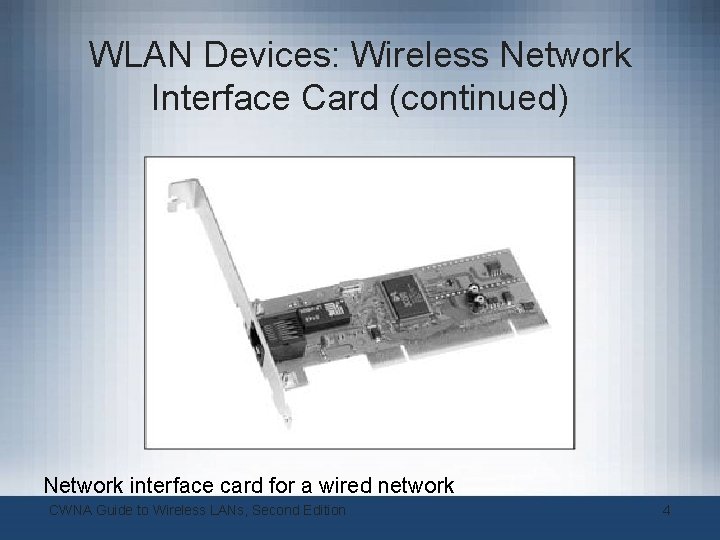
WLAN Devices: Wireless Network Interface Card (continued) Network interface card for a wired network CWNA Guide to Wireless LANs, Second Edition 4
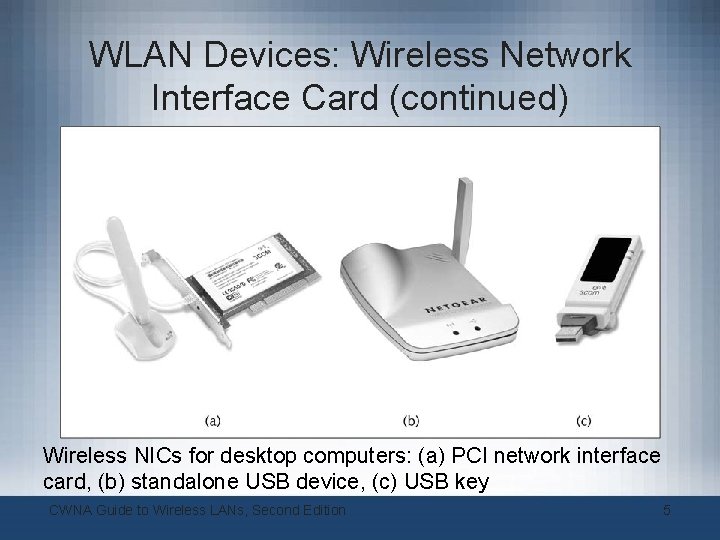
WLAN Devices: Wireless Network Interface Card (continued) Wireless NICs for desktop computers: (a) PCI network interface card, (b) standalone USB device, (c) USB key CWNA Guide to Wireless LANs, Second Edition 5
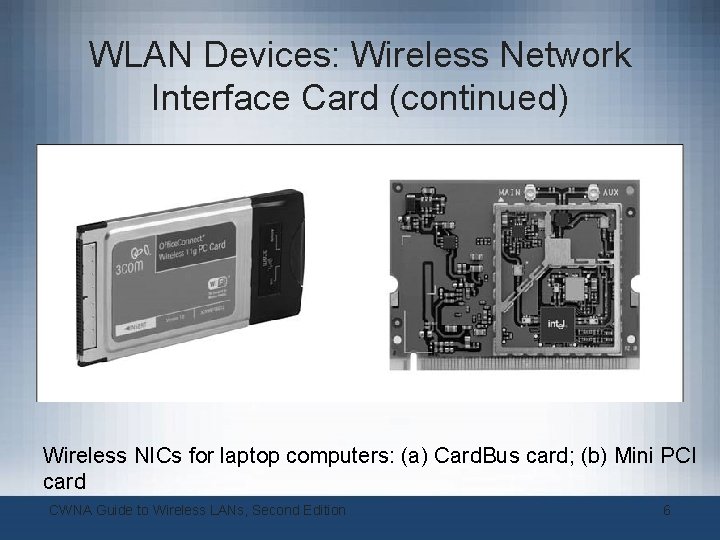
WLAN Devices: Wireless Network Interface Card (continued) Wireless NICs for laptop computers: (a) Card. Bus card; (b) Mini PCI card CWNA Guide to Wireless LANs, Second Edition 6
WLAN Devices: Wireless Network Interface Card (continued) • For smaller devices, several options: – Card. Bus or Type II PC Card • May require a sled – Compact. Flash (CF) card: Consists of small circuit board containing flash memory chips and dedicated controller chip • Small and consume little power – SDIO (Secure Digital I/O) or SDIO NOW! Card: Provides high-speed data input/output with low power consumption CWNA Guide to Wireless LANs, Second Edition 7
WLAN Devices: Wireless Network Interface Card (continued) • A movement towards integrating wireless NICs – Would eliminate need for external wireless NICs • Software drivers necessary to allow wireless NIC and operating system (OS) to interface – Windows XP and PDA OSs have built-in drivers CWNA Guide to Wireless LANs, Second Edition 8
WLAN Devices: Access Point • Three major parts: – Antenna and radio transmitter/receiver – RJ-45 wired network interface – Special bridging software • To interface wireless devices to other devices • Two basic function: – Base station for wireless network – Bridge between wireless and wired networks CWNA Guide to Wireless LANs, Second Edition 9
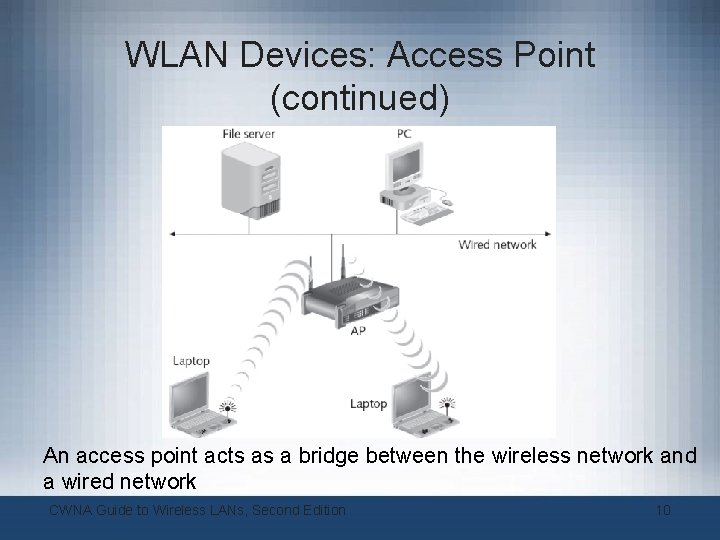
WLAN Devices: Access Point (continued) An access point acts as a bridge between the wireless network and a wired network CWNA Guide to Wireless LANs, Second Edition 10
WLAN Devices: Access Point (continued) • Range depends on several factors: – Type of wireless network supported – Walls, doors, and other solid objects • Number of wireless clients that single AP can support varies: – Theoretically over 100 clients – No more than 50 for light network use – No more than 20 for heavy network use • Power over Ethernet (Po. E): Power delivered to AP through unused wires in standard unshielded twisted pair (UTP) Ethernet cable CWNA Guide to Wireless LANs, Second Edition 11
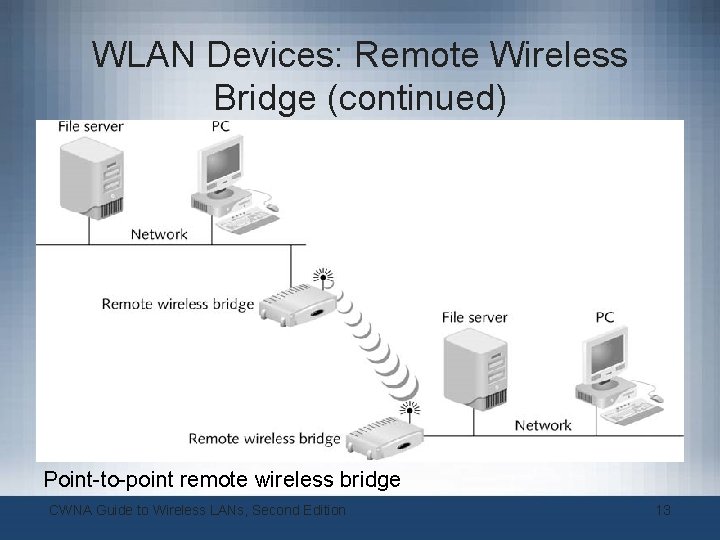
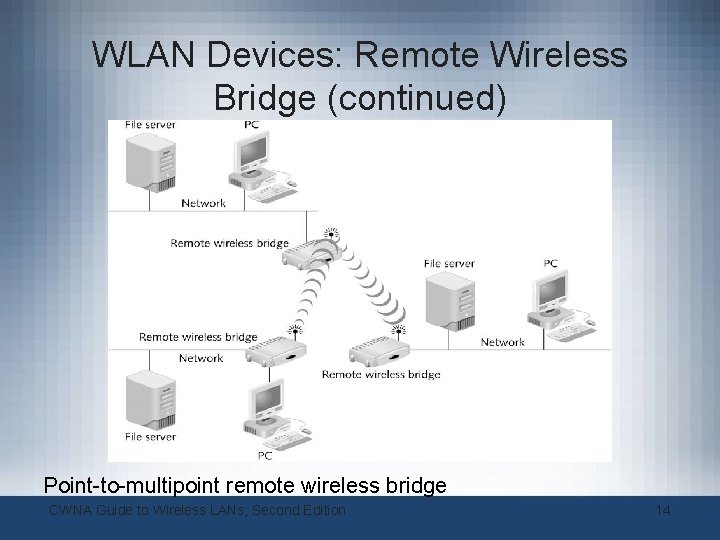
WLAN Devices: Remote Wireless Bridge • Bridge: Connects two network segments together – Even if they use different types of physical media • Remote wireless bridge: Connects two or more wired or wireless networks together – Transmit at higher power than WLAN APs – Use directional antennas to focus transmission in single direction – Delay spread: Minimize spread of signal so that it can reach farther distances – Have software enabling selection of clearest transmission channel and avoidance of noise and interference CWNA Guide to Wireless LANs, Second Edition 12
WLAN Devices: Remote Wireless Bridge (continued) Point-to-point remote wireless bridge CWNA Guide to Wireless LANs, Second Edition 13
WLAN Devices: Remote Wireless Bridge (continued) Point-to-multipoint remote wireless bridge CWNA Guide to Wireless LANs, Second Edition 14
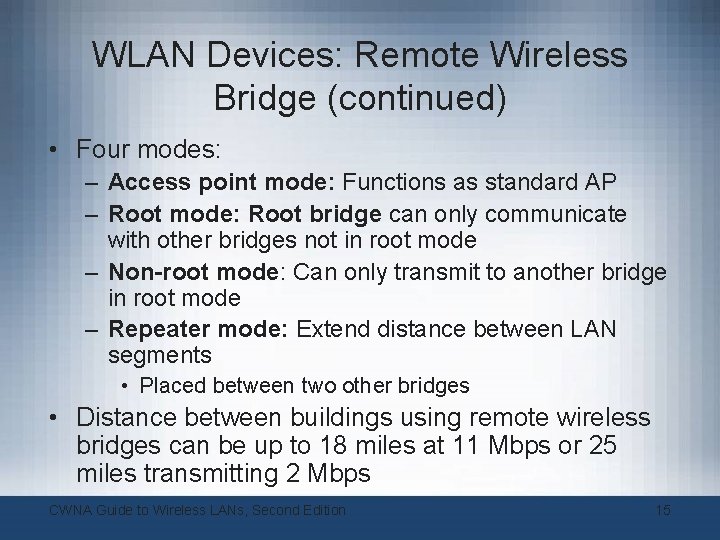
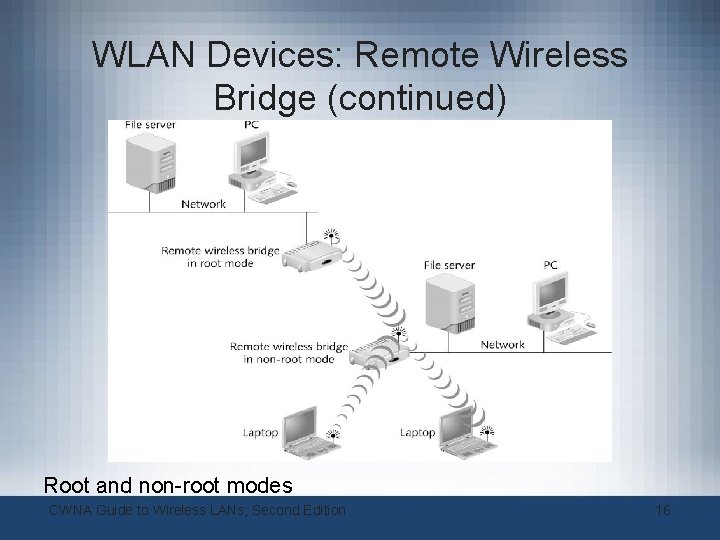
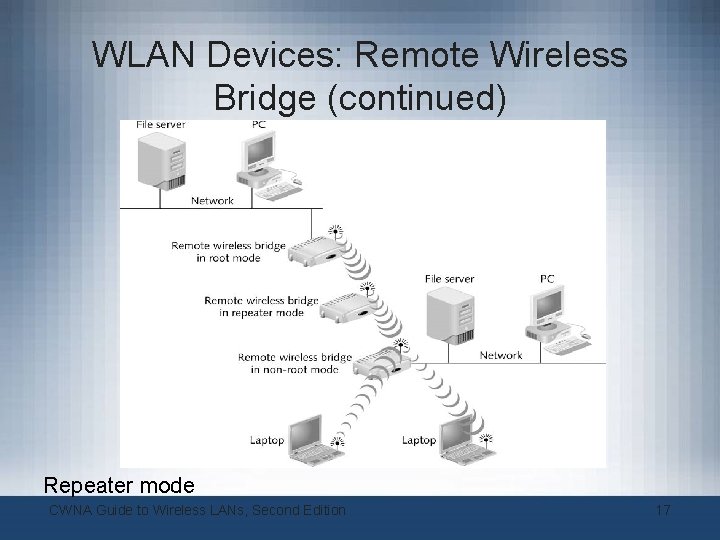
WLAN Devices: Remote Wireless Bridge (continued) • Four modes: – Access point mode: Functions as standard AP – Root mode: Root bridge can only communicate with other bridges not in root mode – Non-root mode: Can only transmit to another bridge in root mode – Repeater mode: Extend distance between LAN segments • Placed between two other bridges • Distance between buildings using remote wireless bridges can be up to 18 miles at 11 Mbps or 25 miles transmitting 2 Mbps CWNA Guide to Wireless LANs, Second Edition 15
WLAN Devices: Remote Wireless Bridge (continued) Root and non-root modes CWNA Guide to Wireless LANs, Second Edition 16
WLAN Devices: Remote Wireless Bridge (continued) Repeater mode CWNA Guide to Wireless LANs, Second Edition 17
WLAN Devices: Wireless Gateway • Combines wireless management and security in single appliance – – – Authentication Encryption Intrusion detection and malicious program protection Bandwidth management Centralized network management CWNA Guide to Wireless LANs, Second Edition 18
Wireless Standards Organizations and Regulatory Agencies • Three primary standard-setting and regulatory bodies that play major role in wireless LAN technology – Institute of Electrical and Electronics Engineers (IEEE) – Wi-Fi Alliance – U. S. Federal Communications Commission (FCC) CWNA Guide to Wireless LANs, Second Edition 19
Institute of Electrical and Electronics Engineers (IEEE) • Establishes standards for telecommunications – Also covers wide range of IT standards • World’s largest technical professional society – 37 Societies and Councils – Publish technically focused journals, magazines, and proceedings – Work on over 800 standards • Best known for its work in establishing standards for computer networks – Project 802 CWNA Guide to Wireless LANs, Second Edition 20
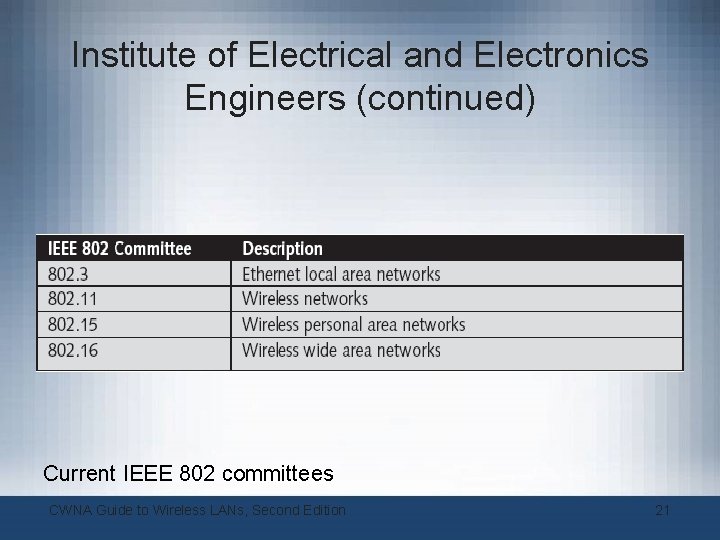
Institute of Electrical and Electronics Engineers (continued) Current IEEE 802 committees CWNA Guide to Wireless LANs, Second Edition 21
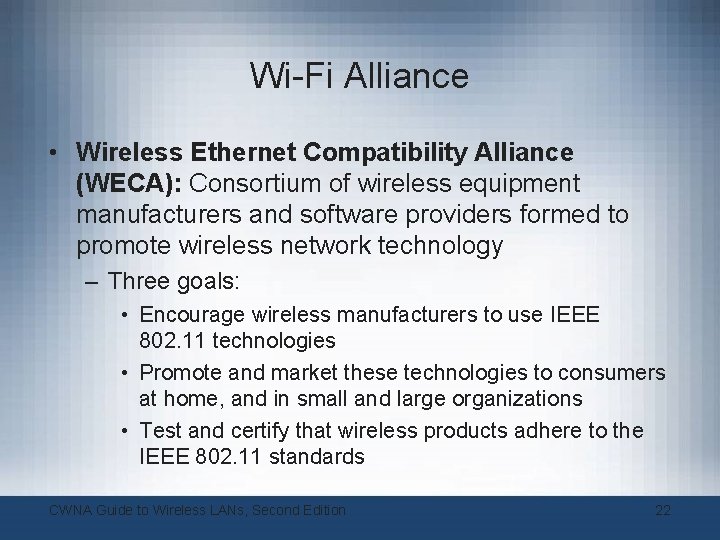
Wi-Fi Alliance • Wireless Ethernet Compatibility Alliance (WECA): Consortium of wireless equipment manufacturers and software providers formed to promote wireless network technology – Three goals: • Encourage wireless manufacturers to use IEEE 802. 11 technologies • Promote and market these technologies to consumers at home, and in small and large organizations • Test and certify that wireless products adhere to the IEEE 802. 11 standards CWNA Guide to Wireless LANs, Second Edition 22
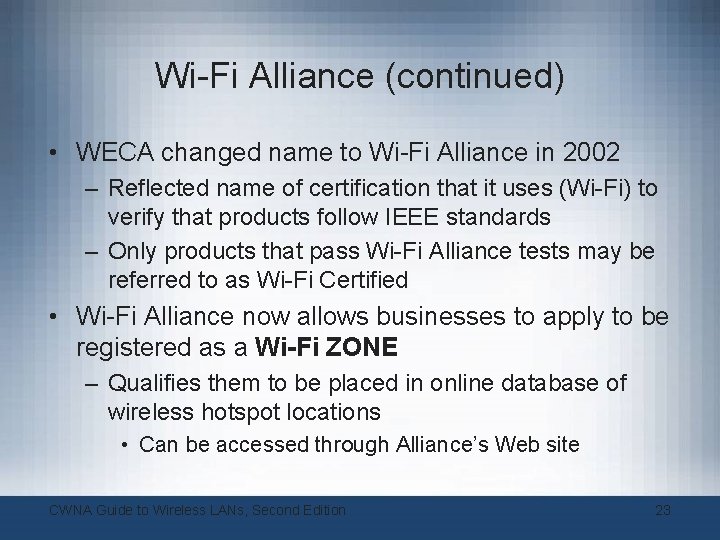
Wi-Fi Alliance (continued) • WECA changed name to Wi-Fi Alliance in 2002 – Reflected name of certification that it uses (Wi-Fi) to verify that products follow IEEE standards – Only products that pass Wi-Fi Alliance tests may be referred to as Wi-Fi Certified • Wi-Fi Alliance now allows businesses to apply to be registered as a Wi-Fi ZONE – Qualifies them to be placed in online database of wireless hotspot locations • Can be accessed through Alliance’s Web site CWNA Guide to Wireless LANs, Second Edition 23
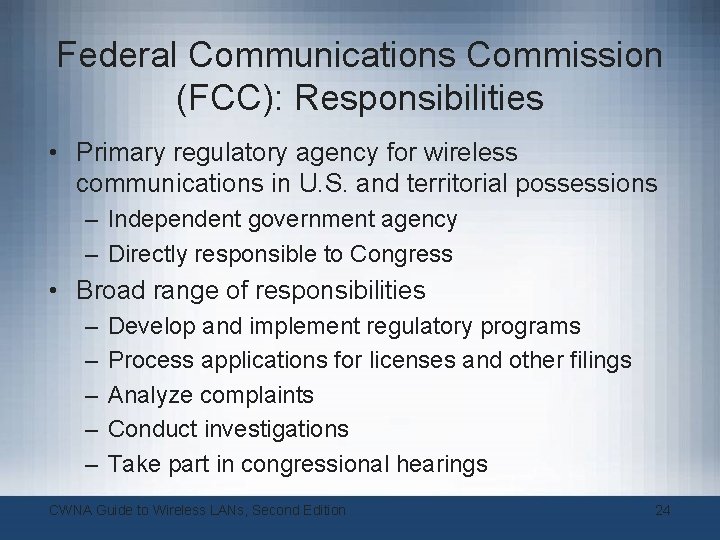
Federal Communications Commission (FCC): Responsibilities • Primary regulatory agency for wireless communications in U. S. and territorial possessions – Independent government agency – Directly responsible to Congress • Broad range of responsibilities – – – Develop and implement regulatory programs Process applications for licenses and other filings Analyze complaints Conduct investigations Take part in congressional hearings CWNA Guide to Wireless LANs, Second Edition 24
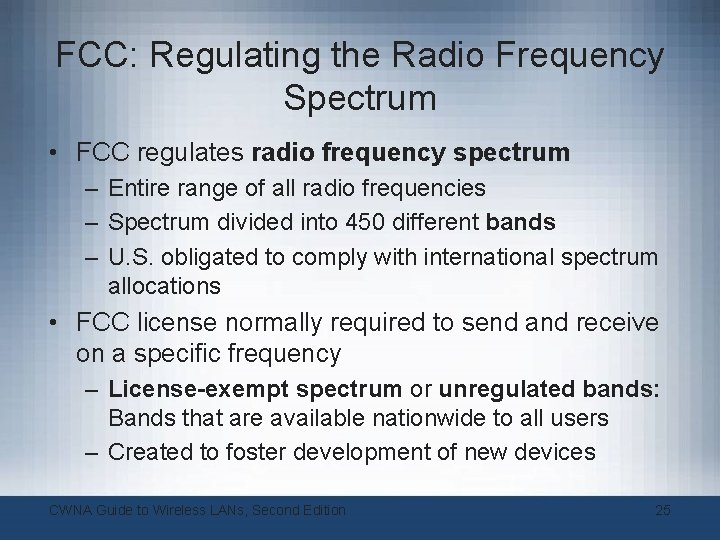
FCC: Regulating the Radio Frequency Spectrum • FCC regulates radio frequency spectrum – Entire range of all radio frequencies – Spectrum divided into 450 different bands – U. S. obligated to comply with international spectrum allocations • FCC license normally required to send and receive on a specific frequency – License-exempt spectrum or unregulated bands: Bands that are available nationwide to all users – Created to foster development of new devices CWNA Guide to Wireless LANs, Second Edition 25
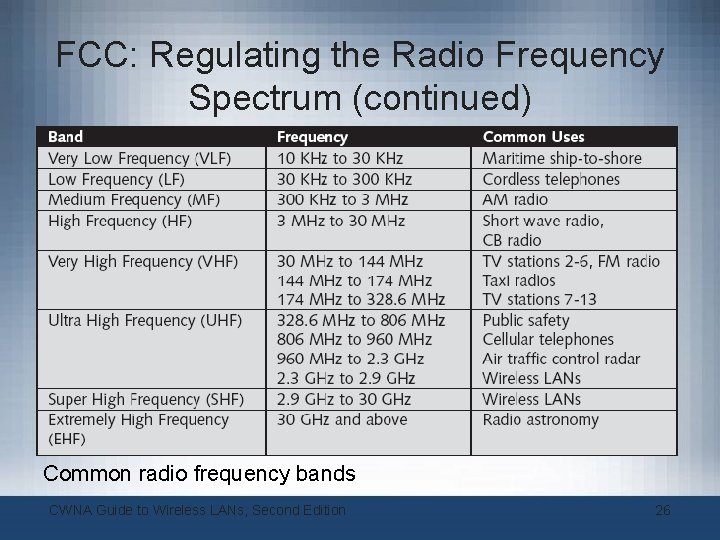
FCC: Regulating the Radio Frequency Spectrum (continued) Common radio frequency bands CWNA Guide to Wireless LANs, Second Edition 26
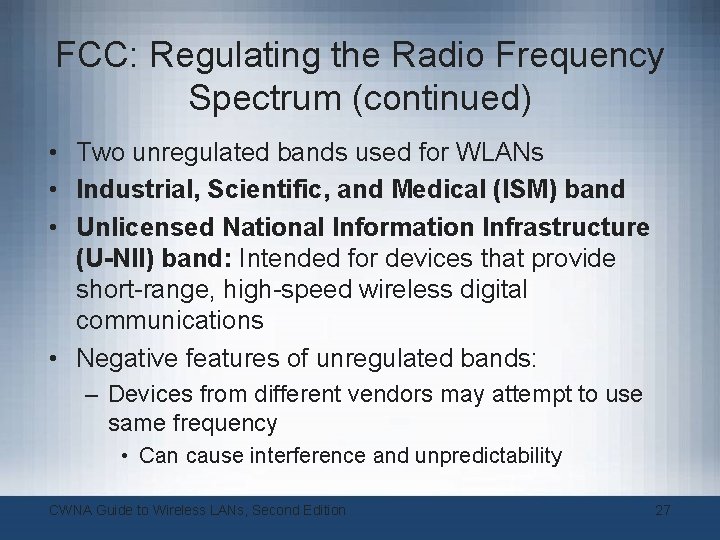
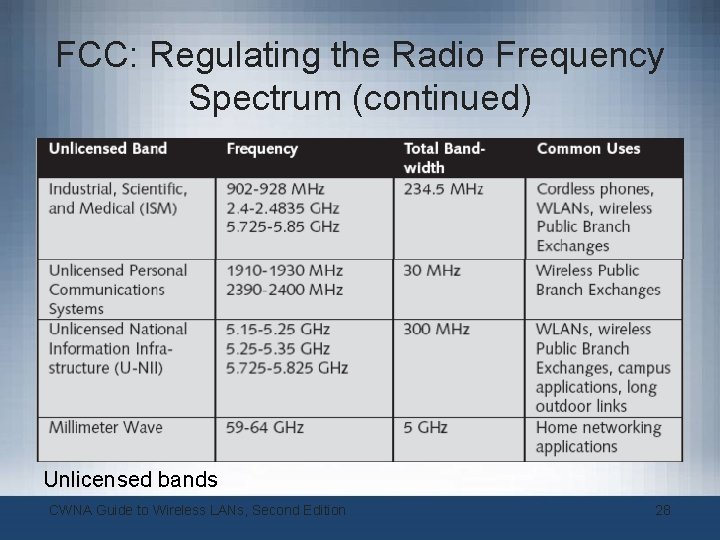
FCC: Regulating the Radio Frequency Spectrum (continued) • Two unregulated bands used for WLANs • Industrial, Scientific, and Medical (ISM) band • Unlicensed National Information Infrastructure (U-NII) band: Intended for devices that provide short-range, high-speed wireless digital communications • Negative features of unregulated bands: – Devices from different vendors may attempt to use same frequency • Can cause interference and unpredictability CWNA Guide to Wireless LANs, Second Edition 27
FCC: Regulating the Radio Frequency Spectrum (continued) Unlicensed bands CWNA Guide to Wireless LANs, Second Edition 28
Types of Wireless LANs • Since late 1990 s, IEEE has approved four standards for wireless LANs: – – IEEE 802. 11 b IEEE 802. 11 a IEEE 802. 11 g • IEEE 802. 11 n expected to be approved by 2006 CWNA Guide to Wireless LANs, Second Edition 29
IEEE 802. 11 • Specified that wireless transmission could take place via infrared (IR) or radio signals • Infrared Transmissions: – Can send data by the intensity of the infrared light wave – Light spectrum: All types of light – Infrared light: Can be used for wireless transmissions • Invisible – Emitter: Device that transmits a signal – Detector: Device that receives a signal CWNA Guide to Wireless LANs, Second Edition 30
IEEE 802. 11 (continued) • Radio Wave Transmissions: – Radio waves can penetrate through objects • Provides mobility – Radio waves travel longer distances – Can be used indoors and outdoors – Radio waves can travel at much higher speeds than infrared transmissions – IEEE 802. 11 standard outlining radio wave transmissions has become preferred method for wireless LANs CWNA Guide to Wireless LANs, Second Edition 31
IEEE 802. 11 b • 802. 11 standard’s 2 Mbps bandwidth not sufficient for most network applications • 802. 11 b amendment added two higher speeds (5. 5 Mbps and 11 Mbps) to original 802. 11 standard – Uses ISM band • Supports wireless devices up to 115 meters (375 feet) apart – Radio waves decrease in power over distance – 802. 11 b standard specifies that, when devices out of range to transmit at 11 Mbps, devices drop transmission speed to 5. 5 Mbps CWNA Guide to Wireless LANs, Second Edition 32
IEEE 802. 11 a • IEEE 802. 11 a standard specifies maximum rated speed of 54 Mbps – Also supports 48, 36, 24, 18, 12, 9, and 6 Mbps transmissions using U-NII band • 802. 11 a and 802. 11 b published at same time – 802. 11 a came to market later due to technical issues and high production cost • Range of 802. 11 a is less than that of 802. 11 b CWNA Guide to Wireless LANs, Second Edition 33
IEEE 802. 11 g • Effort to combine best features of 802. 11 a and 802. 11 b – Data transfer rates to 54 Mbps – Support devices up to 115 meters apart • 802. 11 g standard specifies that devices operate entirely in ISM frequency CWNA Guide to Wireless LANs, Second Edition 34
Projected IEEE 802. 11 n • Currently in evaluation stage • Top speed of 802. 11 n standard will be anywhere from 100 Mbps to 500 Mbps • Ratification may not occur until 2006 – Devices based on standard may appear prior to that • 802. 11 pre-N CWNA Guide to Wireless LANs, Second Edition 35