
Cumberland Valley HS Naviance Parent Presentation Fall 2016
Cumberland Valley HS Naviance Parent Presentation Fall 2016
Tonight’s Objectives Introduction to Naviance – What is it? Getting Parent Accounts Activated Tour of Family Connection, including: Home Page (resources, links, messages, etc. ) About Me Tab (goals, tasks, profile, portfolio, resume, etc. ) Careers Tab (exploring careers, personality assessment, Road. Trip Nation videos, etc. ) Colleges Tab (college searches, college visits, etc. )
What is Naviance?
Welcome to Naviance Ø Naviance is a college and career readiness platform that helps students connect academic achievement to post-secondary goals and success. Ø Secure web-based career and college research and planning tool for students, parents, and school counselors Ø Student and Parent access through Family Connection Ø Family Connection is specific to our school
How Can Students Use It? Career Planning Learning Style Inventory, Interest Inventory, Personality Inventory, Resume Building, Career Searches College Planning College Search, Application Process, College Major Exploration, Scholarship/Financial Aid Resources Success Planning Personalized Goals and Tasks, Journal Entries, Student Planner
How Can Parents Use It? Parent access to Family Connection allows parents/guardians to view select information in their child’s online portfolio, including Potential colleges of interest Status of college applications College Scattergrams Career Interests Student scores and academic info (GPA, SAT, AP, etc. ) Results of certain assessments/surveys Resume, goals, and tasks
Parent Log In
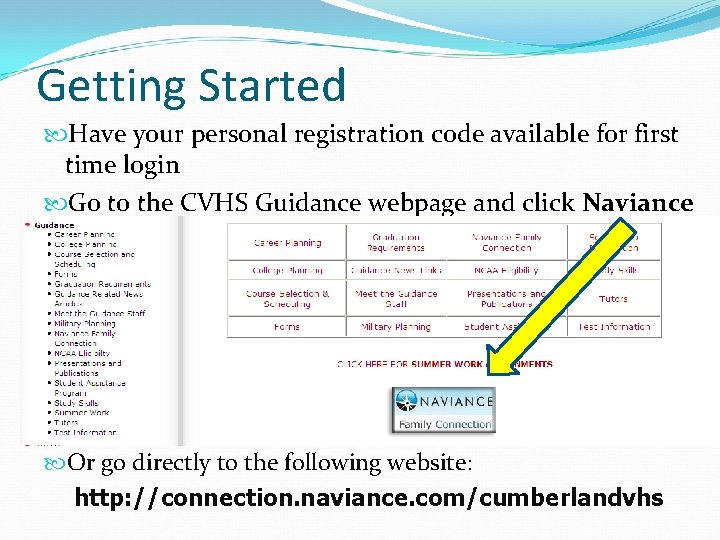
Getting Started Have your personal registration code available for first time login Go to the CVHS Guidance webpage and click Naviance Or go directly to the following website: http: //connection. naviance. com/cumberlandvhs
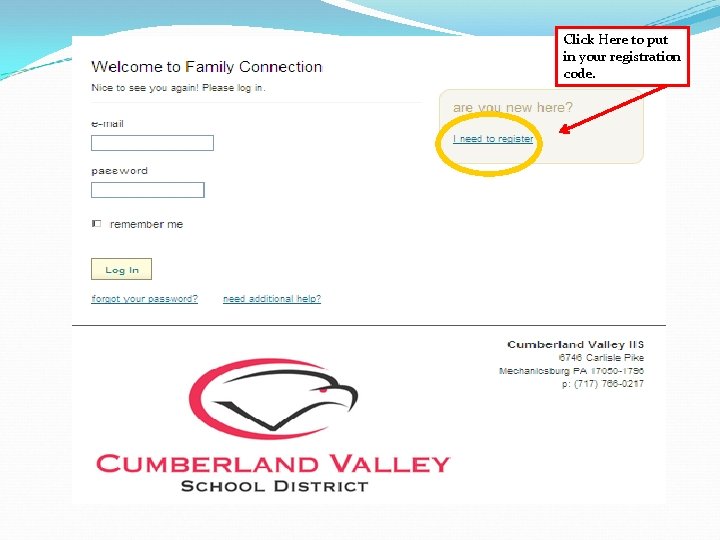
Click Here to put in your registration code.
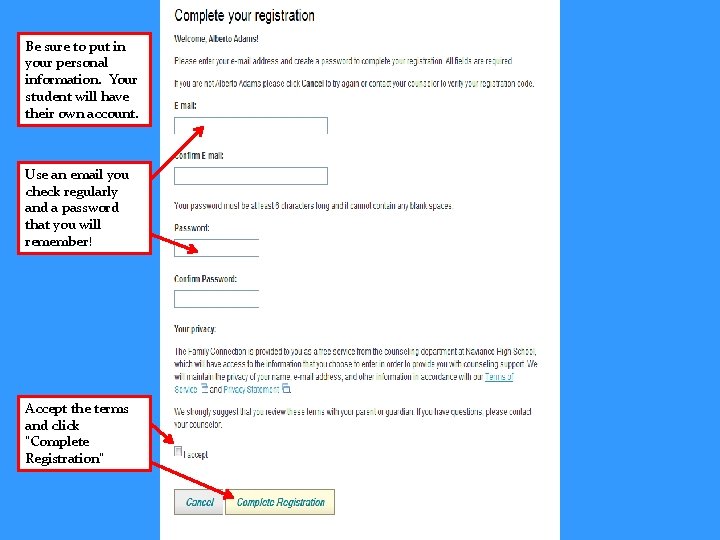
Be sure to put in your personal information. Your student will have their own account. Use an email you check regularly and a password that you will remember! Accept the terms and click “Complete Registration”
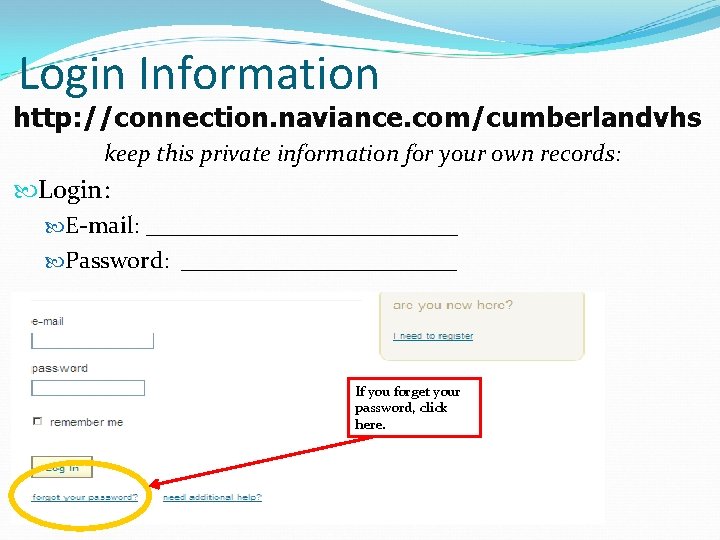
Login Information http: //connection. naviance. com/cumberlandvhs keep this private information for your own records: Login: E-mail: _____________ Password: ____________ If you forget your password, click here.
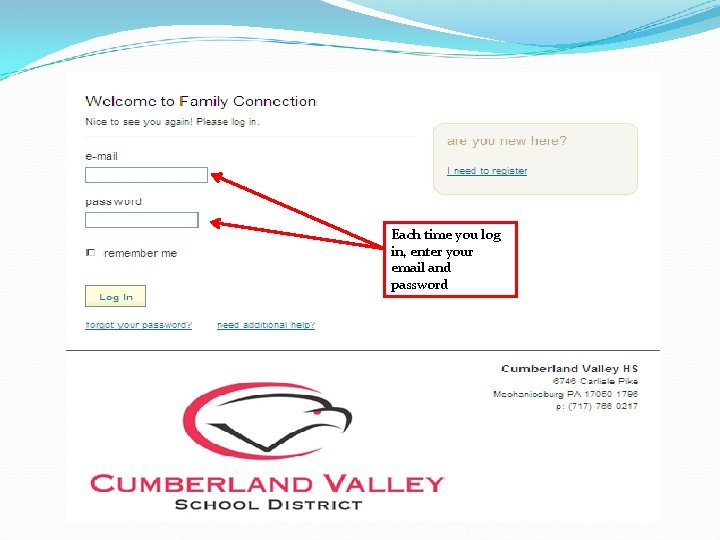
Each time you log in, enter your email and password
Naviance Features
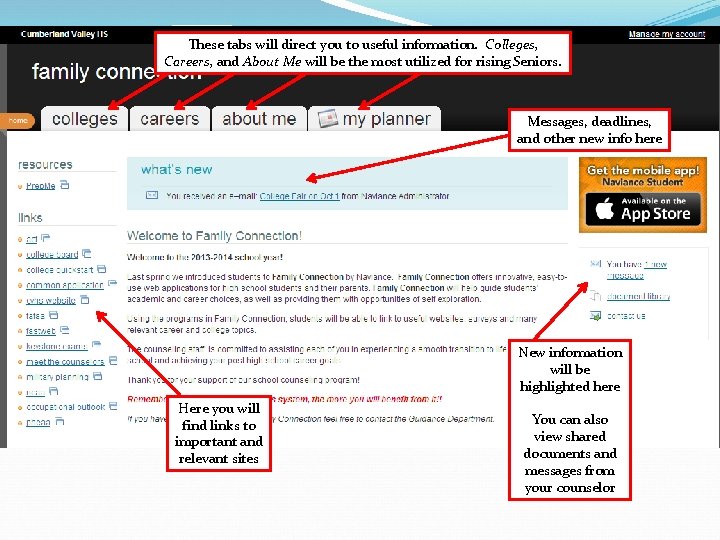
These tabs will direct you to useful information. Colleges, Careers, and About Me will be the most utilized for rising Seniors. Messages, deadlines, and other new info here New information will be highlighted here Here you will find links to important and relevant sites You can also view shared documents and messages from your counselor
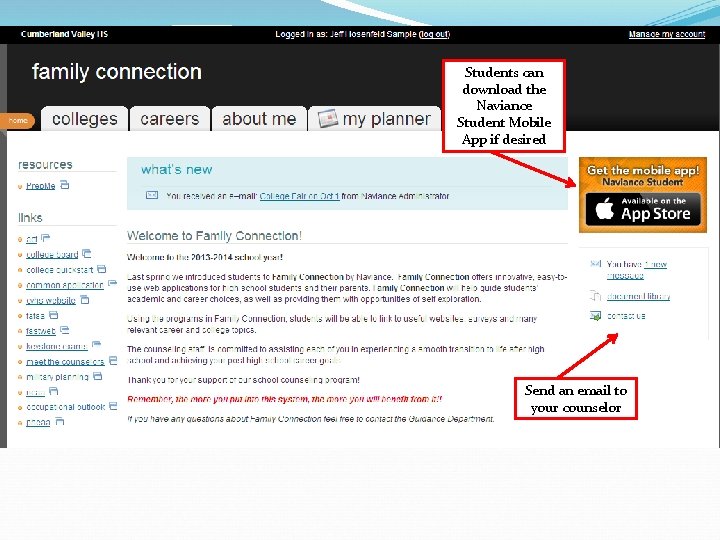
Students can download the Naviance Student Mobile App if desired Send an email to your counselor
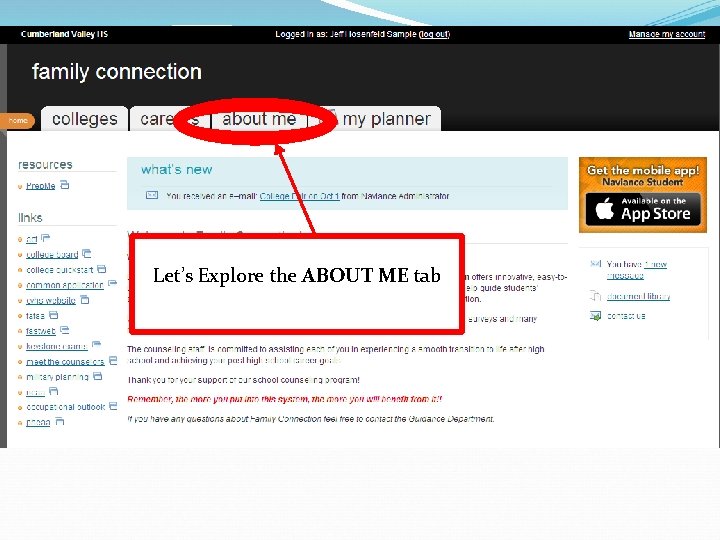
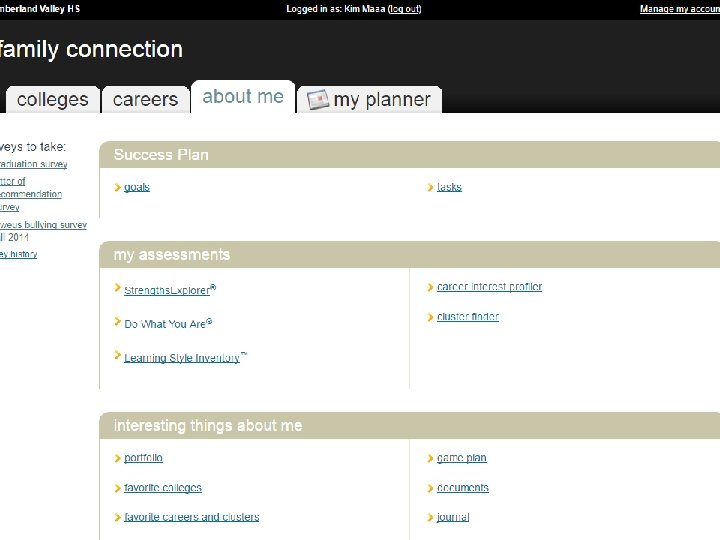
Let’s Explore the ABOUT ME tab
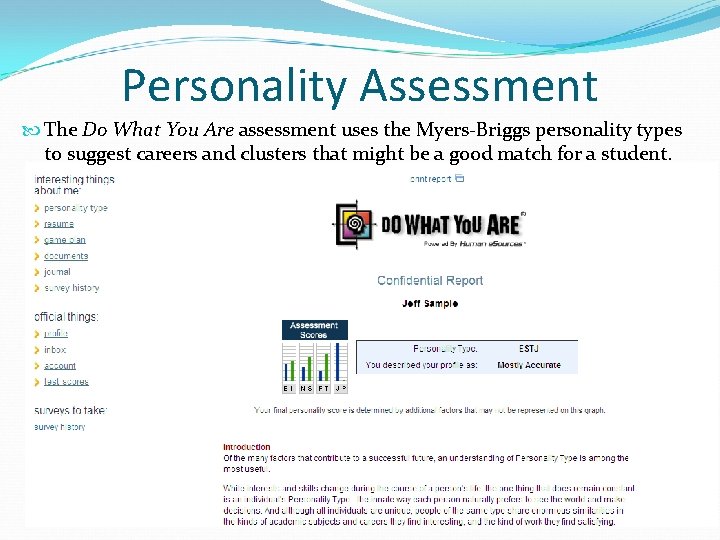
Personality Assessment The Do What You Are assessment uses the Myers-Briggs personality types to suggest careers and clusters that might be a good match for a student.
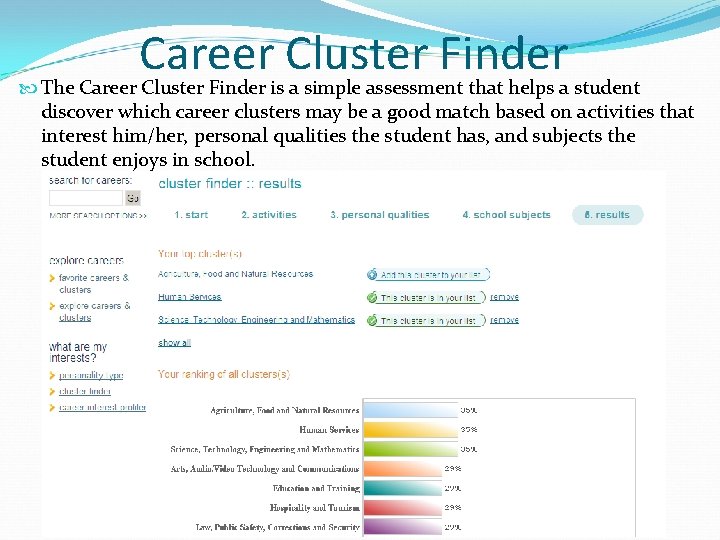
Career Cluster Finder The Career Cluster Finder is a simple assessment that helps a student discover which career clusters may be a good match based on activities that interest him/her, personal qualities the student has, and subjects the student enjoys in school.
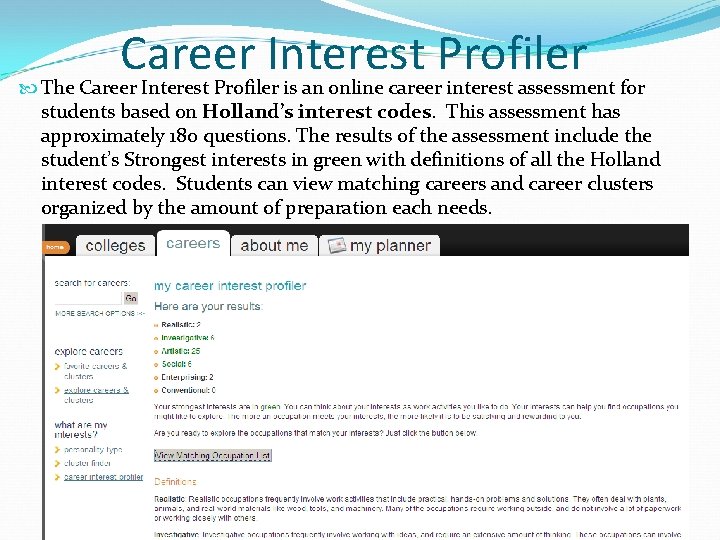
Career Interest Profiler The Career Interest Profiler is an online career interest assessment for students based on Holland’s interest codes. This assessment has approximately 180 questions. The results of the assessment include the student’s Strongest interests in green with definitions of all the Holland interest codes. Students can view matching careers and career clusters organized by the amount of preparation each needs.
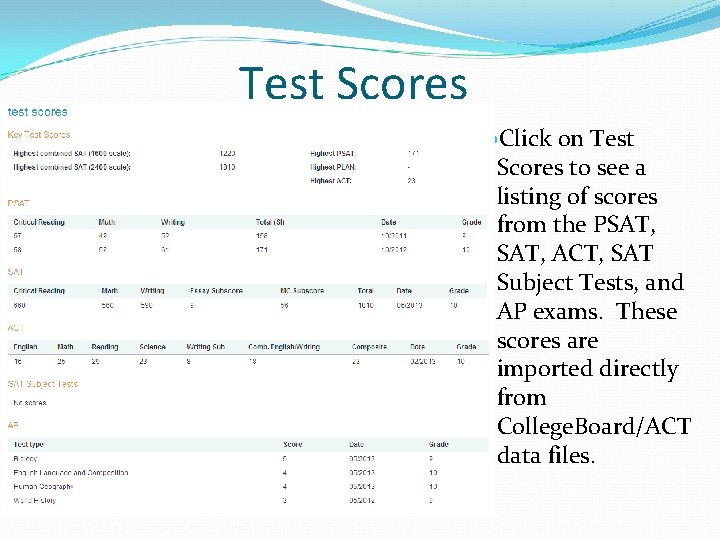
Test Scores Click on Test Scores to see a listing of scores from the PSAT, ACT, SAT Subject Tests, and AP exams. These scores are imported directly from College. Board/ACT data files.
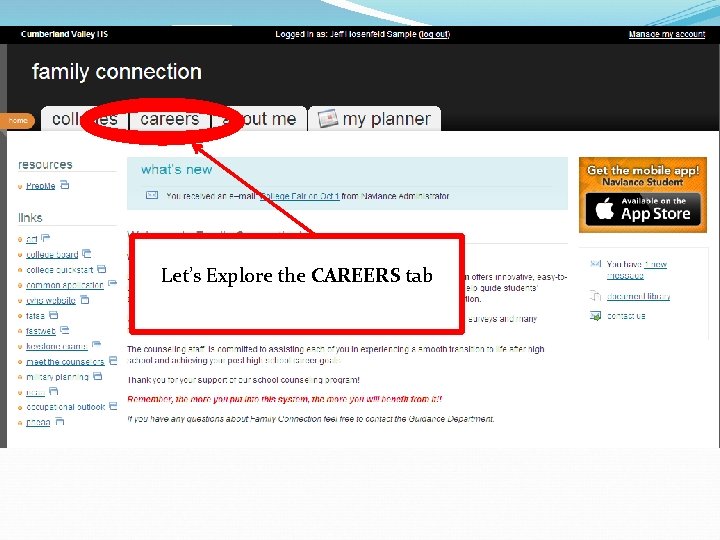
Let’s Explore the CAREERS tab
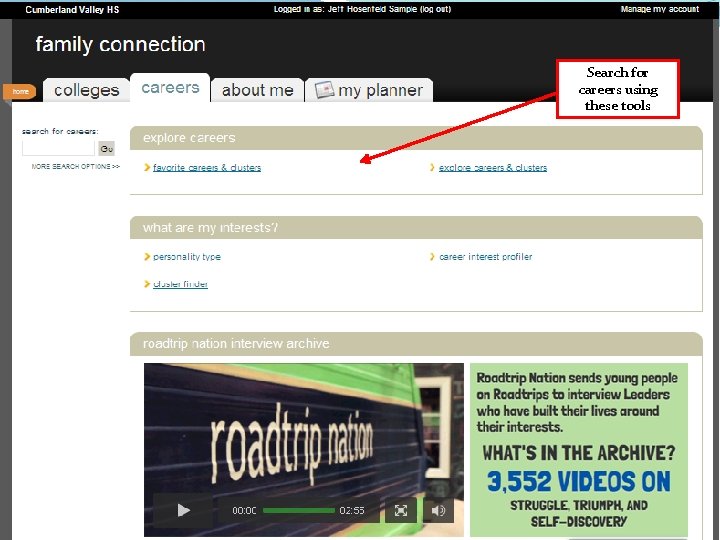
Search for careers using these tools
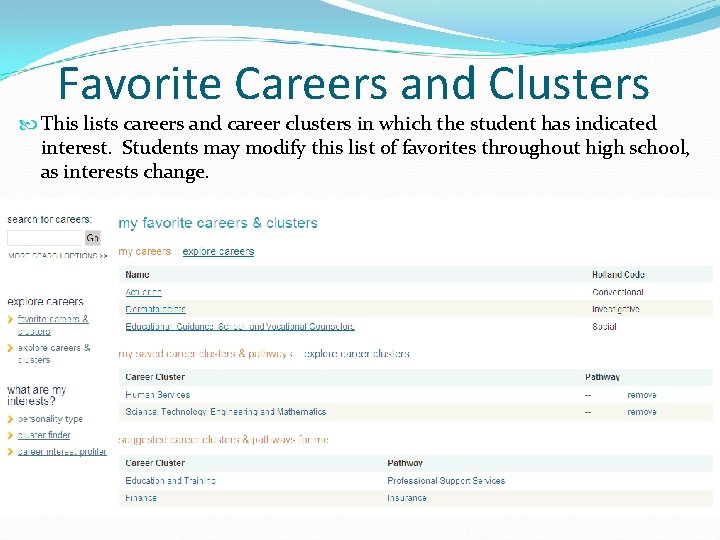
Favorite Careers and Clusters This lists careers and career clusters in which the student has indicated interest. Students may modify this list of favorites throughout high school, as interests change.
Exploring a Career … Gives students information on: Ø Job Description Ø Holland Interest Code Ø Related Occupations Ø Related College Majors Ø Video Description of the Occupation Ø Related Career Clusters and Pathways Ø 5 Most Important Skills, Abilities, and Knowledge Areas Ø Typical Tasks and Common Work Activities Ø Annual Wage Averages (viewed by nation, state, or regions within a state)
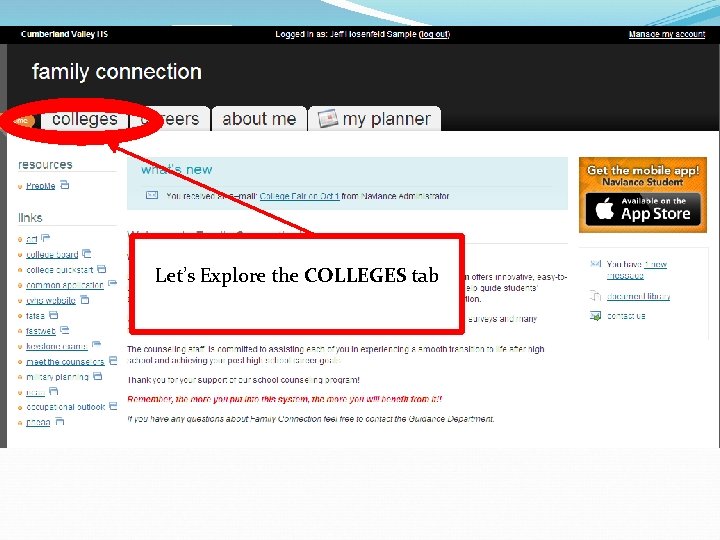
Let’s Explore the COLLEGES tab
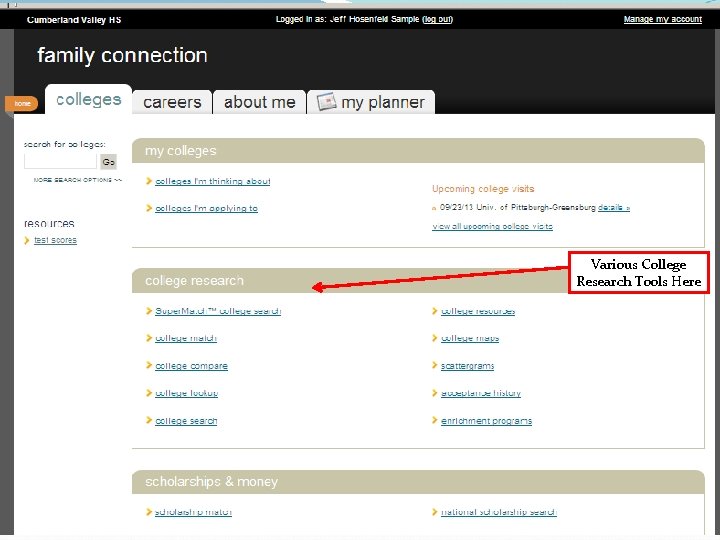
Various College Research Tools Here
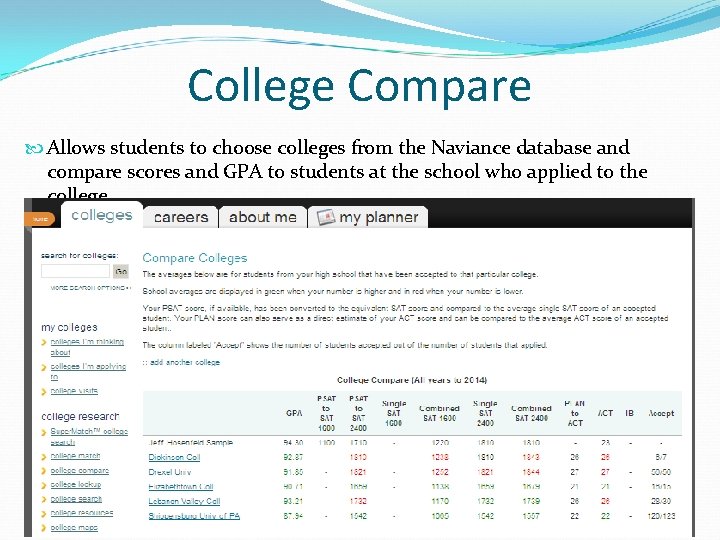
College Compare Allows students to choose colleges from the Naviance database and compare scores and GPA to students at the school who applied to the college.
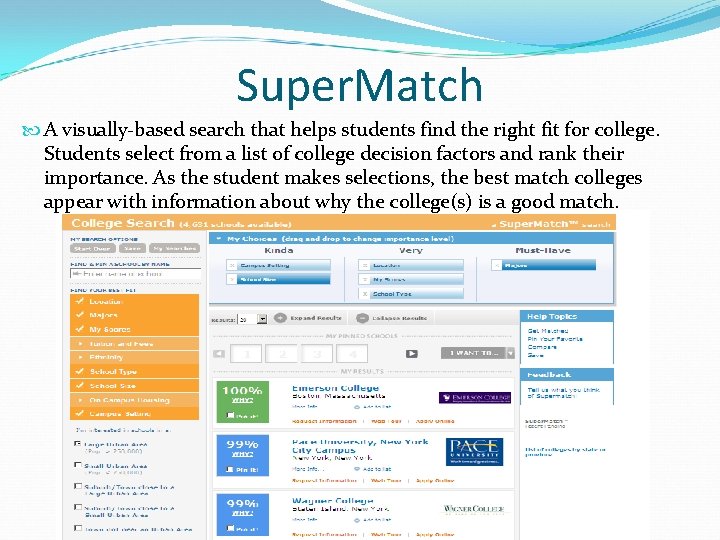
Super. Match A visually-based search that helps students find the right fit for college. Students select from a list of college decision factors and rank their importance. As the student makes selections, the best match colleges appear with information about why the college(s) is a good match.
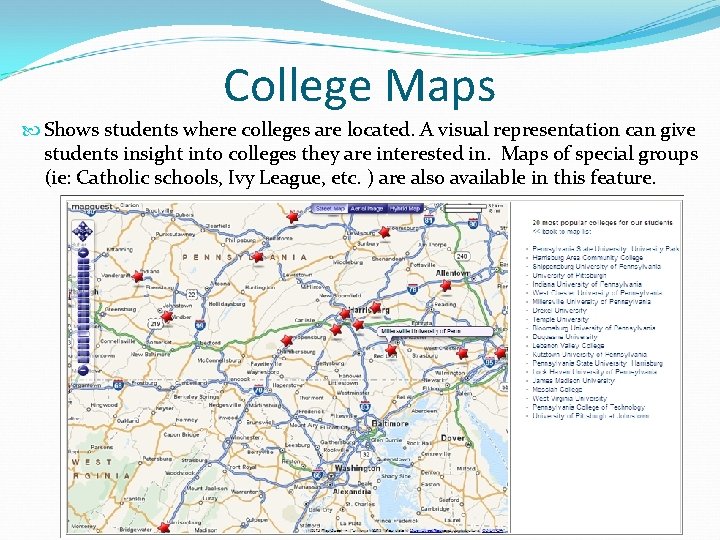
College Maps Shows students where colleges are located. A visual representation can give students insight into colleges they are interested in. Maps of special groups (ie: Catholic schools, Ivy League, etc. ) are also available in this feature.
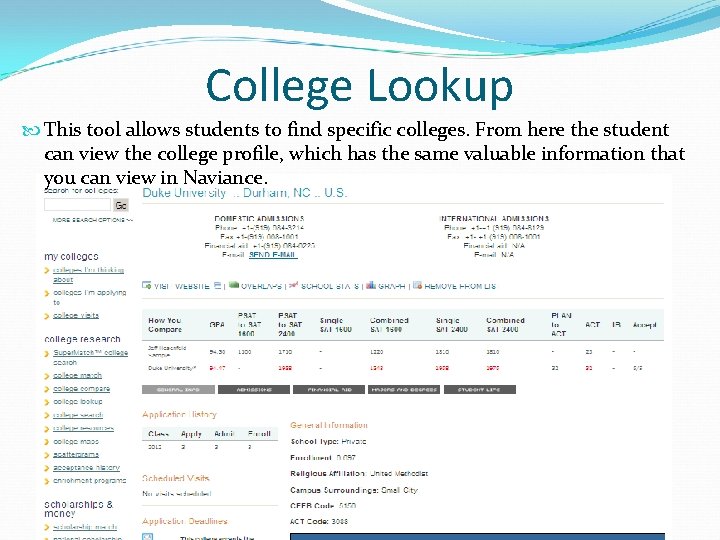
College Lookup This tool allows students to find specific colleges. From here the student can view the college profile, which has the same valuable information that you can view in Naviance.
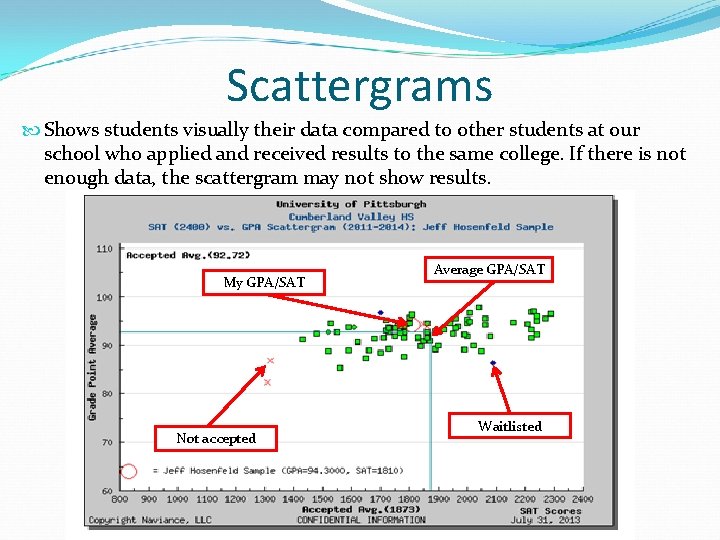
Scattergrams Shows students visually their data compared to other students at our school who applied and received results to the same college. If there is not enough data, the scattergram may not show results. My GPA/SAT Not accepted Average GPA/SAT Waitlisted
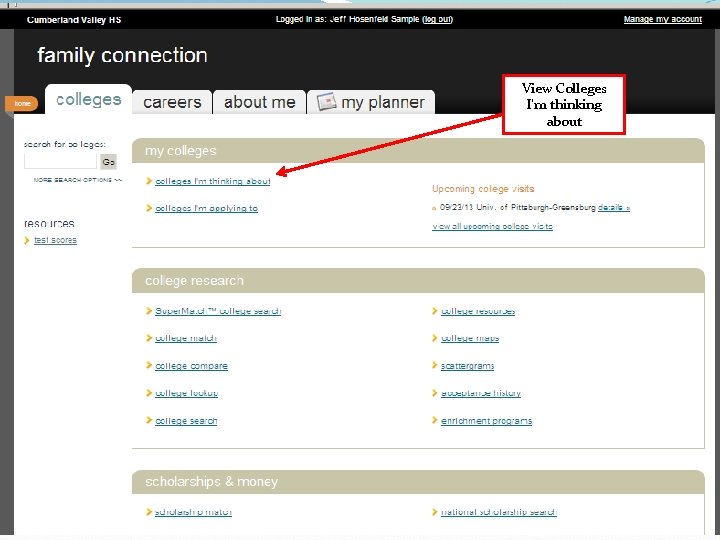
View Colleges I’m thinking about
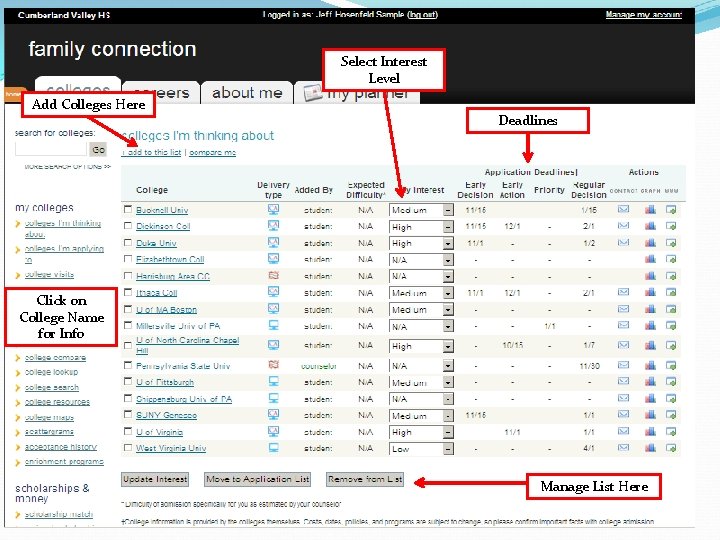
Select Interest Level Add Colleges Here Deadlines Click on College Name for Info Manage List Here
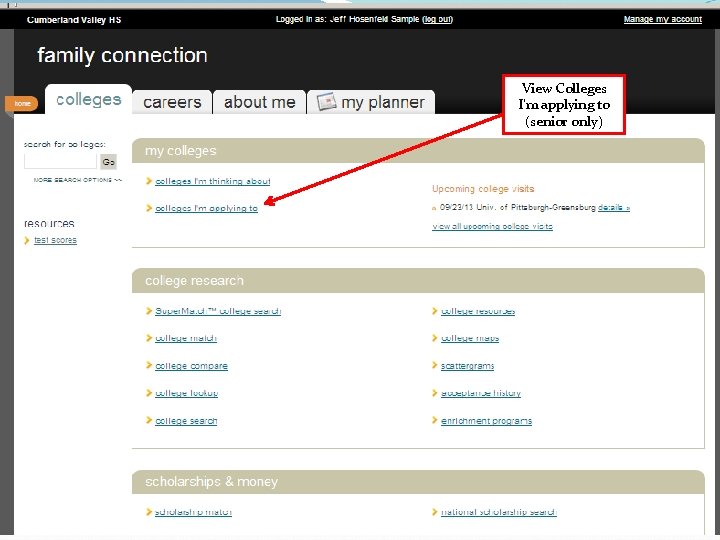
View Colleges I’m applying to (senior only)
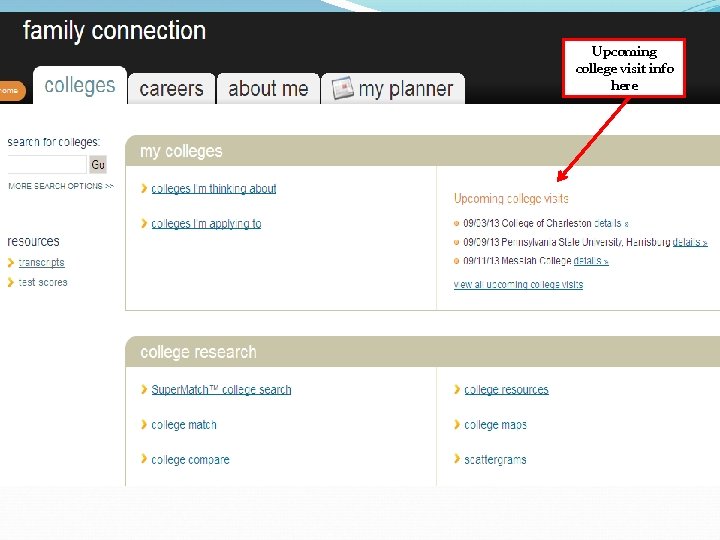
Upcoming college visit info here
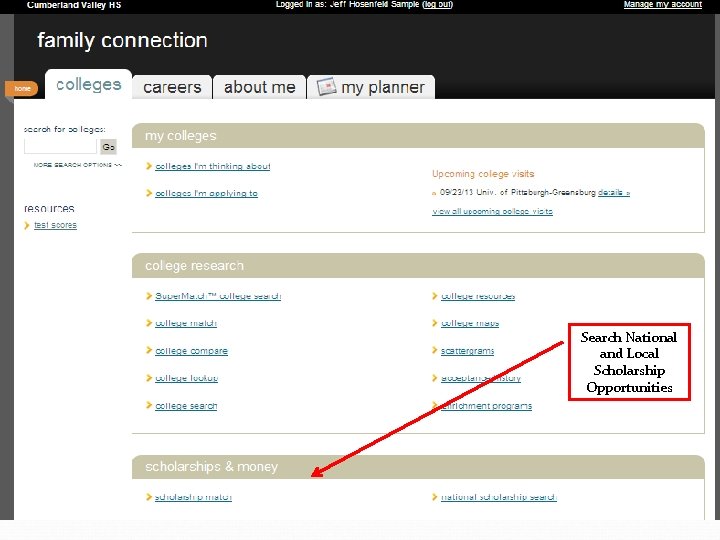
Search National and Local Scholarship Opportunities
This presentation can be found on the CVHS Guidance webpage PRESENTATIONS & PUBLICATIONS
- Slides: 38