
Culling Techniques To cull means to select from
![Cells and Portals [Airey 90, Teller 91, Luebke 95]](https://slidetodoc.com/presentation_image/36ab1255713f3467b33c6d70b180ec7d/image-11.jpg "Cells and Portals [Airey 90, Teller 91, Luebke 95]")
![Portal Images [Aliaga 97]](https://slidetodoc.com/presentation_image/36ab1255713f3467b33c6d70b180ec7d/image-28.jpg "Portal Images [Aliaga 97]")
- Slides: 40
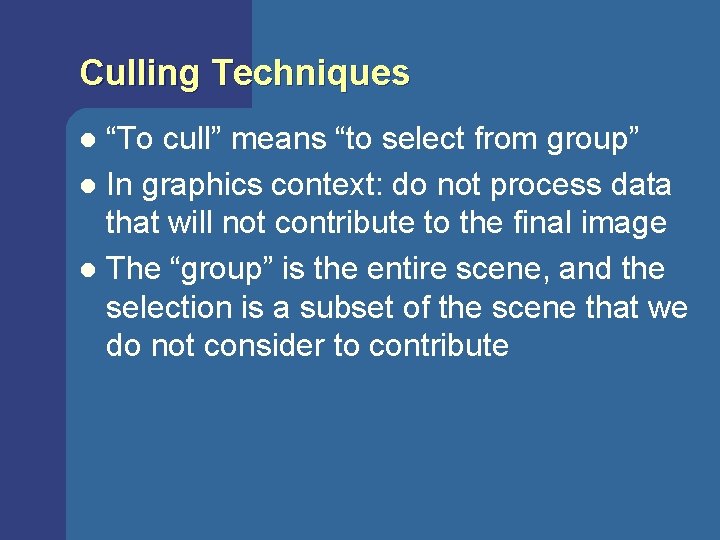
Culling Techniques “To cull” means “to select from group” l In graphics context: do not process data that will not contribute to the final image l The “group” is the entire scene, and the selection is a subset of the scene that we do not consider to contribute l
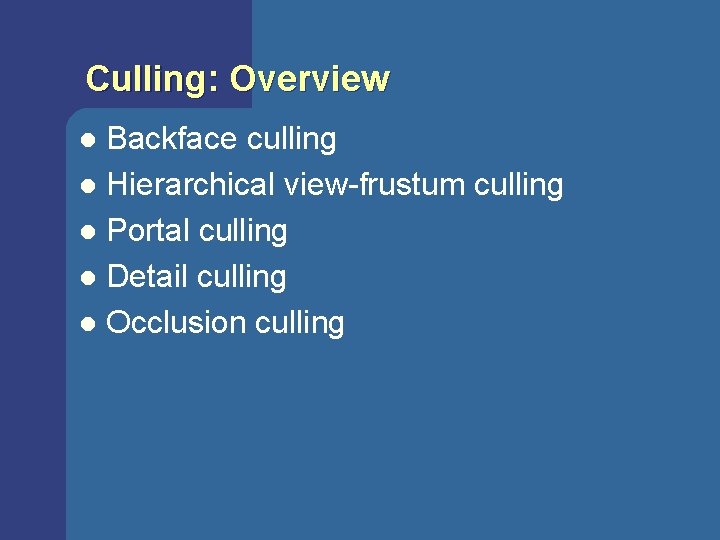
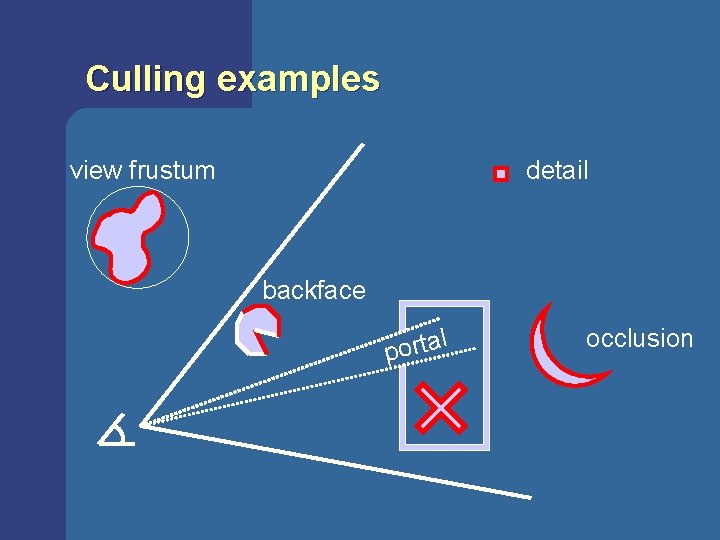
Culling: Overview Backface culling l Hierarchical view-frustum culling l Portal culling l Detail culling l Occlusion culling l
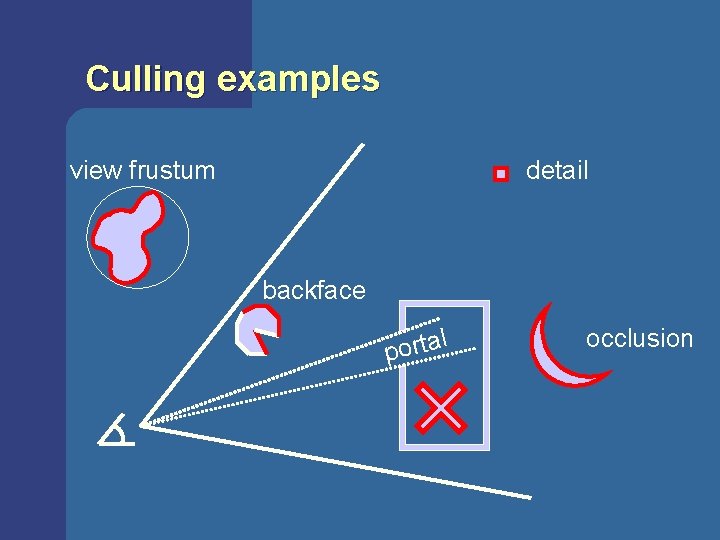
Culling examples view frustum detail backface l a t r o p occlusion
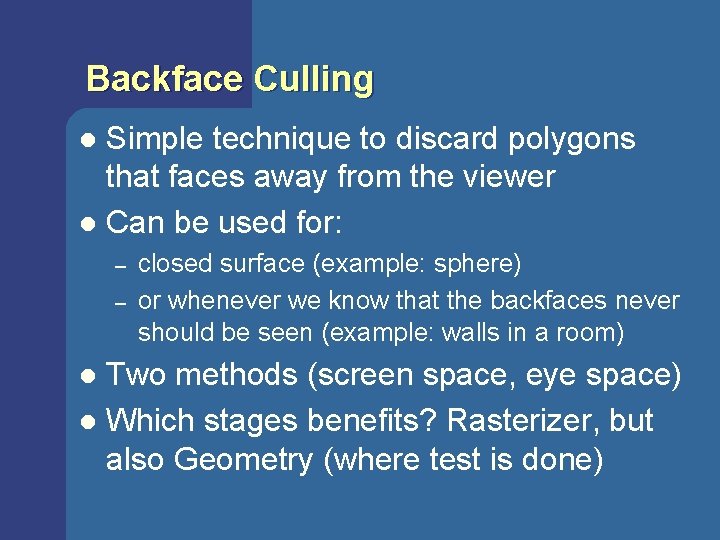
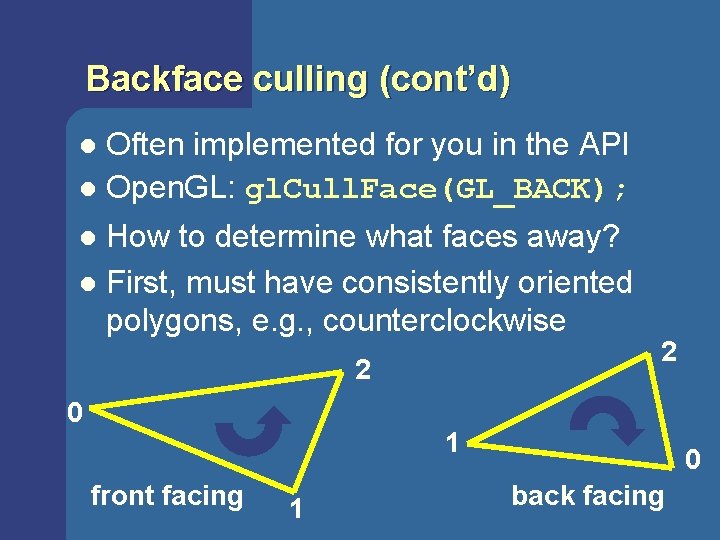
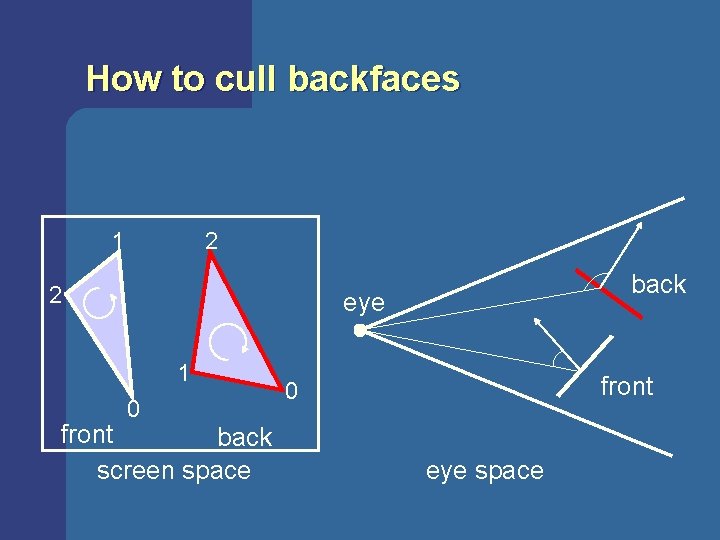
Backface Culling Simple technique to discard polygons that faces away from the viewer l Can be used for: l – – closed surface (example: sphere) or whenever we know that the backfaces never should be seen (example: walls in a room) Two methods (screen space, eye space) l Which stages benefits? Rasterizer, but also Geometry (where test is done) l
Backface culling (cont’d) Often implemented for you in the API l Open. GL: gl. Cull. Face(GL_BACK); l How to determine what faces away? l First, must have consistently oriented polygons, e. g. , counterclockwise l 2 0 2 1 front facing 1 0 back facing
How to cull backfaces 1 2 2 back eye 1 0 front back screen space front 0 eye space
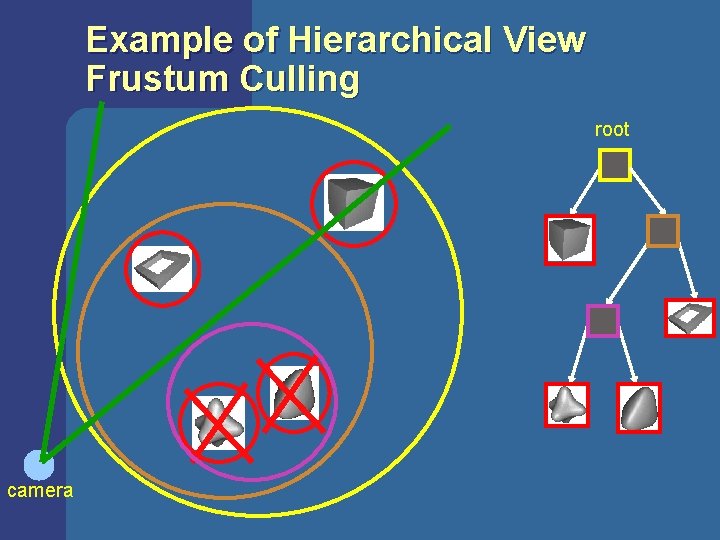
View-Frustum Culling Bound every “natural” group of primitives by a simple volume (e. g. , sphere, box) l If a bounding volume (BV) is outside the view frustum, then the entire contents of that BV is also outside (not visible) l Avoid further processing of such BV’s and their containing geometry l
Can we accelerate VF culling further? Do what we always do in graphics… l Use a hierarchical approach, e. g, the scene graph l Which stages benefits? l – – Geometry and Rasterizer Bus between CPU and Geometry
Example of Hierarchical View Frustum Culling root camera
Culling examples view frustum detail backface l a t r o p occlusion
Cells and Portals [Airey 90, Teller 91, Luebke 95]
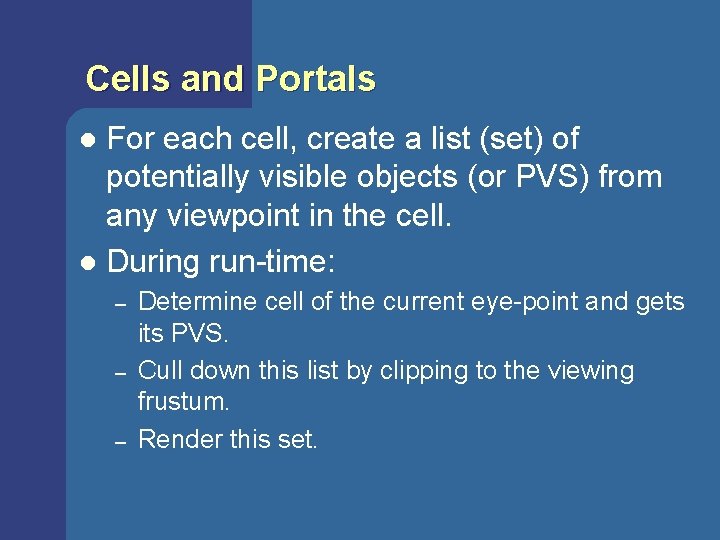
Cells and Portals For each cell, create a list (set) of potentially visible objects (or PVS) from any viewpoint in the cell. l During run-time: l – – – Determine cell of the current eye-point and gets its PVS. Cull down this list by clipping to the viewing frustum. Render this set.
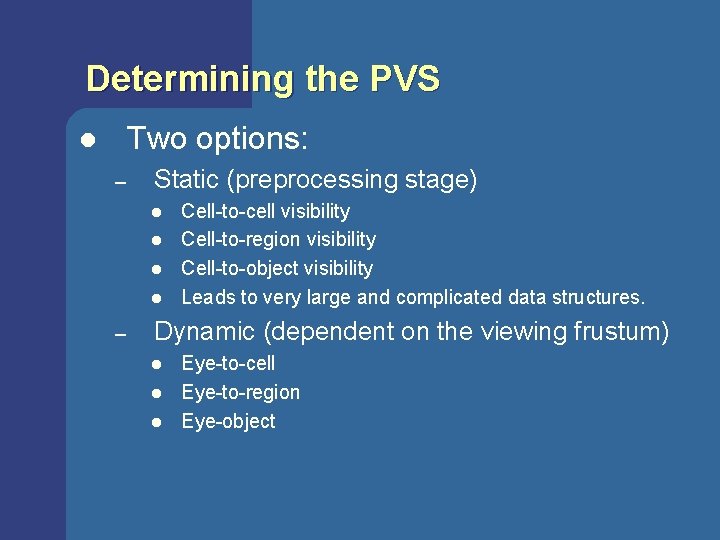
Determining the PVS Two options: l – Static (preprocessing stage) l l – Cell-to-cell visibility Cell-to-region visibility Cell-to-object visibility Leads to very large and complicated data structures. Dynamic (dependent on the viewing frustum) l l l Eye-to-cell Eye-to-region Eye-object
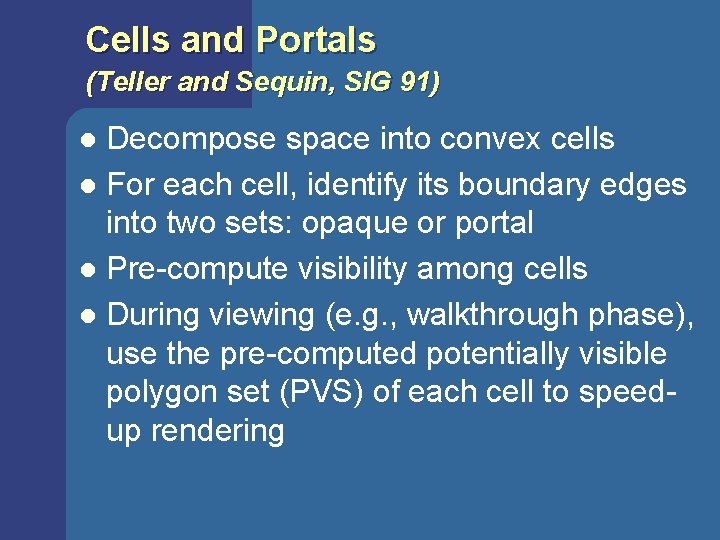
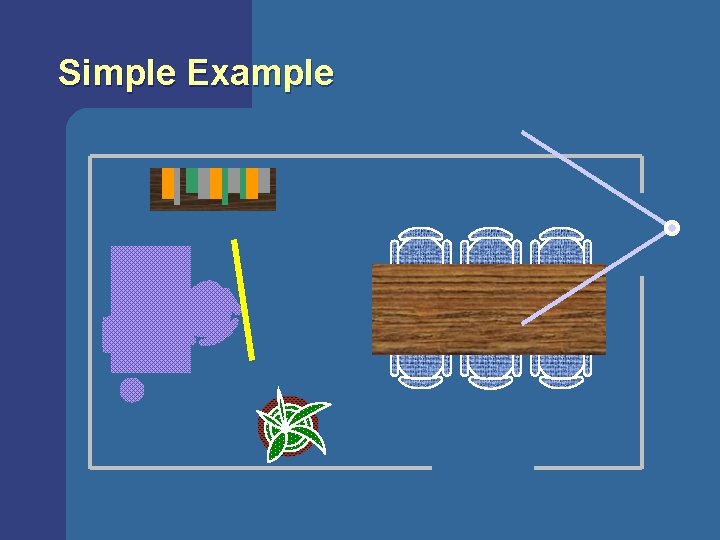
Cells and Portals (Teller and Sequin, SIG 91) Decompose space into convex cells l For each cell, identify its boundary edges into two sets: opaque or portal l Pre-compute visibility among cells l During viewing (e. g. , walkthrough phase), use the pre-computed potentially visible polygon set (PVS) of each cell to speedup rendering l
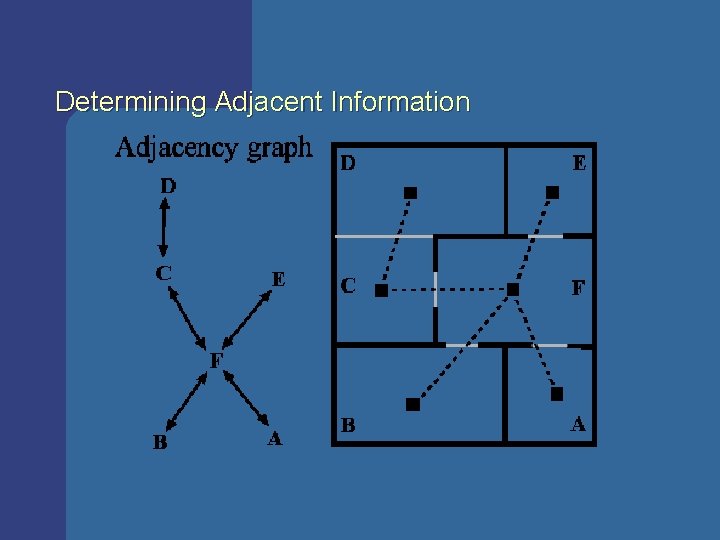
Determining Adjacent Information
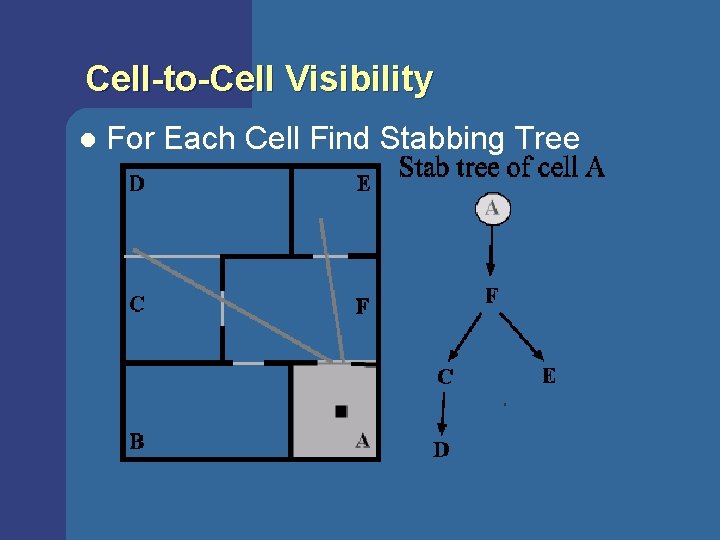
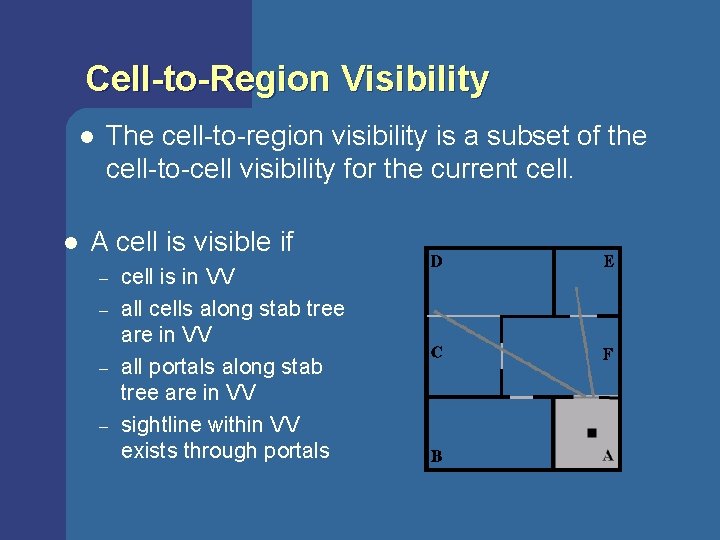
Cell-to-Cell Visibility l For Each Cell Find Stabbing Tree
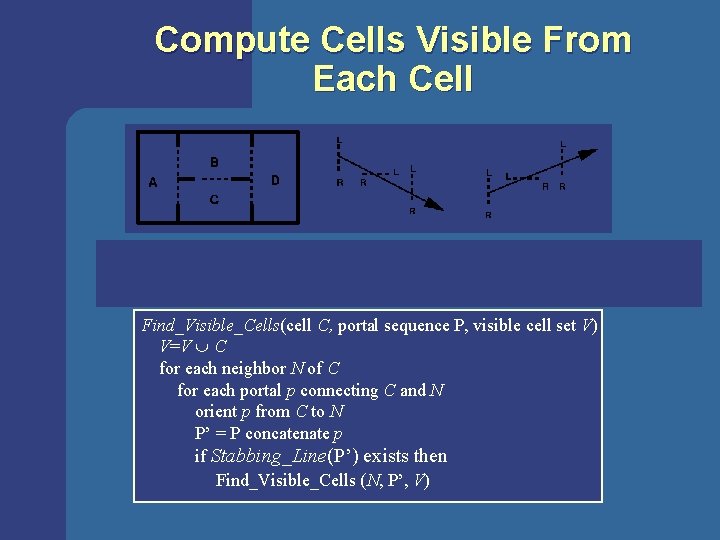
Compute Cells Visible From Each Cell Linear programming problem: S • L 0, S • R 0, Find_Visible_Cells(cell C, portal sequence P, visible cell set V) V=V C for each neighbor N of C for each portal p connecting C and N orient p from C to N P’ = P concatenate p if Stabbing_Line(P’) exists then Find_Visible_Cells (N, P’, V) L L R R
Cell-to-Region Visibility l l The cell-to-region visibility is a subset of the cell-to-cell visibility for the current cell. A cell is visible if – – cell is in VV all cells along stab tree are in VV all portals along stab tree are in VV sightline within VV exists through portals
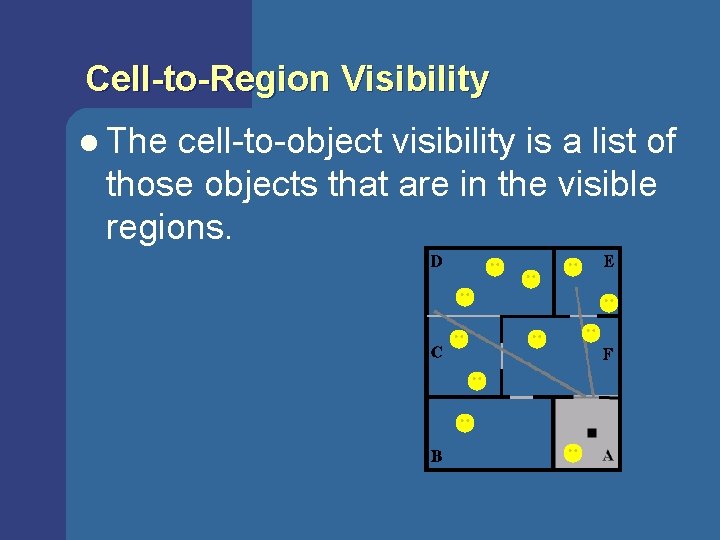
Cell-to-Region Visibility l The cell-to-object visibility is a list of those objects that are in the visible regions.
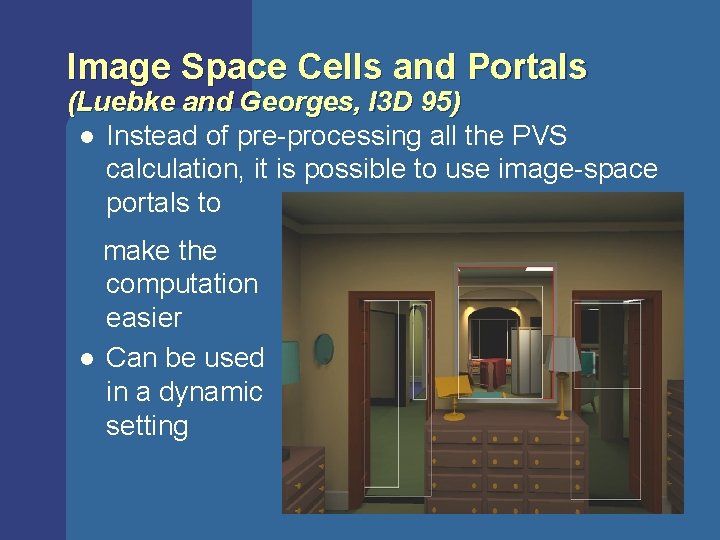
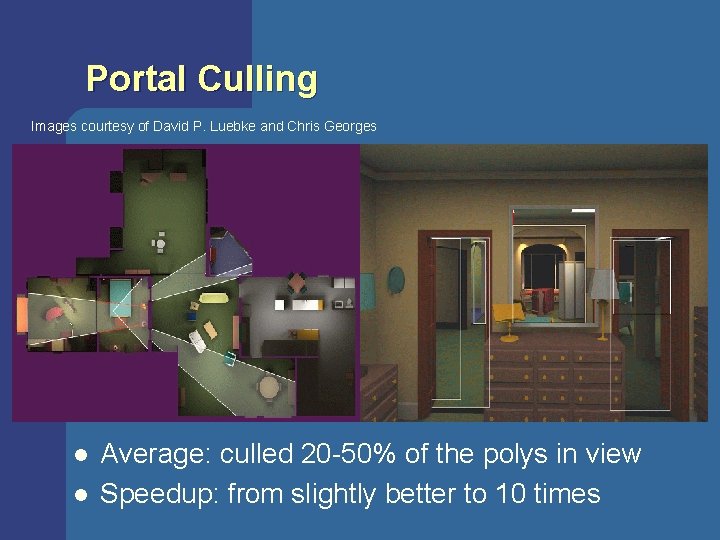
Image Space Cells and Portals (Luebke and Georges, I 3 D 95) l Instead of pre-processing all the PVS calculation, it is possible to use image-space portals to make the computation easier l Can be used in a dynamic setting
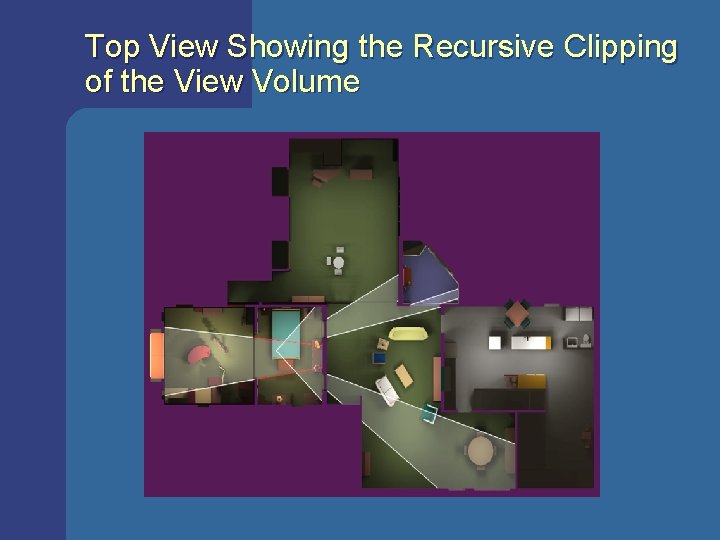
Top View Showing the Recursive Clipping of the View Volume
Portal Culling Images courtesy of David P. Luebke and Chris Georges l l Average: culled 20 -50% of the polys in view Speedup: from slightly better to 10 times
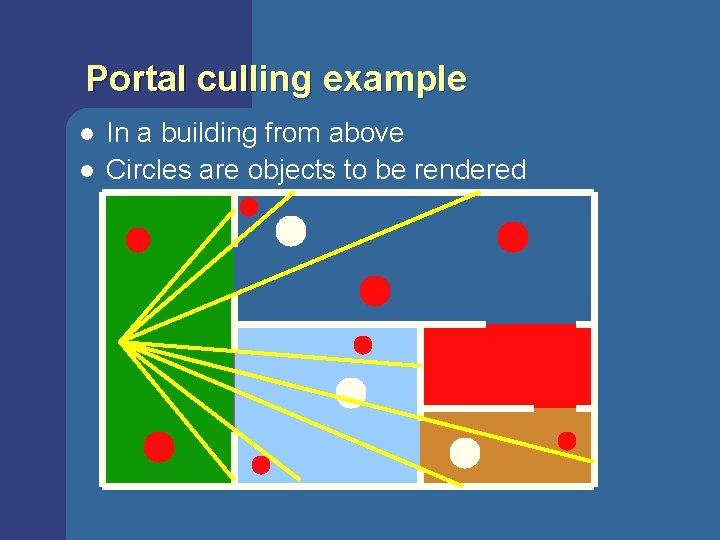
Portal culling example l l In a building from above Circles are objects to be rendered
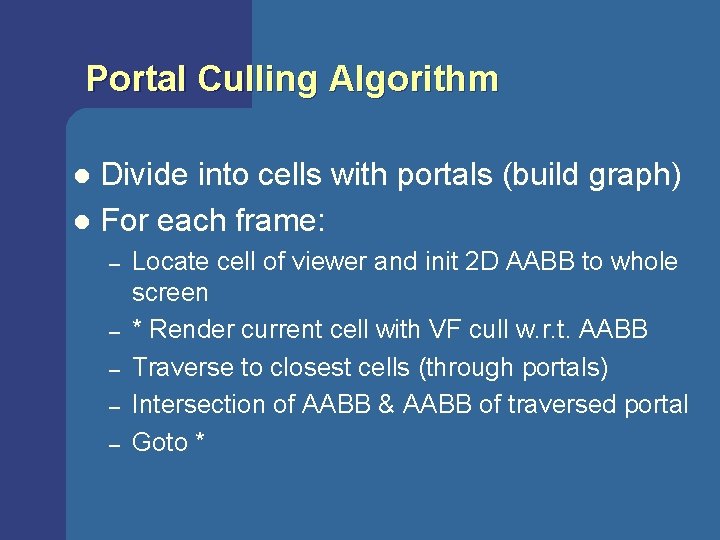
Portal Culling Algorithm Divide into cells with portals (build graph) l For each frame: l – – – Locate cell of viewer and init 2 D AABB to whole screen * Render current cell with VF cull w. r. t. AABB Traverse to closest cells (through portals) Intersection of AABB & AABB of traversed portal Goto *
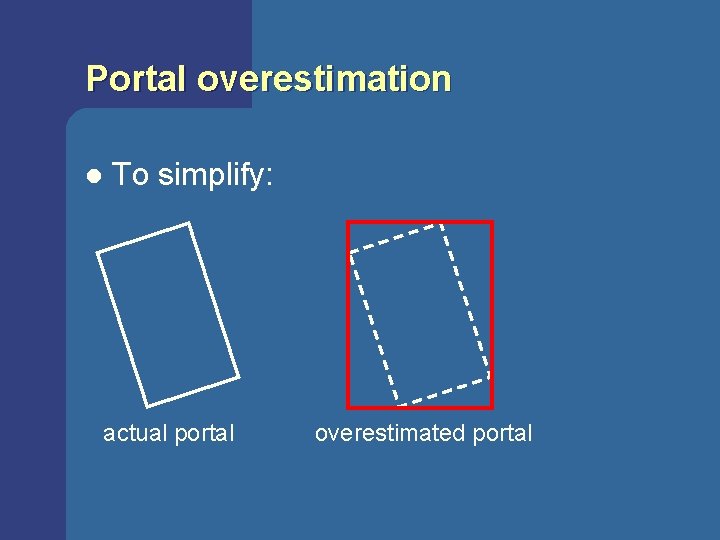
Portal overestimation l To simplify: actual portal overestimated portal
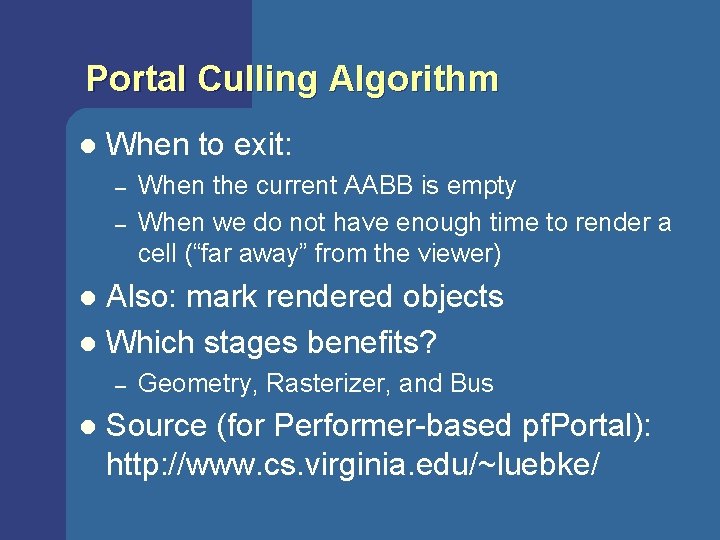
Portal Culling Algorithm l When to exit: – – When the current AABB is empty When we do not have enough time to render a cell (“far away” from the viewer) Also: mark rendered objects l Which stages benefits? l – l Geometry, Rasterizer, and Bus Source (for Performer-based pf. Portal): http: //www. cs. virginia. edu/~luebke/
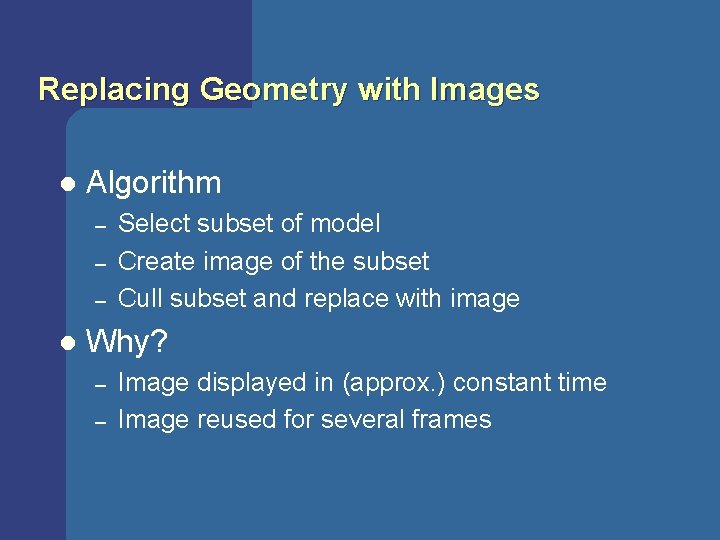
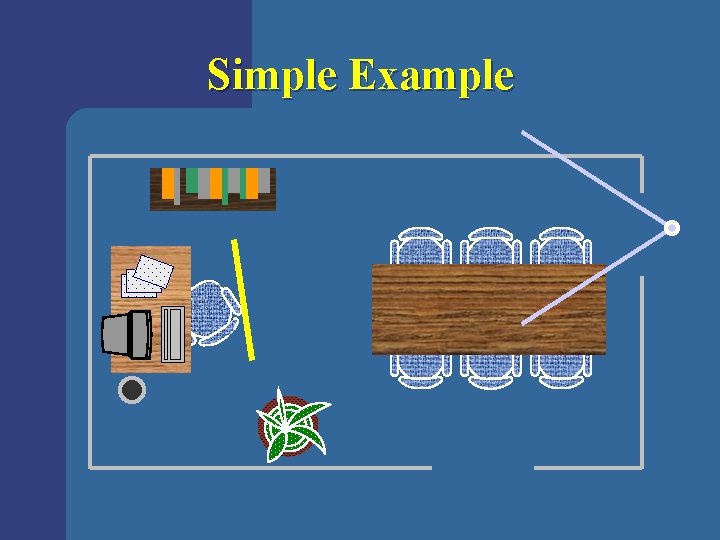
Replacing Geometry with Images l Algorithm – – – l Select subset of model Create image of the subset Cull subset and replace with image Why? – – Image displayed in (approx. ) constant time Image reused for several frames
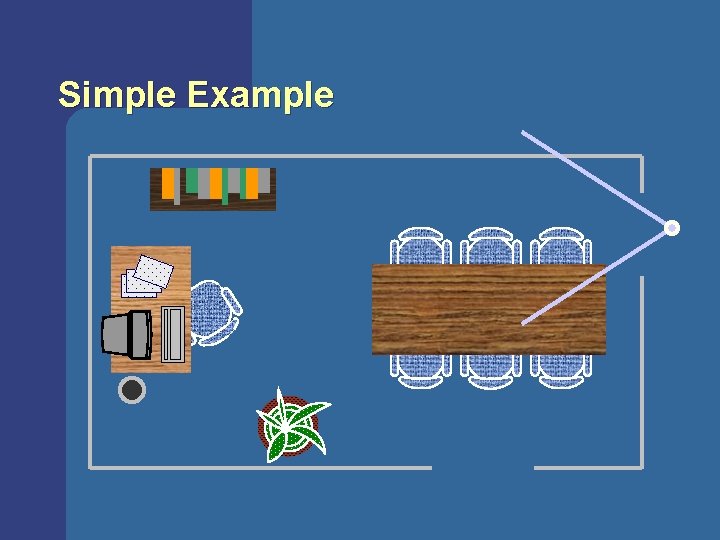
Portal Images [Aliaga 97]
Simple Example
Simple Example
Simple Example
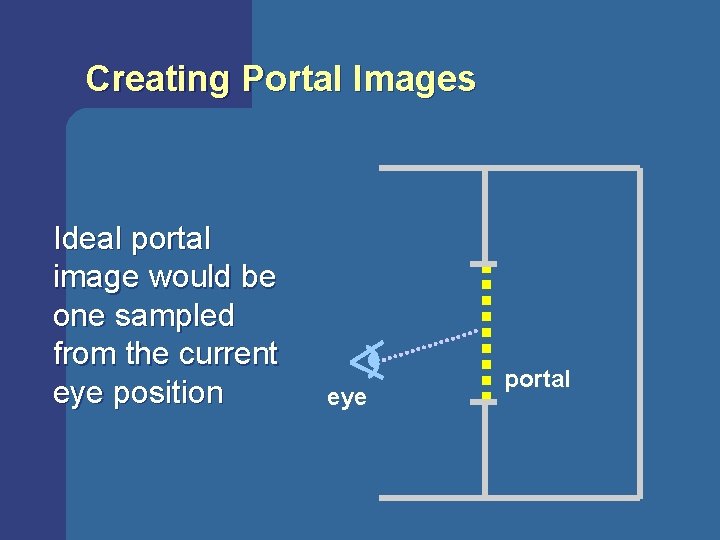
Creating Portal Images Ideal portal image would be one sampled from the current eye position eye portal
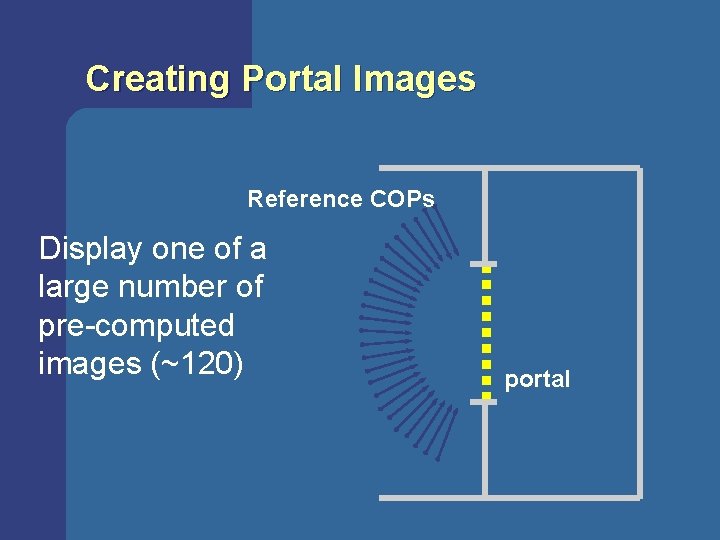
Creating Portal Images Reference COPs Display one of a large number of pre-computed images (~120) portal
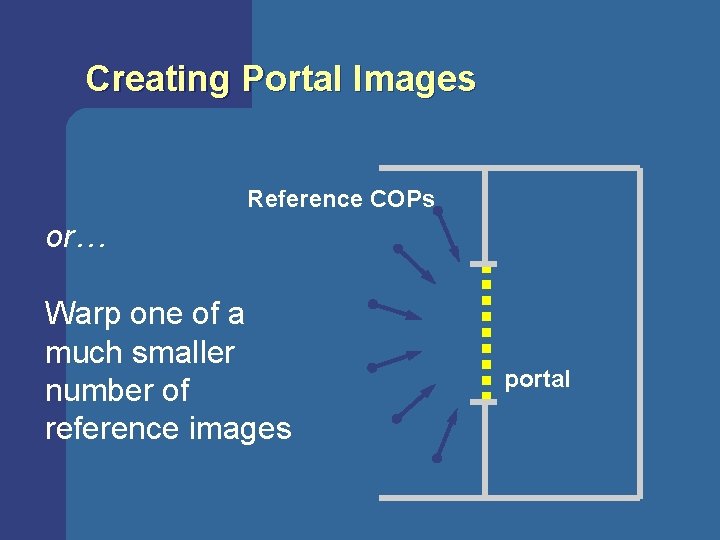
Creating Portal Images Reference COPs or… Warp one of a much smaller number of reference images portal
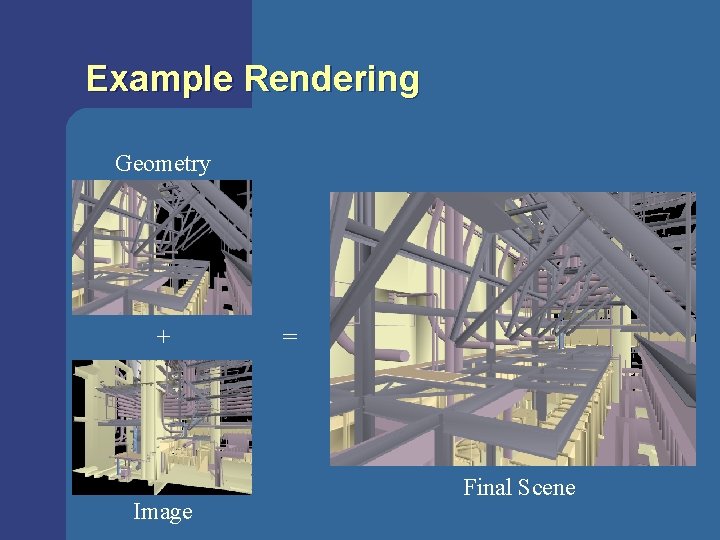
Example Rendering Geometry + Image = Final Scene
Discussion on Object Space l Visibility culling with large occluders – – l good for outdoor urban scenes where occluders are large and depth complexity can be very high not good for general scenes with small occluders Cells and portals – – – gives excellent results IF you can find the cells and portals good for interior scenes identifying cells and portals is often done by hand
VISUALIZE fx’s Occlusion Culling Algorithm l Algorithm (extension to Open. GL): – – – Scan convert faces of object, typically bounding box of complex object, but do not write Z Get boolean which says if there was a Z-value from scan conversion that was closer than that of the Z-buffer (NVIDIA: get pixels seen count) If seen, render complex object
VISUALIZE fx’s Occlusion Culling Algorithm (cont’d) l Implications: – – l If an object is occluded, then we gain (hopefully) a lot of performance since we only scan convert one Bounding Box (BB) instead of the entire object If BB is not occluded, then we have to render the object, and we lose a little performance Drawing order matters: drawing front-toback gives more occlusion
Real-Time Rendering? In computer graphics, “real-time” is used in a soft way: say >30 fps for most frames l In other contexts, it’s a tougher requirement: the framerate must never be <30 fps, i. e. , constant framerate l What can we do? l – – – Reactive LOD algorithm Reactive detail culling Reactive visual quality
Resources and Pointers http: //www. realtimerendering. com l Journal of Graphics Tools l – – l http: //www. acm. org/jgt/ source for projected screen area of box intersection test routines occlusion culling http: //www. magic-software. com