
CTI Adapter for Salesforce com Overview Emerging Products
- Slides: 18
CTI Adapter for Salesforce. com Overview Emerging Products and Technologies Mike West © 2005 Avaya Inc. All rights reserved. Avaya – Proprietary & Confidential. For Internal Use Only.
Concept 4 Salesforce. com provides a CTI interface toolkit. 4 This adapter uses the CTI Toolkit to CTI enable the Salesforce. com application for Avaya CM. 4 Enables Salesforce. com softphone. 4 Enables screen-pop into Salesforce. com. 4 Enables click-to-dial within Salesforce. com. 4 Uses TSAPI over AES. © 2005 Avaya Inc. All rights reserved. Avaya – Proprietary. Use pursuant to your signed agreement or Avaya policy. 2
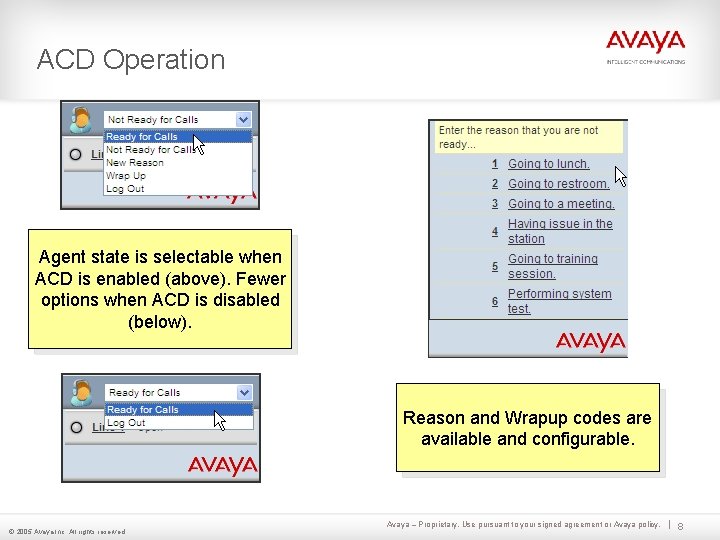
Features 4 Full Softphone control: 4 Reason Codes: – Make Call – Supports AUX and Logout – Answer – Single digit reason codes – Hold – Saved in CM/CMS – Transfer 4 Wrap-up Codes: – Conference – Post-call wrap-up codes 4 Full ACD control: – Saved in Salesforce call – Ready (auto in/manual in) – Not Ready (AUX) – Wrap-up (ACW) log 4 Screen Pop: – UUI (up to three fields) – Collected Digits – ANI © 2005 Avaya Inc. All rights reserved. Avaya – Proprietary. Use pursuant to your signed agreement or Avaya policy. 3
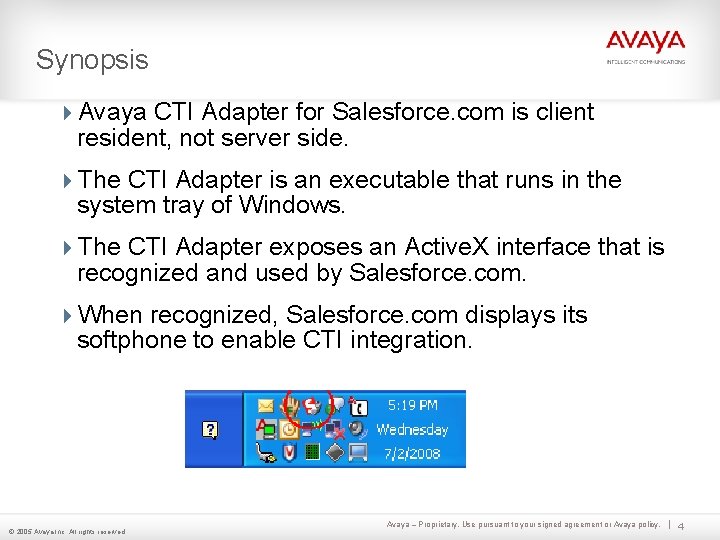
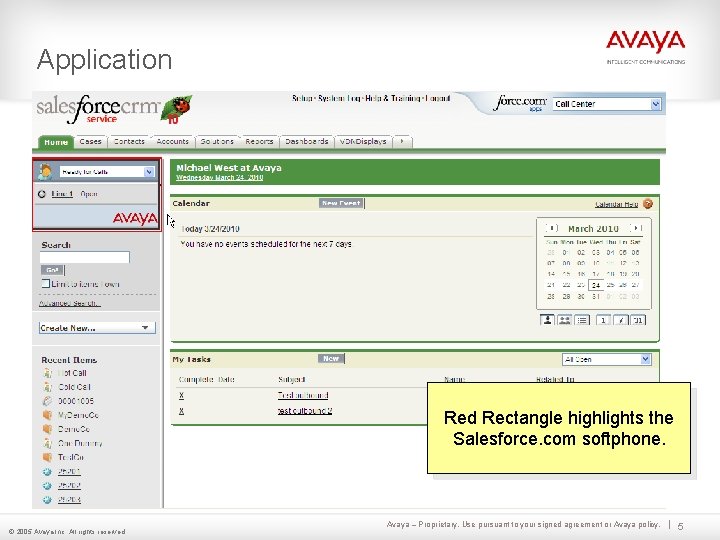
Synopsis 4 Avaya CTI Adapter for Salesforce. com is client resident, not server side. 4 The CTI Adapter is an executable that runs in the system tray of Windows. 4 The CTI Adapter exposes an Active. X interface that is recognized and used by Salesforce. com. 4 When recognized, Salesforce. com displays its softphone to enable CTI integration. © 2005 Avaya Inc. All rights reserved. Avaya – Proprietary. Use pursuant to your signed agreement or Avaya policy. 4
Application Red Rectangle highlights the Salesforce. com softphone. © 2005 Avaya Inc. All rights reserved. Avaya – Proprietary. Use pursuant to your signed agreement or Avaya policy. 5
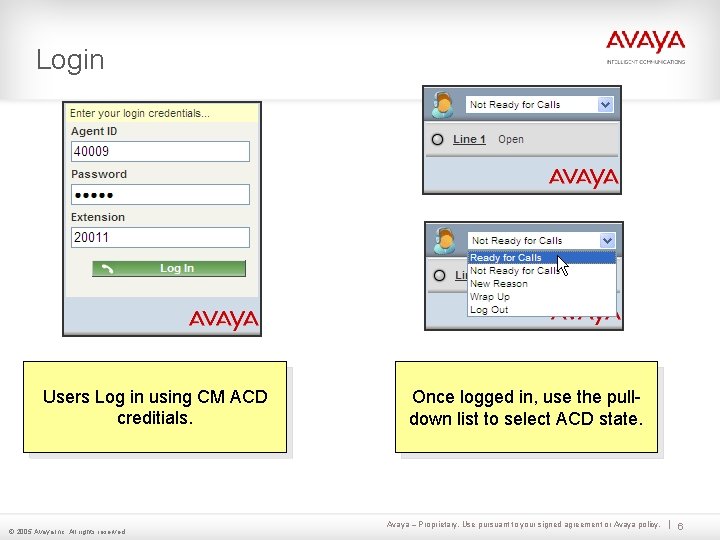
Login Users Log in using CM ACD creditials. © 2005 Avaya Inc. All rights reserved. Once logged in, use the pulldown list to select ACD state. Avaya – Proprietary. Use pursuant to your signed agreement or Avaya policy. 6
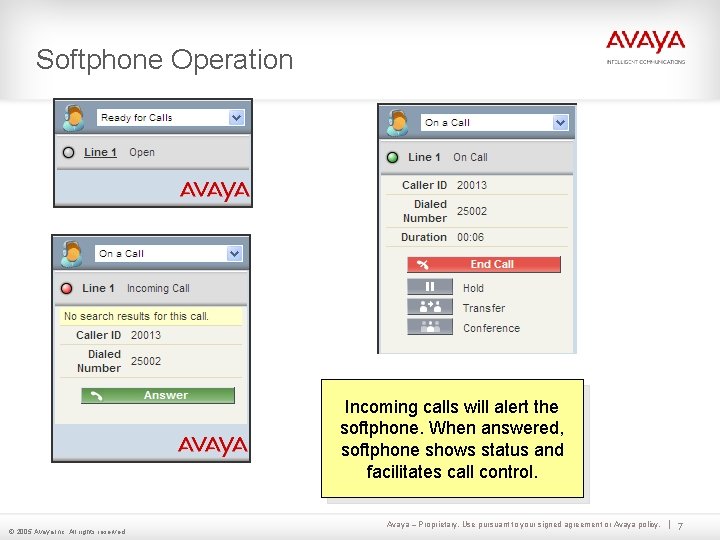
Softphone Operation Incoming calls will alert the softphone. When answered, softphone shows status and facilitates call control. © 2005 Avaya Inc. All rights reserved. Avaya – Proprietary. Use pursuant to your signed agreement or Avaya policy. 7
ACD Operation Agent state is selectable when ACD is enabled (above). Fewer options when ACD is disabled (below). Reason and Wrapup codes are available and configurable. © 2005 Avaya Inc. All rights reserved. Avaya – Proprietary. Use pursuant to your signed agreement or Avaya policy. 8
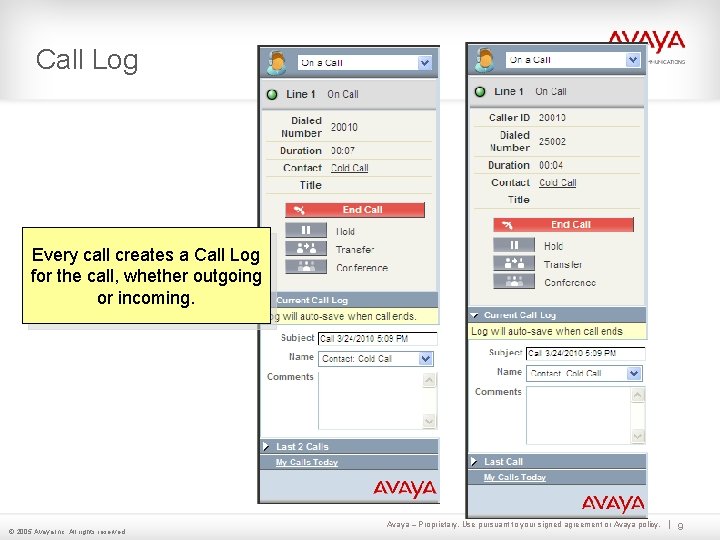
Call Log Every call creates a Call Log for the call, whether outgoing or incoming. © 2005 Avaya Inc. All rights reserved. Avaya – Proprietary. Use pursuant to your signed agreement or Avaya policy. 9
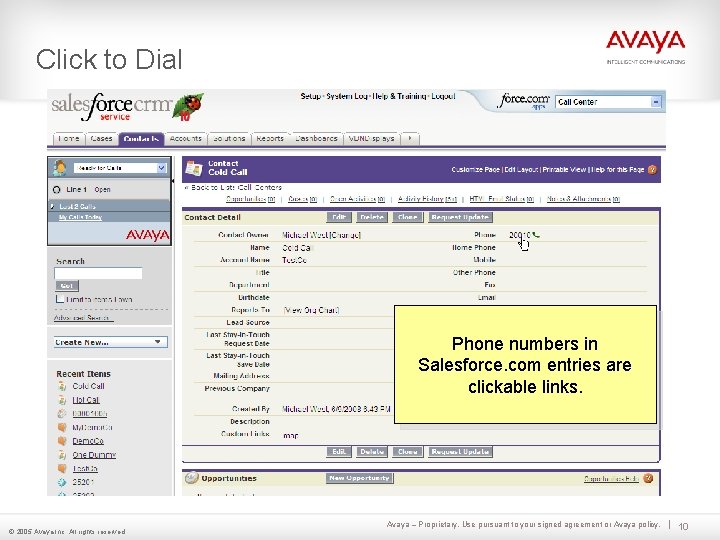
Click to Dial Phone numbers in Salesforce. com entries are clickable links. © 2005 Avaya Inc. All rights reserved. Avaya – Proprietary. Use pursuant to your signed agreement or Avaya policy. 10
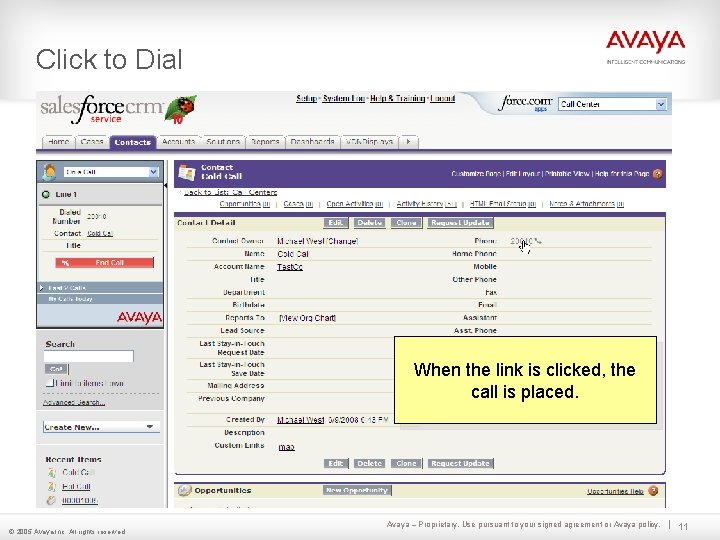
Click to Dial When the link is clicked, the call is placed. © 2005 Avaya Inc. All rights reserved. Avaya – Proprietary. Use pursuant to your signed agreement or Avaya policy. 11
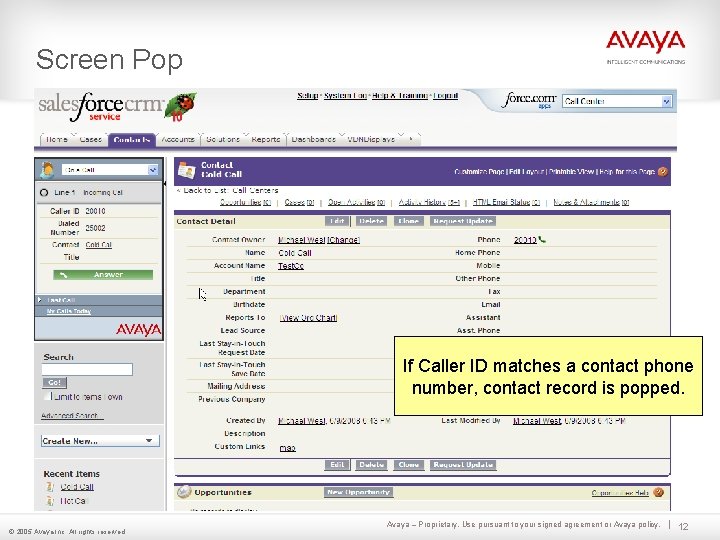
Screen Pop If Caller ID matches a contact phone number, contact record is popped. © 2005 Avaya Inc. All rights reserved. Avaya – Proprietary. Use pursuant to your signed agreement or Avaya policy. 12
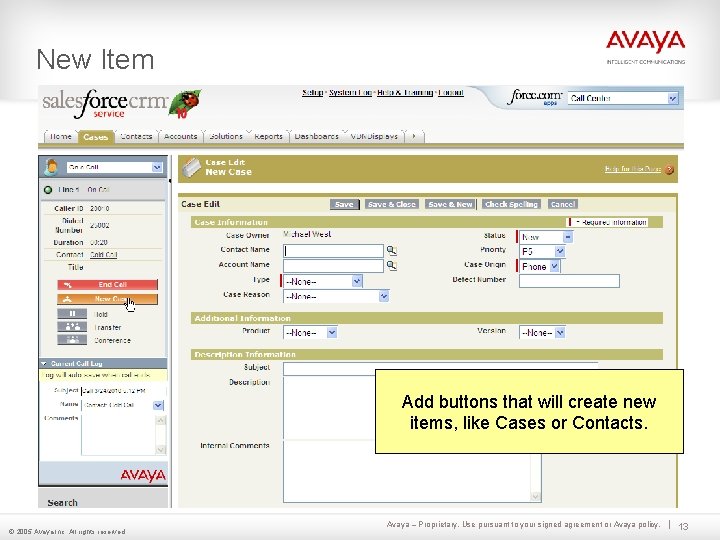
New Item Add buttons that will create new items, like Cases or Contacts. © 2005 Avaya Inc. All rights reserved. Avaya – Proprietary. Use pursuant to your signed agreement or Avaya policy. 13
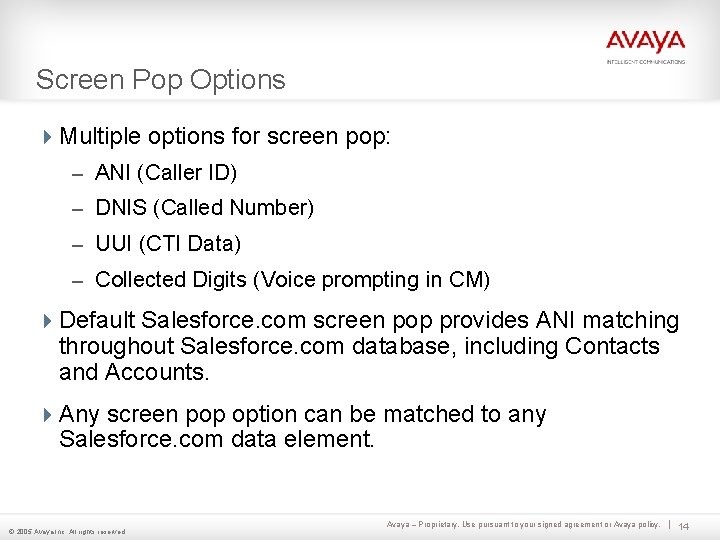
Screen Pop Options 4 Multiple options for screen pop: – ANI (Caller ID) – DNIS (Called Number) – UUI (CTI Data) – Collected Digits (Voice prompting in CM) 4 Default Salesforce. com screen pop provides ANI matching throughout Salesforce. com database, including Contacts and Accounts. 4 Any screen pop option can be matched to any Salesforce. com data element. © 2005 Avaya Inc. All rights reserved. Avaya – Proprietary. Use pursuant to your signed agreement or Avaya policy. 14
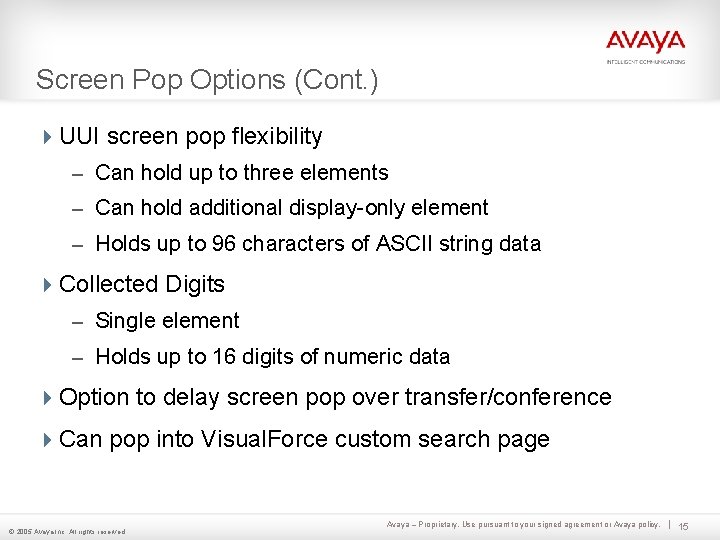
Screen Pop Options (Cont. ) 4 UUI screen pop flexibility – Can hold up to three elements – Can hold additional display-only element – Holds up to 96 characters of ASCII string data 4 Collected Digits – Single element – Holds up to 16 digits of numeric data 4 Option to delay screen pop over transfer/conference 4 Can pop into Visual. Force custom search page © 2005 Avaya Inc. All rights reserved. Avaya – Proprietary. Use pursuant to your signed agreement or Avaya policy. 15
Implementation 4 Remote kick-off meeting to introduce the customer to the installation process and make sure their environment will support the solution. 4 Customer is responsible for prerequisites and installation. 4 The TSAPI Client software and the CTI Adapter software will both be emailed to the customer, or provided via FTP. 4 Customer is provided with the Installation and Configuration Guide. 4 Option to purchase remote technical support from Avaya Professional Services. 4 Project completion notice emailed to customer. © 2005 Avaya Inc. All rights reserved. Avaya – Proprietary. Use pursuant to your signed agreement or Avaya policy. 16
System Requirements 4 Communication Manager 3. 0 or greater. 4 Call Center Elite if using ACD functionality. (Call Center is not required if only enabling the Salesforce. com softphone for screen pop and click to dial. ) 4 Application Enablement Server Version 3. 0 or greater. 4 TSAPI Basic Licenses equal to number of Salesforce. com users. 4 Client Workstations: – Windows XP or better. – Intel Pentium III 1 GHz or better (or other equivalent). – 50 MB of free disk space. – 256 MB of RAM. © 2005 Avaya Inc. All rights reserved. Avaya – Proprietary. Use pursuant to your signed agreement or Avaya policy. 17
Questions / Discussion? Thank you for your time! © 2005 Avaya Inc. All rights reserved. Avaya – Proprietary & Confidential. For Internal Use Only.