
CSULB EE 400 D TECHNICAL DOCUMENTATION ARDUINOARXTERRA PROGRAMMING
CSULB EE 400 D TECHNICAL DOCUMENTATION ARDUINO/ARXTERRA PROGRAMMING PART II - TELEMETRY
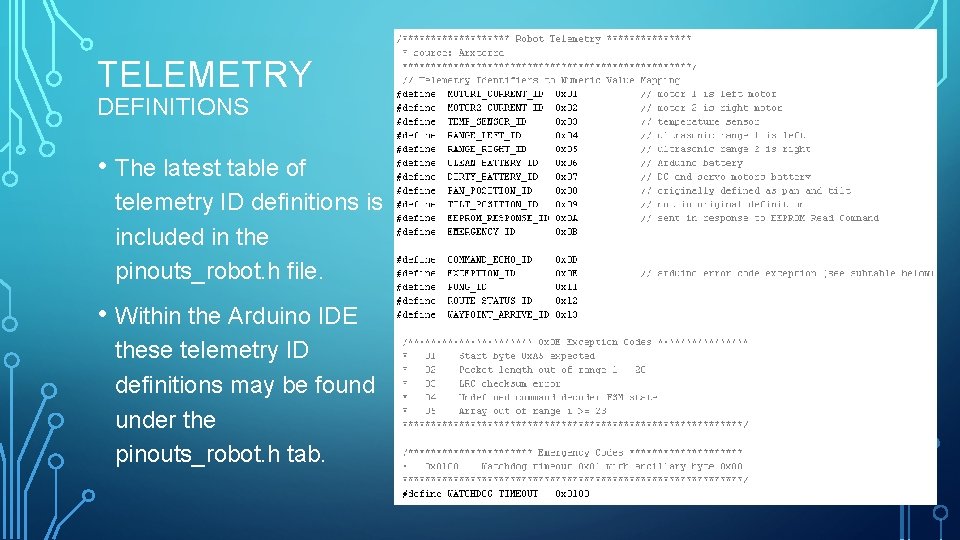
TELEMETRY DEFINITIONS • The latest table of telemetry ID definitions is included in the pinouts_robot. h file. • Within the Arduino IDE these telemetry ID definitions may be found under the pinouts_robot. h tab.
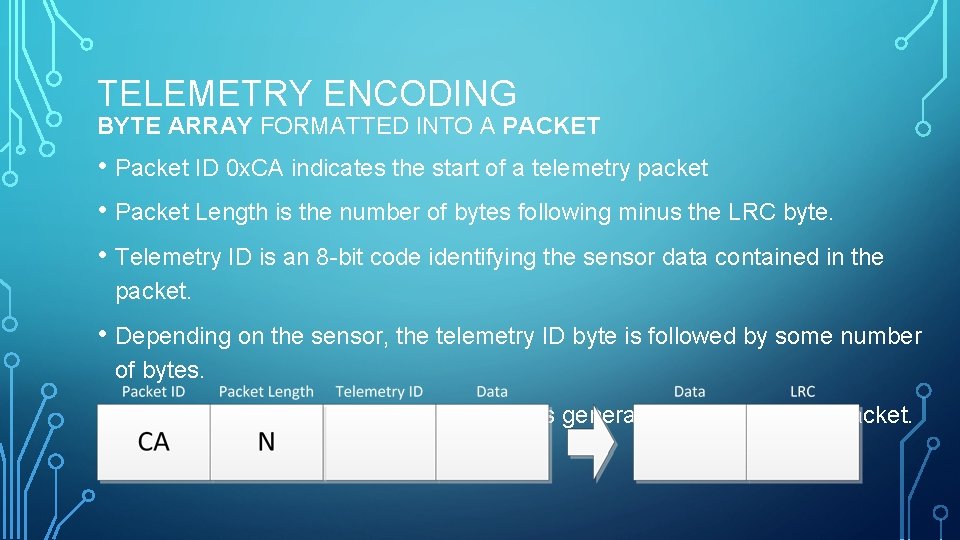
TELEMETRY ENCODING BYTE ARRAY FORMATTED INTO A PACKET • Packet ID 0 x. CA indicates the start of a telemetry packet • Packet Length is the number of bytes following minus the LRC byte. • Telemetry ID is an 8 -bit code identifying the sensor data contained in the packet. • Depending on the sensor, the telemetry ID byte is followed by some number of bytes. • Longitudinal Redundancy Check (LRC) is generated over the entire packet.

TELEMETRY EXAMPLE CALCULATING THE LRC BYTE • One trick you can use to calculate the LRC byte for a command packet is to send the command with the LRC byte set to zero. • • Open the arxrobot_firmware tab and scroll to the configuration block. Turn on the debug mode, while turning off both Bluetooth and the watchdog timer.
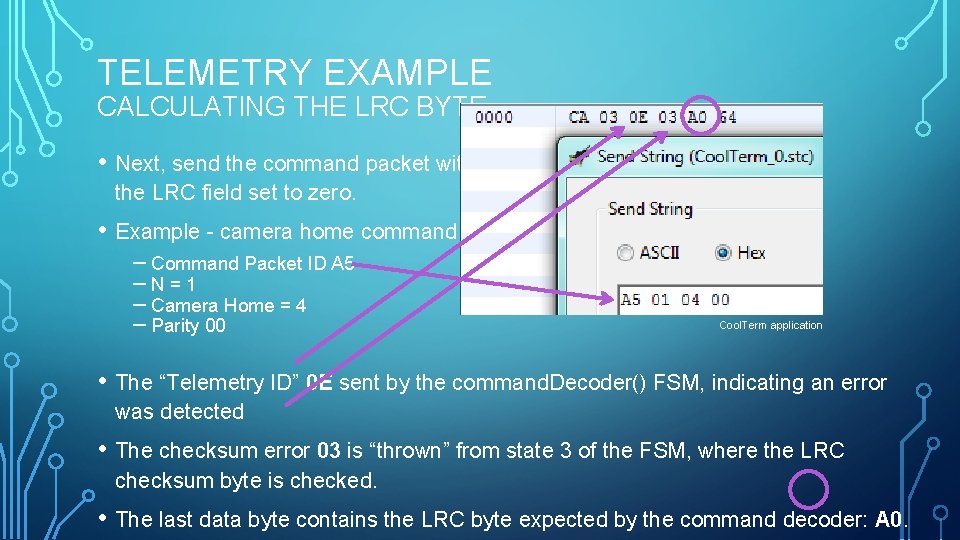
TELEMETRY EXAMPLE CALCULATING THE LRC BYTE • Next, send the command packet with the LRC field set to zero. • Example - camera home command – Command Packet ID A 5 – N = 1 – Camera Home = 4 – Parity 00 Cool. Term application • The “Telemetry ID” 0 E sent by the command. Decoder() FSM, indicating an error was detected • The checksum error 03 is “thrown” from state 3 of the FSM, where the LRC checksum byte is checked. • The last data byte contains the LRC byte expected by the command decoder: A 0.
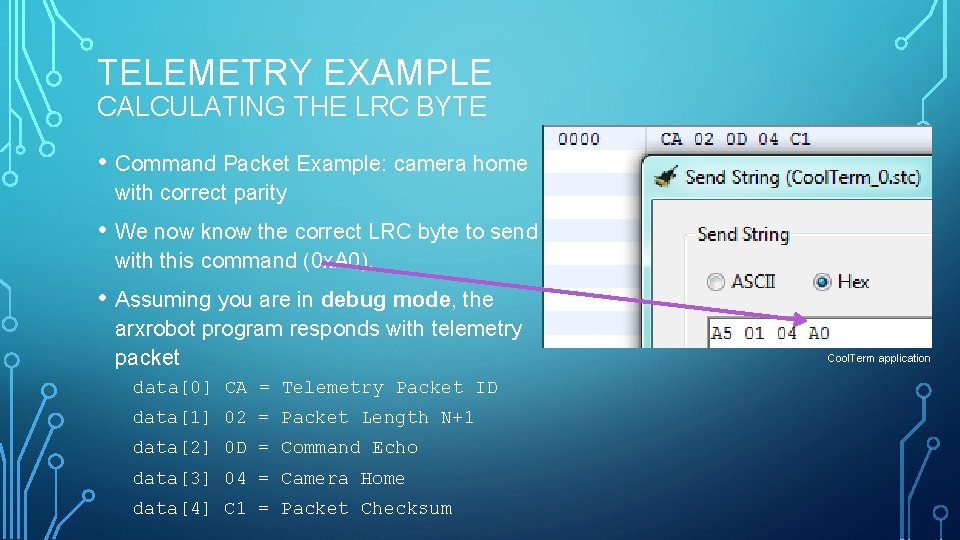
TELEMETRY EXAMPLE CALCULATING THE LRC BYTE • Command Packet Example: camera home with correct parity • We now know the correct LRC byte to send with this command (0 x. A 0). • Assuming you are in debug mode, the arxrobot program responds with telemetry packet data[0] CA = Telemetry Packet ID data[1] 02 = Packet Length N+1 data[2] 0 D = Command Echo data[3] 04 = Camera Home data[4] C 1 = Packet Checksum Cool. Term application
TELEMETRY EXAMPLE TESTING ROBOT COMMANDS • Test commands locally before testing remotely removes the potential problems introduced by adding the: o. Smart device (Android Phone) o. Internet (the cloud) o. Arxterra control panel layers. • To test locally you will need a terminal application program, like Cool. Term
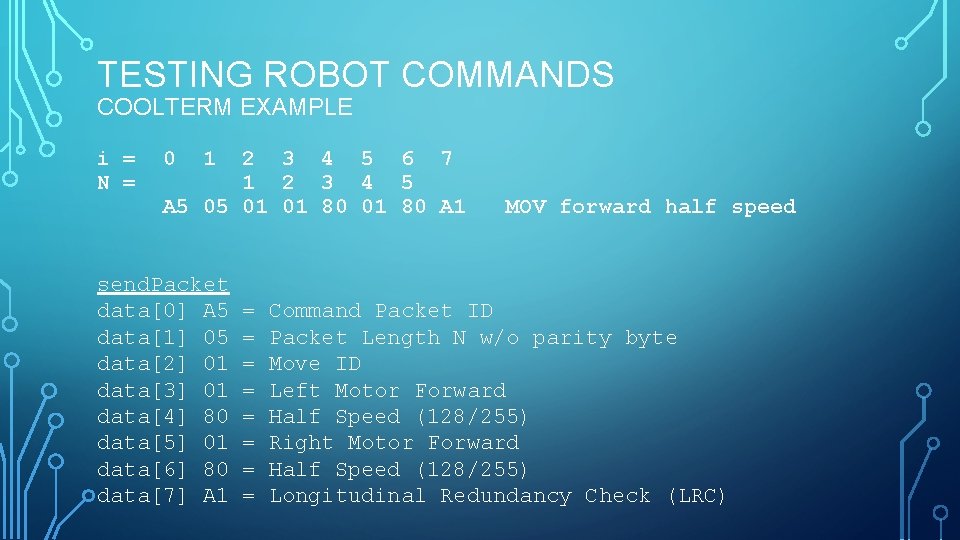
TESTING ROBOT COMMANDS COOLTERM EXAMPLE i = N = 0 1 2 3 4 5 6 7 1 2 3 4 5 A 5 05 01 01 80 A 1 send. Packet data[0] A 5 data[1] 05 data[2] 01 data[3] 01 data[4] 80 data[5] 01 data[6] 80 data[7] A 1 = = = = MOV forward half speed Command Packet ID Packet Length N w/o parity byte Move ID Left Motor Forward Half Speed (128/255) Right Motor Forward Half Speed (128/255) Longitudinal Redundancy Check (LRC)
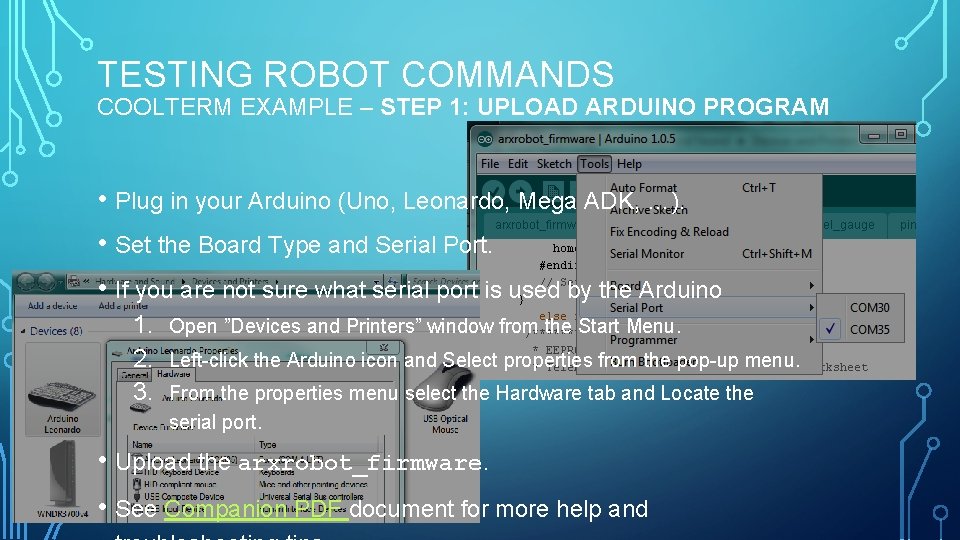
TESTING ROBOT COMMANDS COOLTERM EXAMPLE – STEP 1: UPLOAD ARDUINO PROGRAM • Plug in your Arduino (Uno, Leonardo, Mega ADK, …). • Set the Board Type and Serial Port. • If you are not sure what serial port is used by the Arduino 1. 2. 3. Open ”Devices and Printers” window from the Start Menu. Left-click the Arduino icon and Select properties from the pop-up menu. From the properties menu select the Hardware tab and Locate the serial port. • Upload the arxrobot_firmware. • See Companion PDF document for more help and
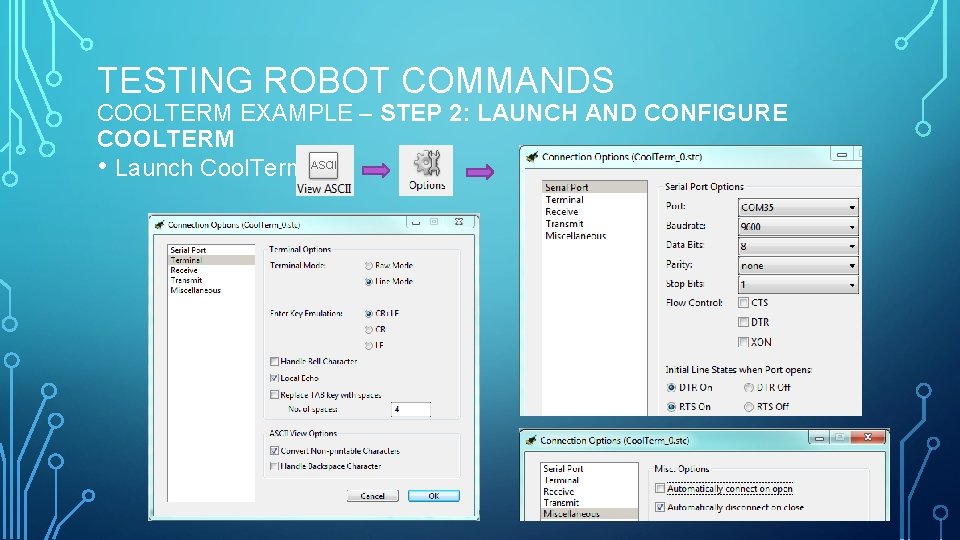
TESTING ROBOT COMMANDS COOLTERM EXAMPLE – STEP 2: LAUNCH AND CONFIGURE COOLTERM • Launch Cool. Term
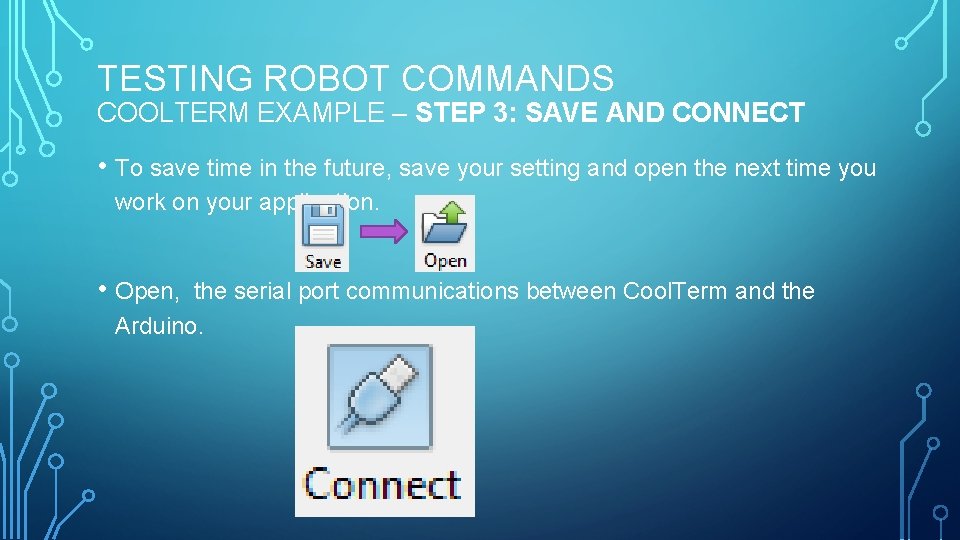
TESTING ROBOT COMMANDS COOLTERM EXAMPLE – STEP 3: SAVE AND CONNECT • To save time in the future, save your setting and open the next time you work on your application. • Open, the serial port communications between Cool. Term and the Arduino.
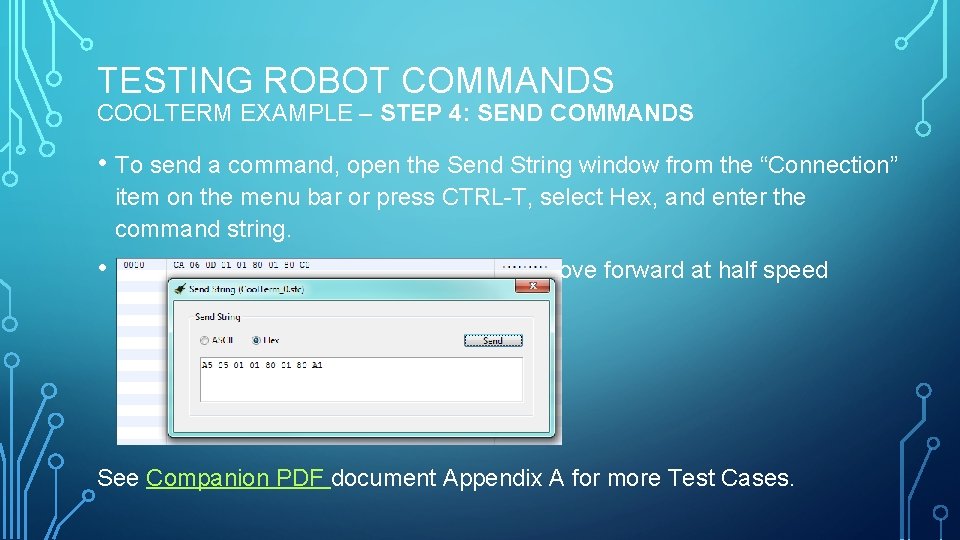
TESTING ROBOT COMMANDS COOLTERM EXAMPLE – STEP 4: SEND COMMANDS • To send a command, open the Send String window from the “Connection” item on the menu bar or press CTRL-T, select Hex, and enter the command string. • In the example below, I am sending the move forward at half speed command. See Companion PDF document Appendix A for more Test Cases.
TELEMETRY ADDITIONAL READING • Here is the companion document to this presentation. http: //web. csulb. edu/~hill/ee 400 d/Lectures/Technical%20 Training/Arduino %20 Programming. pdf
- Slides: 13