
CSE 5542 Real Time Rendering Week 10 Spheres
















![Notes • Position determined by 11 joint angles in theta[11] • Animate by changing](https://slidetodoc.com/presentation_image_h2/47f7f9ceb6d9e99abc74eb18cdac99d2/image-136.jpg "Notes • Position determined by 11 joint angles in theta[11] • Animate by changing")
- Slides: 141
CSE 5542 - Real Time Rendering Week 10
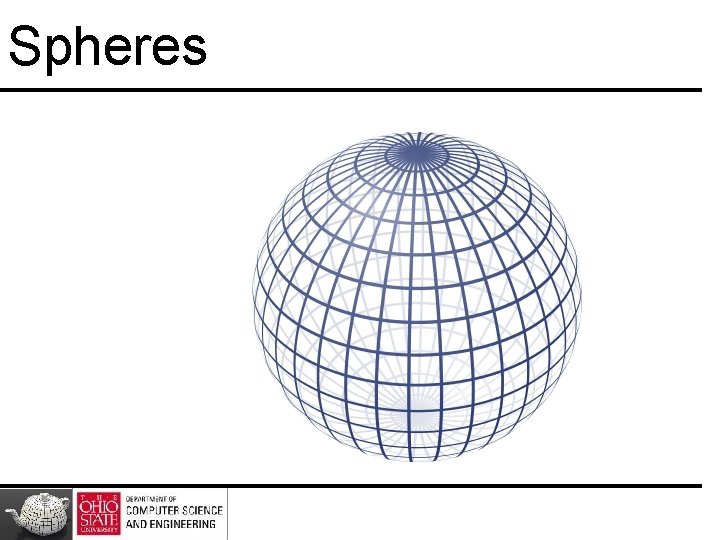
Spheres
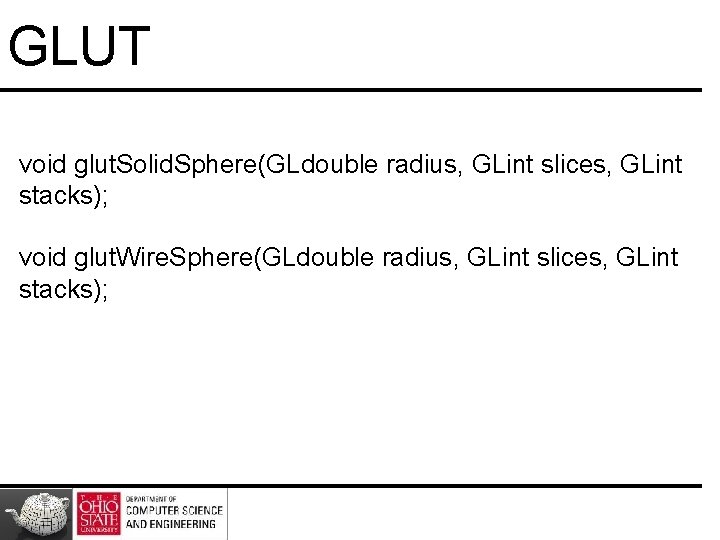
GLUT void glut. Solid. Sphere(GLdouble radius, GLint slices, GLint stacks); void glut. Wire. Sphere(GLdouble radius, GLint slices, GLint stacks);
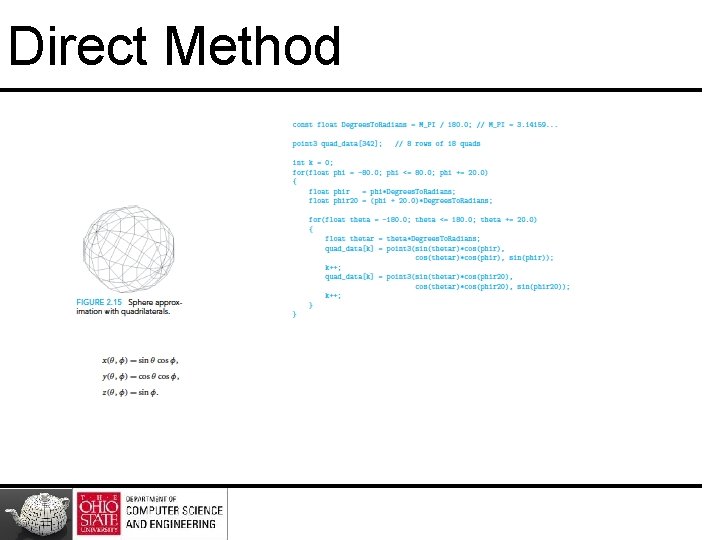
Direct Method
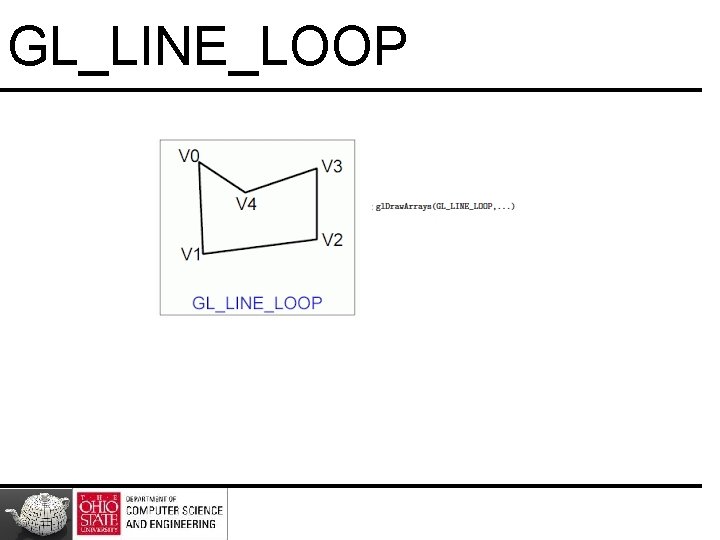
GL_LINE_LOOP
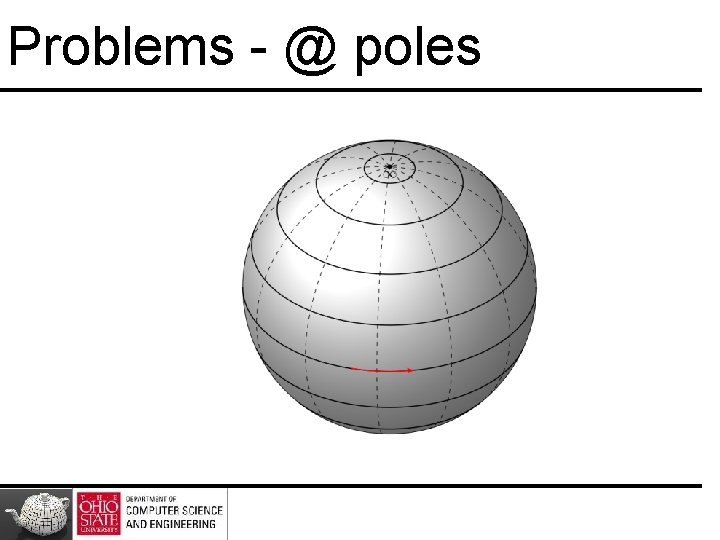
Problems - @ poles
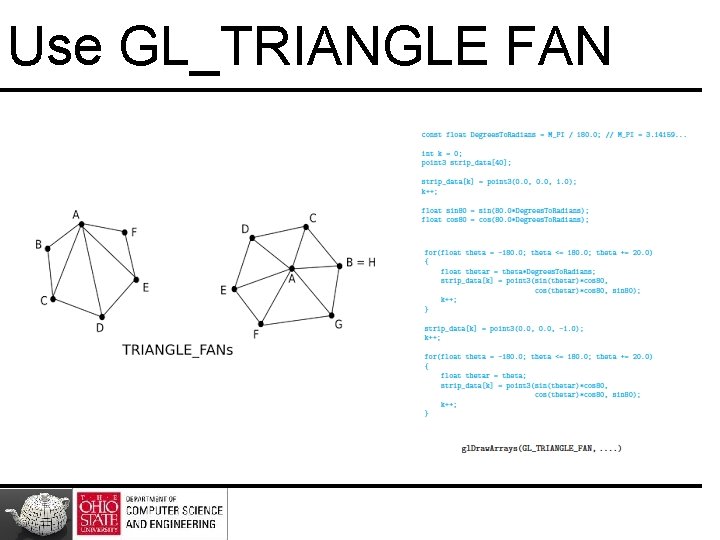
Use GL_TRIANGLE FAN
Method II
YAS (Yet Another Solution) http: //www. andrewnoske. com/wiki/Generating_a_sphere_as_a_3 D_me sh
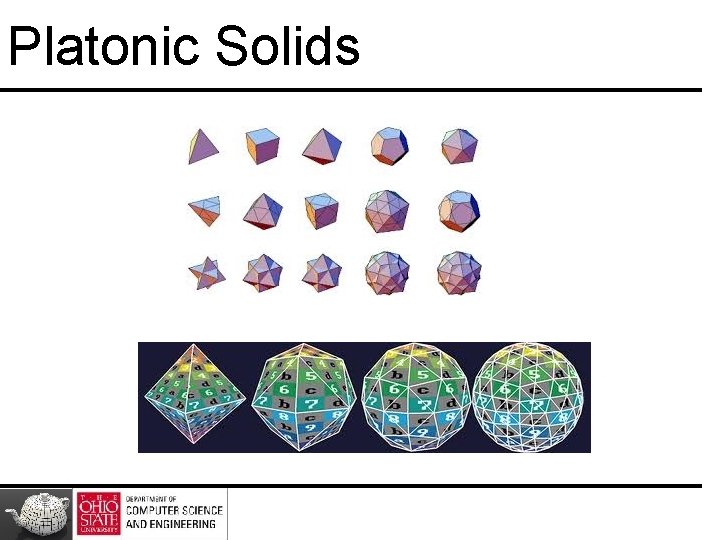
Platonic Solids
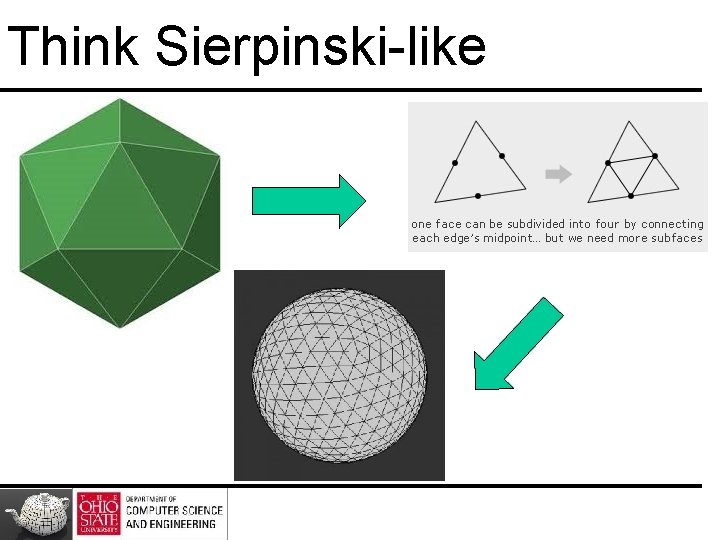
Procedure Create Platonic Solid – http: //www. csee. umbc. edu/~squire/reference/polyhedra. shtml#icosahedron Subdivide each face – http: //donhavey. com/blog/tutorials/tutorial-3 -the-icosahedron-sphere/
Think Sierpinski-like
Method III
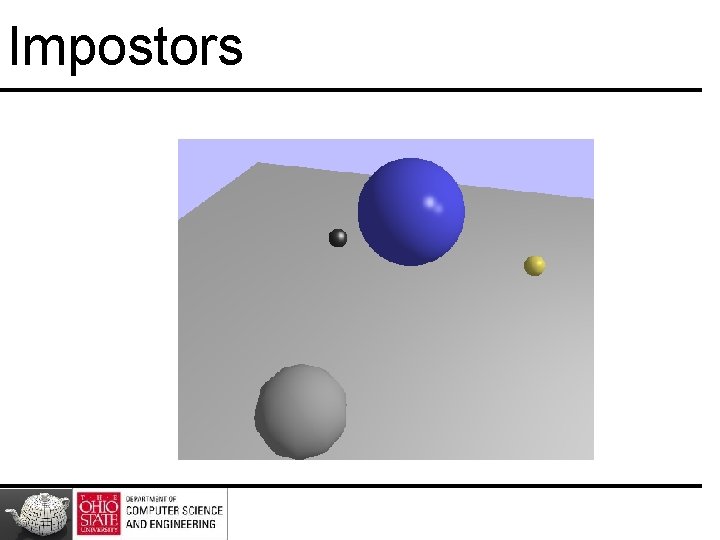
Impostor Spheres http: //www. arcsynthesis. org/gltut/Illumination/Tutorial%2013. html
Impostors
Clipping and Scan Conversion
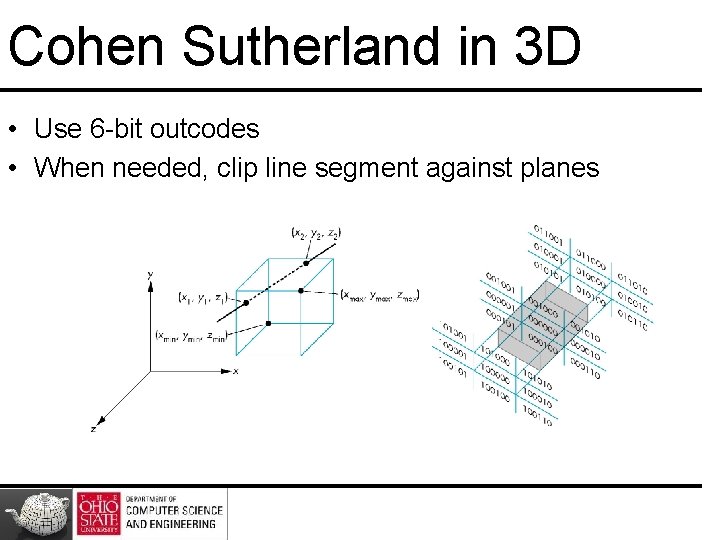
Cohen Sutherland in 3 D • Use 6 -bit outcodes • When needed, clip line segment against planes
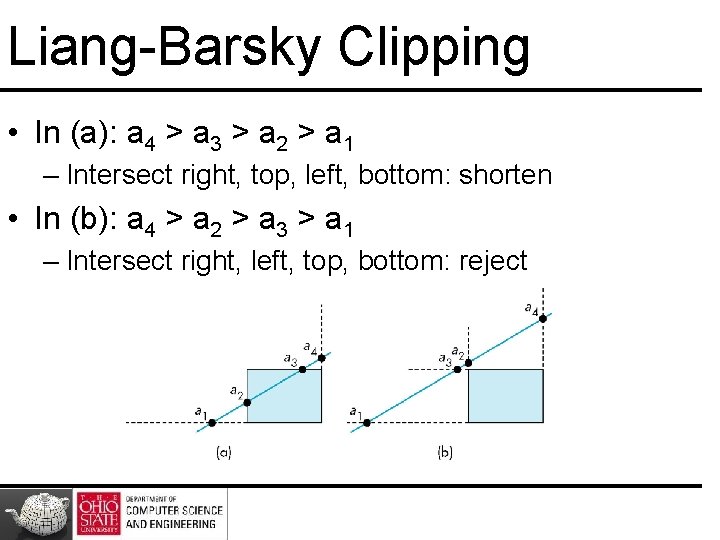
Liang-Barsky Clipping • In (a): a 4 > a 3 > a 2 > a 1 – Intersect right, top, left, bottom: shorten • In (b): a 4 > a 2 > a 3 > a 1 – Intersect right, left, top, bottom: reject
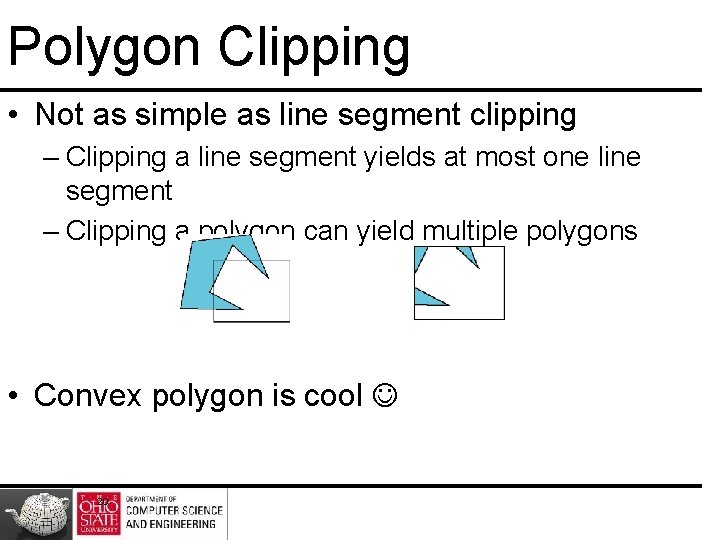
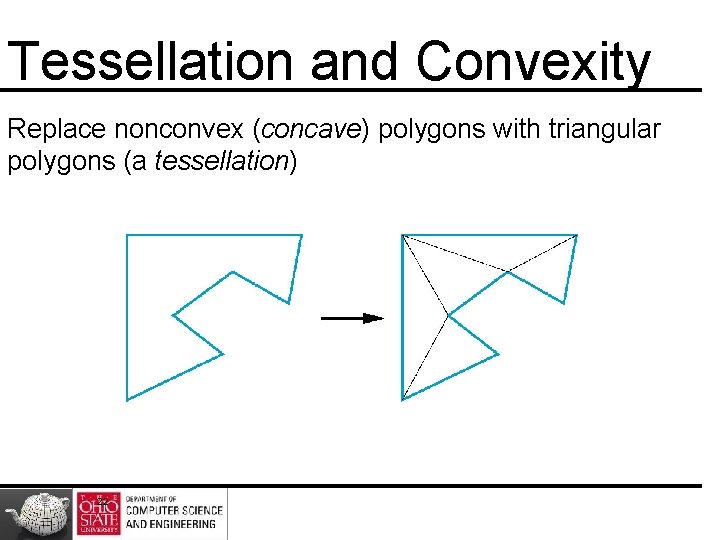
Polygon Clipping • Not as simple as line segment clipping – Clipping a line segment yields at most one line segment – Clipping a polygon can yield multiple polygons • Convex polygon is cool 20
Fixes
Tessellation and Convexity Replace nonconvex (concave) polygons with triangular polygons (a tessellation) 22
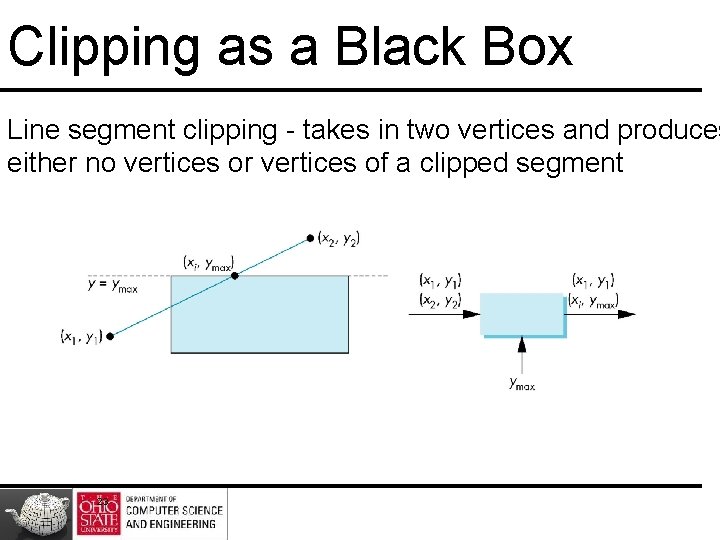
Clipping as a Black Box Line segment clipping - takes in two vertices and produces either no vertices or vertices of a clipped segment 23
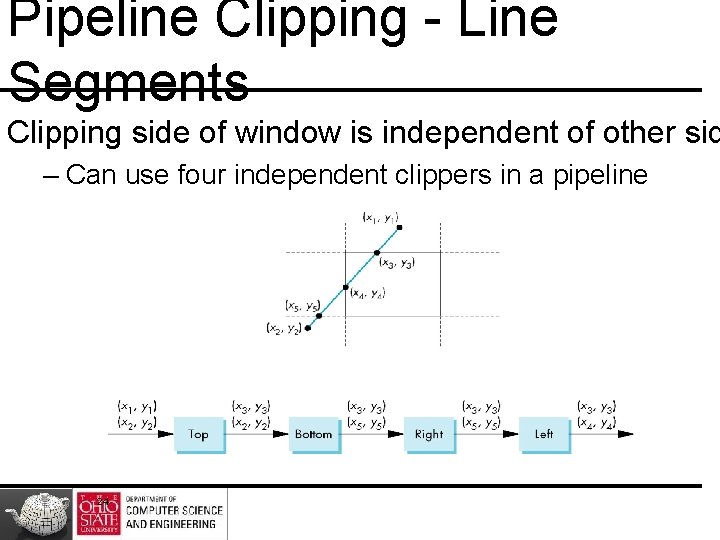
Pipeline Clipping - Line Segments Clipping side of window is independent of other sid – Can use four independent clippers in a pipeline 24
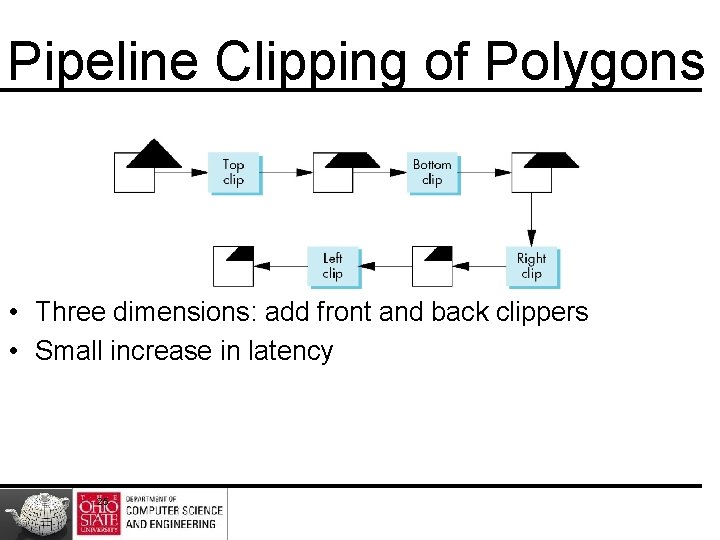
Pipeline Clipping of Polygons • Three dimensions: add front and back clippers • Small increase in latency 25
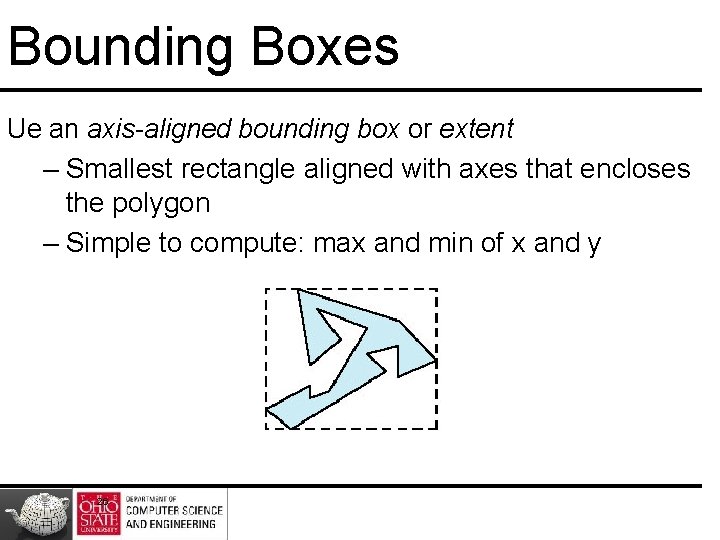
Bounding Boxes Ue an axis-aligned bounding box or extent – Smallest rectangle aligned with axes that encloses the polygon – Simple to compute: max and min of x and y 26
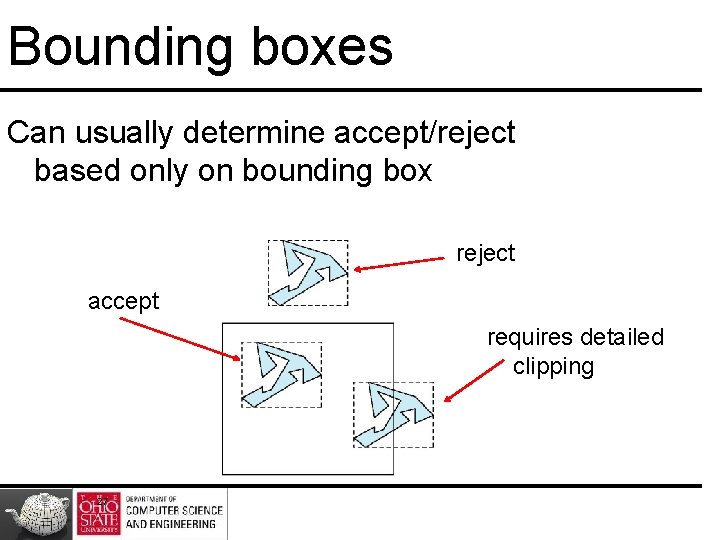
Bounding boxes Can usually determine accept/reject based only on bounding box reject accept requires detailed clipping 27
Clipping vs. Visibility • Clipping similar to hidden-surface removal • Remove objects that are not visible to the camera • Use visibility or occlusion testing early in the process to eliminate as many polygons as possible before going through the entire pipeline 28
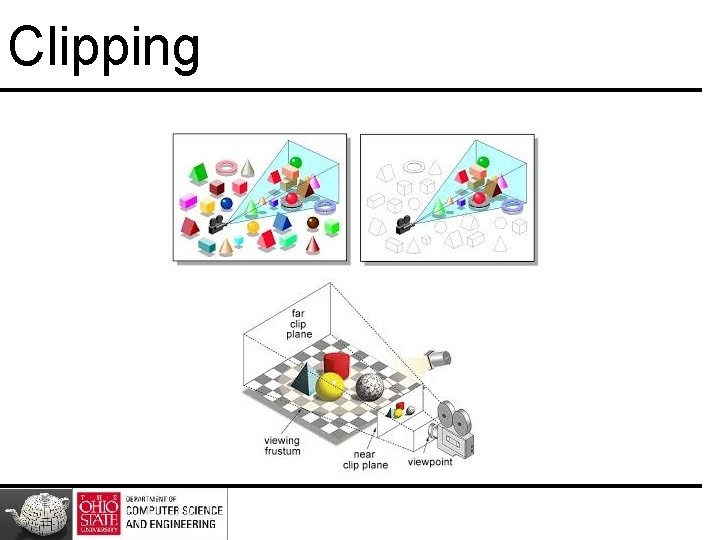
Clipping
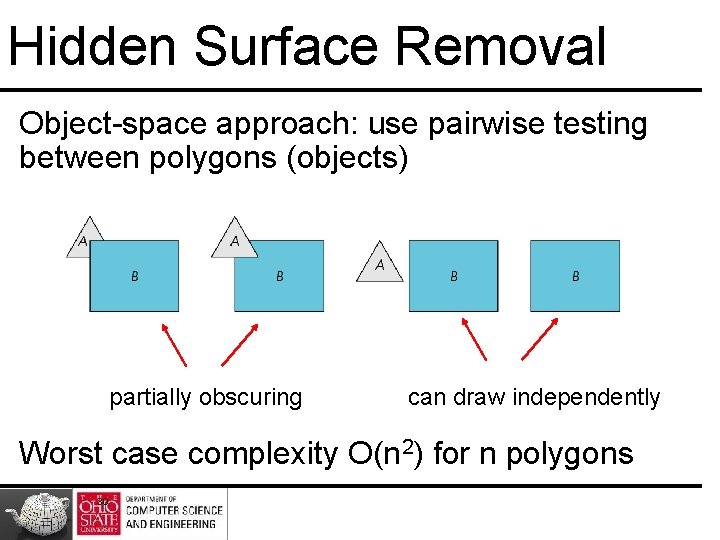
Hidden Surface Removal Object-space approach: use pairwise testing between polygons (objects) partially obscuring can draw independently Worst case complexity O(n 2) for n polygons 30
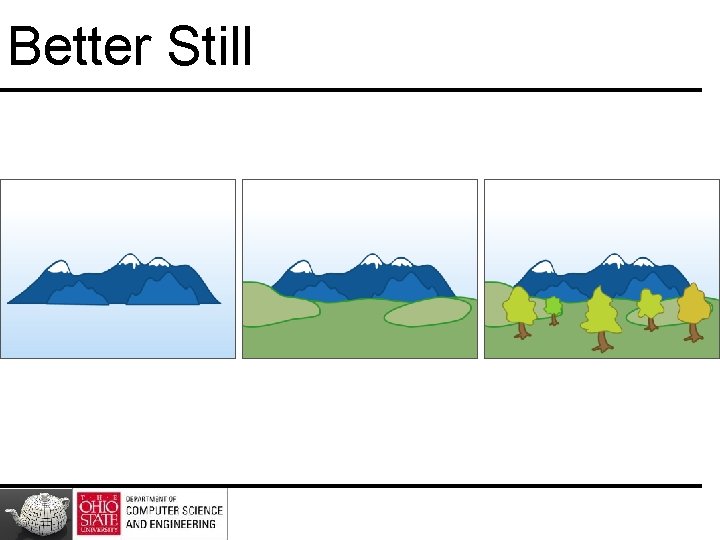
Better Still
Better Still
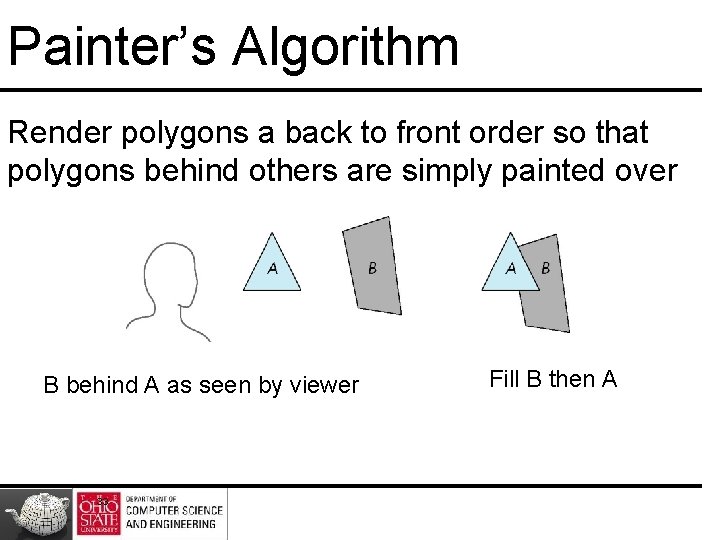
Painter’s Algorithm Render polygons a back to front order so that polygons behind others are simply painted over B behind A as seen by viewer 33 Fill B then A
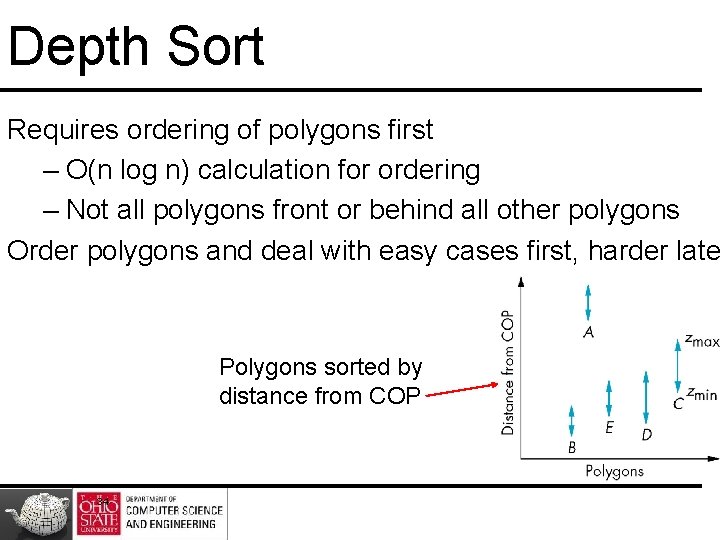
Depth Sort Requires ordering of polygons first – O(n log n) calculation for ordering – Not all polygons front or behind all other polygons Order polygons and deal with easy cases first, harder late Polygons sorted by distance from COP 34
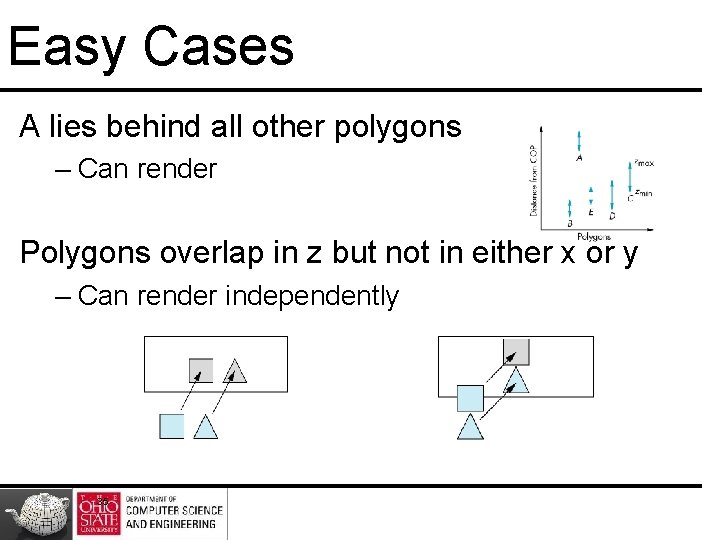
Easy Cases A lies behind all other polygons – Can render Polygons overlap in z but not in either x or y – Can render independently 35
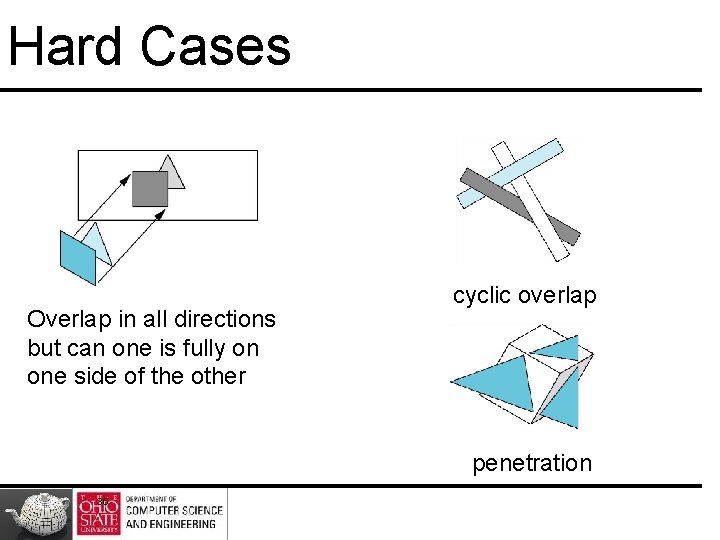
Hard Cases Overlap in all directions but can one is fully on one side of the other cyclic overlap penetration 36
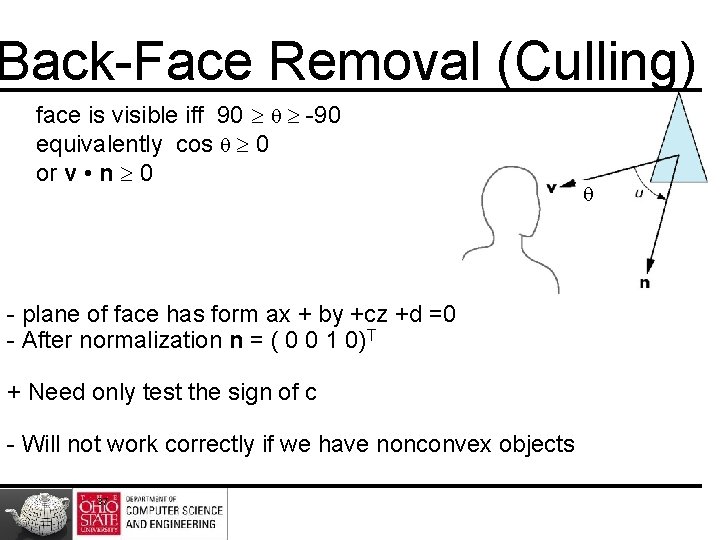
Back-Face Removal (Culling) face is visible iff 90 -90 equivalently cos 0 or v • n 0 - plane of face has form ax + by +cz +d =0 - After normalization n = ( 0 0 1 0)T + Need only test the sign of c - Will not work correctly if we have nonconvex objects 37
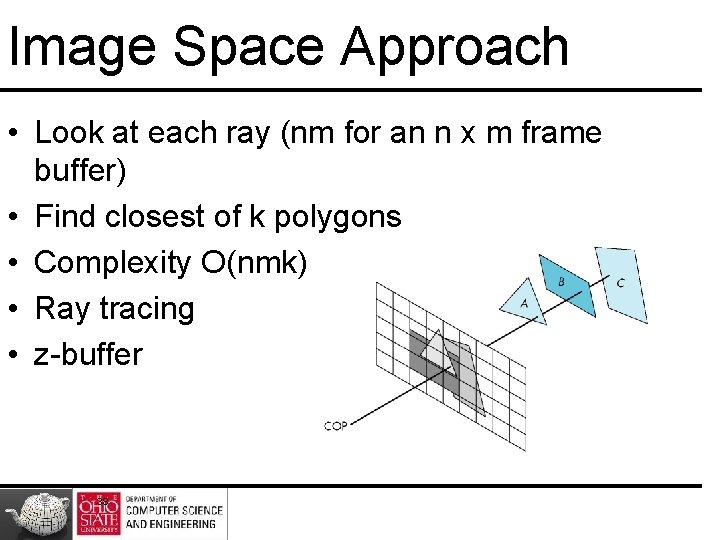
Image Space Approach • Look at each ray (nm for an n x m frame buffer) • Find closest of k polygons • Complexity O(nmk) • Ray tracing • z-buffer 38
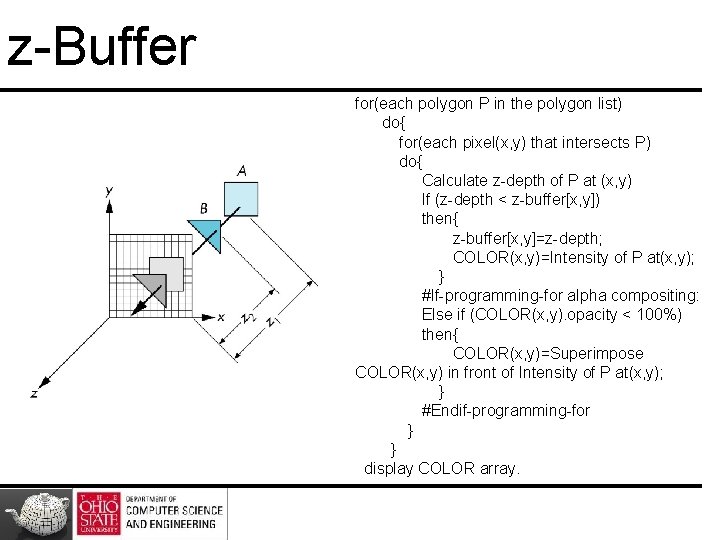
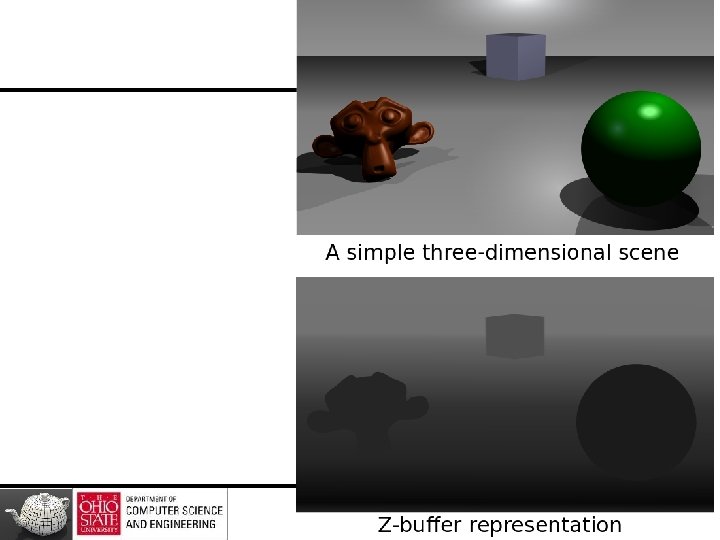
z-Buffer Algorithm • Use a buffer called z or depth buffer to store depth of closest object at each pixel found so far • As we render each polygon, compare the depth of each pixel to depth in z buffer • If less, place shade of pixel in color buffer and update z buffer 39
z-Buffer for(each polygon P in the polygon list) do{ for(each pixel(x, y) that intersects P) do{ Calculate z-depth of P at (x, y) If (z-depth < z-buffer[x, y]) then{ z-buffer[x, y]=z-depth; COLOR(x, y)=Intensity of P at(x, y); } #If-programming-for alpha compositing: Else if (COLOR(x, y). opacity < 100%) then{ COLOR(x, y)=Superimpose COLOR(x, y) in front of Intensity of P at(x, y); } #Endif-programming-for } } display COLOR array.
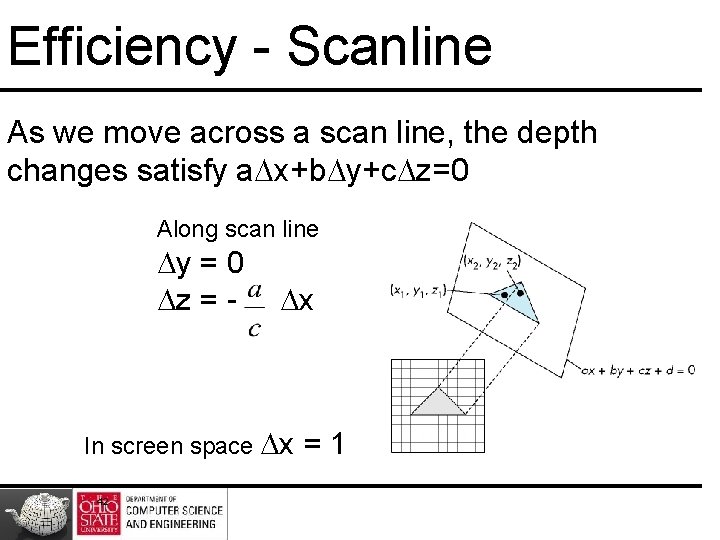
Efficiency - Scanline As we move across a scan line, the depth changes satisfy a x+b y+c z=0 Along scan line y = 0 z = - x In screen space x 42 =1
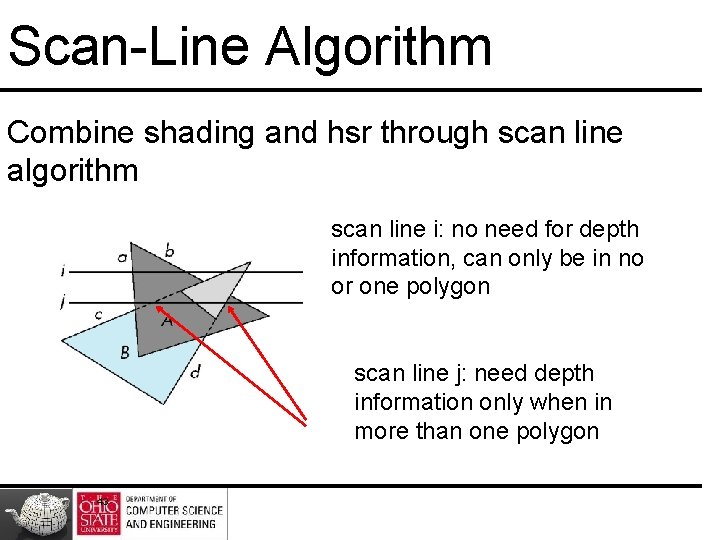
Scan-Line Algorithm Combine shading and hsr through scan line algorithm scan line i: no need for depth information, can only be in no or one polygon scan line j: need depth information only when in more than one polygon 43
Implementation Need a data structure to store – Flag for each polygon (inside/outside) – Incremental structure for scan lines that stores which edges are encountered – Parameters for planes 44
Rasterization • Rasterization (scan conversion) – Determine which pixels that are inside primitive specified by a set of vertices – Produces a set of fragments – Fragments have a location (pixel location) and other attributes such color and texture coordinates that are determined by interpolating values at vertices • Pixel colors determined later using color, texture, and other vertex properties
Diversion
Rendering Spheres
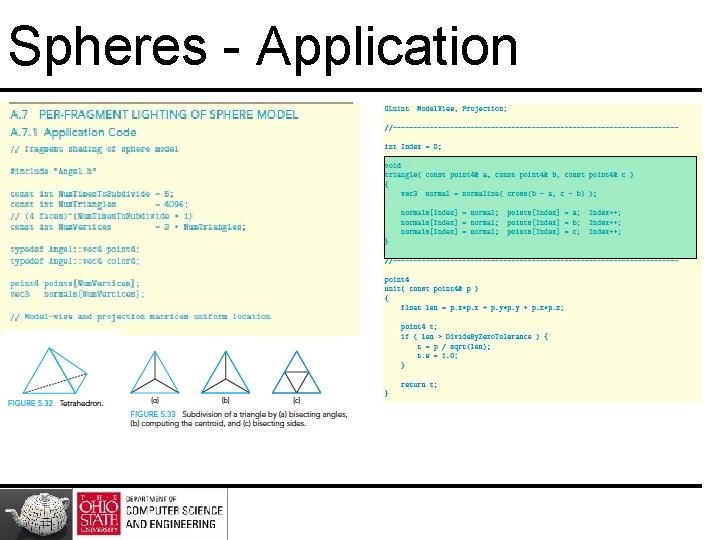
Spheres - Application
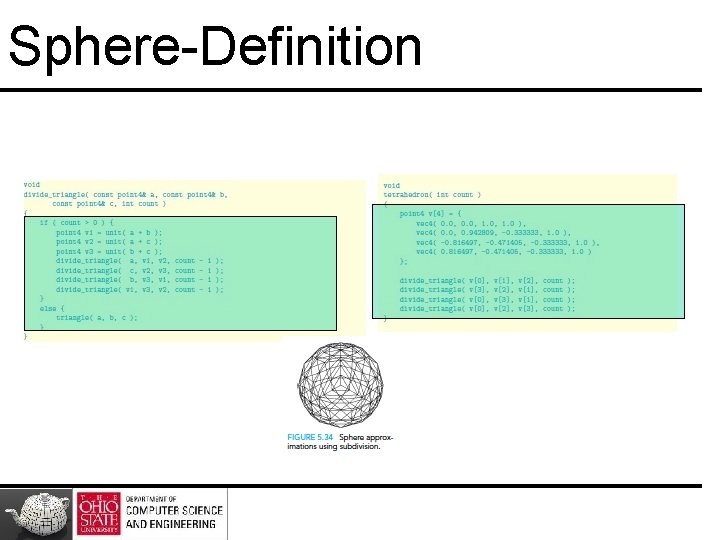
Sphere-Definition
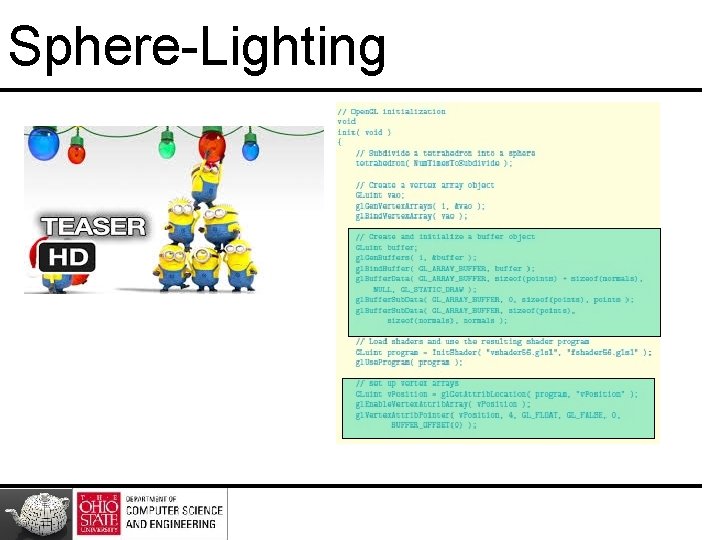
Sphere-Lighting
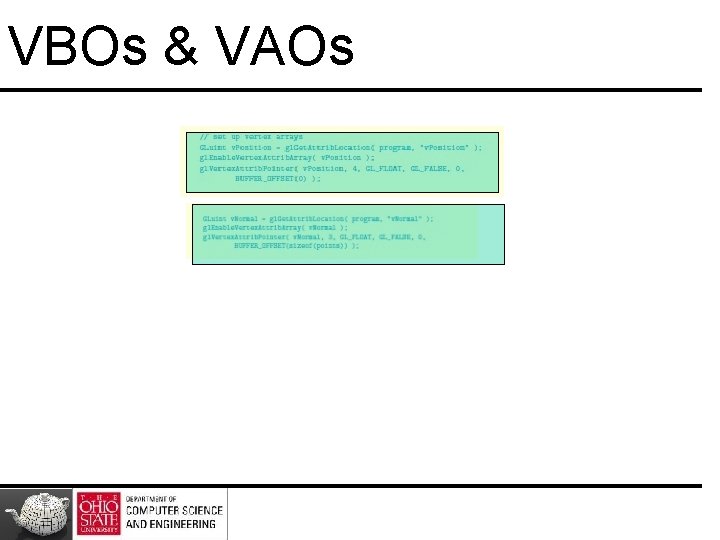
VBOs & VAOs
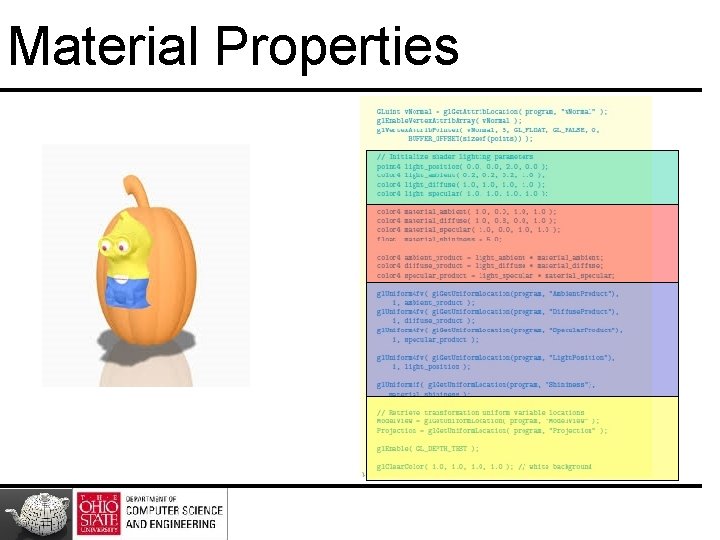
Material Properties
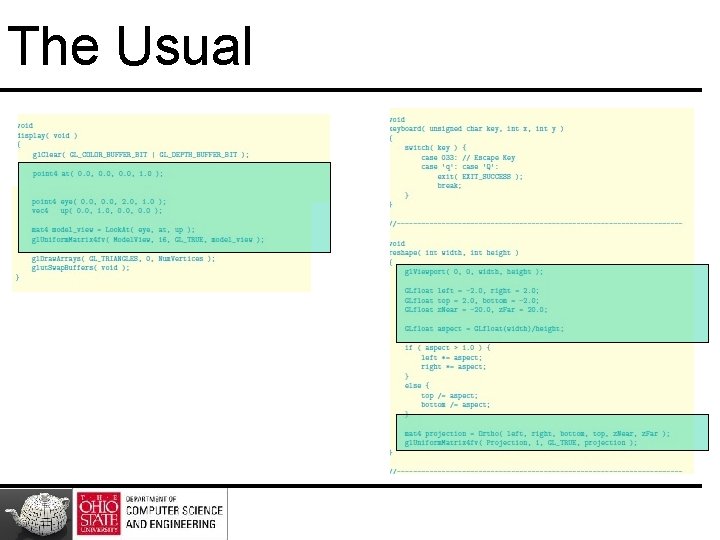
The Usual
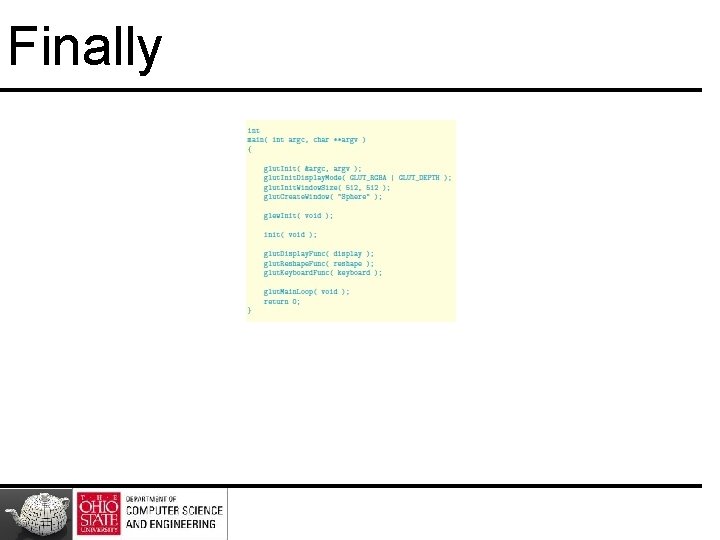
Finally
But …
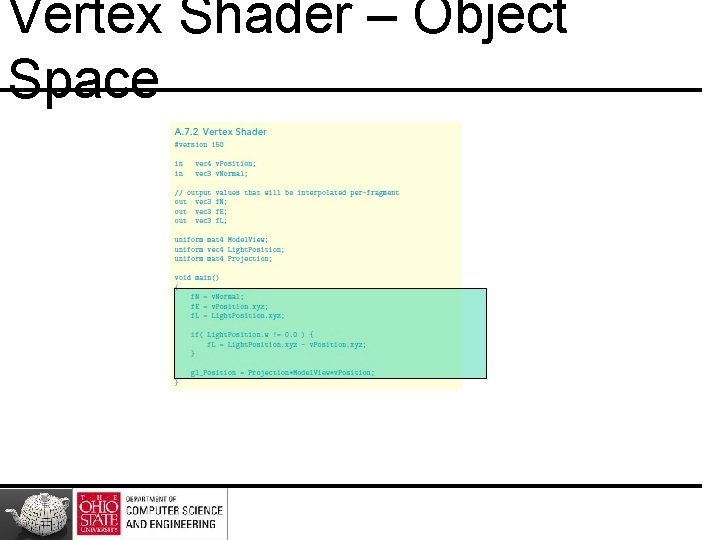
Vertex Shader – Object Space
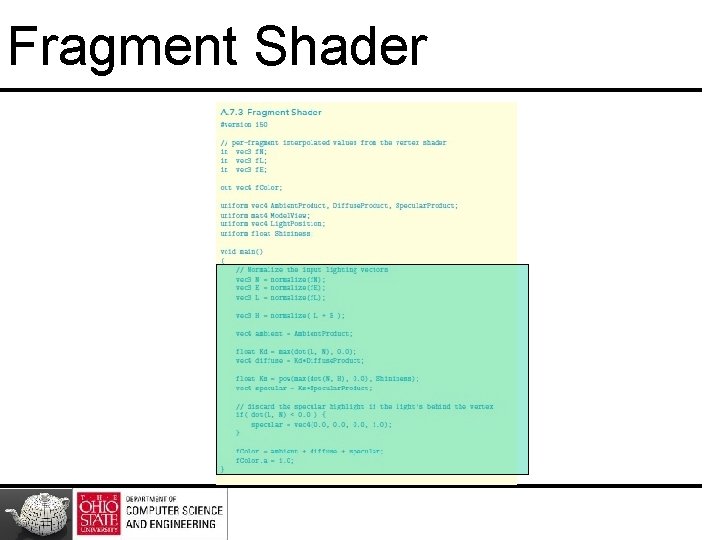
Fragment Shader
Yet Another Way
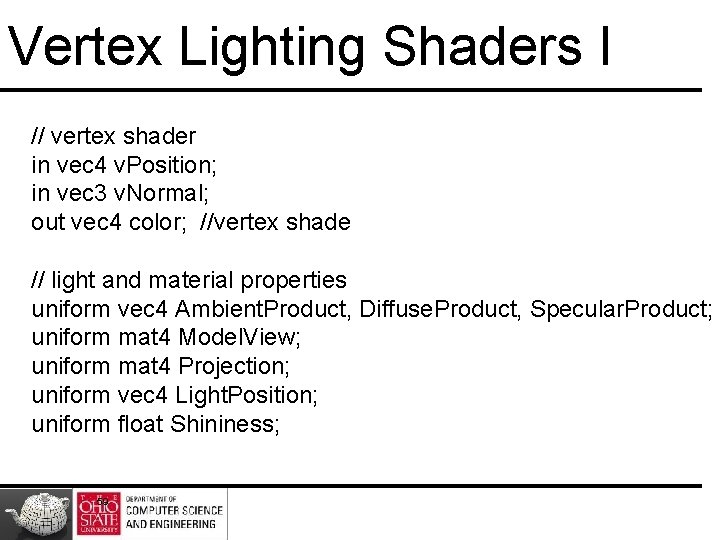
Vertex Lighting Shaders I // vertex shader in vec 4 v. Position; in vec 3 v. Normal; out vec 4 color; //vertex shade // light and material properties uniform vec 4 Ambient. Product, Diffuse. Product, Specular. Product; uniform mat 4 Model. View; uniform mat 4 Projection; uniform vec 4 Light. Position; uniform float Shininess; 59
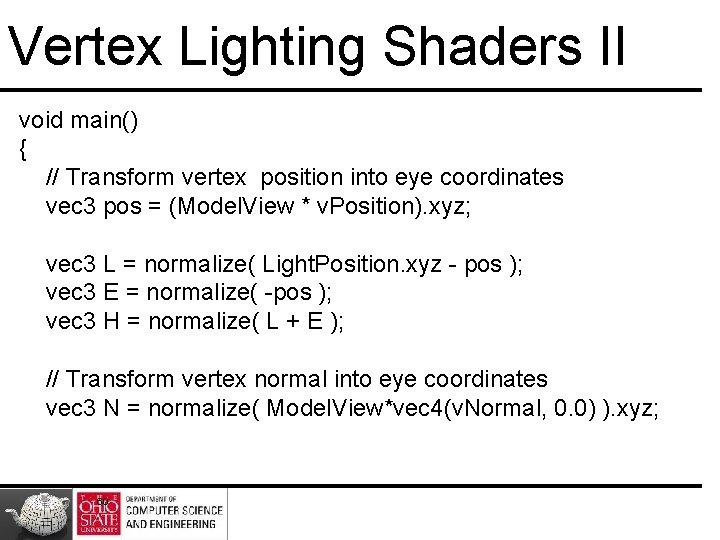
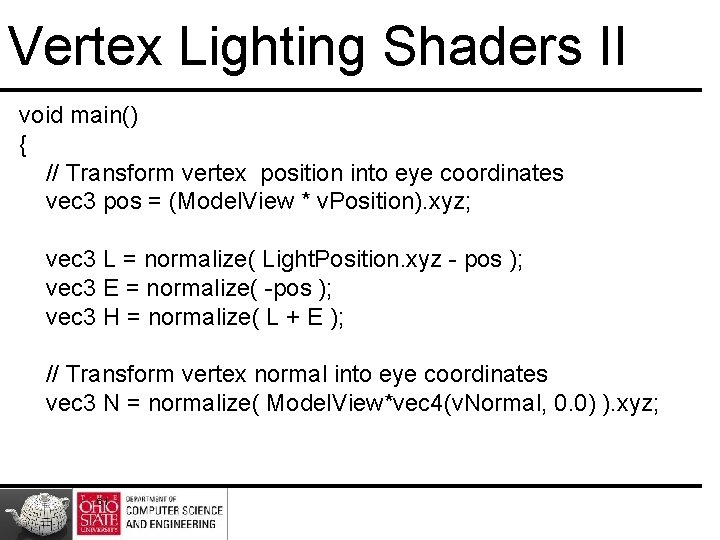
Vertex Lighting Shaders II void main() { // Transform vertex position into eye coordinates vec 3 pos = (Model. View * v. Position). xyz; vec 3 L = normalize( Light. Position. xyz - pos ); vec 3 E = normalize( -pos ); vec 3 H = normalize( L + E ); // Transform vertex normal into eye coordinates vec 3 N = normalize( Model. View*vec 4(v. Normal, 0. 0) ). xyz; 60
Vertex Lighting Shaders II void main() { // Transform vertex position into eye coordinates vec 3 pos = (Model. View * v. Position). xyz; vec 3 L = normalize( Light. Position. xyz - pos ); vec 3 E = normalize( -pos ); vec 3 H = normalize( L + E ); // Transform vertex normal into eye coordinates vec 3 N = normalize( Model. View*vec 4(v. Normal, 0. 0) ). xyz; 61
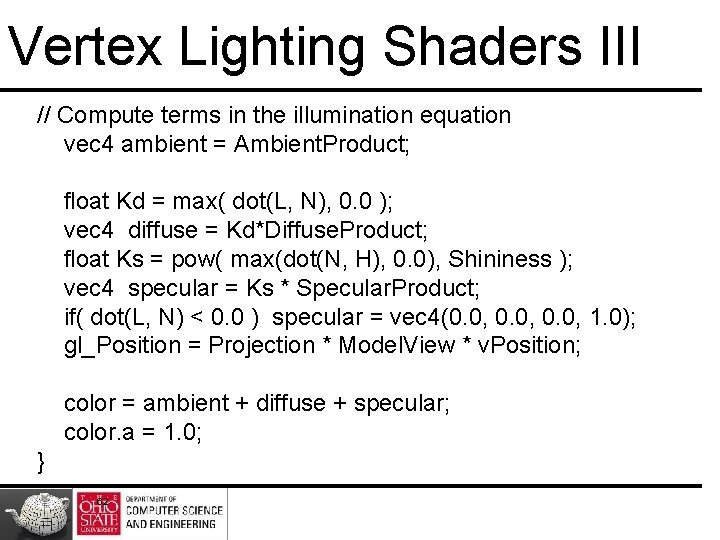
Vertex Lighting Shaders III // Compute terms in the illumination equation vec 4 ambient = Ambient. Product; float Kd = max( dot(L, N), 0. 0 ); vec 4 diffuse = Kd*Diffuse. Product; float Ks = pow( max(dot(N, H), 0. 0), Shininess ); vec 4 specular = Ks * Specular. Product; if( dot(L, N) < 0. 0 ) specular = vec 4(0. 0, 1. 0); gl_Position = Projection * Model. View * v. Position; color = ambient + diffuse + specular; color. a = 1. 0; } 62
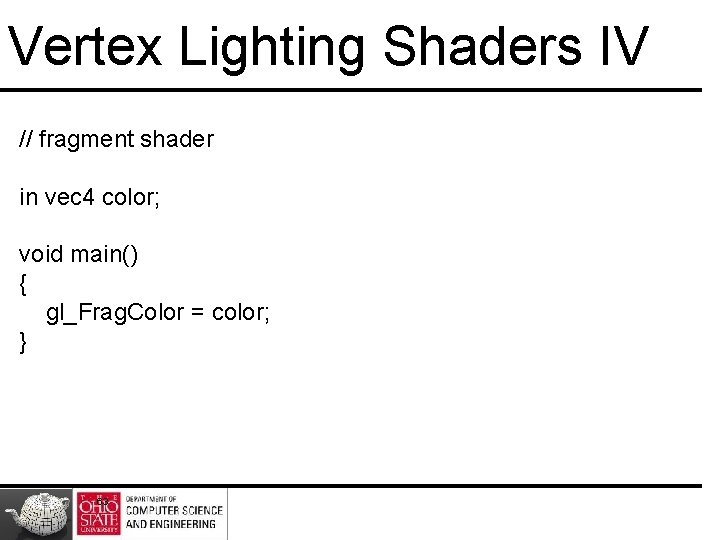
Vertex Lighting Shaders IV // fragment shader in vec 4 color; void main() { gl_Frag. Color = color; } 63
Scan-Line Rasterization
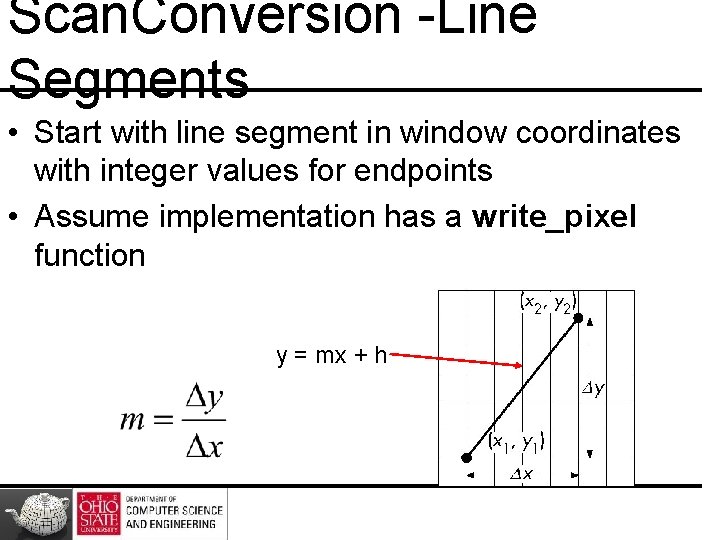
Scan. Conversion -Line Segments • Start with line segment in window coordinates with integer values for endpoints • Assume implementation has a write_pixel function y = mx + h
DDA Algorithm • Digital Differential Analyzer – Line y=mx+ h satisfies differential equation dy/dx = m = Dy/Dx = y 2 -y 1/x 2 -x 1 • Along scan line Dx = 1 For(x=x 1; x<=x 2, ix++) { y+=m; display (x, round(y), line_color) }
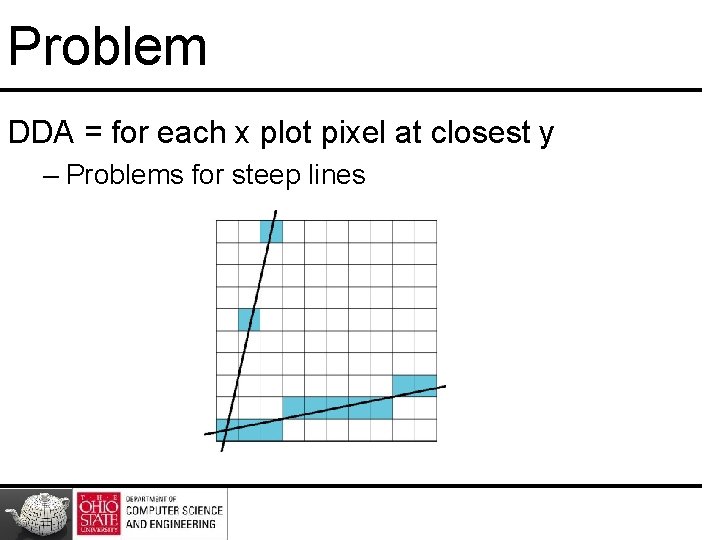
Problem DDA = for each x plot pixel at closest y – Problems for steep lines
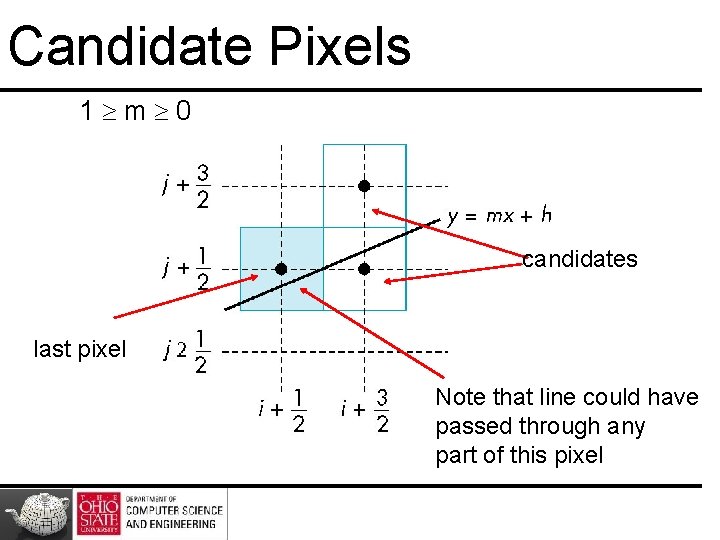
Bresenham’s Algorithm • DDA requires one floating point addition per step • Eliminate computations through Bresenham’s algorithm • Consider only 1 m 0 – Other cases by symmetry • Assume pixel centers are at half integers
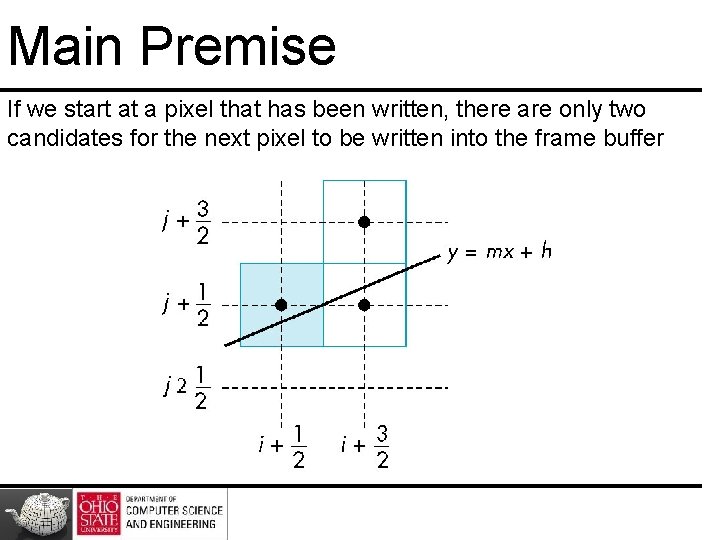
Main Premise If we start at a pixel that has been written, there are only two candidates for the next pixel to be written into the frame buffer
Candidate Pixels 1 m 0 candidates last pixel Note that line could have passed through any part of this pixel
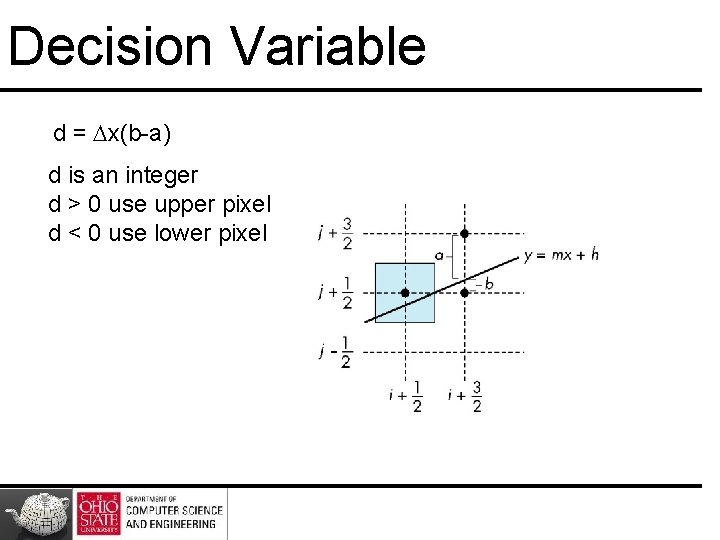
Decision Variable d = x(b-a) d is an integer d > 0 use upper pixel d < 0 use lower pixel -
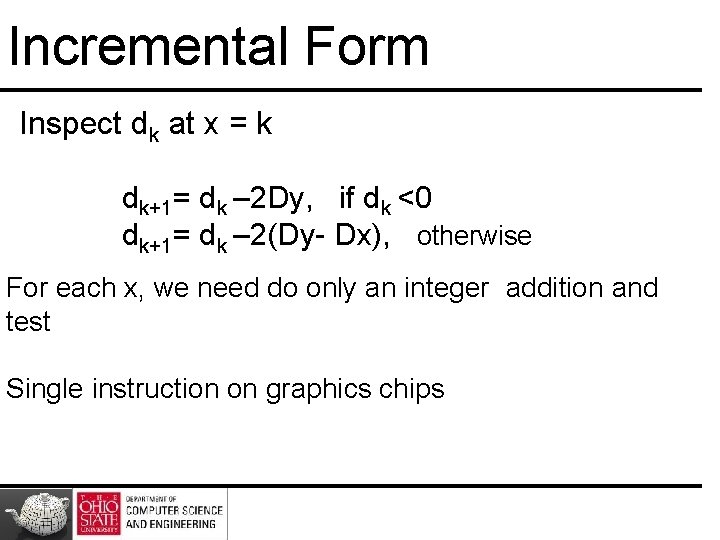
Incremental Form Inspect dk at x = k dk+1= dk – 2 Dy, if dk <0 dk+1= dk – 2(Dy- Dx), otherwise For each x, we need do only an integer addition and test Single instruction on graphics chips
Polygon Scan Conversion • Scan Conversion = Fill • How to tell inside from outside – Convex easy – Nonsimple difficult – Odd even test • Count edge crossings
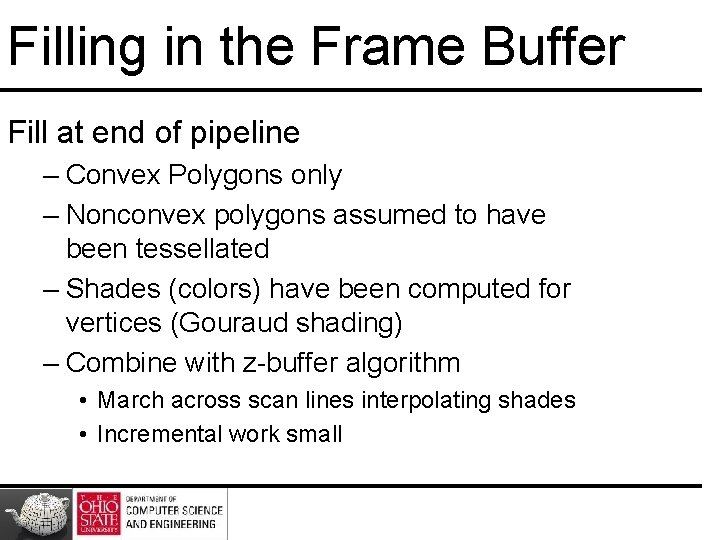
Filling in the Frame Buffer Fill at end of pipeline – Convex Polygons only – Nonconvex polygons assumed to have been tessellated – Shades (colors) have been computed for vertices (Gouraud shading) – Combine with z-buffer algorithm • March across scan lines interpolating shades • Incremental work small
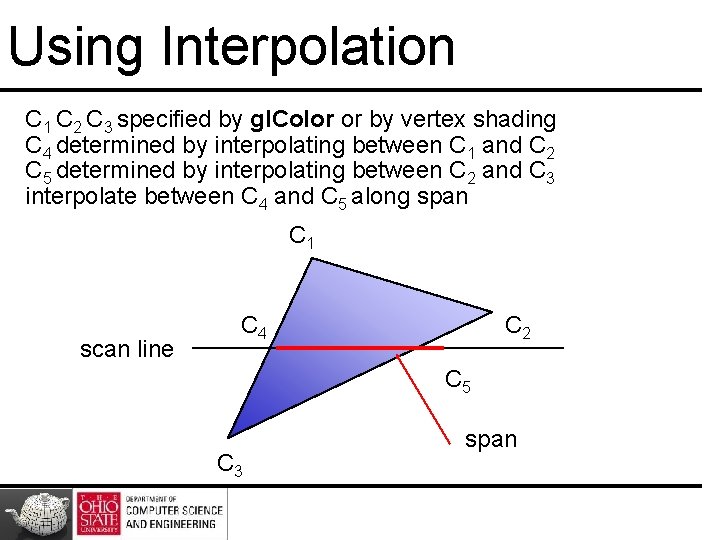
Using Interpolation C 1 C 2 C 3 specified by gl. Color or by vertex shading C 4 determined by interpolating between C 1 and C 2 C 5 determined by interpolating between C 2 and C 3 interpolate between C 4 and C 5 along span C 1 scan line C 4 C 2 C 5 C 3 span
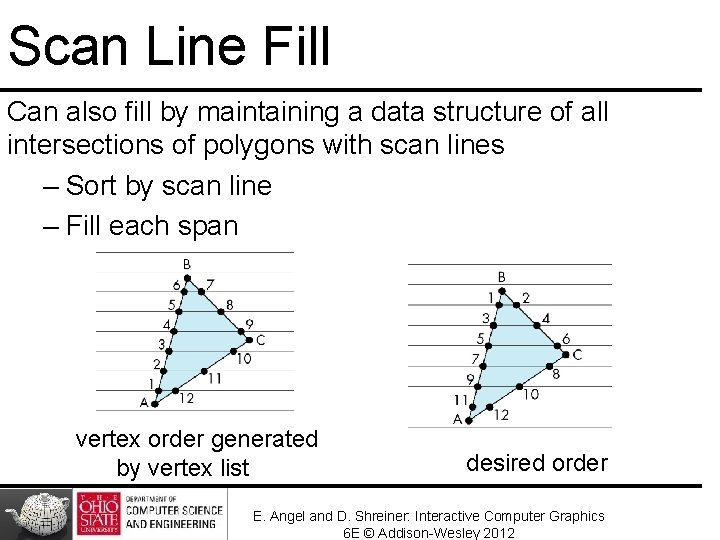
Scan Line Fill Can also fill by maintaining a data structure of all intersections of polygons with scan lines – Sort by scan line – Fill each span vertex order generated by vertex list desired order E. Angel and D. Shreiner: Interactive Computer Graphics 6 E © Addison-Wesley 2012
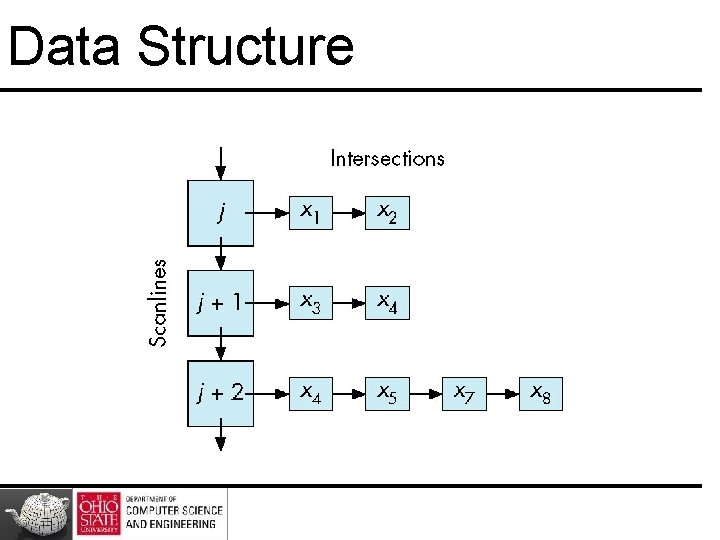
Data Structure
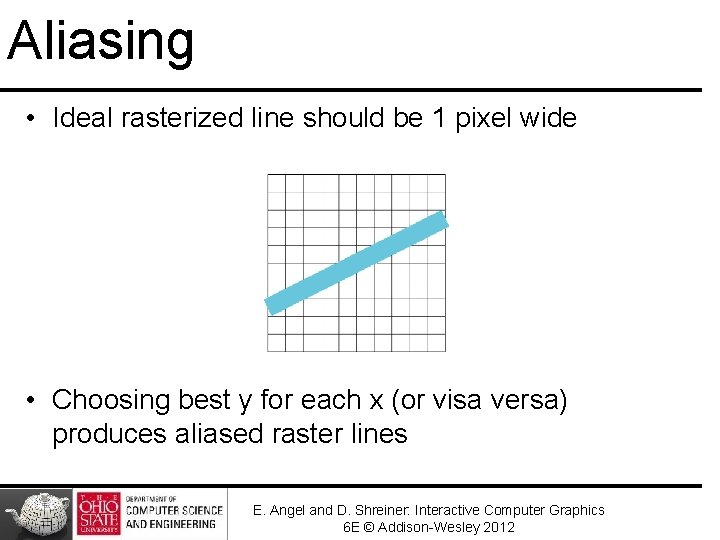
Aliasing • Ideal rasterized line should be 1 pixel wide • Choosing best y for each x (or visa versa) produces aliased raster lines E. Angel and D. Shreiner: Interactive Computer Graphics 6 E © Addison-Wesley 2012
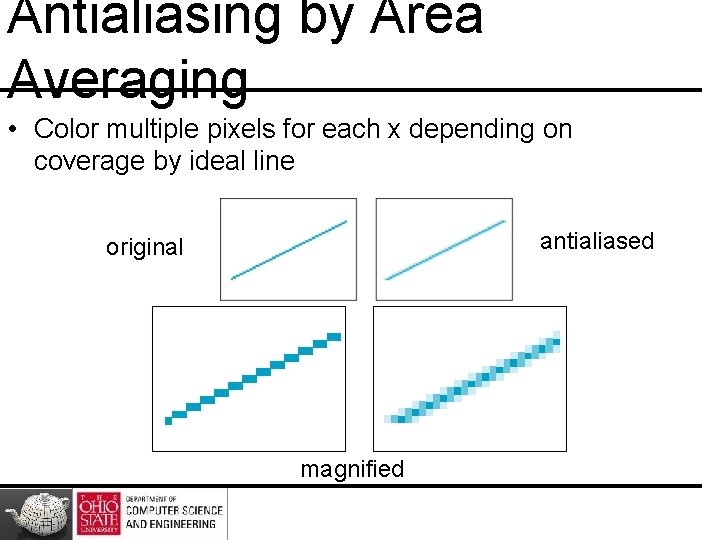
Antialiasing by Area Averaging • Color multiple pixels for each x depending on coverage by ideal line antialiased original magnified
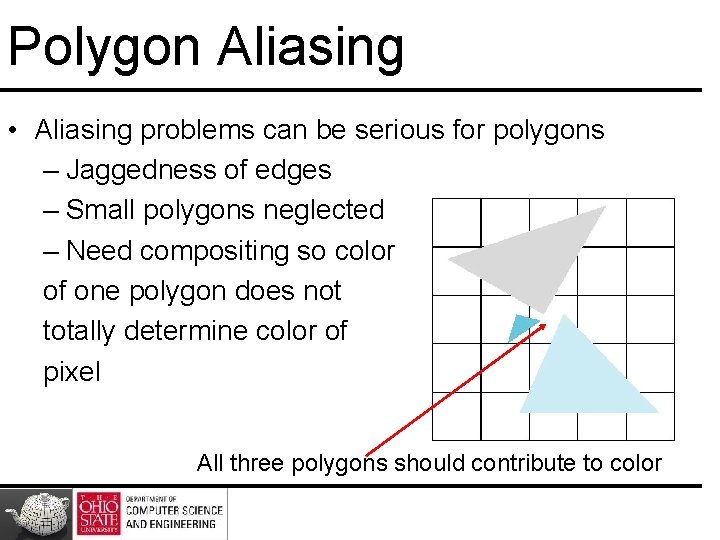
Polygon Aliasing • Aliasing problems can be serious for polygons – Jaggedness of edges – Small polygons neglected – Need compositing so color of one polygon does not totally determine color of pixel All three polygons should contribute to color
Hierarchical Modeling
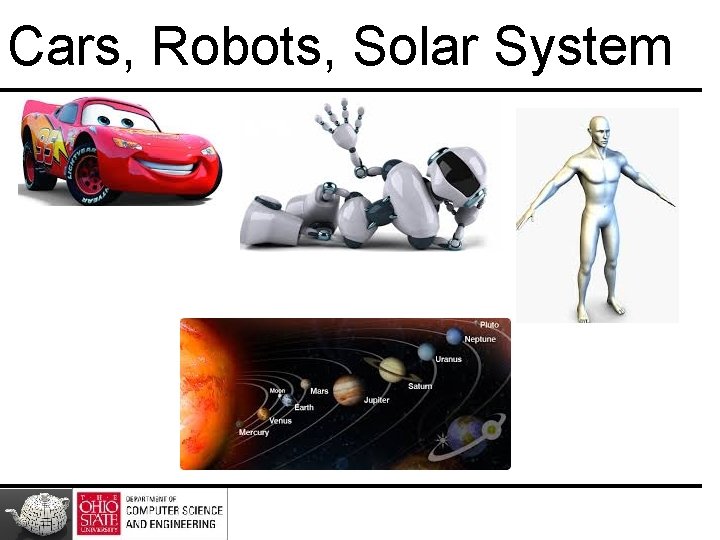
Cars, Robots, Solar System
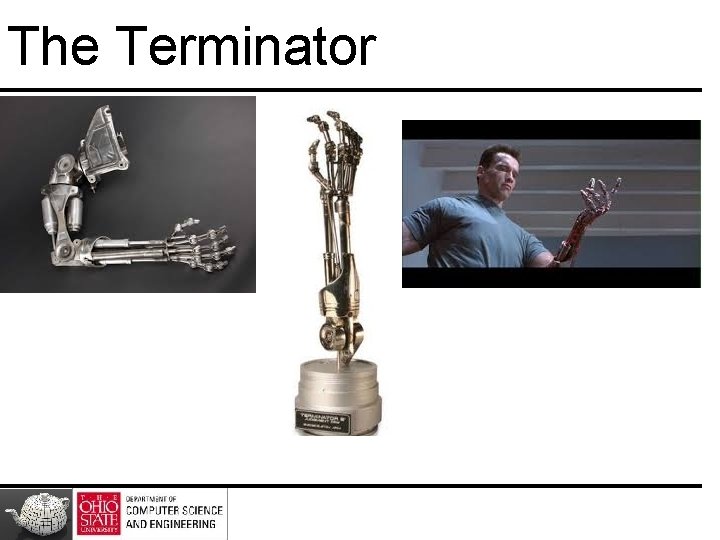
The Terminator
Our Goal
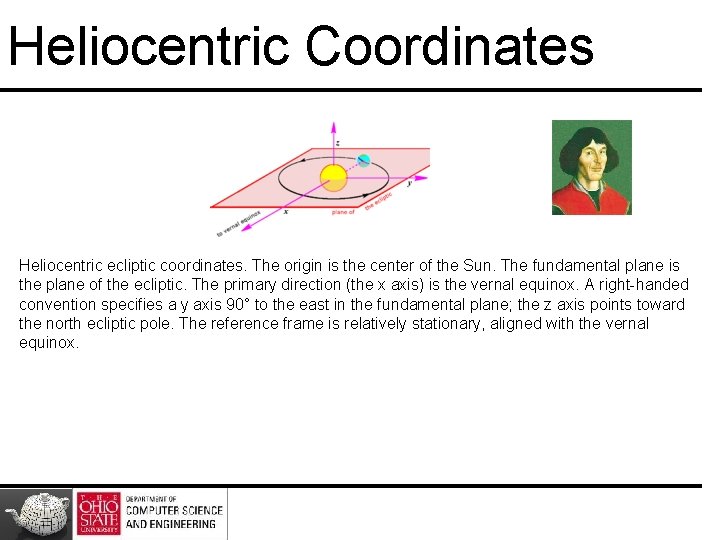
Heliocentric Coordinates Heliocentric ecliptic coordinates. The origin is the center of the Sun. The fundamental plane is the plane of the ecliptic. The primary direction (the x axis) is the vernal equinox. A right-handed convention specifies a y axis 90° to the east in the fundamental plane; the z axis points toward the north ecliptic pole. The reference frame is relatively stationary, aligned with the vernal equinox.
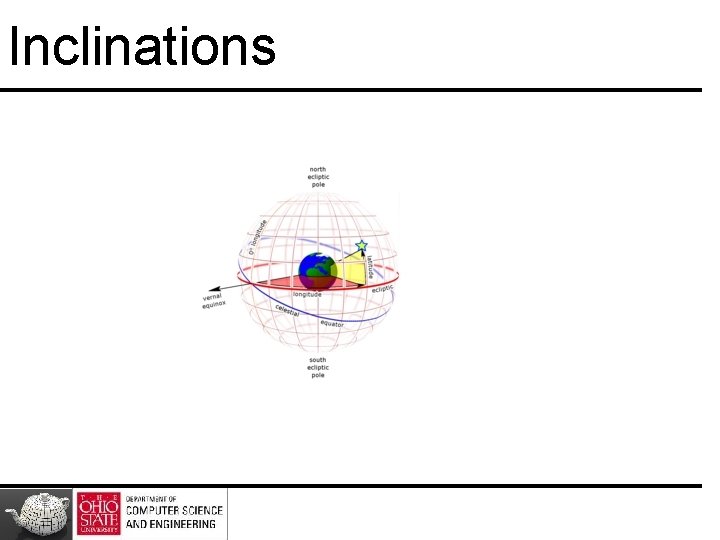
Inclinations
Axial Tilt
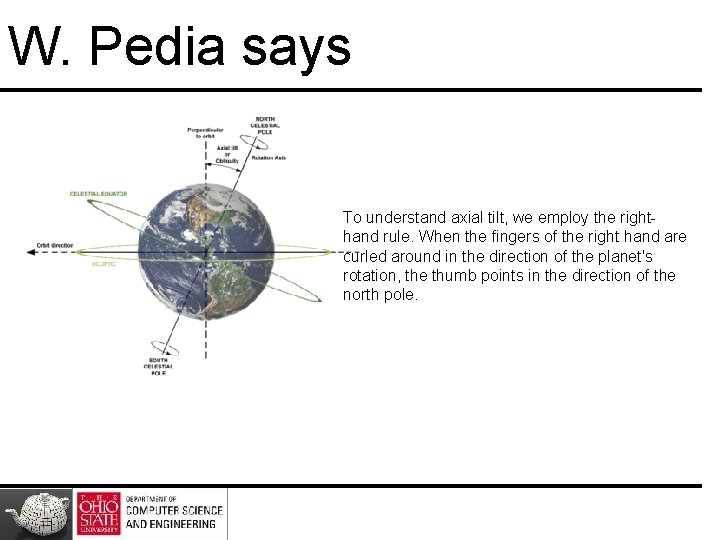
W. Pedia says To understand axial tilt, we employ the righthand rule. When the fingers of the right hand are curled around in the direction of the planet's rotation, the thumb points in the direction of the north pole.
Axial Tilts of Planets The axial tilt of three planets: Earth, Uranus, and Venus. Here, a vertical line (black) is drawn perpendicular to the plane of each planet's orbit. The angle between this line and the planet's north pole (red) is the tilt. The surrounding arrows (green) show the direction of the planet's rotation.
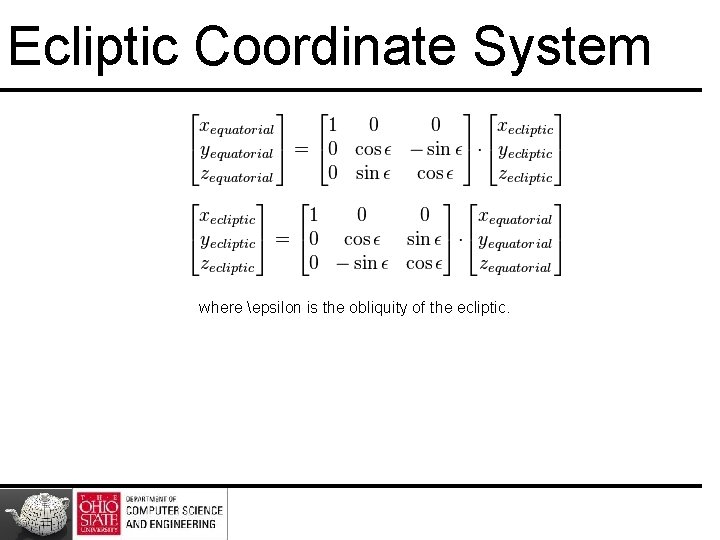
Ecliptic Coordinate System where epsilon is the obliquity of the ecliptic.
Roots
Back 2 Earth
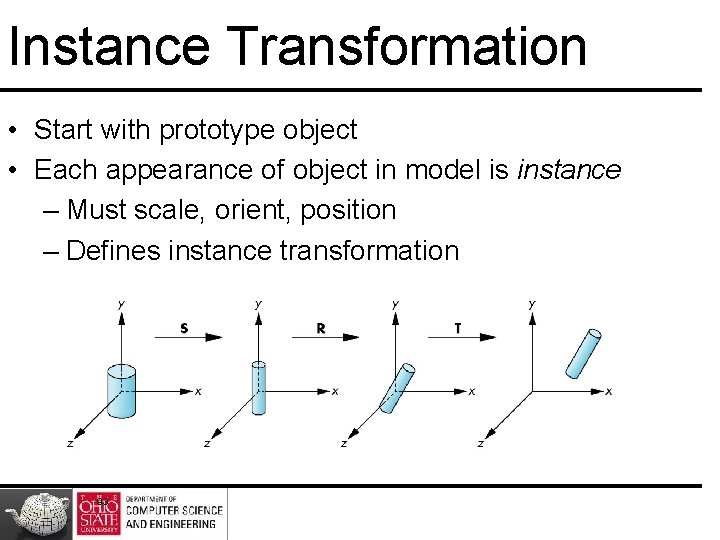
Instance Transformation • Start with prototype object • Each appearance of object in model is instance – Must scale, orient, position – Defines instance transformation 93
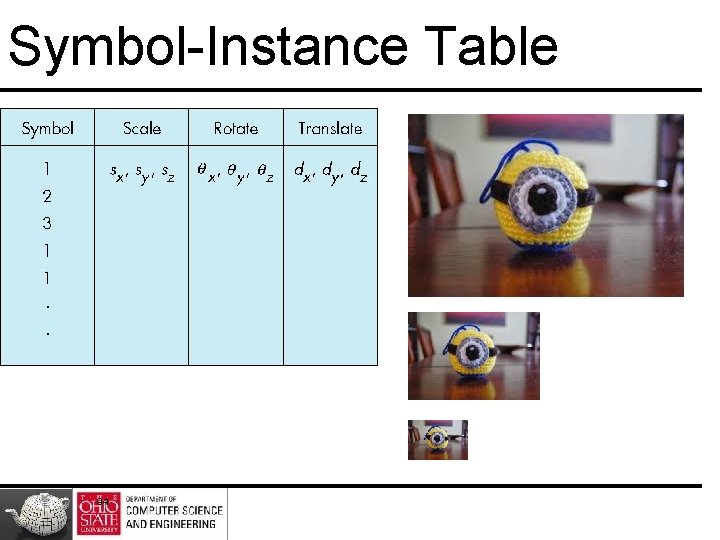
Symbol-Instance Table 94
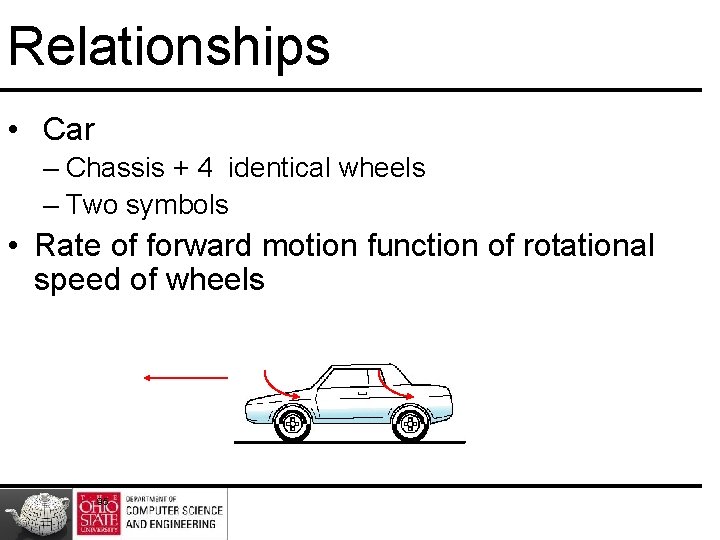
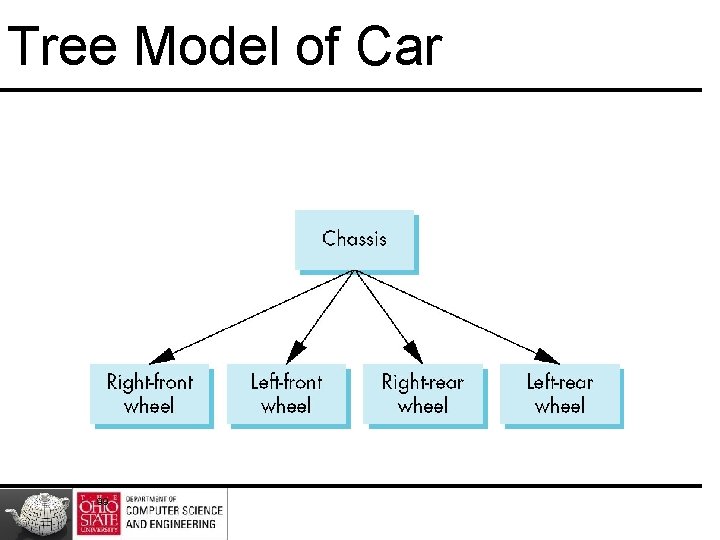
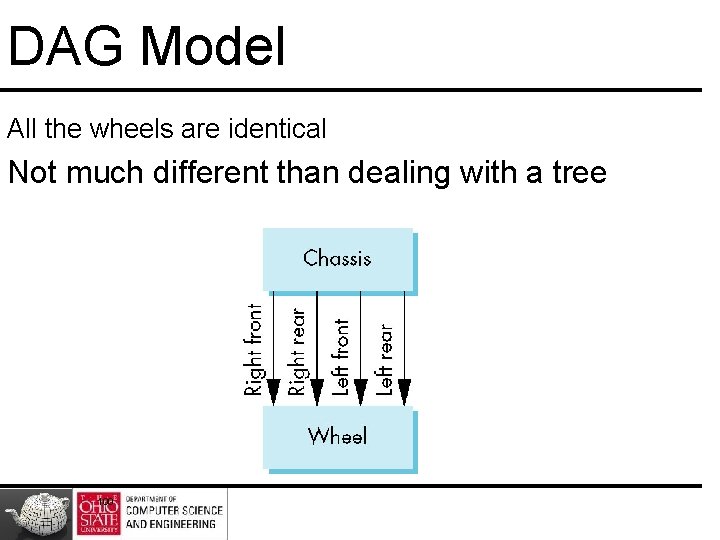
Relationships • Car – Chassis + 4 identical wheels – Two symbols • Rate of forward motion function of rotational speed of wheels 95
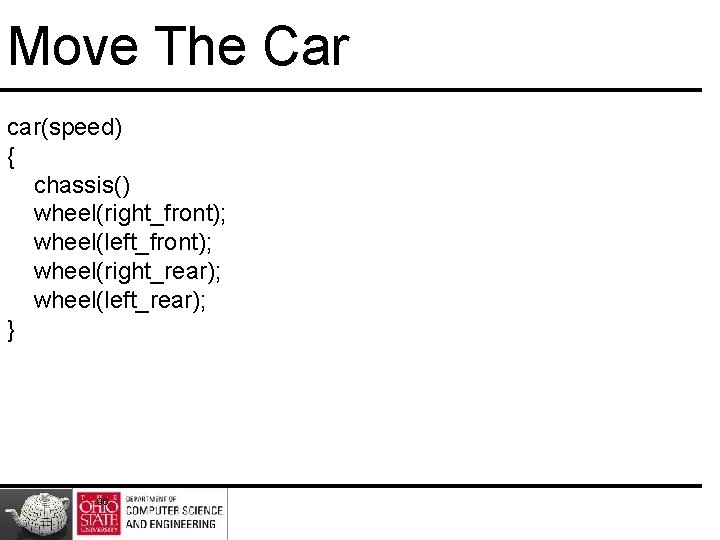
Move The Car car(speed) { chassis() wheel(right_front); wheel(left_front); wheel(right_rear); wheel(left_rear); } 96
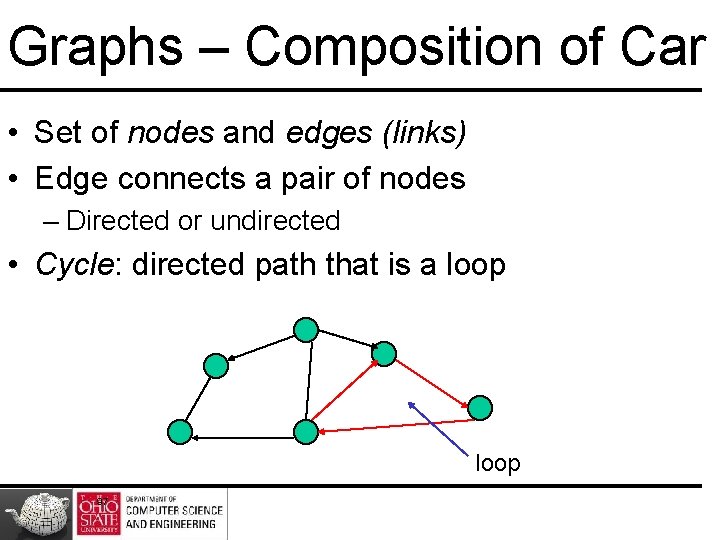
Graphs – Composition of Car • Set of nodes and edges (links) • Edge connects a pair of nodes – Directed or undirected • Cycle: directed path that is a loop 97
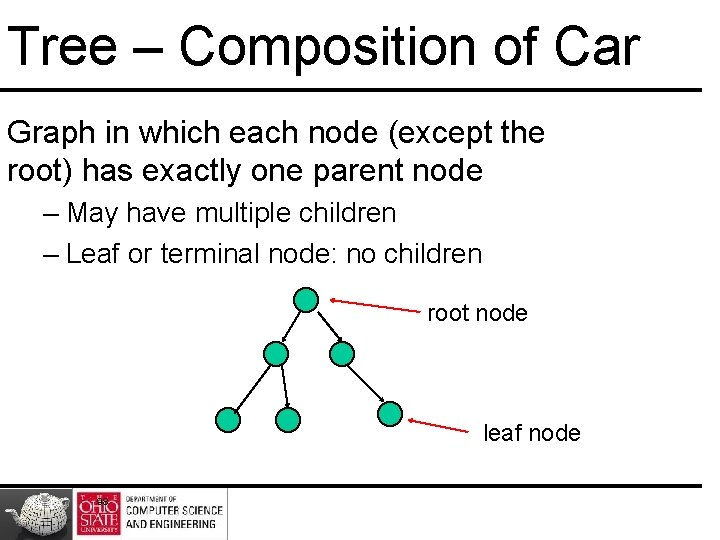
Tree – Composition of Car Graph in which each node (except the root) has exactly one parent node – May have multiple children – Leaf or terminal node: no children root node leaf node 98
Tree Model of Car 99
DAG Model All the wheels are identical Not much different than dealing with a tree 100
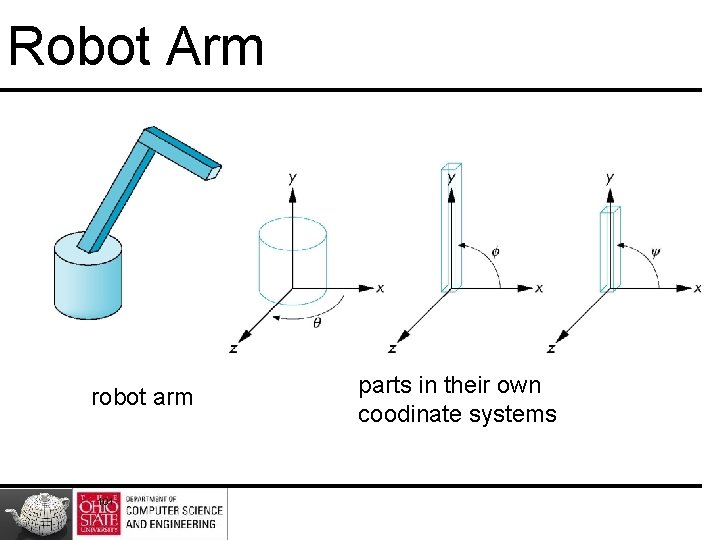
Robot Arm robot arm 101 parts in their own coodinate systems
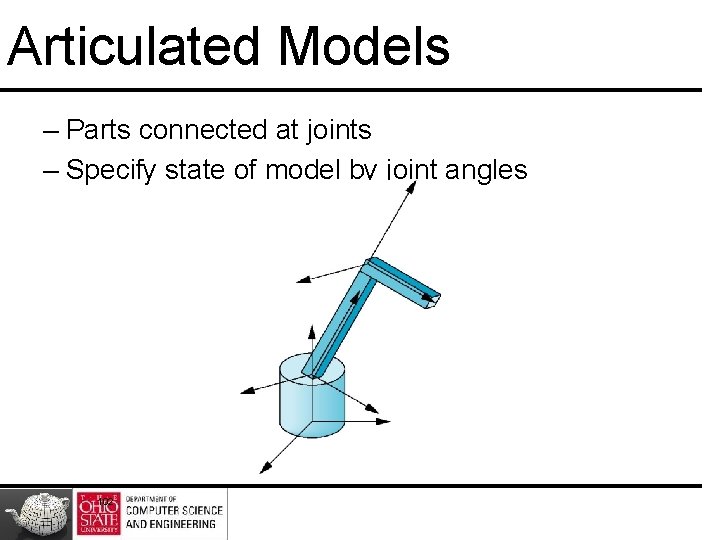
Articulated Models – Parts connected at joints – Specify state of model by joint angles 102
Relationships - Composition - Base - Lower Arm - Upper Arm 103
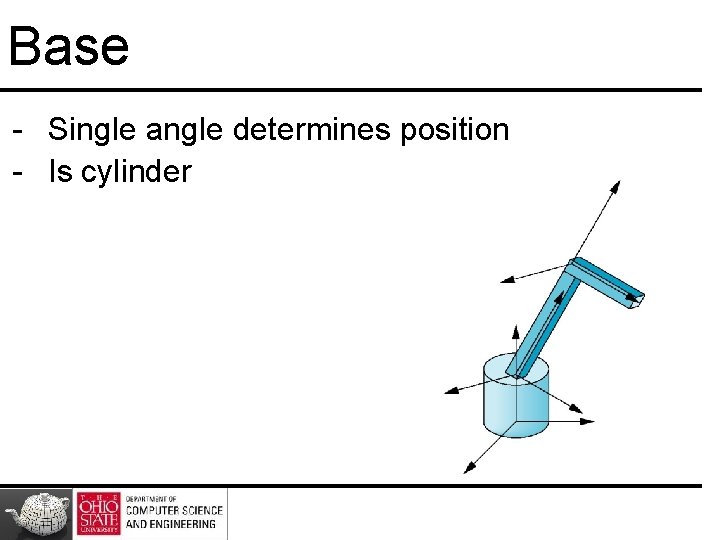
Base - Single angle determines position - Is cylinder
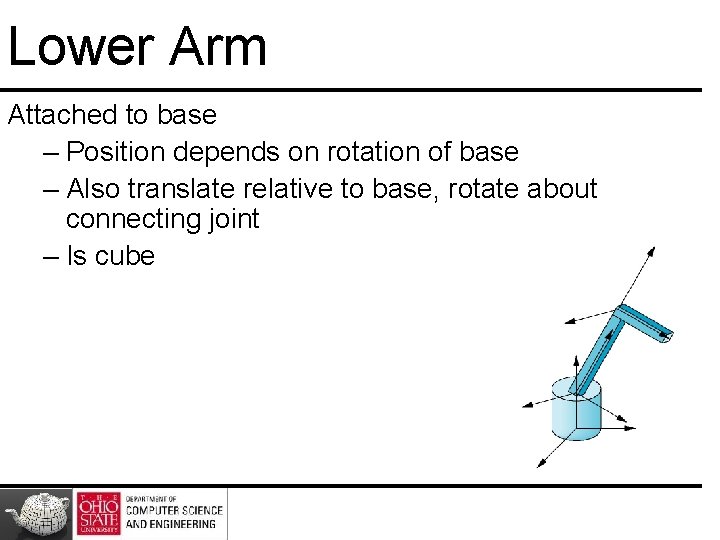
Lower Arm Attached to base – Position depends on rotation of base – Also translate relative to base, rotate about connecting joint – Is cube
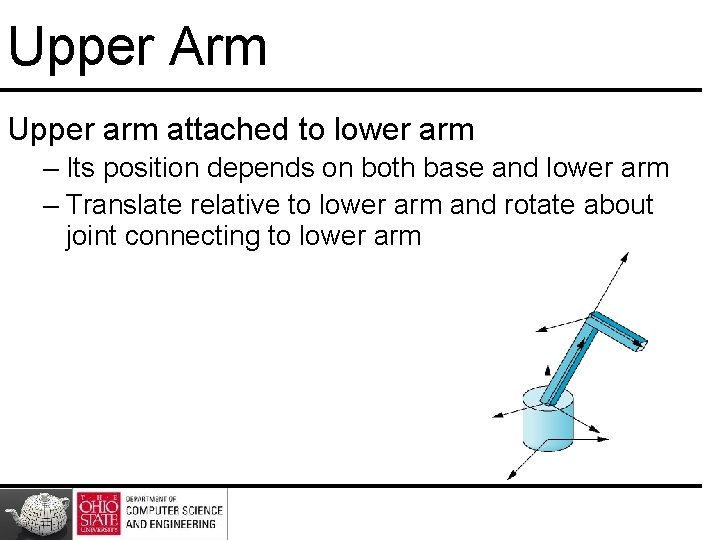
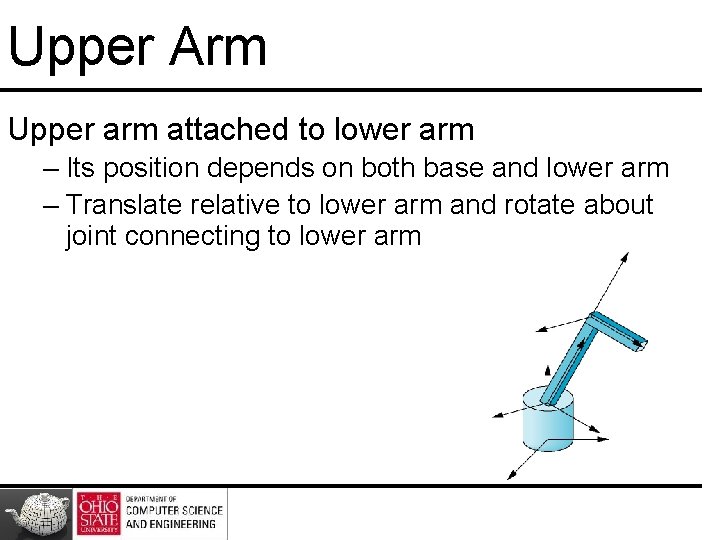
Upper Arm Upper arm attached to lower arm – Its position depends on both base and lower arm – Translate relative to lower arm and rotate about joint connecting to lower arm
Upper Arm Upper arm attached to lower arm – Its position depends on both base and lower arm – Translate relative to lower arm and rotate about joint connecting to lower arm
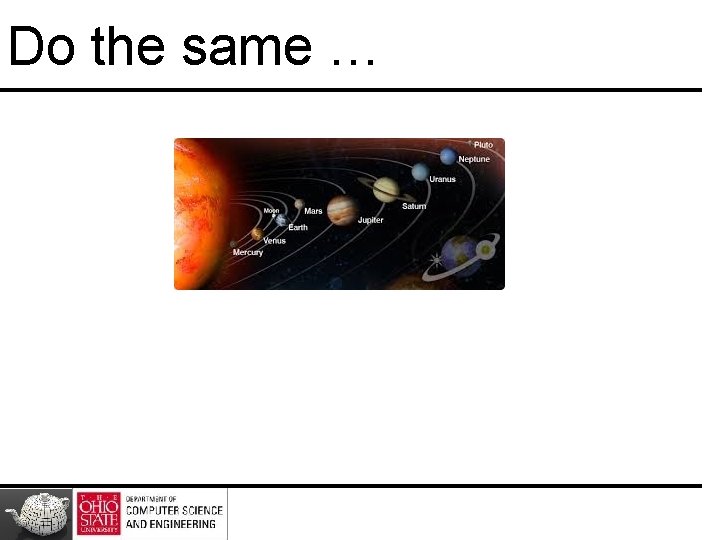
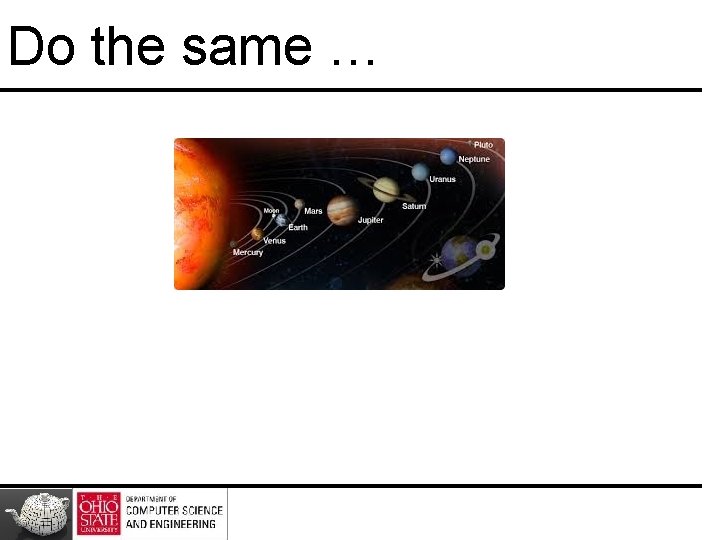
Do the same …
Required Matrices 109
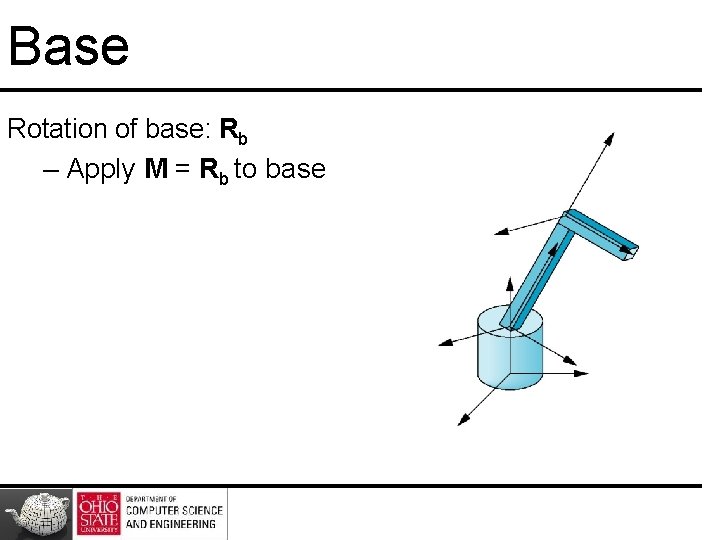
Base Rotation of base: Rb – Apply M = Rb to base
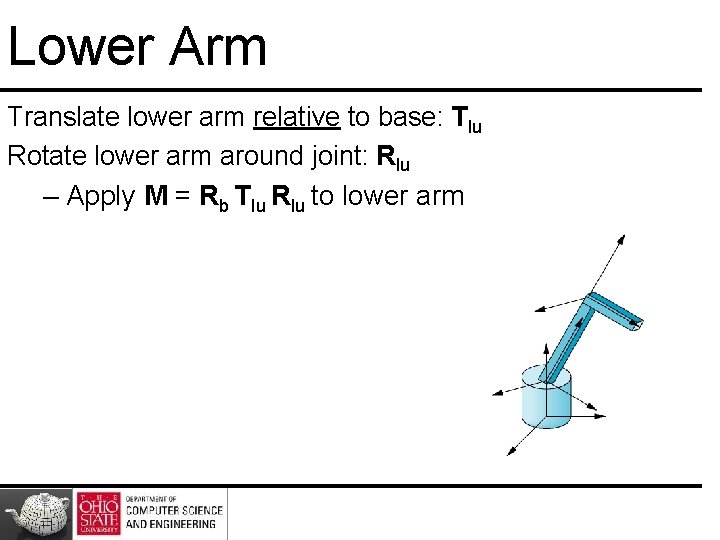
Lower Arm Translate lower arm relative to base: Tlu Rotate lower arm around joint: Rlu – Apply M = Rb Tlu Rlu to lower arm
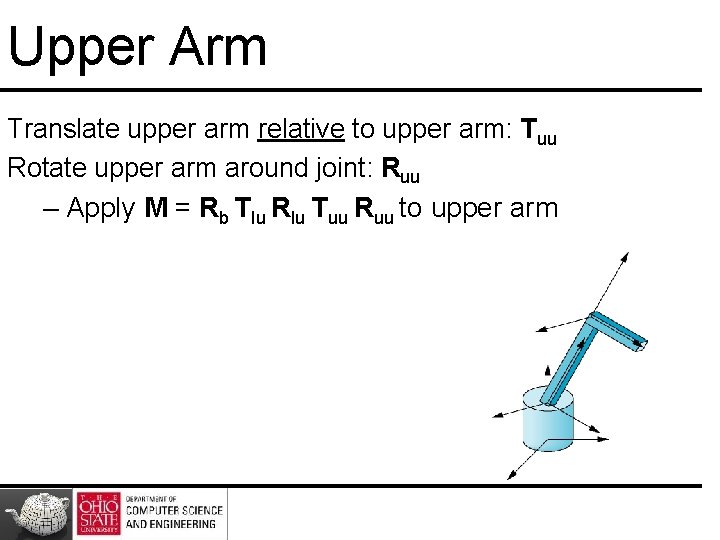
Upper Arm Translate upper arm relative to upper arm: Tuu Rotate upper arm around joint: Ruu – Apply M = Rb Tlu Rlu Tuu Ruu to upper arm
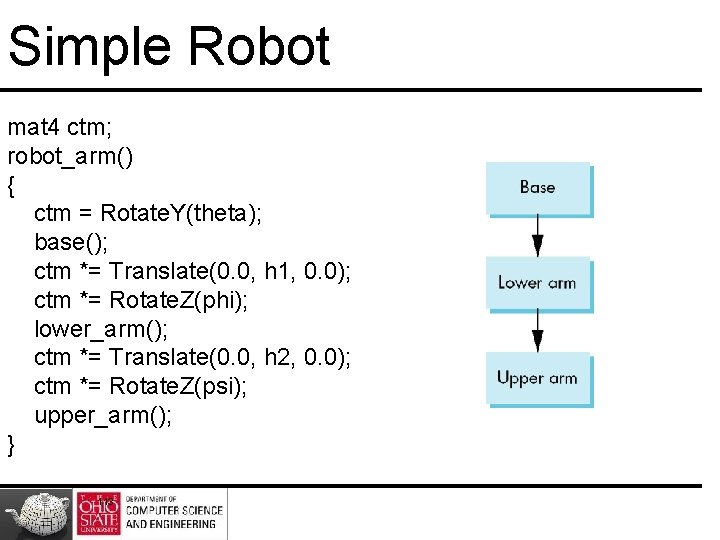
Simple Robot mat 4 ctm; robot_arm() { ctm = Rotate. Y(theta); base(); ctm *= Translate(0. 0, h 1, 0. 0); ctm *= Rotate. Z(phi); lower_arm(); ctm *= Translate(0. 0, h 2, 0. 0); ctm *= Rotate. Z(psi); upper_arm(); } 113
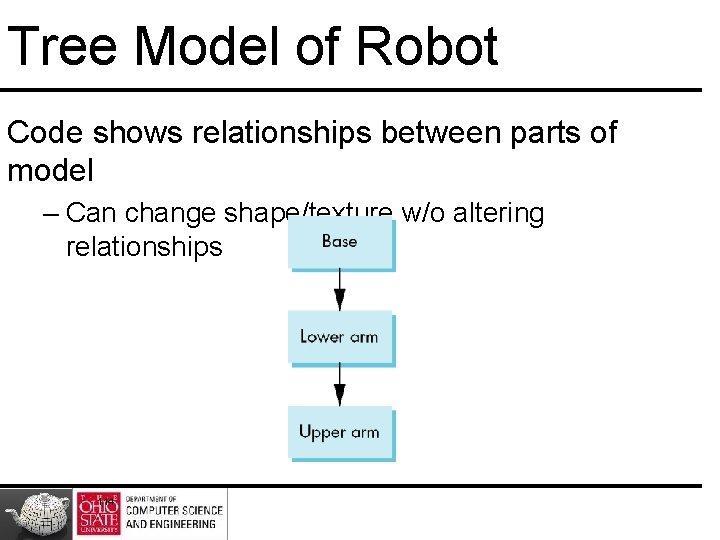
Tree Model of Robot Code shows relationships between parts of model – Can change shape/texture w/o altering relationships 114
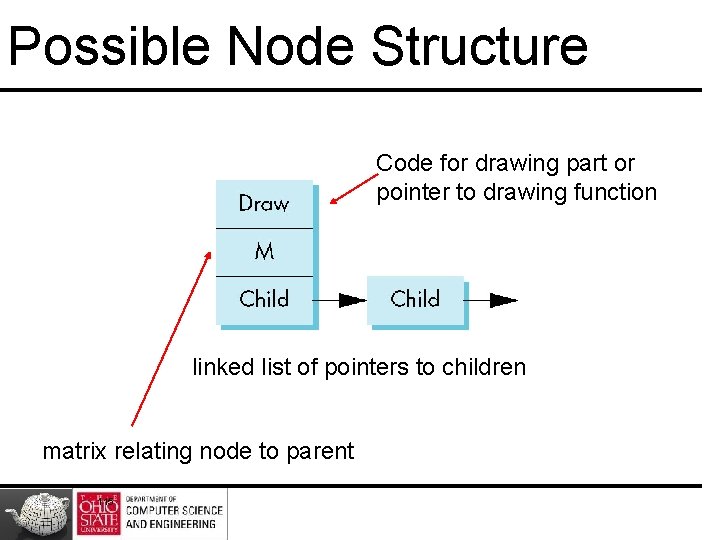
Possible Node Structure Code for drawing part or pointer to drawing function linked list of pointers to children matrix relating node to parent 115
Do the same …
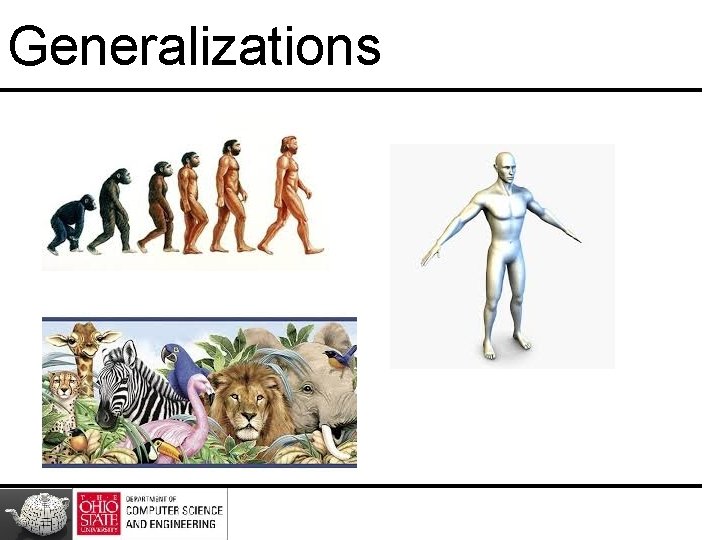
Generalizations
Generalizations • Need to deal with multiple children – How do we represent a more general tree? – How do we traverse such a data structure? • Animation – How to use dynamically? – Can we create and delete nodes during execution? 118
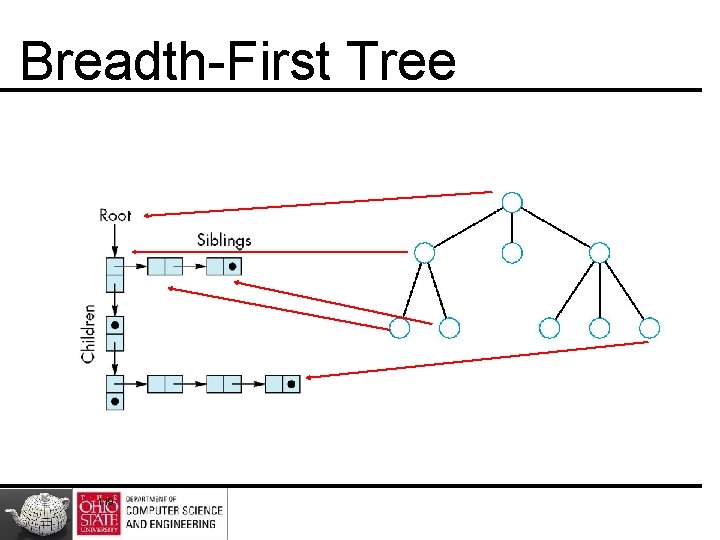
Breadth-First Tree 119
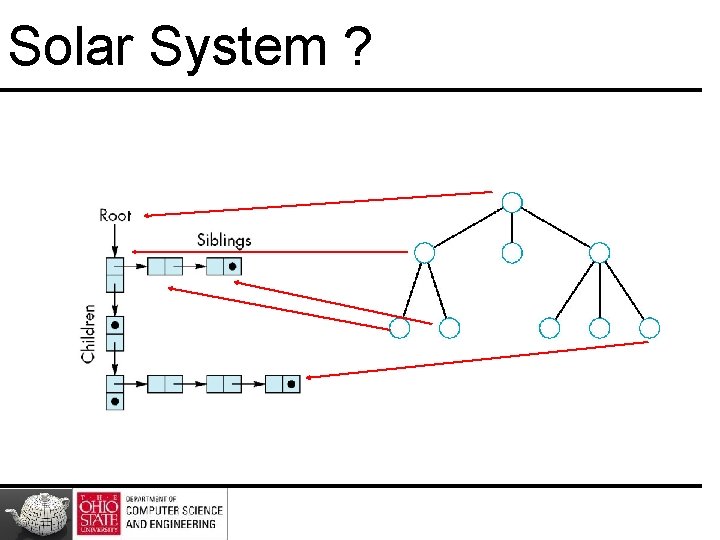
Solar System ?
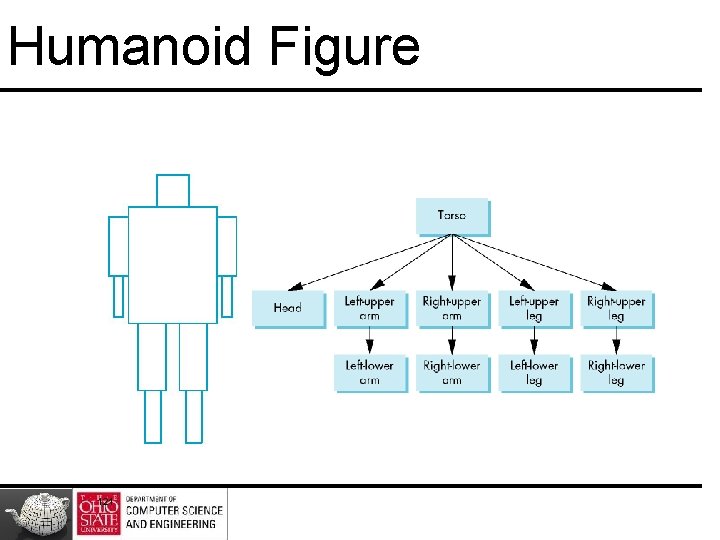
Humanoid Figure 121
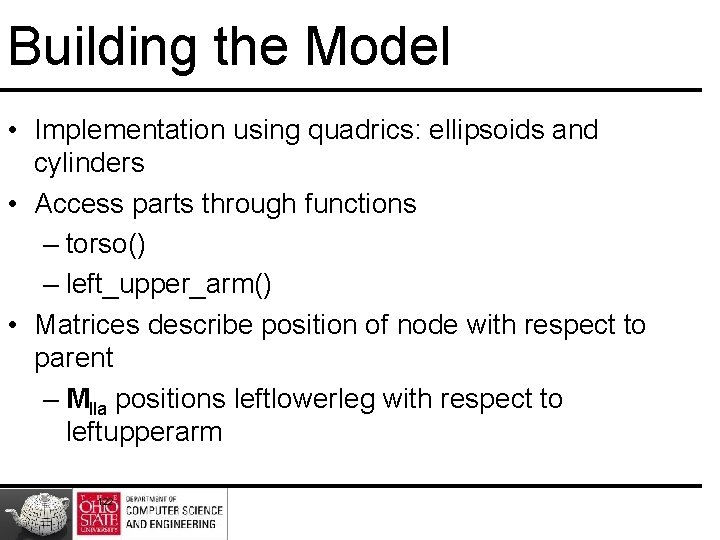
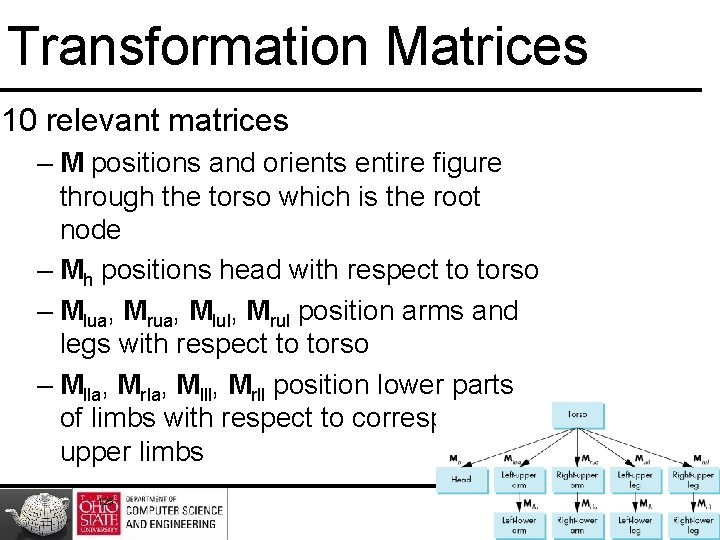
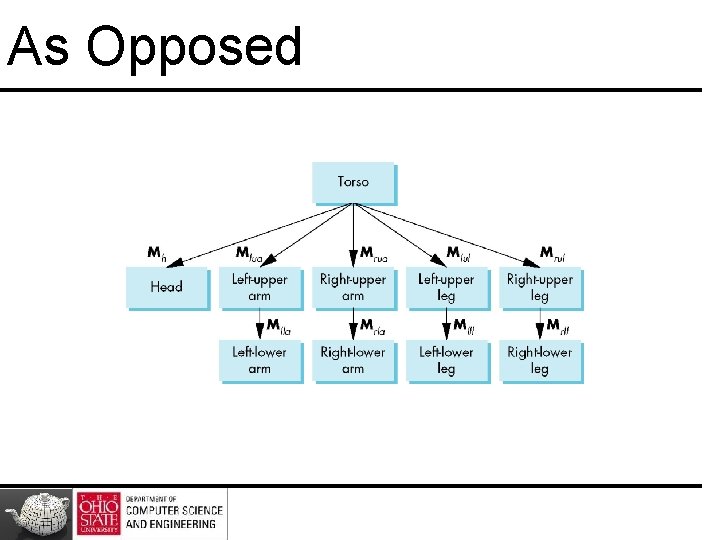
Building the Model • Implementation using quadrics: ellipsoids and cylinders • Access parts through functions – torso() – left_upper_arm() • Matrices describe position of node with respect to parent – Mlla positions leftlowerleg with respect to leftupperarm 122
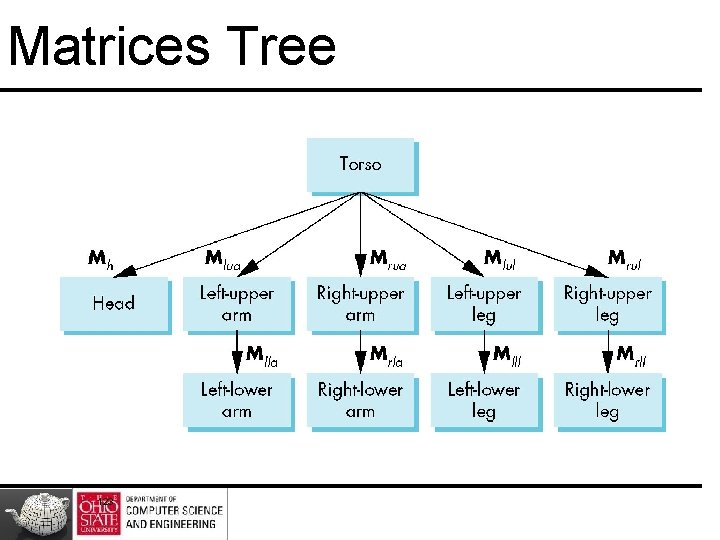
Matrices Tree 123
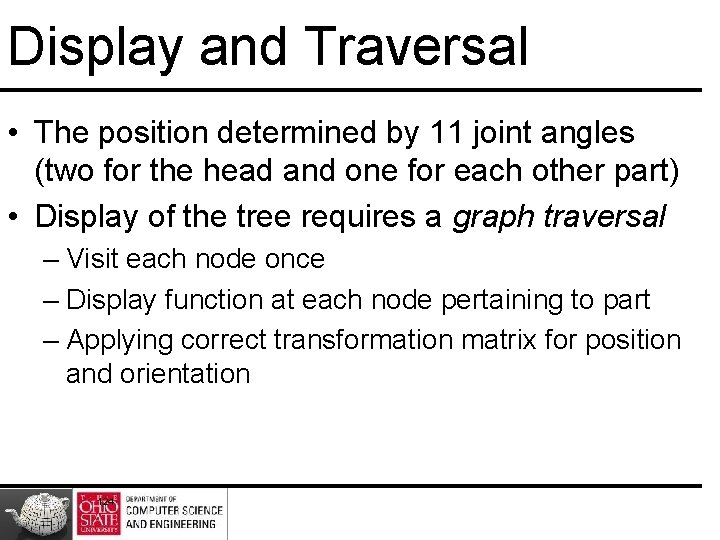
Display and Traversal • The position determined by 11 joint angles (two for the head and one for each other part) • Display of the tree requires a graph traversal – Visit each node once – Display function at each node pertaining to part – Applying correct transformation matrix for position and orientation 124
Transformation Matrices 10 relevant matrices – M positions and orients entire figure through the torso which is the root node – Mh positions head with respect to torso – Mlua, Mrua, Mlul, Mrul position arms and legs with respect to torso – Mlla, Mrla, Mlll, Mrll position lower parts of limbs with respect to corresponding upper limbs 125
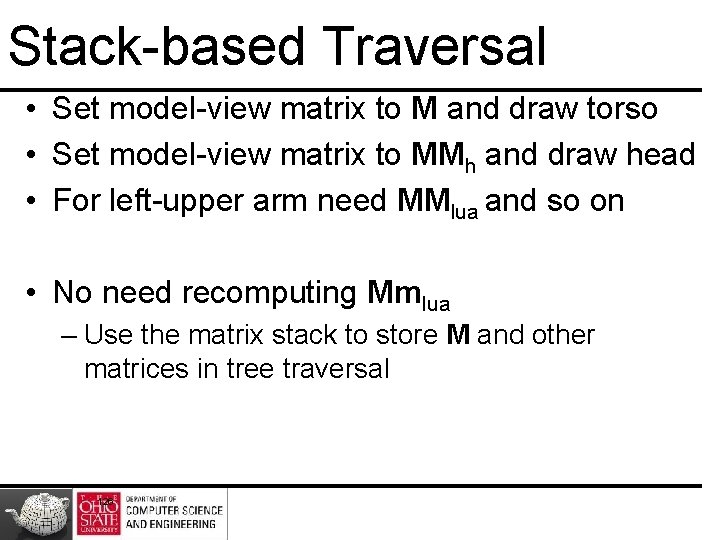
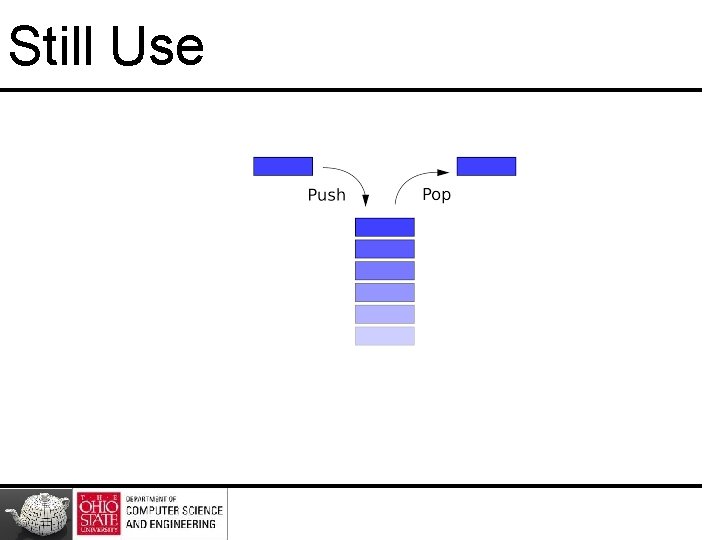
Stack-based Traversal • Set model-view matrix to M and draw torso • Set model-view matrix to MMh and draw head • For left-upper arm need MMlua and so on • No need recomputing Mmlua – Use the matrix stack to store M and other matrices in tree traversal 126
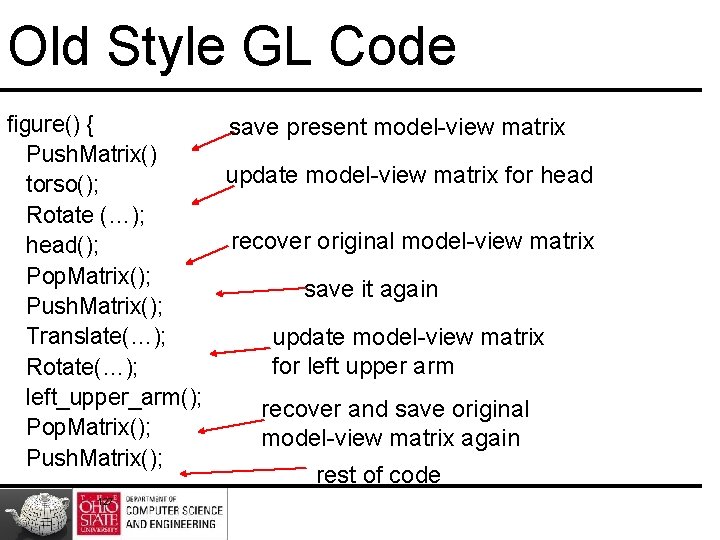
Old Style GL Code figure() { save present model-view matrix Push. Matrix() update model-view matrix for head torso(); Rotate (…); recover original model-view matrix head(); Pop. Matrix(); save it again Push. Matrix(); Translate(…); update model-view matrix for left upper arm Rotate(…); left_upper_arm(); recover and save original Pop. Matrix(); model-view matrix again Push. Matrix(); rest of code 127
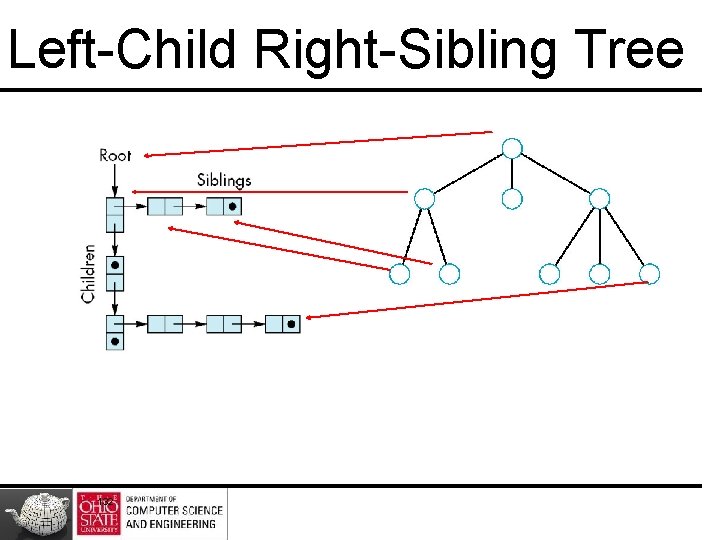
Tree Data Structure • Represent tree and algorithm to traverse tree • We will use a left-child right sibling structure – Uses linked lists – Each node in data structure is two pointers – Left: next node – Right: linked list of children 128
In GLSL
In GLSL
Still Use
Left-Child Right-Sibling Tree 132
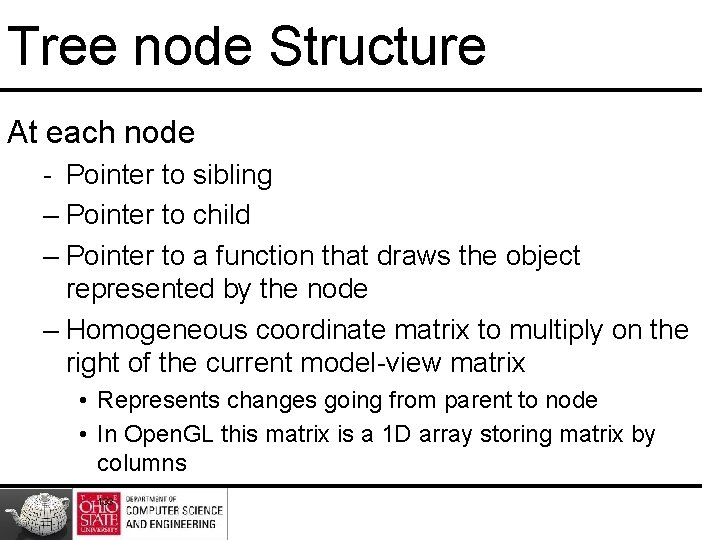
Tree node Structure At each node - Pointer to sibling – Pointer to child – Pointer to a function that draws the object represented by the node – Homogeneous coordinate matrix to multiply on the right of the current model-view matrix • Represents changes going from parent to node • In Open. GL this matrix is a 1 D array storing matrix by columns 133
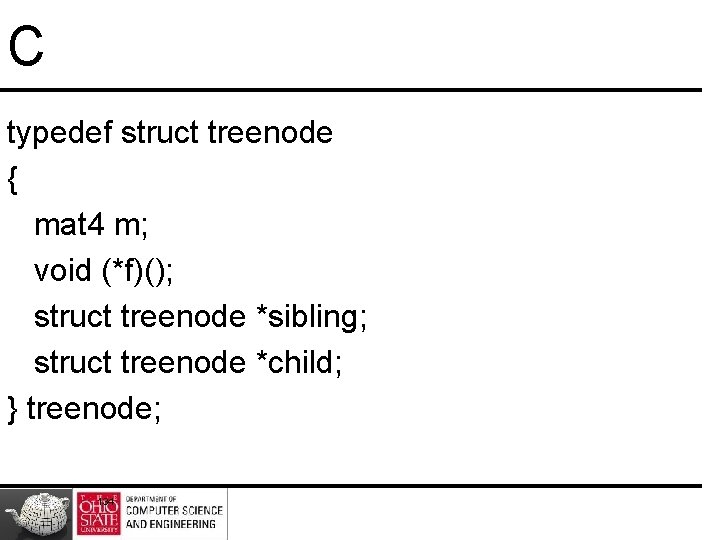
C typedef struct treenode { mat 4 m; void (*f)(); struct treenode *sibling; struct treenode *child; } treenode; 134
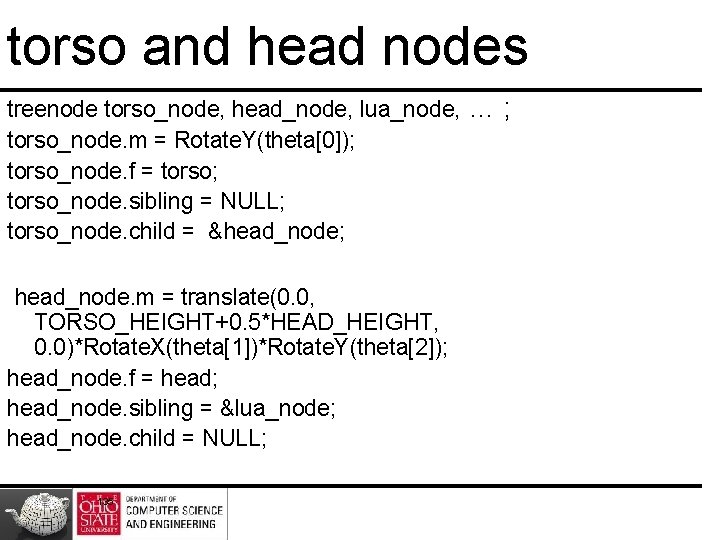
torso and head nodes treenode torso_node, head_node, lua_node, … ; torso_node. m = Rotate. Y(theta[0]); torso_node. f = torso; torso_node. sibling = NULL; torso_node. child = &head_node; head_node. m = translate(0. 0, TORSO_HEIGHT+0. 5*HEAD_HEIGHT, 0. 0)*Rotate. X(theta[1])*Rotate. Y(theta[2]); head_node. f = head; head_node. sibling = &lua_node; head_node. child = NULL; 135
Notes • Position determined by 11 joint angles in theta[11] • Animate by changing angles and redisplaying • Form required matrices using Rotate and Translate 136
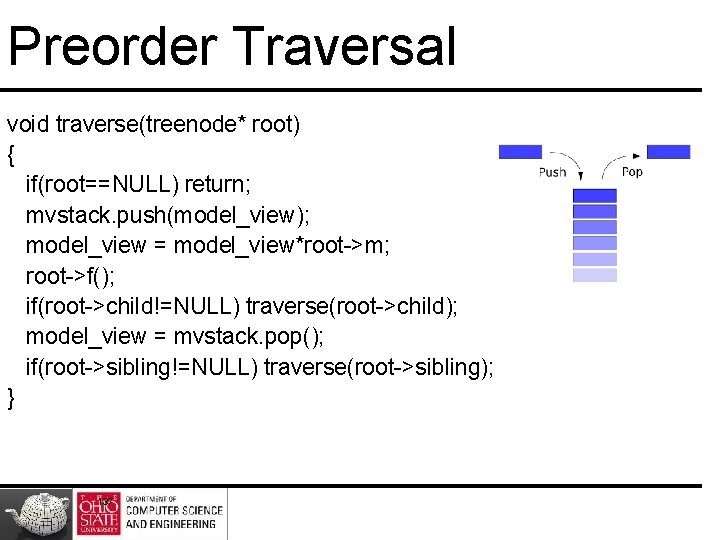
Preorder Traversal void traverse(treenode* root) { if(root==NULL) return; mvstack. push(model_view); model_view = model_view*root->m; root->f(); if(root->child!=NULL) traverse(root->child); model_view = mvstack. pop(); if(root->sibling!=NULL) traverse(root->sibling); } 137
Notes • Save model-view matrix before multiplying it by node matrix – Updated matrix applies to children but not to siblings • Traversal applies to any left-child right-sibling tree – Particular tree encoded in definition of individual nodes • Order of traversal matters given state changes in the functions 138
Dynamic Trees Use pointers, the structure can be dynamic typedef treenode *tree_ptr; tree_ptr torso_ptr; torso_ptr = malloc(sizeof(treenode)); Definition of nodes and traversal are essentially the same as before but we can add and delete nodes during execution 139
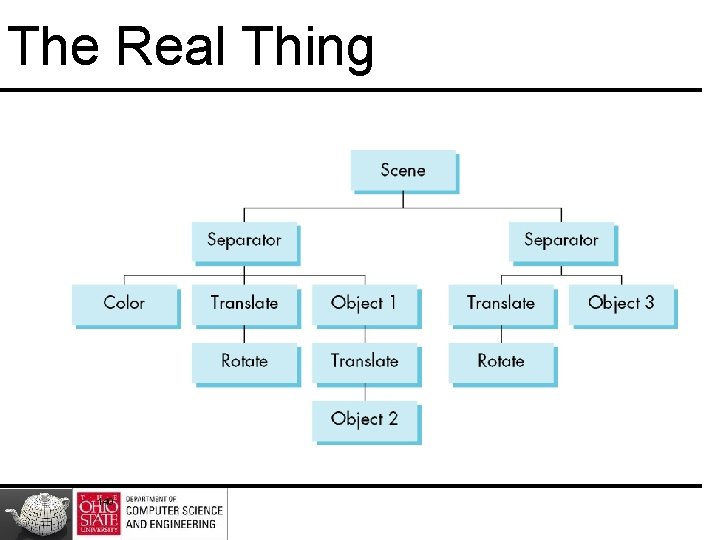
The Real Thing 140
As Opposed