
CSE 490 i Lecture 2 Robot Feedback Control
CSE 490 i Lecture 2 Robot Feedback Control 1/9/2007
Announcements • • PS 1 was due before this class PS 2 will be on the web by the end of today Lab 1 this week If you haven’t signed up for this class officially, you should let me know asap. • Optional MATLAB tutorial lecture on Thursday in the lecture slot (will help you with the problem sets if you are not comfortable with it). • Late assignment penalty: 3 free late days (for all lab writeups + problem sets, 1 day max per assignment). 10 pts off per day thereafter. • C programming experience concerns 2
Examples of Feedback Control System • • Thermostat Airplane/car cruise control Inverse Pendulum Robots!! Feedback Control = Closed Loop Control 3
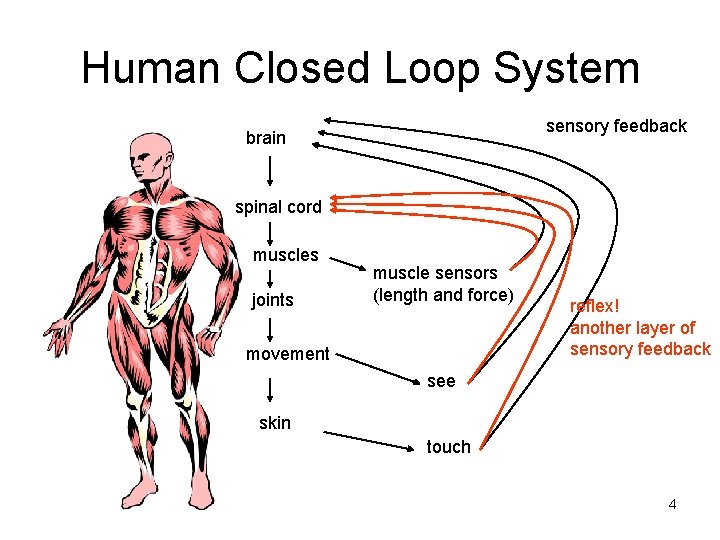
Human Closed Loop System sensory feedback brain spinal cord muscles joints muscle sensors (length and force) movement reflex! another layer of sensory feedback see skin touch 4

Robot Closed Loop System computer sensory feedback electronics (amplifiers, etc) motors joint angle sensors touch sensors at gripper force sensors camera to see the position robotics math gives gripper position based on joint angles This is what you have in the lab this week 5

How do the robots in the industry operate? • Repeat the same task over and over • Many do not use closed loop control. WHY? Pros: Require sensors --- expensive Cons: Require calibration by hand 6 Not robust under perturbation or change in parameters
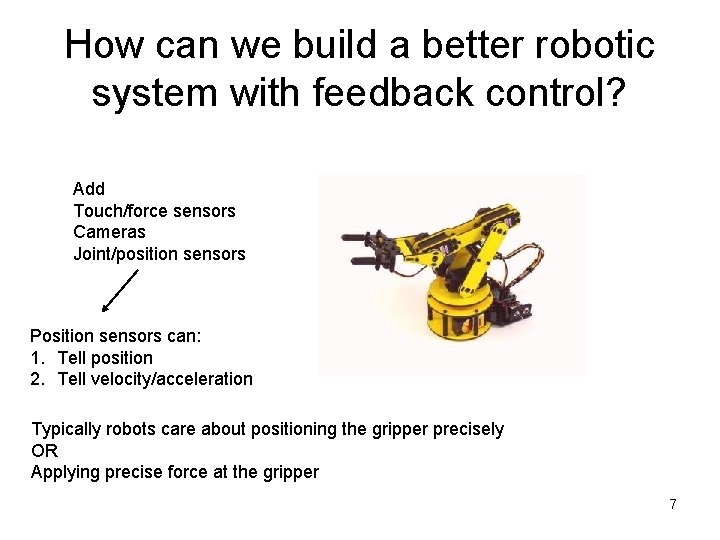
How can we build a better robotic system with feedback control? Add Touch/force sensors Cameras Joint/position sensors Position sensors can: 1. Tell position 2. Tell velocity/acceleration Typically robots care about positioning the gripper precisely OR Applying precise force at the gripper 7
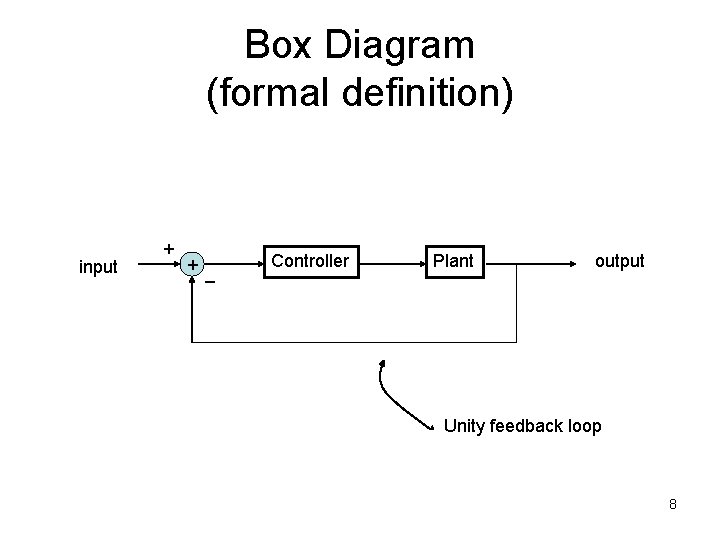
Box Diagram (formal definition) input + + _ Controller Plant output Unity feedback loop 8
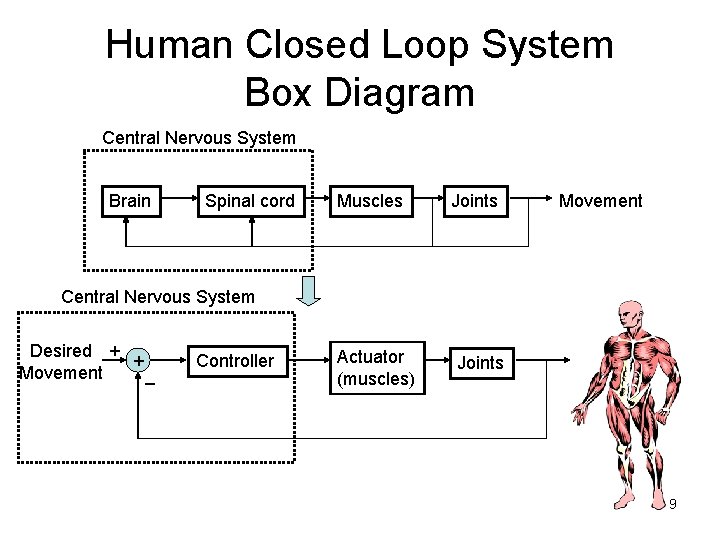
Human Closed Loop System Box Diagram Central Nervous System Brain Spinal cord Muscles Joints Movement Central Nervous System Desired + + Movement _ Controller Actuator (muscles) Joints 9
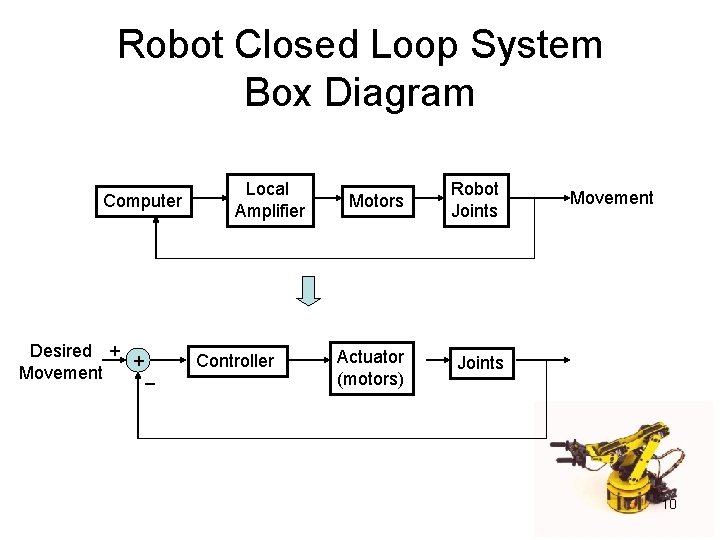
Robot Closed Loop System Box Diagram Computer Desired + + Movement _ Local Amplifier Controller Motors Robot Joints Actuator (motors) Joints Movement 10
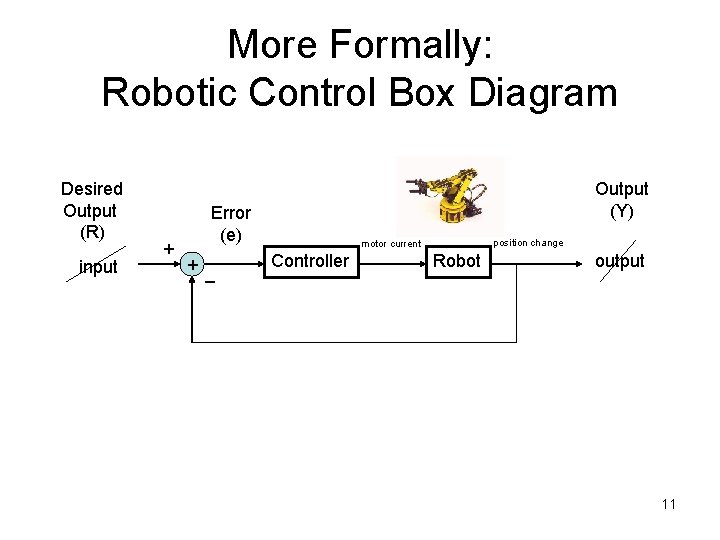
More Formally: Robotic Control Box Diagram Desired Output (R) input + Output (Y) Error (e) + _ position change motor current Controller Robot output 11
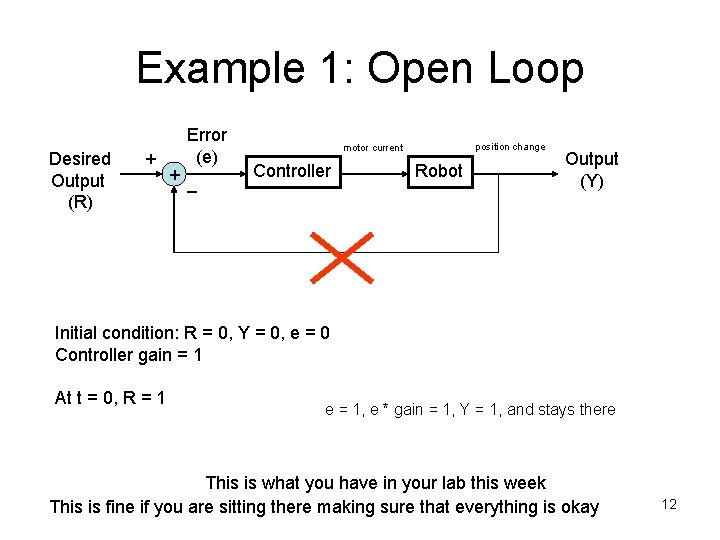
Example 1: Open Loop Desired Output (R) Error (e) + + _ position change motor current Controller Robot Output (Y) Initial condition: R = 0, Y = 0, e = 0 Controller gain = 1 At t = 0, R = 1 e = 1, e * gain = 1, Y = 1, and stays there This is what you have in your lab this week This is fine if you are sitting there making sure that everything is okay 12
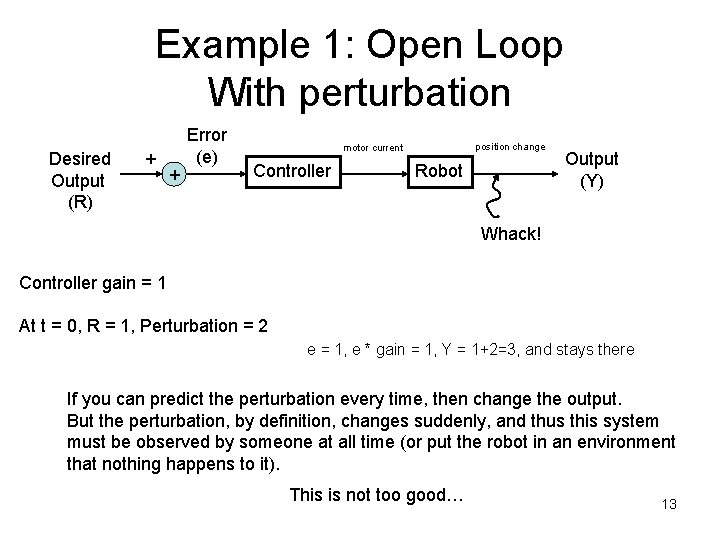
Example 1: Open Loop With perturbation Desired Output (R) + + Error (e) position change motor current Controller Robot Output (Y) Whack! Controller gain = 1 At t = 0, R = 1, Perturbation = 2 e = 1, e * gain = 1, Y = 1+2=3, and stays there If you can predict the perturbation every time, then change the output. But the perturbation, by definition, changes suddenly, and thus this system must be observed by someone at all time (or put the robot in an environment that nothing happens to it). This is not too good… 13
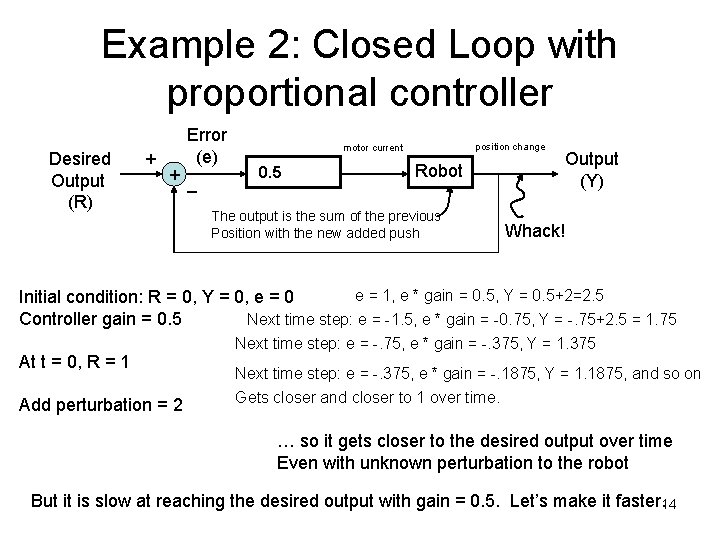
Example 2: Closed Loop with proportional controller Desired Output (R) Error (e) + + _ position change motor current Controller 0. 5 Robot The output is the sum of the previous Position with the new added push Output (Y) Whack! e = 1, e * gain = 0. 5, Y = 0. 5+2=2. 5 Initial condition: R = 0, Y = 0, e = 0 Controller gain = 0. 5 Next time step: e = -1. 5, e * gain = -0. 75, Y = -. 75+2. 5 = 1. 75 At t = 0, R = 1 Add perturbation = 2 Next time step: e = -. 75, e * gain = -. 375, Y = 1. 375 Next time step: e = -. 375, e * gain = -. 1875, Y = 1. 1875, and so on Gets closer and closer to 1 over time. … so it gets closer to the desired output over time Even with unknown perturbation to the robot But it is slow at reaching the desired output with gain = 0. 5. Let’s make it faster. 14
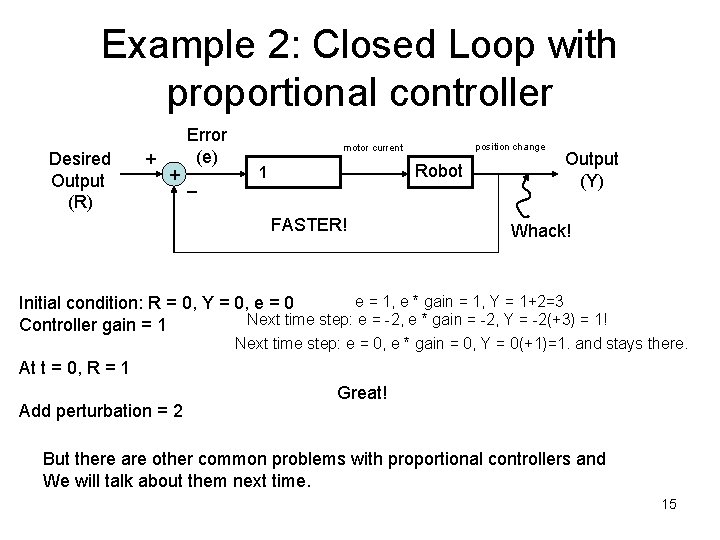
Example 2: Closed Loop with proportional controller Desired Output (R) Error (e) + + _ position change motor current Controller 1 Robot FASTER! Output (Y) Whack! e = 1, e * gain = 1, Y = 1+2=3 Initial condition: R = 0, Y = 0, e = 0 Next time step: e = -2, e * gain = -2, Y = -2(+3) = 1! Controller gain = 1 Next time step: e = 0, e * gain = 0, Y = 0(+1)=1. and stays there. At t = 0, R = 1 Add perturbation = 2 Great! But there are other common problems with proportional controllers and We will talk about them next time. 15
- Slides: 15