
CSE 480 Database Systems Lecture 9 SQLDDL Reference
CSE 480: Database Systems Lecture 9: SQL-DDL Reference: Read Chapter 4. 1 -4. 2 of the textbook 1
Announcements l Exam 1 to be held on February 19 – Cover materials from lecture 1 – 7 (homework 1 and 2) – Open book and notes but no computer, cell phone, or other electronic devices 2
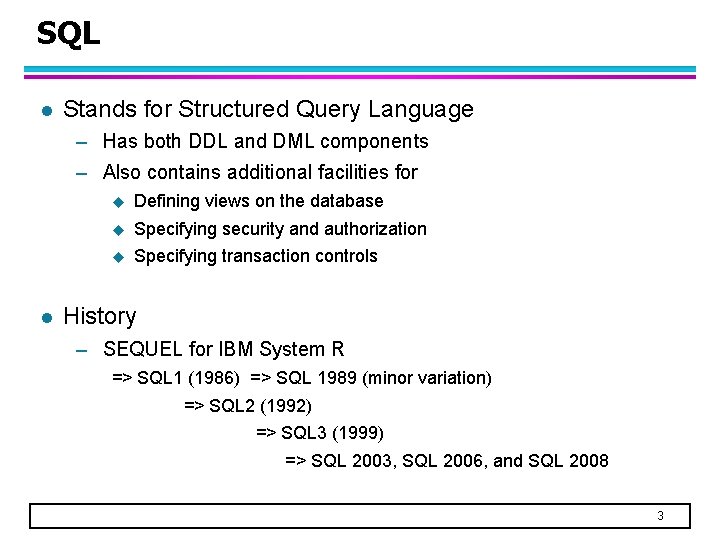
SQL l Stands for Structured Query Language – Has both DDL and DML components – Also contains additional facilities for l u Defining views on the database u Specifying security and authorization u Specifying transaction controls History – SEQUEL for IBM System R => SQL 1 (1986) => SQL 1989 (minor variation) => SQL 2 (1992) => SQL 3 (1999) => SQL 2003, SQL 2006, and SQL 2008 3
SQL l Does not fully subscribe to all concepts in relational model – A relation is a set whereas a table is a bag (or multi-set) u An element may appear more than once in a bag – Every relation must have a primary key; yet SQL allows some tables not to have any key attributes 4
SQL DDL l Used to CREATE, DROP, and ALTER the descriptions of the tables (relation schema) in a database l Examples: – CREATE DATABASE (not needed unless you’re the system administrator) – CREATE TABLE – DROP TABLE – ALTER TABLE 5
![CREATE TABLE struct Department. Type{char Dname[10]; int Dnumber; }; Department. Type DEPARTMENT; /* In](http://slidetodoc.com/presentation_image/c88e6afe11820e54dc2df64c4a3ce486/image-6.jpg "CREATE TABLE struct Department. Type{char Dname[10]; int Dnumber; }; Department. Type DEPARTMENT; /* In")
CREATE TABLE struct Department. Type{char Dname[10]; int Dnumber; }; Department. Type DEPARTMENT; /* In C++ or C */ CREATE TABLE DEPARTMENT ( DNAME VARCHAR(10) DNUMBER(5) MGRSSN CHAR(9), MGRSTARTDATE CHAR(9) ); NOT NULL, PRIMARY KEY, CREATE TABLE DEPT ( DNAME VARCHAR(10) NOT NULL, DNUMBER(5) NOT NULL, MGRSSN CHAR(9), Secondary key MGRSTARTDATE CHAR(9), PRIMARY KEY (DNUMBER), UNIQUE (DNAME), FOREIGN KEY (MGRSSN) REFERENCES EMPLOYEE(SSN) ); NOTE: In My. SQL, FOREIGN KEY is implemented in a slightly different way 6
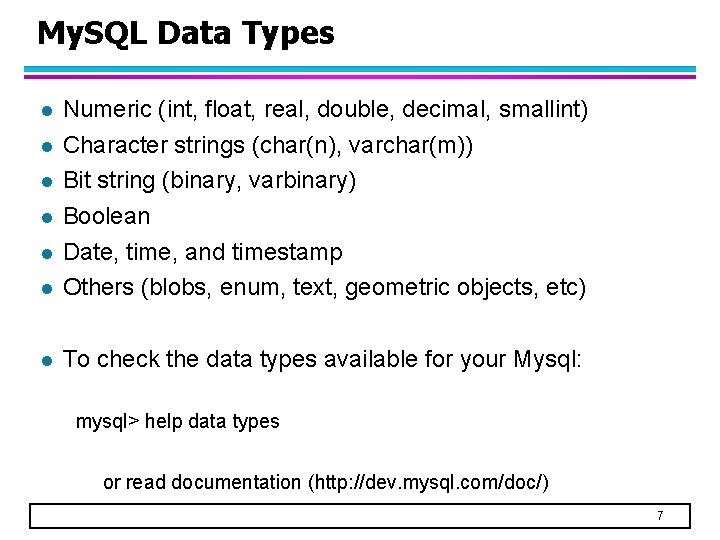
My. SQL Data Types l Numeric (int, float, real, double, decimal, smallint) Character strings (char(n), varchar(m)) Bit string (binary, varbinary) Boolean Date, time, and timestamp Others (blobs, enum, text, geometric objects, etc) l To check the data types available for your Mysql: l l l mysql> help data types or read documentation (http: //dev. mysql. com/doc/) 7
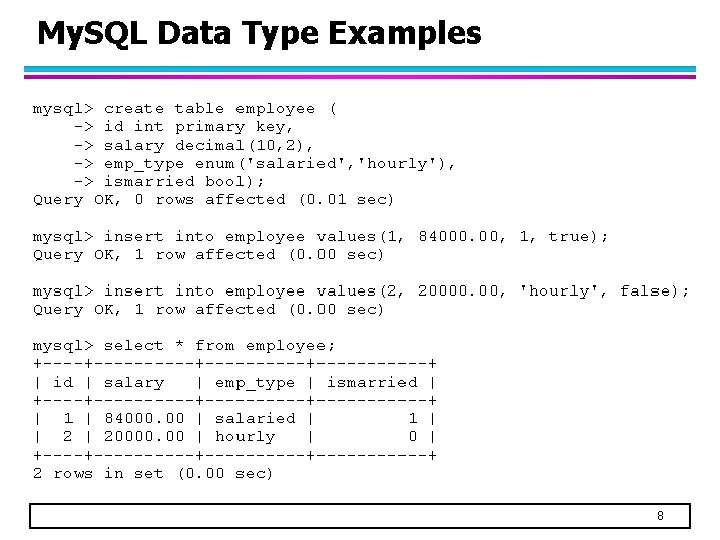
My. SQL Data Type Examples 8

My. SQL Data Type Examples 9
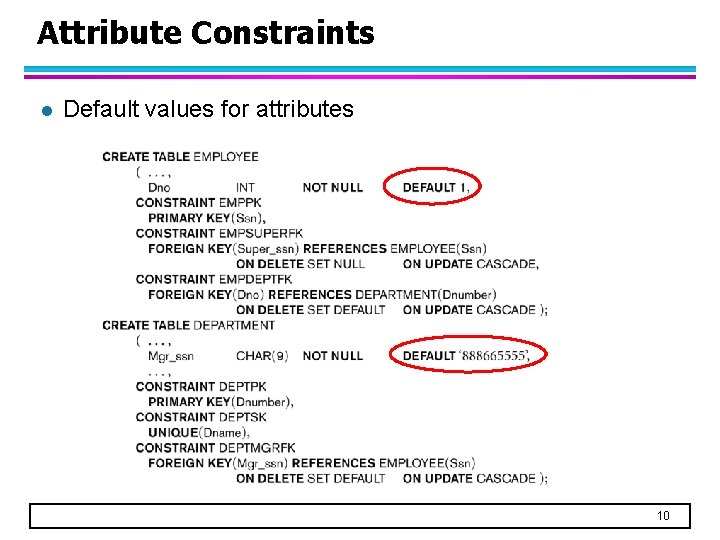
Attribute Constraints l Default values for attributes 10
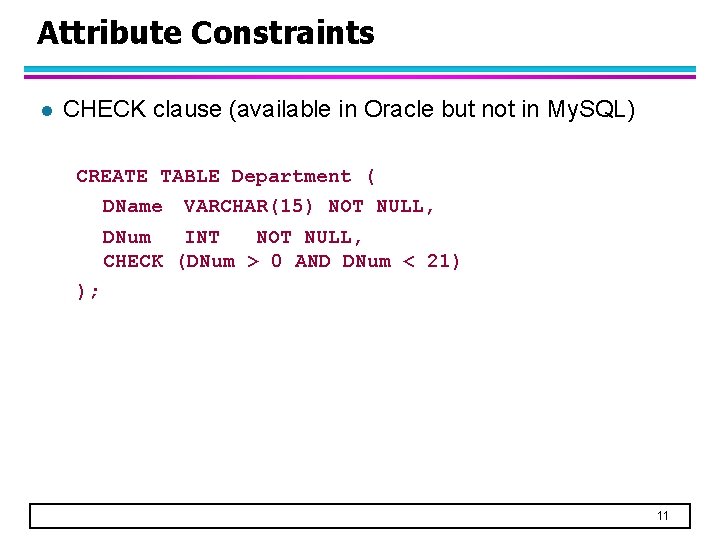
Attribute Constraints l CHECK clause (available in Oracle but not in My. SQL) CREATE TABLE Department ( DName VARCHAR(15) NOT NULL, DNum INT NOT NULL, CHECK (DNum > 0 AND DNum < 21) ); 11
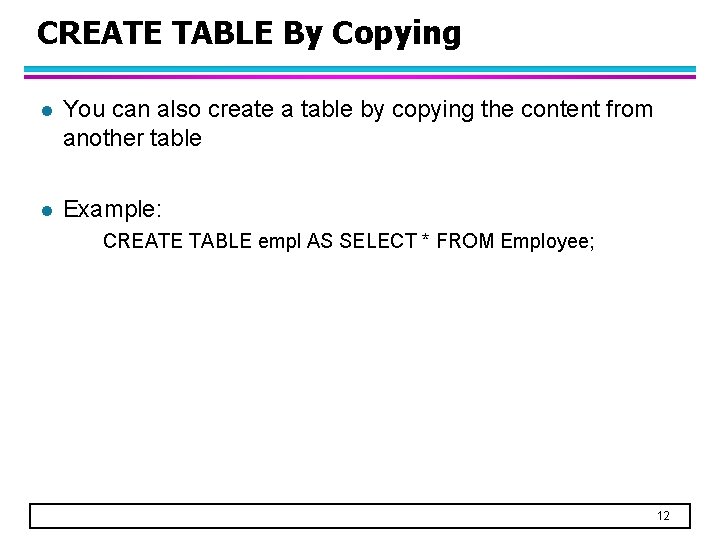
CREATE TABLE By Copying l You can also create a table by copying the content from another table l Example: CREATE TABLE empl AS SELECT * FROM Employee; 12
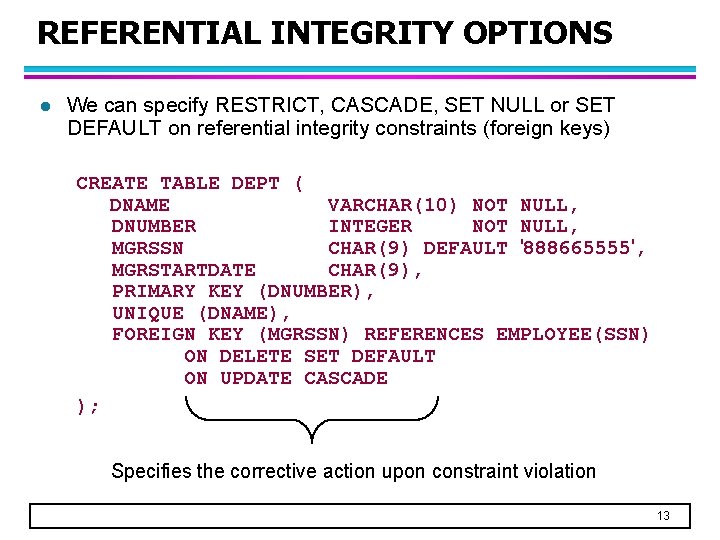
REFERENTIAL INTEGRITY OPTIONS l We can specify RESTRICT, CASCADE, SET NULL or SET DEFAULT on referential integrity constraints (foreign keys) CREATE TABLE DEPT ( DNAME VARCHAR(10) NOT NULL, DNUMBER INTEGER NOT NULL, MGRSSN CHAR(9) DEFAULT '888665555', MGRSTARTDATE CHAR(9), PRIMARY KEY (DNUMBER), UNIQUE (DNAME), FOREIGN KEY (MGRSSN) REFERENCES EMPLOYEE(SSN) ON DELETE SET DEFAULT ON UPDATE CASCADE ); Specifies the corrective action upon constraint violation 13
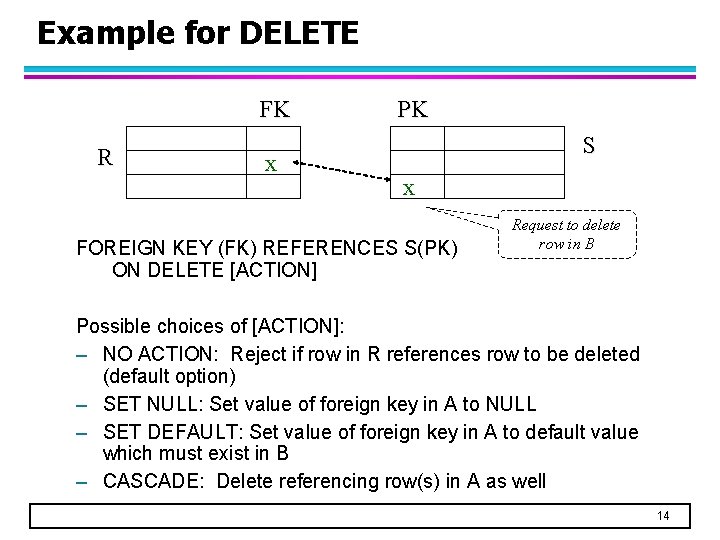
Example for DELETE FK R x PK S x FOREIGN KEY (FK) REFERENCES S(PK) ON DELETE [ACTION] Request to delete row in B Possible choices of [ACTION]: – NO ACTION: Reject if row in R references row to be deleted (default option) – SET NULL: Set value of foreign key in A to NULL – SET DEFAULT: Set value of foreign key in A to default value which must exist in B – CASCADE: Delete referencing row(s) in A as well 14
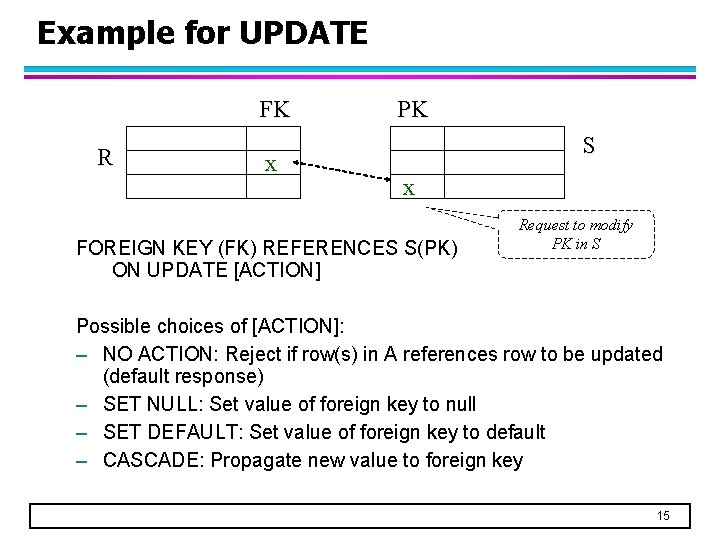
Example for UPDATE FK R x PK S x FOREIGN KEY (FK) REFERENCES S(PK) ON UPDATE [ACTION] Request to modify PK in S Possible choices of [ACTION]: – NO ACTION: Reject if row(s) in A references row to be updated (default response) – SET NULL: Set value of foreign key to null – SET DEFAULT: Set value of foreign key to default – CASCADE: Propagate new value to foreign key 15
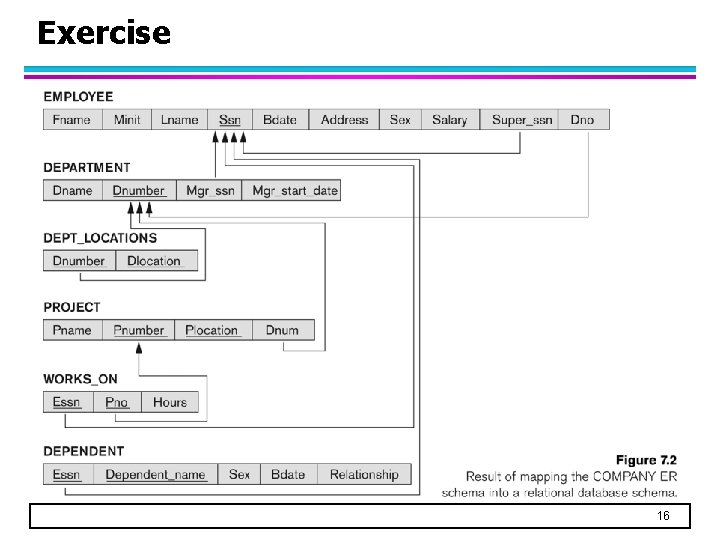
Exercise 16

Exercise 17
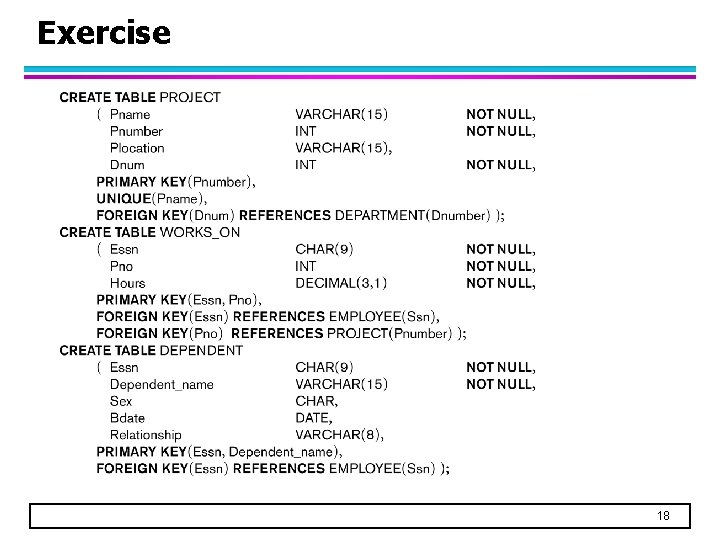
Exercise 18
DROP TABLE l Remove a relation and its definition l The relation can no longer be used in queries, updates, or any other commands since its description no longer exists l Example: DROP TABLE DEPENDENT; 19
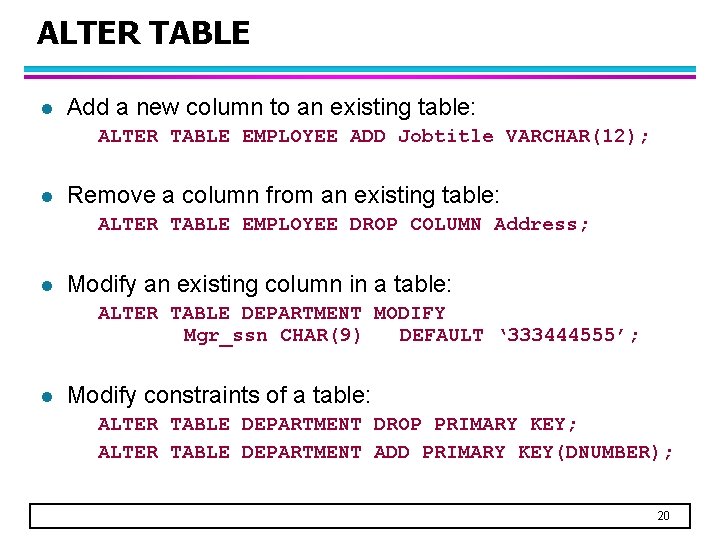
ALTER TABLE l Add a new column to an existing table: ALTER TABLE EMPLOYEE ADD Jobtitle VARCHAR(12); l Remove a column from an existing table: ALTER TABLE EMPLOYEE DROP COLUMN Address; l Modify an existing column in a table: ALTER TABLE DEPARTMENT MODIFY Mgr_ssn CHAR(9) DEFAULT ‘ 333444555’; l Modify constraints of a table: ALTER TABLE DEPARTMENT DROP PRIMARY KEY; ALTER TABLE DEPARTMENT ADD PRIMARY KEY(DNUMBER); 20
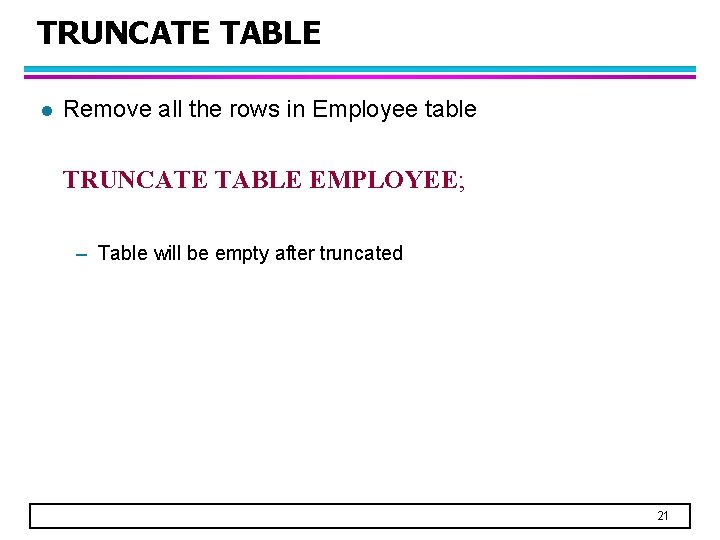
TRUNCATE TABLE l Remove all the rows in Employee table TRUNCATE TABLE EMPLOYEE; – Table will be empty after truncated 21
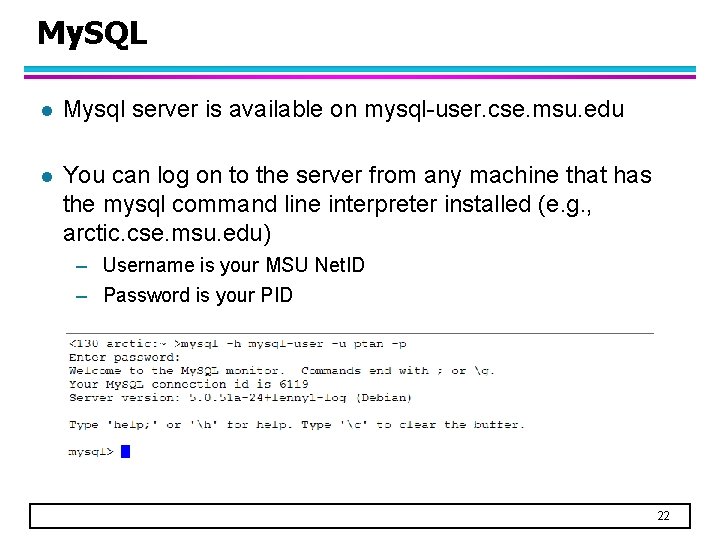
My. SQL l Mysql server is available on mysql-user. cse. msu. edu l You can log on to the server from any machine that has the mysql command line interpreter installed (e. g. , arctic. cse. msu. edu) – Username is your MSU Net. ID – Password is your PID 22
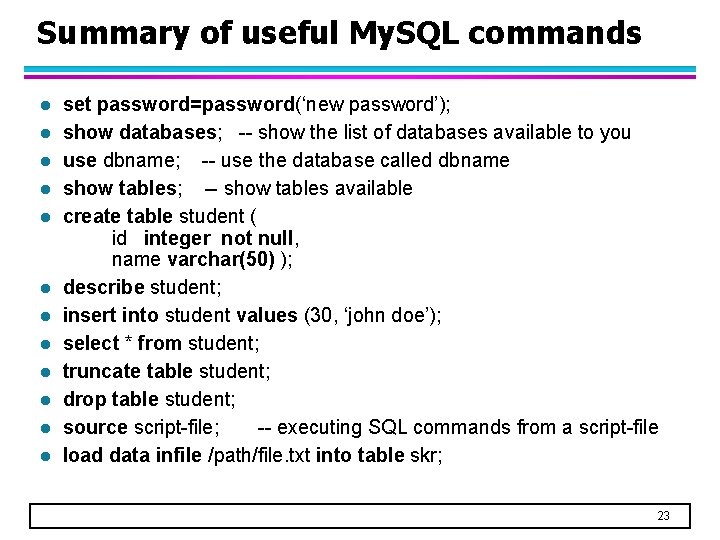
Summary of useful My. SQL commands l l l set password=password(‘new password’); show databases; -- show the list of databases available to you use dbname; -- use the database called dbname show tables; -- show tables available create table student ( id integer not null, name varchar(50) ); describe student; insert into student values (30, ‘john doe’); select * from student; truncate table student; drop table student; source script-file; -- executing SQL commands from a script-file load data infile /path/file. txt into table skr; 23
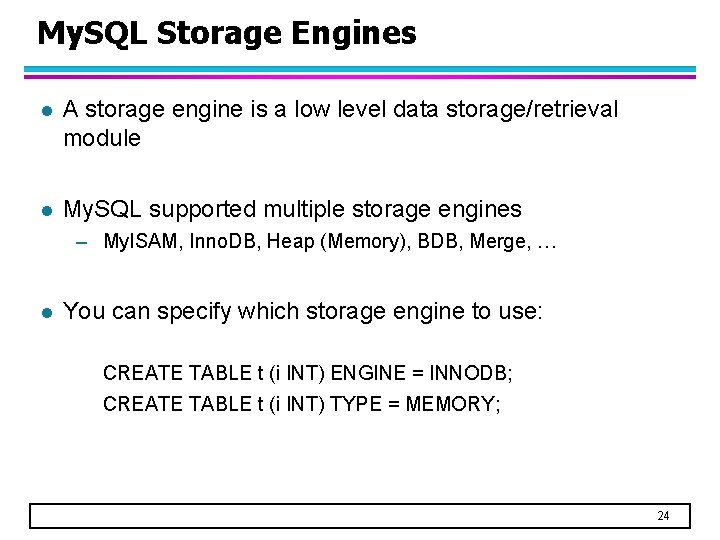
My. SQL Storage Engines l A storage engine is a low level data storage/retrieval module l My. SQL supported multiple storage engines – My. ISAM, Inno. DB, Heap (Memory), BDB, Merge, … l You can specify which storage engine to use: CREATE TABLE t (i INT) ENGINE = INNODB; CREATE TABLE t (i INT) TYPE = MEMORY; 24
My. SQL Databases l My. SQL storage engines include both those that handle transactionsafe tables and those that handle non-transaction-safe tables l “Transaction-safe” tables would record all the database update operations in a log file – So even if My. SQL crashes, you can still get your data back – You can execute ROLLBACK to undo your updates – Provides better concurrency – Disadvantage: slower especially when there are many concurrent update operations l Advantages of non-transaction-safe tables – Much faster – Lower disk space requirements 25
My. SQL Storage Engines l My. ISAM (usually, the default storage engine) – manages non-transactional tables. – provides high-speed storage and retrieval – Provides fulltext searching capabilities l Inno. DB – provides transaction-safe tables – provides support for row locking and FOREIGN KEY constraints Important: Foreign key is not enforced in My. SQL unless you use Inno. DB as your storage engine! 26
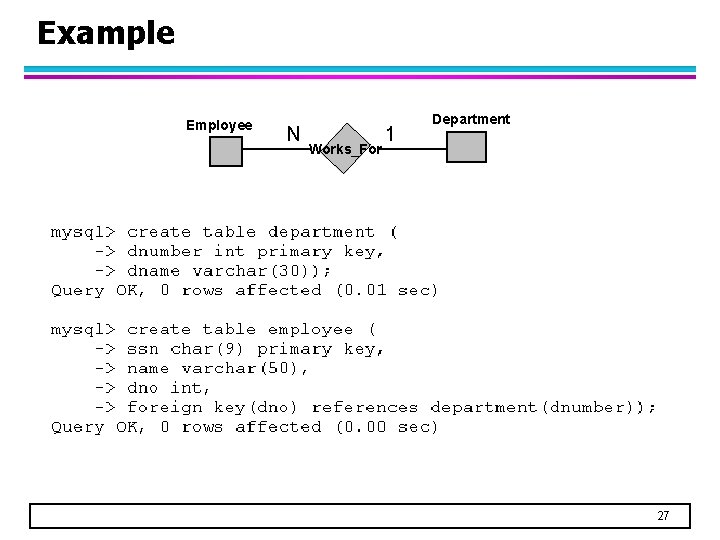
Example Employee N Works_For 1 Department 27
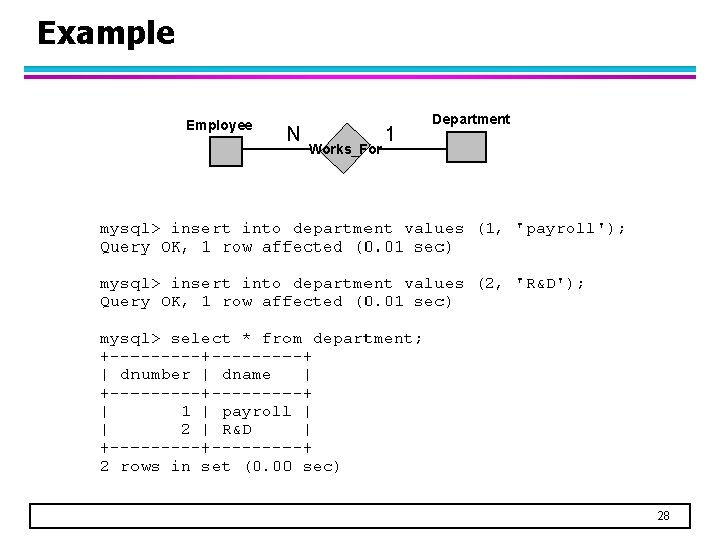
Example Employee N Works_For 1 Department 28
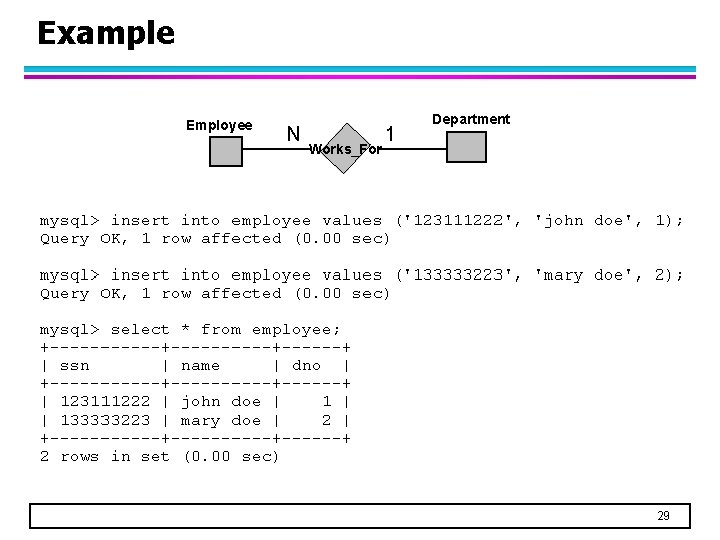
Example Employee N Works_For 1 Department 29
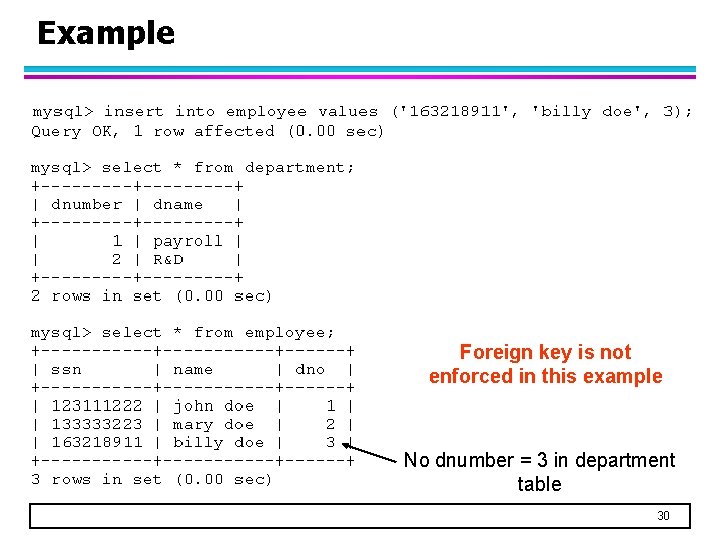
Example Foreign key is not enforced in this example No dnumber = 3 in department table 30
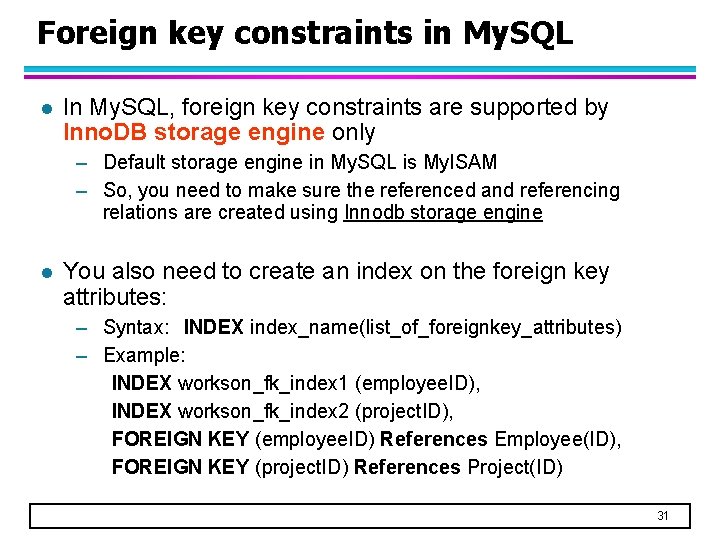
Foreign key constraints in My. SQL l In My. SQL, foreign key constraints are supported by Inno. DB storage engine only – Default storage engine in My. SQL is My. ISAM – So, you need to make sure the referenced and referencing relations are created using Innodb storage engine l You also need to create an index on the foreign key attributes: – Syntax: INDEX index_name(list_of_foreignkey_attributes) – Example: INDEX workson_fk_index 1 (employee. ID), INDEX workson_fk_index 2 (project. ID), FOREIGN KEY (employee. ID) References Employee(ID), FOREIGN KEY (project. ID) References Project(ID) 31
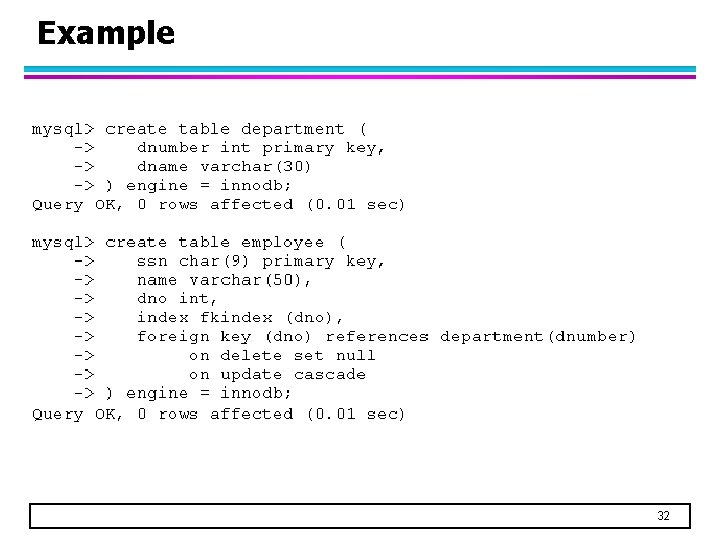
Example 32
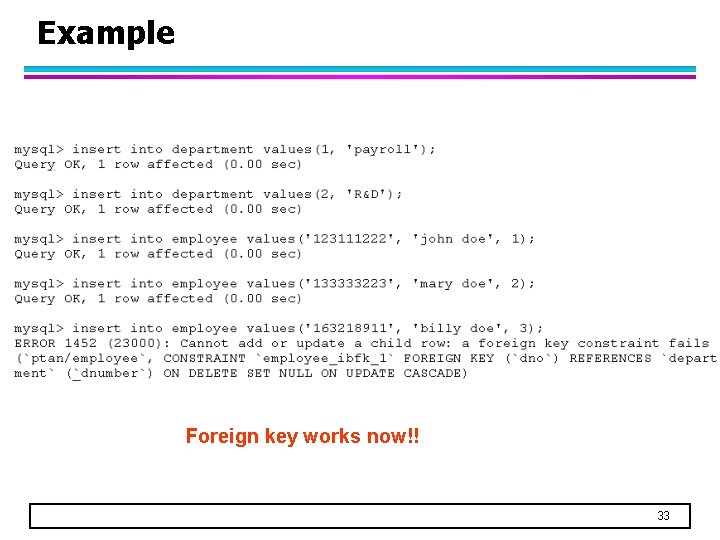
Example Foreign key works now!! 33
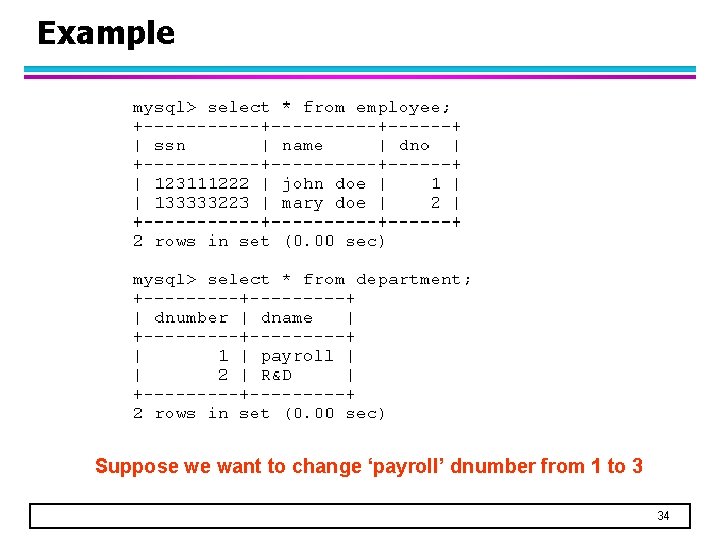
Example Suppose we want to change ‘payroll’ dnumber from 1 to 3 34
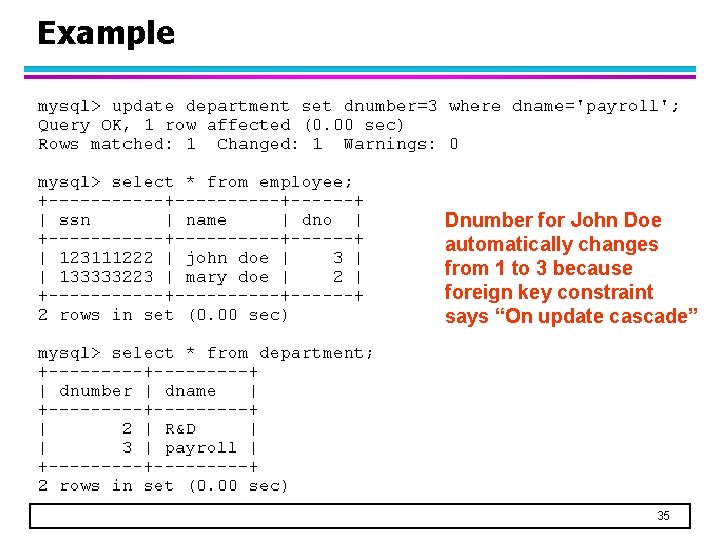
Example Dnumber for John Doe automatically changes from 1 to 3 because foreign key constraint says “On update cascade” 35
- Slides: 35