
CSE 391 Lecture 8 Large Program Management Make
- Slides: 30
CSE 391 Lecture 8 Large Program Management: Make, Ant slides created by Marty Stepp, modified by Jessica Miller and Ruth Anderson http: //www. cs. washington. edu/391/ 1
Motivation • single-file programs do not work well when code gets large § compilation can be slow § hard to collaborate between multiple programmers § more cumbersome to edit • larger programs are split into multiple files § each file represents a partial program or module § modules can be compiled separately or together § a module can be shared between multiple programs • but now we have to deal with all these files just to build our program… 2
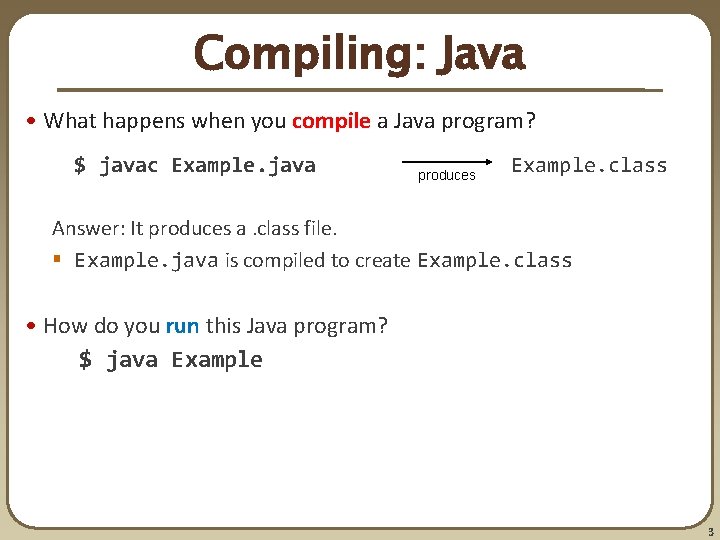
Compiling: Java • What happens when you compile a Java program? $ javac Example. java produces Example. class Answer: It produces a. class file. § Example. java is compiled to create Example. class • How do you run this Java program? $ java Example 3
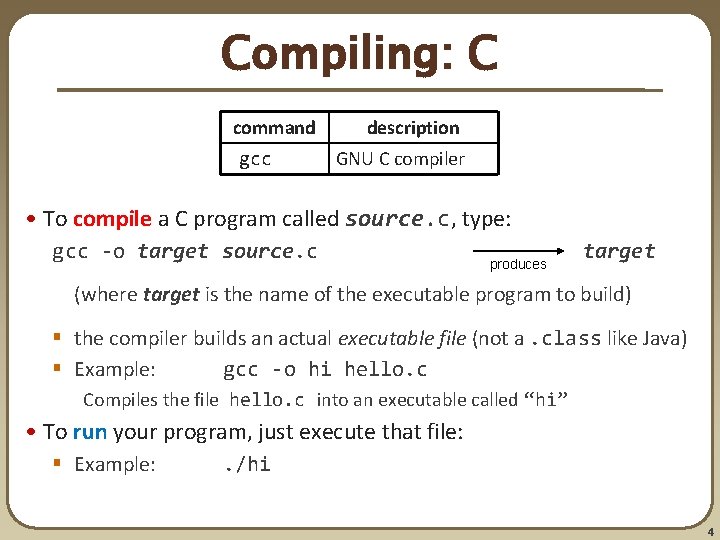
Compiling: C command gcc description GNU C compiler • To compile a C program called source. c, type: gcc -o target source. c produces target (where target is the name of the executable program to build) § the compiler builds an actual executable file (not a. class like Java) § Example: gcc -o hi hello. c Compiles the file hello. c into an executable called “hi” • To run your program, just execute that file: § Example: . /hi 4
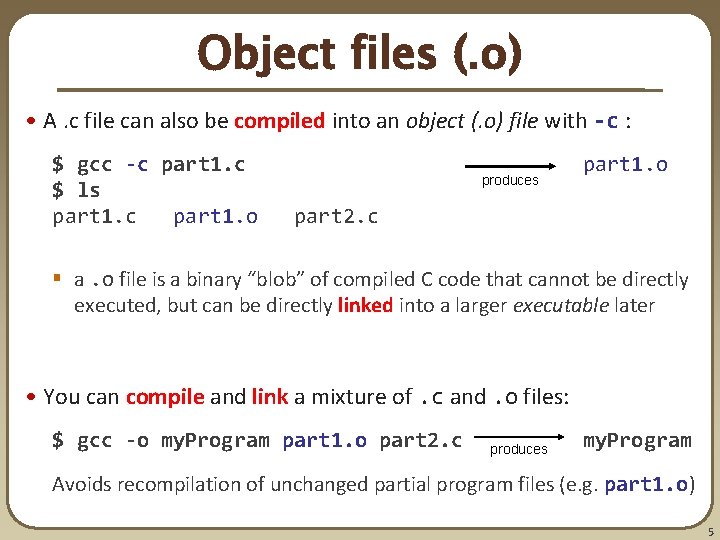
Object files (. o) • A. c file can also be compiled into an object (. o) file with -c : $ gcc -c part 1. c $ ls part 1. c part 1. o produces part 1. o part 2. c § a. o file is a binary “blob” of compiled C code that cannot be directly executed, but can be directly linked into a larger executable later • You can compile and link a mixture of. c and. o files: $ gcc -o my. Program part 1. o part 2. c produces my. Program Avoids recompilation of unchanged partial program files (e. g. part 1. o) 5
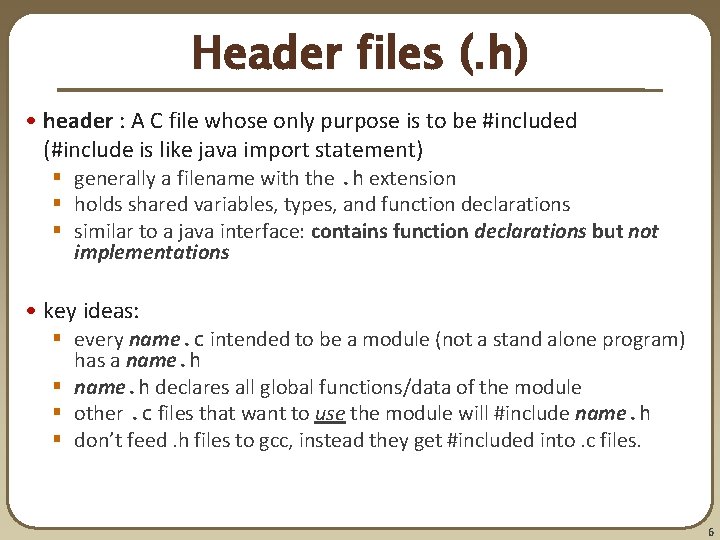
Header files (. h) • header : A C file whose only purpose is to be #included (#include is like java import statement) § generally a filename with the. h extension § holds shared variables, types, and function declarations § similar to a java interface: contains function declarations but not implementations • key ideas: § every name. c intended to be a module (not a stand alone program) has a name. h § name. h declares all global functions/data of the module § other. c files that want to use the module will #include name. h § don’t feed. h files to gcc, instead they get #included into. c files. 6
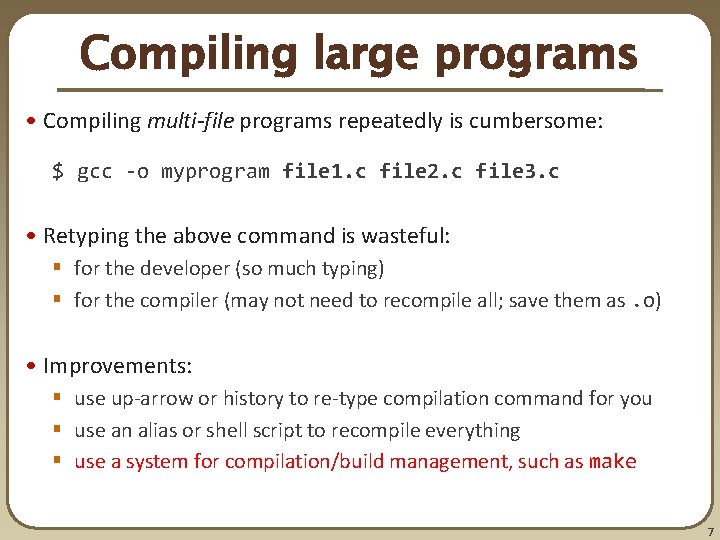
Compiling large programs • Compiling multi-file programs repeatedly is cumbersome: $ gcc -o myprogram file 1. c file 2. c file 3. c • Retyping the above command is wasteful: § for the developer (so much typing) § for the compiler (may not need to recompile all; save them as. o) • Improvements: § use up-arrow or history to re-type compilation command for you § use an alias or shell script to recompile everything § use a system for compilation/build management, such as make 7
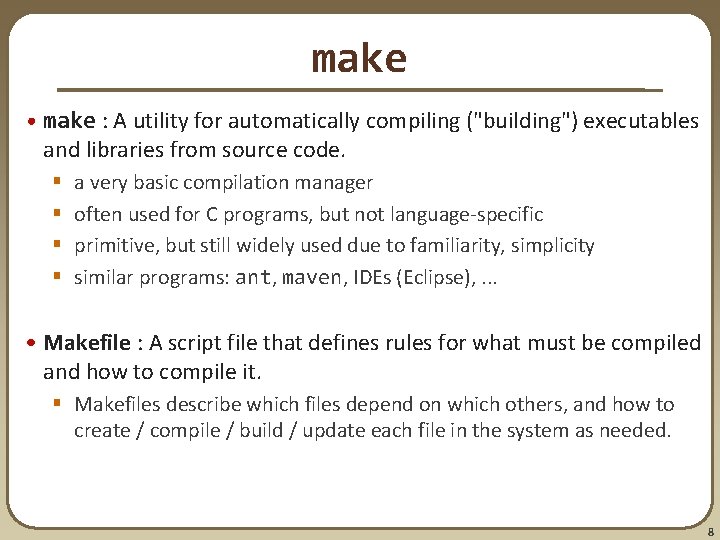
make • make : A utility for automatically compiling ("building") executables and libraries from source code. § § a very basic compilation manager often used for C programs, but not language-specific primitive, but still widely used due to familiarity, simplicity similar programs: ant, maven, IDEs (Eclipse), . . . • Makefile : A script file that defines rules for what must be compiled and how to compile it. § Makefiles describe which files depend on which others, and how to create / compile / build / update each file in the system as needed. 8
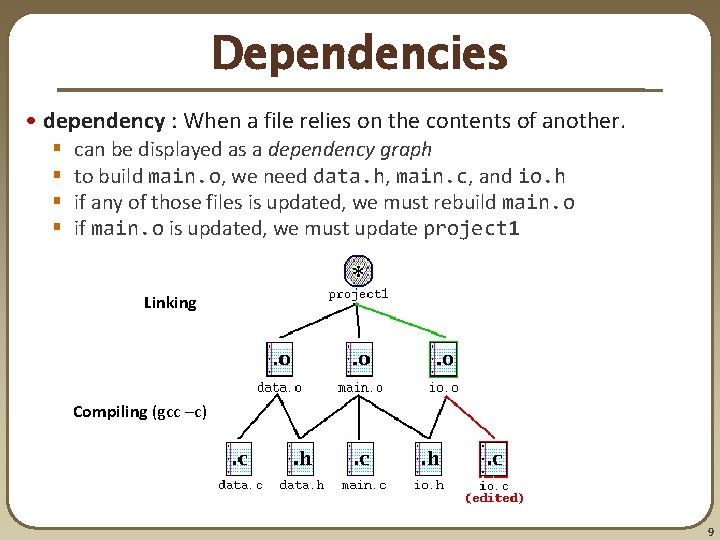
Dependencies • dependency : When a file relies on the contents of another. § § can be displayed as a dependency graph to build main. o, we need data. h, main. c, and io. h if any of those files is updated, we must rebuild main. o if main. o is updated, we must update project 1 Linking Compiling (gcc –c) 9
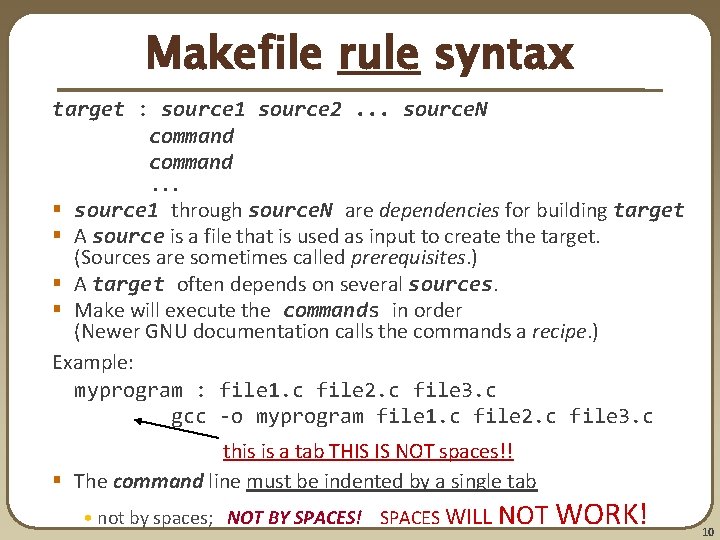
Makefile rule syntax target : source 1 source 2. . . source. N command. . . § source 1 through source. N are dependencies for building target § A source is a file that is used as input to create the target. (Sources are sometimes called prerequisites. ) § A target often depends on several sources. § Make will execute the commands in order (Newer GNU documentation calls the commands a recipe. ) Example: myprogram : file 1. c file 2. c file 3. c gcc -o myprogram file 1. c file 2. c file 3. c this is a tab THIS IS NOT spaces!! § The command line must be indented by a single tab • not by spaces; NOT BY SPACES! SPACES WILL NOT WORK! 10
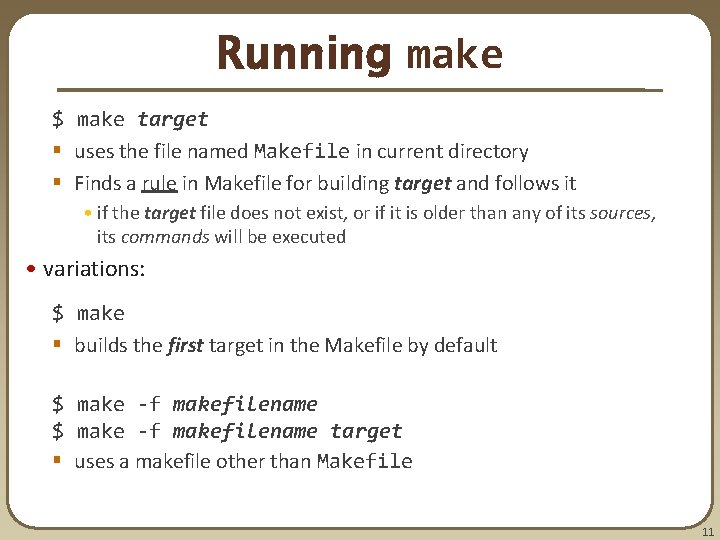
Running make $ make target § uses the file named Makefile in current directory § Finds a rule in Makefile for building target and follows it • if the target file does not exist, or if it is older than any of its sources, its commands will be executed • variations: $ make § builds the first target in the Makefile by default $ make -f makefilename target § uses a makefile other than Makefile 11
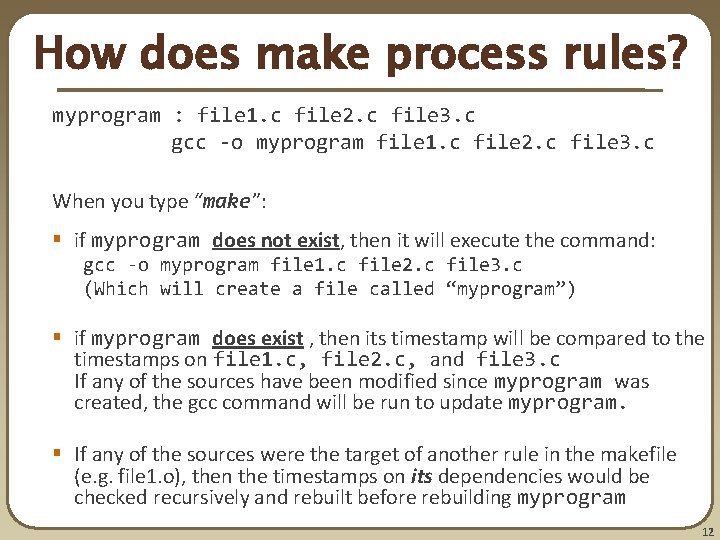
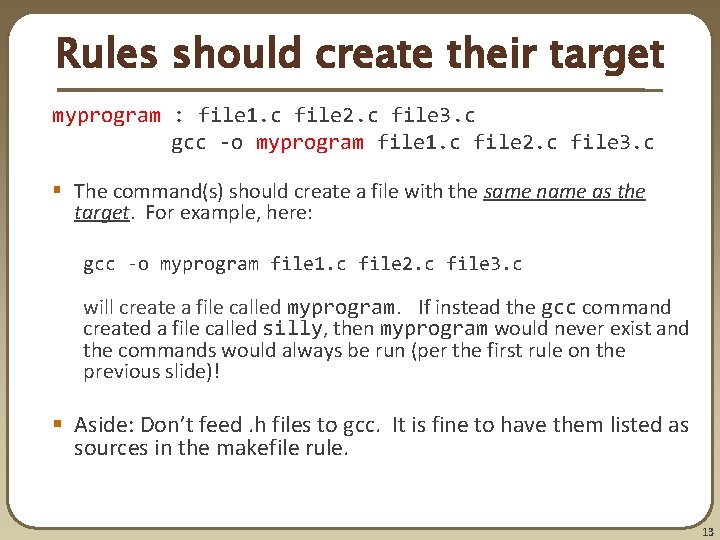
How does make process rules? myprogram : file 1. c file 2. c file 3. c gcc -o myprogram file 1. c file 2. c file 3. c When you type “make”: § if myprogram does not exist, then it will execute the command: gcc -o myprogram file 1. c file 2. c file 3. c (Which will create a file called “myprogram”) § if myprogram does exist , then its timestamp will be compared to the timestamps on file 1. c, file 2. c, and file 3. c If any of the sources have been modified since myprogram was created, the gcc command will be run to update myprogram. § If any of the sources were the target of another rule in the makefile (e. g. file 1. o), then the timestamps on its dependencies would be checked recursively and rebuilt before rebuilding myprogram 12
Rules should create their target myprogram : file 1. c file 2. c file 3. c gcc -o myprogram file 1. c file 2. c file 3. c § The command(s) should create a file with the same name as the target. For example, here: gcc -o myprogram file 1. c file 2. c file 3. c will create a file called myprogram. If instead the gcc command created a file called silly, then myprogram would never exist and the commands would always be run (per the first rule on the previous slide)! § Aside: Don’t feed. h files to gcc. It is fine to have them listed as sources in the makefile rule. 13
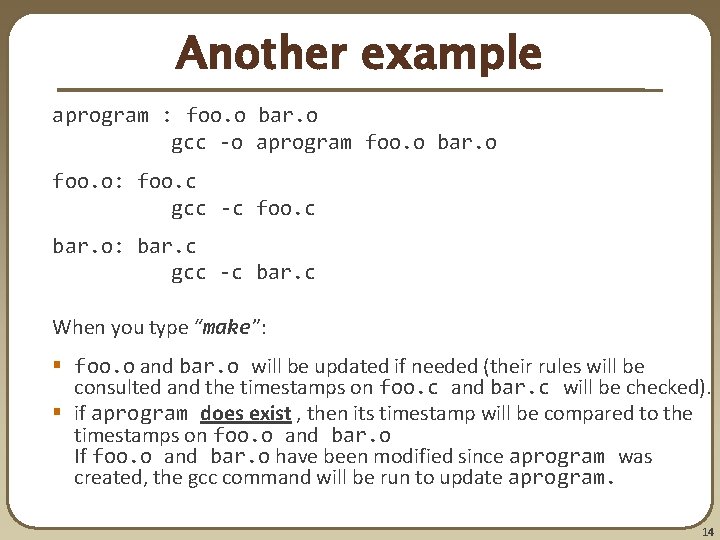
Another example aprogram : foo. o bar. o gcc -o aprogram foo. o bar. o foo. o: foo. c gcc -c foo. c bar. o: bar. c gcc -c bar. c When you type “make”: § foo. o and bar. o will be updated if needed (their rules will be consulted and the timestamps on foo. c and bar. c will be checked). § if aprogram does exist , then its timestamp will be compared to the timestamps on foo. o and bar. o If foo. o and bar. o have been modified since aprogram was created, the gcc command will be run to update aprogram. 14
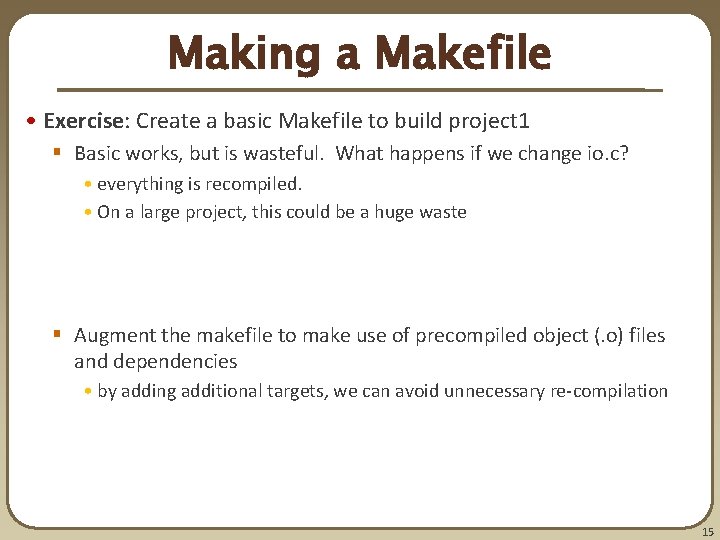
Making a Makefile • Exercise: Create a basic Makefile to build project 1 § Basic works, but is wasteful. What happens if we change io. c? • everything is recompiled. • On a large project, this could be a huge waste § Augment the makefile to make use of precompiled object (. o) files and dependencies • by adding additional targets, we can avoid unnecessary re-compilation 15
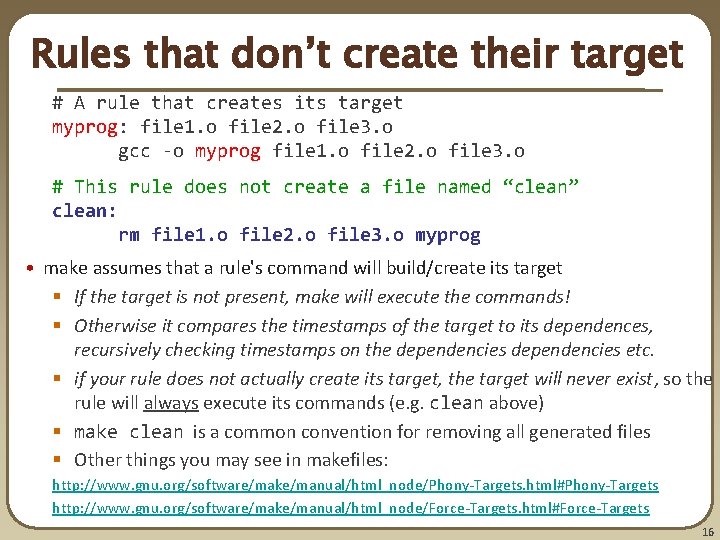
Rules that don’t create their target # A rule that creates its target myprog: file 1. o file 2. o file 3. o gcc -o myprog file 1. o file 2. o file 3. o # This rule does not create a file named “clean” clean: rm file 1. o file 2. o file 3. o myprog • make assumes that a rule's command will build/create its target § If the target is not present, make will execute the commands! § Otherwise it compares the timestamps of the target to its dependences, recursively checking timestamps on the dependencies etc. § if your rule does not actually create its target, the target will never exist, so the rule will always execute its commands (e. g. clean above) § make clean is a common convention for removing all generated files § Other things you may see in makefiles: http: //www. gnu. org/software/make/manual/html_node/Phony-Targets. html#Phony-Targets http: //www. gnu. org/software/make/manual/html_node/Force-Targets. html#Force-Targets 16
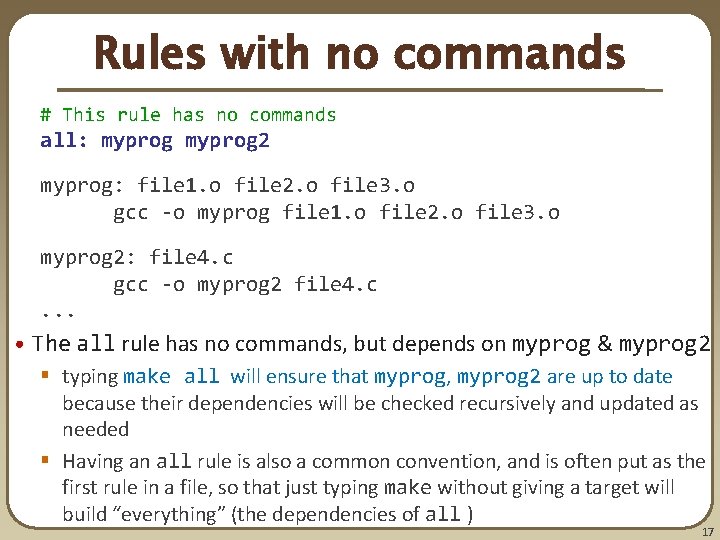
Rules with no commands # This rule has no commands all: myprog 2 myprog: file 1. o file 2. o file 3. o gcc -o myprog file 1. o file 2. o file 3. o myprog 2: file 4. c gcc -o myprog 2 file 4. c. . . • The all rule has no commands, but depends on myprog & myprog 2 § typing make all will ensure that myprog, myprog 2 are up to date because their dependencies will be checked recursively and updated as needed § Having an all rule is also a common convention, and is often put as the first rule in a file, so that just typing make without giving a target will build “everything” (the dependencies of all ) 17
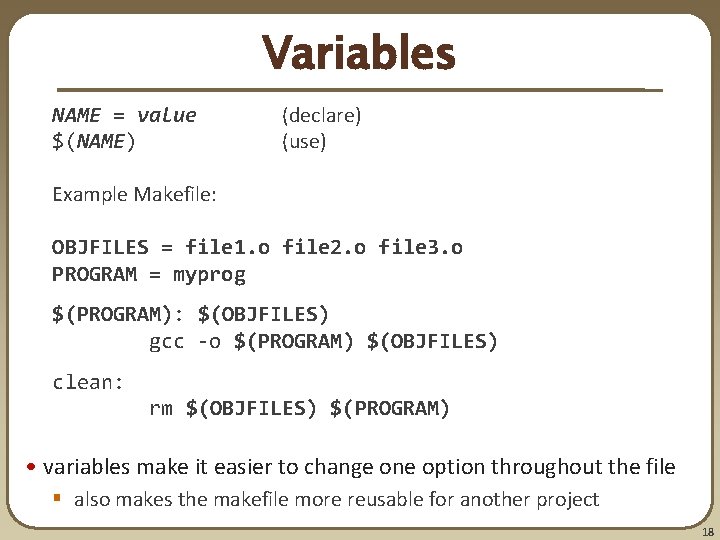
Variables NAME = value $(NAME) (declare) (use) Example Makefile: OBJFILES = file 1. o file 2. o file 3. o PROGRAM = myprog $(PROGRAM): $(OBJFILES) gcc -o $(PROGRAM) $(OBJFILES) clean: rm $(OBJFILES) $(PROGRAM) • variables make it easier to change one option throughout the file § also makes the makefile more reusable for another project 18
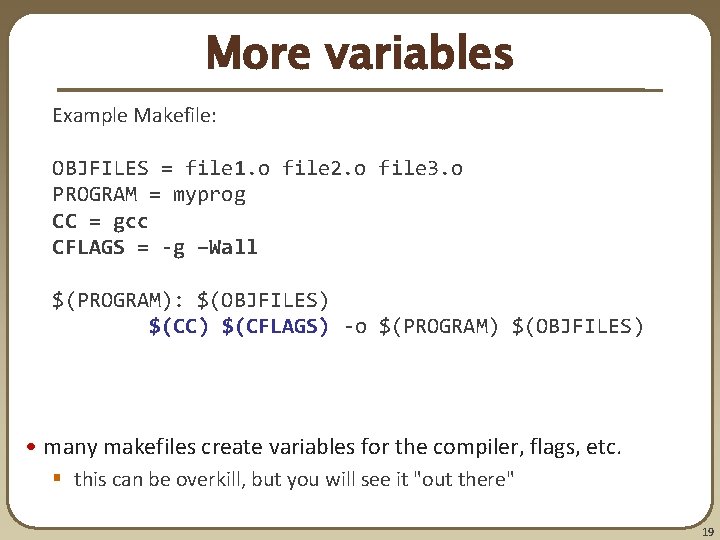
More variables Example Makefile: OBJFILES = file 1. o file 2. o file 3. o PROGRAM = myprog CC = gcc CFLAGS = -g –Wall $(PROGRAM): $(OBJFILES) $(CC) $(CFLAGS) -o $(PROGRAM) $(OBJFILES) • many makefiles create variables for the compiler, flags, etc. § this can be overkill, but you will see it "out there" 19
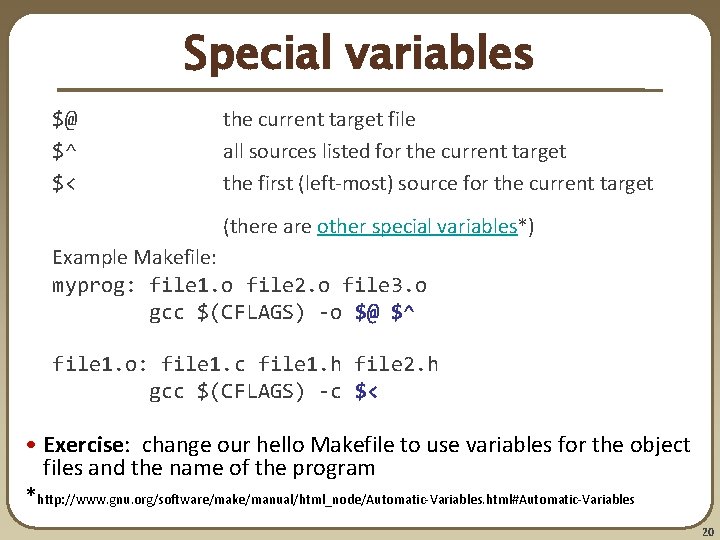
Special variables $@ $^ $< the current target file all sources listed for the current target the first (left-most) source for the current target (there are other special variables*) Example Makefile: myprog: file 1. o file 2. o file 3. o gcc $(CFLAGS) -o $@ $^ file 1. o: file 1. c file 1. h file 2. h gcc $(CFLAGS) -c $< • Exercise: change our hello Makefile to use variables for the object files and the name of the program *http: //www. gnu. org/software/make/manual/html_node/Automatic-Variables. html#Automatic-Variables 20
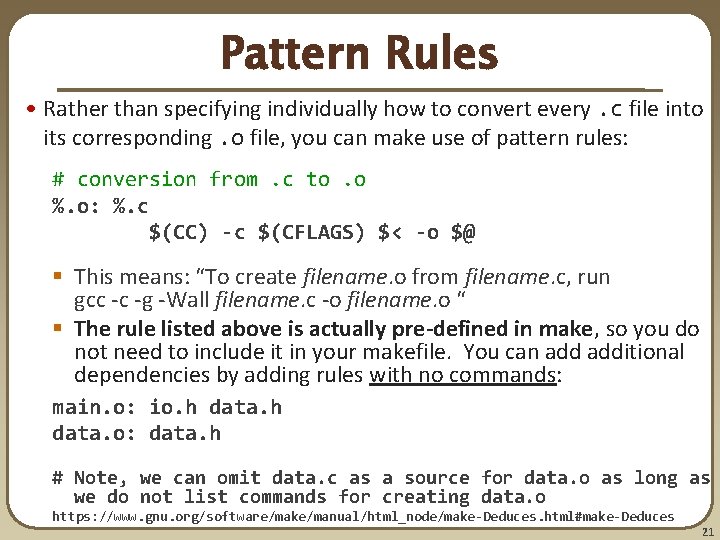
Pattern Rules • Rather than specifying individually how to convert every. c file into its corresponding. o file, you can make use of pattern rules: # conversion from. c to. o %. o: %. c $(CC) -c $(CFLAGS) $< -o $@ § This means: “To create filename. o from filename. c, run gcc -c -g -Wall filename. c -o filename. o “ § The rule listed above is actually pre-defined in make, so you do not need to include it in your makefile. You can additional dependencies by adding rules with no commands: main. o: io. h data. o: data. h # Note, we can omit data. c as a source for data. o as long as we do not list commands for creating data. o https: //www. gnu. org/software/make/manual/html_node/make-Deduces. html#make-Deduces 21
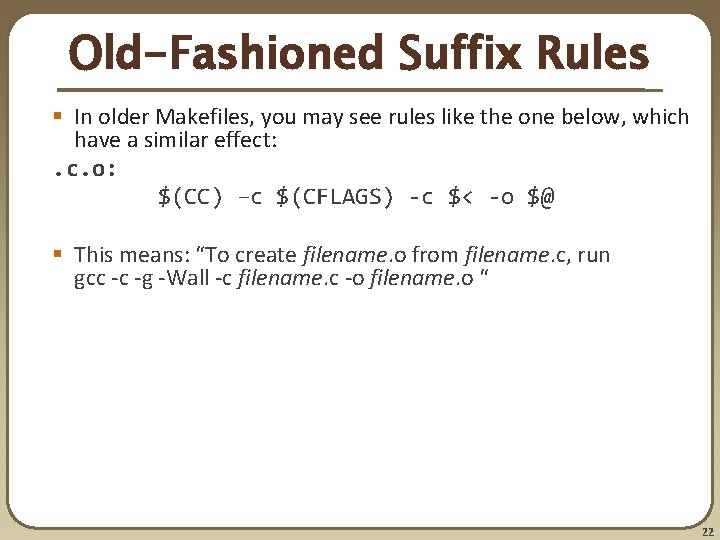
Old-Fashioned Suffix Rules § In older Makefiles, you may see rules like the one below, which have a similar effect: . c. o: $(CC) –c $(CFLAGS) -c $< -o $@ § This means: “To create filename. o from filename. c, run gcc -c -g -Wall -c filename. c -o filename. o “ 22
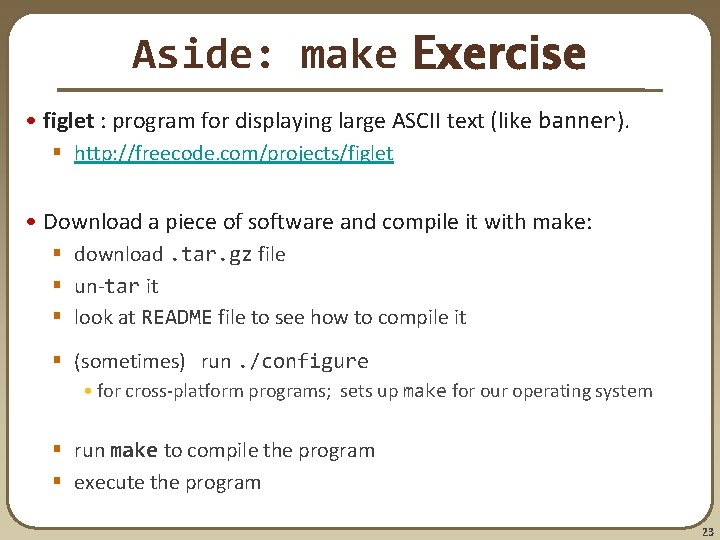
Aside: make Exercise • figlet : program for displaying large ASCII text (like banner). § http: //freecode. com/projects/figlet • Download a piece of software and compile it with make: § download. tar. gz file § un-tar it § look at README file to see how to compile it § (sometimes) run. /configure • for cross-platform programs; sets up make for our operating system § run make to compile the program § execute the program 23
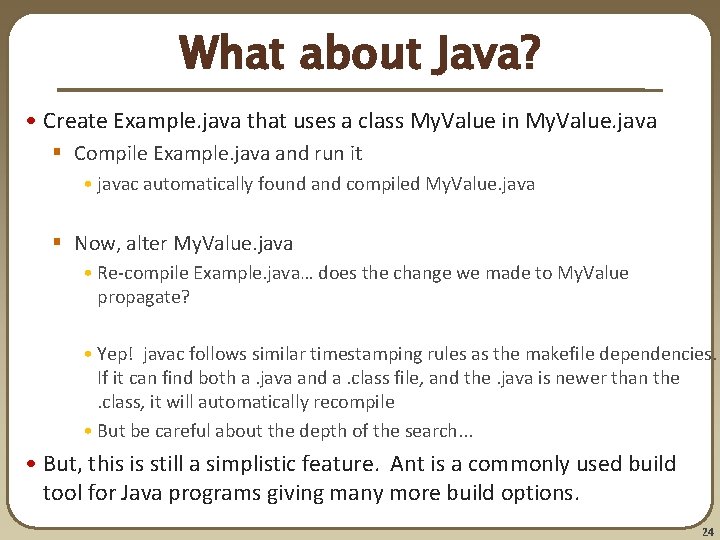
What about Java? • Create Example. java that uses a class My. Value in My. Value. java § Compile Example. java and run it • javac automatically found and compiled My. Value. java § Now, alter My. Value. java • Re-compile Example. java… does the change we made to My. Value propagate? • Yep! javac follows similar timestamping rules as the makefile dependencies. If it can find both a. java and a. class file, and the. java is newer than the. class, it will automatically recompile • But be careful about the depth of the search. . . • But, this is still a simplistic feature. Ant is a commonly used build tool for Java programs giving many more build options. 24
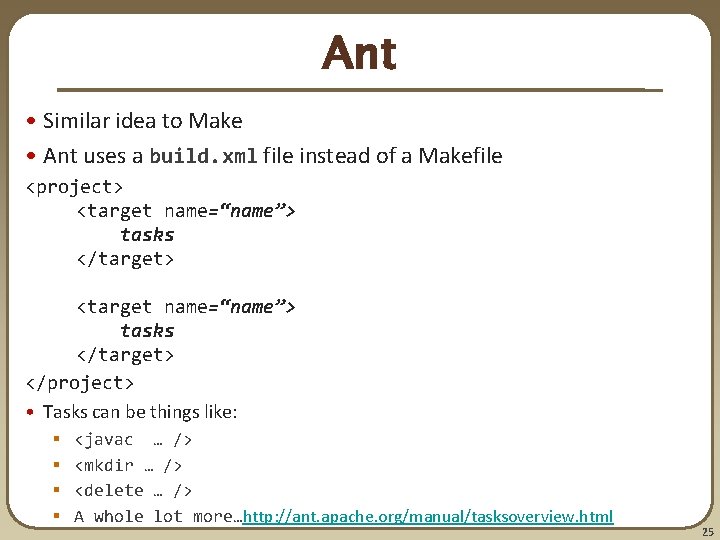
Ant • Similar idea to Make • Ant uses a build. xml file instead of a Makefile <project> <target name=“name”> tasks </target> </project> • Tasks can be things like: § § <javac … /> <mkdir … /> <delete … /> A whole lot more…http: //ant. apache. org/manual/tasksoverview. html 25
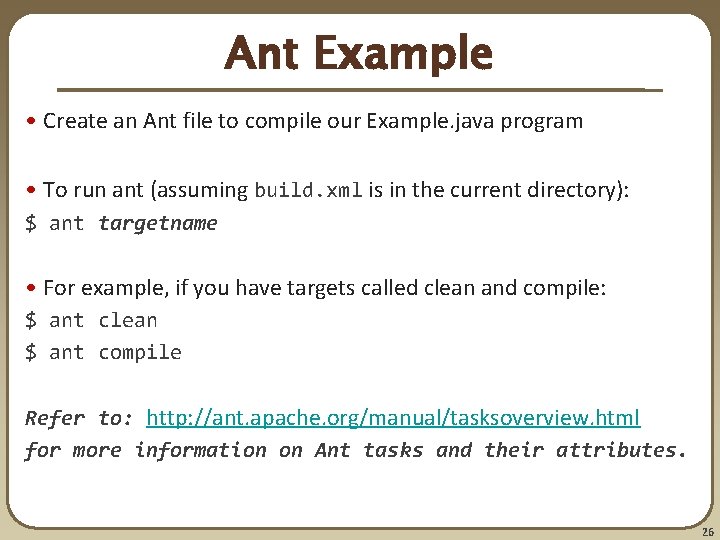
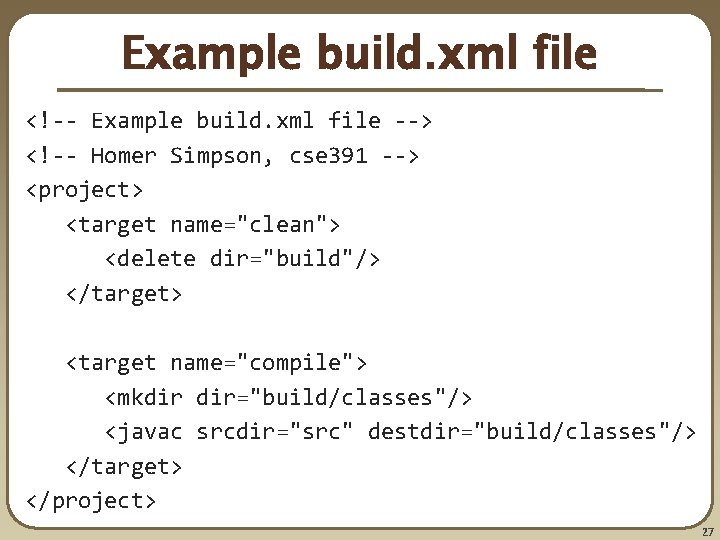
Ant Example • Create an Ant file to compile our Example. java program • To run ant (assuming build. xml is in the current directory): $ ant targetname • For example, if you have targets called clean and compile: $ ant clean $ ant compile Refer to: http: //ant. apache. org/manual/tasksoverview. html for more information on Ant tasks and their attributes. 26
Example build. xml file <!-- Example build. xml file --> <!-- Homer Simpson, cse 391 --> <project> <target name="clean"> <delete dir="build"/> </target> <target name="compile"> <mkdir dir="build/classes"/> <javac srcdir="src" destdir="build/classes"/> </target> </project> 27
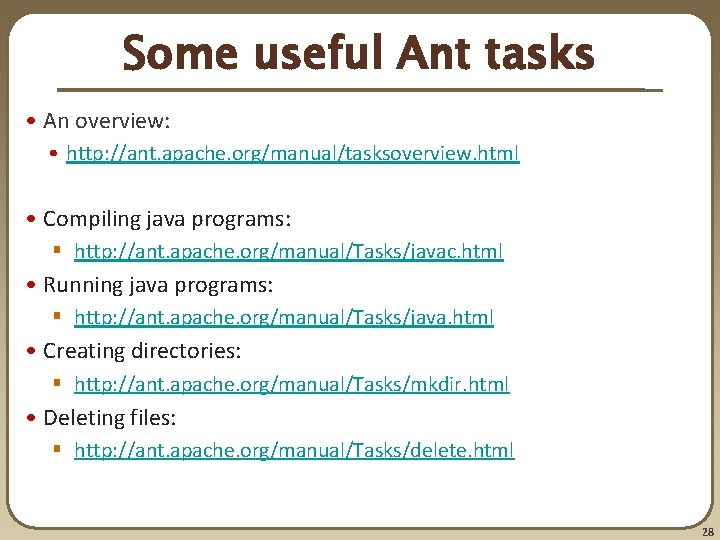
Some useful Ant tasks • An overview: • http: //ant. apache. org/manual/tasksoverview. html • Compiling java programs: § http: //ant. apache. org/manual/Tasks/javac. html • Running java programs: § http: //ant. apache. org/manual/Tasks/java. html • Creating directories: § http: //ant. apache. org/manual/Tasks/mkdir. html • Deleting files: § http: //ant. apache. org/manual/Tasks/delete. html 28
Automated Build Systems • Fairly essential for any large programming project § § Why? Shell scripts instead? What are these tools aiming to do? Is timestamping the right approach for determining “recompile”? What about dependency determination? What features would you want from an automated build tool? § Should “building” your program also involve non-syntactic checking? • Ant can run JUnit tests… 29
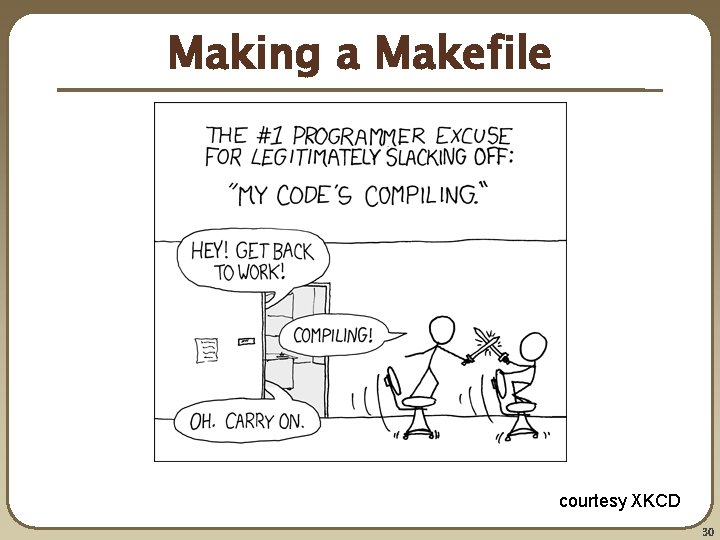
Making a Makefile courtesy XKCD 30