
CSE 391 Lecture 5 Intro to shell scripting
- Slides: 24
CSE 391 Lecture 5 Intro to shell scripting slides created by Marty Stepp, modified by Jessica Miller & Ruth Anderson http: //www. cs. washington. edu/391/ 1
Lecture summary • basic script syntax and running scripts • shell variables and types • control statements: the for loop 2
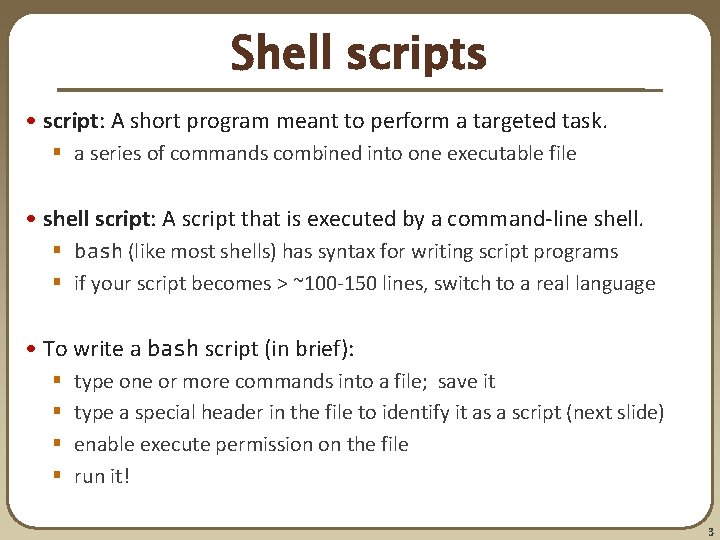
Shell scripts • script: A short program meant to perform a targeted task. § a series of commands combined into one executable file • shell script: A script that is executed by a command-line shell. § bash (like most shells) has syntax for writing script programs § if your script becomes > ~100 -150 lines, switch to a real language • To write a bash script (in brief): § § type one or more commands into a file; save it type a special header in the file to identify it as a script (next slide) enable execute permission on the file run it! 3
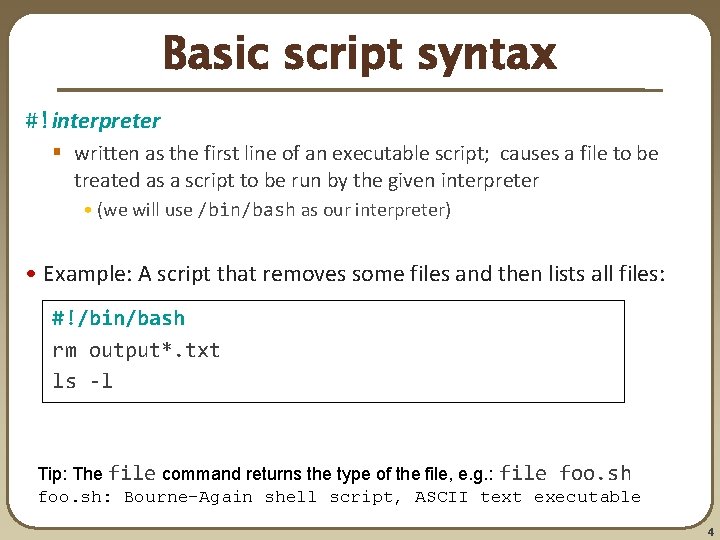
Basic script syntax #!interpreter § written as the first line of an executable script; causes a file to be treated as a script to be run by the given interpreter • (we will use /bin/bash as our interpreter) • Example: A script that removes some files and then lists all files: #!/bin/bash rm output*. txt ls -l Tip: The file command returns the type of the file, e. g. : file foo. sh: Bourne-Again shell script, ASCII text executable 4
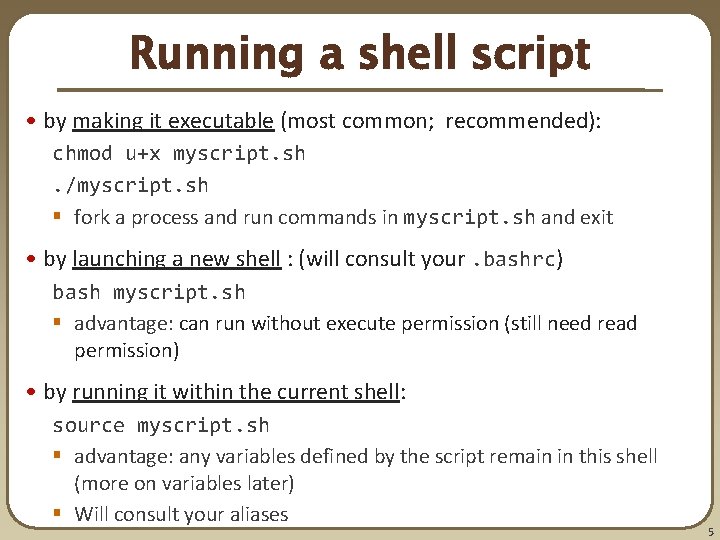
Running a shell script • by making it executable (most common; recommended): chmod u+x myscript. sh. /myscript. sh § fork a process and run commands in myscript. sh and exit • by launching a new shell : (will consult your. bashrc) bash myscript. sh § advantage: can run without execute permission (still need read permission) • by running it within the current shell: source myscript. sh § advantage: any variables defined by the script remain in this shell (more on variables later) § Will consult your aliases 5
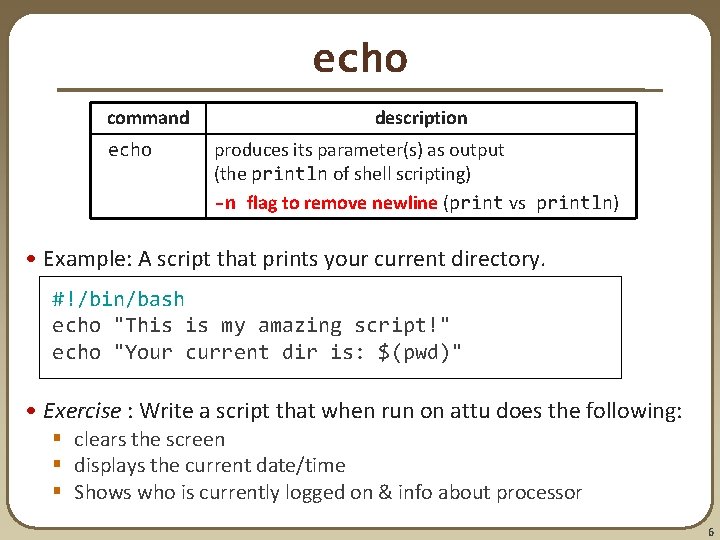
echo command echo description produces its parameter(s) as output (the println of shell scripting) -n flag to remove newline (print vs println) • Example: A script that prints your current directory. #!/bin/bash echo "This is my amazing script!" echo "Your current dir is: $(pwd)" • Exercise : Write a script that when run on attu does the following: § clears the screen § displays the current date/time § Shows who is currently logged on & info about processor 6
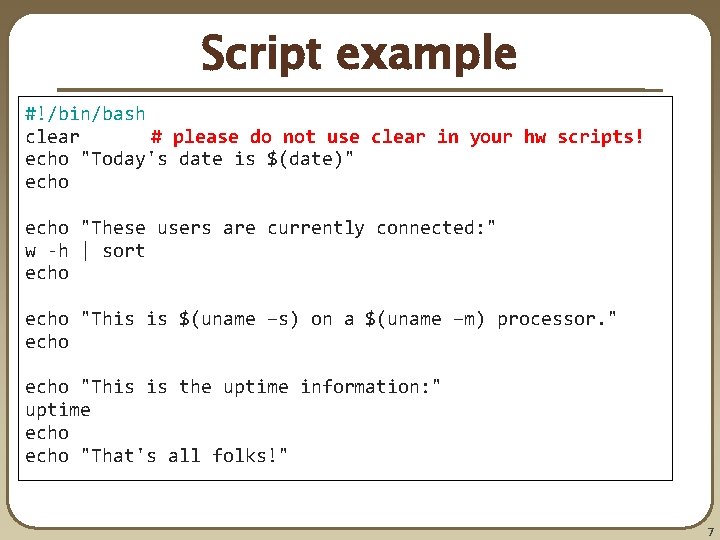
Script example #!/bin/bash clear # please do not use clear in your hw scripts! echo "Today's date is $(date)" echo "These users are currently connected: " w -h | sort echo "This is $(uname –s) on a $(uname –m) processor. " echo "This is the uptime information: " uptime echo "That's all folks!" 7
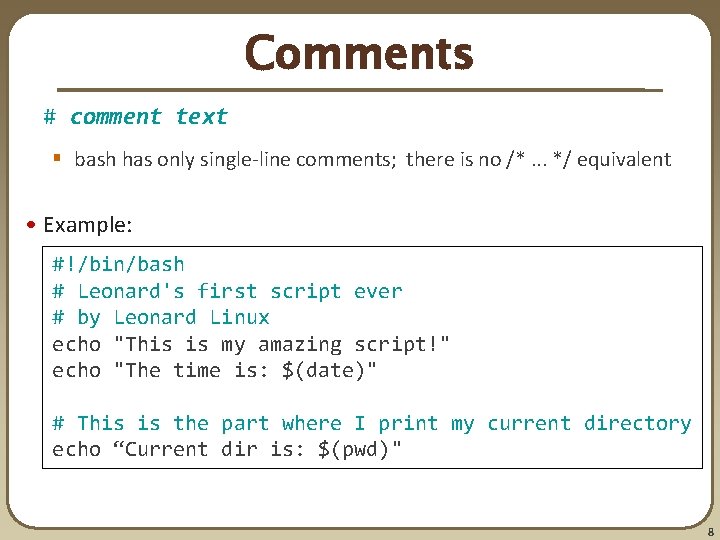
Comments # comment text § bash has only single-line comments; there is no /*. . . */ equivalent • Example: #!/bin/bash # Leonard's first script ever # by Leonard Linux echo "This is my amazing script!" echo "The time is: $(date)" # This is the part where I print my current directory echo “Current dir is: $(pwd)" 8
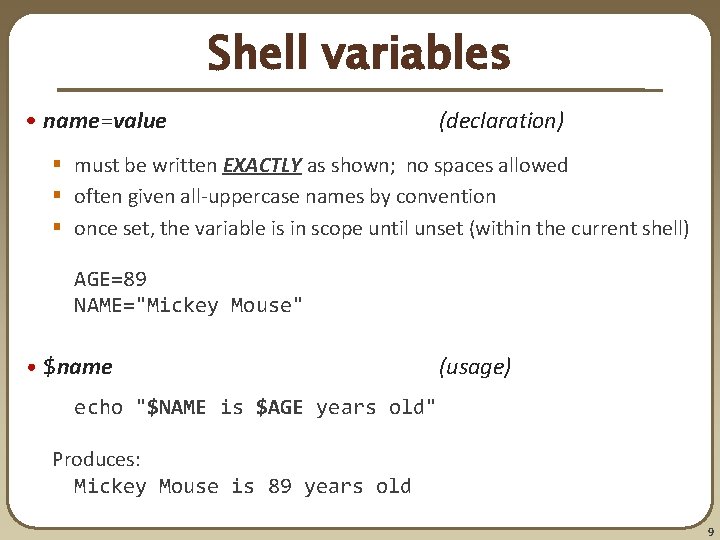
Shell variables • name=value (declaration) § must be written EXACTLY as shown; no spaces allowed § often given all-uppercase names by convention § once set, the variable is in scope until unset (within the current shell) AGE=89 NAME="Mickey Mouse" • $name (usage) echo "$NAME is $AGE years old" Produces: Mickey Mouse is 89 years old 9
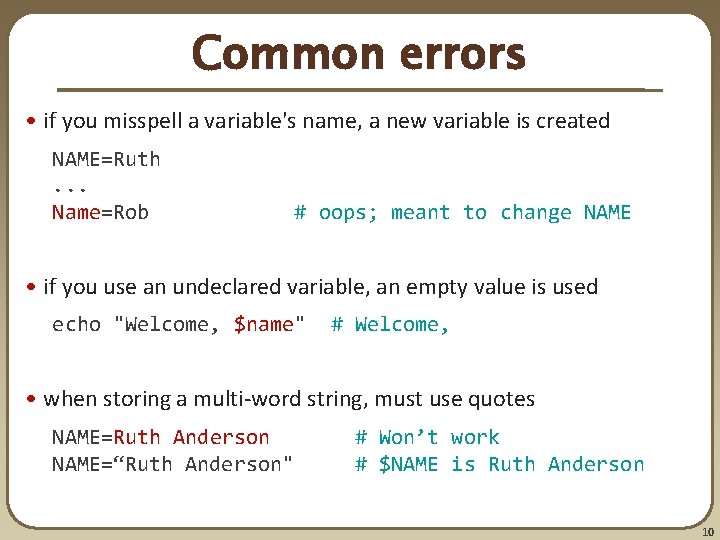
Common errors • if you misspell a variable's name, a new variable is created NAME=Ruth. . . Name=Rob # oops; meant to change NAME • if you use an undeclared variable, an empty value is used echo "Welcome, $name" # Welcome, • when storing a multi-word string, must use quotes NAME=Ruth Anderson NAME=“Ruth Anderson" # Won’t work # $NAME is Ruth Anderson 10
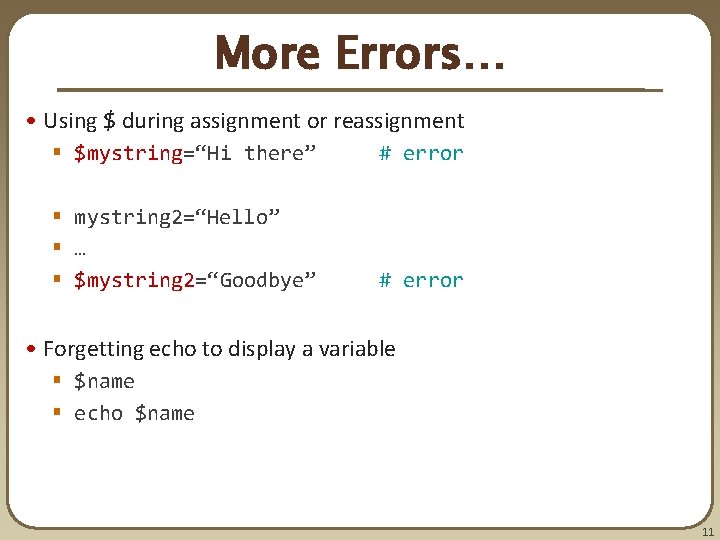
More Errors… • Using $ during assignment or reassignment § $mystring=“Hi there” # error § mystring 2=“Hello” § … § $mystring 2=“Goodbye” # error • Forgetting echo to display a variable § $name § echo $name 11
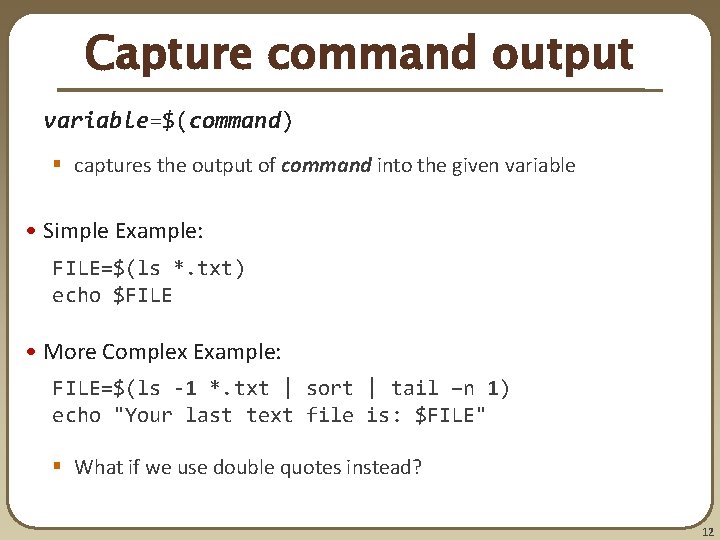
Capture command output variable=$(command) § captures the output of command into the given variable • Simple Example: FILE=$(ls *. txt) echo $FILE • More Complex Example: FILE=$(ls -1 *. txt | sort | tail –n 1) echo "Your last text file is: $FILE" § What if we use double quotes instead? 12
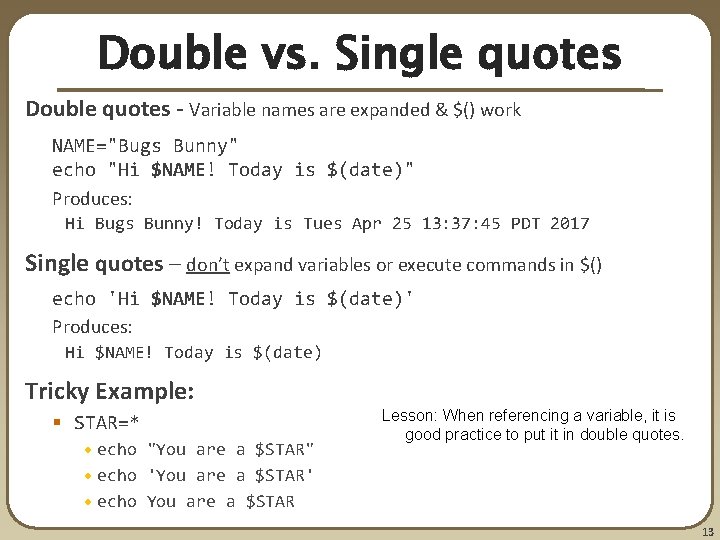
Double vs. Single quotes Double quotes - Variable names are expanded & $() work NAME="Bugs Bunny" echo "Hi $NAME! Today is $(date)" Produces: Hi Bugs Bunny! Today is Tues Apr 25 13: 37: 45 PDT 2017 Single quotes – don’t expand variables or execute commands in $() echo 'Hi $NAME! Today is $(date)' Produces: Hi $NAME! Today is $(date) Tricky Example: § STAR=* • echo "You are a $STAR" • echo 'You are a $STAR' • echo You are a $STAR Lesson: When referencing a variable, it is good practice to put it in double quotes. 13
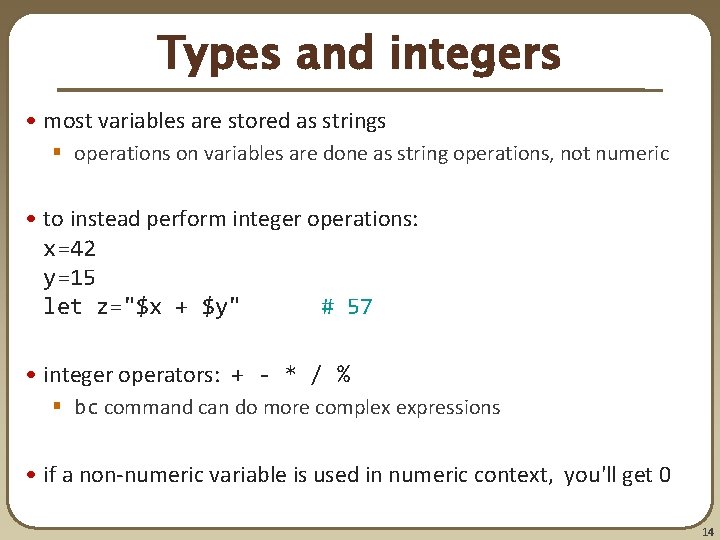
Types and integers • most variables are stored as strings § operations on variables are done as string operations, not numeric • to instead perform integer operations: x=42 y=15 let z="$x + $y" # 57 • integer operators: + - * / % § bc command can do more complex expressions • if a non-numeric variable is used in numeric context, you'll get 0 14
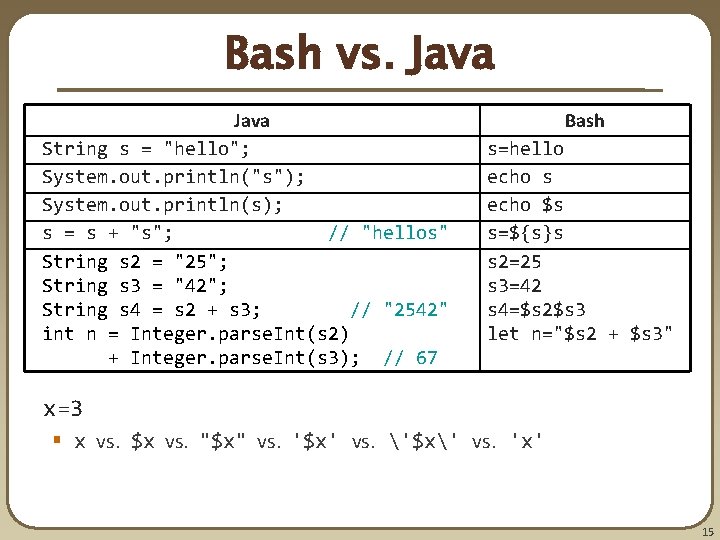
Bash vs. Java String s = "hello"; System. out. println("s"); System. out. println(s); s = s + "s"; // "hellos" String s 2 = "25"; String s 3 = "42"; String s 4 = s 2 + s 3; // "2542" int n = Integer. parse. Int(s 2) + Integer. parse. Int(s 3); // 67 Bash s=hello echo s echo $s s=${s}s s 2=25 s 3=42 s 4=$s 2$s 3 let n="$s 2 + $s 3" x=3 § x vs. $x vs. "$x" vs. '$x' vs. '$x' vs. 'x' 15
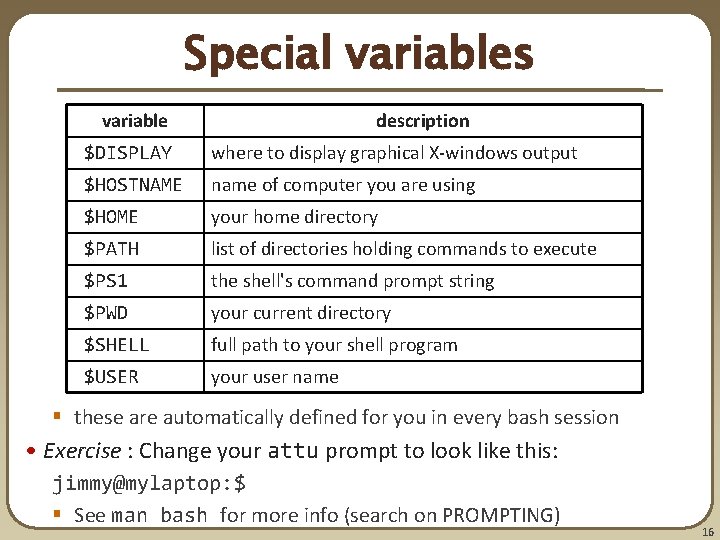
Special variables variable description $DISPLAY where to display graphical X-windows output $HOSTNAME name of computer you are using $HOME your home directory $PATH list of directories holding commands to execute $PS 1 the shell's command prompt string $PWD your current directory $SHELL full path to your shell program $USER your user name § these are automatically defined for you in every bash session • Exercise : Change your attu prompt to look like this: jimmy@mylaptop: $ § See man bash for more info (search on PROMPTING) 16
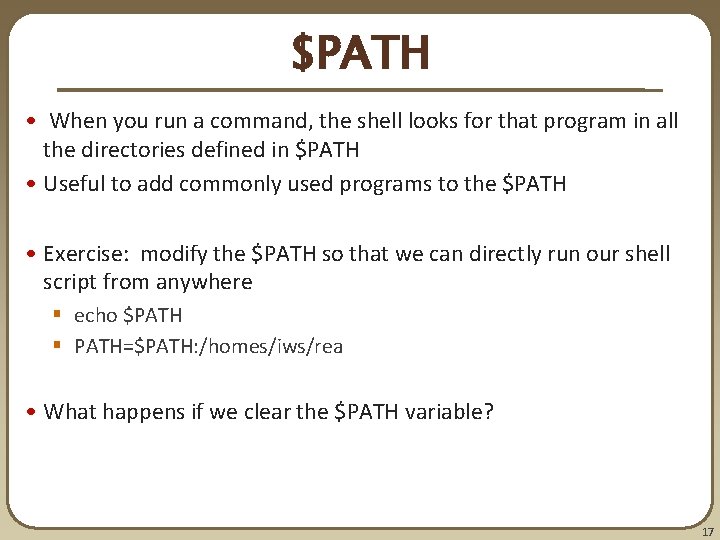
$PATH • When you run a command, the shell looks for that program in all the directories defined in $PATH • Useful to add commonly used programs to the $PATH • Exercise: modify the $PATH so that we can directly run our shell script from anywhere § echo $PATH § PATH=$PATH: /homes/iws/rea • What happens if we clear the $PATH variable? 17
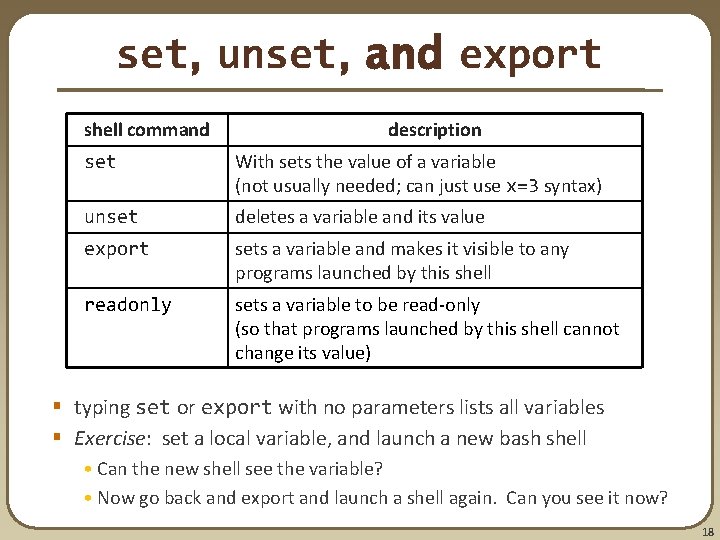
set, unset, and export shell command description set With sets the value of a variable (not usually needed; can just use x=3 syntax) unset deletes a variable and its value export sets a variable and makes it visible to any programs launched by this shell readonly sets a variable to be read-only (so that programs launched by this shell cannot change its value) § typing set or export with no parameters lists all variables § Exercise: set a local variable, and launch a new bash shell • Can the new shell see the variable? • Now go back and export and launch a shell again. Can you see it now? 18
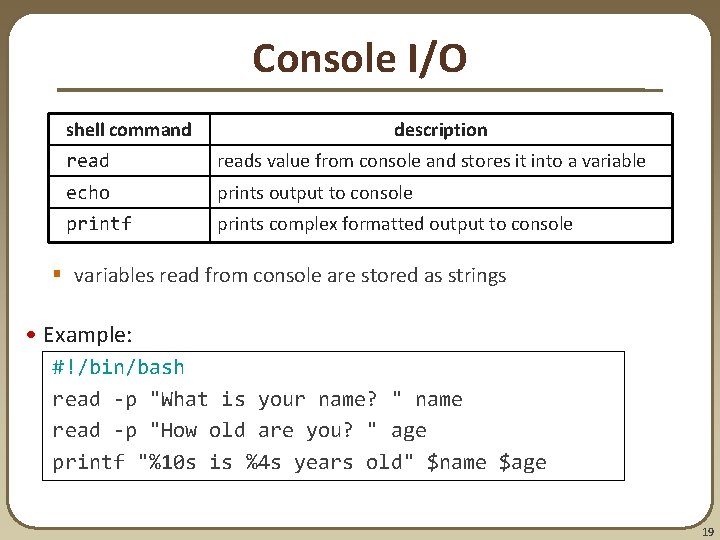
Console I/O shell command description reads value from console and stores it into a variable echo prints output to console printf prints complex formatted output to console § variables read from console are stored as strings • Example: #!/bin/bash read -p "What is your name? " name read -p "How old are you? " age printf "%10 s is %4 s years old" $name $age 19
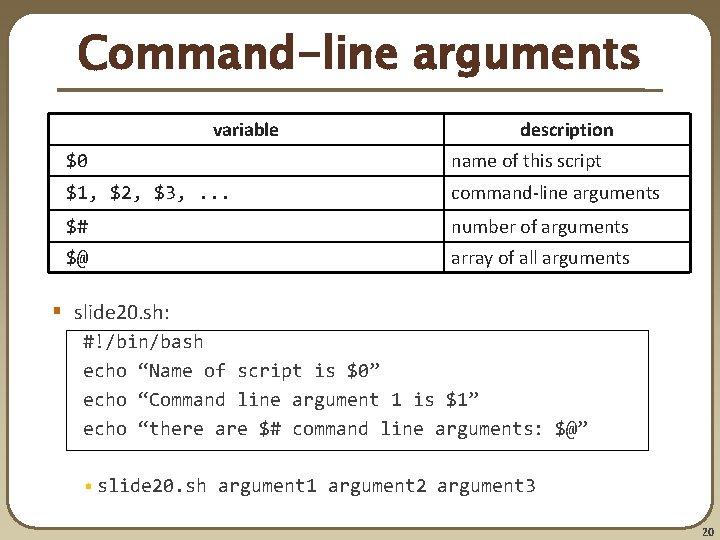
Command-line arguments variable description $0 name of this script $1, $2, $3, . . . command-line arguments $# number of arguments $@ array of all arguments § slide 20. sh: #!/bin/bash echo “Name of script is $0” echo “Command line argument 1 is $1” echo “there are $# command line arguments: $@” • slide 20. sh argument 1 argument 2 argument 3 20
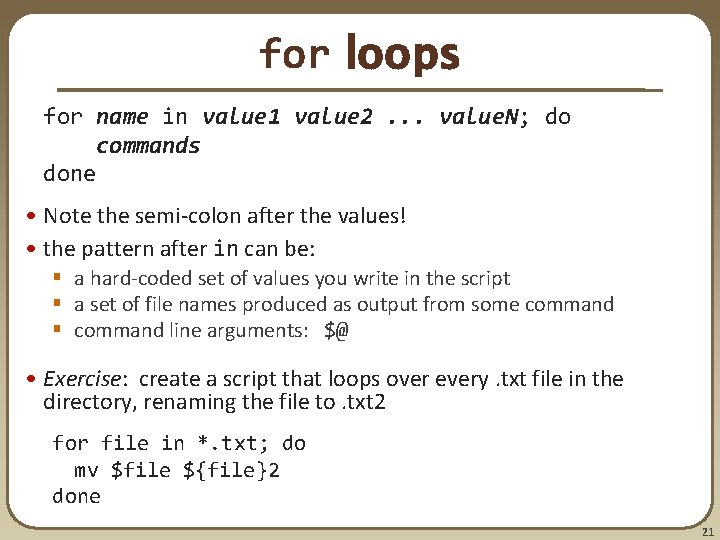
for loops for name in value 1 value 2. . . value. N; do commands done • Note the semi-colon after the values! • the pattern after in can be: § a hard-coded set of values you write in the script § a set of file names produced as output from some command § command line arguments: $@ • Exercise: create a script that loops over every. txt file in the directory, renaming the file to. txt 2 for file in *. txt; do mv $file ${file}2 done 21
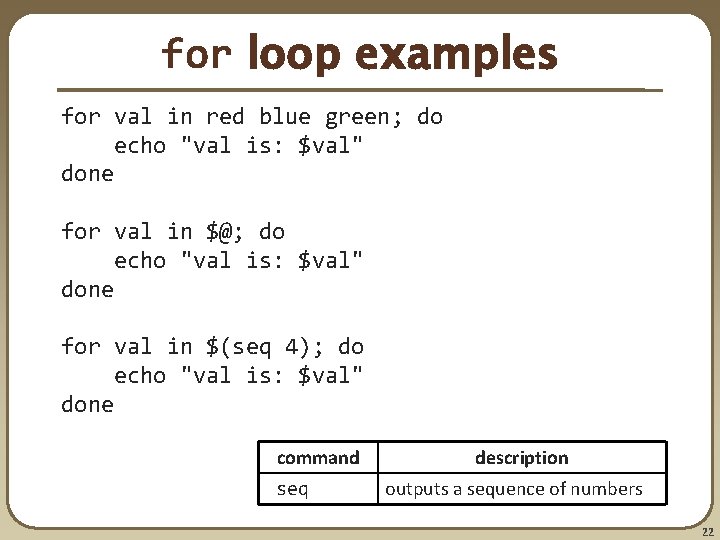
for loop examples for val in red blue green; do echo "val is: $val" done for val in $@; do echo "val is: $val" done for val in $(seq 4); do echo "val is: $val" done command seq description outputs a sequence of numbers 22
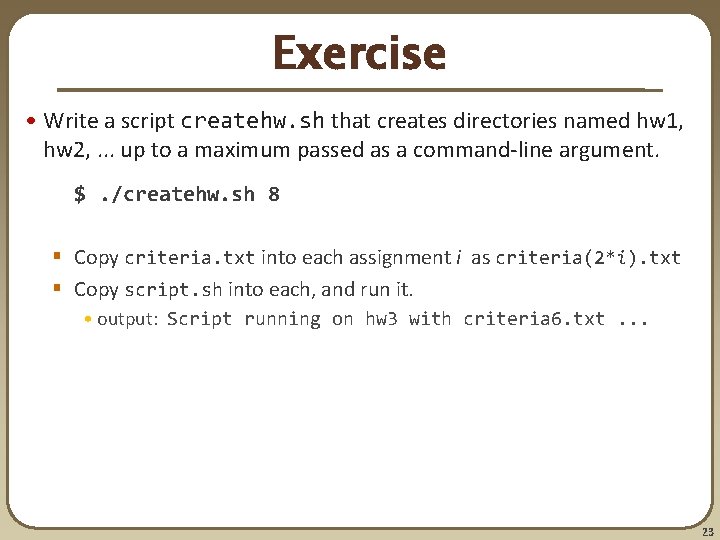
Exercise • Write a script createhw. sh that creates directories named hw 1, hw 2, . . . up to a maximum passed as a command-line argument. $. /createhw. sh 8 § Copy criteria. txt into each assignment i as criteria(2*i). txt § Copy script. sh into each, and run it. • output: Script running on hw 3 with criteria 6. txt. . . 23
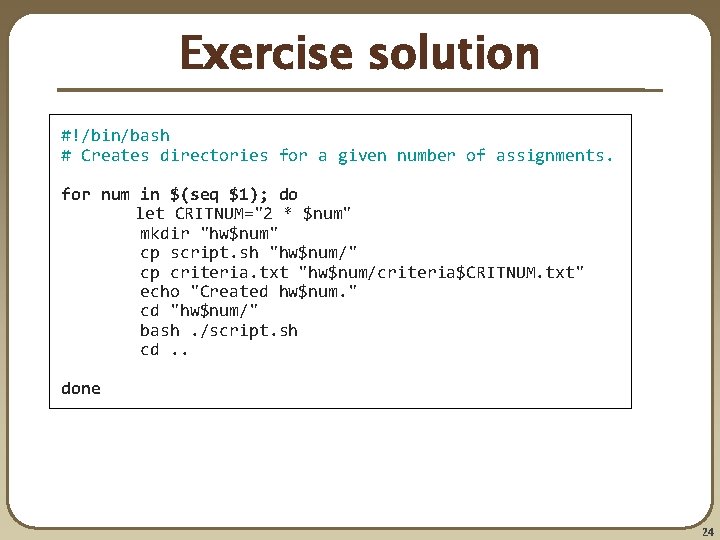
Exercise solution #!/bin/bash # Creates directories for a given number of assignments. for num in $(seq $1); do let CRITNUM="2 * $num" mkdir "hw$num" cp script. sh "hw$num/" cp criteria. txt "hw$num/criteria$CRITNUM. txt" echo "Created hw$num. " cd "hw$num/" bash. /script. sh cd. . done 24