
CSE 390 a Lecture 3 Multiuser systems remote
- Slides: 26
CSE 390 a Lecture 3 Multi-user systems; remote login; editors; users/groups; permissions slides created by Marty Stepp, modified by Jessica Miller and Ruth Anderson http: //www. cs. washington. edu/390 a/ 1
Lecture summary • Connecting to remote servers (attu) § multi-user environments • Text editors • User accounts and groups • File permissions • The Super User 2
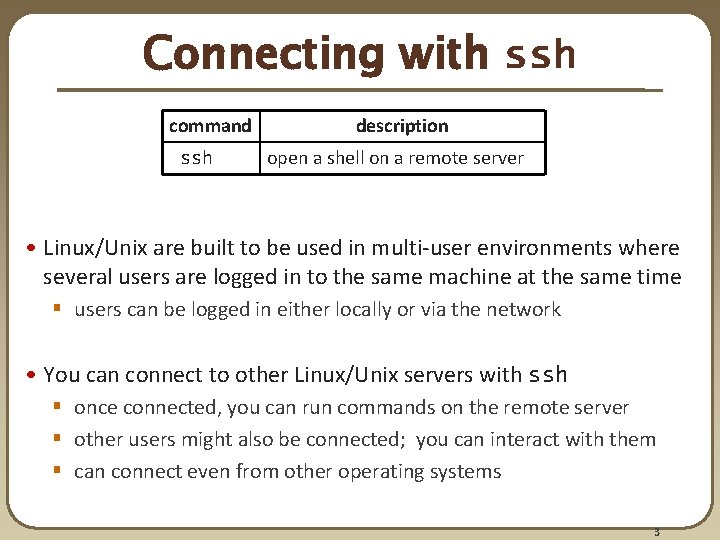
Connecting with ssh command ssh description open a shell on a remote server • Linux/Unix are built to be used in multi-user environments where several users are logged in to the same machine at the same time § users can be logged in either locally or via the network • You can connect to other Linux/Unix servers with ssh § once connected, you can run commands on the remote server § other users might also be connected; you can interact with them § can connect even from other operating systems 3
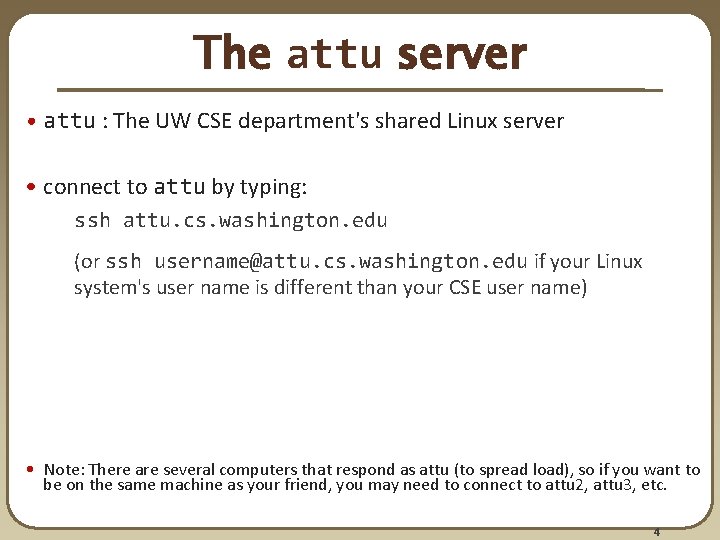
The attu server • attu : The UW CSE department's shared Linux server • connect to attu by typing: ssh attu. cs. washington. edu (or ssh username@attu. cs. washington. edu if your Linux system's user name is different than your CSE user name) • Note: There are several computers that respond as attu (to spread load), so if you want to be on the same machine as your friend, you may need to connect to attu 2, attu 3, etc. 4
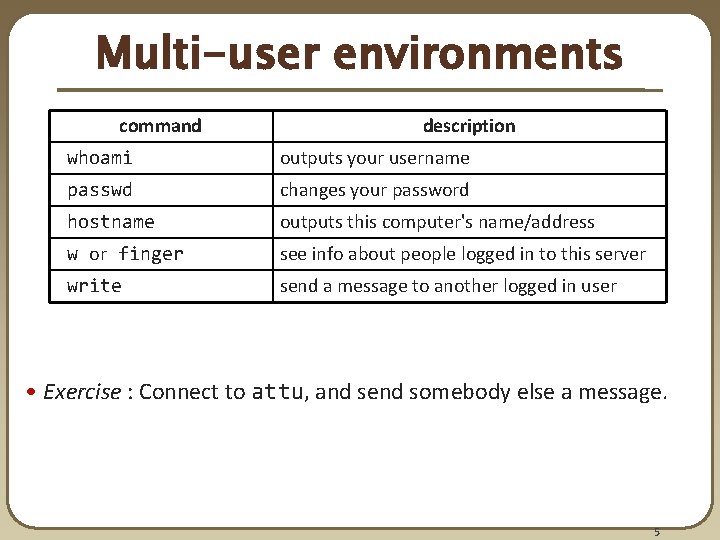
Multi-user environments command description whoami outputs your username passwd changes your password hostname outputs this computer's name/address w or finger see info about people logged in to this server write send a message to another logged in user • Exercise : Connect to attu, and send somebody else a message. 5
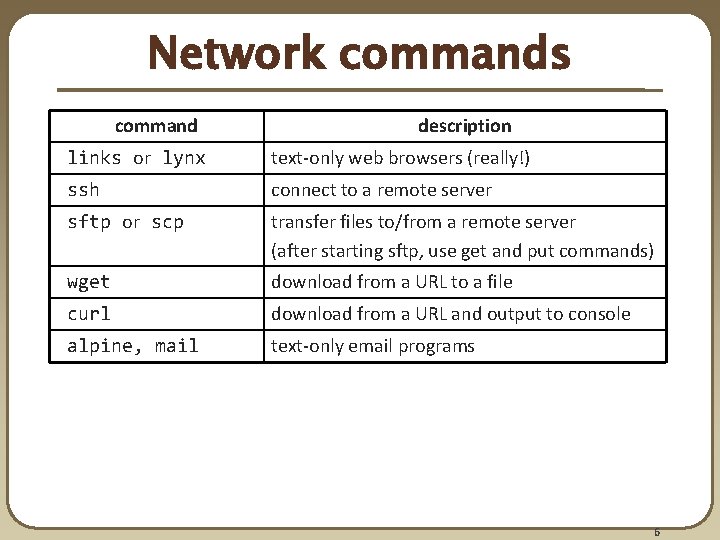
Network commands command description links or lynx text-only web browsers (really!) ssh connect to a remote server sftp or scp transfer files to/from a remote server (after starting sftp, use get and put commands) wget download from a URL to a file curl download from a URL and output to console alpine, mail text-only email programs 6
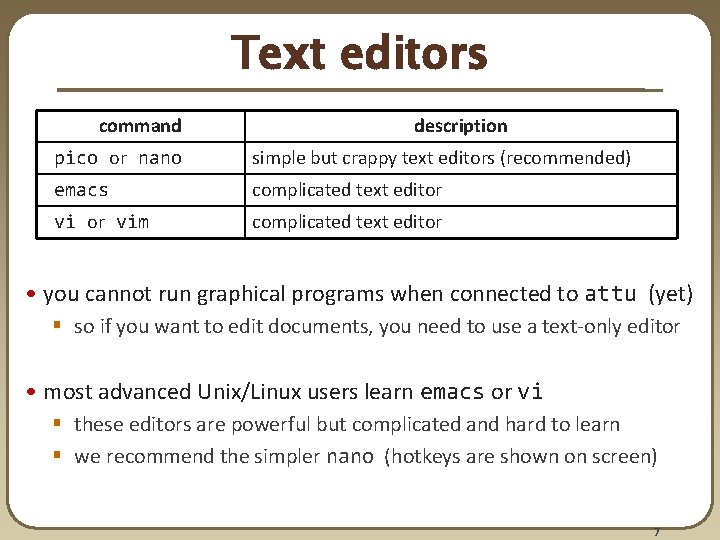
Text editors command description pico or nano simple but crappy text editors (recommended) emacs complicated text editor vim complicated text editor • you cannot run graphical programs when connected to attu (yet) § so if you want to edit documents, you need to use a text-only editor • most advanced Unix/Linux users learn emacs or vi § these editors are powerful but complicated and hard to learn § we recommend the simpler nano (hotkeys are shown on screen) 7
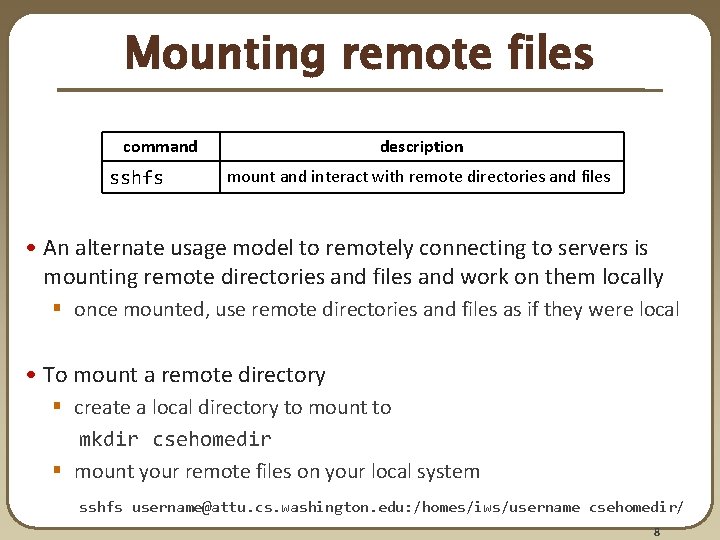
Mounting remote files command sshfs description mount and interact with remote directories and files • An alternate usage model to remotely connecting to servers is mounting remote directories and files and work on them locally § once mounted, use remote directories and files as if they were local • To mount a remote directory § create a local directory to mount to mkdir csehomedir § mount your remote files on your local system sshfs username@attu. cs. washington. edu: /homes/iws/username csehomedir/ 8
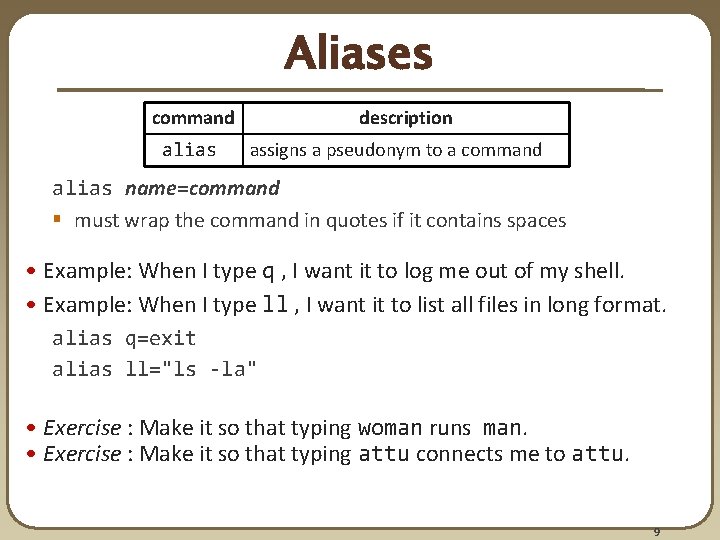
Aliases command alias description assigns a pseudonym to a command alias name=command § must wrap the command in quotes if it contains spaces • Example: When I type q , I want it to log me out of my shell. • Example: When I type ll , I want it to list all files in long format. alias q=exit alias ll="ls -la" • Exercise : Make it so that typing woman runs man. • Exercise : Make it so that typing attu connects me to attu. 9
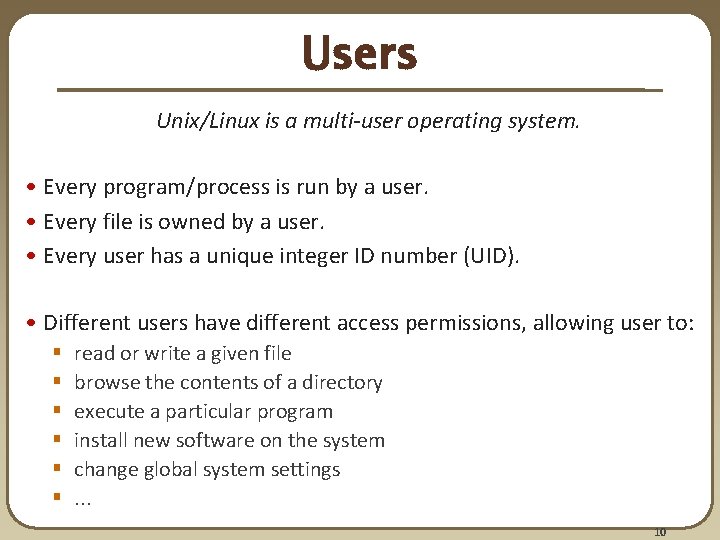
Users Unix/Linux is a multi-user operating system. • Every program/process is run by a user. • Every file is owned by a user. • Every user has a unique integer ID number (UID). • Different users have different access permissions, allowing user to: § § § read or write a given file browse the contents of a directory execute a particular program install new software on the system change global system settings. . . 10
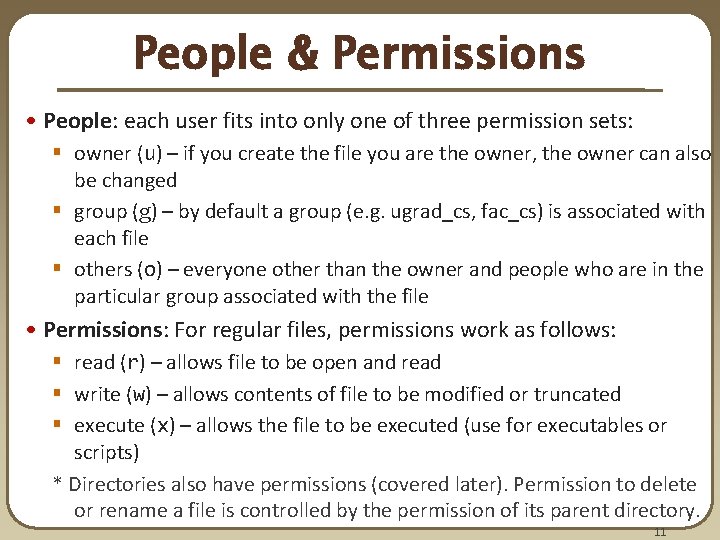
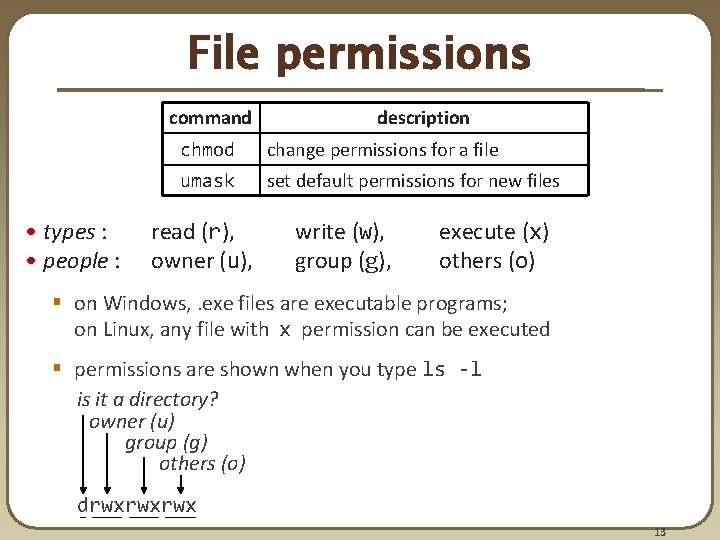
People & Permissions • People: each user fits into only one of three permission sets: § owner (u) – if you create the file you are the owner, the owner can also be changed § group (g) – by default a group (e. g. ugrad_cs, fac_cs) is associated with each file § others (o) – everyone other than the owner and people who are in the particular group associated with the file • Permissions: For regular files, permissions work as follows: § read (r) – allows file to be open and read § write (w) – allows contents of file to be modified or truncated § execute (x) – allows the file to be executed (use for executables or scripts) * Directories also have permissions (covered later). Permission to delete or rename a file is controlled by the permission of its parent directory. 11
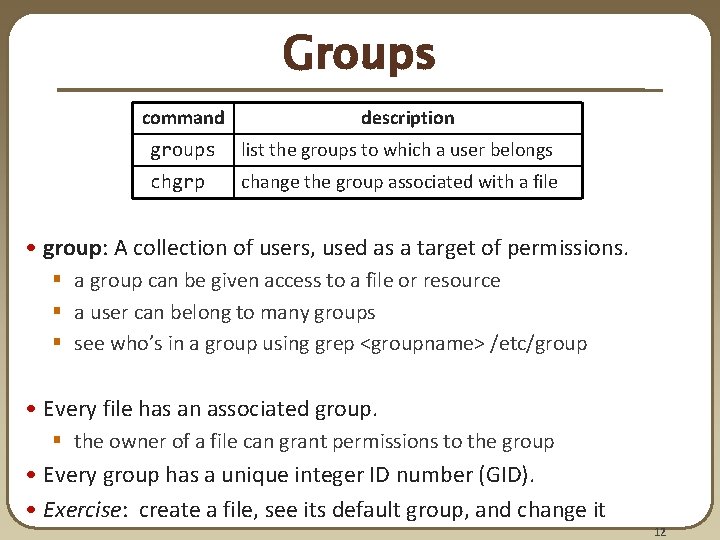
Groups command description groups list the groups to which a user belongs chgrp change the group associated with a file • group: A collection of users, used as a target of permissions. § a group can be given access to a file or resource § a user can belong to many groups § see who’s in a group using grep <groupname> /etc/group • Every file has an associated group. § the owner of a file can grant permissions to the group • Every group has a unique integer ID number (GID). • Exercise: create a file, see its default group, and change it 12
File permissions command • types : • people : description chmod change permissions for a file umask set default permissions for new files read (r), owner (u), write (w), group (g), execute (x) others (o) § on Windows, . exe files are executable programs; on Linux, any file with x permission can be executed § permissions are shown when you type ls -l is it a directory? owner (u) group (g) others (o) drwxrwxrwx 13
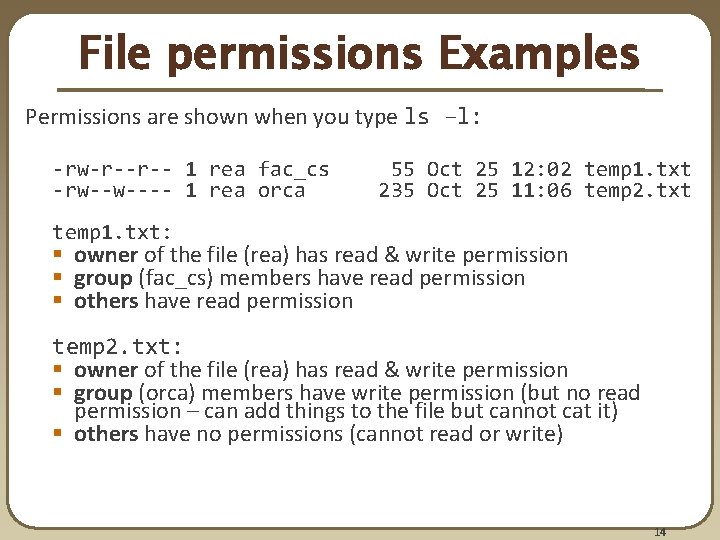
File permissions Examples Permissions are shown when you type ls –l: -rw-r--r-- 1 rea fac_cs -rw--w---- 1 rea orca 55 Oct 25 12: 02 temp 1. txt 235 Oct 25 11: 06 temp 2. txt temp 1. txt: § owner of the file (rea) has read & write permission § group (fac_cs) members have read permission § others have read permission temp 2. txt: § owner of the file (rea) has read & write permission § group (orca) members have write permission (but no read permission – can add things to the file but cannot cat it) § others have no permissions (cannot read or write) 14
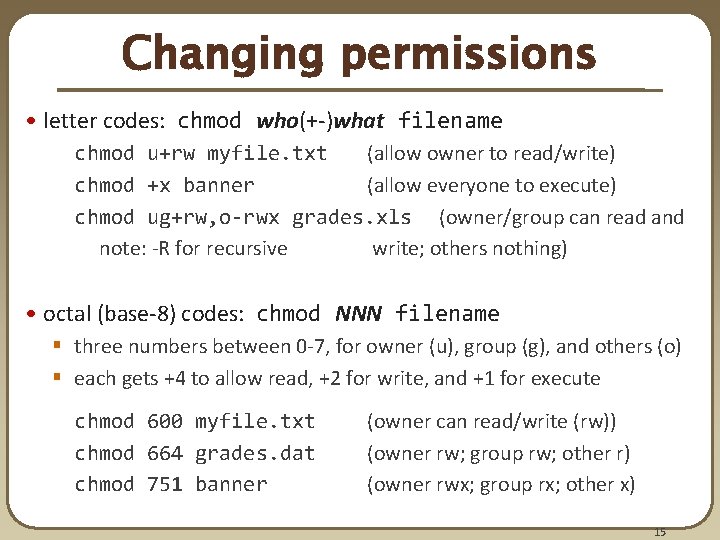
Changing permissions • letter codes: chmod who(+-)what filename chmod u+rw myfile. txt (allow owner to read/write) chmod +x banner (allow everyone to execute) chmod ug+rw, o-rwx grades. xls (owner/group can read and note: -R for recursive write; others nothing) • octal (base-8) codes: chmod NNN filename § three numbers between 0 -7, for owner (u), group (g), and others (o) § each gets +4 to allow read, +2 for write, and +1 for execute chmod 600 myfile. txt chmod 664 grades. dat chmod 751 banner (owner can read/write (rw)) (owner rw; group rw; other r) (owner rwx; group rx; other x) 15
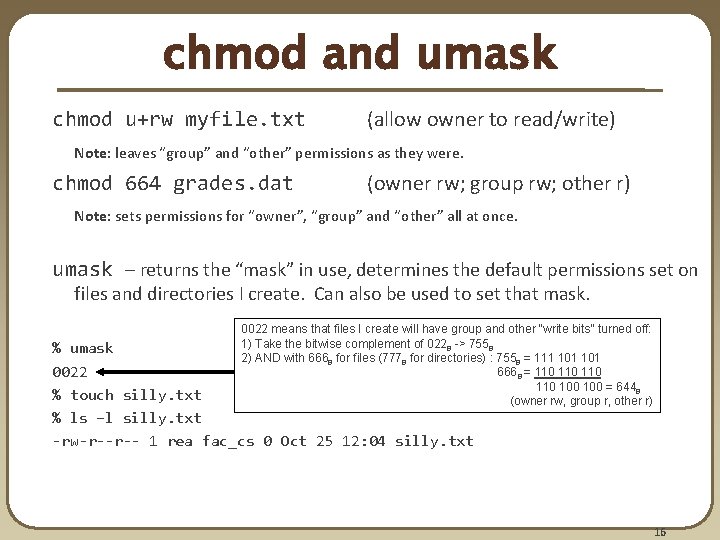
chmod and umask chmod u+rw myfile. txt (allow owner to read/write) Note: leaves “group” and “other” permissions as they were. chmod 664 grades. dat (owner rw; group rw; other r) Note: sets permissions for “owner”, “group” and “other” all at once. umask – returns the “mask” in use, determines the default permissions set on files and directories I create. Can also be used to set that mask. 0022 means that files I create will have group and other “write bits” turned off: 1) Take the bitwise complement of 0228 -> 7558 2) AND with 6668 for files (7778 for directories) : 7558 = 111 101 666 8 = 110 110 100 = 6448 (owner rw, group r, other r) % umask 0022 % touch silly. txt % ls –l silly. txt -rw-r--r-- 1 rea fac_cs 0 Oct 25 12: 04 silly. txt 16
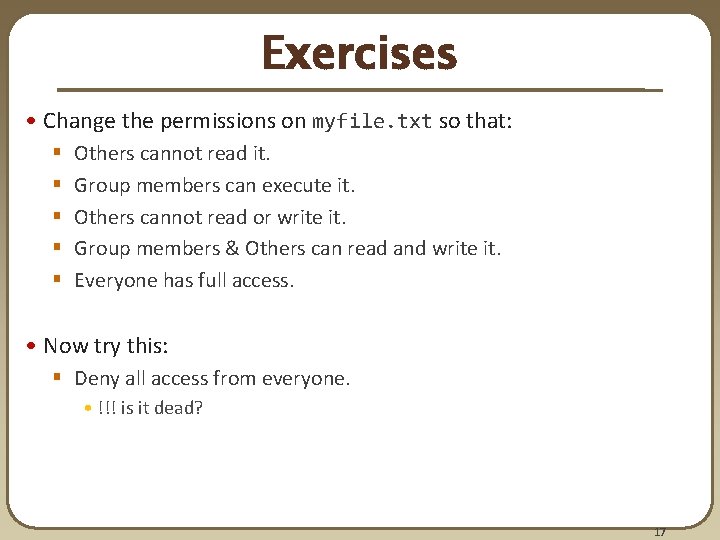
Exercises • Change the permissions on myfile. txt so that: § § § Others cannot read it. Group members can execute it. Others cannot read or write it. Group members & Others can read and write it. Everyone has full access. • Now try this: § Deny all access from everyone. • !!! is it dead? 17
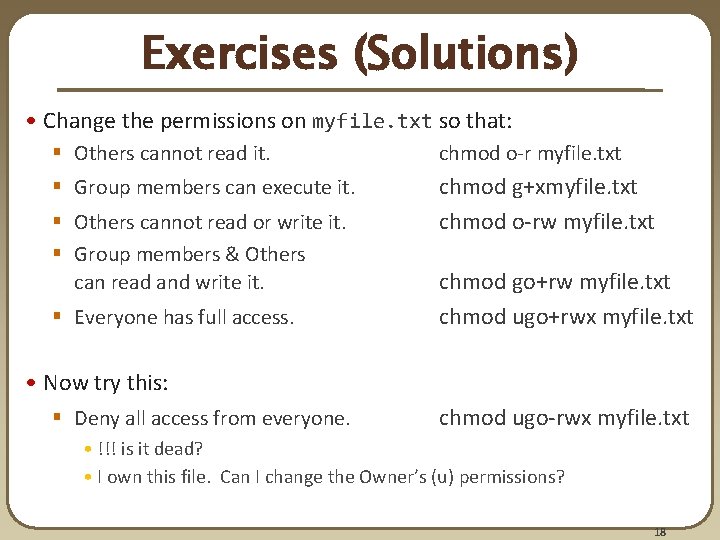
Exercises (Solutions) • Change the permissions on myfile. txt so that: § Others cannot read it. chmod o-r myfile. txt § Group members can execute it. chmod g+xmyfile. txt chmod o-rw myfile. txt § Others cannot read or write it. § Group members & Others can read and write it. § Everyone has full access. chmod go+rw myfile. txt chmod ugo+rwx myfile. txt • Now try this: § Deny all access from everyone. chmod ugo-rwx myfile. txt • !!! is it dead? • I own this file. Can I change the Owner’s (u) permissions? 18
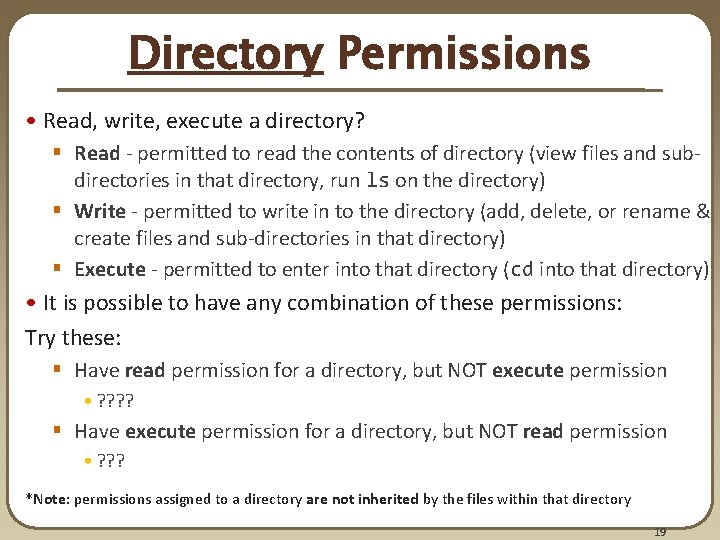
Directory Permissions • Read, write, execute a directory? § Read - permitted to read the contents of directory (view files and subdirectories in that directory, run ls on the directory) § Write - permitted to write in to the directory (add, delete, or rename & create files and sub-directories in that directory) § Execute - permitted to enter into that directory (cd into that directory) • It is possible to have any combination of these permissions: Try these: § Have read permission for a directory, but NOT execute permission • ? ? § Have execute permission for a directory, but NOT read permission • ? ? ? *Note: permissions assigned to a directory are not inherited by the files within that directory 19
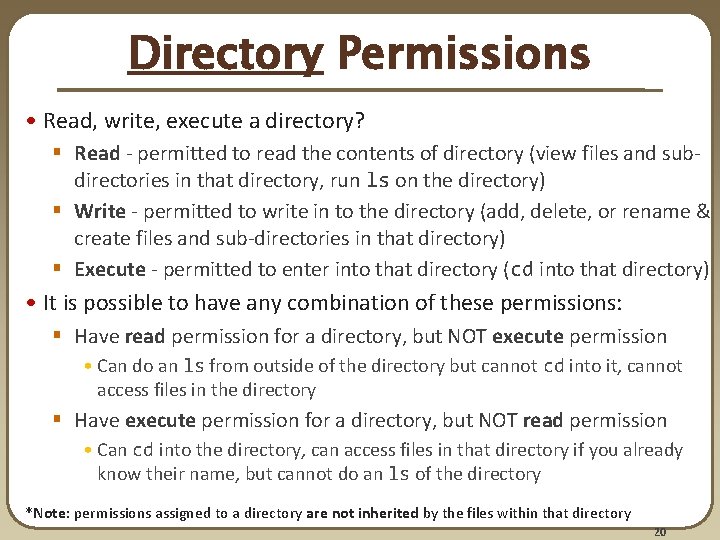
Directory Permissions • Read, write, execute a directory? § Read - permitted to read the contents of directory (view files and subdirectories in that directory, run ls on the directory) § Write - permitted to write in to the directory (add, delete, or rename & create files and sub-directories in that directory) § Execute - permitted to enter into that directory (cd into that directory) • It is possible to have any combination of these permissions: § Have read permission for a directory, but NOT execute permission • Can do an ls from outside of the directory but cannot cd into it, cannot access files in the directory § Have execute permission for a directory, but NOT read permission • Can cd into the directory, can access files in that directory if you already know their name, but cannot do an ls of the directory *Note: permissions assigned to a directory are not inherited by the files within that directory 20
Permissions don’t travel • Note in the previous examples that permissions are separate from the file § If I disable read access to a file, I can still look at its permissions § If I upload a file to a directory, its permissions will be the same as if I created a new file locally • Takeaway: permissions, users, and groups reside on the particular machine you’re working on. If you email a file or throw it on a thumbdrive, no permissions information is attached. § Why? Is this a gaping security hole? 21
Let’s combine things • Say I have a directory structure, with lots of. txt files scattered § I want to remove all permissions for Others on all of the text files § First attempt: • chmod –R o-rwx *. txt • What happened? § Try and fix this using find and xargs! • find –name "*. txt" | xargs chmod o-rwx 22
Super-user (root) command description sudo run a single command with root privileges (prompts for password) su start a shell with root privileges (so multiple commands can be run) • super-user: An account used for system administration. § has full privileges on the system § usually represented as a user named root • Most users have more limited permissions than root § protects system from viruses, rogue users, etc. § if on your own box, why ever run as a non-root user? • Example: Install the sun-java 6 -jdk package on Ubuntu. sudo apt-get install sun-java 6 -jdk 23
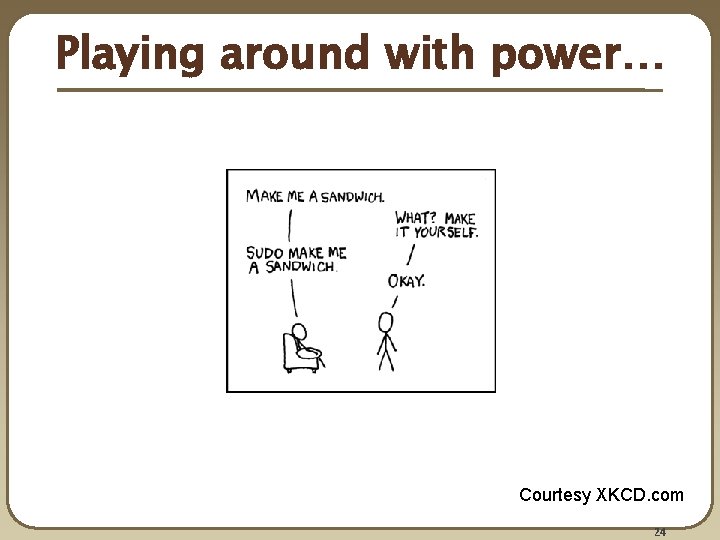
Playing around with power… Courtesy XKCD. com 24
Playing around with power… • Create a file, remove all permissions § Now, login as root and change the owner and group to root § Bwahaha, is it a brick in a user’s directory? • Different distributions have different approaches § Compare Fedora to Ubuntu in regards to sudo and su… • Power can have dangerous consequences § rm * might be just what you want to get rid of everything in a local directory § but what if you happened to be in /bin… and you were running as root… 25
Wrap-up discussion • What do you think of the permissions model in *nix? § How does it compare to your experience of other OS’s? § What are it’s strengths? § Are there any limitations? Can you think of a scenario of access rights that this approach doesn’t easily facilitate? § Additional info: ACL vs. Capabilities • Access Control Lists § Like what we just looked at – each file has a list of who can do what • Capabilities § Different approach using capabilities, or “keys” § Principle of least privilege, keys are communicable § Not a focus point, but more info online if you’re interested 26