
CSE 390 a Lecture 2 Exploring Shell Commands
![Programming • Creating parameter input to programs § String[] args holds any provided parameters](https://slidetodoc.com/presentation_image_h2/b29583ce4451d47de950a2ee9694623b/image-10.jpg "Programming • Creating parameter input to programs § String[] args holds any provided parameters")
- Slides: 16
CSE 390 a Lecture 2 Exploring Shell Commands, Streams, and Redirection slides created by Marty Stepp, modified by Jessica Miller & Ruth Anderson http: //www. cs. washington. edu/390 a/ 1
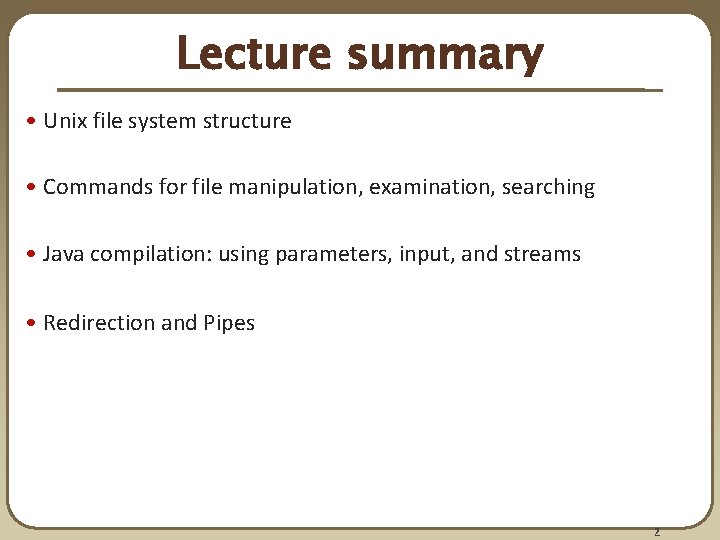
Lecture summary • Unix file system structure • Commands for file manipulation, examination, searching • Java compilation: using parameters, input, and streams • Redirection and Pipes 2
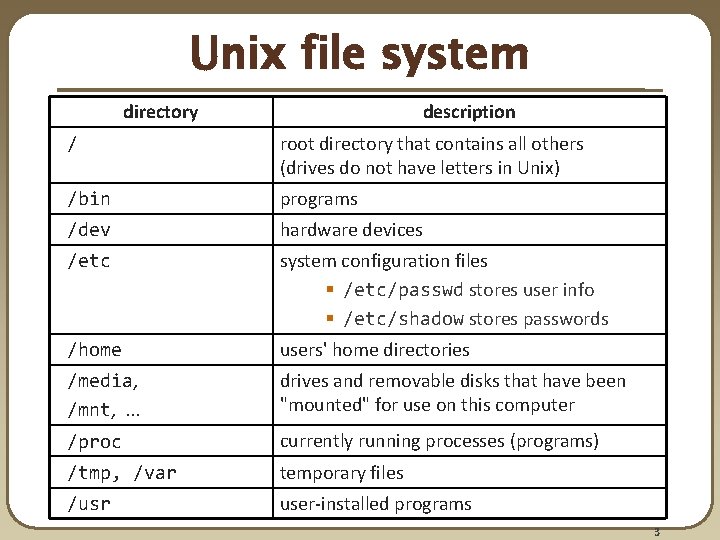
Unix file system directory description / root directory that contains all others (drives do not have letters in Unix) /bin programs /dev hardware devices /etc system configuration files § /etc/passwd stores user info § /etc/shadow stores passwords /home users' home directories /media, /mnt, . . . drives and removable disks that have been "mounted" for use on this computer /proc currently running processes (programs) /tmp, /var temporary files /usr user-installed programs 3
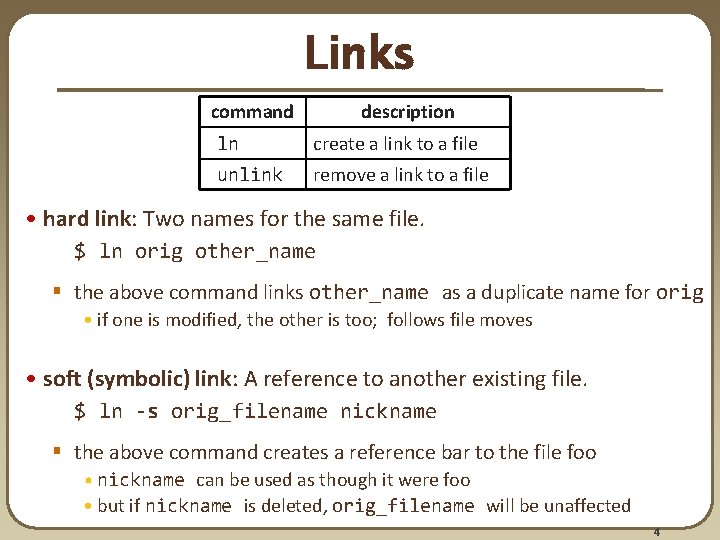
Links command description ln create a link to a file unlink remove a link to a file • hard link: Two names for the same file. $ ln orig other_name § the above command links other_name as a duplicate name for orig • if one is modified, the other is too; follows file moves • soft (symbolic) link: A reference to another existing file. $ ln -s orig_filename nickname § the above command creates a reference bar to the file foo • nickname can be used as though it were foo • but if nickname is deleted, orig_filename will be unaffected 4
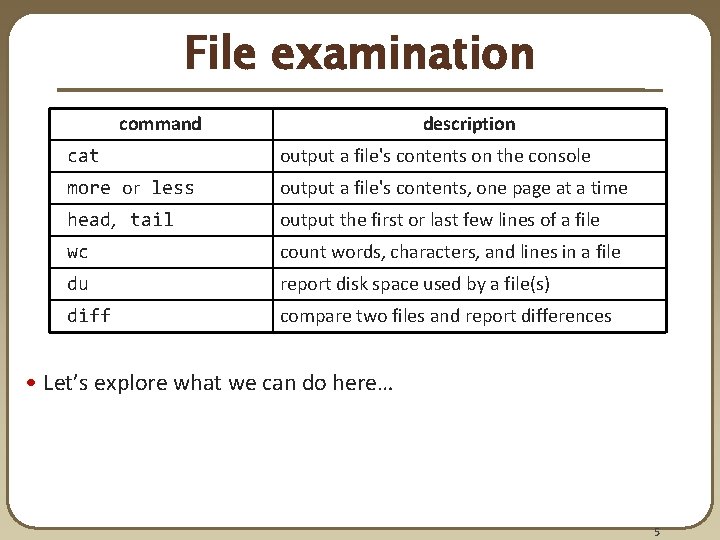
File examination command description cat output a file's contents on the console more or less output a file's contents, one page at a time head, tail output the first or last few lines of a file wc count words, characters, and lines in a file du report disk space used by a file(s) diff compare two files and report differences • Let’s explore what we can do here… 5
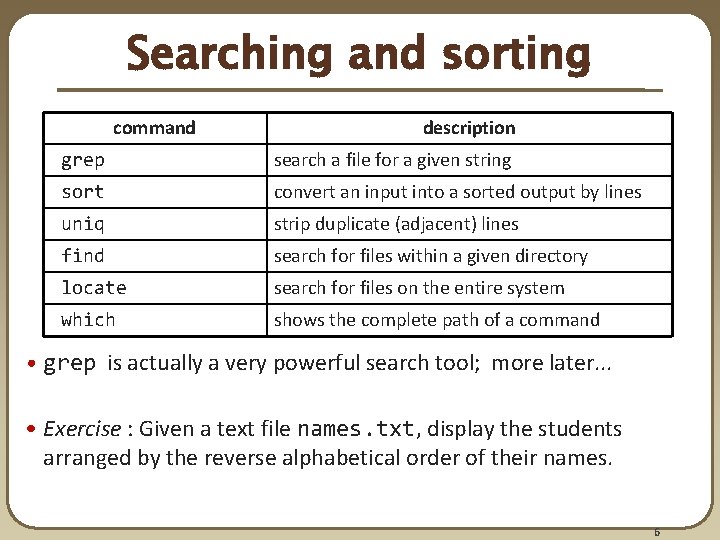
Searching and sorting command description grep search a file for a given string sort convert an input into a sorted output by lines uniq strip duplicate (adjacent) lines find search for files within a given directory locate search for files on the entire system which shows the complete path of a command • grep is actually a very powerful search tool; more later. . . • Exercise : Given a text file names. txt, display the students arranged by the reverse alphabetical order of their names. 6
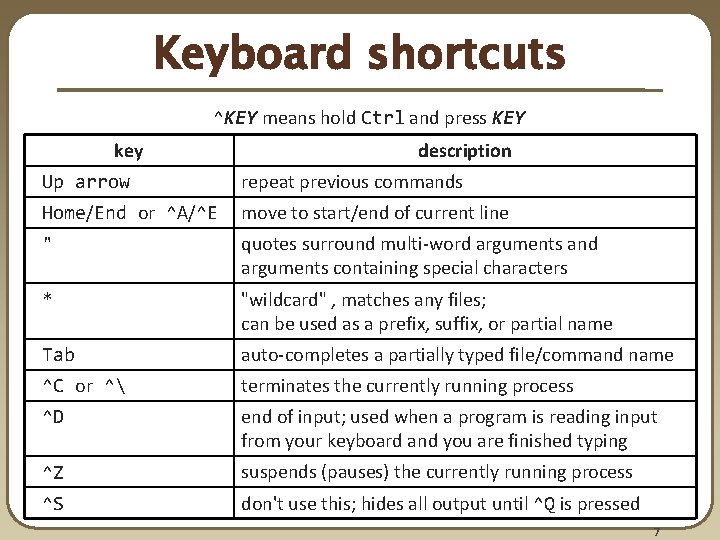
Keyboard shortcuts ^KEY means hold Ctrl and press KEY key description Up arrow repeat previous commands Home/End or ^A/^E move to start/end of current line " quotes surround multi-word arguments and arguments containing special characters * "wildcard" , matches any files; can be used as a prefix, suffix, or partial name Tab auto-completes a partially typed file/command name ^C or ^ terminates the currently running process ^D end of input; used when a program is reading input from your keyboard and you are finished typing ^Z suspends (pauses) the currently running process ^S don't use this; hides all output until ^Q is pressed 7
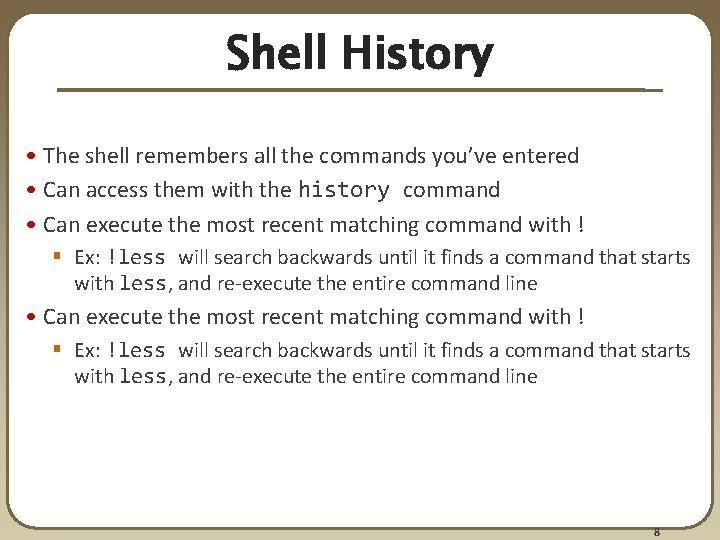
Shell History • The shell remembers all the commands you’ve entered • Can access them with the history command • Can execute the most recent matching command with ! § Ex: !less will search backwards until it finds a command that starts with less, and re-execute the entire command line 8
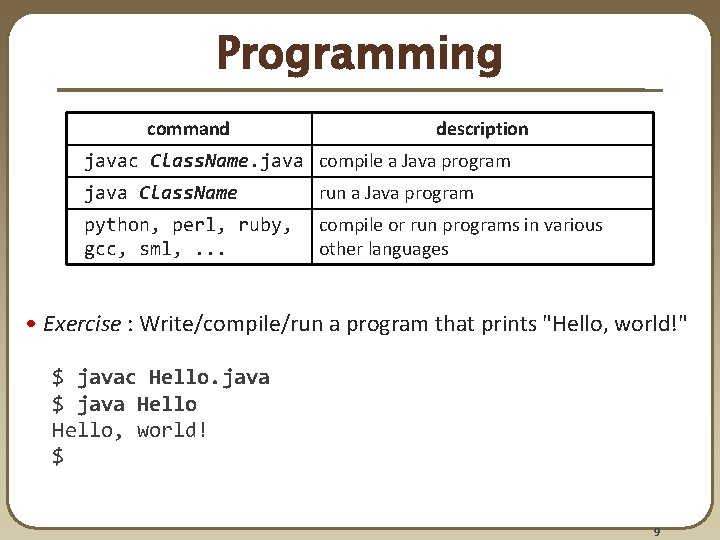
Programming command description javac Class. Name. java compile a Java program java Class. Name run a Java program python, perl, ruby, gcc, sml, . . . compile or run programs in various other languages • Exercise : Write/compile/run a program that prints "Hello, world!" $ javac Hello. java $ java Hello, world! $ 9
Programming • Creating parameter input to programs § String[] args holds any provided parameters § Exercise: modify hello world to use parameters • Parameters not the same as the input stream! § Exercise: modify hello world to also use a Scanner to grab input Let’s revisit the standard streams… 10
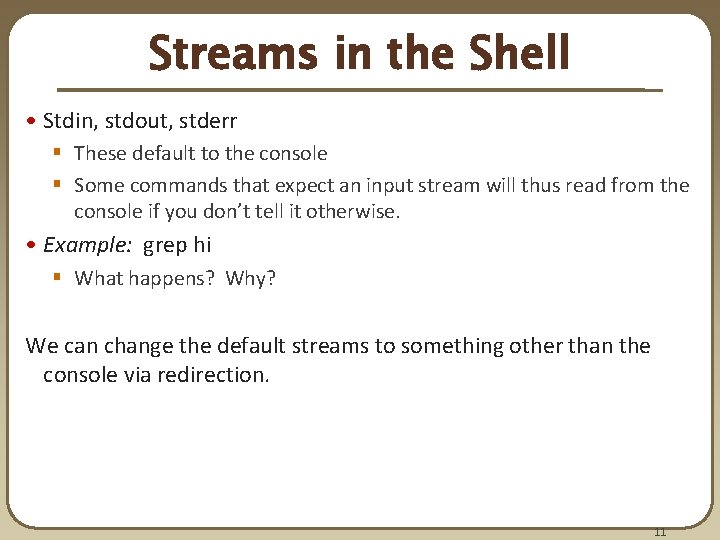
Streams in the Shell • Stdin, stdout, stderr § These default to the console § Some commands that expect an input stream will thus read from the console if you don’t tell it otherwise. • Example: grep hi § What happens? Why? We can change the default streams to something other than the console via redirection. 11
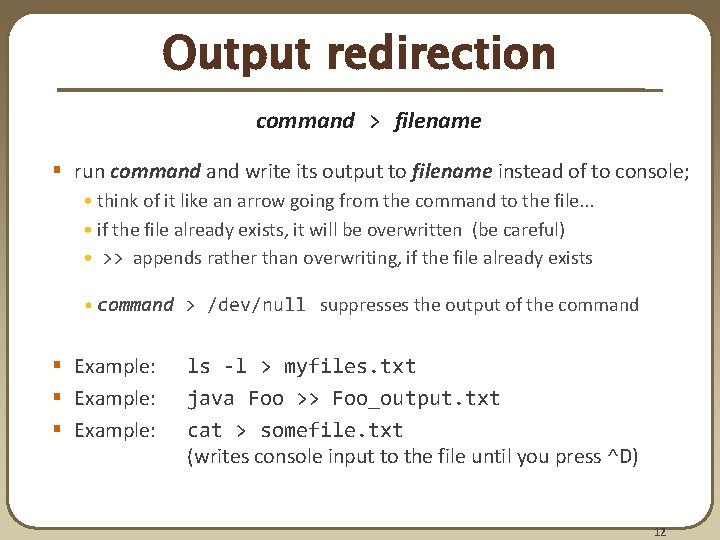
Output redirection command > filename § run command write its output to filename instead of to console; • think of it like an arrow going from the command to the file. . . • if the file already exists, it will be overwritten (be careful) • >> appends rather than overwriting, if the file already exists • command > /dev/null suppresses the output of the command § Example: ls -l > myfiles. txt java Foo >> Foo_output. txt cat > somefile. txt (writes console input to the file until you press ^D) 12
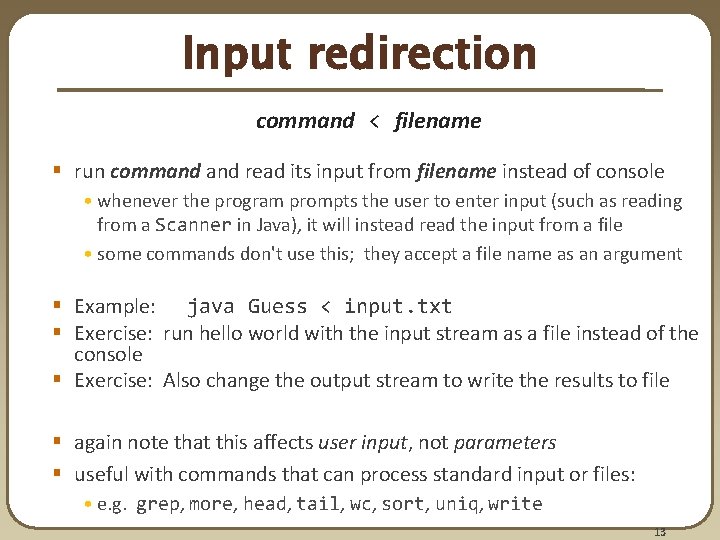
Input redirection command < filename § run command read its input from filename instead of console • whenever the program prompts the user to enter input (such as reading from a Scanner in Java), it will instead read the input from a file • some commands don't use this; they accept a file name as an argument § Example: java Guess < input. txt § Exercise: run hello world with the input stream as a file instead of the console § Exercise: Also change the output stream to write the results to file § again note that this affects user input, not parameters § useful with commands that can process standard input or files: • e. g. grep, more, head, tail, wc, sort, uniq, write 13
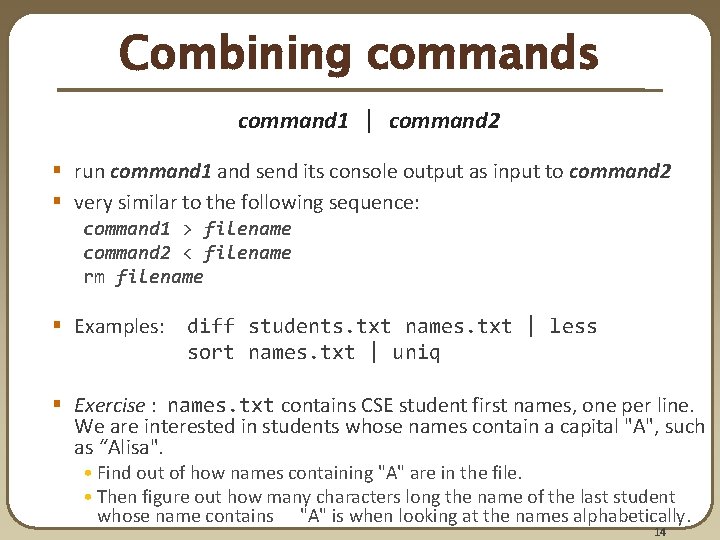
Combining commands command 1 | command 2 § run command 1 and send its console output as input to command 2 § very similar to the following sequence: command 1 > filename command 2 < filename rm filename § Examples: diff students. txt names. txt | less sort names. txt | uniq § Exercise : names. txt contains CSE student first names, one per line. We are interested in students whose names contain a capital "A", such as “Alisa". • Find out of how names containing "A" are in the file. • Then figure out how many characters long the name of the last student whose name contains "A" is when looking at the names alphabetically. 14
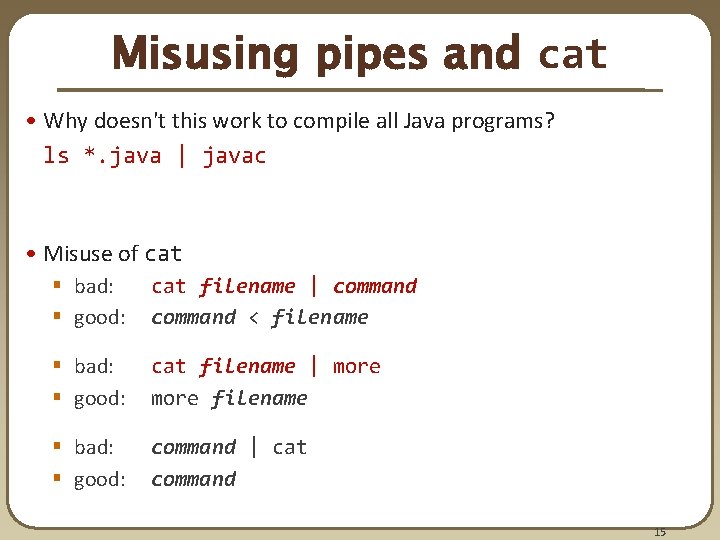
Misusing pipes and cat • Why doesn't this work to compile all Java programs? ls *. java | javac • Misuse of cat § bad: § good: cat filename | command < filename § bad: § good: cat filename | more filename § bad: § good: command | cat command 15
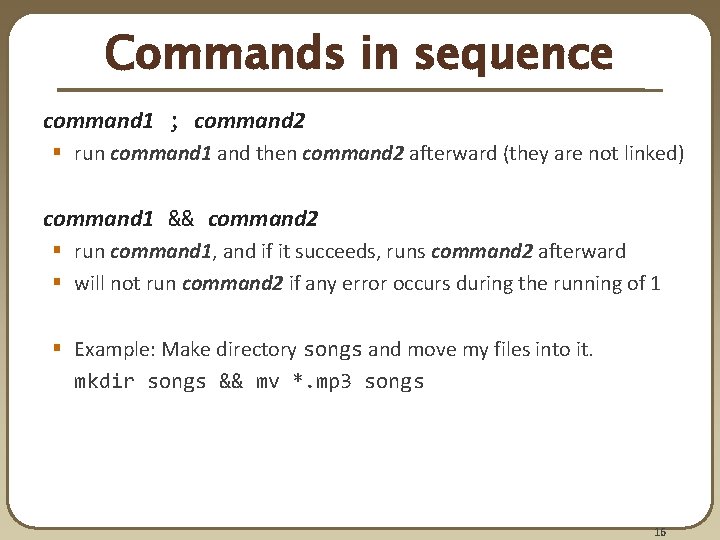
Commands in sequence command 1 ; command 2 § run command 1 and then command 2 afterward (they are not linked) command 1 && command 2 § run command 1, and if it succeeds, runs command 2 afterward § will not run command 2 if any error occurs during the running of 1 § Example: Make directory songs and move my files into it. mkdir songs && mv *. mp 3 songs 16