
CSE 190 Winter 2021 Lecture 6 Serial busses
CSE 190 Winter 2021 Lecture 6 Serial busses: UART and SPI Wireless Embedded Systems Aaron Schulman
Serial Bus Interface Motivations • Motivation – Without using a lot of I/O lines • I/O lines require I/O pads which cost $$$ and size • I/O lines require PCB area which costs $$$ and size – Connect different systems together • Two embedded systems • A desktop and an embedded system – Connect different chips together in the same embedded system • MCU to peripheral • MCU to MCU – Often at relatively low data rates – But sometimes at higher data rates • So, what are our options? – Universal Synchronous/Asynchronous Receiver Transmitter – Also known as USART (pronounced: “you-sart”) 2
Serial Bus Design Space • • Number of wires required? Asynchronous or synchronous? How fast can it transfer data? Can it support more than two endpoints? Can it support more than one primary? How do we support flow control? How does it handle errors/noise? How far can signals travel? 3
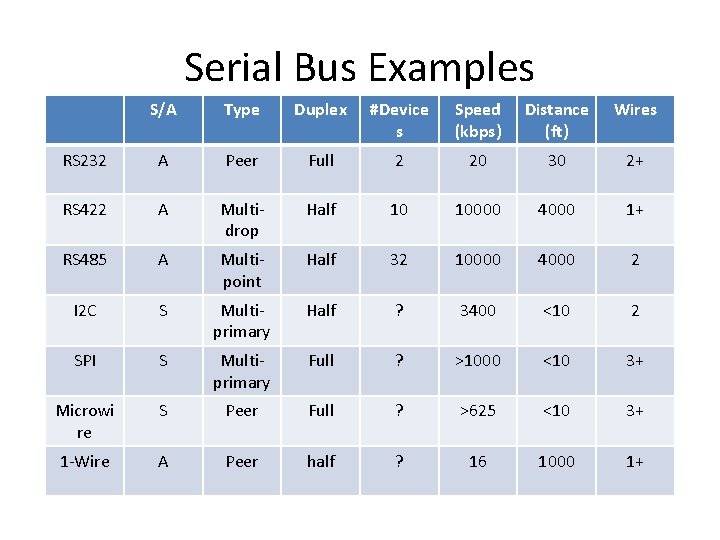
Serial Bus Examples S/A Type Duplex #Device s Speed (kbps) Distance (ft) Wires RS 232 A Peer Full 2 20 30 2+ RS 422 A Multidrop Half 10 10000 4000 1+ RS 485 A Multipoint Half 32 10000 4000 2 I 2 C S Multiprimary Half ? 3400 <10 2 SPI S Multiprimary Full ? >1000 <10 3+ Microwi re S Peer Full ? >625 <10 3+ 1 -Wire A Peer half ? 16 1000 1+
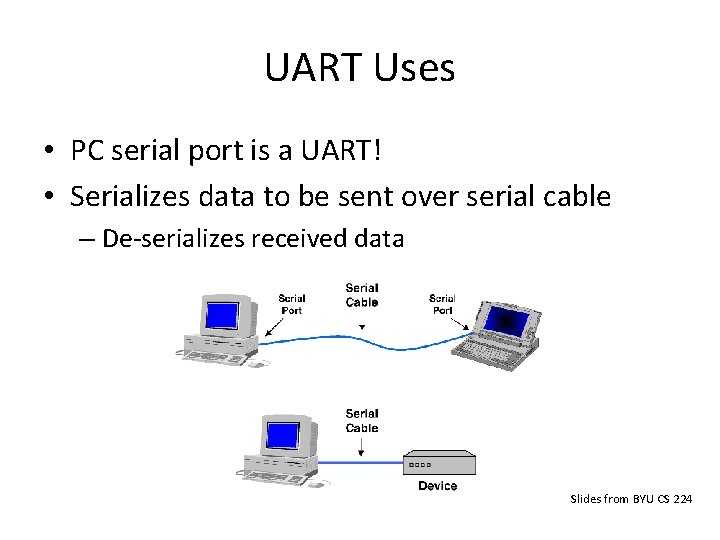
UART Uses • PC serial port is a UART! • Serializes data to be sent over serial cable – De-serializes received data Slides from BYU CS 224
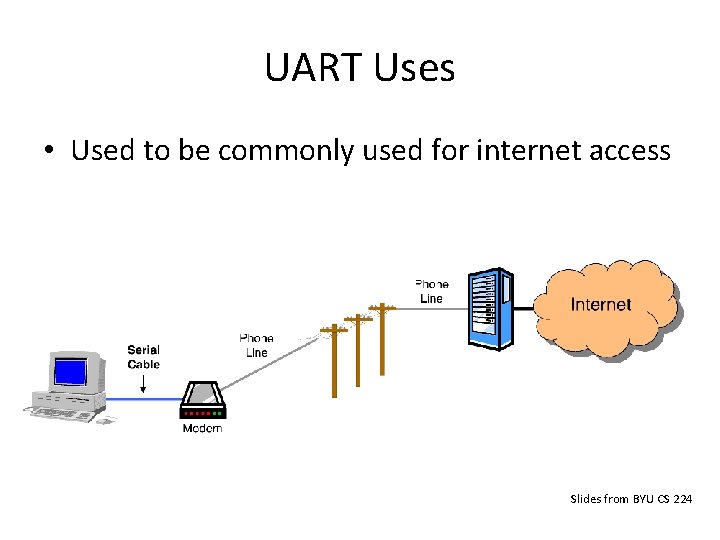
UART Uses • Used to be commonly used for internet access Slides from BYU CS 224
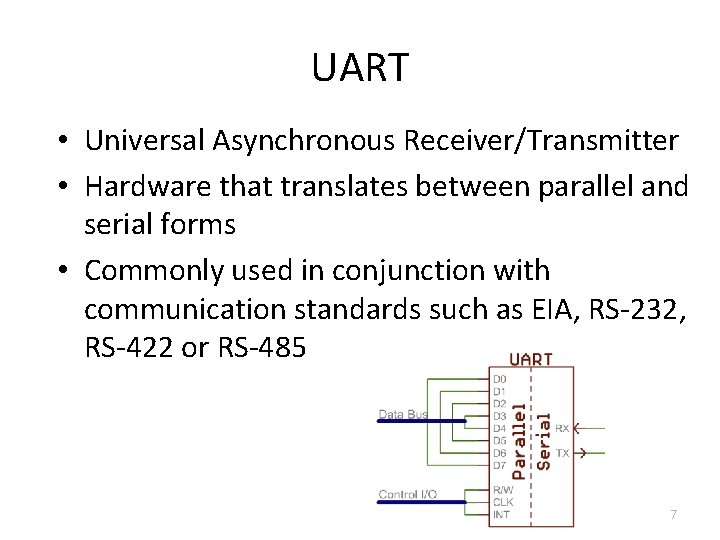
UART • Universal Asynchronous Receiver/Transmitter • Hardware that translates between parallel and serial forms • Commonly used in conjunction with communication standards such as EIA, RS-232, RS-422 or RS-485 7
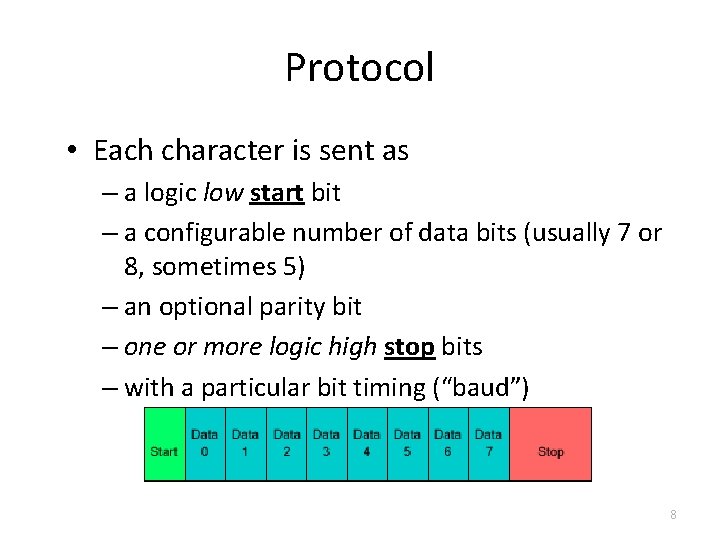
Protocol • Each character is sent as – a logic low start bit – a configurable number of data bits (usually 7 or 8, sometimes 5) – an optional parity bit – one or more logic high stop bits – with a particular bit timing (“baud”) 8
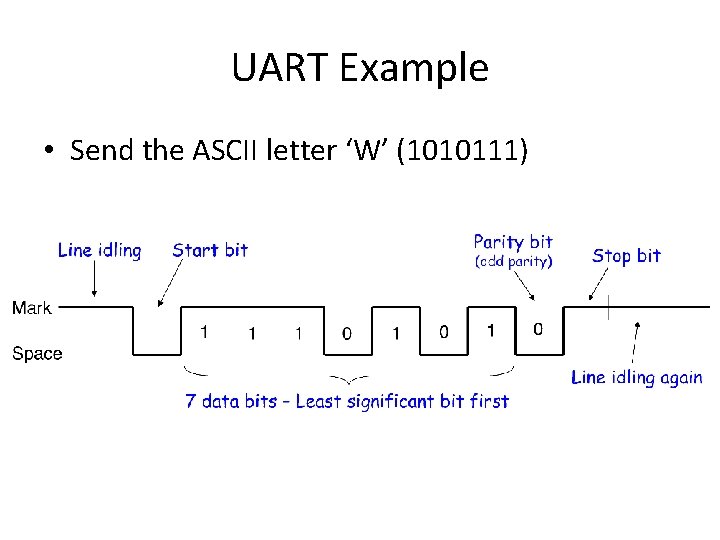
UART Example • Send the ASCII letter ‘W’ (1010111)
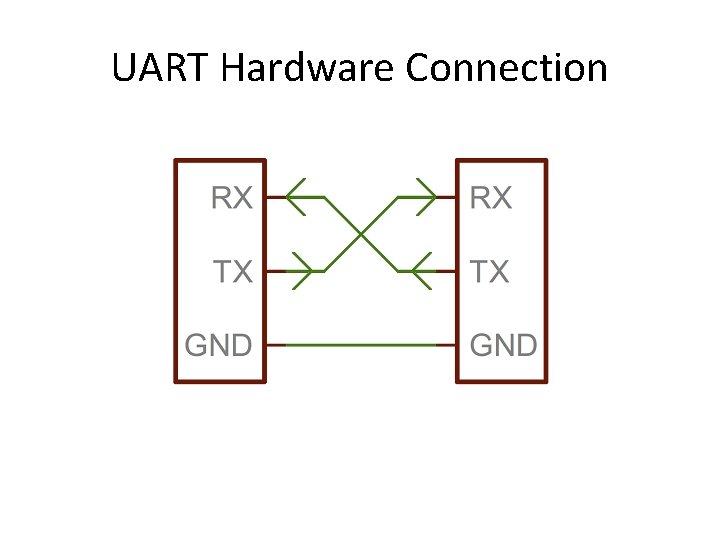
UART Hardware Connection
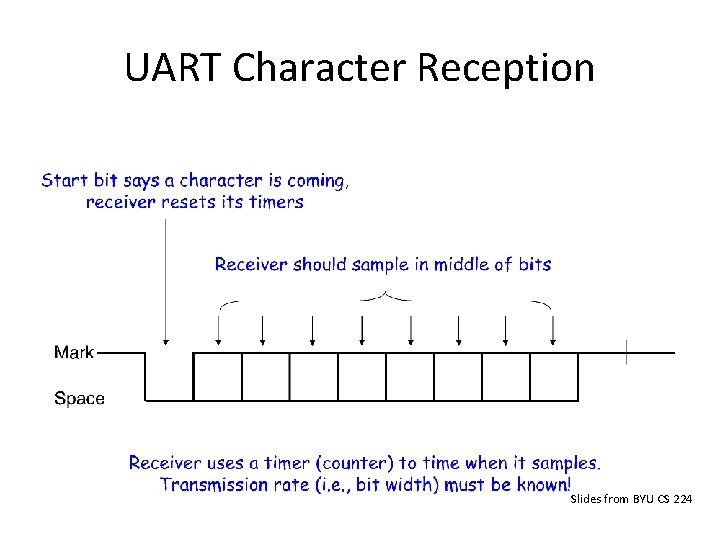
UART Character Reception Slides from BYU CS 224
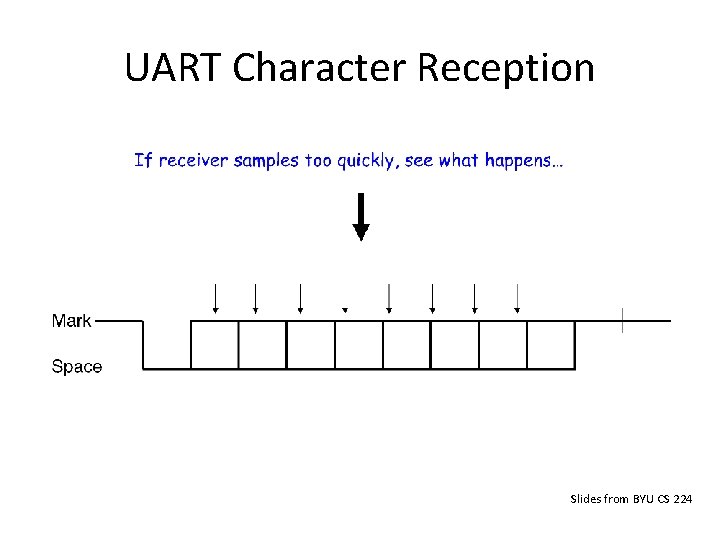
UART Character Reception Slides from BYU CS 224
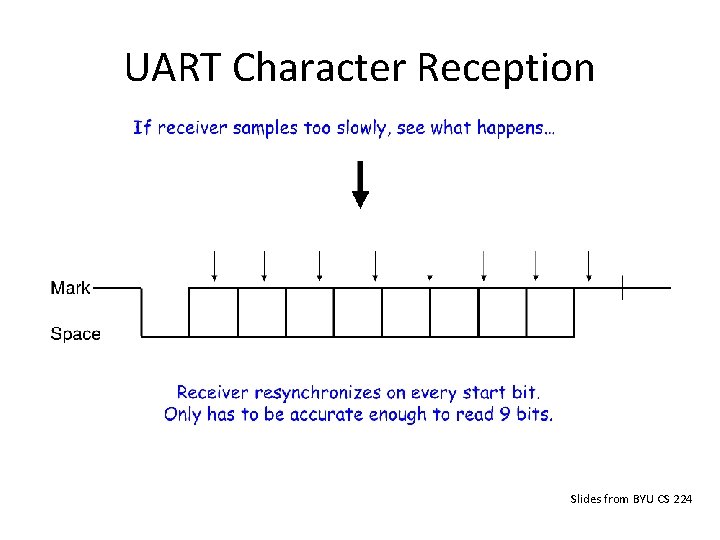
UART Character Reception Slides from BYU CS 224
UART Character Reception • Receiver also verifies that stop bit is ‘ 1’ – If not, reports “framing error” to host system • New start bit can appear immediately after stop bit – Receiver will resynchronize on each start bit
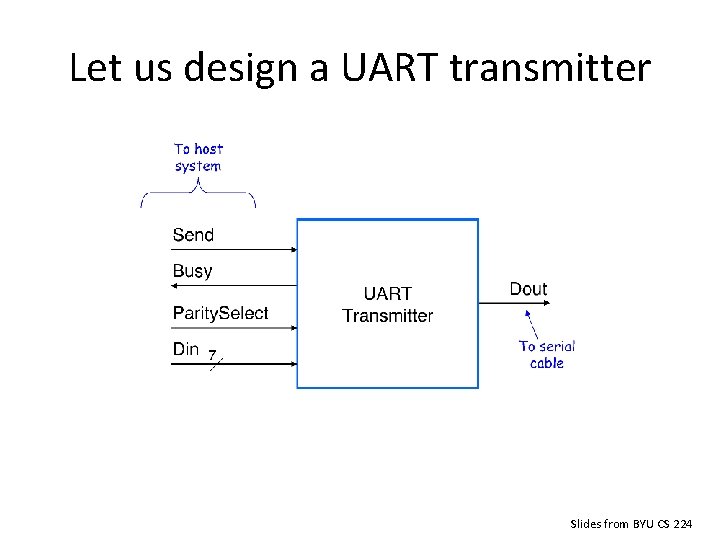
Let us design a UART transmitter Slides from BYU CS 224
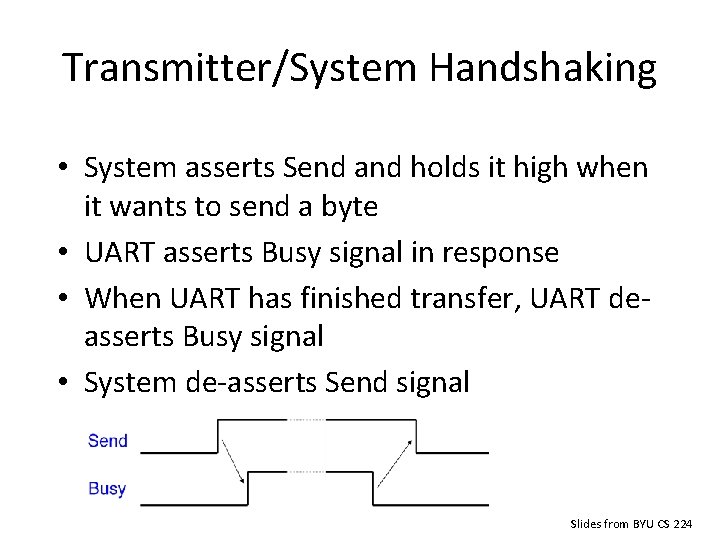
Transmitter/System Handshaking • System asserts Send and holds it high when it wants to send a byte • UART asserts Busy signal in response • When UART has finished transfer, UART deasserts Busy signal • System de-asserts Send signal Slides from BYU CS 224
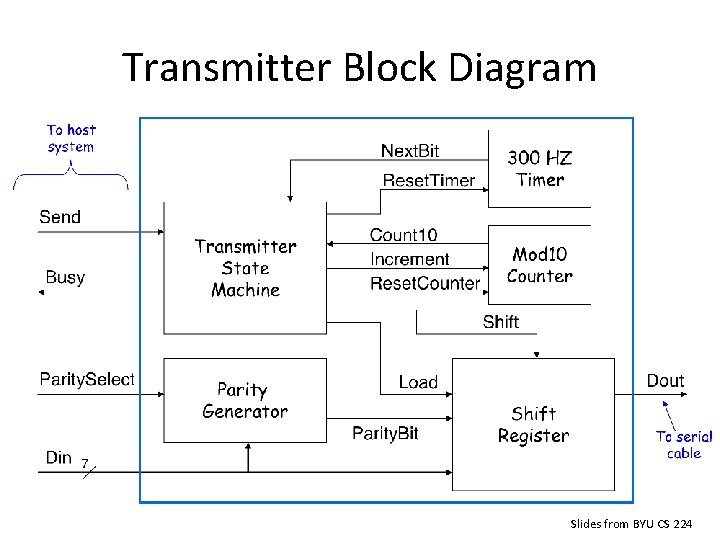
Transmitter Block Diagram Slides from BYU CS 224
Discussion Questions • • How fast can we run a UART? What are the limitations? Why do we need start/stop bits? How many data bits can be sent? – 19200 baud rate, no parity, 8 data bits, 1 stop bit 18
Serial Peripheral Interconnect (SPI) • Another kind of serial protocol in embedded systems (proposed by Motorola) • Four-wire protocol – – • • SCLK — Serial Clock MOSI/SIMO — Master Output, Slave Input MISO/SOMI — Master Input, Slave Output SS — Slave Select Single master device and with one or more slave devices Higher throughput than I 2 C and can do “stream transfers” No arbitration required But – Requires more pins – Has no hardware flow control – No slave acknowledgment (master could be talking to thin air and not even know it)
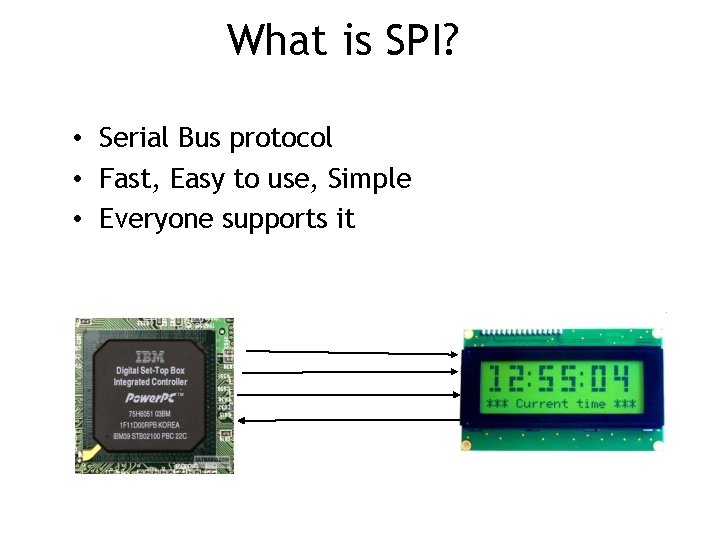
What is SPI? • Serial Bus protocol • Fast, Easy to use, Simple • Everyone supports it
SPI Basics • A communication protocol using 4 wires – Also known as a 4 wire bus • Used to communicate across small distances • Multiple Slaves, Single Master • Synchronized 21
SPI Capabilities • Always Full Duplex – Communicating in two directions at the same time – Transmission need not be meaningful • Multiple Mbps transmission speed • Transfers data in 4 to 16 bit characters • Multiple slaves – Daisy-chaining possible 22
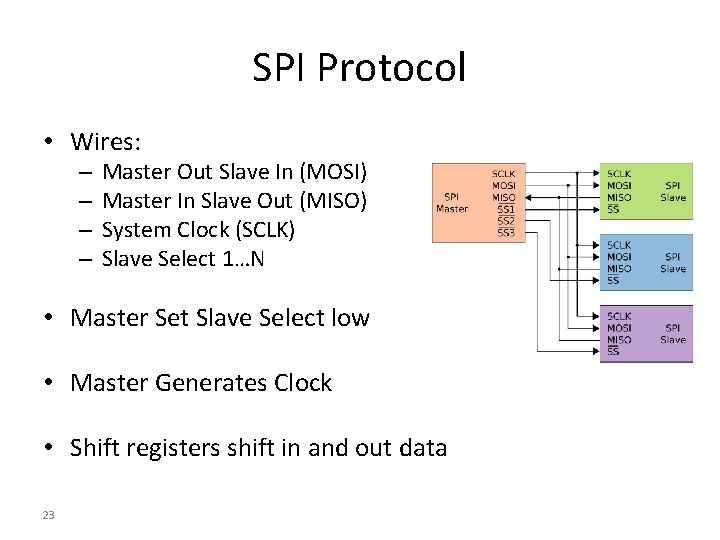
SPI Protocol • Wires: – – Master Out Slave In (MOSI) Master In Slave Out (MISO) System Clock (SCLK) Slave Select 1…N • Master Set Slave Select low • Master Generates Clock • Shift registers shift in and out data 23
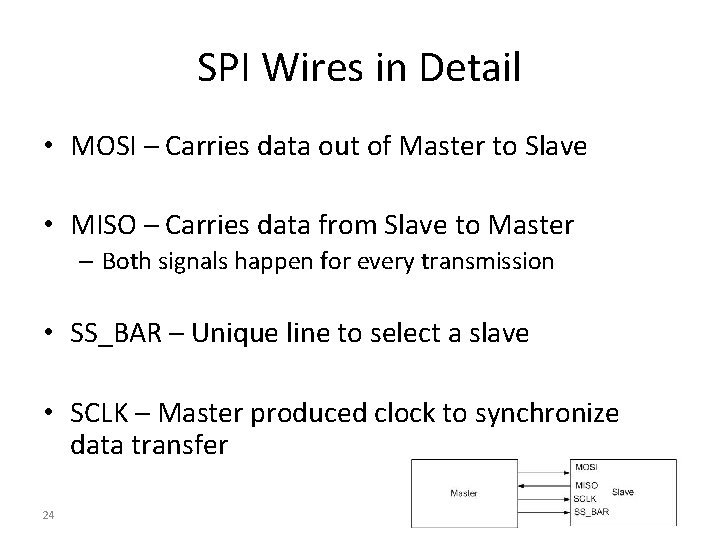
SPI Wires in Detail • MOSI – Carries data out of Master to Slave • MISO – Carries data from Slave to Master – Both signals happen for every transmission • SS_BAR – Unique line to select a slave • SCLK – Master produced clock to synchronize data transfer 24
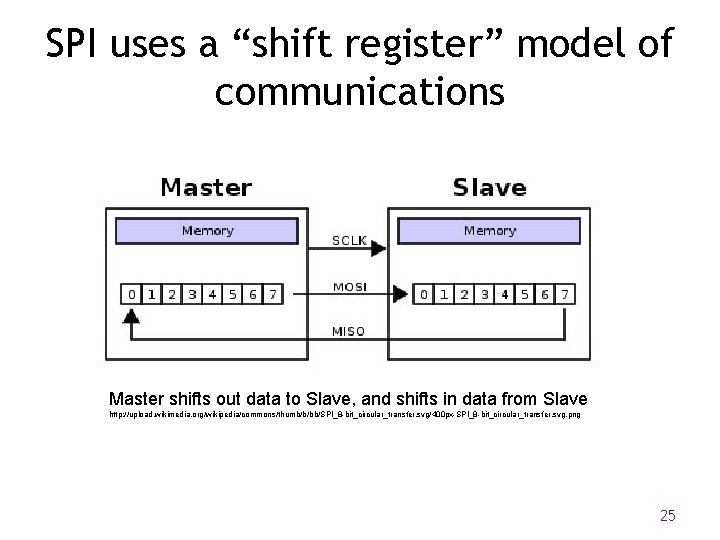
SPI uses a “shift register” model of communications Master shifts out data to Slave, and shifts in data from Slave http: //upload. wikimedia. org/wikipedia/commons/thumb/b/bb/SPI_8 -bit_circular_transfer. svg/400 px-SPI_8 -bit_circular_transfer. svg. png 25
- Slides: 25