
CSE 154 LECTURE 17 HTML TABLES HTML tables

CSE 154 LECTURE 17: HTML TABLES
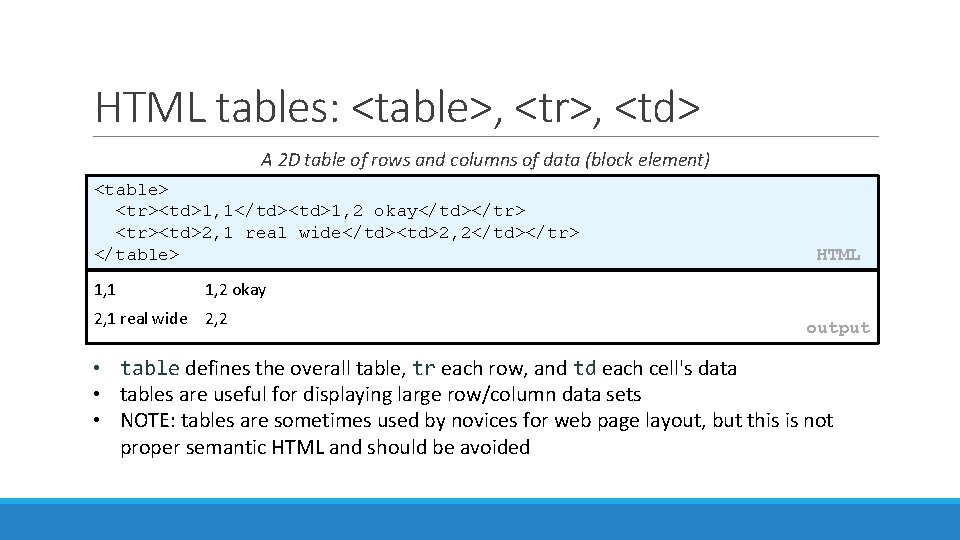
HTML tables: <table>, <tr>, <td> A 2 D table of rows and columns of data (block element) <table> <tr><td>1, 1</td><td>1, 2 okay</td></tr> <tr><td>2, 1 real wide</td><td>2, 2</td></tr> </table> 1, 1 HTML 1, 2 okay 2, 1 real wide 2, 2 output • table defines the overall table, tr each row, and td each cell's data • tables are useful for displaying large row/column data sets • NOTE: tables are sometimes used by novices for web page layout, but this is not proper semantic HTML and should be avoided
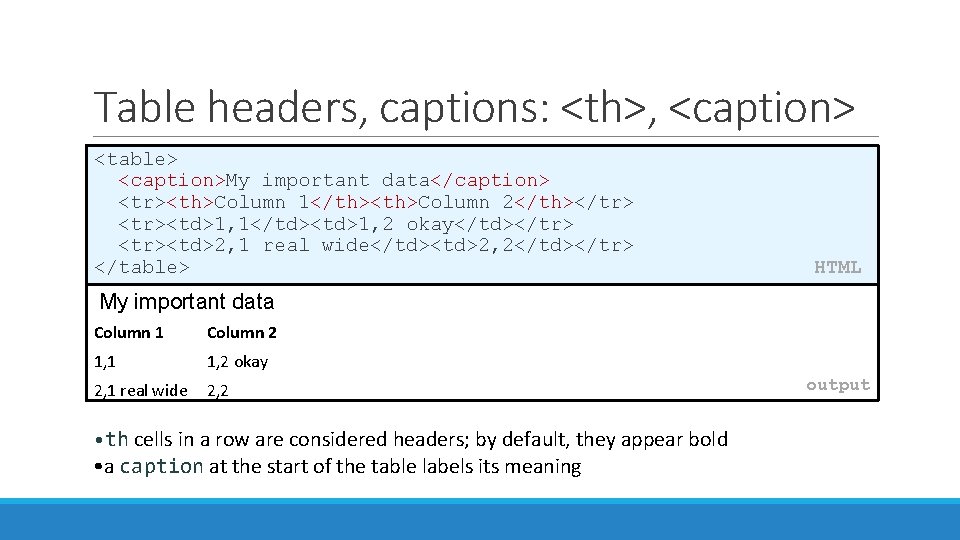
Table headers, captions: <th>, <caption> <table> <caption>My important data</caption> <tr><th>Column 1</th><th>Column 2</th></tr> <tr><td>1, 1</td><td>1, 2 okay</td></tr> <tr><td>2, 1 real wide</td><td>2, 2</td></tr> </table> HTML My important data Column 1 Column 2 1, 1 1, 2 okay 2, 1 real wide 2, 2 • th cells in a row are considered headers; by default, they appear bold • a caption at the start of the table labels its meaning output
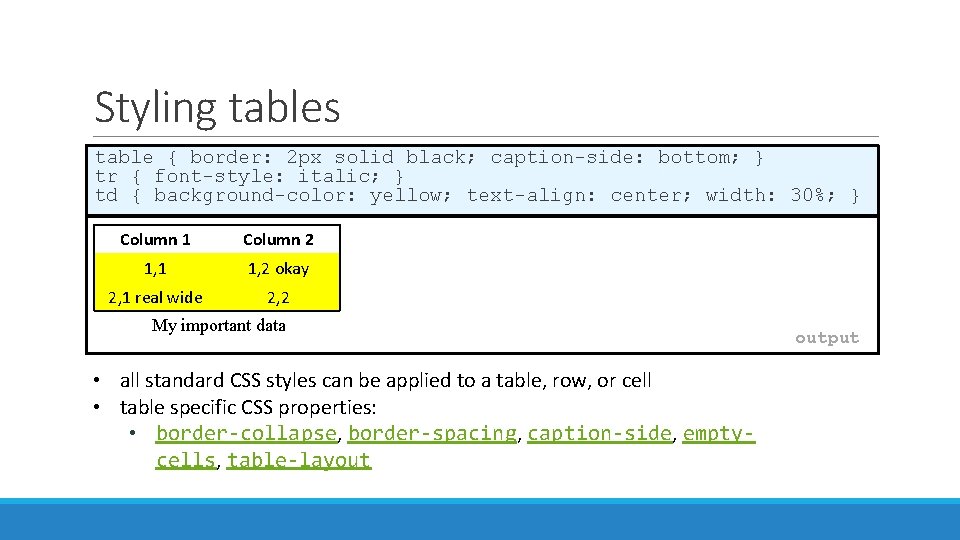
Styling tables table { border: 2 px solid black; caption-side: bottom; } tr { font-style: italic; } td { background-color: yellow; text-align: center; width: 30%; } Column 1 Column 2 1, 1 1, 2 okay 2, 1 real wide 2, 2 My important data • all standard CSS styles can be applied to a table, row, or cell • table specific CSS properties: • border-collapse, border-spacing, caption-side, emptycells, table-layout output
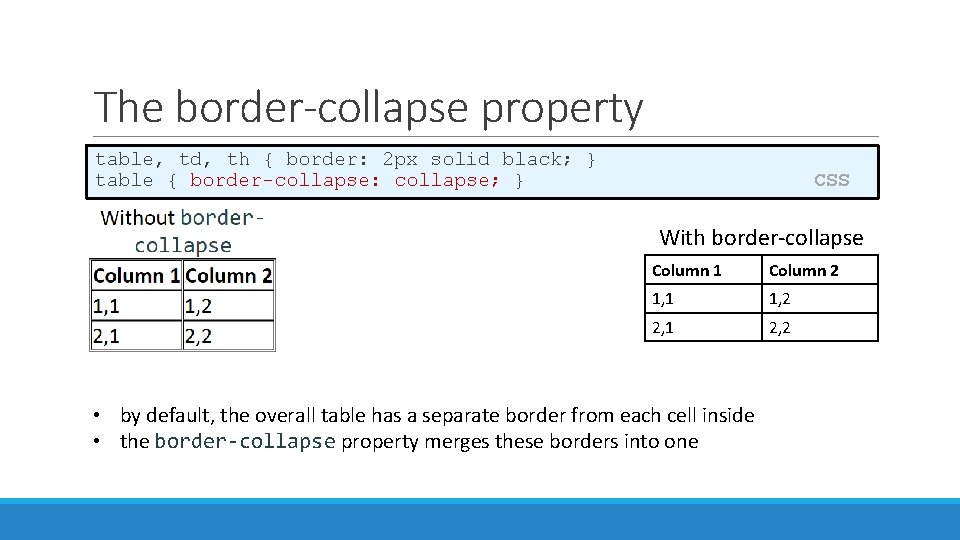
The border-collapse property table, td, th { border: 2 px solid black; } table { border-collapse: collapse; } CSS With border-collapse Column 1 Column 2 1, 1 1, 2 2, 1 2, 2 • by default, the overall table has a separate border from each cell inside • the border-collapse property merges these borders into one
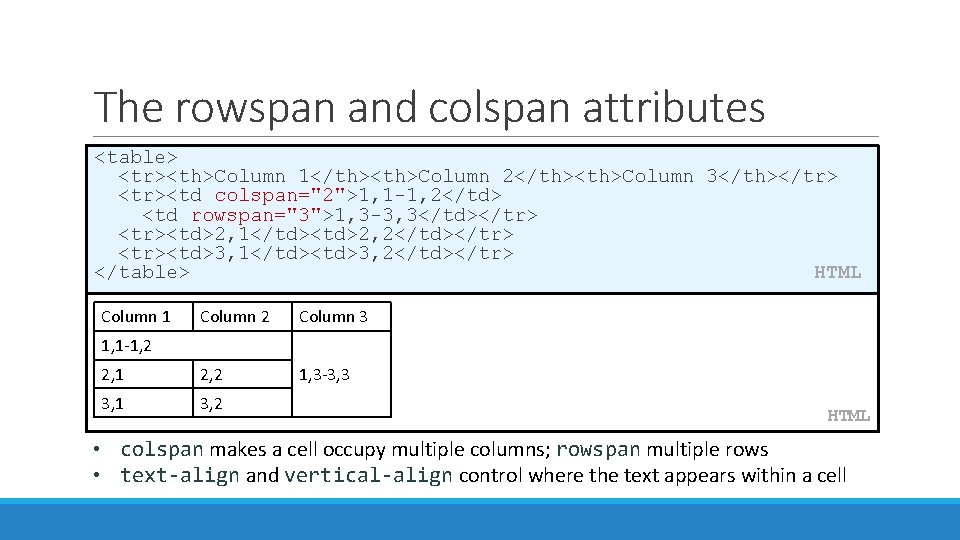
The rowspan and colspan attributes <table> <tr><th>Column 1</th><th>Column 2</th><th>Column 3</th></tr> <tr><td colspan="2">1, 1 -1, 2</td> <td rowspan="3">1, 3 -3, 3</td></tr> <tr><td>2, 1</td><td>2, 2</td></tr> <tr><td>3, 1</td><td>3, 2</td></tr> </table> HTML Column 1 Column 2 Column 3 2, 1 2, 2 1, 3 -3, 3 3, 1 3, 2 1, 1 -1, 2 HTML • colspan makes a cell occupy multiple columns; rowspan multiple rows • text-align and vertical-align control where the text appears within a cell
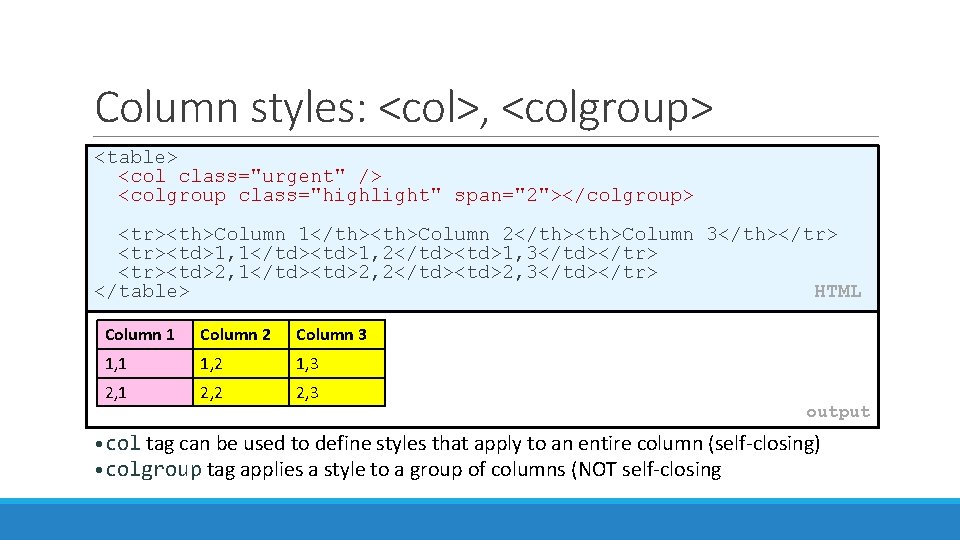
Column styles: <col>, <colgroup> <table> <col class="urgent" /> <colgroup class="highlight" span="2"></colgroup> <tr><th>Column 1</th><th>Column 2</th><th>Column 3</th></tr> <tr><td>1, 1</td><td>1, 2</td><td>1, 3</td></tr> <tr><td>2, 1</td><td>2, 2</td><td>2, 3</td></tr> </table> HTML Column 1 Column 2 Column 3 1, 1 1, 2 1, 3 2, 1 2, 2 2, 3 output • col tag can be used to define styles that apply to an entire column (self-closing) • colgroup tag applies a style to a group of columns (NOT self-closing
Don't use tables for layout! • (borderless) tables appear to be an easy way to achieve grid-like page layouts • many "newbie" web pages do this (including many UW CSE web pages. . . ) • but, a table has semantics; it should be used only to represent an actual table of data • instead of tables, use divs, widths/margins, floats, etc. to perform layout • tables should not be used for layout!! • TABLES SHOULD NOT BE USED FOR LAYOUT!!!!
- Slides: 8