
CSE 142 Spring 2013 File output Arrays reading
![Array declaration type[] name = new type[length]; Example: int[] numbers = new int[10]; index](https://slidetodoc.com/presentation_image_h2/871894af2c66706374286e62ad8b420a/image-8.jpg "Array declaration type[] name = new type[length]; Example: int[] numbers = new int[10]; index")
![Accessing elements name[index] = value; // access // modify Example: numbers[0] = 27; numbers[3]](https://slidetodoc.com/presentation_image_h2/871894af2c66706374286e62ad8b420a/image-10.jpg "Accessing elements name[index] = value; // access // modify Example: numbers[0] = 27; numbers[3]")
![Accessing array elements int[] numbers = new int[8]; numbers[1] = 3; numbers[4] = 99;](https://slidetodoc.com/presentation_image_h2/871894af2c66706374286e62ad8b420a/image-11.jpg "Accessing array elements int[] numbers = new int[8]; numbers[1] = 3; numbers[4] = 99;")
![Arrays of other types double[] results = new double[5]; results[2] = 3. 4; results[4]](https://slidetodoc.com/presentation_image_h2/871894af2c66706374286e62ad8b420a/image-12.jpg "Arrays of other types double[] results = new double[5]; results[2] = 3. 4; results[4]")
![Quick array initialization type[] name = {value, … value}; Example: int[] numbers = {12,](https://slidetodoc.com/presentation_image_h2/871894af2c66706374286e62ad8b420a/image-18.jpg "Quick array initialization type[] name = {value, … value}; Example: int[] numbers = {12,")
![Limitations of arrays You cannot resize an existing array: int[] a = new int[4];](https://slidetodoc.com/presentation_image_h2/871894af2c66706374286e62ad8b420a/image-20.jpg "Limitations of arrays You cannot resize an existing array: int[] a = new int[4];")
- Slides: 24
CSE 142, Spring 2013 File output; Arrays reading: 6. 4 – 6. 5, 7. 1 Copyright 2010 by Pearson Education
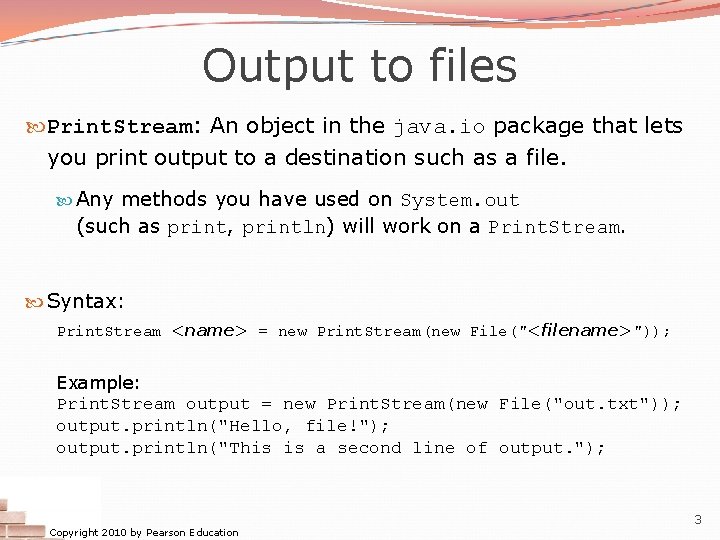
Output to files Print. Stream: An object in the java. io package that lets you print output to a destination such as a file. Any methods you have used on System. out (such as print, println) will work on a Print. Stream. Syntax: Print. Stream <name> = new Print. Stream(new File("<filename>")); Example: Print. Stream output = new Print. Stream(new File("out. txt")); output. println("Hello, file!"); output. println("This is a second line of output. "); Copyright 2010 by Pearson Education 3
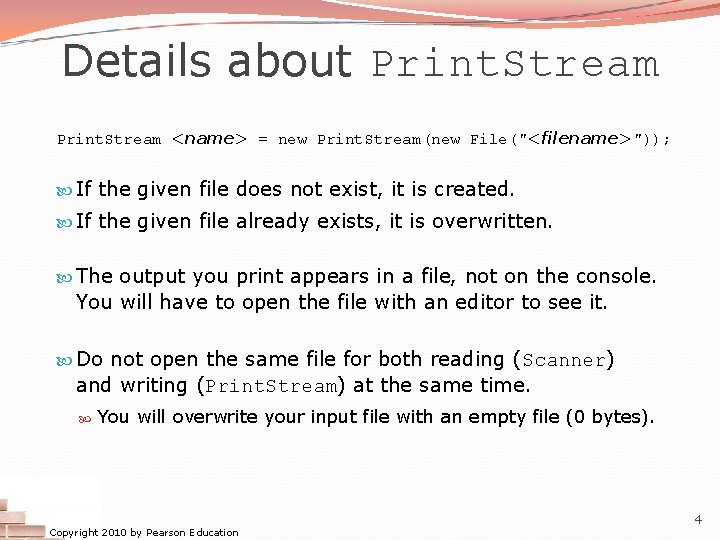
Details about Print. Stream <name> = new Print. Stream(new File("<filename>")); If the given file does not exist, it is created. If the given file already exists, it is overwritten. The output you print appears in a file, not on the console. You will have to open the file with an editor to see it. Do not open the same file for both reading (Scanner) and writing (Print. Stream) at the same time. You will overwrite your input file with an empty file (0 bytes). Copyright 2010 by Pearson Education 4
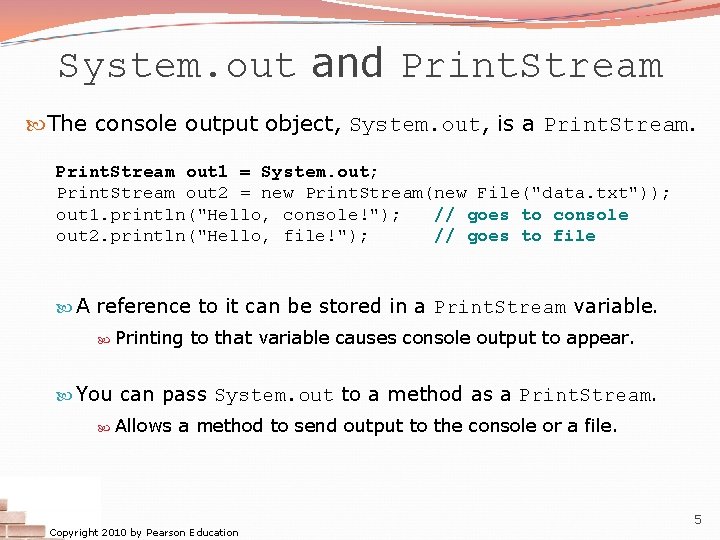
System. out and Print. Stream The console output object, System. out, is a Print. Stream out 1 = System. out; Print. Stream out 2 = new Print. Stream(new File("data. txt")); out 1. println("Hello, console!"); // goes to console out 2. println("Hello, file!"); // goes to file A reference to it can be stored in a Print. Stream variable. Printing to that variable causes console output to appear. You can pass System. out to a method as a Print. Stream. Allows a method to send output to the console or a file. Copyright 2010 by Pearson Education 5
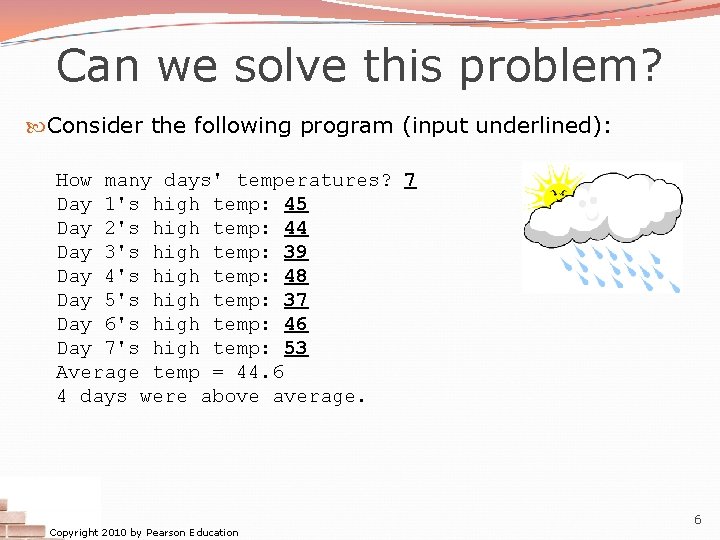
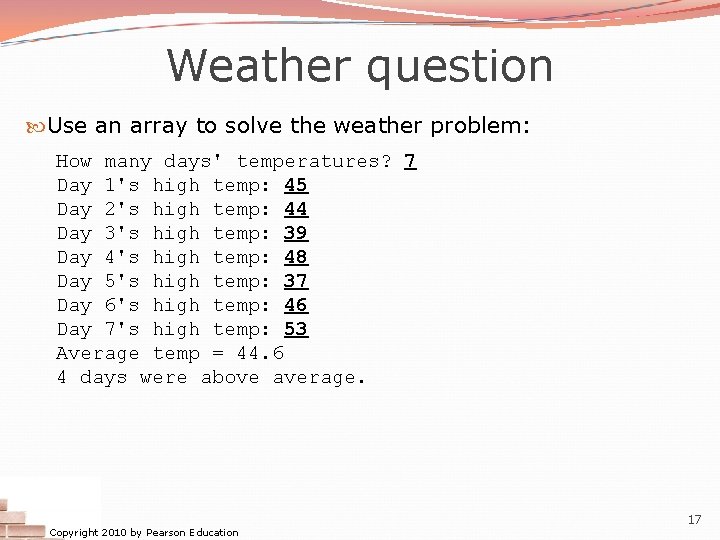
Can we solve this problem? Consider the following program (input underlined): How many days' temperatures? 7 Day 1's high temp: 45 Day 2's high temp: 44 Day 3's high temp: 39 Day 4's high temp: 48 Day 5's high temp: 37 Day 6's high temp: 46 Day 7's high temp: 53 Average temp = 44. 6 4 days were above average. Copyright 2010 by Pearson Education 6
Why the problem is hard We need each input value twice: to compute the average (a cumulative sum) to count how many were above average We could read each value into a variable. . . but we: don't know how many days are needed until the program runs don't know how many variables to declare We need a way to declare many variables in one step. Copyright 2010 by Pearson Education 7
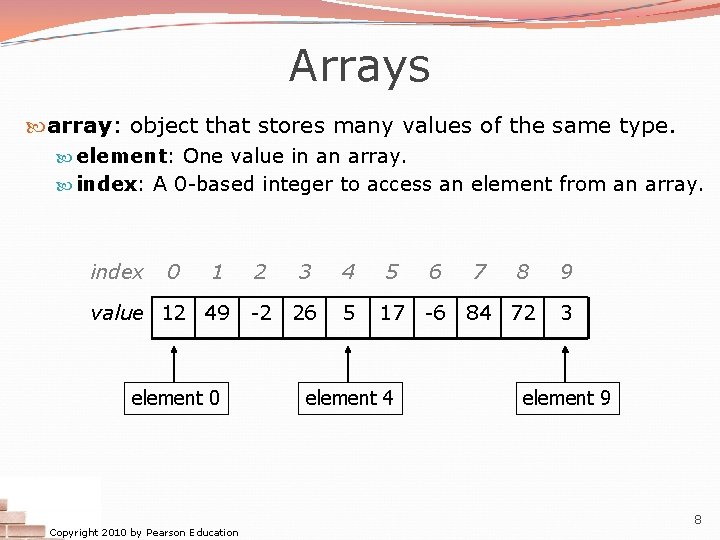
Arrays array: object that stores many values of the same type. element: One value in an array. index: A 0 -based integer to access an element from an array. index 0 1 value 12 49 element 0 Copyright 2010 by Pearson Education 2 3 4 5 6 -2 26 5 17 -6 element 4 7 8 84 72 9 3 element 9 8
Array declaration type[] name = new type[length]; Example: int[] numbers = new int[10]; index 0 1 2 3 4 5 6 7 8 9 value 0 0 0 0 0 Copyright 2010 by Pearson Education 9
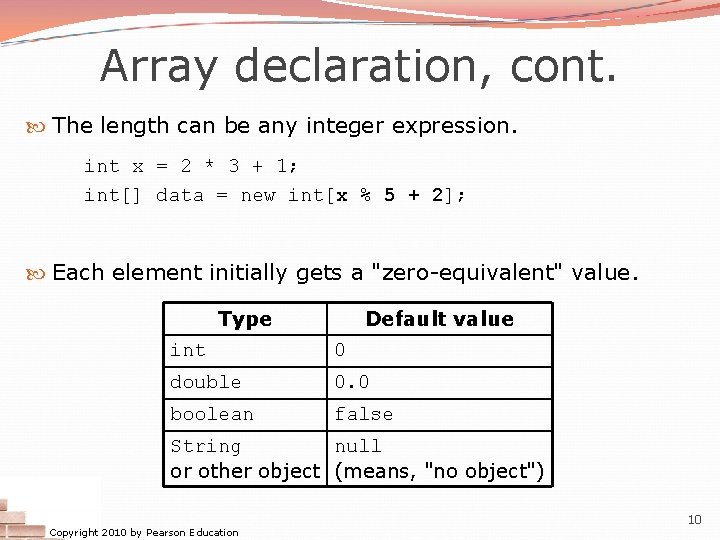
Array declaration, cont. The length can be any integer expression. int x = 2 * 3 + 1; int[] data = new int[x % 5 + 2]; Each element initially gets a "zero-equivalent" value. Type Default value int 0 double 0. 0 boolean false String null or other object (means, "no object") Copyright 2010 by Pearson Education 10
Accessing elements name[index] = value; // access // modify Example: numbers[0] = 27; numbers[3] = -6; System. out. println(numbers[0]); if (numbers[3] < 0) { System. out. println("Element 3 is negative. "); } index 0 value 27 0 1 2 3 4 5 6 7 8 9 0 0 -6 0 0 0 0 Copyright 2010 by Pearson Education 11
Accessing array elements int[] numbers = new int[8]; numbers[1] = 3; numbers[4] = 99; numbers[6] = 2; int x = numbers[1]; numbers[x] = 42; numbers[6]] = 11; // use numbers[6] as index x numbers 3 index 0 1 value 0 3 Copyright 2010 by Pearson Education 2 3 4 11 42 99 5 6 7 0 2 0 12
Arrays of other types double[] results = new double[5]; results[2] = 3. 4; results[4] = -0. 5; index 0 1 2 3 4 value 0. 0 3. 4 0. 0 -0. 5 boolean[] tests = new boolean[6]; tests[3] = true; index 0 1 2 3 4 5 value false true false Copyright 2010 by Pearson Education 13
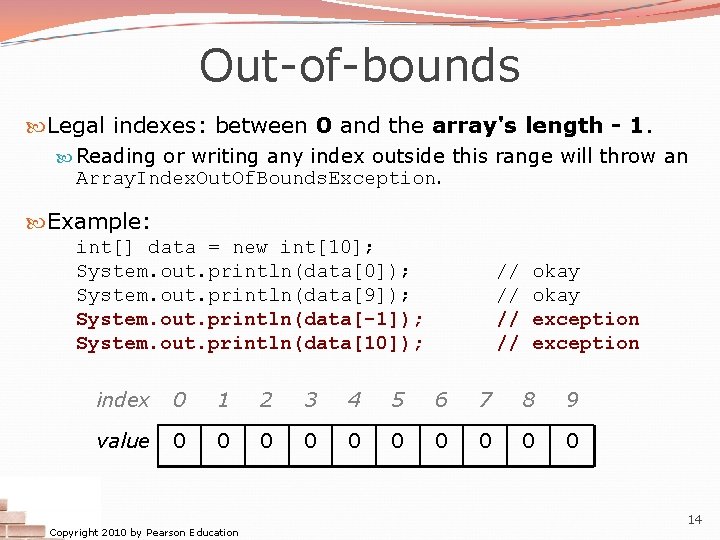
Out-of-bounds Legal indexes: between 0 and the array's length - 1. Reading or writing any index outside this range will throw an Array. Index. Out. Of. Bounds. Exception. Example: int[] data = new int[10]; System. out. println(data[0]); System. out. println(data[9]); System. out. println(data[-1]); System. out. println(data[10]); // // okay exception index 0 1 2 3 4 5 6 7 8 9 value 0 0 0 0 0 Copyright 2010 by Pearson Education 14
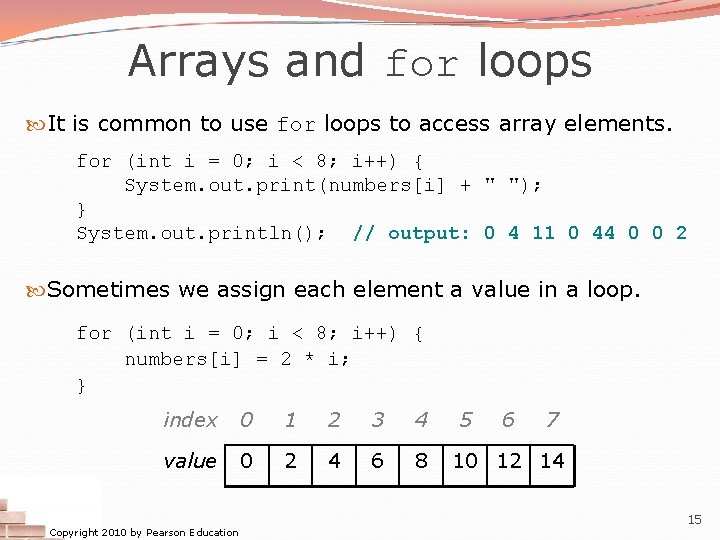
Arrays and for loops It is common to use for loops to access array elements. for (int i = 0; i < 8; i++) { System. out. print(numbers[i] + " "); } System. out. println(); // output: 0 4 11 0 44 0 0 2 Sometimes we assign each element a value in a loop. for (int i = 0; i < 8; i++) { numbers[i] = 2 * i; } index 0 1 2 3 4 value 0 2 4 6 8 Copyright 2010 by Pearson Education 5 6 7 10 12 14 15
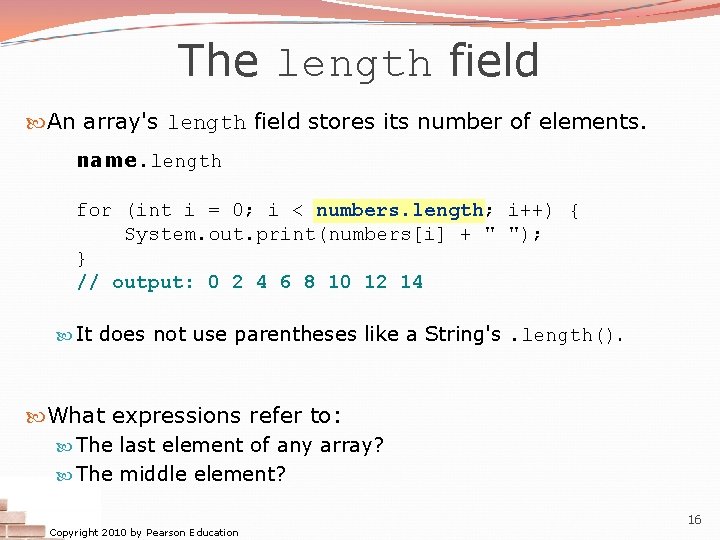
The length field An array's length field stores its number of elements. name. length for (int i = 0; i < numbers. length; i++) { System. out. print(numbers[i] + " "); } // output: 0 2 4 6 8 10 12 14 It does not use parentheses like a String's. length(). What expressions refer to: The last element of any array? The middle element? Copyright 2010 by Pearson Education 16
Weather question Use an array to solve the weather problem: How many days' temperatures? 7 Day 1's high temp: 45 Day 2's high temp: 44 Day 3's high temp: 39 Day 4's high temp: 48 Day 5's high temp: 37 Day 6's high temp: 46 Day 7's high temp: 53 Average temp = 44. 6 4 days were above average. Copyright 2010 by Pearson Education 17
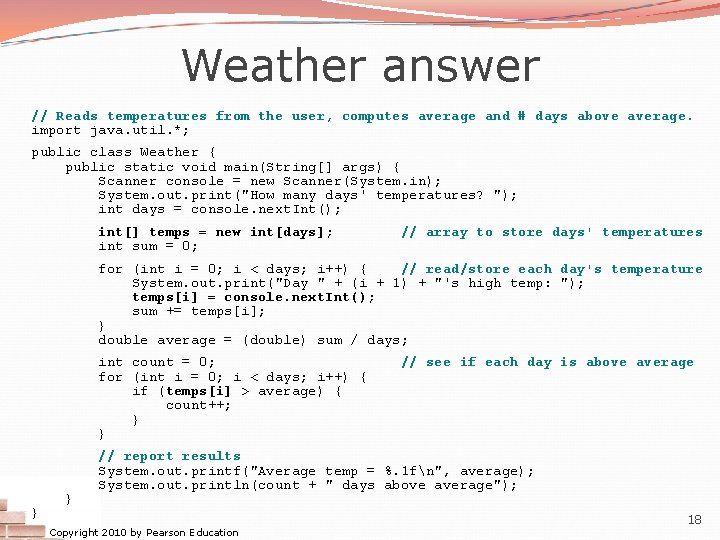
Weather answer // Reads temperatures from the user, computes average and # days above average. import java. util. *; public class Weather { public static void main(String[] args) { Scanner console = new Scanner(System. in); System. out. print("How many days' temperatures? "); int days = console. next. Int(); int[] temps = new int[days]; int sum = 0; // array to store days' temperatures for (int i = 0; i < days; i++) { // read/store each day's temperature System. out. print("Day " + (i + 1) + "'s high temp: "); temps[i] = console. next. Int(); sum += temps[i]; } double average = (double) sum / days; int count = 0; for (int i = 0; i < days; i++) { if (temps[i] > average) { count++; } } // see if each day is above average // report results System. out. printf("Average temp = %. 1 fn", average); System. out. println(count + " days above average"); Copyright 2010 by Pearson Education 18
Quick array initialization type[] name = {value, … value}; Example: int[] numbers = {12, 49, -2, 26, 5, 17, -6}; index 0 1 value 12 49 2 3 4 5 6 -2 26 5 17 -6 Useful when you know what the array's elements will be The compiler figures out the size by counting the values Copyright 2010 by Pearson Education 19
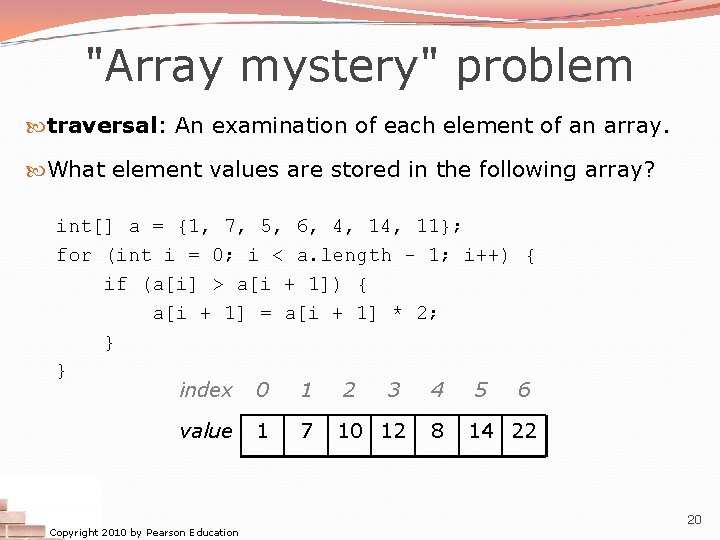
"Array mystery" problem traversal: An examination of each element of an array. What element values are stored in the following array? int[] a = {1, 7, 5, 6, 4, 11}; for (int i = 0; i < a. length - 1; i++) { if (a[i] > a[i + 1]) { a[i + 1] = a[i + 1] * 2; } } index 0 1 2 3 4 5 6 value Copyright 2010 by Pearson Education 1 7 10 12 8 14 22 20
Limitations of arrays You cannot resize an existing array: int[] a = new int[4]; a. length = 10; // error You cannot compare arrays with == or equals: int[] a 1 = {42, -7, 1, 15}; int[] a 2 = {42, -7, 1, 15}; if (a 1 == a 2) {. . . } if (a 1. equals(a 2)) {. . . } // false! An array does not know how to print itself: int[] a 1 = {42, -7, 1, 15}; System. out. println(a 1); Copyright 2010 by Pearson Education // [I@98 f 8 c 4] 21
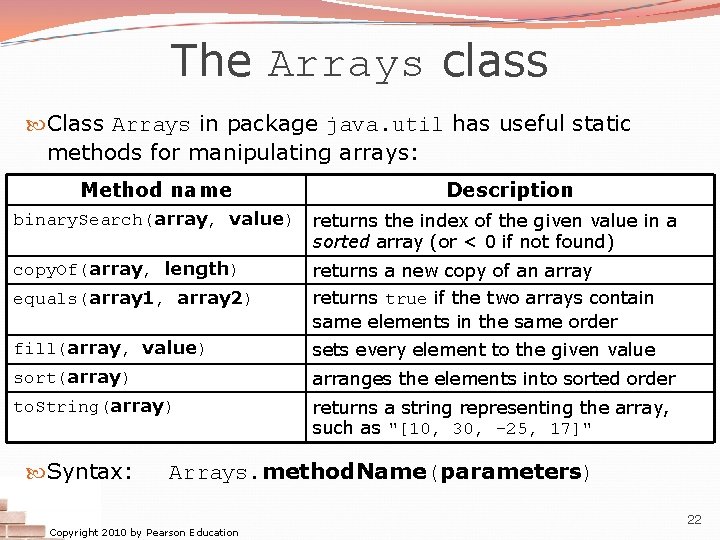
The Arrays class Class Arrays in package java. util has useful static methods for manipulating arrays: Method name Description binary. Search(array, value) returns the index of the given value in a sorted array (or < 0 if not found) copy. Of(array, length) equals(array 1, array 2) returns a new copy of an array returns true if the two arrays contain same elements in the same order fill(array, value) sets every element to the given value sort(array) arranges the elements into sorted order to. String(array) returns a string representing the array, such as "[10, 30, -25, 17]" Syntax: Arrays. method. Name(parameters) Copyright 2010 by Pearson Education 22
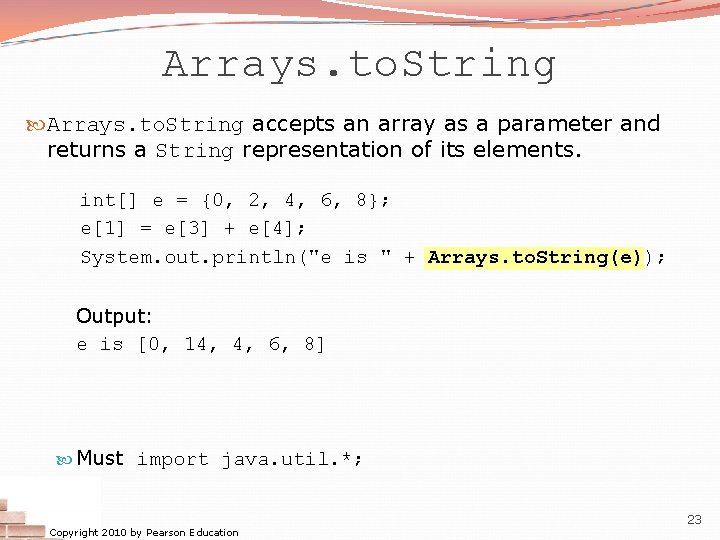
Arrays. to. String accepts an array as a parameter and returns a String representation of its elements. int[] e = {0, 2, 4, 6, 8}; e[1] = e[3] + e[4]; System. out. println("e is " + Arrays. to. String(e)); Output: e is [0, 14, 4, 6, 8] Must import java. util. *; Copyright 2010 by Pearson Education 23
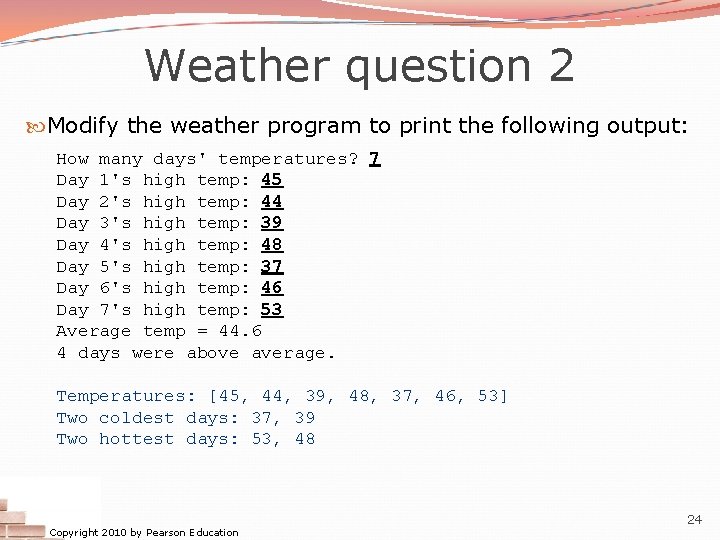
Weather question 2 Modify the weather program to print the following output: How many days' temperatures? 7 Day 1's high temp: 45 Day 2's high temp: 44 Day 3's high temp: 39 Day 4's high temp: 48 Day 5's high temp: 37 Day 6's high temp: 46 Day 7's high temp: 53 Average temp = 44. 6 4 days were above average. Temperatures: [45, 44, 39, 48, 37, 46, 53] Two coldest days: 37, 39 Two hottest days: 53, 48 Copyright 2010 by Pearson Education 24
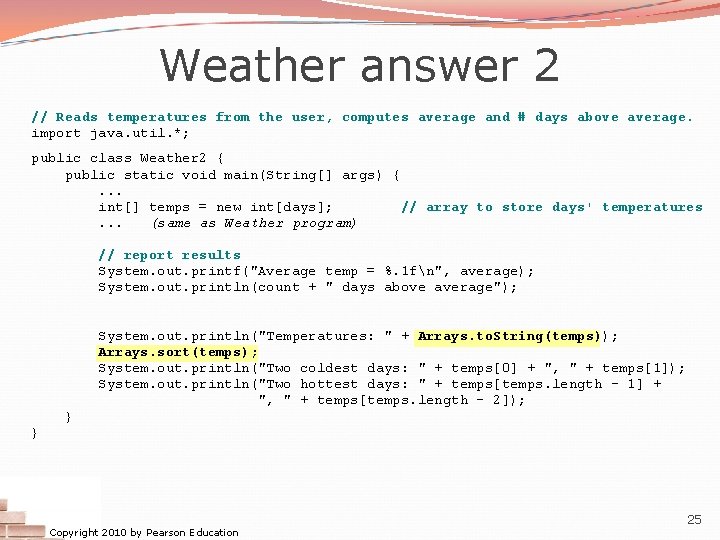
Weather answer 2 // Reads temperatures from the user, computes average and # days above average. import java. util. *; public class Weather 2 { public static void main(String[] args) {. . . int[] temps = new int[days]; // array to store days' temperatures. . . (same as Weather program) // report results System. out. printf("Average temp = %. 1 fn", average); System. out. println(count + " days above average"); System. out. println("Temperatures: " + Arrays. to. String(temps)); Arrays. sort(temps); System. out. println("Two coldest days: " + temps[0] + ", " + temps[1]); System. out. println("Two hottest days: " + temps[temps. length - 1] + ", " + temps[temps. length - 2]); } } Copyright 2010 by Pearson Education 25