
CSE 140 L Lab 4 Overall picture of

CSE 140 L – Lab 4 Overall picture of Lab 4 n Tutorial on Bus & Memory n Tutorial on Truth table n
CSE 140 L – Lab 4 n A simple computer system with a minimal instruction set. Load/store data n Addition n Shift n Compare n Mask n
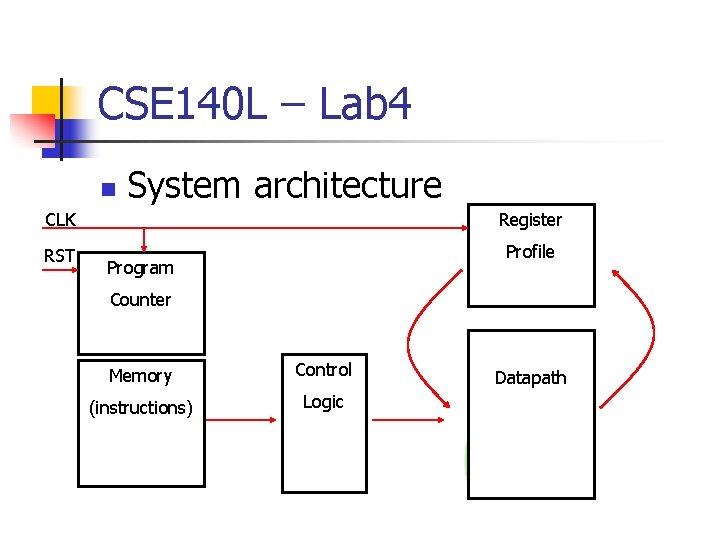
CSE 140 L – Lab 4 n System architecture Register Pencil & Paper CLK RST Profile Marker Program Counter Calculator Memory Task List (instructions) Control You Logic Datapath
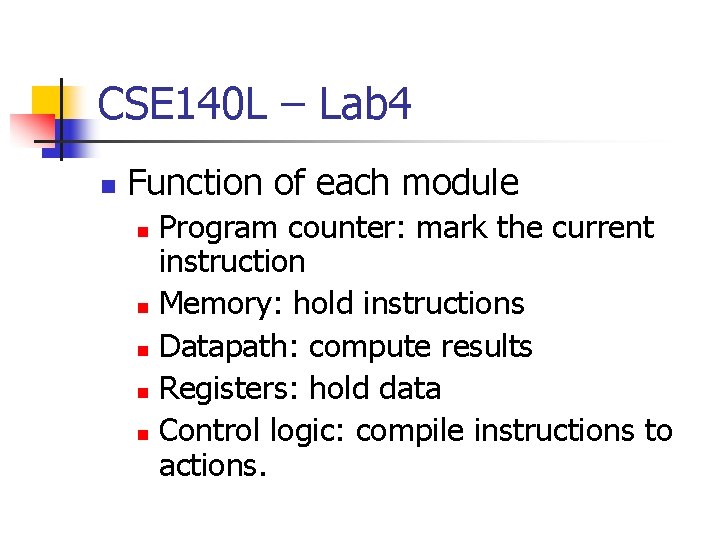
CSE 140 L – Lab 4 n Function of each module Program counter: mark the current instruction n Memory: hold instructions n Datapath: compute results n Registers: hold data n Control logic: compile instructions to actions. n
CSE 140 L – Lab 4 n Overall picture of Lab 4 n n A system design including register profile, datapath, memory, program counter and control logic. http: //www. cse. ucsd. edu/classes/sp 05/ cse 140 L/lab 4/lab 4. htm
CSE 140 L – Lab 4 n Tutorial on Bus & Memory Build a 16 x 4 bit memory block n Memory Elements: n (http: //www. cse. ucsd. edu/classes/sp 05/cse 140 L/lab 2/lib. pdf) RAM (Writable) n ROM (Read-only) ROM 16 x 1 n
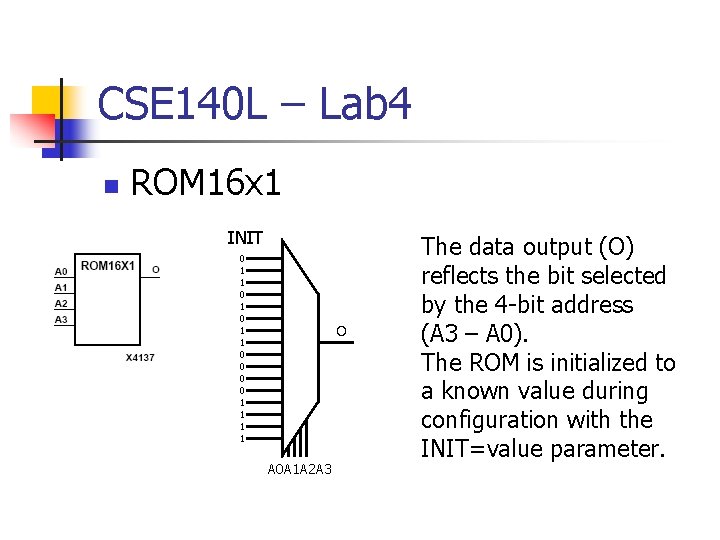
CSE 140 L – Lab 4 n ROM 16 x 1 INIT 0 1 1 0 0 1 1 O A 0 A 1 A 2 A 3 The data output (O) reflects the bit selected by the 4 -bit address (A 3 – A 0). The ROM is initialized to a known value during configuration with the INIT=value parameter.
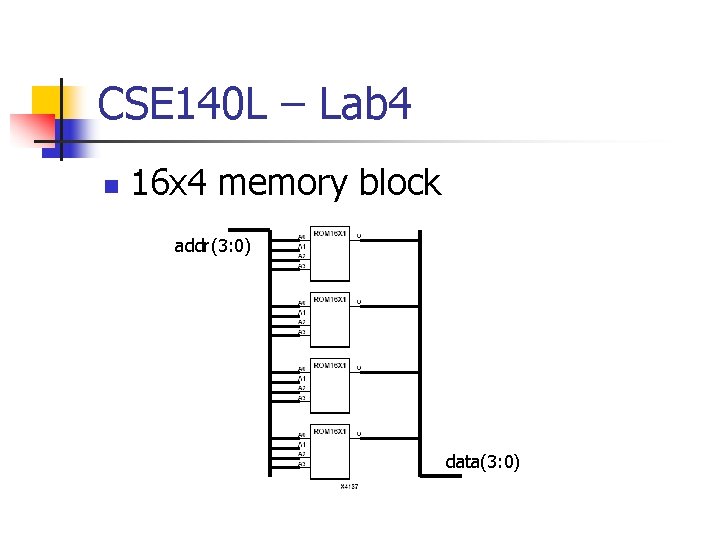
CSE 140 L – Lab 4 n 16 x 4 memory block addr(3: 0) data(3: 0)
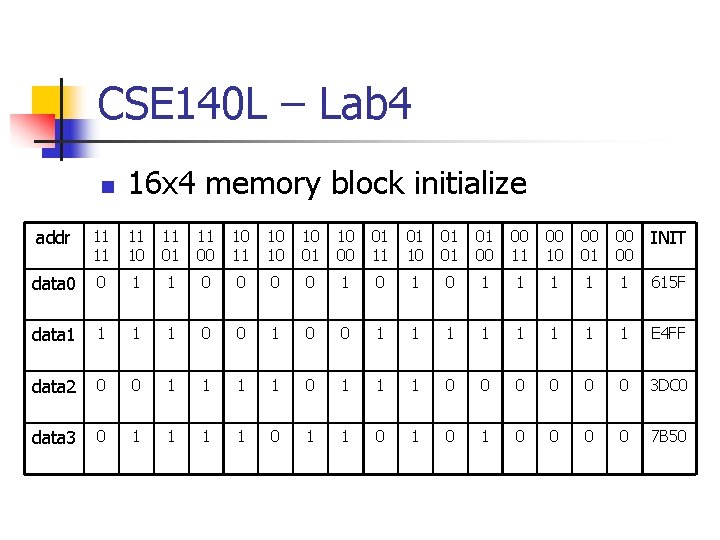
CSE 140 L – Lab 4 n 16 x 4 memory block initialize addr 11 11 11 10 11 01 11 00 10 11 10 10 10 01 10 00 01 11 01 10 01 01 01 00 00 11 00 10 00 01 00 00 INIT data 0 0 1 1 0 0 1 0 1 1 1 615 F data 1 1 0 0 1 1 1 1 1 E 4 FF data 2 0 0 1 1 1 0 0 0 3 DC 0 data 3 0 1 1 0 1 0 0 7 B 50
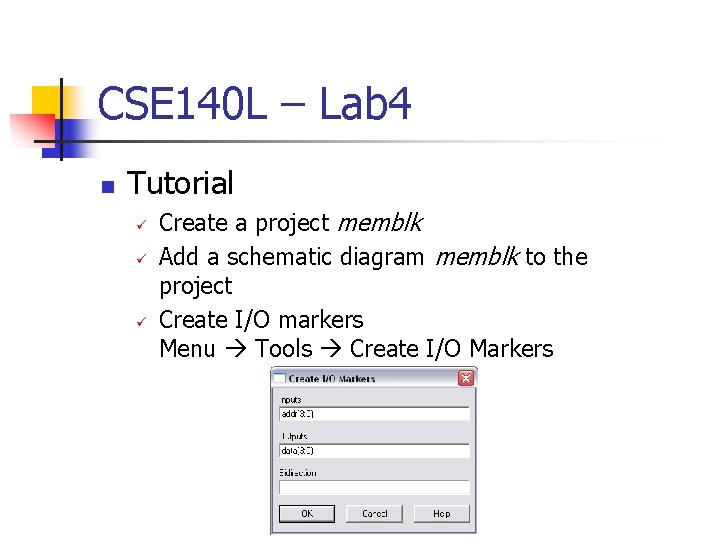
CSE 140 L – Lab 4 n Tutorial Create a project memblk Add a schematic diagram memblk to the project Create I/O markers Menu Tools Create I/O Markers
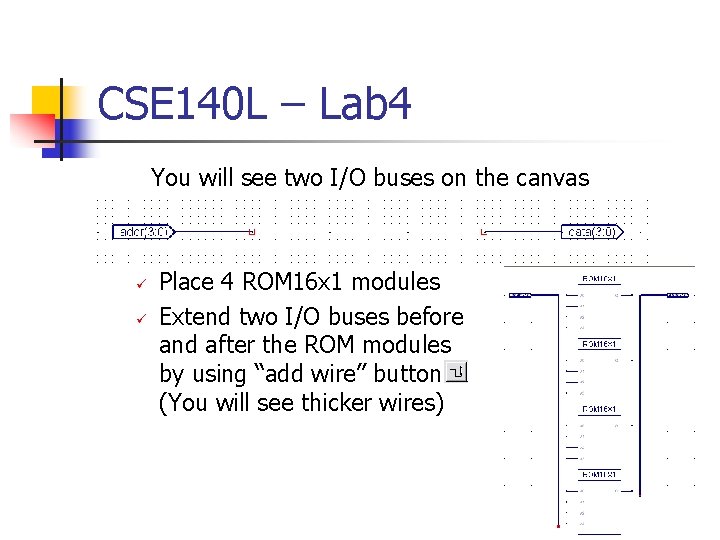
CSE 140 L – Lab 4 You will see two I/O buses on the canvas Place 4 ROM 16 x 1 modules Extend two I/O buses before and after the ROM modules by using “add wire” button (You will see thicker wires)
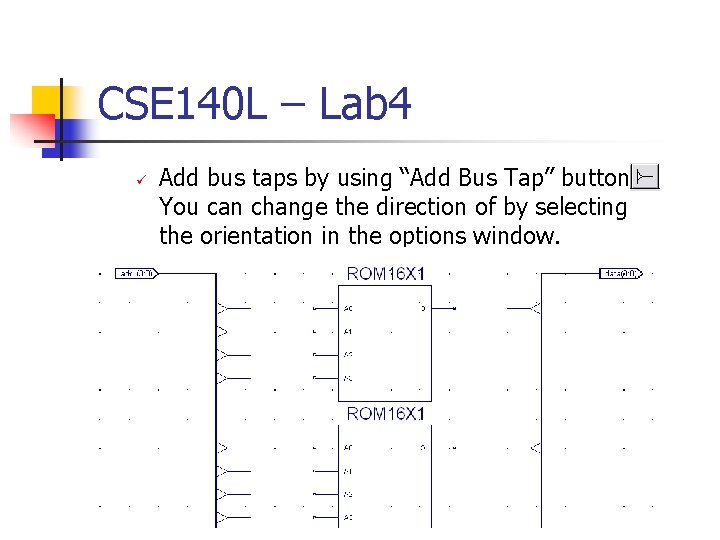
CSE 140 L – Lab 4 Add bus taps by using “Add Bus Tap” button. You can change the direction of by selecting the orientation in the options window.
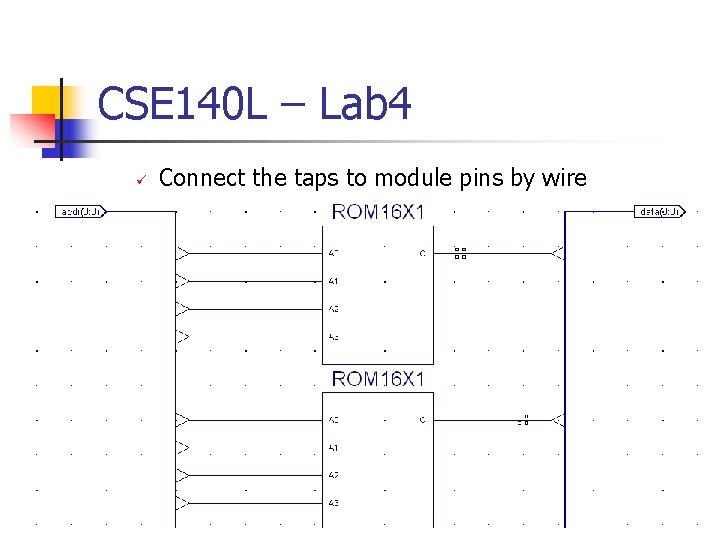
CSE 140 L – Lab 4 Connect the taps to module pins by wire
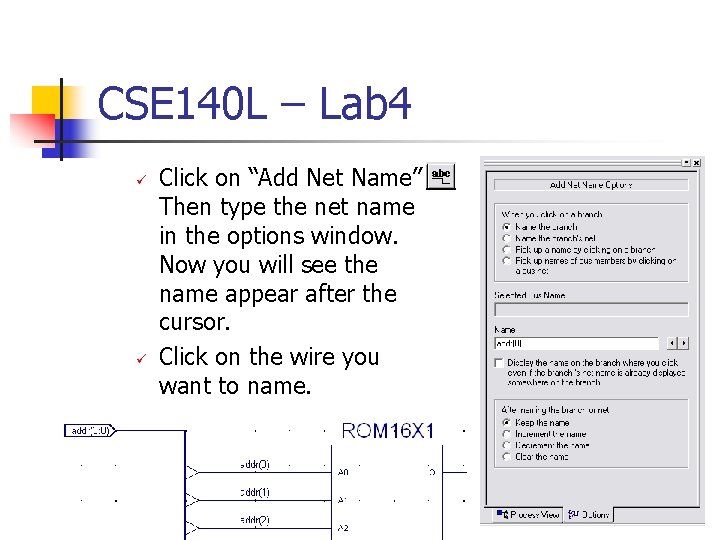
CSE 140 L – Lab 4 Click on “Add Net Name” Then type the net name in the options window. Now you will see the name appear after the cursor. Click on the wire you want to name.
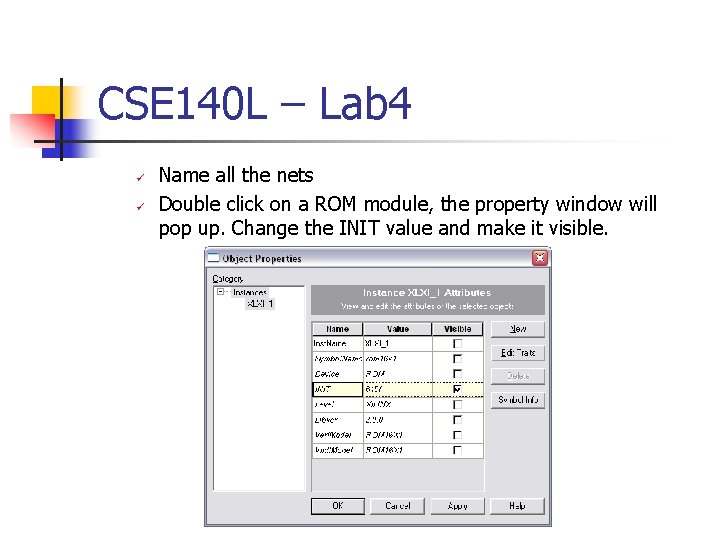
CSE 140 L – Lab 4 Name all the nets Double click on a ROM module, the property window will pop up. Change the INIT value and make it visible.
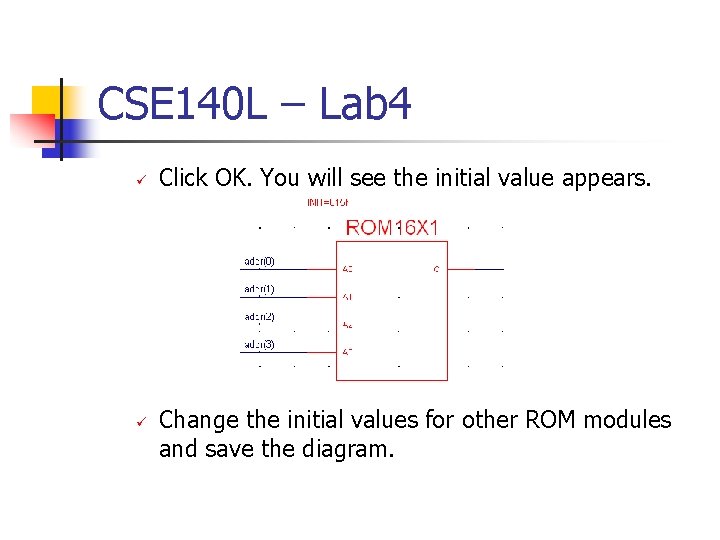
CSE 140 L – Lab 4 Click OK. You will see the initial value appears. Change the initial values for other ROM modules and save the diagram.
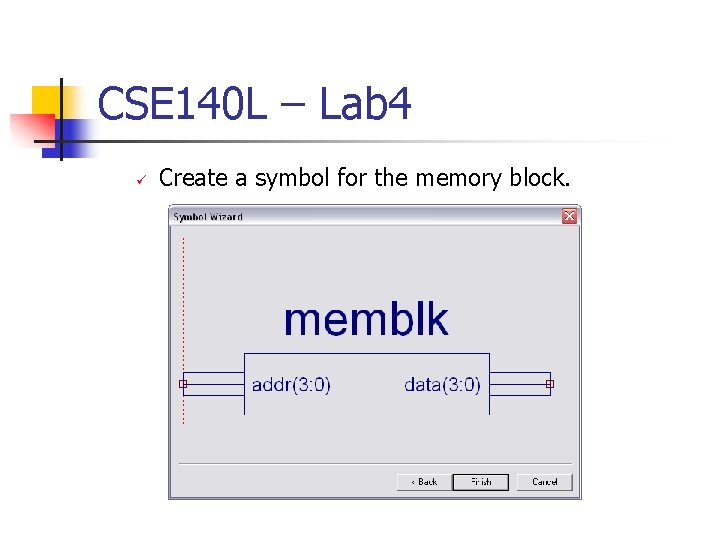
CSE 140 L – Lab 4 Create a symbol for the memory block.
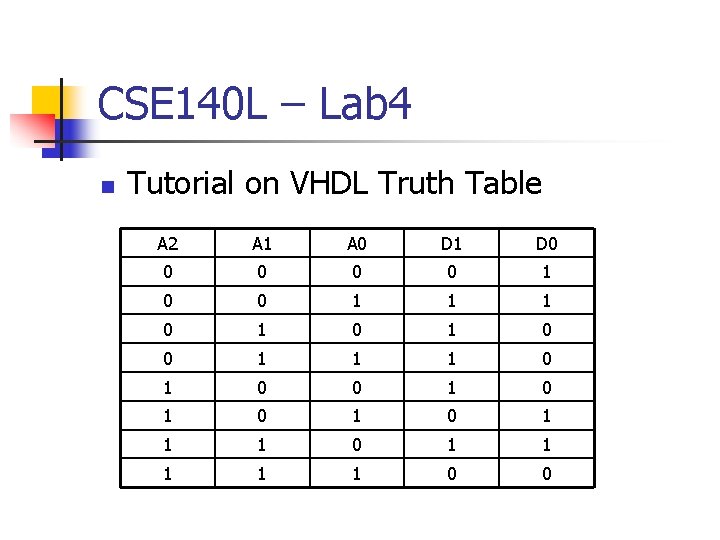
CSE 140 L – Lab 4 n Tutorial on VHDL Truth Table A 2 A 1 A 0 D 1 D 0 0 0 1 1 1 0 1 0 1 1 1 0 0
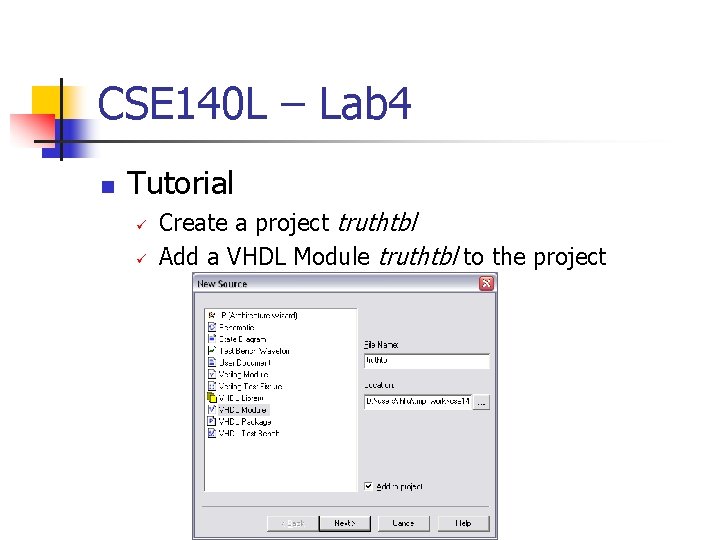
CSE 140 L – Lab 4 n Tutorial Create a project truthtbl Add a VHDL Module truthtbl to the project
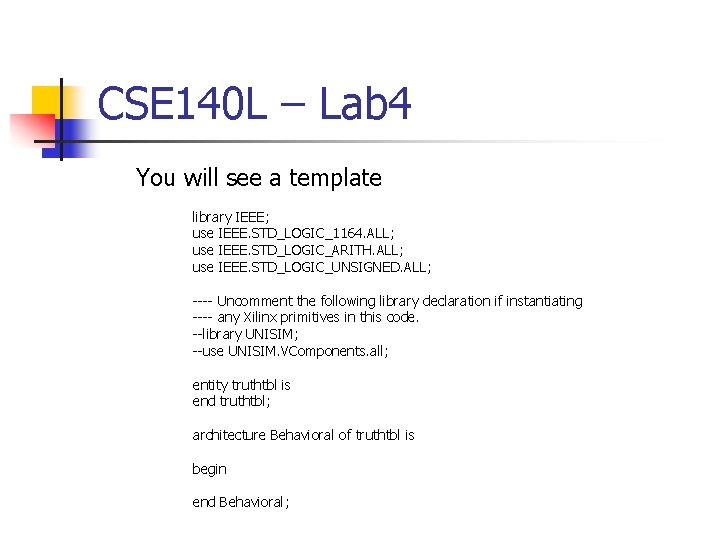
CSE 140 L – Lab 4 You will see a template library IEEE; use IEEE. STD_LOGIC_1164. ALL; use IEEE. STD_LOGIC_ARITH. ALL; use IEEE. STD_LOGIC_UNSIGNED. ALL; ---- Uncomment the following library declaration if instantiating ---- any Xilinx primitives in this code. --library UNISIM; --use UNISIM. VComponents. all; entity truthtbl is end truthtbl; architecture Behavioral of truthtbl is begin end Behavioral;
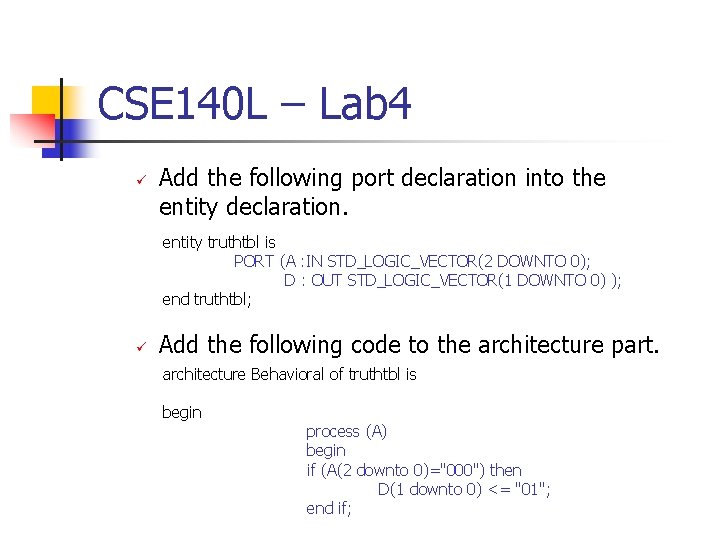
CSE 140 L – Lab 4 Add the following port declaration into the entity declaration. entity truthtbl is PORT (A : IN STD_LOGIC_VECTOR(2 DOWNTO 0); D : OUT STD_LOGIC_VECTOR(1 DOWNTO 0) ); end truthtbl; Add the following code to the architecture part. architecture Behavioral of truthtbl is begin process (A) begin if (A(2 downto 0)="000") then D(1 downto 0) <= "01"; end if;
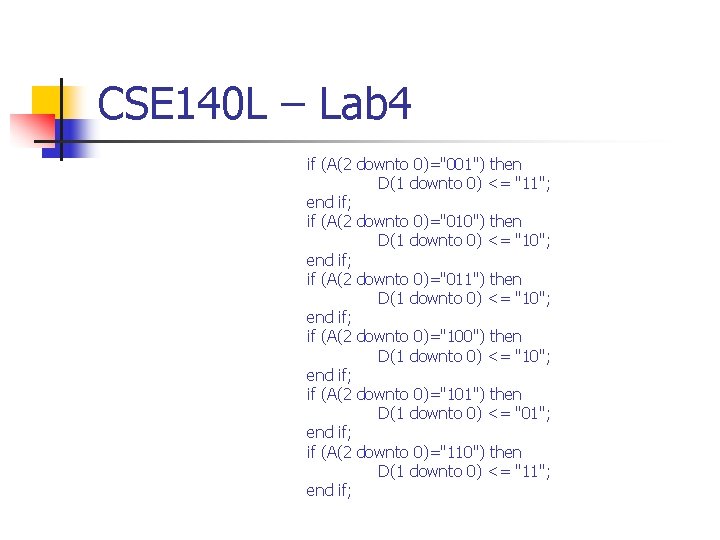
CSE 140 L – Lab 4 if (A(2 downto 0)="001") then D(1 downto 0) <= "11"; end if; if (A(2 downto 0)="010") then D(1 downto 0) <= "10"; end if; if (A(2 downto 0)="011") then D(1 downto 0) <= "10"; end if; if (A(2 downto 0)="100") then D(1 downto 0) <= "10"; end if; if (A(2 downto 0)="101") then D(1 downto 0) <= "01"; end if; if (A(2 downto 0)="110") then D(1 downto 0) <= "11"; end if;
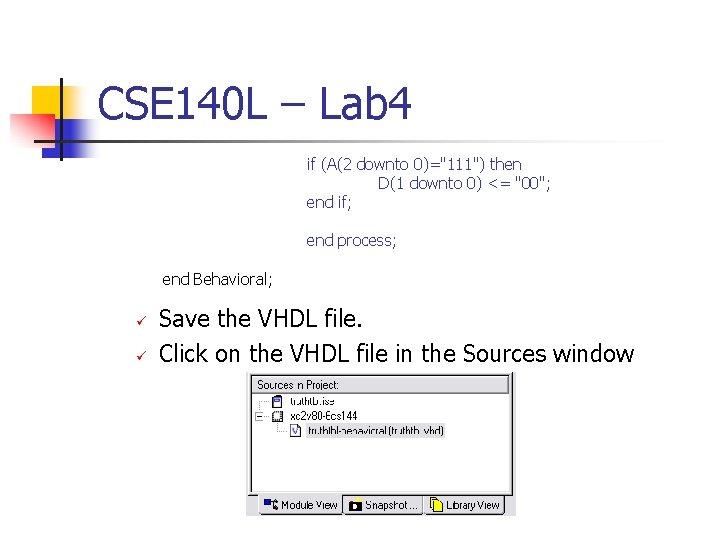
CSE 140 L – Lab 4 if (A(2 downto 0)="111") then D(1 downto 0) <= "00"; end if; end process; end Behavioral; Save the VHDL file. Click on the VHDL file in the Sources window
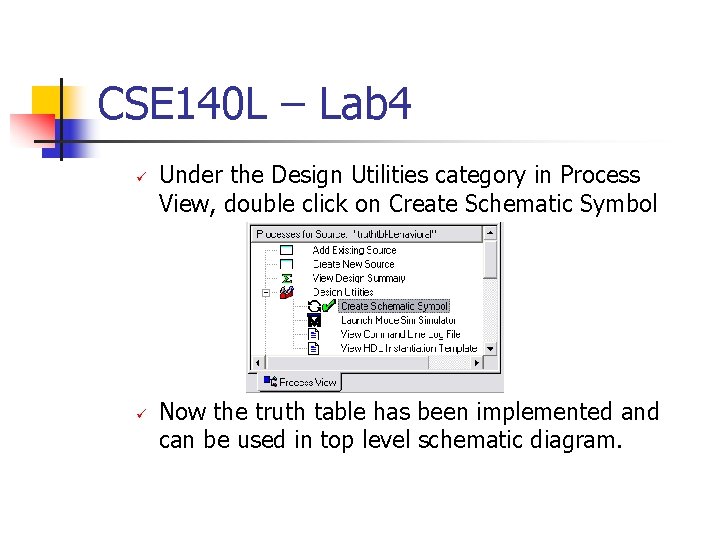
CSE 140 L – Lab 4 Under the Design Utilities category in Process View, double click on Create Schematic Symbol Now the truth table has been implemented and can be used in top level schematic diagram.
- Slides: 24