
CSE 102 Programming Fundamentals Topic Reading Input identifier
- Slides: 42
CSE 102 – Programming Fundamentals Topic: Ø Ø Reading Input identifier, if statement, Arithmetic Operation
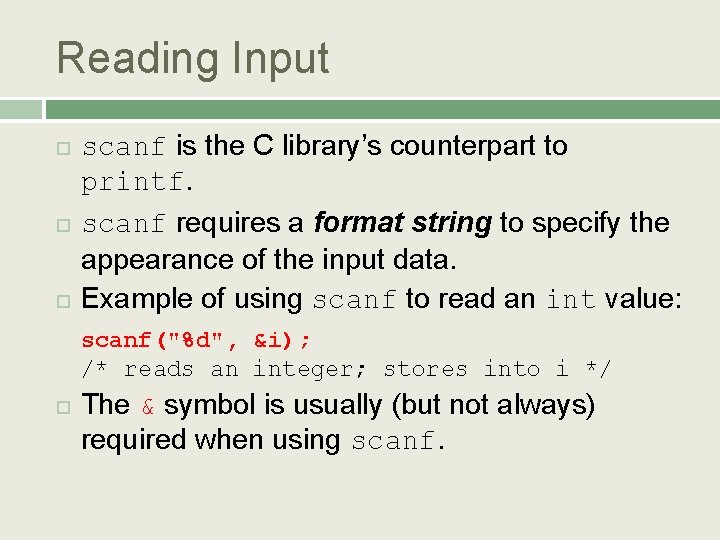
Reading Input scanf is the C library’s counterpart to printf. scanf requires a format string to specify the appearance of the input data. Example of using scanf to read an int value: scanf("%d", &i); /* reads an integer; stores into i */ The & symbol is usually (but not always) required when using scanf.
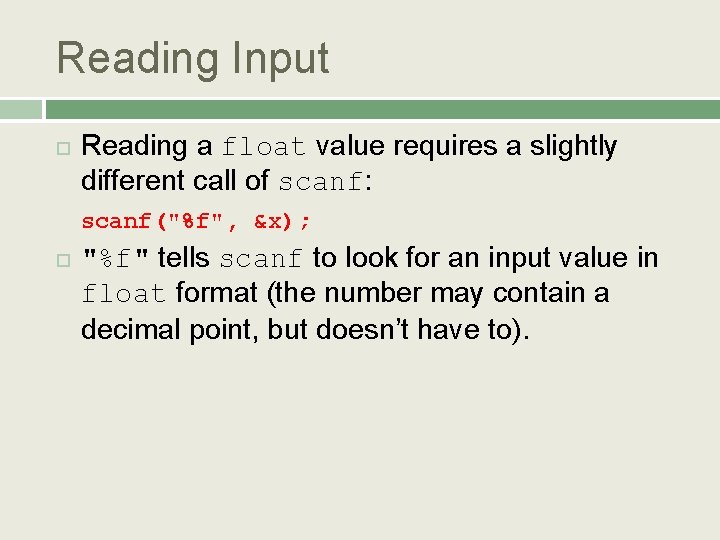
Reading Input Reading a float value requires a slightly different call of scanf: scanf("%f", &x); "%f" tells scanf to look for an input value in float format (the number may contain a decimal point, but doesn’t have to).
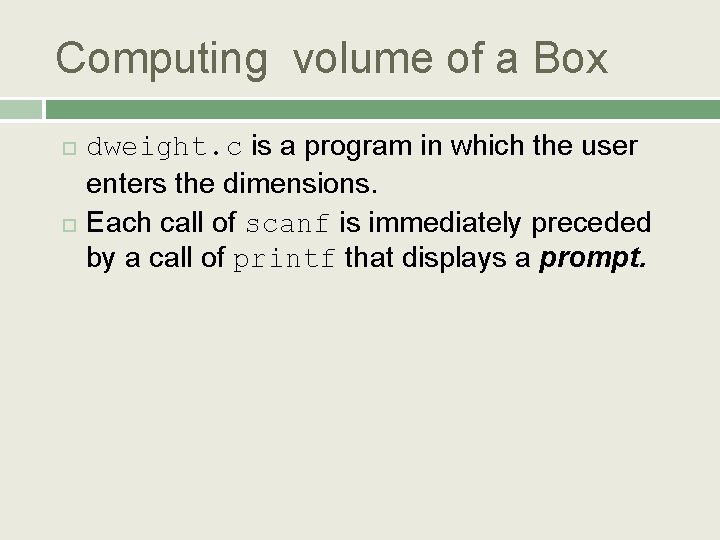
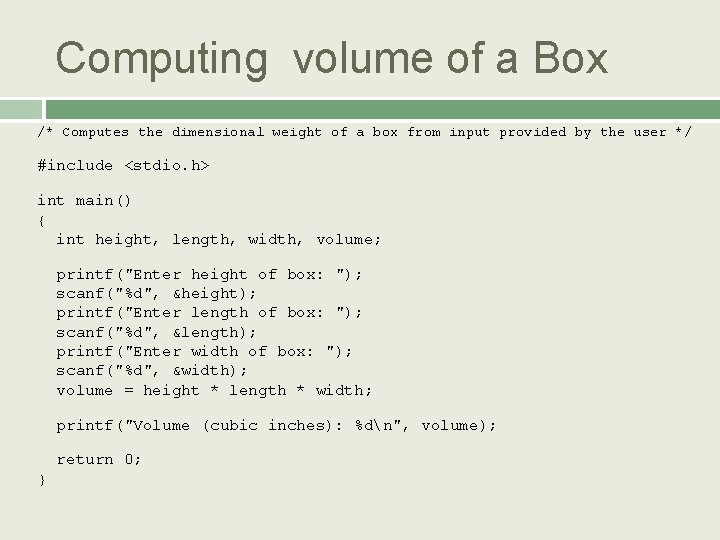
Computing volume of a Box dweight. c is a program in which the user enters the dimensions. Each call of scanf is immediately preceded by a call of printf that displays a prompt.
Computing volume of a Box /* Computes the dimensional weight of a box from input provided by the user */ #include <stdio. h> int main() { int height, length, width, volume; printf("Enter height of box: "); scanf("%d", &height); printf("Enter length of box: "); scanf("%d", &length); printf("Enter width of box: "); scanf("%d", &width); volume = height * length * width; printf("Volume (cubic inches): %dn", volume); return 0; }
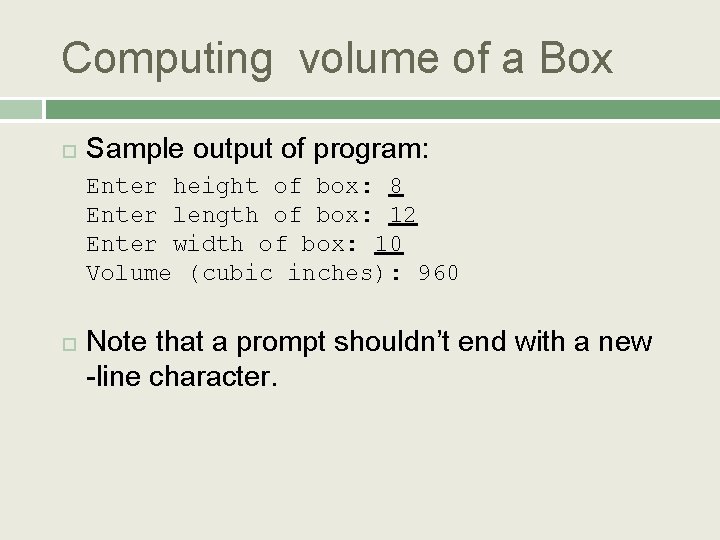
Computing volume of a Box Sample output of program: Enter height of box: 8 Enter length of box: 12 Enter width of box: 10 Volume (cubic inches): 960 Note that a prompt shouldn’t end with a new -line character.
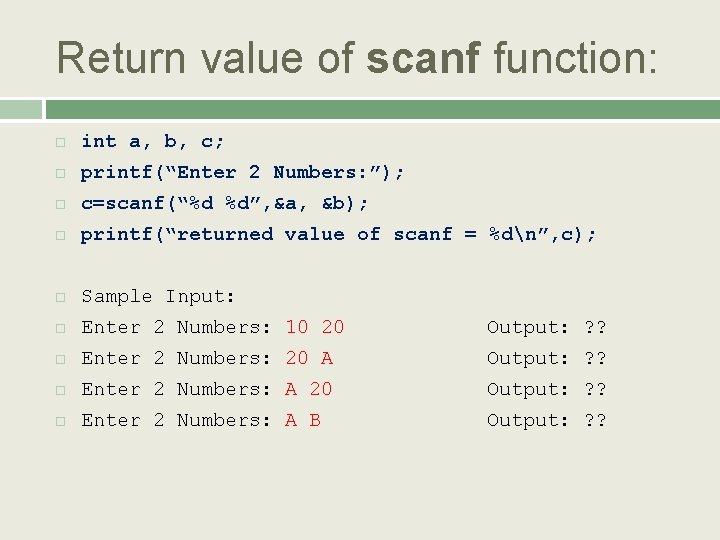
Return value of scanf function: int a, b, c; printf(“Enter 2 Numbers: ”); c=scanf(“%d %d”, &a, &b); printf(“returned value of scanf = %dn”, c); Sample Input: Enter 2 Numbers: 10 20 Output: ? ? Enter 2 Numbers: 20 A Output: ? ? Enter 2 Numbers: A 20 Output: ? ? Enter 2 Numbers: A B Output: ? ?
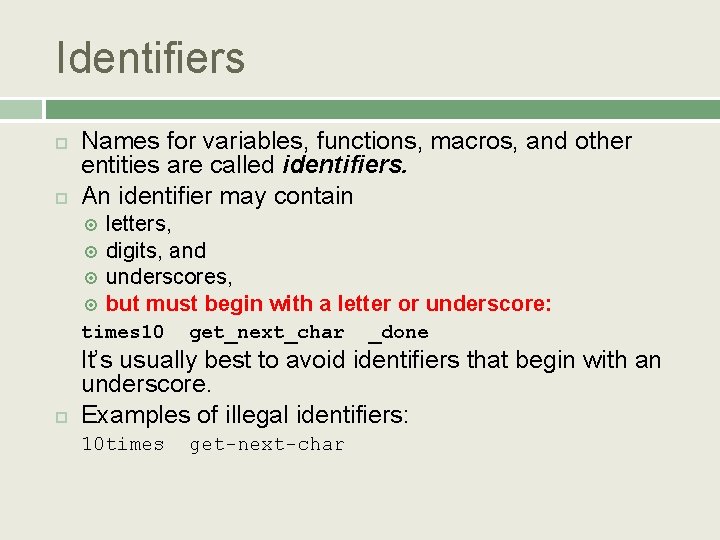
Identifiers Names for variables, functions, macros, and other entities are called identifiers. An identifier may contain letters, digits, and underscores, but must begin with a letter or underscore: times 10 get_next_char _done It’s usually best to avoid identifiers that begin with an underscore. Examples of illegal identifiers: 10 times get-next-char
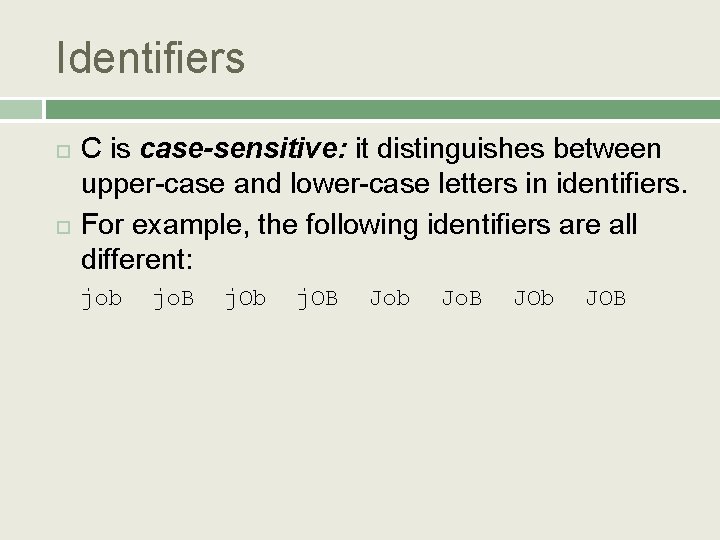
Identifiers C is case-sensitive: it distinguishes between upper-case and lower-case letters in identifiers. For example, the following identifiers are all different: job jo. B j. Ob j. OB Job Jo. B JOb JOB
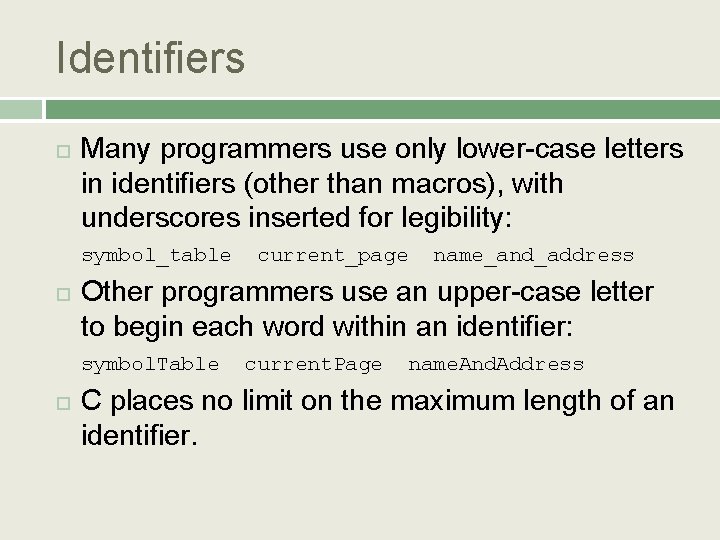
Identifiers Many programmers use only lower-case letters in identifiers (other than macros), with underscores inserted for legibility: symbol_table current_page name_and_address Other programmers use an upper-case letter to begin each word within an identifier: symbol. Table current. Page name. And. Address C places no limit on the maximum length of an identifier.
Keywords 11
Conditional Statement If If-else-if Switch
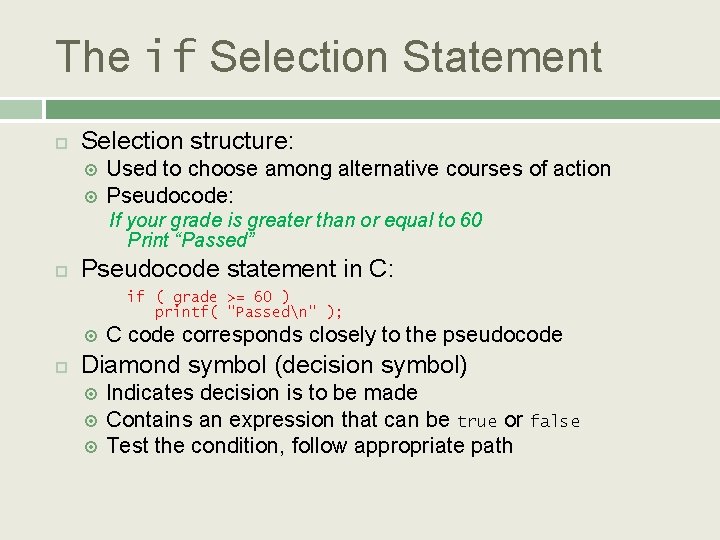
The if Selection Statement Selection structure: Used to choose among alternative courses of action Pseudocode: If your grade is greater than or equal to 60 Print “Passed” Pseudocode statement in C: if ( grade >= 60 ) printf( "Passedn" ); C code corresponds closely to the pseudocode Diamond symbol (decision symbol) Indicates decision is to be made Contains an expression that can be true or false Test the condition, follow appropriate path
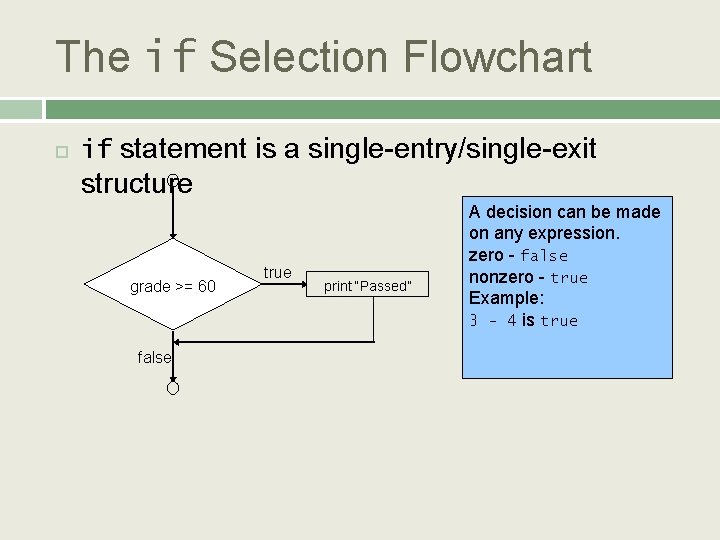
The if Selection Flowchart if statement is a single-entry/single-exit structure grade >= 60 false true print “Passed” A decision can be made on any expression. zero - false nonzero - true Example: 3 - 4 is true
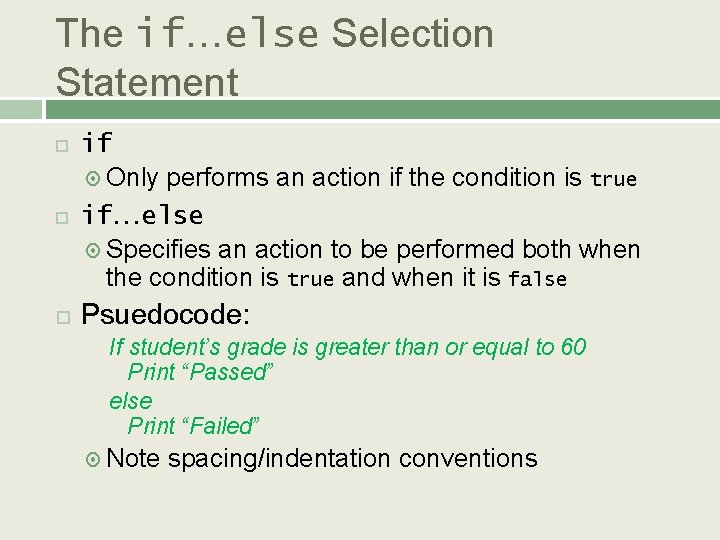
The if…else Selection Statement if Only performs an action if the condition is true if…else Specifies an action to be performed both when the condition is true and when it is false Psuedocode: If student’s grade is greater than or equal to 60 Print “Passed” else Print “Failed” Note spacing/indentation conventions
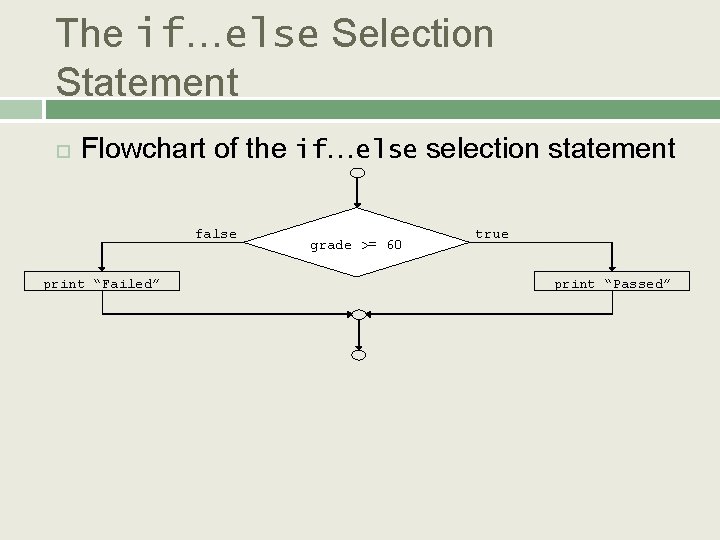
The if…else Selection Statement Flowchart of the if…else selection statement false print “Failed” grade >= 60 true print “Passed”
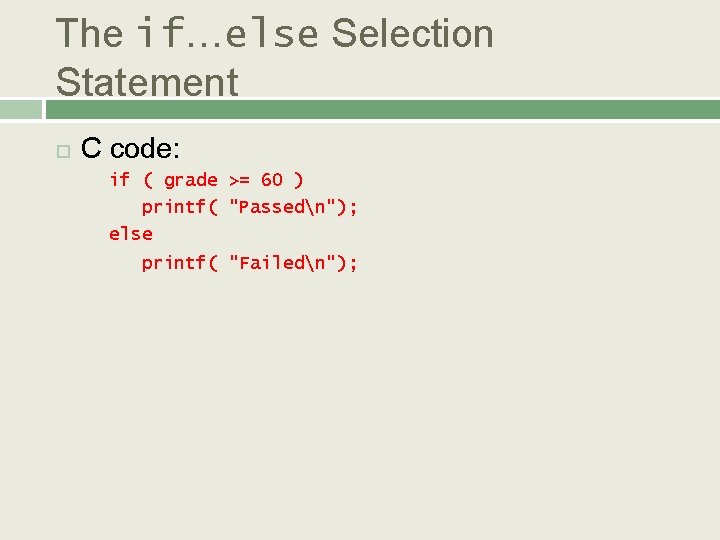
The if…else Selection Statement C code: if ( grade >= 60 ) printf( "Passedn"); else printf( "Failedn");
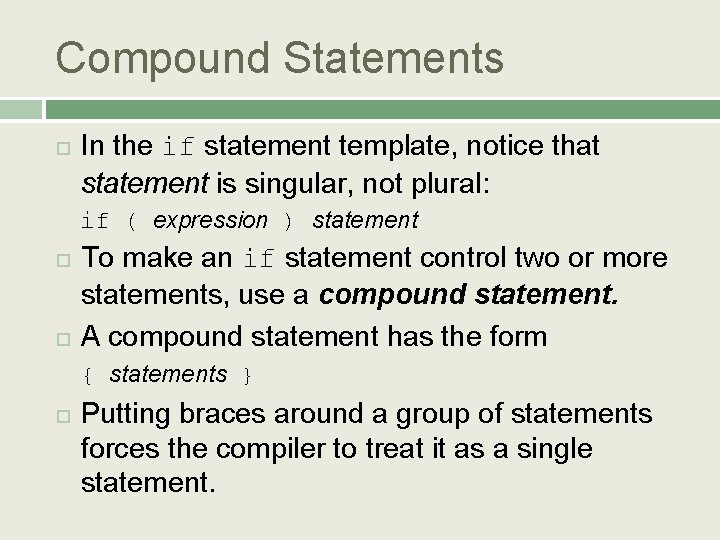
Compound Statements In the if statement template, notice that statement is singular, not plural: if ( expression ) statement To make an if statement control two or more statements, use a compound statement. A compound statement has the form { statements } Putting braces around a group of statements forces the compiler to treat it as a single statement.
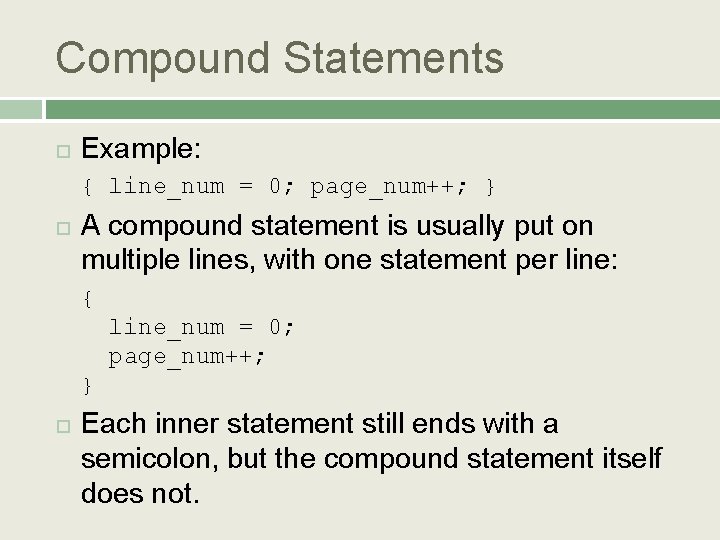
Compound Statements Example: { line_num = 0; page_num++; } A compound statement is usually put on multiple lines, with one statement per line: { line_num = 0; page_num++; } Each inner statement still ends with a semicolon, but the compound statement itself does not.
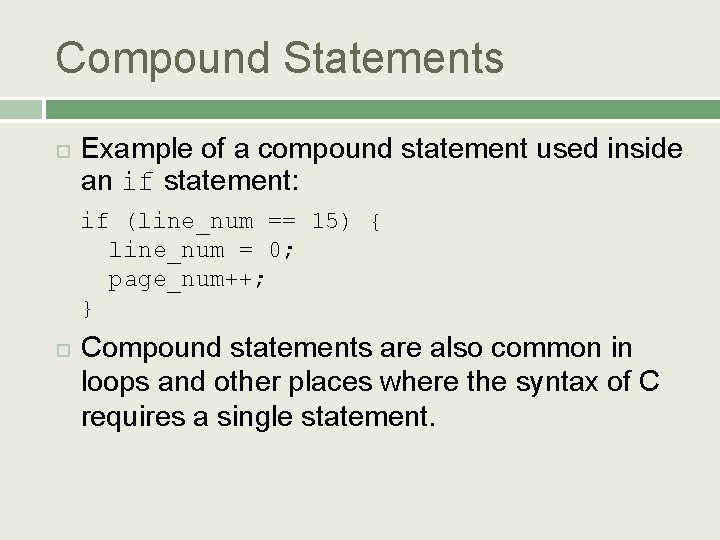
Compound Statements Example of a compound statement used inside an if statement: if (line_num == 15) { line_num = 0; page_num++; } Compound statements are also common in loops and other places where the syntax of C requires a single statement.
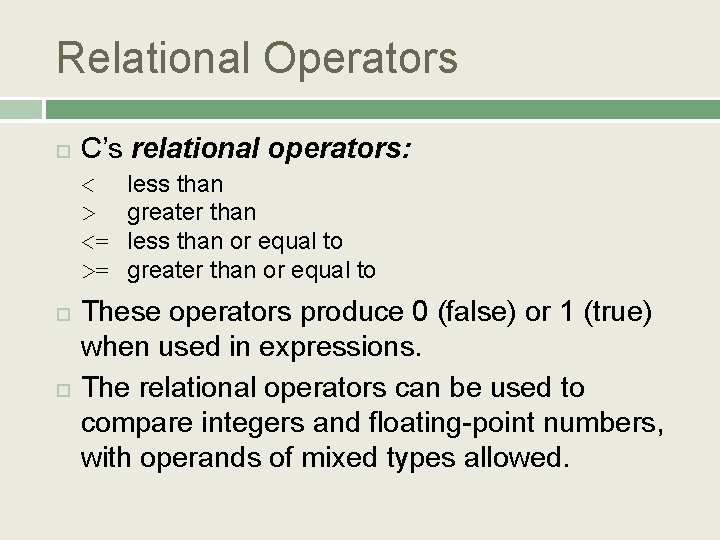
Relational Operators C’s relational operators: < > <= >= less than greater than less than or equal to greater than or equal to These operators produce 0 (false) or 1 (true) when used in expressions. The relational operators can be used to compare integers and floating-point numbers, with operands of mixed types allowed.
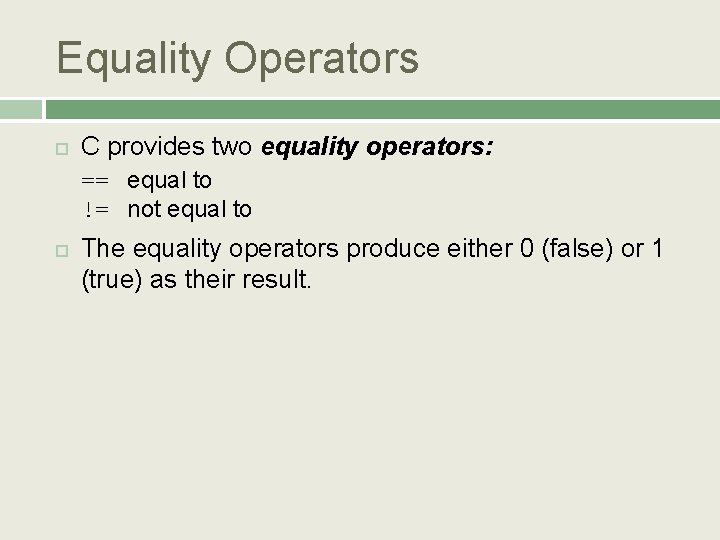
Equality Operators C provides two equality operators: == equal to != not equal to The equality operators produce either 0 (false) or 1 (true) as their result.
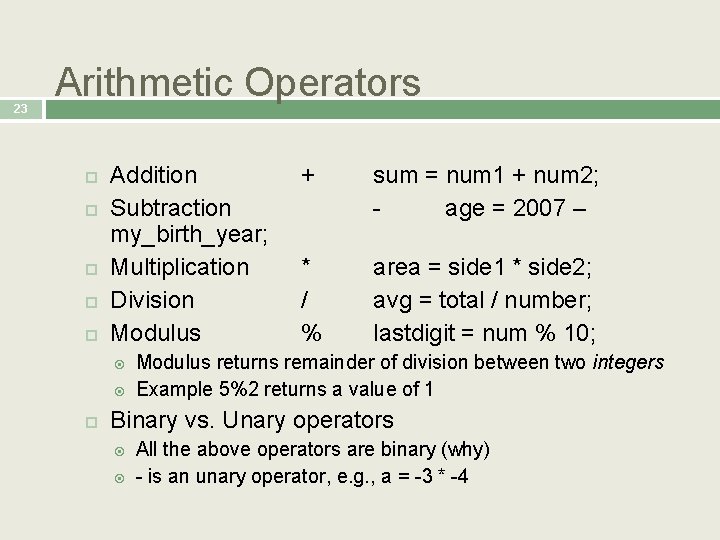
23 Arithmetic Operators Addition Subtraction my_birth_year; Multiplication Division Modulus + sum = num 1 + num 2; age = 2007 – * / % area = side 1 * side 2; avg = total / number; lastdigit = num % 10; Modulus returns remainder of division between two integers Example 5%2 returns a value of 1 Binary vs. Unary operators All the above operators are binary (why) - is an unary operator, e. g. , a = -3 * -4
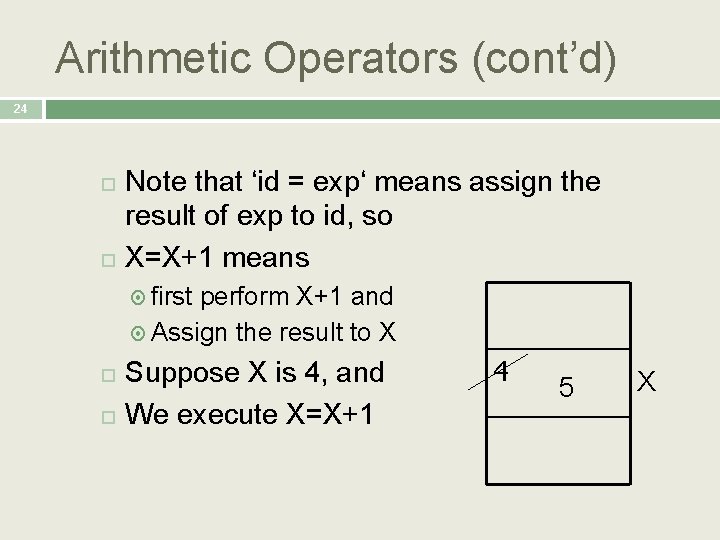
Arithmetic Operators (cont’d) 24 Note that ‘id = exp‘ means assign the result of exp to id, so X=X+1 means first perform X+1 and Assign the result to X Suppose X is 4, and We execute X=X+1 4 5 X
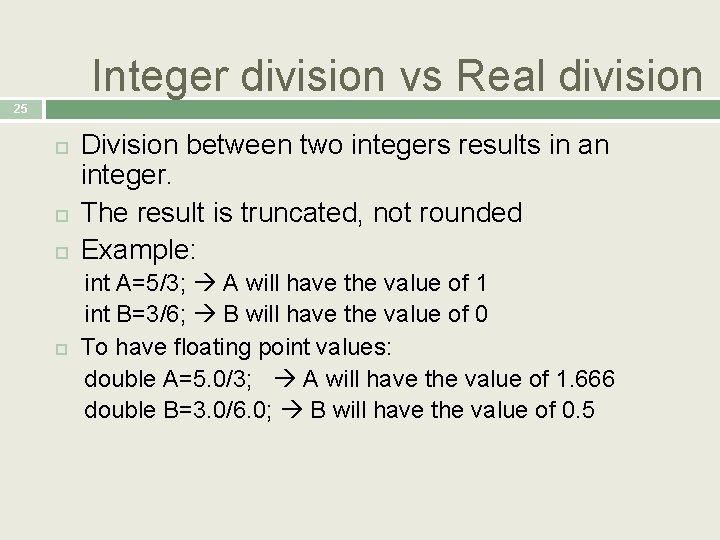
Integer division vs Real division 25 Division between two integers results in an integer. The result is truncated, not rounded Example: int A=5/3; A will have the value of 1 int B=3/6; B will have the value of 0 To have floating point values: double A=5. 0/3; A will have the value of 1. 666 double B=3. 0/6. 0; B will have the value of 0. 5
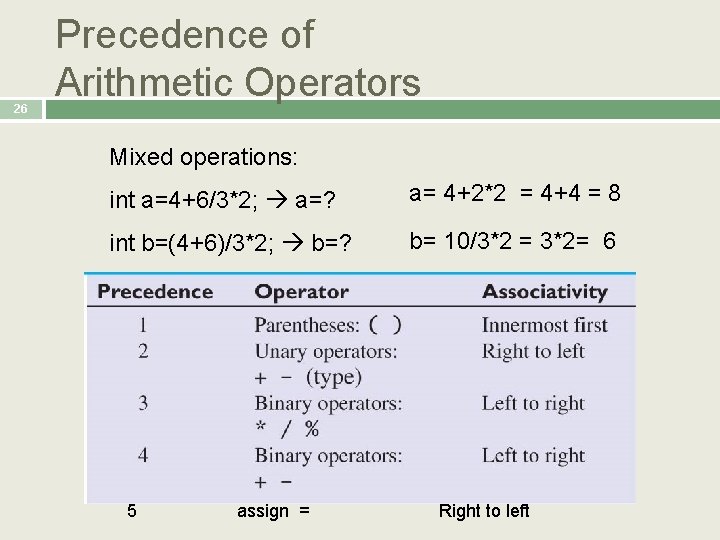
26 Precedence of Arithmetic Operators Mixed operations: int a=4+6/3*2; a=? a= 4+2*2 = 4+4 = 8 int b=(4+6)/3*2; b=? b= 10/3*2 = 3*2= 6 5 assign = Right to left
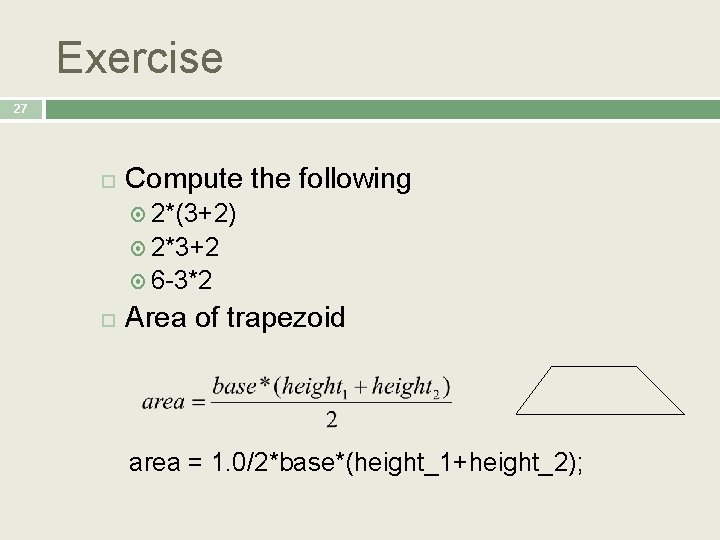
Exercise 27 Compute the following 2*(3+2) 2*3+2 6 -3*2 Area of trapezoid area = 1. 0/2*base*(height_1+height_2);
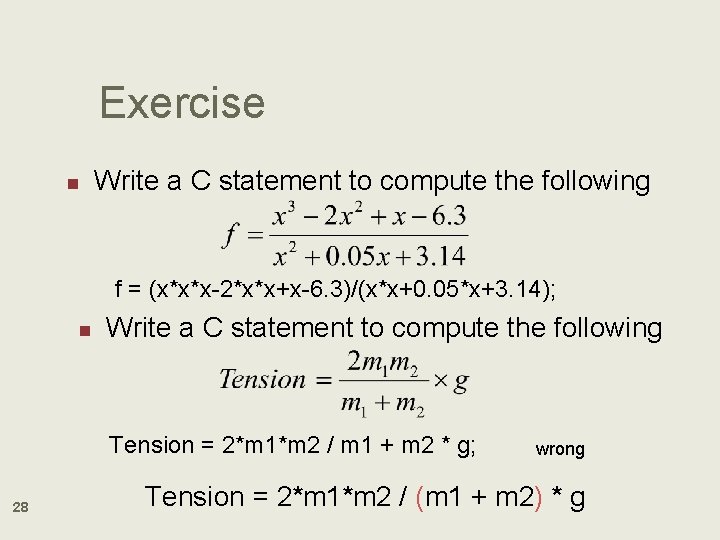
Exercise n Write a C statement to compute the following f = (x*x*x-2*x*x+x-6. 3)/(x*x+0. 05*x+3. 14); n Write a C statement to compute the following Tension = 2*m 1*m 2 / m 1 + m 2 * g; 28 wrong Tension = 2*m 1*m 2 / (m 1 + m 2) * g
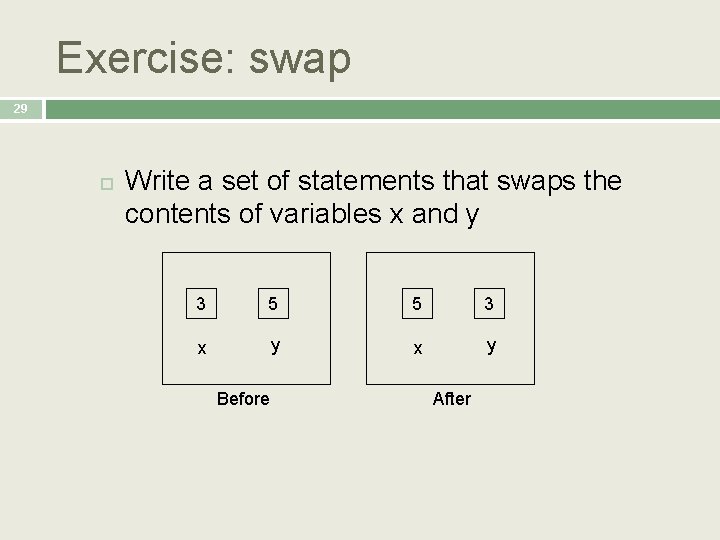
Exercise: swap 29 Write a set of statements that swaps the contents of variables x and y 3 5 5 3 x y Before After
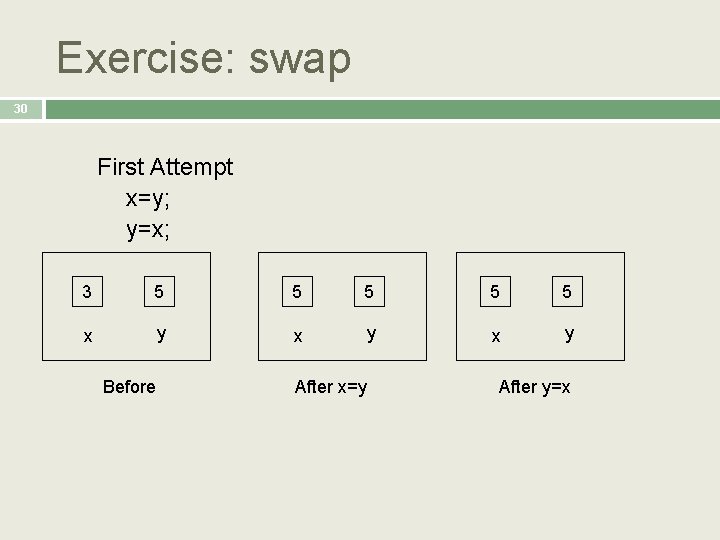
Exercise: swap 30 First Attempt x=y; y=x; 3 5 5 5 x y x y Before After x=y After y=x
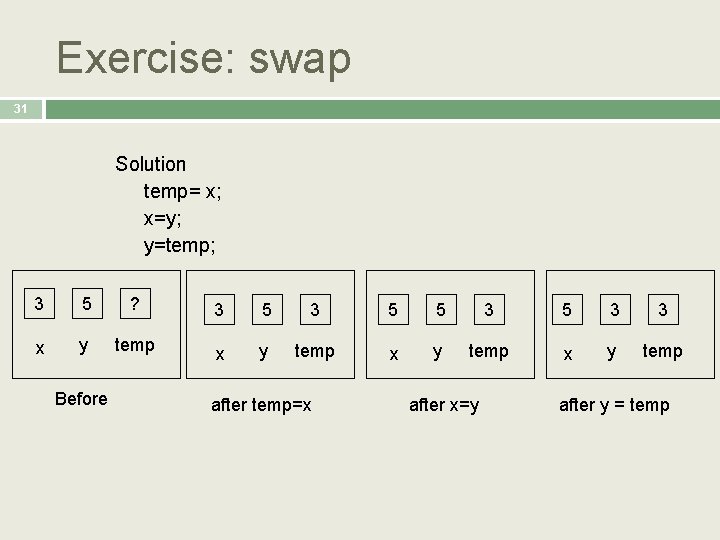
Exercise: swap 31 Solution temp= x; x=y; y=temp; 3 5 ? 3 5 5 3 3 x y temp Before after temp=x after x=y after y = temp
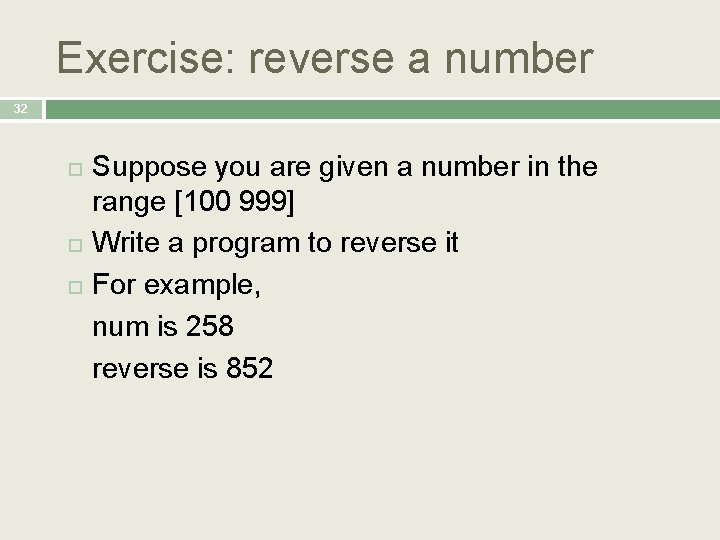
Exercise: reverse a number 32 Suppose you are given a number in the range [100 999] Write a program to reverse it For example, num is 258 reverse is 852
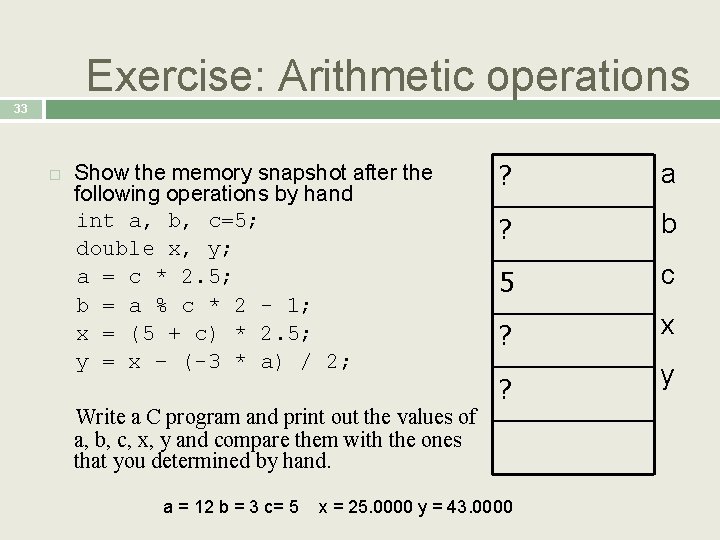
Exercise: Arithmetic operations 33 Show the memory snapshot after the following operations by hand int a, b, c=5; double x, y; a = c * 2. 5; b = a % c * 2 - 1; x = (5 + c) * 2. 5; y = x – (-3 * a) / 2; Write a C program and print out the values of a, b, c, x, y and compare them with the ones that you determined by hand. ? a ? b 5 c ? x ? y a = 12 b = 3 c= 5 x = 25. 0000 y = 43. 0000
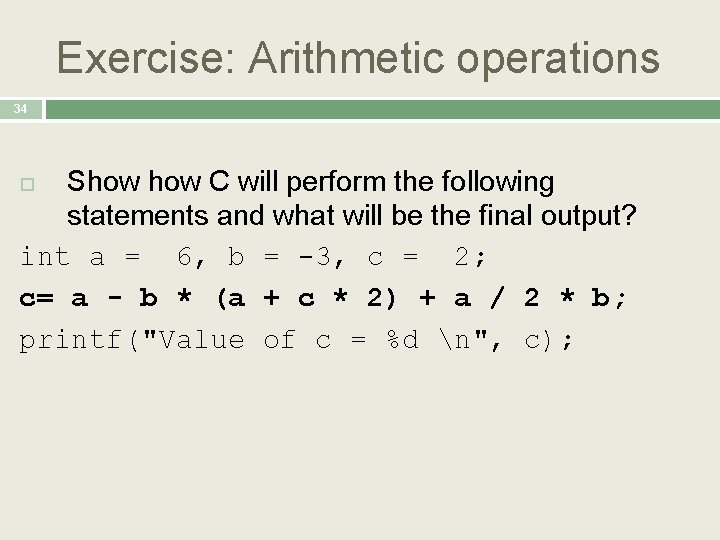
Exercise: Arithmetic operations 34 Show C will perform the following statements and what will be the final output? int a = 6, b = -3, c = 2; c= a - b * (a + c * 2) + a / 2 * b; printf("Value of c = %d n", c);
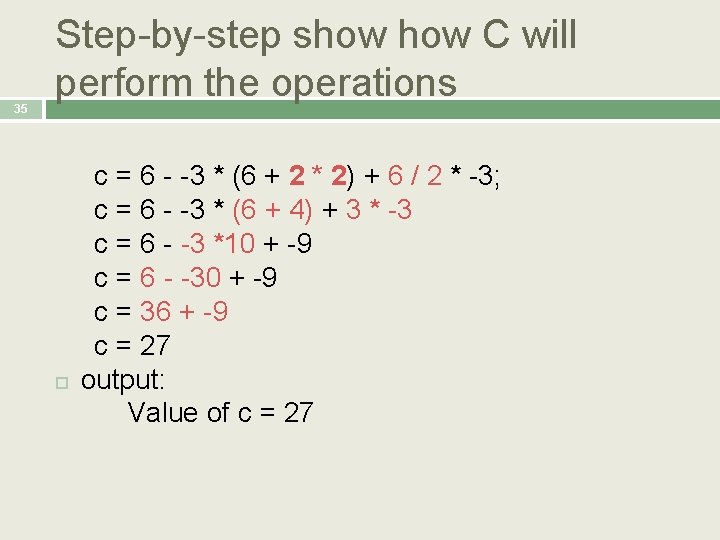
35 Step-by-step show C will perform the operations c = 6 - -3 * (6 + 2 * 2) + 6 / 2 * -3; c = 6 - -3 * (6 + 4) + 3 * -3 c = 6 - -3 *10 + -9 c = 6 - -30 + -9 c = 36 + -9 c = 27 output: Value of c = 27
36 Library Functions
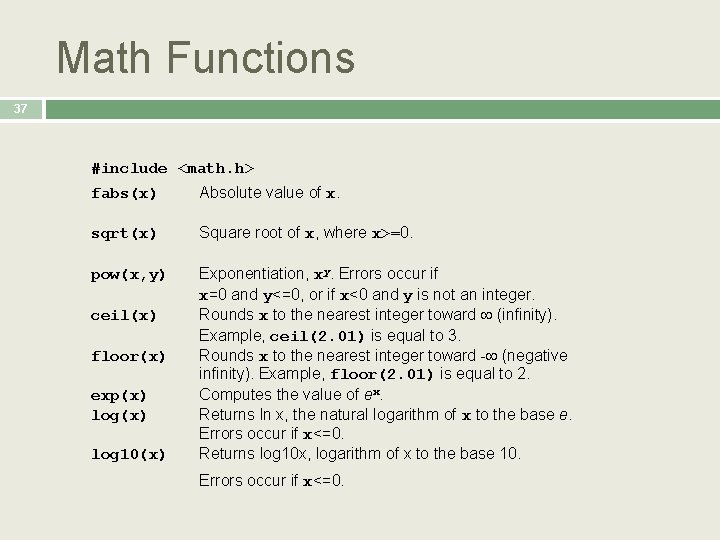
Math Functions 37 #include <math. h> fabs(x) Absolute value of x. sqrt(x) Square root of x, where x>=0. pow(x, y) Exponentiation, xy. Errors occur if x=0 and y<=0, or if x<0 and y is not an integer. Rounds x to the nearest integer toward (infinity). Example, ceil(2. 01) is equal to 3. Rounds x to the nearest integer toward - (negative infinity). Example, floor(2. 01) is equal to 2. Computes the value of ex. Returns ln x, the natural logarithm of x to the base e. Errors occur if x<=0. Returns log 10 x, logarithm of x to the base 10. ceil(x) floor(x) exp(x) log 10(x) Errors occur if x<=0.
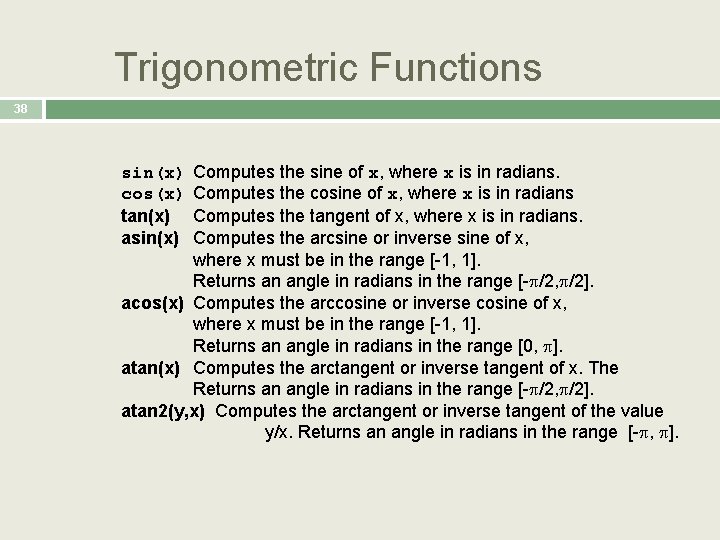
Trigonometric Functions 38 Computes the sine of x, where x is in radians. Computes the cosine of x, where x is in radians Computes the tangent of x, where x is in radians. Computes the arcsine or inverse sine of x, where x must be in the range [-1, 1]. Returns an angle in radians in the range [- /2, /2]. acos(x) Computes the arccosine or inverse cosine of x, where x must be in the range [-1, 1]. Returns an angle in radians in the range [0, ]. atan(x) Computes the arctangent or inverse tangent of x. The Returns an angle in radians in the range [- /2, /2]. atan 2(y, x) Computes the arctangent or inverse tangent of the value y/x. Returns an angle in radians in the range [- , ]. sin(x) cos(x) tan(x) asin(x)
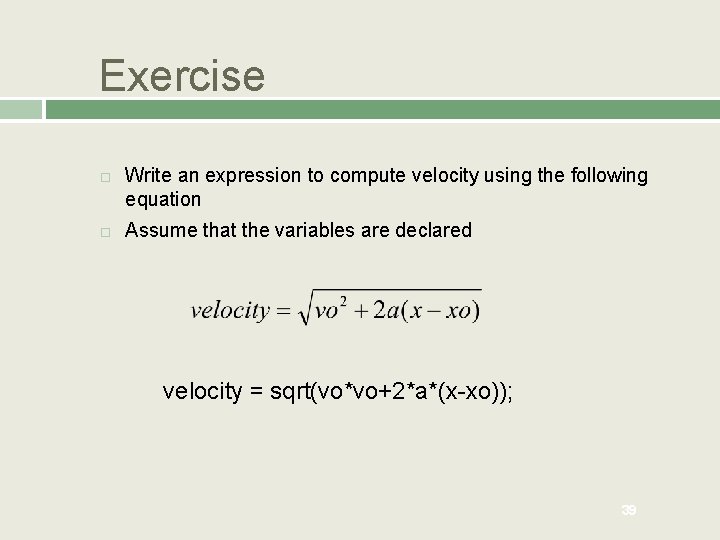
Exercise Write an expression to compute velocity using the following equation Assume that the variables are declared velocity = sqrt(vo*vo+2*a*(x-xo)); 39
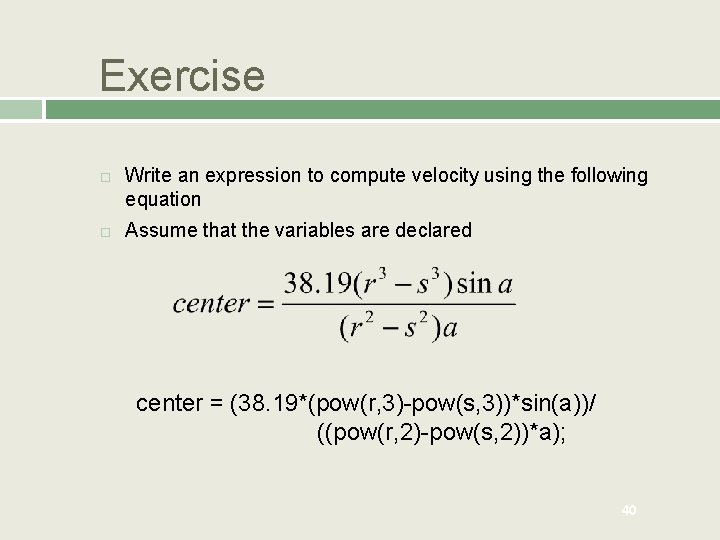
Exercise Write an expression to compute velocity using the following equation Assume that the variables are declared center = (38. 19*(pow(r, 3)-pow(s, 3))*sin(a))/ ((pow(r, 2)-pow(s, 2))*a); 40
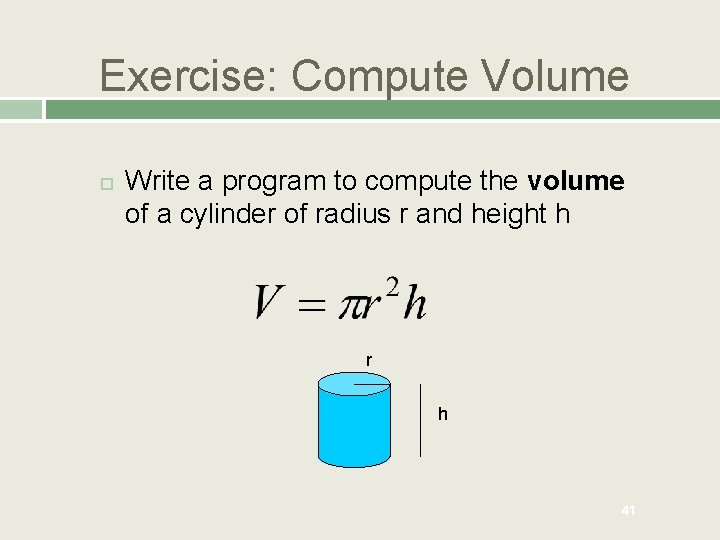
Exercise: Compute Volume Write a program to compute the volume of a cylinder of radius r and height h r h 41
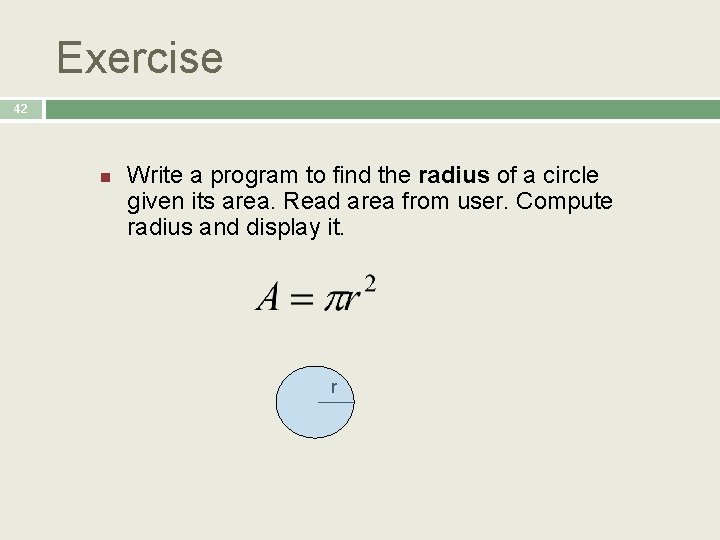
Exercise 42 n Write a program to find the radius of a circle given its area. Read area from user. Compute radius and display it. r