
CSCI N 201 Programming Concepts and Database 4
CSCI N 201 Programming Concepts and Database 4 – History of Programming Languages Lingma Acheson linglu@iupui. edu Department of Computer and Information Science, IUPUI 1
Progression • • • Hardware Machine code Assemblers Compilers Interpreters 2
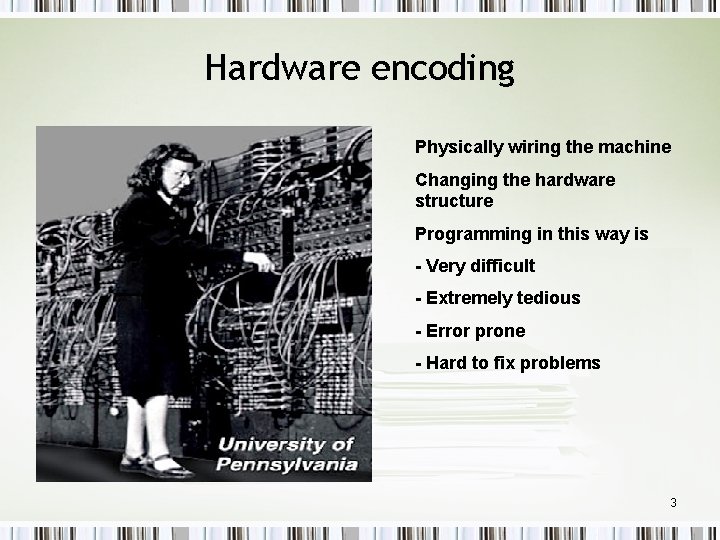
Hardware encoding Physically wiring the machine Changing the hardware structure Programming in this way is - Very difficult - Extremely tedious - Error prone - Hard to fix problems 3
Hardware encoding • • Change physical structure of machine Extremely tedious Very difficult Prone to error 4
Machine Language • • • Stored Language Concept Von Neumann Treat Instructions as data Each opcode built into ALU has a number Abniac http: //wally. cs. iupui. edu/n 100/update/Ab. Applet. html 5
Machine Language • Abniac – Illustrate the usage of machine languages – All commands have a number • Store – 1 • Add – 2 • Compare – 3 – All cells (place holders) have a number 0 – 99, to store instructions and values – Machine codes in second blue column – Description in third blue column – Output window in right most window frame 6
Machine Language – Program can be created by selecting a command, enter values and click on “OK” button – Need to run the program after it’s created - click on “Run”. – Need to tell the program where to stop running click on a cell and click “Halt”. – “File -> New” to refresh and create a new program. 7
Machine Language – Run Abniac! – Create your own Abniac program! 8
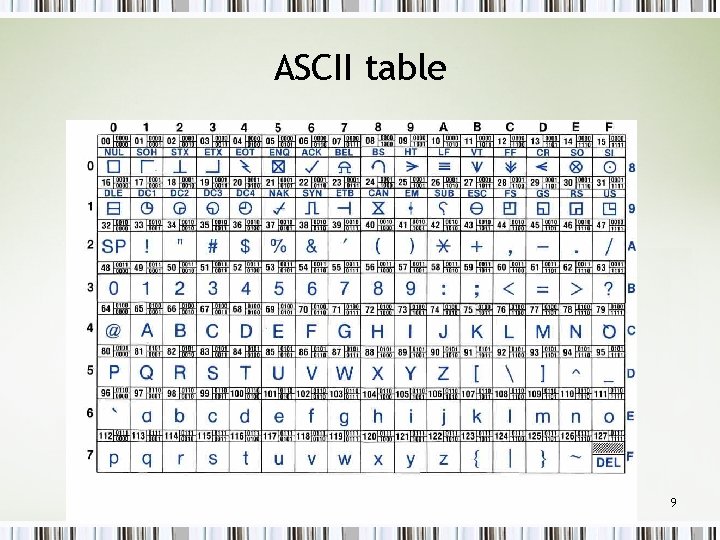
ASCII table 9
Assembler • Mnemonics for opcodes – E. g. use “Add” to mean “add” • Labeled cells, e. g. cell x • somewhat easier on programmers • E. g. Sto 2 Add 3 Lod 5 … 10
High-level Language • • • Typed in near-human language Converted to assembler Much easier on programmers Can be assembled or compiled Language is still very precise, but more readable E. g. If (x=2) then response. write “two” else response. write “zero” 11
- Slides: 11