
Csci 211 Computer System Architecture Review on Cache

- Slides: 74
Csci 211 Computer System Architecture – Review on Cache Memory Xiuzhen Cheng cheng@gwu. edu
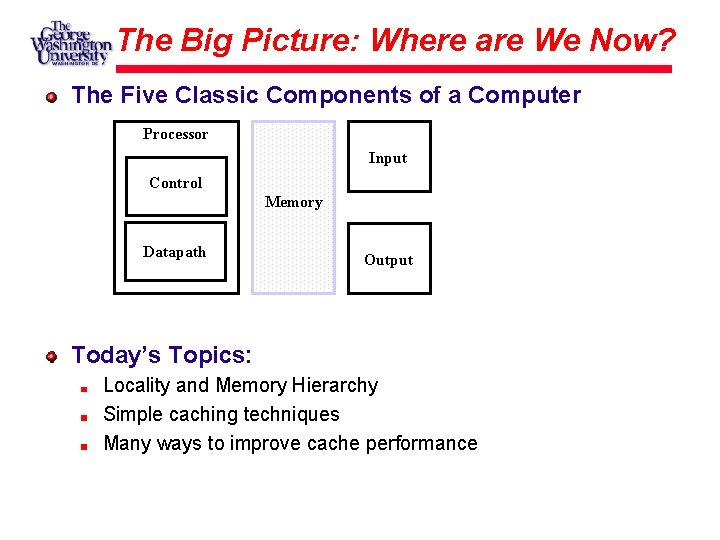
The Big Picture: Where are We Now? The Five Classic Components of a Computer Processor Input Control Memory Datapath Output Today’s Topics: Locality and Memory Hierarchy Simple caching techniques Many ways to improve cache performance
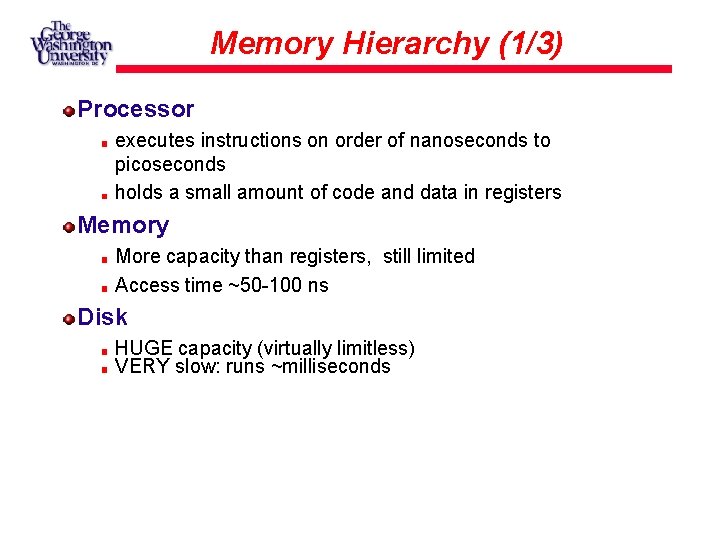
Memory Hierarchy (1/3) Processor executes instructions on order of nanoseconds to picoseconds holds a small amount of code and data in registers Memory More capacity than registers, still limited Access time ~50 -100 ns Disk HUGE capacity (virtually limitless) VERY slow: runs ~milliseconds
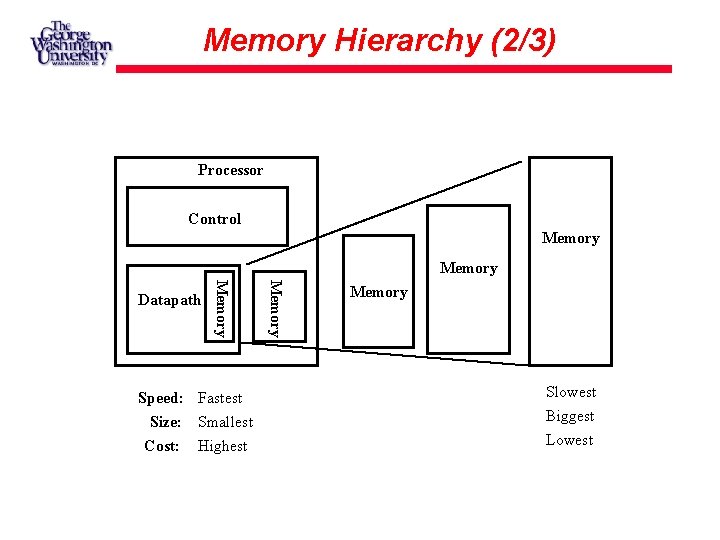
Memory Hierarchy (2/3) Processor Control Memory Speed: Fastest Size: Smallest Cost: Highest Memory Datapath Memory Slowest Biggest Lowest
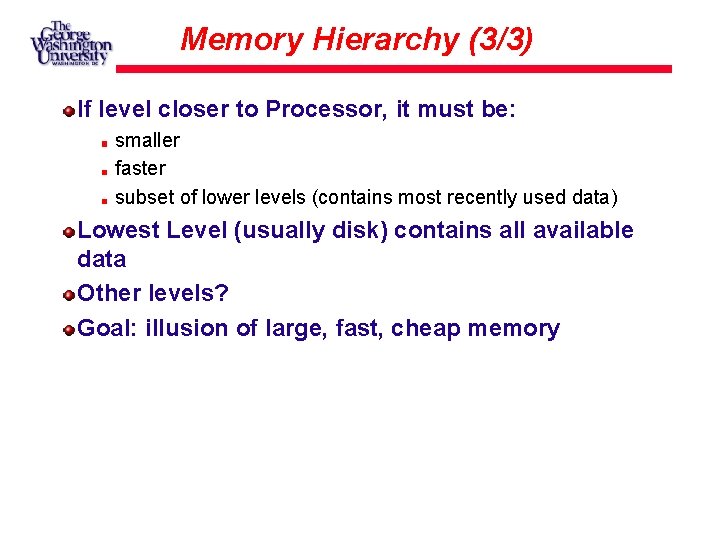
Memory Hierarchy (3/3) If level closer to Processor, it must be: smaller faster subset of lower levels (contains most recently used data) Lowest Level (usually disk) contains all available data Other levels? Goal: illusion of large, fast, cheap memory
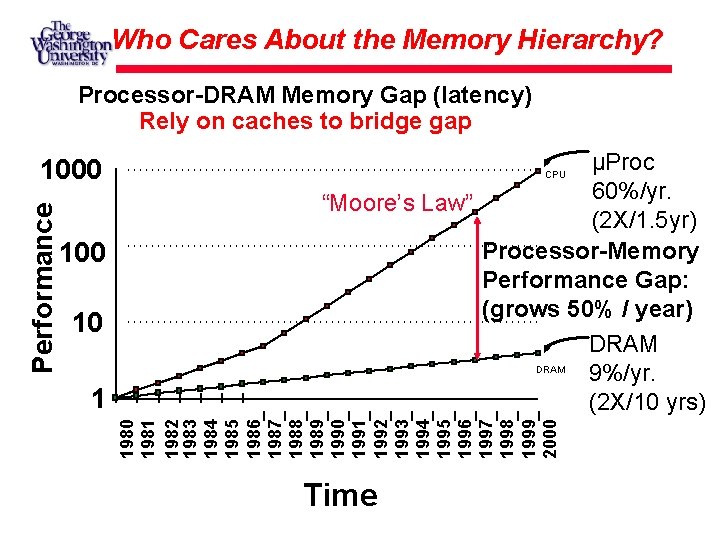
Who Cares About the Memory Hierarchy? Processor-DRAM Memory Gap (latency) Rely on caches to bridge gap 100 10 1 µProc 60%/yr. “Moore’s Law” (2 X/1. 5 yr) Processor-Memory Performance Gap: (grows 50% / year) DRAM 9%/yr. (2 X/10 yrs) CPU 1980 1981 1982 1983 1984 1985 1986 1987 1988 1989 1990 1991 1992 1993 1994 1995 1996 1997 1998 1999 2000 Performance 1000 Time
Memory Caching We’ve discussed three levels in the hierarchy: processor, memory, disk Mismatch between processor and memory speeds leads us to add a new level: a memory cache Implemented with SRAM technology: faster but more expensive than DRAM memory. “S” = Static, no need to refresh, ~60 ns “D” = Dynamic, need to refresh, ~10 ns
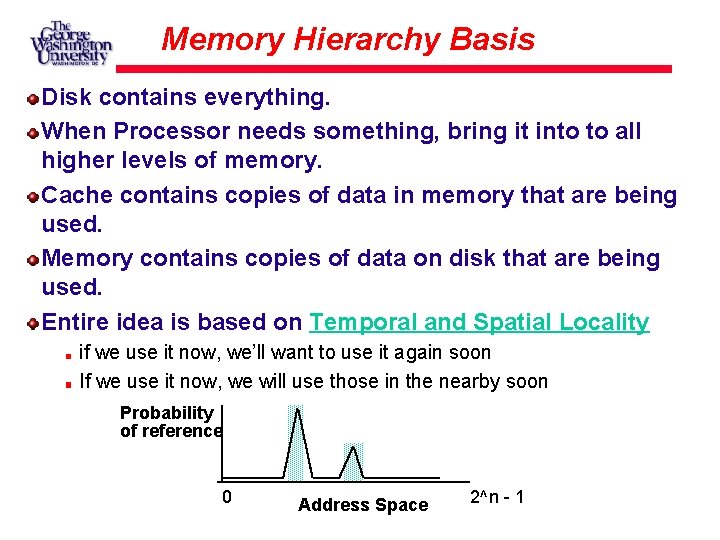
Memory Hierarchy Basis Disk contains everything. When Processor needs something, bring it into to all higher levels of memory. Cache contains copies of data in memory that are being used. Memory contains copies of data on disk that are being used. Entire idea is based on Temporal and Spatial Locality if we use it now, we’ll want to use it again soon If we use it now, we will use those in the nearby soon Probability of reference 0 Address Space 2^n - 1
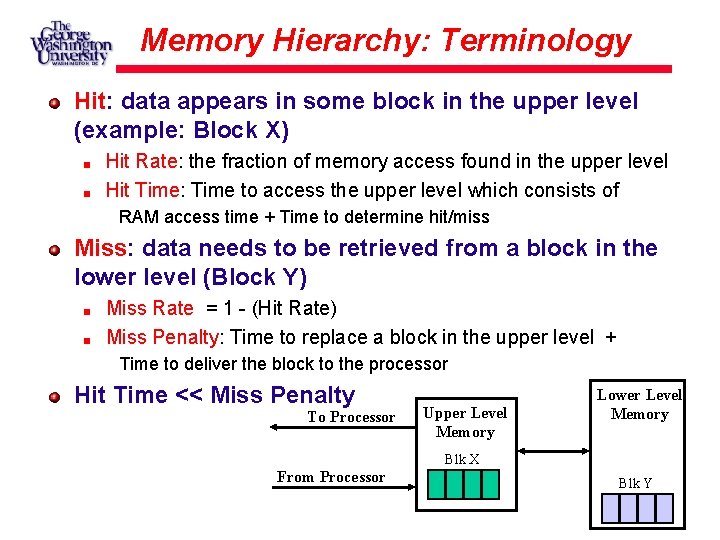
Memory Hierarchy: Terminology Hit: data appears in some block in the upper level (example: Block X) Hit Rate: the fraction of memory access found in the upper level Hit Time: Time to access the upper level which consists of RAM access time + Time to determine hit/miss Miss: data needs to be retrieved from a block in the lower level (Block Y) Miss Rate = 1 - (Hit Rate) Miss Penalty: Time to replace a block in the upper level + Time to deliver the block to the processor Hit Time << Miss Penalty To Processor Upper Level Memory Lower Level Memory Blk X From Processor Blk Y
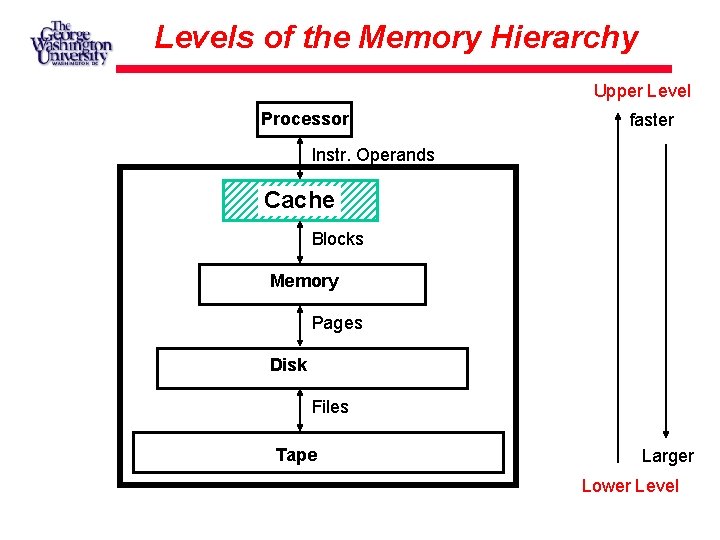
Levels of the Memory Hierarchy Upper Level Processor faster Instr. Operands Cache Blocks Memory Pages Disk Files Tape Larger Lower Level
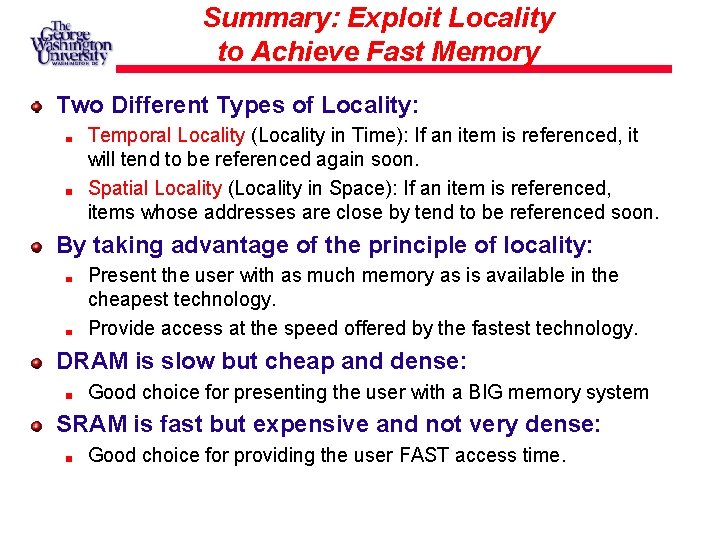
Summary: Exploit Locality to Achieve Fast Memory Two Different Types of Locality: Temporal Locality (Locality in Time): If an item is referenced, it will tend to be referenced again soon. Spatial Locality (Locality in Space): If an item is referenced, items whose addresses are close by tend to be referenced soon. By taking advantage of the principle of locality: Present the user with as much memory as is available in the cheapest technology. Provide access at the speed offered by the fastest technology. DRAM is slow but cheap and dense: Good choice for presenting the user with a BIG memory system SRAM is fast but expensive and not very dense: Good choice for providing the user FAST access time.
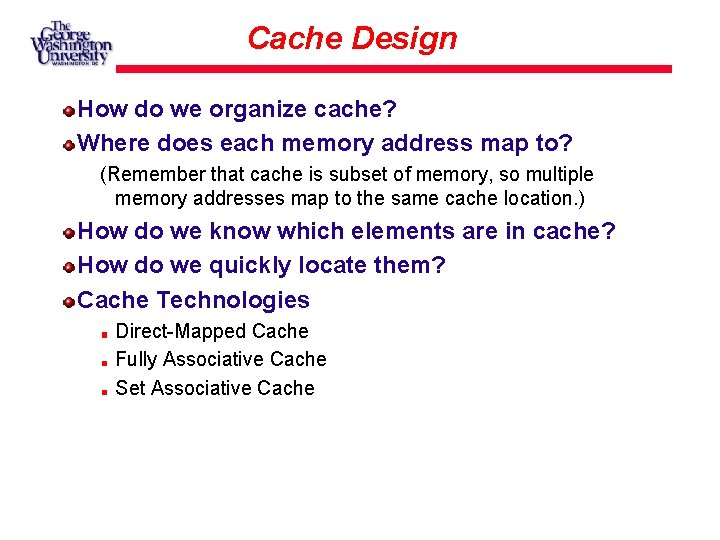
Cache Design How do we organize cache? Where does each memory address map to? (Remember that cache is subset of memory, so multiple memory addresses map to the same cache location. ) How do we know which elements are in cache? How do we quickly locate them? Cache Technologies Direct-Mapped Cache Fully Associative Cache Set Associative Cache
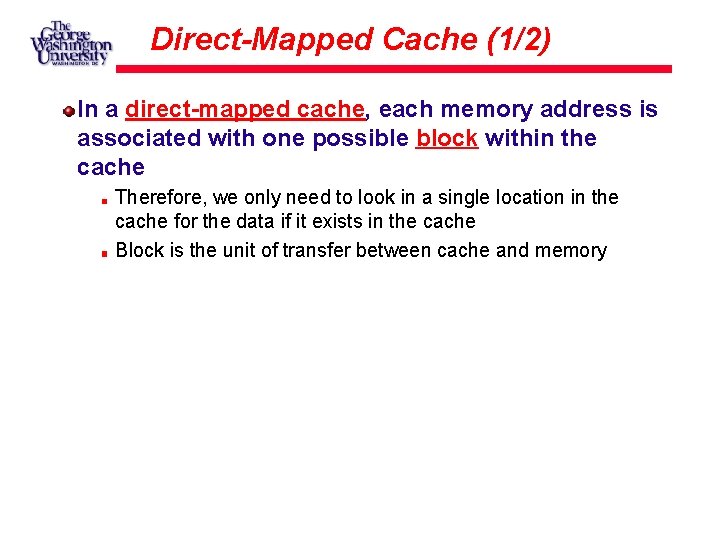
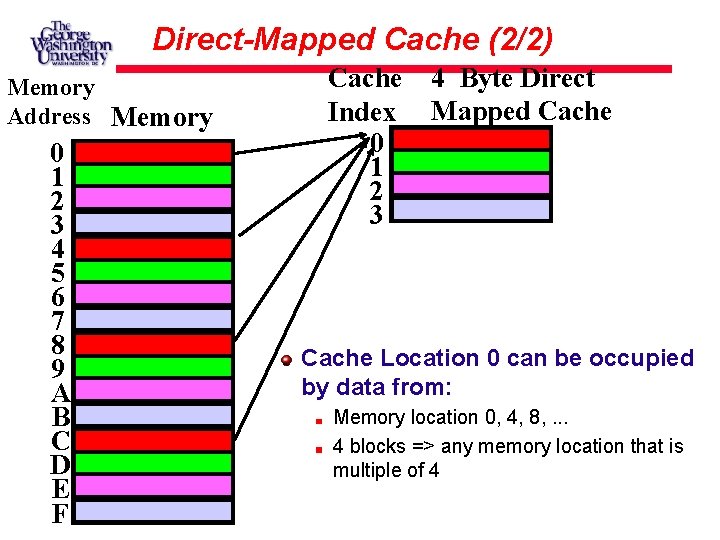
Direct-Mapped Cache (1/2) In a direct-mapped cache, each memory address is associated with one possible block within the cache Therefore, we only need to look in a single location in the cache for the data if it exists in the cache Block is the unit of transfer between cache and memory
Direct-Mapped Cache (2/2) Memory Address Memory 0 1 2 3 4 5 6 7 8 9 A B C D E F Cache Index 0 1 2 3 4 Byte Direct Mapped Cache Location 0 can be occupied by data from: Memory location 0, 4, 8, . . . 4 blocks => any memory location that is multiple of 4
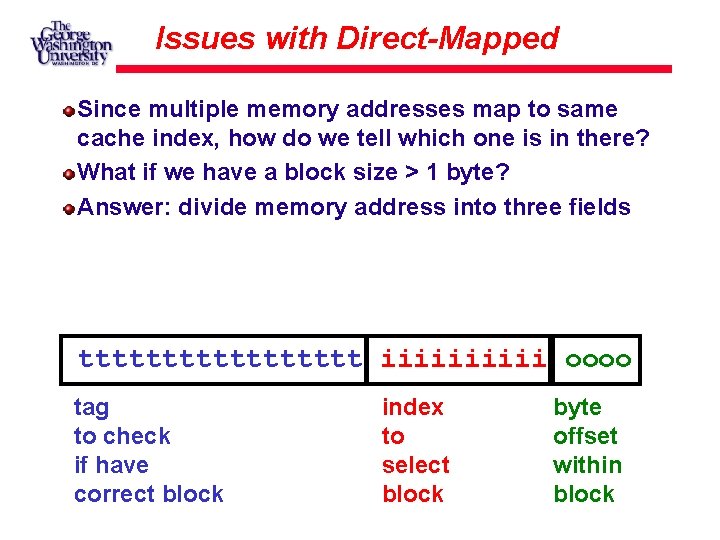
Issues with Direct-Mapped Since multiple memory addresses map to same cache index, how do we tell which one is in there? What if we have a block size > 1 byte? Answer: divide memory address into three fields ttttttttt iiiii oooo tag to check if have correct block index to select block byte offset within block
Direct-Mapped Cache Terminology All fields are read as unsigned integers. Index: specifies the cache index (which “row” of the cache we should look in) Offset: once we’ve found correct block, specifies which byte within the block we want Tag: the remaining bits after offset and index are determined; these are used to distinguish between all the memory addresses that map to the same location
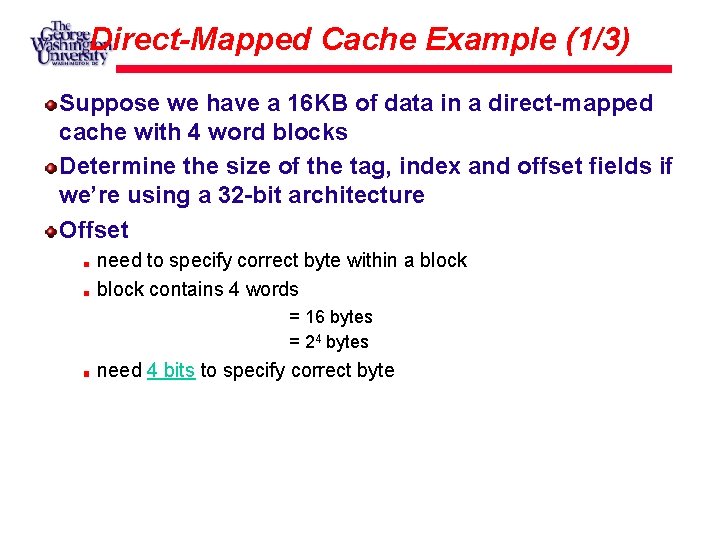
Direct-Mapped Cache Example (1/3) Suppose we have a 16 KB of data in a direct-mapped cache with 4 word blocks Determine the size of the tag, index and offset fields if we’re using a 32 -bit architecture Offset need to specify correct byte within a block contains 4 words = 16 bytes = 24 bytes need 4 bits to specify correct byte
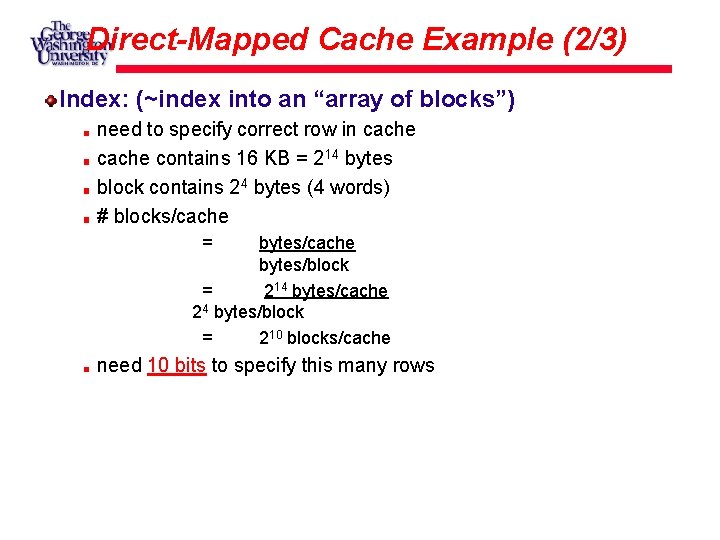
Direct-Mapped Cache Example (2/3) Index: (~index into an “array of blocks”) need to specify correct row in cache contains 16 KB = 214 bytes block contains 24 bytes (4 words) # blocks/cache = bytes/cache bytes/block = 214 bytes/cache 24 bytes/block = 210 blocks/cache need 10 bits to specify this many rows
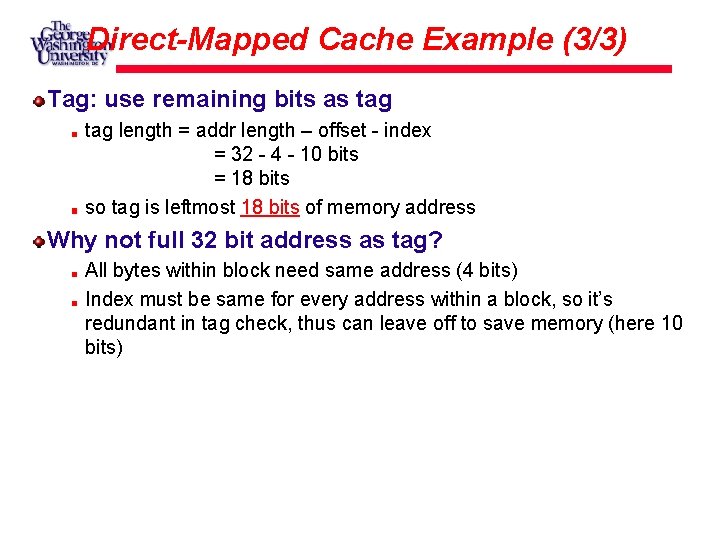
Direct-Mapped Cache Example (3/3) Tag: use remaining bits as tag length = addr length – offset - index = 32 - 4 - 10 bits = 18 bits so tag is leftmost 18 bits of memory address Why not full 32 bit address as tag? All bytes within block need same address (4 bits) Index must be same for every address within a block, so it’s redundant in tag check, thus can leave off to save memory (here 10 bits)
And in conclusion… We would like to have the capacity of disk at the speed of the processor: unfortunately this is not feasible. So we create a memory hierarchy: each successively lower level contains “most used” data from next higher level exploits temporal/spatial locality do the common case fast, worry less about the exceptions (design principle of MIPS) Locality of reference is a Big Idea
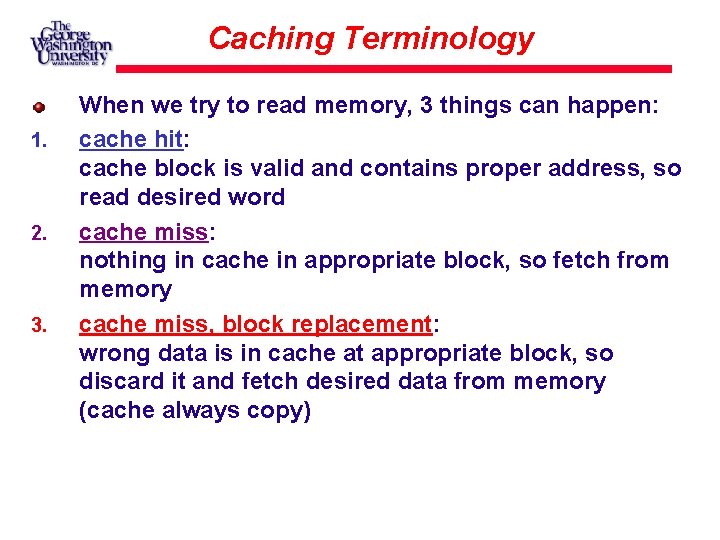
Caching Terminology 1. 2. 3. When we try to read memory, 3 things can happen: cache hit: cache block is valid and contains proper address, so read desired word cache miss: nothing in cache in appropriate block, so fetch from memory cache miss, block replacement: wrong data is in cache at appropriate block, so discard it and fetch desired data from memory (cache always copy)
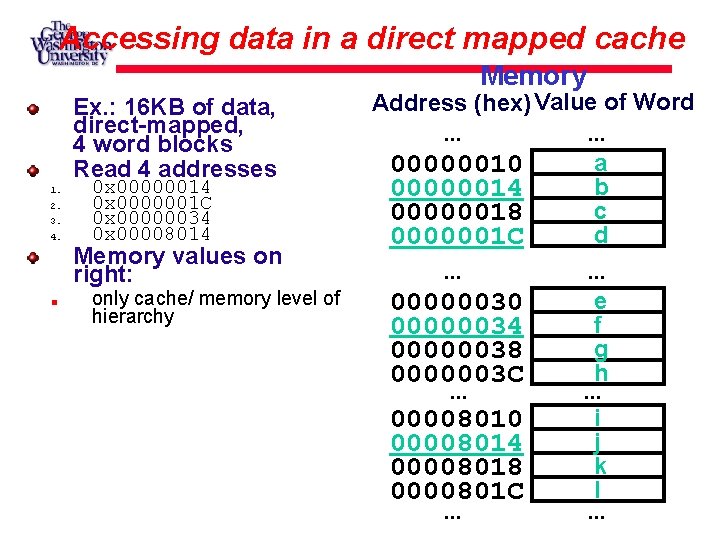
Accessing data in a direct mapped cache Memory Ex. : 16 KB of data, direct-mapped, 4 word blocks Read 4 addresses 1. 2. 3. 4. 0 x 00000014 0 x 0000001 C 0 x 00000034 0 x 00008014 Memory values on right: only cache/ memory level of hierarchy Address (hex) Value of Word. . . a 00000010 b 00000014 c 00000018 d 0000001 C. . . e 00000030 f 00000034 g 00000038 h 0000003 C. . . i 00008010 j 00008014 k 00008018 l 0000801 C. . .
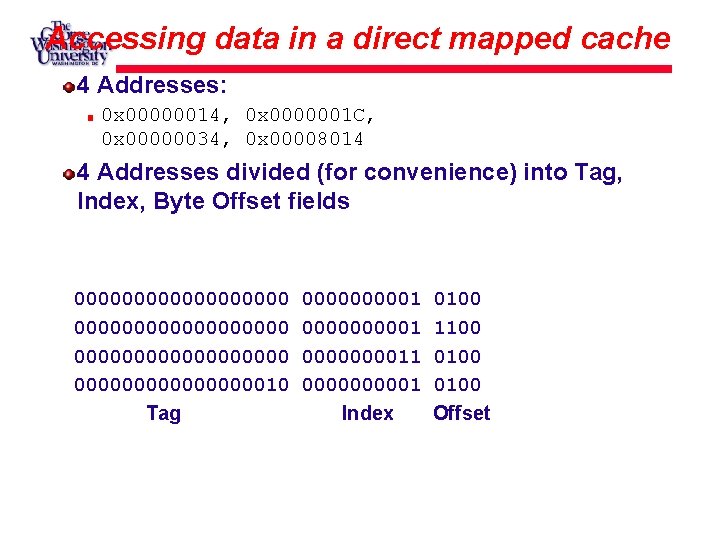
Accessing data in a direct mapped cache 4 Addresses: 0 x 00000014, 0 x 0000001 C, 0 x 00000034, 0 x 00008014 4 Addresses divided (for convenience) into Tag, Index, Byte Offset fields 000000000000000000 0000000010 Tag 00000000011 000001 Index 0100 1100 0100 Offset
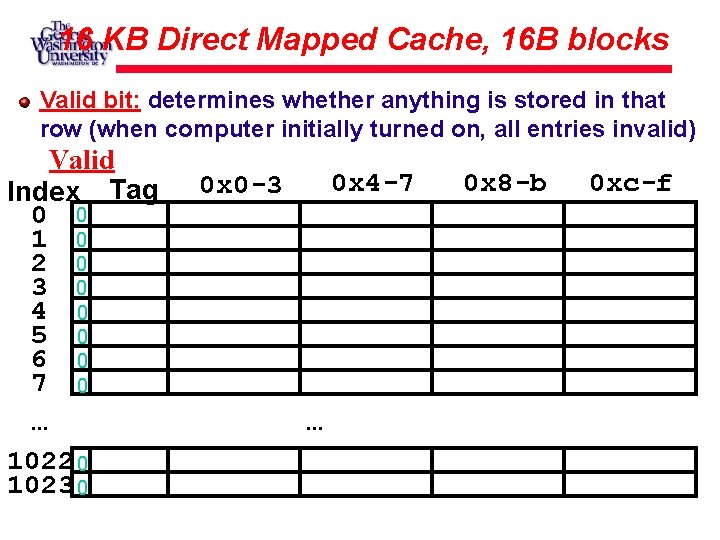
16 KB Direct Mapped Cache, 16 B blocks Valid bit: determines whether anything is stored in that row (when computer initially turned on, all entries invalid) Valid Index Tag 0 0 1 0 2 0 3 0 4 0 5 0 6 0 7 0. . . 1022 0 1023 0 0 x 4 -7 0 x 0 -3 . . . 0 x 8 -b 0 xc-f
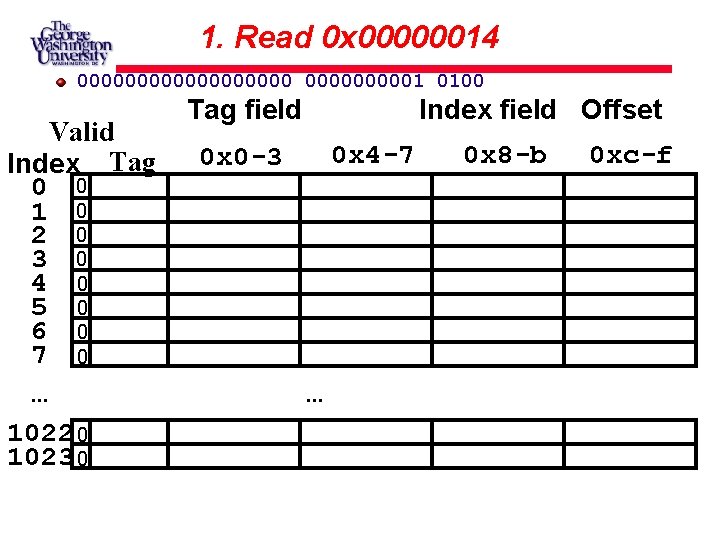
1. Read 0 x 00000014 0000000001 0100 Valid Index Tag 0 0 1 0 2 0 3 0 4 0 5 0 6 0 7 0. . . 1022 0 1023 0 Tag field Index field Offset 0 x 4 -7 0 x 0 -3 . . . 0 x 8 -b 0 xc-f
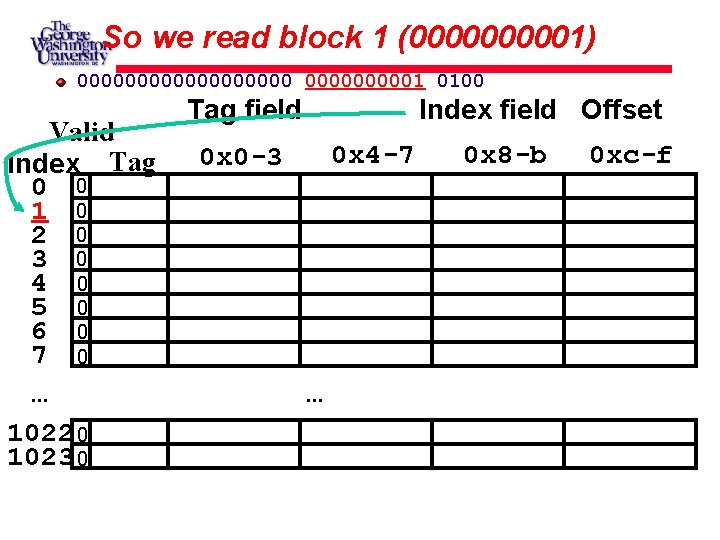
So we read block 1 (000001) 0000000001 0100 Valid Index Tag 0 0 1 0 2 0 3 0 4 0 5 0 6 0 7 0. . . 1022 0 1023 0 Tag field Index field Offset 0 x 4 -7 0 x 0 -3 . . . 0 x 8 -b 0 xc-f
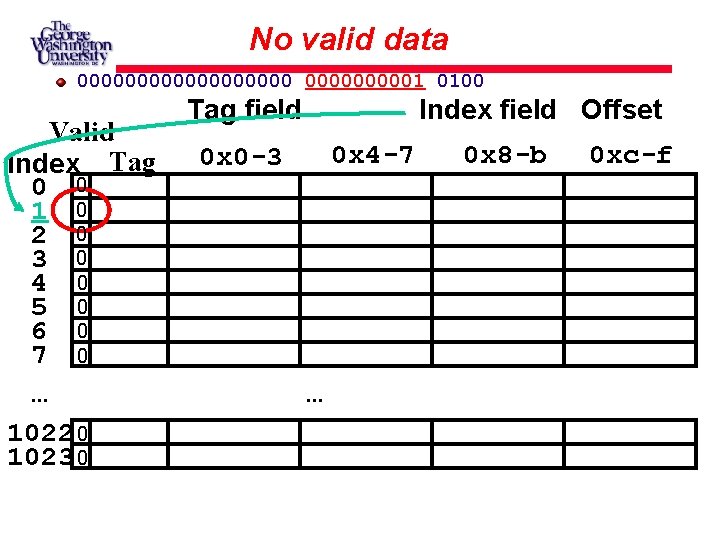
No valid data 0000000001 0100 Valid Index Tag 0 0 1 0 2 0 3 0 4 0 5 0 6 0 7 0. . . 1022 0 1023 0 Tag field Index field Offset 0 x 4 -7 0 x 0 -3 . . . 0 x 8 -b 0 xc-f
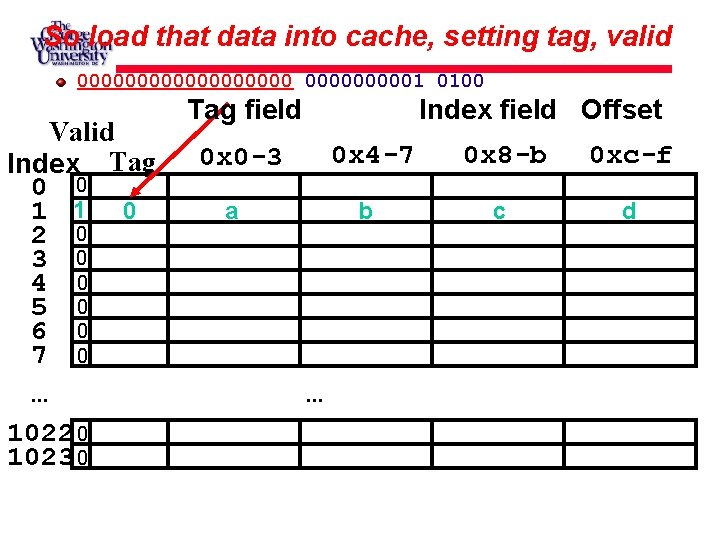
So load that data into cache, setting tag, valid 0000000001 0100 Valid Index Tag 0 0 1 1 0 2 0 3 0 4 0 5 0 6 0 7 0. . . 1022 0 1023 0 Tag field Index field Offset 0 x 4 -7 0 x 0 -3 a b . . . 0 x 8 -b 0 xc-f c d
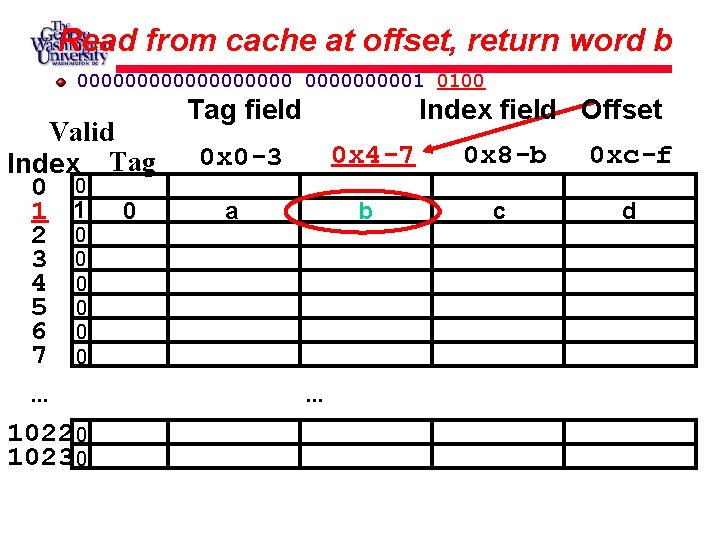
Read from cache at offset, return word b 0000000001 0100 Valid Index Tag 0 0 1 1 0 2 0 3 0 4 0 5 0 6 0 7 0. . . 1022 0 1023 0 Tag field Index field Offset 0 x 4 -7 0 x 0 -3 a b . . . 0 x 8 -b 0 xc-f c d
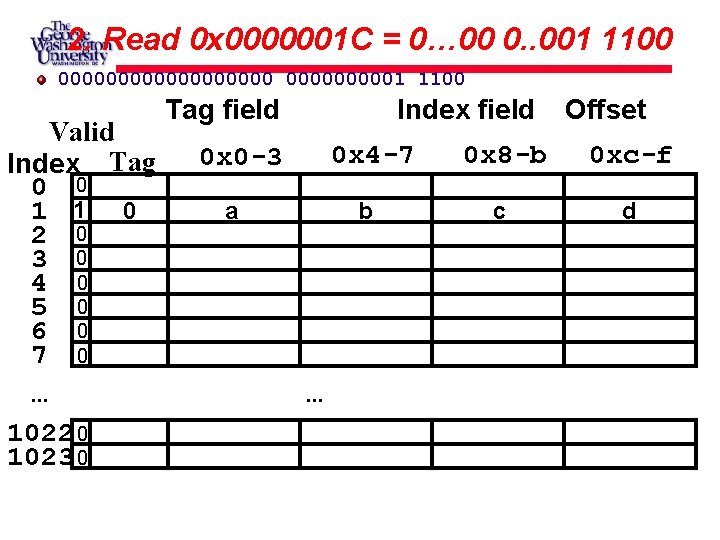
2. Read 0 x 0000001 C = 0… 00 0. . 001 1100 0000000001 1100 Valid Index Tag 0 0 1 1 0 2 0 3 0 4 0 5 0 6 0 7 0. . . 1022 0 1023 0 Tag field Index field 0 x 4 -7 0 x 0 -3 a b . . . Offset 0 x 8 -b 0 xc-f c d
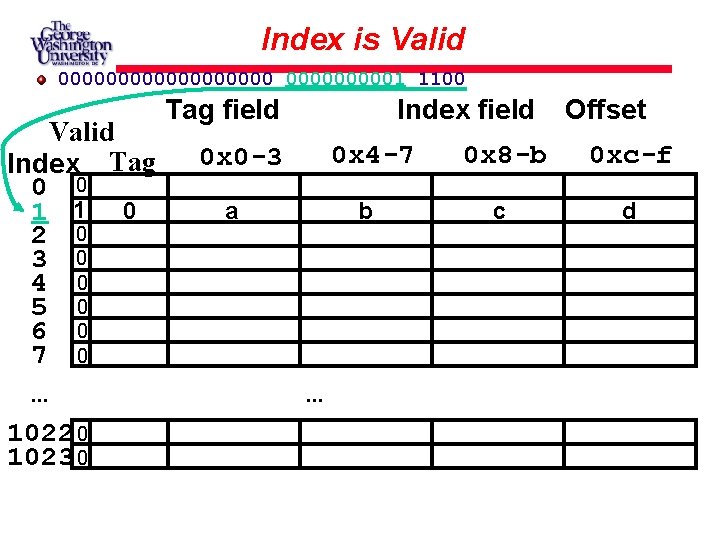
Index is Valid 0000000001 1100 Valid Index Tag 0 0 1 1 0 2 0 3 0 4 0 5 0 6 0 7 0. . . 1022 0 1023 0 Tag field Index field 0 x 4 -7 0 x 0 -3 a b . . . Offset 0 x 8 -b 0 xc-f c d
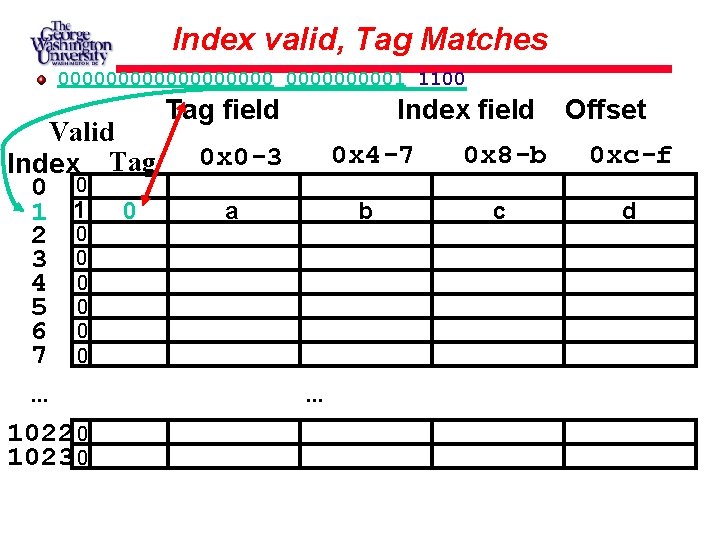
Index valid, Tag Matches 0000000001 1100 Valid Index Tag 0 0 1 1 0 2 0 3 0 4 0 5 0 6 0 7 0. . . 1022 0 1023 0 Tag field Index field 0 x 4 -7 0 x 0 -3 a b . . . Offset 0 x 8 -b 0 xc-f c d
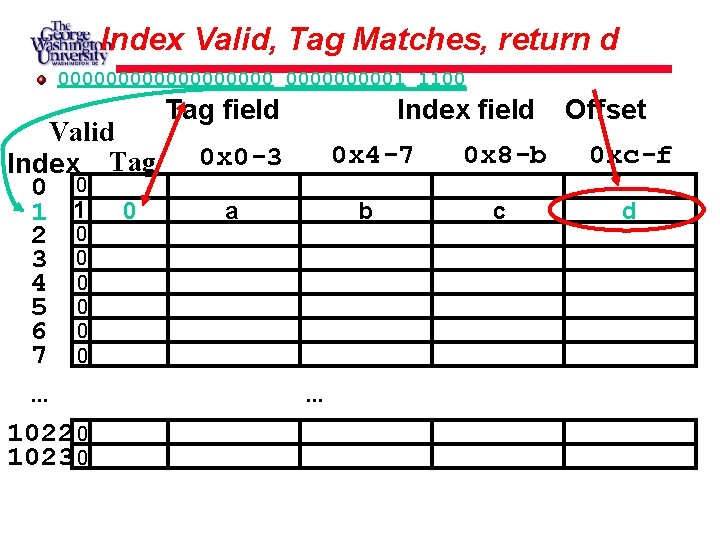
Index Valid, Tag Matches, return d 0000000001 1100 Valid Index Tag 0 0 1 1 0 2 0 3 0 4 0 5 0 6 0 7 0. . . 1022 0 1023 0 Tag field Index field 0 x 4 -7 0 x 0 -3 a b . . . Offset 0 x 8 -b 0 xc-f c d
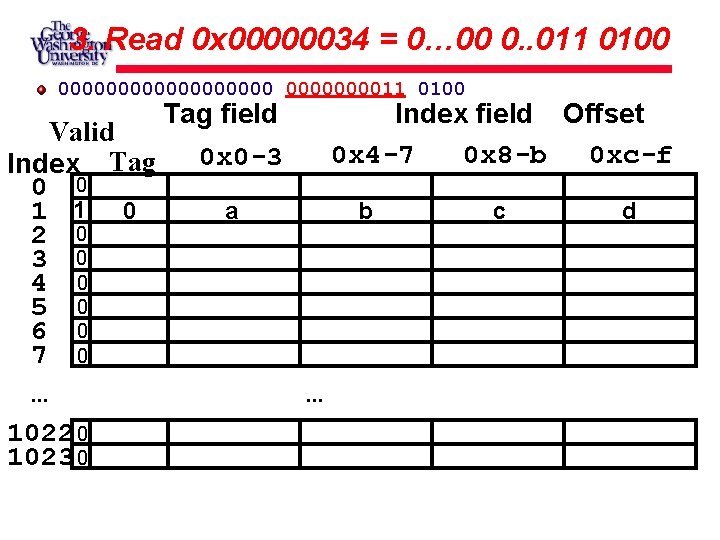
3. Read 0 x 00000034 = 0… 00 0. . 011 0100 00000000011 0100 Tag field Valid 0 x 0 -3 Index Tag 0 0 a 1 1 0 2 0 3 0 4 0 5 0 6 0 7 0. . . 1022 0 1023 0 Index field Offset 0 x 4 -7 0 x 8 -b 0 xc-f b . . . c d
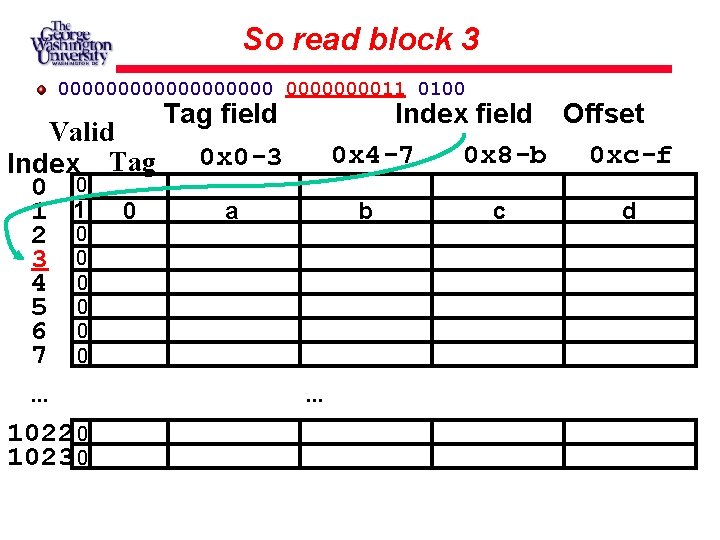
So read block 3 00000000011 0100 Tag field Valid 0 x 0 -3 Index Tag 0 0 a 1 1 0 2 0 3 0 4 0 5 0 6 0 7 0. . . 1022 0 1023 0 Index field Offset 0 x 4 -7 0 x 8 -b 0 xc-f b . . . c d
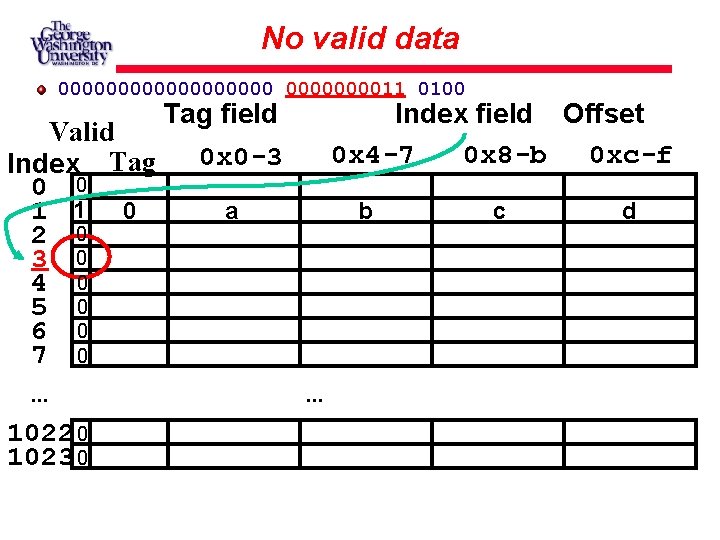
No valid data 00000000011 0100 Tag field Valid 0 x 0 -3 Index Tag 0 0 a 1 1 0 2 0 3 0 4 0 5 0 6 0 7 0. . . 1022 0 1023 0 Index field Offset 0 x 4 -7 0 x 8 -b 0 xc-f b . . . c d
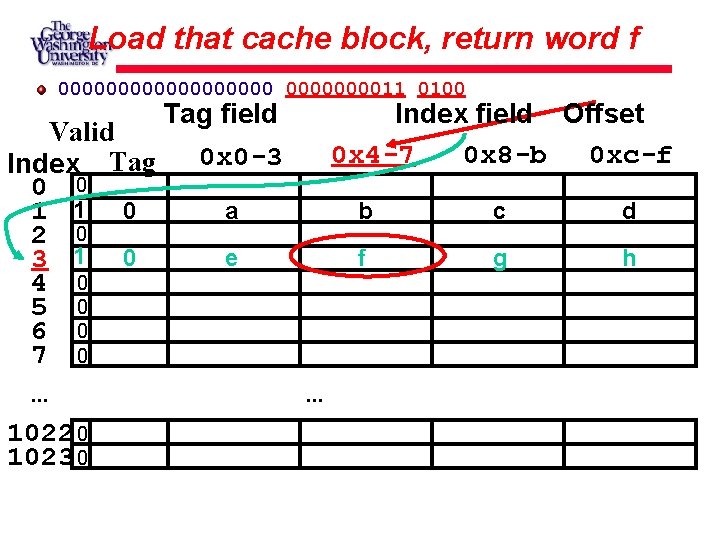
Load that cache block, return word f 00000000011 0100 Tag field Valid 0 x 0 -3 Index Tag 0 0 a 1 1 0 2 0 e 3 1 0 4 0 5 0 6 0 7 0. . . 1022 0 1023 0 Index field Offset 0 x 4 -7 0 x 8 -b 0 xc-f . . . b c d f g h
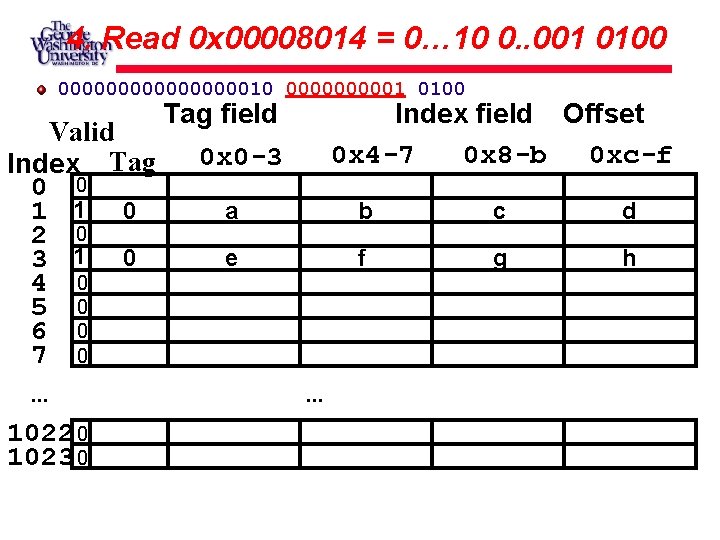
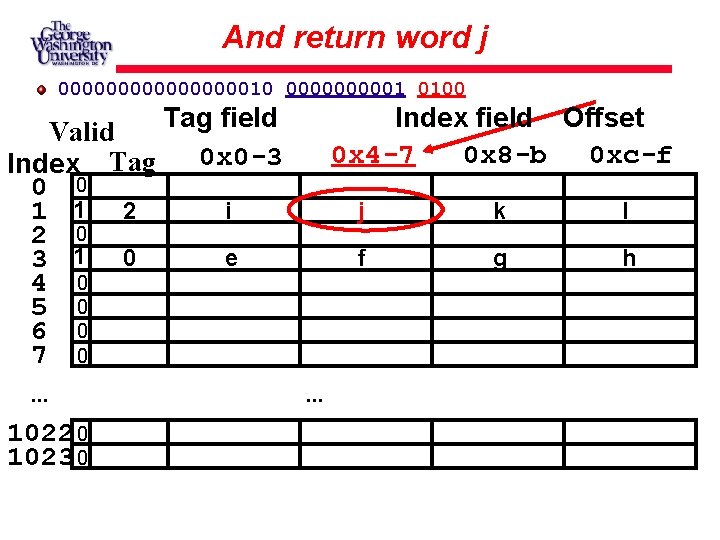
4. Read 0 x 00008014 = 0… 10 0. . 001 0100 0000000010 000001 0100 Tag field Valid 0 x 0 -3 Index Tag 0 0 a 1 1 0 2 0 e 3 1 0 4 0 5 0 6 0 7 0. . . 1022 0 1023 0 Index field Offset 0 x 4 -7 0 x 8 -b 0 xc-f . . . b c d f g h
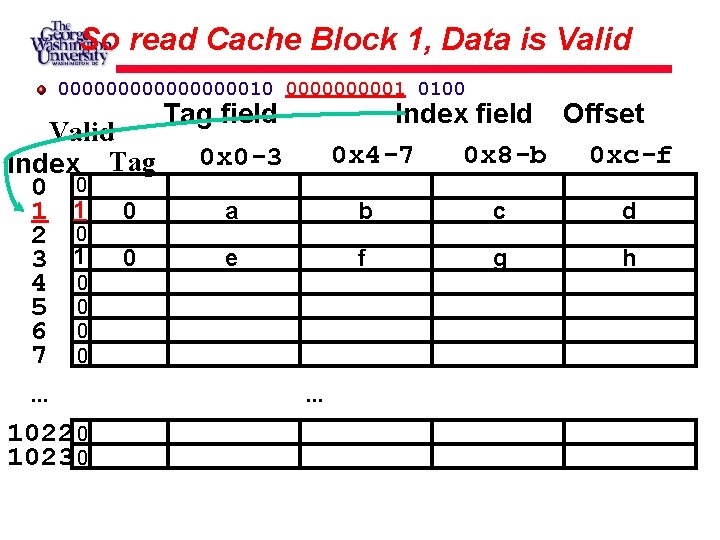
So read Cache Block 1, Data is Valid 0000000010 000001 0100 Tag field Valid 0 x 0 -3 Index Tag 0 0 a 1 1 0 2 0 e 3 1 0 4 0 5 0 6 0 7 0. . . 1022 0 1023 0 Index field Offset 0 x 4 -7 0 x 8 -b 0 xc-f . . . b c d f g h
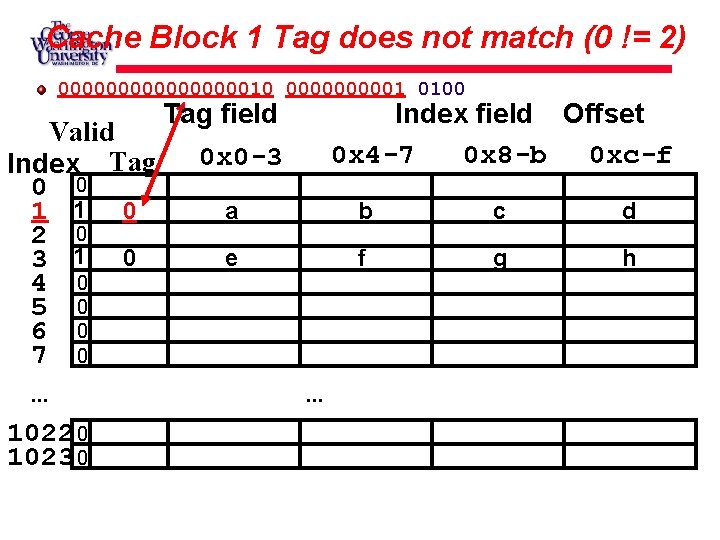
Cache Block 1 Tag does not match (0 != 2) 0000000010 000001 0100 Tag field Valid 0 x 0 -3 Index Tag 0 0 a 1 1 0 2 0 e 3 1 0 4 0 5 0 6 0 7 0. . . 1022 0 1023 0 Index field Offset 0 x 4 -7 0 x 8 -b 0 xc-f . . . b c d f g h
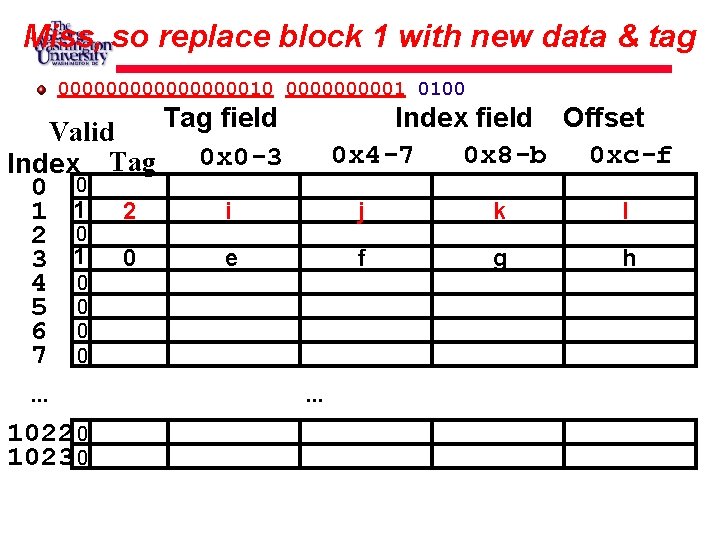
Miss, so replace block 1 with new data & tag 0000000010 000001 0100 Tag field Valid 0 x 0 -3 Index Tag 0 0 i 1 1 2 2 0 e 3 1 0 4 0 5 0 6 0 7 0. . . 1022 0 1023 0 Index field Offset 0 x 4 -7 0 x 8 -b 0 xc-f . . . j k l f g h
And return word j 0000000010 000001 0100 Tag field Valid 0 x 0 -3 Index Tag 0 0 i 1 1 2 2 0 e 3 1 0 4 0 5 0 6 0 7 0. . . 1022 0 1023 0 Index field Offset 0 x 4 -7 0 x 8 -b 0 xc-f . . . j k l f g h
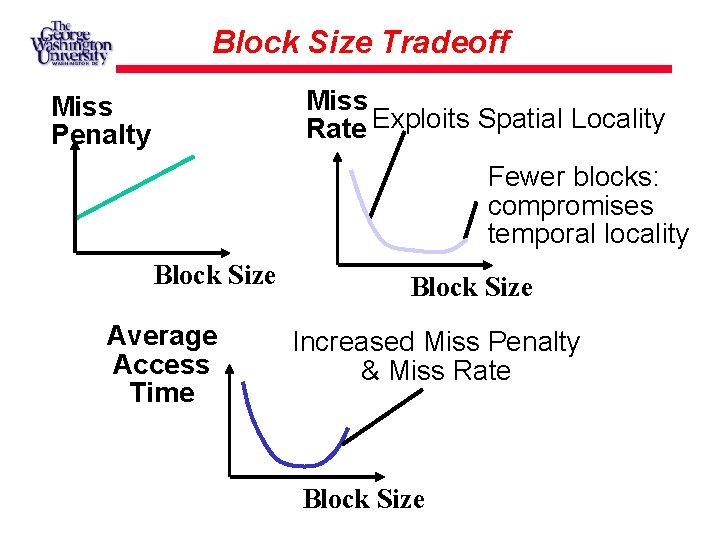
Block Size Tradeoff (1/3) Benefits of Larger Block Size Spatial Locality: if we access a given word, we’re likely to access other nearby words soon Very applicable with Stored-Program Concept: if we execute a given instruction, it’s likely that we’ll execute the next few as well Works nicely in sequential array accesses too
Block Size Tradeoff (2/3) Drawbacks of Larger Block Size Larger block size means larger miss penalty on a miss, takes longer time to load a new block from next level If block size is too big relative to cache size, then there are too few blocks Result: miss rate goes up In general, minimize Average Access Time = Hit Time + Miss Penalty x Miss Rate
Block Size Tradeoff (3/3) Hit Time = time to find and retrieve data from current level cache Miss Penalty = average time to retrieve data on a current level miss (includes the possibility of misses on successive levels of memory hierarchy) Hit Rate = % of requests that are found in current level cache Miss Rate = 1 - Hit Rate
Block Size Tradeoff Miss Rate Exploits Spatial Locality Miss Penalty Fewer blocks: compromises temporal locality Block Size Average Access Time Block Size Increased Miss Penalty & Miss Rate Block Size
Types of Cache Misses (1/2) “Three Cs” Model of Misses 1 st C: Compulsory Misses occur when a program is first started cache does not contain any of that program’s data yet, so misses are bound to occur can’t be avoided easily
Types of Cache Misses (2/2) 2 nd C: Conflict Misses miss that occurs because two distinct memory addresses map to the same cache location two blocks (which happen to map to the same location) can keep overwriting each other big problem in direct-mapped caches how do we lessen the effect of these? Dealing with Conflict Misses Solution 1: Make the cache size bigger Fails at some point Solution 2: Multiple distinct blocks can fit in the same cache Index?
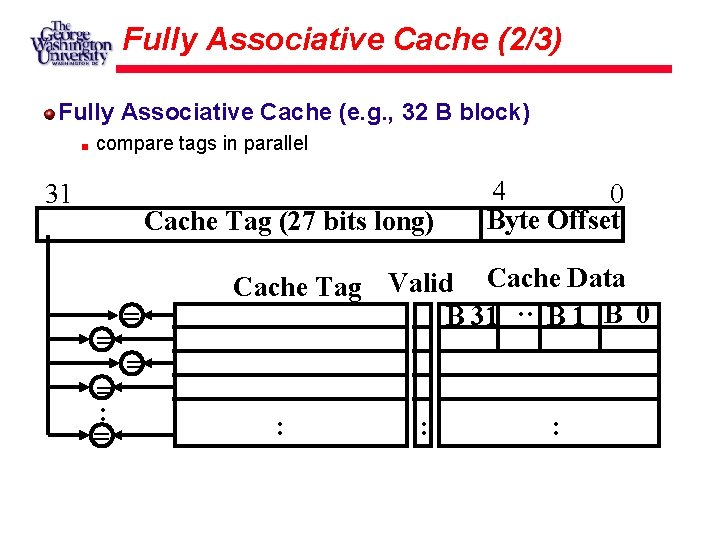
Fully Associative Cache (1/3) Memory address fields: Tag: same as before Offset: same as before Index: non-existant What does this mean? no “rows”: any block can go anywhere in the cache must compare with all tags in entire cache to see if data is there
Fully Associative Cache (2/3) Fully Associative Cache (e. g. , 32 B block) compare tags in parallel 31 Cache Tag (27 bits long) = = : = Cache Tag Valid Cache Data B 31 B 0 : = 4 0 Byte Offset = : : :
Fully Associative Cache (3/3) Benefit of Fully Assoc Cache No Conflict Misses (since data can go anywhere) Drawbacks of Fully Assoc Cache Need hardware comparator for every single entry: if we have a 64 KB of data in cache with 4 B entries, we need 16 K comparators: infeasible
Third Type of Cache Miss Capacity Misses miss that occurs because the cache has a limited size miss that would not occur if we increase the size of the cache sketchy definition, so just get the general idea This is the primary type of miss for Fully Associative caches.
N-Way Set Associative Cache (1/4) Memory address fields: Tag: same as before Offset: same as before Index: points us to the correct “row” (called a set in this case) So what’s the difference? each set contains multiple blocks once we’ve found correct set, must compare with all tags in that set to find our data
N-Way Set Associative Cache (2/4) Summary: cache is direct-mapped w/respect to sets each set is fully associative
N-Way Set Associative Cache (3/4) Given memory address: Find correct set using Index value. Compare Tag with all Tag values in the determined set. If a match occurs, hit!, otherwise a miss. Finally, use the offset field as usual to find the desired data within the block.
N-Way Set Associative Cache (4/4) What’s so great about this? even a 2 -way set assoc cache avoids a lot of conflict misses hardware cost isn’t that bad: only need N comparators In fact, for a cache with M blocks, it’s Direct-Mapped if it’s 1 -way set assoc it’s Fully Assoc if it’s M-way set assoc so these two are just special cases of the more general set associative design
Cache Things to Remember Caches are NOT mandatory: Processor performs arithmetic Memory stores data Caches simply make data transfers go faster Each level of Memory Hiererarchy is a subset of next higher level Caches speed up due to temporal locality: store data used recently Block size > 1 wd spatial locality speedup: Store words next to the ones used recently Cache design choices: size of cache: speed v. capacity N-way set assoc: choice of N (direct-mapped, fully-associative just special cases for N)
Block Replacement Policy (1/2) Direct-Mapped Cache: index completely specifies position which position a block can go in on a miss N-Way Set Assoc: index specifies a set, but block can occupy any position within the set on a miss Fully Associative: block can be written into any position Question: if we have the choice, where should we write an incoming block?
Block Replacement Policy (2/2) If there any locations with valid bit off (empty), then usually write the new block into the first one. If all possible locations already have a valid block, we must pick a replacement policy: rule by which we determine which block gets “cached out” on a miss.
Block Replacement Policy: LRU (Least Recently Used) Idea: cache out block which has been accessed (read or write) least recently Pro: temporal locality recent past use implies likely future use: in fact, this is a very effective policy Con: with 2 -way set assoc, easy to keep track (one LRU bit); with 4 -way or greater, requires complicated hardware and much time to keep track of this
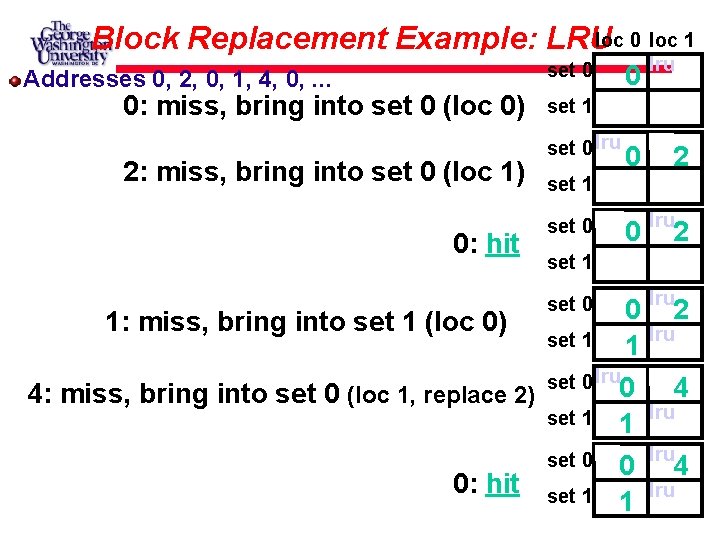
Block Replacement Example We have a 2 -way set associative cache with a four word total capacity and one word blocks. We perform the following word accesses (ignore bytes for this problem): 0, 2, 0, 1, 4, 0, 2, 3, 5, 4 How many hits and how many misses will there be for the LRU block replacement policy?
loc 0 loc 1 Block Replacement Example: LRU set 0 Addresses 0, 2, 0, 1, 4, 0, . . . 0: miss, bring into set 0 (loc 0) 2: miss, bring into set 0 (loc 1) 0: hit 0 lru set 1 set 0 lru 2 set 1 set 0 0 1: miss, bring into set 1 (loc 0) set 1 1 set 0 lru 0 4: miss, bring into set 0 (loc 1, replace 2) set 1 1 0: hit 2 lru lru 4 2 lru set 0 lru 4 lru set 1 1
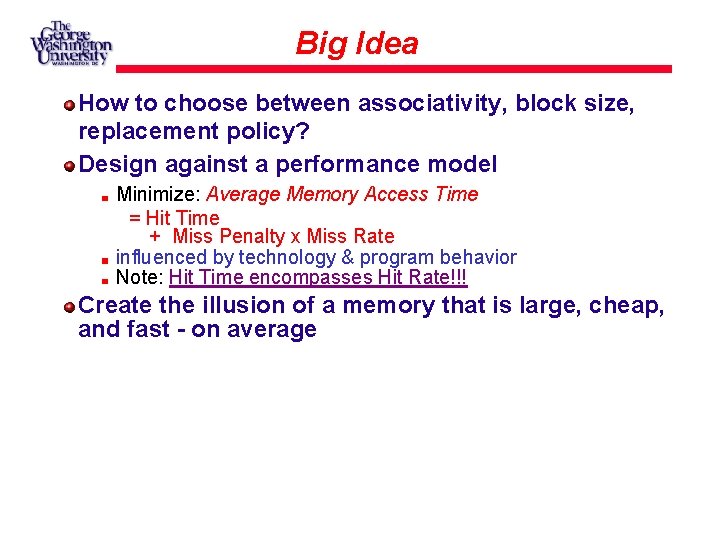
Big Idea How to choose between associativity, block size, replacement policy? Design against a performance model Minimize: Average Memory Access Time = Hit Time + Miss Penalty x Miss Rate influenced by technology & program behavior Note: Hit Time encompasses Hit Rate!!! Create the illusion of a memory that is large, cheap, and fast - on average
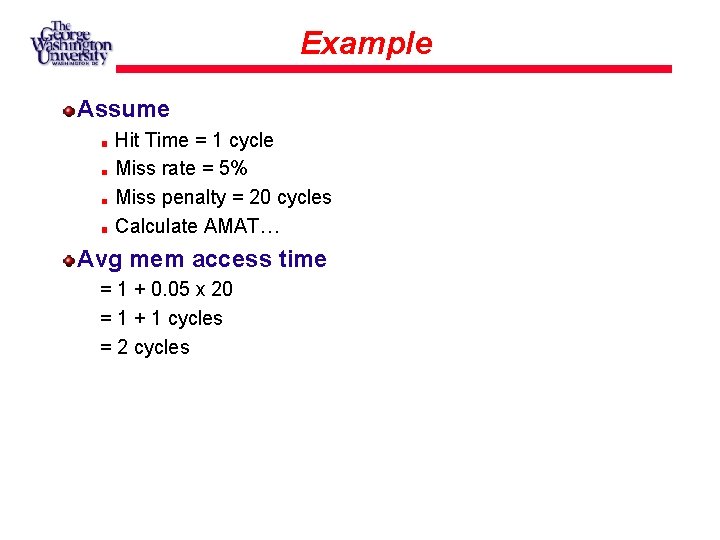
Example Assume Hit Time = 1 cycle Miss rate = 5% Miss penalty = 20 cycles Calculate AMAT… Avg mem access time = 1 + 0. 05 x 20 = 1 + 1 cycles = 2 cycles
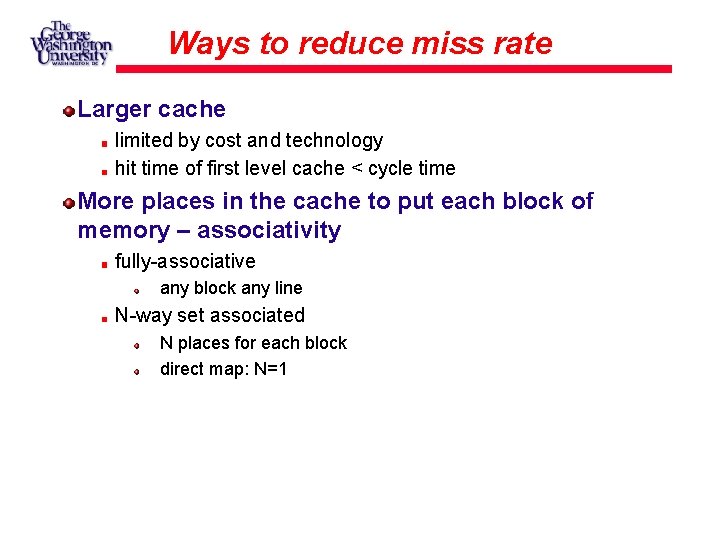
Ways to reduce miss rate Larger cache limited by cost and technology hit time of first level cache < cycle time More places in the cache to put each block of memory – associativity fully-associative any block any line N-way set associated N places for each block direct map: N=1
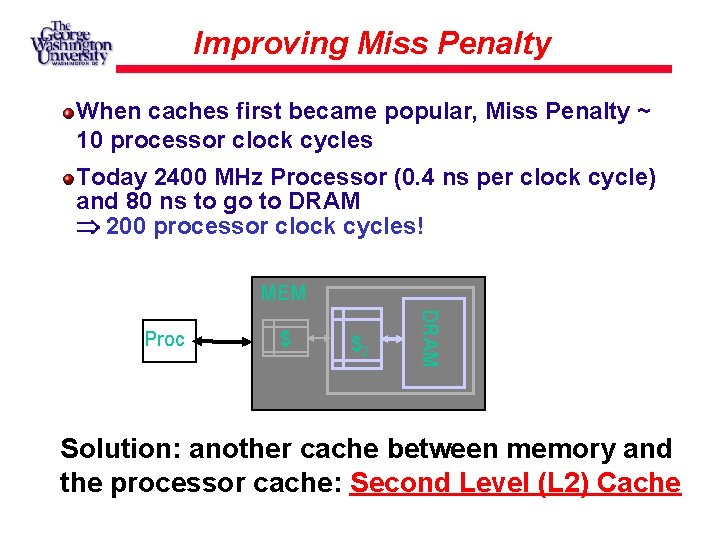
Improving Miss Penalty When caches first became popular, Miss Penalty ~ 10 processor clock cycles Today 2400 MHz Processor (0. 4 ns per clock cycle) and 80 ns to go to DRAM 200 processor clock cycles! MEM $ $2 DRAM Proc Solution: another cache between memory and the processor cache: Second Level (L 2) Cache
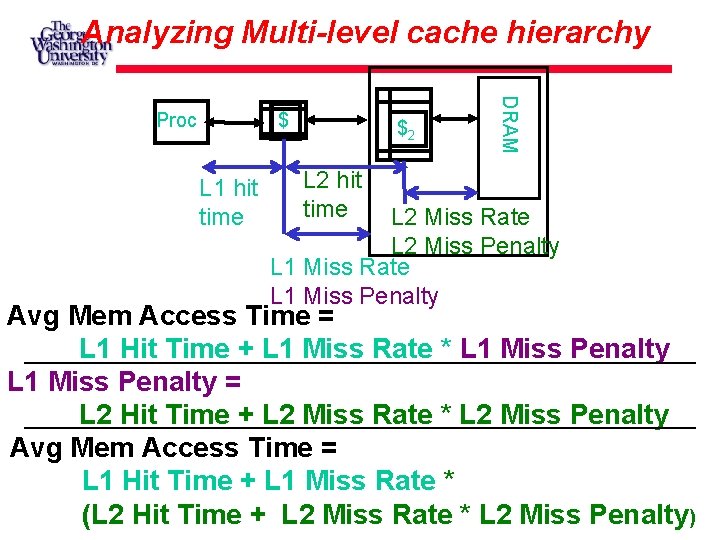
Analyzing Multi-level cache hierarchy $ L 1 hit time $2 DRAM Proc L 2 hit time L 2 Miss Rate L 2 Miss Penalty L 1 Miss Rate L 1 Miss Penalty Avg Mem Access Time = L 1 Hit Time + L 1 Miss Rate * L 1 Miss Penalty = L 2 Hit Time + L 2 Miss Rate * L 2 Miss Penalty Avg Mem Access Time = L 1 Hit Time + L 1 Miss Rate * (L 2 Hit Time + L 2 Miss Rate * L 2 Miss Penalty)
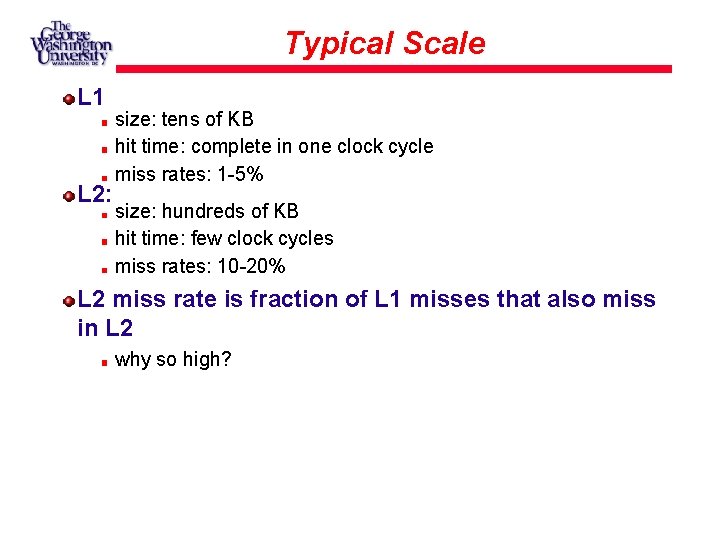
Typical Scale L 1 L 2: size: tens of KB hit time: complete in one clock cycle miss rates: 1 -5% size: hundreds of KB hit time: few clock cycles miss rates: 10 -20% L 2 miss rate is fraction of L 1 misses that also miss in L 2 why so high?
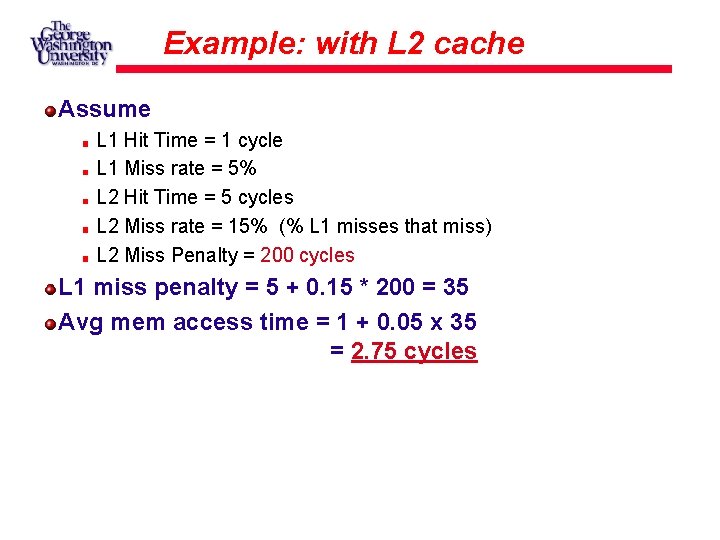
Example: with L 2 cache Assume L 1 Hit Time = 1 cycle L 1 Miss rate = 5% L 2 Hit Time = 5 cycles L 2 Miss rate = 15% (% L 1 misses that miss) L 2 Miss Penalty = 200 cycles L 1 miss penalty = 5 + 0. 15 * 200 = 35 Avg mem access time = 1 + 0. 05 x 35 = 2. 75 cycles
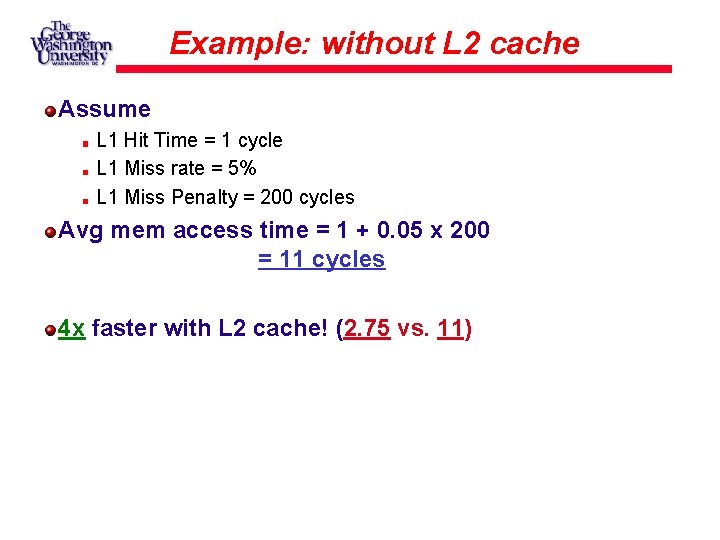
Example: without L 2 cache Assume L 1 Hit Time = 1 cycle L 1 Miss rate = 5% L 1 Miss Penalty = 200 cycles Avg mem access time = 1 + 0. 05 x 200 = 11 cycles 4 x faster with L 2 cache! (2. 75 vs. 11)
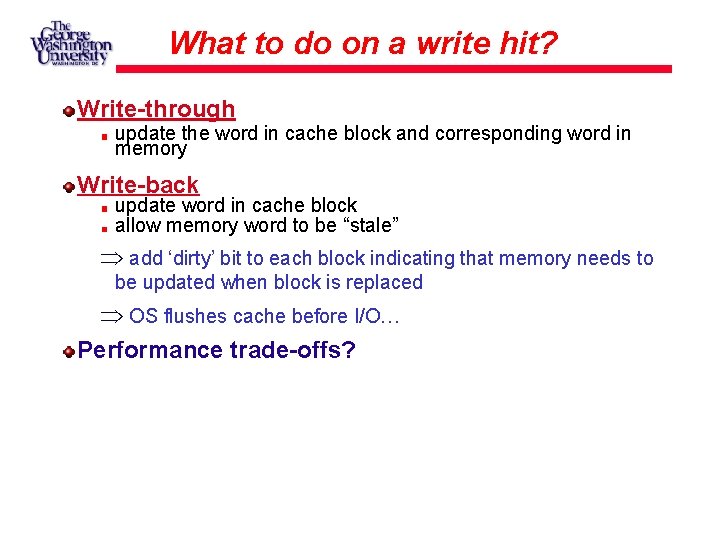
What to do on a write hit? Write-through update the word in cache block and corresponding word in memory Write-back update word in cache block allow memory word to be “stale” add ‘dirty’ bit to each block indicating that memory needs to be updated when block is replaced OS flushes cache before I/O… Performance trade-offs?
Generalized Caching We’ve discussed memory caching in detail. Caching in general shows up over and over in computer systems Filesystem cache Web page cache Game Theory databases / tablebases Software memoization Others? Big idea: if something is expensive but we want to do it repeatedly, do it once and cache the result.
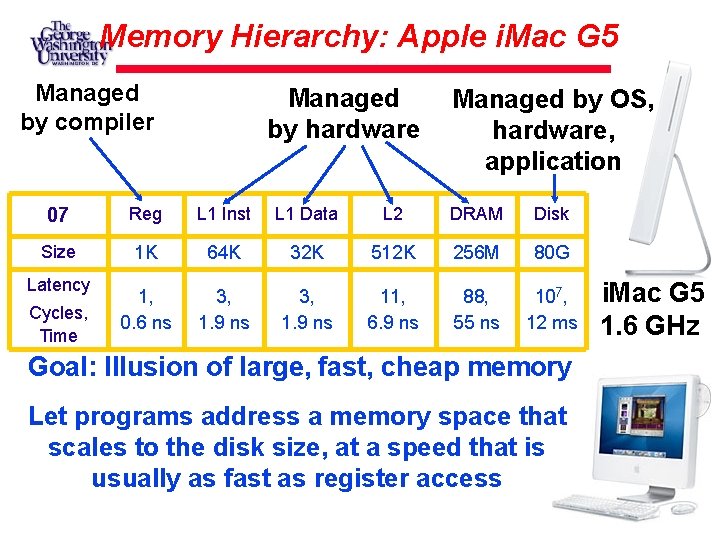
Memory Hierarchy: Apple i. Mac G 5 Managed by compiler Managed by hardware Managed by OS, hardware, application 07 Reg L 1 Inst L 1 Data L 2 DRAM Disk Size 1 K 64 K 32 K 512 K 256 M 80 G 1, 0. 6 ns 3, 1. 9 ns 11, 6. 9 ns 88, 55 ns 107, 12 ms Latency Cycles, Time Goal: Illusion of large, fast, cheap memory Let programs address a memory space that scales to the disk size, at a speed that is usually as fast as register access i. Mac G 5 1. 6 GHz
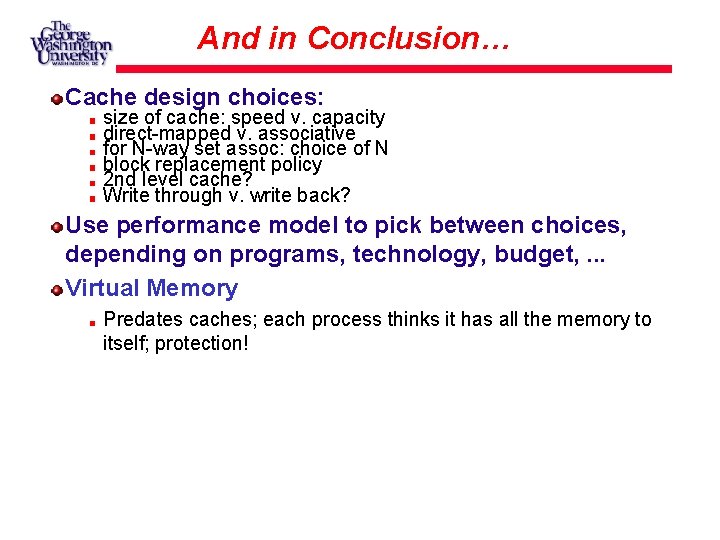
And in Conclusion… Cache design choices: size of cache: speed v. capacity direct-mapped v. associative for N-way set assoc: choice of N block replacement policy 2 nd level cache? Write through v. write back? Use performance model to pick between choices, depending on programs, technology, budget, . . . Virtual Memory Predates caches; each process thinks it has all the memory to itself; protection!