
CSC 551 Web Programming Spring 2004 Java Applets
CSC 551: Web Programming Spring 2004 Java Applets § Java vs. C++ Ø instance vs. class variables, primitive vs. reference types, inheritance § graphical applets Ø Graphics object: draw. String, draw. Line, draw. Oval, draw. Rect, … Ø double buffering § GUI applets Ø GUI elements, layout, event handling 1
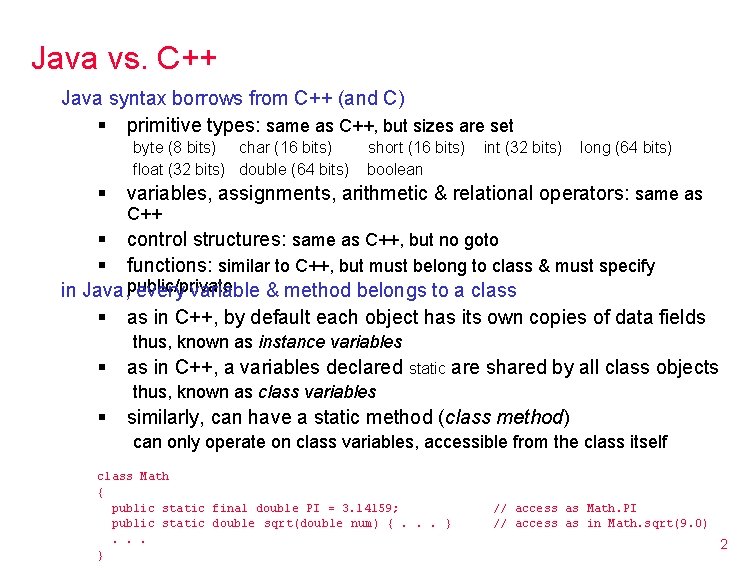
Java vs. C++ Java syntax borrows from C++ (and C) § primitive types: same as C++, but sizes are set byte (8 bits) char (16 bits) float (32 bits) double (64 bits) § short (16 bits) boolean int (32 bits) long (64 bits) variables, assignments, arithmetic & relational operators: same as C++ § control structures: same as C++, but no goto § functions: similar to C++, but must belong to class & must specify in Java, public/private every variable & method belongs to a class § as in C++, by default each object has its own copies of data fields thus, known as instance variables § as in C++, a variables declared static are shared by all class objects thus, known as class variables § similarly, can have a static method (class method) can only operate on class variables, accessible from the class itself class Math { public static final double PI = 3. 14159; public static double sqrt(double num) {. . . } // access as Math. PI // access as in Math. sqrt(9. 0) 2
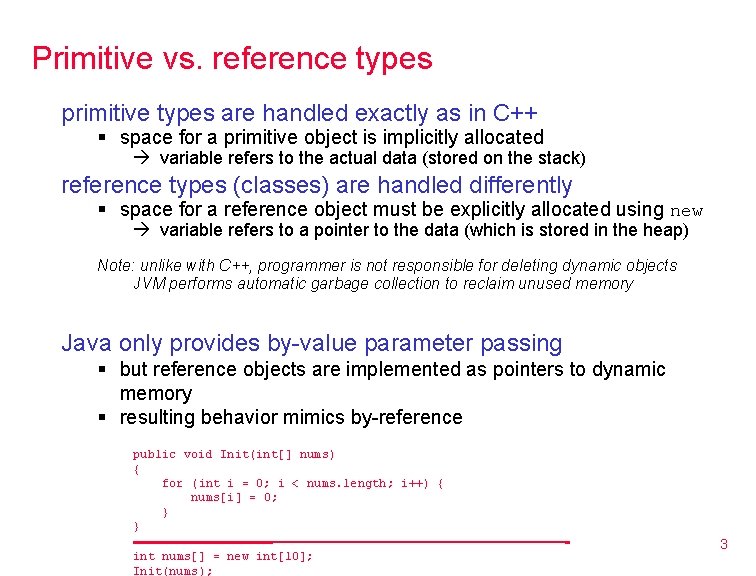
Primitive vs. reference types primitive types are handled exactly as in C++ § space for a primitive object is implicitly allocated variable refers to the actual data (stored on the stack) reference types (classes) are handled differently § space for a reference object must be explicitly allocated using new variable refers to a pointer to the data (which is stored in the heap) Note: unlike with C++, programmer is not responsible for deleting dynamic objects JVM performs automatic garbage collection to reclaim unused memory Java only provides by-value parameter passing § but reference objects are implemented as pointers to dynamic memory § resulting behavior mimics by-reference public void Init(int[] nums) { for (int i = 0; i < nums. length; i++) { nums[i] = 0; } } _______________ int nums[] = new int[10]; Init(nums); _ 3
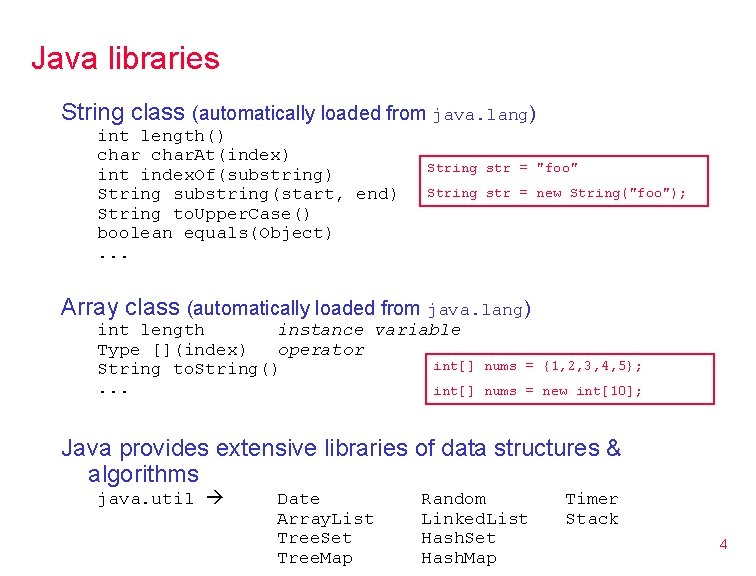
Java libraries String class (automatically loaded from java. lang) int length() char. At(index) int index. Of(substring) String substring(start, end) String to. Upper. Case() boolean equals(Object). . . String str = "foo" String str = new String("foo"); Array class (automatically loaded from java. lang) int length instance variable Type [](index) operator int[] String to. String(). . . int[] nums = {1, 2, 3, 4, 5}; nums = new int[10]; Java provides extensive libraries of data structures & algorithms java. util Date Array. List Tree. Set Tree. Map Random Linked. List Hash. Set Hash. Map Timer Stack 4

Applet behavior recall § the init method is called when the applet is first loaded useful for initializing variables & objects § the paint method is called immediately after init, and whenever the applet needs to be redrawn (e. g. , after window resized or obscured) when paint is called, it is given the default Graphics object § Graphics methods include void draw. String(String msg, int x, int y) void set. Color(Color color) Color class is predefined, constants include: Color. red, Color. blue, Color. black, . . . 5

import java. awt. *; import java. applet. *; import java. util. Random; Hello again /** * This class displays lots of "Hello world!"s on the applet window. */ public class Hello. World 2 extends Applet { private static final int NUM_WORDS=100; private static final Color[] colors = {Color. black, Color. red, Color. blue, Color. green, Color. yellow}; private static Random randy; private int Random. In. Range(int low, int high) { return (Math. abs(randy. next. Int()) % (high-low+1)) + } public void init() { randy = new Random(); } } public void paint(Graphics g) { for (int i = 0; i < NUM_WORDS; i++) { int x = Random. In. Range(1, 140); int y = Random. In. Range(10, 200); g. set. Color(colors[Random. In. Range(0, 4)]); g. draw. String("Hello world!", x, y); } } store colors in an array • pick random index and change color low; using set. Color Random class provides methods for generating random values override init method to allocate & initialize (similar to a constructor) <applet code="Hello. World 2. class" height=200 width=200> You must use a Java-enabled browser to view this applet. </applet> view page in browser 6
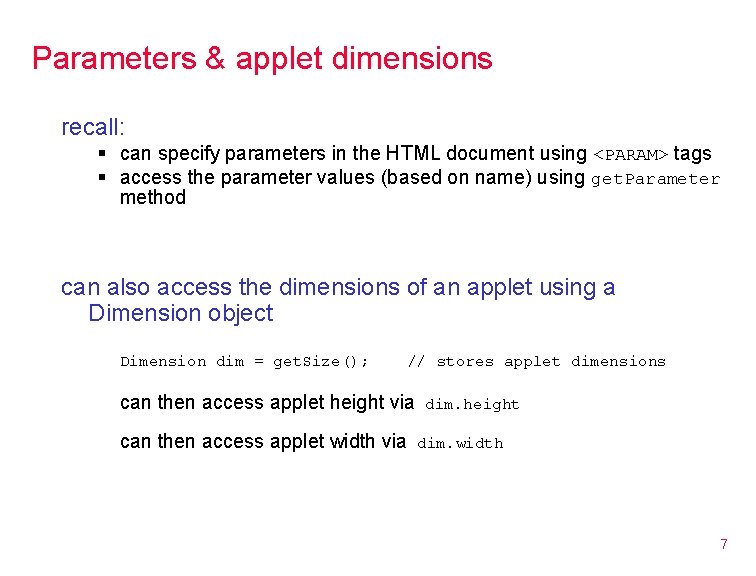
Parameters & applet dimensions recall: § can specify parameters in the HTML document using <PARAM> tags § access the parameter values (based on name) using get. Parameter method can also access the dimensions of an applet using a Dimension object Dimension dim = get. Size(); // stores applet dimensions can then access applet height via can then access applet width via dim. height dim. width 7
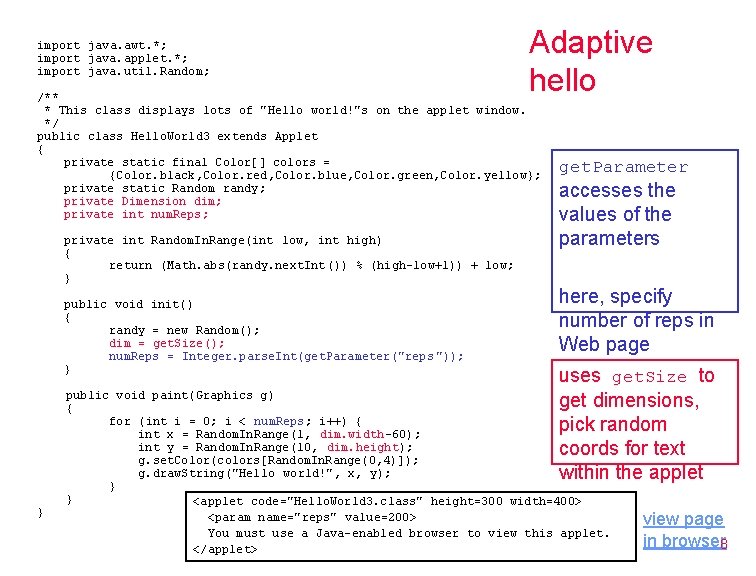
import java. awt. *; import java. applet. *; import java. util. Random; Adaptive hello /** * This class displays lots of "Hello world!"s on the applet window. */ public class Hello. World 3 extends Applet { private static final Color[] colors = {Color. black, Color. red, Color. blue, Color. green, Color. yellow}; private static Random randy; private Dimension dim; private int num. Reps; private int Random. In. Range(int low, int high) { return (Math. abs(randy. next. Int()) % (high-low+1)) + low; } public void init() { randy = new Random(); dim = get. Size(); num. Reps = Integer. parse. Int(get. Parameter("reps ")); } } get. Parameter accesses the values of the parameters here, specify number of reps in Web page uses get. Size to get dimensions, pick random coords for text within the applet public void paint(Graphics g) { for (int i = 0; i < num. Reps; i++) { int x = Random. In. Range(1, dim. width-60); int y = Random. In. Range(10, dim. height); g. set. Color(colors[Random. In. Range(0, 4)]); g. draw. String("Hello world!", x, y); } } <applet code="Hello. World 3. class" height=300 width=400> <param name="reps" value=200> You must use a Java-enabled browser to view this applet. </applet> view page in browser 8
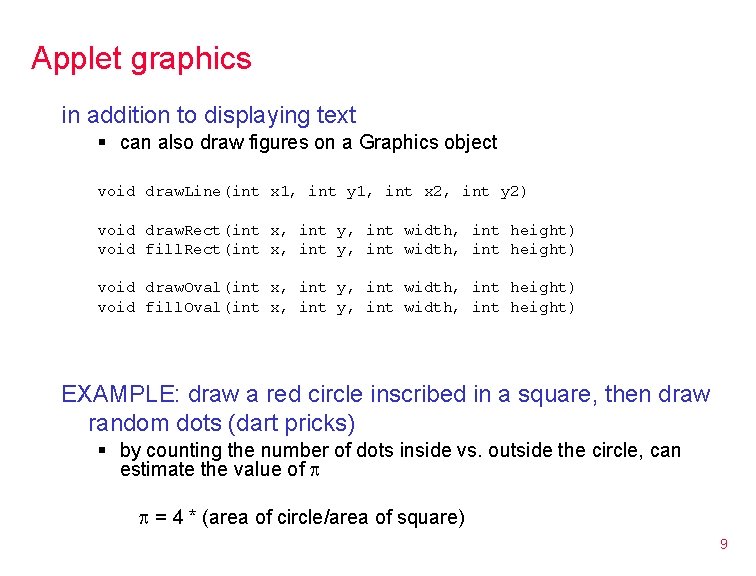
Applet graphics in addition to displaying text § can also draw figures on a Graphics object void draw. Line(int x 1, int y 1, int x 2, int y 2) void draw. Rect(int x, int y, int width, int height) void fill. Rect(int x, int y, int width, int height) void draw. Oval(int x, int y, int width, int height) void fill. Oval(int x, int y, int width, int height) EXAMPLE: draw a red circle inscribed in a square, then draw random dots (dart pricks) § by counting the number of dots inside vs. outside the circle, can estimate the value of p p = 4 * (area of circle/area of square) 9
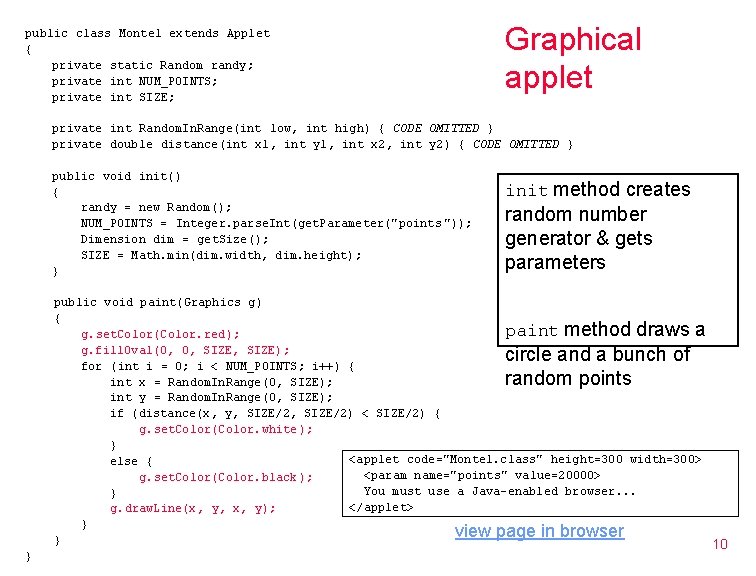
public class Monte 1 extends Applet { private static Random randy; private int NUM_POINTS; private int SIZE; Graphical applet private int Random. In. Range(int low, int high) { CODE OMITTED } private double distance(int x 1, int y 1, int x 2, int y 2) { CODE OMITTED } public void init() { randy = new Random(); NUM_POINTS = Integer. parse. Int(get. Parameter("points ")); Dimension dim = get. Size(); SIZE = Math. min(dim. width, dim. height); } init method creates random number generator & gets parameters public void paint(Graphics g) { paint g. set. Color(Color. red); g. fill. Oval(0, 0, SIZE); for (int i = 0; i < NUM_POINTS; i++) { int x = Random. In. Range(0, SIZE); int y = Random. In. Range(0, SIZE); if (distance(x, y, SIZE/2) < SIZE/2) { g. set. Color(Color. white); } <applet code="Monte 1. class" height=300 width=300> else { <param name="points" value=20000> g. set. Color(Color. black); You must use a Java-enabled browser. . . } </applet> g. draw. Line(x, y, x, y); } view page in browser } 10 method draws a circle and a bunch of random points }
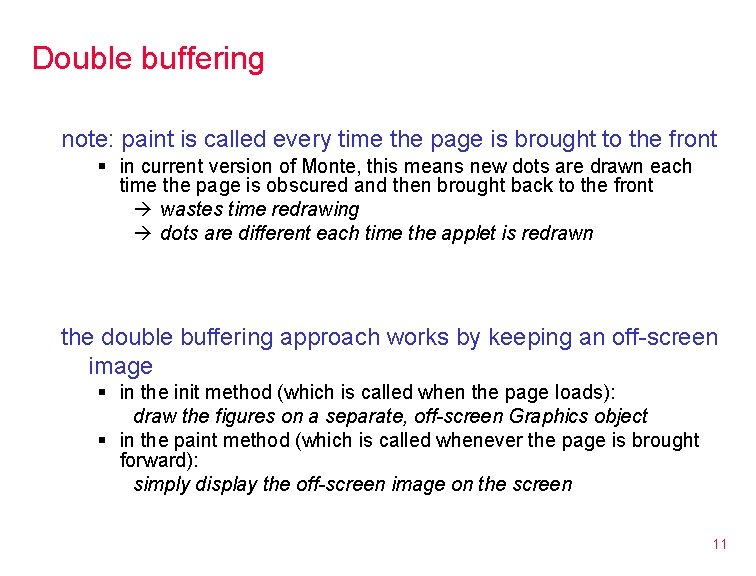
Double buffering note: paint is called every time the page is brought to the front § in current version of Monte, this means new dots are drawn each time the page is obscured and then brought back to the front wastes time redrawing dots are different each time the applet is redrawn the double buffering approach works by keeping an off-screen image § in the init method (which is called when the page loads): draw the figures on a separate, off-screen Graphics object § in the paint method (which is called whenever the page is brought forward): simply display the off-screen image on the screen 11
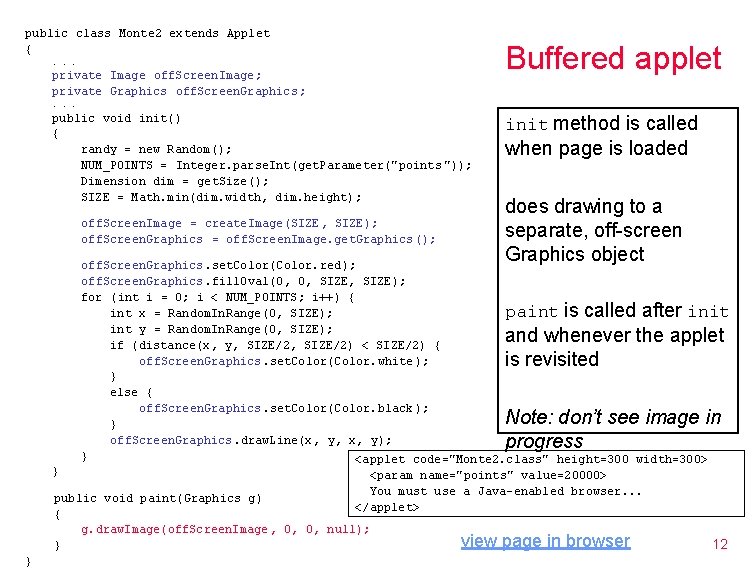
public class Monte 2 extends Applet {. . . private Image off. Screen. Image; private Graphics off. Screen. Graphics; Buffered applet . . . public void init() { randy = new Random(); NUM_POINTS = Integer. parse. Int(get. Parameter("points ")); Dimension dim = get. Size(); SIZE = Math. min(dim. width, dim. height); off. Screen. Image = create. Image(SIZE, SIZE); off. Screen. Graphics = off. Screen. Image. get. Graphics (); init method is called when page is loaded does drawing to a separate, off-screen Graphics object off. Screen. Graphics. set. Color(Color. red); off. Screen. Graphics. fill. Oval(0, 0, SIZE); for (int i = 0; i < NUM_POINTS; i++) { int x = Random. In. Range(0, SIZE); paint init int y = Random. In. Range(0, SIZE); if (distance(x, y, SIZE/2) < SIZE/2) { off. Screen. Graphics. set. Color(Color. white); } else { off. Screen. Graphics. set. Color(Color. black); } off. Screen. Graphics. draw. Line(x, y, x, y); } <applet code="Monte 2. class" height=300 width=300> } <param name="points" value=20000> You must use a Java-enabled browser. . . public void paint(Graphics g) </applet> { g. draw. Image(off. Screen. Image , 0, 0, null); view page in browser 12 } is called after and whenever the applet is revisited Note: don’t see image in progress }
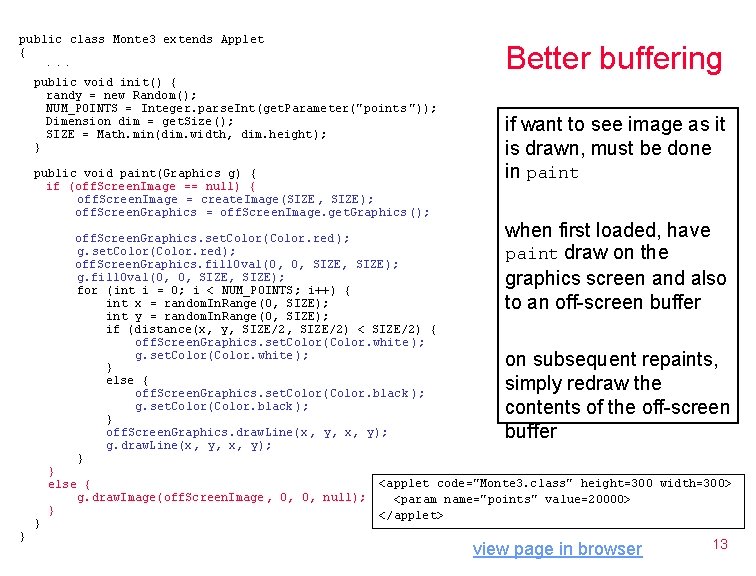
public class Monte 3 extends Applet { Better buffering . . . public void init() { randy = new Random(); NUM_POINTS = Integer. parse. Int(get. Parameter("points ")); Dimension dim = get. Size(); SIZE = Math. min(dim. width, dim. height); } public void paint(Graphics g) { if (off. Screen. Image == null) { off. Screen. Image = create. Image(SIZE, SIZE); off. Screen. Graphics = off. Screen. Image. get. Graphics (); off. Screen. Graphics. set. Color(Color. red ); g. set. Color(Color. red); off. Screen. Graphics. fill. Oval(0, 0, SIZE); g. fill. Oval(0, 0, SIZE); for (int i = 0; i < NUM_POINTS; i++) { int x = random. In. Range(0, SIZE); int y = random. In. Range(0, SIZE); if (distance(x, y, SIZE/2) < SIZE/2) { off. Screen. Graphics. set. Color(Color. white ); g. set. Color(Color. white); } else { off. Screen. Graphics. set. Color(Color. black ); g. set. Color(Color. black); } off. Screen. Graphics. draw. Line(x , y, x, y); g. draw. Line(x, y, x, y); } } else { g. draw. Image(off. Screen. Image , 0, 0, null); } if want to see image as it is drawn, must be done in paint when first loaded, have paint draw on the graphics screen and also to an off-screen buffer on subsequent repaints, simply redraw the contents of the off-screen buffer <applet code="Monte 3. class" height=300 width=300> <param name="points" value=20000> </applet> view page in browser 13
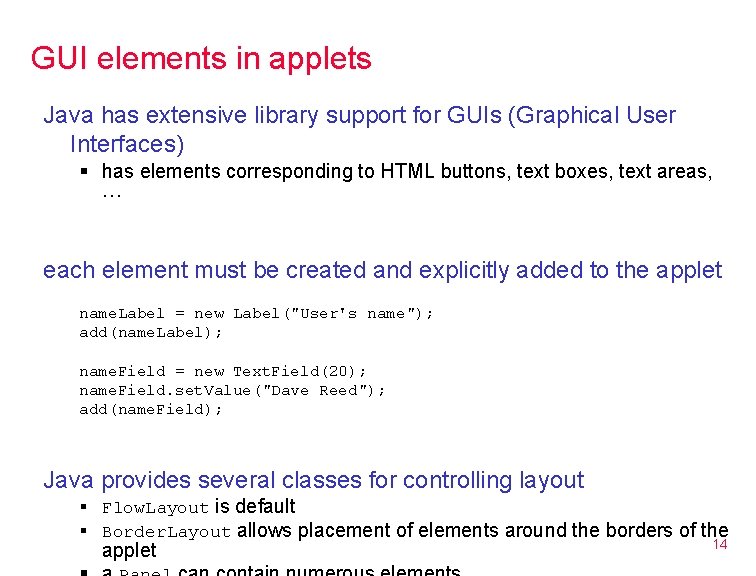
GUI elements in applets Java has extensive library support for GUIs (Graphical User Interfaces) § has elements corresponding to HTML buttons, text boxes, text areas, … each element must be created and explicitly added to the applet name. Label = new Label("User's name"); add(name. Label); name. Field = new Text. Field(20); name. Field. set. Value("Dave Reed"); add(name. Field); Java provides several classes for controlling layout § Flow. Layout is default § Border. Layout allows placement of elements around the borders of the applet 14
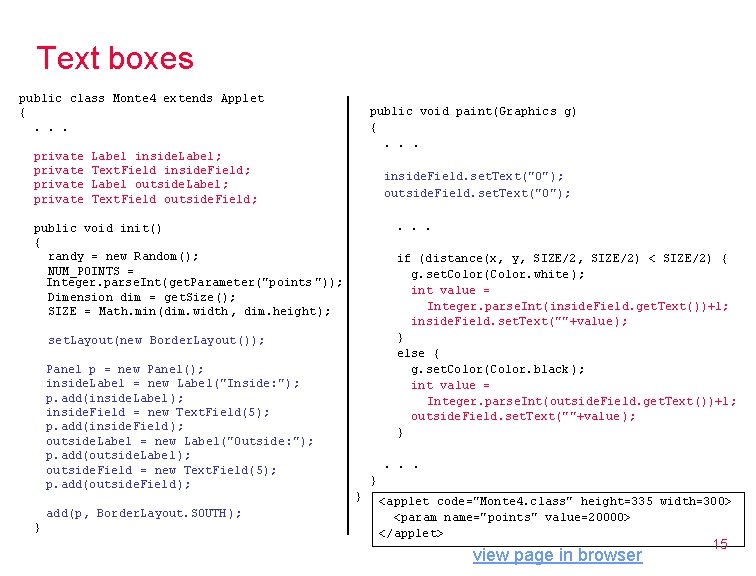
Text boxes public class Monte 4 extends Applet {. . . private public void paint(Graphics g) {. . . Label inside. Label; Text. Field inside. Field; Label outside. Label; Text. Field outside. Field; inside. Field. set. Text("0"); outside. Field. set. Text("0"); . . . public void init() { randy = new Random(); NUM_POINTS = Integer. parse. Int(get. Parameter("points ")); Dimension dim = get. Size(); SIZE = Math. min(dim. width, dim. height); if (distance(x, y, SIZE/2) < SIZE/2) { g. set. Color(Color. white); int value = Integer. parse. Int(inside. Field. get. Text())+1; inside. Field. set. Text(""+value ); } else { g. set. Color(Color. black); int value = Integer. parse. Int(outside. Field. get. Text())+1; outside. Field. set. Text(""+value ); } set. Layout(new Border. Layout()); Panel p = new Panel(); inside. Label = new Label("Inside: "); p. add(inside. Label); inside. Field = new Text. Field(5); p. add(inside. Field); outside. Label = new Label("Outside: "); p. add(outside. Label); outside. Field = new Text. Field(5); p. add(outside. Field); add(p, Border. Layout. SOUTH); } . . . } } <applet code="Monte 4. class" height=335 width=300> <param name="points" value=20000> </applet> view page in browser 15
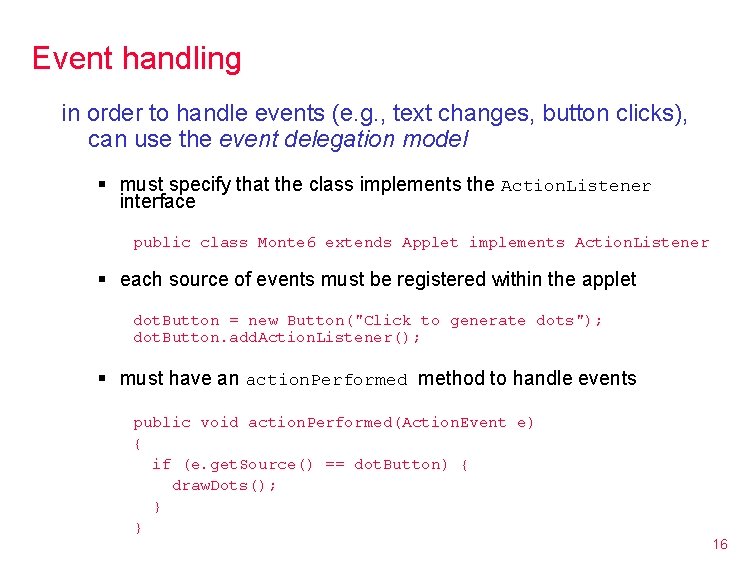
Event handling in order to handle events (e. g. , text changes, button clicks), can use the event delegation model § must specify that the class implements the Action. Listener interface public class Monte 6 extends Applet implements Action. Listener § each source of events must be registered within the applet dot. Button = new Button("Click to generate dots"); dot. Button. add. Action. Listener(); § must have an action. Performed method to handle events public void action. Performed(Action. Event e) { if (e. get. Source() == dot. Button) { draw. Dots(); } } 16
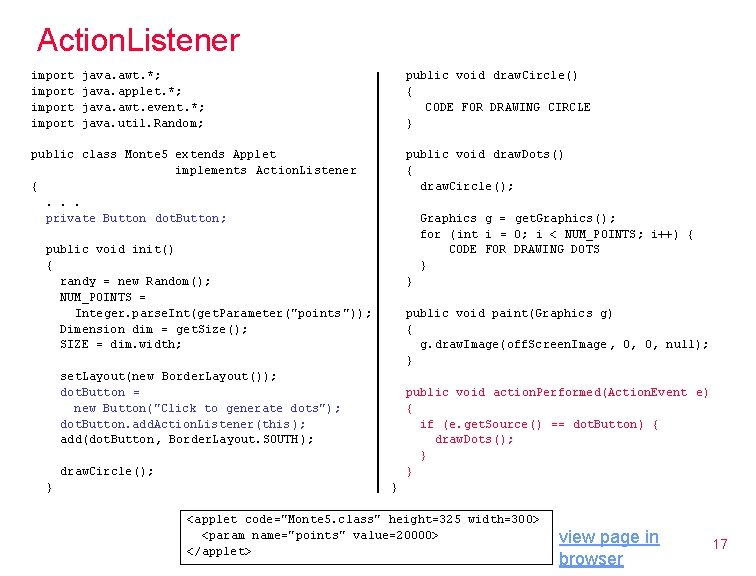
Action. Listener import java. awt. *; java. applet. *; java. awt. event. *; java. util. Random; public void draw. Circle() { CODE FOR DRAWING CIRCLE } public class Monte 5 extends Applet implements Action. Listener {. . . private Button dot. Button; public void draw. Dots() { draw. Circle(); Graphics g = get. Graphics(); for (int i = 0; i < NUM_POINTS; i++) { CODE FOR DRAWING DOTS } public void init() { randy = new Random(); NUM_POINTS = Integer. parse. Int(get. Parameter("points ")); Dimension dim = get. Size(); SIZE = dim. width; } public void paint(Graphics g) { g. draw. Image(off. Screen. Image , 0, 0, null); } set. Layout(new Border. Layout()); dot. Button = new Button("Click to generate dots"); dot. Button. add. Action. Listener(this ); add(dot. Button, Border. Layout. SOUTH); public void action. Performed(Action. Event e) { if (e. get. Source() == dot. Button) { draw. Dots(); } } draw. Circle(); } } <applet code="Monte 5. class" height=325 width=300> <param name="points" value=20000> </applet> view page in browser 17
Applet examples The Java Boutique has lots of sample applets with source code § Graphing Calculator § Mandlebrot Set § Email front-end § Web search front-end § Java Tetris 18
- Slides: 18