
CSC 318 DYNAMIC WEB APPLICATION DEVELOPMENT CHAPTER Hyper

CSC 318 DYNAMIC WEB APPLICATION DEVELOPMENT CHAPTER: Hyper. Text Markup Language HTML Siti Nurbaya Ismail Faculty of Computer & Mathematical Sciences, Universiti Teknologi MARA (Ui. TM), Kedah | A 2 -3039 | sitinurbaya@kedah. uitm. edu. my | 019 -5710562 | 1
Hypertext Markup Language Upon completion of this chapter, you will learn: Hypertext Markup Language (HTML) § § § § Introduction to HTML Effective HTML Page HTML Version Information HTML Elements HTML Attributes HTML Document Head & Body HTML Character References HTML Basic Tags § HTML Comments § Lengths: Dates and Times § HTML Structure Bodies § HTML Structure: Text § HTML Structure: List § Alignment & Font Styles § CSS § Links § Table 2
Hypertext Markup Language Introduction To HTML § Hyper Text Markup Language § Contain markup tags - Tell web browser how to display the page § It has either ". htm" or ". html" file extension § Can be created using - Notepad - Dreamweaver § Did you know? - HTML was developed with the intent of defining the structure of documents like headings, paragraphs, lists, and so on to facilitate information sharing between researcher 3
Hypertext Markup Language Hyper Text Markup Language (HTML) Effective HTML Page 1. Don‘t make users think § Obvious & self-explanatory 2. Don‘t squander users‘ patience § Less action is required from users (user friendly) 3. Manage to focus users‘ attention § Images are more eye-catching than text § Human eye is a non-linear, instantly recognize edges, patterns, motions 4. Strive for feature exposure § Visually appealing: inviting, informative 5. Make use of effective writing § No long texts, use effective simple text or images 4
Hypertext Markup Language Hyper Text Markup Language (HTML) Effective HTML Page 6. Strive for simplicity § K-I-S, users are looking for information, not enjoying the design 7. Don‘t be afraid of white space § Reduce page load, easy for users to look for information 8. Communicate effectively with a visible language § Organize, economize, communicate 9. Conventions are our friends § Reduce the learning curve 10. Test early, test often (TETO) § Provide crucial insights into significant problems and issues 5
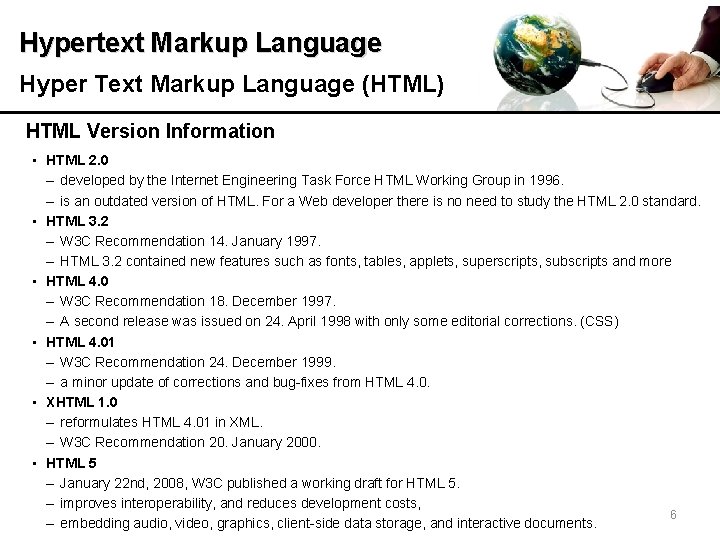
Hypertext Markup Language Hyper Text Markup Language (HTML) HTML Version Information • HTML 2. 0 – developed by the Internet Engineering Task Force HTML Working Group in 1996. – is an outdated version of HTML. For a Web developer there is no need to study the HTML 2. 0 standard. • HTML 3. 2 – W 3 C Recommendation 14. January 1997. – HTML 3. 2 contained new features such as fonts, tables, applets, superscripts, subscripts and more • HTML 4. 0 – W 3 C Recommendation 18. December 1997. – A second release was issued on 24. April 1998 with only some editorial corrections. (CSS) • HTML 4. 01 – W 3 C Recommendation 24. December 1999. – a minor update of corrections and bug-fixes from HTML 4. 0. • XHTML 1. 0 – reformulates HTML 4. 01 in XML. – W 3 C Recommendation 20. January 2000. • HTML 5 – January 22 nd, 2008, W 3 C published a working draft for HTML 5. – improves interoperability, and reduces development costs, 6 – embedding audio, video, graphics, client-side data storage, and interactive documents.
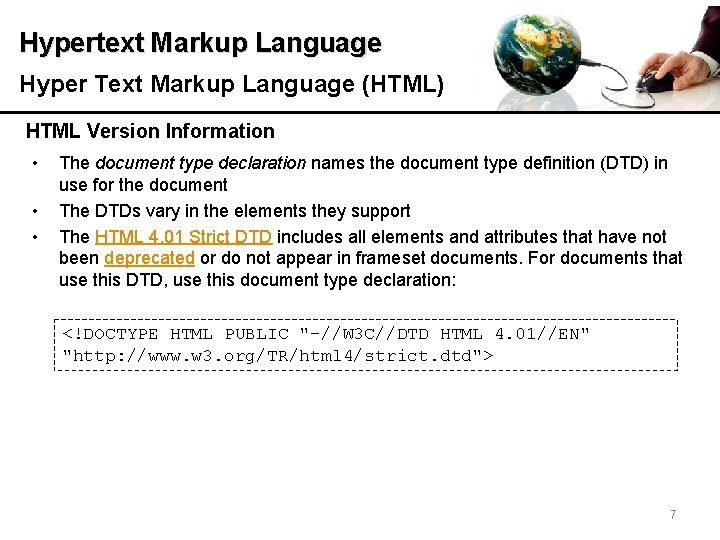
Hypertext Markup Language Hyper Text Markup Language (HTML) HTML Version Information • • • The document type declaration names the document type definition (DTD) in use for the document The DTDs vary in the elements they support The HTML 4. 01 Strict DTD includes all elements and attributes that have not been deprecated or do not appear in frameset documents. For documents that use this DTD, use this document type declaration: <!DOCTYPE HTML PUBLIC "-//W 3 C//DTD HTML 4. 01//EN" "http: //www. w 3. org/TR/html 4/strict. dtd"> 7
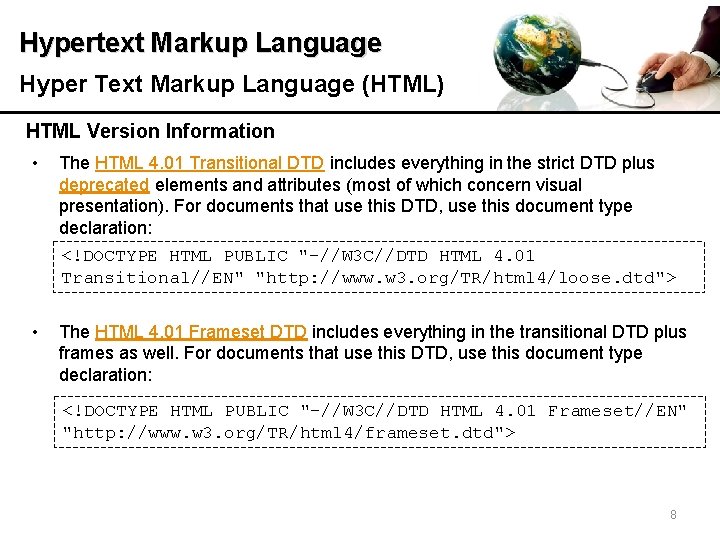
Hypertext Markup Language Hyper Text Markup Language (HTML) HTML Version Information • The HTML 4. 01 Transitional DTD includes everything in the strict DTD plus deprecated elements and attributes (most of which concern visual presentation). For documents that use this DTD, use this document type declaration: <!DOCTYPE HTML PUBLIC "-//W 3 C//DTD HTML 4. 01 Transitional//EN" "http: //www. w 3. org/TR/html 4/loose. dtd"> • The HTML 4. 01 Frameset DTD includes everything in the transitional DTD plus frames as well. For documents that use this DTD, use this document type declaration: <!DOCTYPE HTML PUBLIC "-//W 3 C//DTD HTML 4. 01 Frameset//EN" "http: //www. w 3. org/TR/html 4/frameset. dtd"> 8
Hypertext Markup Language HTML Tags 9
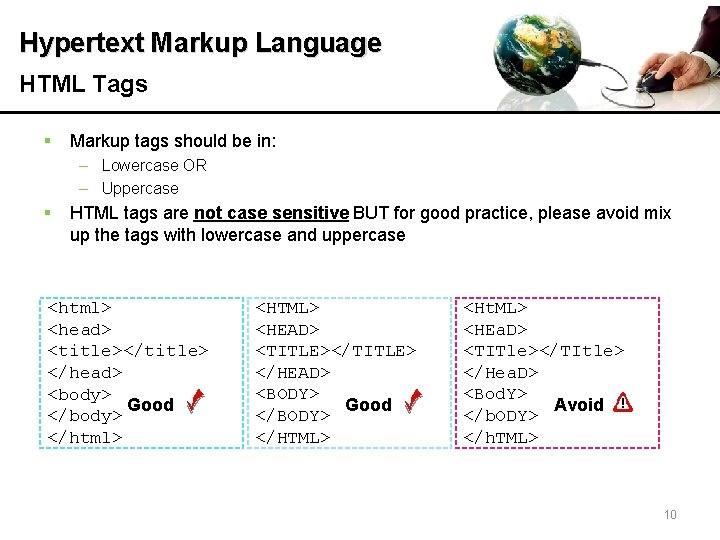
Hypertext Markup Language HTML Tags § Markup tags should be in: – Lowercase OR – Uppercase § HTML tags are not case sensitive BUT for good practice, please avoid mix up the tags with lowercase and uppercase <html> <head> <title></title> </head> <body> Good </body> </html> <HTML> <HEAD> <TITLE></TITLE> </HEAD> <BODY> Good </BODY> </HTML> <Ht. ML> <HEa. D> <TITle></TItle> </Hea. D> <Bod. Y> Avoid </b. ODY> </h. TML> 10
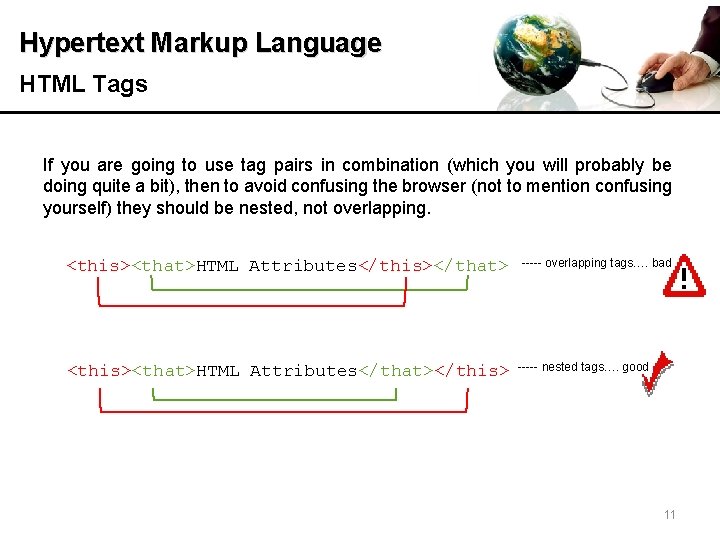
Hypertext Markup Language HTML Tags If you are going to use tag pairs in combination (which you will probably be doing quite a bit), then to avoid confusing the browser (not to mention confusing yourself) they should be nested, not overlapping. <this><that>HTML Attributes</this></that> ----- overlapping tags…. bad <this><that>HTML Attributes</that></this> ----- nested tags…. good 11
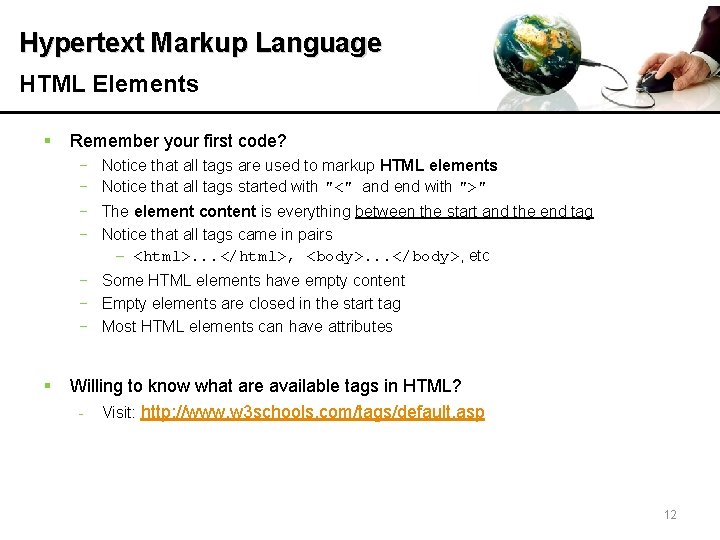
Hypertext Markup Language HTML Elements § Remember your first code? − − Notice that all tags are used to markup HTML elements Notice that all tags started with "<" and end with ">" The element content is everything between the start and the end tag Notice that all tags came in pairs − <html>. . . </html>, <body>. . . </body>, etc − Some HTML elements have empty content − Empty elements are closed in the start tag − Most HTML elements can have attributes § Willing to know what are available tags in HTML? - Visit: http: //www. w 3 schools. com/tags/default. asp 12
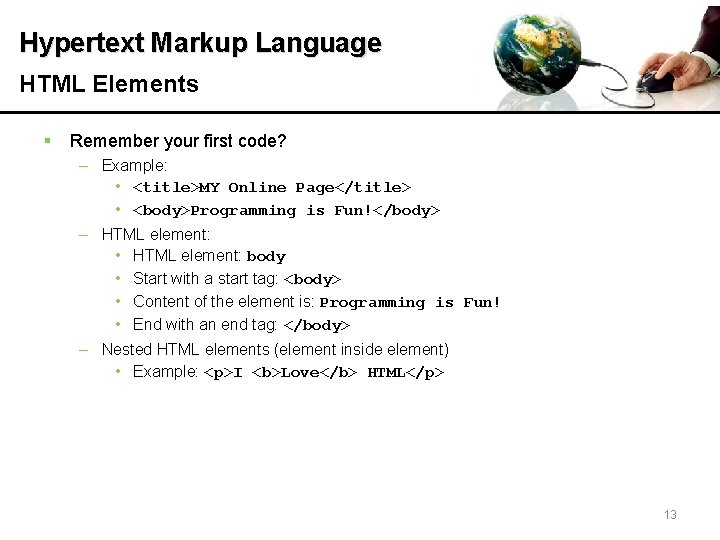
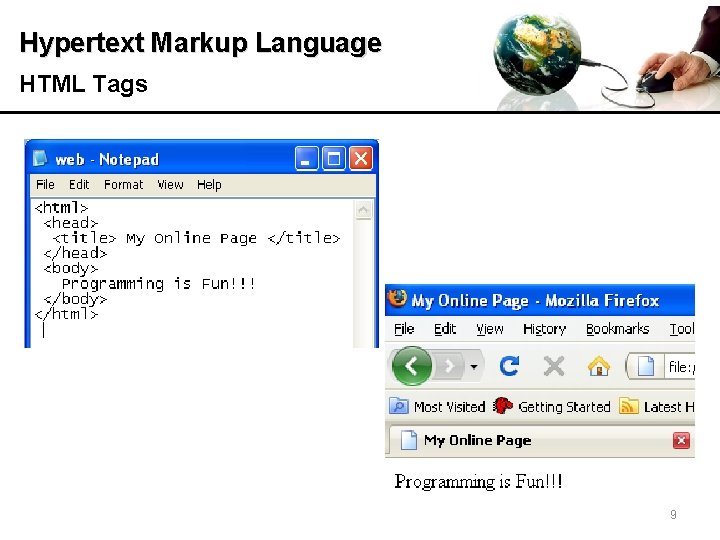
Hypertext Markup Language HTML Elements § Remember your first code? – Example: • <title>MY Online Page</title> • <body>Programming is Fun!</body> – HTML element: • HTML element: body • Start with a start tag: <body> • Content of the element is: Programming is Fun! • End with an end tag: </body> – Nested HTML elements (element inside element) • Example: <p>I <b>Love</b> HTML</p> 13
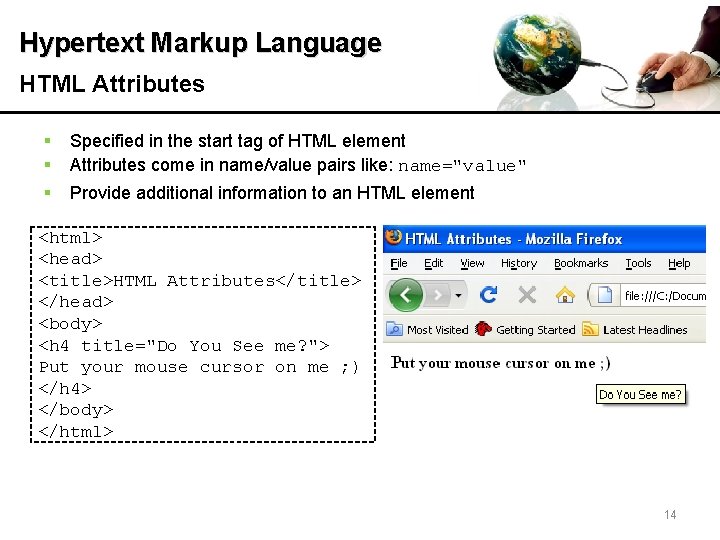
Hypertext Markup Language HTML Attributes § § § Specified in the start tag of HTML element Attributes come in name/value pairs like: name="value" Provide additional information to an HTML element <html> <head> <title>HTML Attributes</title> </head> <body> <h 4 title="Do You See me? "> Put your mouse cursor on me ; ) </h 4> </body> </html> 14
Hypertext Markup Language HTML Attributes § Have you tried the code? – <h 4>. . . </h 4>: define the start of the heading – title: is an attribute placed in <h 4>. . . </h 4>. It suggested the title for the element § Willing to know what are available attributes in HTML? – Visit: http: //www. w 3 schools. com/tags/ref_standardattributes. asp 15
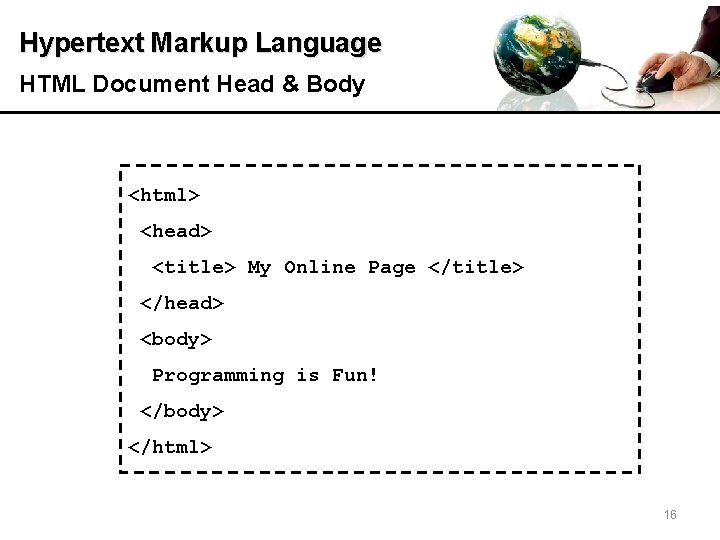
Hypertext Markup Language HTML Document Head & Body <html> <head> <title> My Online Page </title> </head> <body> Programming is Fun! </body> </html> 16
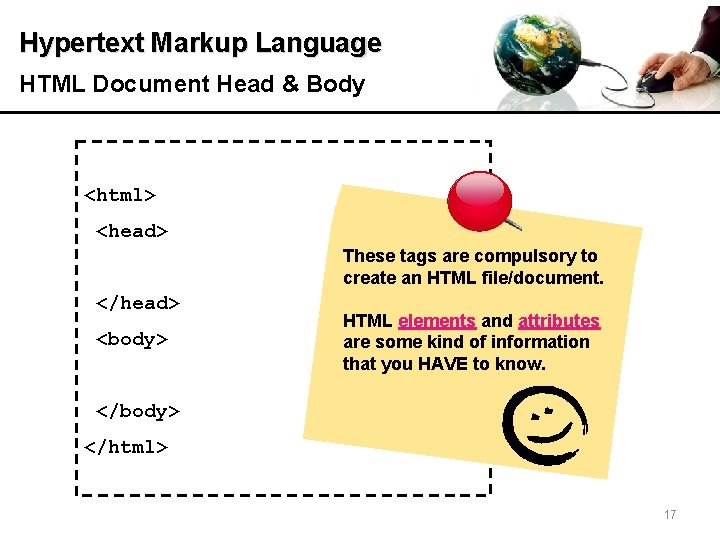
Hypertext Markup Language HTML Document Head & Body <html> <head> These tags are compulsory to create an HTML file/document. </head> <body> HTML elements and attributes are some kind of information that you HAVE to know. </body> </html> 17
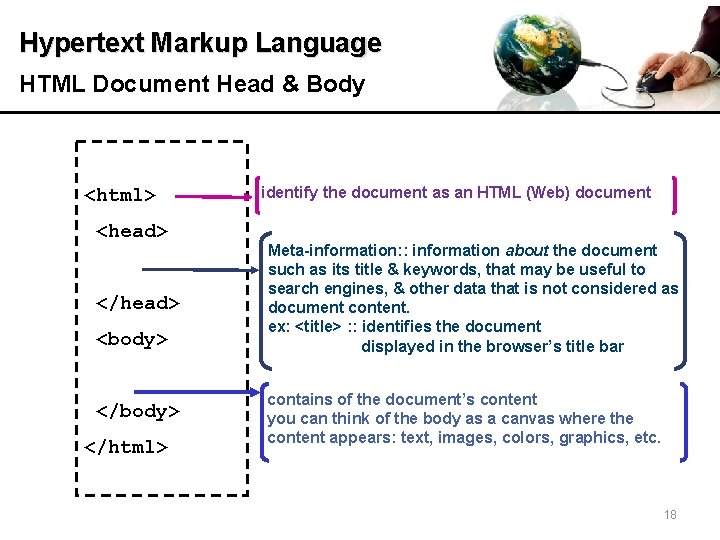
Hypertext Markup Language HTML Document Head & Body <html> <head> </head> <body> </html> identify the document as an HTML (Web) document Meta-information: : information about the document such as its title & keywords, that may be useful to search engines, & other data that is not considered as document content. ex: <title> : : identifies the document displayed in the browser’s title bar contains of the document’s content you can think of the body as a canvas where the content appears: text, images, colors, graphics, etc. 18
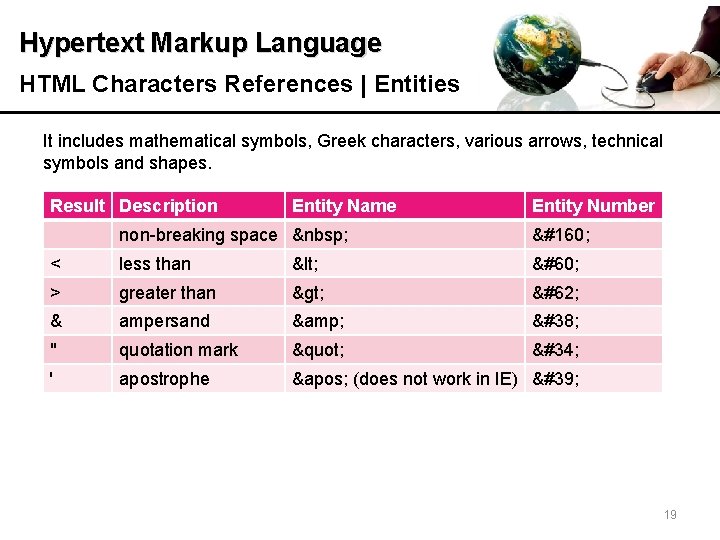
Hypertext Markup Language HTML Characters References | Entities It includes mathematical symbols, Greek characters, various arrows, technical symbols and shapes. Result Description Entity Name Entity Number non-breaking space < less than < < > greater than > > & ampersand & & " quotation mark " " ' apostrophe ' (does not work in IE) ' 19
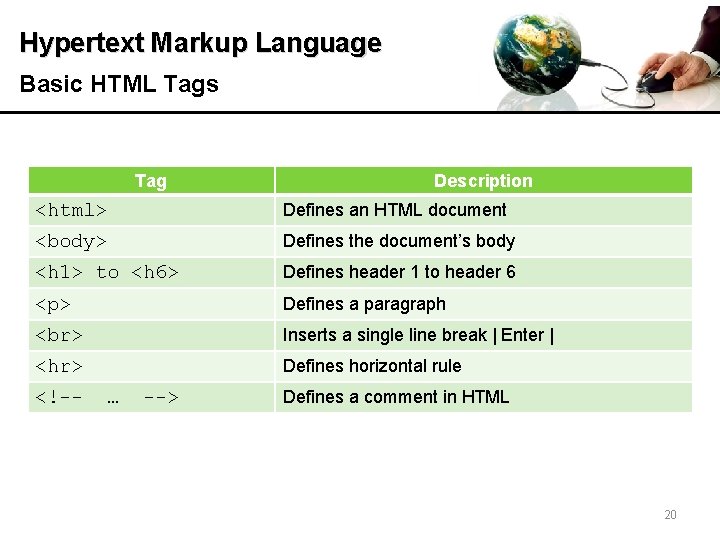
Hypertext Markup Language Basic HTML Tags Tag Description <html> Defines an HTML document <body> Defines the document’s body <h 1> to <h 6> Defines header 1 to header 6 <p> Defines a paragraph Inserts a single line break | Enter | <hr> Defines horizontal rule <!-- … --> Defines a comment in HTML 20
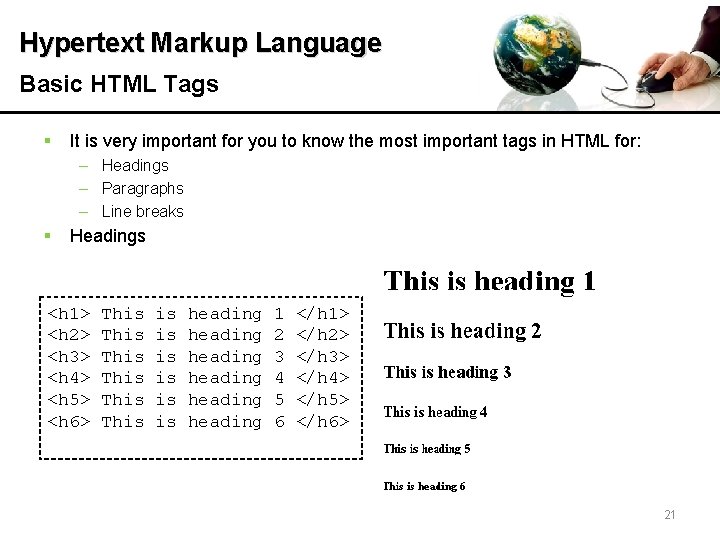
Hypertext Markup Language Basic HTML Tags § It is very important for you to know the most important tags in HTML for: – Headings – Paragraphs – Line breaks § Headings <h 1> <h 2> <h 3> <h 4> <h 5> <h 6> This This is heading heading 1 2 3 4 5 6 </h 1> </h 2> </h 3> </h 4> </h 5> </h 6> 21
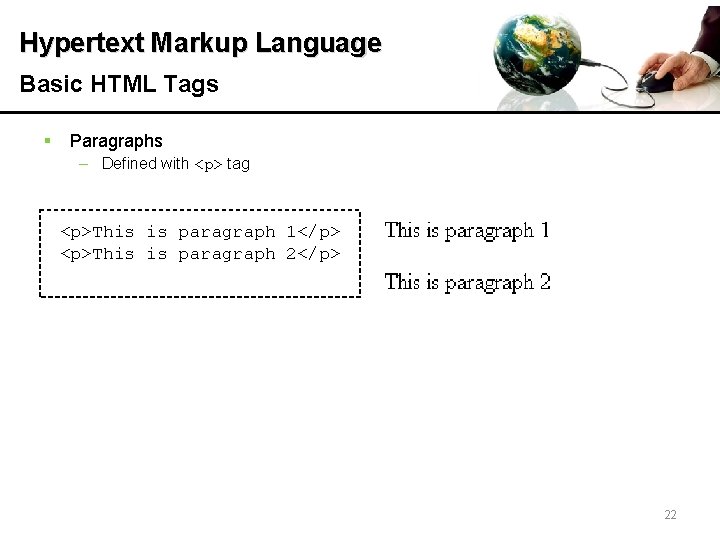
Hypertext Markup Language Basic HTML Tags § Paragraphs – Defined with <p> tag <p>This is paragraph 1</p> <p>This is paragraph 2</p> 22
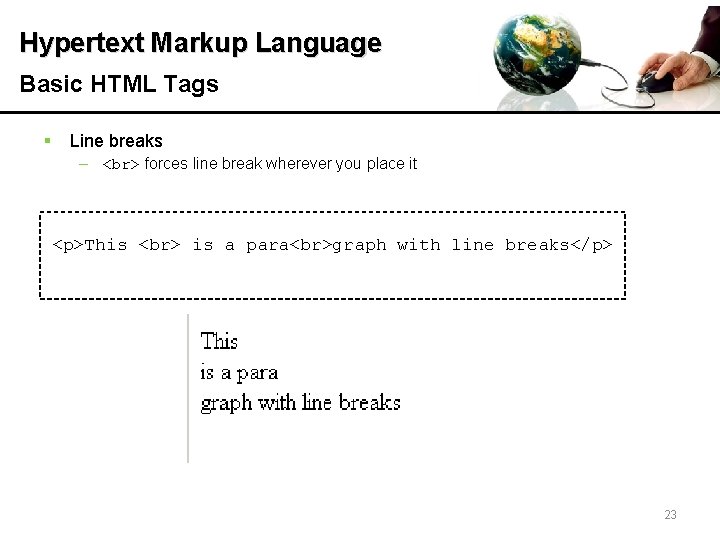
Hypertext Markup Language Basic HTML Tags § Line breaks – forces line break wherever you place it <p>This is a para graph with line breaks</p> 23
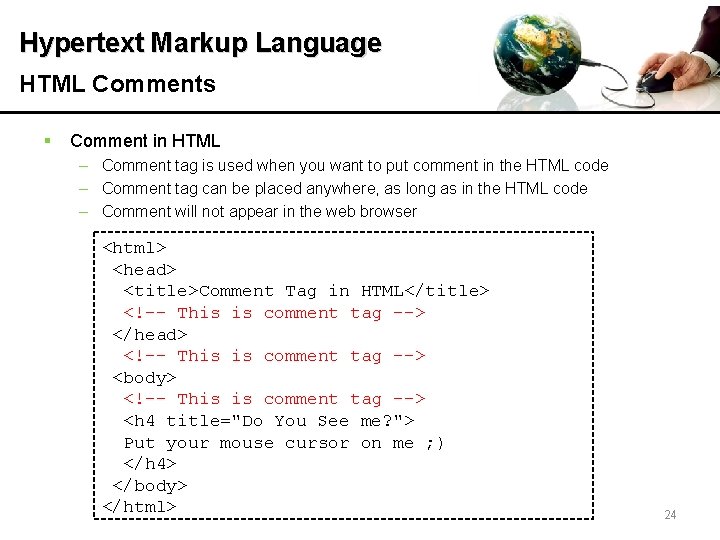
Hypertext Markup Language HTML Comments § Comment in HTML – Comment tag is used when you want to put comment in the HTML code – Comment tag can be placed anywhere, as long as in the HTML code – Comment will not appear in the web browser <html> <head> <title>Comment Tag in HTML</title> <!–- This is comment tag --> </head> <!–- This is comment tag --> <body> <!–- This is comment tag --> <h 4 title="Do You See me? "> Put your mouse cursor on me ; ) </h 4> </body> </html> 24
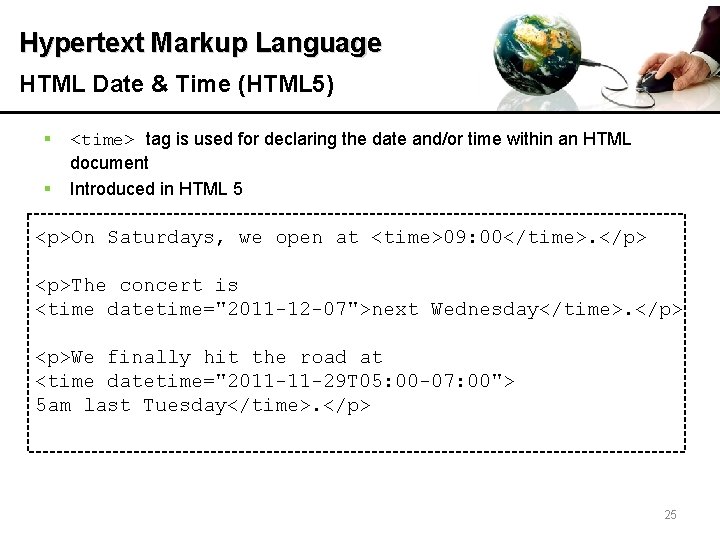
Hypertext Markup Language HTML Date & Time (HTML 5) § § <time> tag is used for declaring the date and/or time within an HTML document Introduced in HTML 5 <p>On Saturdays, we open at <time>09: 00</time>. </p> <p>The concert is <time datetime="2011 -12 -07">next Wednesday</time>. </p> <p>We finally hit the road at <time datetime="2011 -11 -29 T 05: 00 -07: 00"> 5 am last Tuesday</time>. </p> 25
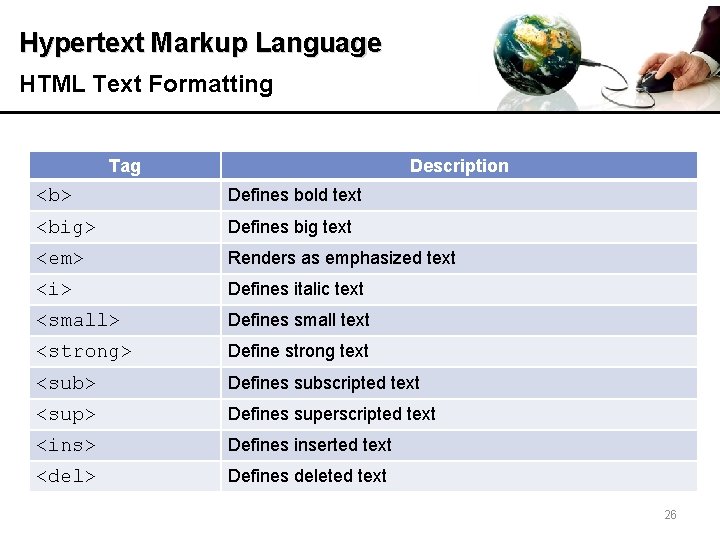
Hypertext Markup Language HTML Text Formatting Tag Description <b> Defines bold text <big> Defines big text <em> Renders as emphasized text <i> Defines italic text <small> Defines small text <strong> Define strong text <sub> Defines subscripted text <sup> Defines superscripted text <ins> Defines inserted text <del> Defines deleted text 26
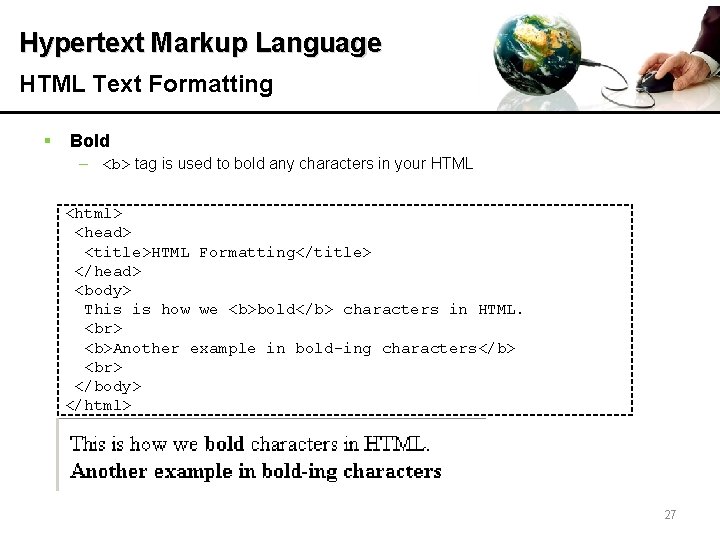
Hypertext Markup Language HTML Text Formatting § Bold – <b> tag is used to bold any characters in your HTML <html> <head> <title>HTML Formatting</title> </head> <body> This is how we <b>bold</b> characters in HTML. <b>Another example in bold-ing characters</b> </body> </html> 27
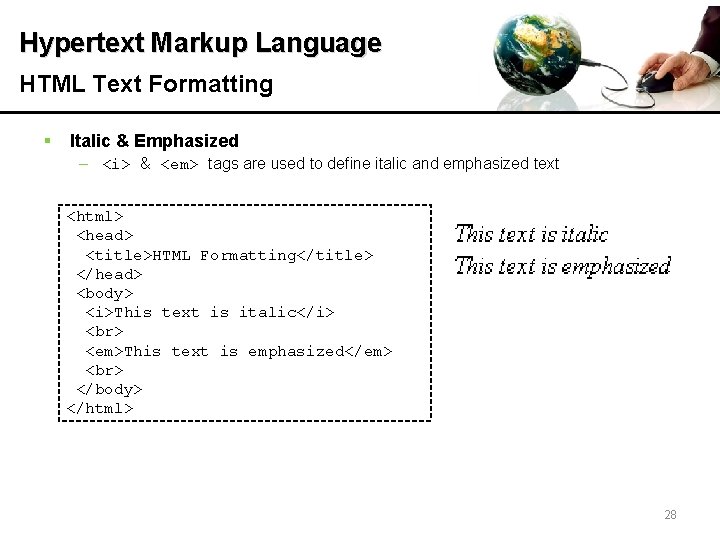
Hypertext Markup Language HTML Text Formatting § Italic & Emphasized – <i> & <em> tags are used to define italic and emphasized text <html> <head> <title>HTML Formatting</title> </head> <body> <i>This text is italic</i> <em>This text is emphasized</em> </body> </html> 28
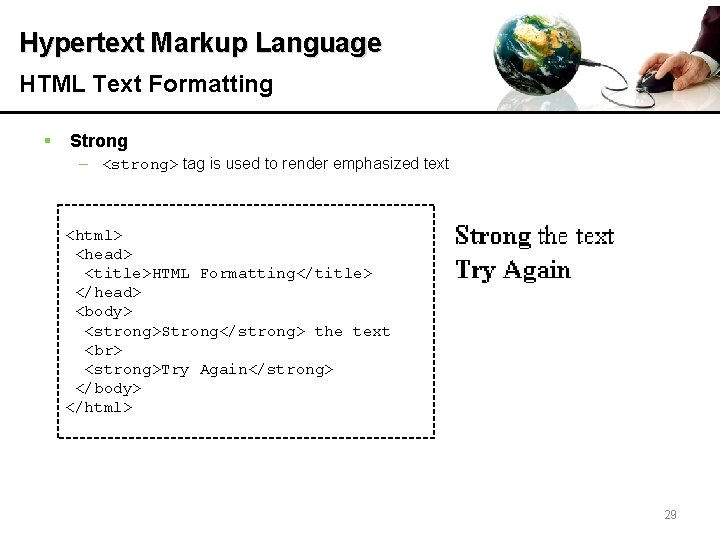
Hypertext Markup Language HTML Text Formatting § Strong – <strong> tag is used to render emphasized text <html> <head> <title>HTML Formatting</title> </head> <body> <strong>Strong</strong> the text <strong>Try Again</strong> </body> </html> 29
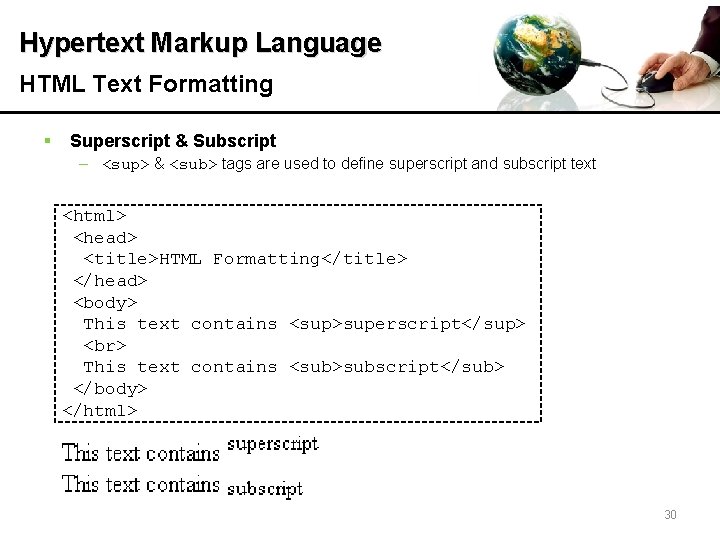
Hypertext Markup Language HTML Text Formatting § Superscript & Subscript – <sup> & <sub> tags are used to define superscript and subscript text <html> <head> <title>HTML Formatting</title> </head> <body> This text contains <sup>superscript</sup> This text contains <sub>subscript</sub> </body> </html> 30
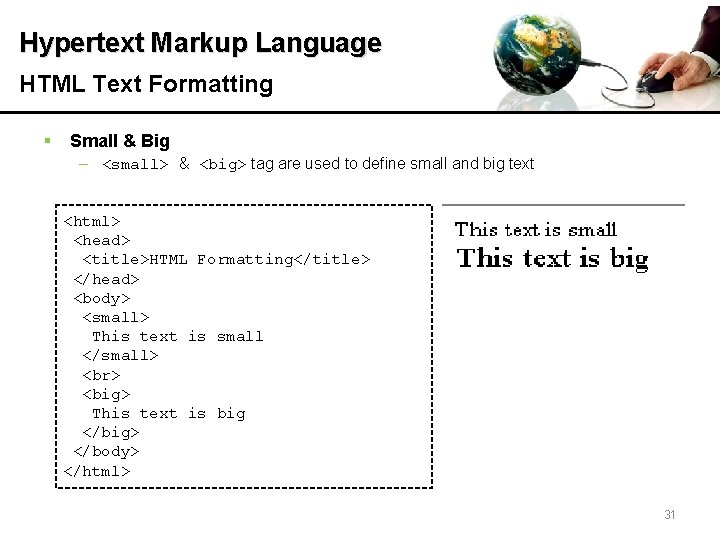
Hypertext Markup Language HTML Text Formatting § Small & Big – <small> & <big> tag are used to define small and big text <html> <head> <title>HTML Formatting</title> </head> <body> <small> This text is small </small> <big> This text is big </big> </body> </html> 31
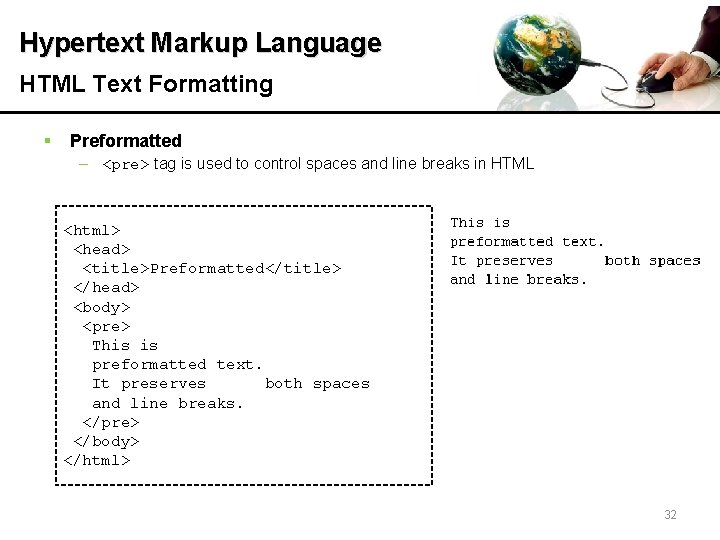
Hypertext Markup Language HTML Text Formatting § Preformatted – <pre> tag is used to control spaces and line breaks in HTML <html> <head> <title>Preformatted</title> </head> <body> <pre> This is preformatted text. It preserves both spaces and line breaks. </pre> </body> </html> 32
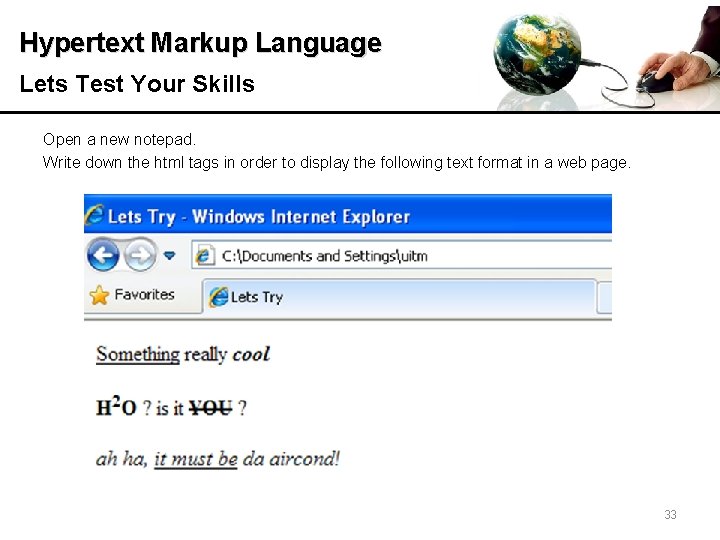
Hypertext Markup Language Lets Test Your Skills Open a new notepad. Write down the html tags in order to display the following text format in a web page. 33
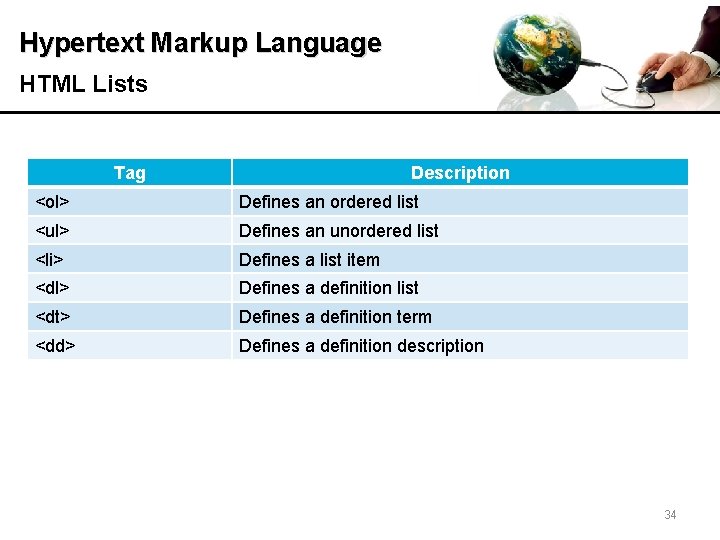
Hypertext Markup Language HTML Lists Tag Description <ol> Defines an ordered list <ul> Defines an unordered list <li> Defines a list item <dl> Defines a definition list <dt> Defines a definition term <dd> Defines a definition description 34
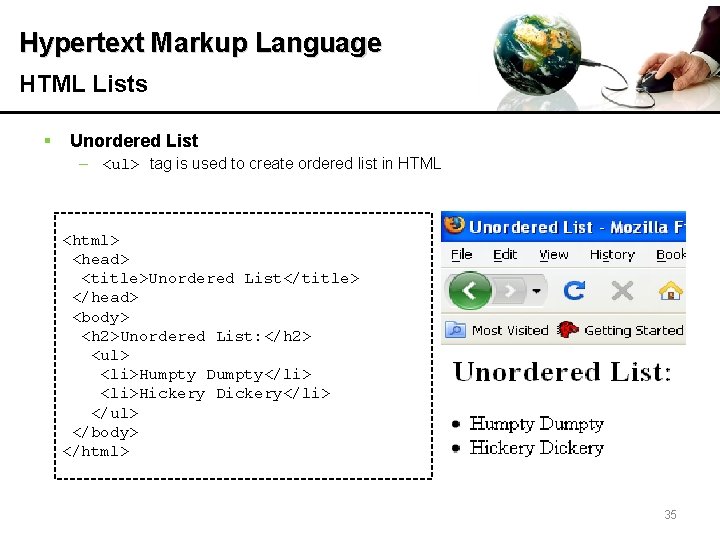
Hypertext Markup Language HTML Lists § Unordered List – <ul> tag is used to create ordered list in HTML <html> <head> <title>Unordered List</title> </head> <body> <h 2>Unordered List: </h 2> <ul> <li>Humpty Dumpty</li> <li>Hickery Dickery</li> </ul> </body> </html> 35
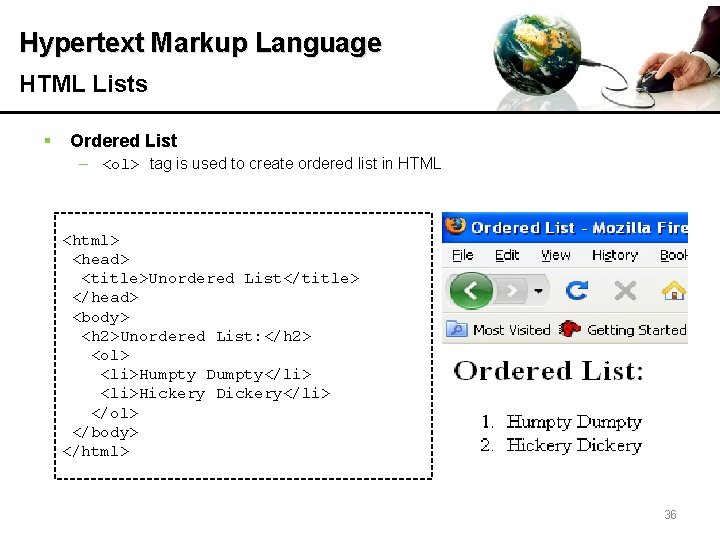
Hypertext Markup Language HTML Lists § Ordered List – <ol> tag is used to create ordered list in HTML <html> <head> <title>Unordered List</title> </head> <body> <h 2>Unordered List: </h 2> <ol> <li>Humpty Dumpty</li> <li>Hickery Dickery</li> </ol> </body> </html> 36
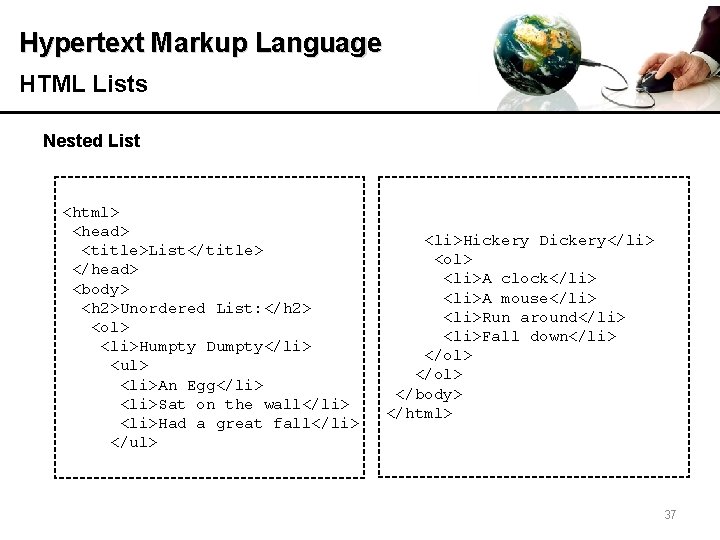
Hypertext Markup Language HTML Lists Nested List <html> <head> <title>List</title> </head> <body> <h 2>Unordered List: </h 2> <ol> <li>Humpty Dumpty</li> <ul> <li>An Egg</li> <li>Sat on the wall</li> <li>Had a great fall</li> </ul> <li>Hickery Dickery</li> <ol> <li>A clock</li> <li>A mouse</li> <li>Run around</li> <li>Fall down</li> </ol> </body> </html> 37
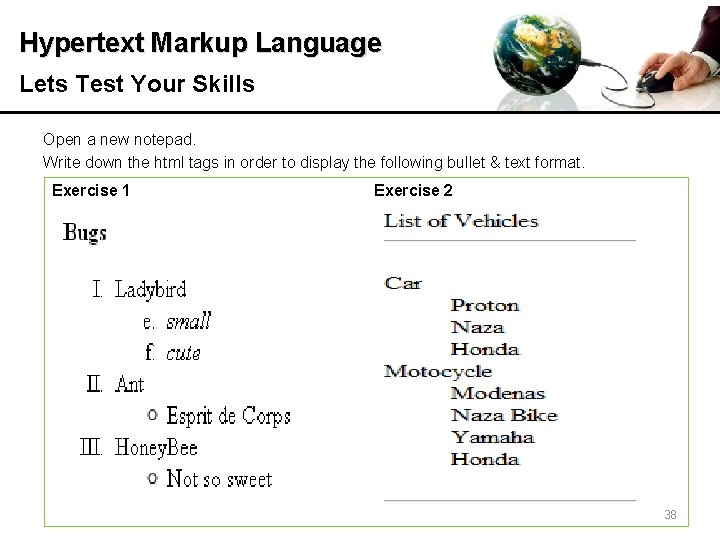
Hypertext Markup Language Lets Test Your Skills Open a new notepad. Write down the html tags in order to display the following bullet & text format. Exercise 1 Exercise 2 38
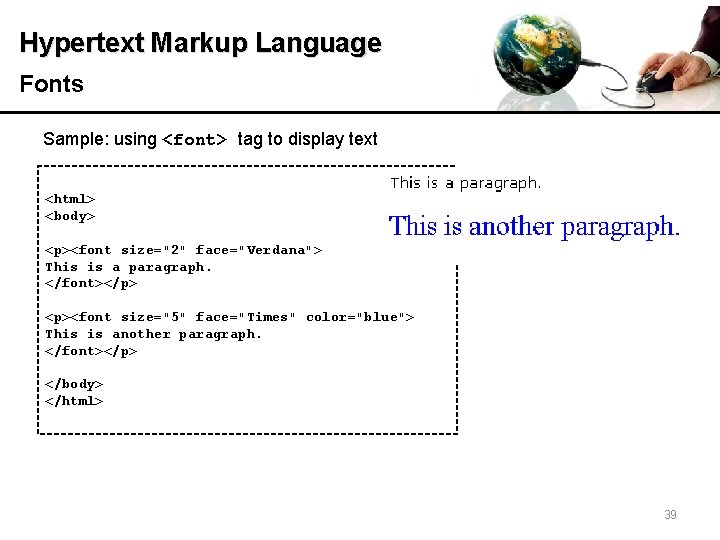
Hypertext Markup Language Fonts Sample: using <font> tag to display text <html> <body> <p><font size="2" face="Verdana"> This is a paragraph. </font></p> <p><font size="5" face="Times" color="blue"> This is another paragraph. </font></p> </body> </html> 39
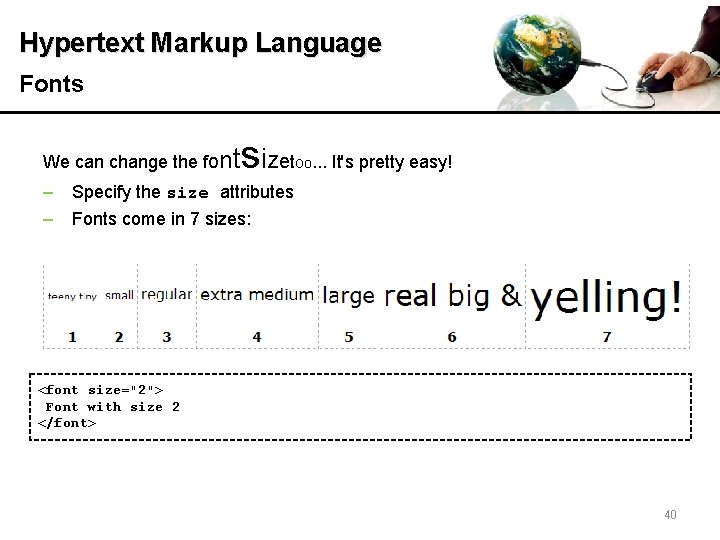
Hypertext Markup Language Fonts We can change the font sizet oo. . . It's pretty easy! ‒ Specify the size attributes ‒ Fonts come in 7 sizes: <font size="2"> Font with size 2 </font> 40
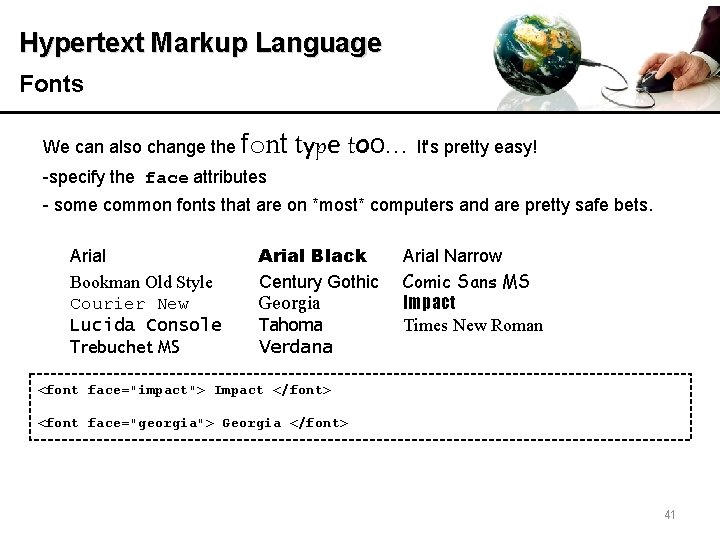
Hypertext Markup Language Fonts We can also change the font type too. . . It's pretty easy! -specify the face attributes - some common fonts that are on *most* computers and are pretty safe bets. Arial Bookman Old Style Courier New Lucida Console Trebuchet MS Arial Black Century Gothic Georgia Tahoma Verdana Arial Narrow Comic Sans MS Impact Times New Roman <font face="impact"> Impact </font> <font face="georgia"> Georgia </font> 41
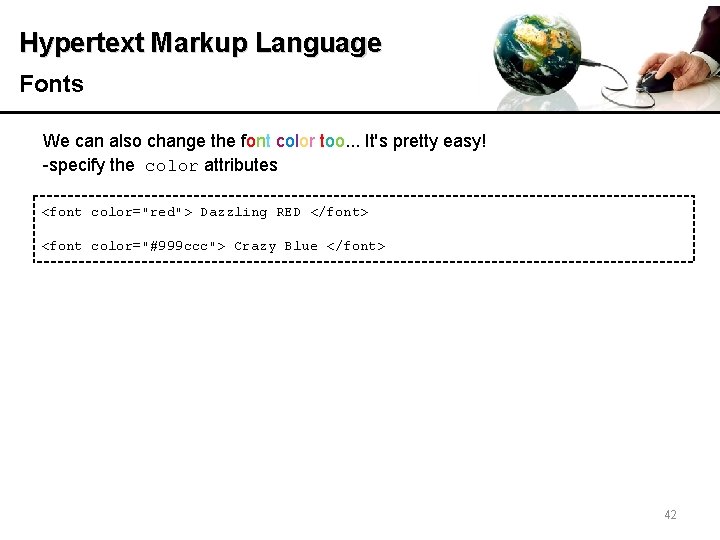
Hypertext Markup Language Fonts We can also change the font color too. . . It's pretty easy! -specify the color attributes <font color="red"> Dazzling RED </font> <font color="#999 ccc"> Crazy Blue </font> 42
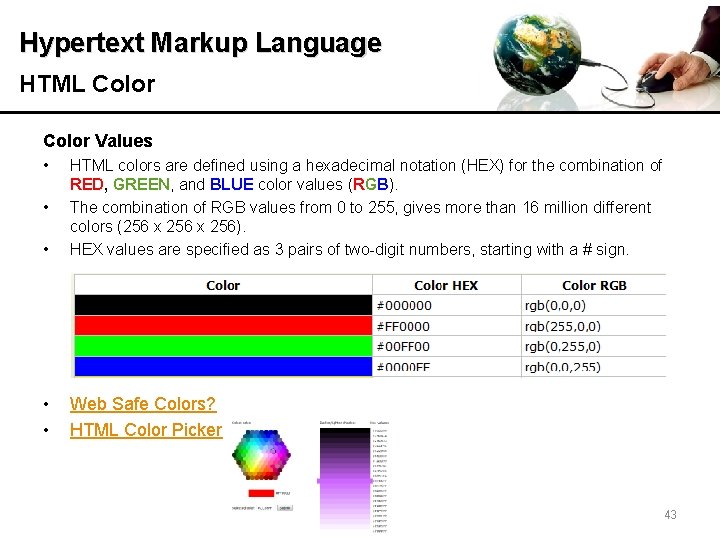
Hypertext Markup Language HTML Color Values • • HTML colors are defined using a hexadecimal notation (HEX) for the combination of RED, GREEN, and BLUE color values (RGB). The combination of RGB values from 0 to 255, gives more than 16 million different colors (256 x 256). HEX values are specified as 3 pairs of two-digit numbers, starting with a # sign. • • Web Safe Colors? HTML Color Picker • 43
Hypertext Markup Language Fonts Remember!!! A <tag> tells the browser to do something An attribute goes inside the <tag> and tells the browser how to do it. Defaults default value is a value that the browser assumes if you have not told it otherwise. A good example is the font size. The default font size is 3 (usually). If you say nothing it will be 3. If you make faces at your computer it will still be 3! Every browser has a default font setting - font name, size and color. Unless you have messed with it, the default is probably Times New Roman or Verdana 12 pt (which translates into 3 for our purposes) and it's black. 44
Hypertext Markup Language Fonts • • • Unfortunately <font> tag is deprecated in HTML 4, and removed from HTML 5. The World Wide Web Consortium (W 3 C) has removed the <font> tag from its recommendations. In HTML 4, Cascading Style Sheets (CSS) should be used to define the layout and display properties for many HTML elements. 45
Hypertext Markup Language Cascading Style Sheet (CSS) § W 3 C recommends the uses of Cascading Style Sheet (CSS) to create layout and display properties of HTML § CSS, or Cascading Styles Sheets, is a way to style HTML. Whereas the HTML is the content, the style sheet is the presentation of that document. § Styles is different from HTML, they have a format of 'property: value' and most properties can be applied to most HTML tags. § About CSS | you need to learn by urself | 46
Hypertext Markup Language Alignment § § • <align> to align tables, images, objects, paragraphs, etc. within web browser Possible values: – left : text lines are rendered flush left. – center : text lines are centered. – right : text lines are rendered flush right. – justify : text lines are justified to both margins. <center><h 1> How to Carve Wood </h 1></center> This attribute has been deprecated in favor of CSS Deprecated example: <H 1 align="center"> How to Carve Wood </H 1> Solution example: Better Solution CSS: http: //www. w 3. org/TR/html 4/present/graphics. html 47
Hypertext Markup Language Fonts Open a new notepad. Write html tags in order to display the following output. The sequence of the alphabet size are: 3 , 4, 5, 6, 7, 7, 6, 5, 4, 3, 2, 1 The sequence of the alphabet color are: #ee 0000 #ff 7700 #eeee 00 #00 bb 00 #0000 ee #dd 00 dd #880088 48
Hypertext Markup Language HTML Links (Hyperlinks) Tag <a> Description Defines an anchor. Always use with href attribute 49
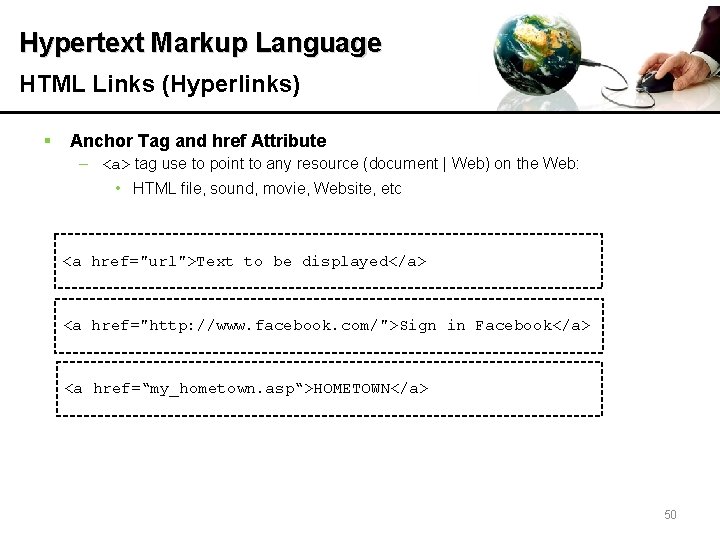
Hypertext Markup Language HTML Links (Hyperlinks) § Anchor Tag and href Attribute – <a> tag use to point to any resource (document | Web) on the Web: • HTML file, sound, movie, Website, etc <a href="url">Text to be displayed</a> <a href="http: //www. facebook. com/">Sign in Facebook</a> <a href=“my_hometown. asp“>HOMETOWN</a> 50
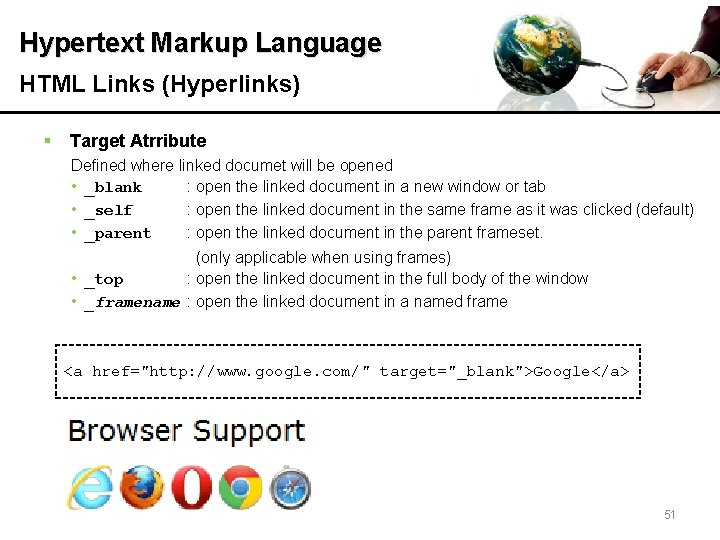
Hypertext Markup Language HTML Links (Hyperlinks) § Target Atrribute Defined where linked documet will be opened • _blank : open the linked document in a new window or tab • _self : open the linked document in the same frame as it was clicked (default) • _parent : open the linked document in the parent frameset. (only applicable when using frames) • _top : open the linked document in the full body of the window • _framename : open the linked document in a named frame <a href="http: //www. google. com/" target="_blank">Google</a> 51
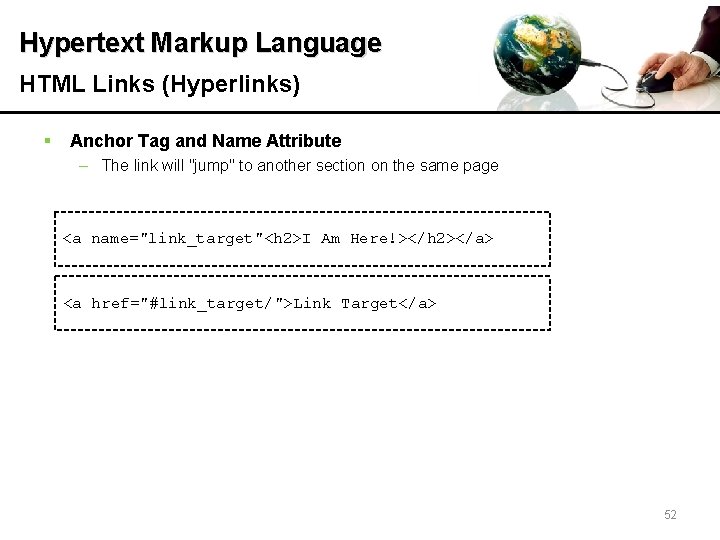
Hypertext Markup Language HTML Links (Hyperlinks) § Anchor Tag and Name Attribute – The link will "jump" to another section on the same page <a name="link_target"<h 2>I Am Here!></h 2></a> <a href="#link_target/">Link Target</a> 52
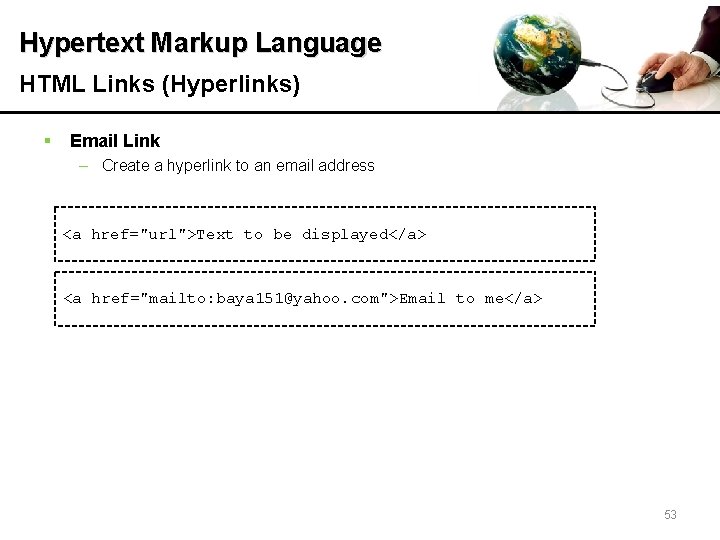
Hypertext Markup Language HTML Links (Hyperlinks) § Email Link – Create a hyperlink to an email address <a href="url">Text to be displayed</a> <a href="mailto: baya 151@yahoo. com">Email to me</a> 53
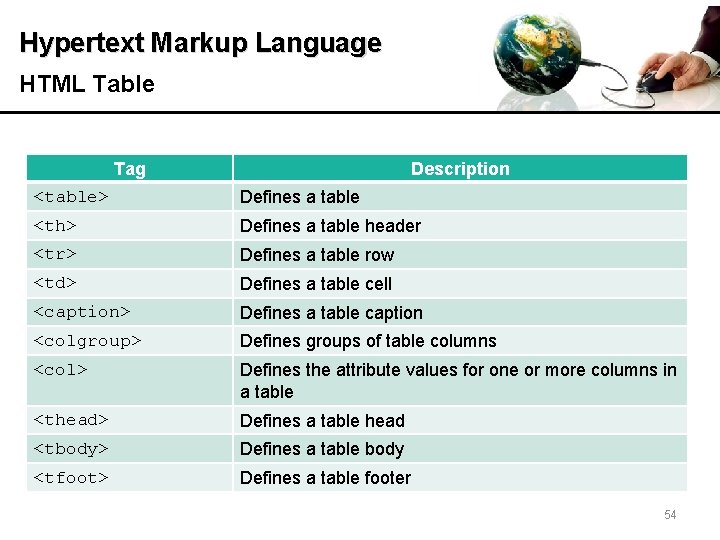
Hypertext Markup Language HTML Table Tag Description <table> Defines a table <th> Defines a table header <tr> Defines a table row <td> Defines a table cell <caption> Defines a table caption <colgroup> Defines groups of table columns <col> Defines the attribute values for one or more columns in a table <thead> Defines a table head <tbody> Defines a table body <tfoot> Defines a table footer 7/12/2010 54
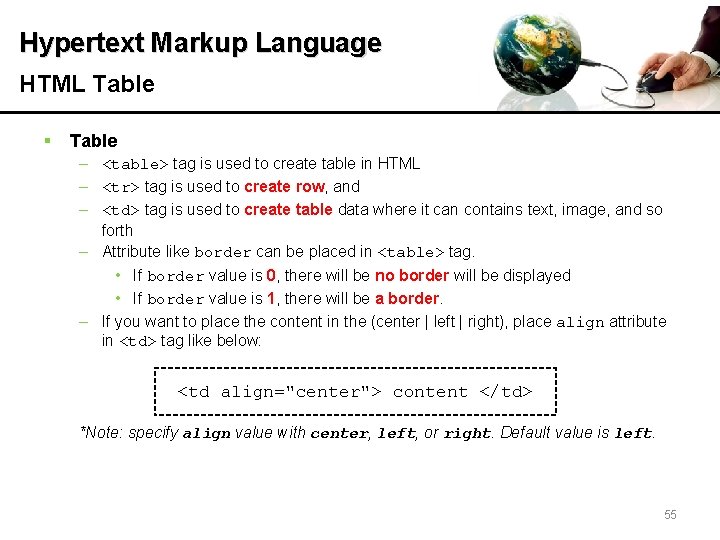
Hypertext Markup Language HTML Table § Table – <table> tag is used to create table in HTML – <tr> tag is used to create row, and – <td> tag is used to create table data where it can contains text, image, and so forth – Attribute like border can be placed in <table> tag. • If border value is 0, there will be no border will be displayed • If border value is 1, there will be a border. – If you want to place the content in the (center | left | right), place align attribute in <td> tag like below: <td align="center"> content </td> *Note: specify align value with center, left, or right. Default value is left. 7/12/2010 55
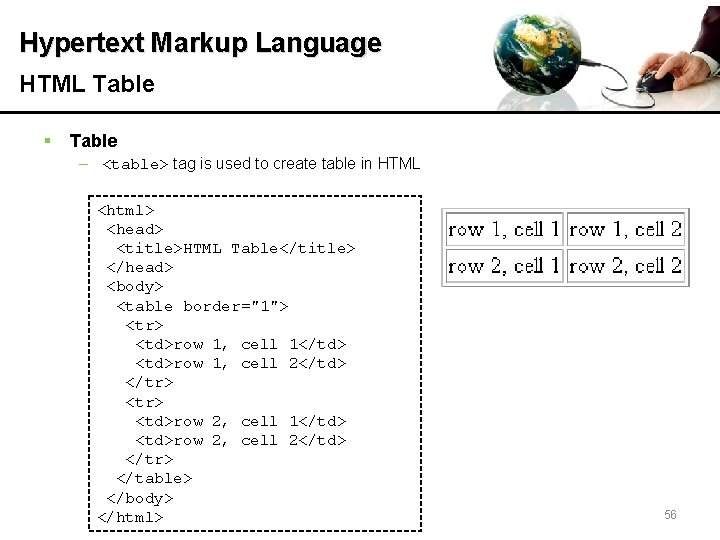
Hypertext Markup Language HTML Table § Table – <table> tag is used to create table in HTML <html> <head> <title>HTML Table</title> </head> <body> <table border="1"> <tr> <td>row 1, cell 1</td> <td>row 1, cell 2</td> </tr> <td>row 2, cell 1</td> <td>row 2, cell 2</td> </tr> </table> </body> 7/12/2010</html> 56
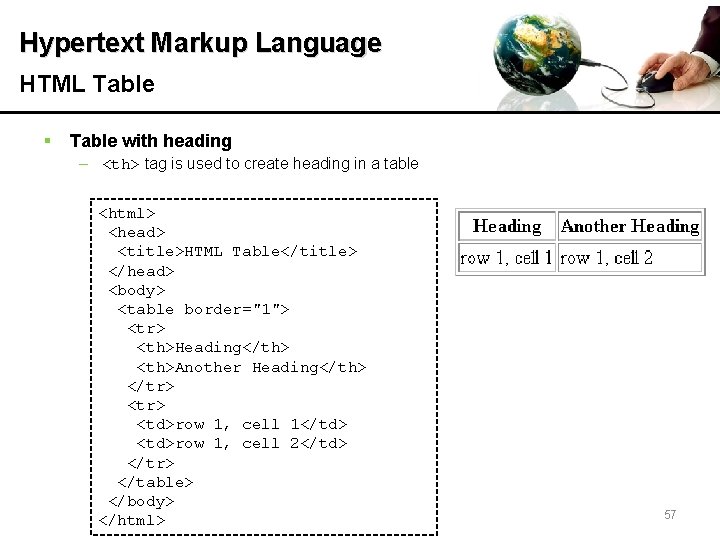
Hypertext Markup Language HTML Table § Table with heading – <th> tag is used to create heading in a table <html> <head> <title>HTML Table</title> </head> <body> <table border="1"> <tr> <th>Heading</th> <th>Another Heading</th> </tr> <td>row 1, cell 1</td> <td>row 1, cell 2</td> </tr> </table> </body> 7/12/2010 </html> 57
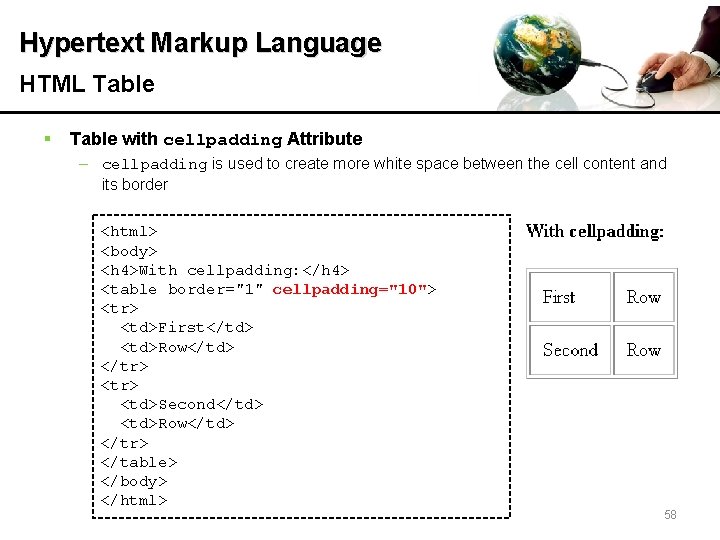
Hypertext Markup Language HTML Table § Table with cellpadding Attribute – cellpadding is used to create more white space between the cell content and its border 7/12/2010 <html> <body> <h 4>With cellpadding: </h 4> <table border="1" cellpadding="10"> <tr> <td>First</td> <td>Row</td> </tr> <td>Second</td> <td>Row</td> </tr> </table> </body> </html> 58
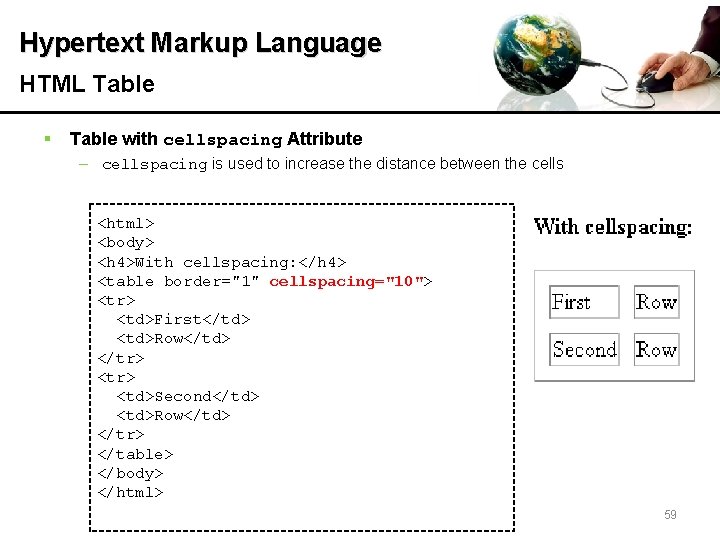
Hypertext Markup Language HTML Table § Table with cellspacing Attribute – cellspacing is used to increase the distance between the cells <html> <body> <h 4>With cellspacing: </h 4> <table border="1" cellspacing="10"> <tr> <td>First</td> <td>Row</td> </tr> <td>Second</td> <td>Row</td> </tr> </table> </body> </html> 7/12/2010 59
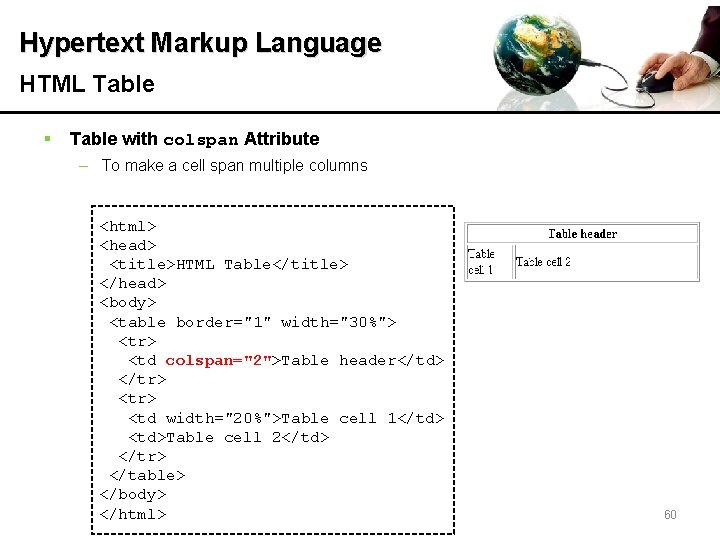
Hypertext Markup Language HTML Table § Table with colspan Attribute – To make a cell span multiple columns <html> <head> <title>HTML Table</title> </head> <body> <table border="1" width="30%"> <tr> <td colspan="2">Table header</td> </tr> <td width="20%">Table cell 1</td> <td>Table cell 2</td> </tr> </table> </body> 7/12/2010 </html> 60
Hypertext Markup Language 61
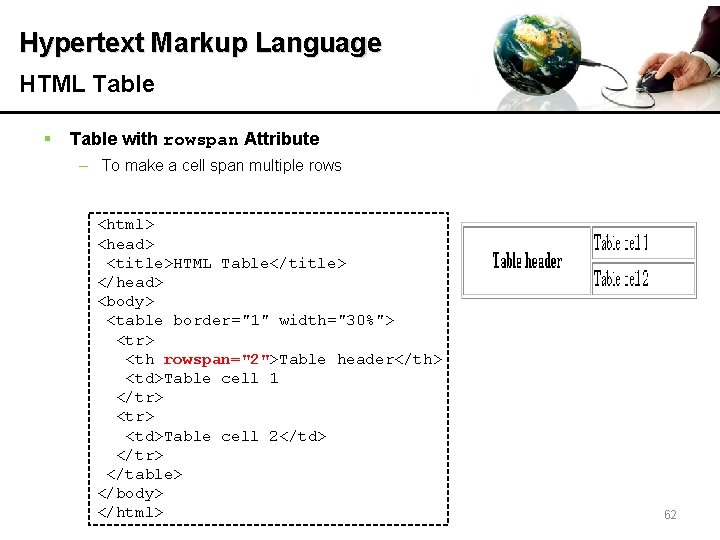
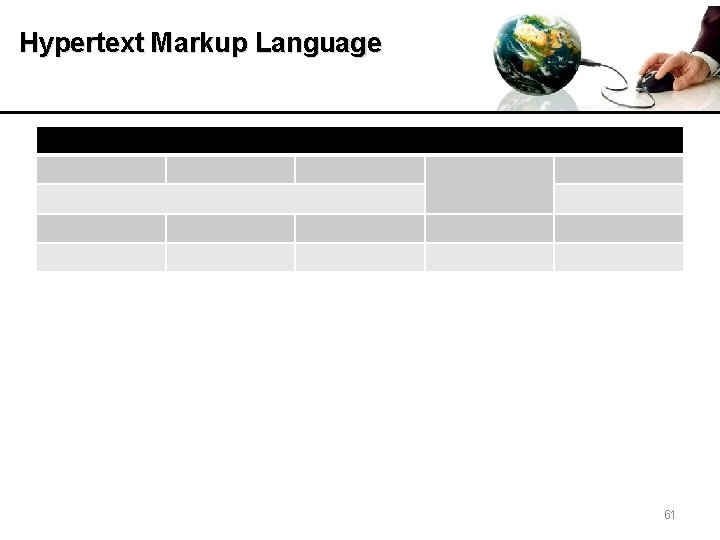
Hypertext Markup Language HTML Table § Table with rowspan Attribute – To make a cell span multiple rows <html> <head> <title>HTML Table</title> </head> <body> <table border="1" width="30%"> <tr> <th rowspan="2">Table header</th> <td>Table cell 1 </tr> <td>Table cell 2</td> </tr> </table> </body> 7/12/2010</html> 62
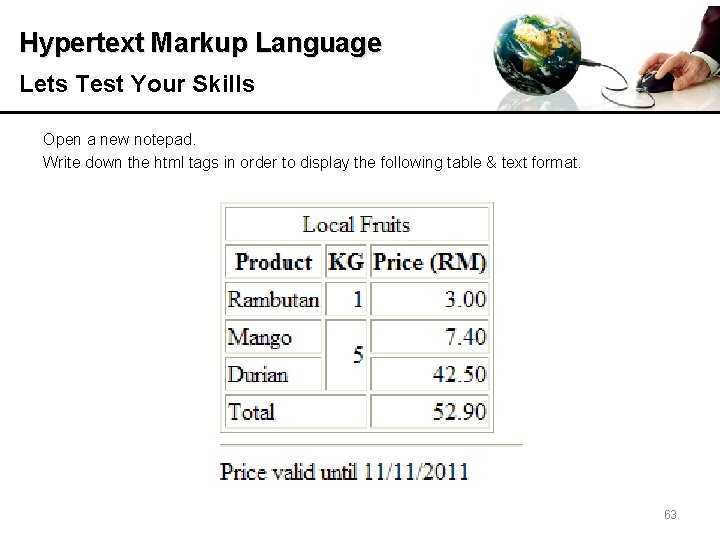
Hypertext Markup Language Lets Test Your Skills Open a new notepad. Write down the html tags in order to display the following table & text format. 7/12/2010 63
Hypertext Markup Language Bibliography (Book) • Knuckles (2001). Introduction to Interactive Programming on the Internet using HTML & Javascript. John Wiley & Sons, Inc. Bibliography (Websites) • http: //www. w 3 schools. com/html/default. asp • http: //www. w 3 schools. com/html_entities. asp • http: //www. quackit. com/html/ • http: //www. w 3. org/TR/html 4/conform. html#deprecated • http: //www. w 3. org/TR/1999/REC-CSS 1 -19990111 • http: //www. htmldog. com/guides/cssbeginner/ 64
- Slides: 64