
CS 61 C Great Ideas in Computer Architecture
![Transfer from Memory to Register • C code int A[100]; g = h +](https://slidetodoc.com/presentation_image/322e3f58f569189c1a617cb36abbc173/image-19.jpg "Transfer from Memory to Register • C code int A[100]; g = h +")
![Transfer from Register to Memory • C code int A[100]; A[10] = h +](https://slidetodoc.com/presentation_image/322e3f58f569189c1a617cb36abbc173/image-20.jpg "Transfer from Register to Memory • C code int A[100]; A[10] = h +")
- Slides: 29
CS 61 C: Great Ideas in Computer Architecture Intro to Assembly Language, MIPS Intro Instructors: Vladimir Stojanovic & Nicholas Weaver http: //inst. eecs. Berkeley. edu/~cs 61 c/sp 16 1
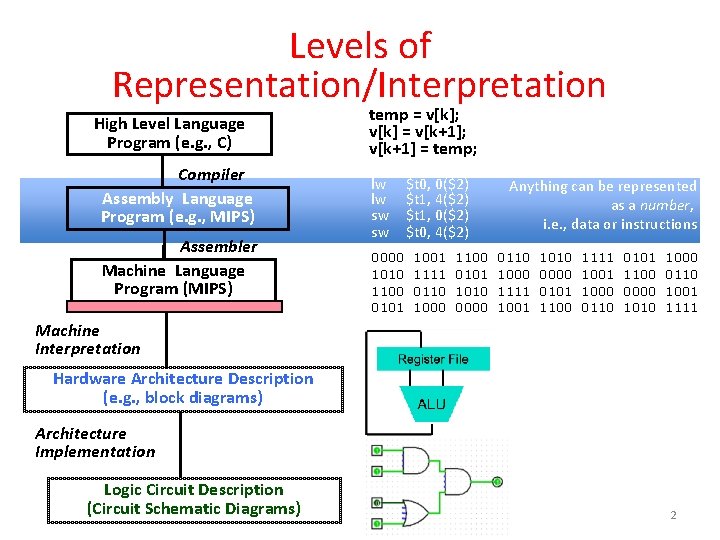
Levels of Representation/Interpretation High Level Language Program (e. g. , C) Compiler Assembly Language Program (e. g. , MIPS) Assembler Machine Language Program (MIPS) temp = v[k]; v[k] = v[k+1]; v[k+1] = temp; lw lw sw sw $t 0, 0($2) $t 1, 4($2) $t 1, 0($2) $t 0, 4($2) 0000 1010 1100 0101 1001 1111 0110 1000 1100 0101 1010 0000 Anything can be represented as a number, i. e. , data or instructions 0110 1000 1111 1001 1010 0000 0101 1100 1111 1000 0110 0101 1100 0000 1010 1000 0110 1001 1111 Machine Interpretation Hardware Architecture Description (e. g. , block diagrams) Architecture Implementation Logic Circuit Description (Circuit Schematic Diagrams) 2
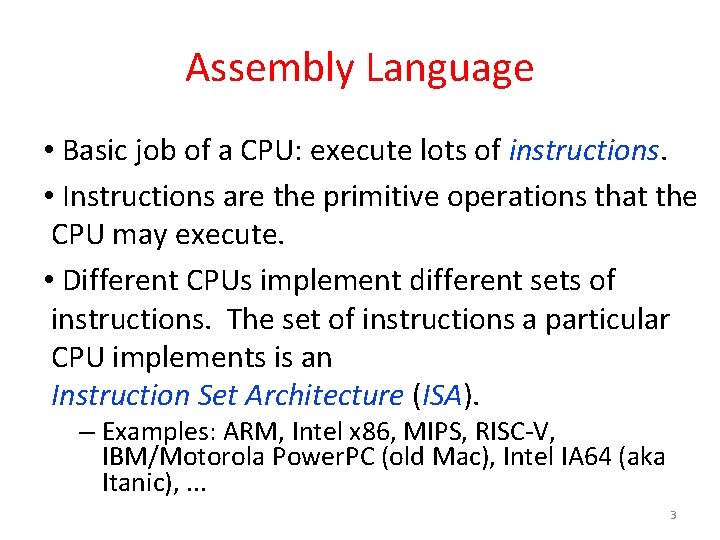
Assembly Language • Basic job of a CPU: execute lots of instructions. • Instructions are the primitive operations that the CPU may execute. • Different CPUs implement different sets of instructions. The set of instructions a particular CPU implements is an Instruction Set Architecture (ISA). – Examples: ARM, Intel x 86, MIPS, RISC-V, IBM/Motorola Power. PC (old Mac), Intel IA 64 (aka Itanic), . . . 3
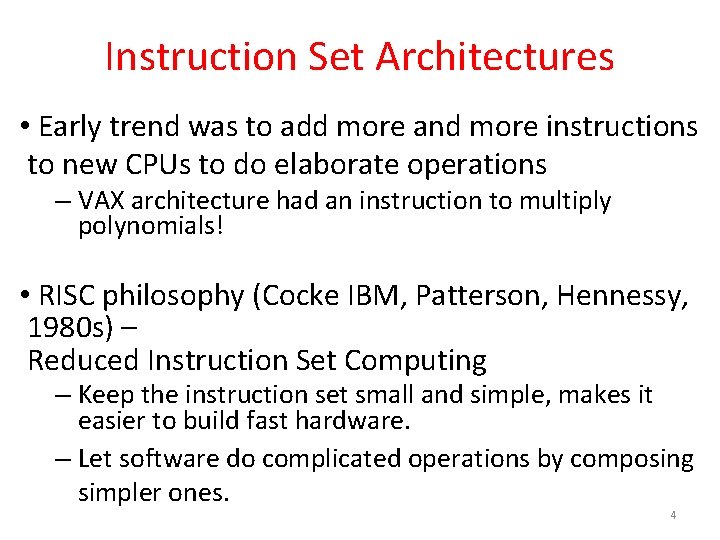
Instruction Set Architectures • Early trend was to add more and more instructions to new CPUs to do elaborate operations – VAX architecture had an instruction to multiply polynomials! • RISC philosophy (Cocke IBM, Patterson, Hennessy, 1980 s) – Reduced Instruction Set Computing – Keep the instruction set small and simple, makes it easier to build fast hardware. – Let software do complicated operations by composing simpler ones. 4
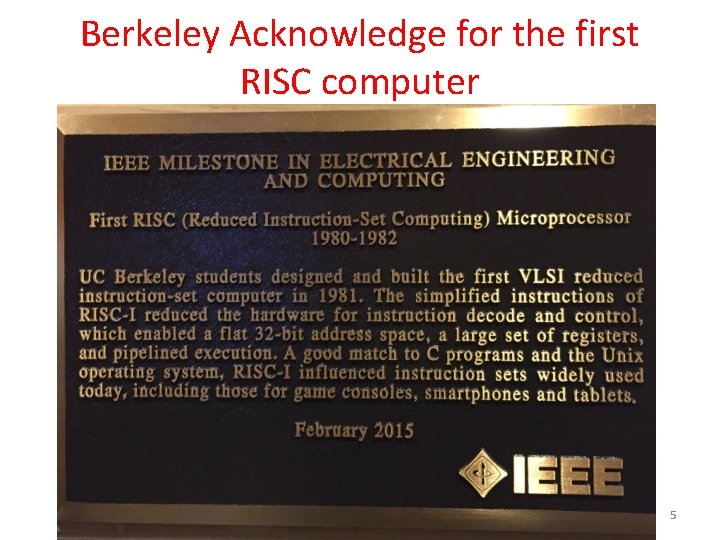
Berkeley Acknowledge for the first RISC computer 5
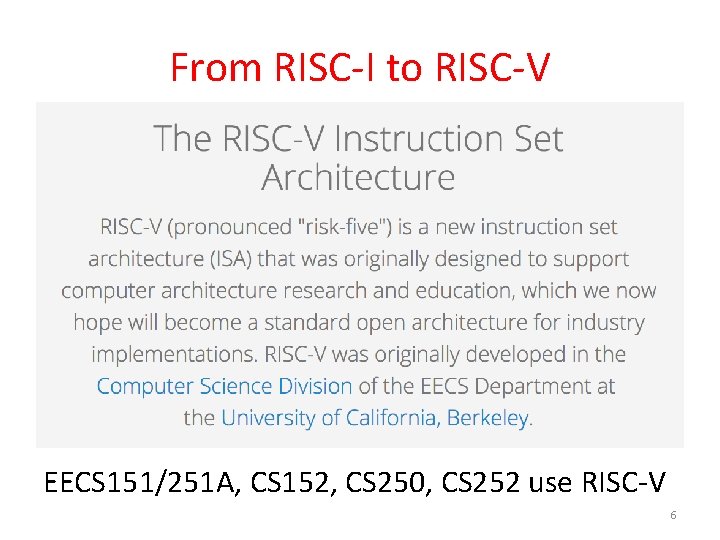
From RISC-I to RISC-V EECS 151/251 A, CS 152, CS 250, CS 252 use RISC-V 6
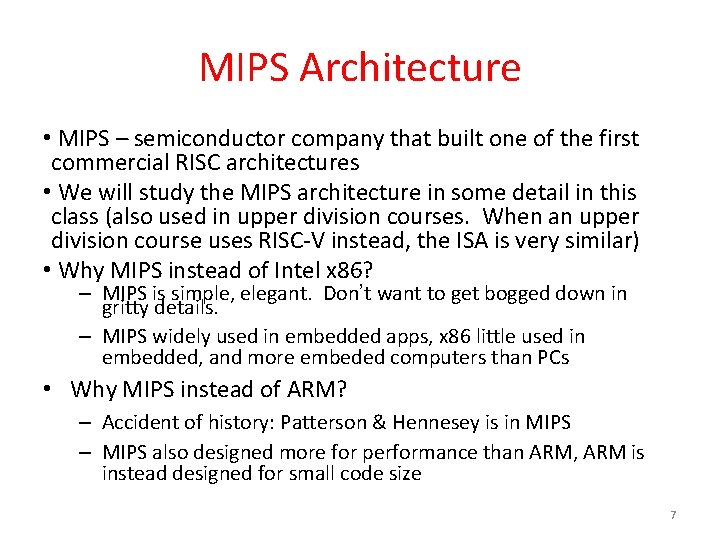
MIPS Architecture • MIPS – semiconductor company that built one of the first commercial RISC architectures • We will study the MIPS architecture in some detail in this class (also used in upper division courses. When an upper division course uses RISC-V instead, the ISA is very similar) • Why MIPS instead of Intel x 86? – MIPS is simple, elegant. Don’t want to get bogged down in gritty details. – MIPS widely used in embedded apps, x 86 little used in embedded, and more embeded computers than PCs • Why MIPS instead of ARM? – Accident of history: Patterson & Hennesey is in MIPS – MIPS also designed more for performance than ARM, ARM is instead designed for small code size 7
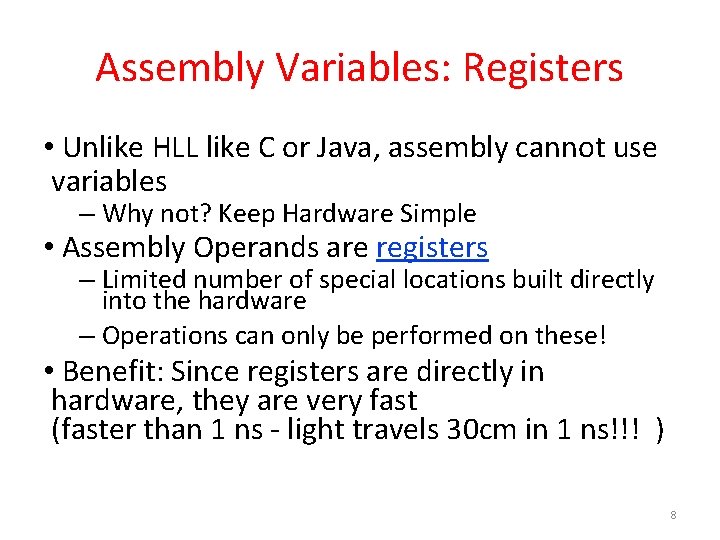
Assembly Variables: Registers • Unlike HLL like C or Java, assembly cannot use variables – Why not? Keep Hardware Simple • Assembly Operands are registers – Limited number of special locations built directly into the hardware – Operations can only be performed on these! • Benefit: Since registers are directly in hardware, they are very fast (faster than 1 ns - light travels 30 cm in 1 ns!!! ) 8
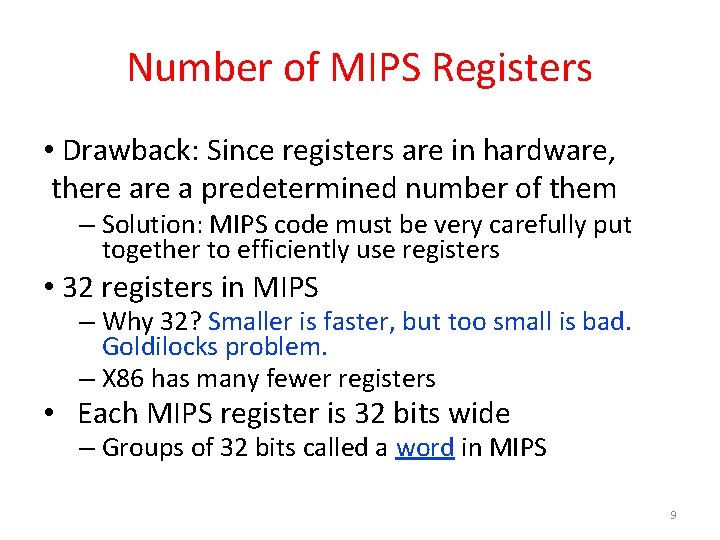
Number of MIPS Registers • Drawback: Since registers are in hardware, there a predetermined number of them – Solution: MIPS code must be very carefully put together to efficiently use registers • 32 registers in MIPS – Why 32? Smaller is faster, but too small is bad. Goldilocks problem. – X 86 has many fewer registers • Each MIPS register is 32 bits wide – Groups of 32 bits called a word in MIPS 9
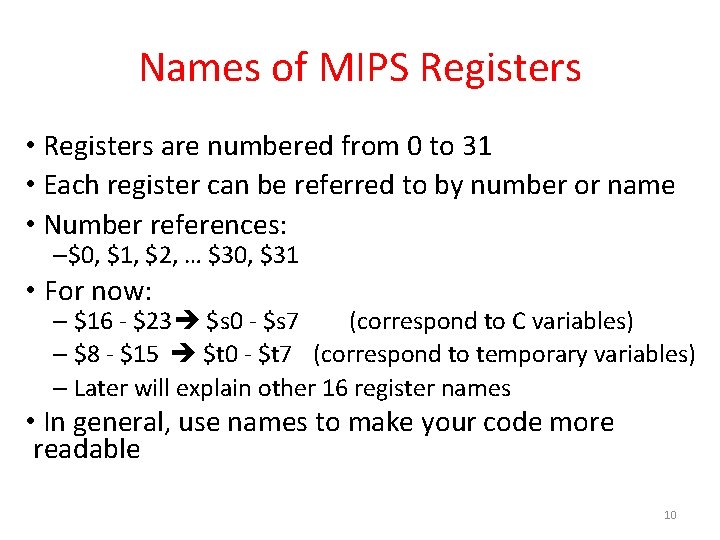
Names of MIPS Registers • Registers are numbered from 0 to 31 • Each register can be referred to by number or name • Number references: –$0, $1, $2, … $30, $31 • For now: – $16 - $23 $s 0 - $s 7 (correspond to C variables) – $8 - $15 $t 0 - $t 7 (correspond to temporary variables) – Later will explain other 16 register names • In general, use names to make your code more readable 10
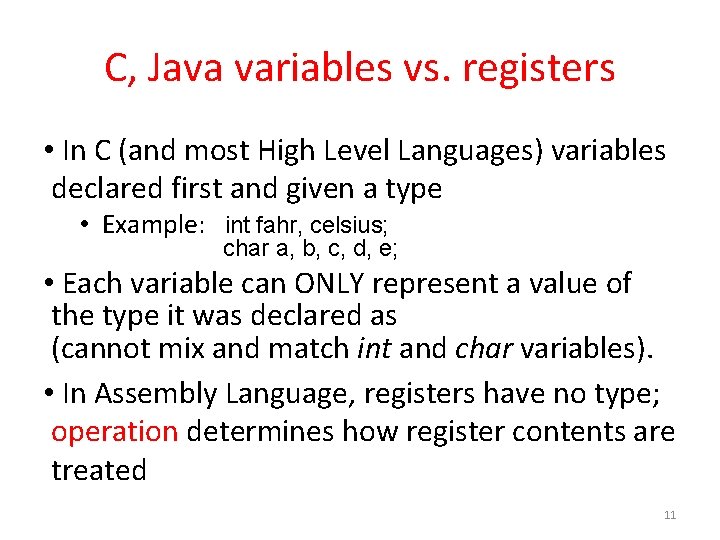
C, Java variables vs. registers • In C (and most High Level Languages) variables declared first and given a type • Example: int fahr, celsius; char a, b, c, d, e; • Each variable can ONLY represent a value of the type it was declared as (cannot mix and match int and char variables). • In Assembly Language, registers have no type; operation determines how register contents are treated 11
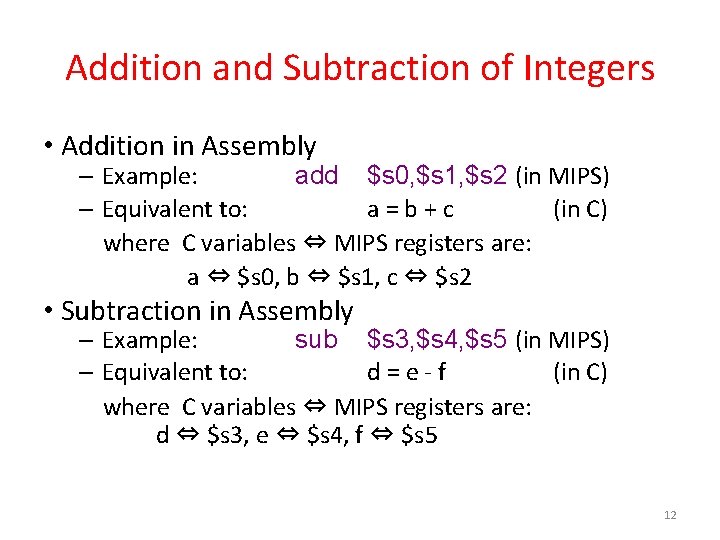
Addition and Subtraction of Integers • Addition in Assembly – Example: add $s 0, $s 1, $s 2 (in MIPS) – Equivalent to: a = b + c (in C) where C variables ⇔ MIPS registers are: a ⇔ $s 0, b ⇔ $s 1, c ⇔ $s 2 • Subtraction in Assembly – Example: sub $s 3, $s 4, $s 5 (in MIPS) – Equivalent to: d = e - f (in C) where C variables ⇔ MIPS registers are: d ⇔ $s 3, e ⇔ $s 4, f ⇔ $s 5 12
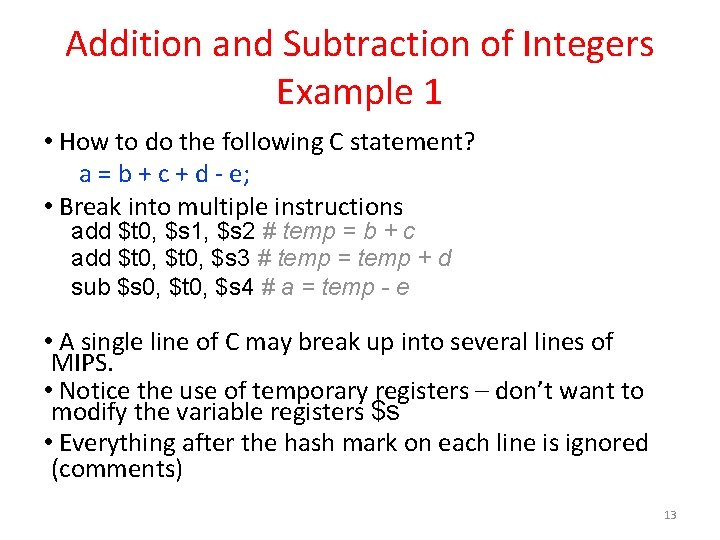
Addition and Subtraction of Integers Example 1 • How to do the following C statement? a = b + c + d - e; • Break into multiple instructions add $t 0, $s 1, $s 2 # temp = b + c add $t 0, $s 3 # temp = temp + d sub $s 0, $t 0, $s 4 # a = temp - e • A single line of C may break up into several lines of MIPS. • Notice the use of temporary registers – don’t want to modify the variable registers $s • Everything after the hash mark on each line is ignored (comments) 13
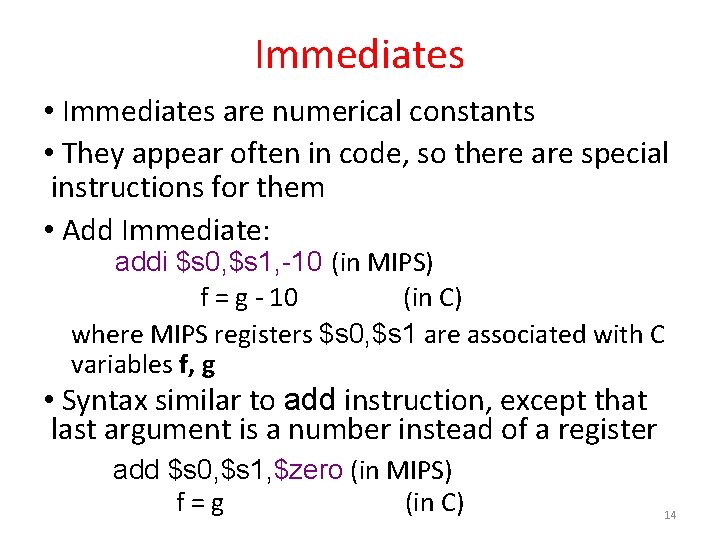
Immediates • Immediates are numerical constants • They appear often in code, so there are special instructions for them • Add Immediate: addi $s 0, $s 1, -10 (in MIPS) f = g - 10 (in C) where MIPS registers $s 0, $s 1 are associated with C variables f, g • Syntax similar to add instruction, except that last argument is a number instead of a register add $s 0, $s 1, $zero (in MIPS) f = g (in C) 14
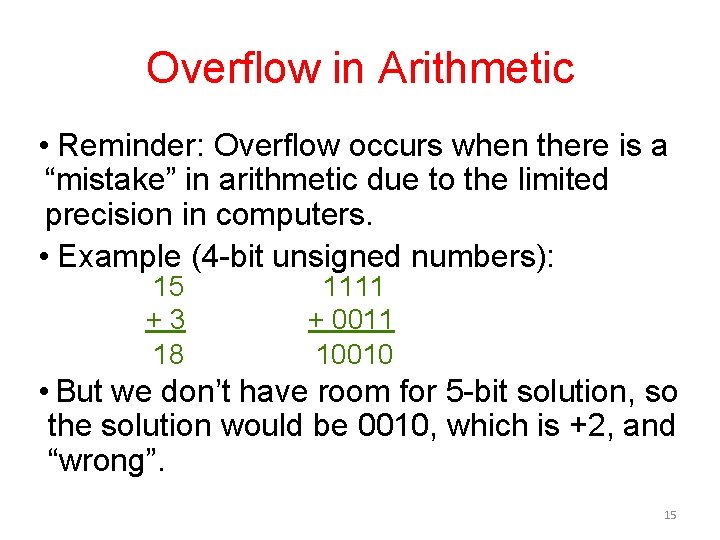
Overflow in Arithmetic • Reminder: Overflow occurs when there is a “mistake” in arithmetic due to the limited precision in computers. • Example (4 -bit unsigned numbers): 15 +3 18 1111 + 0011 10010 • But we don’t have room for 5 -bit solution, so the solution would be 0010, which is +2, and “wrong”. 15
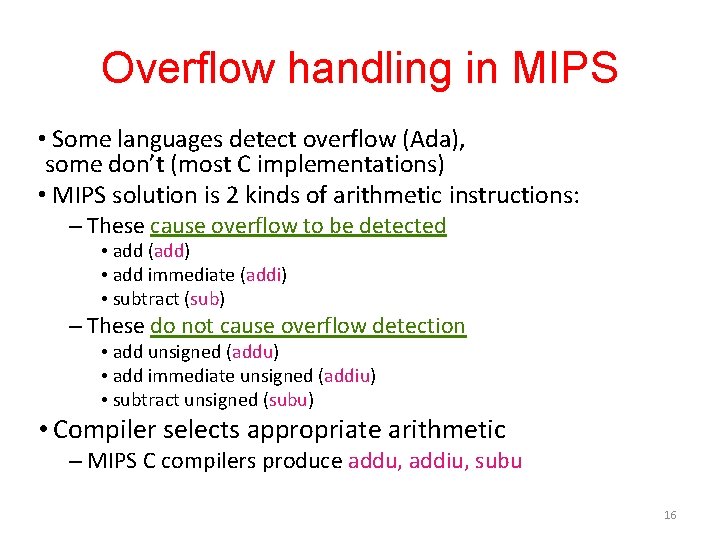
Overflow handling in MIPS • Some languages detect overflow (Ada), some don’t (most C implementations) • MIPS solution is 2 kinds of arithmetic instructions: – These cause overflow to be detected • add (add) • add immediate (addi) • subtract (sub) – These do not cause overflow detection • add unsigned (addu) • add immediate unsigned (addiu) • subtract unsigned (subu) • Compiler selects appropriate arithmetic – MIPS C compilers produce addu, addiu, subu 16
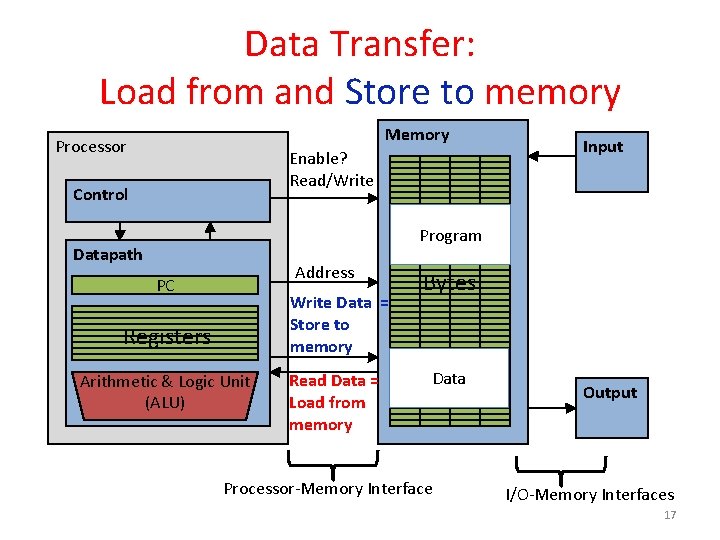
Data Transfer: Load from and Store to memory Memory Processor Enable? Read/Write Control Input Program Datapath Address PC Write Data = Store to memory Registers Arithmetic & Logic Unit (ALU) Read Data = Load from memory Bytes Data Processor-Memory Interface Output I/O-Memory Interfaces 17
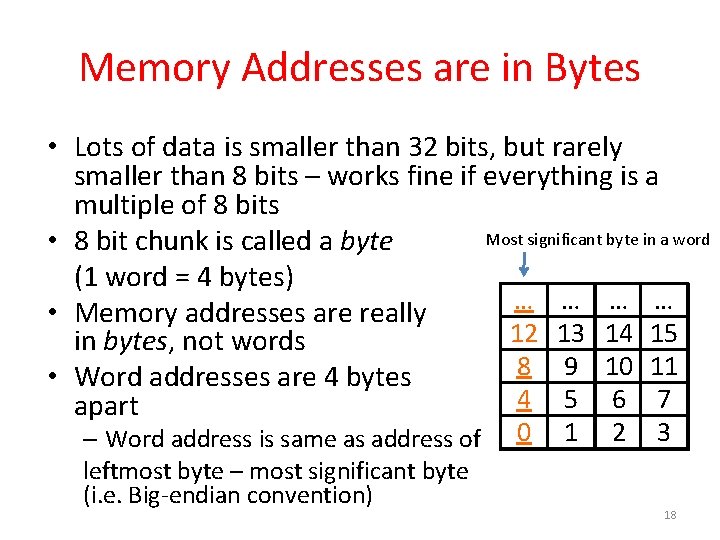
Memory Addresses are in Bytes • Lots of data is smaller than 32 bits, but rarely smaller than 8 bits – works fine if everything is a multiple of 8 bits Most significant byte in a word • 8 bit chunk is called a byte (1 word = 4 bytes) … …… … … • Memory addresses are really 12 13 3 14 15 in bytes, not words 8 9 2 10 11 • Word addresses are 4 bytes 4 516 7 apart – Word address is same as address of leftmost byte – most significant byte (i. e. Big-endian convention) 0 102 3 18
Transfer from Memory to Register • C code int A[100]; g = h + A[3]; • Using Load Word (lw) in MIPS: lw $t 0, 12($s 3) # Temp reg $t 0 gets A[3] add $s 1, $s 2, $t 0 # g = h + A[3] Note: $s 3 – base register (pointer) 12 – offset in bytes Offset must be a constant known at assembly time 19
Transfer from Register to Memory • C code int A[100]; A[10] = h + A[3]; • Using Store Word (sw) in MIPS: lw $t 0, 12($s 3) # Temp reg $t 0 gets A[3] add $t 0, $s 2, $t 0 # Temp reg $t 0 gets h + A[3] sw $t 0, 40($s 3) # A[10] = h + A[3] Note: $s 3 – base register (pointer) 12, 40 – offsets in bytes $s 3+12 and $s 3+40 must be multiples of 4: Word alignment! 20
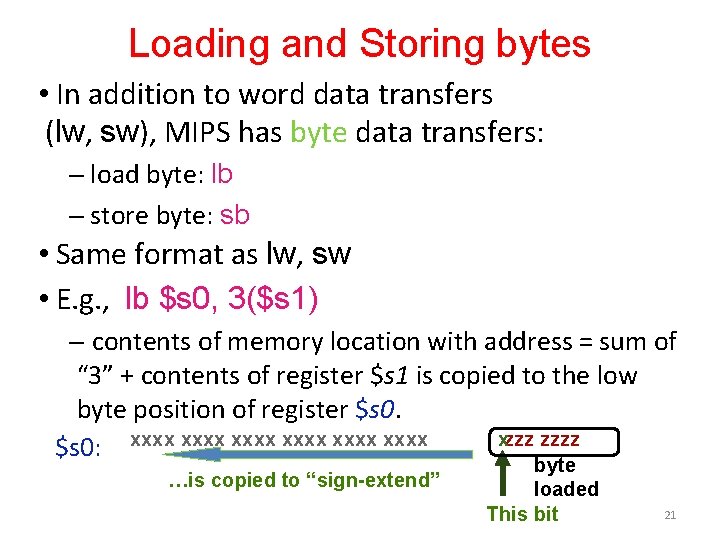
Loading and Storing bytes • In addition to word data transfers (lw, sw), MIPS has byte data transfers: – load byte: lb – store byte: sb • Same format as lw, sw • E. g. , lb $s 0, 3($s 1) – contents of memory location with address = sum of “ 3” + contents of register $s 1 is copied to the low byte position of register $s 0. xzzz zzzz $s 0: xxxx xxxx …is copied to “sign-extend” byte loaded This bit 21
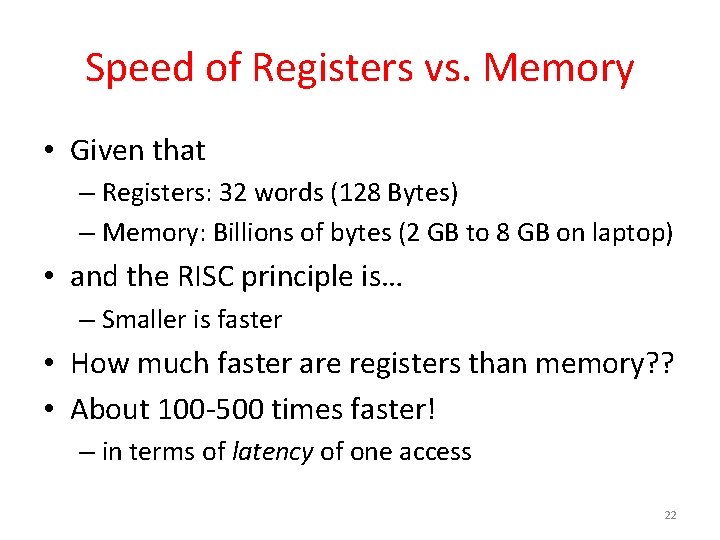
Speed of Registers vs. Memory • Given that – Registers: 32 words (128 Bytes) – Memory: Billions of bytes (2 GB to 8 GB on laptop) • and the RISC principle is… – Smaller is faster • How much faster are registers than memory? ? • About 100 -500 times faster! – in terms of latency of one access 22
Administrivia • Hopefully everyone turned-in HW 0 • Project 1 out – due 02/07 @ 23: 59 – Make sure you test your code on hive machines, that’s where we’ll grade them! This is critical: Your “lucky” not-crash due to a memory error on your machine may not be “lucky not crash” on our grading • Bitbucket/ed. X forms – Fill out @ http: //goo. gl/forms/Ai. Ks. GIie. IP – Due 2/12/16 • Guerrilla sections starting soon – Look for Piazza post and webpage schedule update 23
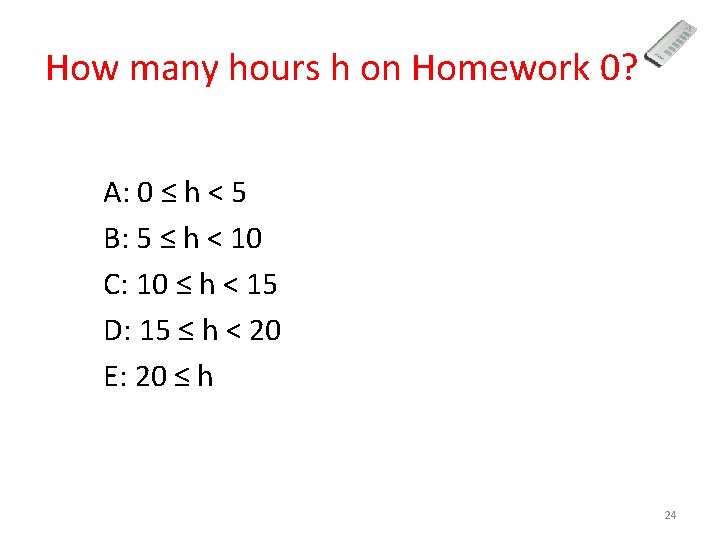
How many hours h on Homework 0? A: 0 ≤ h < 5 B: 5 ≤ h < 10 C: 10 ≤ h < 15 D: 15 ≤ h < 20 E: 20 ≤ h 24
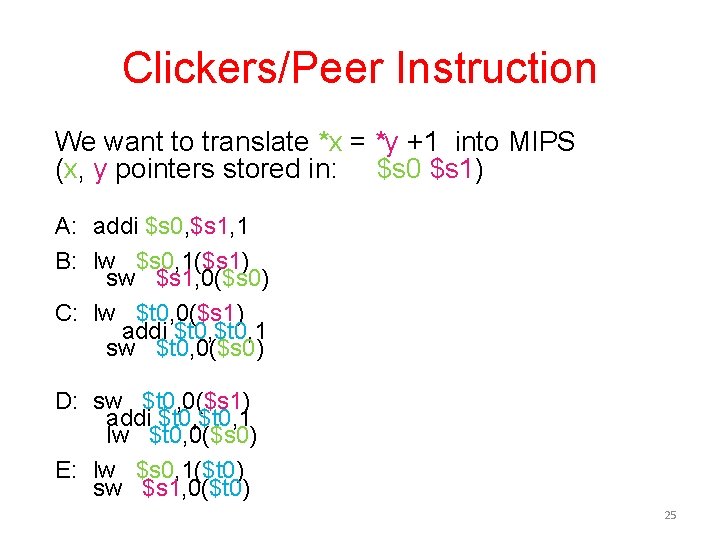
Clickers/Peer Instruction We want to translate *x = *y +1 into MIPS (x, y pointers stored in: $s 0 $s 1) A: addi $s 0, $s 1, 1 B: lw $s 0, 1($s 1) sw $s 1, 0($s 0) C: lw $t 0, 0($s 1) addi $t 0, 1 sw $t 0, 0($s 0) D: sw $t 0, 0($s 1) addi $t 0, 1 lw $t 0, 0($s 0) E: lw $s 0, 1($t 0) sw $s 1, 0($t 0) 25
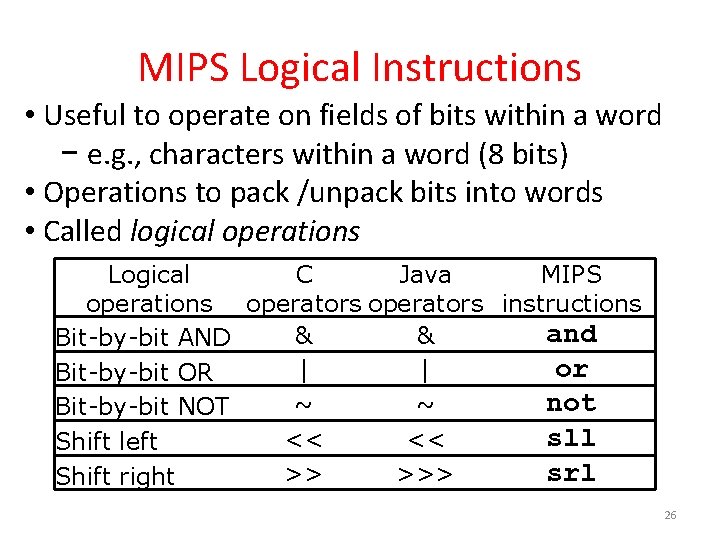
MIPS Logical Instructions • Useful to operate on fields of bits within a word − e. g. , characters within a word (8 bits) • Operations to pack /unpack bits into words • Called logical operations Logical C Java MIPS operations operators instructions and & & Bit-by-bit AND or | | Bit-by-bit OR not ~ ~ Bit-by-bit NOT sll << << Shift left srl >> >>> Shift right 26
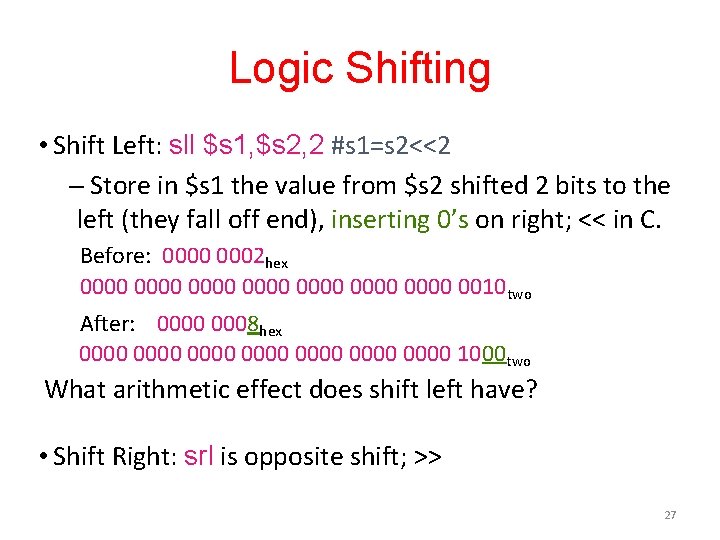
Logic Shifting • Shift Left: sll $s 1, $s 2, 2 #s 1=s 2<<2 – Store in $s 1 the value from $s 2 shifted 2 bits to the left (they fall off end), inserting 0’s on right; << in C. Before: 0000 0002 hex 0000 0000 0010 two After: 0000 0008 hex 0000 0000 1000 two What arithmetic effect does shift left have? • Shift Right: srl is opposite shift; >> 27
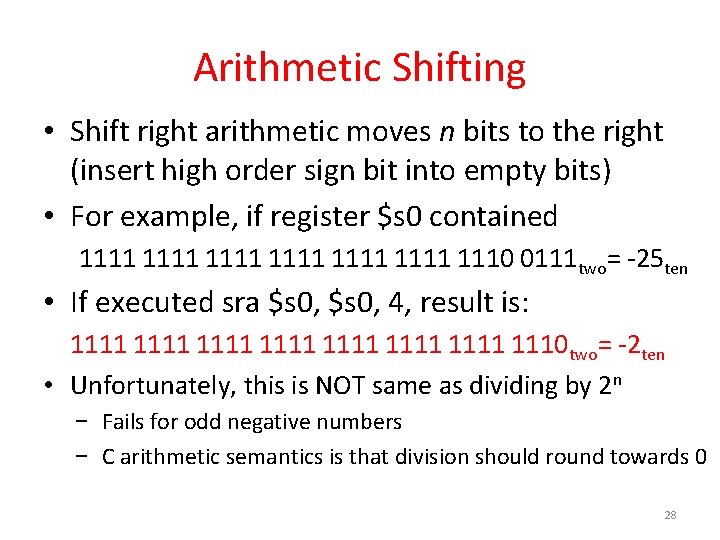
Arithmetic Shifting • Shift right arithmetic moves n bits to the right (insert high order sign bit into empty bits) • For example, if register $s 0 contained 1111 1111 1110 0111 two= -25 ten • If executed sra $s 0, 4, result is: 1111 1111 1110 two= -2 ten • Unfortunately, this is NOT same as dividing by 2 n − Fails for odd negative numbers − C arithmetic semantics is that division should round towards 0 28
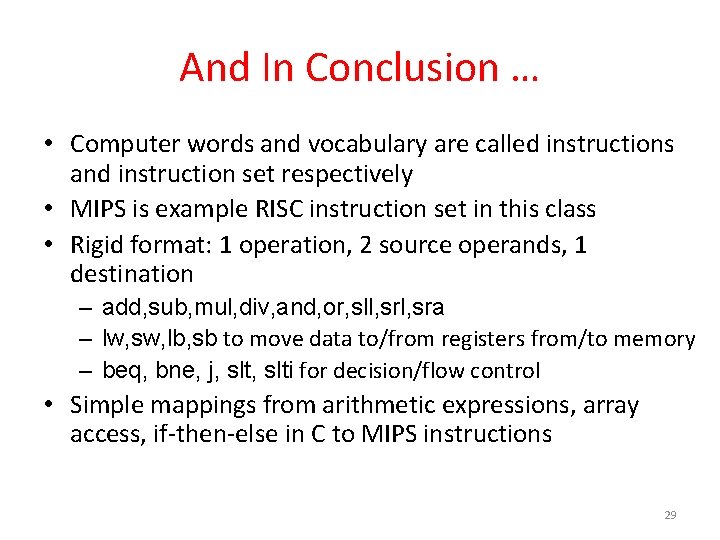
And In Conclusion … • Computer words and vocabulary are called instructions and instruction set respectively • MIPS is example RISC instruction set in this class • Rigid format: 1 operation, 2 source operands, 1 destination – add, sub, mul, div, and, or, sll, sra – lw, sw, lb, sb to move data to/from registers from/to memory – beq, bne, j, slti for decision/flow control • Simple mappings from arithmetic expressions, array access, if-then-else in C to MIPS instructions 29