
CS 559 Computer Graphics Lecture 5 Resampling Compositing


![Reconstruction filters in 2 D 1 D example: g[n+1] g[n] n-1 n x n+1](https://slidetodoc.com/presentation_image_h2/5e1296945c712b53549c64c38ee5eb34/image-7.jpg "Reconstruction filters in 2 D 1 D example: g[n+1] g[n] n-1 n x n+1")













- Slides: 45
CS 559: Computer Graphics Lecture 5: Resampling, Compositing, and Filtering Li Zhang Spring 2008
Today • Image re-sampling (wrap-up) • More on pre-multiplied alpha • Image filtering • Reading – Chapter 4, Shirley – Alvy Ray Smith, "Image Compositing Fundamentals" • Page 1 -6, required, others optional – Tom Porter and Tom Duff, "Compositing Digital Images (optional)
Practical upsampling • When resampling a function (e. g. , when resizing an image), you do not need to reconstruct the complete continuous function. • For zooming in on a function, you need only use a reconstruction filter and evaluate as needed for each new sample. • Here’s an example using a cubic filter:
Practical upsampling • This can also be viewed as: 1. putting the reconstruction filter at the desired location 2. evaluating at the original sample positions 3. taking products with the sample values themselves 4. summing it up
2 D Fourier transform Spatial domain Frequency domain High frequency coefficients are small.
Reconstruction filters in 2 D • We can also perform reconstruction in 2 D…
Reconstruction filters in 2 D 1 D example: g[n+1] g[n] n-1 n x n+1 n+2 2 D example: g[n+1, m] g[n, m] (x, y) g[n, m+1] g[n+1, m+1]
Reconstruction filters in 2 D We’ve been looking at separable filters: How might you use this fact for efficient resampling in 2 D?
Image Downsampling 1/8 1/4 Throw away every other row and column to create a 1/2 size image - called image sub-sampling
Image sub-sampling 1/2 1/4 (2 x zoom) 1/8 (4 x zoom) Why does this look so crufty? Minimum Sampling requirement is not satisfied – resulting in Aliasing effect
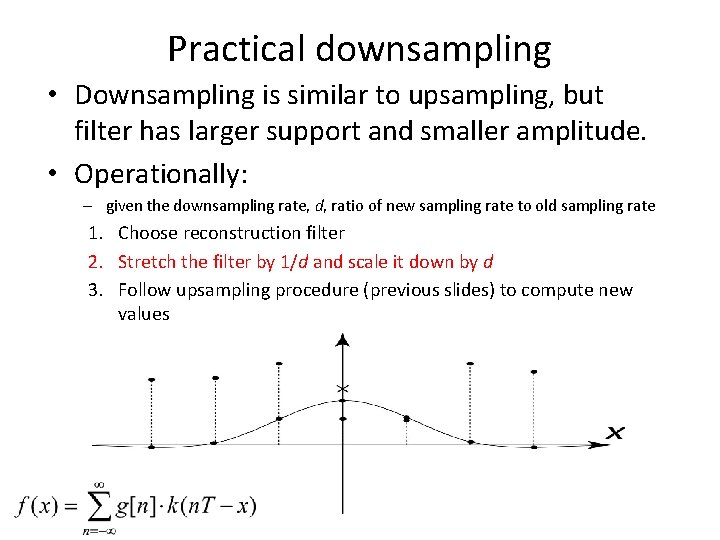
Practical downsampling • Downsampling is similar to upsampling, but filter has larger support and smaller amplitude. • Operationally: – given the downsampling rate, d, ratio of new sampling rate to old sampling rate 1. Choose reconstruction filter 2. Stretch the filter by 1/d and scale it down by d 3. Follow upsampling procedure (previous slides) to compute new values
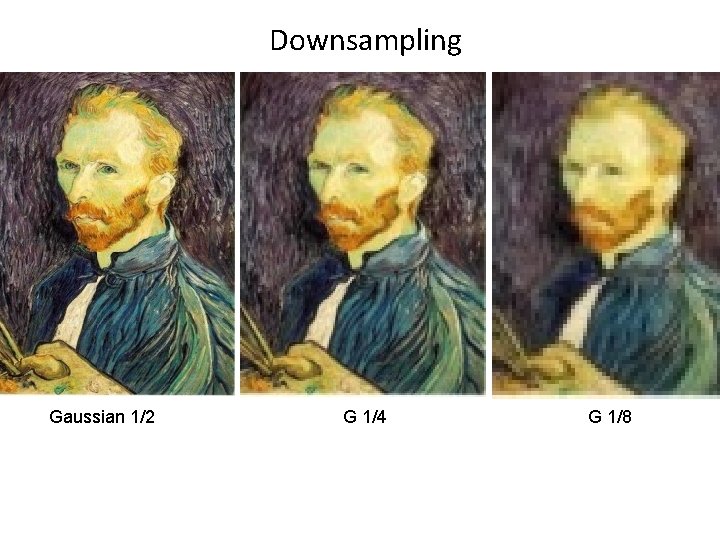
Downsampling Gaussian 1/2 G 1/4 G 1/8
Compare with subsampling 1/2 1/4 (2 x zoom) 1/8 (4 x zoom)
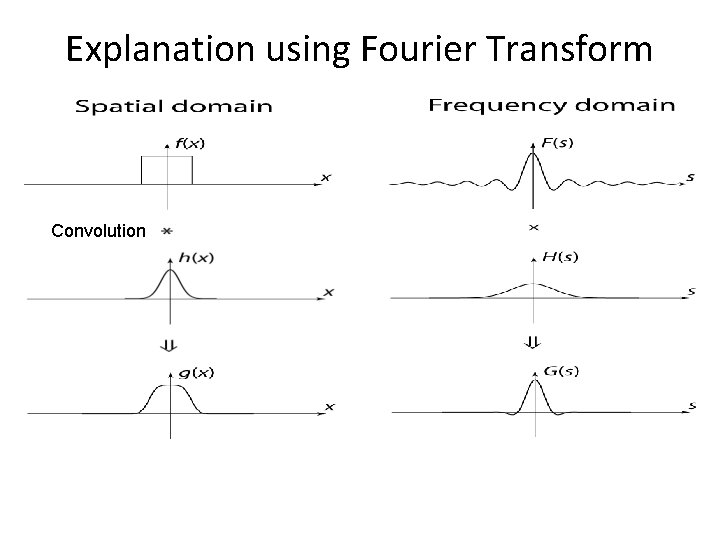
Explanation using Fourier Transform Convolution
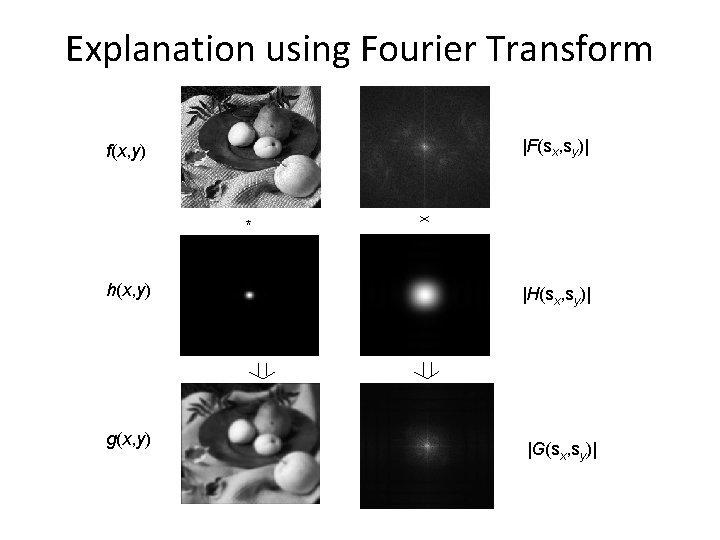
Explanation using Fourier Transform |F(sx, sy)| f(x, y) * h(x, y) g(x, y) |H(sx, sy)| |G(sx, sy)|
Convolution Definition
Convolution Example Result h Filter g Function f http: //www. cs. brown. edu/exploratories/free. Software/repository/edu/brown/cs/exploratories/ap plets/special. Function. Convolution/special_function_convolution_java_browser. html 9/23/04 © University of Wisconsin, CS 559 Spring 2004
Convolution theorems • Convolution theorem: Convolution in the spatial domain is equivalent to multiplication in the frequency domain.
Explanation using Fourier Transform Convolution
Convolution theorems • Convolution theorem: Convolution in the spatial domain is equivalent to multiplication in the frequency domain. • Symmetric theorem: Convolution in the frequency domain is equivalent to multiplication in the spatial domain.
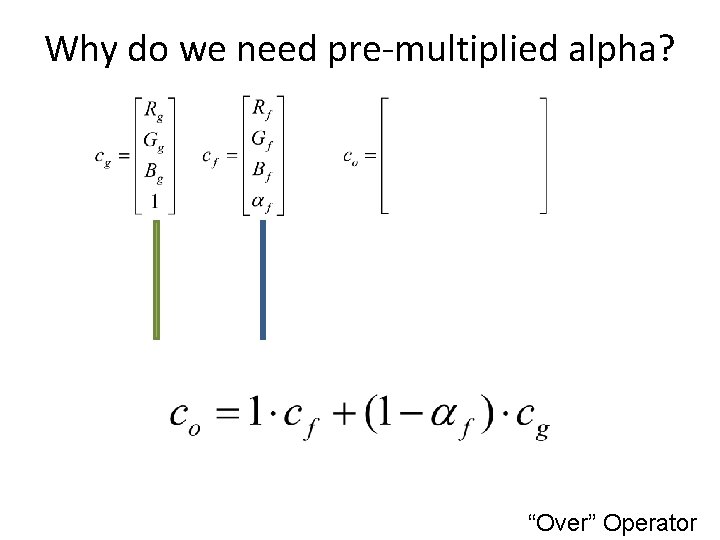
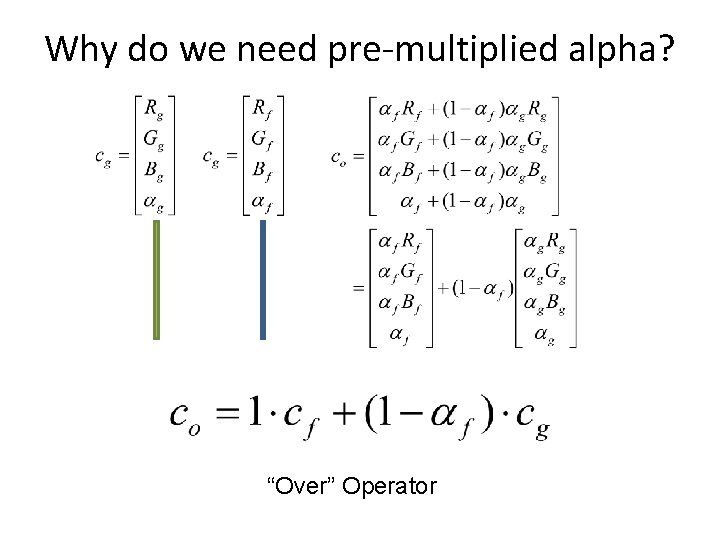
Why do we need pre-multiplied alpha? “Over” Operator
Why do we need pre-multiplied alpha? “Over” Operator
Why do we need pre-multiplied alpha? “Over” Operator
Why do we need pre-multiplied alpha? “Over” Operator
Why do we need pre-multiplied alpha? “Over” Operator
Why do we need pre-multiplied alpha? “Over” Operator
Image as a discreet function Represented by a matrix
Convolution 0 0 0. 5 0 0 I
What is image filtering • Modify the pixels in an image based on some function of a local neighborhood of the pixels. 10 5 3 4 5 1 1 1 7 Local image data Some function 7 Modified image data
Linear filtering as convolution • Simplest: linear filtering. – Replace each pixel by a linear combination of its neighbors. • The prescription for the linear combination is the “convolution kernel”. 10 5 3 0 4 5 1 0 0. 5 0 1 1 7 0 Local image data 0 0 7 1 0. 5 kernel Modified image data
Linear filtering (warm-up slide) 0 0 1 0 0 kernel original ?
Linear filtering (warm-up slide) 0 0 1 0 0 kernel original Filtered (no change)
Linear filtering 0 0 0 1 0 0 0 kernel original ?
shift 0 0 0 1 0 0 0 kernel original shifted
Linear filtering 1 1 1 1 1 kernel original ?
Blurring 1 1 1 1 1 kernel original Blurred
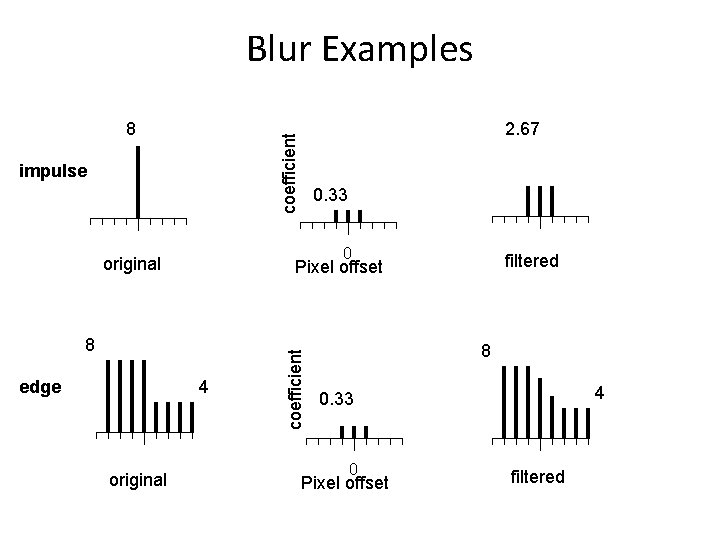
8 impulse original coefficient Blur Examples 2. 4 0. 3 0 Pixel offset filtered
Blur Examples impulse filtered 4 coefficient Pixel offset 8 original 0. 33 0 original edge 2. 67 coefficient 8 8 4 0. 33 0 Pixel offset filtered
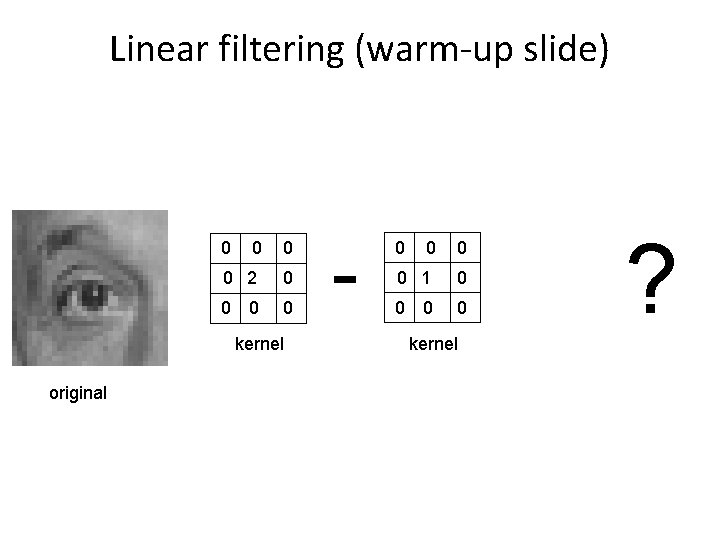
Linear filtering (warm-up slide) 0 0 2 0 0 kernel original - 0 0 1 0 0 kernel ?
Linear Filtering (no change) 0 0 2 0 0 kernel original - 0 0 1 0 0 kernel Filtered (no change)
Linear Filtering 0 0 2 0 0 kernel original - 1 1 1 1 1 kernel ?
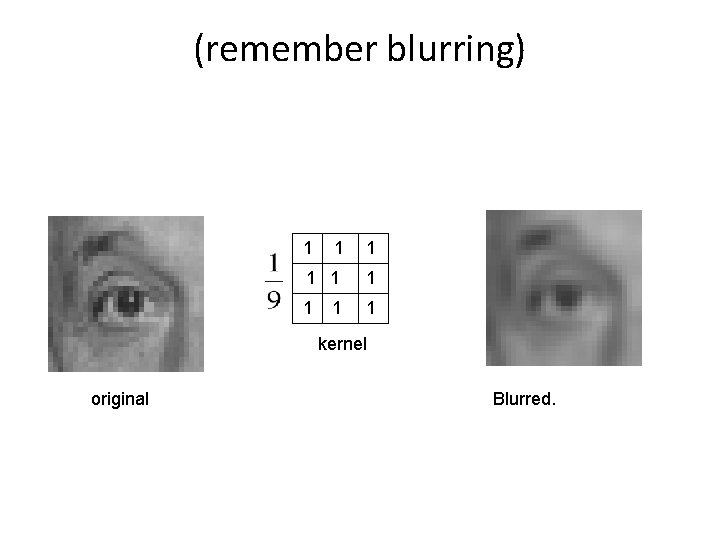
(remember blurring) 1 1 1 1 1 kernel original Blurred.
Sharpening 0 original = 0 0 2 0 0 0 0 1 0 0 - +( 1 0 1 1 1 1 0 0 0 1 0 0 - 1 1 1 1 1 Sharpened original )
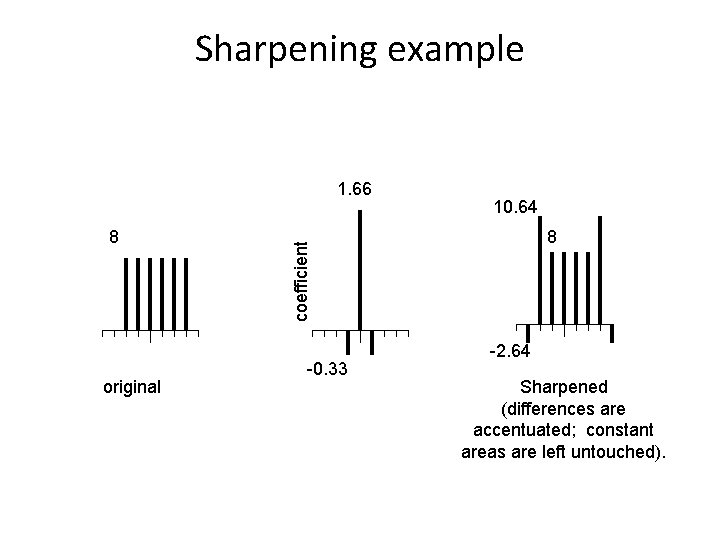
Sharpening example 8 original 10. 64 8 coefficient 1. 66 -0. 33 -2. 64 Sharpened (differences are accentuated; constant areas are left untouched).
Sharpening before after