
CS 520 Web Programming Version Control with CVS
CS 520 Web Programming Version Control with CVS and Subversion Chengyu Sun California State University, Los Angeles
Overview Version control systems Basic concepts n n Repository and working copies Tag, branch, and merge Using Subversion
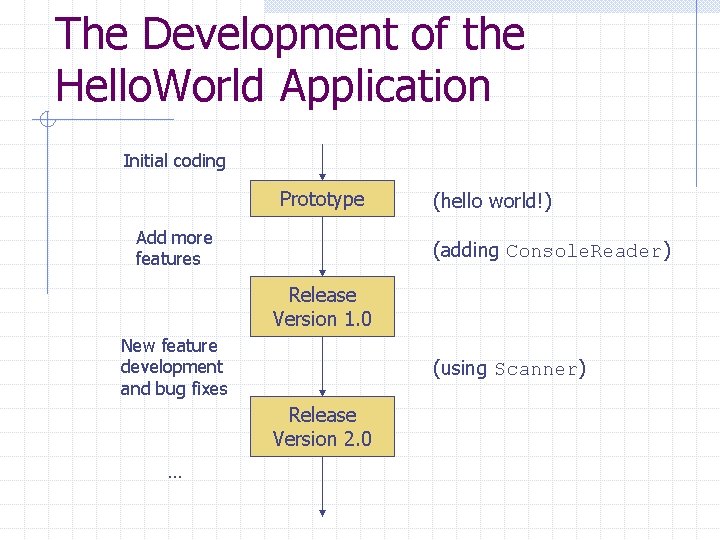
The Development of the Hello. World Application Initial coding Prototype Add more features (hello world!) (adding Console. Reader) Release Version 1. 0 New feature development and bug fixes (using Scanner) Release Version 2. 0 …
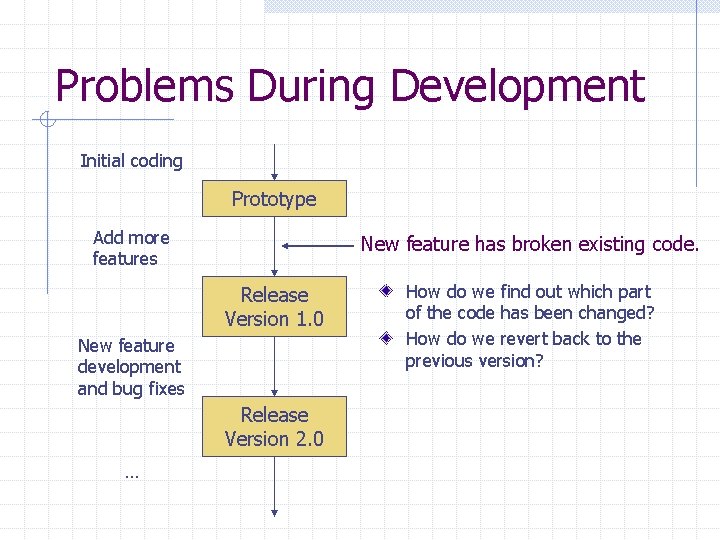
Problems During Development Initial coding Prototype Add more features New feature has broken existing code. Release Version 1. 0 New feature development and bug fixes Release Version 2. 0 … How do we find out which part of the code has been changed? How do we revert back to the previous version?
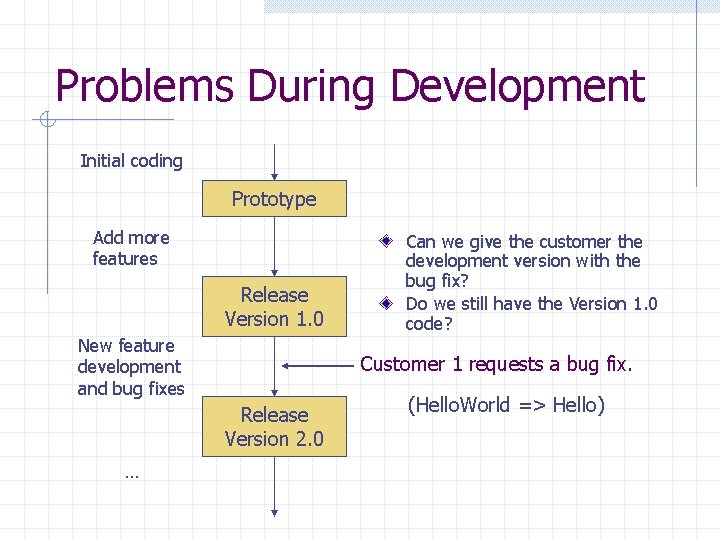
Problems During Development Initial coding Prototype Add more features Release Version 1. 0 New feature development and bug fixes Customer 1 requests a bug fix. Release Version 2. 0 … Can we give the customer the development version with the bug fix? Do we still have the Version 1. 0 code? (Hello. World => Hello)
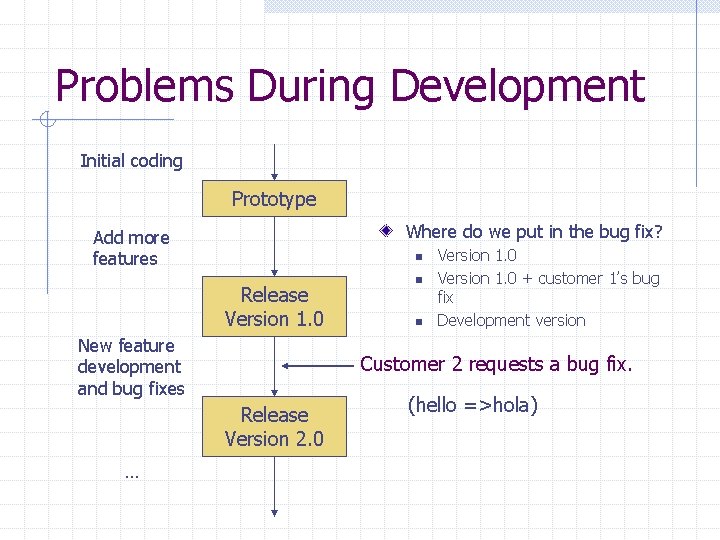
Problems During Development Initial coding Prototype Where do we put in the bug fix? Add more features n Release Version 1. 0 New feature development and bug fixes n Customer 2 requests a bug fix. Release Version 2. 0 … n Version 1. 0 + customer 1’s bug fix Development version (hello =>hola)
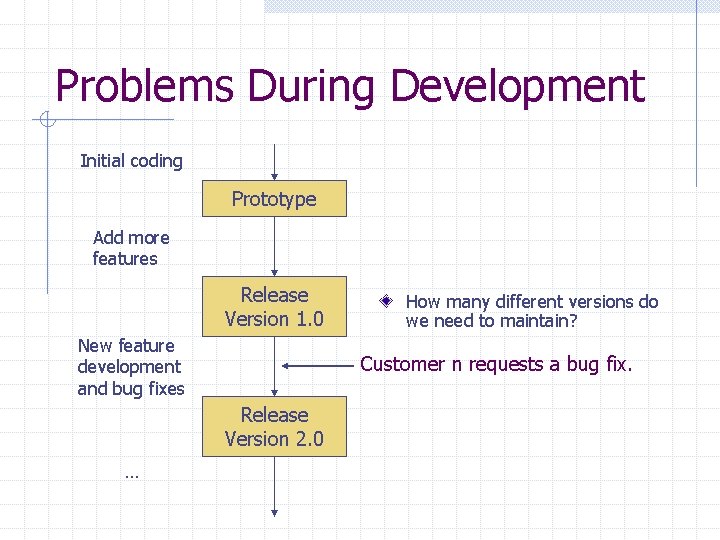
Problems During Development Initial coding Prototype Add more features Release Version 1. 0 New feature development and bug fixes Customer n requests a bug fix. Release Version 2. 0 … How many different versions do we need to maintain?
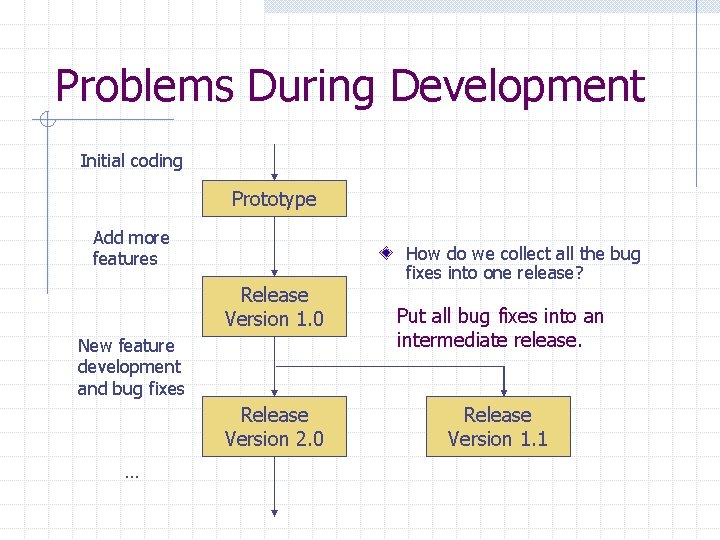
Problems During Development Initial coding Prototype Add more features Release Version 1. 0 New feature development and bug fixes Release Version 2. 0 … How do we collect all the bug fixes into one release? Put all bug fixes into an intermediate release. Release Version 1. 1
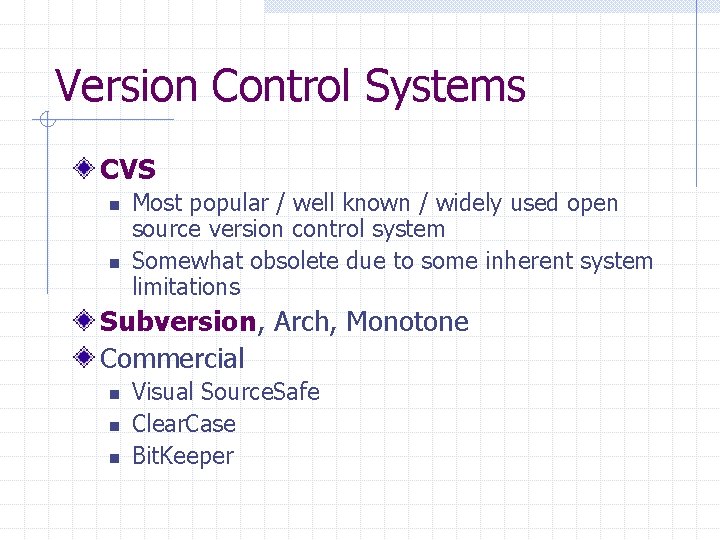
Version Control Systems CVS n n Most popular / well known / widely used open source version control system Somewhat obsolete due to some inherent system limitations Subversion, Arch, Monotone Commercial n n n Visual Source. Safe Clear. Case Bit. Keeper
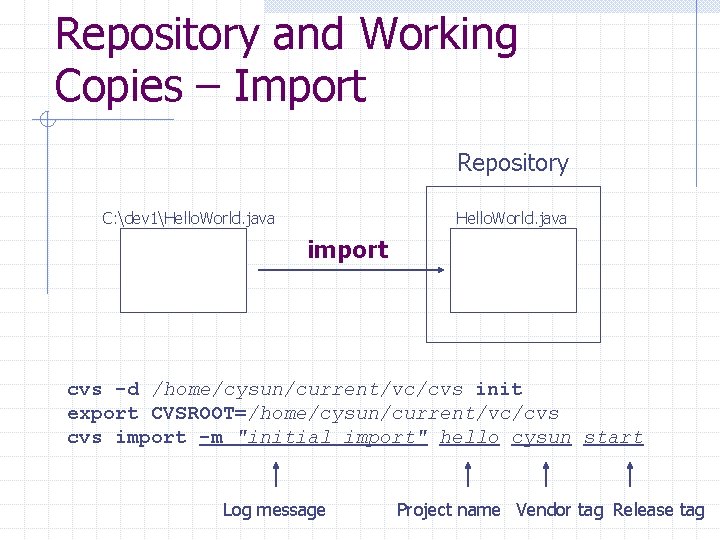
Repository and Working Copies – Import Repository C: dev 1Hello. World. java import cvs -d /home/cysun/current/vc/cvs init export CVSROOT=/home/cysun/current/vc/cvs import -m "initial import" hello cysun start Log message Project name Vendor tag Release tag
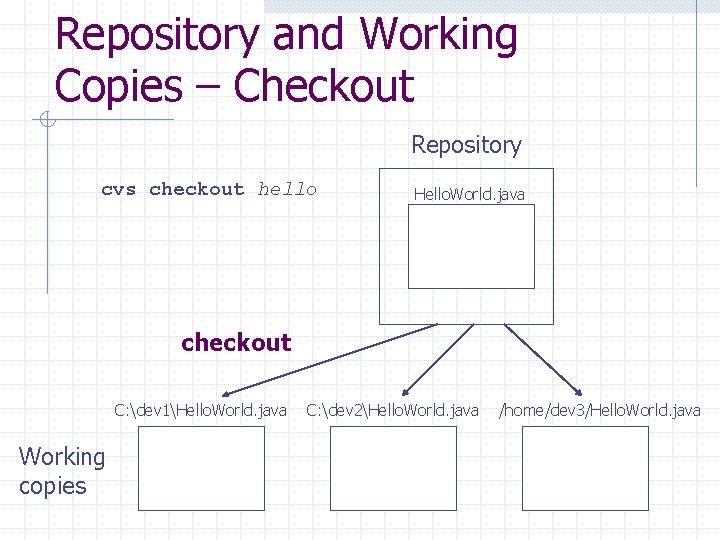
Repository and Working Copies – Checkout Repository cvs checkout hello Hello. World. java checkout C: dev 1Hello. World. java Working copies C: dev 2Hello. World. java /home/dev 3/Hello. World. java
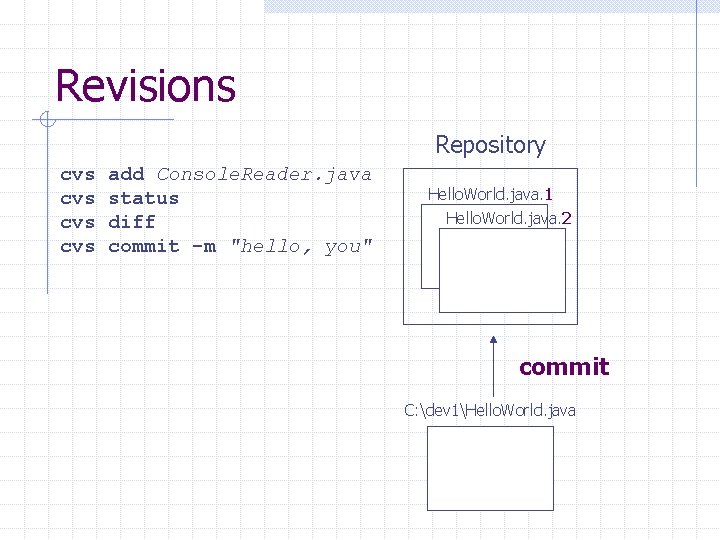
Revisions Repository cvs cvs add Console. Reader. java status diff commit -m "hello, you" Hello. World. java. 1 Hello. World. java. 2 commit C: dev 1Hello. World. java
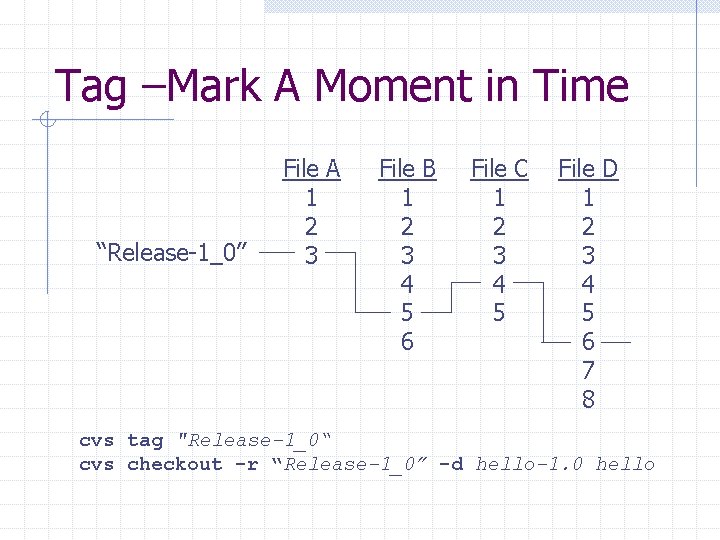
Tag –Mark A Moment in Time “Release-1_0” File A 1 2 3 File B 1 2 3 4 5 6 File C 1 2 3 4 5 File D 1 2 3 4 5 6 7 8 cvs tag "Release-1_0“ cvs checkout -r “Release-1_0” -d hello-1. 0 hello
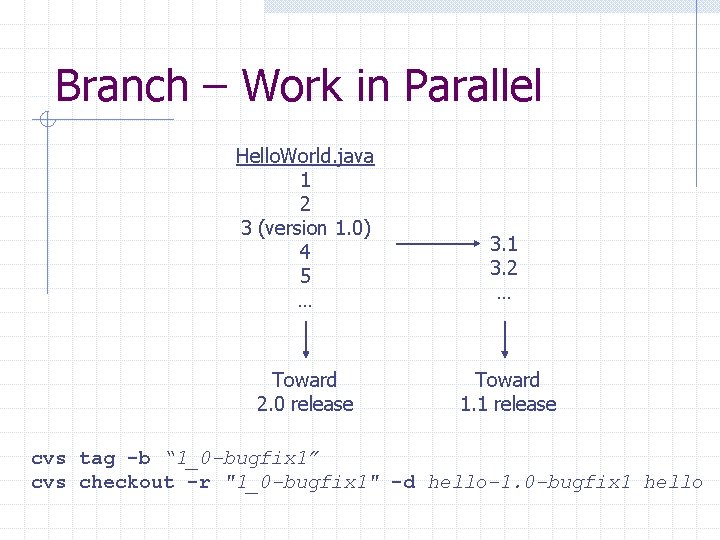
Branch – Work in Parallel Hello. World. java 1 2 3 (version 1. 0) 4 5 … 3. 1 3. 2 … Toward 2. 0 release Toward 1. 1 release cvs tag -b “ 1_0 -bugfix 1” cvs checkout -r "1_0 -bugfix 1" -d hello-1. 0 -bugfix 1 hello
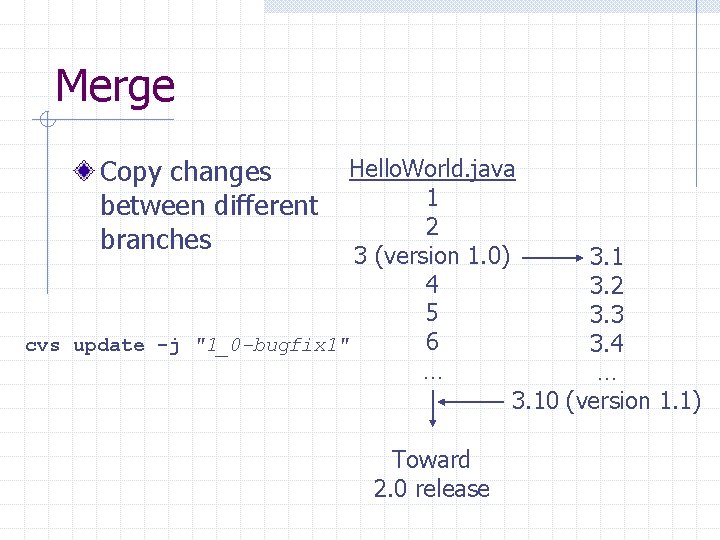
Merge Copy changes between different branches Hello. World. java 1 2 3 (version 1. 0) 3. 1 4 3. 2 5 3. 3 6 cvs update -j "1_0 -bugfix 1" 3. 4 … … 3. 10 (version 1. 1) Toward 2. 0 release
Subversion Pros: A better CVS n Fixed many annoying aspects of CVS w Recursive add, binary file handling, keyword substitution, local diff, status output etc. n Significant improvements w Atomic commit, constant time branching and tagging, better structure design etc. n Feels like CVS Cons: Just a better CVS n Does not scale to large, distributed development environments
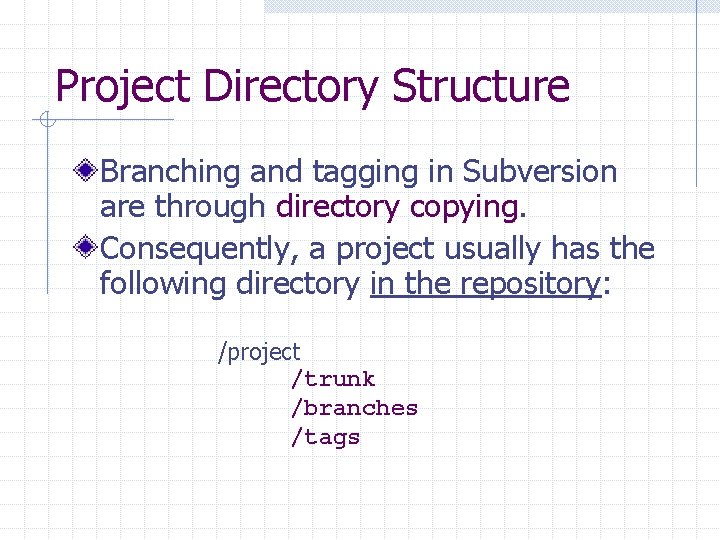
Project Directory Structure Branching and tagging in Subversion are through directory copying. Consequently, a project usually has the following directory in the repository: /project /trunk /branches /tags
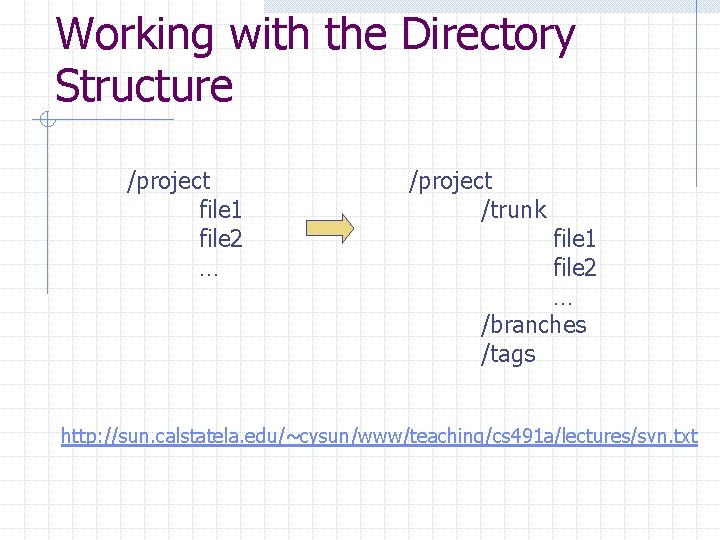
Working with the Directory Structure /project file 1 file 2 … /project /trunk file 1 file 2 … /branches /tags http: //sun. calstatela. edu/~cysun/www/teaching/cs 491 a/lectures/svn. txt
![Common Command Syntax svn <command> [src_dir] [dest_dir] Could be local directories or URLs.](http://slidetodoc.com/presentation_image_h2/f6313e8533aaf68268a71ff9be8dcf5c/image-19.jpg "Common Command Syntax svn <command> [src_dir] [dest_dir] Could be local directories or URLs.")
Common Command Syntax svn <command> [src_dir] [dest_dir] Could be local directories or URLs.
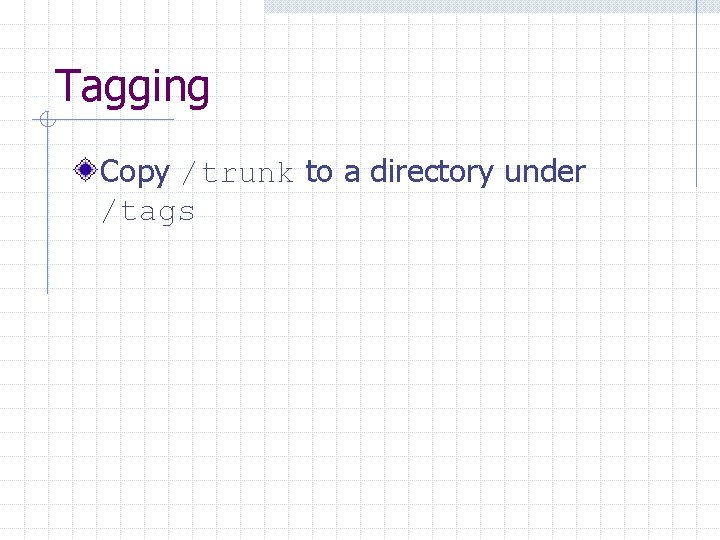
Tagging Copy /trunk to a directory under /tags
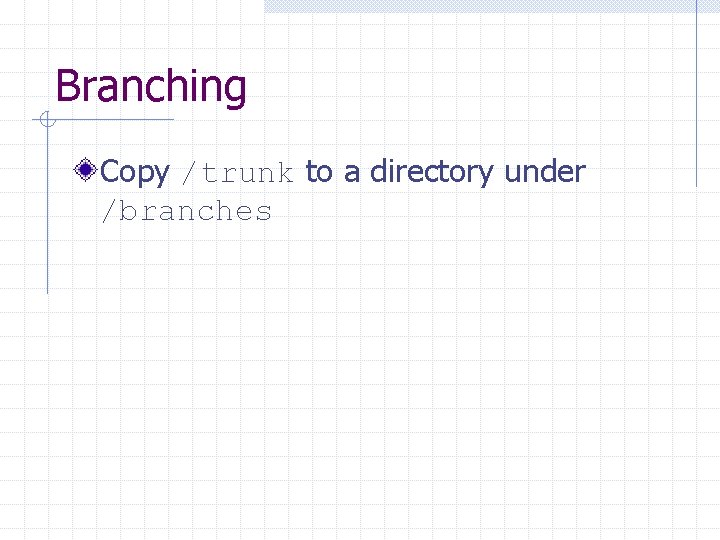
Branching Copy /trunk to a directory under /branches
Merging Apply the difference between two versions to the local working copy.
Other Useful Subversion Commands Add Remove Update Revert Commit Log Status
Online Resources The CVS book - http: //cvsbook. redbean. com/ The Subversion book http: //svnbook. red-bean. com/ Subversion official site http: //subversion. tigris. org/ Subversion Eclipse plugin – http: //subclipse. tigris. org/
- Slides: 24