
CS 490 Computer Graphics Chapter 4 Geometric Objects
CS 490: Computer Graphics Chapter 4 Geometric Objects and Transformations
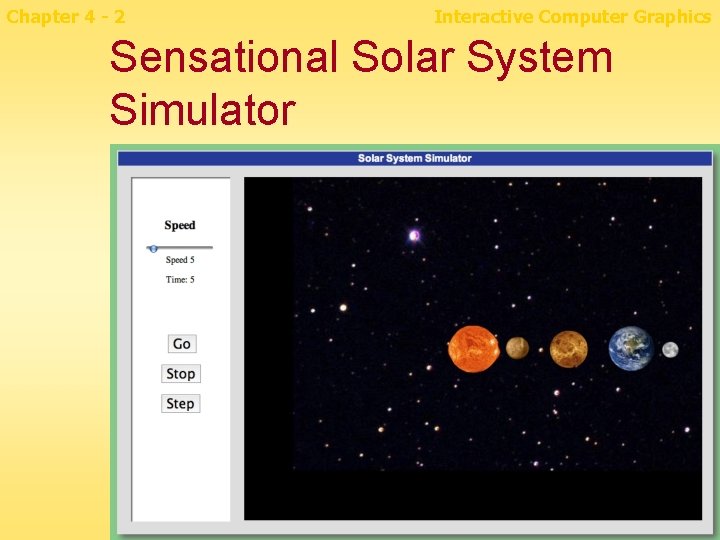
Chapter 4 - 2 Interactive Computer Graphics Sensational Solar System Simulator

Chapter 4 - 3 Interactive Computer Graphics Perspective n How is it that mathematics can model the (ideal) world so well?
Chapter 4 - 4 Interactive Computer Graphics Overview n n n n Scalars and Vectors Coordinates and frames Homogeneous coordinates Rotation, translation, and scaling Concatenating transformations Transformations in Canvas Projections A virtual trackball
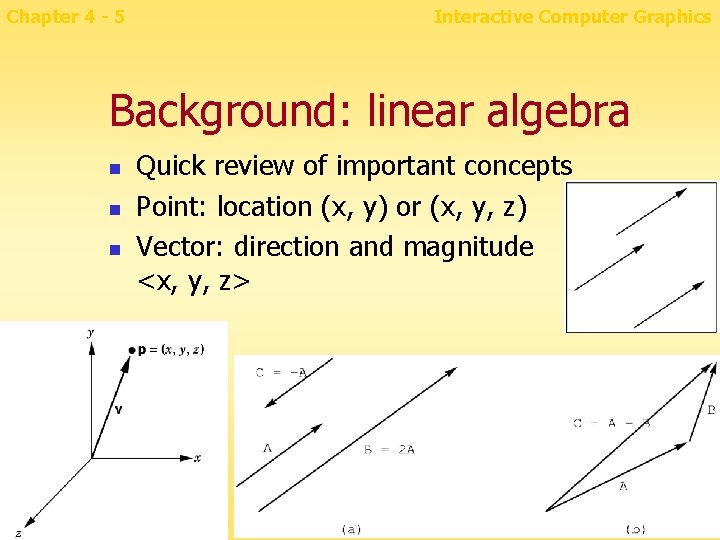
Chapter 4 - 5 Interactive Computer Graphics Background: linear algebra n n n Quick review of important concepts Point: location (x, y) or (x, y, z) Vector: direction and magnitude <x, y, z>
Chapter 4 - 6 Interactive Computer Graphics Affine space & Affine sum n n n Affine space: provide a better framework for doing geometry. It is possible to deal with points, curve, surfaces. . etc. In an intrinsic manner. Affine sum: For any point Q , vector V , scaler a >> new point
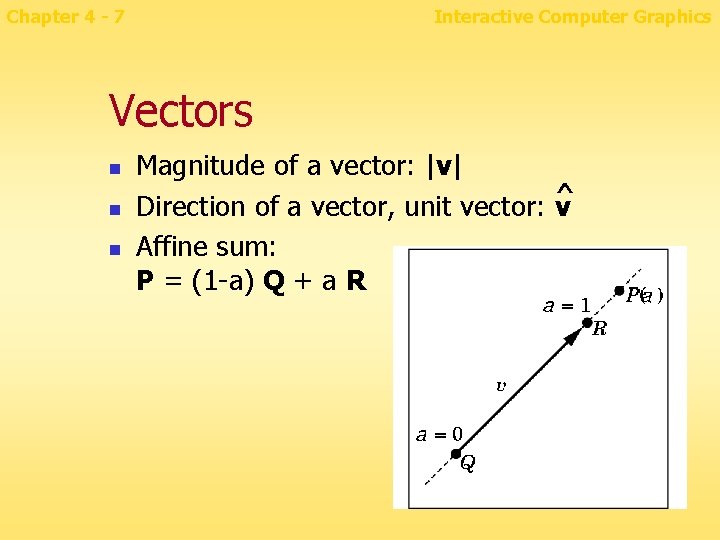
Chapter 4 - 7 Interactive Computer Graphics Vectors n n n Magnitude of a vector: |v| ^ Direction of a vector, unit vector: v Affine sum: P = (1 -a) Q + a R
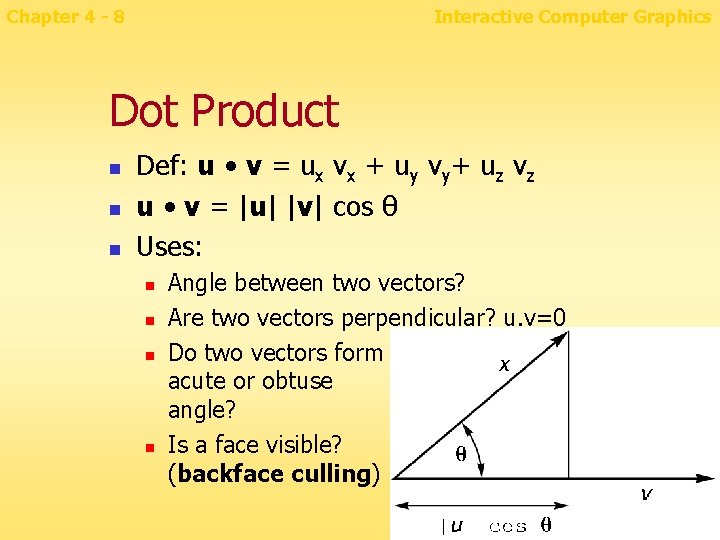
Chapter 4 - 8 Interactive Computer Graphics Dot Product n n n Def: u • v = ux vx + uy vy+ uz vz u • v = |u| |v| cos θ Uses: n n Angle between two vectors? Are two vectors perpendicular? u. v=0 Do two vectors form acute or obtuse angle? Is a face visible? (backface culling)
Chapter 4 - 9 Interactive Computer Graphics backface culling n n A method which determines whether a polygon of a graphical object is visible? If not, the polygon is “culled” from rendering process. >> increase efficiency of rendering. >>similar to Clipping.
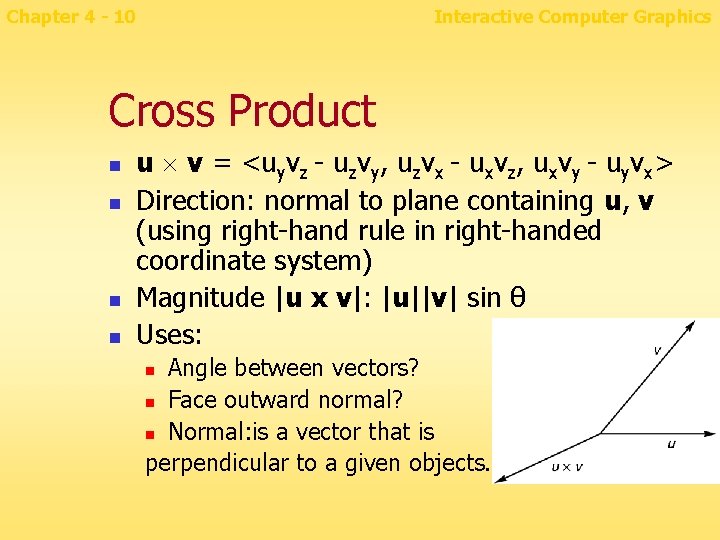
Chapter 4 - 10 Interactive Computer Graphics Cross Product n n u v = <uyvz - uzvy, uzvx - uxvz, uxvy - uyvx> Direction: normal to plane containing u, v (using right-hand rule in right-handed coordinate system) Magnitude |u x v|: |u||v| sin θ Uses: Angle between vectors? n Face outward normal? n Normal: is a vector that is perpendicular to a given objects. n
Chapter 4 - 11 Interactive Computer Graphics Face outward normals n n Why might I need face normals? How to find the outward normal of a face? n n n Assume that vertices are listed in a standard order when viewed from the outside -- counterclockwise Cross product of the first two edges is outward normal vector Note that first corner must be convex
Chapter 4 - 12 n n n Interactive Computer Graphics How can I tell if I have run into a wall? Walls, motion segments, intersection tests How to tell if two line segments (p 1, p 2) and (p 3, p 4) intersect? n n Looking from p 1 to p 2, check that p 3 and p 4 are on opposite sides Looking from p 3 to p 4, check that p 1 and p 2 are on opposite sides

Chapter 4 - 13 Interactive Computer Graphics Sensational Solar System Simulator n n How do you get the earth to go around the sun? How do you get the moon to do that fancy motion?
Chapter 4 - 14 Interactive Computer Graphics Coordinate systems and frames n In geometry, a coordinate system is a system which uses one or more numbers, or coordinates, to uniquely determine the position of a point or other geometric element A graphics program uses many coordinate systems, e. g. model, world, screen Frame: origin + basis vectors (axes) n Need to transform between frames n n
Chapter 4 - 15 Interactive Computer Graphics Coordinate systems n n World Coordinate System - Also known as the "universe" or sometimes "model" coordinate system. This is the base reference system for the overall model, ( generally in 3 D ), to which all other model coordinates relate. Screen Coordinate System - This 2 D coordinate system refers to the physical coordinates of the pixels on the computer screen, based on current screen resolution. ( E. g. 1024 x 768 )
Chapter 4 - 16 Interactive Computer Graphics Transformations n Changes in coordinate systems usually involve n n n n Translation Rotation Scale 3 -D Rotation and scale can be represented as 3 x 3 matrices, but not translation We're also interested in a 3 -D to 2 -D projection We use 3 -D "homogeneous coordinates" with four components per point For 2 -D, can use homogeneous coords with three components
Chapter 4 - 17 Interactive Computer Graphics Homogeneous Coordinates n n n or projective coordinates are a system of coordinates. They have the advantage that the coordinates of points, including points at infinity, can be represented using finite coordinates. Formulas involving homogeneous coordinates are often simpler and more symmetric. Homogeneous coordinates have a range of applications, including computer graphics and 3 D computer vision, where they allow affine transformations and, in general, projective transformations to be easily represented by a matrix. If the homogeneous coordinates of a point are multiplied by a non-zero scalar then the resulting coordinates represent the same point.
Chapter 4 - 18 Interactive Computer Graphics Homogeneous Coordinates n n n A point: (x, y, z, w) where w is a "scale factor" Converting a 3 D point to homogeneous coordinates: (x, y, z) (x, y, z, 1) Transforming back to 3 -space: divide by w n (x, y, z, w) (x/w, y/w, z/w) n (3, 2, 1): same as n Where is the point (3, 2, 1, 0)? (3, 2, 1, 1) = (6, 4, 2, 2) = (1. 5, 1, 0. 5) n n Point at infinity or "pure direction. “ , Ideal point Used for vectors (vs. points)
Chapter 4 - 19 Interactive Computer Graphics Homogeneous transformations n Most important reason for using homogeneous coordinates: n n n All affine transformations (line-preserving: translation, rotation, scale, perspective, skew) can be represented as a matrix multiplication You can concatenate several such transformations by multiplying the matrices together. Just as fast as a single transform! Modern graphics cards implement homogeneous transformations in hardware
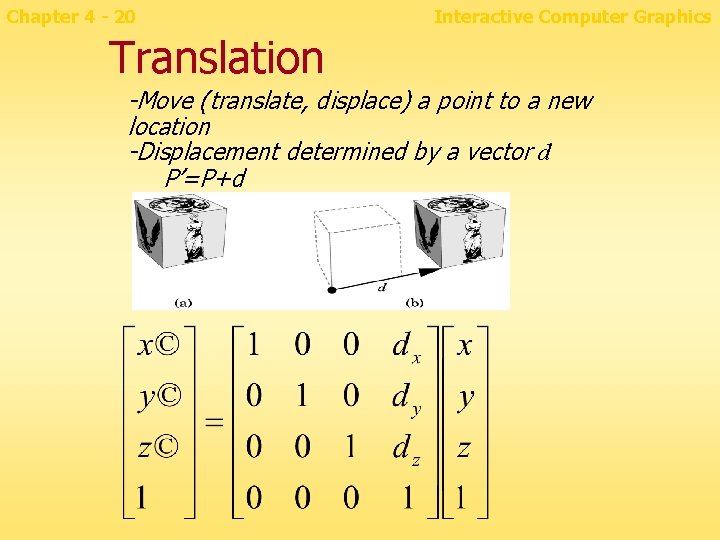
Chapter 4 - 20 Interactive Computer Graphics Translation -Move (translate, displace) a point to a new location -Displacement determined by a vector d P’=P+d
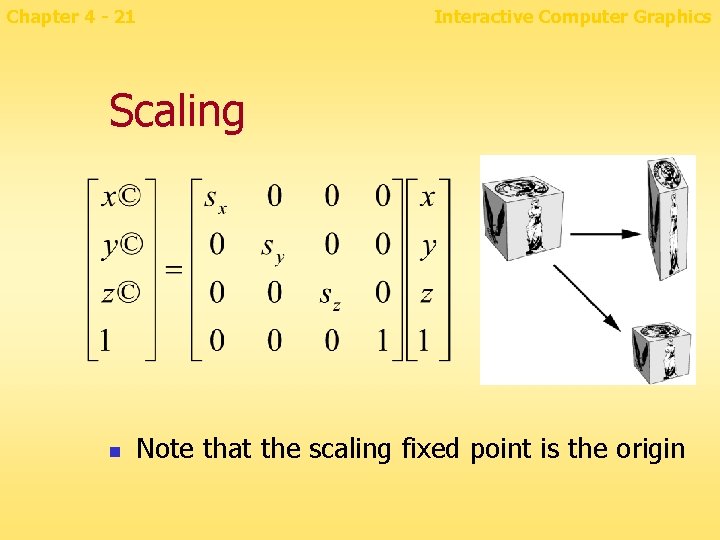
Chapter 4 - 21 Interactive Computer Graphics Scaling n Note that the scaling fixed point is the origin
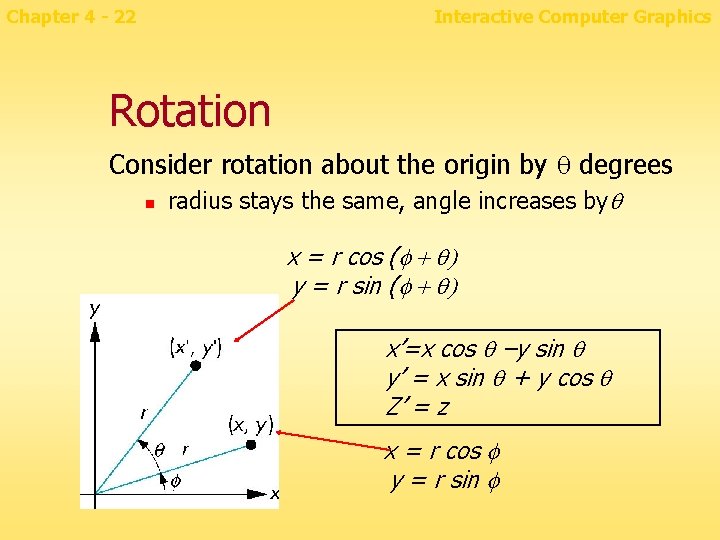
Chapter 4 - 22 Interactive Computer Graphics Rotation Consider rotation about the origin by q degrees n radius stays the same, angle increases byq x = r cos (f + q) y = r sin (f + q) x’=x cos q –y sin q y’ = x sin q + y cos q Z’ = z x = r cos f y = r sin f
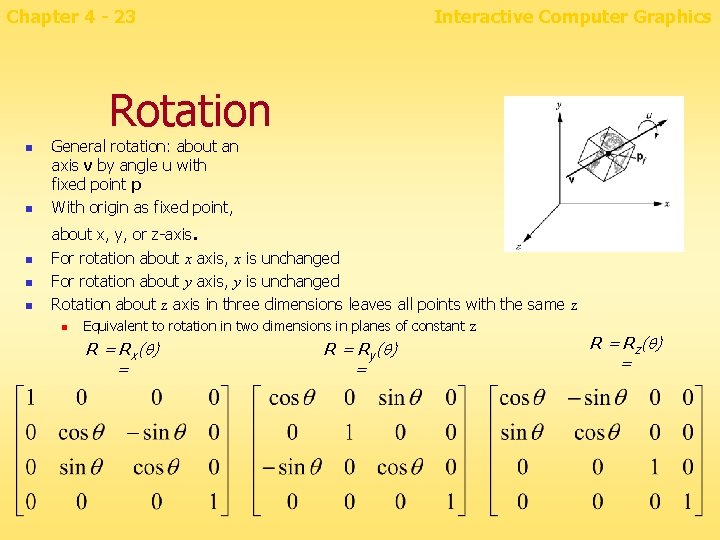
Chapter 4 - 23 Interactive Computer Graphics Rotation n n General rotation: about an axis v by angle u with fixed point p With origin as fixed point, about x, y, or z-axis. n n n For rotation about x axis, x is unchanged For rotation about y axis, y is unchanged Rotation about z axis in three dimensions leaves all points with the same z n Equivalent to rotation in two dimensions in planes of constant z R = Rx(q) = Ry(q) = Rz(q) =
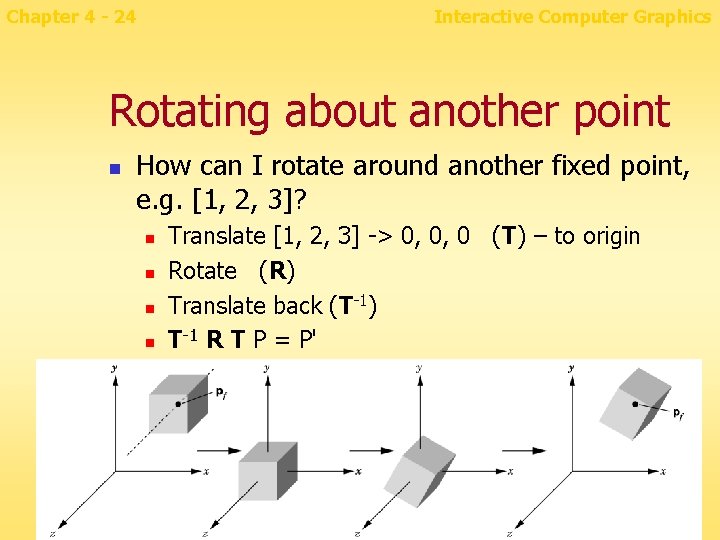
Chapter 4 - 24 Interactive Computer Graphics Rotating about another point n How can I rotate around another fixed point, e. g. [1, 2, 3]? n n Translate [1, 2, 3] -> 0, 0, 0 (T) – to origin Rotate (R) Translate back (T-1) T-1 R T P = P'
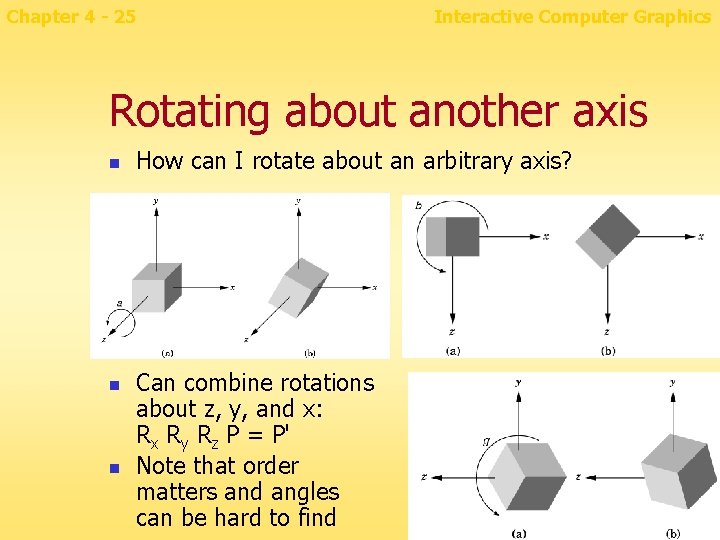
Chapter 4 - 25 Interactive Computer Graphics Rotating about another axis n n n How can I rotate about an arbitrary axis? Can combine rotations about z, y, and x: Rx Ry Rz P = P' Note that order matters and angles can be hard to find
Chapter 4 - 26 Interactive Computer Graphics Concatenating transformations n Many transformations can be concatenated into one matrix for efficiency n Canvas: transformations concatenate n Set the transformation to the identity to reset n Or, push/pop matrices (save/restore state)
Chapter 4 - 27 Interactive Computer Graphics Example: Orbiting the Sun n How to make the earth move 5 degrees? n n How to animate a continuous rotation? n n n Set appropriate modeling matrix before drawing image Rotate 5 degrees, then translate What Canvas code to use? Every few ms, modify modeling matrix and redisplay Reset to original and concatenate rotation and translation How to make it spin on its own axis too? n rotate, translate, rotate, draw
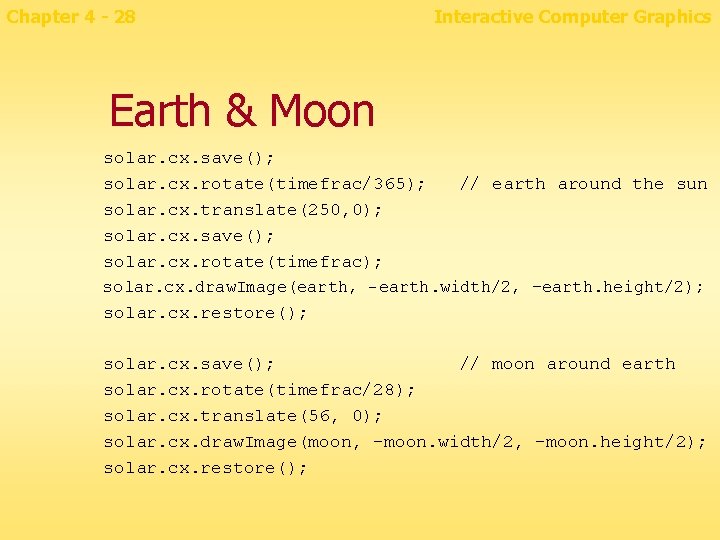
Chapter 4 - 28 Interactive Computer Graphics Earth & Moon solar. cx. save(); solar. cx. rotate(timefrac/365); solar. cx. translate(250, 0); solar. cx. save(); solar. cx. rotate(timefrac); // earth around the sun solar. cx. draw. Image(earth, -earth. width/2, –earth. height/2); solar. cx. restore(); solar. cx. save(); // moon around earth solar. cx. rotate(timefrac/28); solar. cx. translate(56, 0); solar. cx. draw. Image(moon, -moon. width/2, -moon. height/2); solar. cx. restore();
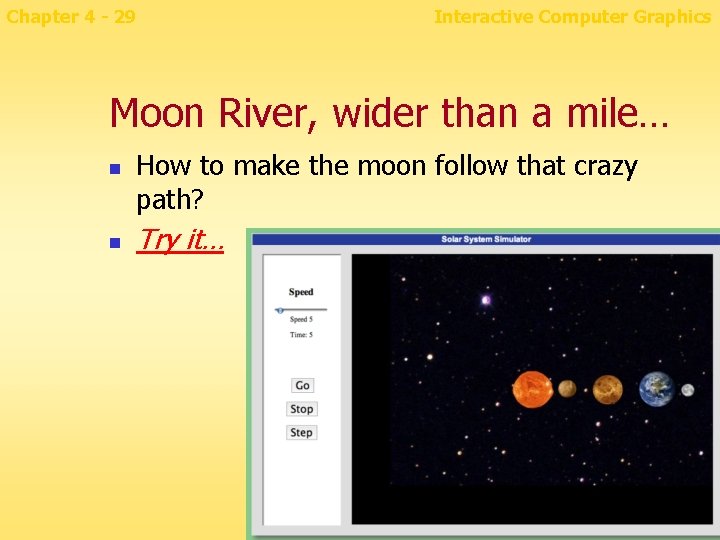
Chapter 4 - 29 Interactive Computer Graphics Moon River, wider than a mile… n n How to make the moon follow that crazy path? Try it…
Interactive Computer Graphics Project 4: Wonderfully Wiggly Working Widget Chapter 4 - 30 n Write a program to animate something that has moving parts that have moving parts Use both translation and rotation It should save/restore state n Examples: n n n Walking robot Person pedaling a bicycle Person waving in a moving convertible Spinning machine with moving parts
Chapter 4 - 31 Interactive Computer Graphics Accelerometer events n Safari now supports the Device. Orientation API (W 3 C draft) n window. ondevicemotion = function(event) { // event. acceleration. Including. Gravity. x // event. acceleration. Including. Gravity. y // event. acceleration. Including. Gravity. z }
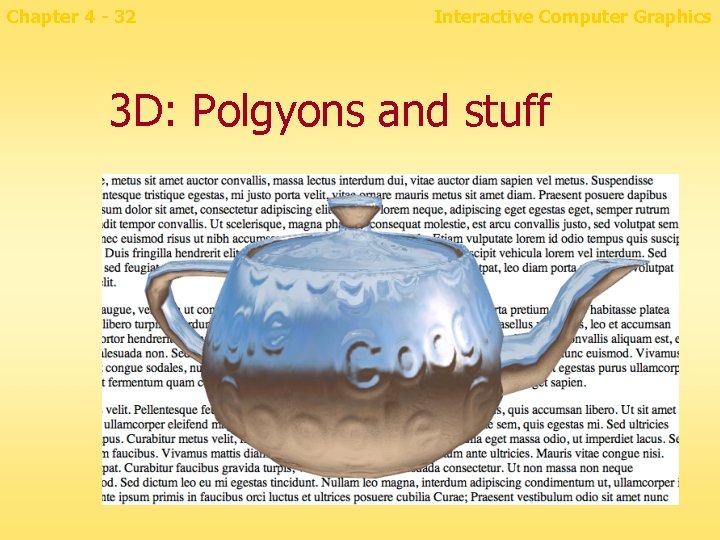
Chapter 4 - 32 Interactive Computer Graphics 3 D: Polgyons and stuff
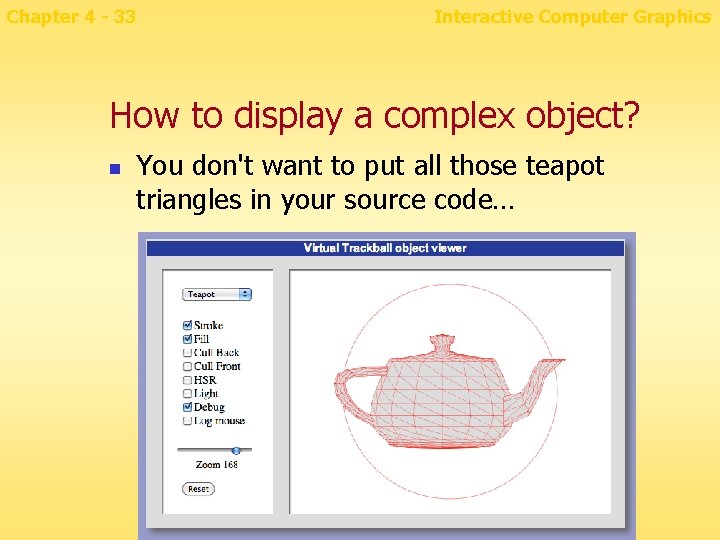
Chapter 4 - 33 Interactive Computer Graphics How to display a complex object? n You don't want to put all those teapot triangles in your source code…
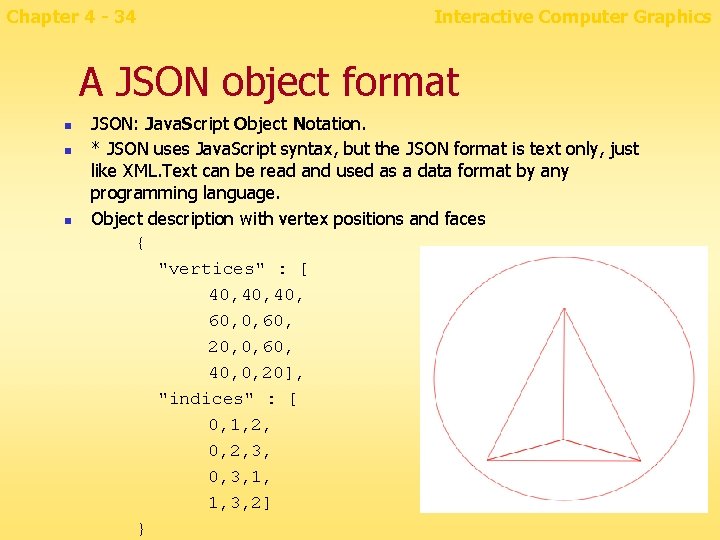
Chapter 4 - 34 Interactive Computer Graphics A JSON object format n n n JSON: Java. Script Object Notation. * JSON uses Java. Script syntax, but the JSON format is text only, just like XML. Text can be read and used as a data format by any programming language. Object description with vertex positions and faces { "vertices" : [ 40, 40, 60, 20, 0, 60, 40, 0, 20], "indices" : [ 0, 1, 2, 0, 2, 3, 0, 3, 1, 1, 3, 2] }
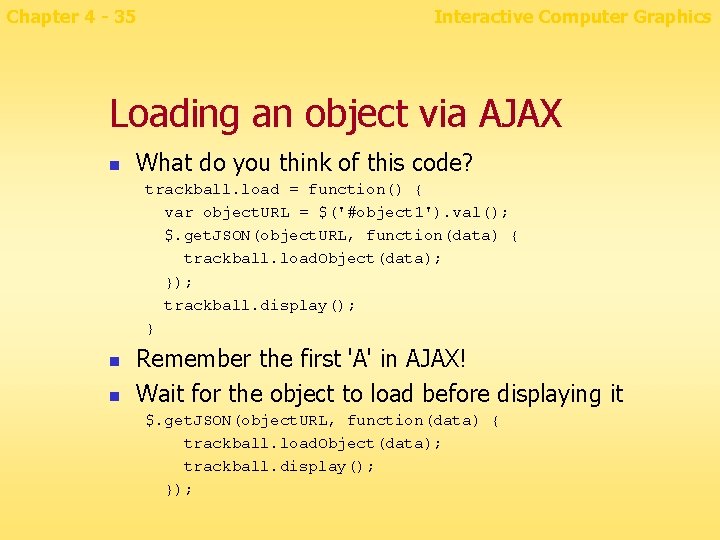
Chapter 4 - 35 Interactive Computer Graphics Loading an object via AJAX n What do you think of this code? trackball. load = function() { var object. URL = $('#object 1'). val(); $. get. JSON(object. URL, function(data) { trackball. load. Object(data); }); trackball. display(); } n n Remember the first 'A' in AJAX! Wait for the object to load before displaying it $. get. JSON(object. URL, function(data) { trackball. load. Object(data); trackball. display(); });
Chapter 4 - 36 Interactive Computer Graphics Question n How to move object into the sphere centered at the origin with radius 1?
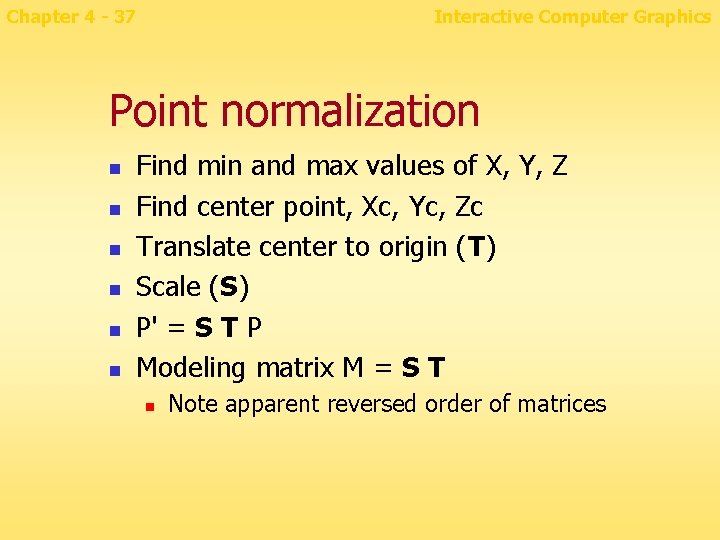
Chapter 4 - 37 Interactive Computer Graphics Point normalization n n n Find min and max values of X, Y, Z Find center point, Xc, Yc, Zc Translate center to origin (T) Scale (S) P' = S T P Modeling matrix M = S T n Note apparent reversed order of matrices
Chapter 4 - 38 Interactive Computer Graphics Question n How to draw a 3 -D object on a 2 -D screen?
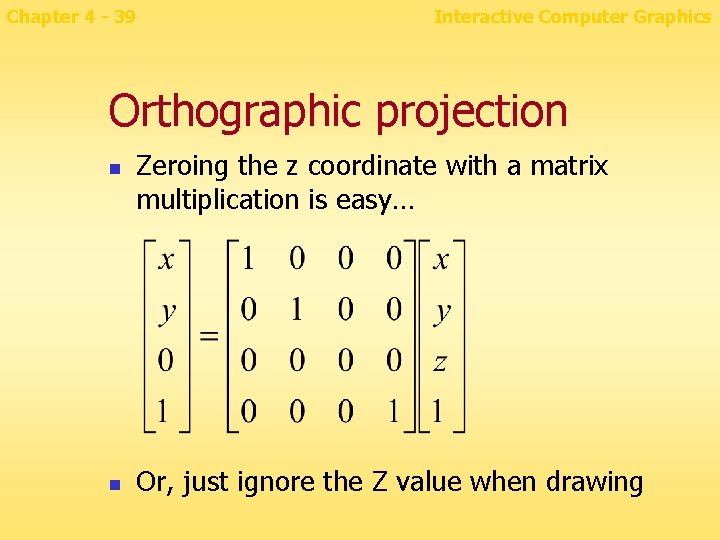
Chapter 4 - 39 Interactive Computer Graphics Orthographic projection n n Zeroing the z coordinate with a matrix multiplication is easy… Or, just ignore the Z value when drawing
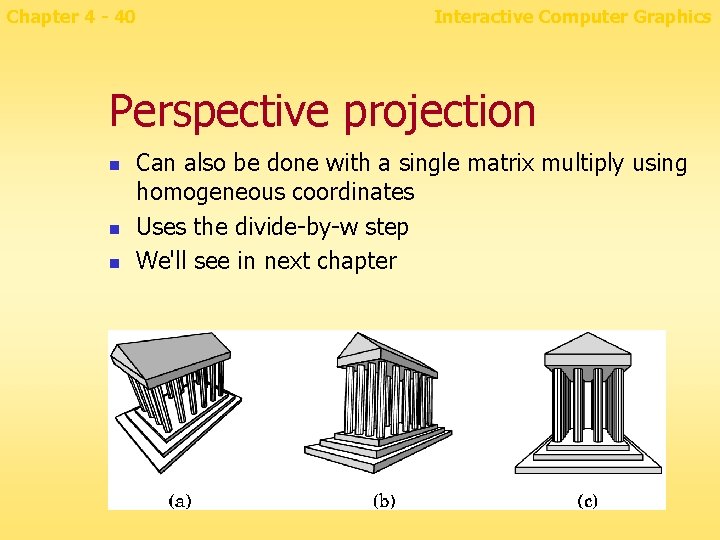
Chapter 4 - 40 Interactive Computer Graphics Perspective projection n Can also be done with a single matrix multiply using homogeneous coordinates Uses the divide-by-w step We'll see in next chapter
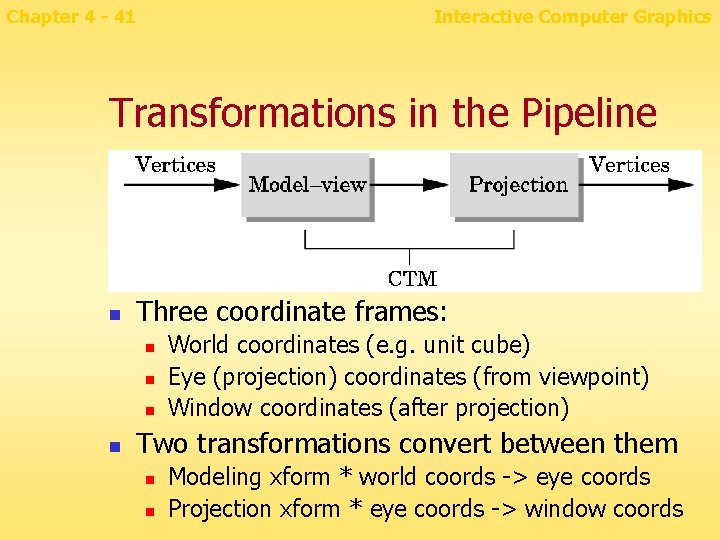
Chapter 4 - 41 Interactive Computer Graphics Transformations in the Pipeline n Three coordinate frames: n n World coordinates (e. g. unit cube) Eye (projection) coordinates (from viewpoint) Window coordinates (after projection) Two transformations convert between them n n Modeling xform * world coords -> eye coords Projection xform * eye coords -> window coords
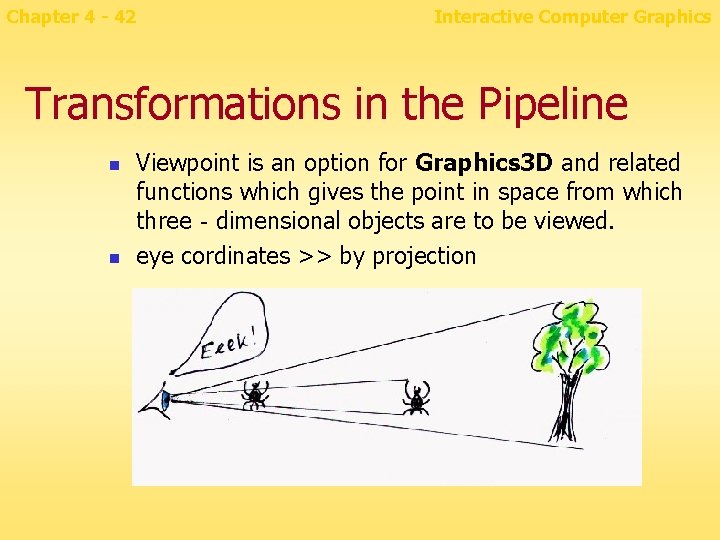
Chapter 4 - 42 Interactive Computer Graphics Transformations in the Pipeline n n Viewpoint is an option for Graphics 3 D and related functions which gives the point in space from which three‐dimensional objects are to be viewed. eye cordinates >> by projection
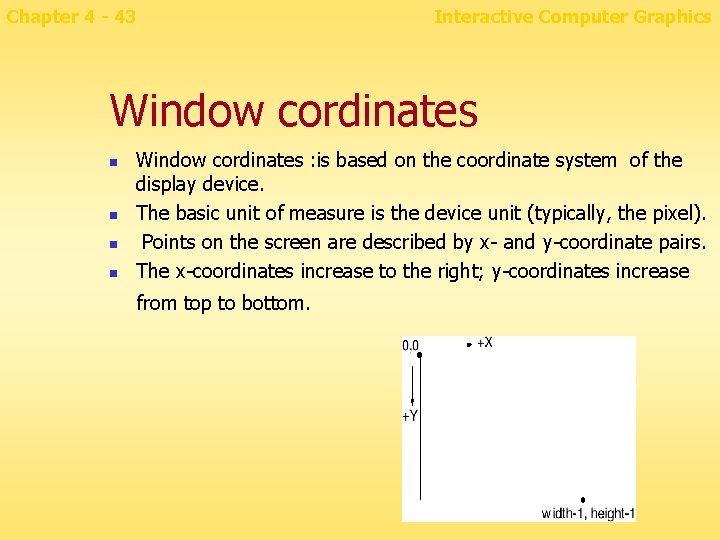
Chapter 4 - 43 Interactive Computer Graphics Window cordinates n n Window cordinates : is based on the coordinate system of the display device. The basic unit of measure is the device unit (typically, the pixel). Points on the screen are described by x- and y-coordinate pairs. The x-coordinates increase to the right; y-coordinates increase from top to bottom.
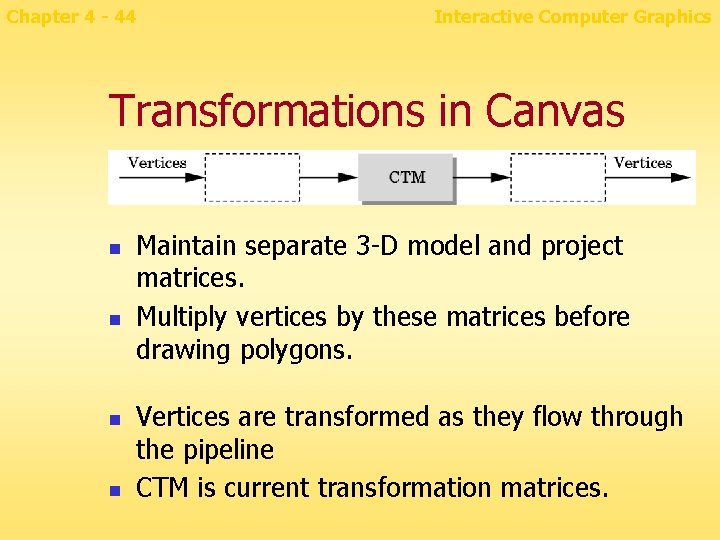
Chapter 4 - 44 Interactive Computer Graphics Transformations in Canvas n n Maintain separate 3 -D model and project matrices. Multiply vertices by these matrices before drawing polygons. Vertices are transformed as they flow through the pipeline CTM is current transformation matrices.
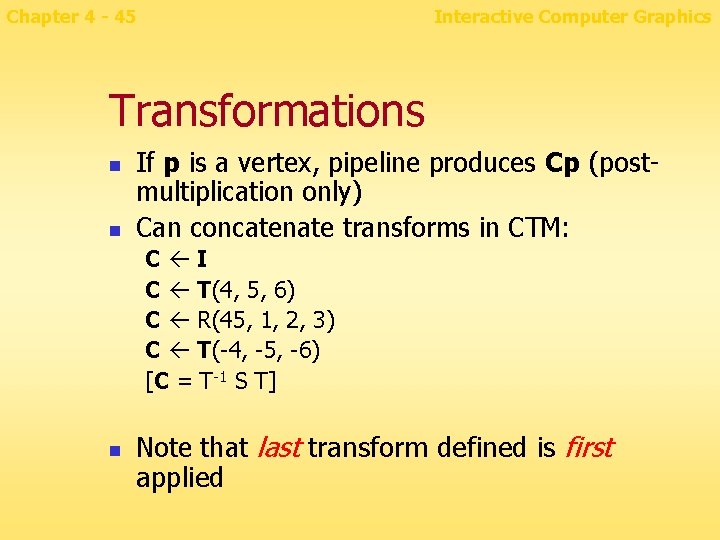
Chapter 4 - 45 Interactive Computer Graphics Transformations n n If p is a vertex, pipeline produces Cp (postmultiplication only) Can concatenate transforms in CTM: C I C T(4, 5, 6) C R(45, 1, 2, 3) C T(-4, -5, -6) [C = T-1 S T] n Note that last transform defined is first applied
Chapter 4 - 46 Interactive Computer Graphics Putting it all together n Load vertices and faces of object. n n n Normalize: put them in (-1, 1, -1, 1) cube Put primitives into a display list Set up viewing transform to display that cube Set modeling transform to identity To spin the object, every 1/60 second do: n n Add 5 degrees to current rotation amount Set up modeling transform to rotate by current amount
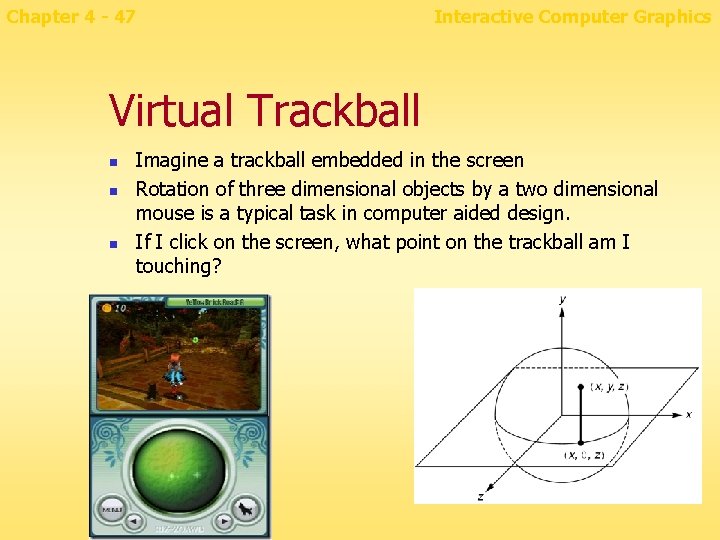
Chapter 4 - 47 Interactive Computer Graphics Virtual Trackball n n n Imagine a trackball embedded in the screen Rotation of three dimensional objects by a two dimensional mouse is a typical task in computer aided design. If I click on the screen, what point on the trackball am I touching?
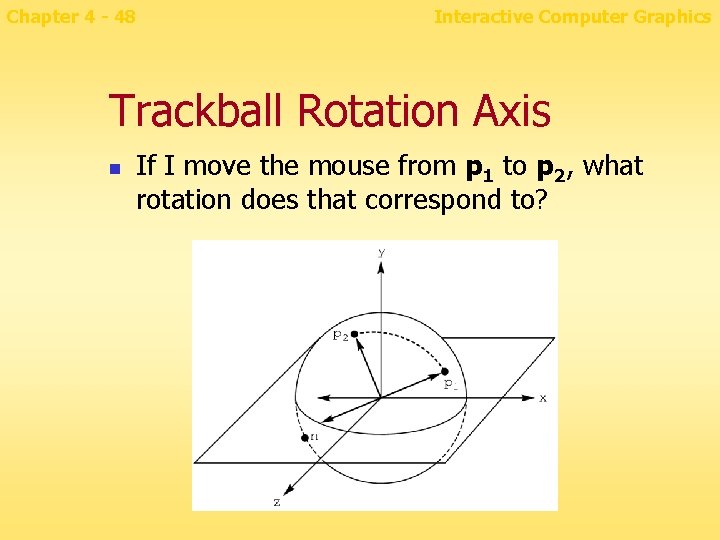
Chapter 4 - 48 Interactive Computer Graphics Trackball Rotation Axis n If I move the mouse from p 1 to p 2, what rotation does that correspond to?
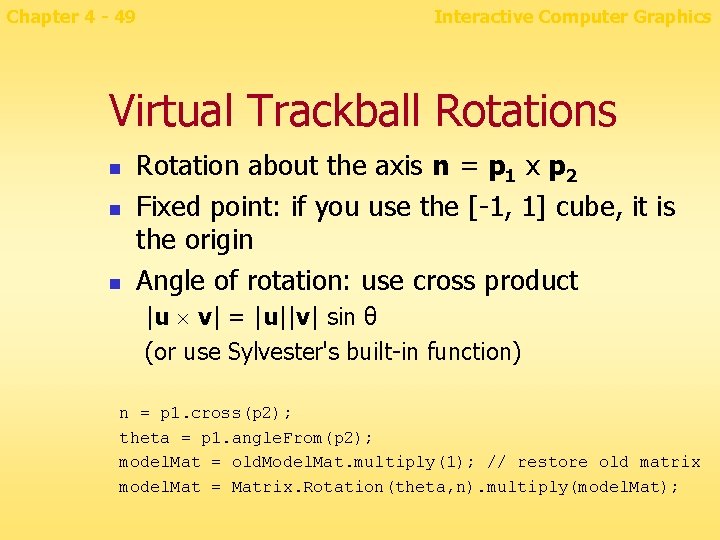
Chapter 4 - 49 Interactive Computer Graphics Virtual Trackball Rotations n n n Rotation about the axis n = p 1 x p 2 Fixed point: if you use the [-1, 1] cube, it is the origin Angle of rotation: use cross product |u v| = |u||v| sin θ (or use Sylvester's built-in function) n = p 1. cross(p 2); theta = p 1. angle. From(p 2); model. Mat = old. Model. Mat. multiply(1); // restore old matrix model. Mat = Matrix. Rotation(theta, n). multiply(model. Mat);
Chapter 4 - 50 Interactive Computer Graphics Virtual Trackball Program n Stage 1 n n n Read in, normalize object Display with rotation, HSR Stage 2 n n n Virtual trackball rotations Perspective Lighting/shading
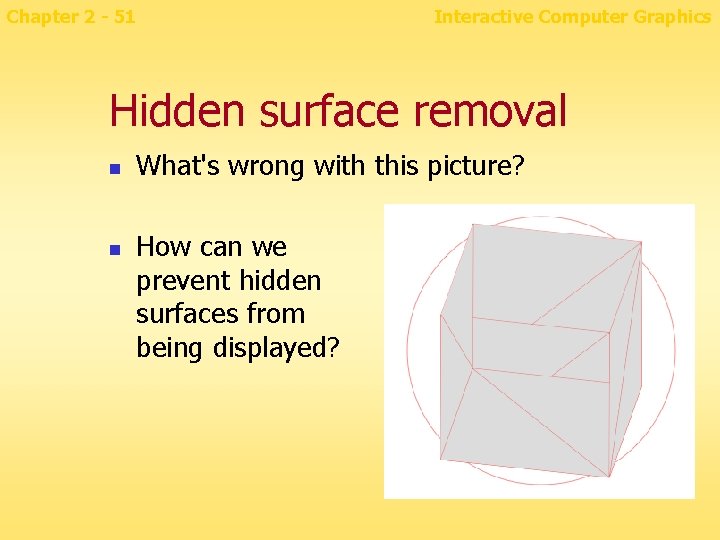
Chapter 2 - 51 Interactive Computer Graphics Hidden surface removal n n What's wrong with this picture? How can we prevent hidden surfaces from being displayed?
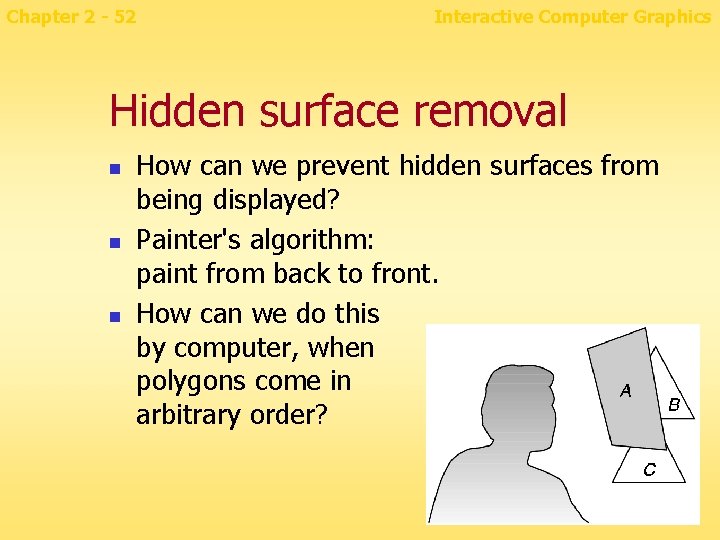
Chapter 2 - 52 Interactive Computer Graphics Hidden surface removal n n n How can we prevent hidden surfaces from being displayed? Painter's algorithm: paint from back to front. How can we do this by computer, when polygons come in arbitrary order?
Chapter 4 - 53 Interactive Computer Graphics Poor-man's HSR n n n Transform points for current viewpoint Sort back to front by the face's average Z Does this always work?
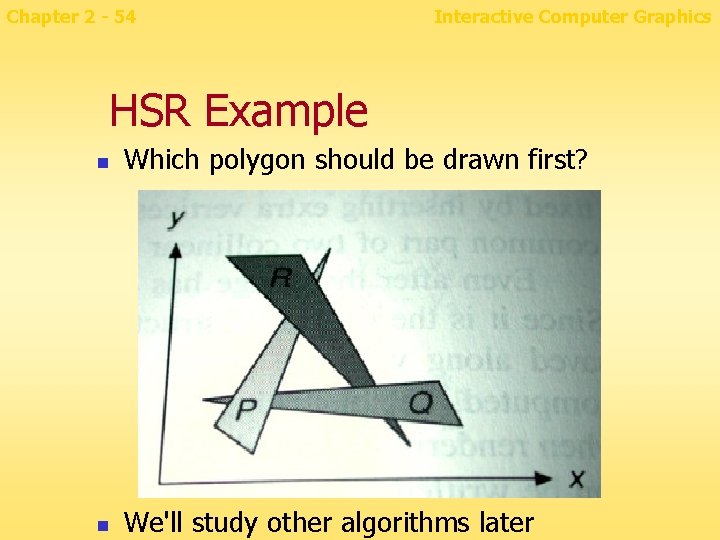
Chapter 2 - 54 Interactive Computer Graphics HSR Example n Which polygon should be drawn first? n We'll study other algorithms later
Chapter 4 - 55 Interactive Computer Graphics Data structures needed n n An array of vertices, old. Vertices An array of normalized vertices, vertices[n][3], in the [-1, 1] cube An array for vertices in world coordinates An array of faces containing vertex indexes, int faces[n][max_sides]. Use faces[n][0] to store the number of sides. Set max_sides to 12 or so.
- Slides: 55