
CS 4731 Computer Graphics Lecture 4 2 D




- Slides: 29
CS 4731: Computer Graphics Lecture 4: 2 D Graphic Systems Emmanuel Agu
Announcements n n Room: if few people drop class, I will request room change Project 1 should work on any of the CCC unix/Linux machines Simply let TA know which machine you worked on my. WPI: n n n TA’s: Jim Nichols and Paolo Piselli SA: Brian Corcoran Treat what they post as “official”.
2 D Graphics: Coordinate Systems n n n Screen coordinate system World window Viewport Window to Viewport mapping
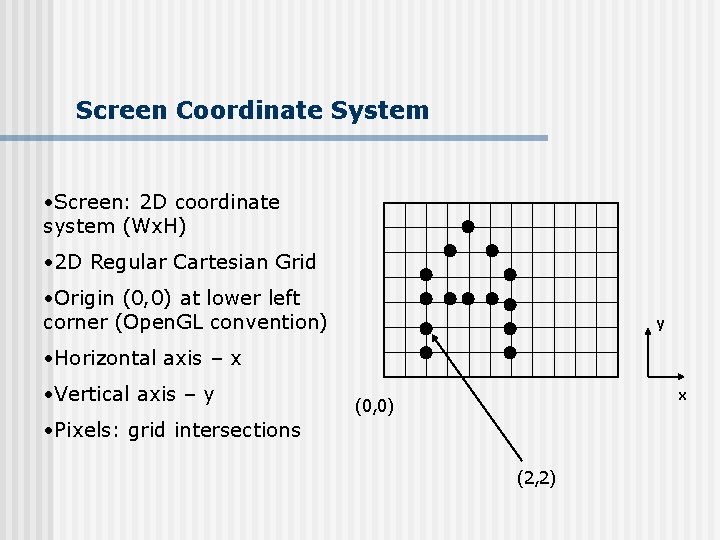
Screen Coordinate System • Screen: 2 D coordinate system (Wx. H) • 2 D Regular Cartesian Grid • Origin (0, 0) at lower left corner (Open. GL convention) y • Horizontal axis – x • Vertical axis – y x (0, 0) • Pixels: grid intersections (2, 2)
Screen Coordinate System Insert screen dump from OHIO (0, 0)
World Coordinate System • Problems with drawing in screen coordinates: • Inflexible • Difficult to use • One mapping: not application specific • World Coordinate system: application-specific • Example: drawing dimensions may be in meters, km, feet, etc.
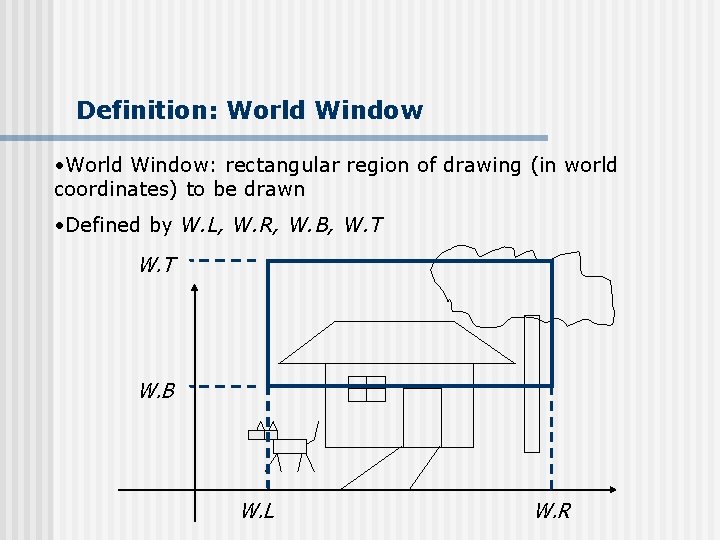
Definition: World Window • World Window: rectangular region of drawing (in world coordinates) to be drawn • Defined by W. L, W. R, W. B, W. T W. B W. L W. R
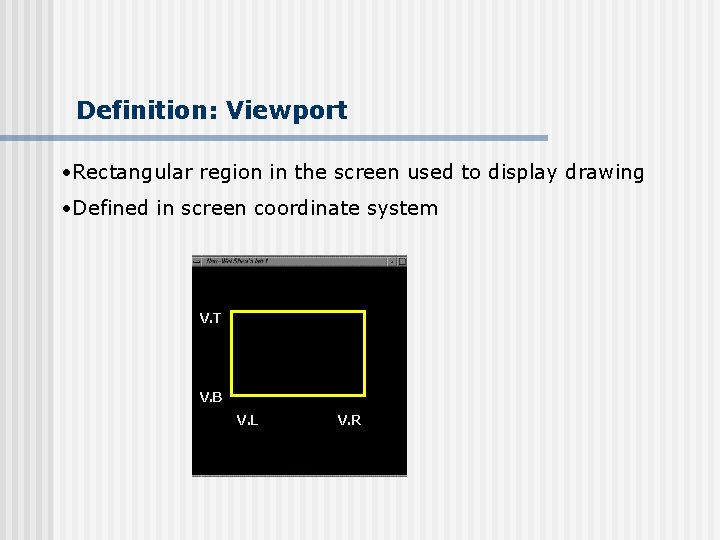
Definition: Viewport • Rectangular region in the screen used to display drawing • Defined in screen coordinate system V. T V. B V. L V. R
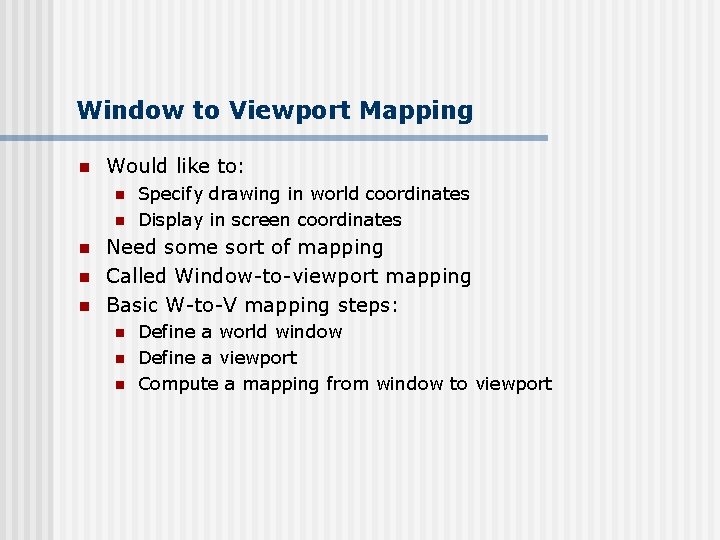
Window to Viewport Mapping n Would like to: n n n Specify drawing in world coordinates Display in screen coordinates Need some sort of mapping Called Window-to-viewport mapping Basic W-to-V mapping steps: n n n Define a world window Define a viewport Compute a mapping from window to viewport
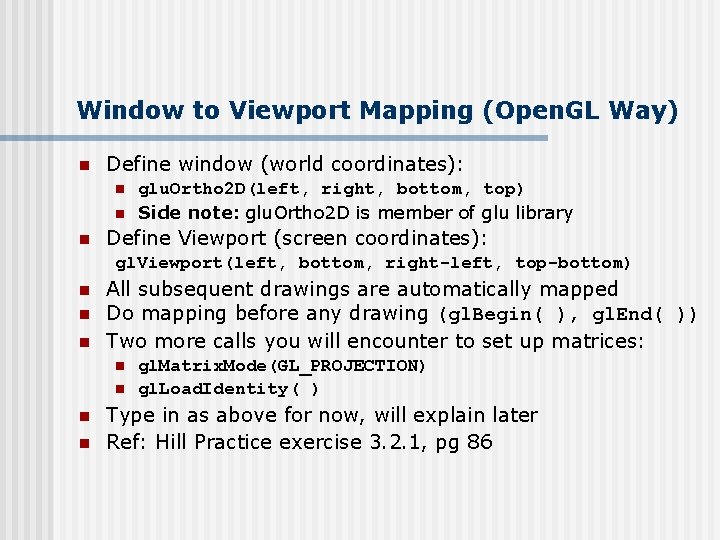
Window to Viewport Mapping (Open. GL Way) n Define window (world coordinates): n n n glu. Ortho 2 D(left, right, bottom, top) Side note: glu. Ortho 2 D is member of glu library Define Viewport (screen coordinates): gl. Viewport(left, bottom, right-left, top-bottom) n n n All subsequent drawings are automatically mapped Do mapping before any drawing (gl. Begin( ), gl. End( )) Two more calls you will encounter to set up matrices: n n gl. Matrix. Mode(GL_PROJECTION) gl. Load. Identity( ) Type in as above for now, will explain later Ref: Hill Practice exercise 3. 2. 1, pg 86
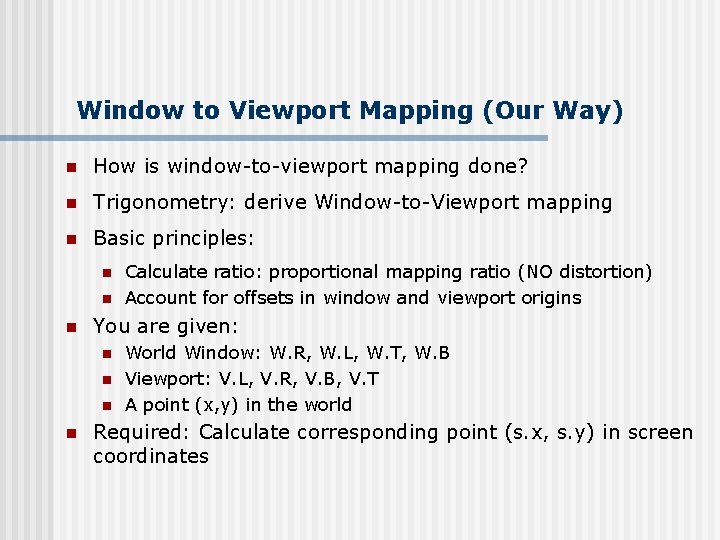
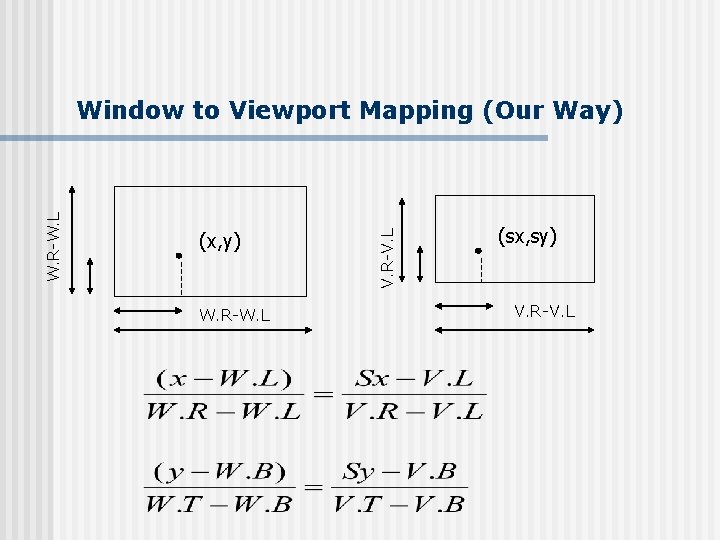
Window to Viewport Mapping (Our Way) n How is window-to-viewport mapping done? n Trigonometry: derive Window-to-Viewport mapping n Basic principles: n n n You are given: n n Calculate ratio: proportional mapping ratio (NO distortion) Account for offsets in window and viewport origins World Window: W. R, W. L, W. T, W. B Viewport: V. L, V. R, V. B, V. T A point (x, y) in the world Required: Calculate corresponding point (s. x, s. y) in screen coordinates
(x, y) W. R-W. L V. R-V. L W. R-W. L Window to Viewport Mapping (Our Way) (sx, sy) V. R-V. L
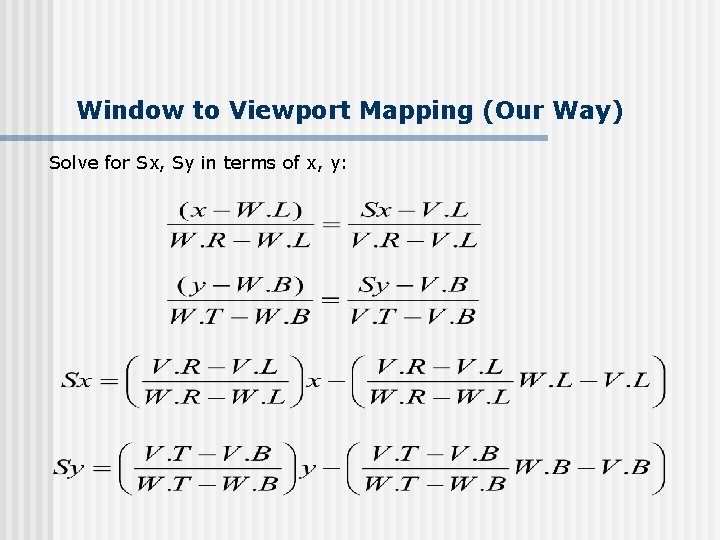
Window to Viewport Mapping (Our Way) Solve for Sx, Sy in terms of x, y:
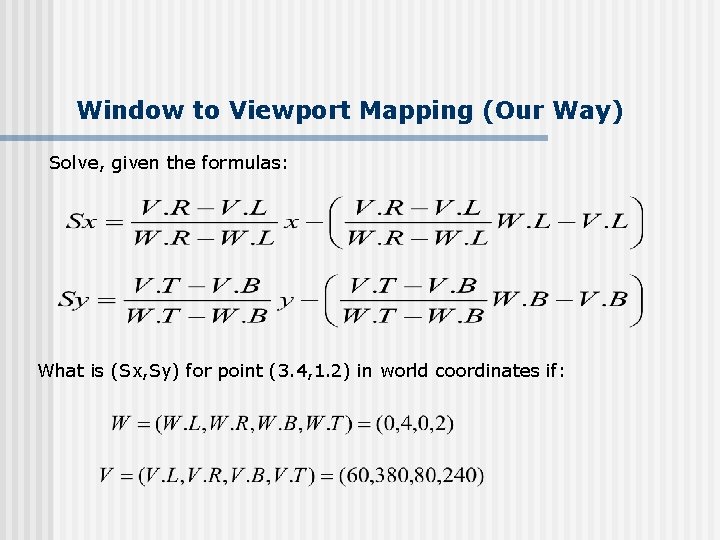
Window to Viewport Mapping (Our Way) Solve, given the formulas: What is (Sx, Sy) for point (3. 4, 1. 2) in world coordinates if:
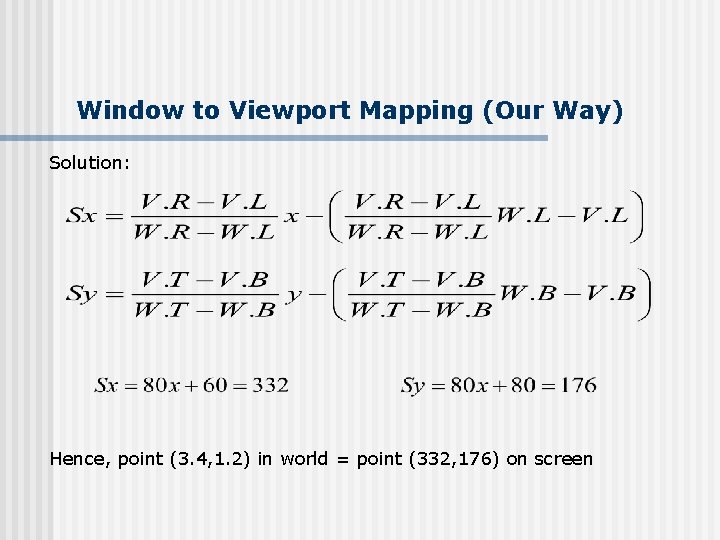
Window to Viewport Mapping (Our Way) Solution: Hence, point (3. 4, 1. 2) in world = point (332, 176) on screen
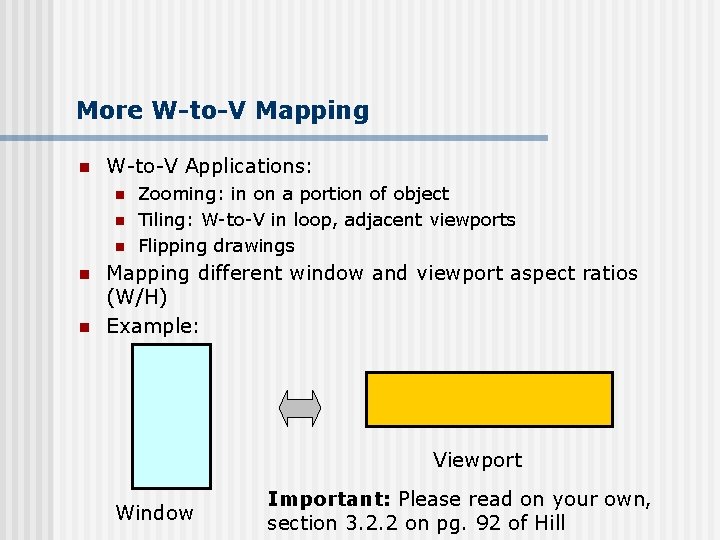
More W-to-V Mapping n W-to-V Applications: n n n Zooming: in on a portion of object Tiling: W-to-V in loop, adjacent viewports Flipping drawings Mapping different window and viewport aspect ratios (W/H) Example: Viewport Window Important: Please read on your own, section 3. 2. 2 on pg. 92 of Hill
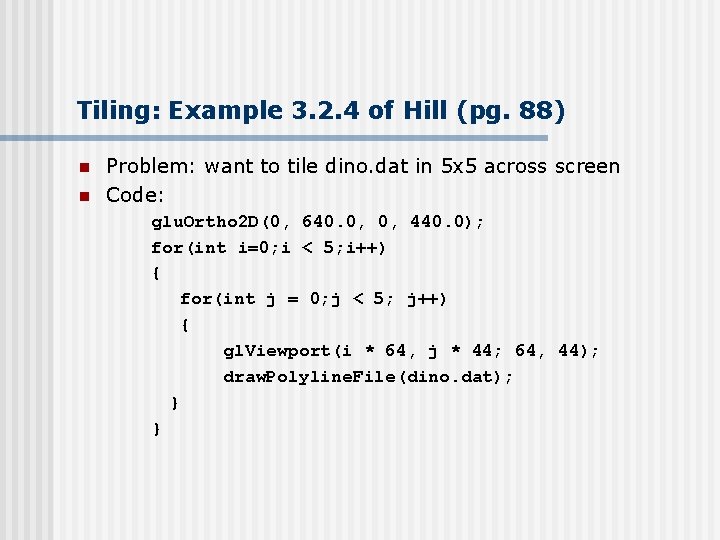
Tiling: Example 3. 2. 4 of Hill (pg. 88) n n Problem: want to tile dino. dat in 5 x 5 across screen Code: glu. Ortho 2 D(0, 640. 0, 0, 440. 0); for(int i=0; i < 5; i++) { for(int j = 0; j < 5; j++) { gl. Viewport(i * 64, j * 44; 64, 44); draw. Polyline. File(dino. dat); } }
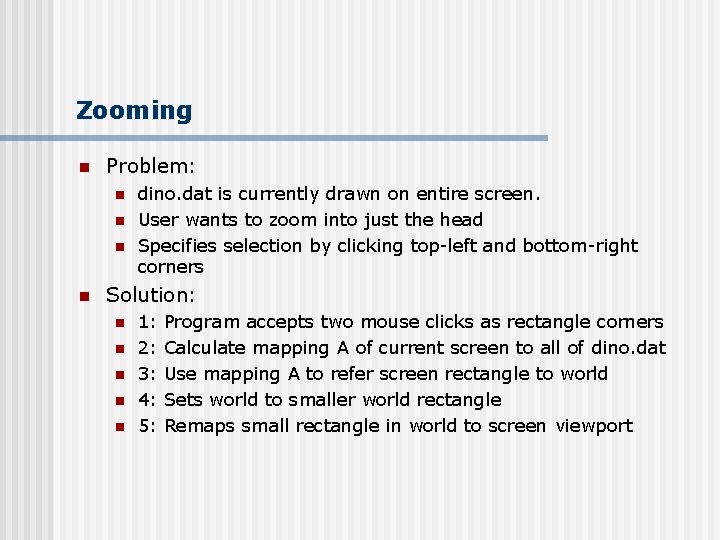
Zooming n Problem: n n dino. dat is currently drawn on entire screen. User wants to zoom into just the head Specifies selection by clicking top-left and bottom-right corners Solution: n n n 1: 2: 3: 4: 5: Program accepts two mouse clicks as rectangle corners Calculate mapping A of current screen to all of dino. dat Use mapping A to refer screen rectangle to world Sets world to smaller world rectangle Remaps small rectangle in world to screen viewport
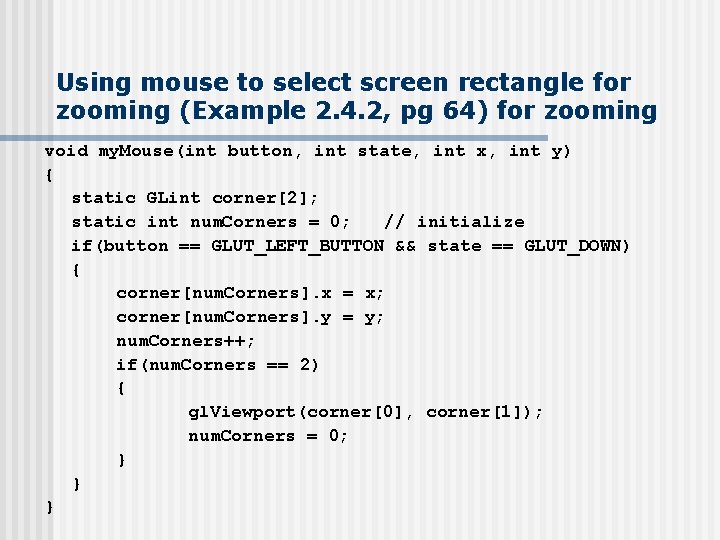
Using mouse to select screen rectangle for zooming (Example 2. 4. 2, pg 64) for zooming void my. Mouse(int button, int state, int x, int y) { static GLint corner[2]; static int num. Corners = 0; // initialize if(button == GLUT_LEFT_BUTTON && state == GLUT_DOWN) { corner[num. Corners]. x = x; corner[num. Corners]. y = y; num. Corners++; if(num. Corners == 2) { gl. Viewport(corner[0], corner[1]); num. Corners = 0; } } }
Cohen-Sutherland Clipping n Frequently want to view only a portion of the picture n For instance, in dino. dat, you can select to view/zoom in on only the dinosaur’s head n Clipping: eliminate portions not selected n Open. GL automatically clips for you n We want algorithm for clipping n Classical algorithm: Cohen-Sutherland Clipping n Picture has 1000 s of segments : efficiency is important
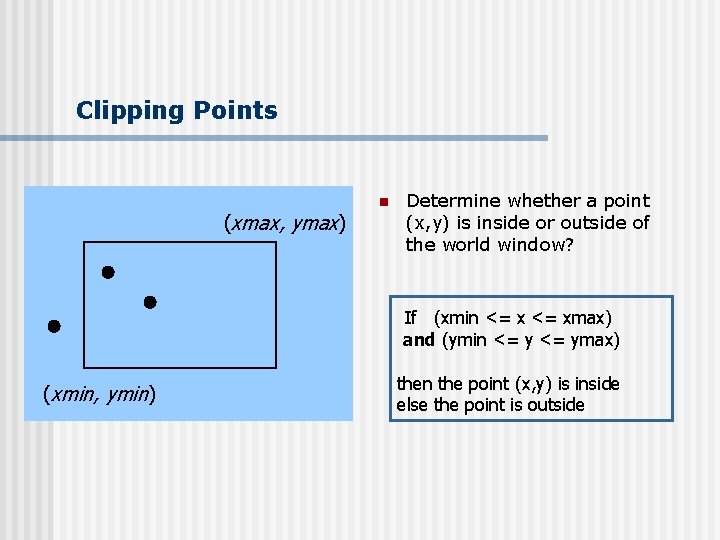
Clipping Points (xmax, ymax) n Determine whether a point (x, y) is inside or outside of the world window? If (xmin <= xmax) and (ymin <= ymax) (xmin, ymin) then the point (x, y) is inside else the point is outside
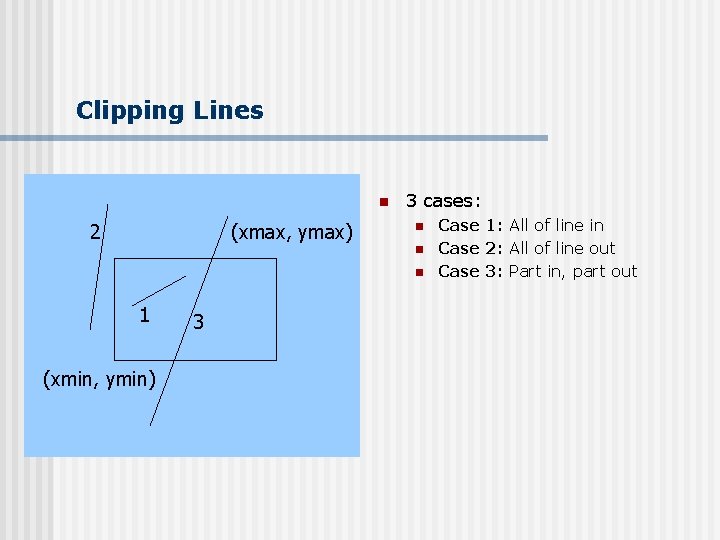
Clipping Lines n 2 (xmax, ymax) 3 cases: n n n 1 (xmin, ymin) 3 Case 1: All of line in Case 2: All of line out Case 3: Part in, part out
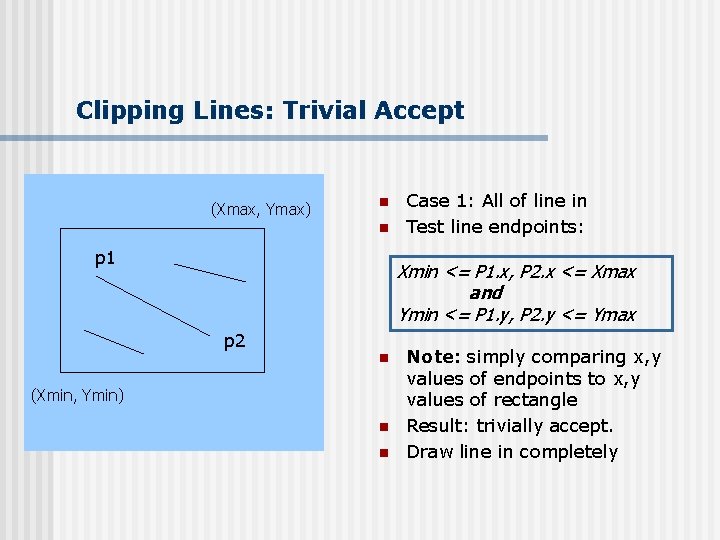
Clipping Lines: Trivial Accept (Xmax, Ymax) n n p 1 Case 1: All of line in Test line endpoints: Xmin <= P 1. x, P 2. x <= Xmax and Ymin <= P 1. y, P 2. y <= Ymax p 2 n (Xmin, Ymin) n n Note: simply comparing x, y values of endpoints to x, y values of rectangle Result: trivially accept. Draw line in completely
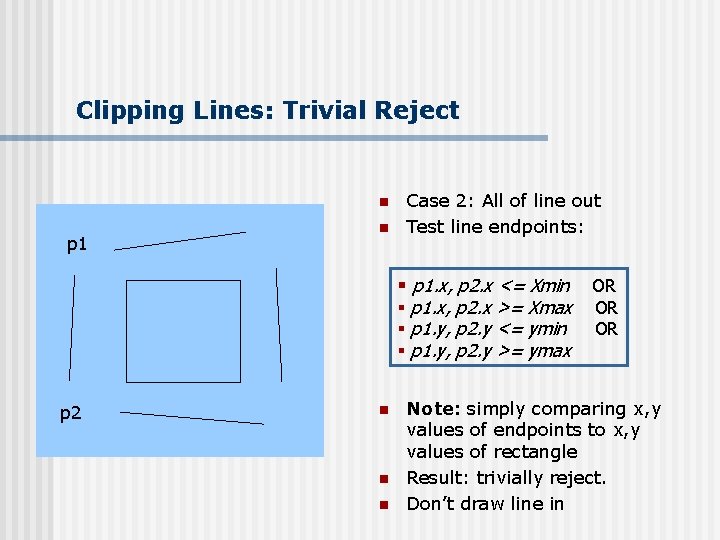
Clipping Lines: Trivial Reject n p 1 n Case 2: All of line out Test line endpoints: § p 1. x, p 2. x <= Xmin § p 1. x, p 2. x >= Xmax § p 1. y, p 2. y <= ymin § p 1. y, p 2. y >= ymax p 2 n n n OR OR OR Note: simply comparing x, y values of endpoints to x, y values of rectangle Result: trivially reject. Don’t draw line in
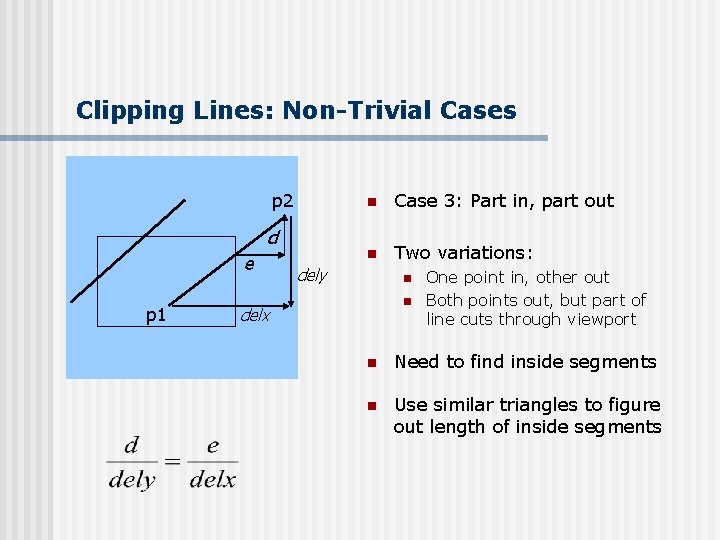
Clipping Lines: Non-Trivial Cases p 2 d e p 1 n Case 3: Part in, part out n Two variations: dely n n delx One point in, other out Both points out, but part of line cuts through viewport n Need to find inside segments n Use similar triangles to figure out length of inside segments
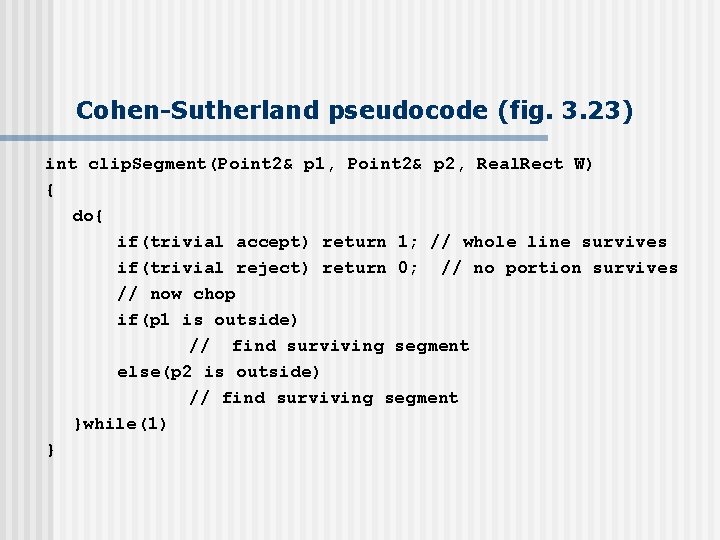
Cohen-Sutherland pseudocode (fig. 3. 23) int clip. Segment(Point 2& p 1, Point 2& p 2, Real. Rect W) { do{ if(trivial accept) return 1; // whole line survives if(trivial reject) return 0; // no portion survives // now chop if(p 1 is outside) // find surviving segment else(p 2 is outside) // find surviving segment }while(1) }
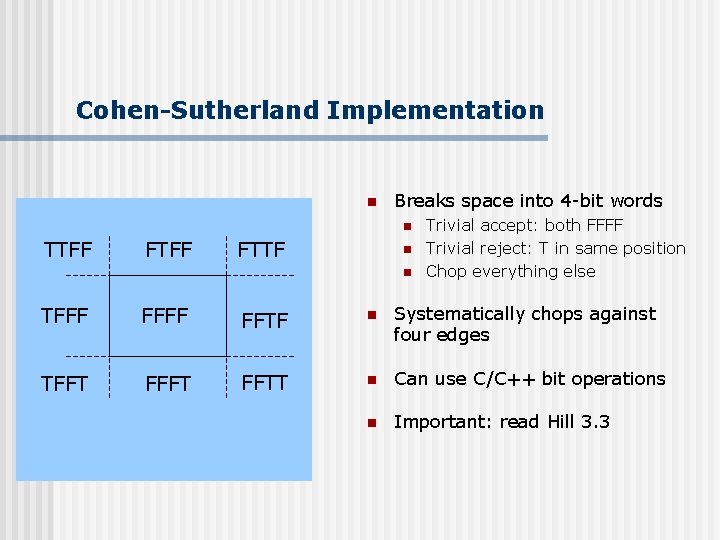
Cohen-Sutherland Implementation n Breaks space into 4 -bit words n TTFF FTTF n n Trivial accept: both FFFF Trivial reject: T in same position Chop everything else TFFF FFTF n Systematically chops against four edges TFFT FFTT n Can use C/C++ bit operations n Important: read Hill 3. 3
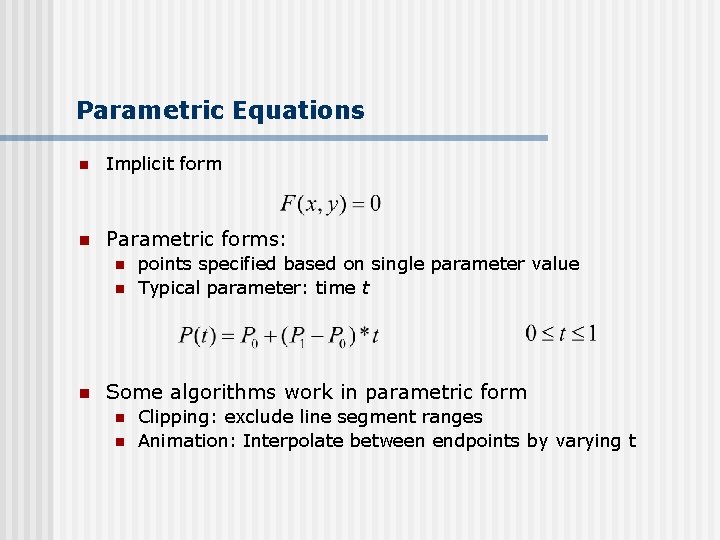
Parametric Equations n Implicit form n Parametric forms: n n n points specified based on single parameter value Typical parameter: time t Some algorithms work in parametric form n n Clipping: exclude line segment ranges Animation: Interpolate between endpoints by varying t
References n Hill, 3. 1 – 3. 3, 3. 8