
CS 4670 5670 Computer Vision Noah Snavely Lecture


- Slides: 36
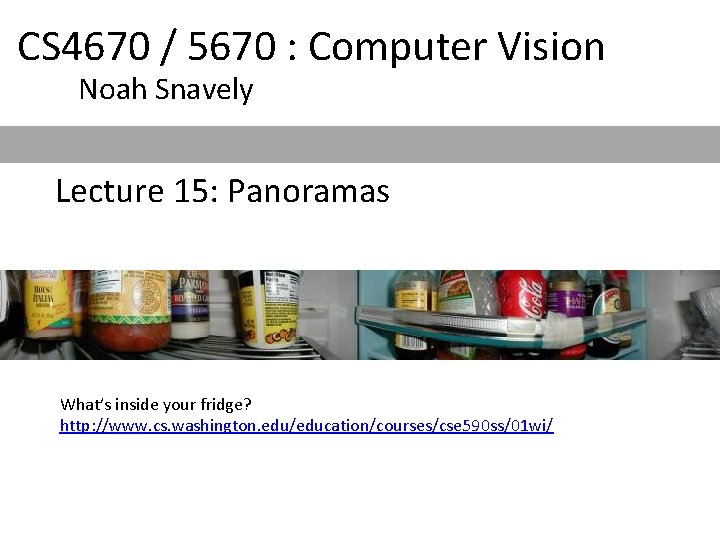
CS 4670 / 5670 : Computer Vision Noah Snavely Lecture 15: Panoramas What’s inside your fridge? http: //www. cs. washington. edu/education/courses/cse 590 ss/01 wi/
Reading • Szeliski Chapter 9
Announcements • Project 3 out soon • Take-home prelim after Fall break • No Kyle office hours today
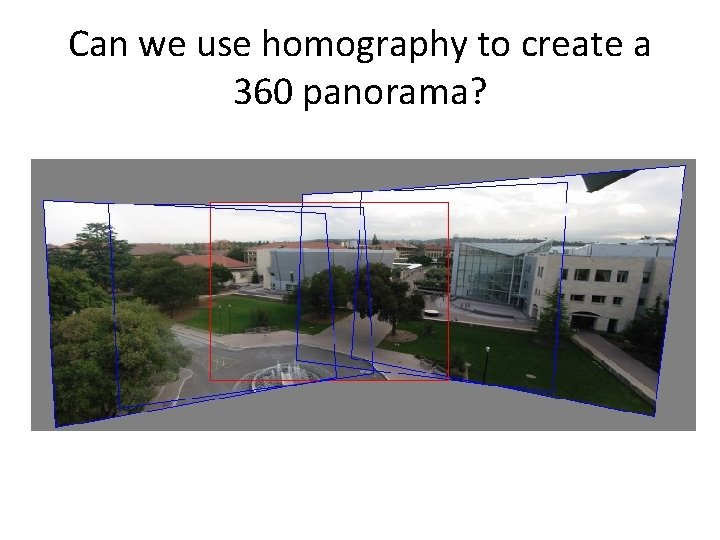
Can we use homography to create a 360 panorama?
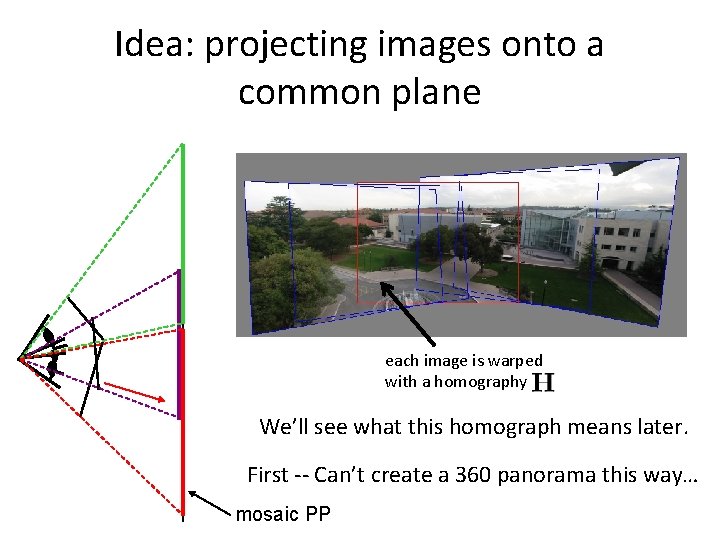
Idea: projecting images onto a common plane each image is warped with a homography We’ll see what this homograph means later. First -- Can’t create a 360 panorama this way… mosaic PP
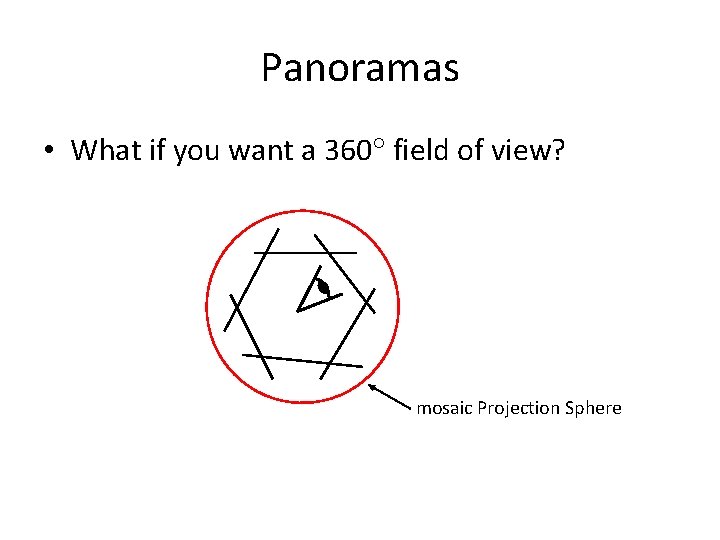
Panoramas • What if you want a 360 field of view? mosaic Projection Sphere
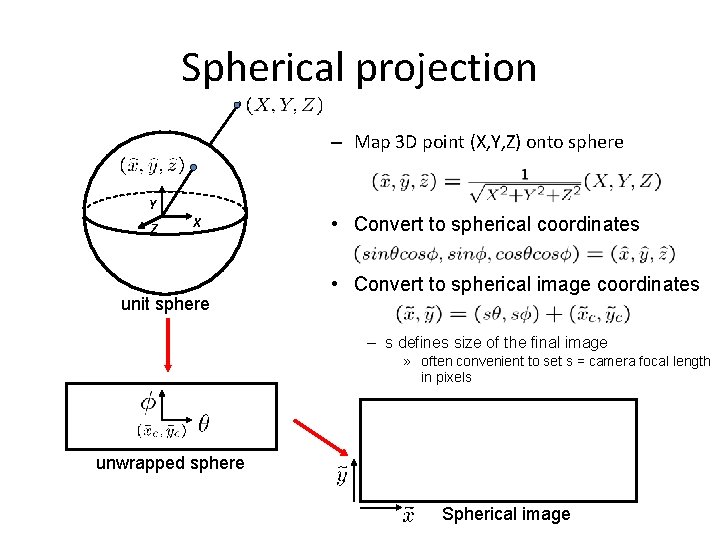
Spherical projection – Map 3 D point (X, Y, Z) onto sphere Y Z X unit sphere • Convert to spherical coordinates • Convert to spherical image coordinates – s defines size of the final image » often convenient to set s = camera focal length in pixels unwrapped sphere Spherical image
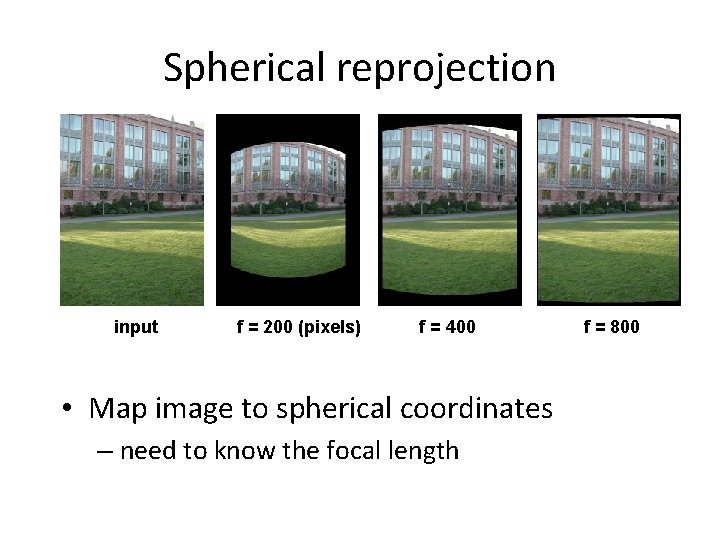
Spherical reprojection input f = 200 (pixels) f = 400 • Map image to spherical coordinates – need to know the focal length f = 800
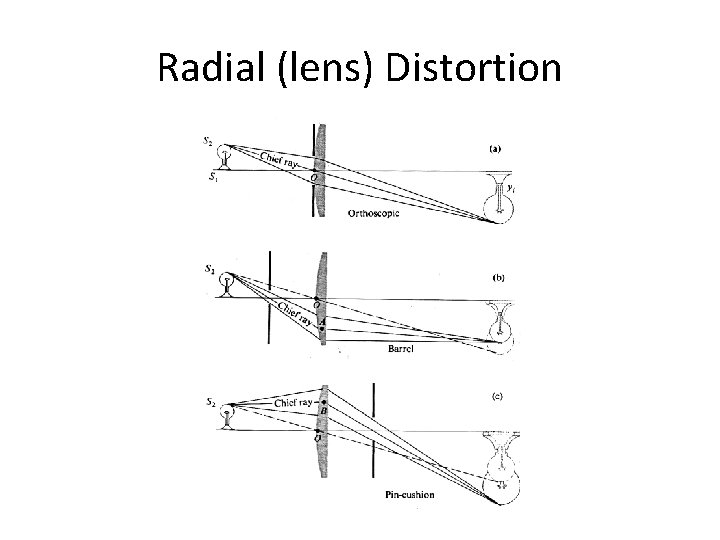
Radial (lens) Distortion
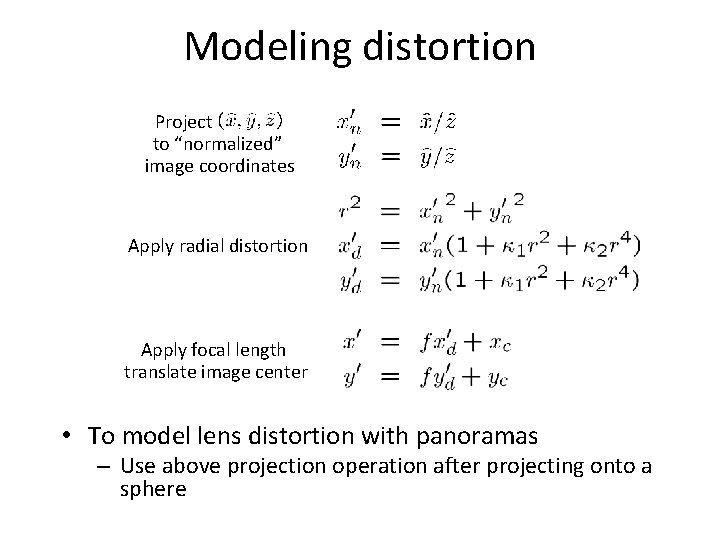
Modeling distortion Project to “normalized” image coordinates Apply radial distortion Apply focal length translate image center • To model lens distortion with panoramas – Use above projection operation after projecting onto a sphere
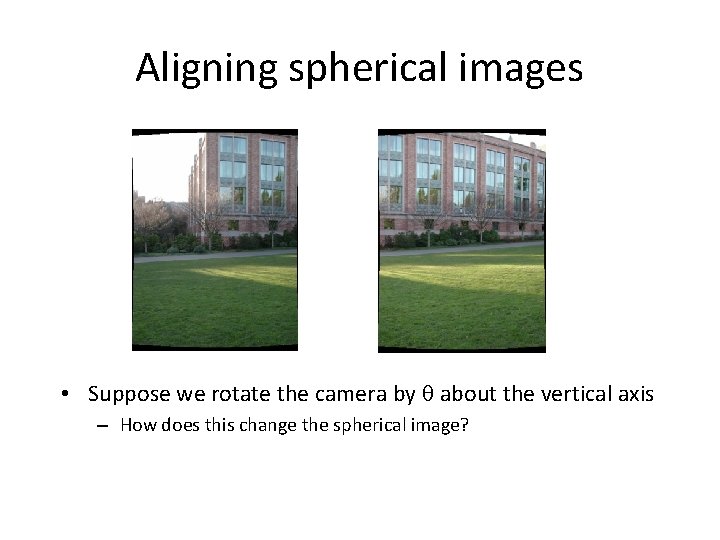
Aligning spherical images • Suppose we rotate the camera by about the vertical axis – How does this change the spherical image?
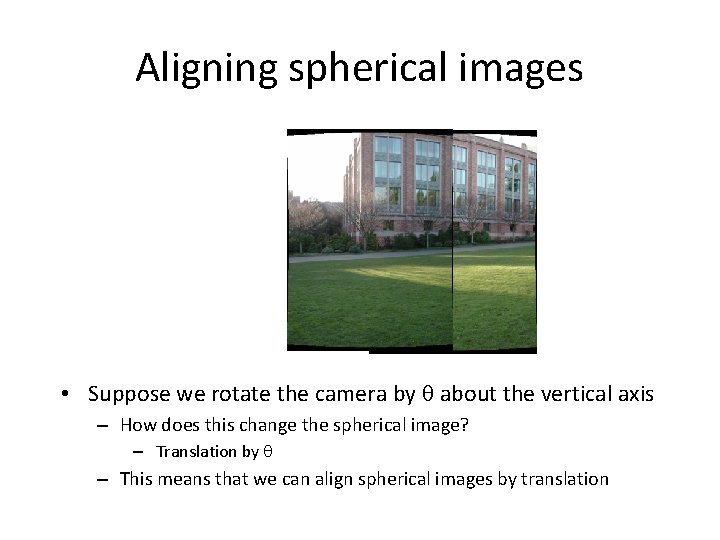
Aligning spherical images • Suppose we rotate the camera by about the vertical axis – How does this change the spherical image? – Translation by – This means that we can align spherical images by translation
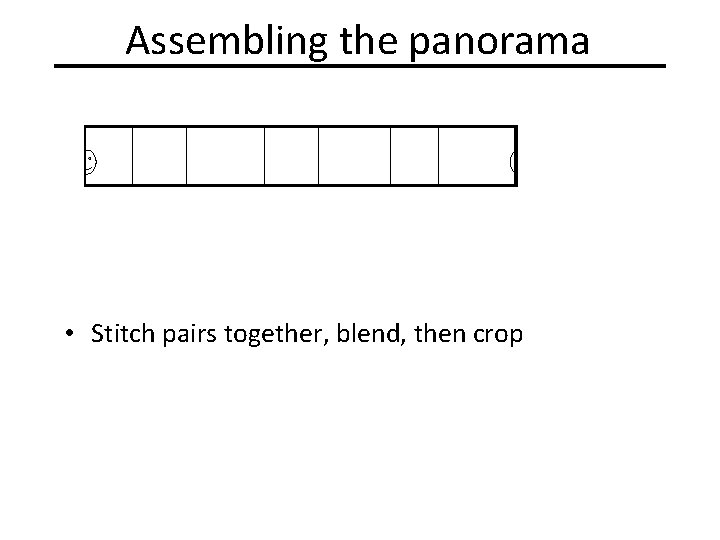
Assembling the panorama • Stitch pairs together, blend, then crop
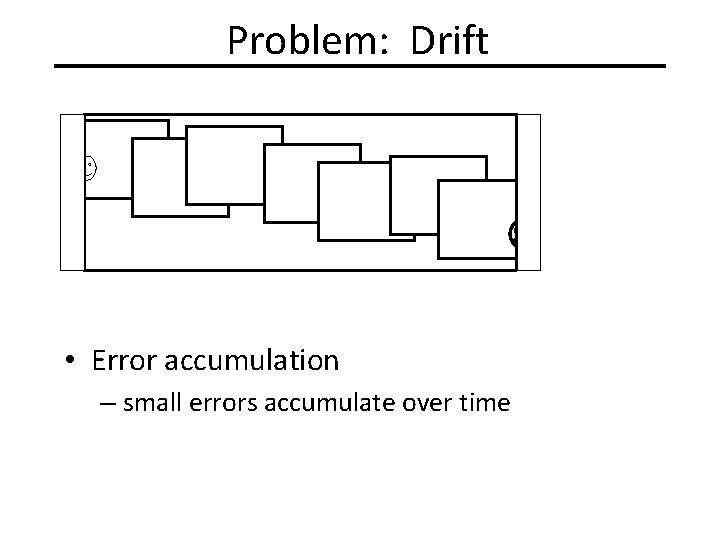
Problem: Drift • Error accumulation – small errors accumulate over time
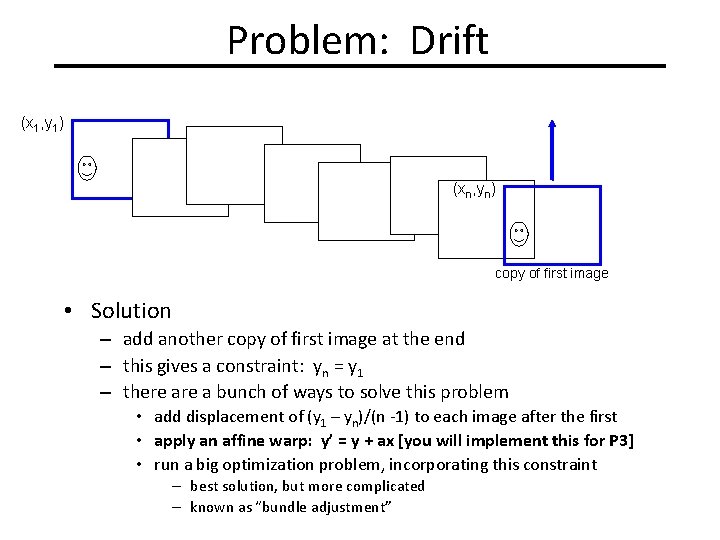
Problem: Drift (x 1, y 1) (xn, yn) copy of first image • Solution – add another copy of first image at the end – this gives a constraint: yn = y 1 – there a bunch of ways to solve this problem • add displacement of (y 1 – yn)/(n -1) to each image after the first • apply an affine warp: y’ = y + ax [you will implement this for P 3] • run a big optimization problem, incorporating this constraint – best solution, but more complicated – known as “bundle adjustment”
Project 3 • Take pictures on a tripod (or handheld) • Warp to spherical coordinates (optional if using homographies to align images) • Extract features • Align neighboring pairs using RANSAC • Write out list of neighboring translations • Correct for drift • Read in warped images and blend them • Crop the result and import into a viewer
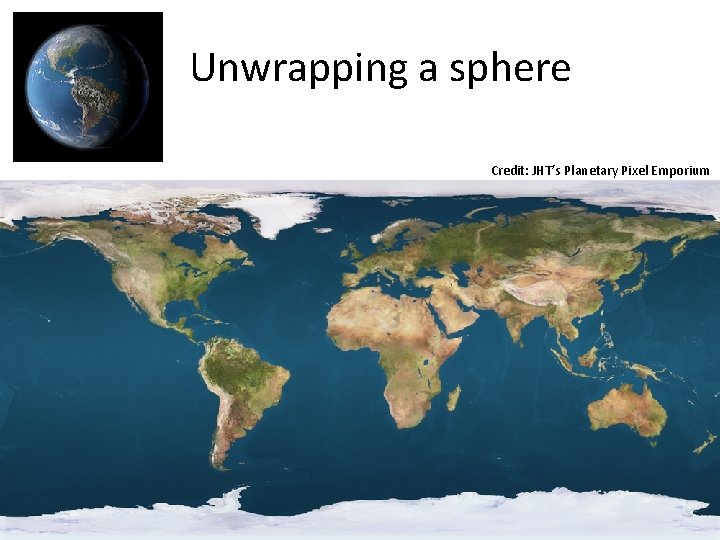
Unwrapping a sphere Credit: JHT’s Planetary Pixel Emporium
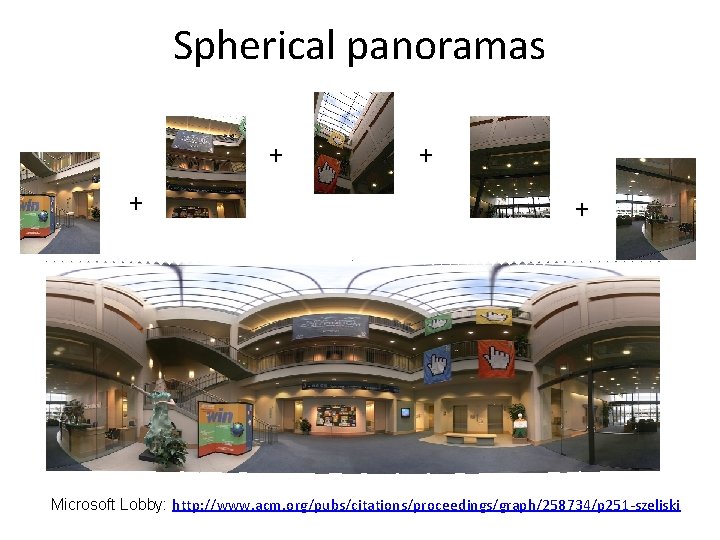
Spherical panoramas + + Microsoft Lobby: http: //www. acm. org/pubs/citations/proceedings/graph/258734/p 251 -szeliski
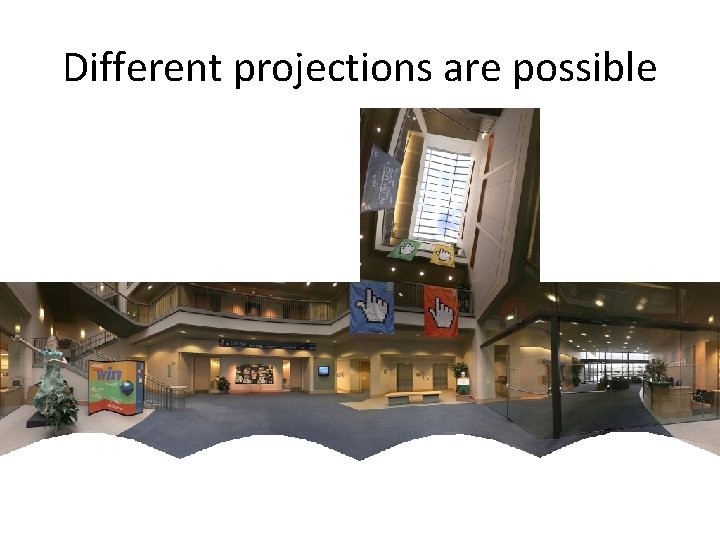
Different projections are possible
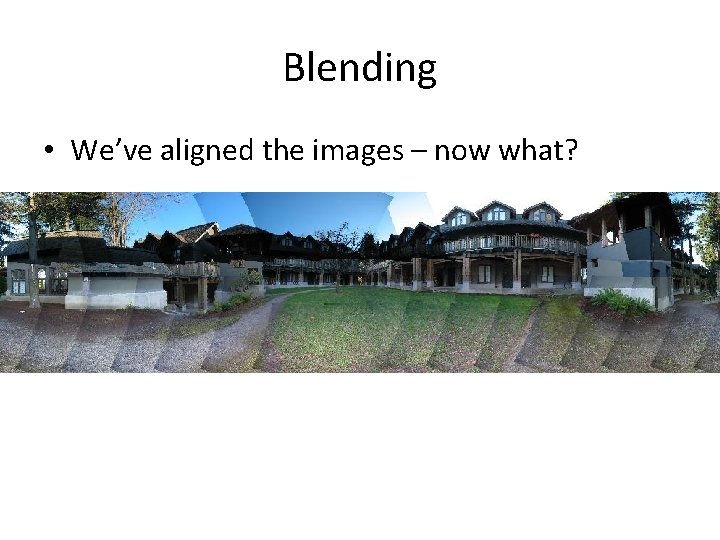
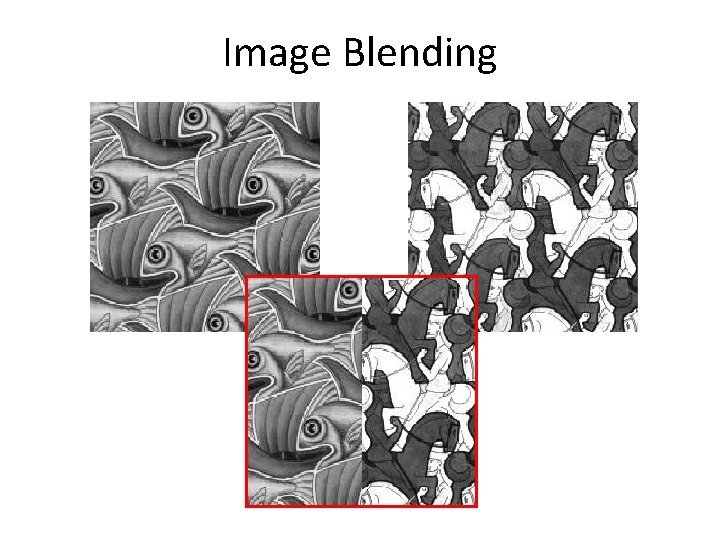
Blending • We’ve aligned the images – now what?
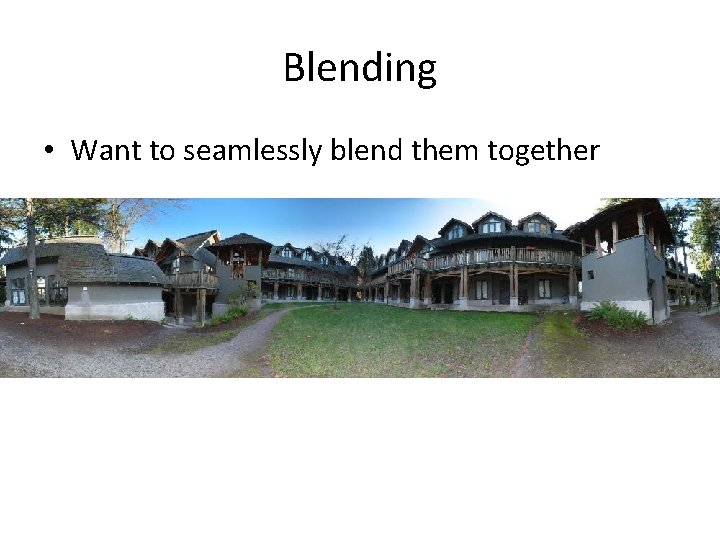
Blending • Want to seamlessly blend them together
Image Blending
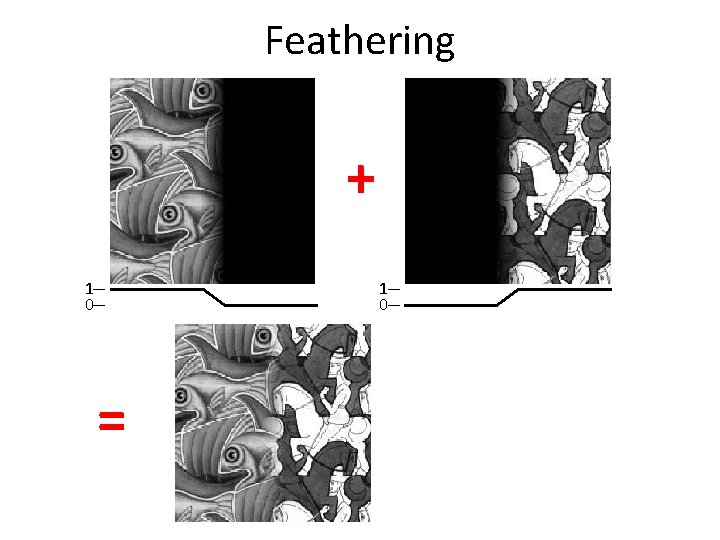
Feathering + 1 0 =
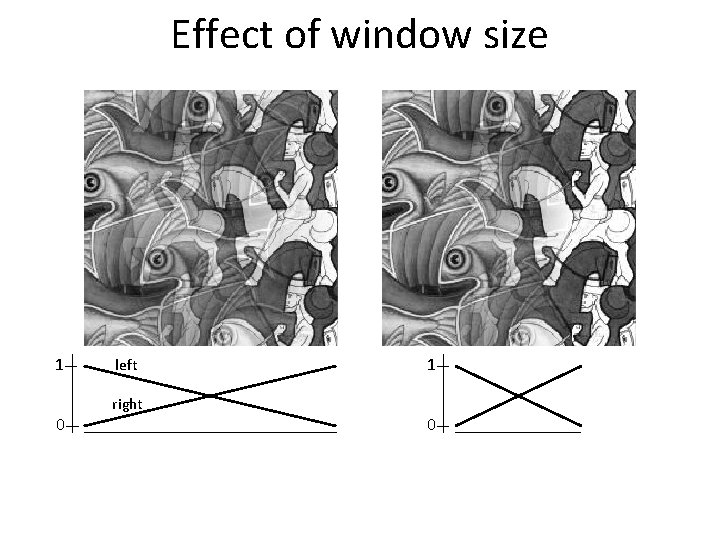
Effect of window size 1 0 left right 1 0
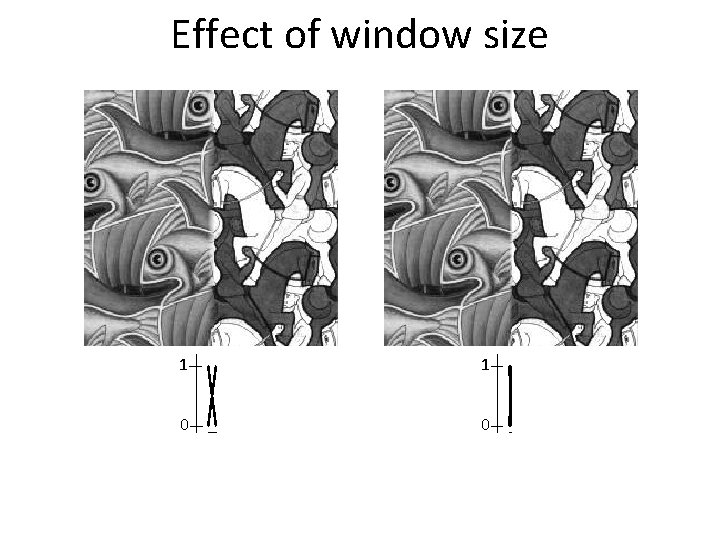
Effect of window size 1 1 0 0
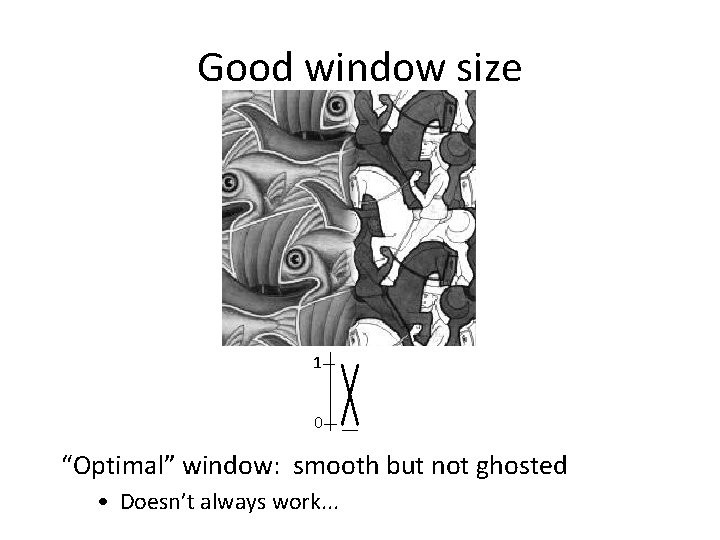
Good window size 1 0 “Optimal” window: smooth but not ghosted • Doesn’t always work. . .
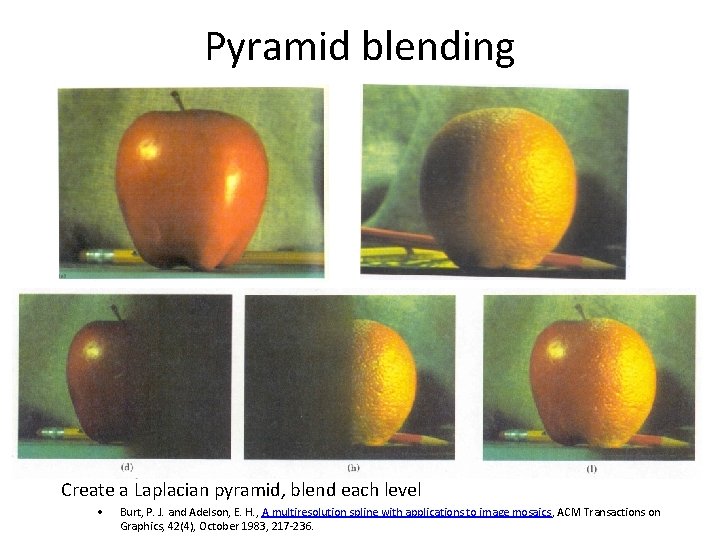
Pyramid blending Create a Laplacian pyramid, blend each level • Burt, P. J. and Adelson, E. H. , A multiresolution spline with applications to image mosaics, ACM Transactions on Graphics, 42(4), October 1983, 217 -236.
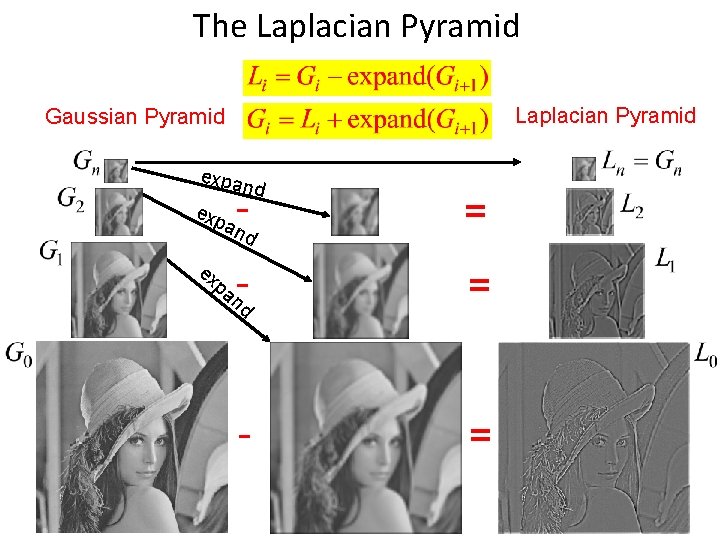
The Laplacian Pyramid Gaussian Pyramid expa n exp ex - d an = nd - = pa d
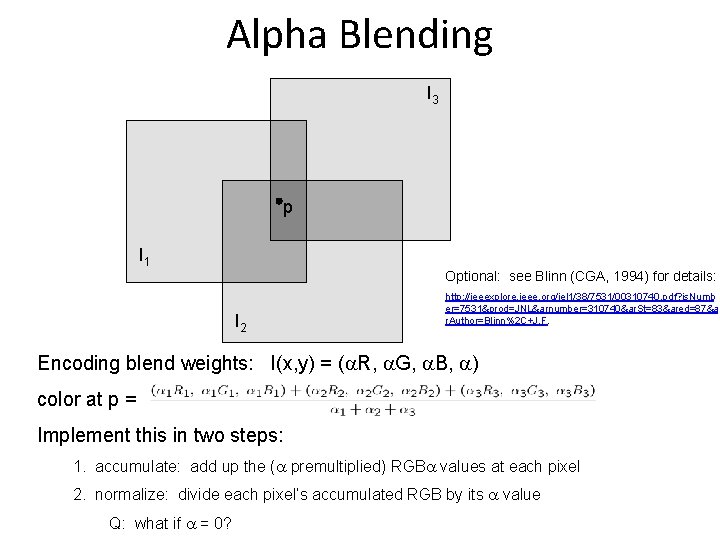
Alpha Blending I 3 p I 1 Optional: see Blinn (CGA, 1994) for details: I 2 http: //ieeexplore. ieee. org/iel 1/38/7531/00310740. pdf? is. Numb er=7531&prod=JNL&arnumber=310740&ar. St=83&ared=87&a r. Author=Blinn%2 C+J. F. Encoding blend weights: I(x, y) = ( R, G, B, ) color at p = Implement this in two steps: 1. accumulate: add up the ( premultiplied) RGB values at each pixel 2. normalize: divide each pixel’s accumulated RGB by its value Q: what if = 0?
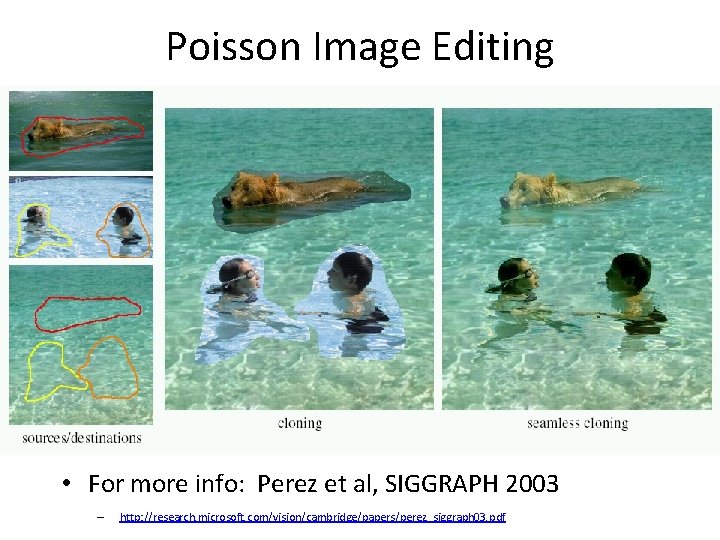
Poisson Image Editing • For more info: Perez et al, SIGGRAPH 2003 – http: //research. microsoft. com/vision/cambridge/papers/perez_siggraph 03. pdf
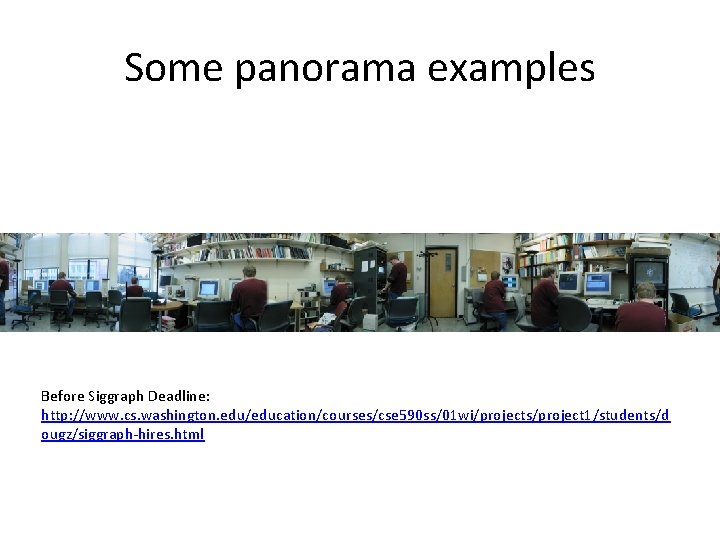
Some panorama examples Before Siggraph Deadline: http: //www. cs. washington. edu/education/courses/cse 590 ss/01 wi/projects/project 1/students/d ougz/siggraph-hires. html
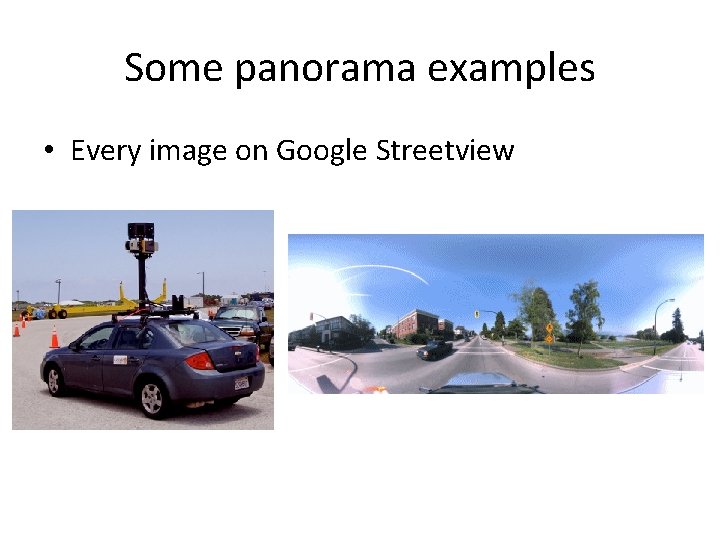
Some panorama examples • Every image on Google Streetview
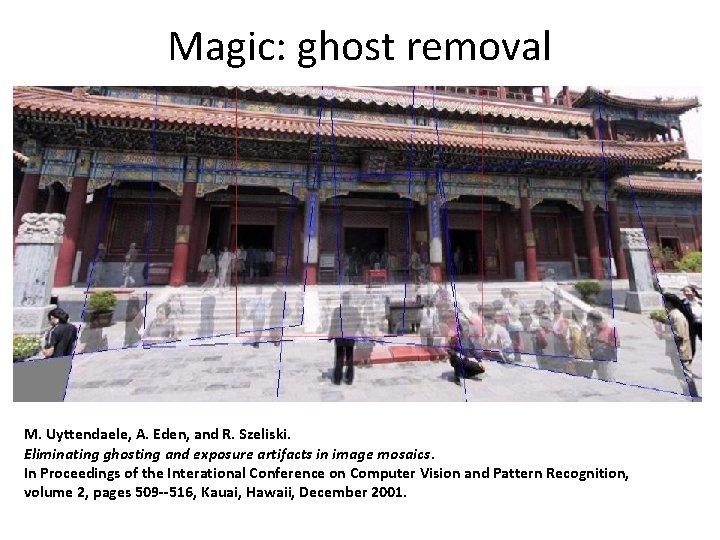
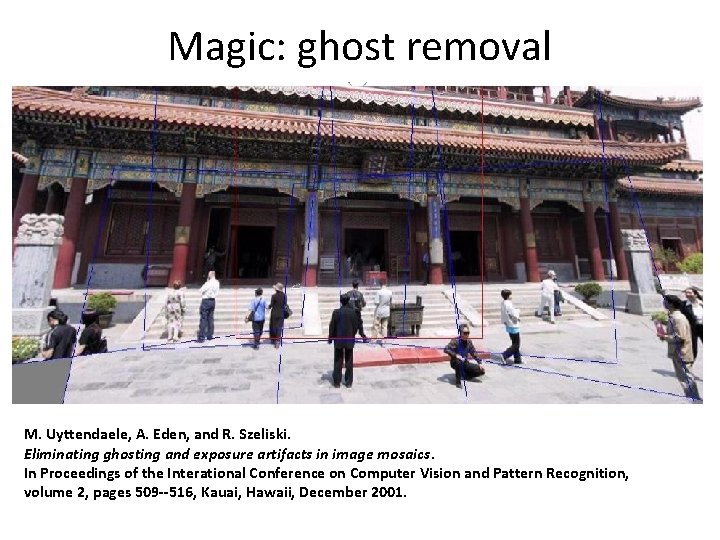
Magic: ghost removal M. Uyttendaele, A. Eden, and R. Szeliski. Eliminating ghosting and exposure artifacts in image mosaics. In Proceedings of the Interational Conference on Computer Vision and Pattern Recognition, volume 2, pages 509 --516, Kauai, Hawaii, December 2001.
Magic: ghost removal M. Uyttendaele, A. Eden, and R. Szeliski. Eliminating ghosting and exposure artifacts in image mosaics. In Proceedings of the Interational Conference on Computer Vision and Pattern Recognition, volume 2, pages 509 --516, Kauai, Hawaii, December 2001.
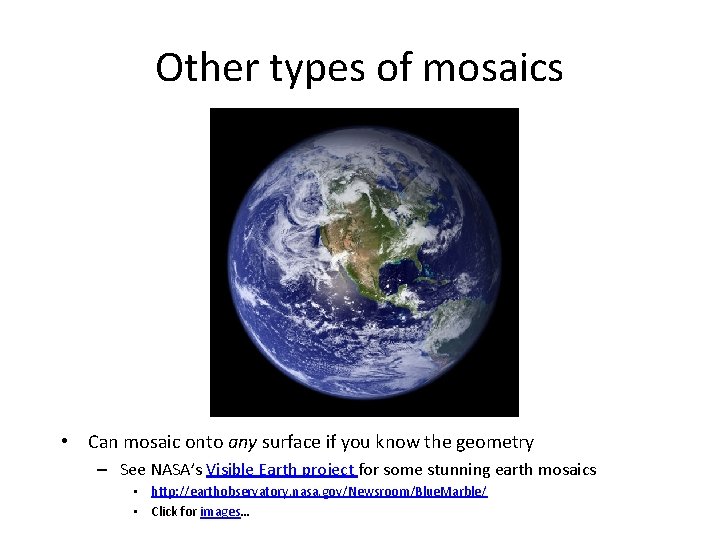
Other types of mosaics • Can mosaic onto any surface if you know the geometry – See NASA’s Visible Earth project for some stunning earth mosaics • http: //earthobservatory. nasa. gov/Newsroom/Blue. Marble/ • Click for images…
Questions?