
CS 4310 Software Engineering Lecture 6 Data Flow
- Slides: 23
CS 4310: Software Engineering Lecture 6 Data Flow Modeling
Data Flow Model Based on the notion that systems can be modelled as a set of interacting functions Uses data-flow diagrams (DFDs) to graphically represent the external entities, processes, data-flow, and data stores A graphical system model that shows all of the main requirements for an information system: inputs, outputs, processes and data storage 2
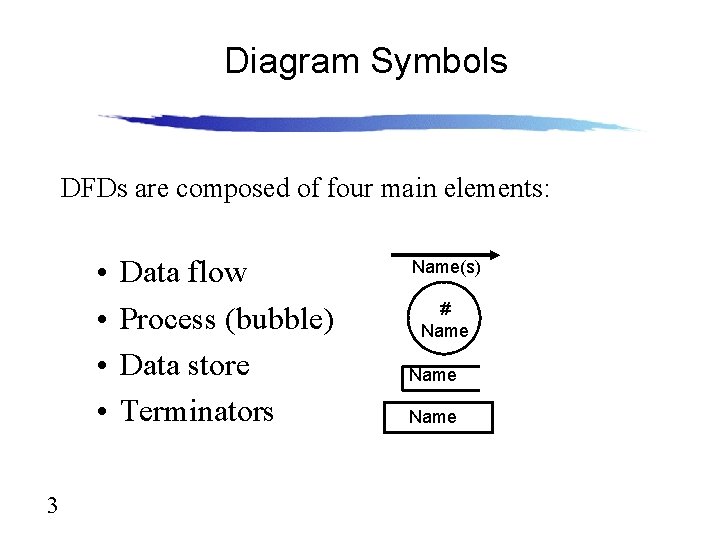
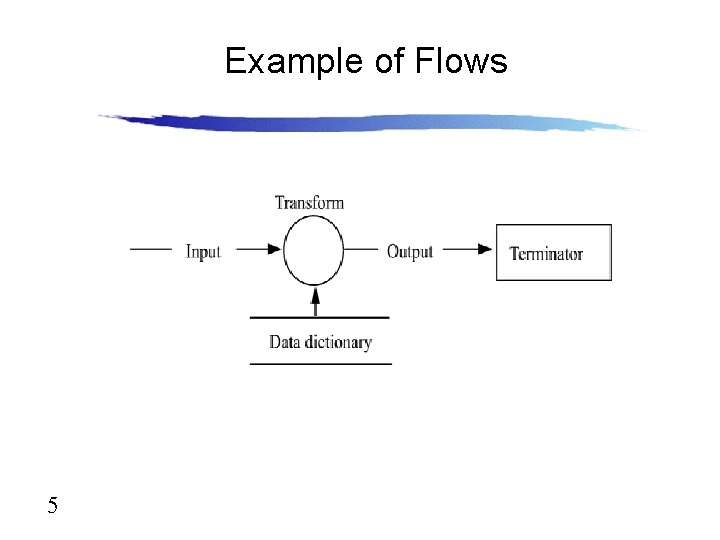
Diagram Symbols DFDs are composed of four main elements: • • 3 Data flow Process (bubble) Data store Terminators Name(s) # Name
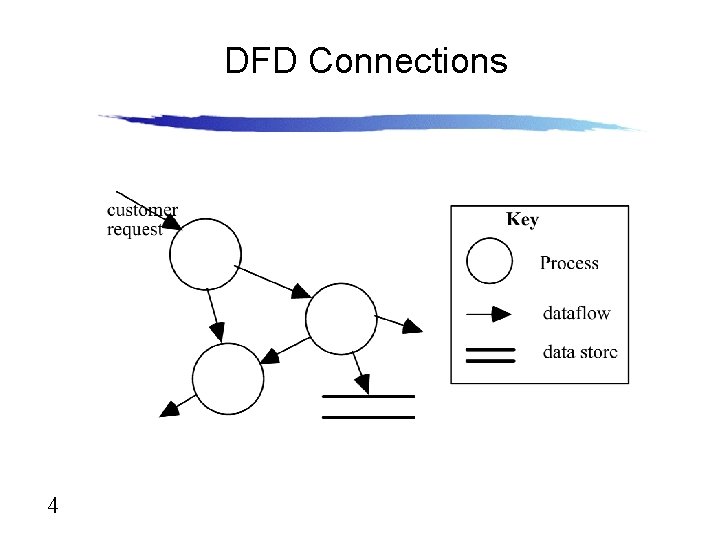
DFD Connections 4
Example of Flows 5
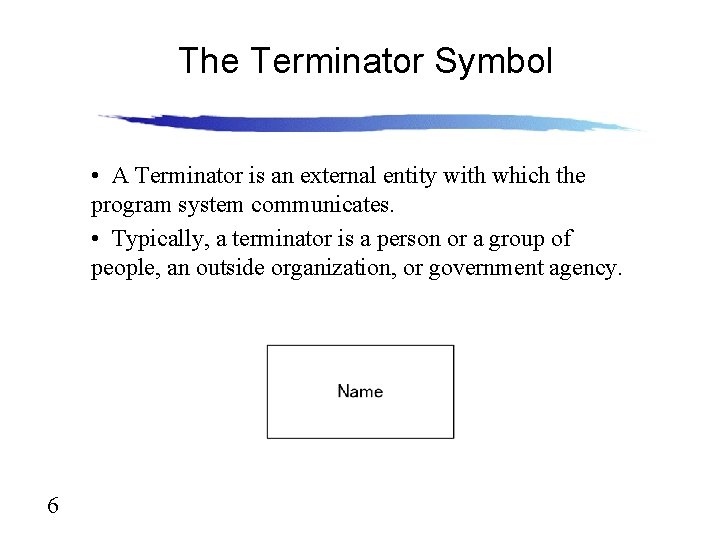
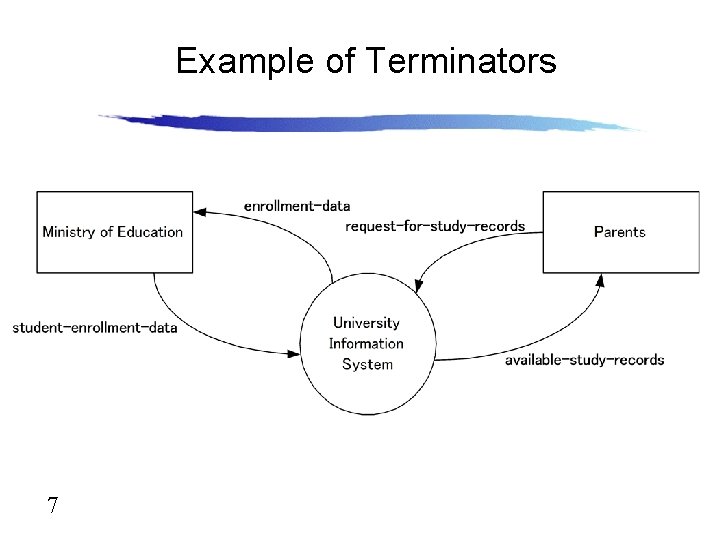
The Terminator Symbol • A Terminator is an external entity with which the program system communicates. • Typically, a terminator is a person or a group of people, an outside organization, or government agency. 6
Example of Terminators 7
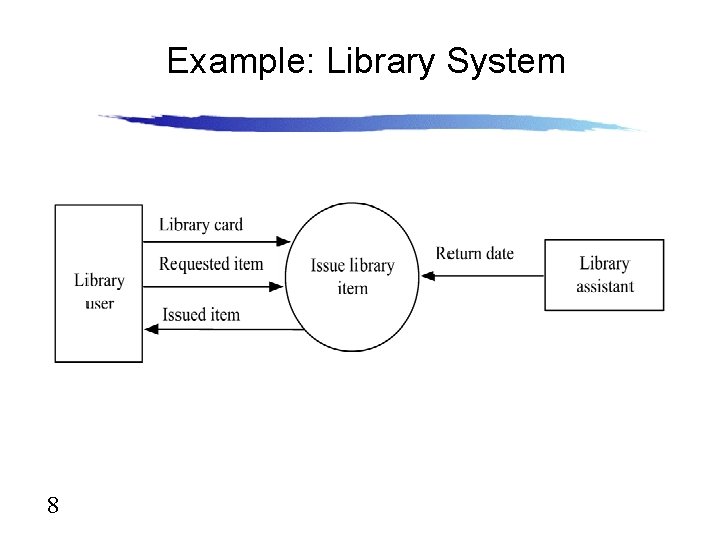
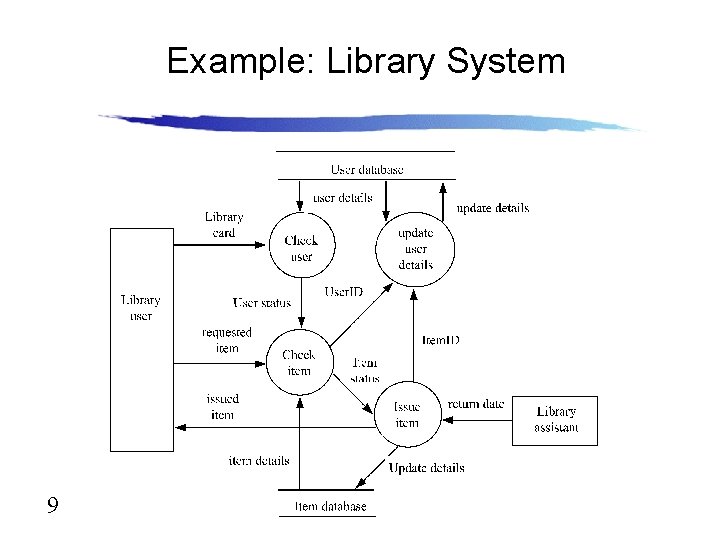
Example: Library System 8
Example: Library System 9
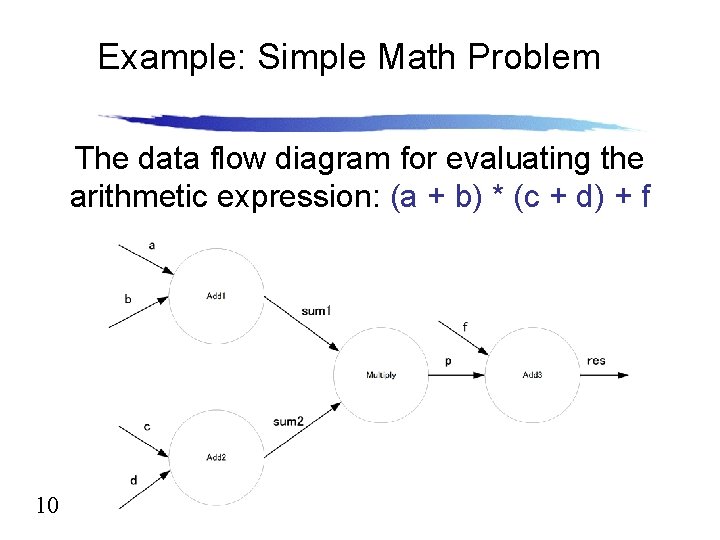
Example: Simple Math Problem The data flow diagram for evaluating the arithmetic expression: (a + b) * (c + d) + f 10
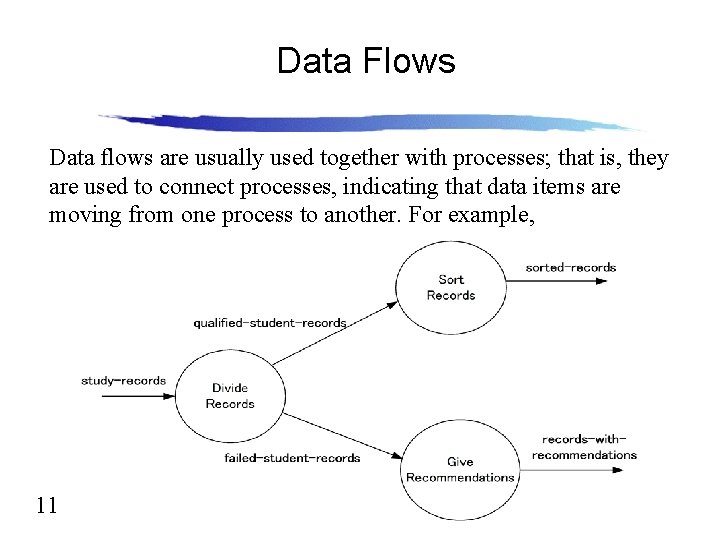
Data Flows Data flows are usually used together with processes; that is, they are used to connect processes, indicating that data items are moving from one process to another. For example, 11
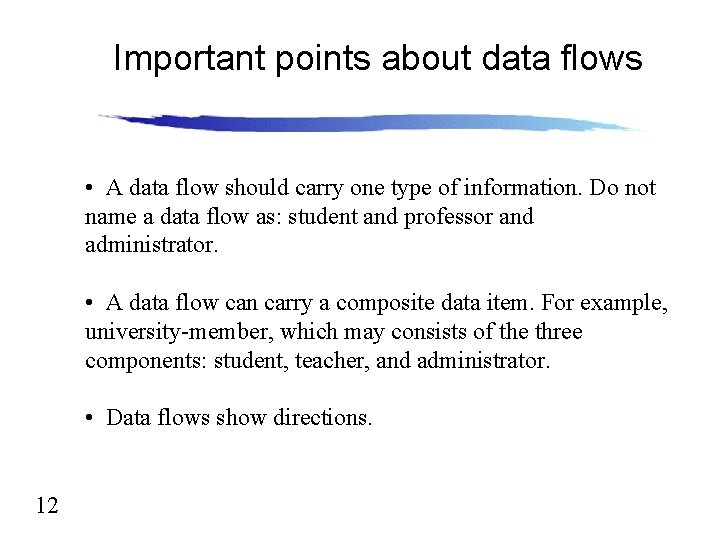
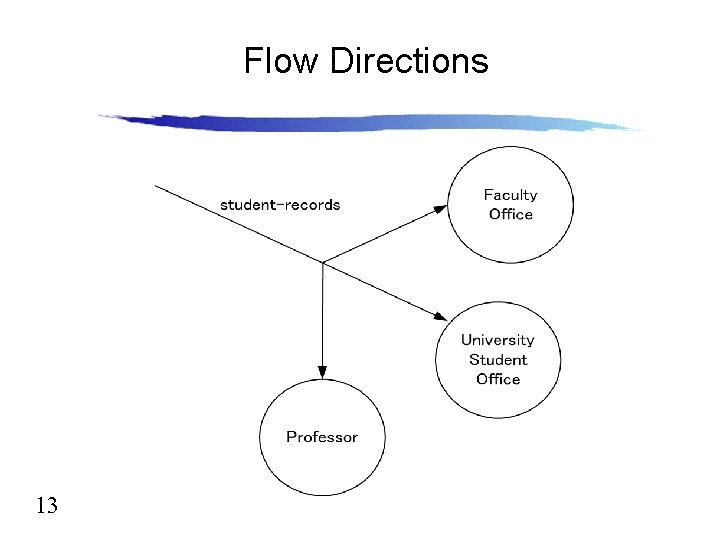
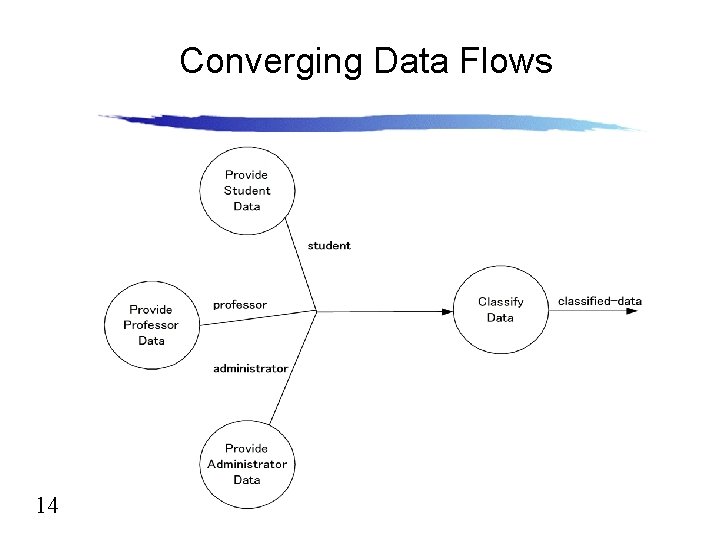
Important points about data flows • A data flow should carry one type of information. Do not name a data flow as: student and professor and administrator. • A data flow can carry a composite data item. For example, university-member, which may consists of the three components: student, teacher, and administrator. • Data flows show directions. 12
Flow Directions 13
Converging Data Flows 14
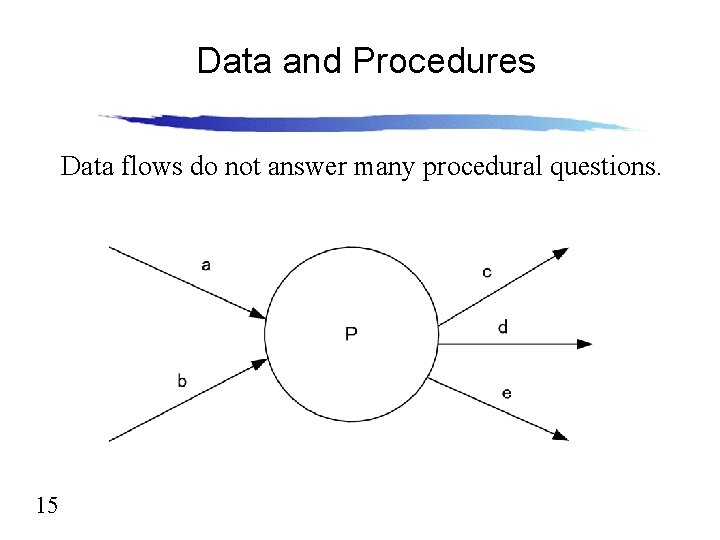
Data and Procedures Data flows do not answer many procedural questions. 15
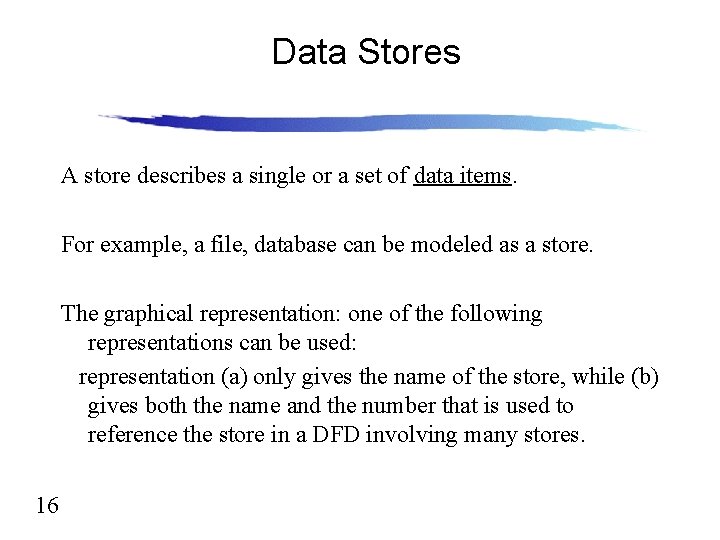
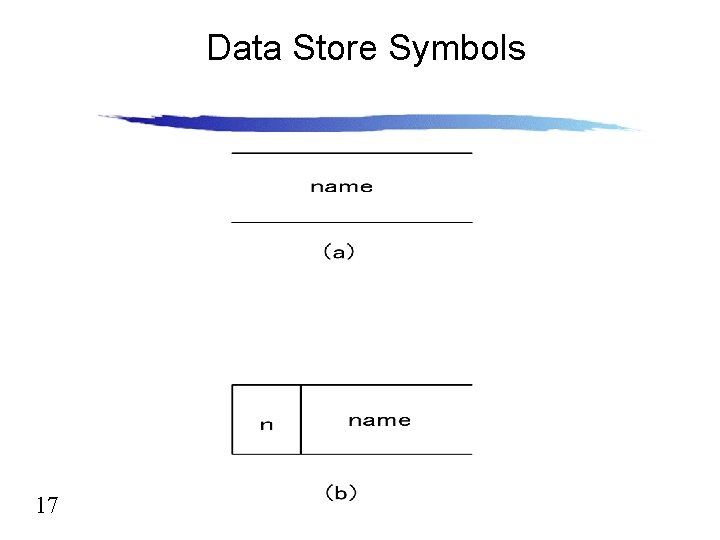
Data Stores A store describes a single or a set of data items. For example, a file, database can be modeled as a store. The graphical representation: one of the following representations can be used: representation (a) only gives the name of the store, while (b) gives both the name and the number that is used to reference the store in a DFD involving many stores. 16
Data Store Symbols 17
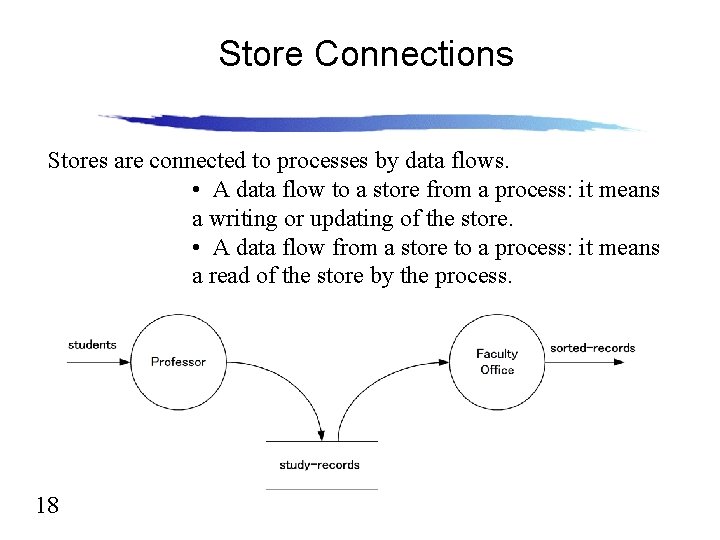
Store Connections Stores are connected to processes by data flows. • A data flow to a store from a process: it means a writing or updating of the store. • A data flow from a store to a process: it means a read of the store by the process. 18
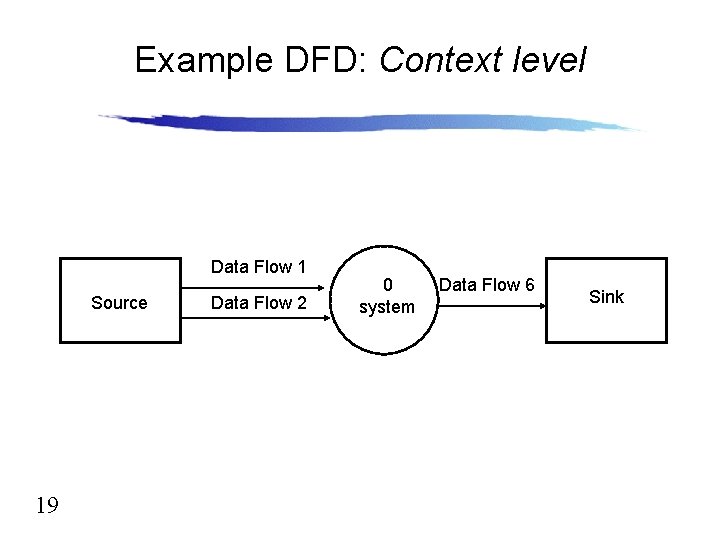
Example DFD: Context level Data Flow 1 Source 19 Data Flow 2 0 system Data Flow 6 Sink
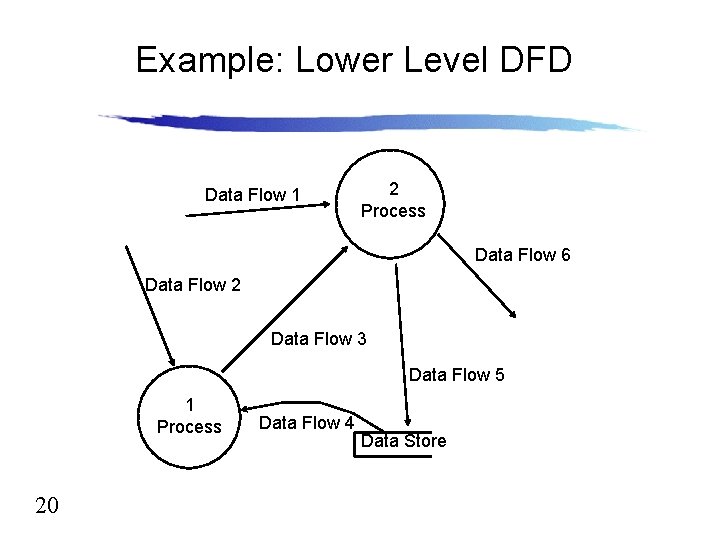
Example: Lower Level DFD Data Flow 1 2 Process Data Flow 6 Data Flow 2 Data Flow 3 Data Flow 5 1 Process 20 Data Flow 4 Data Store
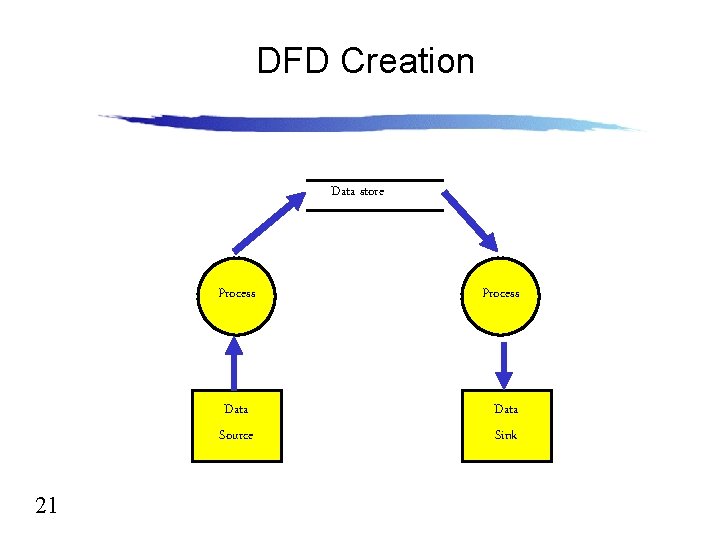
DFD Creation Data store 21 Process Data Source Data Sink
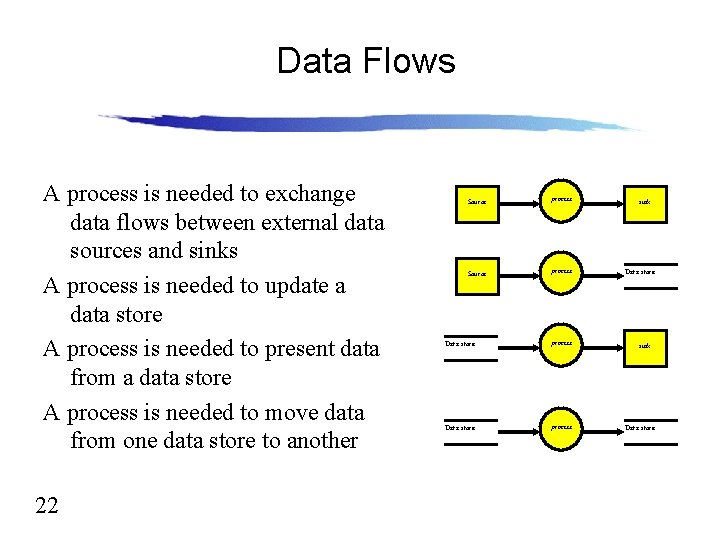
Data Flows A process is needed to exchange data flows between external data sources and sinks A process is needed to update a data store A process is needed to present data from a data store A process is needed to move data from one data store to another 22 Source process Data store process sink Data store
Your Project Work • Develop Analysis Document. • Think about your system’s data flows and processes 23