
CS 430 Computer Graphics Rendering Pipeline and Primitive
- Slides: 19
CS 430 Computer Graphics Rendering Pipeline and Primitive Rasterization Chi-Cheng Lin, Winona State University
Topics Introduction l Viewport Transformation l Primitive Rasterization l Primitive Clipping l 2
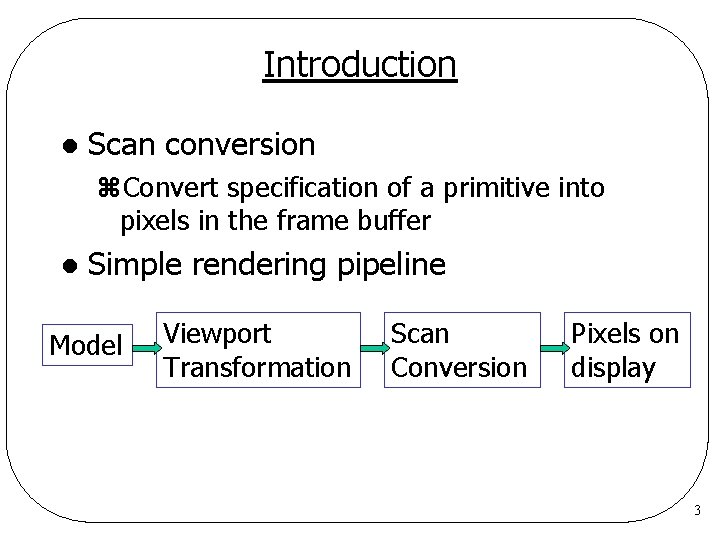
Introduction l Scan conversion z. Convert specification of a primitive into pixels in the frame buffer l Simple rendering pipeline Model Viewport Transformation Scan Conversion Pixels on display 3
Viewport Transformation l Problem z. When we define a 2 D model, we want to use whatever coordinate values and units convenient to use in the 2 D Cartesian system. z. BUT, the coordinate values on the display (or in the screen window) are always nonnegative measured in pixels. z. ALSO, we might want to show different parts of our model in different places on the display (or in the screen window) l Solution: viewport transformation 4
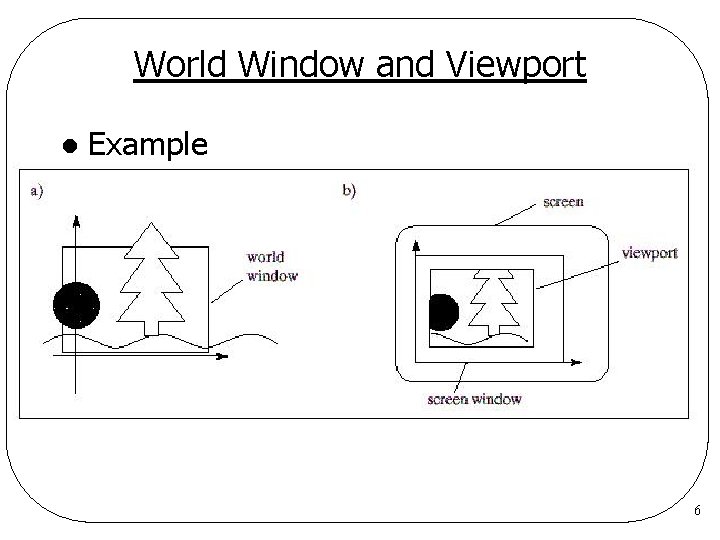
World Window and Viewport l World coordinate z. Space in which objects are described l World window z. A rectangle area specifies which part of the “world” should be drawn l Viewport z. A rectangle area specifies which part on the display (or in the window) the world window is mapped to 5
World Window and Viewport l Example 6
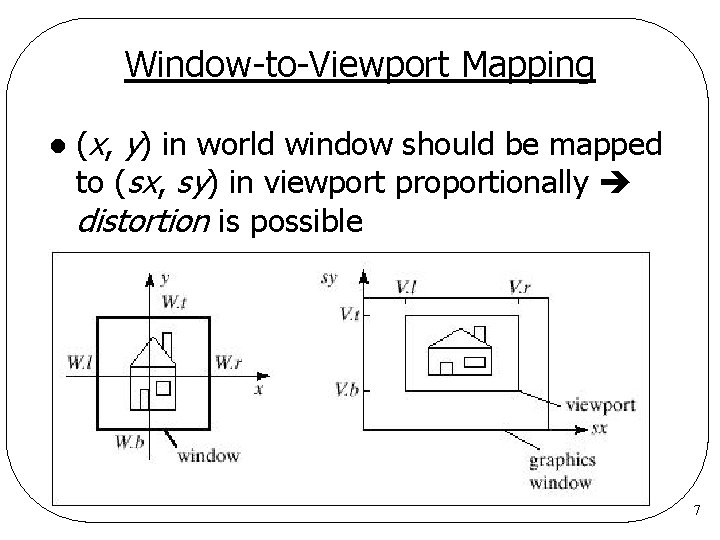
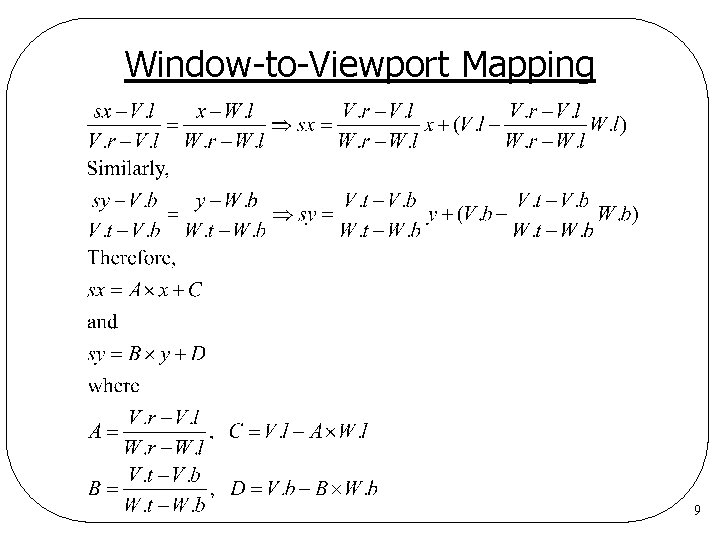
Window-to-Viewport Mapping l (x, y) in world window should be mapped to (sx, sy) in viewport proportionally distortion is possible 7
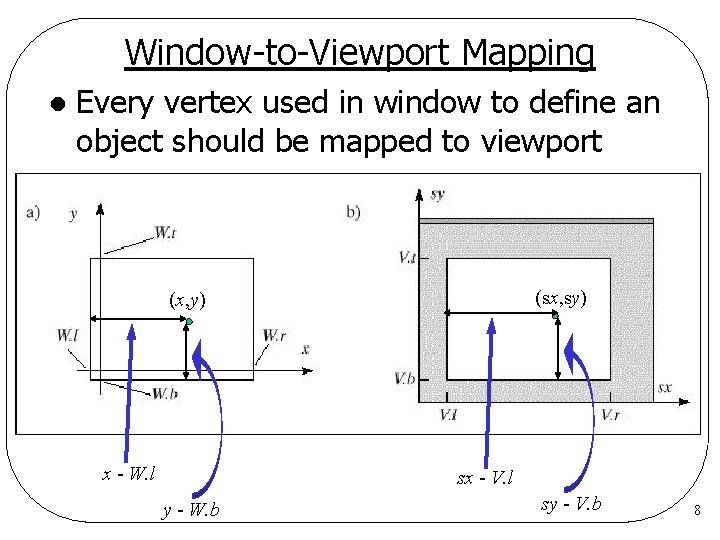
Window-to-Viewport Mapping l Every vertex used in window to define an object should be mapped to viewport (sx, sy) (x, y) x - W. l sx - V. l y - W. b sy - V. b 8
Window-to-Viewport Mapping 9
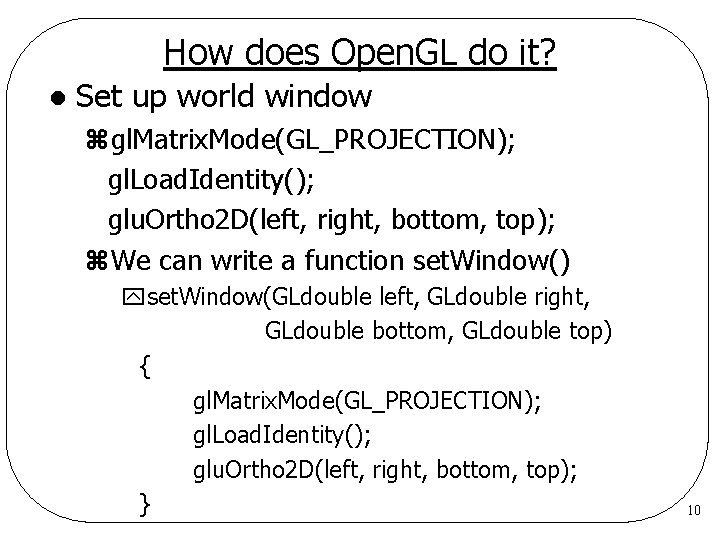
How does Open. GL do it? l Set up world window zgl. Matrix. Mode(GL_PROJECTION); gl. Load. Identity(); glu. Ortho 2 D(left, right, bottom, top); z. We can write a function set. Window() yset. Window(GLdouble left, GLdouble right, GLdouble bottom, GLdouble top) { gl. Matrix. Mode(GL_PROJECTION); gl. Load. Identity(); glu. Ortho 2 D(left, right, bottom, top); } 10
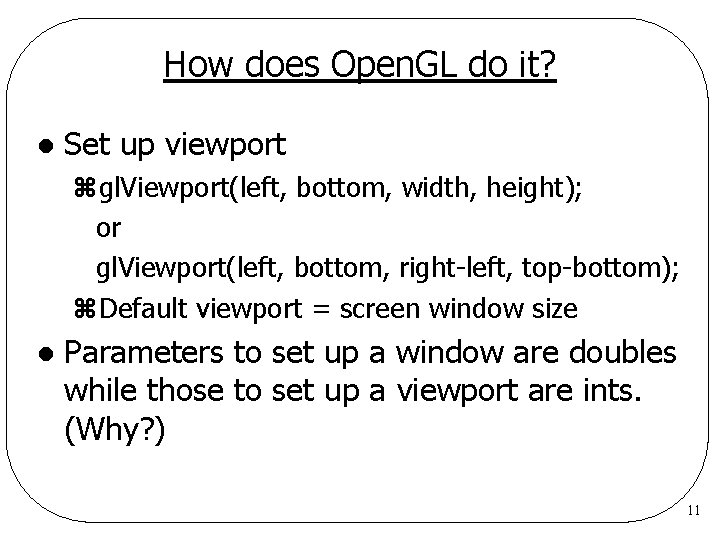
How does Open. GL do it? l Set up viewport zgl. Viewport(left, bottom, width, height); or gl. Viewport(left, bottom, right-left, top-bottom); z. Default viewport = screen window size l Parameters to set up a window are doubles while those to set up a viewport are ints. (Why? ) 11
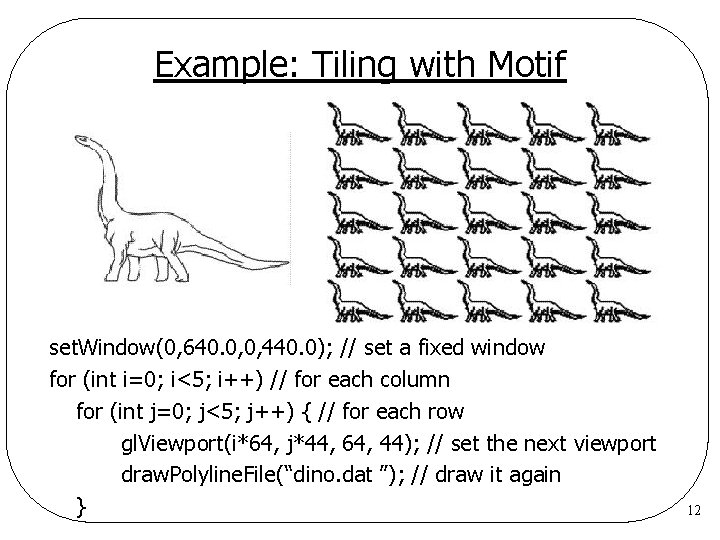
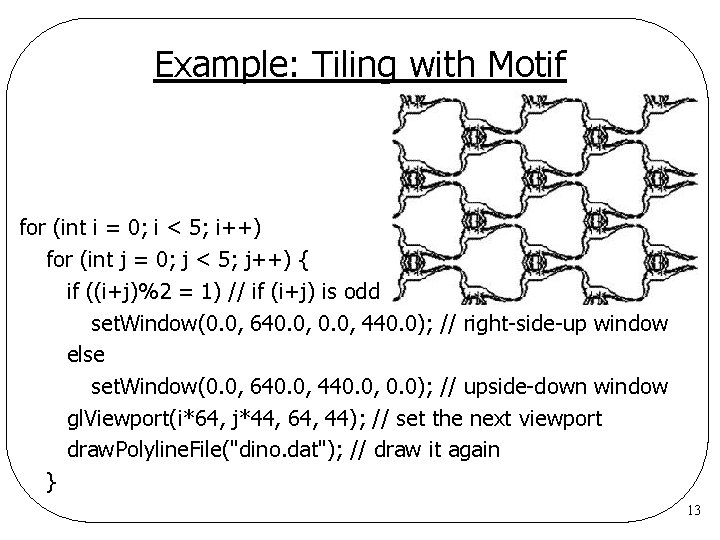
Example: Tiling with Motif set. Window(0, 640. 0, 0, 440. 0); // set a fixed window for (int i=0; i<5; i++) // for each column for (int j=0; j<5; j++) { // for each row gl. Viewport(i*64, j*44, 64, 44); // set the next viewport draw. Polyline. File(“dino. dat ”); // draw it again } 12
Example: Tiling with Motif for (int i = 0; i < 5; i++) for (int j = 0; j < 5; j++) { if ((i+j)%2 = 1) // if (i+j) is odd set. Window(0. 0, 640. 0, 440. 0); // right-side-up window else set. Window(0. 0, 640. 0, 440. 0, 0. 0); // upside-down window gl. Viewport(i*64, j*44, 64, 44); // set the next viewport draw. Polyline. File("dino. dat"); // draw it again } 13
Zooming and Panning l Zooming z. Scale the world window with respect to the center of the world window with viewport fixed l Panning z. Shift the world window with viewport fixed 14
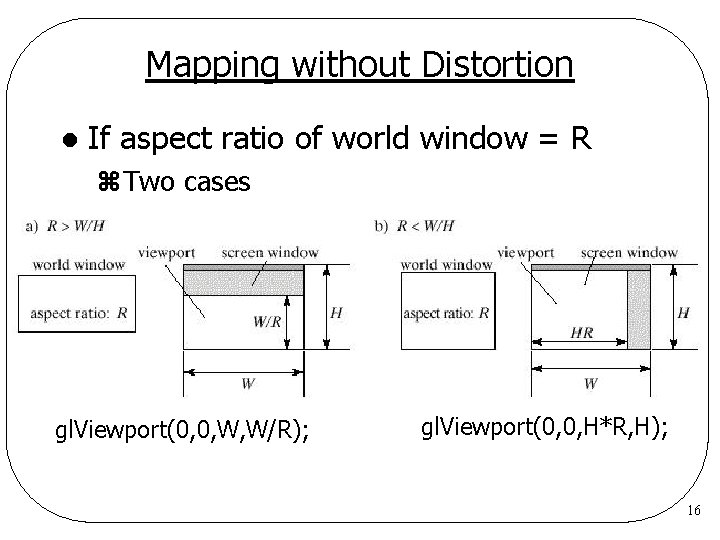
Mapping without Distortion l To prevent from distortion, a viewport with the same aspect ratio of world window is required. z. Aspect ratio: width/height l How do you draw the largest undistorted picture in the screen window? 15
Mapping without Distortion l If aspect ratio of world window = R z. Two cases gl. Viewport(0, 0, W, W/R); gl. Viewport(0, 0, H*R, H); 16
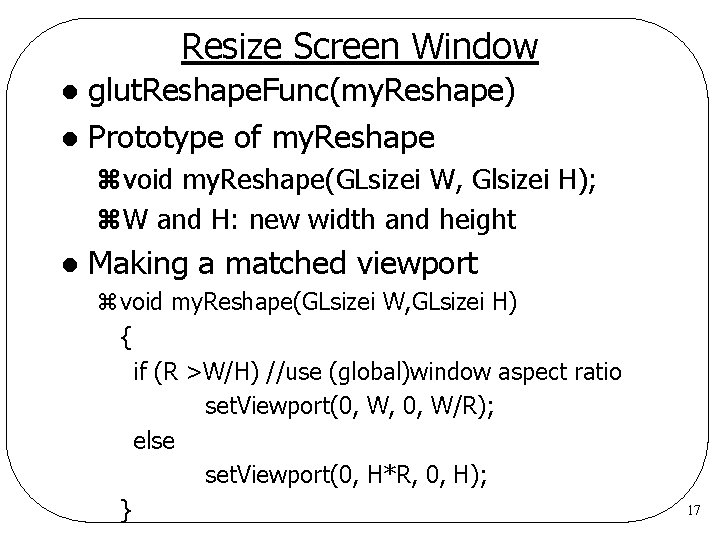
Resize Screen Window glut. Reshape. Func(my. Reshape) l Prototype of my. Reshape l zvoid my. Reshape(GLsizei W, Glsizei H); z. W and H: new width and height l Making a matched viewport zvoid my. Reshape(GLsizei W, GLsizei H) { if (R >W/H) //use (global)window aspect ratio set. Viewport(0, W, 0, W/R); else set. Viewport(0, H*R, 0, H); } 17
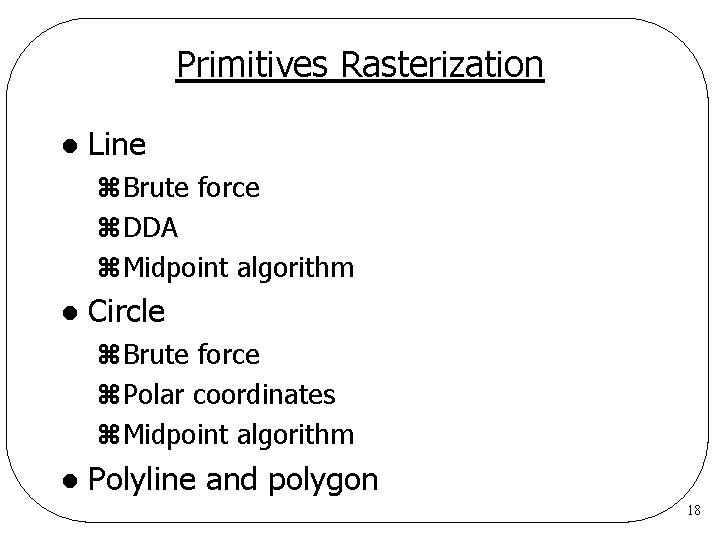
Primitives Rasterization l Line z. Brute force z. DDA z. Midpoint algorithm l Circle z. Brute force z. Polar coordinates z. Midpoint algorithm l Polyline and polygon 18
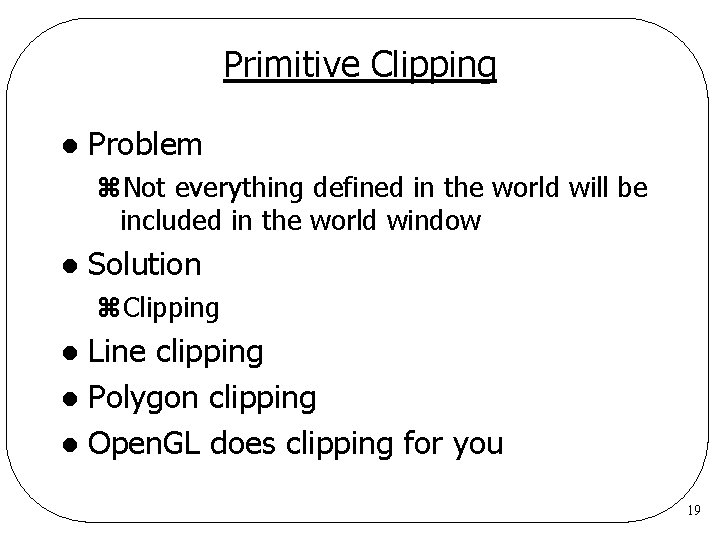
Primitive Clipping l Problem z. Not everything defined in the world will be included in the world window l Solution z. Clipping Line clipping l Polygon clipping l Open. GL does clipping for you l 19