
CS 430 Computer Architecture William J Taffe using
- Slides: 42
CS 430 – Computer Architecture William J. Taffe using slides of David Patterson CS 430 – Computer Architecture 1
Outline ° Memory Hierarchy ° Direct-Mapped Cache ° Types of Cache Misses ° A (long) detailed example ° Peer - to - peer education example ° Block Size (if time permits) CS 430 – Computer Architecture 2
Memory Hierarchy (1/4) ° Processor • executes programs • runs on order of nanoseconds to picoseconds • needs to access code and data for programs: where are these? ° Disk • HUGE capacity (virtually limitless) • VERY slow: runs on order of milliseconds • so how do we account for this gap? CS 430 – Computer Architecture 3
Memory Hierarchy (2/4) ° Memory (DRAM) • smaller than disk (not limitless capacity) • contains subset of data on disk: basically portions of programs that are currently being run • much faster than disk: memory accesses don’t slow down processor quite as much • Problem: memory is still too slow (hundreds of nanoseconds) • Solution: add more layers (caches) CS 430 – Computer Architecture 4
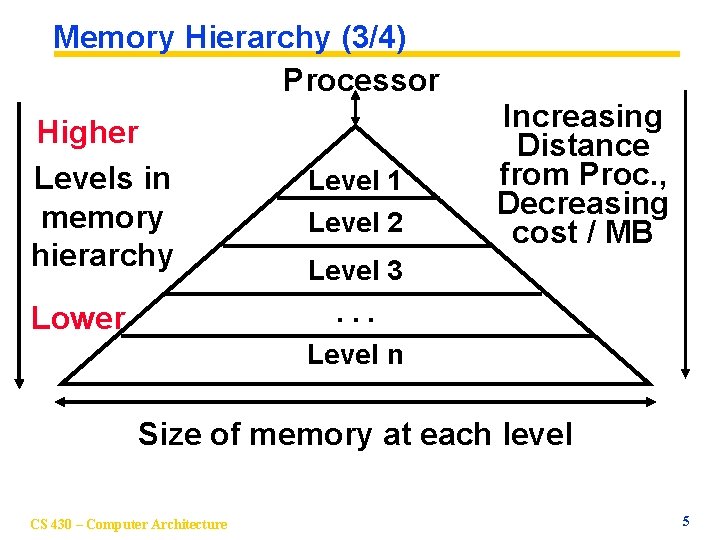
Memory Hierarchy (3/4) Processor Higher Levels in memory hierarchy Lower Level 1 Level 2 Increasing Distance from Proc. , Decreasing cost / MB Level 3. . . Level n Size of memory at each level CS 430 – Computer Architecture 5
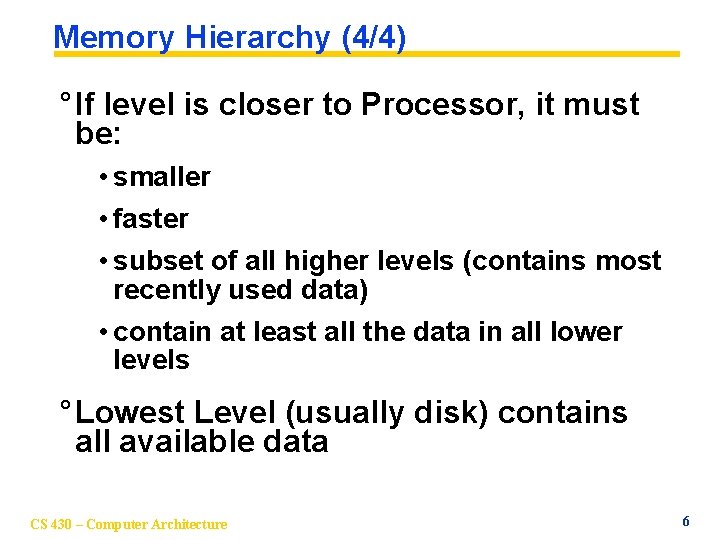
Memory Hierarchy (4/4) ° If level is closer to Processor, it must be: • smaller • faster • subset of all higher levels (contains most recently used data) • contain at least all the data in all lower levels ° Lowest Level (usually disk) contains all available data CS 430 – Computer Architecture 6
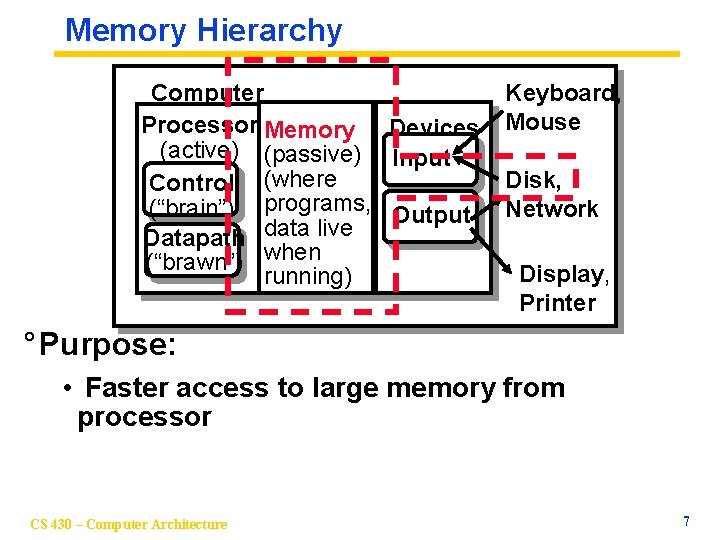
Memory Hierarchy Computer Processor Memory Devices (active) (passive) Input Control (where (“brain”) programs, Output Datapath data live (“brawn”) when running) Keyboard, Mouse Disk, Network Display, Printer ° Purpose: • Faster access to large memory from processor CS 430 – Computer Architecture 7
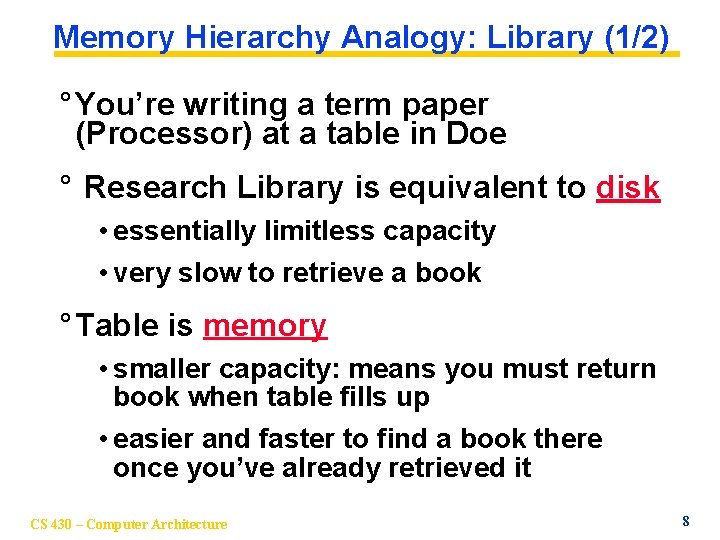
Memory Hierarchy Analogy: Library (1/2) ° You’re writing a term paper (Processor) at a table in Doe ° Research Library is equivalent to disk • essentially limitless capacity • very slow to retrieve a book ° Table is memory • smaller capacity: means you must return book when table fills up • easier and faster to find a book there once you’ve already retrieved it CS 430 – Computer Architecture 8
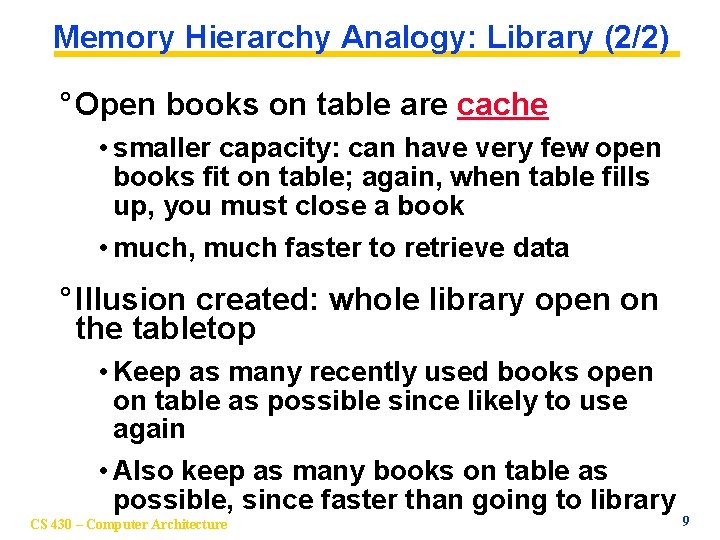
Memory Hierarchy Analogy: Library (2/2) ° Open books on table are cache • smaller capacity: can have very few open books fit on table; again, when table fills up, you must close a book • much, much faster to retrieve data ° Illusion created: whole library open on the tabletop • Keep as many recently used books open on table as possible since likely to use again • Also keep as many books on table as possible, since faster than going to library CS 430 – Computer Architecture 9
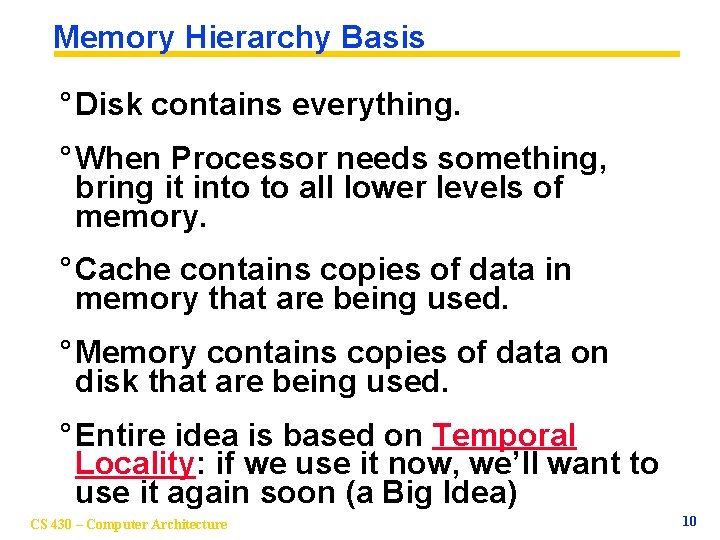
Memory Hierarchy Basis ° Disk contains everything. ° When Processor needs something, bring it into to all lower levels of memory. ° Cache contains copies of data in memory that are being used. ° Memory contains copies of data on disk that are being used. ° Entire idea is based on Temporal Locality: if we use it now, we’ll want to use it again soon (a Big Idea) CS 430 – Computer Architecture 10
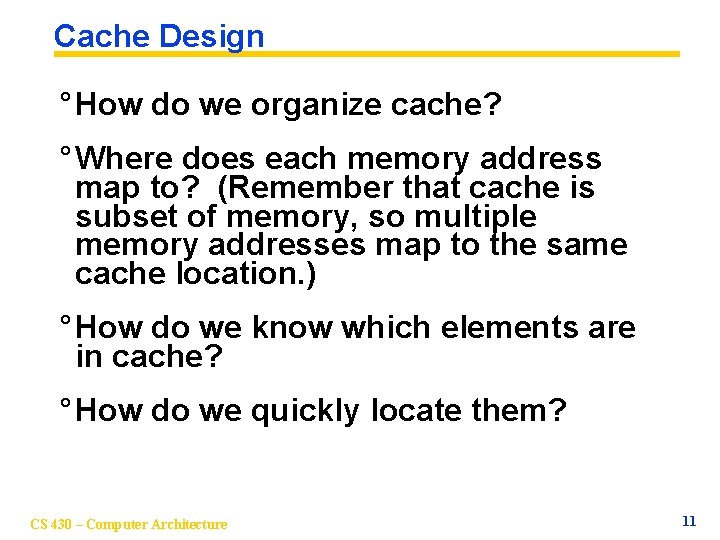
Cache Design ° How do we organize cache? ° Where does each memory address map to? (Remember that cache is subset of memory, so multiple memory addresses map to the same cache location. ) ° How do we know which elements are in cache? ° How do we quickly locate them? CS 430 – Computer Architecture 11
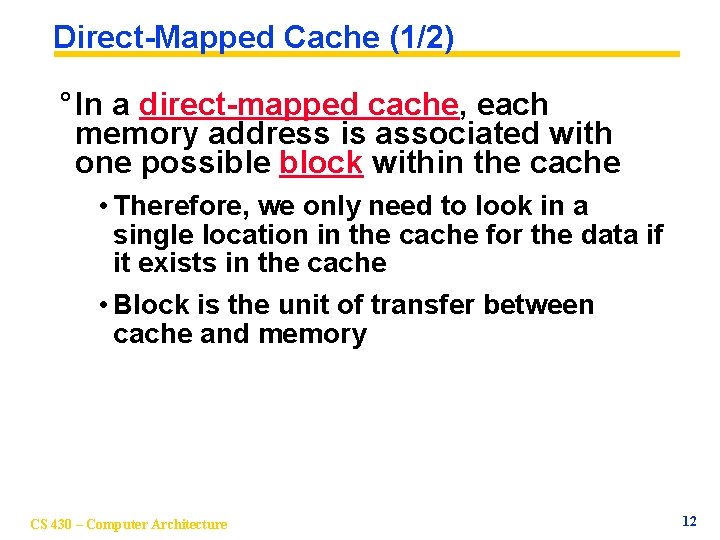
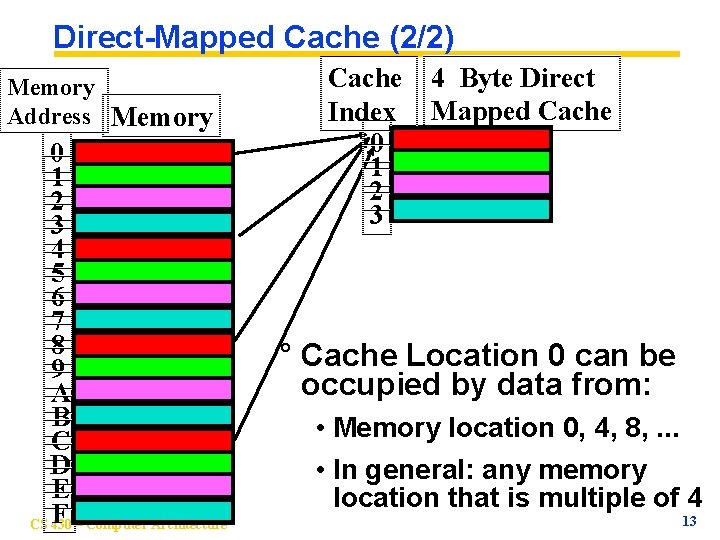
Direct-Mapped Cache (1/2) ° In a direct-mapped cache, each memory address is associated with one possible block within the cache • Therefore, we only need to look in a single location in the cache for the data if it exists in the cache • Block is the unit of transfer between cache and memory CS 430 – Computer Architecture 12
Direct-Mapped Cache (2/2) Memory Address Memory 0 1 2 3 4 5 6 7 8 9 A B C D E CS F 430 – Computer Architecture Cache Index 0 1 2 3 4 Byte Direct Mapped Cache ° Cache Location 0 can be occupied by data from: • Memory location 0, 4, 8, . . . • In general: any memory location that is multiple of 4 13
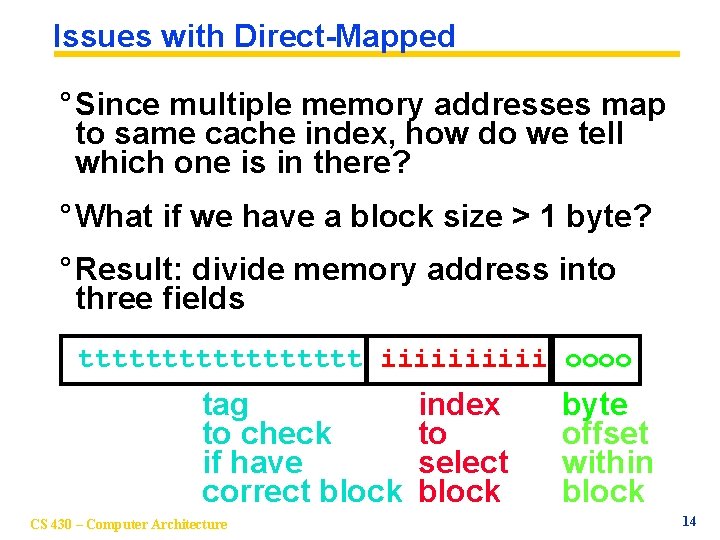
Issues with Direct-Mapped ° Since multiple memory addresses map to same cache index, how do we tell which one is in there? ° What if we have a block size > 1 byte? ° Result: divide memory address into three fields ttttttttt iiiii oooo tag to check if have correct block CS 430 – Computer Architecture index to select block byte offset within block 14
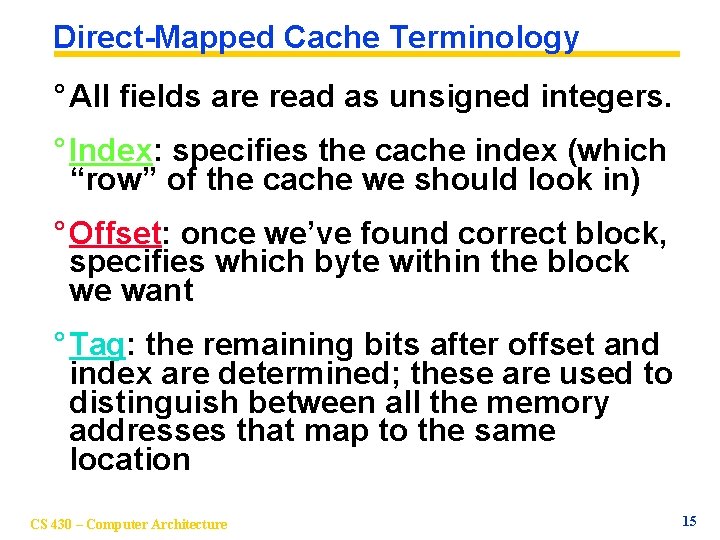
Direct-Mapped Cache Terminology ° All fields are read as unsigned integers. ° Index: specifies the cache index (which “row” of the cache we should look in) ° Offset: once we’ve found correct block, specifies which byte within the block we want ° Tag: the remaining bits after offset and index are determined; these are used to distinguish between all the memory addresses that map to the same location CS 430 – Computer Architecture 15
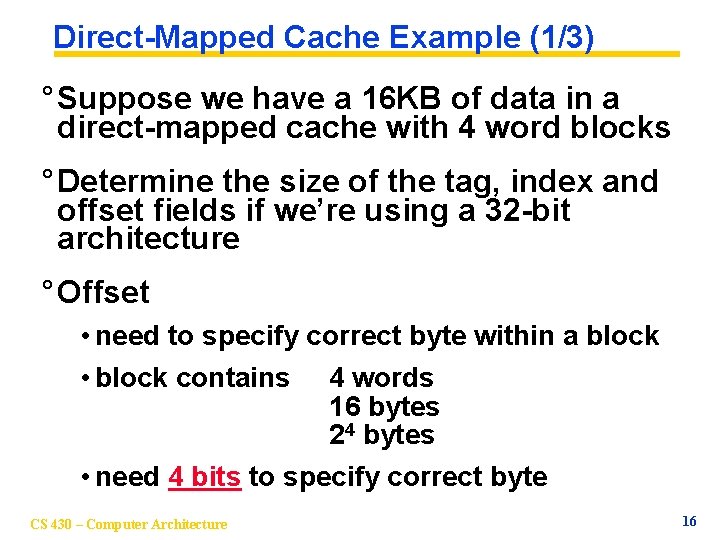
Direct-Mapped Cache Example (1/3) ° Suppose we have a 16 KB of data in a direct-mapped cache with 4 word blocks ° Determine the size of the tag, index and offset fields if we’re using a 32 -bit architecture ° Offset • need to specify correct byte within a block • block contains 4 words 16 bytes 24 bytes • need 4 bits to specify correct byte CS 430 – Computer Architecture 16
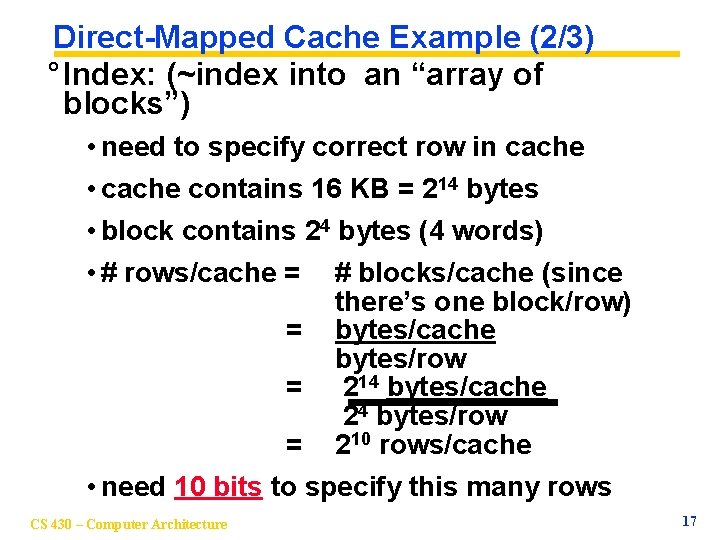
Direct-Mapped Cache Example (2/3) ° Index: (~index into an “array of blocks”) • need to specify correct row in cache • cache contains 16 KB = 214 bytes • block contains 24 bytes (4 words) • # rows/cache = # blocks/cache (since there’s one block/row) = bytes/cache bytes/row = 214 bytes/cache 24 bytes/row = 210 rows/cache • need 10 bits to specify this many rows CS 430 – Computer Architecture 17
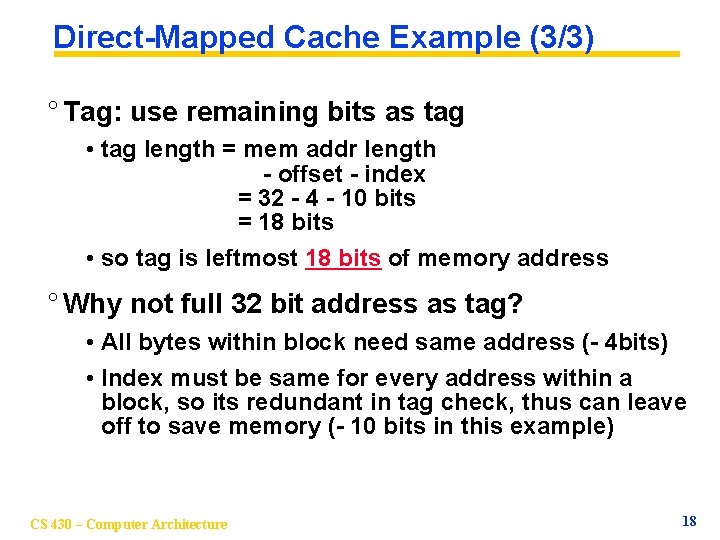
Direct-Mapped Cache Example (3/3) ° Tag: use remaining bits as tag • tag length = mem addr length - offset - index = 32 - 4 - 10 bits = 18 bits • so tag is leftmost 18 bits of memory address ° Why not full 32 bit address as tag? • All bytes within block need same address (- 4 bits) • Index must be same for every address within a block, so its redundant in tag check, thus can leave off to save memory (- 10 bits in this example) CS 430 – Computer Architecture 18
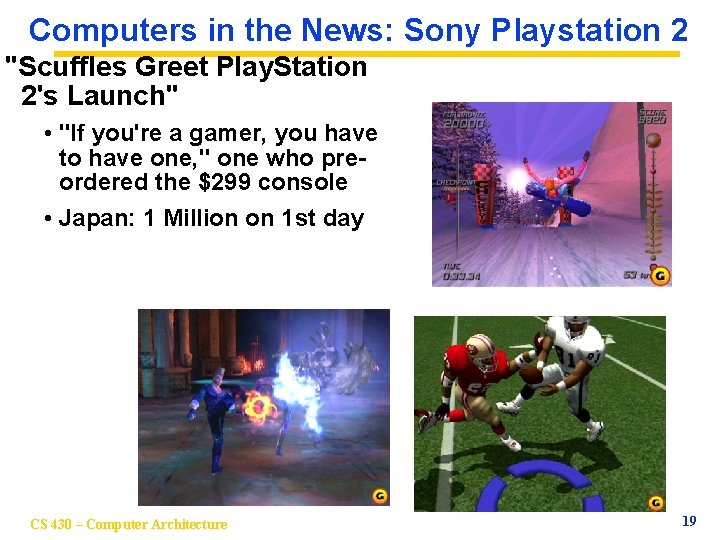
Computers in the News: Sony Playstation 2 "Scuffles Greet Play. Station 2's Launch" • "If you're a gamer, you have to have one, '' one who preordered the $299 console • Japan: 1 Million on 1 st day CS 430 – Computer Architecture 19
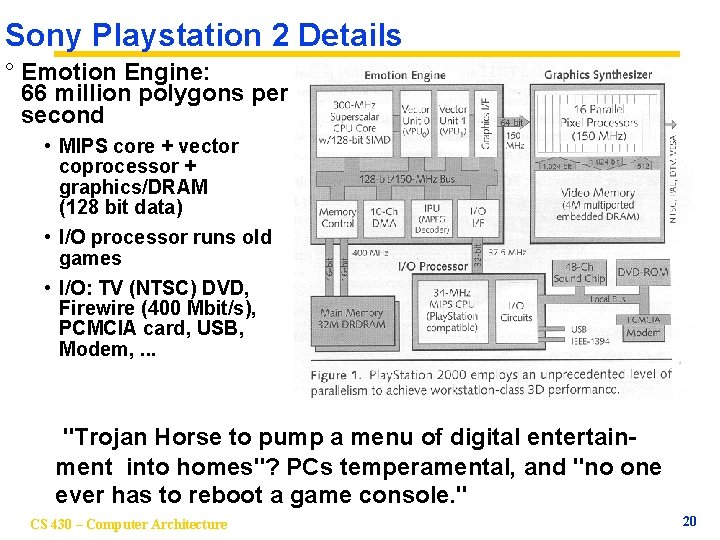
Sony Playstation 2 Details ° Emotion Engine: 66 million polygons per second • MIPS core + vector coprocessor + graphics/DRAM (128 bit data) • I/O processor runs old games • I/O: TV (NTSC) DVD, Firewire (400 Mbit/s), PCMCIA card, USB, Modem, . . . "Trojan Horse to pump a menu of digital entertainment into homes"? PCs temperamental, and "no one ever has to reboot a game console. " CS 430 – Computer Architecture 20
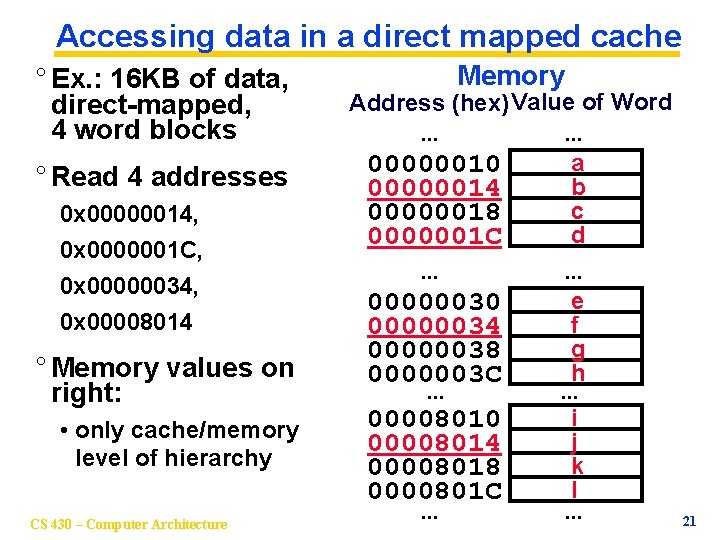
Accessing data in a direct mapped cache ° Ex. : 16 KB of data, direct-mapped, 4 word blocks ° Read 4 addresses 0 x 00000014, 0 x 0000001 C, 0 x 00000034, 0 x 00008014 ° Memory values on right: • only cache/memory level of hierarchy CS 430 – Computer Architecture Memory Address (hex) Value of Word. . . a 00000010 b 00000014 c 00000018 d 0000001 C. . . e 00000030 f 00000034 g 00000038 h 0000003 C. . . i 00008010 j 00008014 k 00008018 l 0000801 C. . . 21
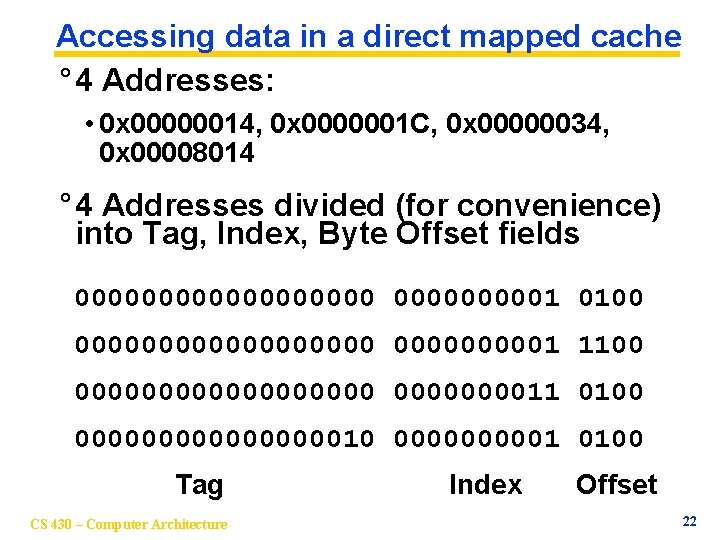
Accessing data in a direct mapped cache ° 4 Addresses: • 0 x 00000014, 0 x 0000001 C, 0 x 00000034, 0 x 00008014 ° 4 Addresses divided (for convenience) into Tag, Index, Byte Offset fields 0000000001 0100 0000000001 1100 00000000011 0100 0000000010 000001 0100 Tag CS 430 – Computer Architecture Index Offset 22
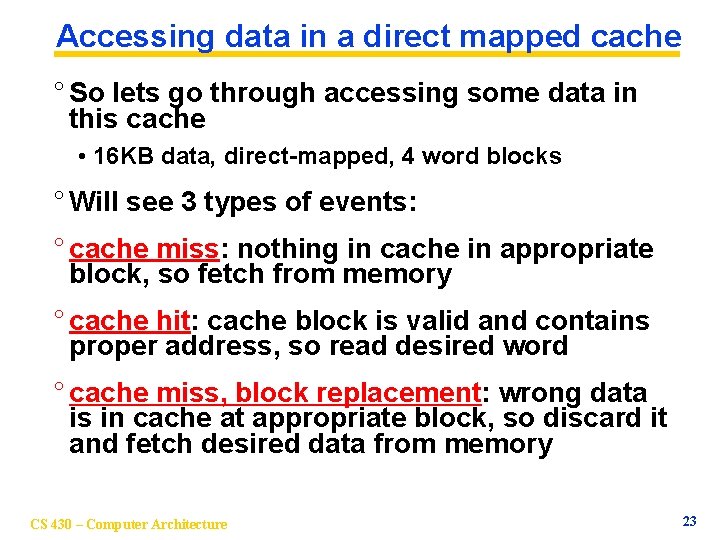
Accessing data in a direct mapped cache ° So lets go through accessing some data in this cache • 16 KB data, direct-mapped, 4 word blocks ° Will see 3 types of events: ° cache miss: nothing in cache in appropriate block, so fetch from memory ° cache hit: cache block is valid and contains proper address, so read desired word ° cache miss, block replacement: wrong data is in cache at appropriate block, so discard it and fetch desired data from memory CS 430 – Computer Architecture 23
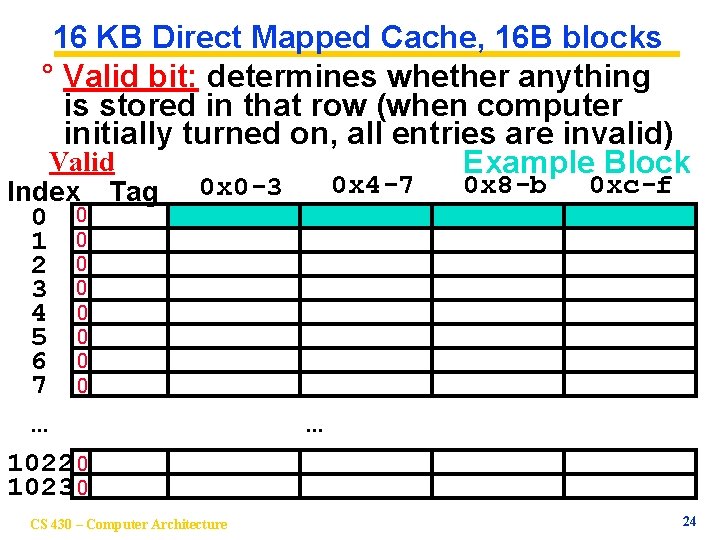
16 KB Direct Mapped Cache, 16 B blocks ° Valid bit: determines whether anything is stored in that row (when computer initially turned on, all entries are invalid) Valid Example Block Index Tag 0 0 1 0 2 0 3 0 4 0 5 0 6 0 7 0 0 x 4 -7 0 x 0 -3 . . . 0 x 8 -b 0 xc-f . . . 1022 0 1023 0 CS 430 – Computer Architecture 24
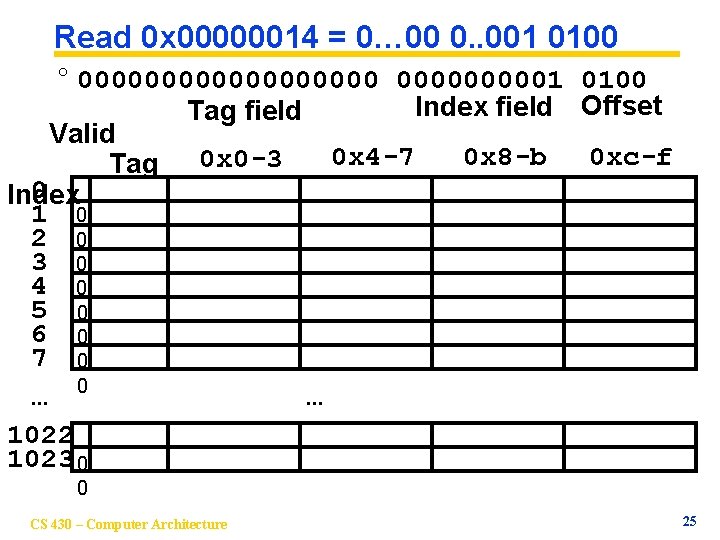
Read 0 x 00000014 = 0… 00 0. . 001 0100 ° 0000000001 0100 Index field Offset Tag field Valid 0 x 4 -7 0 x 8 -b 0 xc-f Tag 0 x 0 -3 0 Index 1 0 2 0 3 0 4 0 5 0 6 0 7 0. . . 0 . . . 1022 1023 0 0 CS 430 – Computer Architecture 25
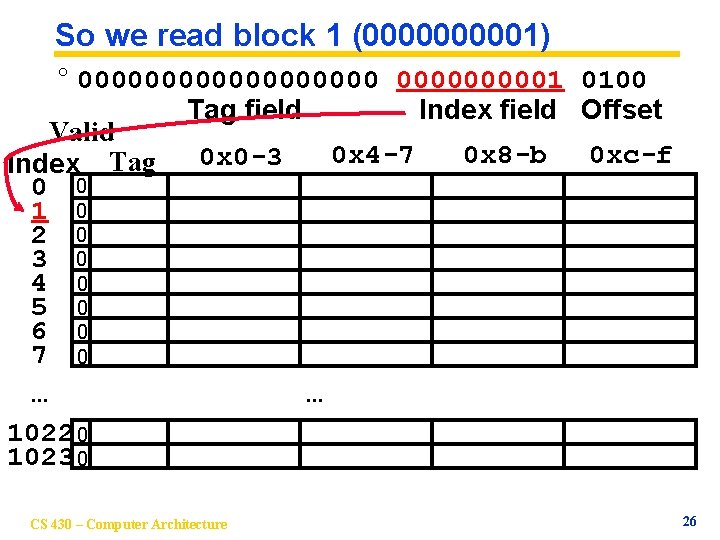
So we read block 1 (000001) ° 0000000001 0100 Tag field Index field Offset Valid 0 x 4 -7 0 x 8 -b 0 xc-f 0 x 0 -3 Index Tag 0 0 1 0 2 0 3 0 4 0 5 0 6 0 7 0. . . 1022 0 1023 0 CS 430 – Computer Architecture 26
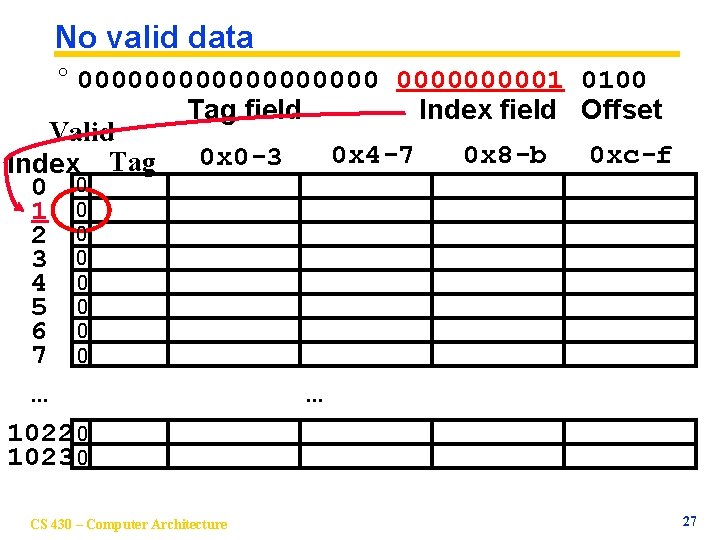
No valid data ° 0000000001 0100 Tag field Index field Offset Valid 0 x 4 -7 0 x 8 -b 0 xc-f 0 x 0 -3 Index Tag 0 0 1 0 2 0 3 0 4 0 5 0 6 0 7 0. . . 1022 0 1023 0 CS 430 – Computer Architecture 27
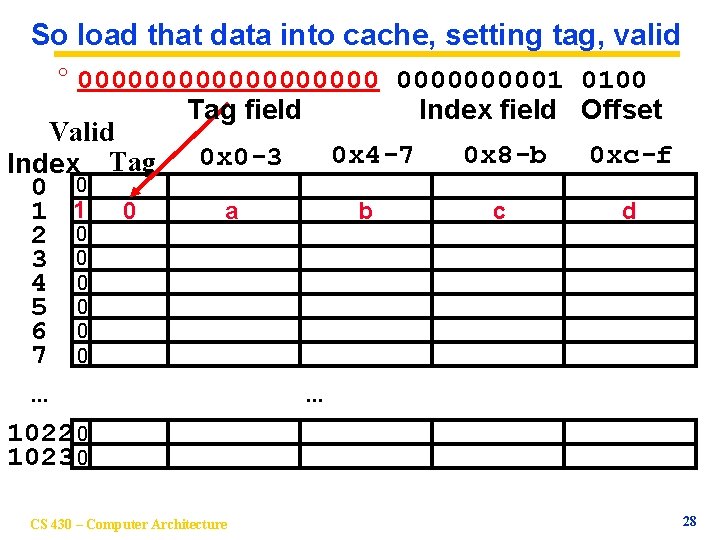
So load that data into cache, setting tag, valid ° 0000000001 0100 Tag field Index field Offset Valid 0 x 4 -7 0 x 8 -b 0 xc-f 0 x 0 -3 Index Tag 0 0 a b c d 1 1 0 2 0 3 0 4 0 5 0 6 0 7 0. . . 1022 0 1023 0 CS 430 – Computer Architecture 28
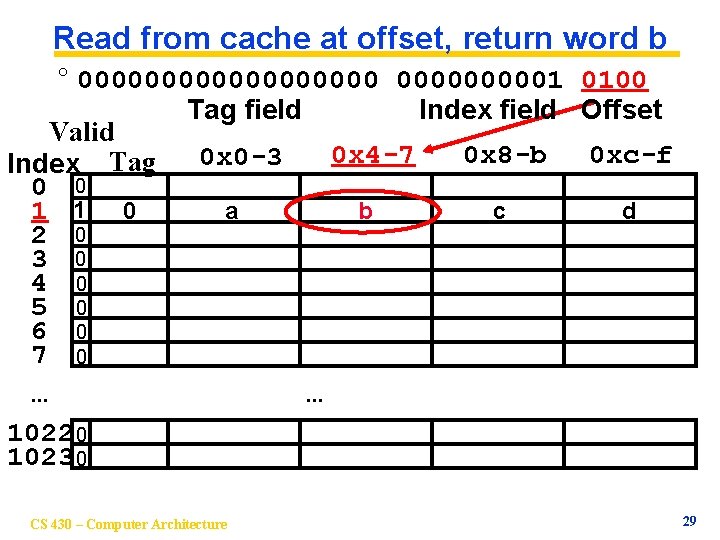
Read from cache at offset, return word b ° 0000000001 0100 Tag field Index field Offset Valid 0 x 4 -7 0 x 8 -b 0 xc-f 0 x 0 -3 Index Tag 0 0 a b c d 1 1 0 2 0 3 0 4 0 5 0 6 0 7 0. . . 1022 0 1023 0 CS 430 – Computer Architecture 29
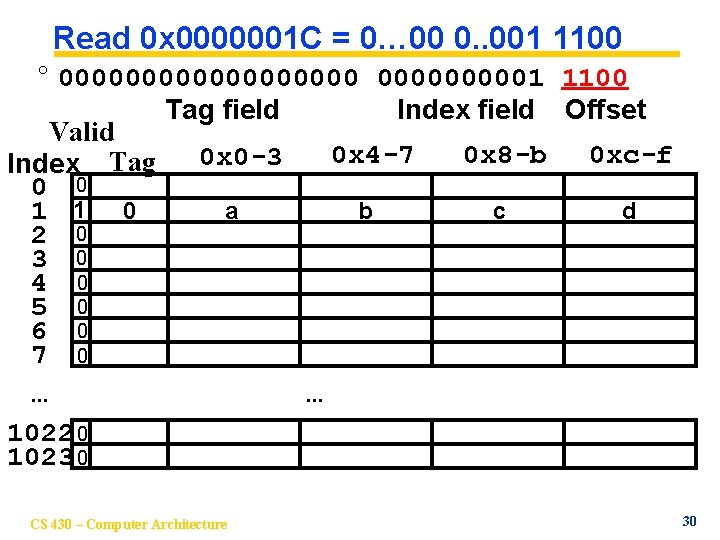
Read 0 x 0000001 C = 0… 00 0. . 001 1100 ° 0000000001 1100 Tag field Index field Offset Valid 0 x 4 -7 0 x 8 -b 0 xc-f 0 x 0 -3 Index Tag 0 0 a b c d 1 1 0 2 0 3 0 4 0 5 0 6 0 7 0. . . 1022 0 1023 0 CS 430 – Computer Architecture 30
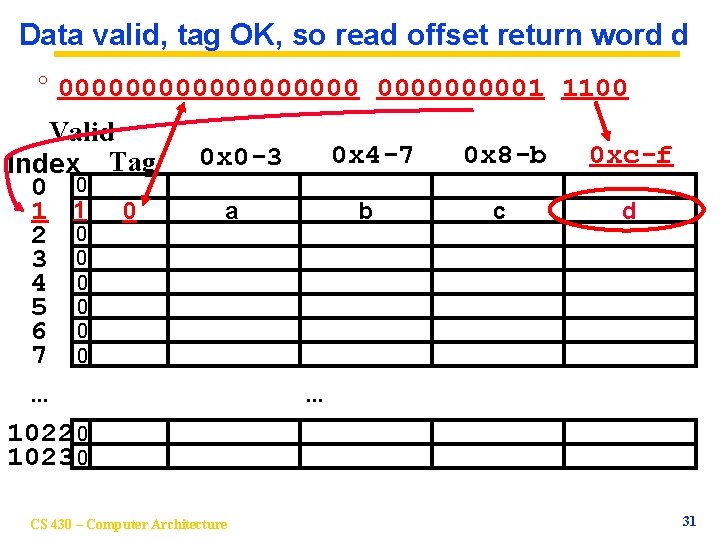
Data valid, tag OK, so read offset return word d ° 0000000001 1100 Valid Index Tag 0 0 1 1 0 2 0 3 0 4 0 5 0 6 0 7 0 0 x 4 -7 0 x 0 -3 a . . . b 0 x 8 -b 0 xc-f c d . . . 1022 0 1023 0 CS 430 – Computer Architecture 31
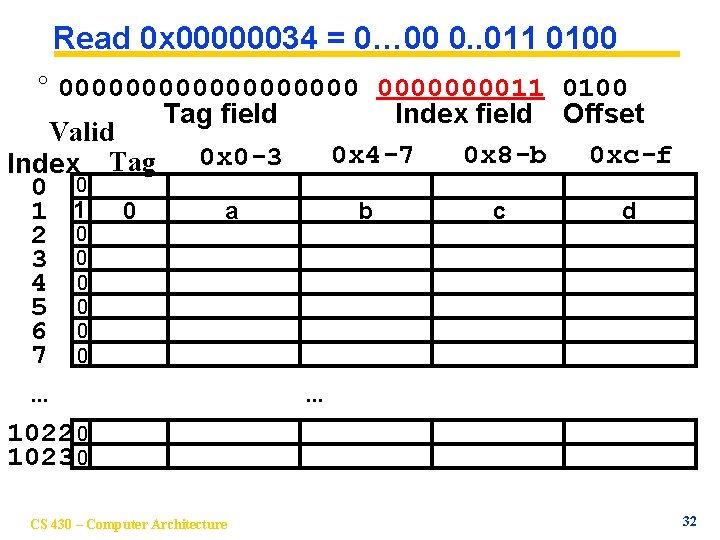
Read 0 x 00000034 = 0… 00 0. . 011 0100 ° 00000000011 0100 Tag field Index field Offset Valid 0 x 4 -7 0 x 8 -b 0 xc-f 0 x 0 -3 Index Tag 0 0 a b c d 1 1 0 2 0 3 0 4 0 5 0 6 0 7 0. . . 1022 0 1023 0 CS 430 – Computer Architecture 32
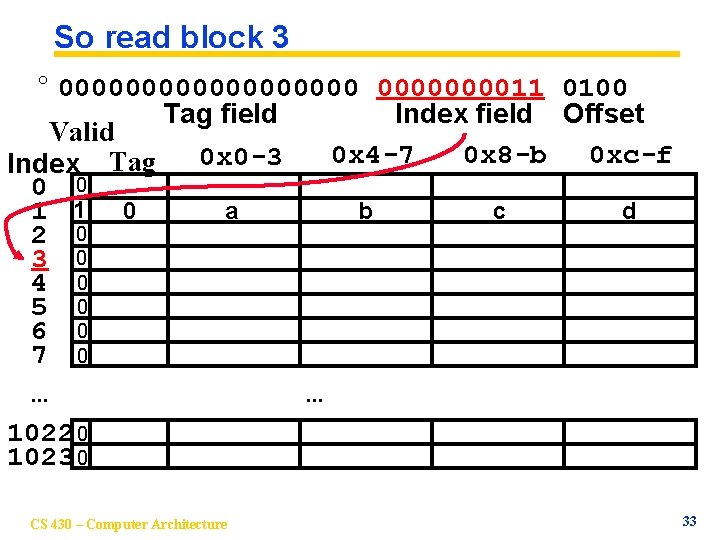
So read block 3 ° 00000000011 0100 Tag field Index field Offset Valid 0 x 4 -7 0 x 8 -b 0 xc-f 0 x 0 -3 Index Tag 0 0 a b c d 1 1 0 2 0 3 0 4 0 5 0 6 0 7 0. . . 1022 0 1023 0 CS 430 – Computer Architecture 33
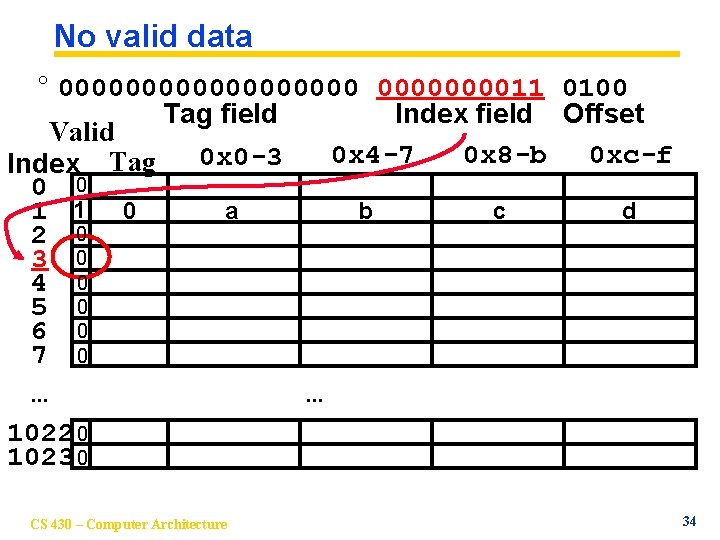
No valid data ° 00000000011 0100 Tag field Index field Offset Valid 0 x 4 -7 0 x 8 -b 0 xc-f 0 x 0 -3 Index Tag 0 0 a b c d 1 1 0 2 0 3 0 4 0 5 0 6 0 7 0. . . 1022 0 1023 0 CS 430 – Computer Architecture 34
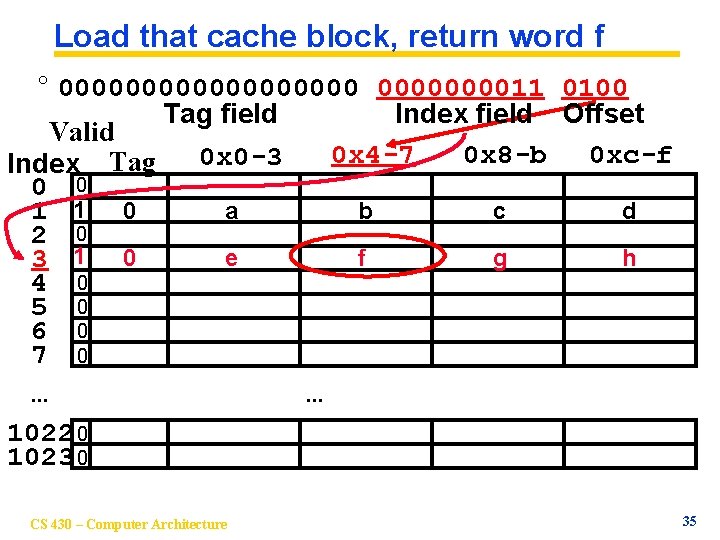
Load that cache block, return word f ° 00000000011 0100 Tag field Index field Offset Valid 0 x 4 -7 0 x 8 -b 0 xc-f 0 x 0 -3 Index Tag 0 0 a b c d 1 1 0 2 0 e f g h 3 1 0 4 0 5 0 6 0 7 0. . . 1022 0 1023 0 CS 430 – Computer Architecture 35
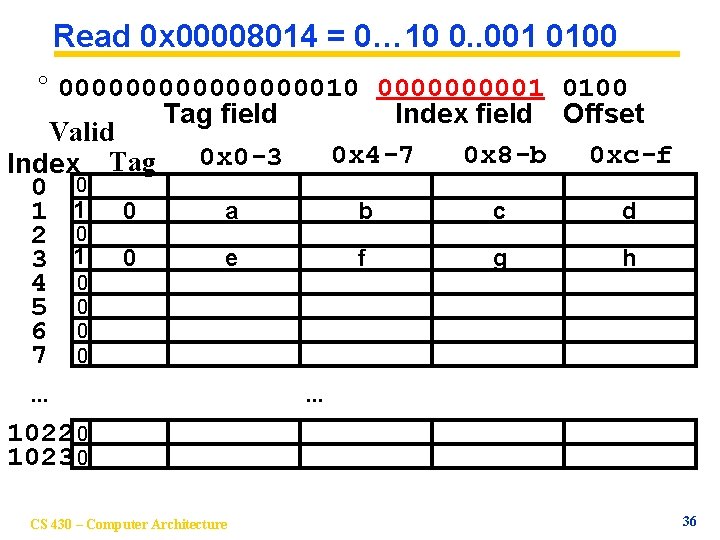
Read 0 x 00008014 = 0… 10 0. . 001 0100 ° 0000000010 000001 0100 Tag field Index field Offset Valid 0 x 4 -7 0 x 8 -b 0 xc-f 0 x 0 -3 Index Tag 0 0 a b c d 1 1 0 2 0 e f g h 3 1 0 4 0 5 0 6 0 7 0. . . 1022 0 1023 0 CS 430 – Computer Architecture 36
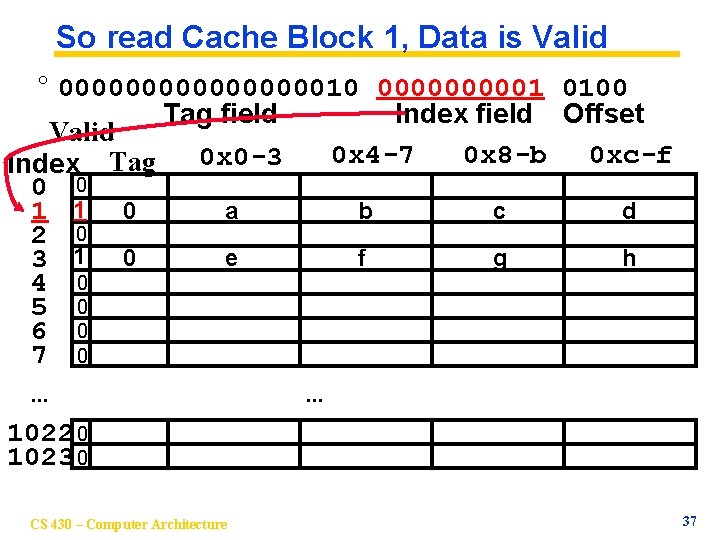
So read Cache Block 1, Data is Valid ° 0000000010 000001 0100 Tag field Index field Offset Valid 0 x 4 -7 0 x 8 -b 0 xc-f 0 x 0 -3 Index Tag 0 0 a b c d 1 1 0 2 0 e f g h 3 1 0 4 0 5 0 6 0 7 0. . . 1022 0 1023 0 CS 430 – Computer Architecture 37
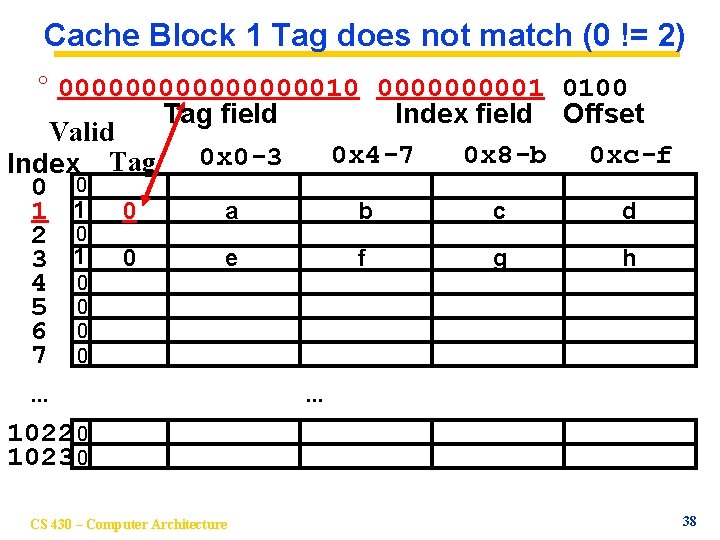
Cache Block 1 Tag does not match (0 != 2) ° 0000000010 000001 0100 Tag field Index field Offset Valid 0 x 4 -7 0 x 8 -b 0 xc-f 0 x 0 -3 Index Tag 0 0 a b c d 1 1 0 2 0 e f g h 3 1 0 4 0 5 0 6 0 7 0. . . 1022 0 1023 0 CS 430 – Computer Architecture 38
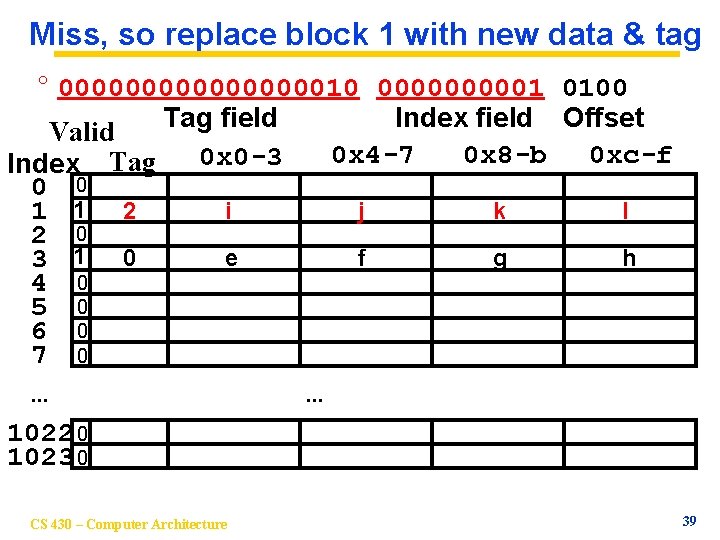
Miss, so replace block 1 with new data & tag ° 0000000010 000001 0100 Tag field Index field Offset Valid 0 x 4 -7 0 x 8 -b 0 xc-f 0 x 0 -3 Index Tag 0 0 i j k l 1 1 2 2 0 e f g h 3 1 0 4 0 5 0 6 0 7 0. . . 1022 0 1023 0 CS 430 – Computer Architecture 39
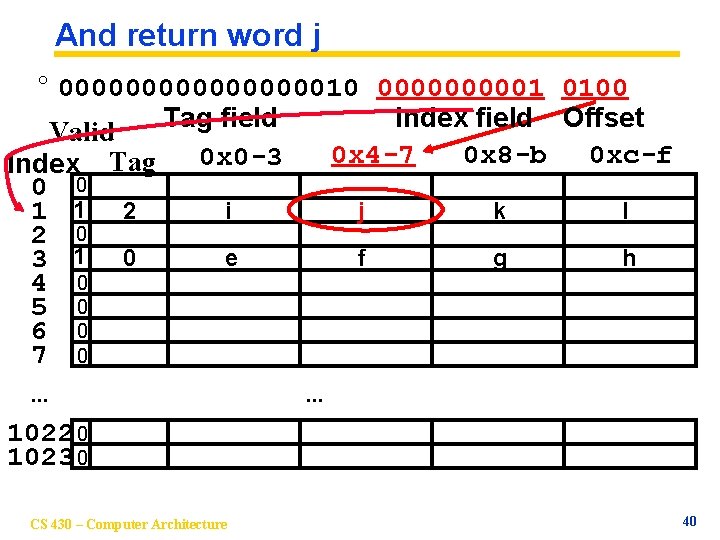
And return word j ° 0000000010 000001 0100 Tag field Index field Offset Valid 0 x 4 -7 0 x 8 -b 0 xc-f 0 x 0 -3 Index Tag 0 0 i j k l 1 1 2 2 0 e f g h 3 1 0 4 0 5 0 6 0 7 0. . . 1022 0 1023 0 CS 430 – Computer Architecture 40
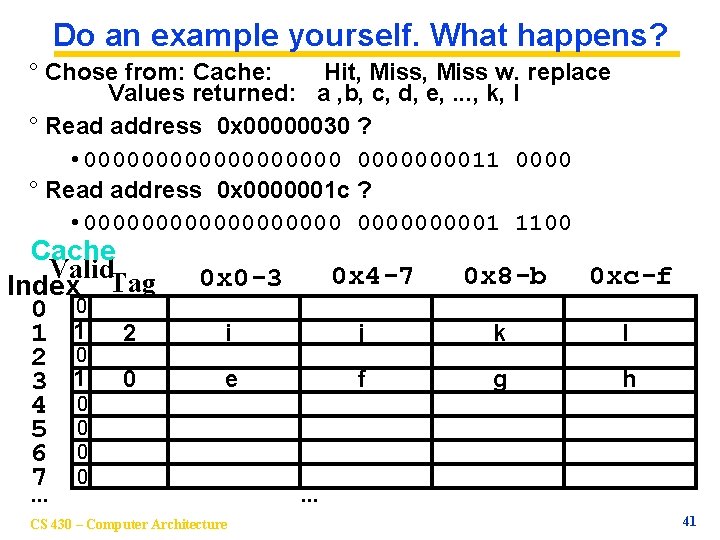
Do an example yourself. What happens? ° Chose from: Cache: Hit, Miss w. replace Values returned: a , b, c, d, e, . . . , k, l ° Read address 0 x 00000030 ? • 00000000011 0000 ° Read address 0 x 0000001 c ? • 0000000001 1100 Cache Valid. Tag Index 0 0 1 1 2 2 0 3 1 0 4 0 5 0 6 0 7 0 0 x 4 -7 0 x 0 -3 0 x 8 -b 0 xc-f i j k l e f g h . . . CS 430 – Computer Architecture . . . 41
Things to Remember ° We would like to have the capacity of disk at the speed of the processor: unfortunately this is not feasible. ° So we create a memory hierarchy: • each successively lower level contains “most used” data from next higher level • exploits temporal locality • do the common case fast, worry less about the exceptions (design principle of MIPS) ° Locality of reference is a Big Idea CS 430 – Computer Architecture 43