
CS 411 Database Systems 06 SQL Kazuhiro Minami
CS 411 Database Systems 06: SQL Kazuhiro Minami
Multi-Relation Queries
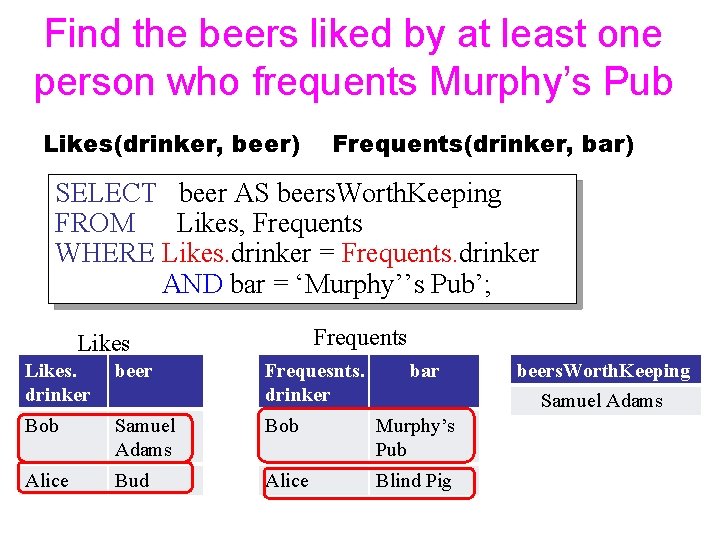
Find the beers liked by at least one person who frequents Murphy’s Pub Likes(drinker, beer) Frequents(drinker, bar) SELECT beer AS beers. Worth. Keeping FROM Likes, Frequents WHERE Likes. drinker = Frequents. drinker AND bar = ‘Murphy’’s Pub’; Frequents Likes. drinker beer Frequesnts. drinker bar Bob Samuel Adams Bob Murphy’s Pub Alice Bud Alice Blind Pig beers. Worth. Keeping Samuel Adams

If you are confused, go back to E/R model drinker beer Beer Likes Drinker Samuel Adams Bob Frequents Bar bar Murphy’s pub Frequents Likes. drinker beer Frequesnts. drinker bar Bob Samuel Adams Bob Murphy’s Pub Alice Bud Alice Blind Pig
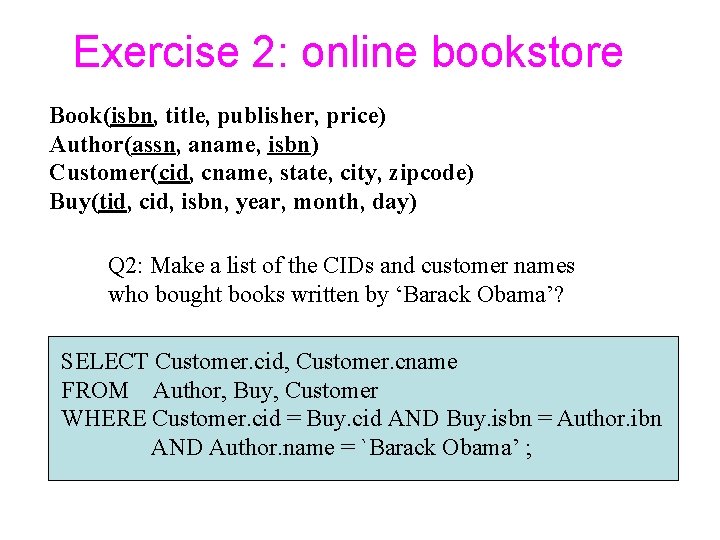
Exercise 2: online bookstore Book(isbn, title, publisher, price) Author(assn, aname, isbn) Customer(cid, cname, state, city, zipcode) Buy(tid, cid, isbn, year, month, day) Q 2: Make a list of the CIDs and customer names who bought books written by ‘Barack Obama’? SELECT Customer. cid, Customer. cname FROM Author, Buy, Customer WHERE Customer. cid = Buy. cid AND Buy. isbn = Author. ibn AND Author. name = `Barack Obama’ ;
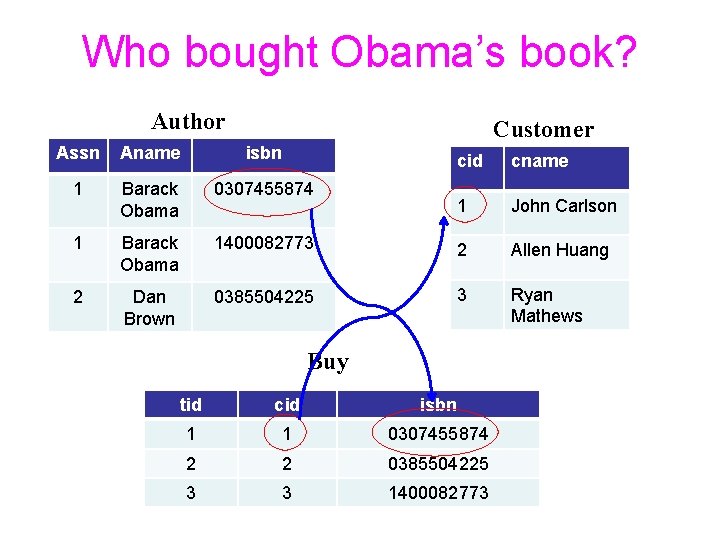
Who bought Obama’s book? Author Customer Assn Aname isbn 1 Barack Obama 0307455874 1 Barack Obama 2 Dan Brown cid cname 1 John Carlson 1400082773 2 Allen Huang 0385504225 3 Ryan Mathews Buy tid cid isbn 1 1 0307455874 2 2 0385504225 3 3 1400082773
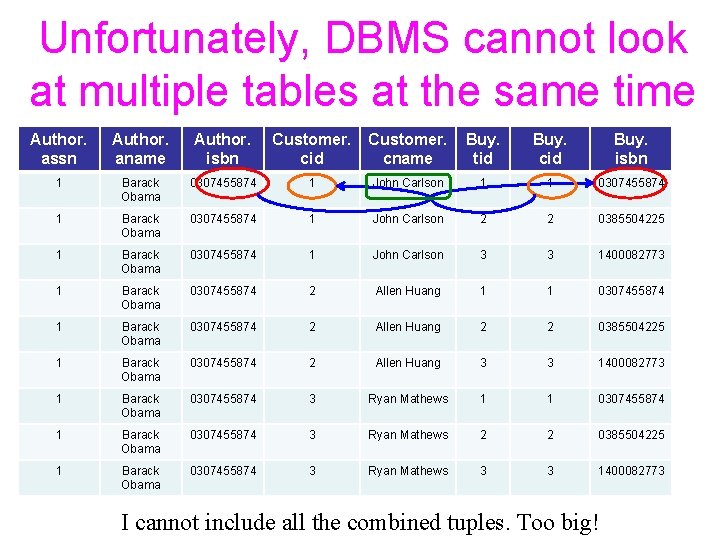
Unfortunately, DBMS cannot look at multiple tables at the same time Author. assn Author. aname Author. isbn Customer. cid Customer. cname Buy. tid Buy. cid Buy. isbn 1 Barack Obama 0307455874 1 John Carlson 1 1 0307455874 1 Barack Obama 0307455874 1 John Carlson 2 2 0385504225 1 Barack Obama 0307455874 1 John Carlson 3 3 1400082773 1 Barack Obama 0307455874 2 Allen Huang 1 1 0307455874 1 Barack Obama 0307455874 2 Allen Huang 2 2 0385504225 1 Barack Obama 0307455874 2 Allen Huang 3 3 1400082773 1 Barack Obama 0307455874 3 Ryan Mathews 1 1 0307455874 1 Barack Obama 0307455874 3 Ryan Mathews 2 2 0385504225 1 Barack Obama 0307455874 3 Ryan Mathews 3 3 1400082773 I cannot include all the combined tuples. Too big!
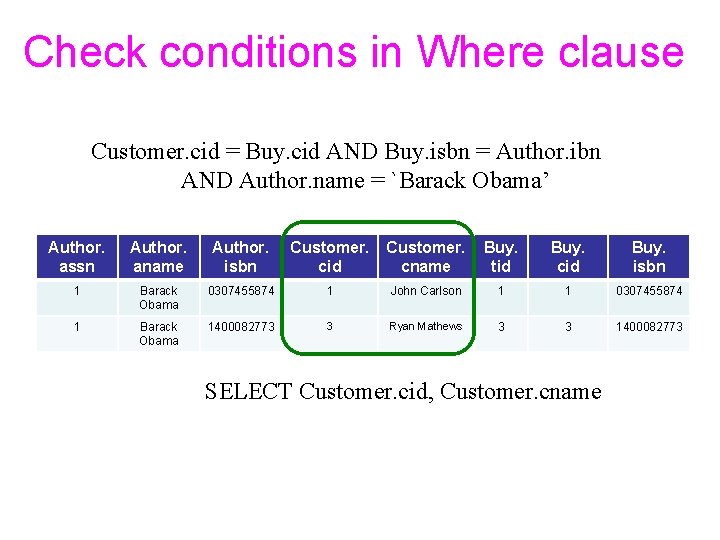
Check conditions in Where clause Customer. cid = Buy. cid AND Buy. isbn = Author. ibn AND Author. name = `Barack Obama’ Author. assn Author. aname Author. isbn Customer. cid Customer. cname Buy. tid Buy. cid Buy. isbn 1 Barack Obama 0307455874 1 John Carlson 1 1 0307455874 1 Barack Obama 1400082773 3 Ryan Mathews 3 3 1400082773 SELECT Customer. cid, Customer. cname
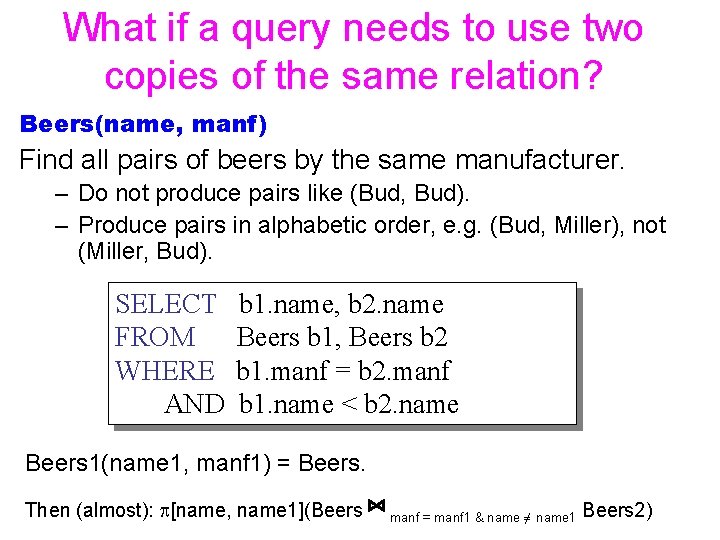
What if a query needs to use two copies of the same relation? Beers(name, manf) Find all pairs of beers by the same manufacturer. – Do not produce pairs like (Bud, Bud). – Produce pairs in alphabetic order, e. g. (Bud, Miller), not (Miller, Bud). SELECT FROM WHERE AND b 1. name, b 2. name Beers b 1, Beers b 2 b 1. manf = b 2. manf b 1. name < b 2. name Beers 1(name 1, manf 1) = Beers. Then (almost): [name, name 1](Beers ⋈ manf = manf 1 & name ≠ name 1 Beers 2)
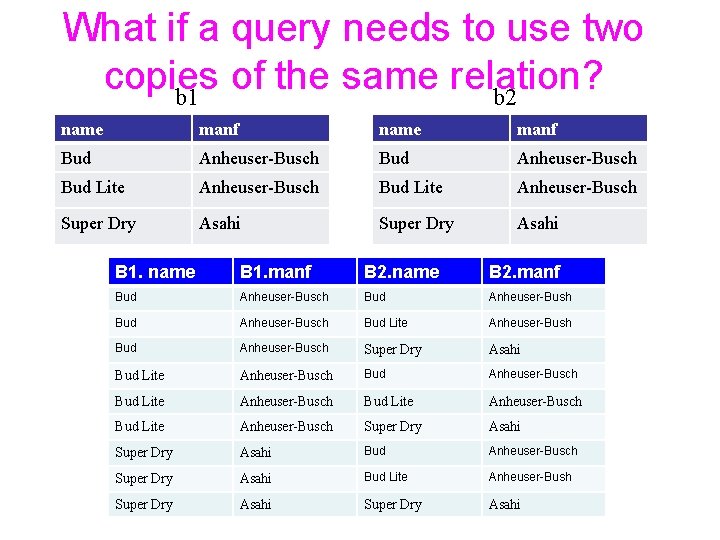
What if a query needs to use two copies of the same relation? b 1 b 2 name manf Bud Anheuser-Busch Bud Lite Anheuser-Busch Super Dry Asahi B 1. name B 1. manf B 2. name B 2. manf Bud Anheuser-Busch Bud Lite Anheuser-Bush Bud Anheuser-Busch Super Dry Asahi Bud Lite Anheuser-Busch Bud Lite Anheuser-Busch Super Dry Asahi Bud Lite Anheuser-Bush Super Dry Asahi
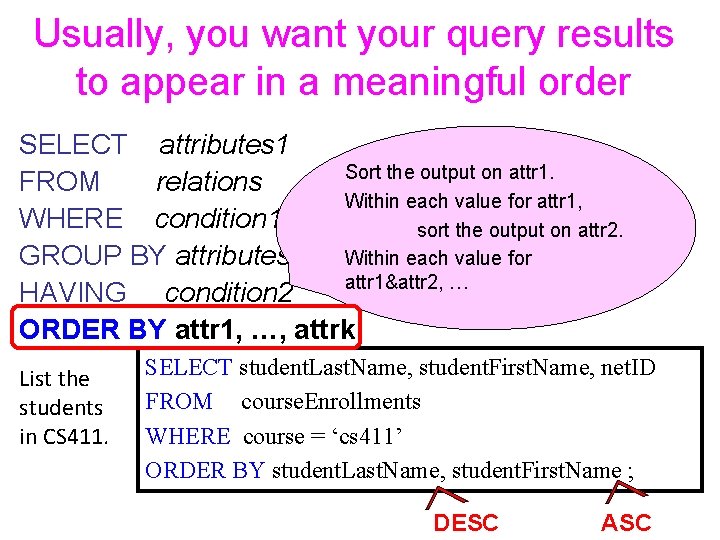
Usually, you want your query results to appear in a meaningful order SELECT attributes 1 Sort the output on attr 1. FROM relations Within each value for attr 1, WHERE condition 1 sort the output on attr 2. GROUP BY attributes 2 Within each value for attr 1&attr 2, … HAVING condition 2 ORDER BY attr 1, …, attrk List the students in CS 411. SELECT student. Last. Name, student. First. Name, net. ID FROM course. Enrollments WHERE course = ‘cs 411’ ORDER BY student. Last. Name, student. First. Name ; DESC ASC
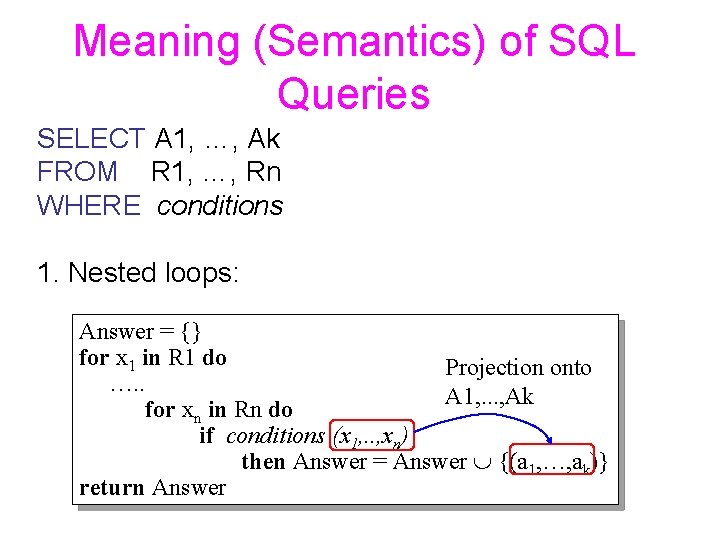
Meaning (Semantics) of SQL Queries SELECT A 1, …, Ak FROM R 1, …, Rn WHERE conditions 1. Nested loops: Answer = {} for x 1 in R 1 do Projection onto …. . A 1, . . . , Ak for xn in Rn do if conditions (x 1, . . , xn) then Answer = Answer {(a 1, …, ak)} return Answer
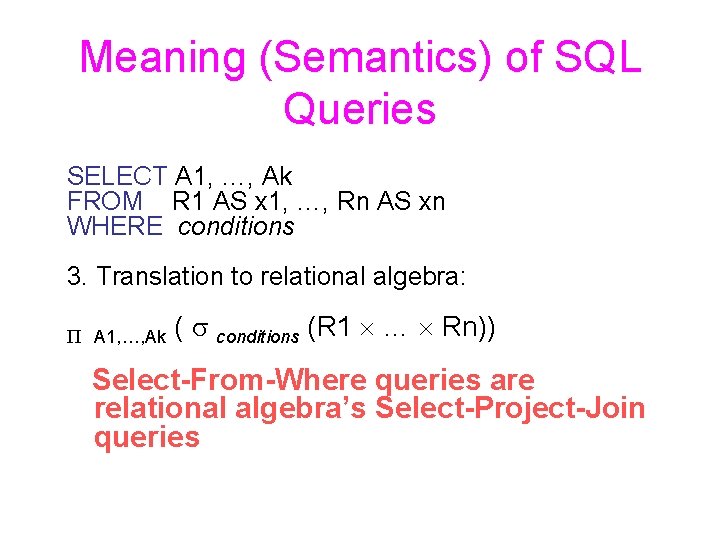
Meaning (Semantics) of SQL Queries SELECT A 1, …, Ak FROM R 1 AS x 1, …, Rn AS xn WHERE conditions 3. Translation to relational algebra: P A 1, …, Ak ( s conditions (R 1 … Rn)) Select-From-Where queries are relational algebra’s Select-Project-Join queries
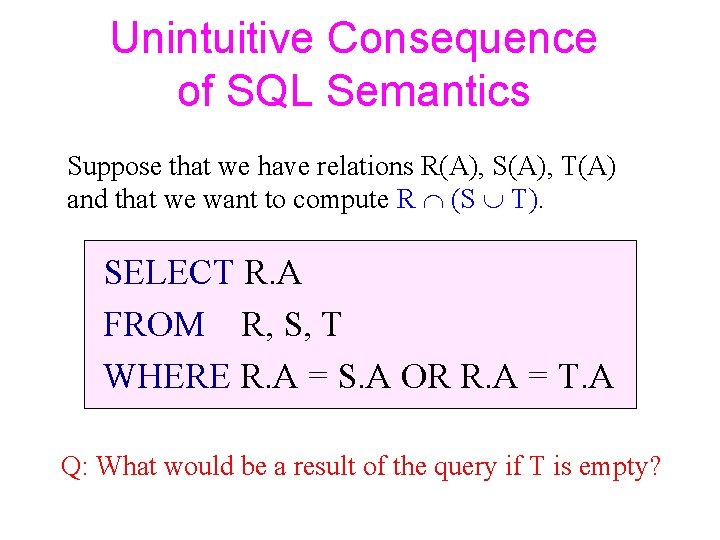
Unintuitive Consequence of SQL Semantics Suppose that we have relations R(A), S(A), T(A) and that we want to compute R (S T). SELECT R. A FROM R, S, T WHERE R. A = S. A OR R. A = T. A Q: What would be a result of the query if T is empty?
Sub-queries
Subqueries • A parenthesized SELECT-FROMWHERE statement (subquery) can be used as part of the main SELECT-FROM-WHERE statement • Subqueries can be nested in an arbitrary depth
Usage of Subqueries • Subquires can return a constant, and this constant can be compared with another value in a WHERE clause • Subquries can return a relation that can be used to define conditions in a WHERE clauses – IN, ALL, ANY, EXISTS • In place of a relation in the FROM clause, we can place another query – Better use a tuple-variable to name tuples of the result.
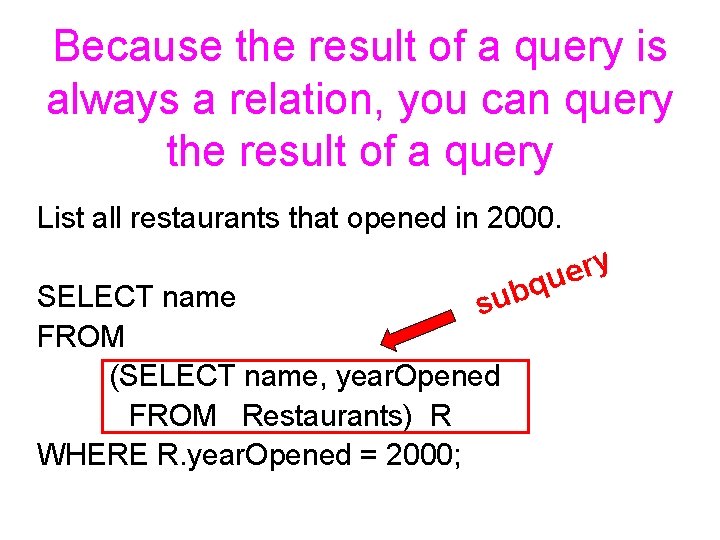
Because the result of a query is always a relation, you can query the result of a query List all restaurants that opened in 2000. y r e u q b su SELECT name FROM (SELECT name, year. Opened FROM Restaurants) R WHERE R. year. Opened = 2000;
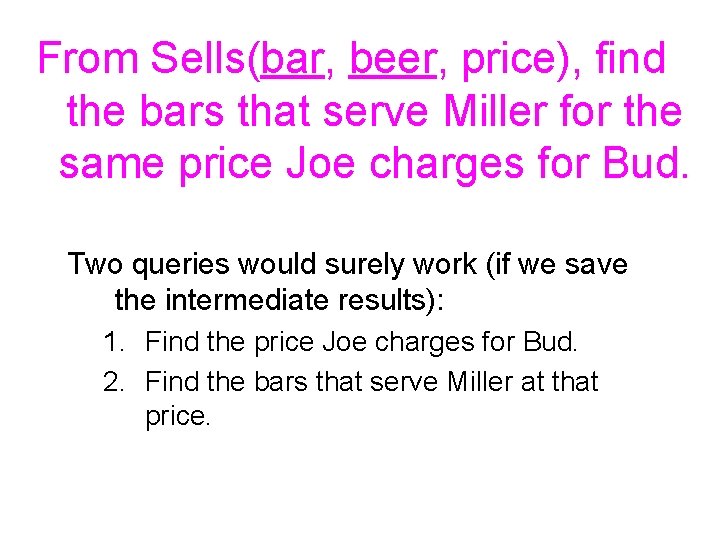
From Sells(bar, beer, price), find the bars that serve Miller for the same price Joe charges for Bud. Two queries would surely work (if we save the intermediate results): 1. Find the price Joe charges for Bud. 2. Find the bars that serve Miller at that price.
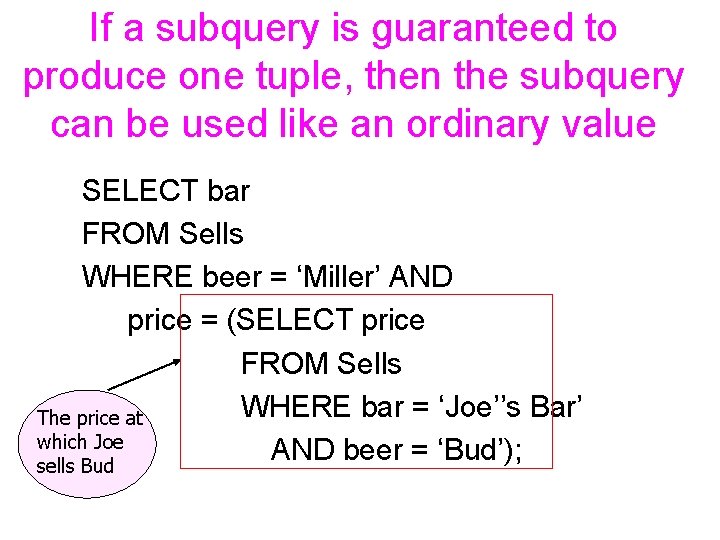
If a subquery is guaranteed to produce one tuple, then the subquery can be used like an ordinary value SELECT bar FROM Sells WHERE beer = ‘Miller’ AND price = (SELECT price FROM Sells WHERE bar = ‘Joe’’s Bar’ The price at which Joe AND beer = ‘Bud’); sells Bud
But be careful when you use subqueries as values! • Usually the tuple has one attribute. • You’d better be sure only one tuple will be returned (e. g. , keys guarantee it). • A run-time error occurs if there is no tuple or more than one tuple.
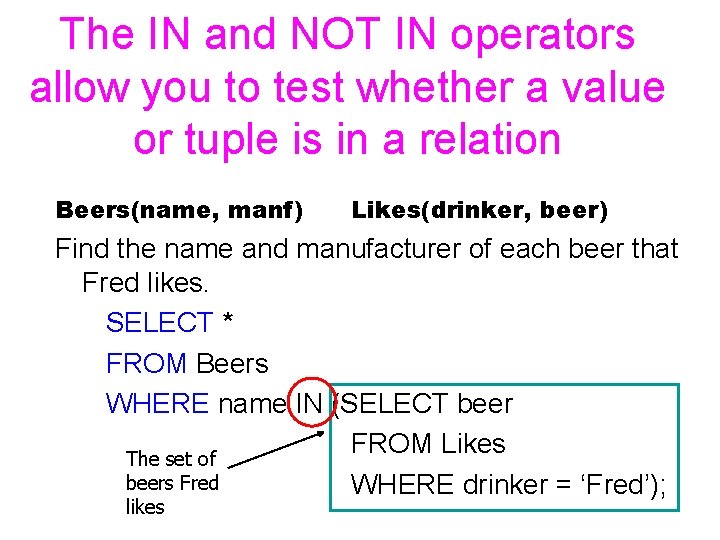
The IN and NOT IN operators allow you to test whether a value or tuple is in a relation Beers(name, manf) Likes(drinker, beer) Find the name and manufacturer of each beer that Fred likes. SELECT * FROM Beers WHERE name IN (SELECT beer FROM Likes The set of beers Fred WHERE drinker = ‘Fred’); likes
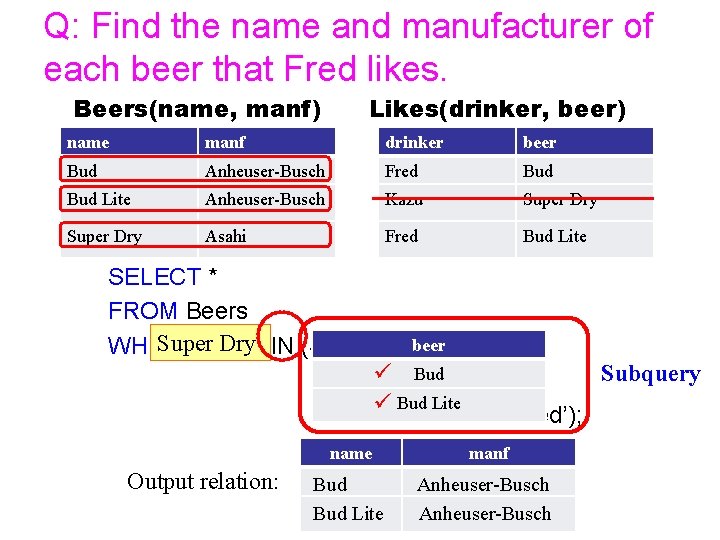
Q: Find the name and manufacturer of each beer that Fred likes. Beers(name, manf) Likes(drinker, beer) name manf drinker beer Bud Anheuser-Busch Fred Bud Lite Anheuser-Busch Kazu Super Dry Asahi Fred Bud Lite SELECT * FROM Beers Super Bud name Lite Bud Dry IN (SELECT beer WHERE Bud Subquery FROMüLikes ü Bud Lite WHERE drinker = ‘Fred’); Output relation: name manf Bud Lite Anheuser-Busch
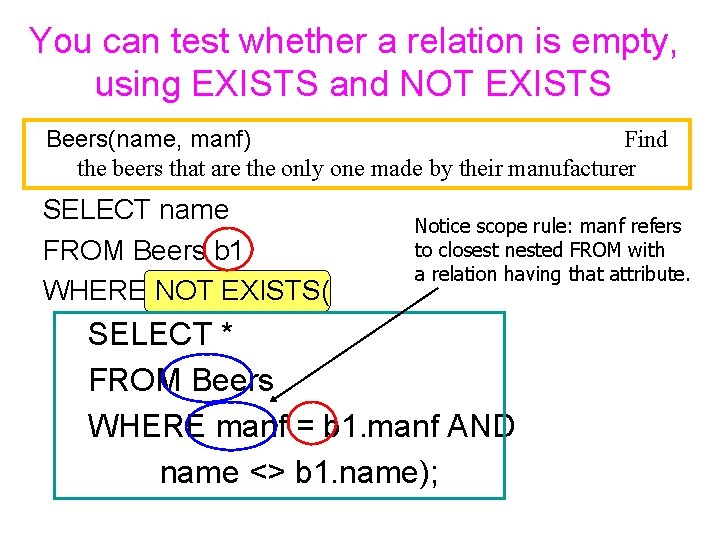
You can test whether a relation is empty, using EXISTS and NOT EXISTS Beers(name, manf) Find the beers that are the only one made by their manufacturer SELECT name FROM Beers b 1 WHERE NOT EXISTS( Notice scope rule: manf refers to closest nested FROM with a relation having that attribute. SELECT * FROM Beers WHERE manf = b 1. manf AND name <> b 1. name);
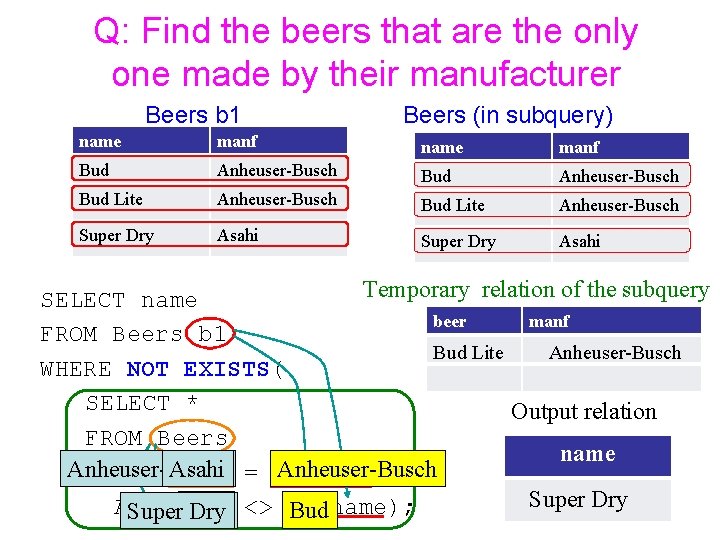
Q: Find the beers that are the only one made by their manufacturer Beers b 1 Beers (in subquery) name manf Bud Anheuser-Busch Bud Lite Anheuser-Busch Super Dry Asahi Temporary relation of the subquery SELECT name beer manf FROM Beers b 1 Bud Lite Anheuser-Busch WHERE NOT EXISTS( SELECT * Output relation FROM Beers name Anheuser-Busch WHERE Asahi manf = b 1. manf Super Dry AND name Bud Super Bud Dry Lite <> b 1. name);
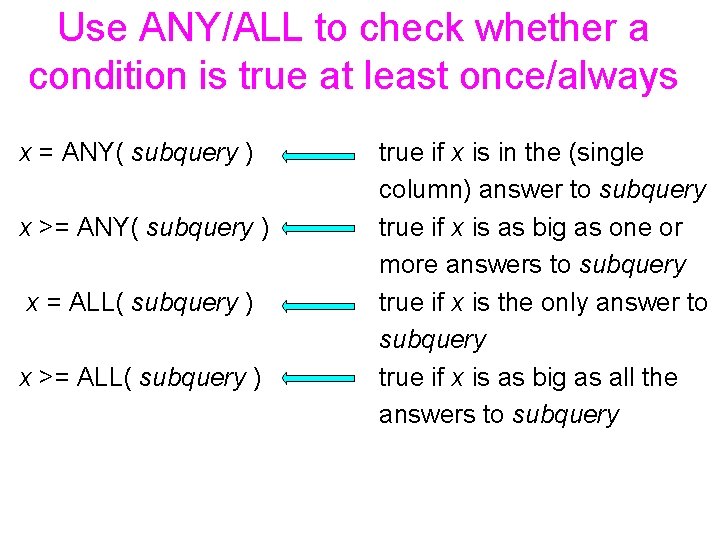
Use ANY/ALL to check whether a condition is true at least once/always x = ANY( subquery ) x >= ANY( subquery ) x = ALL( subquery ) x >= ALL( subquery ) true if x is in the (single column) answer to subquery true if x is as big as one or more answers to subquery true if x is the only answer to subquery true if x is as big as all the answers to subquery
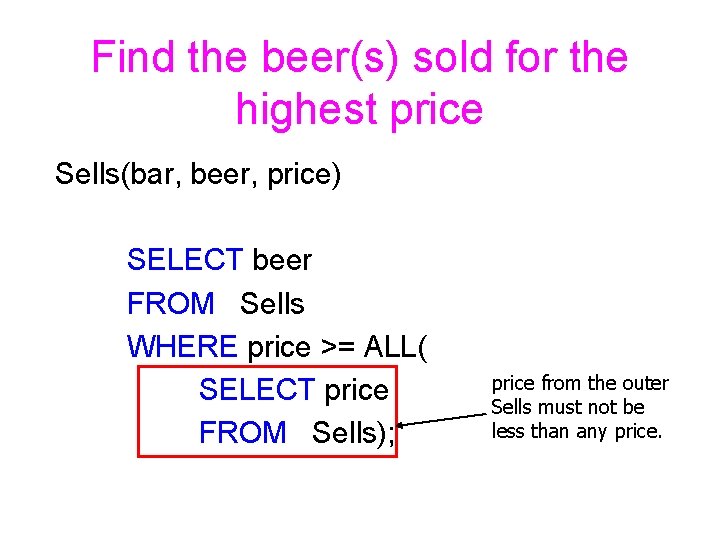
Find the beer(s) sold for the highest price Sells(bar, beer, price) SELECT beer FROM Sells WHERE price >= ALL( SELECT price FROM Sells); price from the outer Sells must not be less than any price.
Relations as Bags
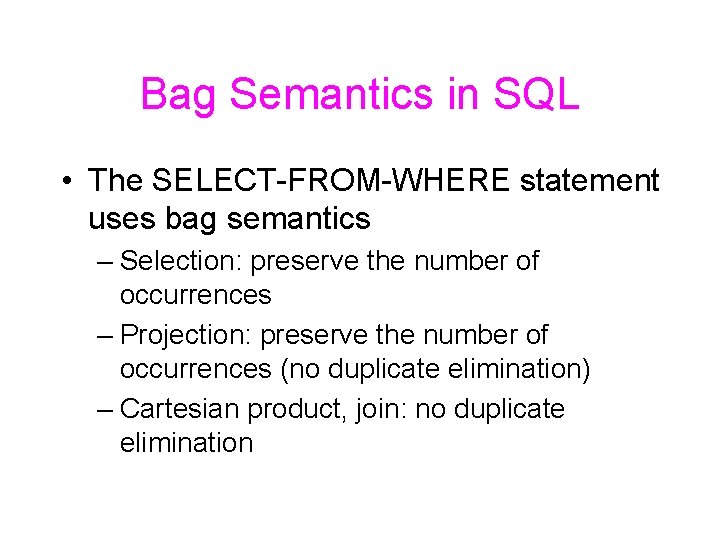
Bag Semantics in SQL • The SELECT-FROM-WHERE statement uses bag semantics – Selection: preserve the number of occurrences – Projection: preserve the number of occurrences (no duplicate elimination) – Cartesian product, join: no duplicate elimination
Exceptions: Union, Intersection, and Difference • Union, intersection, and difference of relations are expressed by the following forms, each involving subqueries: – ( subquery ) UNION ( subquery ) – ( subquery ) INTERSECT ( subquery ) – ( subquery ) EXCEPT ( subquery )
Motivation: Efficiency • When doing projection in relational algebra, it is easier to avoid eliminating duplicates. – Just work tuple-at-a-time. • When doing intersection or difference, it is most efficient to sort the relations first. – At that point you may as well eliminate the duplicates anyway.
You can control whether duplicates are eliminated • Force the result to be a set by SELECT DISTINCT. . . • Force the result to be a bag (i. e. , don’t eliminate duplicates) by ALL, as in. . . UNION ALL. . .
From Sells(bar, beer, price), find all the different prices charged for beers: SELECT DISTINCT price FROM Sells; Without DISTINCT, each price would be listed as many times as there were bar/beer pairs at that price.
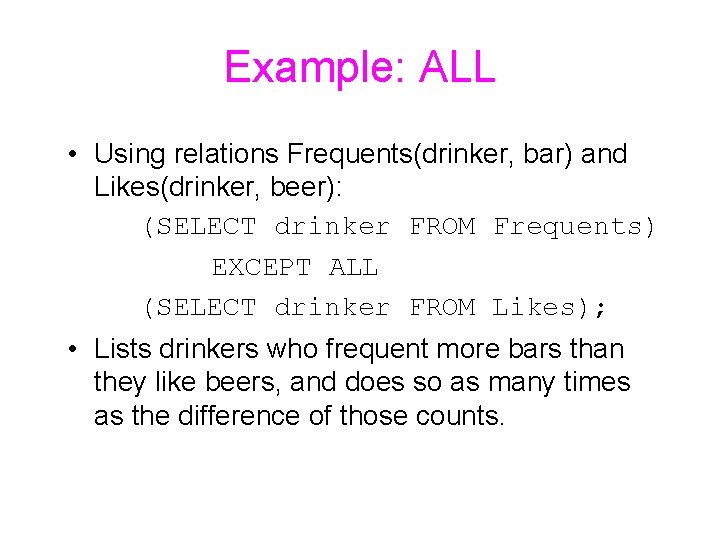
Example: ALL • Using relations Frequents(drinker, bar) and Likes(drinker, beer): (SELECT drinker FROM Frequents) EXCEPT ALL (SELECT drinker FROM Likes); • Lists drinkers who frequent more bars than they like beers, and does so as many times as the difference of those counts.
- Slides: 34