
CS 4101 Introduction to Embedded Systems Lab 11
CS 4101 Introduction to Embedded Systems Lab 11: Sensors Prof. Chung-Ta King Department of Computer Science National Tsing Hua University, Taiwan National Tsing Hua University
Introduction • In this lab , we will learn - To use accelerometer of Nu. Marker to detect gestures - To use gyroscope of Nu. Marker to detect tilts National Tsing Hua University 1
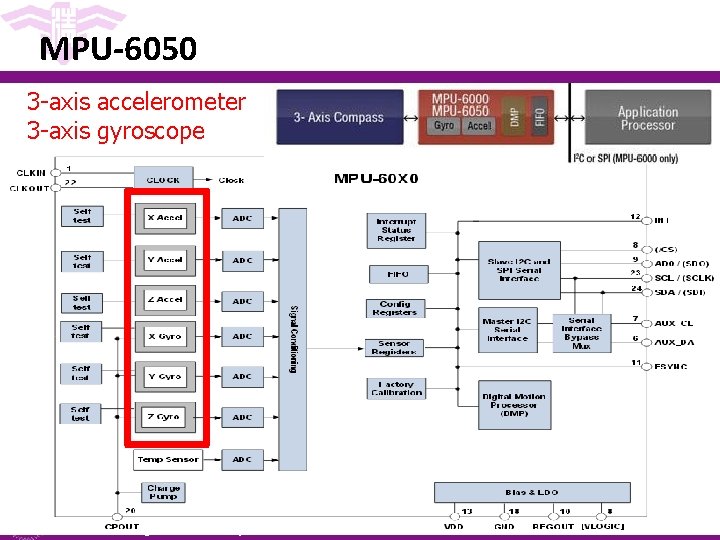
MPU-6050 3 -axis accelerometer 3 -axis gyroscope National Tsing Hua University 2
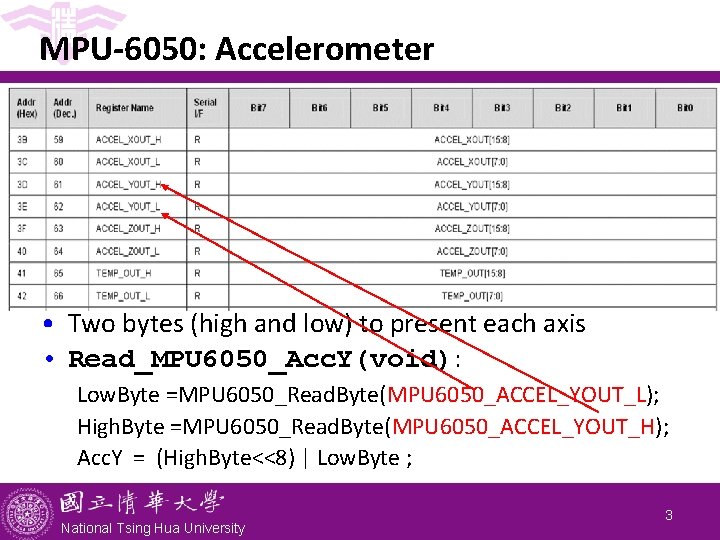
MPU-6050: Accelerometer • Two bytes (high and low) to present each axis • Read_MPU 6050_Acc. Y(void): Low. Byte =MPU 6050_Read. Byte(MPU 6050_ACCEL_YOUT_L); High. Byte =MPU 6050_Read. Byte(MPU 6050_ACCEL_YOUT_H); Acc. Y = (High. Byte<<8) | Low. Byte ; National Tsing Hua University 3
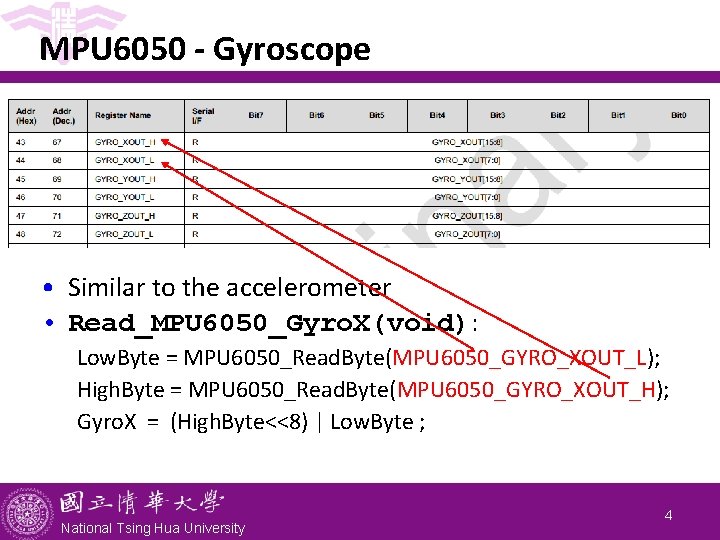
MPU 6050 - Gyroscope • Similar to the accelerometer • Read_MPU 6050_Gyro. X(void): Low. Byte = MPU 6050_Read. Byte(MPU 6050_GYRO_XOUT_L); High. Byte = MPU 6050_Read. Byte(MPU 6050_GYRO_XOUT_H); Gyro. X = (High. Byte<<8) | Low. Byte ; National Tsing Hua University 4

MPU 6050. h/. c (Library/Nu. Maker. Lib/Include, Source) #define MPU 6050_I 2 C_SLA 0 x. D 0 #define MPU 6050_I 2 C_PORT I 2 C 1 void MPU 6050_Write. Byte(uint 8_t MPU 6050_reg, uint 8_t MPU 6050_data) { uint 8_t data[1]; data[0]=MPU 6050_data; I 2 C_write. Bytes(MPU 6050_I 2 C_PORT, MPU 6050_I 2 C_SLA, MPU 6050_reg, 1, data); } uint 8_t MPU 6050_Read. Byte(uint 8_t MPU 6050_reg){ uint 8_t data[1]; I 2 C_read. Bytes(MPU 6050_I 2 C_PORT, MPU 6050_I 2 C_SLA, MPU 6050_reg, 1, data); return(data[0]); } National Tsing Hua University 5
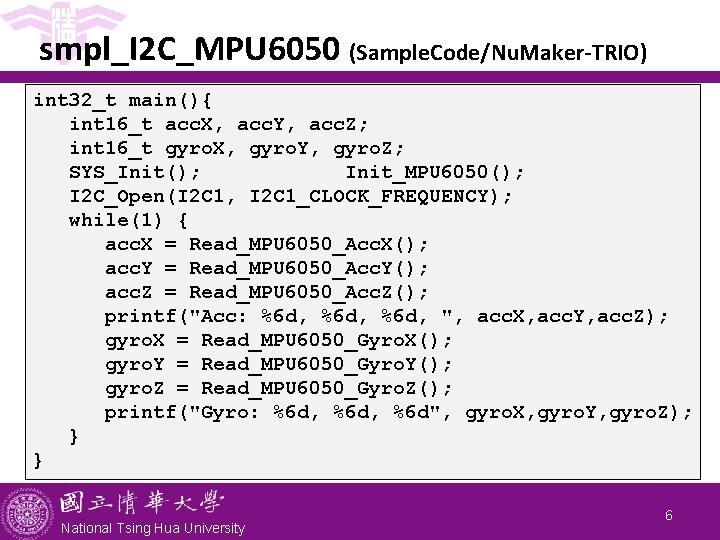
smpl_I 2 C_MPU 6050 (Sample. Code/Nu. Maker-TRIO) int 32_t main(){ int 16_t acc. X, acc. Y, acc. Z; int 16_t gyro. X, gyro. Y, gyro. Z; SYS_Init(); Init_MPU 6050(); I 2 C_Open(I 2 C 1, I 2 C 1_CLOCK_FREQUENCY); while(1) { acc. X = Read_MPU 6050_Acc. X(); acc. Y = Read_MPU 6050_Acc. Y(); acc. Z = Read_MPU 6050_Acc. Z(); printf("Acc: %6 d, ", acc. X, acc. Y, acc. Z); gyro. X = Read_MPU 6050_Gyro. X(); gyro. Y = Read_MPU 6050_Gyro. Y(); gyro. Z = Read_MPU 6050_Gyro. Z(); printf("Gyro: %6 d, %6 d", gyro. X, gyro. Y, gyro. Z); } } National Tsing Hua University 6
Lab: Basic 1 • Use your Nu. Maker to cast lots (搖籤) - Shake your Nu. Marker left and right very hard for preparation. - Then, make a sudden up-down move to cast the lots. - Print the cast lot on the display, which is a word from “Bad”, “Good”, and “Great”, depending on the intensity of the left-right shake: If the intensity is low, print ‘Bad’. If the intensity is medium, print ‘Good’. If the intensity is high, print ‘Great’. National Tsing Hua University 7
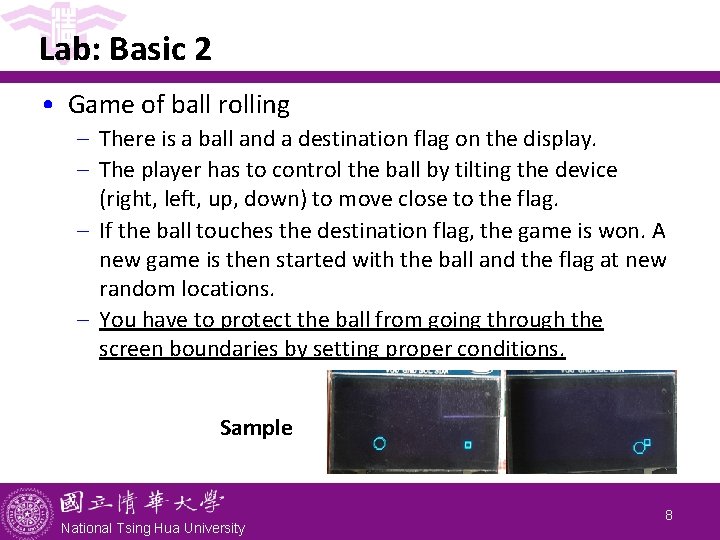
Lab: Basic 2 • Game of ball rolling - There is a ball and a destination flag on the display. - The player has to control the ball by tilting the device (right, left, up, down) to move close to the flag. - If the ball touches the destination flag, the game is won. A new game is then started with the ball and the flag at new random locations. - You have to protect the ball from going through the screen boundaries by setting proper conditions. Sample National Tsing Hua University 8
Lab: Bonus • Enhance Basic 2 to add obstacles. You have to make sure that there is at least one path from the starting position of the ball to the destination flag. National Tsing Hua University
- Slides: 10