
CS 380 Computer Graphics Clipping and Culling SungEui

- Slides: 28
CS 380: Computer Graphics Clipping and Culling Sung-Eui Yoon (윤성의) Course URL: http: //sglab. kaist. ac. kr/~sungeui/CG/
Class Objectives ● Understand clipping and culling ● Understand view-frustum, back-face culling, and hierarchical culling methods ● Know various possibilities to perform culling and clipping in the rendering pipeline ● Related chapter: ● Ch. 6: Clipping and Culling 2
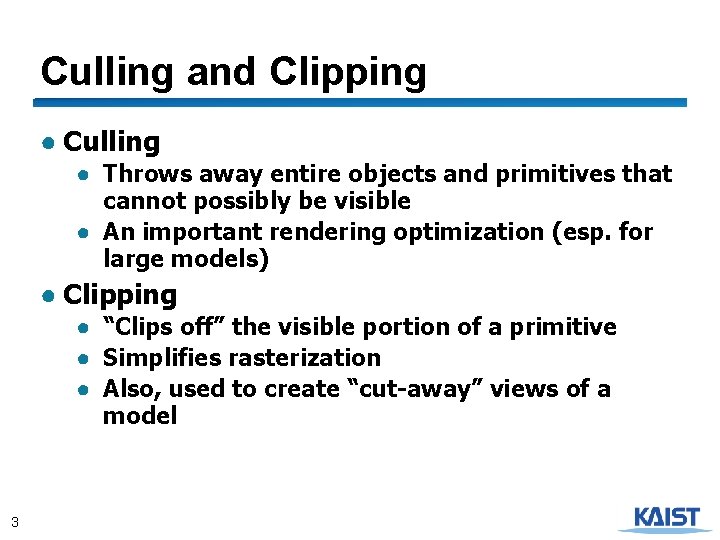
Culling and Clipping ● Culling ● Throws away entire objects and primitives that cannot possibly be visible ● An important rendering optimization (esp. for large models) ● Clipping ● “Clips off” the visible portion of a primitive ● Simplifies rasterization ● Also, used to create “cut-away” views of a model 3
Culling Example Power plant model 4 (12 million triangles)
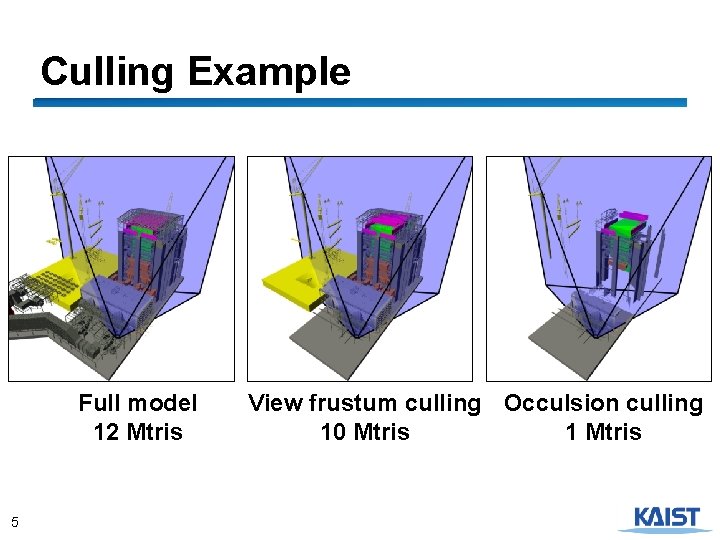
Culling Example Full model 12 Mtris 5 View frustum culling Occulsion culling 10 Mtris 1 Mtris
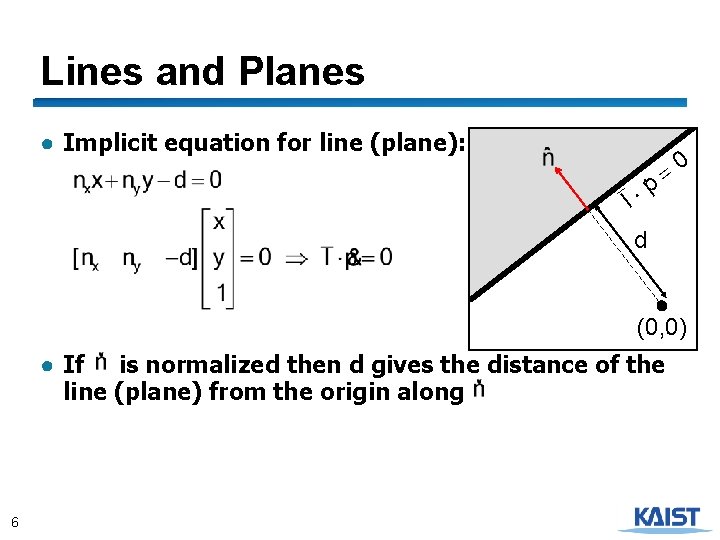
Lines and Planes ● Implicit equation for line (plane): p l 0 = d (0, 0) ● If is normalized then d gives the distance of the line (plane) from the origin along 6
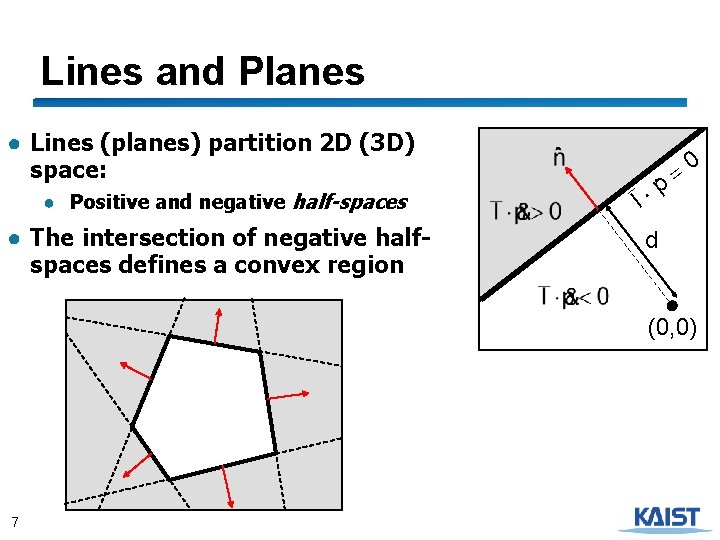
Lines and Planes ● Lines (planes) partition 2 D (3 D) space: ● Positive and negative half-spaces ● The intersection of negative halfspaces defines a convex region p l 0 = d (0, 0) 7
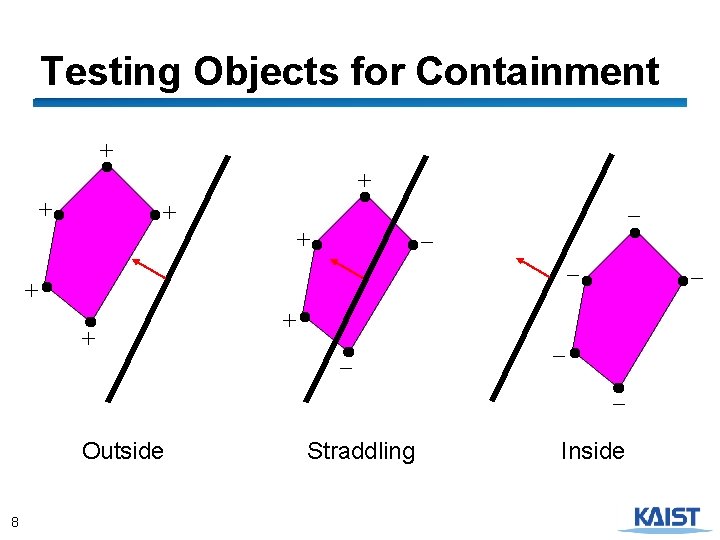
Testing Objects for Containment + + + - - Outside 8 Straddling Inside
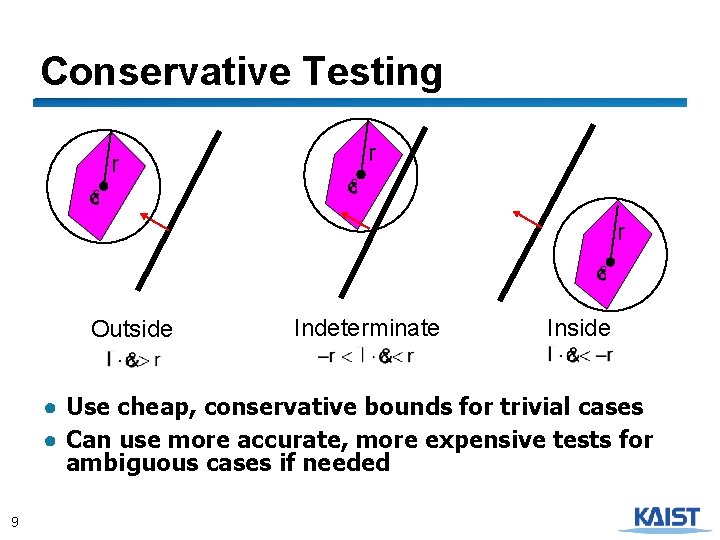
Conservative Testing r r r Outside Indeterminate Inside ● Use cheap, conservative bounds for trivial cases ● Can use more accurate, more expensive tests for ambiguous cases if needed 9
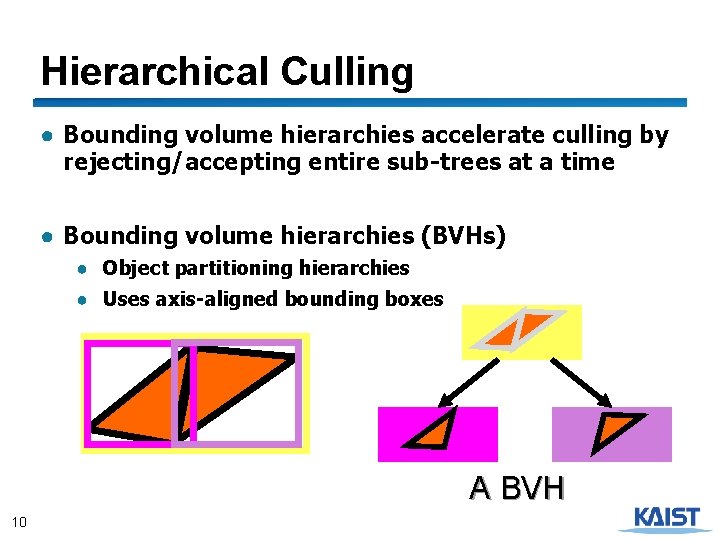
Hierarchical Culling ● Bounding volume hierarchies accelerate culling by rejecting/accepting entire sub-trees at a time ● Bounding volume hierarchies (BVHs) ● Object partitioning hierarchies ● Uses axis-aligned bounding boxes A BVH 10
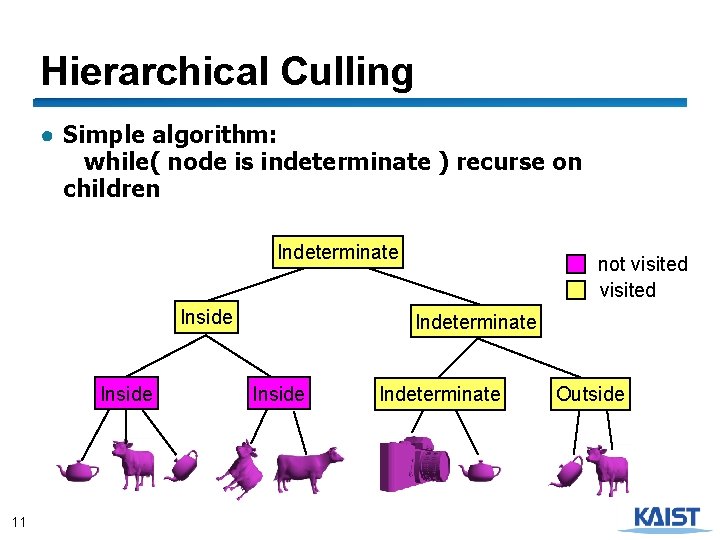
Hierarchical Culling ● Simple algorithm: while( node is indeterminate ) recurse on children Indeterminate Inside 11 not visited Indeterminate Inside Indeterminate Outside
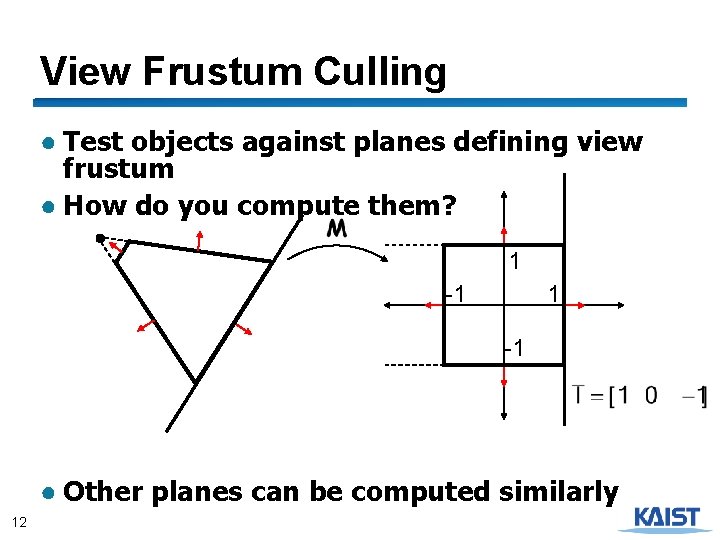
View Frustum Culling ● Test objects against planes defining view frustum ● How do you compute them? 1 -1 ● Other planes can be computed similarly 12
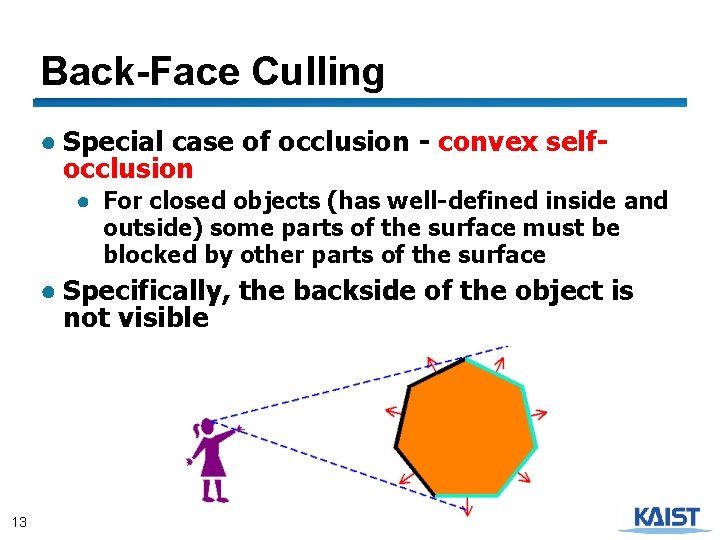
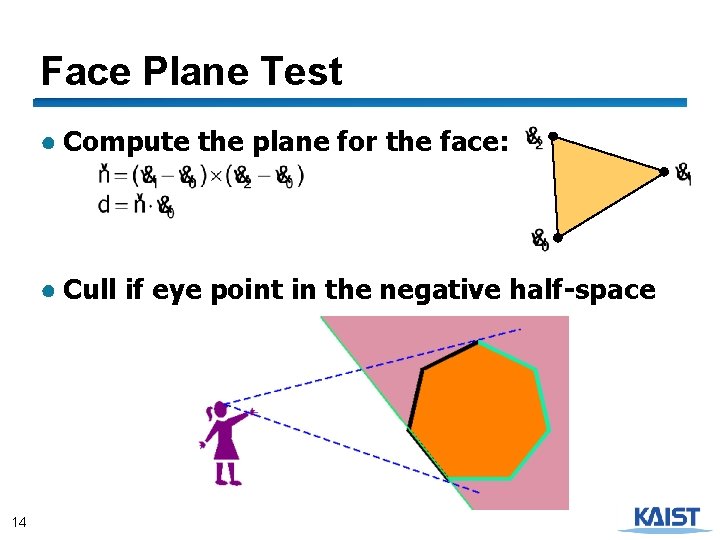
Back-Face Culling ● Special case of occlusion - convex selfocclusion ● For closed objects (has well-defined inside and outside) some parts of the surface must be blocked by other parts of the surface ● Specifically, the backside of the object is not visible 13
Face Plane Test ● Compute the plane for the face: ● Cull if eye point in the negative half-space 14
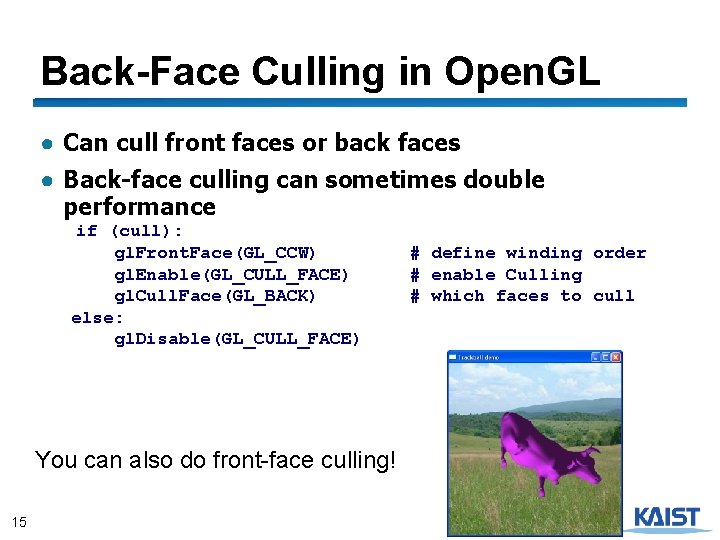
Back-Face Culling in Open. GL ● Can cull front faces or back faces ● Back-face culling can sometimes double performance if (cull): gl. Front. Face(GL_CCW) gl. Enable(GL_CULL_FACE) gl. Cull. Face(GL_BACK) else: gl. Disable(GL_CULL_FACE) You can also do front-face culling! 15 # define winding order # enable Culling # which faces to cull
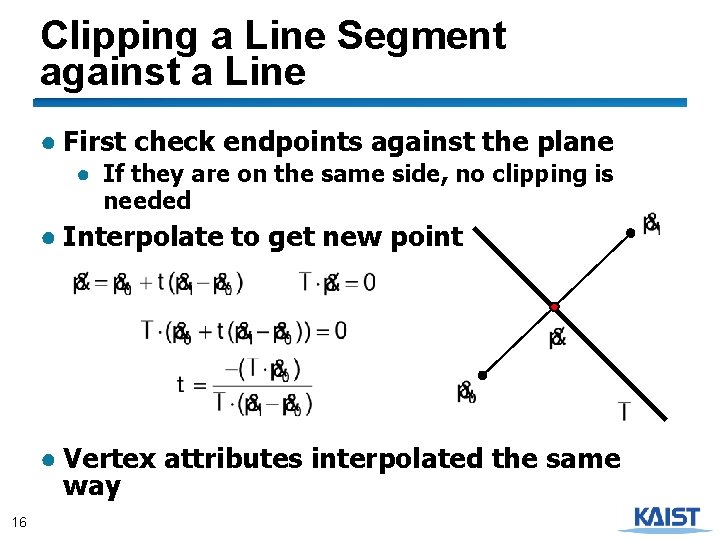
Clipping a Line Segment against a Line ● First check endpoints against the plane ● If they are on the same side, no clipping is needed ● Interpolate to get new point ● Vertex attributes interpolated the same way 16
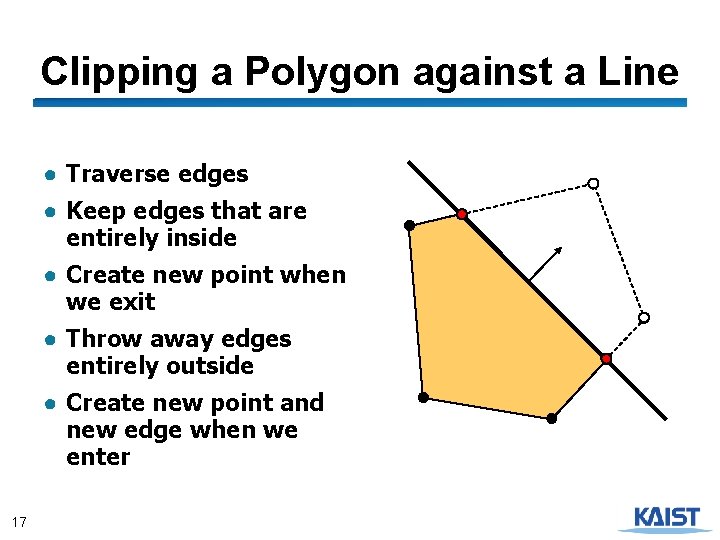
Clipping a Polygon against a Line ● Traverse edges ● Keep edges that are entirely inside ● Create new point when we exit ● Throw away edges entirely outside ● Create new point and new edge when we enter 17
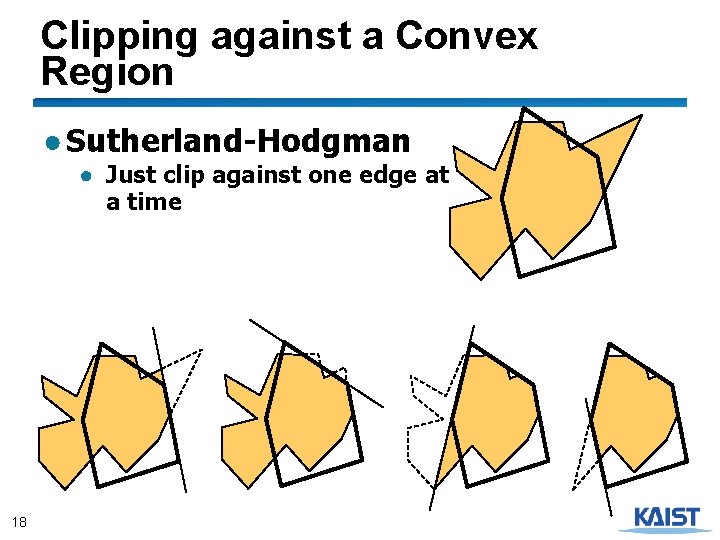
Clipping against a Convex Region ● Sutherland-Hodgman ● Just clip against one edge at a time 18
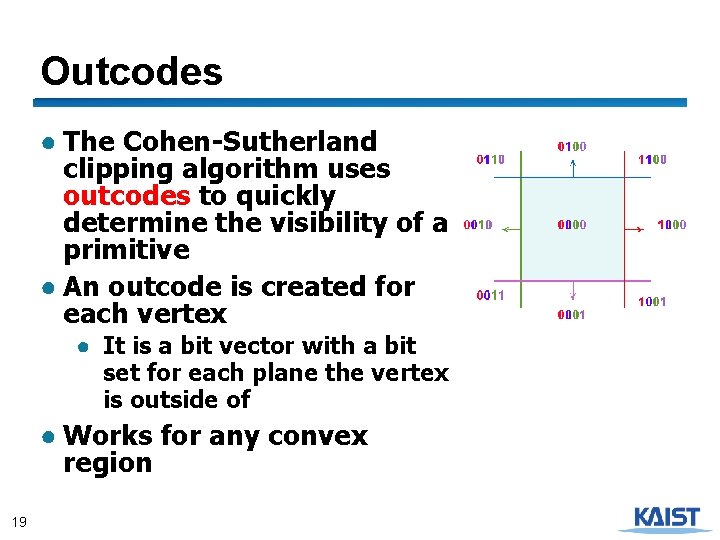
Outcodes ● The Cohen-Sutherland clipping algorithm uses outcodes to quickly determine the visibility of a primitive ● An outcode is created for each vertex ● It is a bit vector with a bit set for each plane the vertex is outside of ● Works for any convex region 19
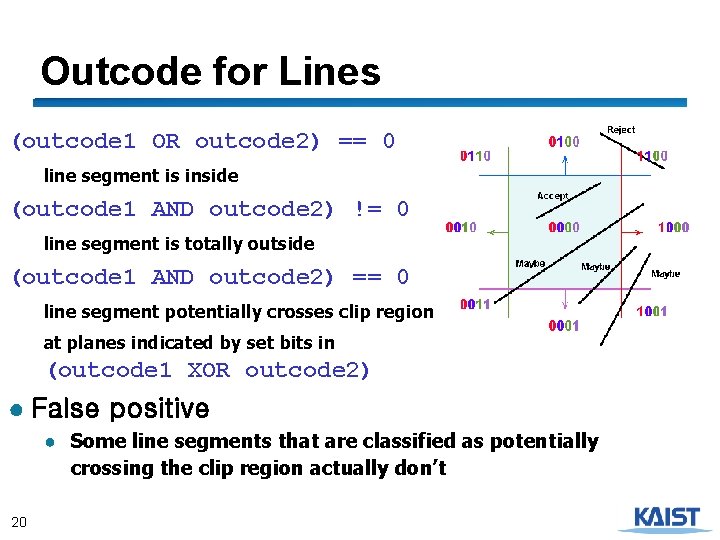
Outcode for Lines (outcode 1 OR outcode 2) == 0 line segment is inside (outcode 1 AND outcode 2) != 0 line segment is totally outside (outcode 1 AND outcode 2) == 0 line segment potentially crosses clip region at planes indicated by set bits in (outcode 1 XOR outcode 2) ● False positive ● Some line segments that are classified as potentially crossing the clip region actually don’t 20
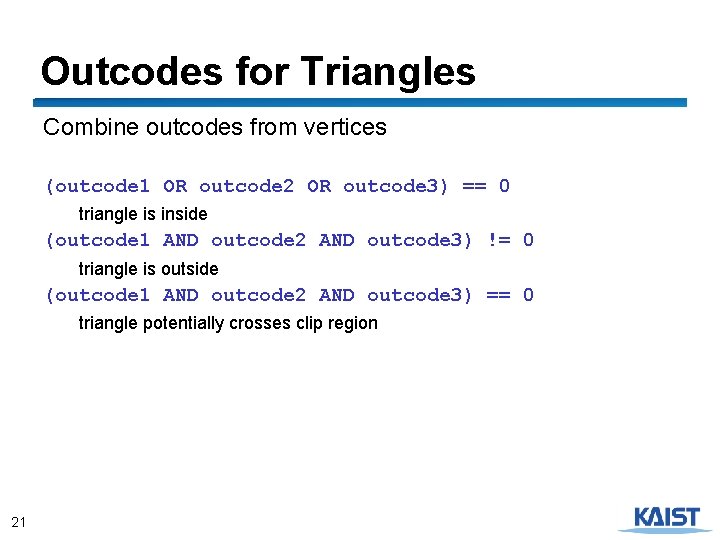
Outcodes for Triangles Combine outcodes from vertices (outcode 1 OR outcode 2 OR outcode 3) == 0 triangle is inside (outcode 1 AND outcode 2 AND outcode 3) != 0 triangle is outside (outcode 1 AND outcode 2 AND outcode 3) == 0 triangle potentially crosses clip region 21
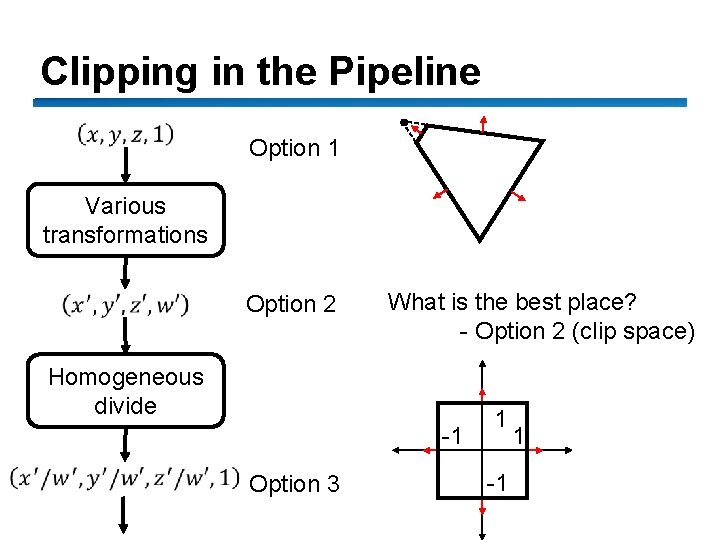
Clipping in the Pipeline Option 1 Various transformations Option 2 What is the best place? - Option 2 (clip space) Homogeneous divide -1 22 Option 3 1 -1 1
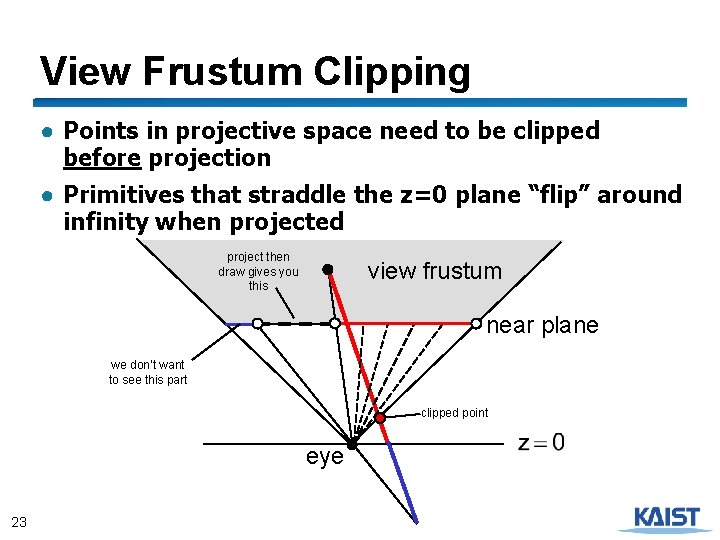
View Frustum Clipping ● Points in projective space need to be clipped before projection ● Primitives that straddle the z=0 plane “flip” around infinity when projected project then draw gives you this view frustum near plane we don’t want to see this part clipped point eye 23
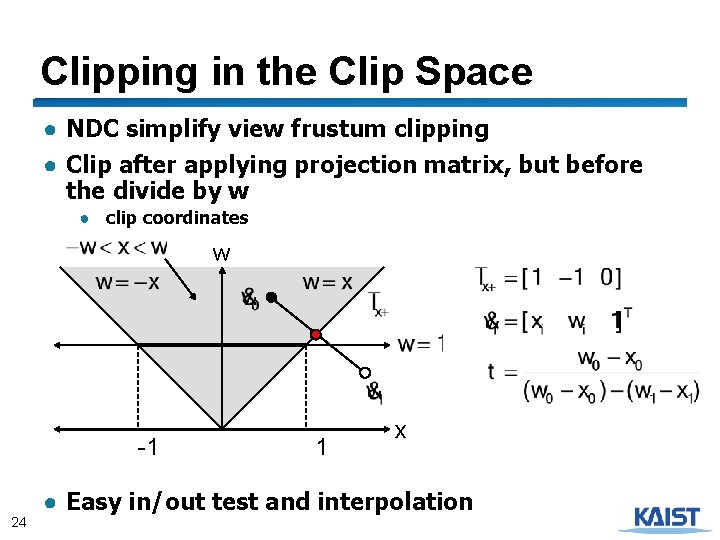
Clipping in the Clip Space ● NDC simplify view frustum clipping ● Clip after applying projection matrix, but before the divide by w ● clip coordinates w -1 24 1 x ● Easy in/out test and interpolation
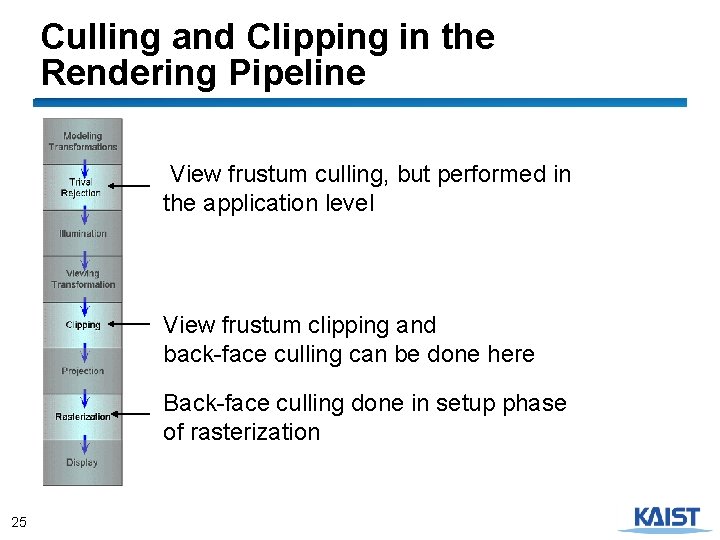
Culling and Clipping in the Rendering Pipeline View frustum culling, but performed in the application level View frustum clipping and back-face culling can be done here Back-face culling done in setup phase of rasterization 25
Class Objectives were: ● Understand clipping and culling ● Understand view-frustum, back-face culling, and hierarchical culling methods ● Know various possibilities to perform culling and clipping in the rendering pipeline 26
Reading Assignment ● Read the chapter “Raster Algorithms” 27
Next Time ● Triangulating a polygon ● Rasterizing triangles ● Interpolating parameters 28