
CS 371 m Mobile Computing Persistence SQLite In
CS 371 m - Mobile Computing Persistence - SQLite
In case you have not taken 347: Data Management or worked with databases as part of a job, internship, or project: 2
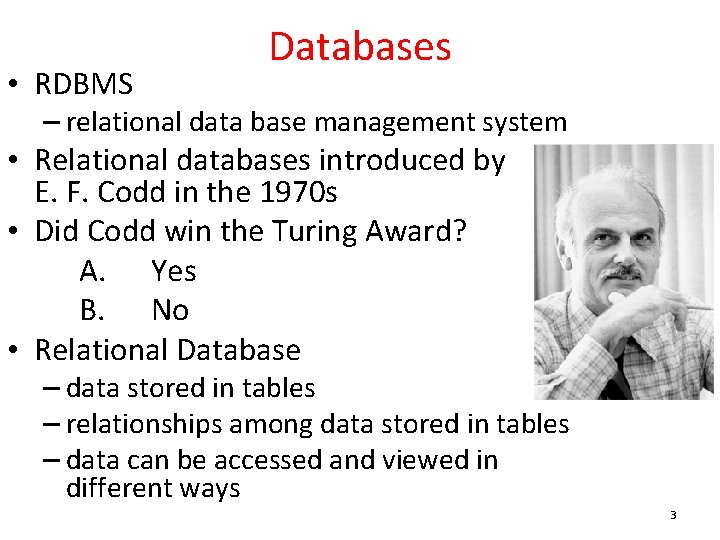
• RDBMS Databases – relational data base management system • Relational databases introduced by E. F. Codd in the 1970 s • Did Codd win the Turing Award? A. Yes B. No • Relational Database – data stored in tables – relationships among data stored in tables – data can be accessed and viewed in different ways 3
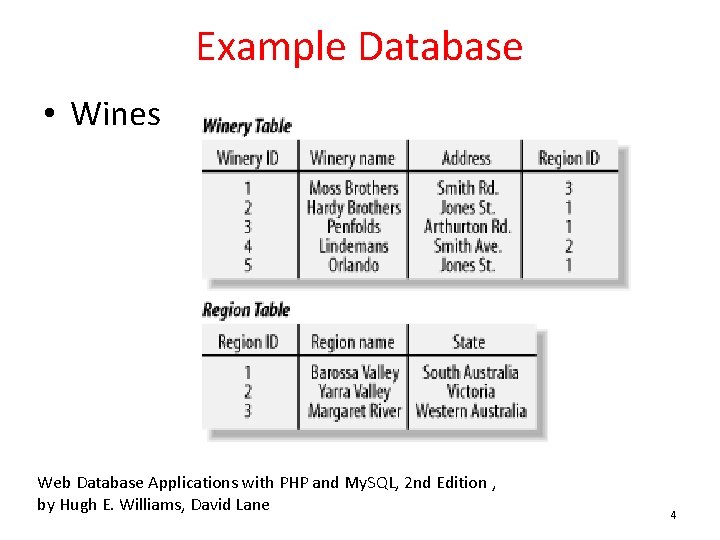
Example Database • Wines Web Database Applications with PHP and My. SQL, 2 nd Edition , by Hugh E. Williams, David Lane 4
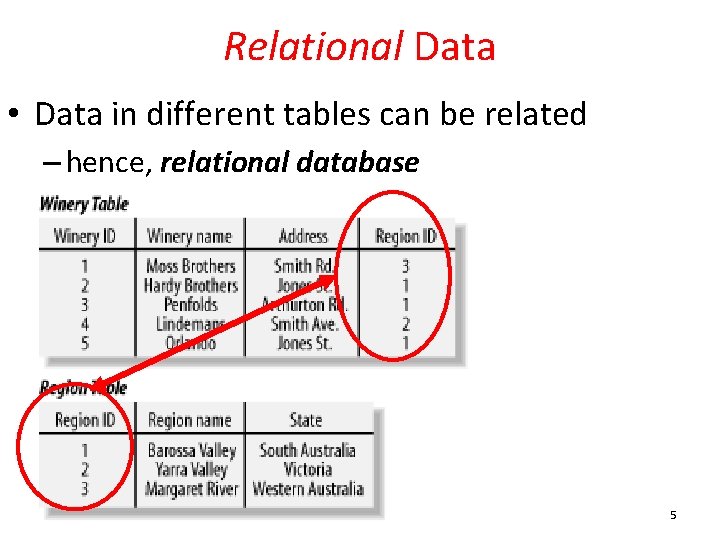
Relational Data • Data in different tables can be related – hence, relational database 5
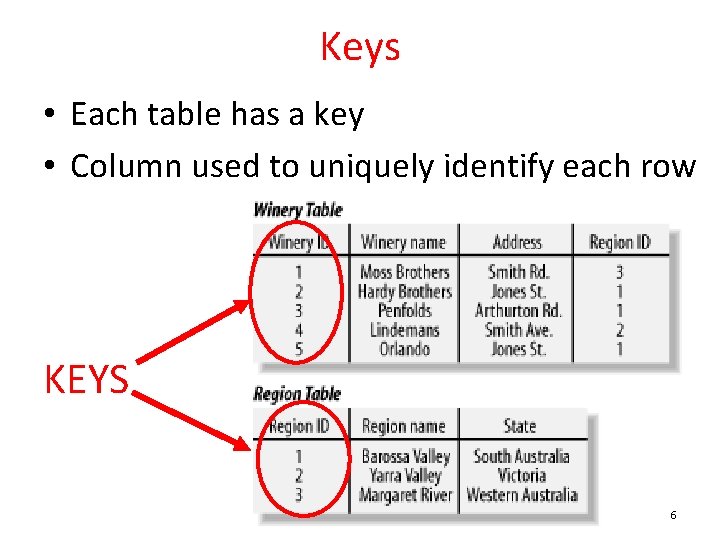
Keys • Each table has a key • Column used to uniquely identify each row KEYS 6
SQL and SQLite • Structured Query Language • a programming language to manage data in a RDBMS • SQLite implements most, but not all of SQL – http: //www. sqlite. org/ 7
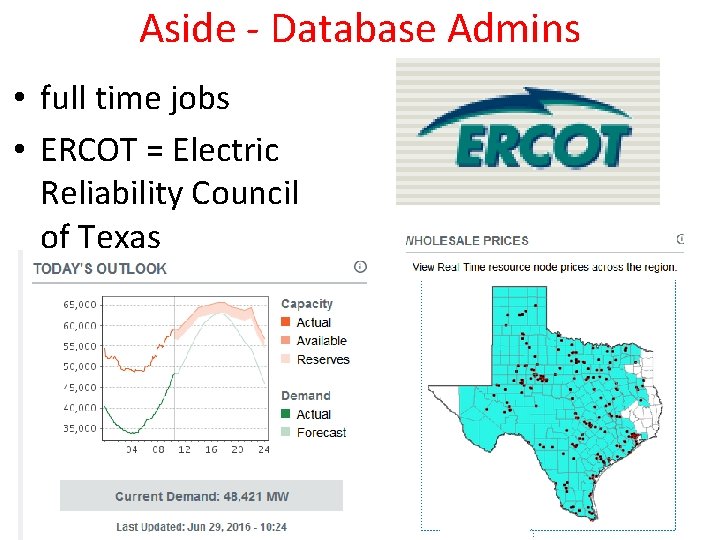
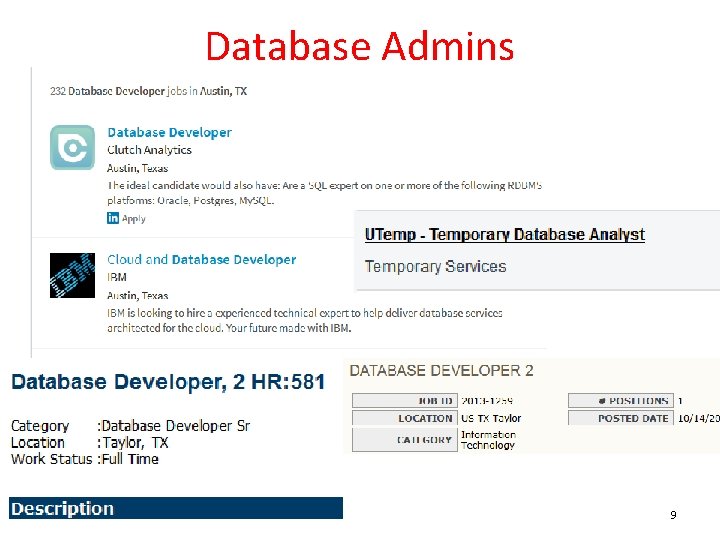
Aside - Database Admins • full time jobs • ERCOT = Electric Reliability Council of Texas 8
Database Admins 9
SQLite and Android • Databases created with applications are accessible by name to all classes in application, but no outside applications • Creating database: – create subclass of SQLite. Open. Helper and override on. Create() method – execute SQLite command to create tables in database – on. Upgrade() method for later versions of app and database already present 10
SQL and Databases • SQL is a language used to manipulate and manage information in a relational database management system (RDBMS) • SQL Commands: • CREATE TABLE - creates a new database table • ALTER TABLE - alters a database table • DROP TABLE - deletes a database table • CREATE INDEX - creates an index (search key) • DROP INDEX - deletes an index 11
SQL Commands • SELECT - get data from a database table • UPDATE - change data in a database table • DELETE - remove data from a database table • INSERT INTO - insert new data in a database table 12
ANDROID AND SQLITE 13

Android and SQLite • SQLite "baked into" Android. • Device will have SQLite and apps can create and use databases. • Not necessary to add third party library or jar to your app. • Many developers use a third party library to ease the syntax burden of using SQLite directly in their code. 14
Android and SQLite • SQLite. Database class • methods to programmatically interact with SQLite database • SQLite. Database has methods to create, delete, execute SQL commands, and perform other common database management tasks. • database restricted to application – unless create content provider http: //developer. android. com/reference/android/database/sqlite/SQLite. Database. html 15
Android and SQLite • Build database on the fly in application • example (movie ratings) has no built in data to start with • possible to create database ahead of time and include in apk • move from apk to Android database on first use http: //stackoverflow. com/questions/5627037/how-can-i-embed-an-sqlite-database-into-an-application 16
Creating Database • • Example: Movie Rating App Stores user ratings Not a complex example Database only has one table – overkill in this scenario • Adapted from Deitel Address Book Application 17
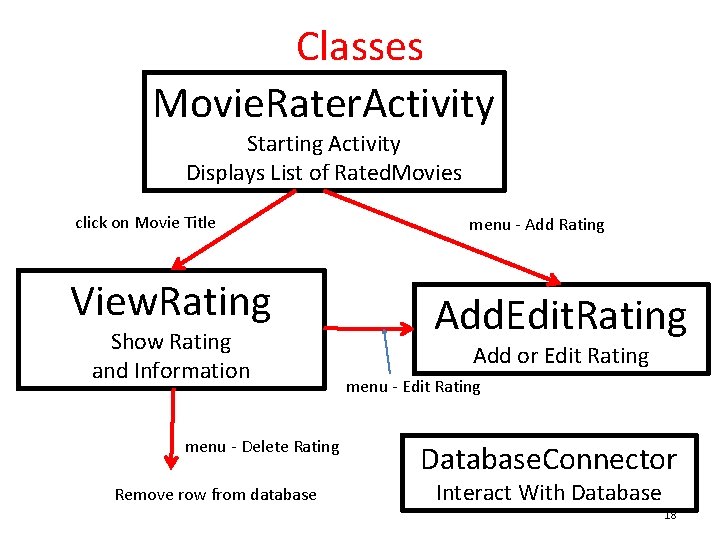
Classes Movie. Rater. Activity Starting Activity Displays List of Rated. Movies click on Movie Title View. Rating Show Rating and Information menu - Delete Rating Remove row from database menu - Add Rating Add. Edit. Rating Add or Edit Rating menu - Edit Rating Database. Connector Interact With Database 18
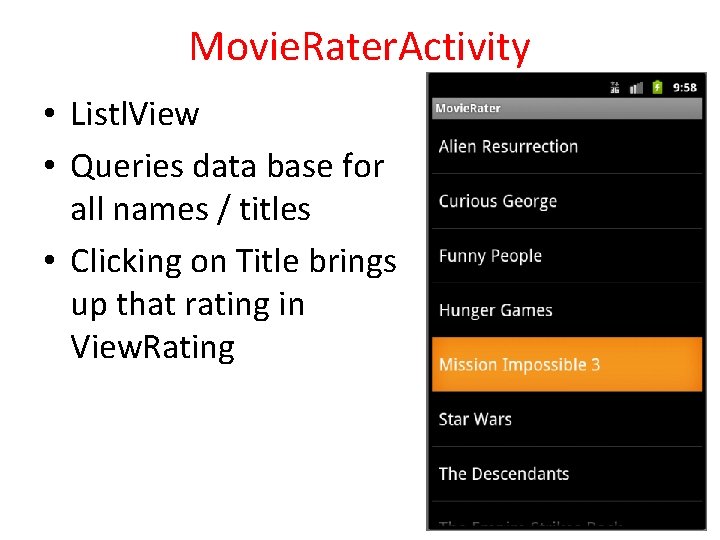
Movie. Rater. Activity • Listl. View • Queries data base for all names / titles • Clicking on Title brings up that rating in View. Rating 19
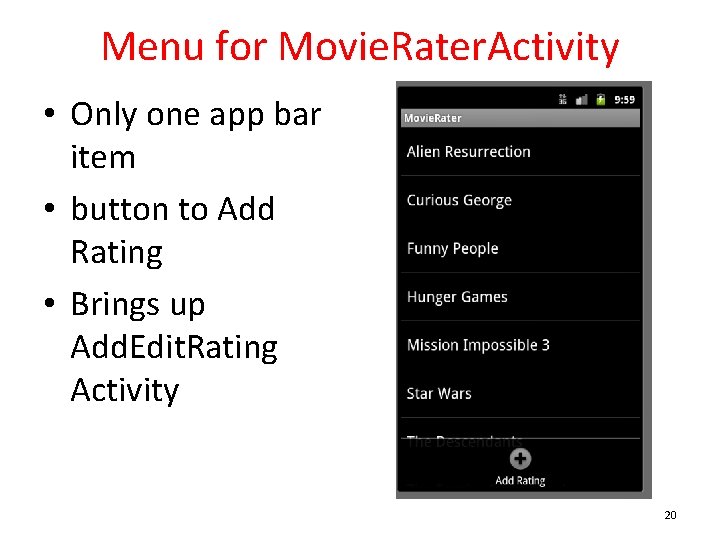
Menu for Movie. Rater. Activity • Only one app bar item • button to Add Rating • Brings up Add. Edit. Rating Activity 20
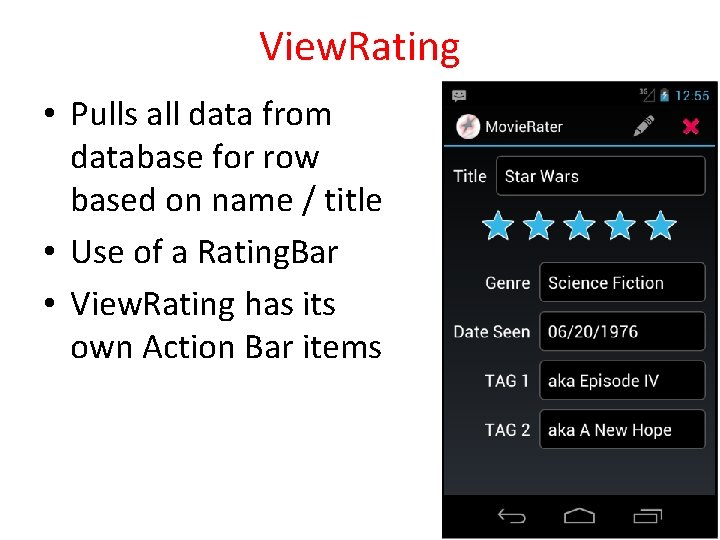
View. Rating • Pulls all data from database for row based on name / title • Use of a Rating. Bar • View. Rating has its own Action Bar items 21
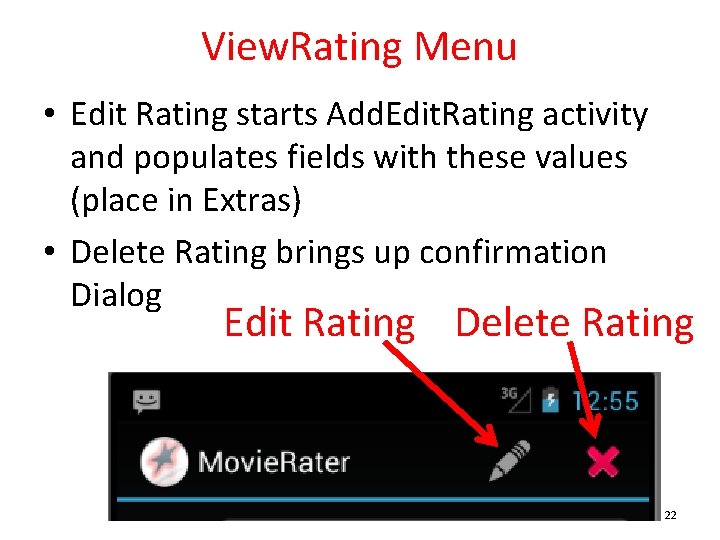
View. Rating Menu • Edit Rating starts Add. Edit. Rating activity and populates fields with these values (place in Extras) • Delete Rating brings up confirmation Dialog Edit Rating Delete Rating 22
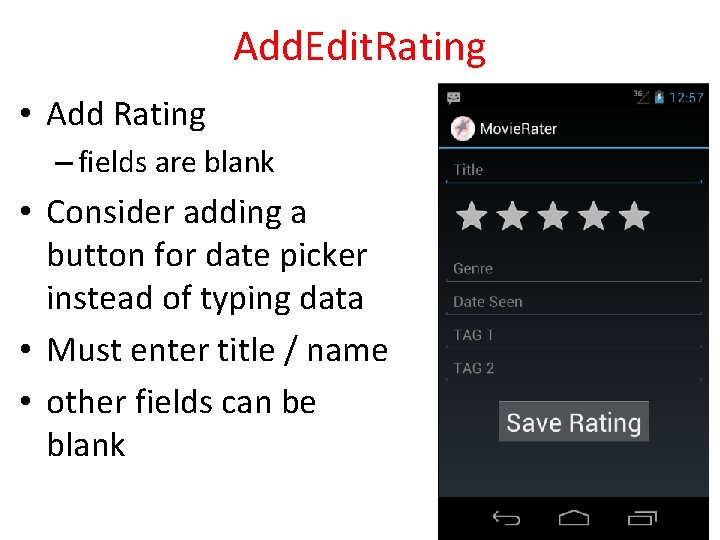
Add. Edit. Rating • Add Rating – fields are blank • Consider adding a button for date picker instead of typing data • Must enter title / name • other fields can be blank 23
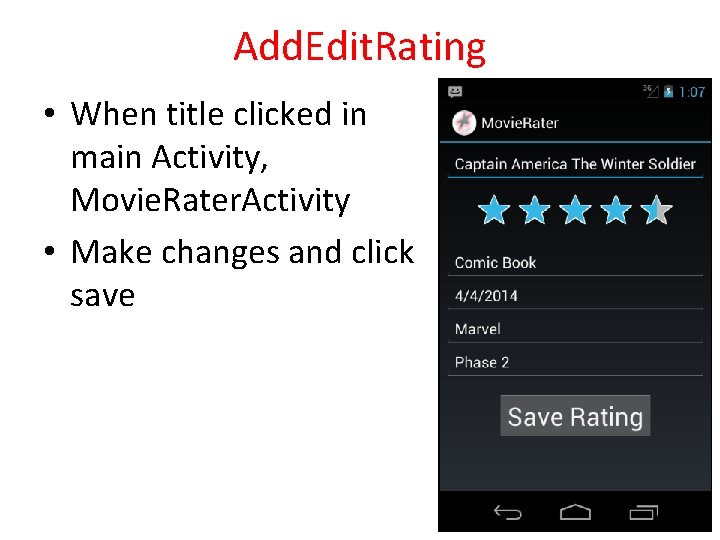
Add. Edit. Rating • When title clicked in main Activity, Movie. Rater. Activity • Make changes and click save 24
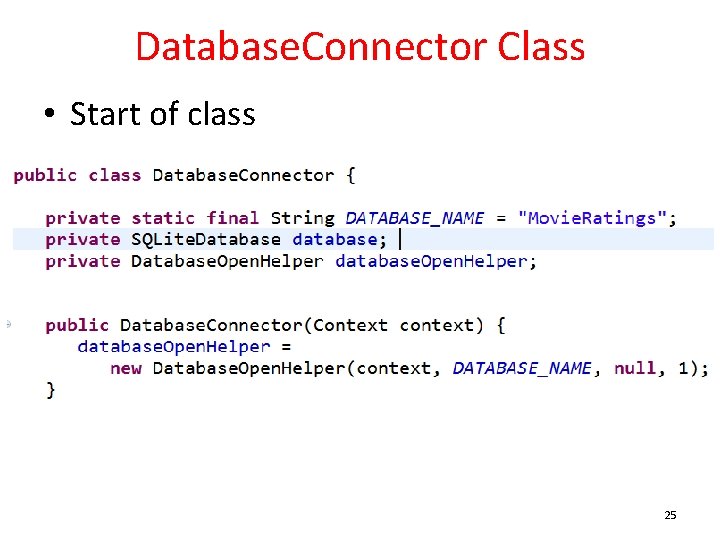
Database. Connector Class • Start of class 25
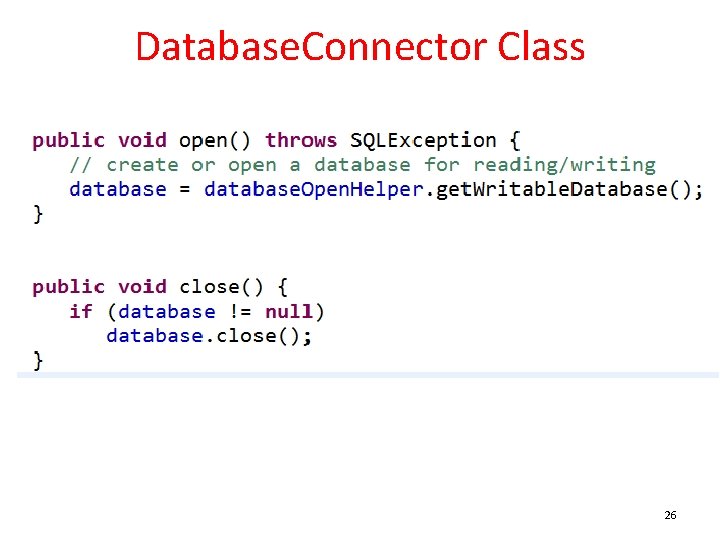
Database. Connector Class 26
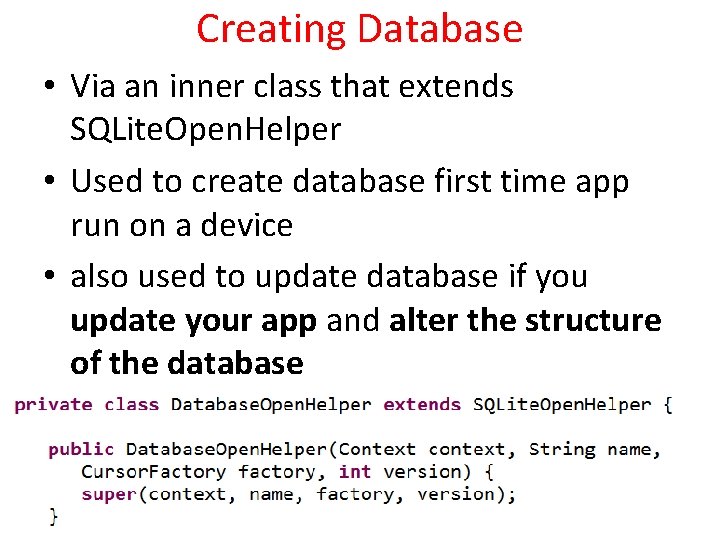
Creating Database • Via an inner class that extends SQLite. Open. Helper • Used to create database first time app run on a device • also used to update database if you update your app and alter the structure of the database 27
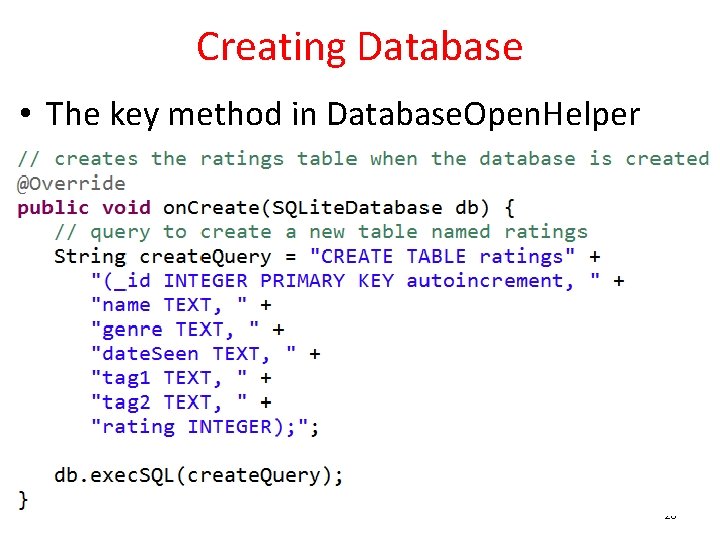
Creating Database • The key method in Database. Open. Helper 28
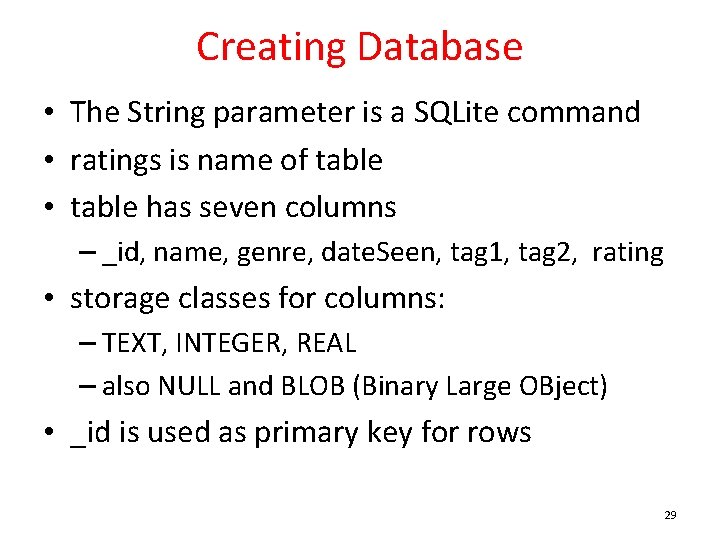
Creating Database • The String parameter is a SQLite command • ratings is name of table • table has seven columns – _id, name, genre, date. Seen, tag 1, tag 2, rating • storage classes for columns: – TEXT, INTEGER, REAL – also NULL and BLOB (Binary Large OBject) • _id is used as primary key for rows 29
Updating Database • Quite likely you change the set up of you database over time – add tables, add columns, remove tables or columns, reorganize – referred to as the schema of the database • on. Upgrade method for class that extends SQLite. Open. Helper – for converting database on device (from previous version of your app) to scheme used by newer version of app – not trivial! 30
Aside - Contract Class • If you plan to use the database in multiple activities and components of your app – consider creating a Contract Class • A class with constants that define table names and columns – instead of hard coding in multiple places • Android has built in Contacts. Contract and Calendar. Contract classes 31
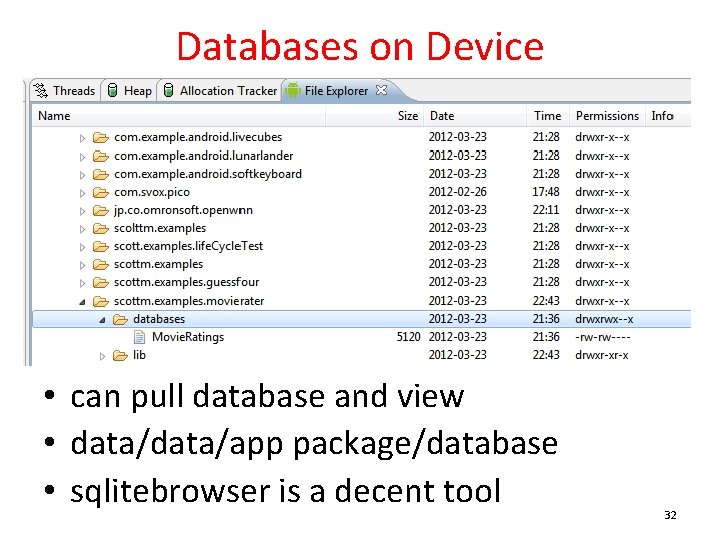
Databases on Device • can pull database and view • data/app package/database • sqlitebrowser is a decent tool 32
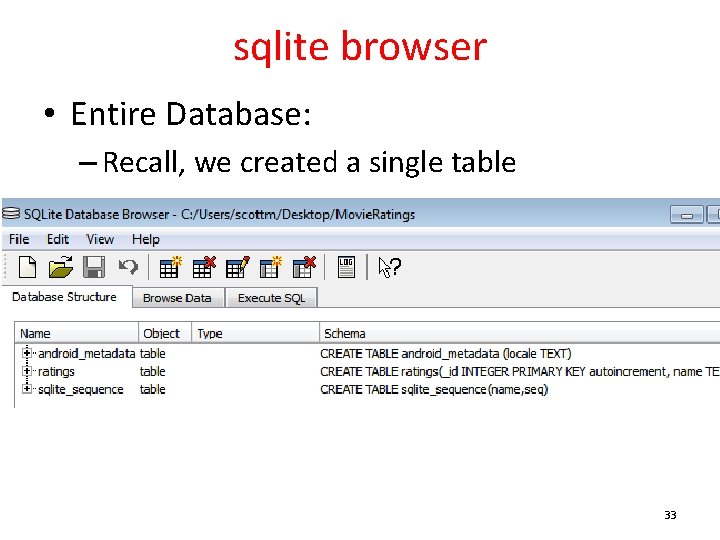
sqlite browser • Entire Database: – Recall, we created a single table 33
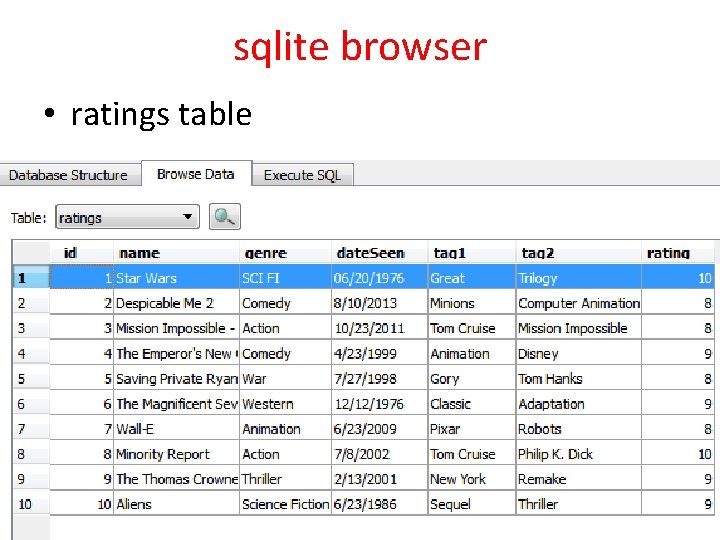
sqlite browser • ratings table 34
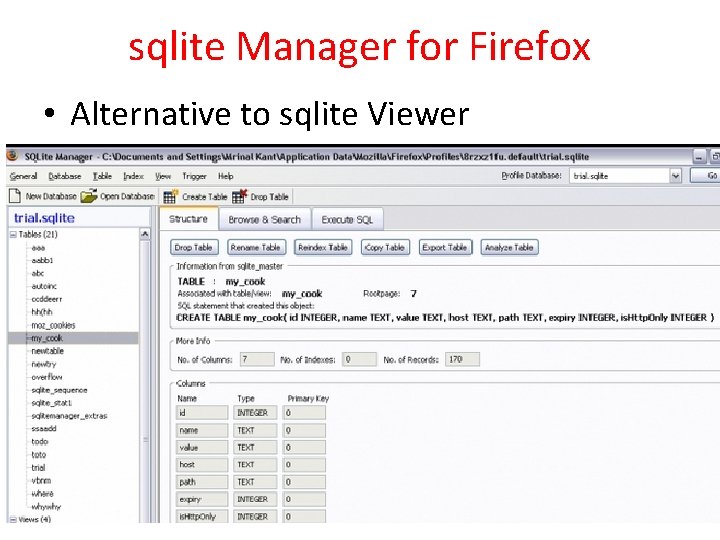
sqlite Manager for Firefox • Alternative to sqlite Viewer 35
Inserting Data • Content. Values: object with key/value pairs that are used when inserting/updating databases • Each Content. Value object corresponds to one row in a table • _id being added and incremented automatically 36
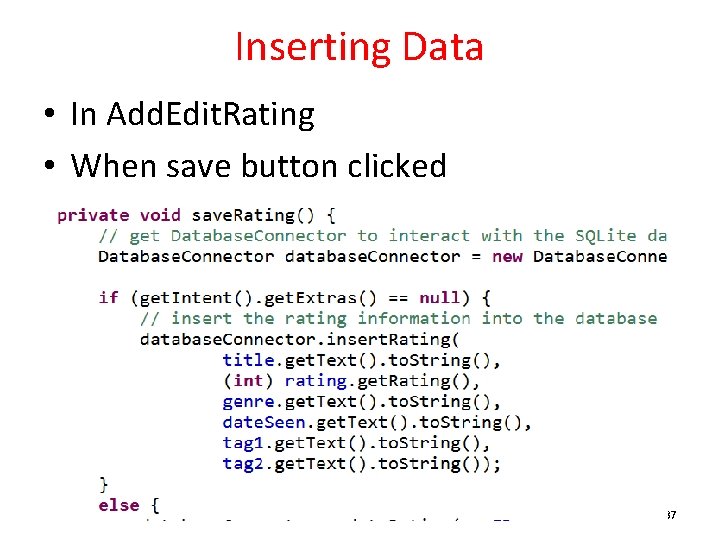
Inserting Data • In Add. Edit. Rating • When save button clicked 37
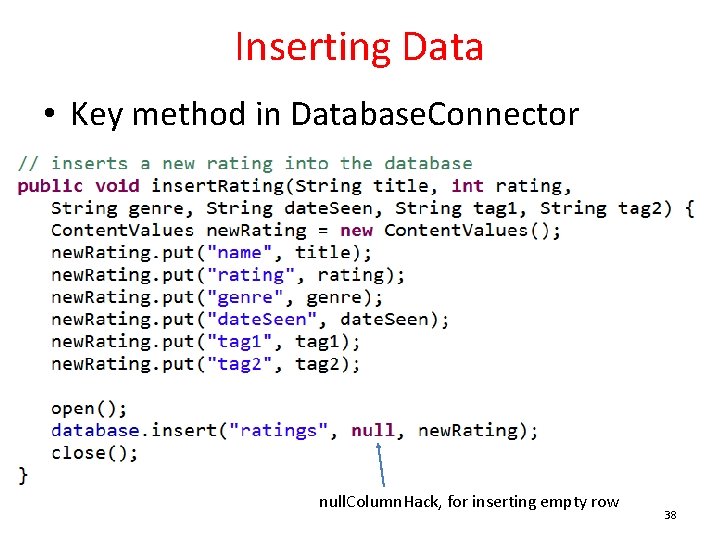
Inserting Data • Key method in Database. Connector null. Column. Hack, for inserting empty row 38
More on insert • The second parameter • null. Column. Hack – that's the parameter identifier • "optional; may be null. SQL doesn't allow inserting a completely empty row without naming at least one column name. If your provided values (second parameter) is empty, no column names are known and an empty row can't be inserted. If not set to null, the null. Column. Hack parameter provides the name of nullable column name to explicitly insert a NULL into in the case where your values is empty. " http: //tinyurl. com/kpl 3 ow 7 39
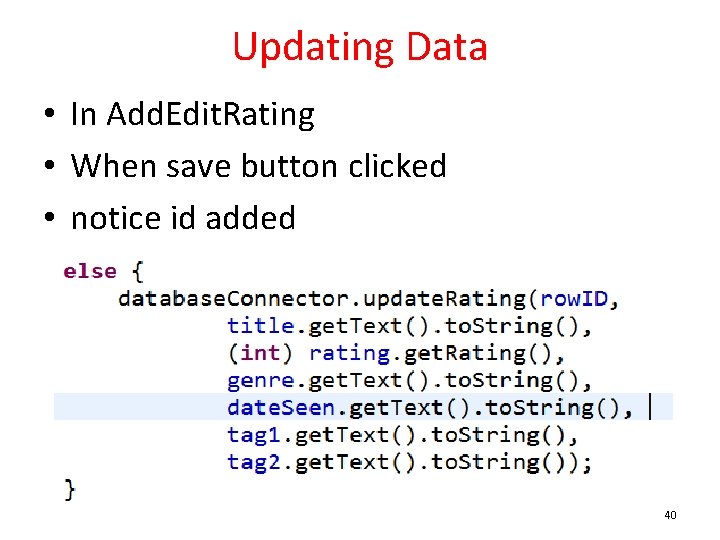
Updating Data • In Add. Edit. Rating • When save button clicked • notice id added 40
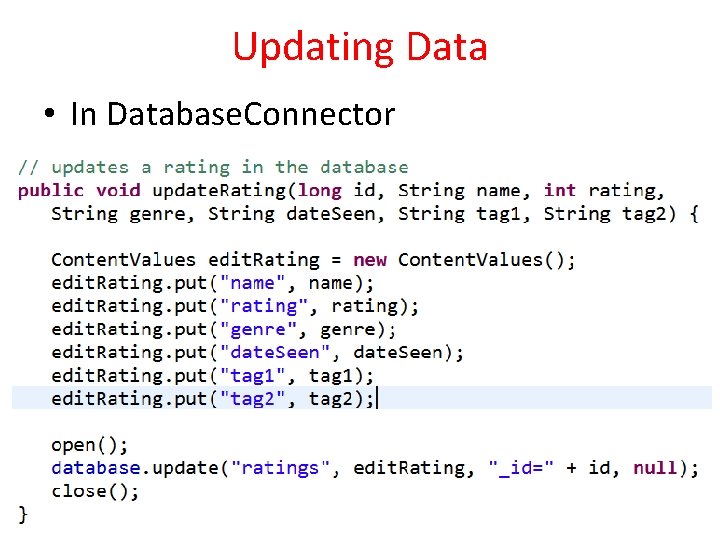
Updating Data • In Database. Connector 41
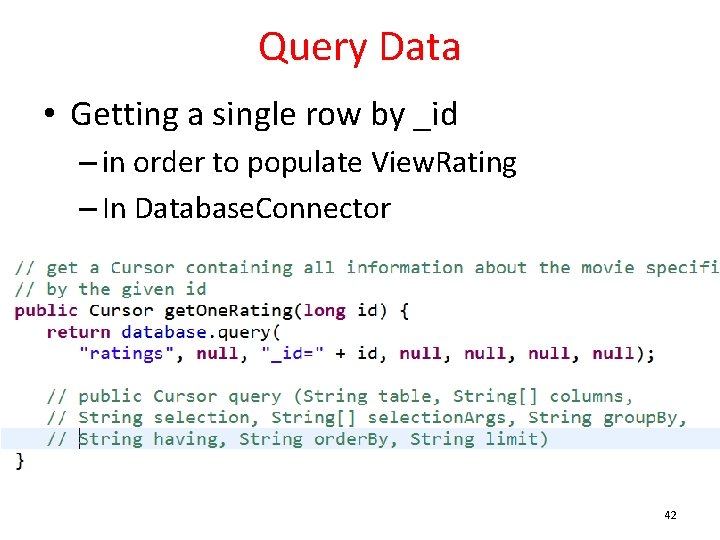
Query Data • Getting a single row by _id – in order to populate View. Rating – In Database. Connector 42
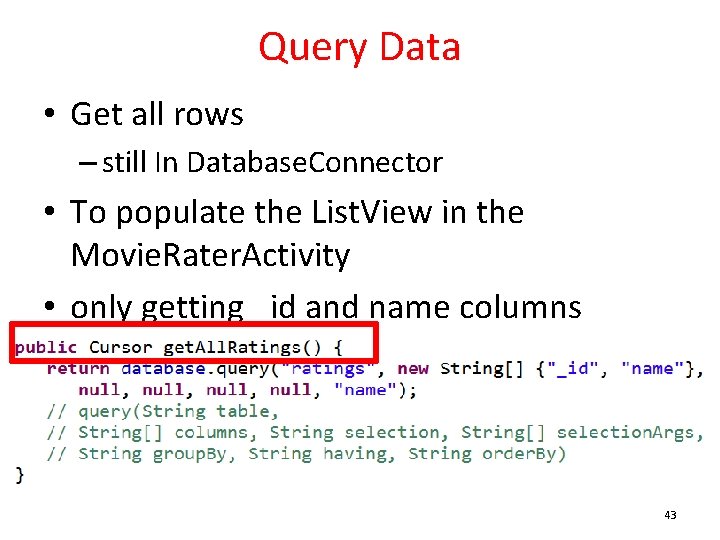
Query Data • Get all rows – still In Database. Connector • To populate the List. View in the Movie. Rater. Activity • only getting _id and name columns 43
Cursors • When you execute a query on a database in Android … • you get a Cursor back • http: //developer. android. com/reference/android/database/Cursor. html • "Cursor provided random [access] readwrite access to the result of a query" • Commonly used in other database implementations / models 44
Cursor • find out number of rows in result with get. Count() • iterate over rows – move. To. First(), move. To. Next() • determine column names with get. Column. Names() • get values for current row 45
Cursor • To use all the data … • wrap the Cursor in a Simple. Cursor. Adapter • pass the Adapter to a List. View or other view to handle lots of data • NOTE: result must contain an integer column named _ID that is unique for the result set – used as id for row in List. View 46
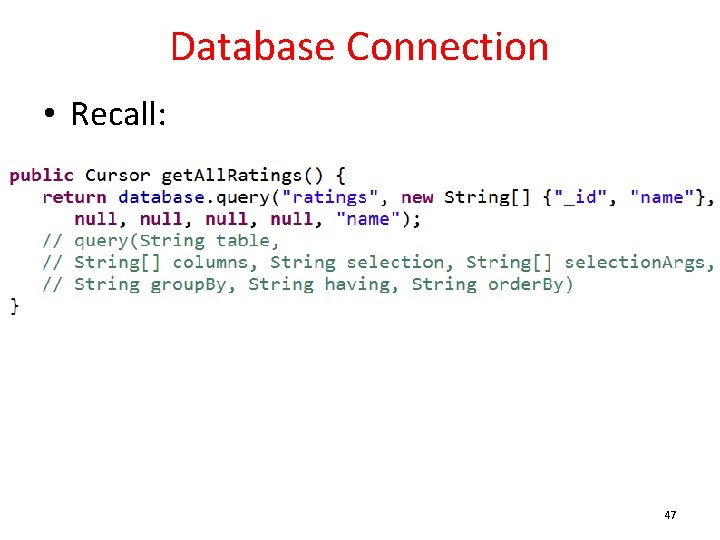
Database Connection • Recall: 47
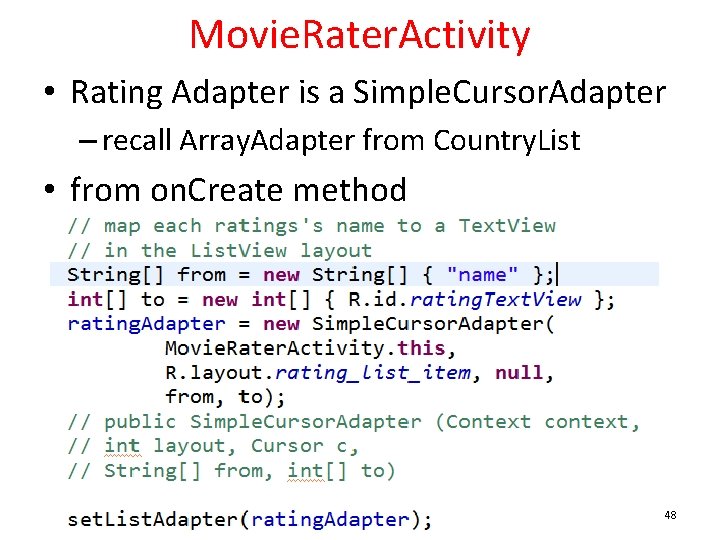
Movie. Rater. Activity • Rating Adapter is a Simple. Cursor. Adapter – recall Array. Adapter from Country. List • from on. Create method 48
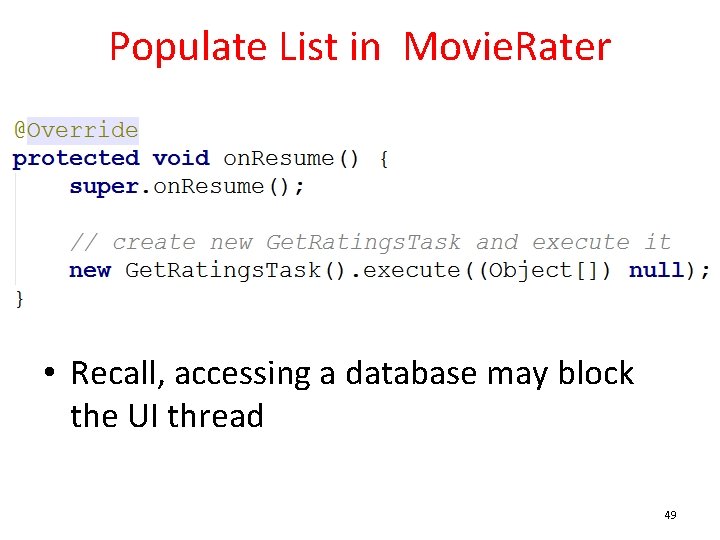
Populate List in Movie. Rater • Recall, accessing a database may block the UI thread 49
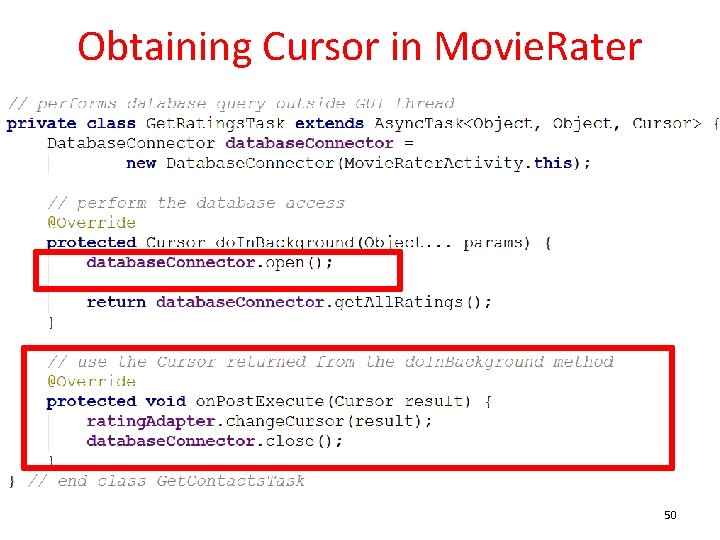
Obtaining Cursor in Movie. Rater 50
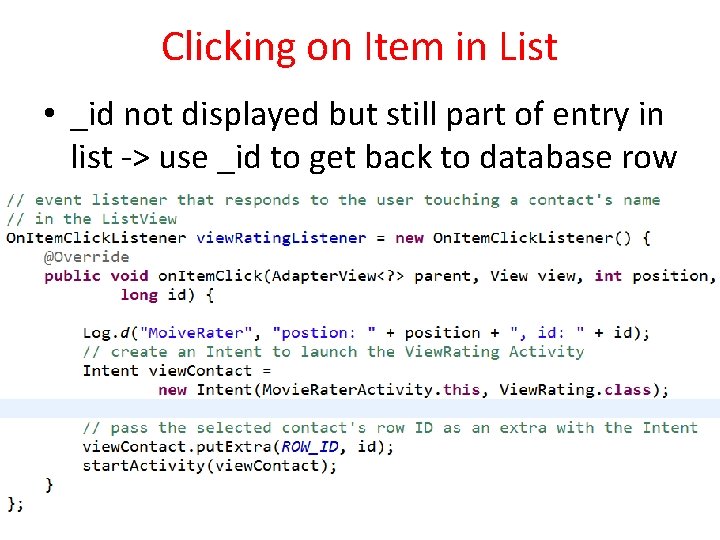
Clicking on Item in List • _id not displayed but still part of entry in list -> use _id to get back to database row 51
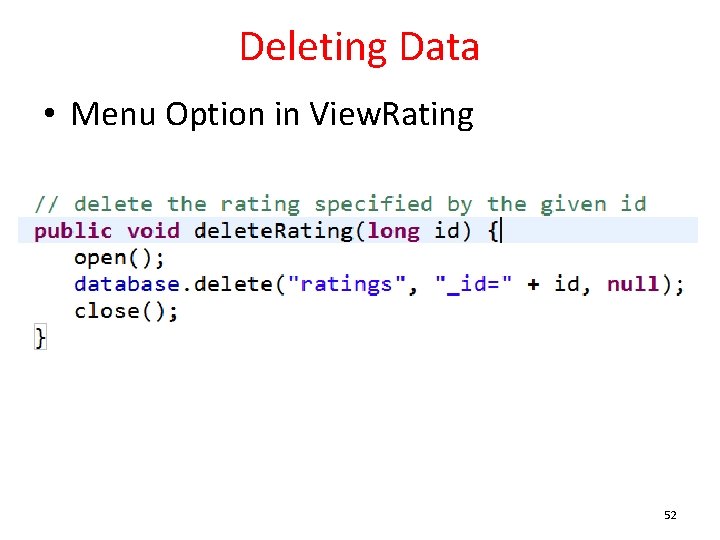
Deleting Data • Menu Option in View. Rating 52
Other Cursor Options • • move. To. Previous get. Count get. Column. Index. Or. Throw get. Column. Names move. To. Position get. Position 53
Possible Upgrades • Add functionality to – show all movies that share a particular genre – movies from a date range – shared tags – table for the genres (predefined) • Simply more complex data base queries 54

ALTERNATIVES TO SQLITE - MOVING HIGHER UP THE FOOD CHAIN 55
Alternatives to sqlite • When using SQLite you may feel like you are "Down in the weeds" • Various alternatives to work higher up the food chain – in other words at a higher level of abstraction • Object Relational Mappers - ORM • Higher level wrappers for dealing with sql commands and sqlite databases • Many ORMs exist 56
ORM Example - Sugar ORM • Syntactic Sugar? – what does that mean? • Install package • Add to manifest file • Classes you want stored in database must extend Sugar. Record 57
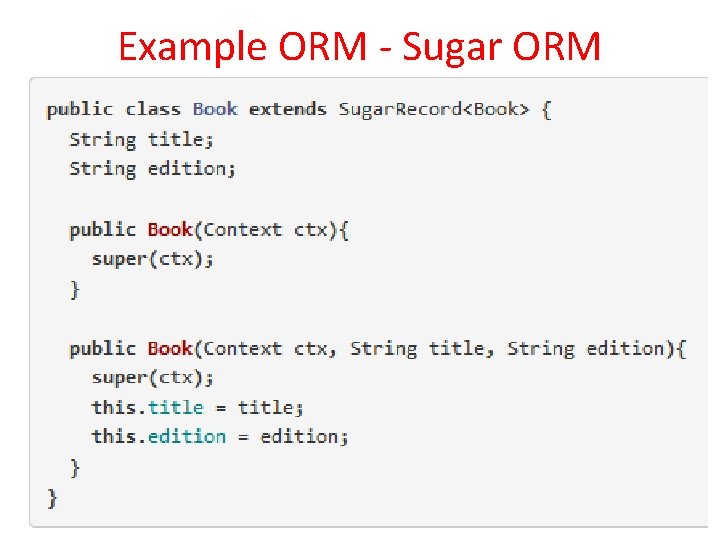
Example ORM - Sugar ORM 58
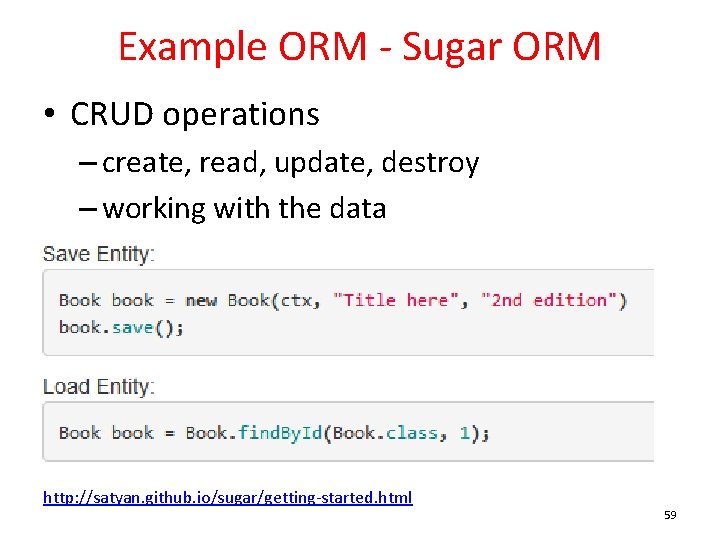
Example ORM - Sugar ORM • CRUD operations – create, read, update, destroy – working with the data http: //satyan. github. io/sugar/getting-started. html 59
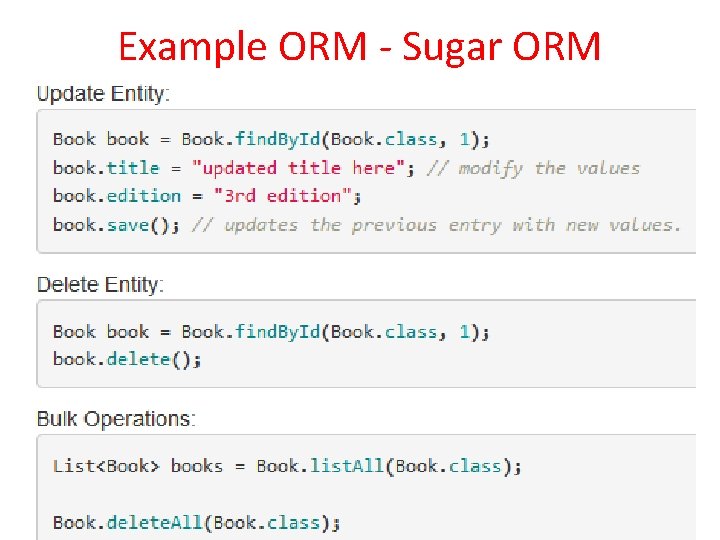
Example ORM - Sugar ORM 60
Implications for Movie Rater • Simple syntax and method calls to make queries on the database • In the demo app, Movie Rating should be its own class • Could use Sugar ORM to simplify dealing with the sqlite database 61
- Slides: 61