
CS 352 Computer Graphics Chapter 8 The Rendering
- Slides: 57
CS 352: Computer Graphics Chapter 8: The Rendering Pipeline
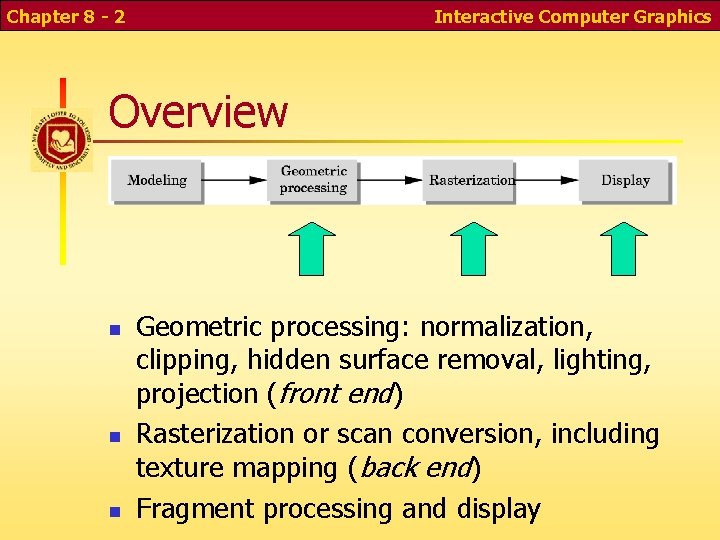
Chapter 8 - 2 Interactive Computer Graphics Overview Geometric processing: normalization, clipping, hidden surface removal, lighting, projection (front end) Rasterization or scan conversion, including texture mapping (back end) Fragment processing and display
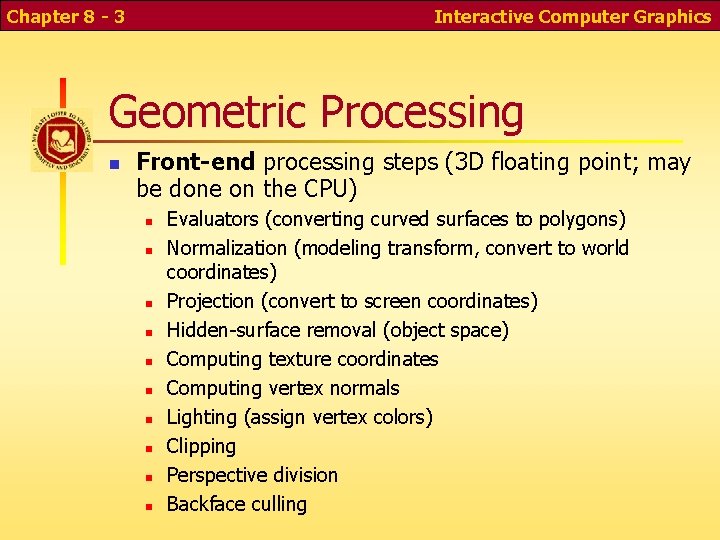
Chapter 8 - 3 Interactive Computer Graphics Geometric Processing Front-end processing steps (3 D floating point; may be done on the CPU) Evaluators (converting curved surfaces to polygons) Normalization (modeling transform, convert to world coordinates) Projection (convert to screen coordinates) Hidden-surface removal (object space) Computing texture coordinates Computing vertex normals Lighting (assign vertex colors) Clipping Perspective division Backface culling
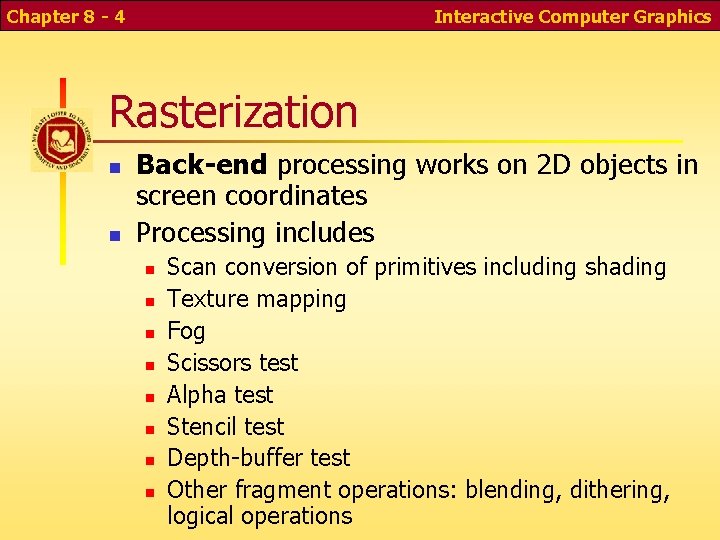
Chapter 8 - 4 Interactive Computer Graphics Rasterization Back-end processing works on 2 D objects in screen coordinates Processing includes Scan conversion of primitives including shading Texture mapping Fog Scissors test Alpha test Stencil test Depth-buffer test Other fragment operations: blending, dithering, logical operations
Chapter 8 - 5 Interactive Computer Graphics Display RAM DAC converts frame buffer to video signal Other considerations: Color correction Antialiasing
Chapter 8 - 6 Interactive Computer Graphics Implementation Strategies Major approaches: Object-oriented approach (pipeline renderers like Open. GL) Image-oriented approach (e. g. ray tracing) For each primitive, convert to pixels Hidden-surface removal happens at the end For each pixel, figure out what color to make it Hidden-surface removal happens early Considerations on object-oriented approach Memory requirements were a serious problem with the object-oriented approach until recently Object-oriented approach has a hard time with interactions between objects The simple, repetitive processing allows hardware speed: e. g. a 4 x 4 matrix multiply in one instruction Memory bandwidth not a problem on a single chip
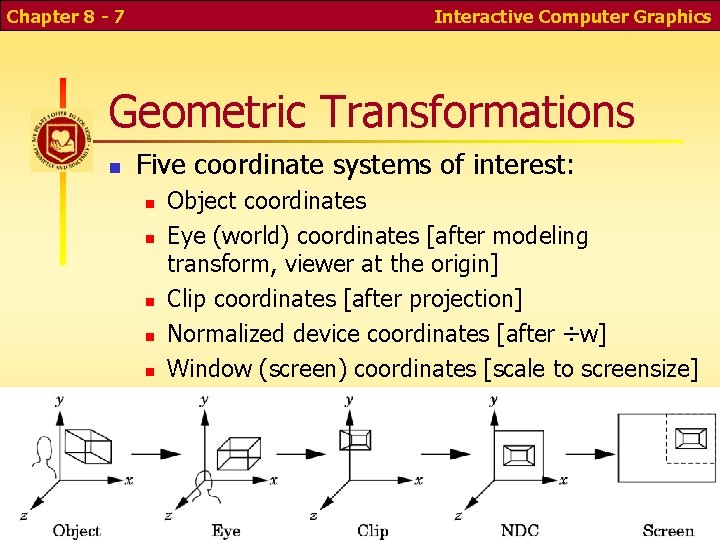
Chapter 8 - 7 Interactive Computer Graphics Geometric Transformations Five coordinate systems of interest: Object coordinates Eye (world) coordinates [after modeling transform, viewer at the origin] Clip coordinates [after projection] Normalized device coordinates [after ÷w] Window (screen) coordinates [scale to screensize]
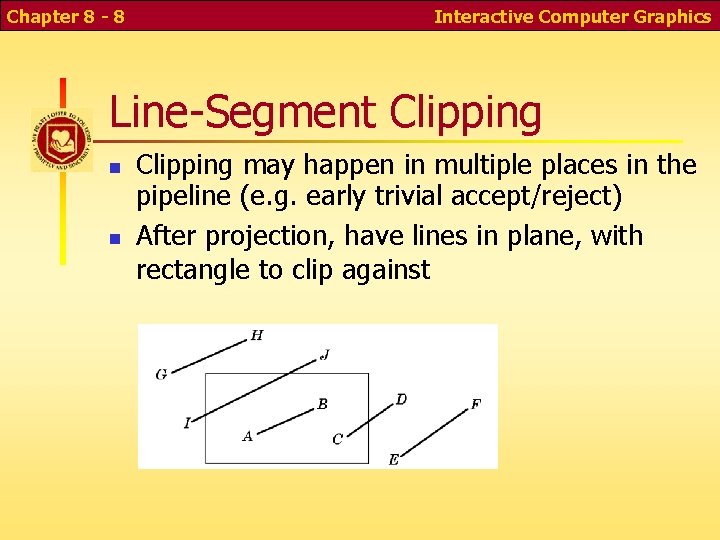
Chapter 8 - 8 Interactive Computer Graphics Line-Segment Clipping may happen in multiple places in the pipeline (e. g. early trivial accept/reject) After projection, have lines in plane, with rectangle to clip against
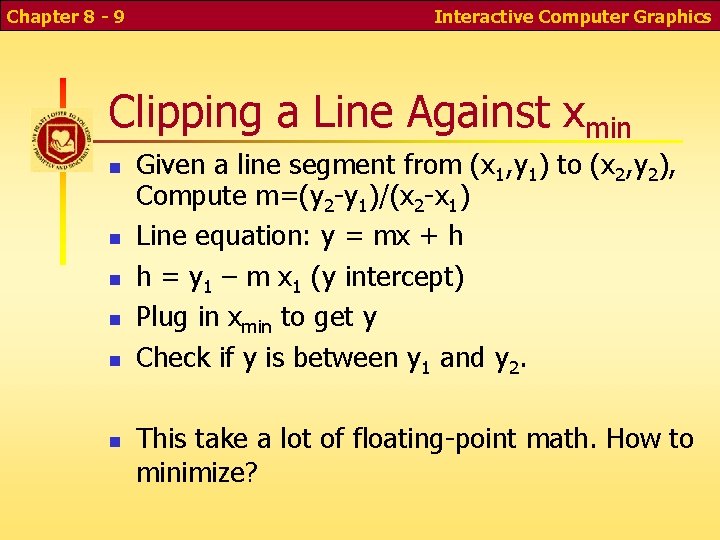
Chapter 8 - 9 Interactive Computer Graphics Clipping a Line Against xmin Given a line segment from (x 1, y 1) to (x 2, y 2), Compute m=(y 2 -y 1)/(x 2 -x 1) Line equation: y = mx + h h = y 1 – m x 1 (y intercept) Plug in xmin to get y Check if y is between y 1 and y 2. This take a lot of floating-point math. How to minimize?
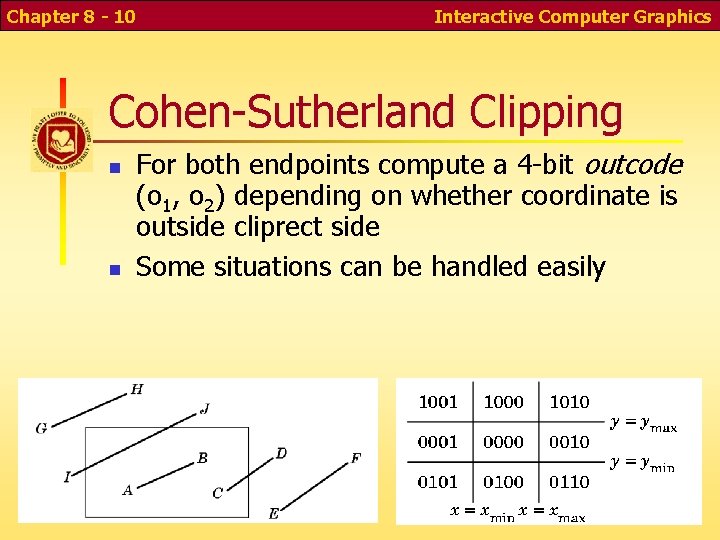
Chapter 8 - 10 Interactive Computer Graphics Cohen-Sutherland Clipping For both endpoints compute a 4 -bit outcode (o 1, o 2) depending on whether coordinate is outside cliprect side Some situations can be handled easily
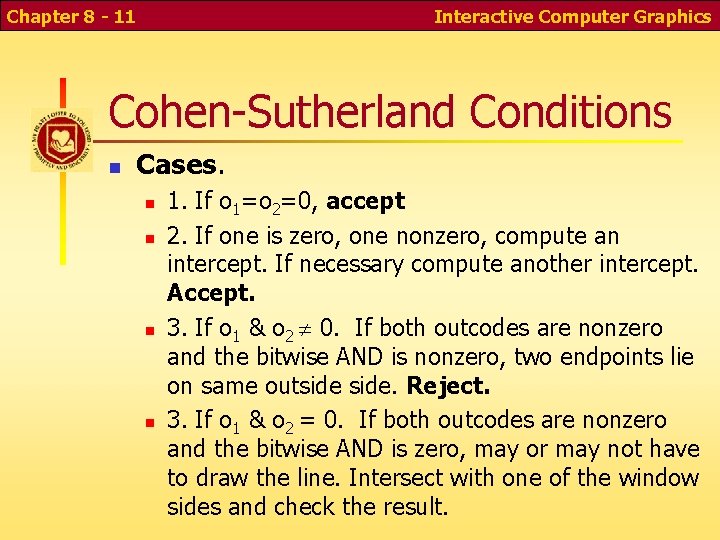
Chapter 8 - 11 Interactive Computer Graphics Cohen-Sutherland Conditions Cases. 1. If o 1=o 2=0, accept 2. If one is zero, one nonzero, compute an intercept. If necessary compute another intercept. Accept. 3. If o 1 & o 2 0. If both outcodes are nonzero and the bitwise AND is nonzero, two endpoints lie on same outside. Reject. 3. If o 1 & o 2 = 0. If both outcodes are nonzero and the bitwise AND is zero, may or may not have to draw the line. Intersect with one of the window sides and check the result.
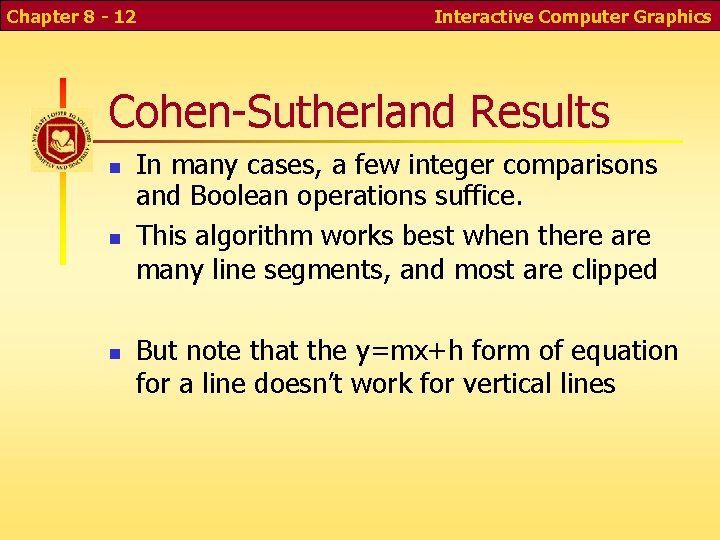
Chapter 8 - 12 Interactive Computer Graphics Cohen-Sutherland Results In many cases, a few integer comparisons and Boolean operations suffice. This algorithm works best when there are many line segments, and most are clipped But note that the y=mx+h form of equation for a line doesn’t work for vertical lines
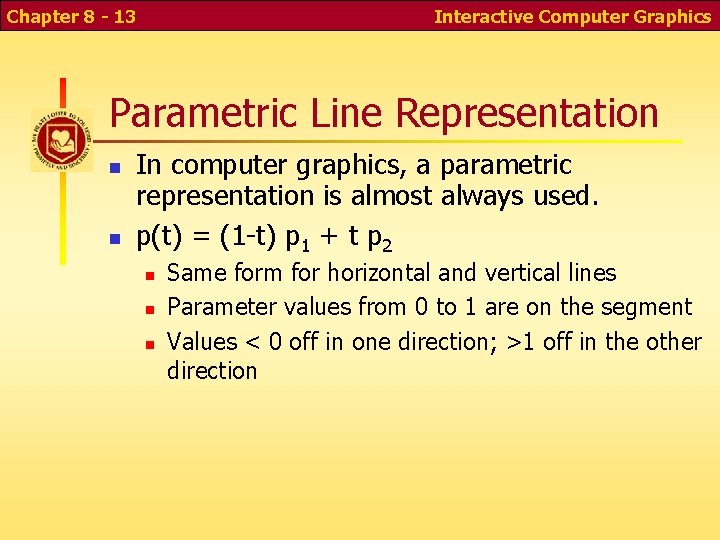
Chapter 8 - 13 Interactive Computer Graphics Parametric Line Representation In computer graphics, a parametric representation is almost always used. p(t) = (1 -t) p 1 + t p 2 Same form for horizontal and vertical lines Parameter values from 0 to 1 are on the segment Values < 0 off in one direction; >1 off in the other direction
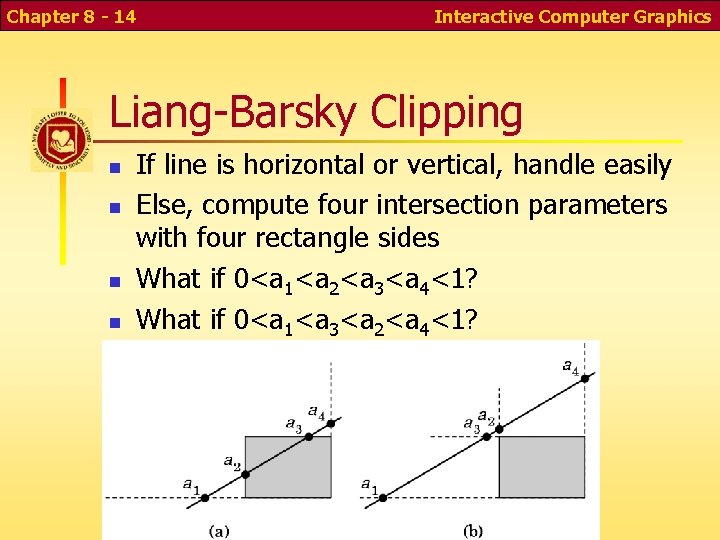
Chapter 8 - 14 Interactive Computer Graphics Liang-Barsky Clipping If line is horizontal or vertical, handle easily Else, compute four intersection parameters with four rectangle sides What if 0<a 1<a 2<a 3<a 4<1? What if 0<a 1<a 3<a 2<a 4<1?
Chapter 8 - 15 Interactive Computer Graphics Computing Intersection Parameters Hold off on computing parameters as long as possibly (lazy computation); many lines can be rejected early Could compute a=(ymax-y 1)/(y 2 -y 1) Can rewrite a (y 2 -y 1) = (ymax-y 1) Perform work in integer math by comparing a (y 2 -y 1) instead of a
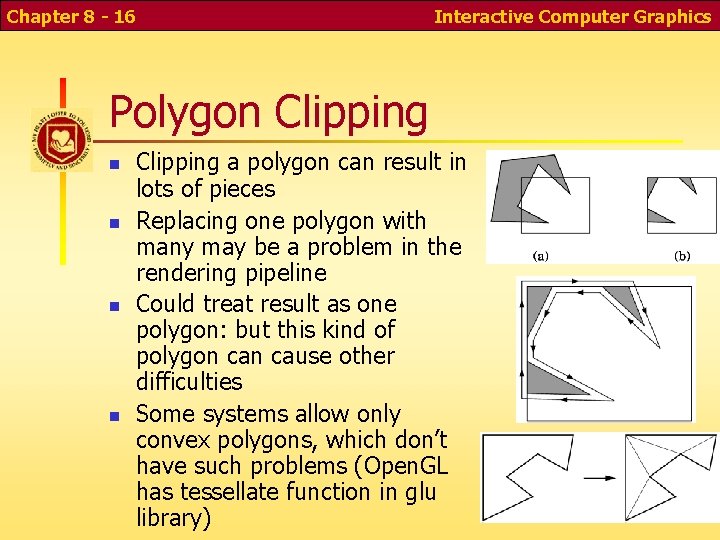
Chapter 8 - 16 Interactive Computer Graphics Polygon Clipping a polygon can result in lots of pieces Replacing one polygon with many may be a problem in the rendering pipeline Could treat result as one polygon: but this kind of polygon cause other difficulties Some systems allow only convex polygons, which don’t have such problems (Open. GL has tessellate function in glu library)
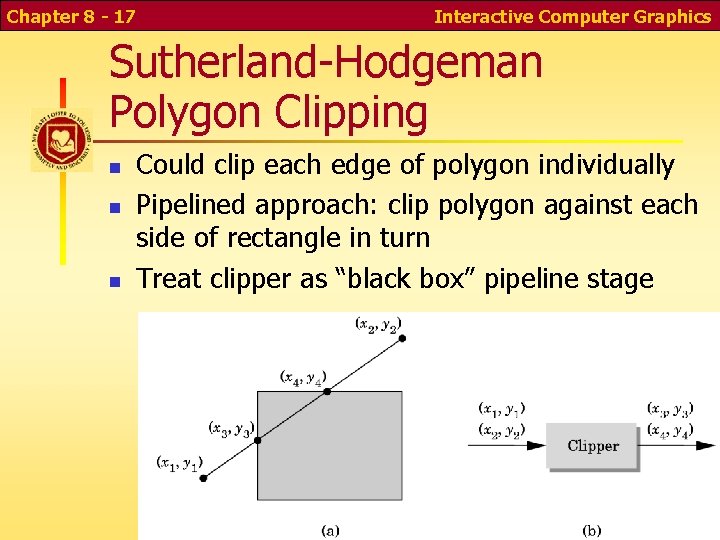
Chapter 8 - 17 Interactive Computer Graphics Sutherland-Hodgeman Polygon Clipping Could clip each edge of polygon individually Pipelined approach: clip polygon against each side of rectangle in turn Treat clipper as “black box” pipeline stage
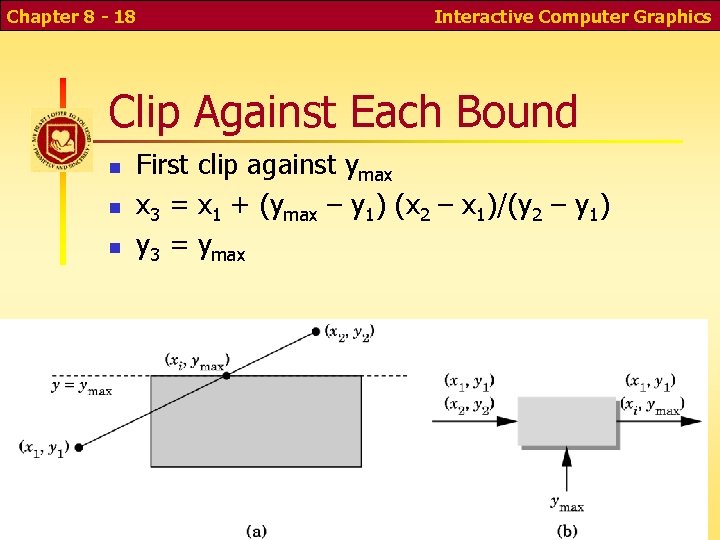
Chapter 8 - 18 Interactive Computer Graphics Clip Against Each Bound First clip against ymax x 3 = x 1 + (ymax – y 1) (x 2 – x 1)/(y 2 – y 1) y 3 = ymax
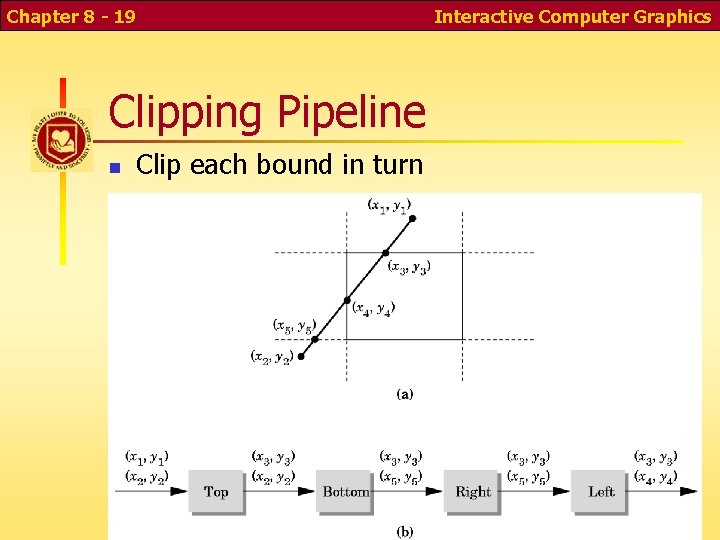
Chapter 8 - 19 Clipping Pipeline Clip each bound in turn Interactive Computer Graphics
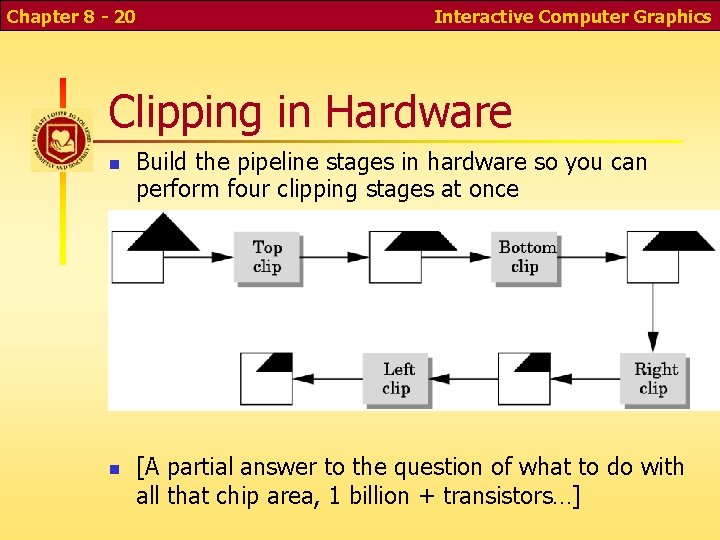
Chapter 8 - 20 Interactive Computer Graphics Clipping in Hardware Build the pipeline stages in hardware so you can perform four clipping stages at once [A partial answer to the question of what to do with all that chip area, 1 billion + transistors…]
Chapter 8 - 21 Interactive Computer Graphics Clipping complicated objects Suppose you have many complicated objects, such as models of parts of a person with thousands of polygons each When and how to clip for maximum efficiency? How to clip text? Curves?
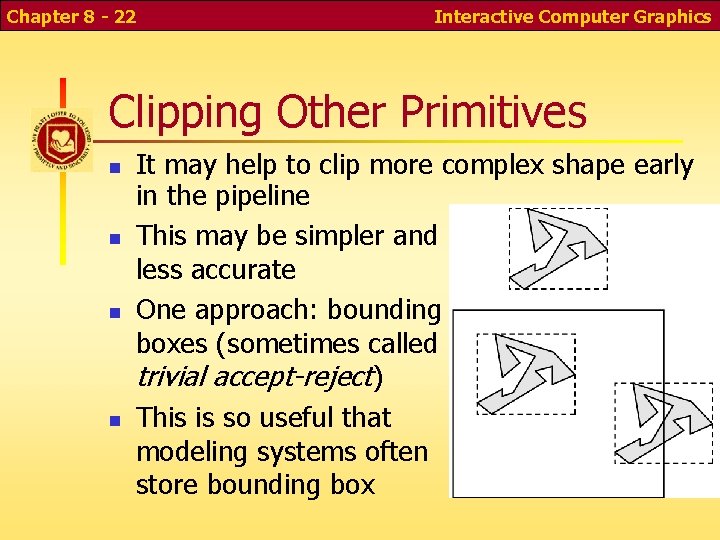
Chapter 8 - 22 Interactive Computer Graphics Clipping Other Primitives It may help to clip more complex shape early in the pipeline This may be simpler and less accurate One approach: bounding boxes (sometimes called trivial accept-reject) This is so useful that modeling systems often store bounding box
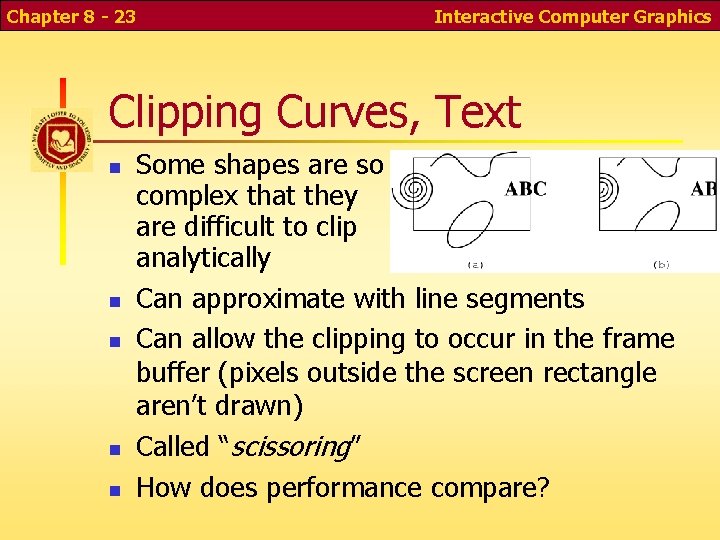
Chapter 8 - 23 Interactive Computer Graphics Clipping Curves, Text Some shapes are so complex that they are difficult to clip analytically Can approximate with line segments Can allow the clipping to occur in the frame buffer (pixels outside the screen rectangle aren’t drawn) Called “scissoring” How does performance compare?
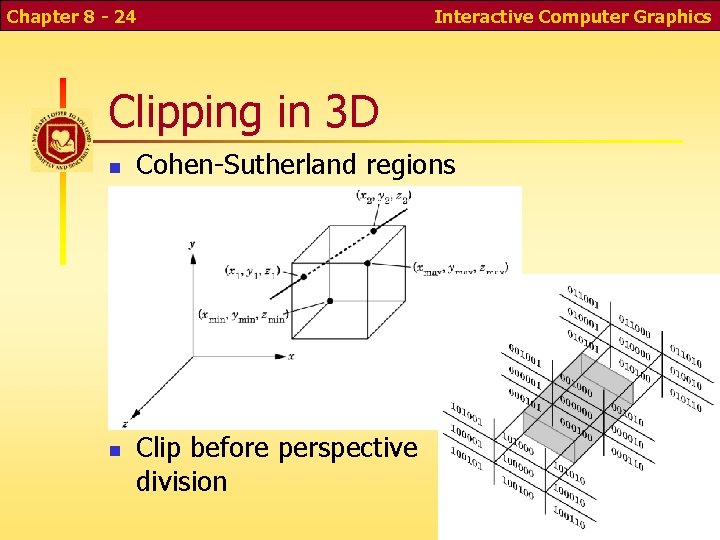
Chapter 8 - 24 Interactive Computer Graphics Clipping in 3 D Cohen-Sutherland regions Clip before perspective division
Chapter 8 - 25 Interactive Computer Graphics Hidden surface removal Object-space vs. Image space The main image-space algorithm: z-buffer Drawbacks Aliasing Rendering invisible objects How would object-space hidden surface removal work? [How do you think we did program 4 before z-buffers? ]
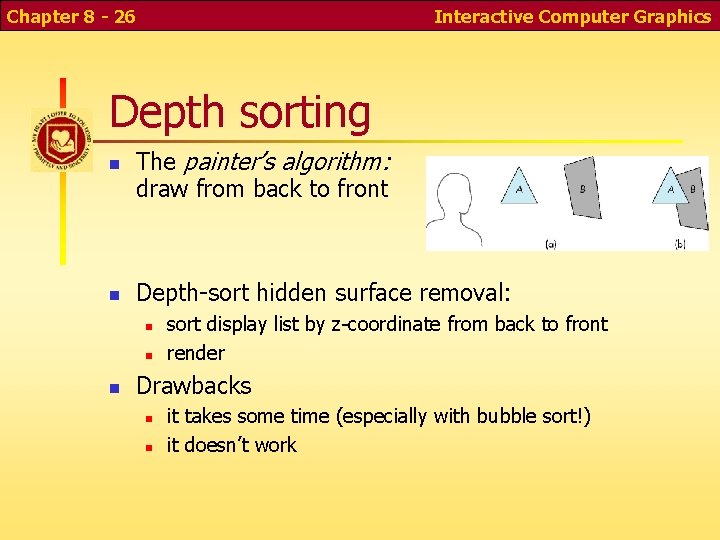
Chapter 8 - 26 Interactive Computer Graphics Depth sorting The painter’s algorithm: draw from back to front Depth-sort hidden surface removal: sort display list by z-coordinate from back to front render Drawbacks it takes some time (especially with bubble sort!) it doesn’t work
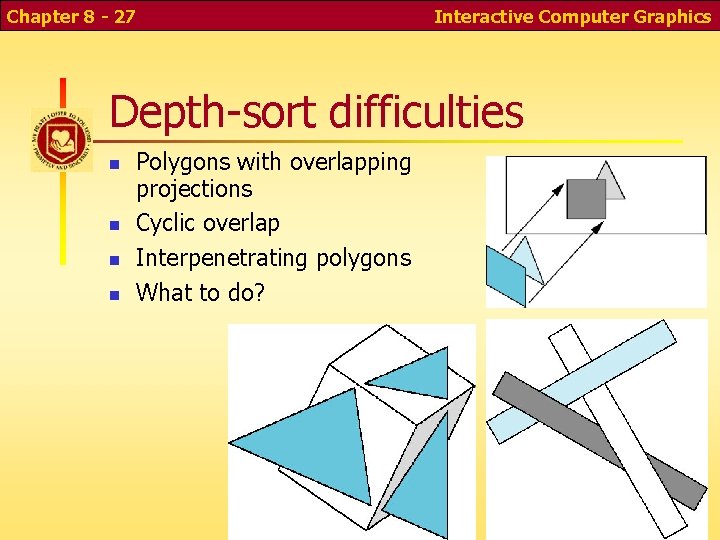
Chapter 8 - 27 Interactive Computer Graphics Depth-sort difficulties Polygons with overlapping projections Cyclic overlap Interpenetrating polygons What to do?
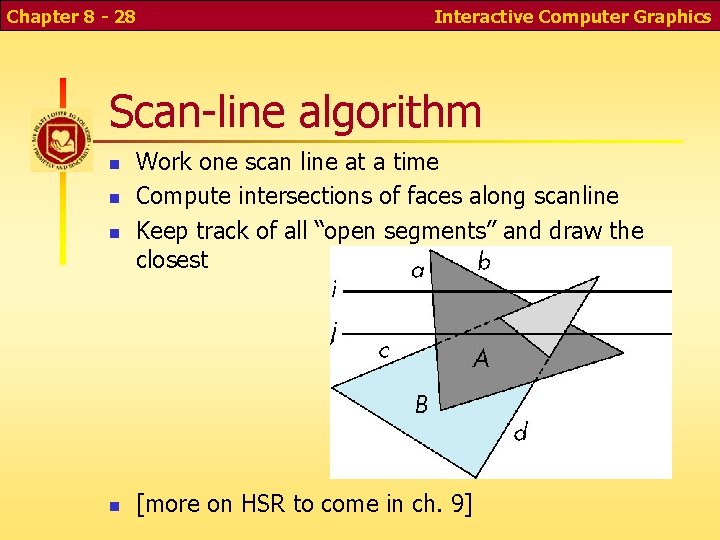
Chapter 8 - 28 Interactive Computer Graphics Scan-line algorithm Work one scan line at a time Compute intersections of faces along scanline Keep track of all “open segments” and draw the closest [more on HSR to come in ch. 9]
Chapter 8 - 29 Interactive Computer Graphics Scan Conversion At this point in the pipeline, we have only polygons and line segments. Render! To render, convert to pixels (“fragments”) with integer screen coordinates (ix, iy), depth, and color Send fragments into fragment-processing pipeline
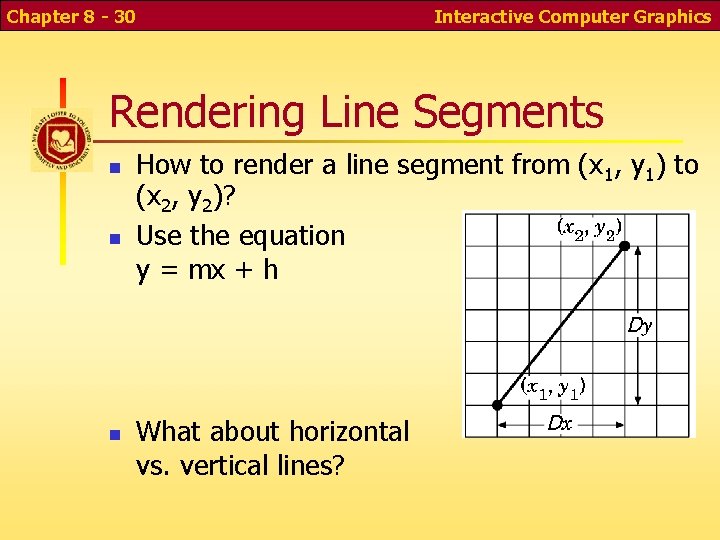
Chapter 8 - 30 Interactive Computer Graphics Rendering Line Segments How to render a line segment from (x 1, y 1) to (x 2, y 2)? Use the equation y = mx + h What about horizontal vs. vertical lines?
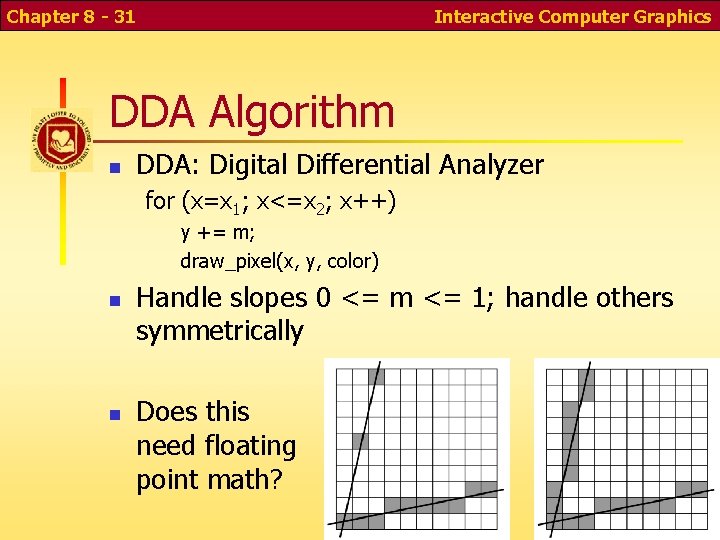
Chapter 8 - 31 Interactive Computer Graphics DDA Algorithm DDA: Digital Differential Analyzer for (x=x 1; x<=x 2; x++) y += m; draw_pixel(x, y, color) Handle slopes 0 <= m <= 1; handle others symmetrically Does this need floating point math?
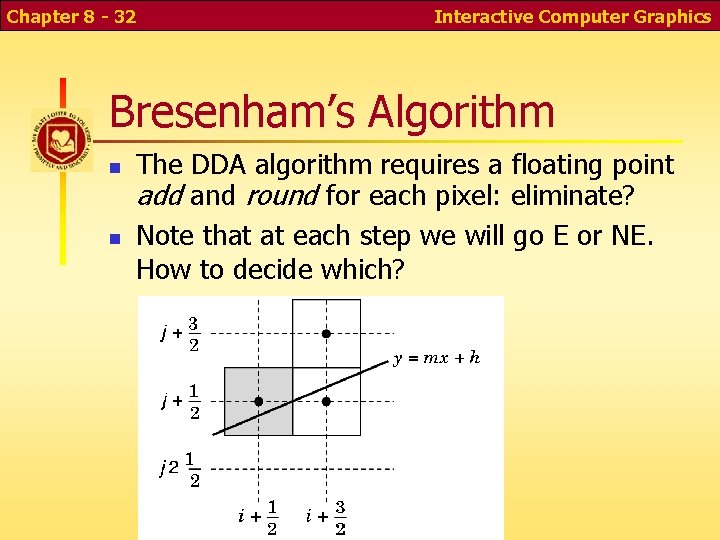
Chapter 8 - 32 Interactive Computer Graphics Bresenham’s Algorithm The DDA algorithm requires a floating point add and round for each pixel: eliminate? Note that at each step we will go E or NE. How to decide which?
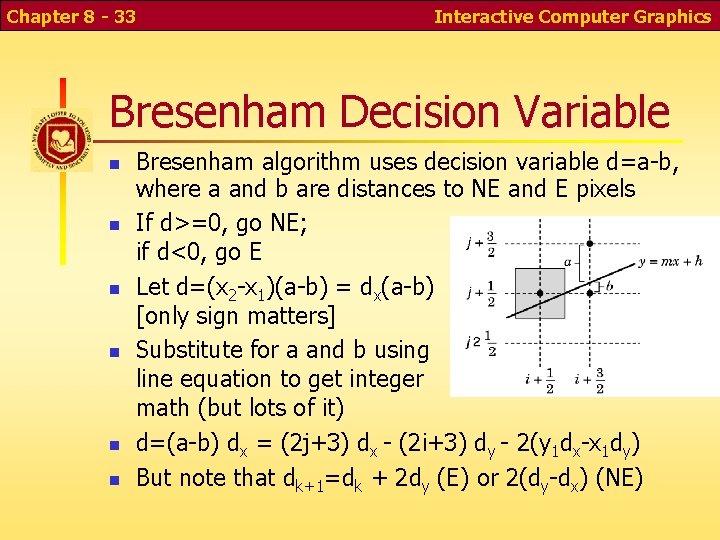
Chapter 8 - 33 Interactive Computer Graphics Bresenham Decision Variable Bresenham algorithm uses decision variable d=a-b, where a and b are distances to NE and E pixels If d>=0, go NE; if d<0, go E Let d=(x 2 -x 1)(a-b) = dx(a-b) [only sign matters] Substitute for a and b using line equation to get integer math (but lots of it) d=(a-b) dx = (2 j+3) dx - (2 i+3) dy - 2(y 1 dx-x 1 dy) But note that dk+1=dk + 2 dy (E) or 2(dy-dx) (NE)
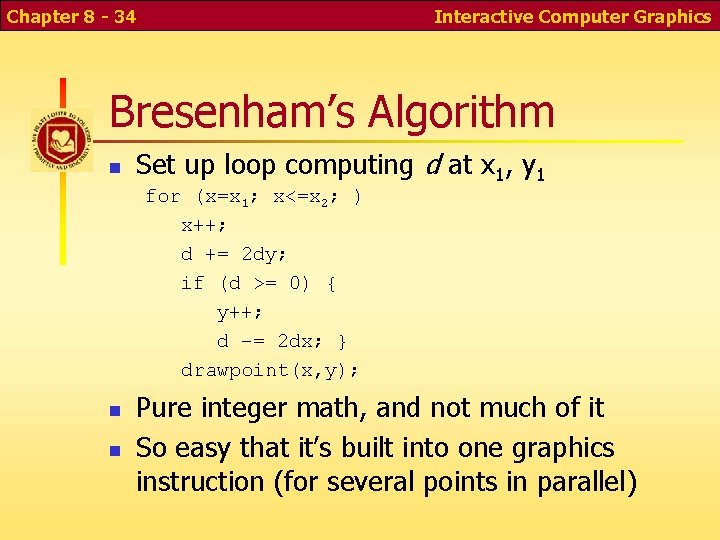
Chapter 8 - 34 Interactive Computer Graphics Bresenham’s Algorithm Set up loop computing d at x 1, y 1 for (x=x 1; x<=x 2; ) x++; d += 2 dy; if (d >= 0) { y++; d –= 2 dx; } drawpoint(x, y); Pure integer math, and not much of it So easy that it’s built into one graphics instruction (for several points in parallel)
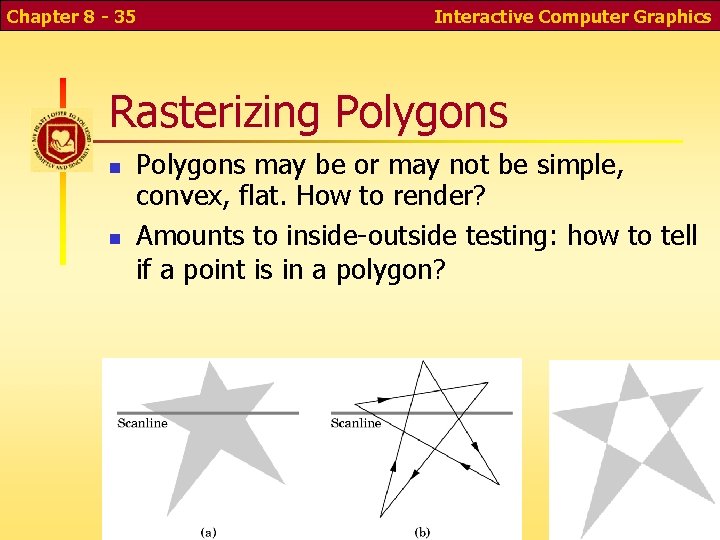
Chapter 8 - 35 Interactive Computer Graphics Rasterizing Polygons may be or may not be simple, convex, flat. How to render? Amounts to inside-outside testing: how to tell if a point is in a polygon?
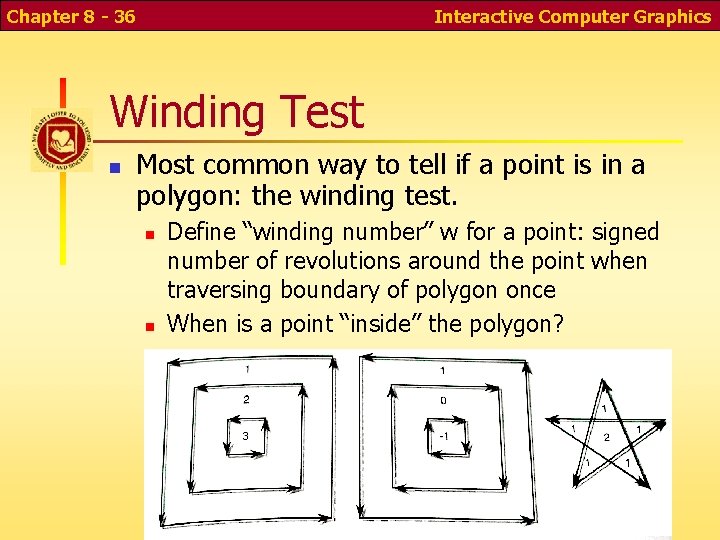
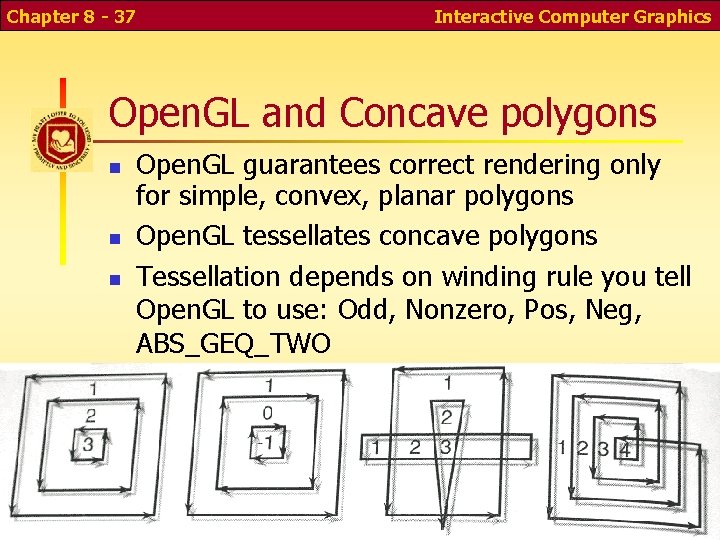
Chapter 8 - 36 Interactive Computer Graphics Winding Test Most common way to tell if a point is in a polygon: the winding test. Define “winding number” w for a point: signed number of revolutions around the point when traversing boundary of polygon once When is a point “inside” the polygon?
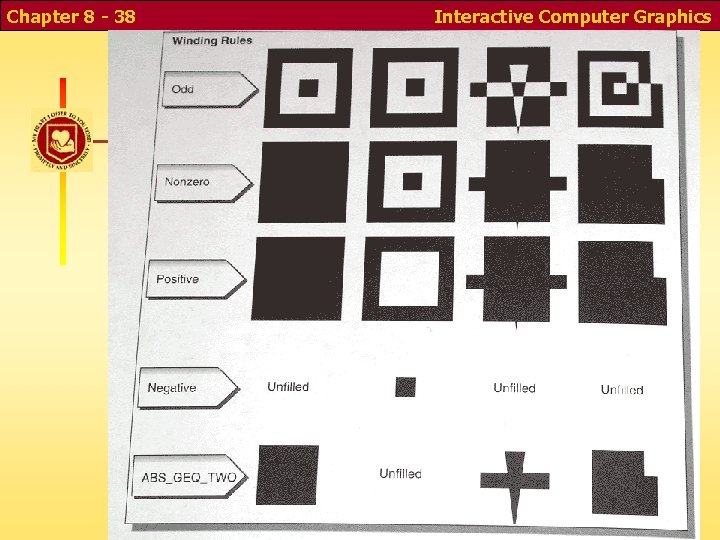
Chapter 8 - 37 Interactive Computer Graphics Open. GL and Concave polygons Open. GL guarantees correct rendering only for simple, convex, planar polygons Open. GL tessellates concave polygons Tessellation depends on winding rule you tell Open. GL to use: Odd, Nonzero, Pos, Neg, ABS_GEQ_TWO
Chapter 8 - 38 Winding Rules Interactive Computer Graphics
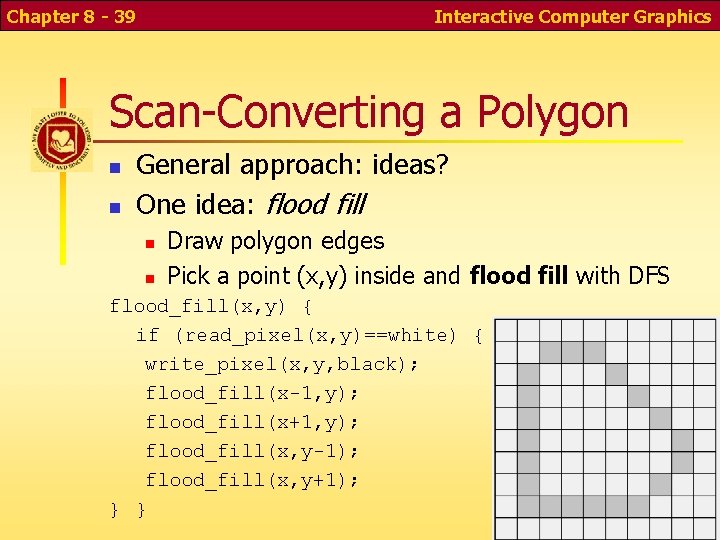
Chapter 8 - 39 Interactive Computer Graphics Scan-Converting a Polygon General approach: ideas? One idea: flood fill Draw polygon edges Pick a point (x, y) inside and flood fill with DFS flood_fill(x, y) { if (read_pixel(x, y)==white) { write_pixel(x, y, black); flood_fill(x-1, y); flood_fill(x+1, y); flood_fill(x, y-1); flood_fill(x, y+1); } }
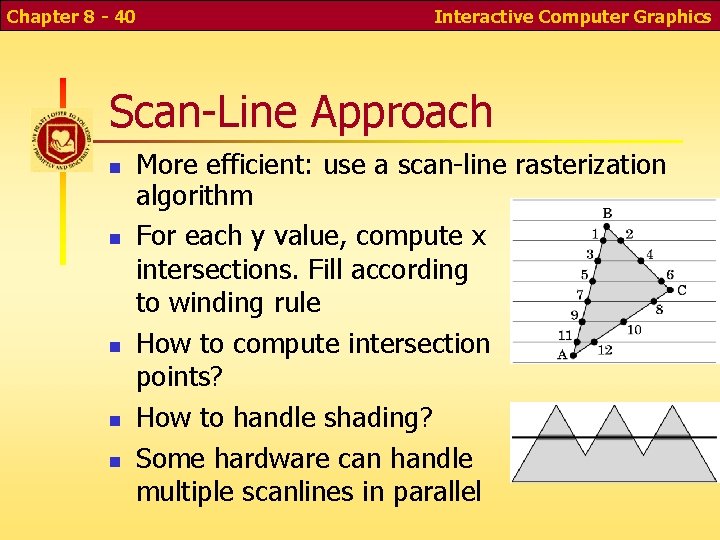
Chapter 8 - 40 Interactive Computer Graphics Scan-Line Approach More efficient: use a scan-line rasterization algorithm For each y value, compute x intersections. Fill according to winding rule How to compute intersection points? How to handle shading? Some hardware can handle multiple scanlines in parallel
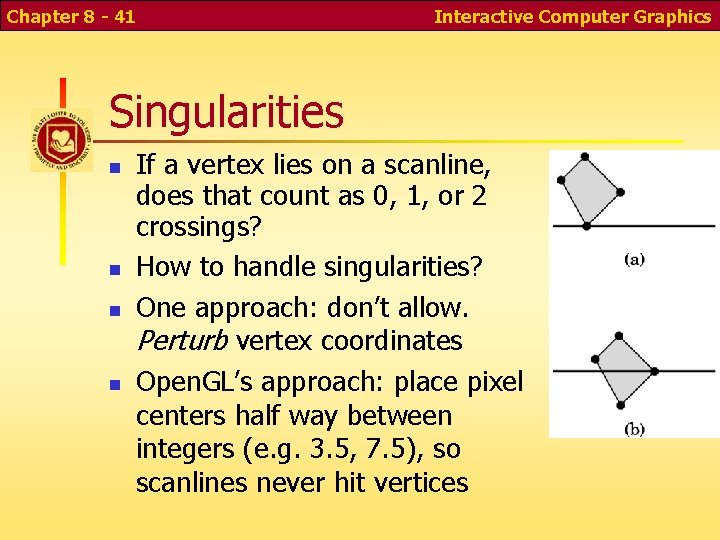
Chapter 8 - 41 Interactive Computer Graphics Singularities If a vertex lies on a scanline, does that count as 0, 1, or 2 crossings? How to handle singularities? One approach: don’t allow. Perturb vertex coordinates Open. GL’s approach: place pixel centers half way between integers (e. g. 3. 5, 7. 5), so scanlines never hit vertices
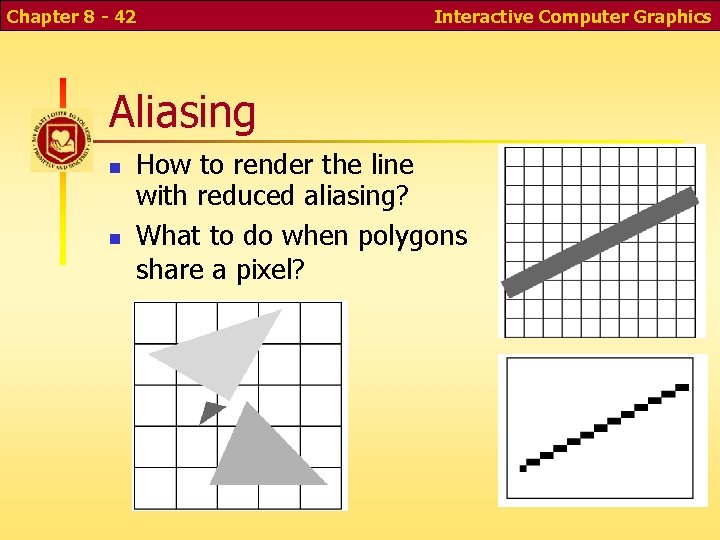
Chapter 8 - 42 Interactive Computer Graphics Aliasing How to render the line with reduced aliasing? What to do when polygons share a pixel?
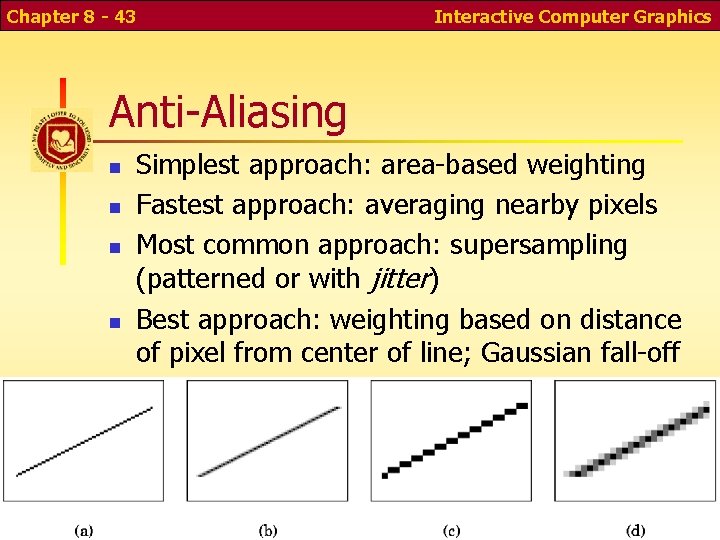
Chapter 8 - 43 Interactive Computer Graphics Anti-Aliasing Simplest approach: area-based weighting Fastest approach: averaging nearby pixels Most common approach: supersampling (patterned or with jitter) Best approach: weighting based on distance of pixel from center of line; Gaussian fall-off
Chapter 8 - 44 Interactive Computer Graphics Temporal Aliasing Need motion blur for motion that doesn’t flicker at slow frame rates Common approach: temporal supersampling render images at several times within frame time interval average results
Chapter 8 - 45 Interactive Computer Graphics Display Considerations Color systems Color quantization Gamma correction Dithering and Halftoning
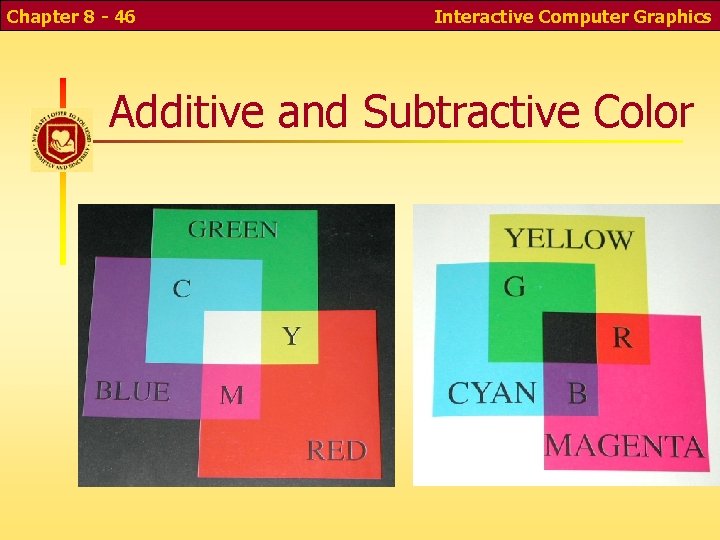
Chapter 8 - 46 Interactive Computer Graphics Additive and Subtractive Color
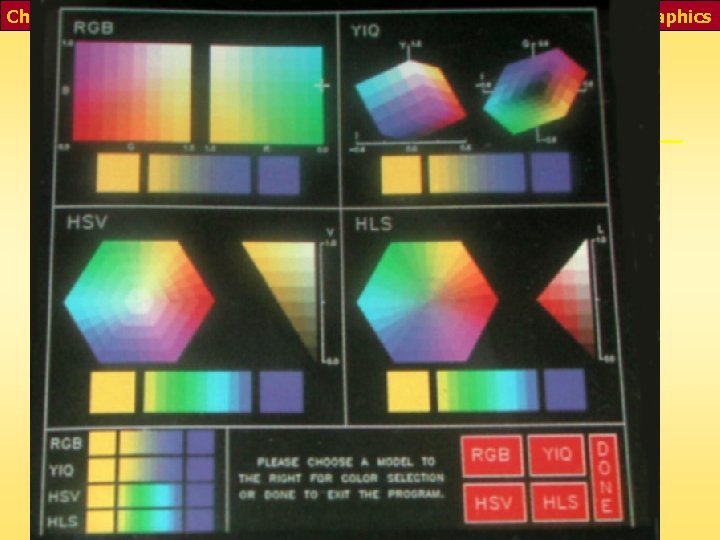
Chapter 8 - 47 Interactive Computer Graphics Common Color Models
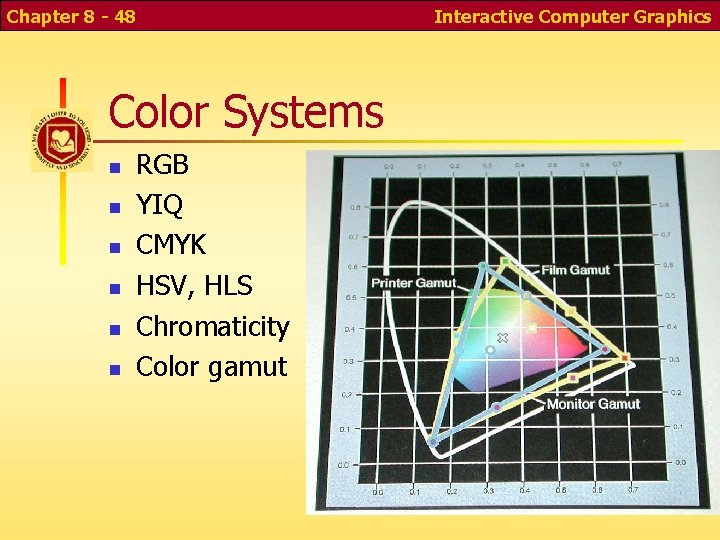
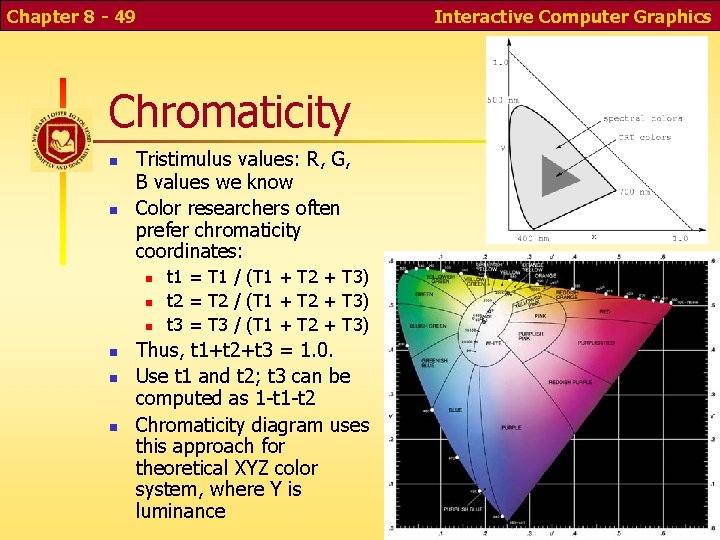
Chapter 8 - 48 Color Systems RGB YIQ CMYK HSV, HLS Chromaticity Color gamut Interactive Computer Graphics
Chapter 8 - 49 Interactive Computer Graphics Chromaticity Tristimulus values: R, G, B values we know Color researchers often prefer chromaticity coordinates: t 1 = T 1 / (T 1 + T 2 + T 3) t 2 = T 2 / (T 1 + T 2 + T 3) t 3 = T 3 / (T 1 + T 2 + T 3) Thus, t 1+t 2+t 3 = 1. 0. Use t 1 and t 2; t 3 can be computed as 1 -t 2 Chromaticity diagram uses this approach for theoretical XYZ color system, where Y is luminance
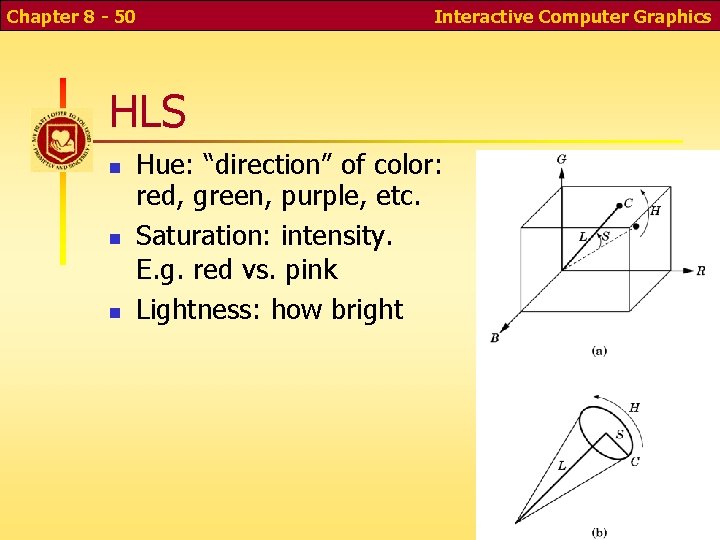
Chapter 8 - 50 Interactive Computer Graphics HLS Hue: “direction” of color: red, green, purple, etc. Saturation: intensity. E. g. red vs. pink Lightness: how bright
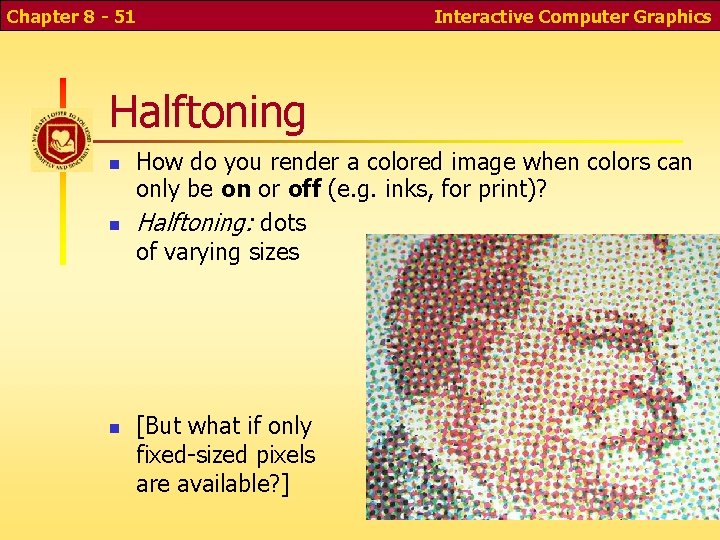
Chapter 8 - 51 Interactive Computer Graphics Halftoning How do you render a colored image when colors can only be on or off (e. g. inks, for print)? Halftoning: dots of varying sizes [But what if only fixed-sized pixels are available? ]
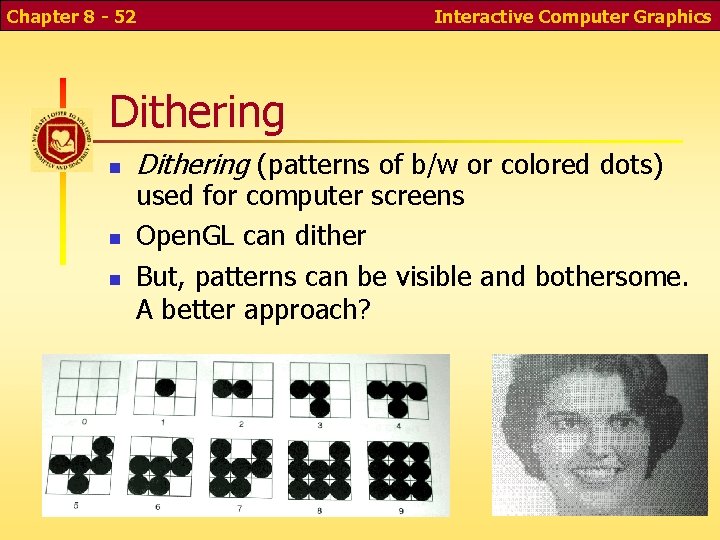
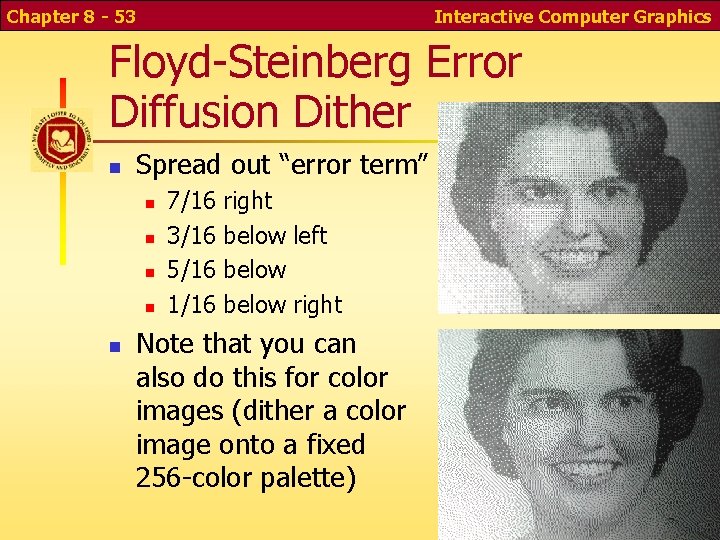
Chapter 8 - 52 Interactive Computer Graphics Dithering (patterns of b/w or colored dots) used for computer screens Open. GL can dither But, patterns can be visible and bothersome. A better approach?
Chapter 8 - 53 Interactive Computer Graphics Floyd-Steinberg Error Diffusion Dither Spread out “error term” 7/16 3/16 5/16 1/16 right below left below right Note that you can also do this for color images (dither a color image onto a fixed 256 -color palette)
Chapter 8 - 54 Interactive Computer Graphics Color Quantization Color quantization: modifying a full-color image to render with a 256 -color palette For a fixed palette (e. g. web-safe colors), can use closest available color, possibly with error -diffusion dither Algorithm for selecting an adaptive palette? E. g. Heckbert Median-Cut algorithm Make a 3 -D color histogram Recursively cut the color cube in half at a median Use average color from each resulting box
Chapter 8 - 55 Interactive Computer Graphics Hardware Implementations Pipeline architecture for speed (but what about latency? ) Originally, whole pipeline on CPU Later, back-end on graphics card Now, whole pipeline on graphics card What’s next?
Chapter 8 - 56 Interactive Computer Graphics Future Architectures? 5 -10 years ago, fastest performance of 1 M polygons per second cost millions Performance limited by memory bandwidth Main component of price was lots of memory chips Now a single graphics chip is faster (memory bandwidth on a chip is much greater) Fastest performance today achieved with several parallel commodity graphics chips (Playstation farm? ) Plan A: Send 1/n of the objects to each of the n pipelines; merge resulting images (with something like z-buffer alg) Plan B: Divide the image into n regions with a pipeline for each region; send needed objects to each pipeline
Chapter 8 - 57 Interactive Computer Graphics Conclusion Graphics communicates powerfully Especially with the media generation Take thought for what you feed into yourself Some of you may go on to create the next killer movie or video game Have something worthwhile to say… “Whatever is true, whatever is noble, whatever is right, whatever is pure, whatever is lovely, whatever is admirable—if anything is excellent or praiseworthy—think about such things. ” – Philippians 4: 8