
CS 322 MOBILE PROGRAMMING LECTURE 03 MVVM Introduction

CS 322 MOBILE PROGRAMMING LECTURE 03
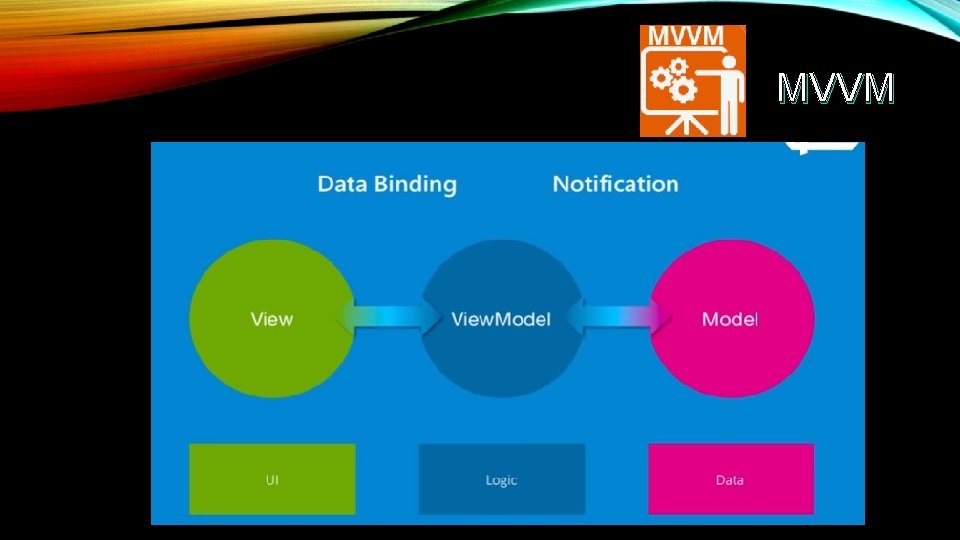
MVVM – Introduction • The Model, View. Model (MVVM pattern) is all about guiding you in how to organize and structure your code to write maintainable, testable and extensible applications.
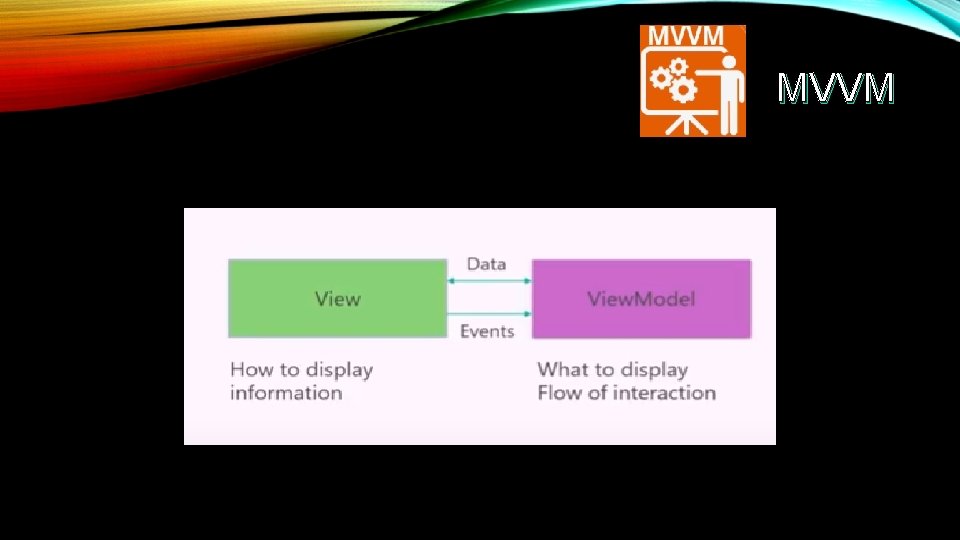
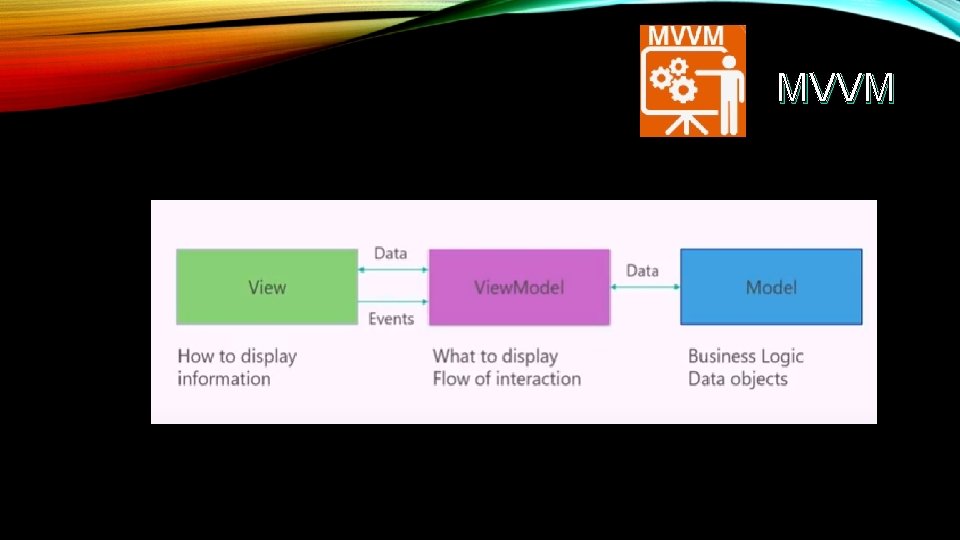
MVVM – Introduction • There are three core components in the MVVM pattern: the model, the view, and the view model. Each serves a distinct purpose. • Model: Model It simply holds the data and has nothing to do with any of the business logic. • View. Model: View. Model It acts as the link/connection between the Model and View. Model and makes stuff look pretty. • View: View It simply holds the formatted date and essentially delegates everything to the Model.
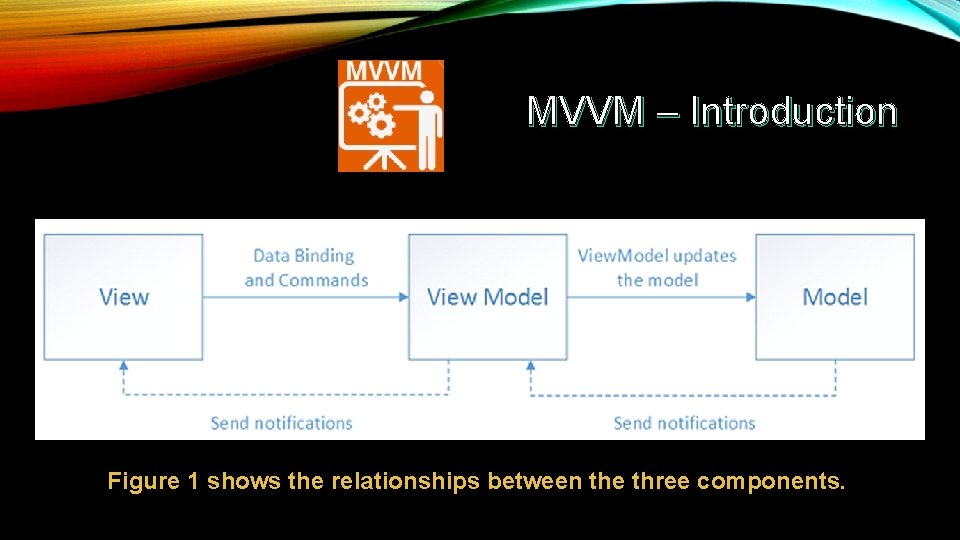
MVVM – Introduction Figure 1 shows the relationships between the three components.
The MVVM pattern • At a high level, the view "knows about" the view model, and the view model "knows about" the model, but the model is unaware of the view model, and the view model is unaware of the view. Therefore, the view model isolates the view from the model, and allows the model to evolve independently of the view.
The benefits of using the MVVM pattern • If there's an existing model implementation that encapsulates existing business logic, it can be difficult or risky to change it. In this scenario, the view model acts as an adapter for the model classes and enables you to avoid making any major changes to the model code. • Developers can create unit tests for the view model and the model, without using the view. The unit tests for the view model can exercise exactly the same functionality as used by the view.
The benefits of using the MVVM pattern • The app UI can be redesigned without touching the code, provided that the view is implemented entirely in XAML. Therefore, a new version of the view should work with the existing view model. • Designers and developers can work independently and concurrently on their components during the development process. Designers can focus on the view, while developers can work on the view model and model components.
MVVM – Responsibilities • MVVM pattern consists of three parts: Model, View, and View. Model. • We will learn the responsibilities of each part of the MVVM pattern so that you can clearly understand what kind of code goes where.
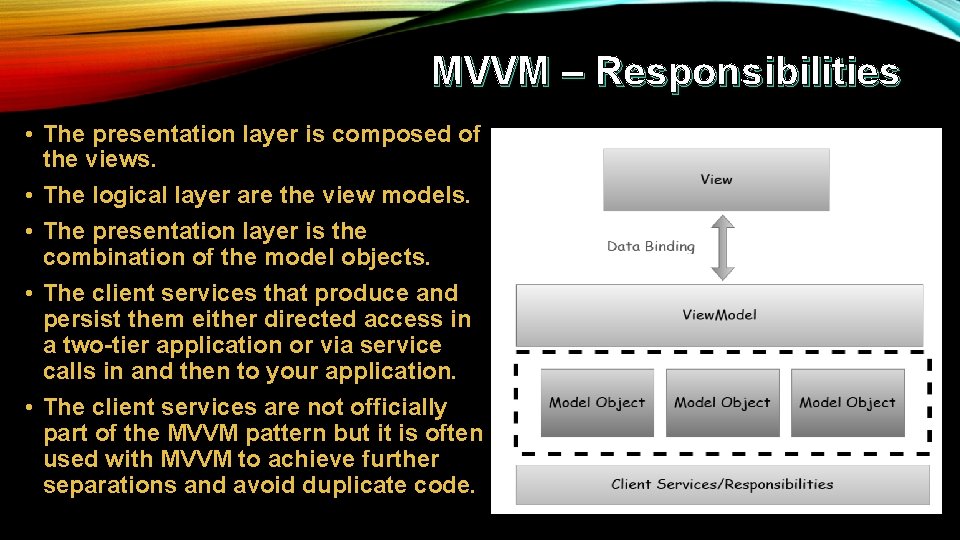
MVVM – Responsibilities • The presentation layer is composed of the views. • The logical layer are the view models. • The presentation layer is the combination of the model objects. • The client services that produce and persist them either directed access in a two-tier application or via service calls in and then to your application. • The client services are not officially part of the MVVM pattern but it is often used with MVVM to achieve further separations and avoid duplicate code.
What Is Data Binding? • Data binding is the process that establishes a connection between the application UI and business logic. If the binding has the correct settings and the data provides the proper notifications, then, when the data changes its value, the elements that are bound to the data reflect changes automatically. Data binding can also mean that if an outer representation of the data in an element changes, then the underlying data can be automatically updated to reflect the change. For example, if the user edits the value in a Text. Box element, the underlying data value is automatically updated to reflect that change.
Model Responsibilities In general, model is the simplest one to understand. It is the client side data model that supports the views in the application. • It is composed of objects with properties and some variables to contain data in memory. • Some of those properties may reference other model objects and create the object graph which as a whole is the model objects. • Model objects should raise property change notifications which in WPF means data binding. • The last responsibility is validation which is optional, but you can embed the validation information on the model objects by using the WPF data binding validation features via interfaces like INotify. Data. Error. Info/IData. Error. Info
View Responsibilities The main purpose and responsibilities of views is to define the structure of what the user sees on the screen. The structure can contain static and dynamic parts. • Static parts are the XAML hierarchy that defines the controls and layout of controls that a view is composed of. • Dynamic part is like animations or state changes that are defined as part of the View. • The primary goal of MVVM is that there should be no code behind in the view.
View Responsibilities • The primary goal of MVVM is that there should be no code behind in the view. • It’s impossible that there is no code behind in view. In view you at least need the constructor and a call to initialize component. • The idea is that the event handling, action and data manipulation logic code shouldn’t be in the code behind in View. • There also other kinds of code that have to go in the code behind any code that’s required to have a reference to UI element is inherently view code.
View. Model Responsibilities • View. Model is the main point of MVVM application. The primary responsibility of the View. Model is to provide data to the view, so that view can put that data on the screen. • It also allows the user to interact with data and change the data. • The other key responsibility of a View. Model is to encapsulate the interaction logic for a view, but it does not mean that all of the logic of the application should go into View. Model. • It should be able to handle the appropriate sequencing of calls to make the right thing happen based on user or any changes on the view. • View. Model should also manage any navigation logic like deciding when it is time to navigate to a different view.
MVVM
MVVM
MVVM
MVVM
MVVM – First Application • we will learn how to use MVVM patterns for simple input screen • Let’s have a look at a simple example in which we will be using MVVM approach.
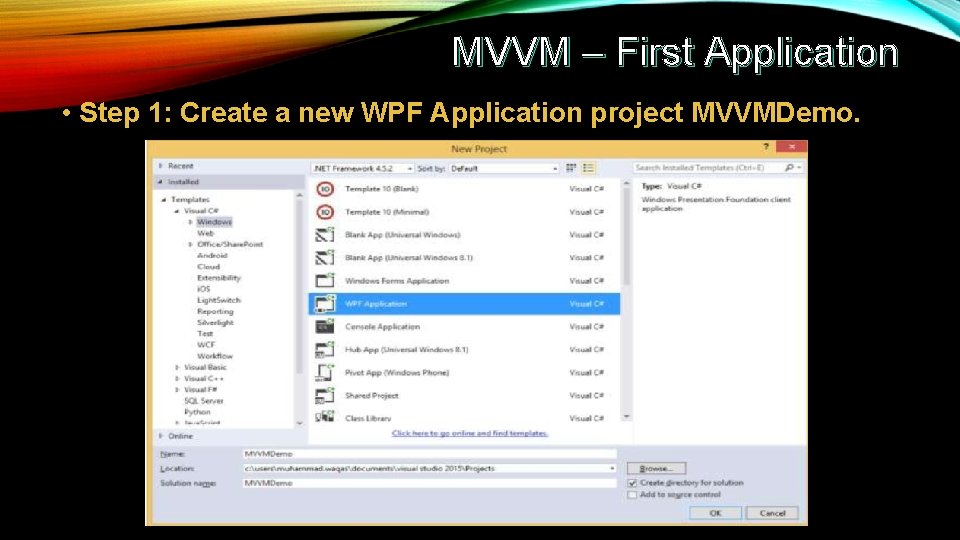
MVVM – First Application • Step 1: Create a new WPF Application project MVVMDemo.
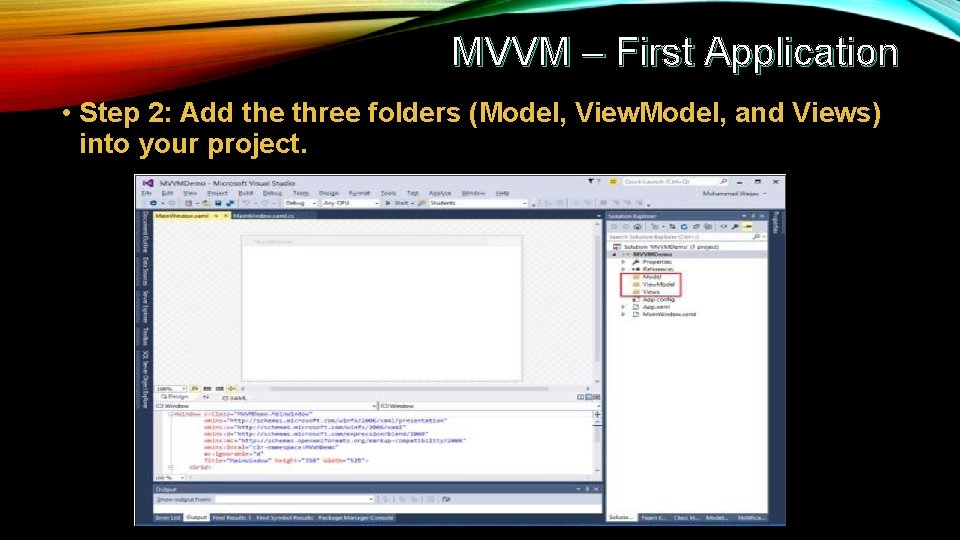
MVVM – First Application • Step 2: Add the three folders (Model, View. Model, and Views) into your project.
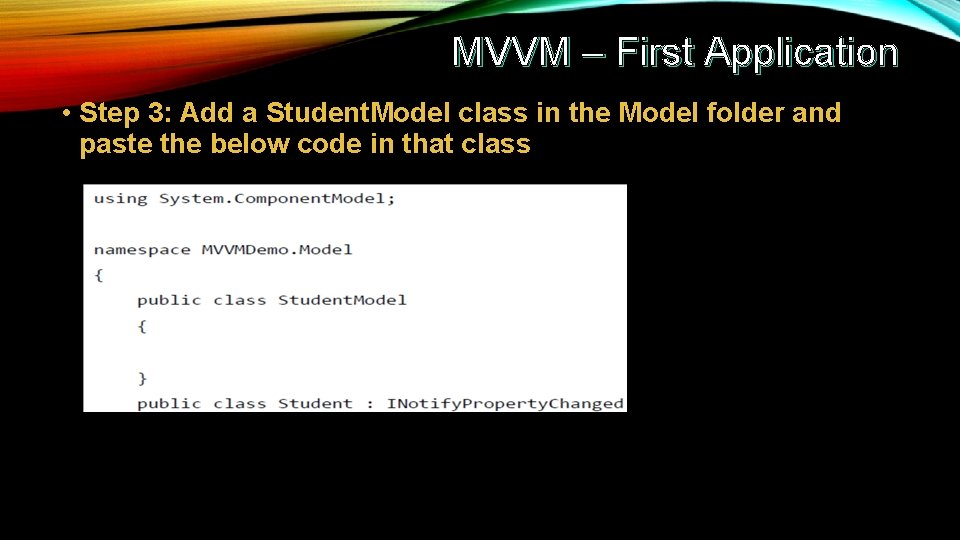
MVVM – First Application • Step 3: Add a Student. Model class in the Model folder and paste the below code in that class
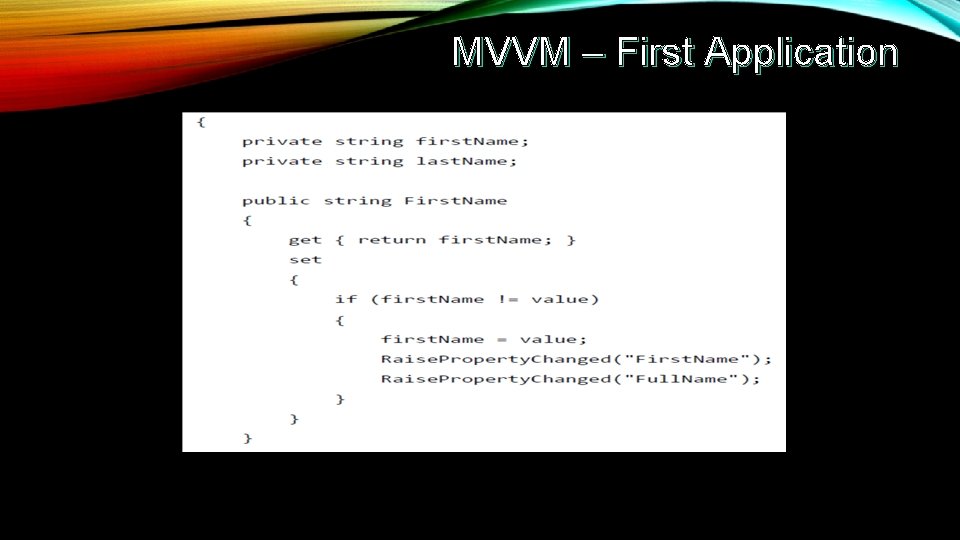
MVVM – First Application
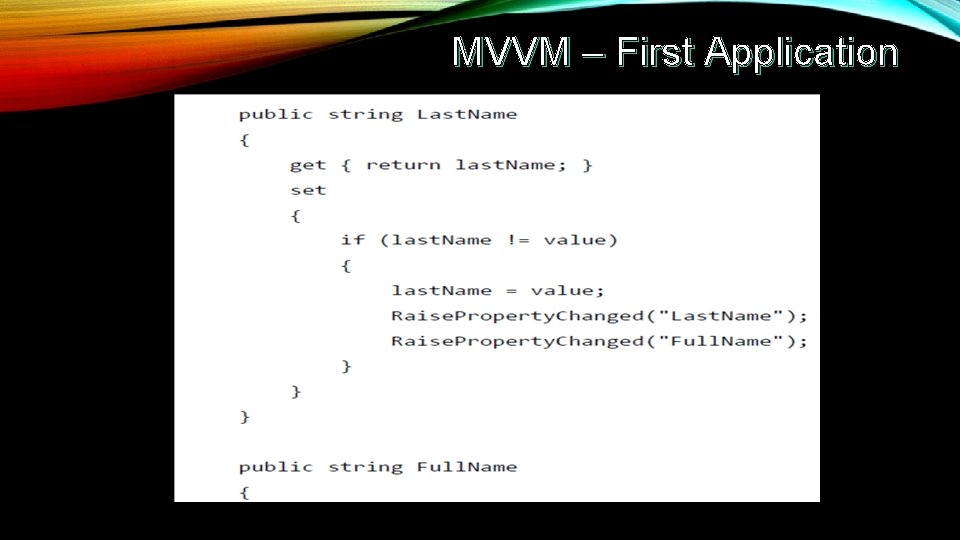
MVVM – First Application
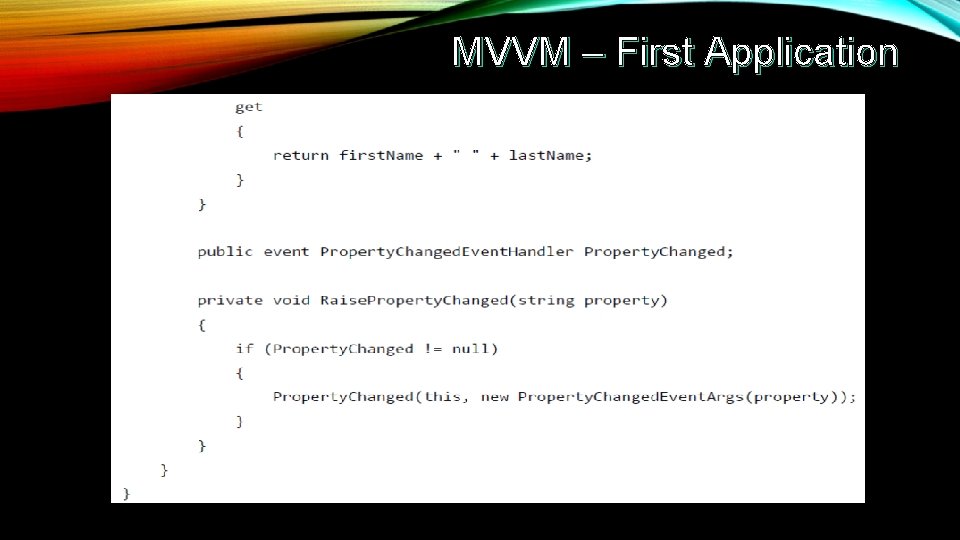
MVVM – First Application
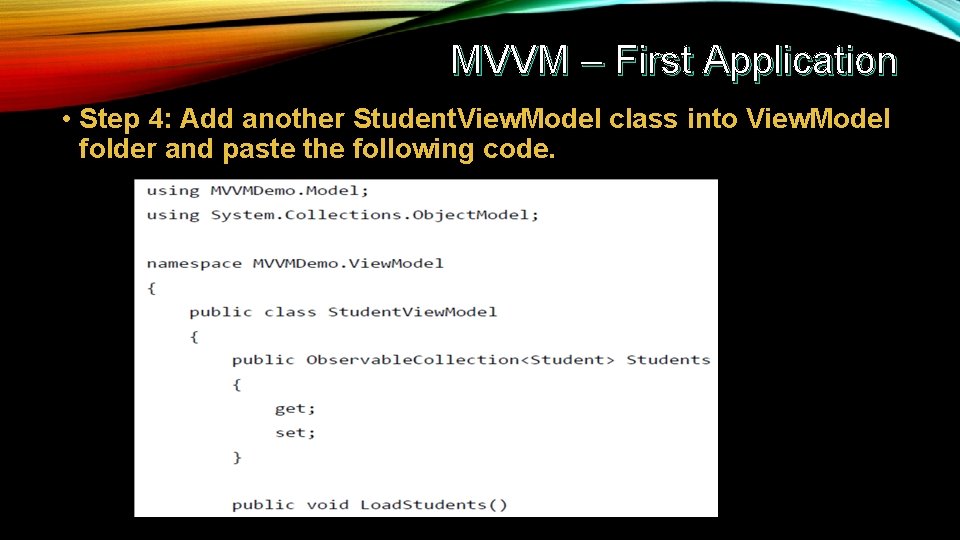
MVVM – First Application • Step 4: Add another Student. View. Model class into View. Model folder and paste the following code.
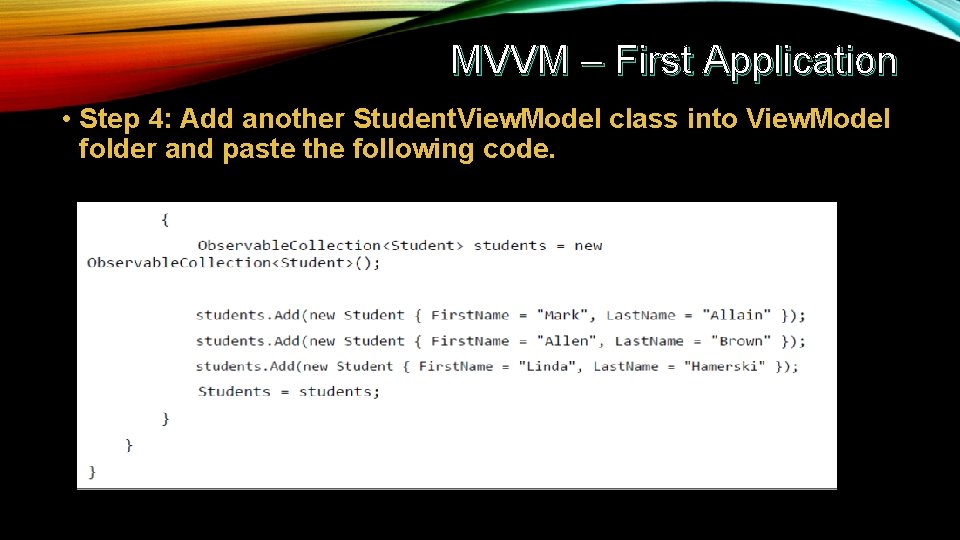
MVVM – First Application • Step 4: Add another Student. View. Model class into View. Model folder and paste the following code.
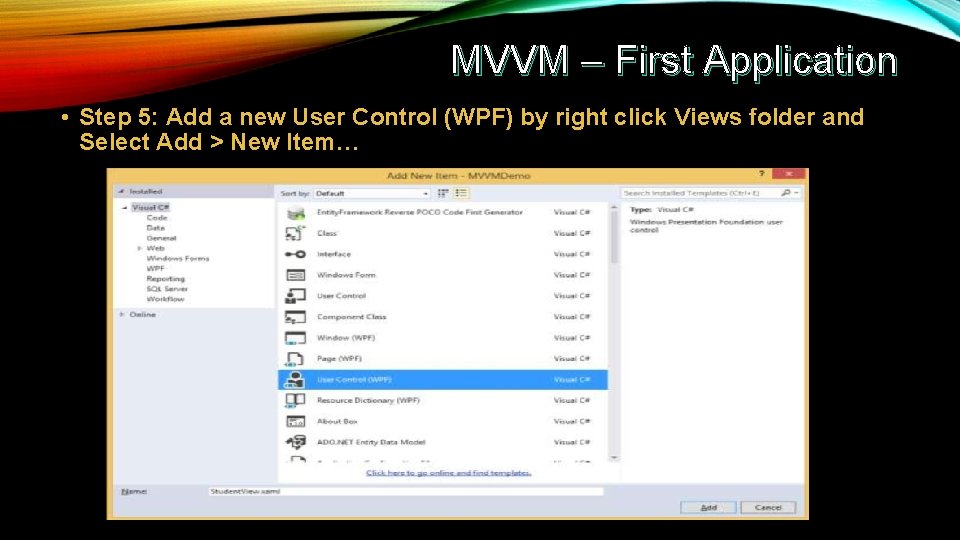
MVVM – First Application • Step 5: Add a new User Control (WPF) by right click Views folder and Select Add > New Item…
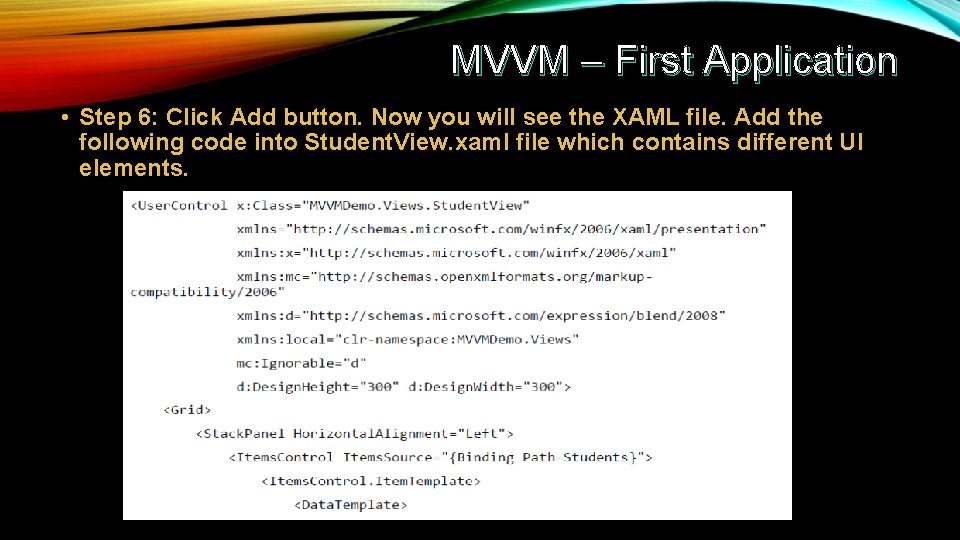
MVVM – First Application • Step 6: Click Add button. Now you will see the XAML file. Add the following code into Student. View. xaml file which contains different UI elements.
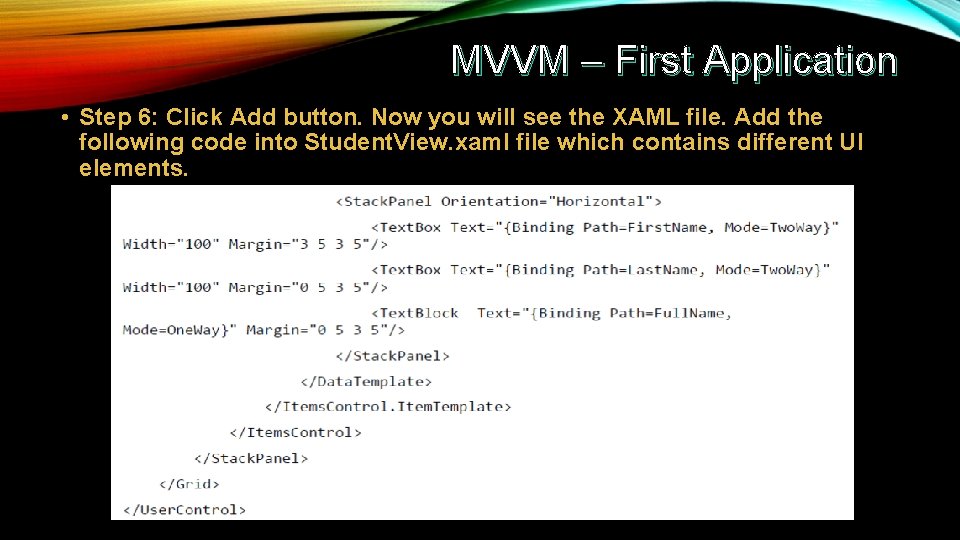
MVVM – First Application • Step 6: Click Add button. Now you will see the XAML file. Add the following code into Student. View. xaml file which contains different UI elements.
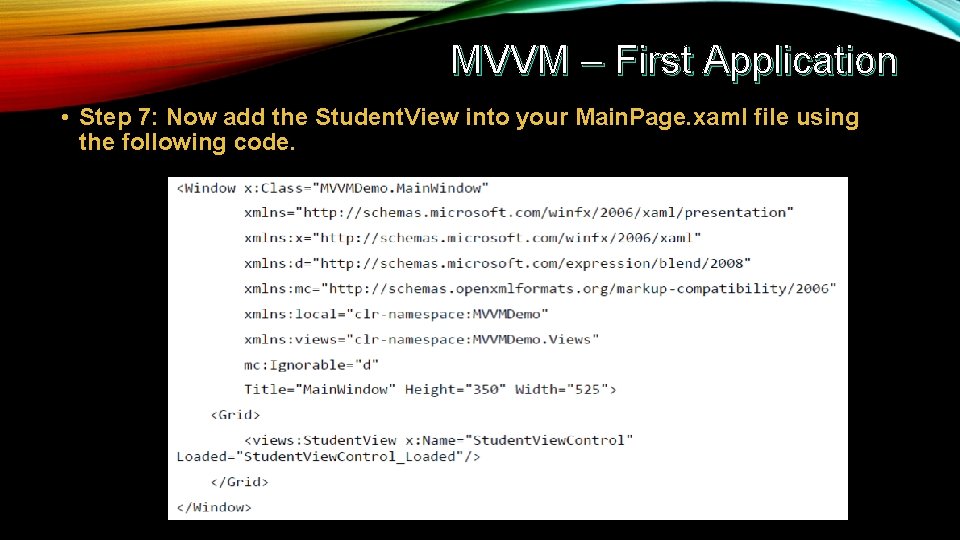
MVVM – First Application • Step 7: Now add the Student. View into your Main. Page. xaml file using the following code.
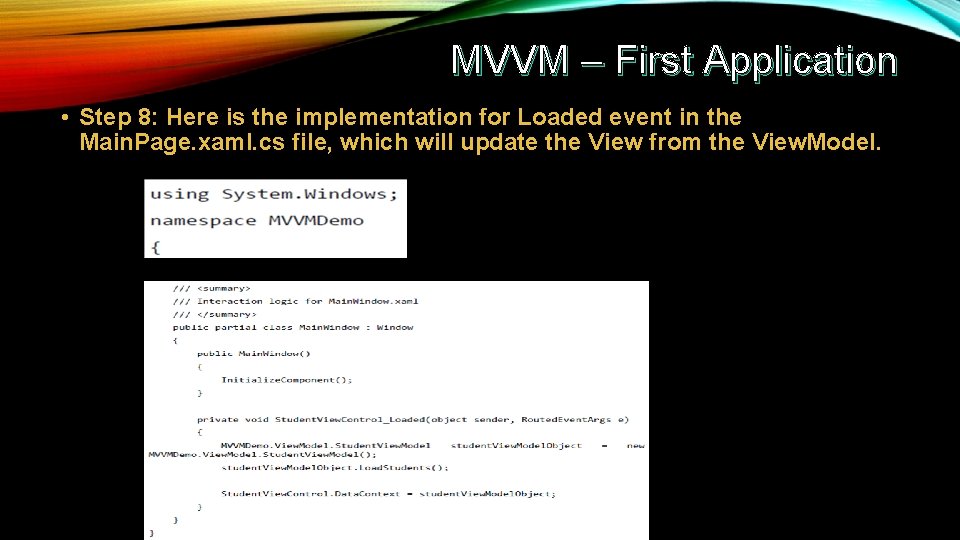
MVVM – First Application • Step 8: Here is the implementation for Loaded event in the Main. Page. xaml. cs file, which will update the View from the View. Model.
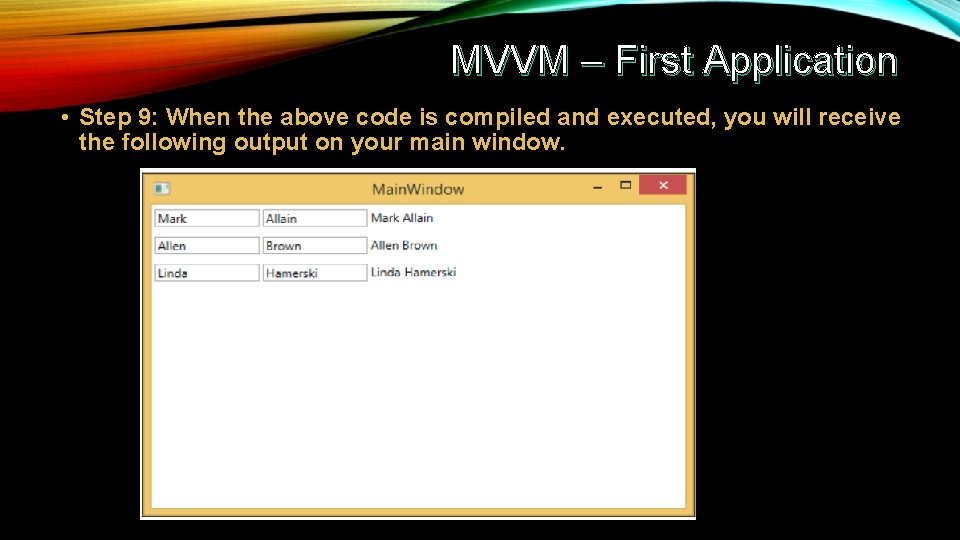
MVVM – First Application • Step 9: When the above code is compiled and executed, you will receive the following output on your main window.
- Slides: 33