
CS 295 Modern Systems Virtualization SangWoo Jun Spring
- Slides: 18
CS 295: Modern Systems Virtualization Sang-Woo Jun Spring 2019
Historical Uses of Virtualization q Application virtualization o Improves portability by running on virtual environment o JVM, . net, … q System virtualization (topic for today) o Emulates full system hardware in software to create one or more virtual machine instances on a single hardware instance o Security/isolation, manageability, OS development, efficient use of resources (important topic!) o IBM VM/370, vmware, qemu, Linux KVM, …
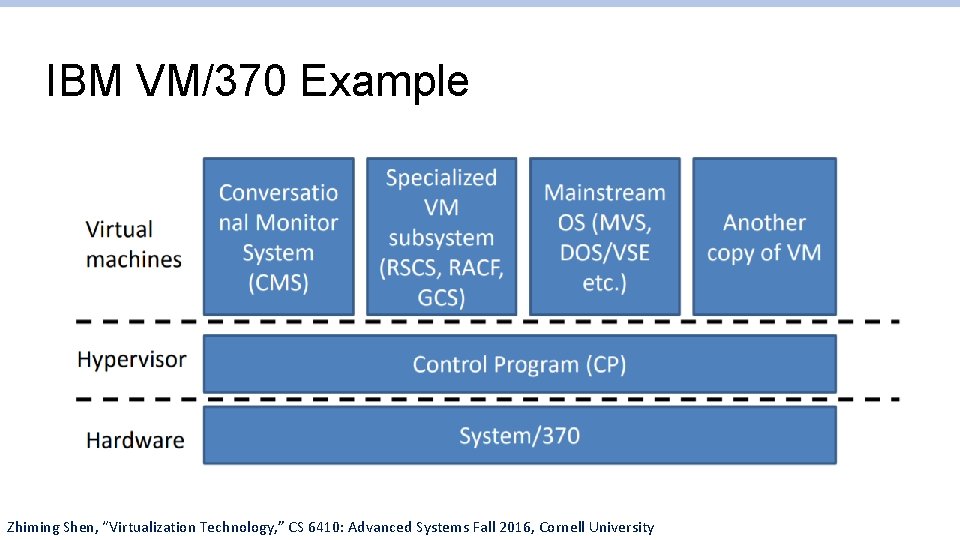
IBM VM/370 Example Zhiming Shen, “Virtualization Technology, ” CS 6410: Advanced Systems Fall 2016, Cornell University
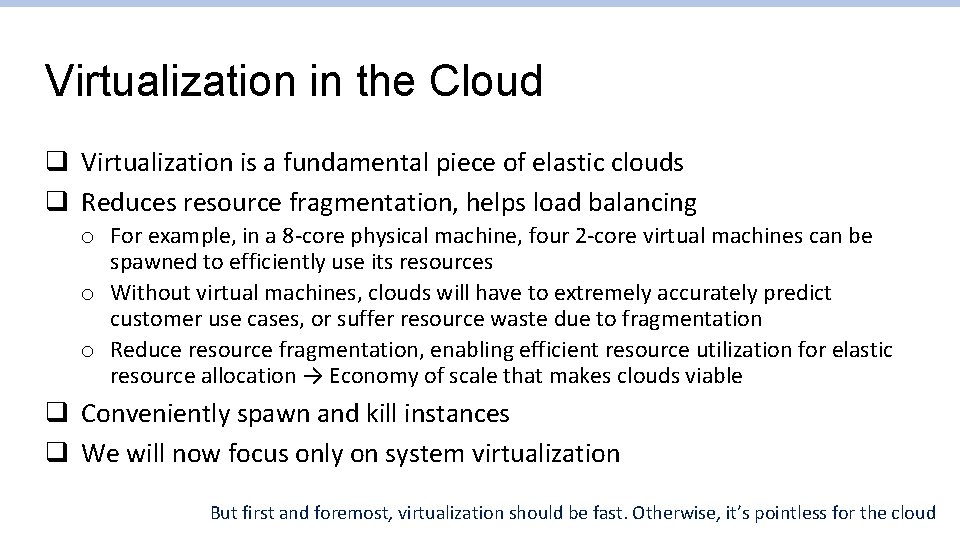
Virtualization in the Cloud q Virtualization is a fundamental piece of elastic clouds q Reduces resource fragmentation, helps load balancing o For example, in a 8 -core physical machine, four 2 -core virtual machines can be spawned to efficiently use its resources o Without virtual machines, clouds will have to extremely accurately predict customer use cases, or suffer resource waste due to fragmentation o Reduce resource fragmentation, enabling efficient resource utilization for elastic resource allocation → Economy of scale that makes clouds viable q Conveniently spawn and kill instances q We will now focus only on system virtualization But first and foremost, virtualization should be fast. Otherwise, it’s pointless for the cloud
How Does Virtualization Work? The Naïve Way q Write a software interpreter o A piece of software completely implements the CPU ISA and surrounding hardware o e. g. , Bochs system emulator q Pros: o Completely isolated, user-space implementation o Can emulate guest systems unrelated to host o Bochs is very useful for operating system development q Cons: Very very slow! o Typically 100 x slower Bochs logo
Before We Go On – Protected Mode Recap q Modern x 86 CPUs have “real mode” and “protected mode” o On boot, BIOS/UEFI loads bootloader from storage into memory, and CPU starts executing it in real mode o Real mode has 1 MB addressable memory, no virtual memory or memory protection o The bootloader loads the kernel and executes it, which populates the virtual memory data structures for the CPU, among other bookkeeping, and switches forever into protected mode by setting a control register o From here, all memory accesses are through virtual memory (via TLB and virtual memory table)
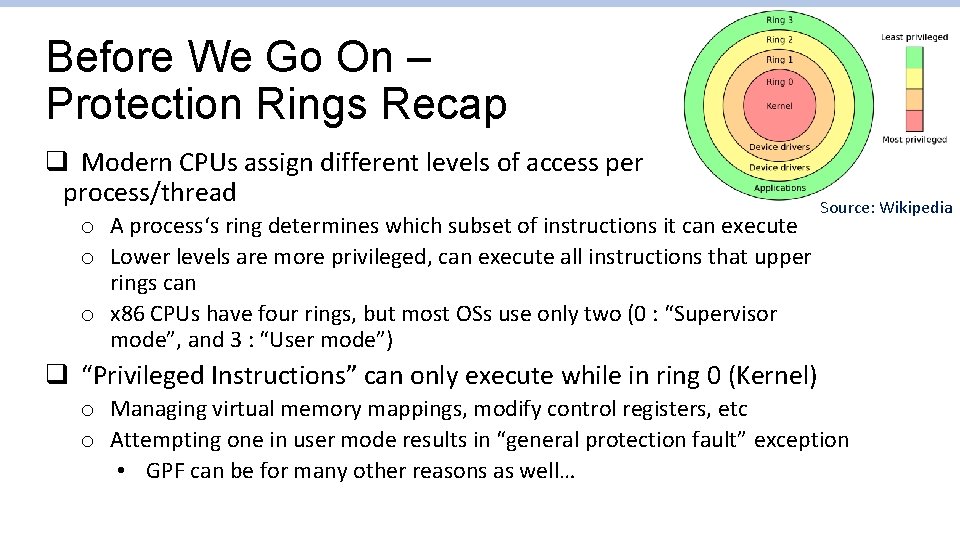
Before We Go On – Protection Rings Recap q Modern CPUs assign different levels of access per process/thread o A process‘s ring determines which subset of instructions it can execute o Lower levels are more privileged, can execute all instructions that upper rings can o x 86 CPUs have four rings, but most OSs use only two (0 : “Supervisor mode”, and 3 : “User mode”) Source: Wikipedia q “Privileged Instructions” can only execute while in ring 0 (Kernel) o Managing virtual memory mappings, modify control registers, etc o Attempting one in user mode results in “general protection fault” exception • GPF can be for many other reasons as well…
Before We Go On – Exceptions Recap q OS must supply the CPU with exception handlers o On x 86, a table (“Interrupt Descriptor Table”) of pointers to each handler o On an exception (e. g. , GPF), execution jumps to corresponding handler with information about where it happened o Handler runs in ring 0, and can do what it wants to handle or not handle the exception
Back To Virtualization – Native Execution q If virtual and host ISA is identical, most instructions can be run as-is q Virtual Machine Manager creates a virtual system environment, (memory, display, etc) in userspace, and tries to execute OS code as if it is user software o Privileged instruction attempts are caught via exceptions, and handled by VMM to emulate what should have happened o The VMM must have kernelspace access! – Typically what is called Hypervisor q Pros: Very high performance – Almost no overhead for computationbound applications
Some Issues With Native Execution q Some privileged instructions don’t generate exceptions in user mode o popf (Pop flags) fails silently q Guest virtual memory is cumbersome o Another layer of translation: Guest virtual memory -> Guest physical memory (host virtual memory) via virtual page table -> Host physical memory via physical page table
Binary Translation q Typically used as performance optimization for cross-platform virtualization q All software that is to run on a VM is translated during load to work better with the VM o Translated software (even OSs) can run just like normal software o Software for different ISA is translated to host ISA o Example: JVM JIT q Special instructions are changed to point to handlers in VM o Interrupts, privileged instructions, etc now call handlers – Solves the silent failure problem for native execution o Jump targets are overwritten
Binary Translation q Issue: Indirect jumps o Jump targets depending on runtime variable is difficult to predict o Re-translating every time has a high performance overhead o We could create an index of the addresses of all original instructions and their translations – Intractable overhead! o Typically a balance of the two o Not an issue with native execution q Issue: Self-modifying code o Sometimes need to check for modifications and fall back to software interpreter
Shadow Page Table q In a naively virtualized system, there are two page tables for the same guest memory access o Page table in the virtual CPU, pointing to virtual physical memory (host virtual memory) o Page table in the host CPU, pointing to host physical memory o During virtual memory access, virtual CPU needs to do translation, harming performance q For performance, a VMM can store guest memory mappings directly in host page table (guest virtual memory to host physical memory) o Guest MMU does no translation, and simply depends on host MMU to do the right thing
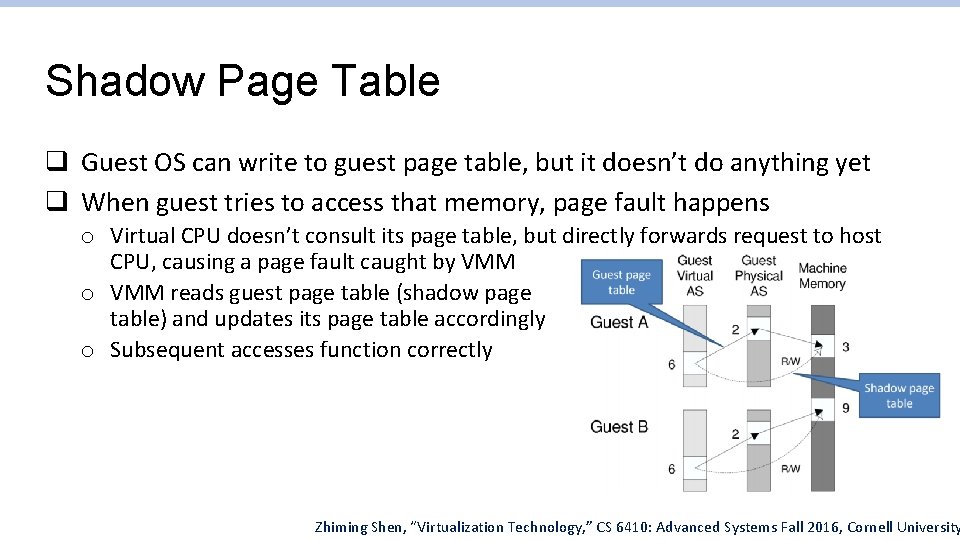
Shadow Page Table q Guest OS can write to guest page table, but it doesn’t do anything yet q When guest tries to access that memory, page fault happens o Virtual CPU doesn’t consult its page table, but directly forwards request to host CPU, causing a page fault caught by VMM o VMM reads guest page table (shadow page table) and updates its page table accordingly o Subsequent accesses function correctly Zhiming Shen, “Virtualization Technology, ” CS 6410: Advanced Systems Fall 2016, Cornell University
The Modern Way – Hardware-Assisted Virtualization q Newer CPUs have hardware support for virtualization, which renders many of the above unnecessary o Intel VT-x, AMD-V q Introduces the concept of ring -1, and a few more instructions o Hypervisor boots into ring -1, and uses ring -1 instruction (VMLAUNCH, etc) to spawn/manage/terminate VMs o VMs start in ring 0, thinking it has full control of CPU q Interrupts are delivered to hypervisor for it to manage o Timer interrupts, etc used to bring execution back to hypervisor
The Modern Way – Hardware-Assisted Virtualization q Virtual memory management also moved to ring -1 o Second Level Address Translation (SLAT), or “nested paging” o Intel Extended page table (EBT), AMD Stage-2 MMU q Now virtual memory translation can be nested in hardware o Hardware performs the translation from the guest physical address to host virtual address o Separate hardware registers for specifying guest and VMM VM location
Virtualizing Peripherals q Network, storage, etc, … q Typically a small selection of generic virtual devices are provided to the virtual machine o Only the hypervisor knows of the actual hardware o Hypervisor performs scheduling as it sees fit q When raw access must be given to a guest, the access is exclusive o Class of devices a generic catalog was not provided for o hypervisor acts as a raw bridge q Some modern peripherals come with their own virtualization support o Per-VM queues and contexts
Paravirtualization q Guest OS is modified to communicate with the hypervisor o Guest OS sees physical memory, and must work with hypervisor to cooperatively manage memory o Privileged instructions are changed to requests to hypervisor (hypercalls) q Can greatly simplify hypervisor, improve performance