
CS 274 Computer Animation and Simulation Lecture VII
- Slides: 36
CS 274: Computer Animation and Simulation Lecture VII Rigid Body Dynamics CS 274 Spring 01 Lecture 7 Copyright © Mark Meyer
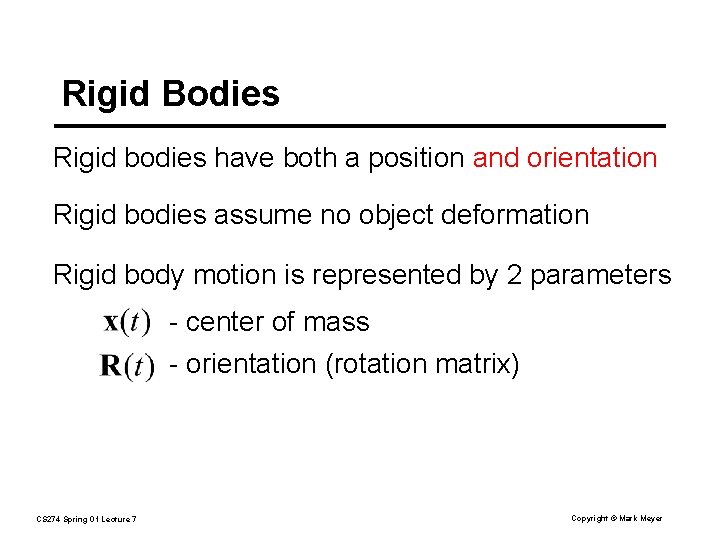
Rigid Bodies Rigid bodies have both a position and orientation Rigid bodies assume no object deformation Rigid body motion is represented by 2 parameters - center of mass - orientation (rotation matrix) CS 274 Spring 01 Lecture 7 Copyright © Mark Meyer
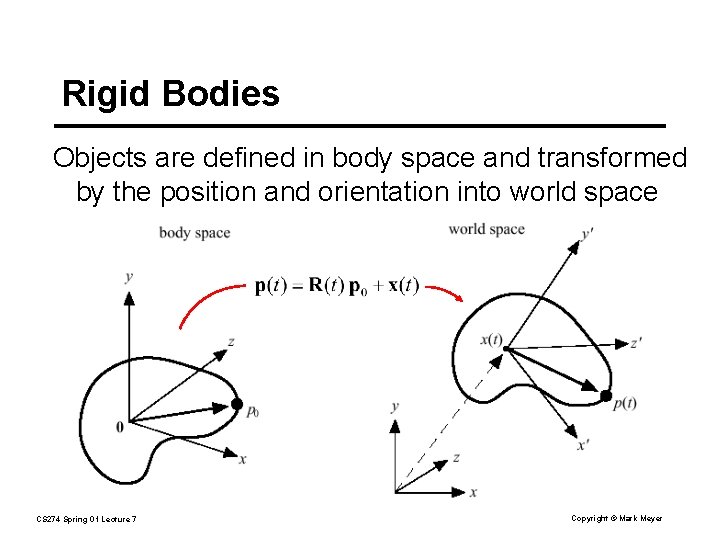
Rigid Bodies Objects are defined in body space and transformed by the position and orientation into world space CS 274 Spring 01 Lecture 7 Copyright © Mark Meyer
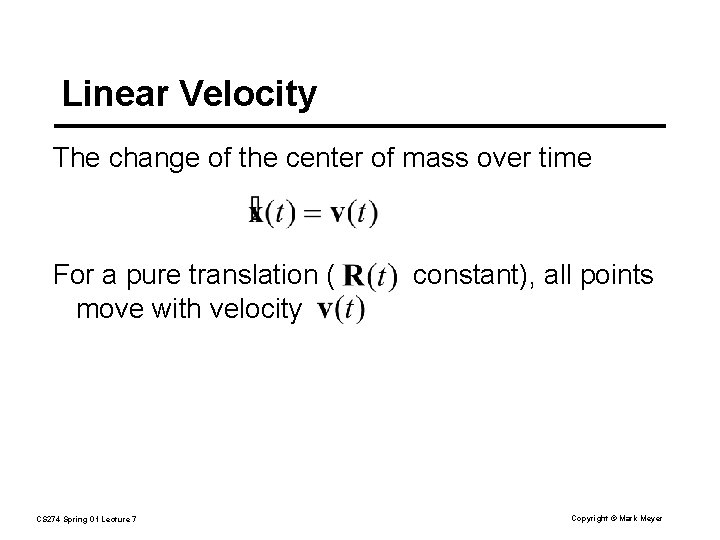
Linear Velocity The change of the center of mass over time For a pure translation ( move with velocity CS 274 Spring 01 Lecture 7 constant), all points Copyright © Mark Meyer
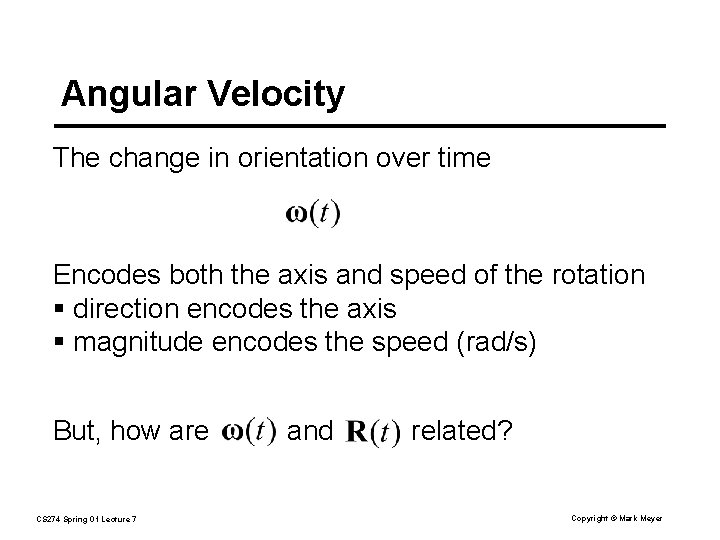
Angular Velocity The change in orientation over time Encodes both the axis and speed of the rotation § direction encodes the axis § magnitude encodes the speed (rad/s) But, how are CS 274 Spring 01 Lecture 7 and related? Copyright © Mark Meyer
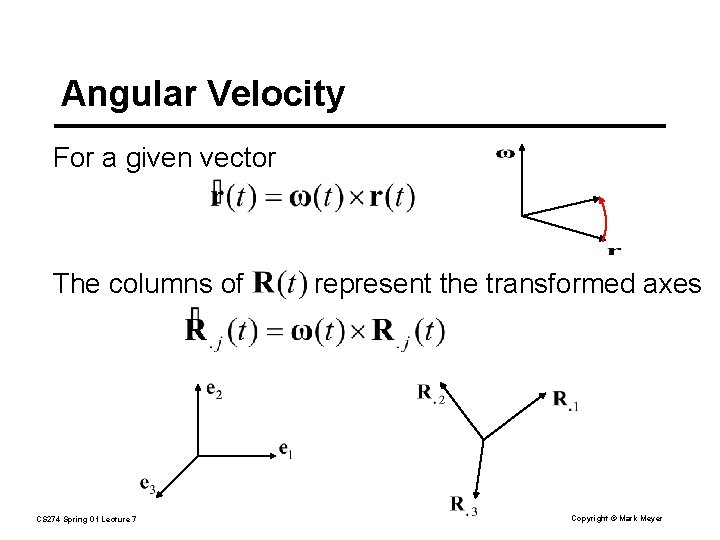
Angular Velocity For a given vector The columns of CS 274 Spring 01 Lecture 7 represent the transformed axes Copyright © Mark Meyer
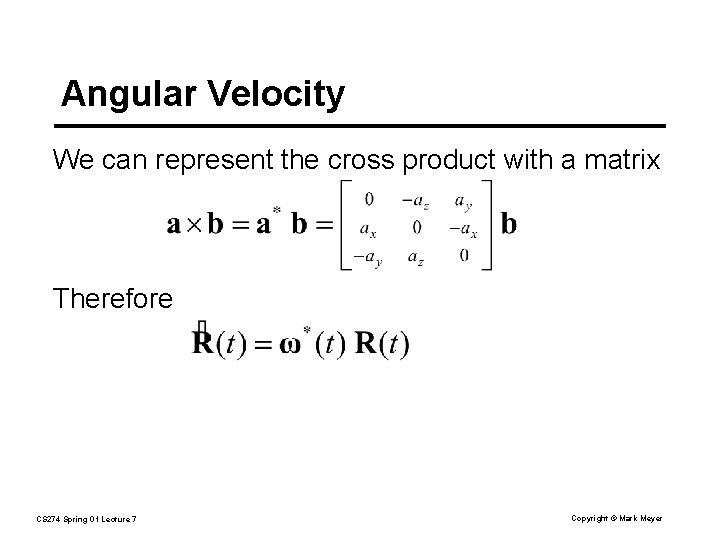
Angular Velocity We can represent the cross product with a matrix Therefore CS 274 Spring 01 Lecture 7 Copyright © Mark Meyer
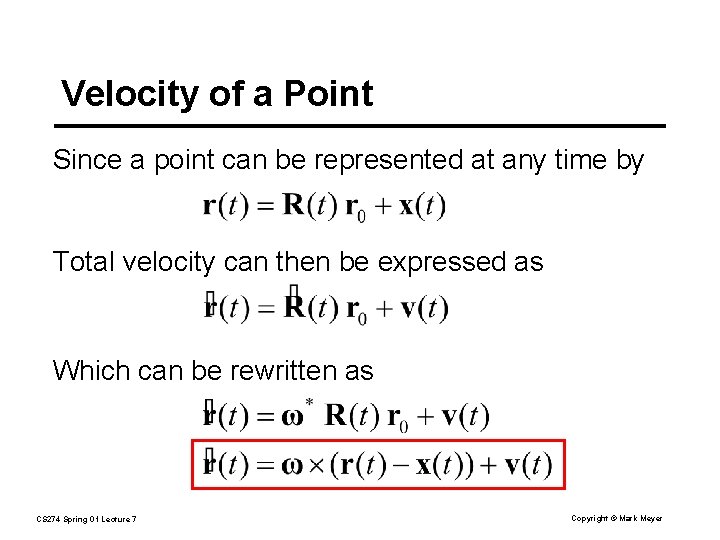
Velocity of a Point Since a point can be represented at any time by Total velocity can then be expressed as Which can be rewritten as CS 274 Spring 01 Lecture 7 Copyright © Mark Meyer
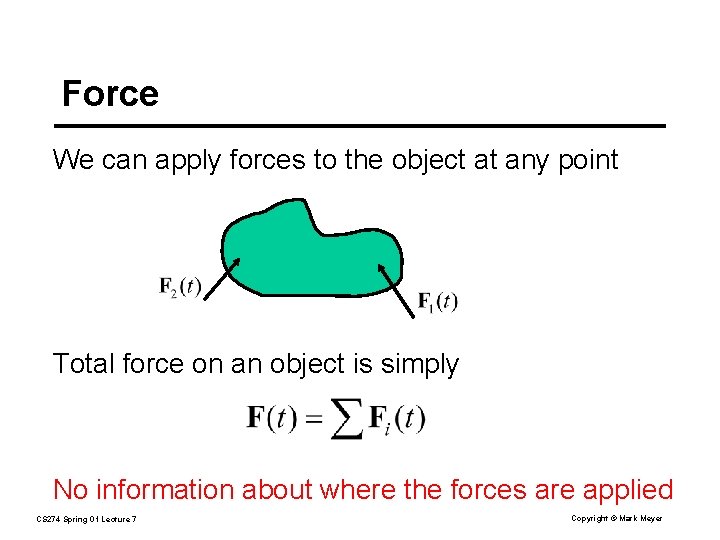
Force We can apply forces to the object at any point Total force on an object is simply No information about where the forces are applied CS 274 Spring 01 Lecture 7 Copyright © Mark Meyer
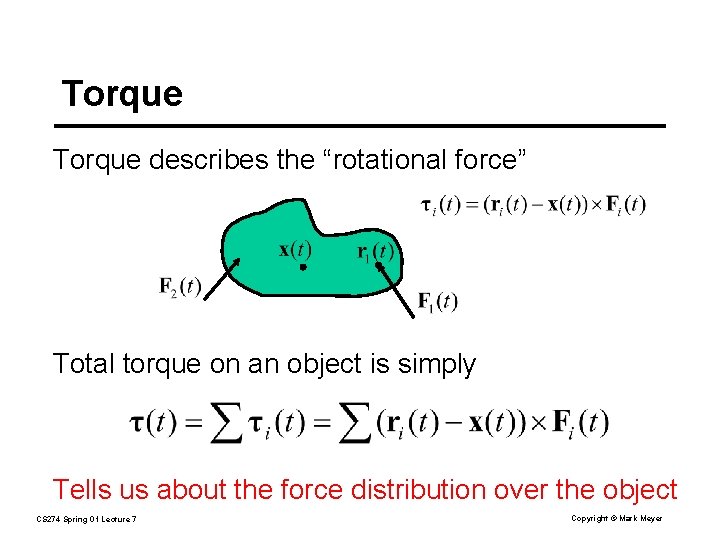
Torque describes the “rotational force” Total torque on an object is simply Tells us about the force distribution over the object CS 274 Spring 01 Lecture 7 Copyright © Mark Meyer
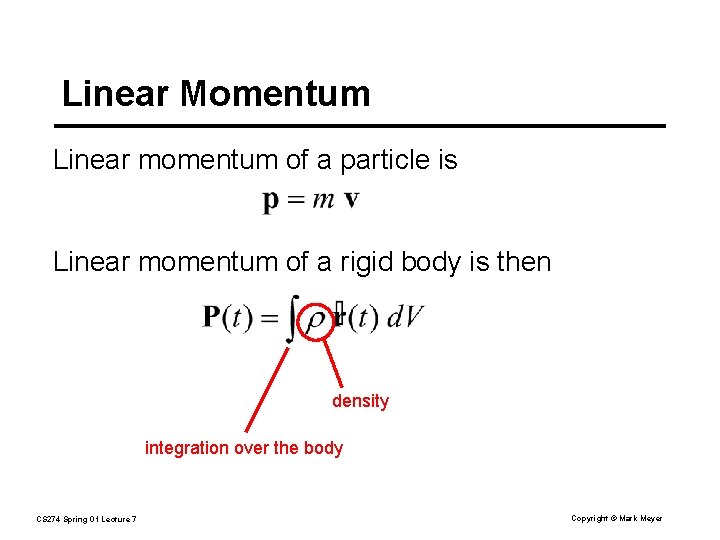
Linear Momentum Linear momentum of a particle is Linear momentum of a rigid body is then density integration over the body CS 274 Spring 01 Lecture 7 Copyright © Mark Meyer
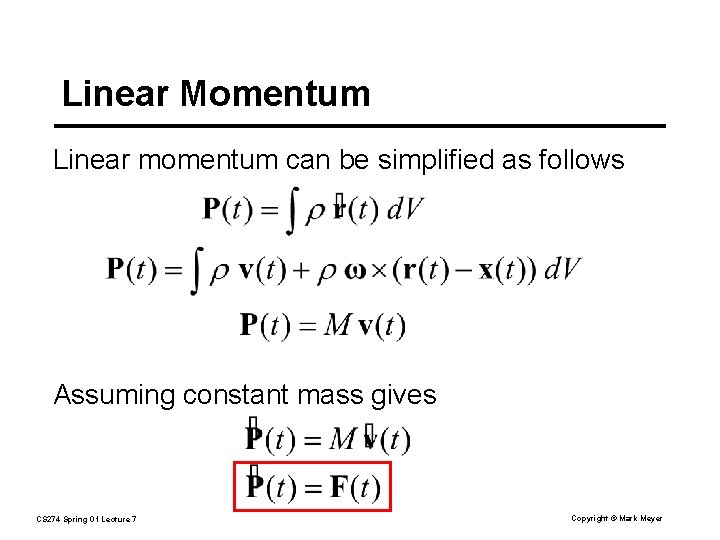
Linear Momentum Linear momentum can be simplified as follows Assuming constant mass gives CS 274 Spring 01 Lecture 7 Copyright © Mark Meyer
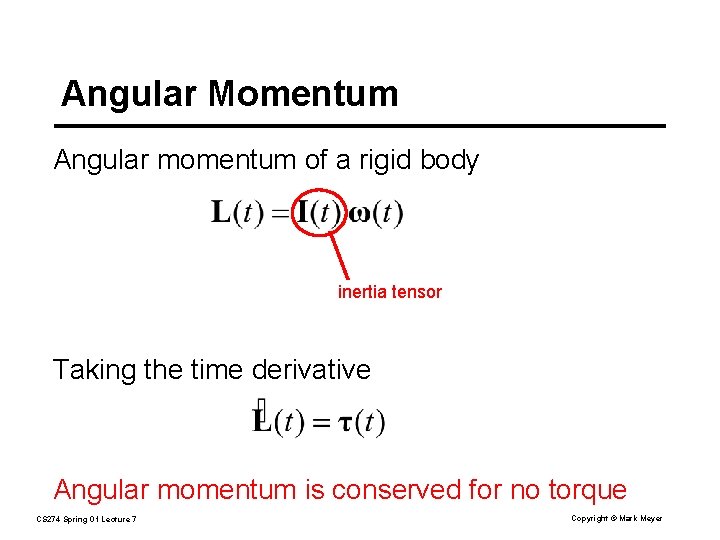
Angular Momentum Angular momentum of a rigid body inertia tensor Taking the time derivative Angular momentum is conserved for no torque CS 274 Spring 01 Lecture 7 Copyright © Mark Meyer
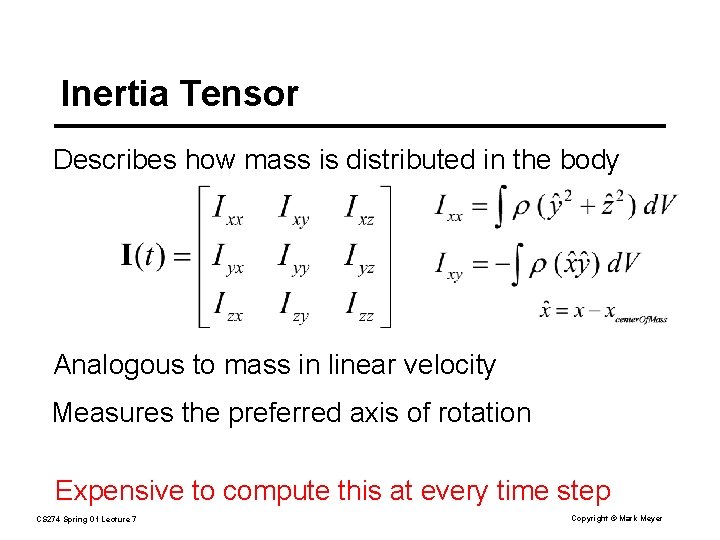
Inertia Tensor Describes how mass is distributed in the body Analogous to mass in linear velocity Measures the preferred axis of rotation Expensive to compute this at every time step CS 274 Spring 01 Lecture 7 Copyright © Mark Meyer
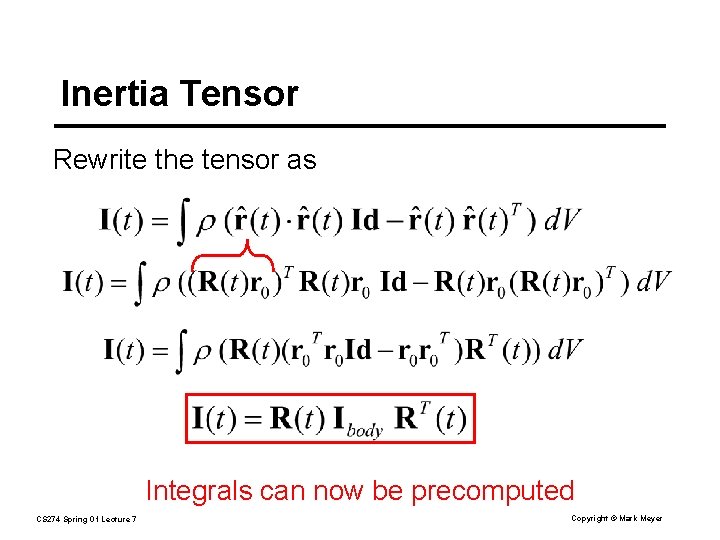
Inertia Tensor Rewrite the tensor as Integrals can now be precomputed CS 274 Spring 01 Lecture 7 Copyright © Mark Meyer
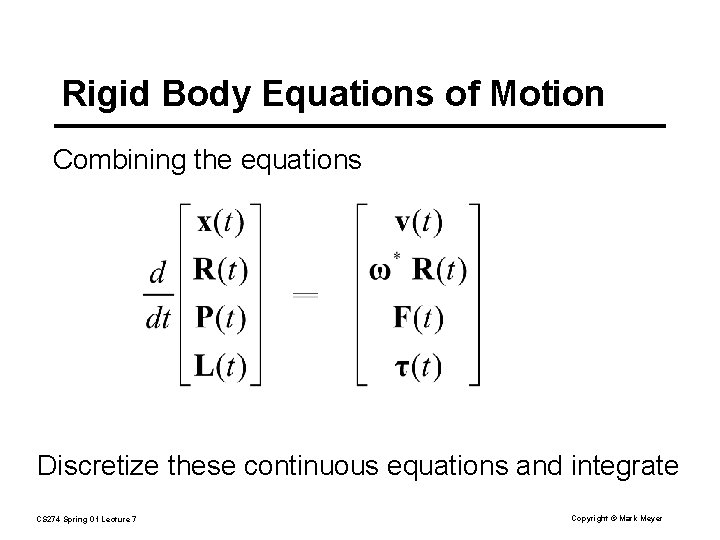
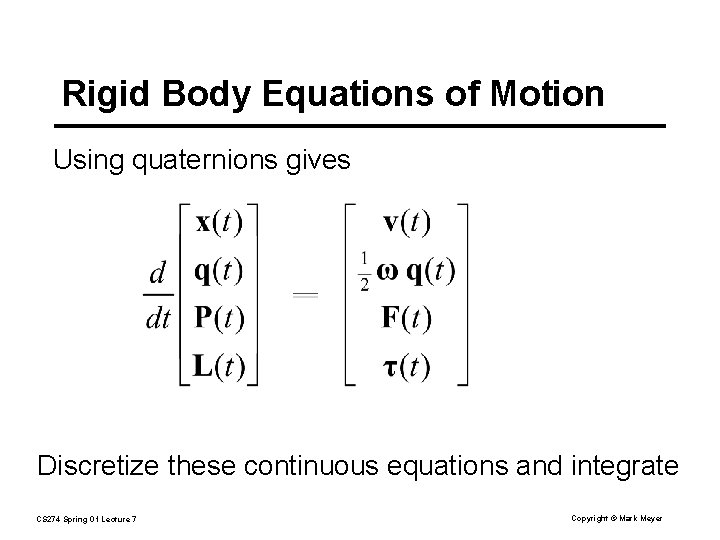
Rigid Body Equations of Motion Combining the equations Discretize these continuous equations and integrate CS 274 Spring 01 Lecture 7 Copyright © Mark Meyer
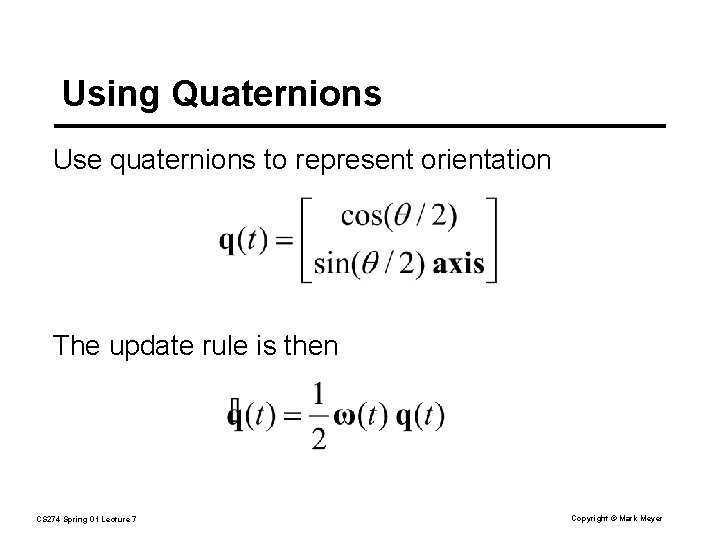
Using Quaternions Use quaternions to represent orientation The update rule is then CS 274 Spring 01 Lecture 7 Copyright © Mark Meyer
Rigid Body Equations of Motion Using quaternions gives Discretize these continuous equations and integrate CS 274 Spring 01 Lecture 7 Copyright © Mark Meyer
Collisions and Contact So far, no interaction between rigid bodies Collision detection – determining if, when and where a collision occurs Collision response – calculating the state (velocity, …) after the collision CS 274 Spring 01 Lecture 7 Copyright © Mark Meyer
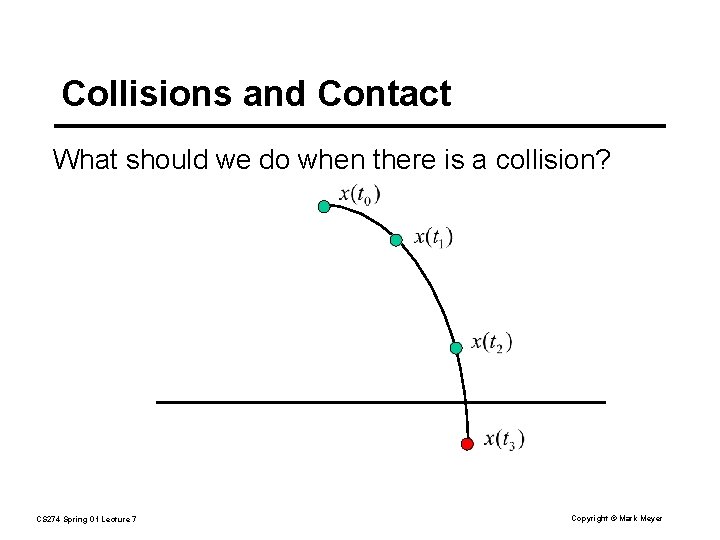
Collisions and Contact What should we do when there is a collision? CS 274 Spring 01 Lecture 7 Copyright © Mark Meyer
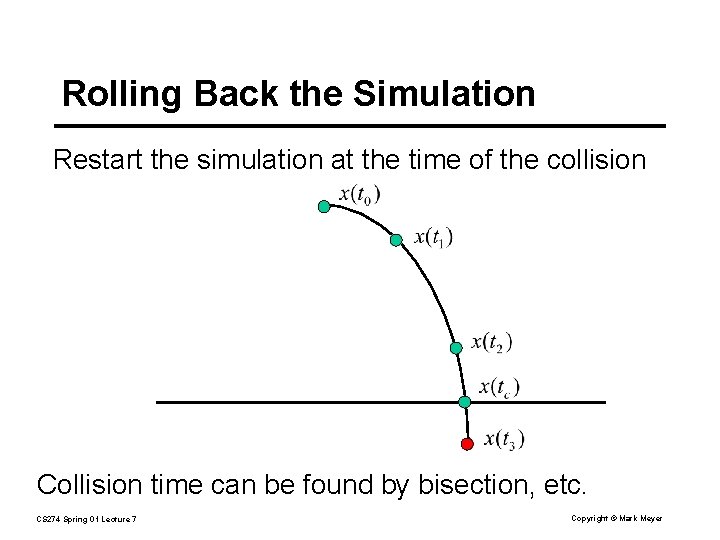
Rolling Back the Simulation Restart the simulation at the time of the collision Collision time can be found by bisection, etc. CS 274 Spring 01 Lecture 7 Copyright © Mark Meyer
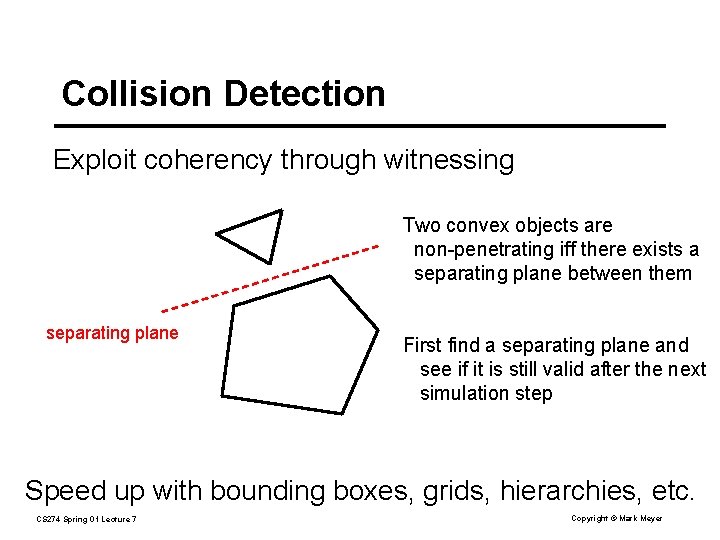
Collision Detection Exploit coherency through witnessing Two convex objects are non-penetrating iff there exists a separating plane between them separating plane First find a separating plane and see if it is still valid after the next simulation step Speed up with bounding boxes, grids, hierarchies, etc. CS 274 Spring 01 Lecture 7 Copyright © Mark Meyer
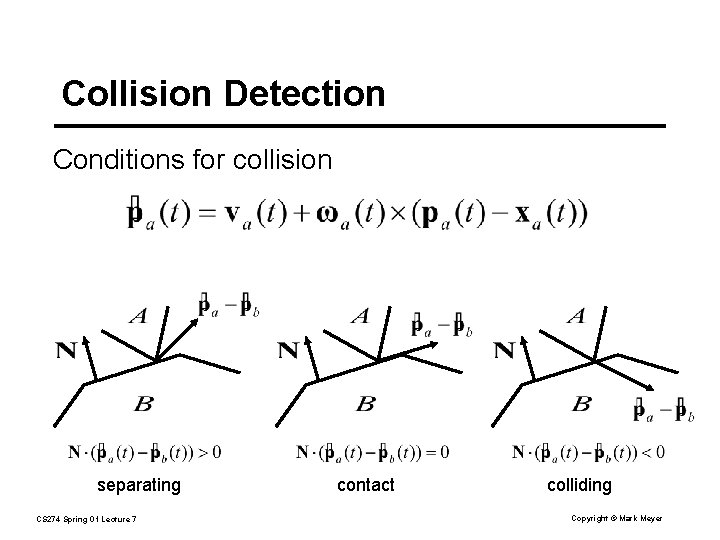
Collision Detection Conditions for collision separating CS 274 Spring 01 Lecture 7 contact colliding Copyright © Mark Meyer
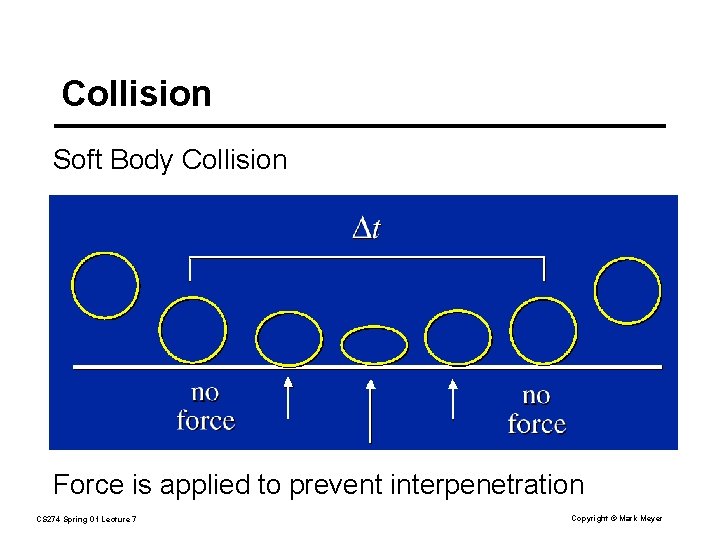
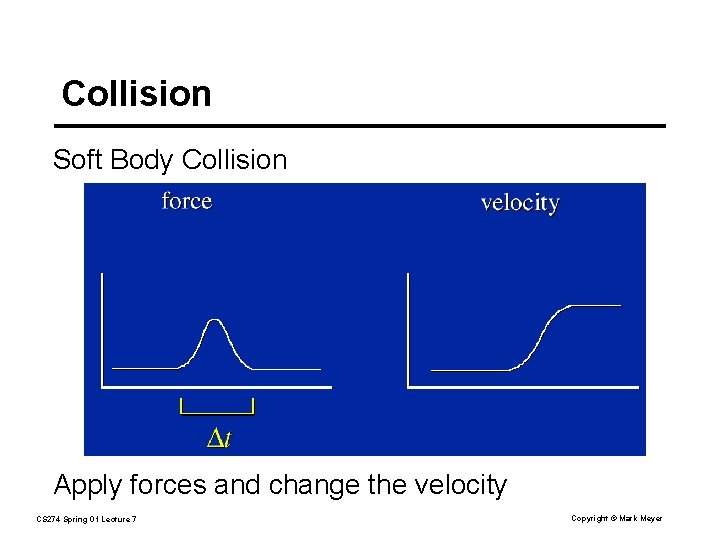
Collision Soft Body Collision Force is applied to prevent interpenetration CS 274 Spring 01 Lecture 7 Copyright © Mark Meyer
Collision Soft Body Collision Apply forces and change the velocity CS 274 Spring 01 Lecture 7 Copyright © Mark Meyer
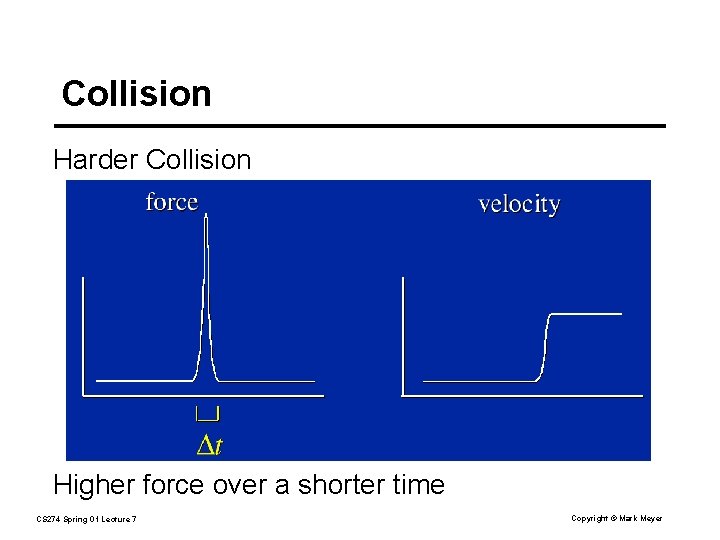
Collision Harder Collision Higher force over a shorter time CS 274 Spring 01 Lecture 7 Copyright © Mark Meyer
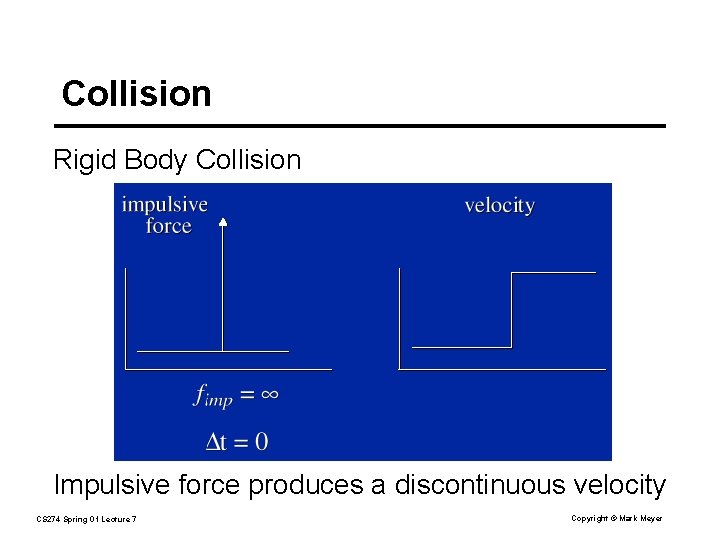
Collision Rigid Body Collision Impulsive force produces a discontinuous velocity CS 274 Spring 01 Lecture 7 Copyright © Mark Meyer
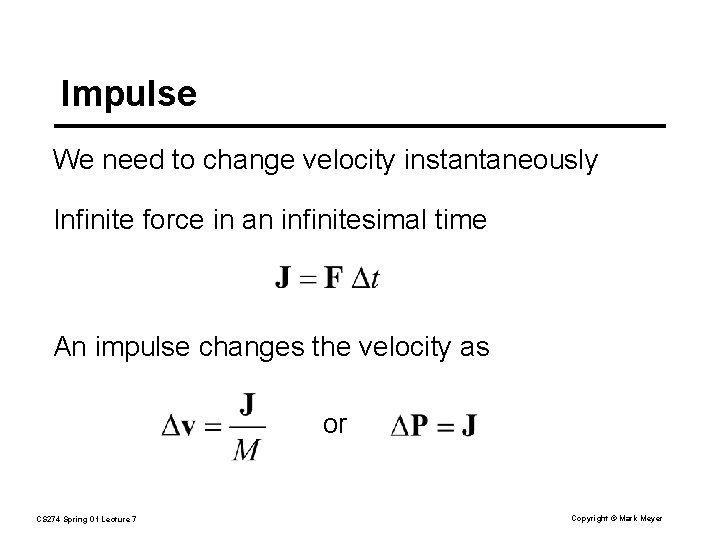
Impulse We need to change velocity instantaneously Infinite force in an infinitesimal time An impulse changes the velocity as or CS 274 Spring 01 Lecture 7 Copyright © Mark Meyer
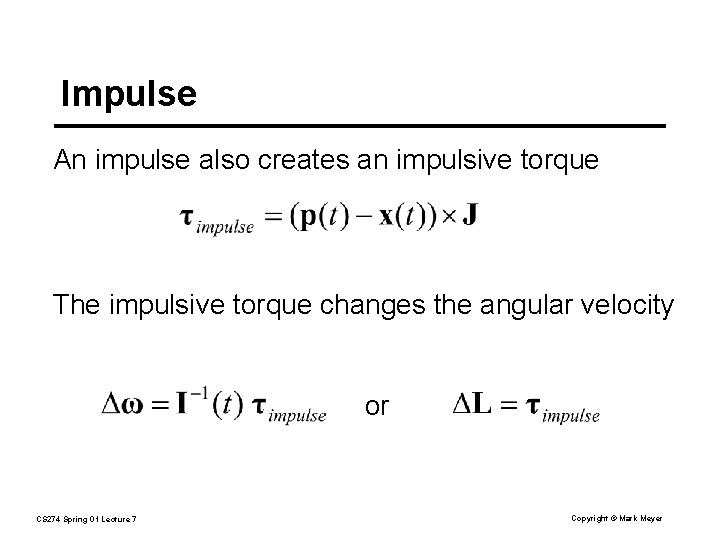
Impulse An impulse also creates an impulsive torque The impulsive torque changes the angular velocity or CS 274 Spring 01 Lecture 7 Copyright © Mark Meyer
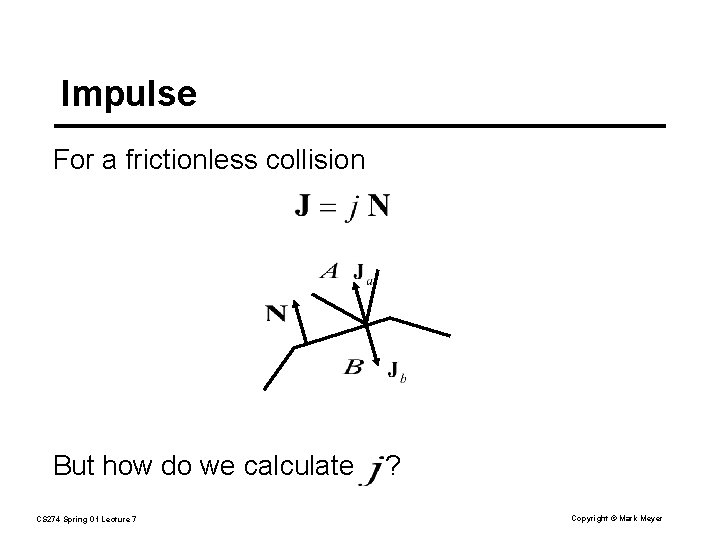
Impulse For a frictionless collision But how do we calculate CS 274 Spring 01 Lecture 7 ? Copyright © Mark Meyer
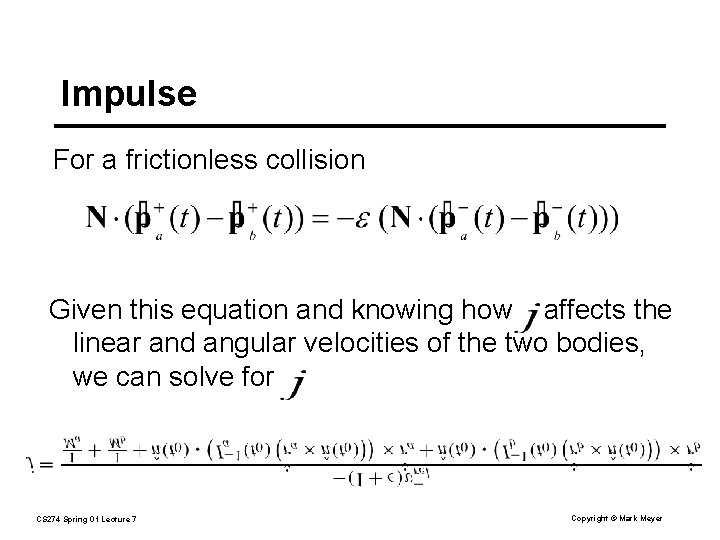
Impulse For a frictionless collision Given this equation and knowing how affects the linear and angular velocities of the two bodies, we can solve for CS 274 Spring 01 Lecture 7 Copyright © Mark Meyer
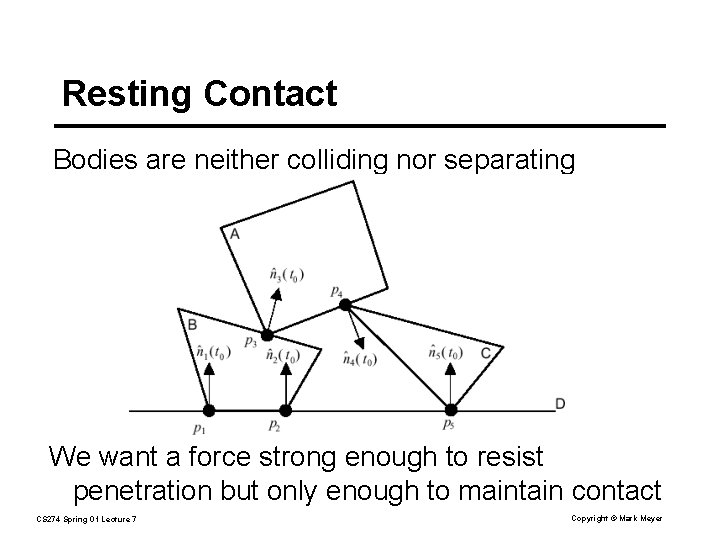
Resting Contact Bodies are neither colliding nor separating We want a force strong enough to resist penetration but only enough to maintain contact CS 274 Spring 01 Lecture 7 Copyright © Mark Meyer
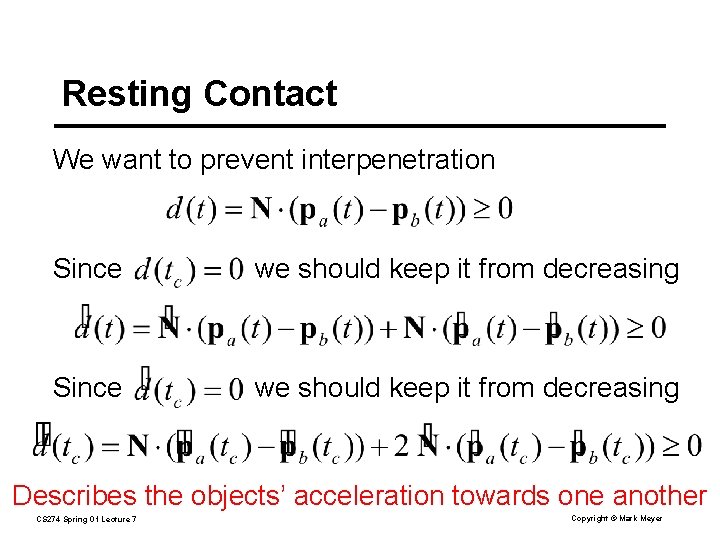
Resting Contact We want to prevent interpenetration Since we should keep it from decreasing Describes the objects’ acceleration towards one another CS 274 Spring 01 Lecture 7 Copyright © Mark Meyer
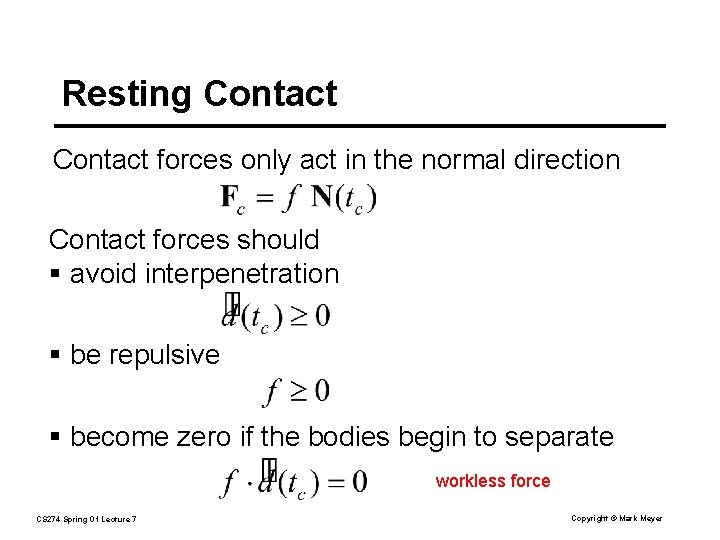
Resting Contact forces only act in the normal direction Contact forces should § avoid interpenetration § be repulsive § become zero if the bodies begin to separate workless force CS 274 Spring 01 Lecture 7 Copyright © Mark Meyer
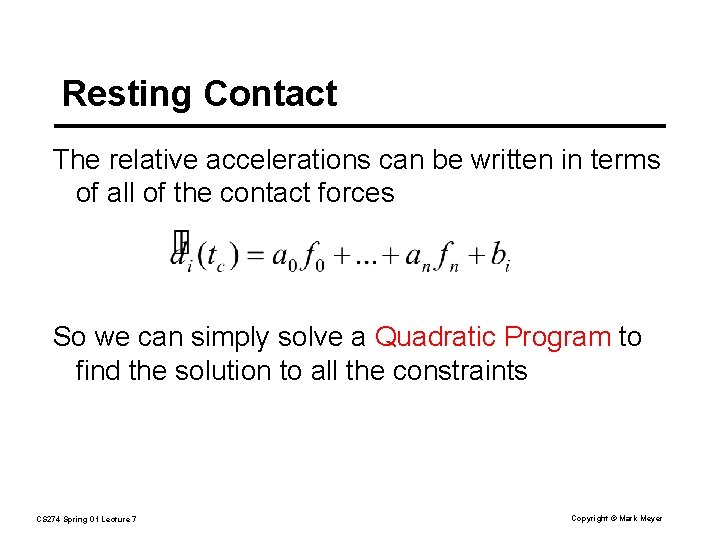
Resting Contact The relative accelerations can be written in terms of all of the contact forces So we can simply solve a Quadratic Program to find the solution to all the constraints CS 274 Spring 01 Lecture 7 Copyright © Mark Meyer
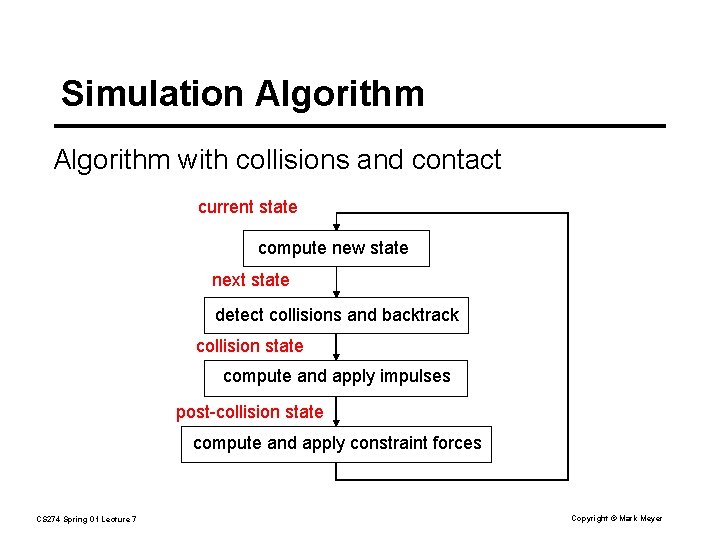
Simulation Algorithm with collisions and contact current state compute new state next state detect collisions and backtrack collision state compute and apply impulses post-collision state compute and apply constraint forces CS 274 Spring 01 Lecture 7 Copyright © Mark Meyer