
CS 262 Computer Vision Lect 09 SIFT Descriptors








- Slides: 28
CS 262: Computer Vision Lect 09: SIFT Descriptors John Magee 13 February 2017 Slides Courtesy of Diane H. Theriault
Questions of the Day: • How can we find matching points in images? • How can we use matching points to recognize objects?
SIFT • Find repeatable, scale-invariant points in images • Compute something about them • Use thing you computed to perform matching • A lot of engineering decisions • “Distinctive Image Features from Scale-Invariant Keypoints” by David Lowe • Patented!
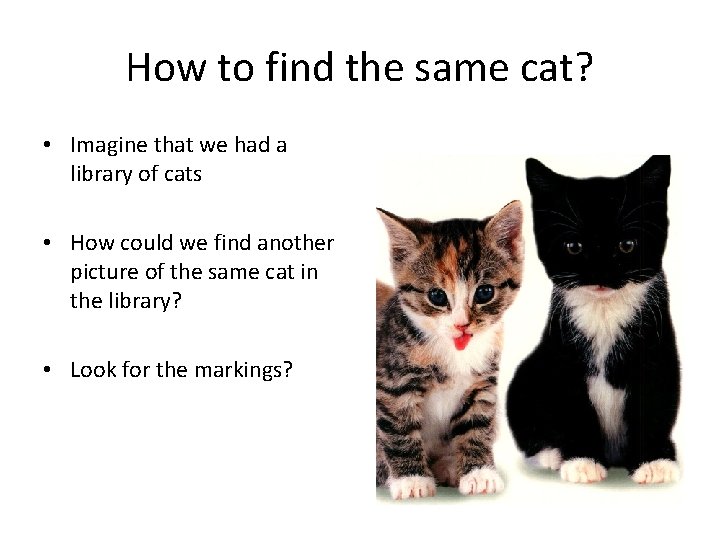
How to find the same cat? • Imagine that we had a library of cats • How could we find another picture of the same cat in the library? • Look for the markings?
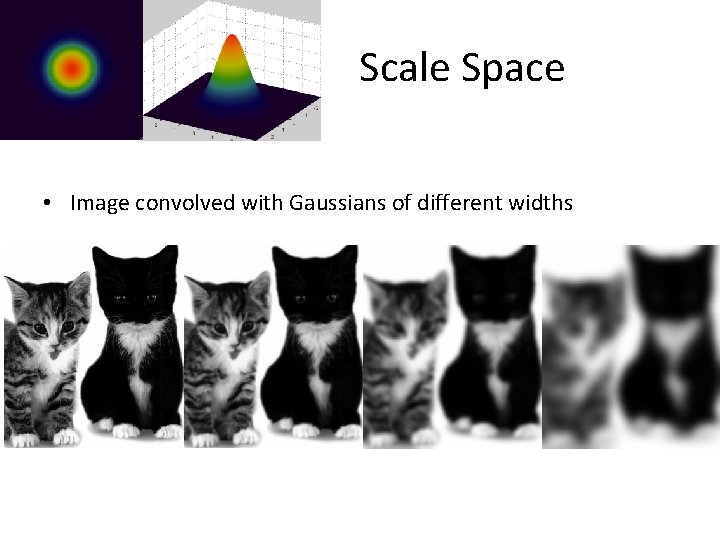
Scale Space • Image convolved with Gaussians of different widths
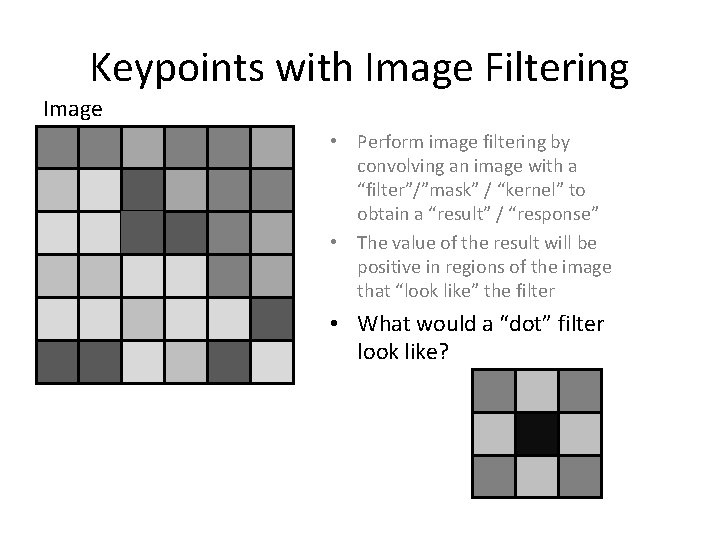
Keypoints with Image Filtering Image • Perform image filtering by convolving an image with a “filter”/”mask” / “kernel” to obtain a “result” / “response” • The value of the result will be positive in regions of the image that “look like” the filter Filter • What would a “dot” filter look like?
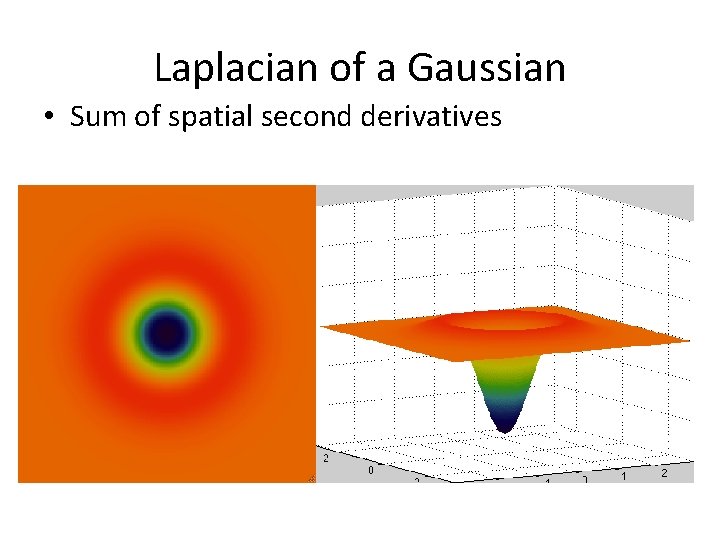
Laplacian of a Gaussian • Sum of spatial second derivatives
Difference of Gaussians • Approximation of the Laplacian of a Gaussian
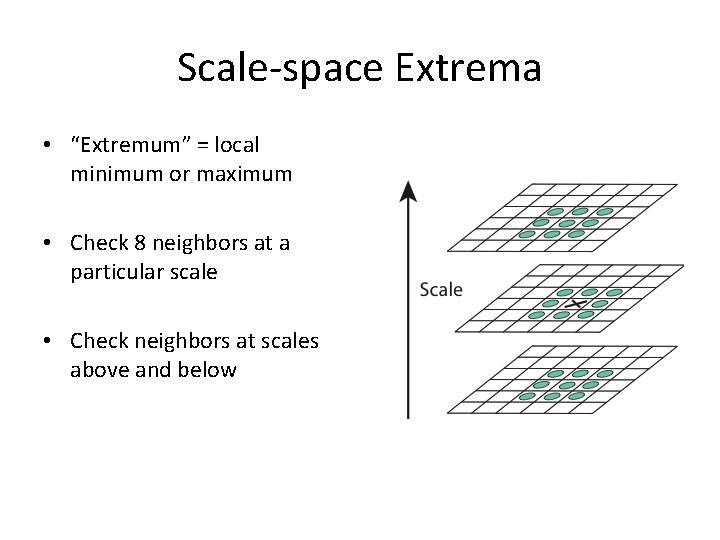
Scale-space Extrema • “Extremum” = local minimum or maximum • Check 8 neighbors at a particular scale • Check neighbors at scales above and below
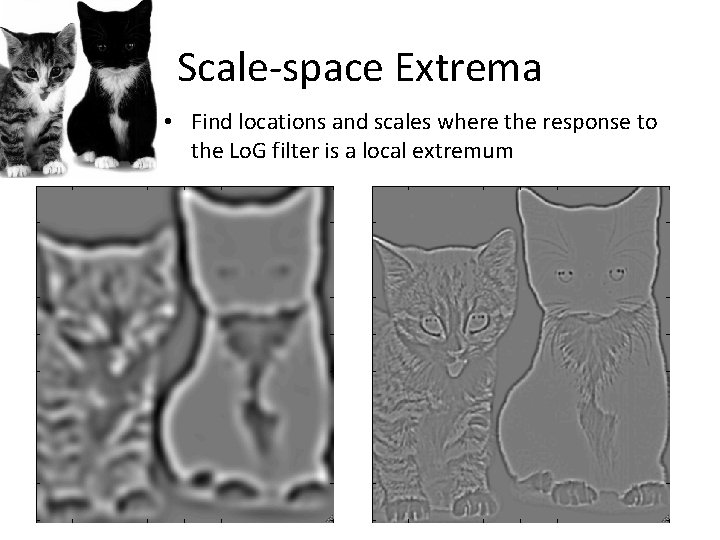
Scale-space Extrema • Find locations and scales where the response to the Lo. G filter is a local extremum
Removing Low Contrast Points • Threshold on the magnitude of the response to the Lo. G filter • Threshold empirically determined
Removing Points Along Edges • In 1 D: first derivative shows how the function is changing (velocity) • In 1 D: second derivative how the change is changing (acceleration) • In 2 D: first derivative leads to a gradient vector, which has a magnitude and direction • In 2 D: second derivatives lead to a matrix, which gives information about the rate and orientation of the change in the gradient
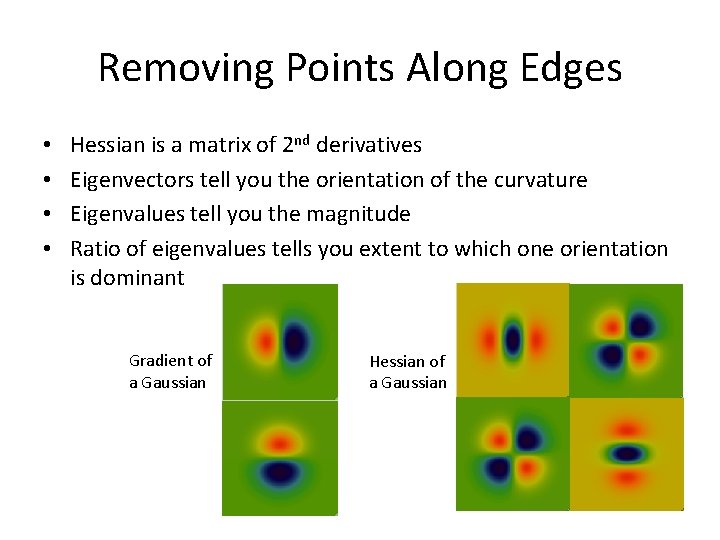
Removing Points Along Edges • • Hessian is a matrix of 2 nd derivatives Eigenvectors tell you the orientation of the curvature Eigenvalues tell you the magnitude Ratio of eigenvalues tells you extent to which one orientation is dominant Gradient of a Gaussian Hessian of a Gaussian
Attributes of a Keypoint • Position (x, y) – location in the image • Scale – scale where this point is a Lo. G extremum • Orientation?
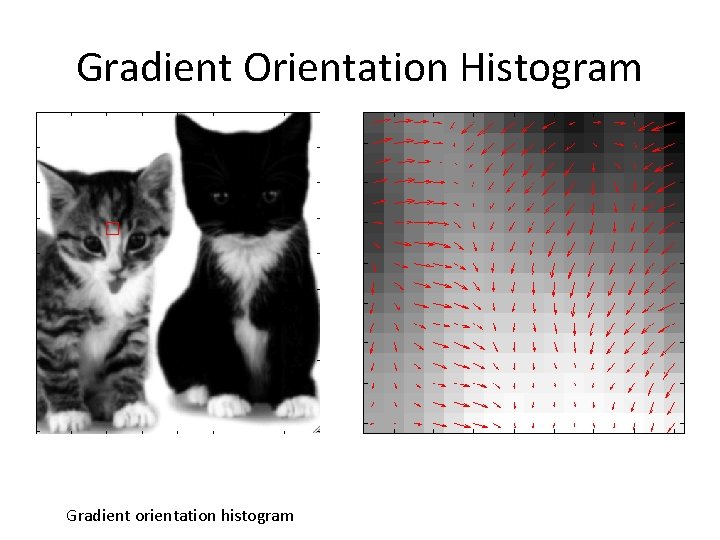
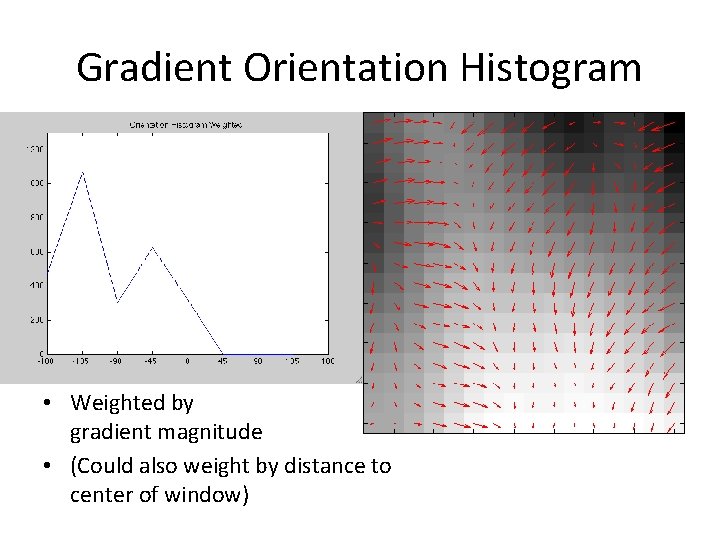
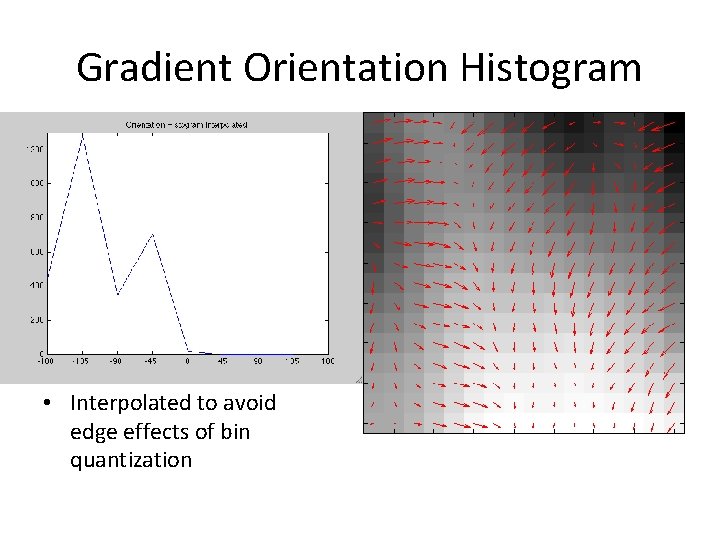
Gradient Orientation Histogram • Make a histogram over gradient orientation • Weighted by gradient magnitude • Weighted by distance to key point • Contribution to bins with linear interpolation
Gradient Orientation Histogram Gradient orientation histogram
Gradient Orientation Histogram • Plain Histogram of Gradient Orientation
Gradient Orientation Histogram • Weighted by gradient magnitude • (Could also weight by distance to center of window)
Gradient Orientation Histogram • Interpolated to avoid edge effects of bin quantization
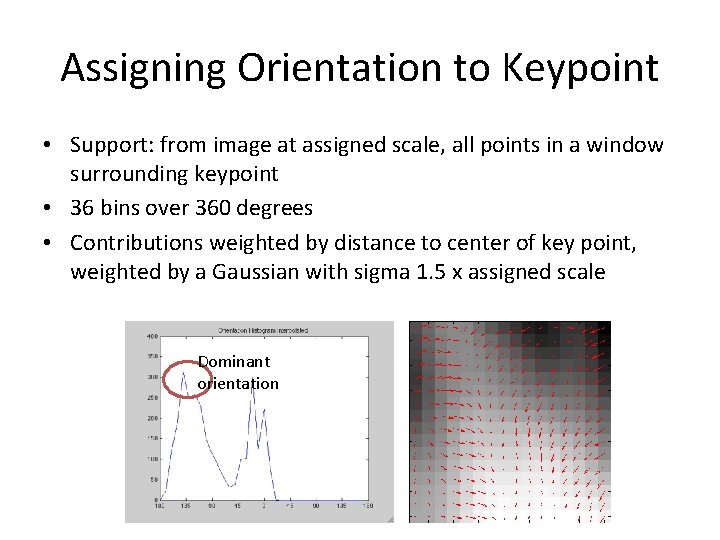
Assigning Orientation to Keypoint • Support: from image at assigned scale, all points in a window surrounding keypoint • 36 bins over 360 degrees • Contributions weighted by distance to center of key point, weighted by a Gaussian with sigma 1. 5 x assigned scale Dominant orientation
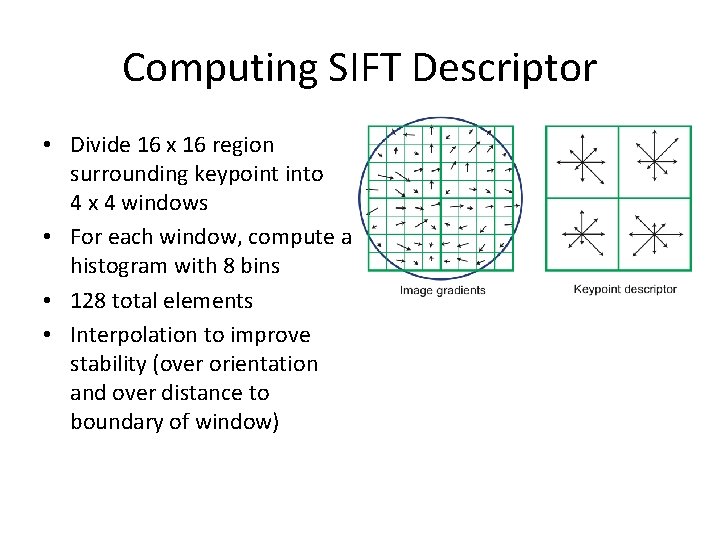
Computing SIFT Descriptor • Divide 16 x 16 region surrounding keypoint into 4 x 4 windows • For each window, compute a histogram with 8 bins • 128 total elements • Interpolation to improve stability (over orientation and over distance to boundary of window)
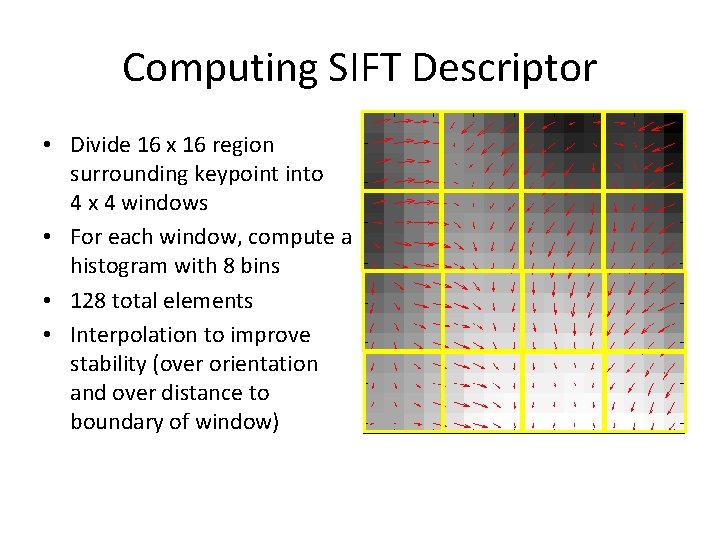
Computing SIFT Descriptor • Divide 16 x 16 region surrounding keypoint into 4 x 4 windows • For each window, compute a histogram with 8 bins • 128 total elements • Interpolation to improve stability (over orientation and over distance to boundary of window)
Normalizing the descriptor • To get (some) invariance to brightness and contrast – Clamp weight due to gradient magnitude (In case some edges are very strong due to weird lighting) – Normalize entire vector to unit length (So the absolute value of the gradient magnitude isn’t as important as the distribution of the gradient magnitude)
Using the keypoints • Assemble a database: – Pick some “training” images of different objects – Find keypoints and compute descriptors – Store the descriptors and associated source image, position, scale, and orientation
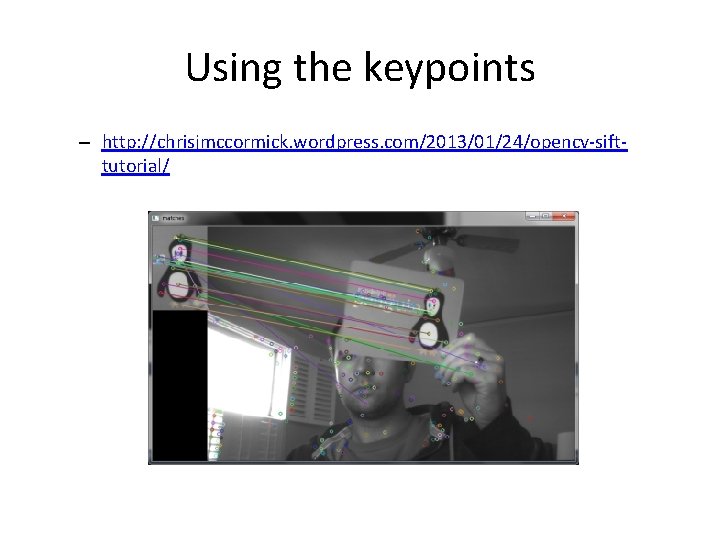
Using the keypoints • New Image – Find keypoints and compute descriptors – Search database for matching descriptors – (Throw out descriptors that are not distinctive) – Look for clusters of matching descriptors • (e. g. In your new image, you found 10 keypoints and associated descriptors, and in the database, there is an image where 6 of the descriptors match, but only 1 or 2 on other database images)
Using the keypoints – http: //chrisjmccormick. wordpress. com/2013/01/24/opencv-sifttutorial/
Voting for Pose • Matching keypoints from database image and new image will imply some relationship in pose (position, scale, and orientation) – Example: This keypoint was found 20 pixels down and 50 pixels to the right of the matching descriptor from the database image – Example: This keypoint was computed at 2 x the scale of the matching descriptor from the database image – Look for clusters of matches with similar offsets – (“Generalized Hough Transform”)
Discussion Questions • What types of invariance do we want to have when we think about doing object recognition? • What does it mean to be invariant to different image attributes? (brightness, contrast, position, scale, orientation) • What does it mean for an image feature to be stable? • Why might it make sense to use a weighted histogram? What kinds of weights? • What is a problem with the quantization associated with creating a histogram and what can we do about it?