
CS 2213 Advanced Programming Ch 9 Efficiency and



- Slides: 49
CS 2213 Advanced Programming Ch 9 – Efficiency and Abstract Data Types (ADT) Turgay Korkmaz Office: SB 4. 01. 13 Phone: (210) 458 -7346 Fax: (210) 458 -4437 e-mail: korkmaz@cs. utsa. edu web: www. cs. utsa. edu/~korkmaz Thanks to Eric S. Roberts, the author of our textbook, for providing some slides/figures/programs. 1
Objectives n n To learn that different strategies for representing data can have a profound effect on the efficiency of your code. To be able to compare the computational complexity of different representation strategies. To understand the concept of a linked list and how it can be used to provide a basis for efficient insertion and deletion operations. To appreciate that representations which are efficient in terms of their execution time may be inefficient in their use of memory. 2
As an application, we will consider a simple vi-like text editor 3
Why We Look at Old Editors? • We are going to look at an ancient (at least in the sense of Internet time) editor technology, which is largely based on the TECO (Text Editor and Corrector) (vi has similar ideas) • Many students greet this idea with skepticism. Why should we look at something so old that doesn’t meet even the most requirements we would insist on in an editor. • Because – It’s absolutely the best example of how using different data representations can have a profound effect on performance. – No modern editor is simple enough to understand in its entirety. – TECO is historically important as the first extensible editor. It was the first platform for EMACS, which is still in use today.
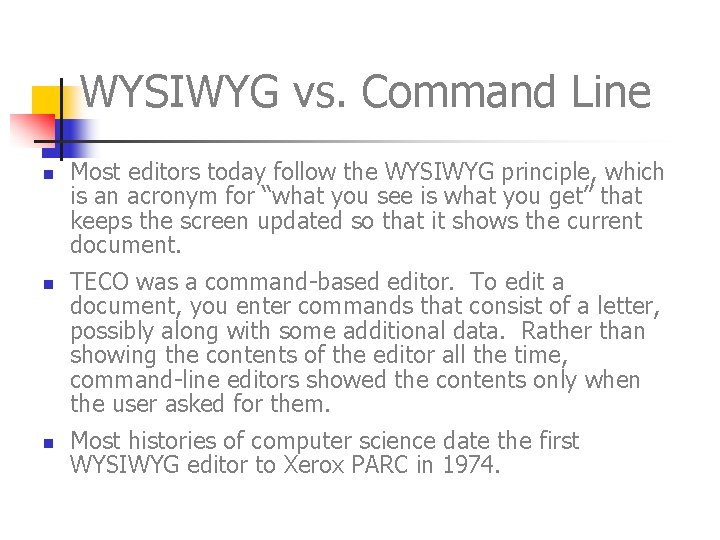
WYSIWYG vs. Command Line n n n Most editors today follow the WYSIWYG principle, which is an acronym for “what you see is what you get” that keeps the screen updated so that it shows the current document. TECO was a command-based editor. To edit a document, you enter commands that consist of a letter, possibly along with some additional data. Rather than showing the contents of the editor all the time, command-line editors showed the contents only when the user asked for them. Most histories of computer science date the first WYSIWYG editor to Xerox PARC in 1974.
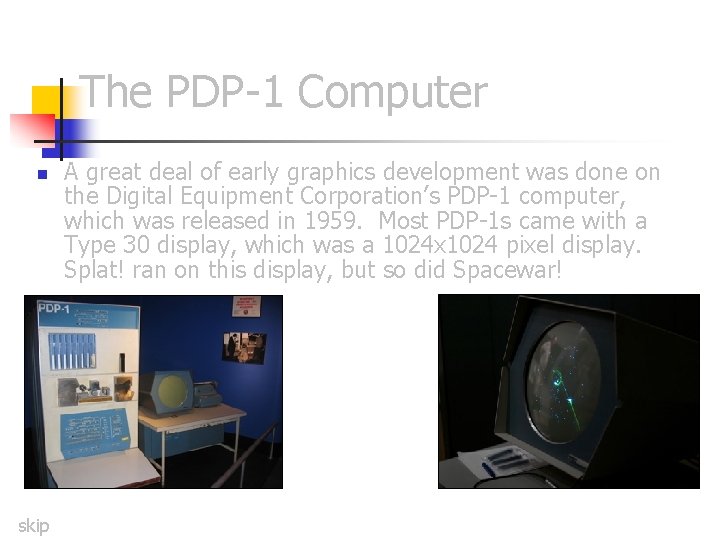
The PDP-1 Computer n skip A great deal of early graphics development was done on the Digital Equipment Corporation’s PDP-1 computer, which was released in 1959. Most PDP-1 s came with a Type 30 display, which was a 1024 x 1024 pixel display. Splat! ran on this display, but so did Spacewar!
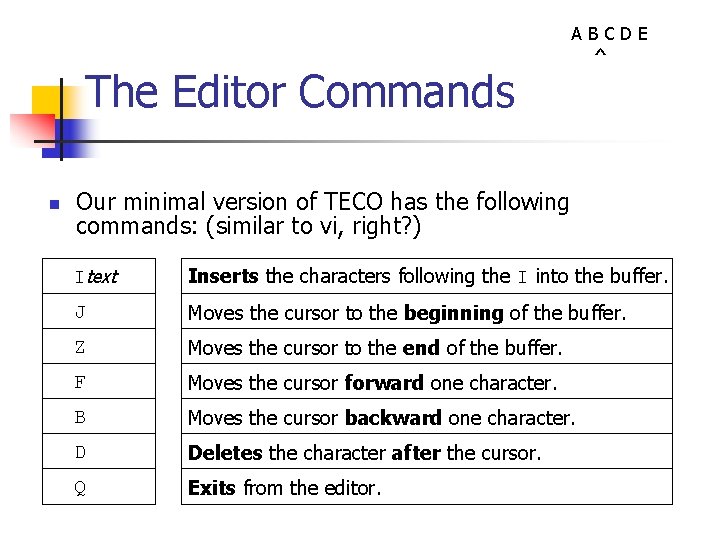
The Editor Commands n ABCDE ^ Our minimal version of TECO has the following commands: (similar to vi, right? ) Itext Inserts the characters following the I into the buffer. J Moves the cursor to the beginning of the buffer. Z Moves the cursor to the end of the buffer. F Moves the cursor forward one character. B Moves the cursor backward one character. D Deletes the character after the cursor. Q Exits from the editor.
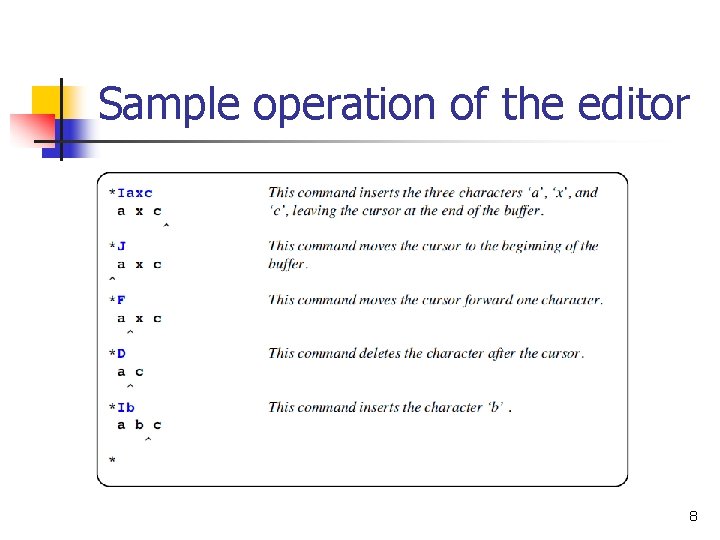
Sample operation of the editor 8
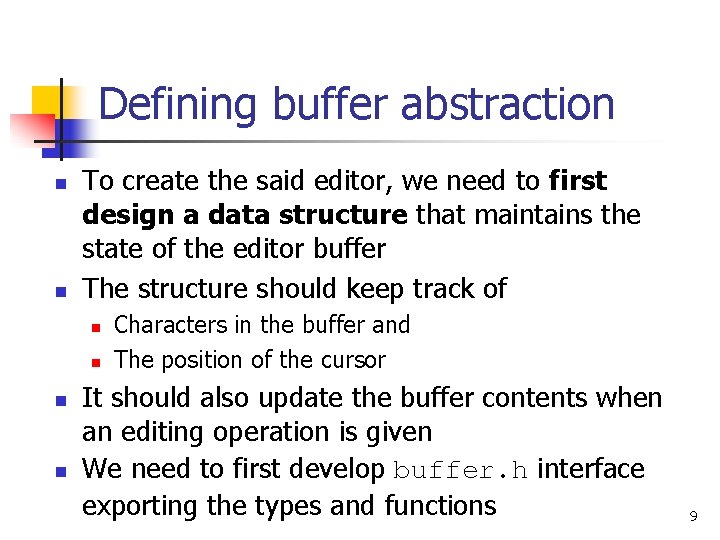
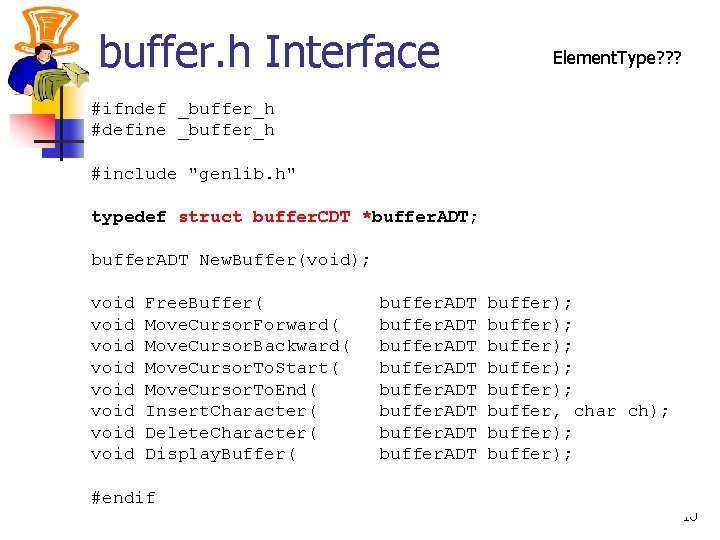
Defining buffer abstraction n n To create the said editor, we need to first design a data structure that maintains the state of the editor buffer The structure should keep track of n n Characters in the buffer and The position of the cursor It should also update the buffer contents when an editing operation is given We need to first develop buffer. h interface exporting the types and functions 9
buffer. h Interface Element. Type? ? ? #ifndef _buffer_h #define _buffer_h #include "genlib. h" typedef struct buffer. CDT *buffer. ADT; buffer. ADT New. Buffer(void); void void Free. Buffer( Move. Cursor. Forward( Move. Cursor. Backward( Move. Cursor. To. Start( Move. Cursor. To. End( Insert. Character( Delete. Character( Display. Buffer( #endif buffer. ADT buffer); buffer); buffer, char ch); buffer); 10
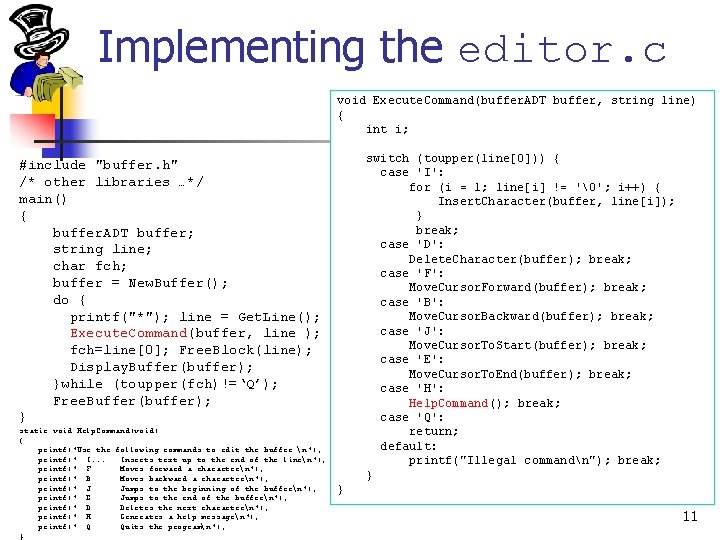
Implementing the editor. c void Execute. Command(buffer. ADT buffer, string line) { int i; switch (toupper(line[0])) { case 'I': for (i = 1; line[i] != ''; i++) { Insert. Character(buffer, line[i]); } break; case 'D': Delete. Character(buffer); break; case 'F': Move. Cursor. Forward(buffer); break; case 'B': Move. Cursor. Backward(buffer); break; case 'J': Move. Cursor. To. Start(buffer); break; case 'E': Move. Cursor. To. End(buffer); break; case 'H': Help. Command(); break; case 'Q': return; default: printf("Illegal commandn"); break; } #include "buffer. h" /* other libraries …*/ main() { buffer. ADT buffer; string line; char fch; buffer = New. Buffer(); do { printf("*"); line = Get. Line(); Execute. Command(buffer, line ); fch=line[0]; Free. Block(line); Display. Buffer(buffer); }while (toupper(fch)!=‘Q’); Free. Buffer(buffer); } static void Help. Command(void) { printf("Use the following commands to edit the buffer: n"); printf(" I. . . Inserts text up to the end of the linen"); printf(" F Moves forward a charactern"); printf(" B Moves backward a charactern"); printf(" J Jumps to the beginning of the buffern"); printf(" E Jumps to the end of the buffern"); printf(" D Deletes the next charactern"); printf(" H Generates a help messagen"); printf(" Q Quits the programn"); } } 11
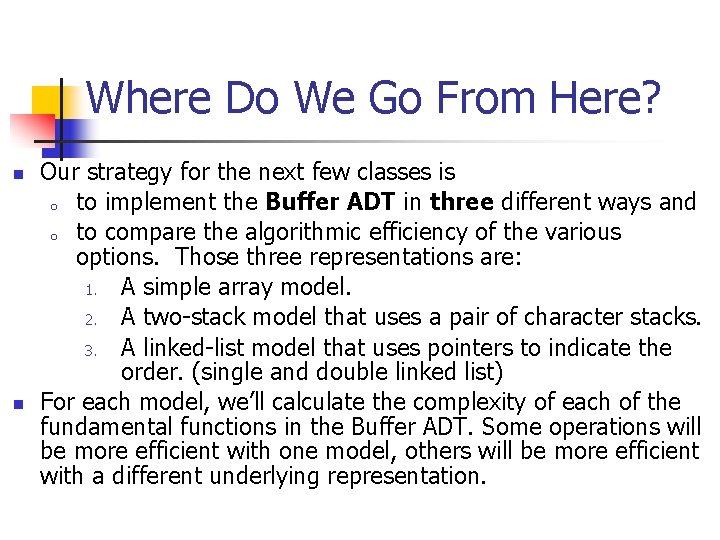
Where Do We Go From Here? n n Our strategy for the next few classes is o to implement the Buffer ADT in three different ways and o to compare the algorithmic efficiency of the various options. Those three representations are: 1. A simple array model. 2. A two-stack model that uses a pair of character stacks. 3. A linked-list model that uses pointers to indicate the order. (single and double linked list) For each model, we’ll calculate the complexity of each of the fundamental functions in the Buffer ADT. Some operations will be more efficient with one model, others will be more efficient with a different underlying representation.
Implementing the buffer ADT using ARRAYS 13
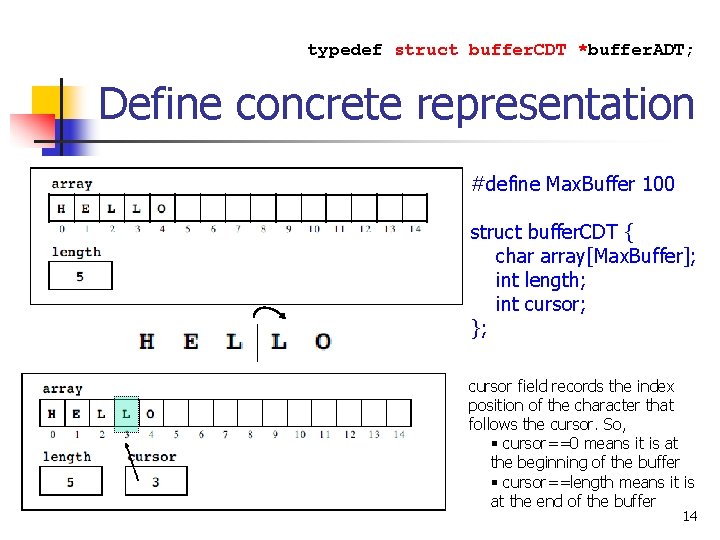
typedef struct buffer. CDT *buffer. ADT; Define concrete representation #define Max. Buffer 100 struct buffer. CDT { char array[Max. Buffer]; int length; int cursor; }; cursor field records the index position of the character that follows the cursor. So, § cursor==0 means it is at the beginning of the buffer § cursor==length means it is at the end of the buffer 14
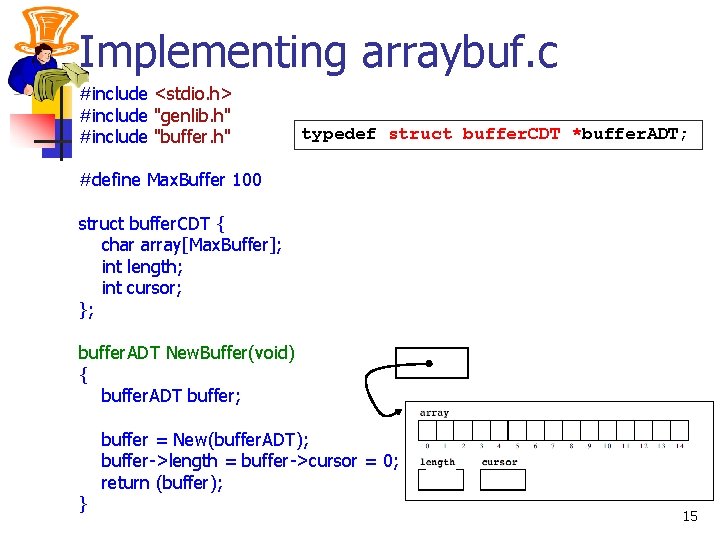
Implementing arraybuf. c #include <stdio. h> #include "genlib. h" #include "buffer. h" typedef struct buffer. CDT *buffer. ADT; #define Max. Buffer 100 struct buffer. CDT { char array[Max. Buffer]; int length; int cursor; }; buffer. ADT New. Buffer(void) { buffer. ADT buffer; } buffer = New(buffer. ADT); buffer->length = buffer->cursor = 0; return (buffer); 15
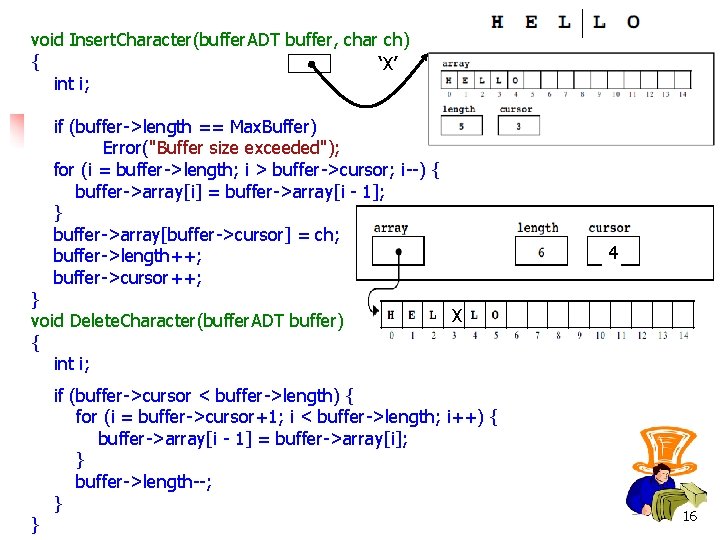
void Insert. Character(buffer. ADT buffer, char ch) { ‘X’ int i; if (buffer->length == Max. Buffer) Error("Buffer size exceeded"); for (i = buffer->length; i > buffer->cursor; i--) { buffer->array[i] = buffer->array[i - 1]; } buffer->array[buffer->cursor] = ch; buffer->length++; buffer->cursor++; } void Delete. Character(buffer. ADT buffer) { int i; } 4 X if (buffer->cursor < buffer->length) { for (i = buffer->cursor+1; i < buffer->length; i++) { buffer->array[i - 1] = buffer->array[i]; } buffer->length--; } 16
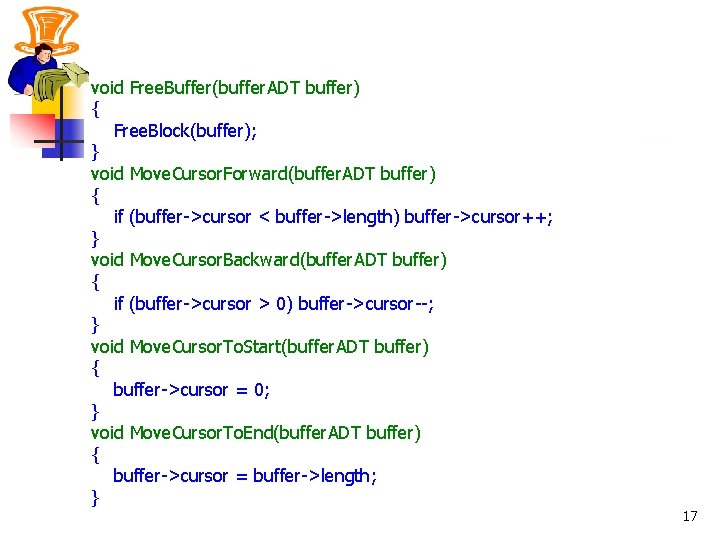
void Free. Buffer(buffer. ADT buffer) { Free. Block(buffer); } void Move. Cursor. Forward(buffer. ADT buffer) { if (buffer->cursor < buffer->length) buffer->cursor++; } void Move. Cursor. Backward(buffer. ADT buffer) { if (buffer->cursor > 0) buffer->cursor--; } void Move. Cursor. To. Start(buffer. ADT buffer) { buffer->cursor = 0; } void Move. Cursor. To. End(buffer. ADT buffer) { buffer->cursor = buffer->length; } 17
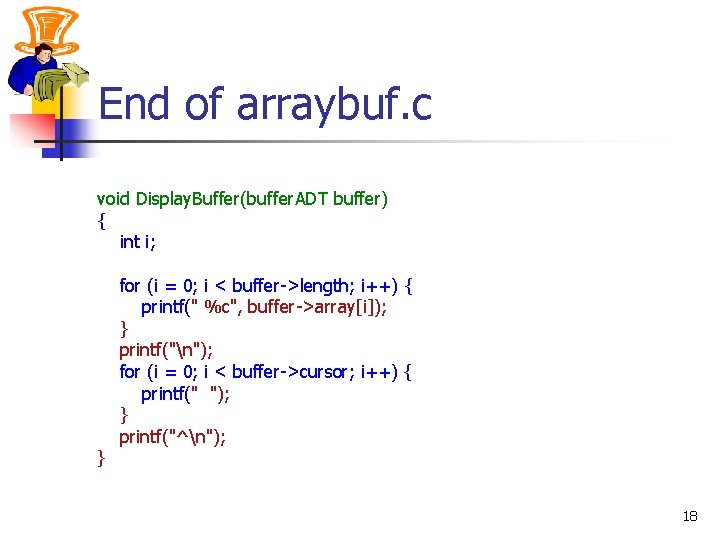
End of arraybuf. c void Display. Buffer(buffer. ADT buffer) { int i; } for (i = 0; i < buffer->length; i++) { printf(" %c", buffer->array[i]); } printf("n"); for (i = 0; i < buffer->cursor; i++) { printf(" "); } printf("^n"); 18
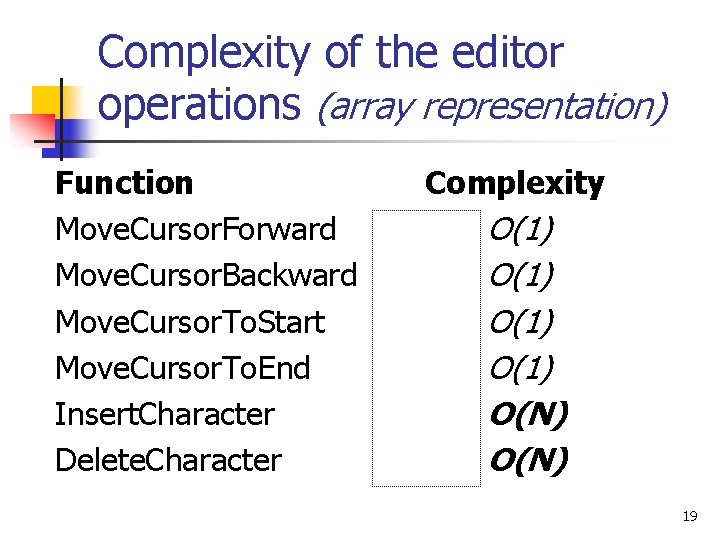
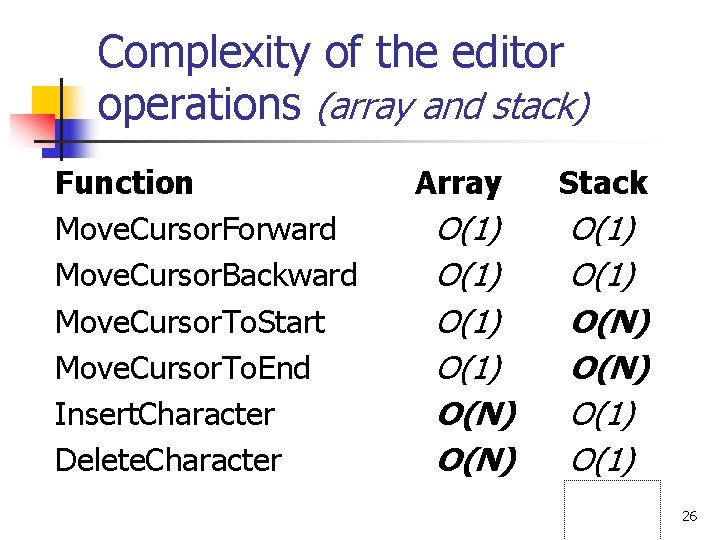
Complexity of the editor operations (array representation) Function Move. Cursor. Forward Move. Cursor. Backward Move. Cursor. To. Start Move. Cursor. To. End Insert. Character Delete. Character Complexity O(1) O(N) 19
Implementing the buffer ADT using STACKS 20
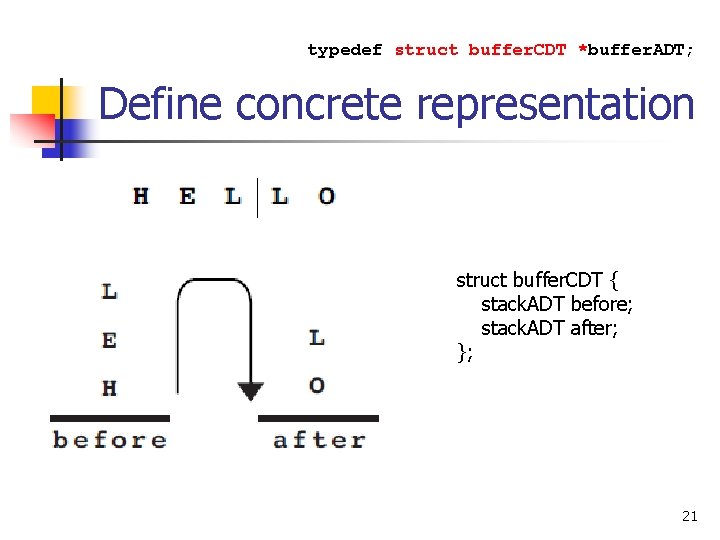
typedef struct buffer. CDT *buffer. ADT; Define concrete representation struct buffer. CDT { stack. ADT before; stack. ADT after; }; 21
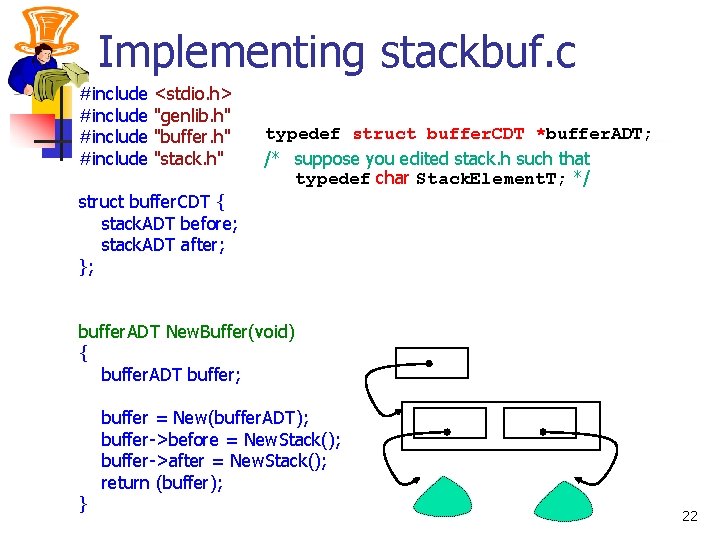
Implementing stackbuf. c #include <stdio. h> "genlib. h" "buffer. h" "stack. h" typedef struct buffer. CDT *buffer. ADT; /* suppose you edited stack. h such that typedef char Stack. Element. T; */ struct buffer. CDT { stack. ADT before; stack. ADT after; }; buffer. ADT New. Buffer(void) { buffer. ADT buffer; } buffer = New(buffer. ADT); buffer->before = New. Stack(); buffer->after = New. Stack(); return (buffer); 22
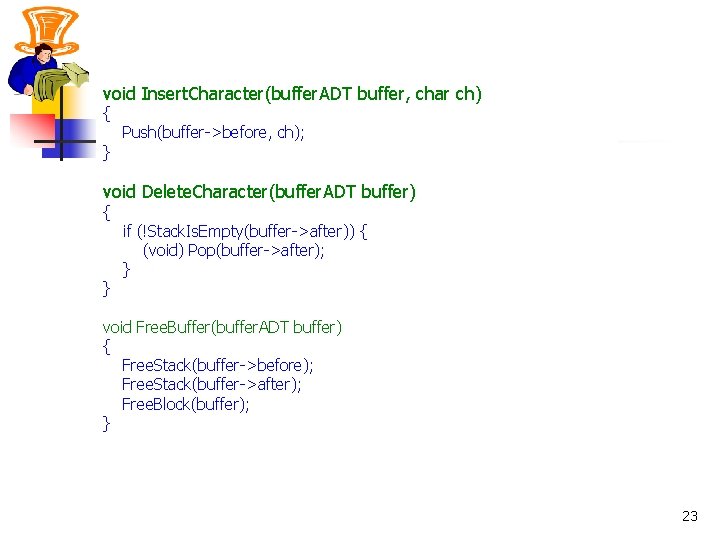
void Insert. Character(buffer. ADT buffer, char ch) { } Push(buffer->before, ch); void Delete. Character(buffer. ADT buffer) { } if (!Stack. Is. Empty(buffer->after)) { (void) Pop(buffer->after); } void Free. Buffer(buffer. ADT buffer) { Free. Stack(buffer->before); Free. Stack(buffer->after); Free. Block(buffer); } 23
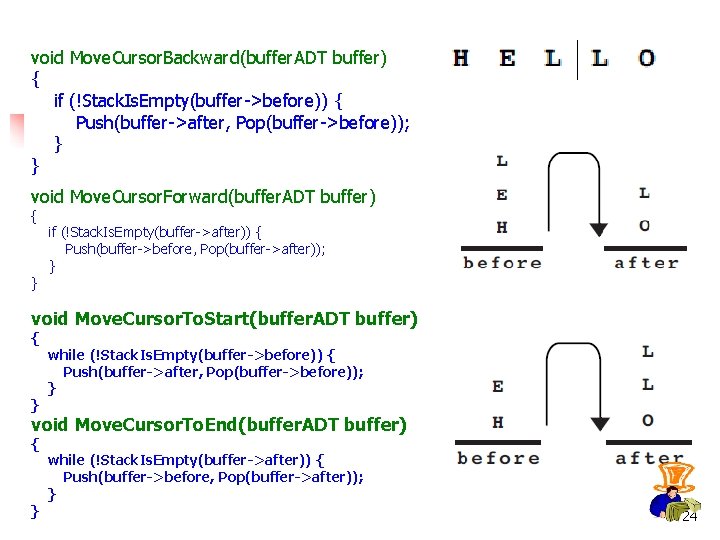
void Move. Cursor. Backward(buffer. ADT buffer) { if (!Stack. Is. Empty(buffer->before)) { Push(buffer->after, Pop(buffer->before)); } } void Move. Cursor. Forward(buffer. ADT buffer) { } if (!Stack. Is. Empty(buffer->after)) { Push(buffer->before, Pop(buffer->after)); } void Move. Cursor. To. Start(buffer. ADT buffer) { } while (!Stack. Is. Empty(buffer->before)) { Push(buffer->after, Pop(buffer->before)); } void Move. Cursor. To. End(buffer. ADT buffer) { } while (!Stack. Is. Empty(buffer->after)) { Push(buffer->before, Pop(buffer->after)); } 24
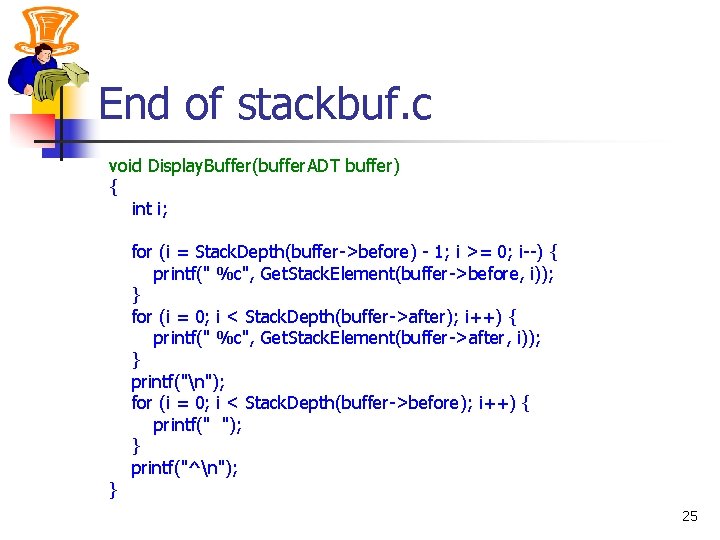
End of stackbuf. c void Display. Buffer(buffer. ADT buffer) { int i; } for (i = Stack. Depth(buffer->before) - 1; i >= 0; i--) { printf(" %c", Get. Stack. Element(buffer->before, i)); } for (i = 0; i < Stack. Depth(buffer->after); i++) { printf(" %c", Get. Stack. Element(buffer->after, i)); } printf("n"); for (i = 0; i < Stack. Depth(buffer->before); i++) { printf(" "); } printf("^n"); 25
Complexity of the editor operations (array and stack) Function Move. Cursor. Forward Move. Cursor. Backward Move. Cursor. To. Start Move. Cursor. To. End Insert. Character Delete. Character Array O(1) O(N) Stack O(1) O(N) O(1) 26
Implementing the buffer ADT using LINKED LIST 27
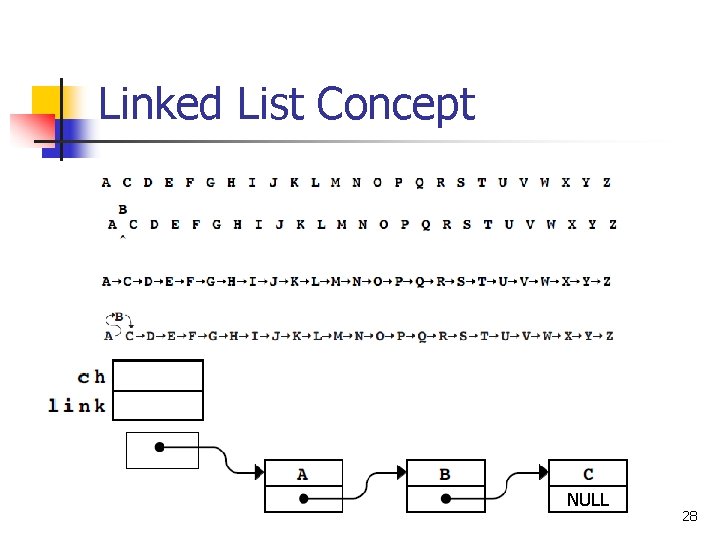
Linked List Concept NULL 28
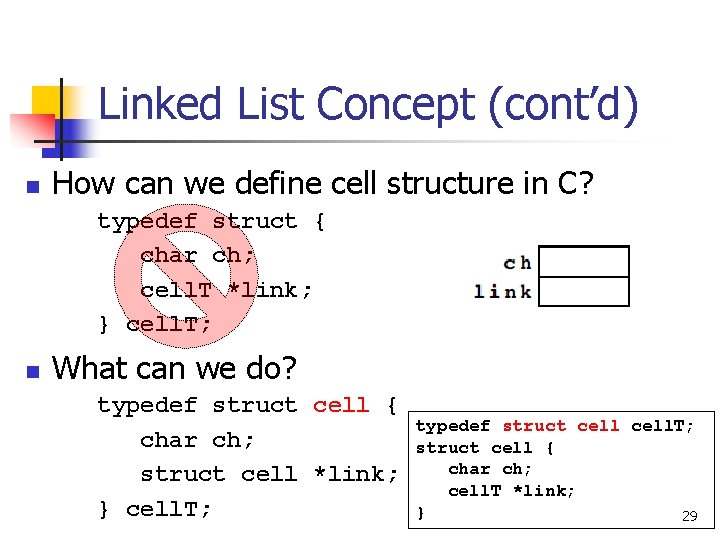
Linked List Concept (cont’d) n How can we define cell structure in C? typedef struct { char ch; cell. T *link; } cell. T; n What can we do? typedef struct cell { char ch; struct cell *link; } cell. T; typedef struct cell. T; struct cell { char ch; cell. T *link; } 29
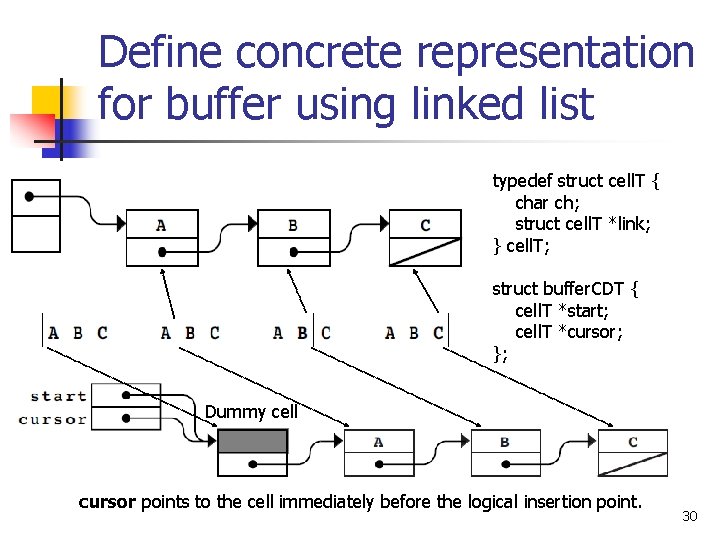
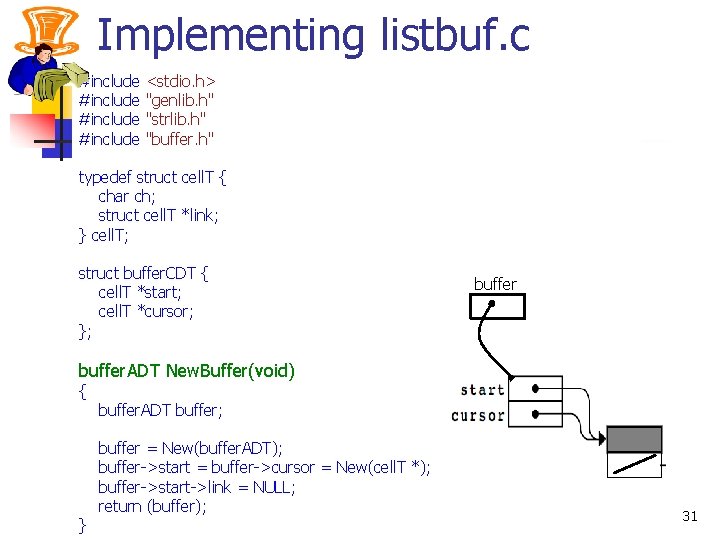
Define concrete representation for buffer using linked list typedef struct cell. T { char ch; struct cell. T *link; } cell. T; struct buffer. CDT { cell. T *start; cell. T *cursor; }; Dummy cell cursor points to the cell immediately before the logical insertion point. 30
Implementing listbuf. c #include <stdio. h> "genlib. h" "strlib. h" "buffer. h" typedef struct cell. T { char ch; struct cell. T *link; } cell. T; struct buffer. CDT { cell. T *start; cell. T *cursor; }; buffer. ADT New. Buffer(void) { } buffer. ADT buffer; buffer = New(buffer. ADT); buffer->start = buffer->cursor = New(cell. T *); buffer->start->link = NULL; return (buffer); 31
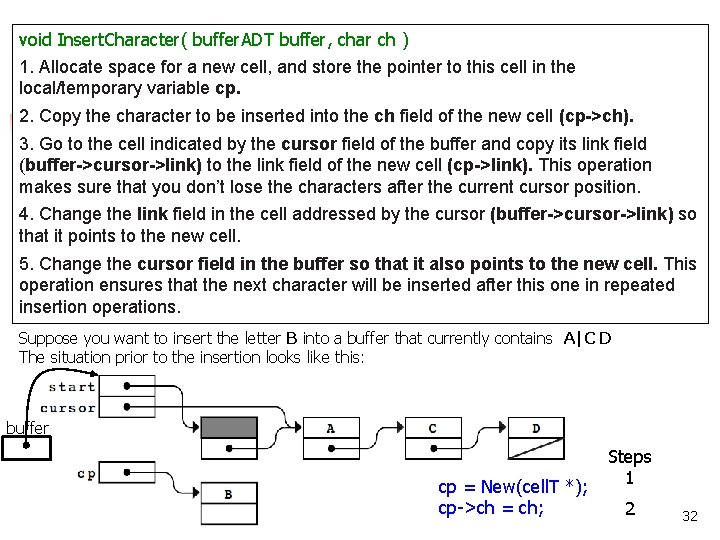
void Insert. Character( buffer. ADT buffer, char ch ) 1. Allocate space for a new cell, and store the pointer to this cell in the local/temporary variable cp. 2. Copy the character to be inserted into the ch field of the new cell (cp->ch). 3. Go to the cell indicated by the cursor field of the buffer and copy its link field (buffer->cursor->link) to the link field of the new cell (cp->link). This operation makes sure that you don’t lose the characters after the current cursor position. 4. Change the link field in the cell addressed by the cursor (buffer->cursor->link) so that it points to the new cell. 5. Change the cursor field in the buffer so that it also points to the new cell. This operation ensures that the next character will be inserted after this one in repeated insertion operations. Suppose you want to insert the letter B into a buffer that currently contains A|C D The situation prior to the insertion looks like this: buffer cp = New(cell. T *); cp->ch = ch; Steps 1 2 32
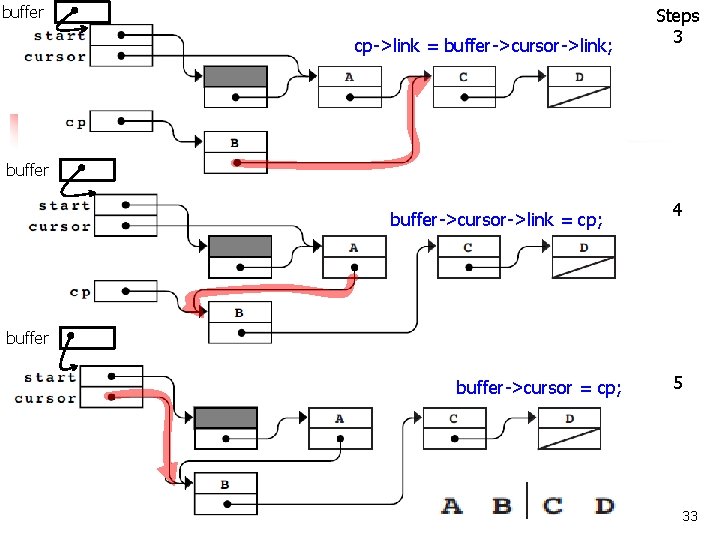
buffer cp->link = buffer->cursor->link; Steps 3 buffer->cursor->link = cp; 4 buffer->cursor = cp; 5 33
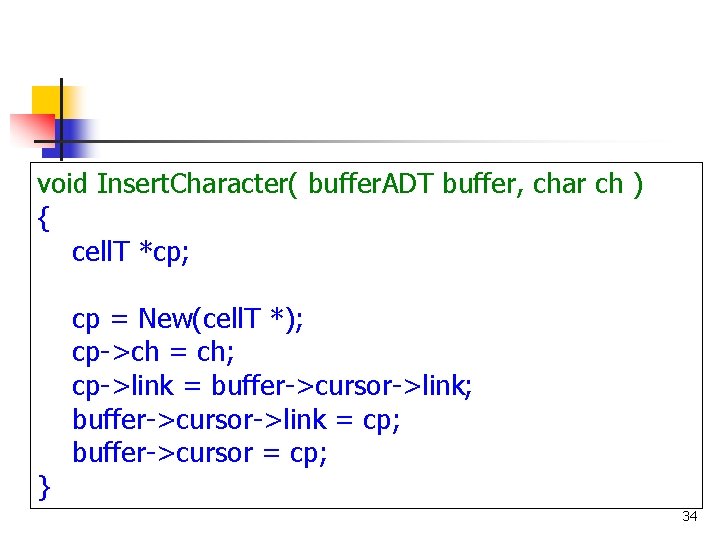
void Insert. Character( buffer. ADT buffer, char ch ) { cell. T *cp; } cp = New(cell. T *); cp->ch = ch; cp->link = buffer->cursor->link; buffer->cursor->link = cp; buffer->cursor = cp; 34
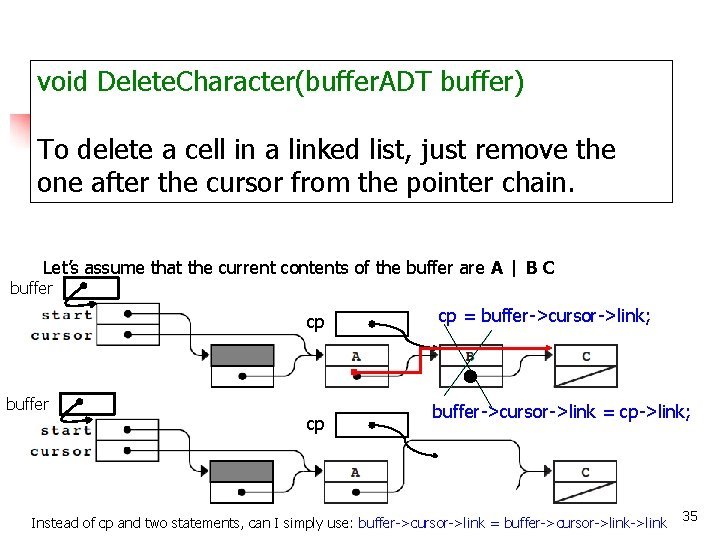
void Delete. Character(buffer. ADT buffer) To delete a cell in a linked list, just remove the one after the cursor from the pointer chain. Let’s assume that the current contents of the buffer are A | B C buffer cp cp = buffer->cursor->link; buffer->cursor->link = cp->link; Instead of cp and two statements, can I simply use: buffer->cursor->link = buffer->cursor->link 35
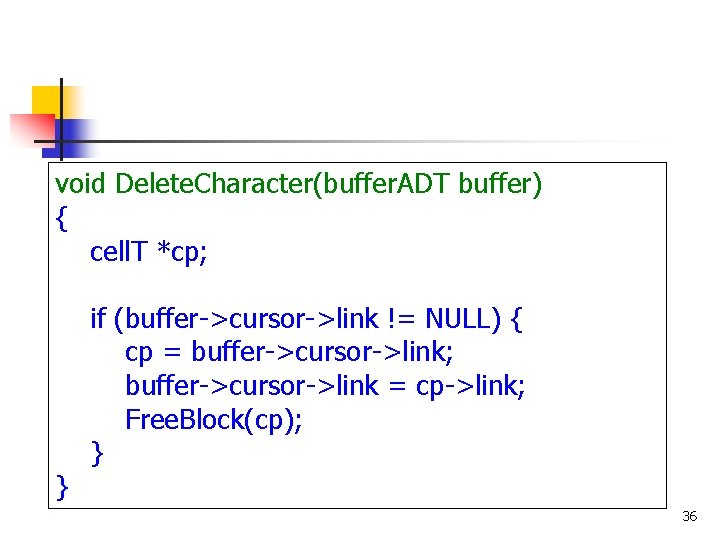
void Delete. Character(buffer. ADT buffer) { cell. T *cp; } if (buffer->cursor->link != NULL) { cp = buffer->cursor->link; buffer->cursor->link = cp->link; Free. Block(cp); } 36
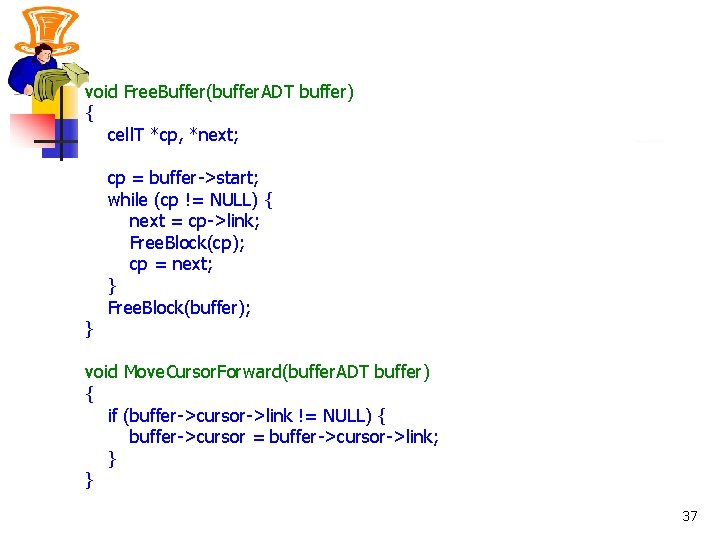
void Free. Buffer(buffer. ADT buffer) { cell. T *cp, *next; } cp = buffer->start; while (cp != NULL) { next = cp->link; Free. Block(cp); cp = next; } Free. Block(buffer); void Move. Cursor. Forward(buffer. ADT buffer) { if (buffer->cursor->link != NULL) { buffer->cursor = buffer->cursor->link; } } 37
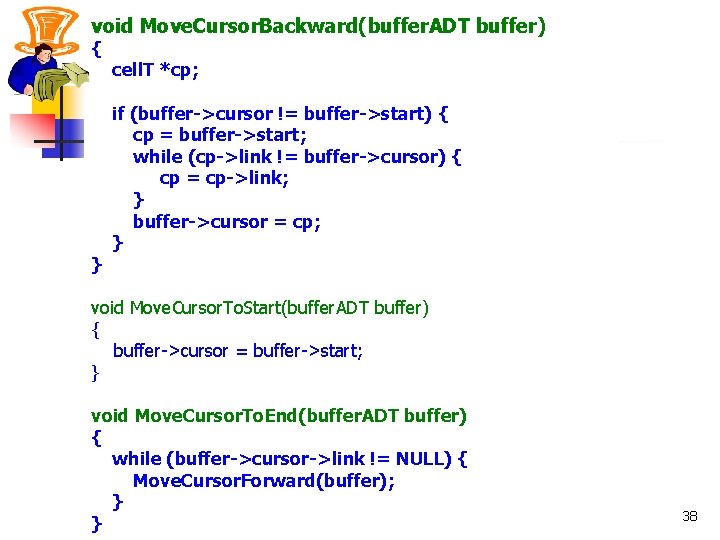
void Move. Cursor. Backward(buffer. ADT buffer) { } cell. T *cp; if (buffer->cursor != buffer->start) { cp = buffer->start; while (cp->link != buffer->cursor) { cp = cp->link; } buffer->cursor = cp; } void Move. Cursor. To. Start(buffer. ADT buffer) { buffer->cursor = buffer->start; } void Move. Cursor. To. End(buffer. ADT buffer) { while (buffer->cursor->link != NULL) { Move. Cursor. Forward(buffer); } } 38
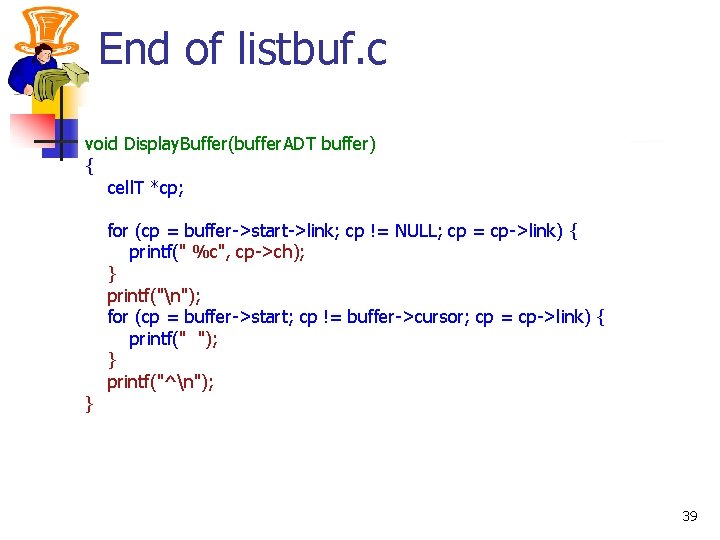
End of listbuf. c void Display. Buffer(buffer. ADT buffer) { cell. T *cp; } for (cp = buffer->start->link; cp != NULL; cp = cp->link) { printf(" %c", cp->ch); } printf("n"); for (cp = buffer->start; cp != buffer->cursor; cp = cp->link) { printf(" "); } printf("^n"); 39
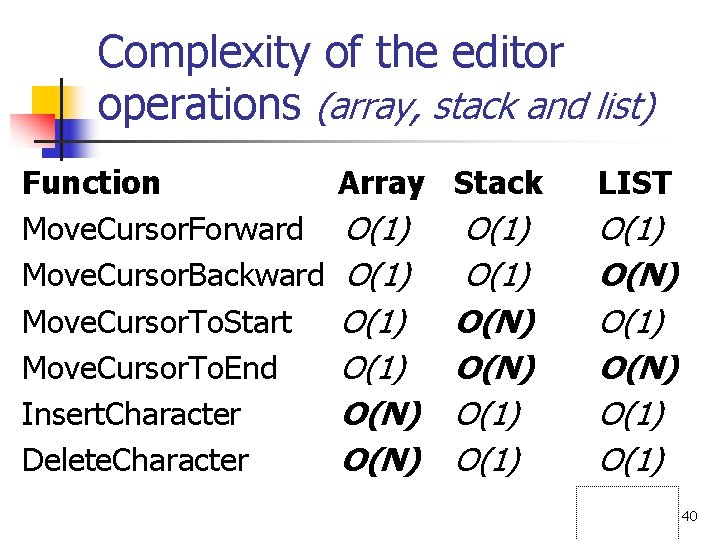
Complexity of the editor operations (array, stack and list) Function Move. Cursor. Forward Move. Cursor. Backward Move. Cursor. To. Start Move. Cursor. To. End Insert. Character Delete. Character Array Stack LIST O(1) O(N) O(1) O(1) O(N) O(1) 40
Can we get around O(N) in case of Linked List solution? 41
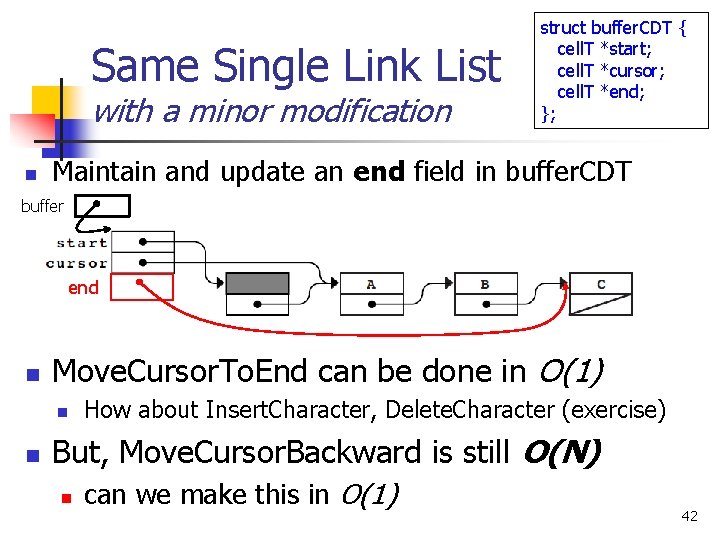
Same Single Link List with a minor modification n struct buffer. CDT { cell. T *start; cell. T *cursor; cell. T *end; }; Maintain and update an end field in buffer. CDT buffer end n Move. Cursor. To. End can be done in O(1) n n How about Insert. Character, Delete. Character (exercise) But, Move. Cursor. Backward is still O(N) n can we make this in O(1) 42
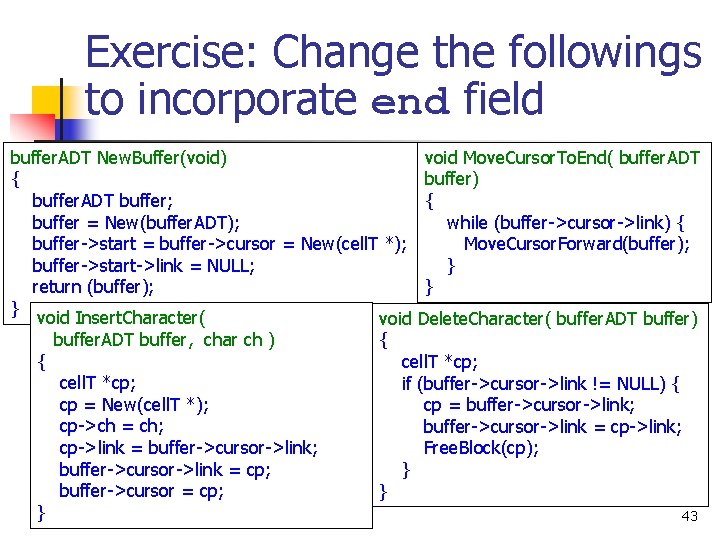
Exercise: Change the followings to incorporate end field buffer. ADT New. Buffer(void) void Move. Cursor. To. End( buffer. ADT { buffer) buffer. ADT buffer; { buffer = New(buffer. ADT); while (buffer->cursor->link) { buffer->start = buffer->cursor = New(cell. T *); Move. Cursor. Forward(buffer); buffer->start->link = NULL; } return (buffer); } } void Insert. Character( void Delete. Character( buffer. ADT buffer) buffer. ADT buffer, char ch ) { { cell. T *cp; if (buffer->cursor->link != NULL) { cp = New(cell. T *); cp = buffer->cursor->link; cp->ch = ch; buffer->cursor->link = cp->link; cp->link = buffer->cursor->link; Free. Block(cp); buffer->cursor->link = cp; } buffer->cursor = cp; } } 43
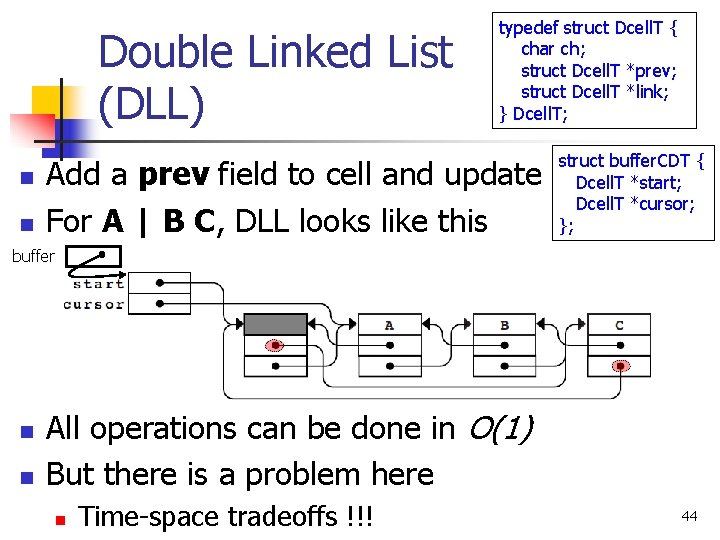
Double Linked List (DLL) n n typedef struct Dcell. T { char ch; struct Dcell. T *prev; struct Dcell. T *link; } Dcell. T; Add a prev field to cell and update For A | B C, DLL looks like this struct buffer. CDT { Dcell. T *start; Dcell. T *cursor; }; buffer n n All operations can be done in O(1) But there is a problem here n Time-space tradeoffs !!! 44
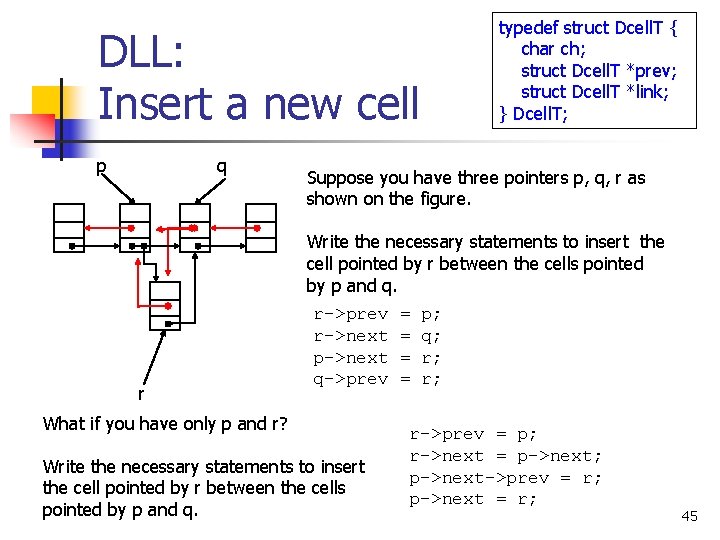
typedef struct Dcell. T { char ch; struct Dcell. T *prev; struct Dcell. T *link; } Dcell. T; DLL: Insert a new cell p q Suppose you have three pointers p, q, r as shown on the figure. Write the necessary statements to insert the cell pointed by r between the cells pointed by p and q. r r->prev r->next p->next q->prev What if you have only p and r? Write the necessary statements to insert the cell pointed by r between the cells pointed by p and q. = = p; q; r; r; r->prev = p; r->next = p->next; p->next->prev = r; p->next = r; 45
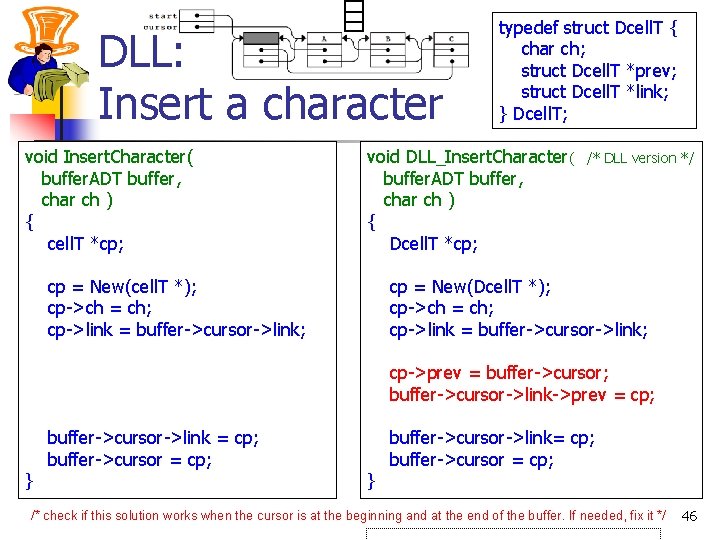
DLL: Insert a character void Insert. Character( buffer. ADT buffer, char ch ) { cell. T *cp; typedef struct Dcell. T { char ch; struct Dcell. T *prev; struct Dcell. T *link; } Dcell. T; void DLL_Insert. Character( buffer. ADT buffer, char ch ) { Dcell. T *cp; cp = New(cell. T *); cp->ch = ch; cp->link = buffer->cursor->link; /* DLL version */ cp = New(Dcell. T *); cp->ch = ch; cp->link = buffer->cursor->link; cp->prev = buffer->cursor; buffer->cursor->link->prev = cp; } buffer->cursor->link = cp; buffer->cursor = cp; } buffer->cursor->link= cp; buffer->cursor = cp; /* check if this solution works when the cursor is at the beginning and at the end of the buffer. If needed, fix it */ 46
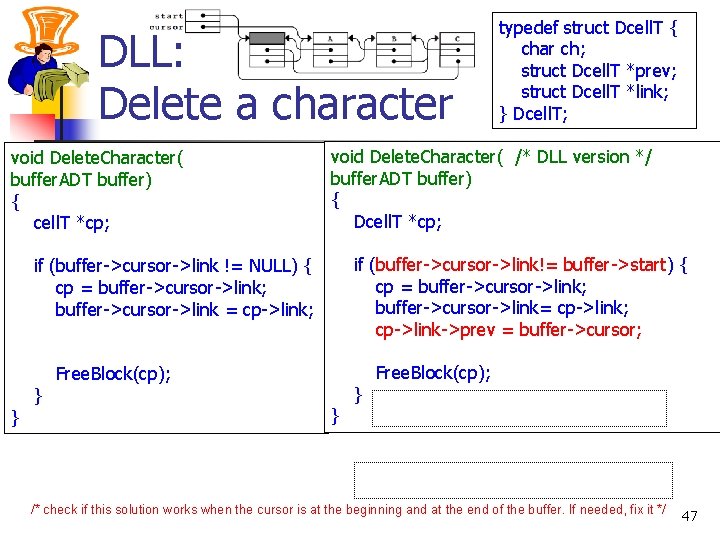
DLL: Delete a character void Delete. Character( buffer. ADT buffer) { cell. T *cp; void Delete. Character( /* DLL version */ buffer. ADT buffer) { Dcell. T *cp; if (buffer->cursor->link!= buffer->start) { cp = buffer->cursor->link; buffer->cursor->link= cp->link; cp->link->prev = buffer->cursor; if (buffer->cursor->link != NULL) { cp = buffer->cursor->link; buffer->cursor->link = cp->link; } } typedef struct Dcell. T { char ch; struct Dcell. T *prev; struct Dcell. T *link; } Dcell. T; Free. Block(cp); } } Free. Block(cp); /* check if this solution works when the cursor is at the beginning and at the end of the buffer. If needed, fix it */ 47
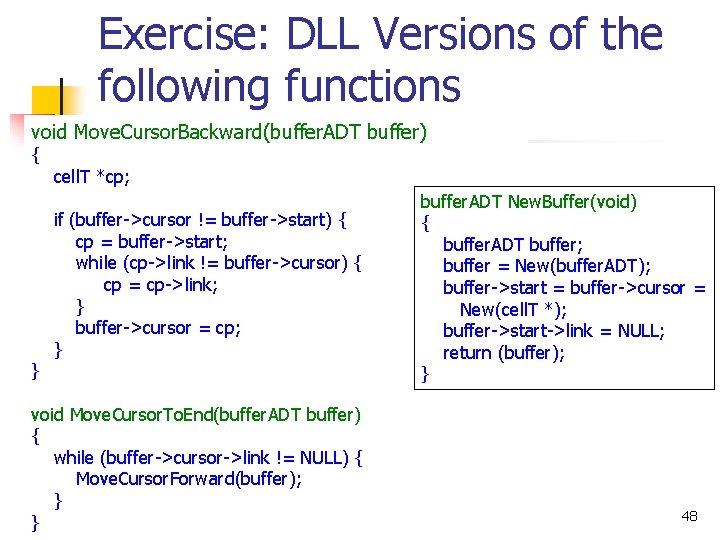
Exercise: DLL Versions of the following functions void Move. Cursor. Backward(buffer. ADT buffer) { } cell. T *cp; if (buffer->cursor != buffer->start) { cp = buffer->start; while (cp->link != buffer->cursor) { cp = cp->link; } buffer->cursor = cp; } void Move. Cursor. To. End(buffer. ADT buffer) { while (buffer->cursor->link != NULL) { Move. Cursor. Forward(buffer); } } buffer. ADT New. Buffer(void) { buffer. ADT buffer; buffer = New(buffer. ADT); buffer->start = buffer->cursor = New(cell. T *); buffer->start->link = NULL; return (buffer); } 48
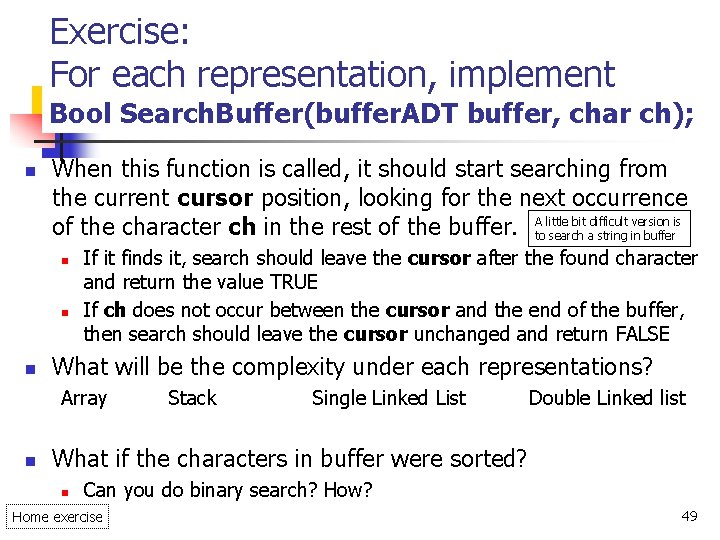
Exercise: For each representation, implement Bool Search. Buffer(buffer. ADT buffer, char ch); n When this function is called, it should start searching from the current cursor position, looking for the next occurrence bit difficult version is of the character ch in the rest of the buffer. Atolittle search a string in buffer n n n If it finds it, search should leave the cursor after the found character and return the value TRUE If ch does not occur between the cursor and the end of the buffer, then search should leave the cursor unchanged and return FALSE What will be the complexity under each representations? Array n Stack Single Linked List Double Linked list What if the characters in buffer were sorted? n Can you do binary search? How? Home exercise 49