
CS 186 Introduction to Database Systems Spring Semester
CS 186 - Introduction to Database Systems Spring Semester 2003 Prof. Joe Hellerstein “Knowledge is of two kinds: we know a subject ourselves, or we know where we can find information upon it. ” -- Samuel Johnson (1709 -1784)
What Is a Database System? • Database: a very large, integrated collection of data. • Models a real-world enterprise – Entities (e. g. , teams, games) – Relationships (e. g. , The Raiders are playing in The Superbowl) – More recently, also includes active components (e. g. “business logic”) • A Database Management System (DBMS) is a software system designed to store, manage, and facilitate access to databases.
= Is the WWW a DBMS? • Fairly sophisticated search available – crawler indexes pages on the web – Keyword-based search for pages • But, currently – data is mostly unstructured and untyped – search only: • can’t modify the data • can’t get summaries, complex combinations of data – few guarantees provided for freshness of data, consistency across data items, fault tolerance, … – Web sites (e. g. e-commerce) typically have a DBMS in the background to provide these functions. • The picture is changing – New standards like XML can help data modeling – Research groups (like ours at Berkeley) are working on providing some of this functionality across multiple web sites. – The WWW/DB boundary is blurring!
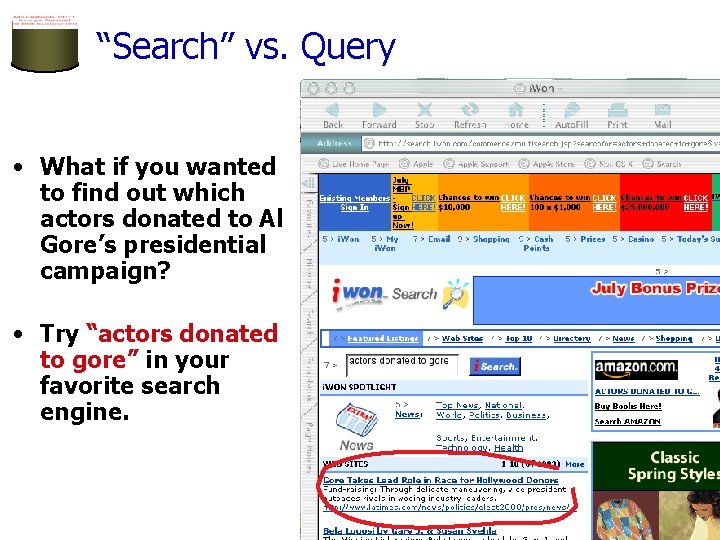
“Search” vs. Query • What if you wanted to find out which actors donated to Al Gore’s presidential campaign? • Try “actors donated to gore” in your favorite search engine.
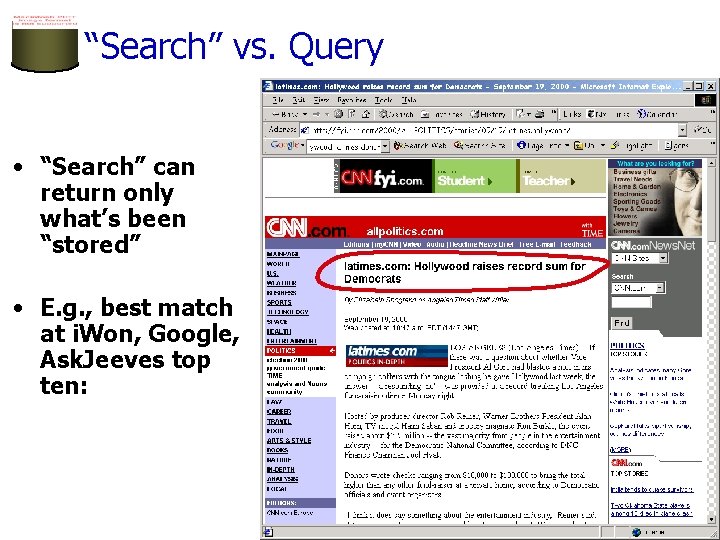
“Search” vs. Query • “Search” can return only what’s been “stored” • E. g. , best match at i. Won, Google, Ask. Jeeves top ten:
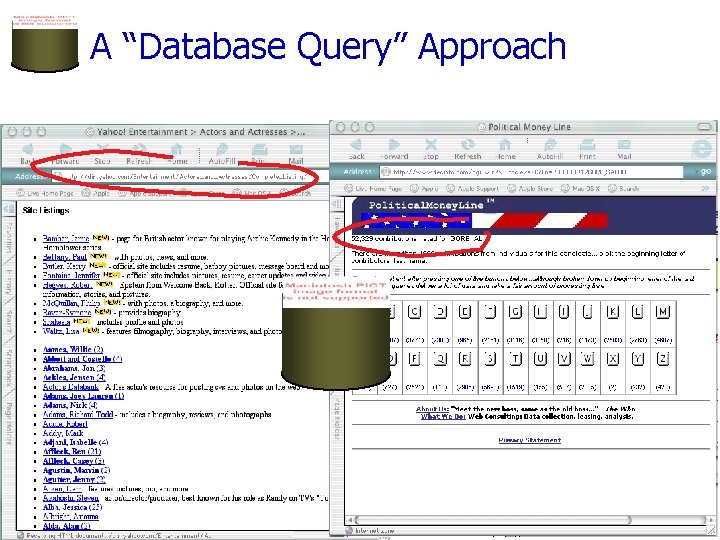
A “Database Query” Approach
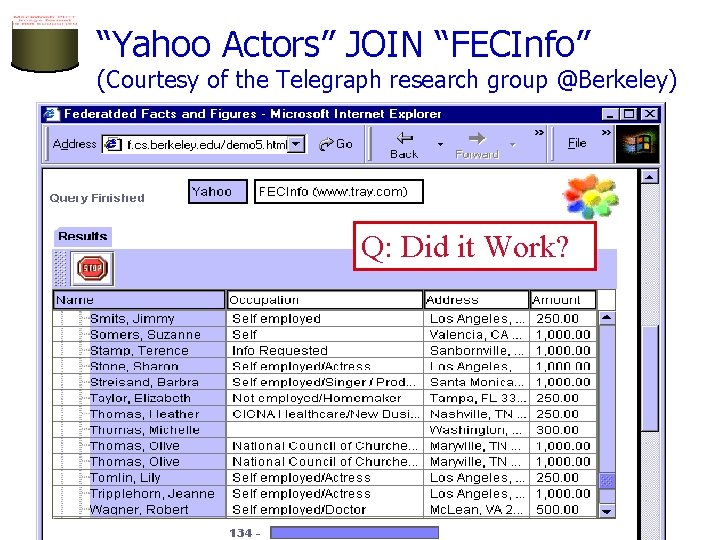
“Yahoo Actors” JOIN “FECInfo” (Courtesy of the Telegraph research group @Berkeley) Q: Did it Work?
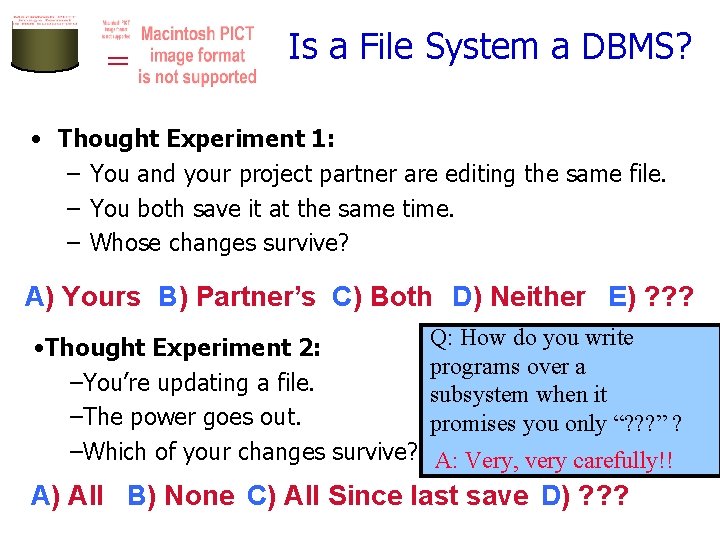
= Is a File System a DBMS? • Thought Experiment 1: – You and your project partner are editing the same file. – You both save it at the same time. – Whose changes survive? A) Yours B) Partner’s C) Both D) Neither E) ? ? ? Q: How do you write • Thought Experiment 2: programs over a –You’re updating a file. subsystem when it –The power goes out. promises you only “? ? ? ” ? –Which of your changes survive? A: Very, very carefully!! A) All B) None C) All Since last save D) ? ? ?
Why Study Databases? ? • Shift from computation to information – always true for corporate computing – Web made this point for personal computing – more and more true for scientific computing • Need for DBMS has exploded in the last years – Corporate: retail swipe/clickstreams, “customer relationship mgmt”, “supply chain mgmt”, “data warehouses”, etc. – Scientific: digital libraries, Human Genome project, NASA Mission to Planet Earth, physical sensors, grid physics network • DBMS encompasses much of CS in a practical discipline – OS, languages, theory, AI, multimedia, logic – Yet traditional focus on real-world apps ?
What’s the intellectual content? • representing information – data modeling • languages and systems for querying data – complex queries with real semantics* – over massive data sets • concurrency control for data manipulation – controlling concurrent access – ensuring transactional semantics • reliable data storage – maintain data semantics even if you pull the plug * semantics: the meaning or relationship of meanings of a sign or set of signs
About the course: Enrollment • Overenrollment again across CS – The CS dept administration “makes the call” – TA’s & Prof. cannot help!! – Course is overbooked, drops won’t free space – Want to appeal? • See http: //www. cs. berkeley. edu/~msasson/enrollment. html for more info • Appeal forms need to be in by 1/25 • CS 186 is planned for Every Semester – Your priority goes up over time
About the course: Workload • Projects with a “real world” focus: – Modify the internals of a “real” open-source database system: Postgre. SQL • Serious C system hacking • Measure the benefits of our changes • • – Build a web-based e-commerce application w/Postgre. SQL, Apache & PHP): SQL + PHP Other homework assignments and/or quizes Exams – 1 Midterm & 1 Final Projects to be done in groups of 3 – Pick your partners ASAP The course is “front-loaded” – most of the hard work is in the first half
About the Course - Administrivia • http: //inst. eecs. berkeley. edu/~cs 186 • Prof. Office Hours: – 685 Soda Hall, M 2 -3; Tues 11 -12 (tentative!) • TAs: Zhuang Li, Boon Thau Loo, Sailesh Krishnamurthy – Office Hours: TBA (check web page) • Discussion Sections WILL meet this week – Note change to discussion section schedule!
About the Course - Administrivia • Textbook – Ramakrishnan and Gehrke, 3 rd Edition • Grading, hand-in policies, etc. will be on Web Page • Cheating policy: zero tolerance – We have the technology… • Team Projects – Teams of 3, if one drops the other 2 finish it up – Peer evaluations. • Be honest! Feedback is important. Trend is more important than individual project. • Class bulletin board - ucb. class. cs 186 – read it regularly and post questions/comments. – mail broadcast to all TAs will not be answered – mail to the cs 186 course account will not be answered • It’s a spam disposal site
Rest of Today: A CS 186 Infomercial • A “free tasting” of things to come in this class: – data modeling – query languages – file systems & DBMSs – concurrent, fault-tolerant data management – DBMS architecture • Next Time – The Relational Model • Today’s lecture is from Chapter 1 in R&G
OS Support for Data Management • Data can be stored in RAM – this is what every programming language offers! – RAM is fast, and random access – Isn’t this heaven? • Every OS includes a File System – manages files on a magnetic disk – allows open, read, seek, close on a file – allows protections to be set on a file – drawbacks relative to RAM?
Database Management Systems • What more could we want than a file system? – Simple, efficient ad hoc 1 queries – concurrency control – recovery – benefits of good data modeling • S. M. O. P. 2? Not really… – as we’ll see this semester – in fact, the OS often gets in the way! 1 ad hoc: formed or used for specific or immediate problems or needs 2 SMOP: Small Matter Of Programming
Describing Data: Data Models • A data model is a collection of concepts for describing data. • A schema is a description of a particular collection of data, using a given data model. • The relational model of data is the most widely used model today. – Main concept: relation, basically a table with rows and columns. – Every relation has a schema, which describes the columns, or fields.
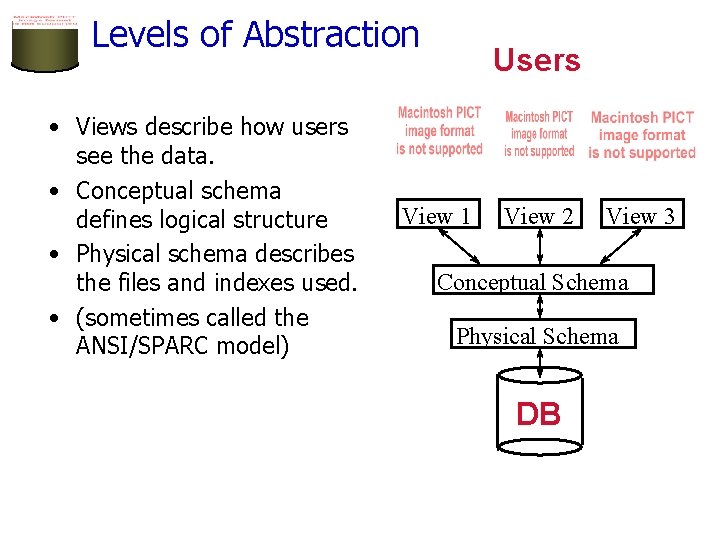
Levels of Abstraction • Views describe how users see the data. • Conceptual schema defines logical structure • Physical schema describes the files and indexes used. • (sometimes called the ANSI/SPARC model) Users View 1 View 2 View 3 Conceptual Schema Physical Schema DB
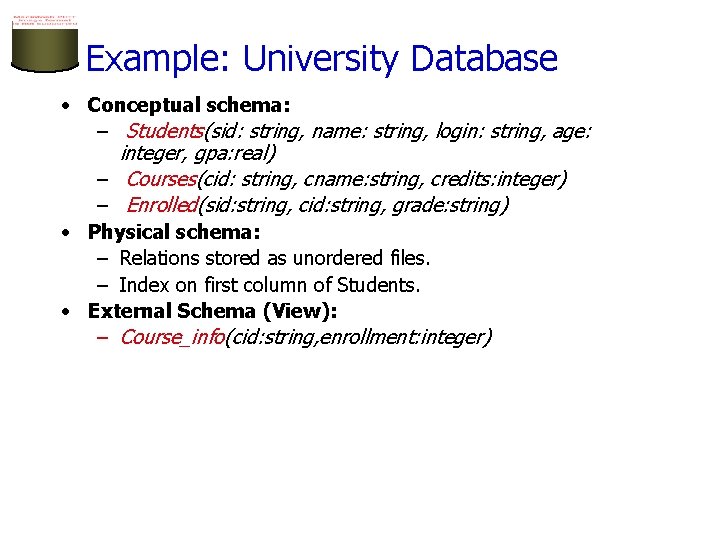
Example: University Database • Conceptual schema: – Students(sid: string, name: string, login: string, age: integer, gpa: real) – Courses(cid: string, cname: string, credits: integer) – Enrolled(sid: string, cid: string, grade: string) • Physical schema: – Relations stored as unordered files. – Index on first column of Students. • External Schema (View): – Course_info(cid: string, enrollment: integer)
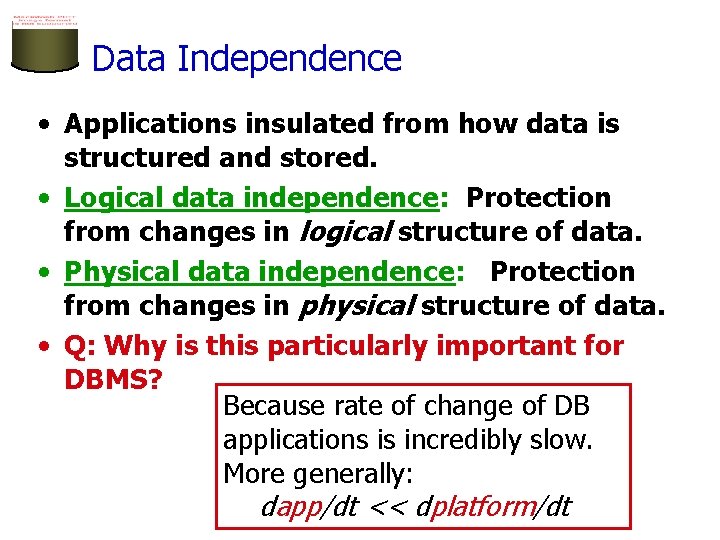
Data Independence • Applications insulated from how data is structured and stored. • Logical data independence: Protection from changes in logical structure of data. • Physical data independence: Protection from changes in physical structure of data. • Q: Why is this particularly important for DBMS? Because rate of change of DB applications is incredibly slow. More generally: dapp/dt << dplatform/dt
Concurrency Control • Concurrent execution of user programs: key to good DBMS performance. – Disk accesses frequent, pretty slow – Keep the CPU working on several programs concurrently. • Interleaving actions of different programs: trouble! – e. g. , account-transfer & print statement at same time • DBMS ensures such problems don’t arise. – Users/programmers can pretend they are using a single-user system. (called “Isolation”) – Thank goodness! Don’t have to program “very, very carefully”.
Transaction: An Execution of a DB Program • Key concept is a transaction: an atomic sequence of database actions (reads/writes). • Each transaction, executed completely, must take the DB between consistent states. • Users can specify simple integrity constraints on the data. The DBMS enforces these. – Beyond this, the DBMS does not understand the semantics of the data. – Ensuring that a single transaction (run alone) preserves consistency is ultimately the user’s responsibility!
Scheduling Concurrent Transactions • DBMS ensures that execution of {T 1, . . . , Tn} is equivalent to some serial execution T 1’. . . Tn’. – Before reading/writing an object, a transaction requests a lock on the object, and waits till the DBMS gives it the lock. All locks are held until the end of the transaction. (Strict 2 PL locking protocol. ) – Idea: If an action of Ti (say, writing X) affects Tj (which perhaps reads X), … say Ti obtains the lock on X first … so Tj is forced to wait until Ti completes. This effectively orders the transactions. – What if … Tj already has a lock on Y … and Ti later requests a lock on Y? (Deadlock!) Ti or Tj is aborted and restarted!
Ensuring Transaction Properites • DBMS ensures atomicity (all-or-nothing property) even if system crashes in the middle of a Xact. • DBMS ensures durability of committed Xacts even if system crashes. • Idea: Keep a log (history) of all actions carried out by the DBMS while executing a set of Xacts: – Before a change is made to the database, the corresponding log entry is forced to a safe location. (WAL protocol; OS support for this is often inadequate. ) – After a crash, the effects of partially executed transactions are undone using the log. Effects of committed transactions are redone using the log. – trickier than it sounds!
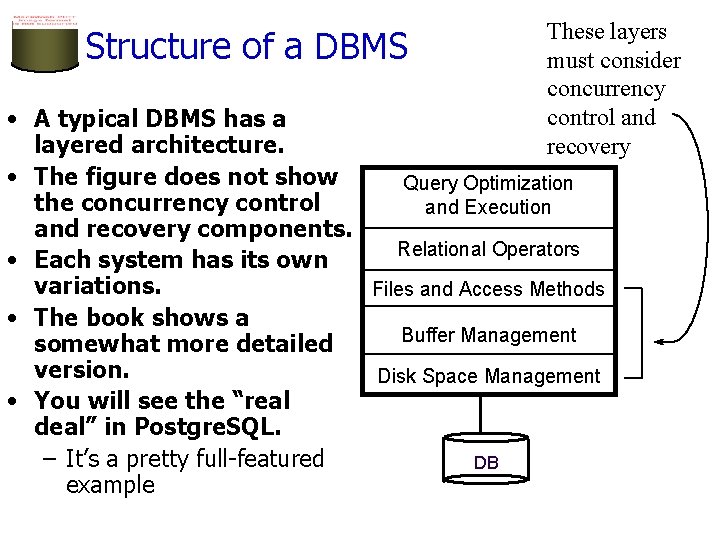
Structure of a DBMS These layers must consider concurrency control and recovery • A typical DBMS has a layered architecture. • The figure does not show Query Optimization the concurrency control and Execution and recovery components. Relational Operators • Each system has its own variations. Files and Access Methods • The book shows a Buffer Management somewhat more detailed version. Disk Space Management • You will see the “real deal” in Postgre. SQL. – It’s a pretty full-featured DB example
Advantages of a DBMS • • Data independence Efficient data access Data integrity & security Data administration Concurrent access, crash recovery Reduced application development time So why not use them always? – Expensive/complicated to set up & maintain – This cost & complexity must be offset by need – General-purpose, not suited for special-purpose tasks (e. g. text search!)
Databases make these folks happy. . . • DBMS vendors, programmers – Oracle, IBM, MS, Sybase, NCR, … • End users in many fields – Business, education, science, … • DB application programmers – Build enterprise applications on top of DBMSs – Build web services that run off DBMSs • Database administrators (DBAs) – Design logical/physical schemas – Handle security and authorization – Data availability, crash recovery – Database tuning as needs evolve …must understand how a DBMS works
Summary (part 1) • • DBMS used to maintain, query large datasets. – can manipulate data and exploit semantics Other benefits include: – recovery from system crashes, – concurrent access, – quick application development, – data integrity and security. Levels of abstraction provide data independence – Key when dapp/dt << dplatform/dt In this course we will explore: 1) How to be a sophisticated user of DBMS technology 2) What goes on inside the DBMS
Summary, cont. • DBAs, DB developers the bedrock of the information economy • DBMS R&D represents a broad, fundamental branch of the science of computation
- Slides: 30