
CS 1674 Intro to Computer Vision Matlab Tutorial
CS 1674: Intro to Computer Vision Matlab Tutorial Prof. Adriana Kovashka University of Pittsburgh August 31, 2016
Plan for Today • Intro – Course basics refresher – Overview of topics – What are images? – Linear algebra lightning-quick over-/re-view • Matlab tutorial • Outro – Overview of Homework 1 W and P (if time)

Course Info • Course website: http: //people. cs. pitt. edu/~kovashka/cs 1674 • Instructor: Adriana Kovashka (kovashka@cs. pitt. edu) – Please use "CS 1674" at the beginning of your Subject • Office: Sennott Square 5129 • Office hours: MW, 3: 30 pm - 4: 25 pm
TAs • TA/Grader: Yuhuan Jiang (yuhuan@cs. pitt. edu) • Additional TAs (office hours only): Chris Thomas and Nils Murrugarra • TAs’ office hours: TBD • Your homework: Fill out the Doodle at http: //doodle. com/poll/gskprtb 5 uq 5 k 85 bm (ignore dates, look at days of the week, 30 min increments)

Matlab • You can get it for free through my. pitt. edu My Resources Software Downloads • Get the latest version (mostly because that’s what I use) • Make sure to check the “Image Processing Toolbox”, “Computer Vision System Toolbox”, and “Statistics and Machine Learning Toolbox” boxes during installation; easiest to install
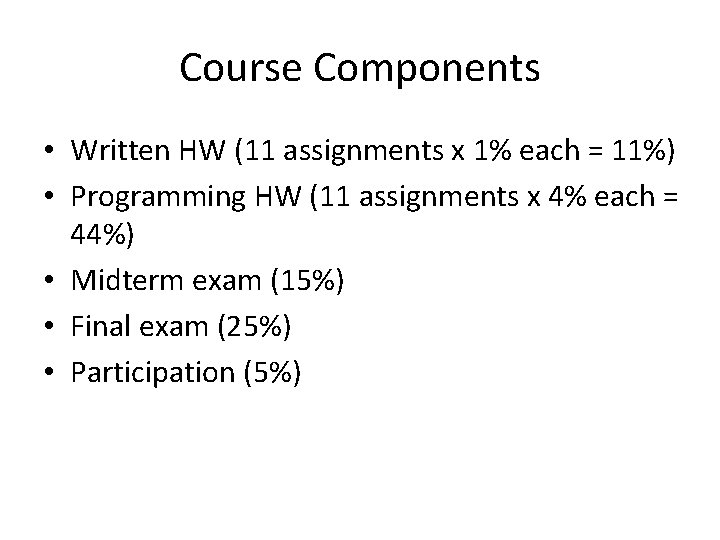
Course Components • Written HW (11 assignments x 1% each = 11%) • Programming HW (11 assignments x 4% each = 44%) • Midterm exam (15%) • Final exam (25%) • Participation (5%)

The Rest of the Course Policies… • Read the course website carefully!

Warnings
Warning #1 • This class is a lot of work • This time I’ve opted for shorter, more manageable HW assignments, but there is more of them • I expect you’d be spending 6 -8 hours on homework each week • … But you get to understand algorithms and concepts in detail!
Warning #2 • Some parts will be hard and require that you pay close attention! • … I will use the written HW to gauge how you’re doing • … I will also pick on students randomly to answer questions • Use instructor’s and TAs’ office hours!!! • … You will learn a lot!
Warning #3 • Programming assignments will be in Matlab since that’s very common in computer vision, and is optimized for work with matrices • Matlab also has great documentation • HW 1 P is just Matlab practice • Some people won’t like Matlab (I like it!) • … You will learn a new programming language!
Clarification from last time • What is the role of datasets? – Whatever our computer vision algorithms learn, they will learn from some (set of) datasets of images; we will also use the datasets to test our algorithms • Why did I say it’s hard to understand deep learning (a. k. a. deep neural networks)? – Because most deep learning methods just take an image as input and output predictions, and they learn how to represent and examine the image on their own, so they appear to be “black boxes”

Questions?

Overview of Topics The next 13 slides will be very quick, then we’ll slow down. Ready?
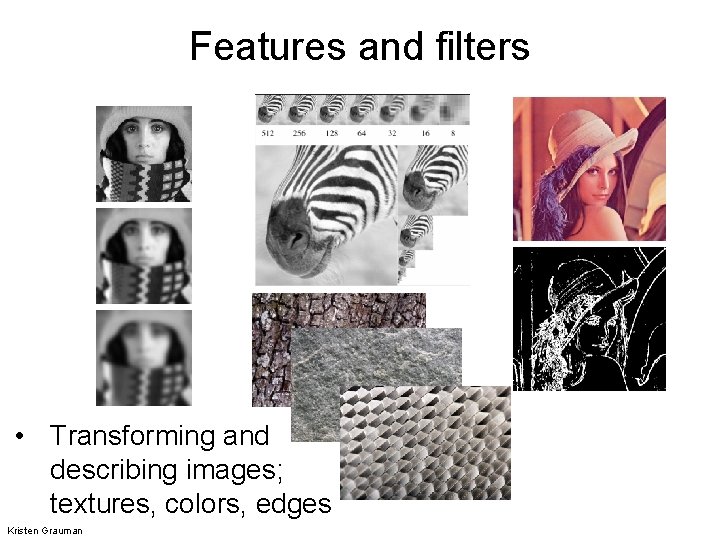
Features and filters • Transforming and describing images; textures, colors, edges Kristen Grauman
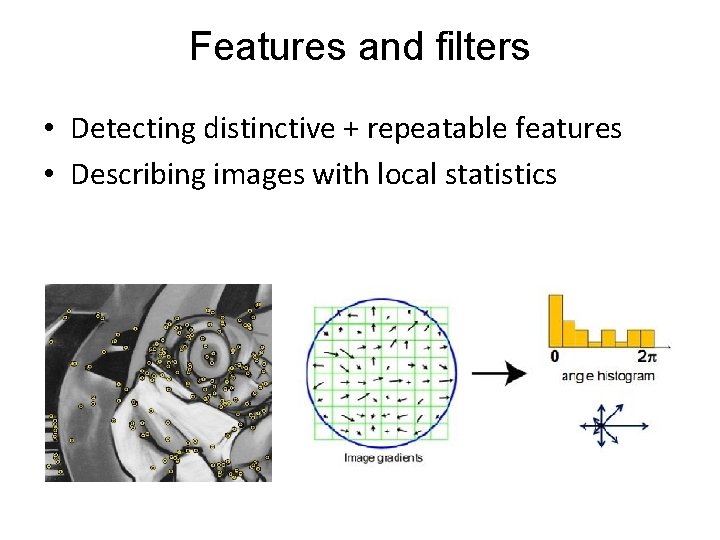
Features and filters • Detecting distinctive + repeatable features • Describing images with local statistics
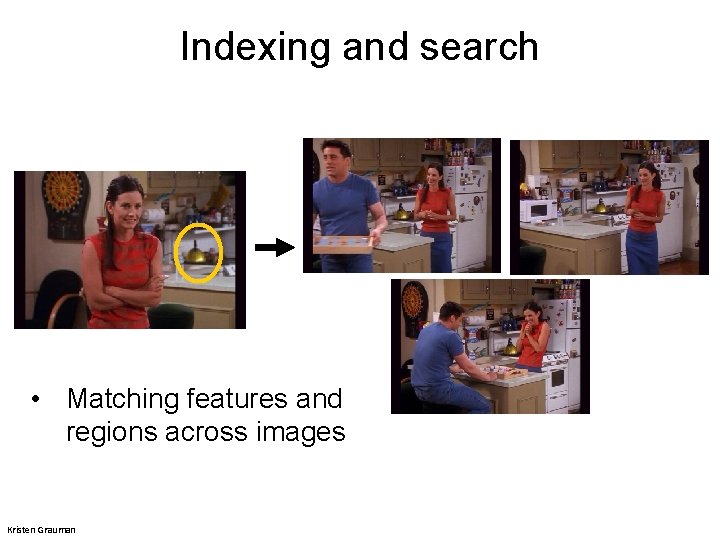
Indexing and search • Matching features and regions across images Kristen Grauman
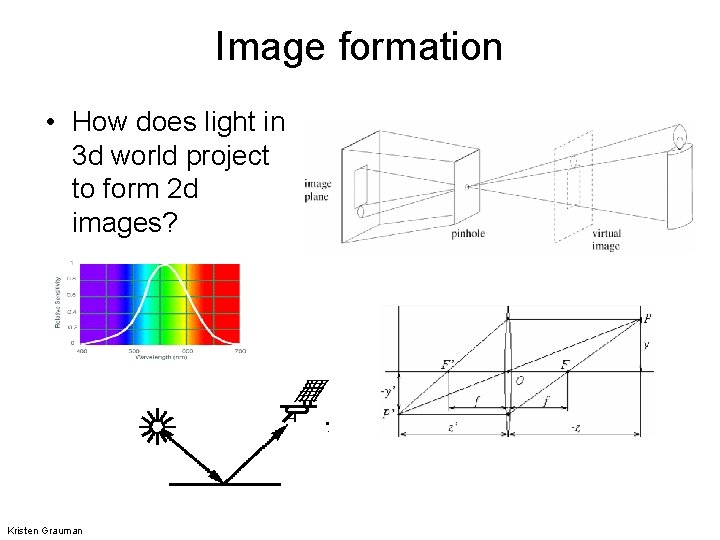
Image formation • How does light in 3 d world project to form 2 d images? Kristen Grauman
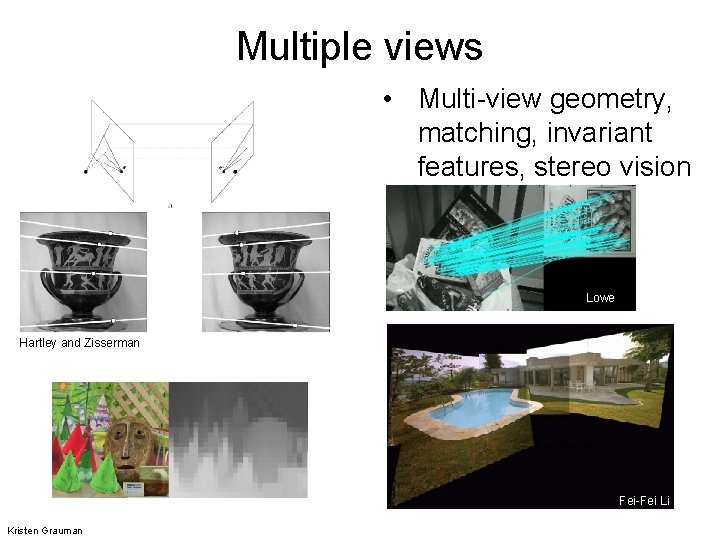
Multiple views • Multi-view geometry, matching, invariant features, stereo vision Lowe Hartley and Zisserman Fei-Fei Li Kristen Grauman
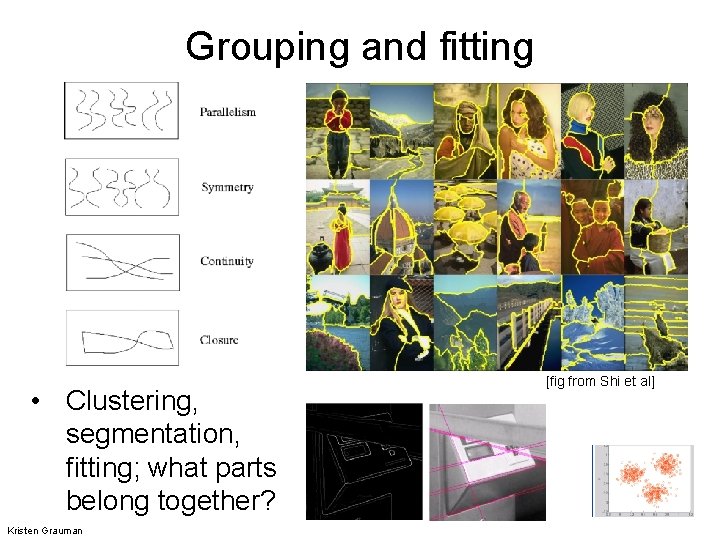
Grouping and fitting • Clustering, segmentation, fitting; what parts belong together? Kristen Grauman [fig from Shi et al]
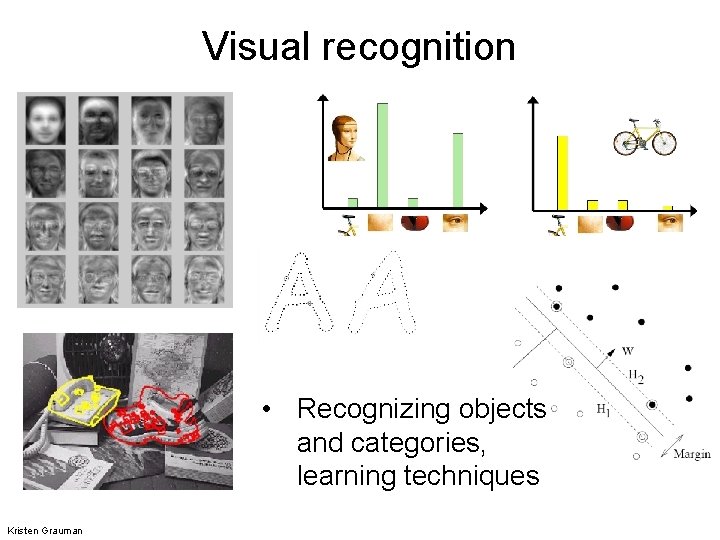
Visual recognition • Recognizing objects and categories, learning techniques Kristen Grauman
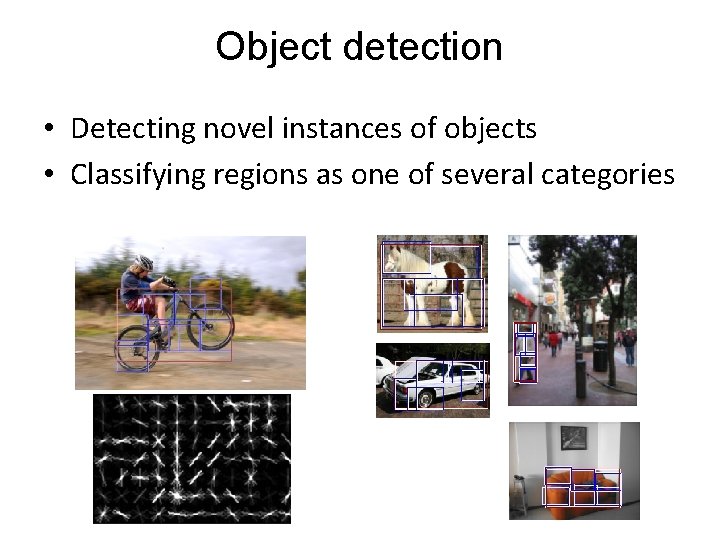
Object detection • Detecting novel instances of objects • Classifying regions as one of several categories
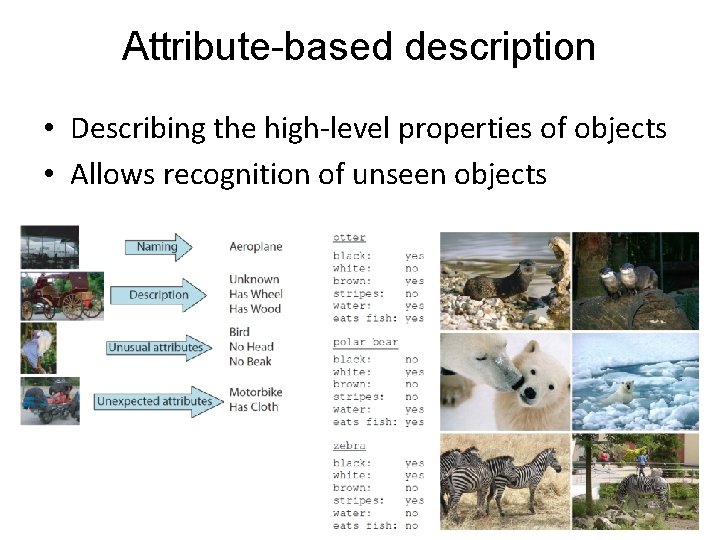
Attribute-based description • Describing the high-level properties of objects • Allows recognition of unseen objects
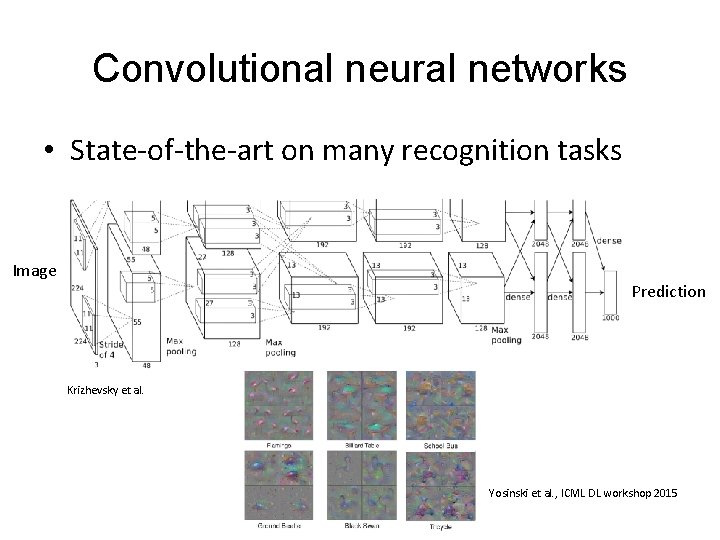
Convolutional neural networks • State-of-the-art on many recognition tasks Image Prediction Krizhevsky et al. Yosinski et al. , ICML DL workshop 2015
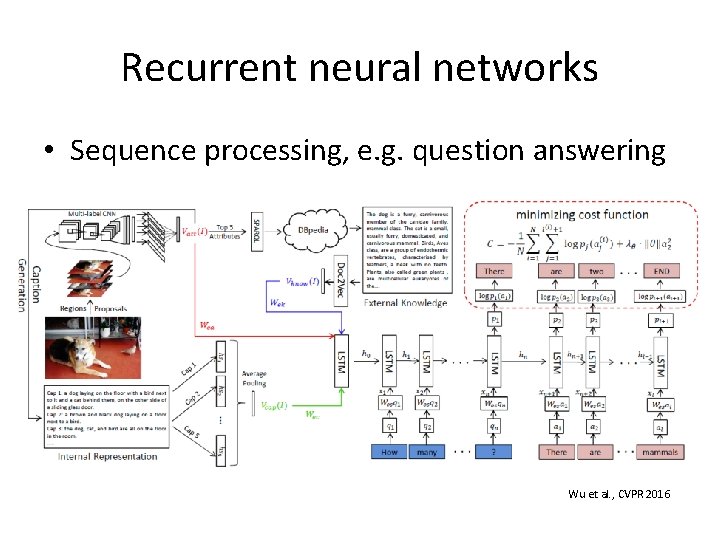
Recurrent neural networks • Sequence processing, e. g. question answering Wu et al. , CVPR 2016
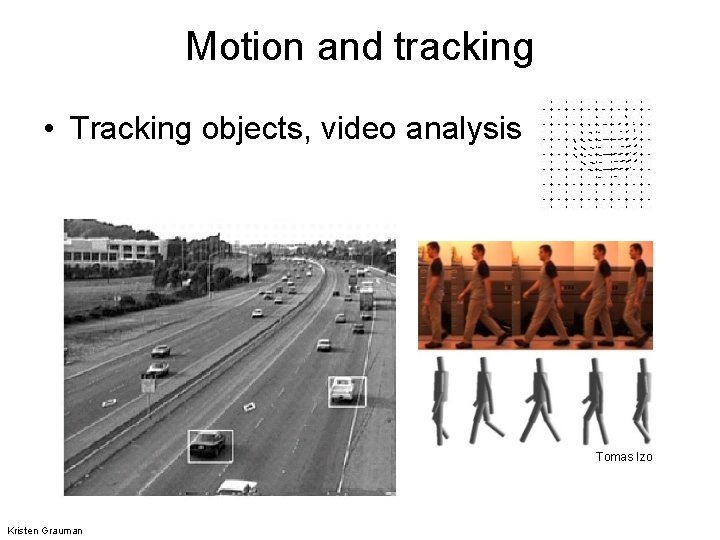
Motion and tracking • Tracking objects, video analysis Tomas Izo Kristen Grauman
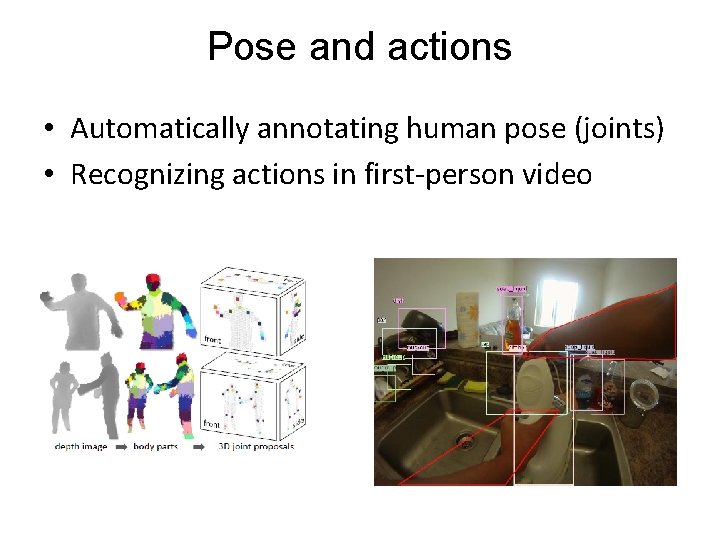
Pose and actions • Automatically annotating human pose (joints) • Recognizing actions in first-person video

What are images?
What are images? (in Matlab) • Matlab treats images as matrices of numbers • To proceed, let’s talk very briefly about how images are formed
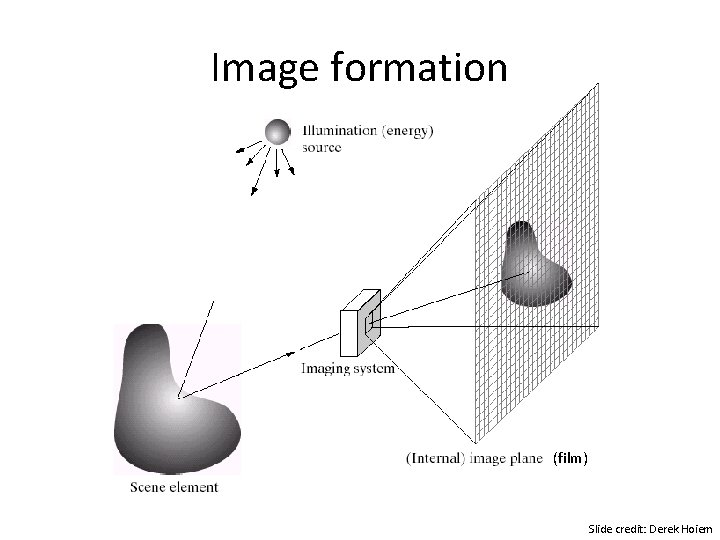
Image formation (film) Slide credit: Derek Hoiem
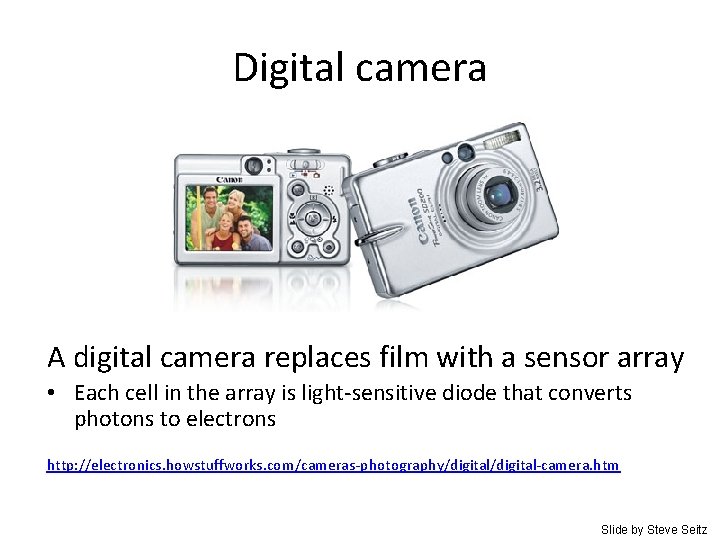
Digital camera A digital camera replaces film with a sensor array • Each cell in the array is light-sensitive diode that converts photons to electrons http: //electronics. howstuffworks. com/cameras-photography/digital-camera. htm Slide by Steve Seitz
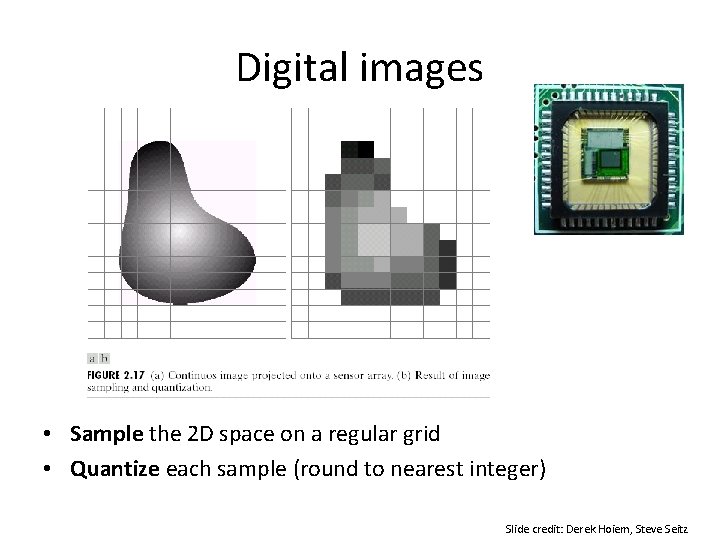
Digital images • Sample the 2 D space on a regular grid • Quantize each sample (round to nearest integer) Slide credit: Derek Hoiem, Steve Seitz
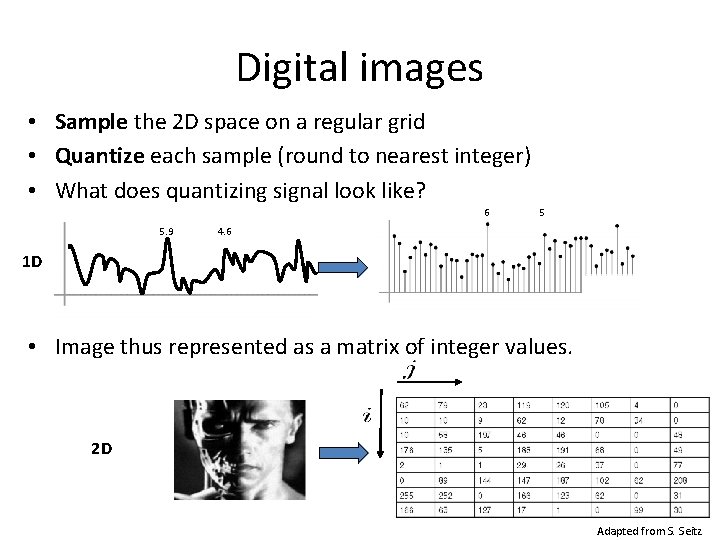
Digital images • Sample the 2 D space on a regular grid • Quantize each sample (round to nearest integer) • What does quantizing signal look like? 6 5. 9 5 4. 6 1 D • Image thus represented as a matrix of integer values. 2 D Adapted from S. Seitz
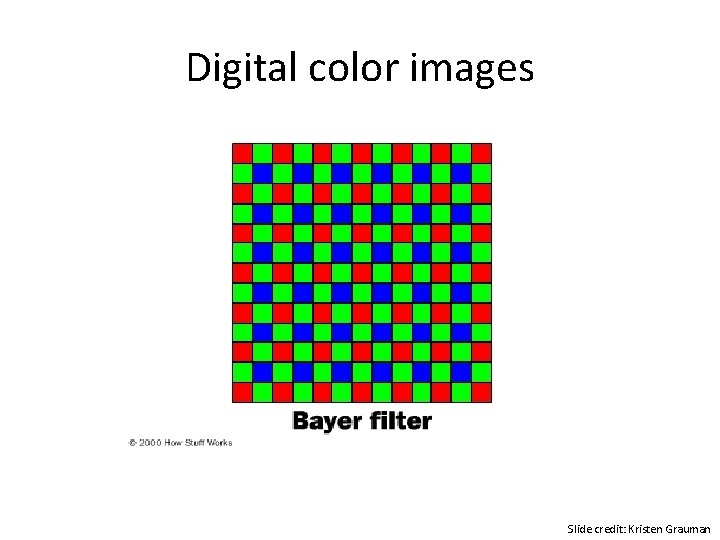
Digital color images Slide credit: Kristen Grauman
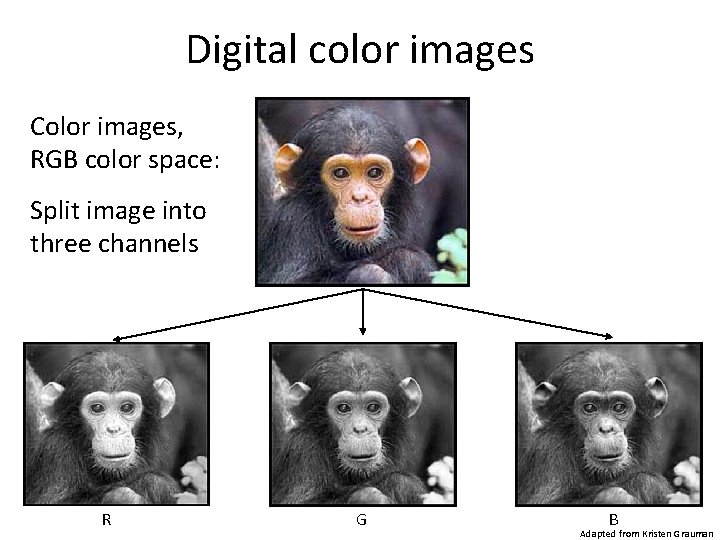
Digital color images Color images, RGB color space: Split image into three channels R G B Adapted from Kristen Grauman
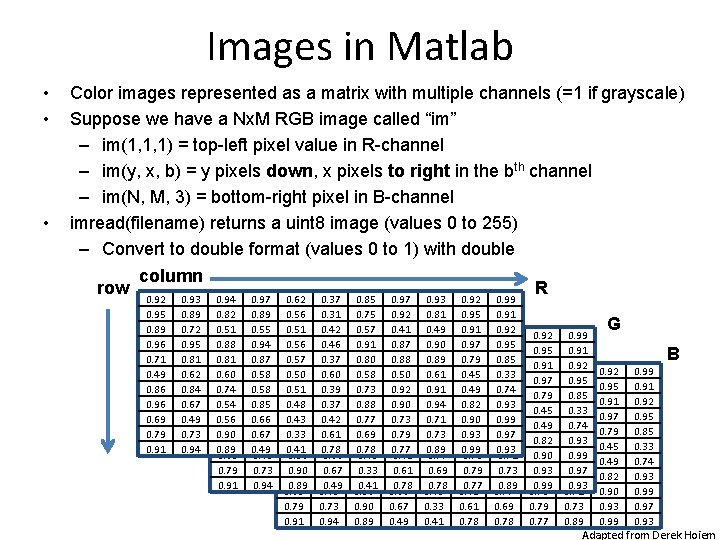
Images in Matlab • • • Color images represented as a matrix with multiple channels (=1 if grayscale) Suppose we have a Nx. M RGB image called “im” – im(1, 1, 1) = top-left pixel value in R-channel – im(y, x, b) = y pixels down, x pixels to right in the bth channel – im(N, M, 3) = bottom-right pixel in B-channel imread(filename) returns a uint 8 image (values 0 to 255) – Convert to double format (values 0 to 1) with double row column 0. 92 0. 95 0. 89 0. 96 0. 71 0. 49 0. 86 0. 96 0. 69 0. 79 0. 91 0. 93 0. 89 0. 72 0. 95 0. 81 0. 62 0. 84 0. 67 0. 49 0. 73 0. 94 0. 82 0. 51 0. 92 0. 88 0. 95 0. 81 0. 89 0. 60 0. 96 0. 74 0. 71 0. 54 0. 49 0. 56 0. 86 0. 90 0. 96 0. 89 0. 69 0. 79 0. 91 0. 97 0. 89 0. 55 0. 93 0. 94 0. 89 0. 87 0. 72 0. 58 0. 95 0. 58 0. 81 0. 85 0. 62 0. 66 0. 84 0. 67 0. 49 0. 73 0. 94 0. 62 0. 56 0. 51 0. 94 0. 56 0. 82 0. 57 0. 51 0. 92 0. 50 0. 88 0. 95 0. 51 0. 89 0. 48 0. 60 0. 96 0. 43 0. 74 0. 71 0. 33 0. 54 0. 49 0. 41 0. 56 0. 86 0. 90 0. 96 0. 89 0. 69 0. 79 0. 91 0. 37 0. 31 0. 42 0. 97 0. 46 0. 89 0. 37 0. 55 0. 93 0. 60 0. 94 0. 89 0. 39 0. 87 0. 72 0. 37 0. 58 0. 95 0. 42 0. 58 0. 81 0. 61 0. 85 0. 62 0. 78 0. 66 0. 84 0. 67 0. 49 0. 73 0. 94 0. 85 0. 75 0. 57 0. 62 0. 91 0. 56 0. 80 0. 51 0. 94 0. 58 0. 56 0. 82 0. 73 0. 57 0. 51 0. 88 0. 50 0. 88 0. 77 0. 51 0. 81 0. 69 0. 48 0. 60 0. 78 0. 43 0. 74 0. 33 0. 54 0. 41 0. 56 0. 90 0. 89 0. 97 0. 92 0. 41 0. 37 0. 87 0. 31 0. 88 0. 42 0. 97 0. 50 0. 46 0. 89 0. 92 0. 37 0. 55 0. 90 0. 60 0. 94 0. 73 0. 39 0. 87 0. 79 0. 37 0. 58 0. 77 0. 42 0. 58 0. 61 0. 85 0. 78 0. 66 0. 67 0. 49 0. 93 0. 81 0. 49 0. 85 0. 90 0. 75 0. 89 0. 57 0. 62 0. 61 0. 91 0. 56 0. 91 0. 80 0. 51 0. 94 0. 58 0. 56 0. 71 0. 73 0. 57 0. 73 0. 88 0. 50 0. 89 0. 77 0. 51 0. 69 0. 48 0. 78 0. 43 0. 33 0. 41 0. 92 0. 95 0. 91 0. 97 0. 92 0. 79 0. 41 0. 37 0. 45 0. 87 0. 31 0. 49 0. 88 0. 42 0. 82 0. 50 0. 46 0. 90 0. 92 0. 37 0. 93 0. 90 0. 60 0. 99 0. 73 0. 39 0. 79 0. 37 0. 77 0. 42 0. 61 0. 78 0. 99 0. 91 0. 92 0. 93 0. 95 0. 81 0. 85 0. 49 0. 85 0. 33 0. 90 0. 75 0. 74 0. 89 0. 57 0. 93 0. 61 0. 99 0. 91 0. 80 0. 97 0. 94 0. 58 0. 93 0. 71 0. 73 0. 88 0. 89 0. 77 0. 69 0. 78 R 0. 92 0. 95 0. 91 0. 97 0. 92 0. 79 0. 41 0. 45 0. 87 0. 49 0. 88 0. 82 0. 50 0. 92 0. 93 0. 90 0. 99 0. 73 0. 79 0. 77 0. 99 0. 91 0. 92 0. 93 0. 95 0. 81 0. 85 0. 49 0. 33 0. 90 0. 74 0. 89 0. 93 0. 61 0. 99 0. 91 0. 97 0. 94 0. 93 0. 71 0. 73 0. 89 G B 0. 92 0. 95 0. 91 0. 97 0. 79 0. 45 0. 49 0. 82 0. 90 0. 93 0. 99 0. 91 0. 92 0. 95 0. 85 0. 33 0. 74 0. 93 0. 99 0. 97 0. 93 Adapted from Derek Hoiem
Review and Tutorial • Linear algebra – Very brief, all you need to know for most of course – Exception: Last three lectures before midterm (some more review then) – Raise your hand if you’ve had a linear algebra course • Matlab: http: //www. cs. pitt. edu/~kovashka/cs 1674/tut orial. m
Vectors and Matrices • Vectors and matrices are just collections of ordered numbers that represent something: movements in space, scaling factors, word counts, movie ratings, pixel brightnesses, etc. • We’ll define some common uses and standard operations on them. Fei-Fei Li Linear Algebra Review 21 -Sep-21

Vector • A column vector • A row vector where denotes the transpose operation Fei-Fei Li Linear Algebra Review 21 -Sep-21
Vector • You’ll want to keep track of the orientation of your vectors when programming in MATLAB. • You can transpose a vector V in MATLAB by writing V’. Fei-Fei Li Linear Algebra Review 21 -Sep-21
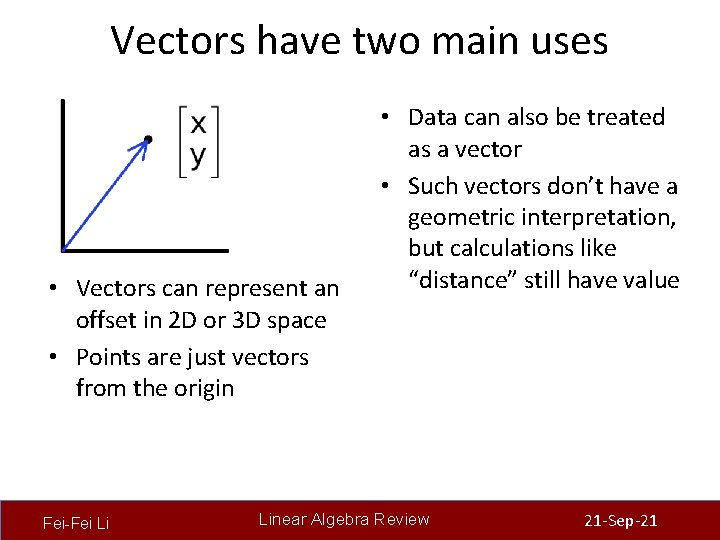
Vectors have two main uses • Vectors can represent an offset in 2 D or 3 D space • Points are just vectors from the origin Fei-Fei Li • Data can also be treated as a vector • Such vectors don’t have a geometric interpretation, but calculations like “distance” still have value Linear Algebra Review 21 -Sep-21
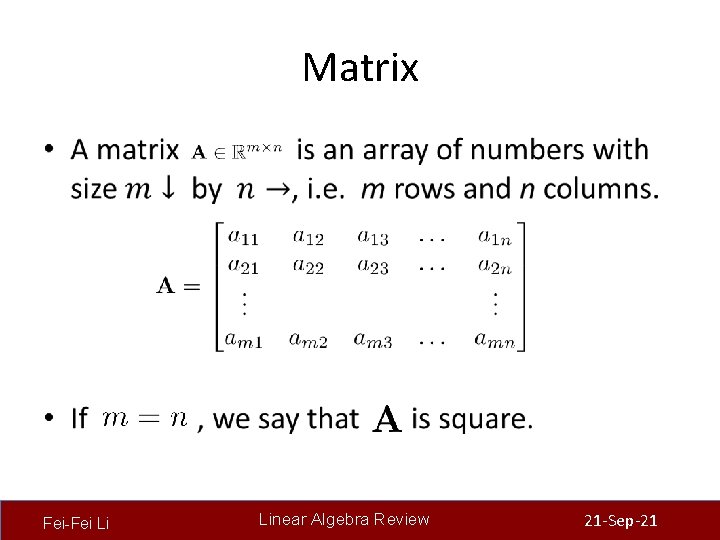
Matrix • Fei-Fei Li Linear Algebra Review 21 -Sep-21
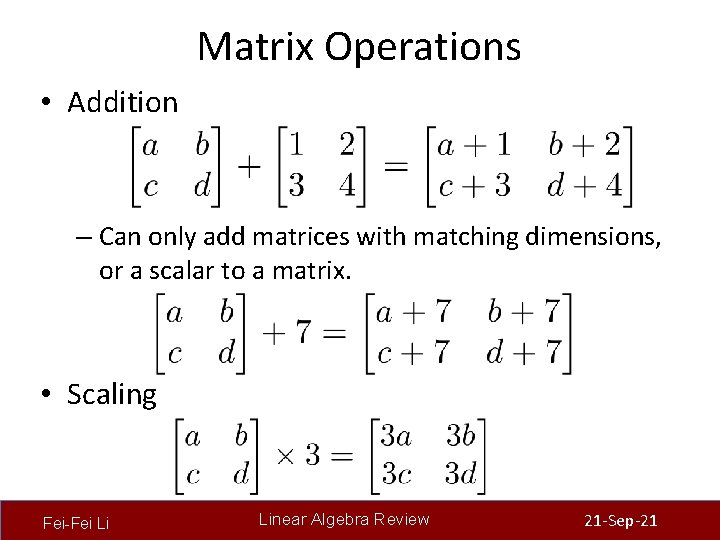
Matrix Operations • Addition – Can only add matrices with matching dimensions, or a scalar to a matrix. • Scaling Fei-Fei Li Linear Algebra Review 21 -Sep-21
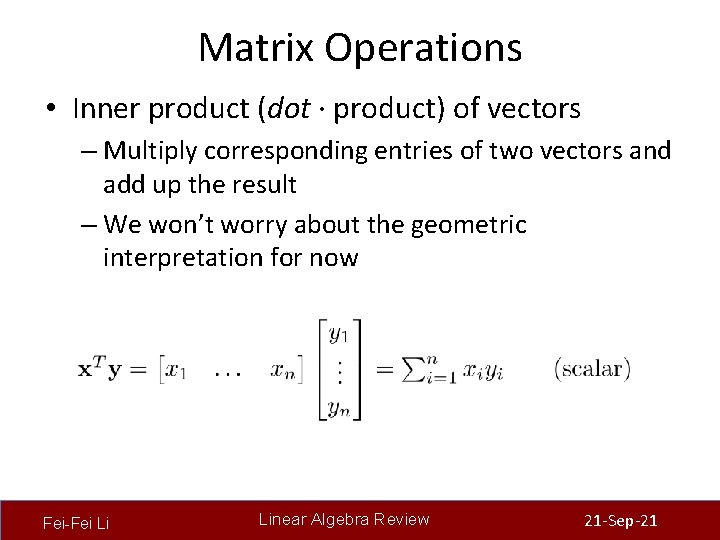
Matrix Operations • Inner product (dot · product) of vectors – Multiply corresponding entries of two vectors and add up the result – We won’t worry about the geometric interpretation for now Fei-Fei Li Linear Algebra Review 21 -Sep-21
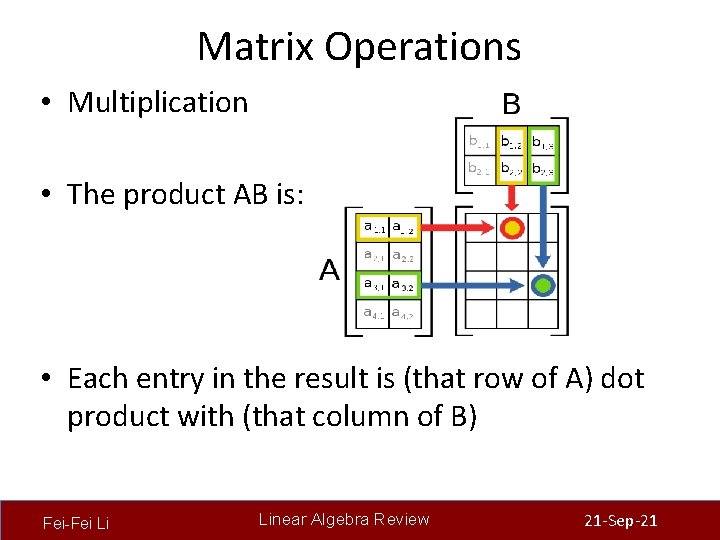
Matrix Operations • Multiplication • The product AB is: • Each entry in the result is (that row of A) dot product with (that column of B) Fei-Fei Li Linear Algebra Review 21 -Sep-21
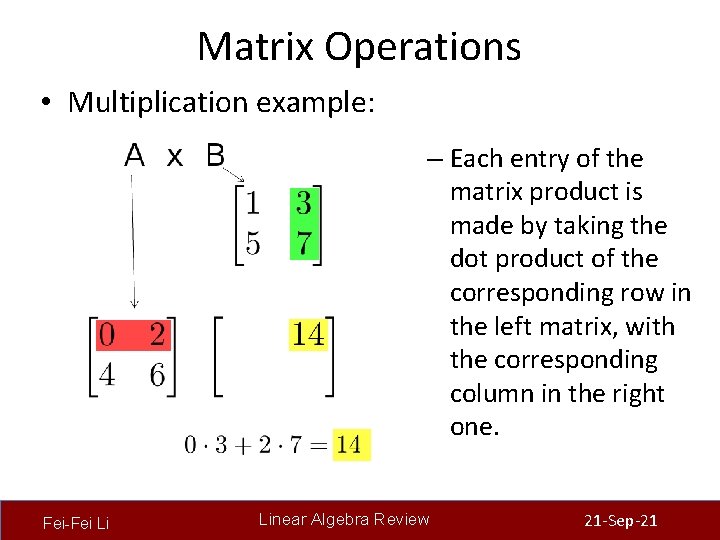
Matrix Operations • Multiplication example: – Each entry of the matrix product is made by taking the dot product of the corresponding row in the left matrix, with the corresponding column in the right one. Fei-Fei Li Linear Algebra Review 21 -Sep-21
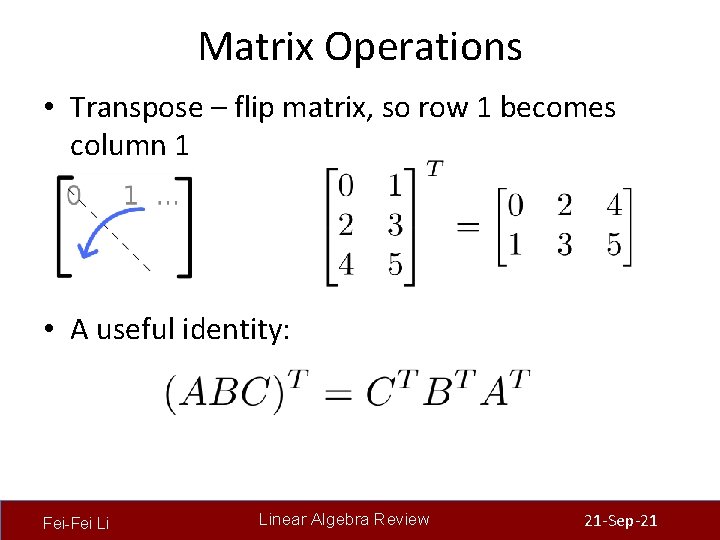
Matrix Operations • Transpose – flip matrix, so row 1 becomes column 1 • A useful identity: Fei-Fei Li Linear Algebra Review 21 -Sep-21
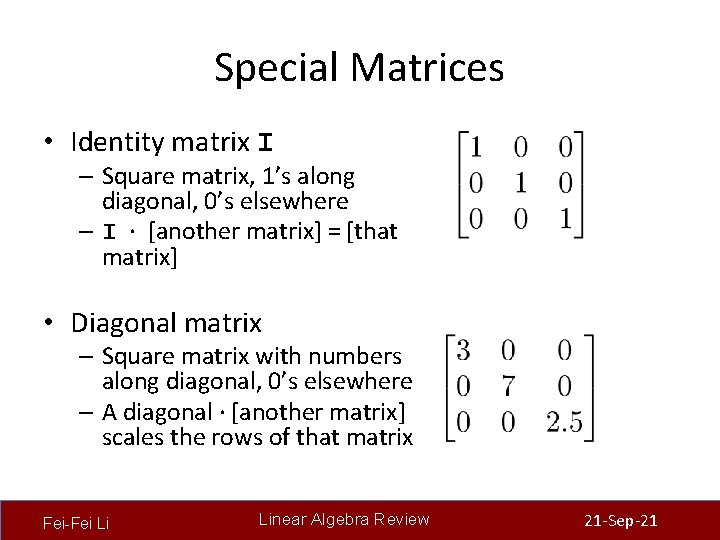
Special Matrices • Identity matrix I – Square matrix, 1’s along diagonal, 0’s elsewhere – I ∙ [another matrix] = [that matrix] • Diagonal matrix – Square matrix with numbers along diagonal, 0’s elsewhere – A diagonal ∙ [another matrix] scales the rows of that matrix Fei-Fei Li Linear Algebra Review 21 -Sep-21

1 -Minute Break
Matlab Tutorial http: //www. cs. pitt. edu/~kovashka/cs 1674/tutorial. m We’ll cover parts 1 -4, do parts 5 -6 at home.
Homework 1 W and 1 P http: //people. cs. pitt. edu/~kovashka/cs 1674/hw 1 w. html http: //people. cs. pitt. edu/~kovashka/cs 1674/hw 1 p. html
Next Time / Homework • Finish the Matlab tutorial on your own + post on Piazza if questions • No class Monday (Labor Day), but HW 1 W due • Wednesday: Image filtering, HW 1 P due • Reading for Wednesday: Szeliski Sec. 3. 2 • Reminder: Fill out Doodle!
- Slides: 52