
CS 162 Operating Systems and Systems Programming Lecture
- Slides: 54
CS 162: Operating Systems and Systems Programming Lecture 20: Caching and the Memory Hierarchy July 30, 2019 Instructor: Jack Kolb https: //cs 162. eecs. berkeley. edu
Logistics • Proj 3 Released, Due on August 12 • Design Doc Due Wednesday • HW 3 Released, Due on August 13 • Last Tuesday of the class
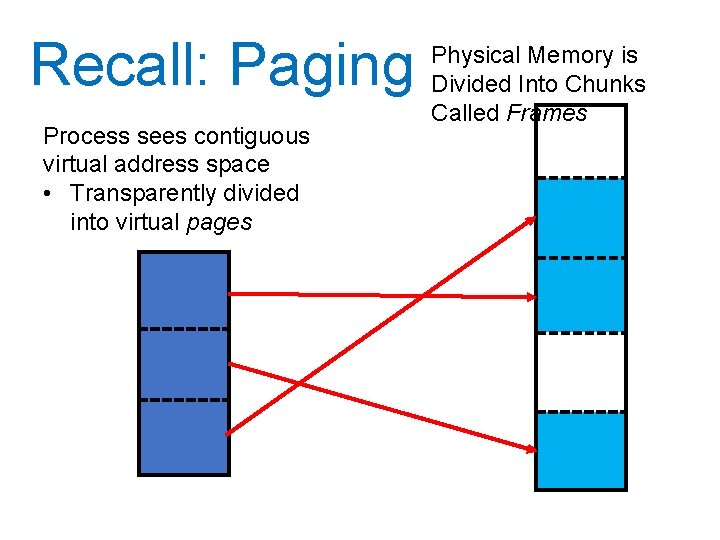
Recall: Paging Process sees contiguous virtual address space • Transparently divided into virtual pages Physical Memory is Divided Into Chunks Called Frames
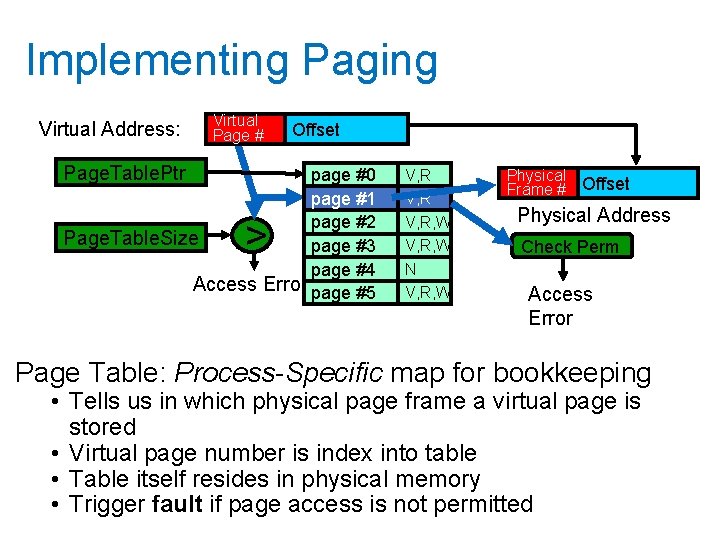
Implementing Paging Virtual Address: Virtual Page # Page. Table. Ptr Offset page #0 page #1 page #2 Page. Table. Size page #3 page #4 Access Error page #5 > V, R, W N V, R, W Physical Frame # Offset Physical Address Check Perm Access Error Page Table: Process-Specific map for bookkeeping • Tells us in which physical page frame a virtual page is stored • Virtual page number is index into table • Table itself resides in physical memory • Trigger fault if page access is not permitted
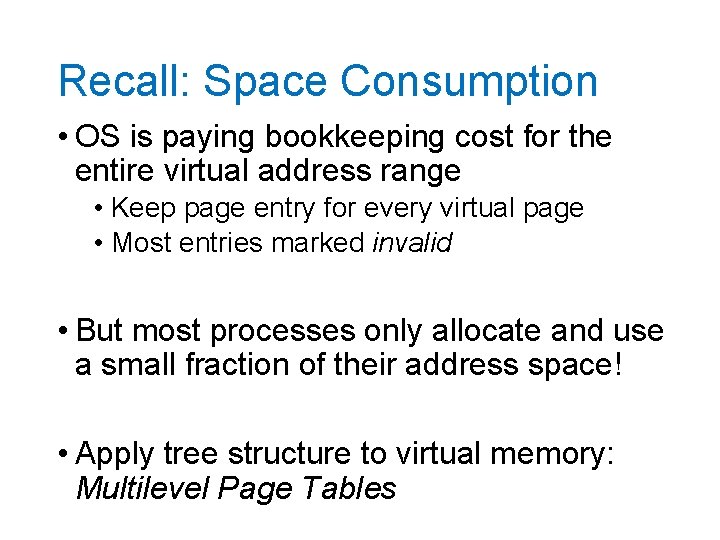
Recall: Space Consumption • OS is paying bookkeeping cost for the entire virtual address range • Keep page entry for every virtual page • Most entries marked invalid • But most processes only allocate and use a small fraction of their address space! • Apply tree structure to virtual memory: Multilevel Page Tables
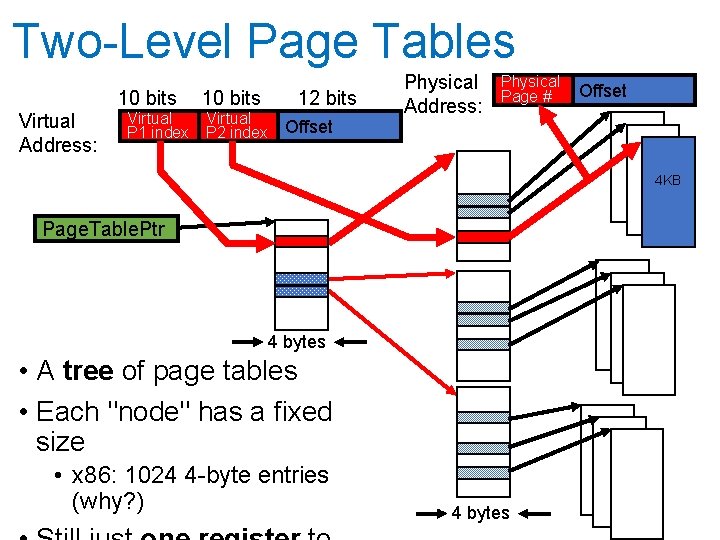
Two-Level Page Tables 10 bits Virtual Address: Virtual P 1 index 10 bits Virtual P 2 index 12 bits Offset Physical Address: Physical Page # Offset 4 KB Page. Table. Ptr 4 bytes • A tree of page tables • Each "node" has a fixed size • x 86: 1024 4 -byte entries (why? ) 4 bytes
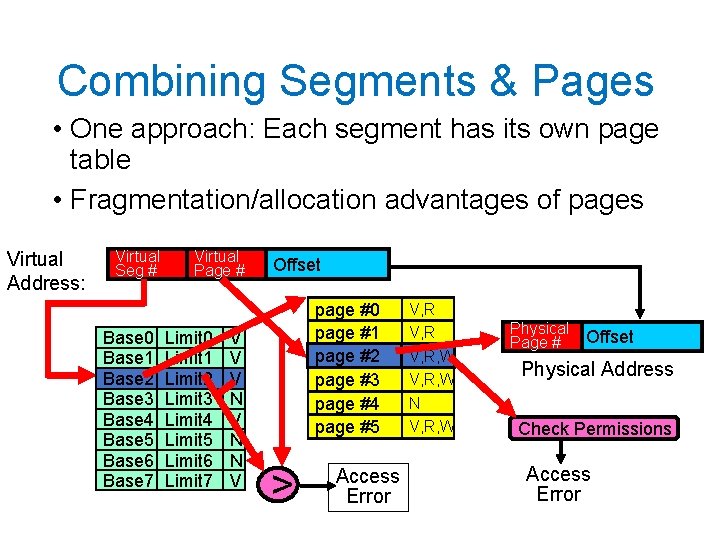
Combining Segments & Pages • One approach: Each segment has its own page table • Fragmentation/allocation advantages of pages Virtual Address: Virtual Seg # Base 0 Base 1 Base 2 Base 3 Base 4 Base 5 Base 6 Base 7 Virtual Page # Limit 0 Limit 1 Limit 2 Limit 3 Limit 4 Limit 5 Limit 6 Limit 7 V V V N N V Offset page #0 page #1 page #2 page #3 page #4 page #5 > Access Error V, R, W N V, R, W Physical Page # Offset Physical Address Check Permissions Access Error
Real World: 32 -bit x 86 • Has both segmentation and paging • Segmentation different from what we've described • Segment identified by instruction, not address • Note: x 86 actually offers multiple modes of memory operation, we'll talk about a common one
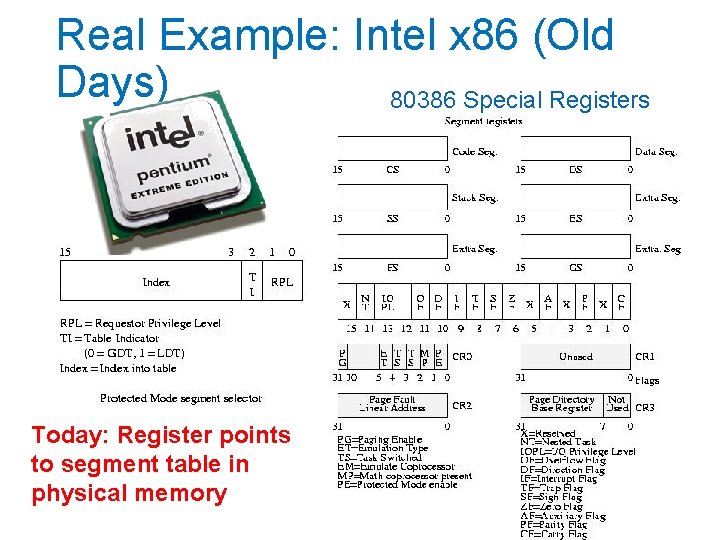
Real Example: Intel x 86 (Old Days) 80386 Special Registers Today: Register points to segment table in physical memory
Intel x 86 Segmentation • Six segments: cs (code), ds (data), ss (stack), es, fs, gs (extras) • Instructions identify segment to use • mov [es: bx], ax • Some instructions have default segments, e. g. push and pop always refer to ss (stack) • Underused in modern operating systems • In 64 -bit x 86, only fs and gs support enforcement of base and bound
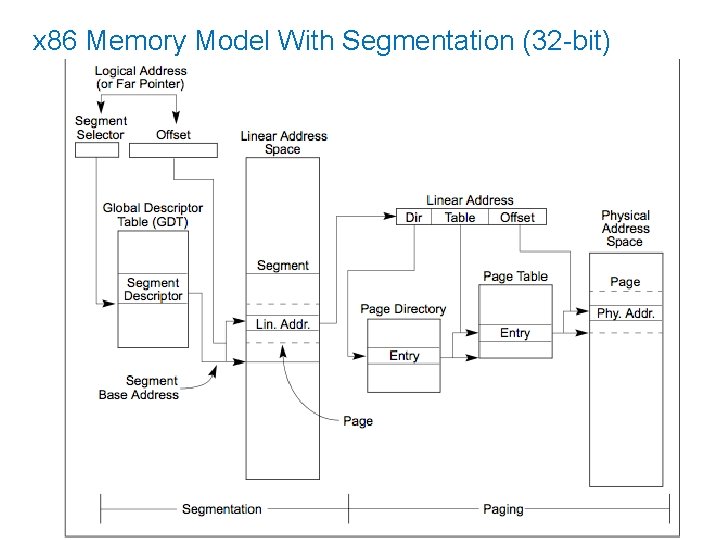
Intel x 86 Segments + Paging • Only one active page table • Segment + Offset is called logical address • Result of segmentation lookup is called a linear address • Linear address is used for lookup in page table
x 86 Memory Model With Segmentation (32 -bit)
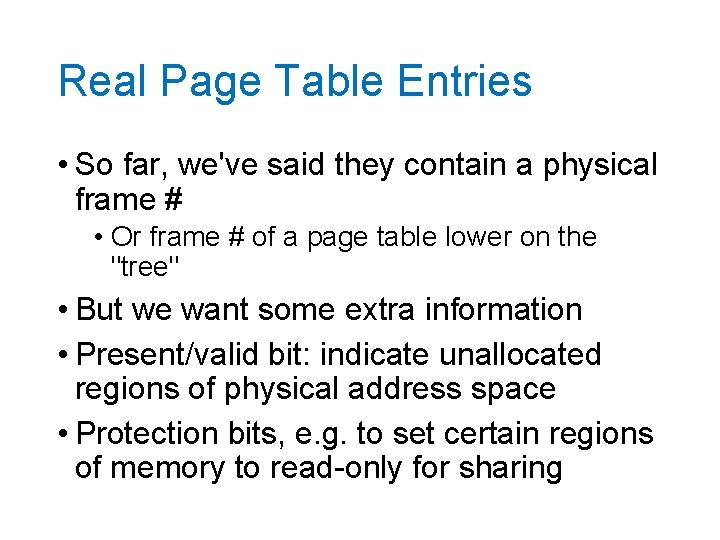
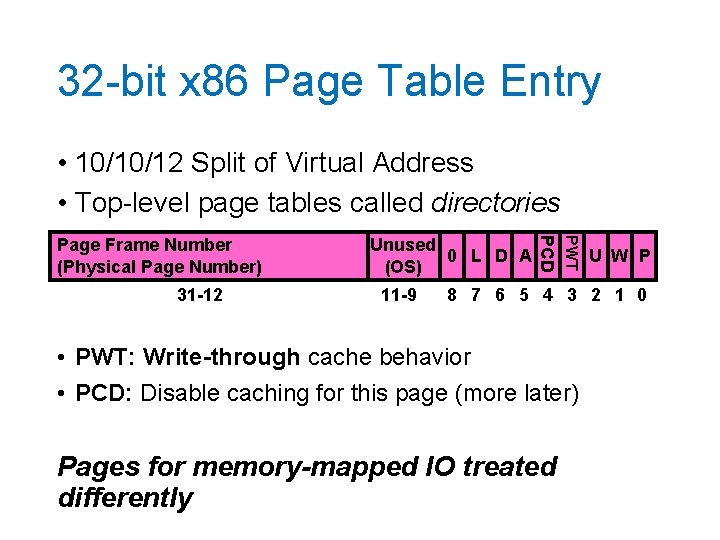
Real Page Table Entries • So far, we've said they contain a physical frame # • Or frame # of a page table lower on the "tree" • But we want some extra information • Present/valid bit: indicate unallocated regions of physical address space • Protection bits, e. g. to set certain regions of memory to read-only for sharing
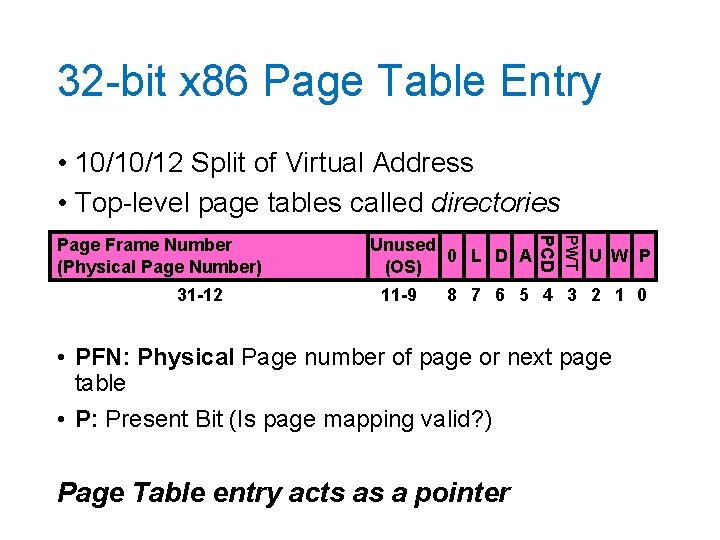
32 -bit x 86 Page Table Entry • 10/10/12 Split of Virtual Address • Top-level page tables called directories 11 -9 PWT 31 -12 Unused 0 L D A (OS) PCD Page Frame Number (Physical Page Number) U W P 8 7 6 5 4 3 2 1 0 • PFN: Physical Page number of page or next page table • P: Present Bit (Is page mapping valid? ) Page Table entry acts as a pointer
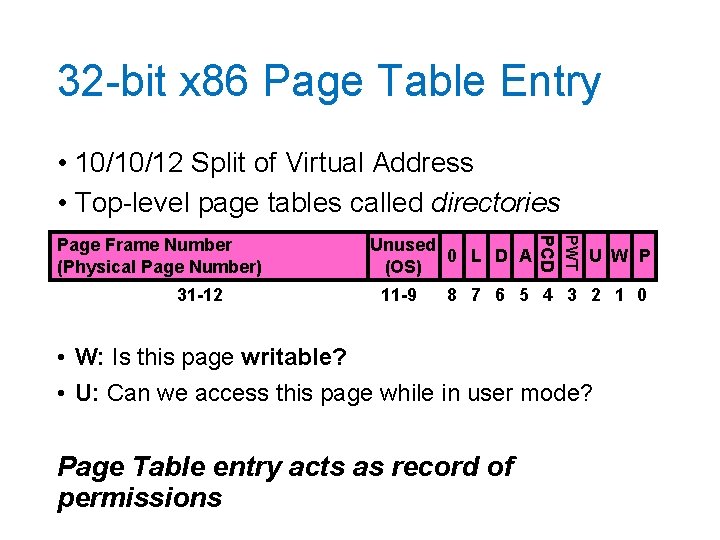
32 -bit x 86 Page Table Entry • 10/10/12 Split of Virtual Address • Top-level page tables called directories 11 -9 PWT 31 -12 Unused 0 L D A (OS) PCD Page Frame Number (Physical Page Number) U W P 8 7 6 5 4 3 2 1 0 • W: Is this page writable? • U: Can we access this page while in user mode? Page Table entry acts as record of permissions
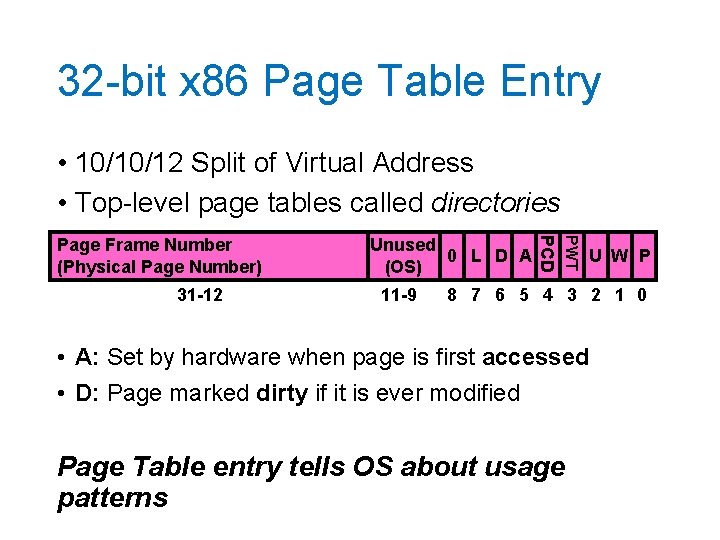
32 -bit x 86 Page Table Entry • 10/10/12 Split of Virtual Address • Top-level page tables called directories 11 -9 PWT 31 -12 Unused 0 L D A (OS) PCD Page Frame Number (Physical Page Number) U W P 8 7 6 5 4 3 2 1 0 • A: Set by hardware when page is first accessed • D: Page marked dirty if it is ever modified Page Table entry tells OS about usage patterns
32 -bit x 86 Page Table Entry • 10/10/12 Split of Virtual Address • Top-level page tables called directories 11 -9 PWT 31 -12 Unused 0 L D A (OS) PCD Page Frame Number (Physical Page Number) U W P 8 7 6 5 4 3 2 1 0 • PWT: Write-through cache behavior • PCD: Disable caching for this page (more later) Pages for memory-mapped IO treated differently
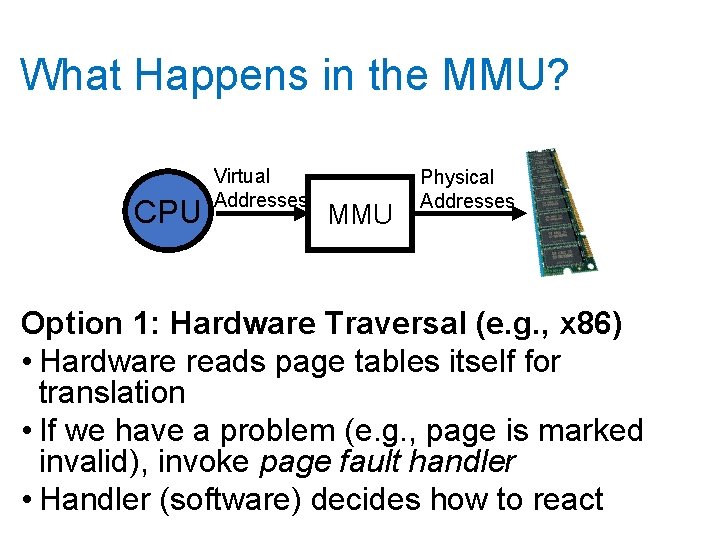
What Happens in the MMU? CPU Virtual Addresses MMU Physical Addresses Option 1: Hardware Traversal (e. g. , x 86) • Hardware reads page tables itself for translation • If we have a problem (e. g. , page is marked invalid), invoke page fault handler • Handler (software) decides how to react
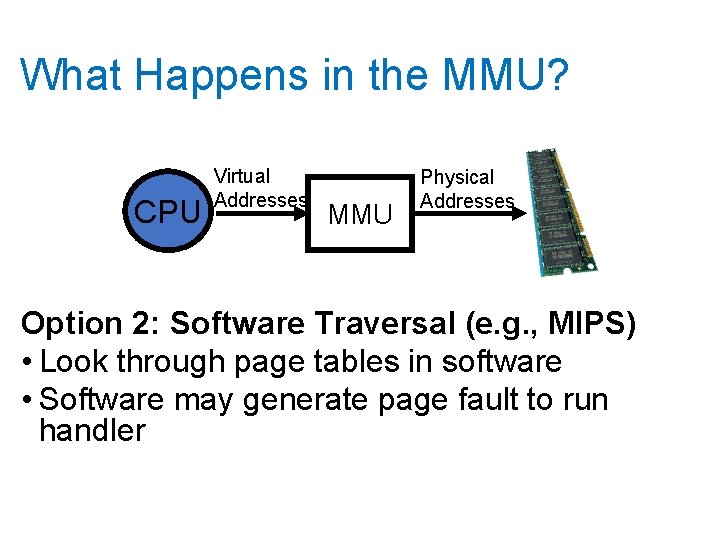
What Happens in the MMU? CPU Virtual Addresses MMU Physical Addresses Option 2: Software Traversal (e. g. , MIPS) • Look through page tables in software • Software may generate page fault to run handler
Software vs Hardware Traversal • Hardware traversal is fast but inflexible • Hardware is already complex just to do basic lookup • Software traversal slower but much more customizable (a "simple" matter of code) • But every translation prompts a fault so we can invoke handler to traverse tables • In either case: lots of memory accesses, particularly for multi-level schemes
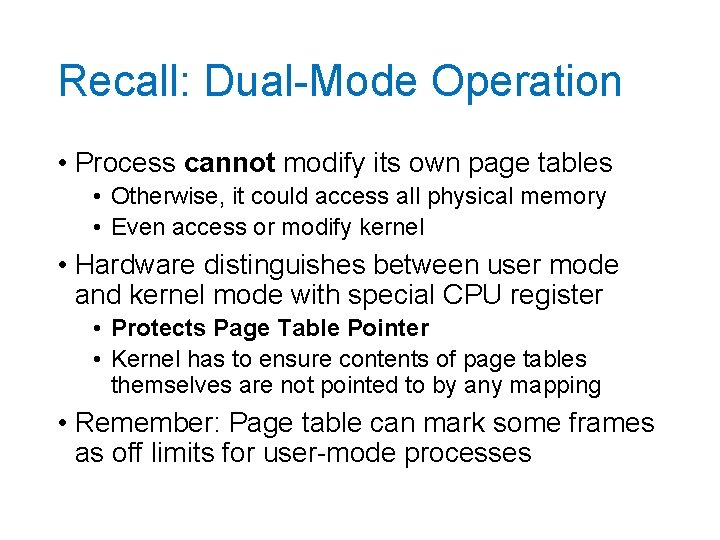
Recall: Dual-Mode Operation • Process cannot modify its own page tables • Otherwise, it could access all physical memory • Even access or modify kernel • Hardware distinguishes between user mode and kernel mode with special CPU register • Protects Page Table Pointer • Kernel has to ensure contents of page tables themselves are not pointed to by any mapping • Remember: Page table can mark some frames as off limits for user-mode processes
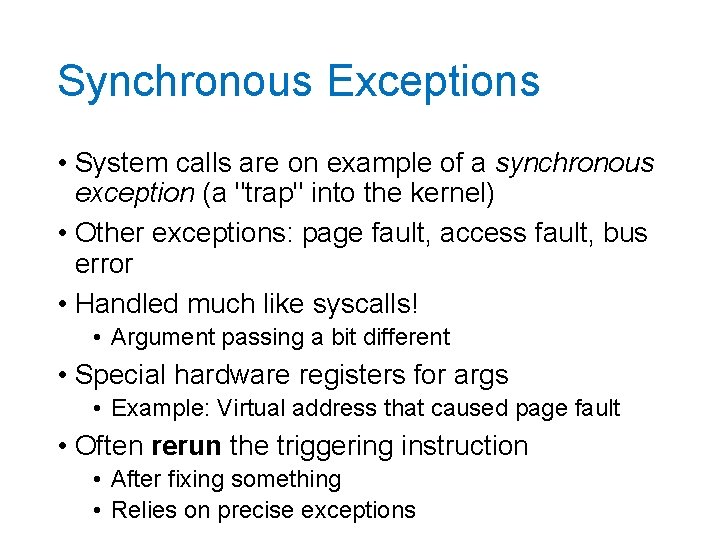
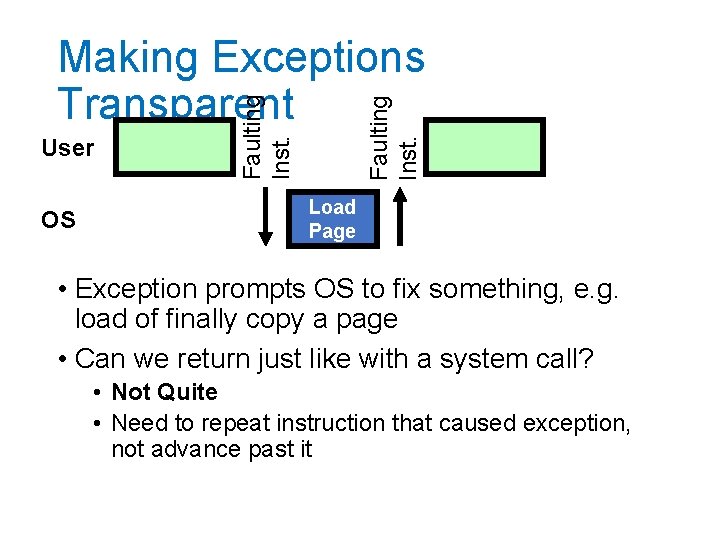
Synchronous Exceptions • System calls are on example of a synchronous exception (a "trap" into the kernel) • Other exceptions: page fault, access fault, bus error • Handled much like syscalls! • Argument passing a bit different • Special hardware registers for args • Example: Virtual address that caused page fault • Often rerun the triggering instruction • After fixing something • Relies on precise exceptions
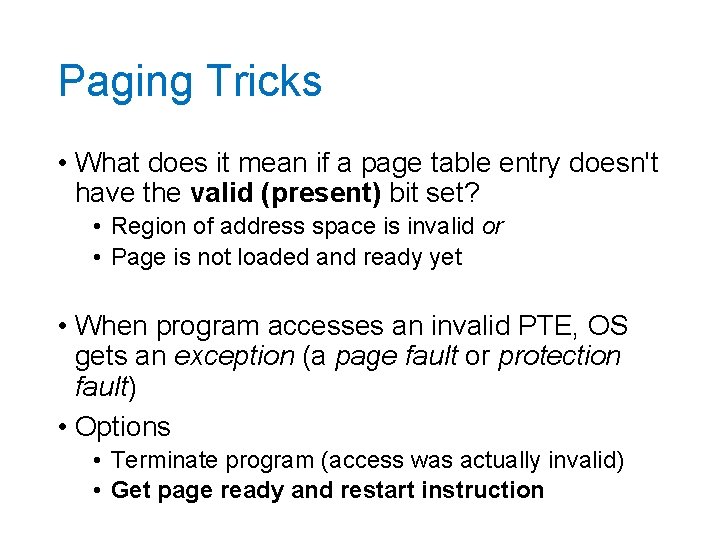
Paging Tricks • What does it mean if a page table entry doesn't have the valid (present) bit set? • Region of address space is invalid or • Page is not loaded and ready yet • When program accesses an invalid PTE, OS gets an exception (a page fault or protection fault) • Options • Terminate program (access was actually invalid) • Get page ready and restart instruction
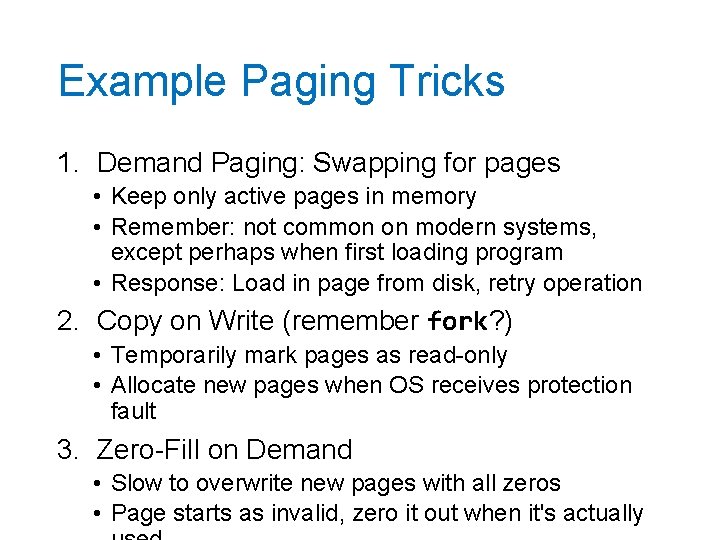
Example Paging Tricks 1. Demand Paging: Swapping for pages • Keep only active pages in memory • Remember: not common on modern systems, except perhaps when first loading program • Response: Load in page from disk, retry operation 2. Copy on Write (remember fork? ) • Temporarily mark pages as read-only • Allocate new pages when OS receives protection fault 3. Zero-Fill on Demand • Slow to overwrite new pages with all zeros • Page starts as invalid, zero it out when it's actually
OS Faulting Inst. User Faulting Inst. Making Exceptions Transparent Load Page • Exception prompts OS to fix something, e. g. load of finally copy a page • Can we return just like with a system call? • Not Quite • Need to repeat instruction that caused exception, not advance past it
Precise Exceptions • Definition: Machine's state is as if the program executed up to the offending instruction • Hardware has to complete previous instructions • Remember pipelining • May need to revert side effects if instruction was partially executed • OS relies on hardware to enforce this property
Starting a Program: Steps 1. Allocate Process Control Block 2. Read (some of) program off disk and store in memory 3. Allocate Page Table • Set up entries for code so program can execute 4. Set up machine registers • Includes page table pointer 5. Set HW to user mode and jump to code
Break
Caching • Cache: Repository for copies that can be accessed more quickly than the originals • Goal: Improve performance • We'll see lots of applications! • • Memory Address translations File contents, file name to number mappings DNS records (name to IP addr mappings)
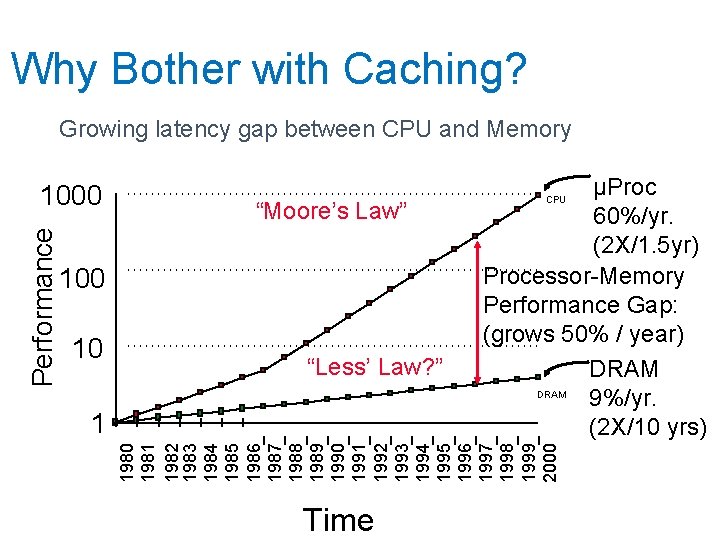
Why Bother with Caching? Growing latency gap between CPU and Memory “Moore’s Law” 100 10 “Less’ Law? ” 1 µProc 60%/yr. (2 X/1. 5 yr) Processor-Memory Performance Gap: (grows 50% / year) DRAM 9%/yr. (2 X/10 yrs) CPU 1980 1981 1982 1983 1984 1985 1986 1987 1988 1989 1990 1991 1992 1993 1994 1995 1996 1997 1998 1999 2000 Performance 1000 Time
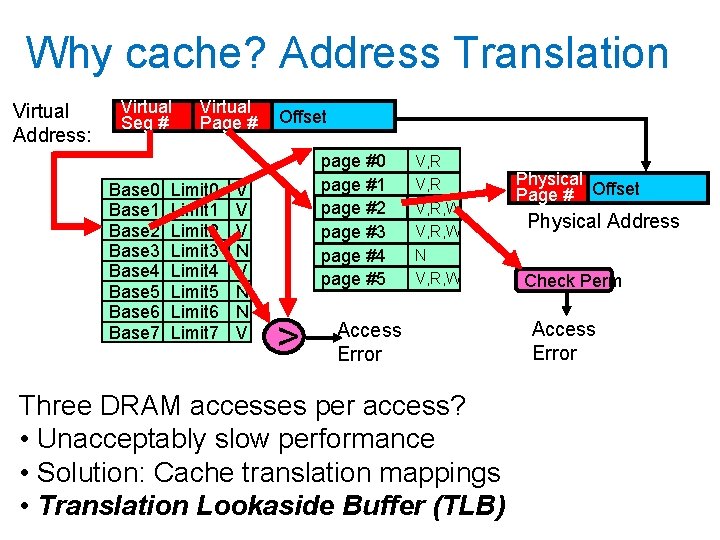
Why cache? Address Translation Virtual Address: Virtual Seg # Base 0 Base 1 Base 2 Base 3 Base 4 Base 5 Base 6 Base 7 Virtual Page # Limit 0 Limit 1 Limit 2 Limit 3 Limit 4 Limit 5 Limit 6 Limit 7 V V V N N V Offset page #0 page #1 page #2 page #3 page #4 page #5 > V, R, W N V, R, W Access Error Three DRAM accesses per access? • Unacceptably slow performance • Solution: Cache translation mappings • Translation Lookaside Buffer (TLB) Physical Page # Offset Physical Address Check Perm Access Error
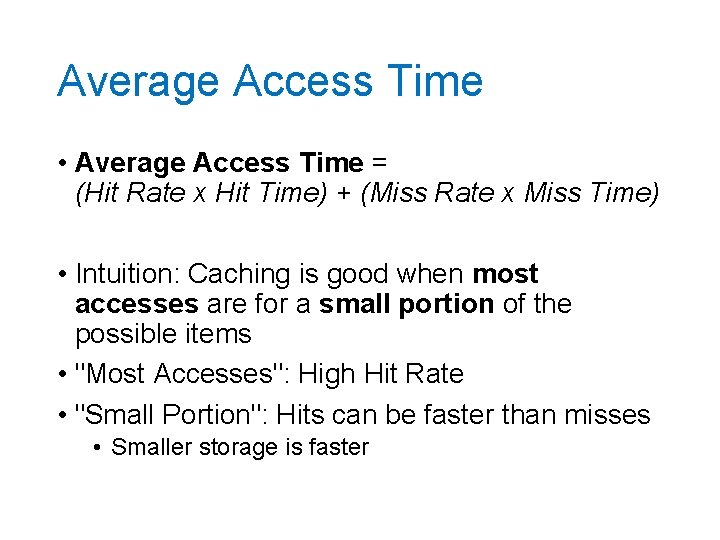
Average Access Time • Average Access Time = (Hit Rate x Hit Time) + (Miss Rate x Miss Time) • Intuition: Caching is good when most accesses are for a small portion of the possible items • "Most Accesses": High Hit Rate • "Small Portion": Hits can be faster than misses • Smaller storage is faster
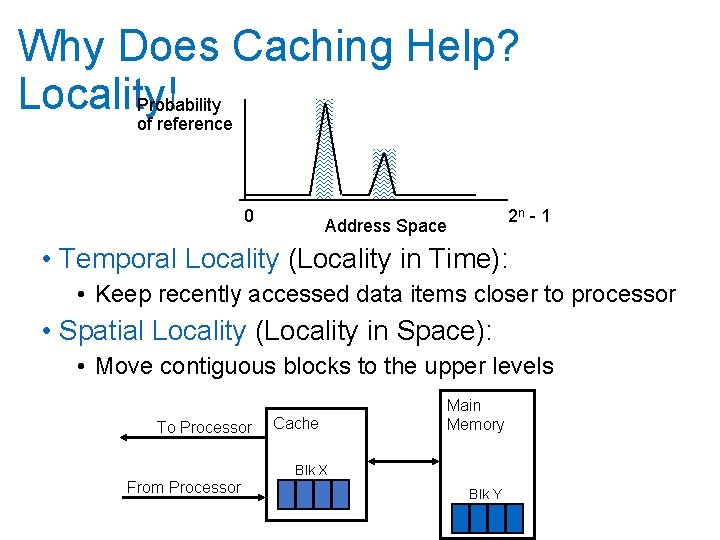
Why Does Caching Help? Locality! Probability of reference 0 2 n - 1 Address Space • Temporal Locality (Locality in Time): • Keep recently accessed data items closer to processor • Spatial Locality (Locality in Space): • Move contiguous blocks to the upper levels To Processor Cache Main Memory Blk X From Processor Blk Y
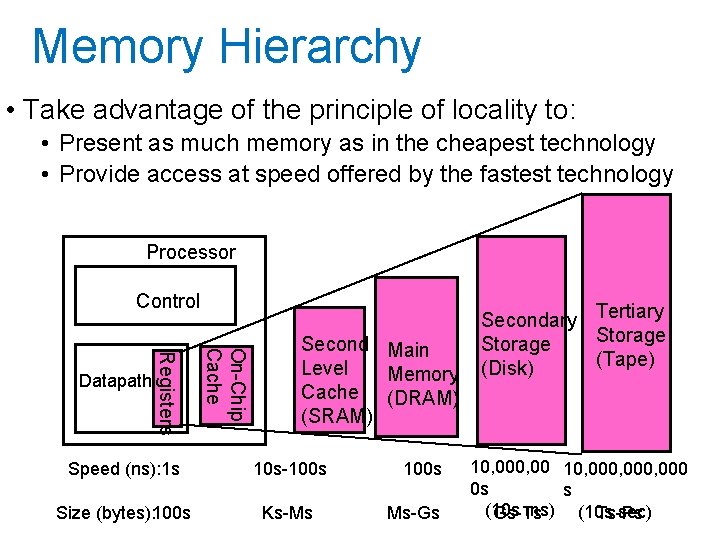
Memory Hierarchy • Take advantage of the principle of locality to: • Present as much memory as in the cheapest technology • Provide access at speed offered by the fastest technology Processor Control On-Chip Cache Registers Datapath Second Main Level Memory Cache (DRAM) (SRAM) Speed (ns): 1 s 10 s-100 s Size (bytes): 100 s Ks-Ms 100 s Ms-Gs Secondary Tertiary Storage (Tape) (Disk) 10, 000, 000 0 s s (10 s ms) (10 s sec) Gs-Ts Ts-Ps
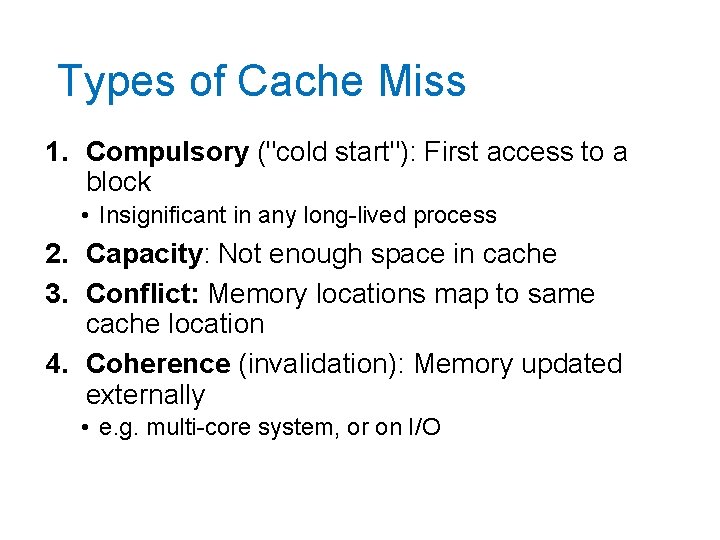
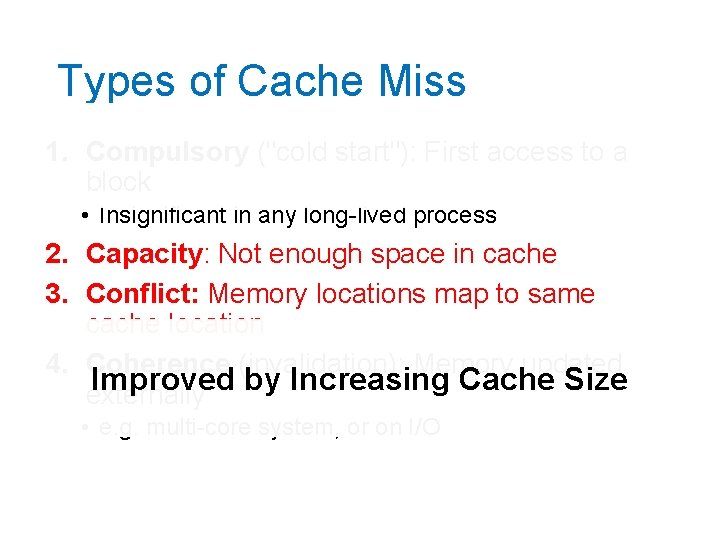
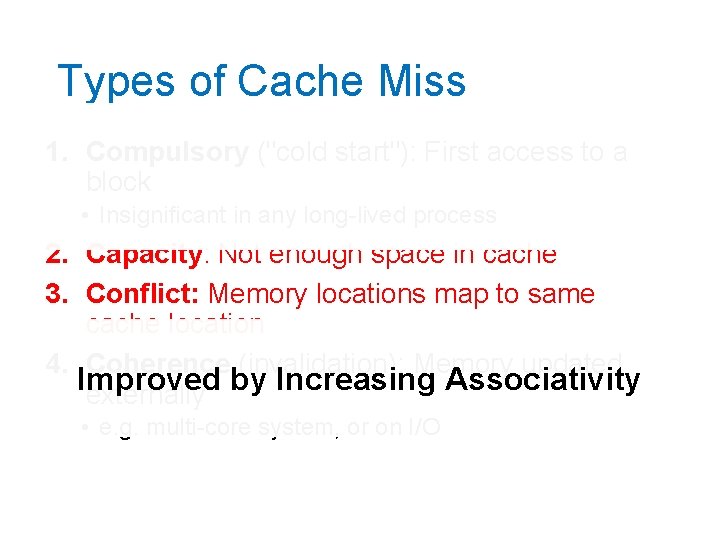
Types of Cache Miss 1. Compulsory ("cold start"): First access to a block • Insignificant in any long-lived process 2. Capacity: Not enough space in cache 3. Conflict: Memory locations map to same cache location 4. Coherence (invalidation): Memory updated externally • e. g. multi-core system, or on I/O
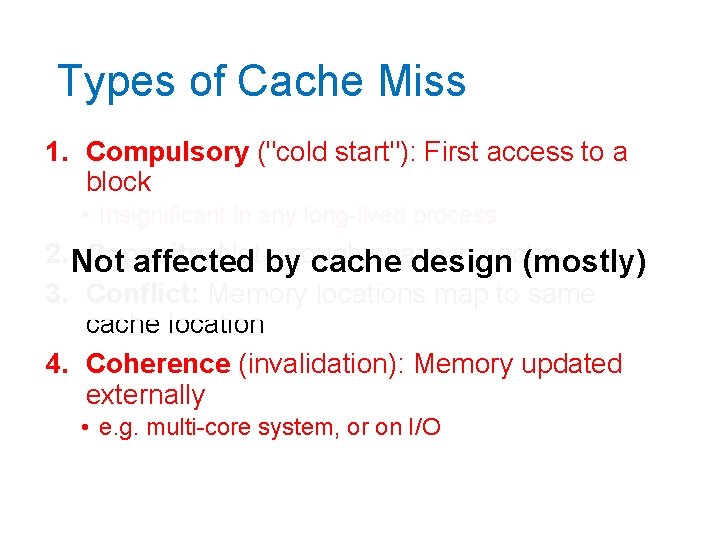
Types of Cache Miss 1. Compulsory ("cold start"): First access to a block • Insignificant in any long-lived process 2. Not Capacity: Not by enough space in cache affected cache design (mostly) 3. Conflict: Memory locations map to same cache location 4. Coherence (invalidation): Memory updated externally • e. g. multi-core system, or on I/O
Types of Cache Miss 1. Compulsory ("cold start"): First access to a block • Insignificant in any long-lived process 2. Capacity: Not enough space in cache 3. Conflict: Memory locations map to same cache location 4. Coherence (invalidation): Memory updated Improved by Increasing Cache Size externally • e. g. multi-core system, or on I/O
Types of Cache Miss 1. Compulsory ("cold start"): First access to a block • Insignificant in any long-lived process 2. Capacity: Not enough space in cache 3. Conflict: Memory locations map to same cache location 4. Coherence (invalidation): Memory updated Improved externally by Increasing Associativity • e. g. multi-core system, or on I/O
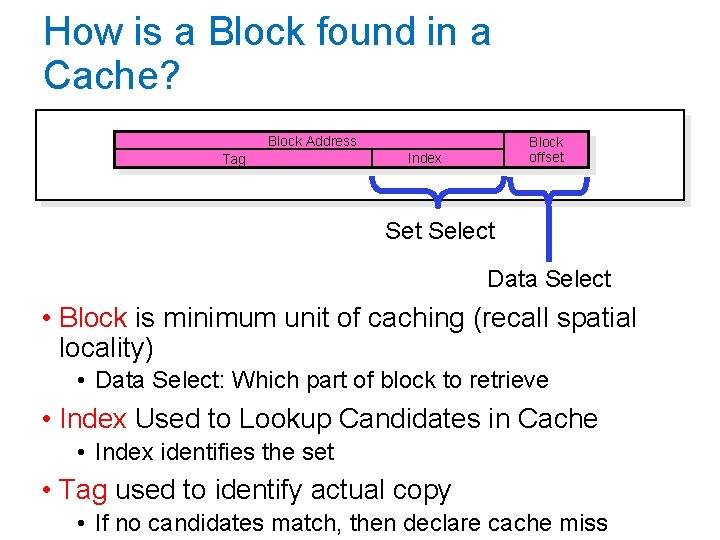
How is a Block found in a Cache? Block Address Tag Block offset Index Set Select Data Select • Block is minimum unit of caching (recall spatial locality) • Data Select: Which part of block to retrieve • Index Used to Lookup Candidates in Cache • Index identifies the set • Tag used to identify actual copy • If no candidates match, then declare cache miss
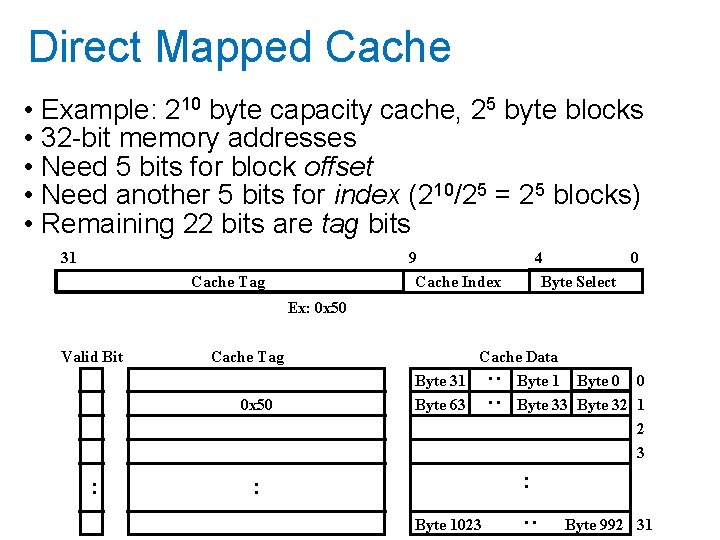
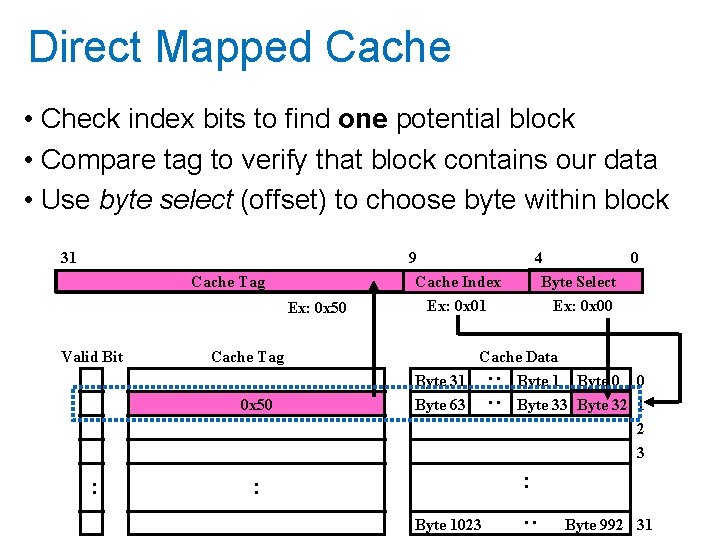
Direct Mapped Cache • Example: 210 byte capacity cache, 25 byte blocks • 32 -bit memory addresses • Need 5 bits for block offset • Need another 5 bits for index (210/25 = 25 blocks) • Remaining 22 bits are tag bits 31 9 Cache Index Cache Tag 4 0 Byte Select Ex: 0 x 50 Cache Tag 0 x 50 Cache Data Byte 31 Byte 63 : : Valid Bit Byte 1 Byte 0 0 Byte 33 Byte 32 1 2 3 : : Byte 1023 : : Byte 992 31
Direct Mapped Cache • Check index bits to find one potential block • Compare tag to verify that block contains our data • Use byte select (offset) to choose byte within block Cache Tag Ex: 0 x 50 Valid Bit 9 Cache Index Ex: 0 x 01 Cache Tag 0 x 50 4 0 Byte Select Ex: 0 x 00 Cache Data Byte 31 Byte 63 : : 31 Byte 0 0 Byte 33 Byte 32 1 2 3 : : Byte 1023 : : Byte 992 31
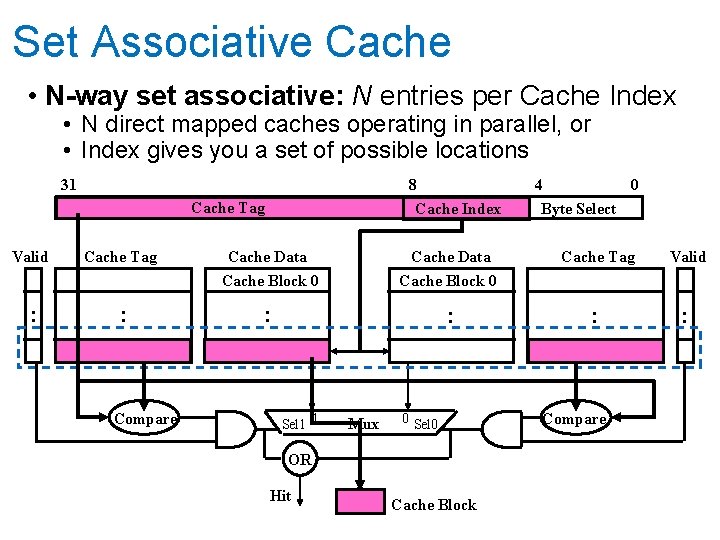
Set Associative Cache • N-way set associative: N entries per Cache Index • N direct mapped caches operating in parallel, or • Index gives you a set of possible locations 31 8 Cache Index Cache Tag Valid : Cache Tag : Compare Cache Data Cache Block 0 : : Sel 1 1 Cache Data Mux 0 Sel 0 OR Hit Cache Block 4 0 Byte Select Cache Tag Valid : : Compare
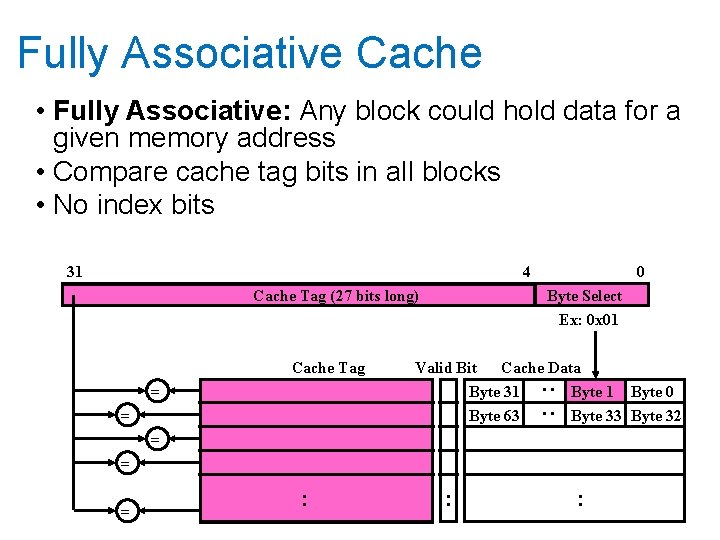
Fully Associative Cache • Fully Associative: Any block could hold data for a given memory address • Compare cache tag bits in all blocks • No index bits 31 4 Cache Tag (27 bits long) Cache Tag Byte Select Ex: 0 x 01 Valid Bit Cache Data Byte 31 Byte 0 Byte 63 Byte 32 : : = 0 = = : : :
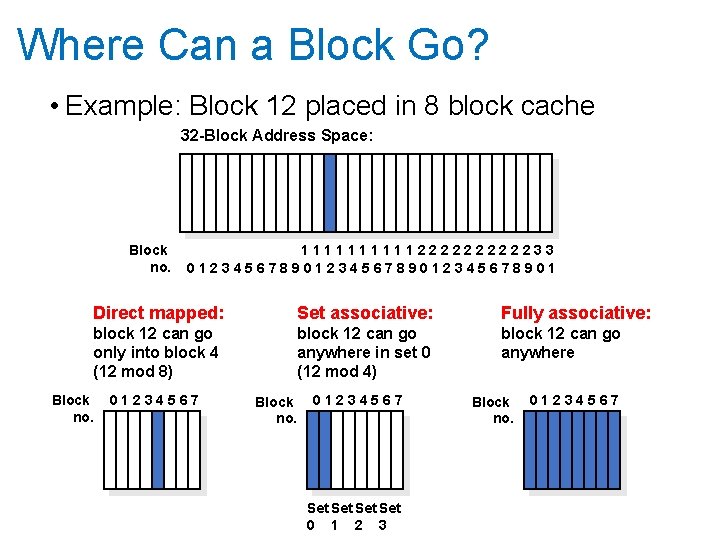
Where Can a Block Go? • Example: Block 12 placed in 8 block cache 32 -Block Address Space: Block no. 111112222233 0123456789012345678901 Direct mapped: Set associative: Fully associative: block 12 can go only into block 4 (12 mod 8) block 12 can go anywhere in set 0 (12 mod 4) block 12 can go anywhere Block no. 01234567 Set Set 0 1 2 3 Block no. 01234567
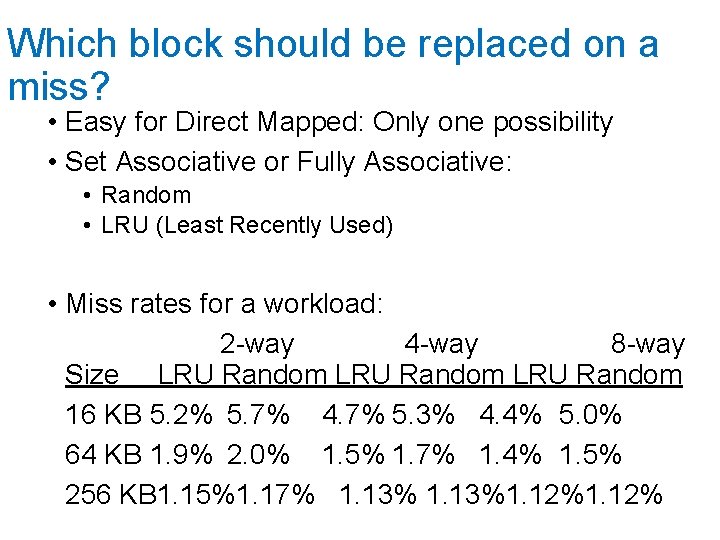
Which block should be replaced on a miss? • Easy for Direct Mapped: Only one possibility • Set Associative or Fully Associative: • Random • LRU (Least Recently Used) • Miss rates for a workload: 2 -way 4 -way 8 -way Size LRU Random 16 KB 5. 2% 5. 7% 4. 7% 5. 3% 4. 4% 5. 0% 64 KB 1. 9% 2. 0% 1. 5% 1. 7% 1. 4% 1. 5% 256 KB 1. 15%1. 17% 1. 13%1. 12%
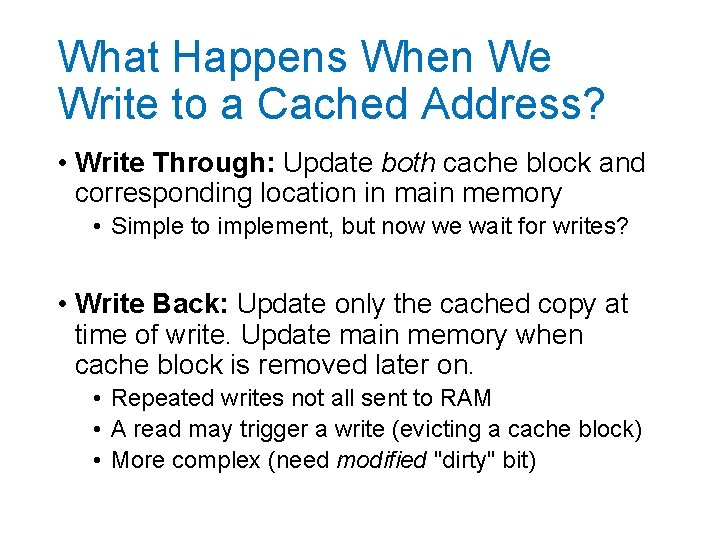
What Happens When We Write to a Cached Address? • Write Through: Update both cache block and corresponding location in main memory • Simple to implement, but now we wait for writes? • Write Back: Update only the cached copy at time of write. Update main memory when cache block is removed later on. • Repeated writes not all sent to RAM • A read may trigger a write (evicting a cache block) • More complex (need modified "dirty" bit)
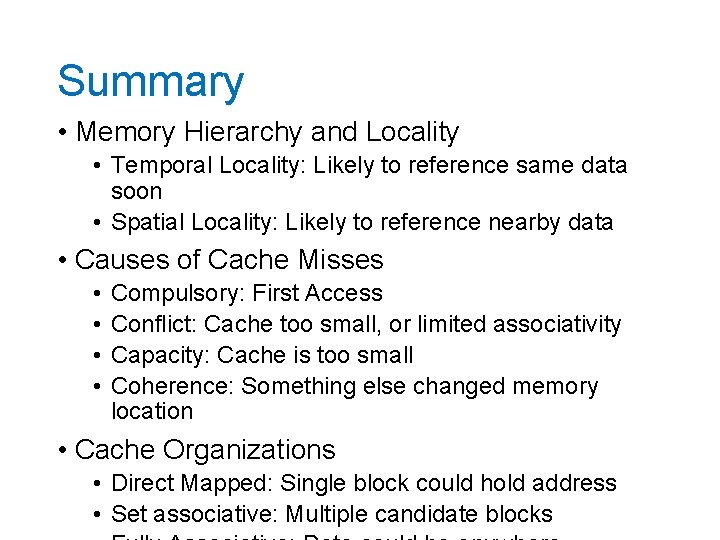
Summary • Memory Hierarchy and Locality • Temporal Locality: Likely to reference same data soon • Spatial Locality: Likely to reference nearby data • Causes of Cache Misses • • Compulsory: First Access Conflict: Cache too small, or limited associativity Capacity: Cache is too small Coherence: Something else changed memory location • Cache Organizations • Direct Mapped: Single block could hold address • Set associative: Multiple candidate blocks
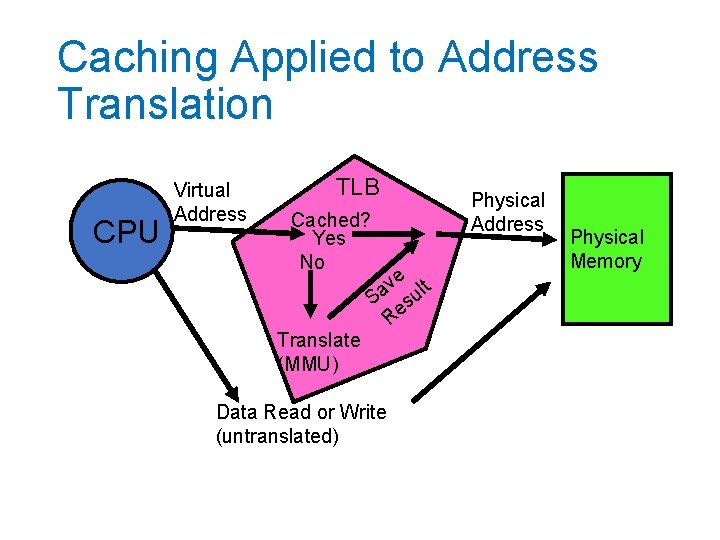
Caching Applied to Address Translation CPU Virtual Address TLB Cached? Yes No Translate (MMU) e t v l Sa su Re Data Read or Write (untranslated) Physical Address Physical Memory
Caching Address Translations • Locality in page accesses? • Yes: Spatial locality, just like CPU cache • TLB: Cache of page table entries
TLB and Context Switches • Do nothing upon context switch? • New process could use old process's address space! • Option 1: Invalidate ("flush") entire TLB • Simple, but very poor performance • Option 2: TLB entries store a process ID • Called tagged TLB • Requires additional hardware
TLB and Page Table Changes • Think about what happens we we use fork • OS marks all pages in address space as readonly • After parent returns from fork, it tries to write to its stack • Triggers a protection fault. OS makes a copy of the stack page, updates page table. • Restarts instruction.
TLB and Page Table Changes What if TLB had cached the old read/write page table entry for the stack page? • OS marks all pages in address space as readonly • After parent returns from fork, it tries to write to its stack • Triggers a protection fault. OS makes a copy of the stack page, updates page table. • Restarts instruction.
How do we invalidate TLB entries? • Hardware could keep track of where page table for each entry is and monitor that memory for updates… • Very complicated! • Especially for multi-level page tables and tagged TLBs • Instead: The OS must invalidate TLB entries • So TLB is not entirely transparent to OS
TLB and Page Table Changes • Think about what happens we we use fork • OS marks all pages in address space as readonly and tells MMU to clear those TLB entries. • After parent returns from fork, it tries to write to its stack • Triggers a protection fault. OS makes a copy of the stack page, updates page table. Also tells MMU to clear that TLB entry. • Restarts instruction.