
CS 152 Computer Architecture and Engineering Lecture 1
![J-Format Instructions (2/2) ° Summary: • New PC = { PC[31. . 28], target](https://slidetodoc.com/presentation_image_h2/18fa19f82bba9df32a925ae370e6cac4/image-42.jpg "J-Format Instructions (2/2) ° Summary: • New PC = { PC[31. . 28], target")
![Green Card ° green card /n. / [after the "IBM System/360 Reference Data" card]](https://slidetodoc.com/presentation_image_h2/18fa19f82bba9df32a925ae370e6cac4/image-45.jpg "Green Card ° green card /n. / [after the \"IBM System/360 Reference Data\" card]")
- Slides: 52
CS 152 – Computer Architecture and Engineering Lecture 1 – CS 152 Introduction & MIPS Review 2004 -08 -31 John Lazzaro (www. cs. berkeley. edu/~lazzaro) Dave Patterson (www. cs. berkeley. edu/~patterson) www-inst. eecs. berkeley. edu/~cs 152/ CS 152 L 01 Introduction & MIPS Review (1) UC Regents Fall 2004 © UCB
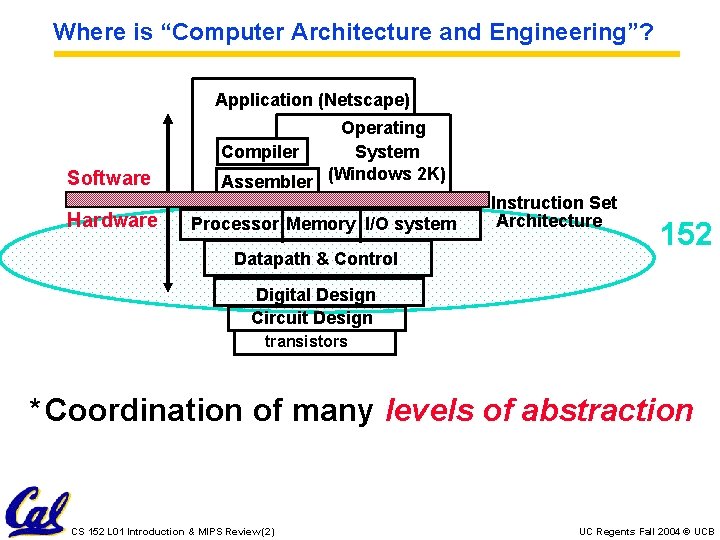
Where is “Computer Architecture and Engineering”? Application (Netscape) Software Hardware Operating Compiler System Assembler (Windows 2 K) Processor Memory I/O system Datapath & Control Instruction Set Architecture 152 Digital Design Circuit Design transistors * Coordination of many levels of abstraction CS 152 L 01 Introduction & MIPS Review (2) UC Regents Fall 2004 © UCB
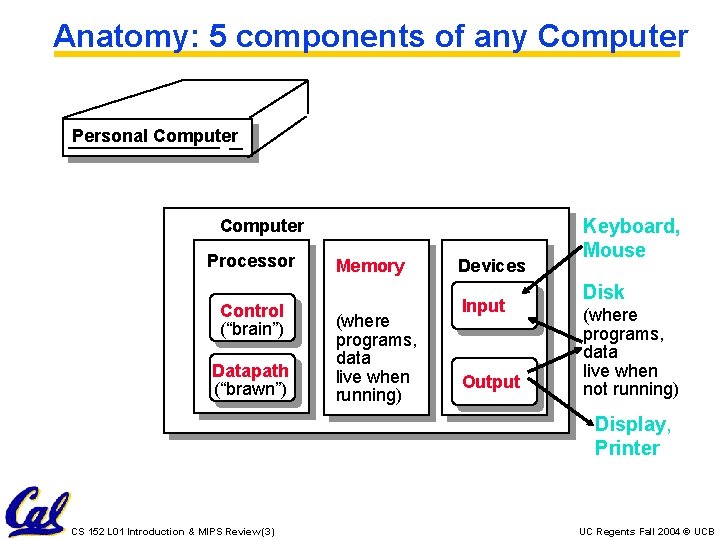
Anatomy: 5 components of any Computer Personal Computer Processor Control (“brain”) Datapath (“brawn”) Memory (where programs, data live when running) Devices Input Output Keyboard, Mouse Disk (where programs, data live when not running) Display, Printer CS 152 L 01 Introduction & MIPS Review (3) UC Regents Fall 2004 © UCB
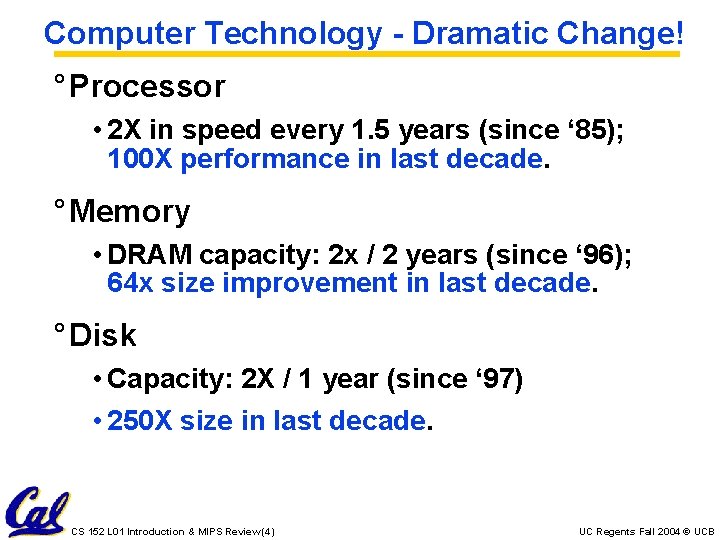
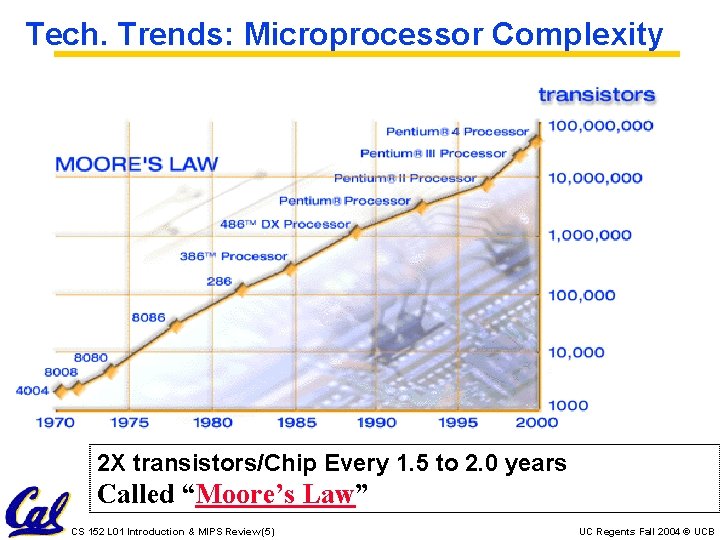
Computer Technology - Dramatic Change! ° Processor • 2 X in speed every 1. 5 years (since ‘ 85); 100 X performance in last decade. ° Memory • DRAM capacity: 2 x / 2 years (since ‘ 96); 64 x size improvement in last decade. ° Disk • Capacity: 2 X / 1 year (since ‘ 97) • 250 X size in last decade. CS 152 L 01 Introduction & MIPS Review (4) UC Regents Fall 2004 © UCB
Tech. Trends: Microprocessor Complexity 2 X transistors/Chip Every 1. 5 to 2. 0 years Called “Moore’s Law” CS 152 L 01 Introduction & MIPS Review (5) UC Regents Fall 2004 © UCB
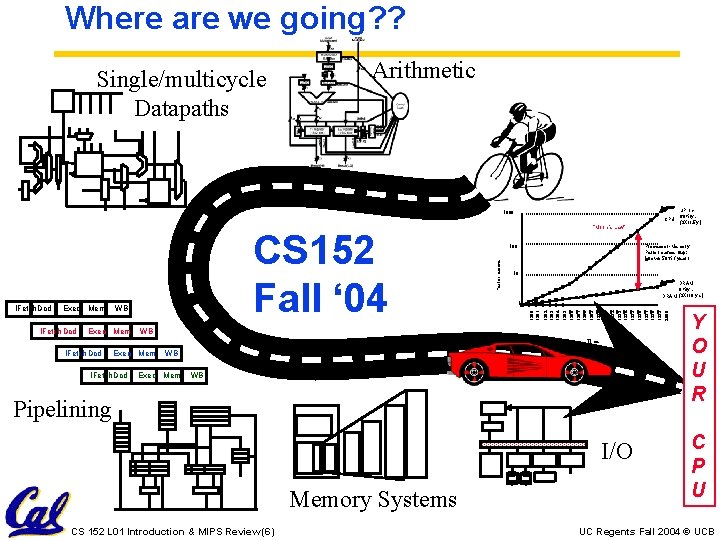
Where are we going? ? Single/multicycle Datapaths Arithmetic 1000 CPU IFetch. Dcd WB Exec Mem Performance Processor-Memory Performance Gap: (grows 50% / year) 10 DRAM 9%/yr. DRAM (2 X/10 yrs) 1 1982 1983 1984 1985 1986 1987 1988 1989 1990 1991 1992 1993 1994 1995 1996 1997 1998 1999 2000 Exec Mem 100 1981 IFetch. Dcd CS 152 Fall ‘ 04 “Moore’s Law” WB Time IFetch Dcd Exec Mem IFetch. Dcd WB Exec Mem WB Pipelining I/O Memory Systems CS 152 L 01 Introduction & MIPS Review (6) µProc 60%/yr. (2 X/1. 5 yr) Y O U R C P U UC Regents Fall 2004 © UCB
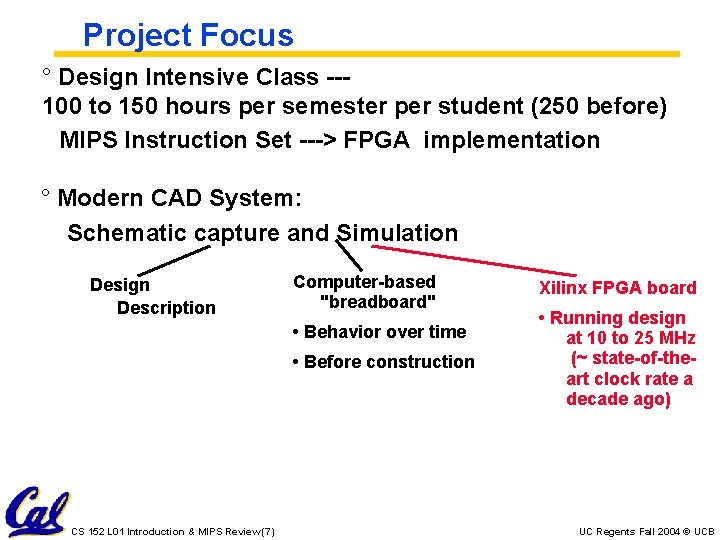
Project Focus ° Design Intensive Class --100 to 150 hours per semester per student (250 before) MIPS Instruction Set ---> FPGA implementation ° Modern CAD System: Schematic capture and Simulation Design Description Computer-based "breadboard" • Behavior over time • Before construction CS 152 L 01 Introduction & MIPS Review (7) Xilinx FPGA board • Running design at 10 to 25 MHz (~ state-of-theart clock rate a decade ago) UC Regents Fall 2004 © UCB
Project Simulates Industrial Environment ° Project teams have 4 or 5 members in same discussion section • Must work in groups as in “the real world” ° Communicate with colleagues (team members) • Communication problems are natural • What have you done? • What answers you need from others? • You must document your work!!! • Everyone must keep an on-line notebook ° Communicate with supervisor (TAs) • How is the team’s plan? • Short progress reports are required: - What is the team’s game plan? - What is each member’s responsibility? CS 152 L 01 Introduction & MIPS Review (8) UC Regents Fall 2004 © UCB
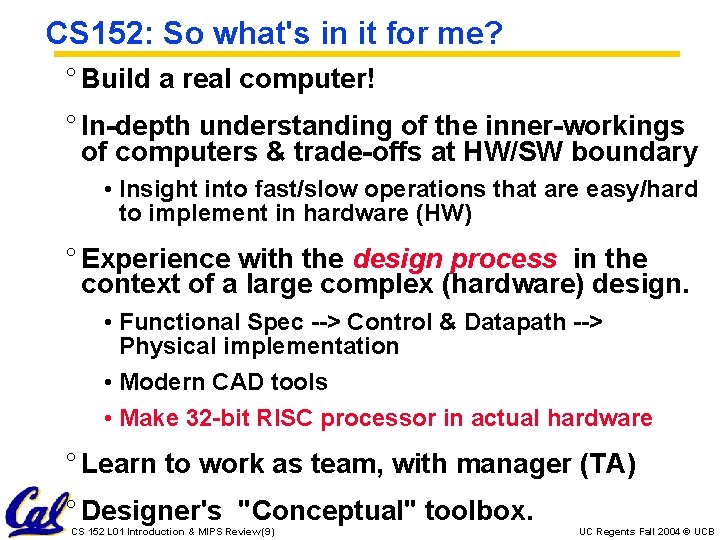
CS 152: So what's in it for me? ° Build a real computer! ° In-depth understanding of the inner-workings of computers & trade-offs at HW/SW boundary • Insight into fast/slow operations that are easy/hard to implement in hardware (HW) ° Experience with the design process in the context of a large complex (hardware) design. • Functional Spec --> Control & Datapath --> Physical implementation • Modern CAD tools • Make 32 -bit RISC processor in actual hardware ° Learn to work as team, with manager (TA) ° Designer's "Conceptual" toolbox. CS 152 L 01 Introduction & MIPS Review (9) UC Regents Fall 2004 © UCB
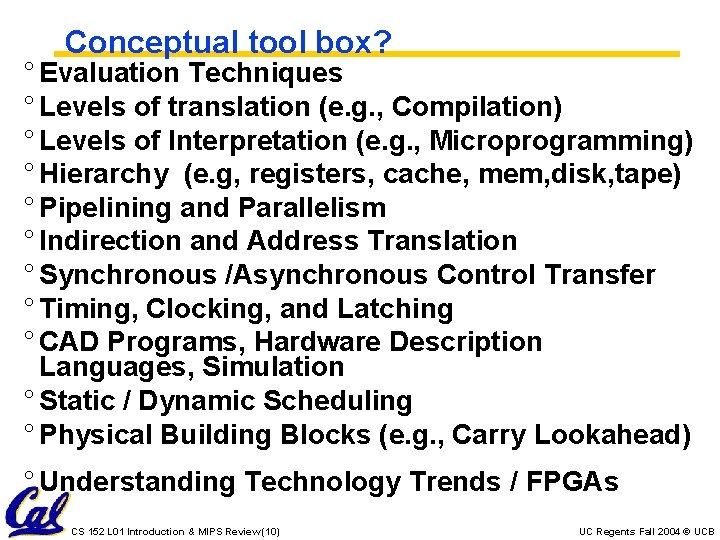
Conceptual tool box? ° Evaluation Techniques ° Levels of translation (e. g. , Compilation) ° Levels of Interpretation (e. g. , Microprogramming) ° Hierarchy (e. g, registers, cache, mem, disk, tape) ° Pipelining and Parallelism ° Indirection and Address Translation ° Synchronous /Asynchronous Control Transfer ° Timing, Clocking, and Latching ° CAD Programs, Hardware Description Languages, Simulation ° Static / Dynamic Scheduling ° Physical Building Blocks (e. g. , Carry Lookahead) ° Understanding Technology Trends / FPGAs CS 152 L 01 Introduction & MIPS Review (10) UC Regents Fall 2004 © UCB
Format: Lecture - Disc - Lecture - Lab ° Mon Labs due ° Tue Lecture ° Wed Homeworks due ° Thu Lecture ° Fri Discussion Section/Lab demo There IS discussion this week…; ° Prerequisite Quiz in 10 days (Friday in discussion section) CS 152 L 01 Introduction & MIPS Review (11) UC Regents Fall 2004 © UCB
2 Discussion Sections 1. Noon - 2 PM 85 Evans (Brandon) 2. 2 PM - 4 PM 87 Evans (Doug) 2 -hour discussion section for later in term. Early sections may end in 1 hour. Make sure that you are free for both hours however! ° Project team must be in same section! CS 152 L 01 Introduction & MIPS Review (12) UC Regents Fall 2004 © UCB
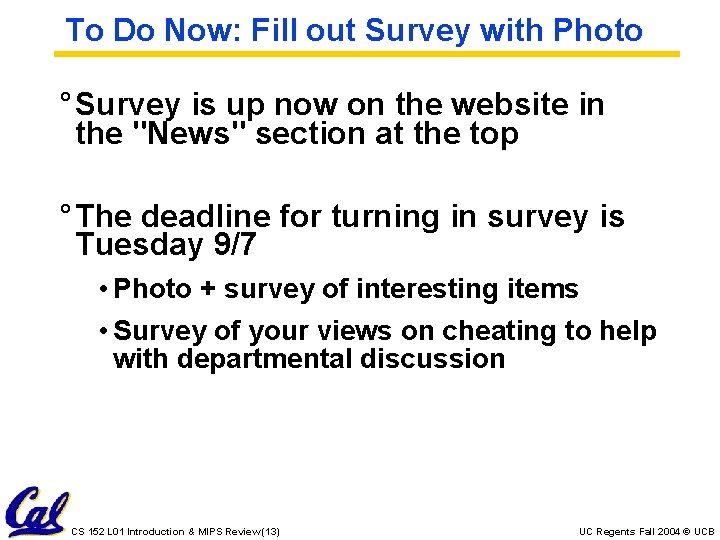
To Do Now: Fill out Survey with Photo ° Survey is up now on the website in the "News" section at the top ° The deadline for turning in survey is Tuesday 9/7 • Photo + survey of interesting items • Survey of your views on cheating to help with departmental discussion CS 152 L 01 Introduction & MIPS Review (13) UC Regents Fall 2004 © UCB
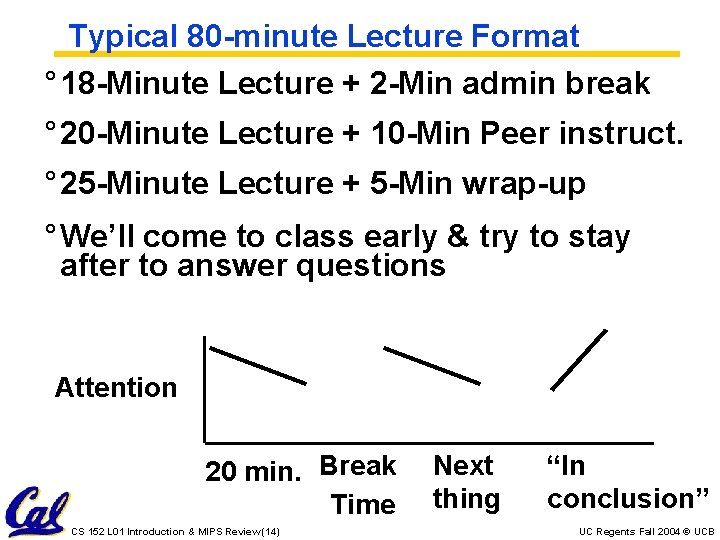
Typical 80 -minute Lecture Format ° 18 -Minute Lecture + 2 -Min admin break ° 20 -Minute Lecture + 10 -Min Peer instruct. ° 25 -Minute Lecture + 5 -Min wrap-up ° We’ll come to class early & try to stay after to answer questions Attention 20 min. Break Time CS 152 L 01 Introduction & MIPS Review (14) Next thing “In conclusion” UC Regents Fall 2004 © UCB
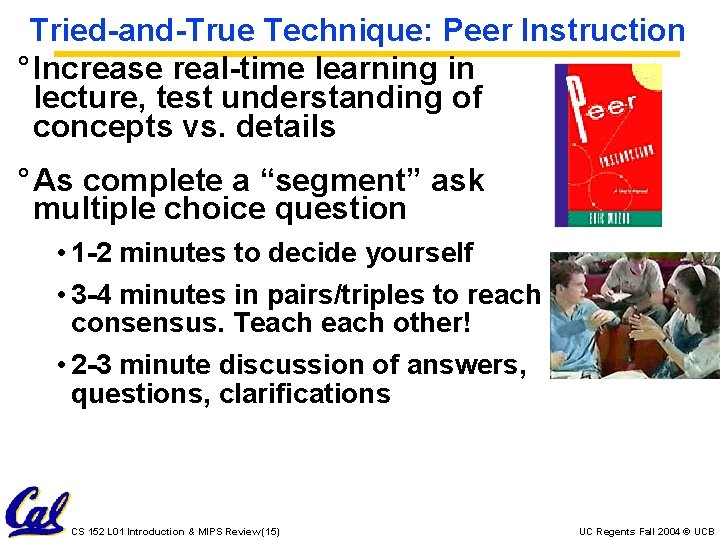
Tried-and-True Technique: Peer Instruction ° Increase real-time learning in lecture, test understanding of concepts vs. details ° As complete a “segment” ask multiple choice question • 1 -2 minutes to decide yourself • 3 -4 minutes in pairs/triples to reach consensus. Teach other! • 2 -3 minute discussion of answers, questions, clarifications CS 152 L 01 Introduction & MIPS Review (15) UC Regents Fall 2004 © UCB
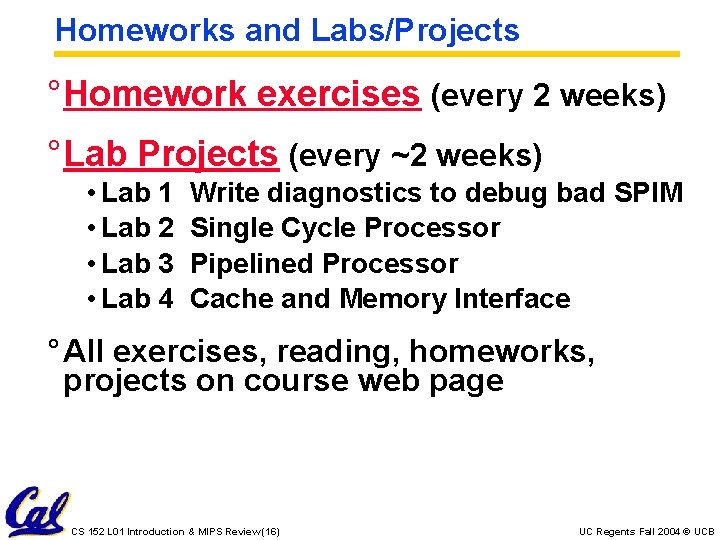
Homeworks and Labs/Projects ° Homework exercises (every 2 weeks) ° Lab Projects (every ~2 weeks) • Lab 1 • Lab 2 • Lab 3 • Lab 4 Write diagnostics to debug bad SPIM Single Cycle Processor Pipelined Processor Cache and Memory Interface ° All exercises, reading, homeworks, projects on course web page CS 152 L 01 Introduction & MIPS Review (16) UC Regents Fall 2004 © UCB
Project/Lab Summary ° Tool Flow runs on PCs in 119 and 125 Cory, but 119 Cory is primary CS 152 lab ° Get instructional UNIX/PC account now (“name account”); get in discussion ° End of semester Project finale: • Demo • Oral Presentation • Head-to-head Race • Final Report CS 152 L 01 Introduction & MIPS Review (17) UC Regents Fall 2004 © UCB
Course Exams ° Reduce the pressure of taking exams • Midterms: Tue October 12 th and Tue Nov. 23 rd in 306 Soda • 3 hrs to take 1. 5 -hr test (5: 30 -8: 30 PM) • Our goal: test knowledge vs. speed writing • Review meetings: Sunday before? • Both mid-terms can bring summary sheets ° Students/Staff meet over pizza after exam at La. Vals! • Allow us to meet you • We’ll buy! CS 152 L 01 Introduction & MIPS Review (18) UC Regents Fall 2004 © UCB
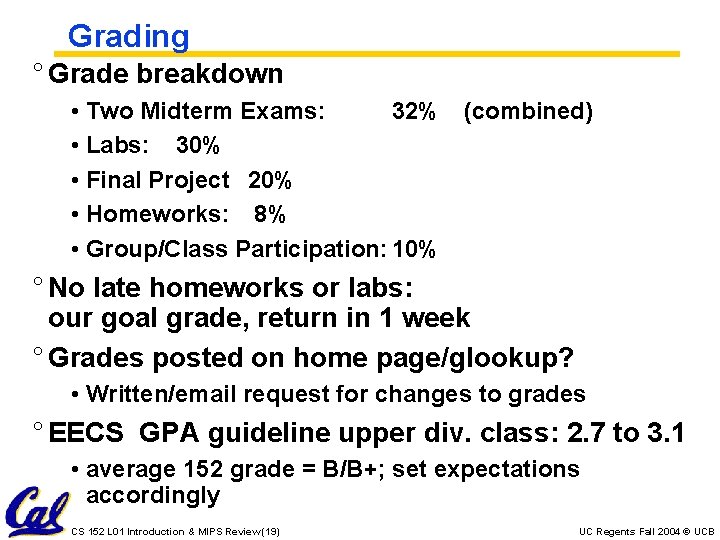
Grading ° Grade breakdown • Two Midterm Exams: 32% (combined) • Labs: 30% • Final Project 20% • Homeworks: 8% • Group/Class Participation: 10% ° No late homeworks or labs: our goal grade, return in 1 week ° Grades posted on home page/glookup? • Written/email request for changes to grades ° EECS GPA guideline upper div. class: 2. 7 to 3. 1 • average 152 grade = B/B+; set expectations accordingly CS 152 L 01 Introduction & MIPS Review (19) UC Regents Fall 2004 © UCB
Our Goals ° Show you how to understand modern computer architecture in its rapidly changing form ° Show you how to design by leading you through the process on challenging design problems and by examining real designs ° Learn how to test and to design for test ° Reduce workload from prior semesters yet more computers working for head-tohead race • Simpler homeworks • 4 labs vs. 6 labs • Simpler final project target CS 152 L 01 Introduction & MIPS Review (20) UC Regents Fall 2004 © UCB
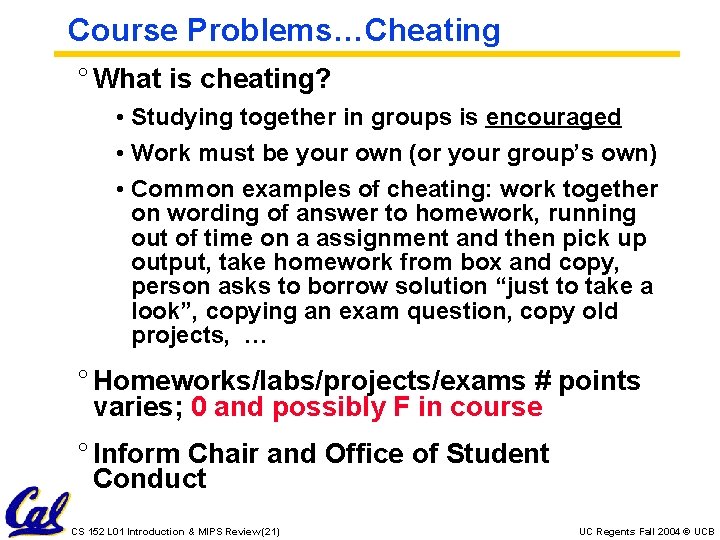
Course Problems…Cheating ° What is cheating? • Studying together in groups is encouraged • Work must be your own (or your group’s own) • Common examples of cheating: work together on wording of answer to homework, running out of time on a assignment and then pick up output, take homework from box and copy, person asks to borrow solution “just to take a look”, copying an exam question, copy old projects, … ° Homeworks/labs/projects/exams # points varies; 0 and possibly F in course ° Inform Chair and Office of Student Conduct CS 152 L 01 Introduction & MIPS Review (21) UC Regents Fall 2004 © UCB
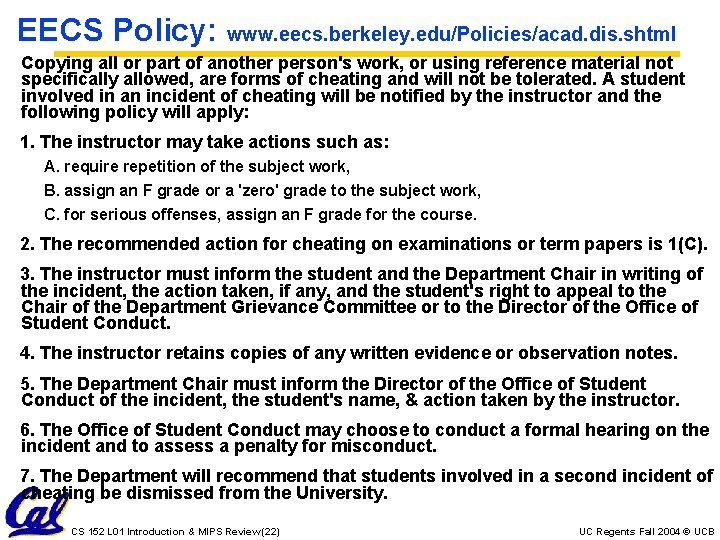
EECS Policy: www. eecs. berkeley. edu/Policies/acad. dis. shtml Copying all or part of another person's work, or using reference material not specifically allowed, are forms of cheating and will not be tolerated. A student involved in an incident of cheating will be notified by the instructor and the following policy will apply: 1. The instructor may take actions such as: A. require repetition of the subject work, B. assign an F grade or a 'zero' grade to the subject work, C. for serious offenses, assign an F grade for the course. 2. The recommended action for cheating on examinations or term papers is 1(C). 3. The instructor must inform the student and the Department Chair in writing of the incident, the action taken, if any, and the student's right to appeal to the Chair of the Department Grievance Committee or to the Director of the Office of Student Conduct. 4. The instructor retains copies of any written evidence or observation notes. 5. The Department Chair must inform the Director of the Office of Student Conduct of the incident, the student's name, & action taken by the instructor. 6. The Office of Student Conduct may choose to conduct a formal hearing on the incident and to assess a penalty for misconduct. 7. The Department will recommend that students involved in a second incident of cheating be dismissed from the University. CS 152 L 01 Introduction & MIPS Review (22) UC Regents Fall 2004 © UCB
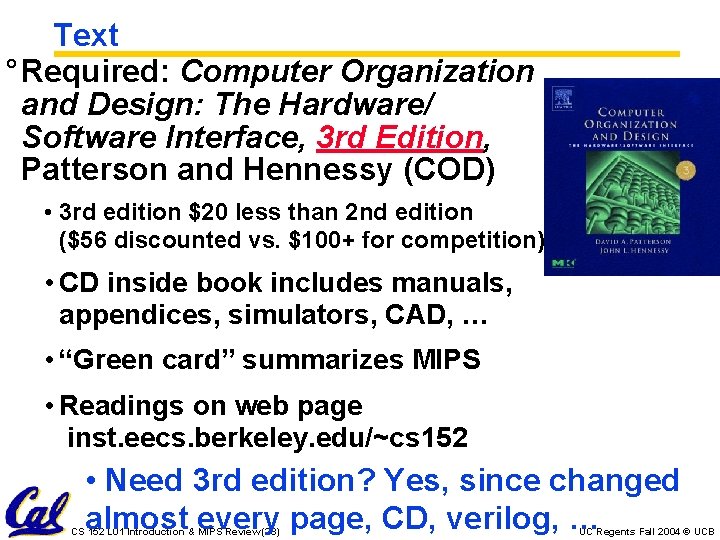
Text ° Required: Computer Organization and Design: The Hardware/ Software Interface, 3 rd Edition, Patterson and Hennessy (COD) • 3 rd edition $20 less than 2 nd edition ($56 discounted vs. $100+ for competition) • CD inside book includes manuals, appendices, simulators, CAD, … • “Green card” summarizes MIPS • Readings on web page inst. eecs. berkeley. edu/~cs 152 • Need 3 rd edition? Yes, since changed almost every page, CD, verilog, … CS 152 L 01 Introduction & MIPS Review (23) UC Regents Fall 2004 © UCB
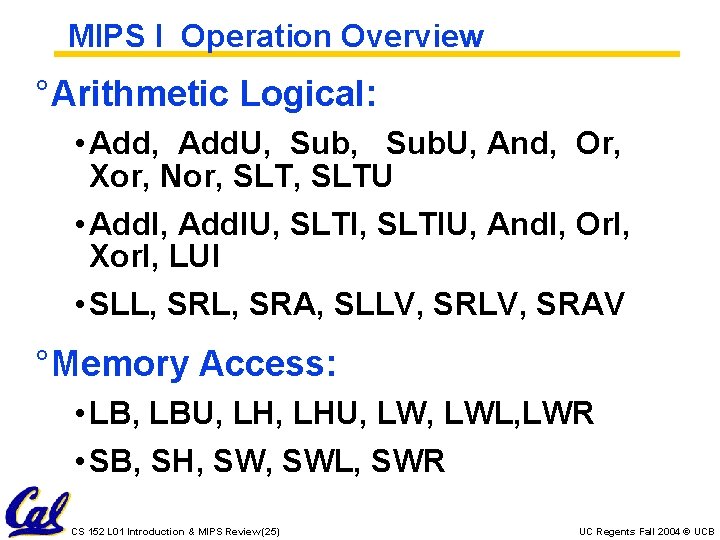
MIPS I Instruction set CS 152 L 01 Introduction & MIPS Review (24) UC Regents Fall 2004 © UCB
MIPS I Operation Overview ° Arithmetic Logical: • Add, Add. U, Sub. U, And, Or, Xor, Nor, SLTU • Add. I, Add. IU, SLTIU, And. I, Or. I, Xor. I, LUI • SLL, SRA, SLLV, SRAV ° Memory Access: • LB, LBU, LHU, LWL, LWR • SB, SH, SWL, SWR CS 152 L 01 Introduction & MIPS Review (25) UC Regents Fall 2004 © UCB
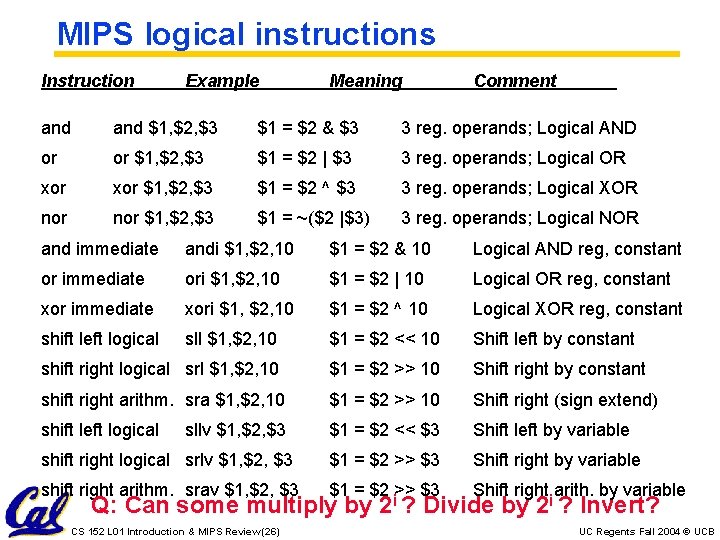
MIPS logical instructions Instruction Example Meaning Comment and $1, $2, $3 $1 = $2 & $3 3 reg. operands; Logical AND or or $1, $2, $3 $1 = $2 | $3 3 reg. operands; Logical OR xor $1, $2, $3 $1 = $2 ^ $3 3 reg. operands; Logical XOR nor $1, $2, $3 $1 = ~($2 |$3) 3 reg. operands; Logical NOR and immediate andi $1, $2, 10 $1 = $2 & 10 Logical AND reg, constant or immediate ori $1, $2, 10 $1 = $2 | 10 Logical OR reg, constant xor immediate xori $1, $2, 10 $1 = $2 ^ 10 Logical XOR reg, constant shift left logical sll $1, $2, 10 $1 = $2 << 10 Shift left by constant shift right logical srl $1, $2, 10 $1 = $2 >> 10 Shift right by constant shift right arithm. sra $1, $2, 10 $1 = $2 >> 10 Shift right (sign extend) shift left logical $1 = $2 << $3 Shift left by variable shift right logical srlv $1, $2, $3 $1 = $2 >> $3 Shift right by variable shift right arithm. srav $1, $2, $3 $1 = $2 >> $3 Shift right arith. by variable sllv $1, $2, $3 Q: Can some multiply by CS 152 L 01 Introduction & MIPS Review (26) 2 i ? Divide by 2 i ? Invert? UC Regents Fall 2004 © UCB
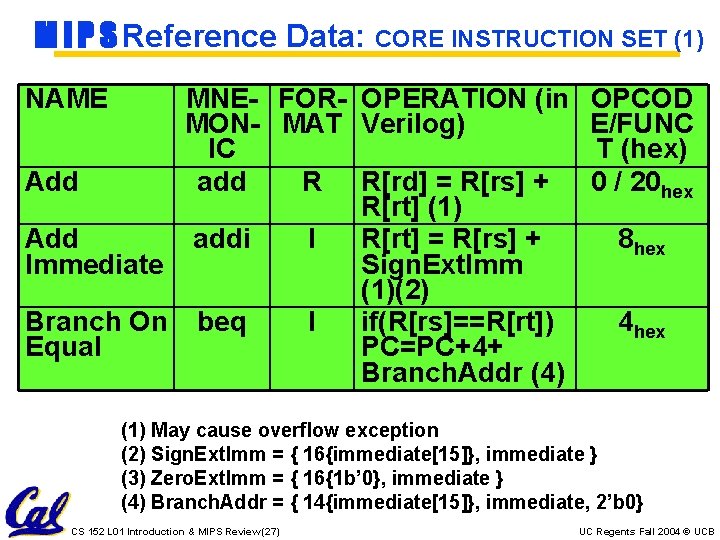
M I P S Reference Data: CORE INSTRUCTION SET (1) NAME MNE- FOR- OPERATION (in MON- MAT Verilog) IC Add add R R[rd] = R[rs] + R[rt] (1) Add addi I R[rt] = R[rs] + Immediate Sign. Ext. Imm (1)(2) Branch On beq I if(R[rs]==R[rt]) Equal PC=PC+4+ Branch. Addr (4) OPCOD E/FUNC T (hex) 0 / 20 hex 8 hex 4 hex (1) May cause overflow exception (2) Sign. Ext. Imm = { 16{immediate[15]}, immediate } (3) Zero. Ext. Imm = { 16{1 b’ 0}, immediate } (4) Branch. Addr = { 14{immediate[15]}, immediate, 2’b 0} CS 152 L 01 Introduction & MIPS Review (27) UC Regents Fall 2004 © UCB
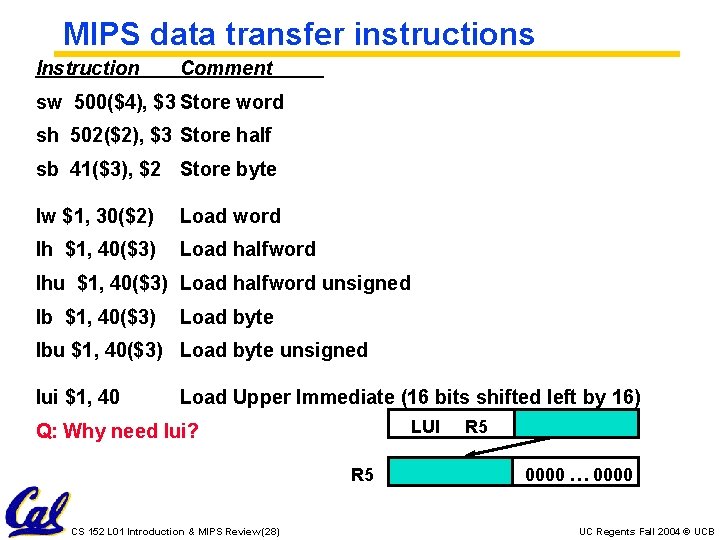
MIPS data transfer instructions Instruction Comment sw 500($4), $3 Store word sh 502($2), $3 Store half sb 41($3), $2 Store byte lw $1, 30($2) Load word lh $1, 40($3) Load halfword lhu $1, 40($3) Load halfword unsigned lb $1, 40($3) Load byte lbu $1, 40($3) Load byte unsigned lui $1, 40 Load Upper Immediate (16 bits shifted left by 16) LUI Q: Why need lui? R 5 CS 152 L 01 Introduction & MIPS Review (28) R 5 0000 … 0000 UC Regents Fall 2004 © UCB
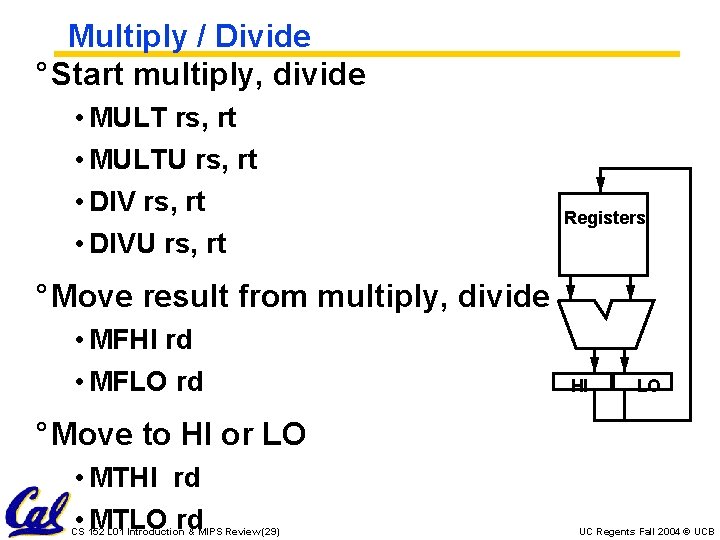
Multiply / Divide ° Start multiply, divide • MULT rs, rt • MULTU rs, rt • DIVU rs, rt Registers ° Move result from multiply, divide • MFHI rd • MFLO rd HI LO ° Move to HI or LO • MTHI rd • MTLO rd CS 152 L 01 Introduction & MIPS Review (29) UC Regents Fall 2004 © UCB
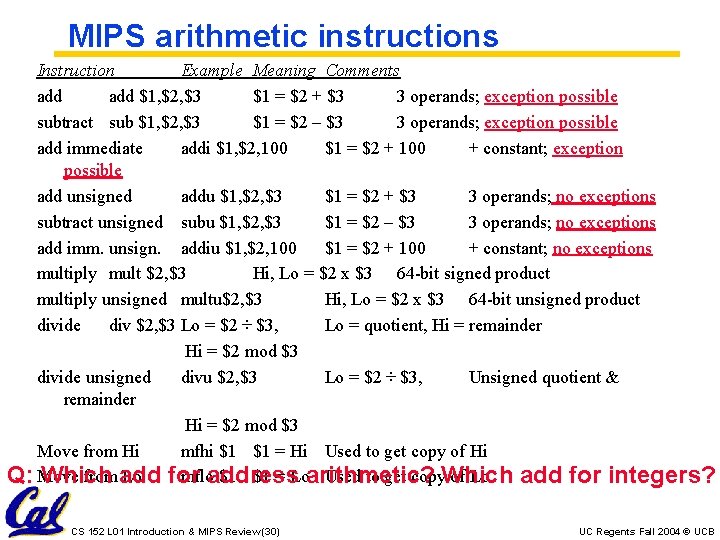
MIPS arithmetic instructions Instruction Example Meaning Comments add $1, $2, $3 $1 = $2 + $3 3 operands; exception possible subtract sub $1, $2, $3 $1 = $2 – $3 3 operands; exception possible add immediate addi $1, $2, 100 $1 = $2 + 100 + constant; exception possible add unsigned addu $1, $2, $3 $1 = $2 + $3 3 operands; no exceptions subtract unsigned subu $1, $2, $3 $1 = $2 – $3 3 operands; no exceptions add imm. unsign. addiu $1, $2, 100 $1 = $2 + 100 + constant; no exceptions multiply mult $2, $3 Hi, Lo = $2 x $3 64 -bit signed product multiply unsigned multu$2, $3 Hi, Lo = $2 x $3 64 -bit unsigned product divide div $2, $3 Lo = $2 ÷ $3, Lo = quotient, Hi = remainder Hi = $2 mod $3 divide unsigned divu $2, $3 Lo = $2 ÷ $3, Unsigned quotient & remainder Hi = $2 mod $3 Move from Hi mfhi $1 $1 = Hi Used to get copy of Hi from add Lo for mfloaddress $1 $1 = Loarithmetic? Used to get copy. Which of Lo Q: Move Which add for integers? CS 152 L 01 Introduction & MIPS Review (30) UC Regents Fall 2004 © UCB
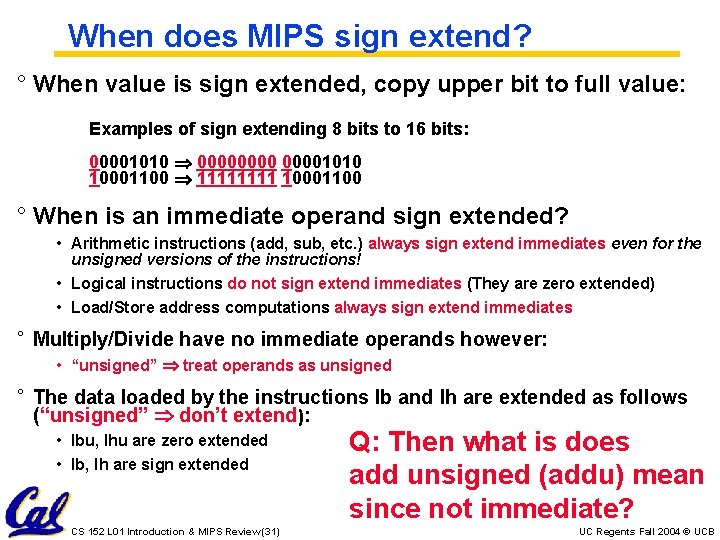
When does MIPS sign extend? ° When value is sign extended, copy upper bit to full value: Examples of sign extending 8 bits to 16 bits: 00001010 00001010 10001100 1111 10001100 ° When is an immediate operand sign extended? • Arithmetic instructions (add, sub, etc. ) always sign extend immediates even for the unsigned versions of the instructions! • Logical instructions do not sign extend immediates (They are zero extended) • Load/Store address computations always sign extend immediates ° Multiply/Divide have no immediate operands however: • “unsigned” treat operands as unsigned ° The data loaded by the instructions lb and lh are extended as follows (“unsigned” don’t extend): • lbu, lhu are zero extended • lb, lh are sign extended CS 152 L 01 Introduction & MIPS Review (31) Q: Then what is does add unsigned (addu) mean since not immediate? UC Regents Fall 2004 © UCB
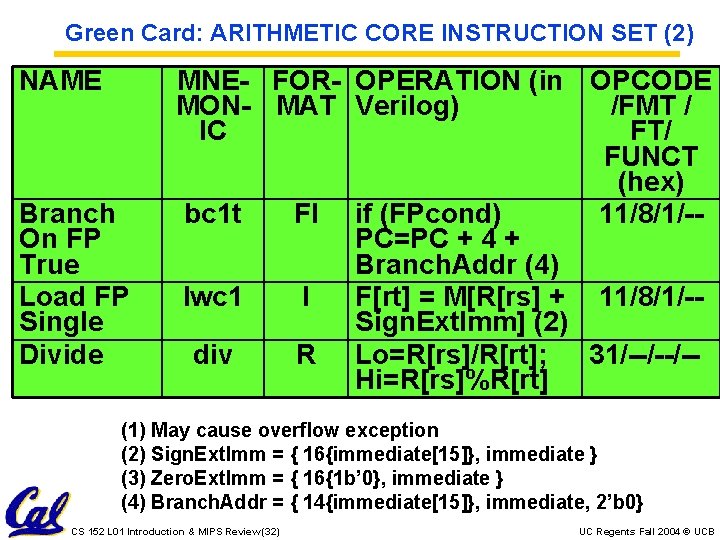
Green Card: ARITHMETIC CORE INSTRUCTION SET (2) NAME Branch On FP True Load FP Single Divide MNE- FOR- OPERATION (in OPCODE MON- MAT Verilog) /FMT / IC FT/ FUNCT (hex) bc 1 t FI if (FPcond) 11/8/1/-PC=PC + 4 + Branch. Addr (4) lwc 1 I F[rt] = M[R[rs] + 11/8/1/-Sign. Ext. Imm] (2) div R Lo=R[rs]/R[rt]; 31/--/--/-Hi=R[rs]%R[rt] (1) May cause overflow exception (2) Sign. Ext. Imm = { 16{immediate[15]}, immediate } (3) Zero. Ext. Imm = { 16{1 b’ 0}, immediate } (4) Branch. Addr = { 14{immediate[15]}, immediate, 2’b 0} CS 152 L 01 Introduction & MIPS Review (32) UC Regents Fall 2004 © UCB
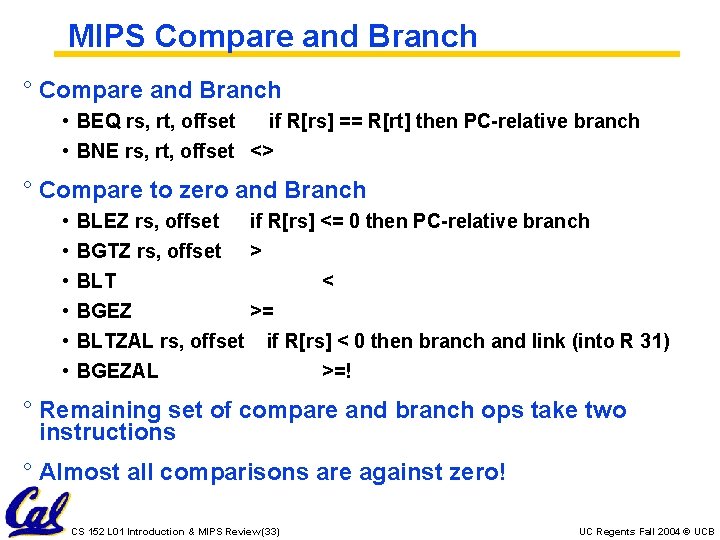
MIPS Compare and Branch ° Compare and Branch • BEQ rs, rt, offset if R[rs] == R[rt] then PC-relative branch • BNE rs, rt, offset <> ° Compare to zero and Branch • • • BLEZ rs, offset if R[rs] <= 0 then PC-relative branch BGTZ rs, offset > BLT < BGEZ >= BLTZAL rs, offset if R[rs] < 0 then branch and link (into R 31) BGEZAL >=! ° Remaining set of compare and branch ops take two instructions ° Almost all comparisons are against zero! CS 152 L 01 Introduction & MIPS Review (33) UC Regents Fall 2004 © UCB
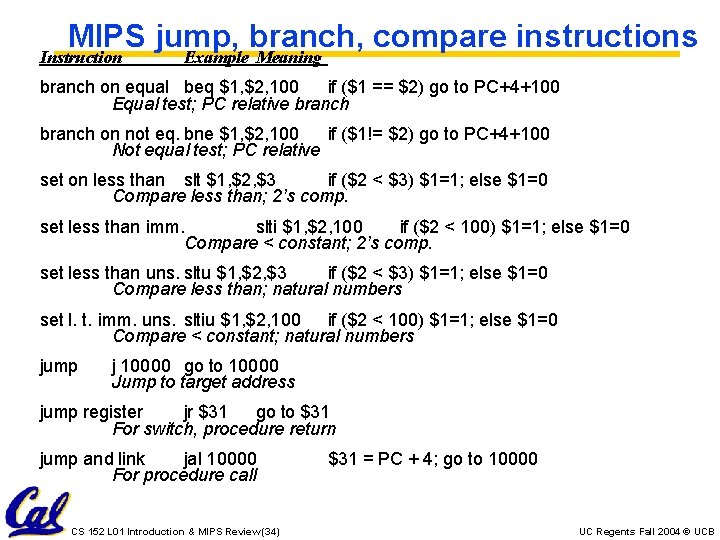
MIPS jump, branch, compare instructions Instruction Example Meaning branch on equal beq $1, $2, 100 if ($1 == $2) go to PC+4+100 Equal test; PC relative branch on not eq. bne $1, $2, 100 if ($1!= $2) go to PC+4+100 Not equal test; PC relative set on less than slt $1, $2, $3 if ($2 < $3) $1=1; else $1=0 Compare less than; 2’s comp. set less than imm. slti $1, $2, 100 if ($2 < 100) $1=1; else $1=0 Compare < constant; 2’s comp. set less than uns. sltu $1, $2, $3 if ($2 < $3) $1=1; else $1=0 Compare less than; natural numbers set l. t. imm. uns. sltiu $1, $2, 100 if ($2 < 100) $1=1; else $1=0 Compare < constant; natural numbers jump j 10000 go to 10000 Jump to target address jump register jr $31 go to $31 For switch, procedure return jump and link jal 10000 For procedure call CS 152 L 01 Introduction & MIPS Review (34) $31 = PC + 4; go to 10000 UC Regents Fall 2004 © UCB
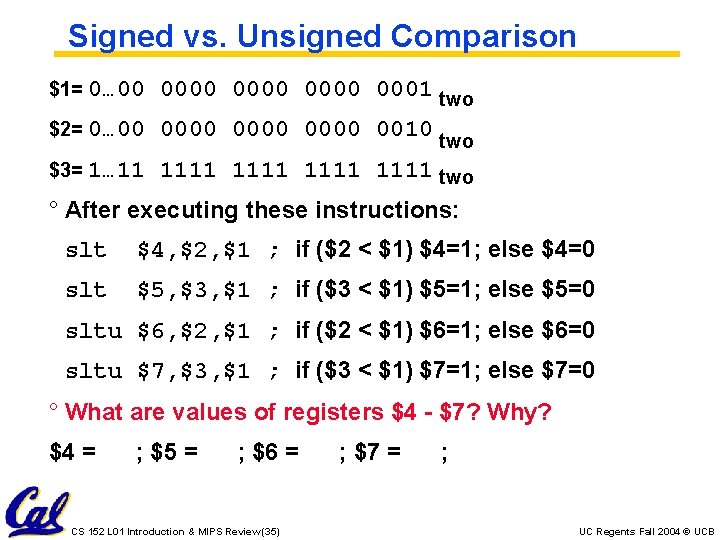
Signed vs. Unsigned Comparison $1= 0… 00 0000 0001 two $2= 0… 00 0000 0010 two $3= 1… 11 1111 two ° After executing these instructions: slt $4, $2, $1 ; if ($2 < $1) $4=1; else $4=0 slt $5, $3, $1 ; if ($3 < $1) $5=1; else $5=0 sltu $6, $2, $1 ; if ($2 < $1) $6=1; else $6=0 sltu $7, $3, $1 ; if ($3 < $1) $7=1; else $7=0 ° What are values of registers $4 - $7? Why? $4 = ; $5 = ; $6 = CS 152 L 01 Introduction & MIPS Review (35) ; $7 = ; UC Regents Fall 2004 © UCB
MIPS assembler register convention ° “caller saved” ° “callee saved” ° On Green Card in Column #2 at bottom CS 152 L 01 Introduction & MIPS Review (37) UC Regents Fall 2004 © UCB
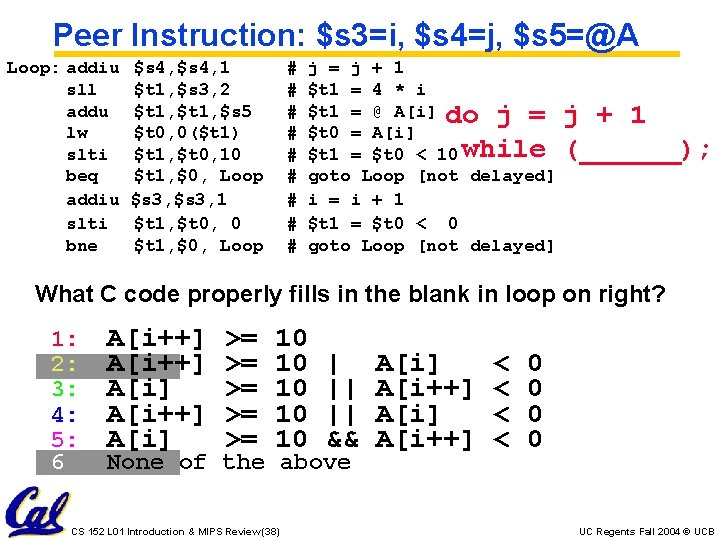
Peer Instruction: $s 3=i, $s 4=j, $s 5=@A Loop: addiu sll addu lw slti beq addiu slti bne $s 4, 1 $t 1, $s 3, 2 $t 1, $s 5 $t 0, 0($t 1) $t 1, $t 0, 10 $t 1, $0, Loop $s 3, 1 $t 1, $t 0, 0 $t 1, $0, Loop # # # # # j = j + 1 $t 1 = 4 * i $t 1 = @ A[i] do j = $t 0 = A[i] $t 1 = $t 0 < 10 while goto Loop [not delayed] i = i + 1 $t 1 = $t 0 < 0 goto Loop [not delayed] j + 1 (______); What C code properly fills in the blank in loop on right? 1: 2: 3: 4: 5: 6 A[i++] A[i] >= >= >= 10 10 10 | || || && None of the above CS 152 L 01 Introduction & MIPS Review (38) A[i] A[i++] < < 0 0 UC Regents Fall 2004 © UCB
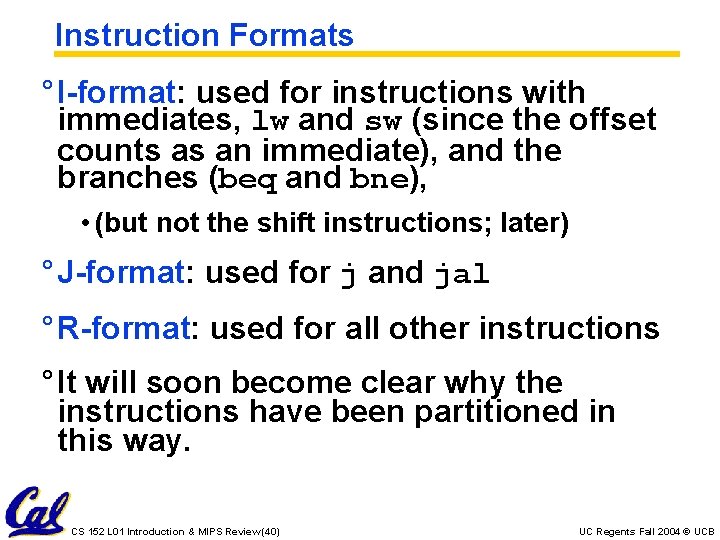
Instruction Formats ° I-format: used for instructions with immediates, lw and sw (since the offset counts as an immediate), and the branches (beq and bne), • (but not the shift instructions; later) ° J-format: used for j and jal ° R-format: used for all other instructions ° It will soon become clear why the instructions have been partitioned in this way. CS 152 L 01 Introduction & MIPS Review (40) UC Regents Fall 2004 © UCB
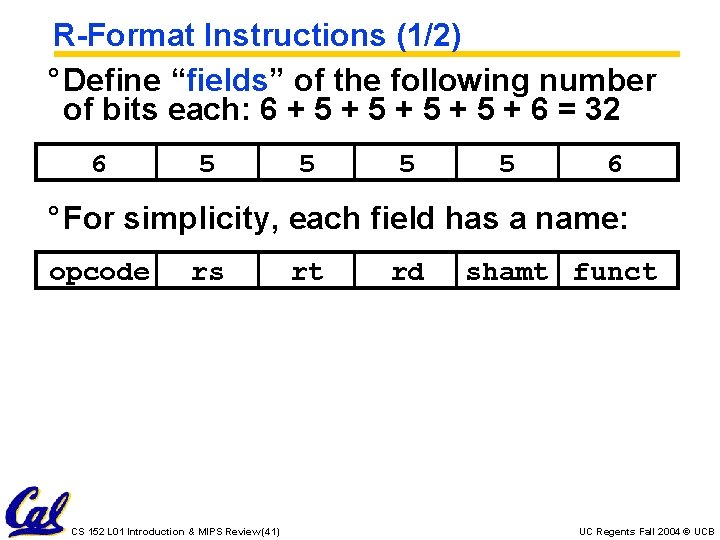
R-Format Instructions (1/2) ° Define “fields” of the following number of bits each: 6 + 5 + 5 + 6 = 32 6 5 5 6 ° For simplicity, each field has a name: opcode rs CS 152 L 01 Introduction & MIPS Review (41) rt rd shamt funct UC Regents Fall 2004 © UCB
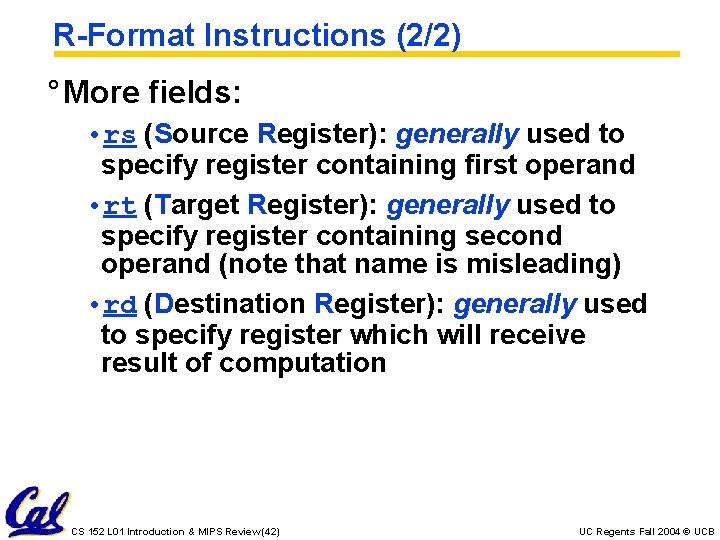
R-Format Instructions (2/2) ° More fields: • rs (Source Register): generally used to specify register containing first operand • rt (Target Register): generally used to specify register containing second operand (note that name is misleading) • rd (Destination Register): generally used to specify register which will receive result of computation CS 152 L 01 Introduction & MIPS Review (42) UC Regents Fall 2004 © UCB
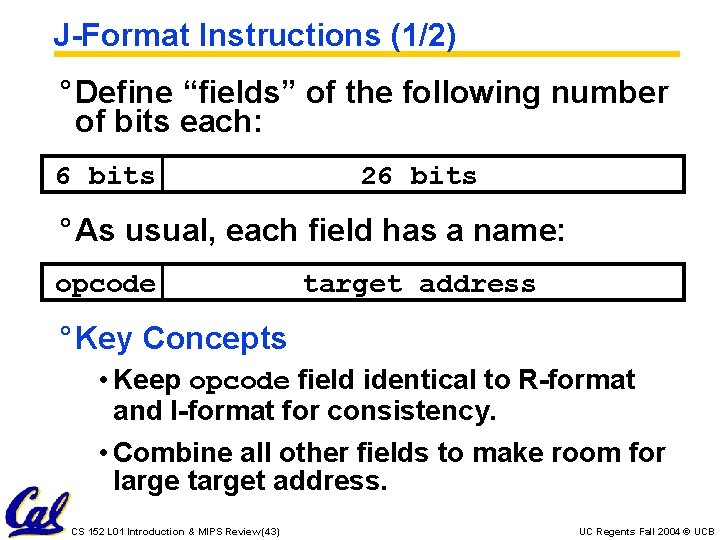
J-Format Instructions (1/2) ° Define “fields” of the following number of bits each: 6 bits 26 bits ° As usual, each field has a name: opcode target address ° Key Concepts • Keep opcode field identical to R-format and I-format for consistency. • Combine all other fields to make room for large target address. CS 152 L 01 Introduction & MIPS Review (43) UC Regents Fall 2004 © UCB
J-Format Instructions (2/2) ° Summary: • New PC = { PC[31. . 28], target address, 00 } ° Understand where each part came from! ° Note: In Verilog, { , , } means concatenation { 4 bits , 26 bits , 2 bits } = 32 bit address • { 1010, 1111111111111, 00 } = 1010111111111111100 • We use Verilog in this class CS 152 L 01 Introduction & MIPS Review (44) UC Regents Fall 2004 © UCB
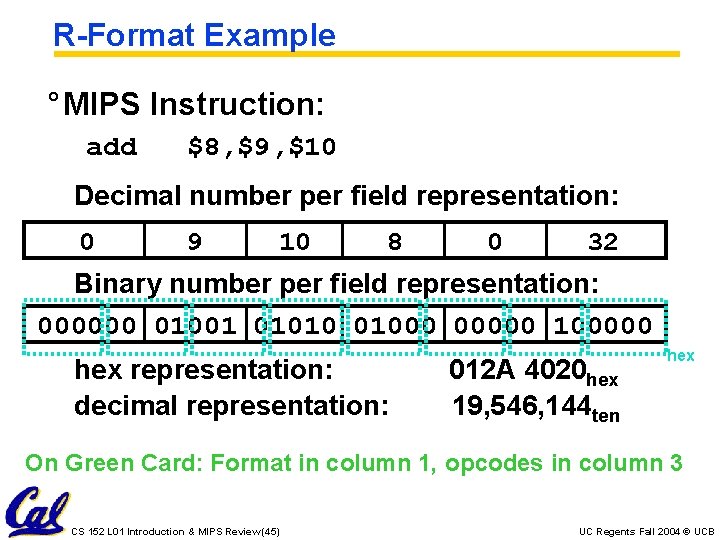
R-Format Example ° MIPS Instruction: add $8, $9, $10 Decimal number per field representation: 0 9 10 8 0 32 Binary number per field representation: 000000 01001 01010 01000 00000 100000 hex representation: decimal representation: 012 A 4020 hex 19, 546, 144 ten hex On Green Card: Format in column 1, opcodes in column 3 CS 152 L 01 Introduction & MIPS Review (45) UC Regents Fall 2004 © UCB
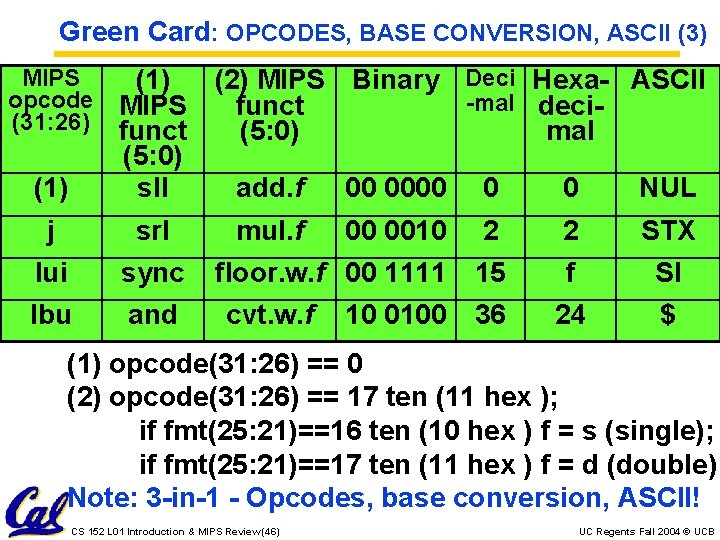
Green Card: OPCODES, BASE CONVERSION, ASCII (3) MIPS opcode (31: 26) (1) (2) MIPS Binary Deci Hexa- ASCII -mal deci. MIPS funct (5: 0) mal (5: 0) sll add. f 00 0000 0 0 NUL j srl lui sync lbu and mul. f 00 0010 2 2 STX floor. w. f 00 1111 15 f SI 36 24 $ cvt. w. f 10 0100 (1) opcode(31: 26) == 0 (2) opcode(31: 26) == 17 ten (11 hex ); if fmt(25: 21)==16 ten (10 hex ) f = s (single); if fmt(25: 21)==17 ten (11 hex ) f = d (double) Note: 3 -in-1 - Opcodes, base conversion, ASCII! CS 152 L 01 Introduction & MIPS Review (46) UC Regents Fall 2004 © UCB
Green Card ° green card /n. / [after the "IBM System/360 Reference Data" card] A summary of an assembly language, even if the color is not green. For example, "I'll go get my green card so I can check the addressing mode for that instruction. " www. jargon. net Image from Dave's Green Card Collection: http: //www. planetmvs. com/greencard/ CS 152 L 01 Introduction & MIPS Review (47) UC Regents Fall 2004 © UCB
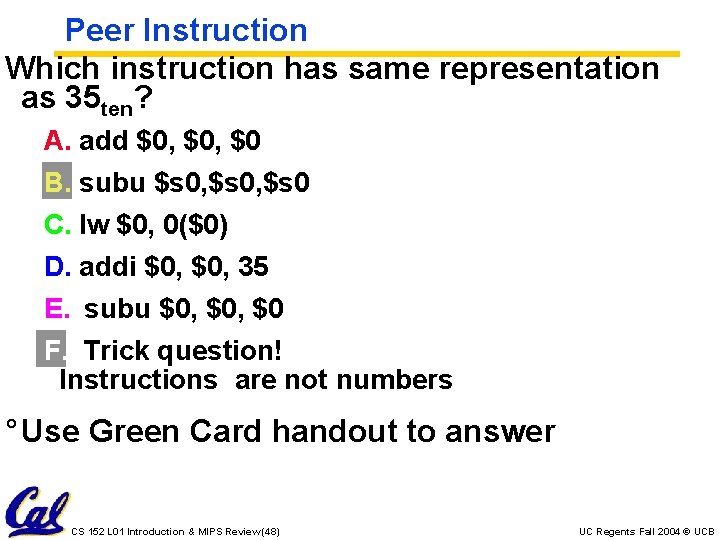
Peer Instruction Which instruction has same representation as 35 ten? A. add $0, $0 B. subu $s 0, $s 0 C. lw $0, 0($0) D. addi $0, 35 E. subu $0, $0 F. Trick question! Instructions are not numbers ° Use Green Card handout to answer CS 152 L 01 Introduction & MIPS Review (48) UC Regents Fall 2004 © UCB
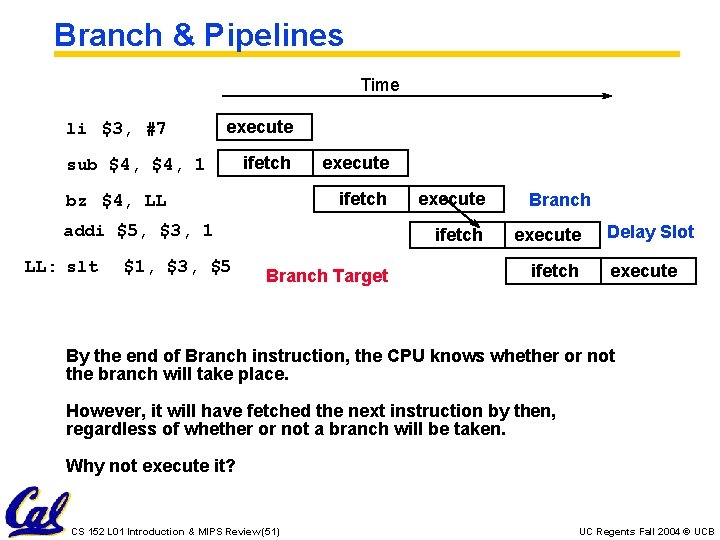
Branch & Pipelines Time li $3, #7 execute sub $4, 1 ifetch execute ifetch bz $4, LL addi $5, $3, 1 LL: slt $1, $3, $5 execute ifetch Branch Target Branch execute ifetch Delay Slot execute By the end of Branch instruction, the CPU knows whether or not the branch will take place. However, it will have fetched the next instruction by then, regardless of whether or not a branch will be taken. Why not execute it? CS 152 L 01 Introduction & MIPS Review (51) UC Regents Fall 2004 © UCB
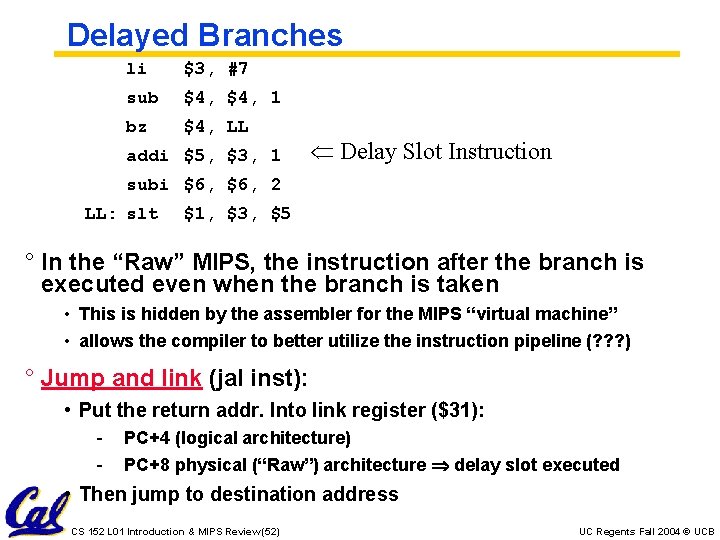
Delayed Branches li $3, #7 sub $4, 1 bz $4, LL addi $5, $3, 1 Delay Slot Instruction subi $6, 2 LL: slt $1, $3, $5 ° In the “Raw” MIPS, the instruction after the branch is executed even when the branch is taken • This is hidden by the assembler for the MIPS “virtual machine” • allows the compiler to better utilize the instruction pipeline (? ? ? ) ° Jump and link (jal inst): • Put the return addr. Into link register ($31): - PC+4 (logical architecture) PC+8 physical (“Raw”) architecture delay slot executed • Then jump to destination address CS 152 L 01 Introduction & MIPS Review (52) UC Regents Fall 2004 © UCB
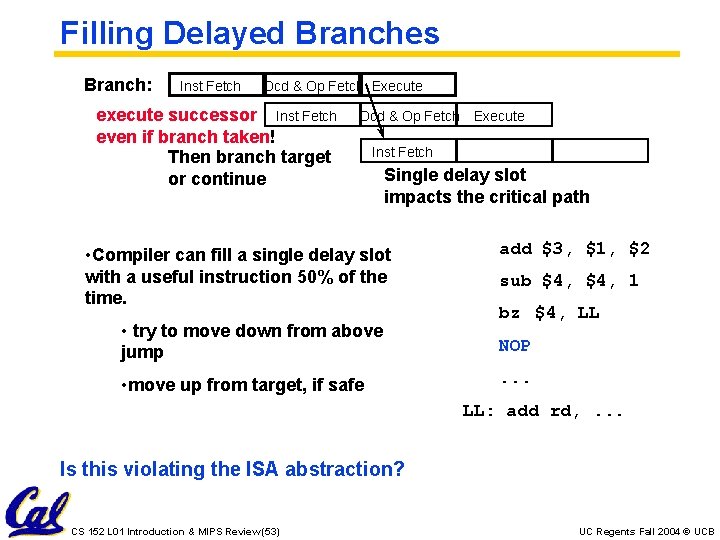
Filling Delayed Branches Branch: Inst Fetch Dcd & Op Fetch Execute execute successor Inst Fetch even if branch taken! Then branch target or continue Dcd & Op Fetch Execute Inst Fetch Single delay slot impacts the critical path • Compiler can fill a single delay slot with a useful instruction 50% of the time. • try to move down from above jump • move up from target, if safe add $3, $1, $2 sub $4, 1 bz $4, LL NOP. . . LL: add rd, . . . Is this violating the ISA abstraction? CS 152 L 01 Introduction & MIPS Review (53) UC Regents Fall 2004 © UCB
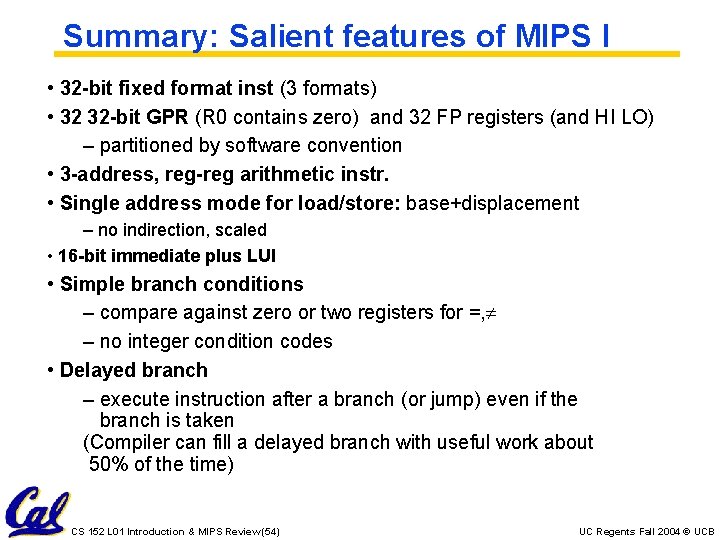
Summary: Salient features of MIPS I • 32 -bit fixed format inst (3 formats) • 32 32 -bit GPR (R 0 contains zero) and 32 FP registers (and HI LO) – partitioned by software convention • 3 -address, reg-reg arithmetic instr. • Single address mode for load/store: base+displacement – no indirection, scaled • 16 -bit immediate plus LUI • Simple branch conditions – compare against zero or two registers for =, – no integer condition codes • Delayed branch – execute instruction after a branch (or jump) even if the branch is taken (Compiler can fill a delayed branch with useful work about 50% of the time) CS 152 L 01 Introduction & MIPS Review (54) UC Regents Fall 2004 © UCB
TAs ° Douglas Densmore ° Ted Hong ° Brandon Ooi CS 152 L 01 Introduction & MIPS Review (55) UC Regents Fall 2004 © UCB
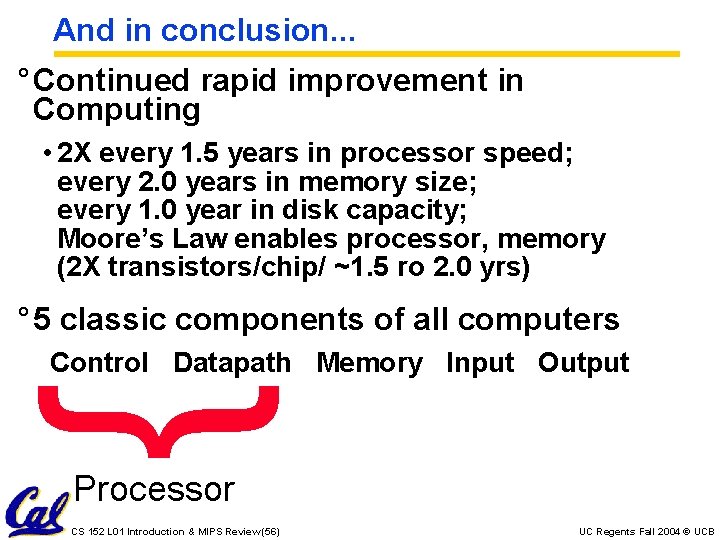
And in conclusion. . . ° Continued rapid improvement in Computing • 2 X every 1. 5 years in processor speed; every 2. 0 years in memory size; every 1. 0 year in disk capacity; Moore’s Law enables processor, memory (2 X transistors/chip/ ~1. 5 ro 2. 0 yrs) ° 5 classic components of all computers Control Datapath Memory Input Output } Processor CS 152 L 01 Introduction & MIPS Review (56) UC Regents Fall 2004 © UCB