
CS 1201 Programming Language 2 Structure Data Types

![Program Output with Example Input Enter the employee's number: 489 [Enter] Enter the employee's](https://slidetodoc.com/presentation_image_h2/b4a66cc8e6ef9e7f11a7cd40e4b1b578/image-13.jpg "Program Output with Example Input Enter the employee's number: 489 [Enter] Enter the employee's")
![Program Output with Example Input Enter your first name: Josephine [Enter] Enter your middle](https://slidetodoc.com/presentation_image_h2/b4a66cc8e6ef9e7f11a7cd40e4b1b578/image-20.jpg "Program Output with Example Input Enter your first name: Josephine [Enter] Enter your middle")
- Slides: 22
CS 1201: Programming Language 2 Structure
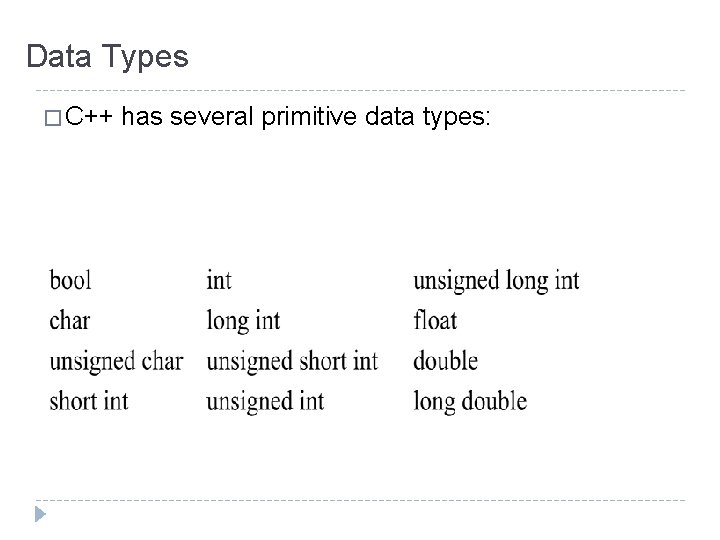
Data Types � C++ has several primitive data types:
Abstract data types (ADTs) � ADT: � Are data types created by the programmer. ADTs have their own range (or domain) of data and their own set of operations that may be performed on them. � The programmer decides what values are acceptable for the data type � The programmer decides what operations may be performed on the data type
�C++ allows you to group several variables together into a single item known as a structure.
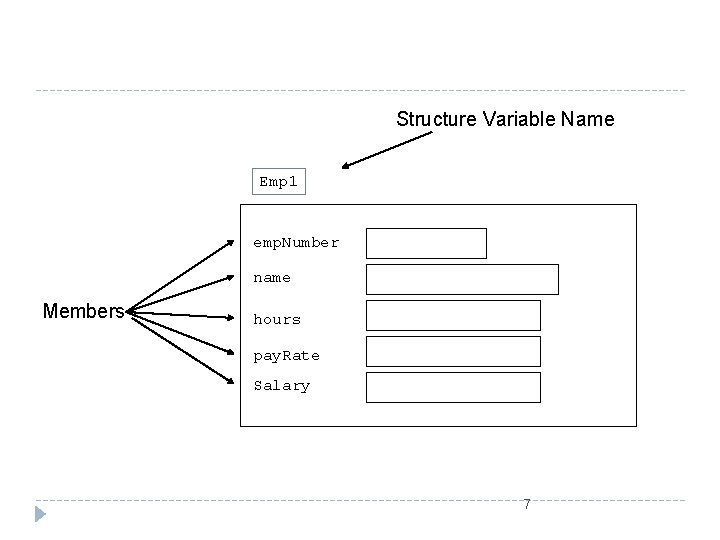
Structure �A data structure is a group of data elements joined together under one name. � These data elements, known as members, can have different types and different lengths.
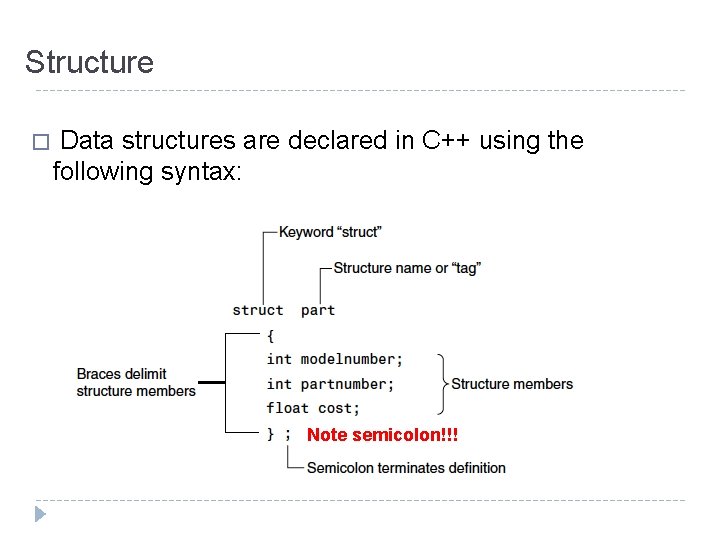
Structure � Data structures are declared in C++ using the following syntax: Note semicolon!!!
Structure Variable Name Emp 1 emp. Number name Members hours pay. Rate Salary 7
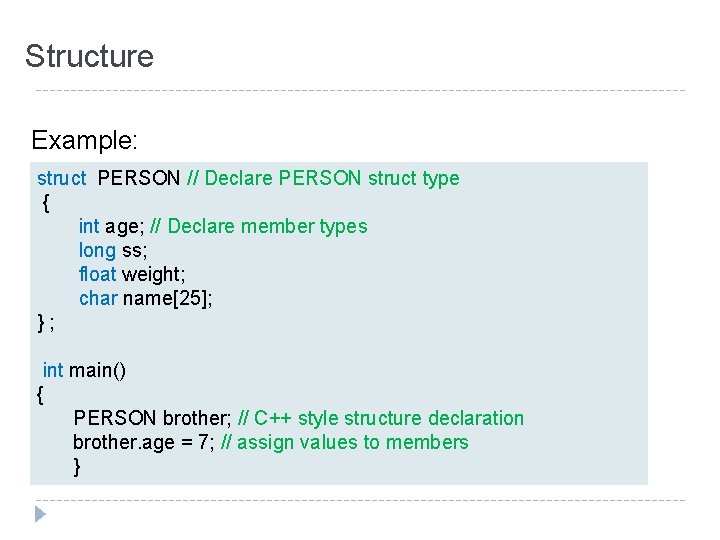
Structure Example: struct PERSON // Declare PERSON struct type { int age; // Declare member types long ss; float weight; char name[25]; }; int main() { PERSON brother; // C++ style structure declaration brother. age = 7; // assign values to members }
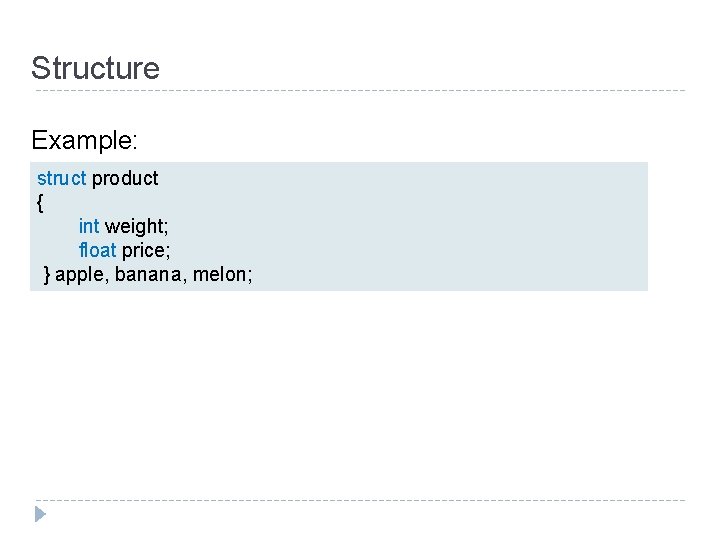
Structure Example: struct product { int weight; float price; } apple, banana, melon;
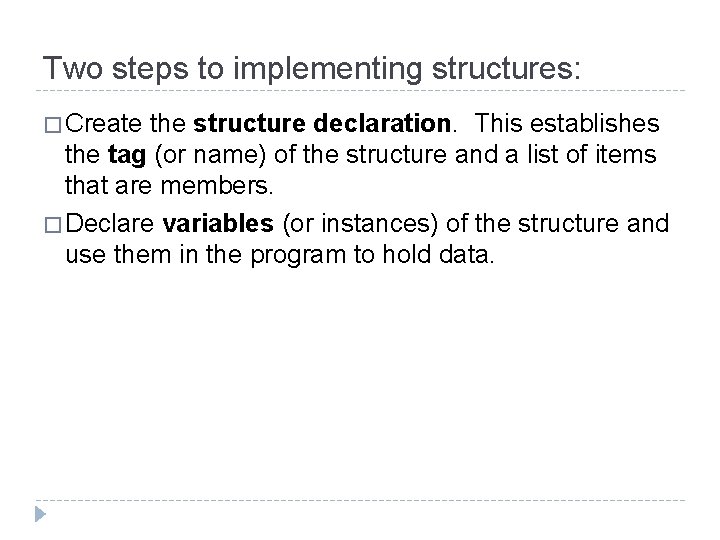
Two steps to implementing structures: � Create the structure declaration. This establishes the tag (or name) of the structure and a list of items that are members. � Declare variables (or instances) of the structure and use them in the program to hold data.
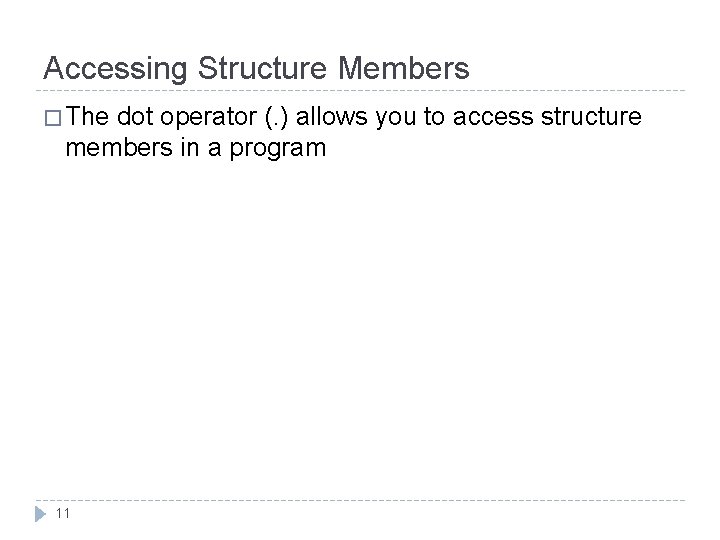
Accessing Structure Members � The dot operator (. ) allows you to access structure members in a program 11
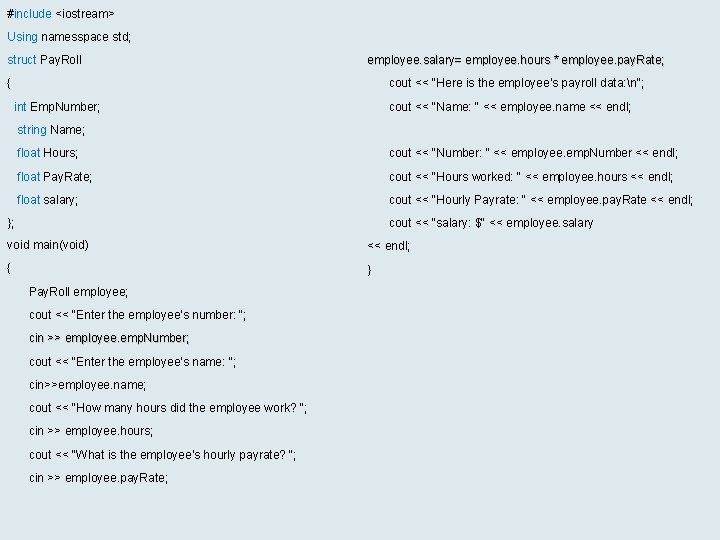
#include <iostream> Using namesspace std; struct Pay. Roll employee. salary= employee. hours * employee. pay. Rate; { cout << "Here is the employee's payroll data: n"; int Emp. Number; cout << "Name: " << employee. name << endl; string Name; float Hours; cout << "Number: " << employee. emp. Number << endl; float Pay. Rate; cout << "Hours worked: " << employee. hours << endl; float salary; cout << "Hourly Payrate: " << employee. pay. Rate << endl; }; cout << “salary: $" << employee. salary void main(void) << endl; { } Pay. Roll employee; cout << "Enter the employee's number: "; cin >> employee. emp. Number; cout << "Enter the employee's name: "; cin>>employee. name; cout << "How many hours did the employee work? "; cin >> employee. hours; cout << "What is the employee's hourly payrate? "; cin >> employee. pay. Rate; 12
Program Output with Example Input Enter the employee's number: 489 [Enter] Enter the employee's name: Jill Smith [Enter] How many hours did the employee work? 40 [Enter] What is the employee's hourly payrate? 20 [Enter] Here is the employee's payroll data: Name: Jill Smith Number: 489 Hours worked: 40 Hourly Payrate: 20 salary: $800. 00 13
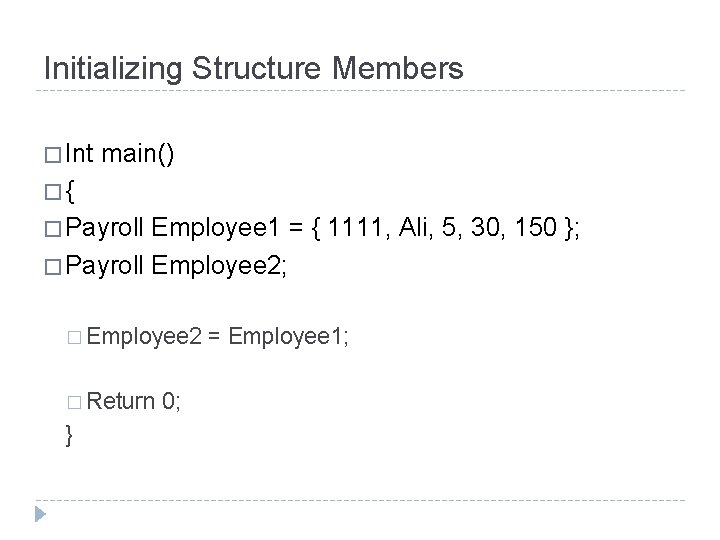
Initializing Structure Members � Int main() �{ � Payroll Employee 1 = { 1111, Ali, 5, 30, 150 }; � Payroll Employee 2; � Employee 2 � Return } 0; = Employee 1;
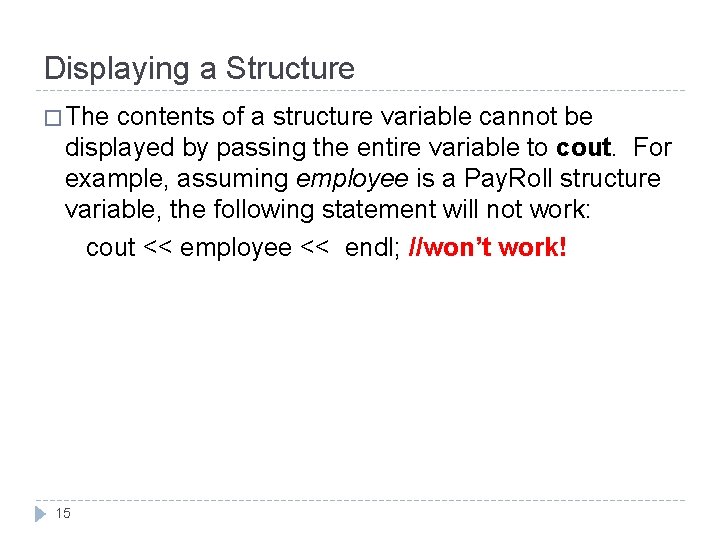
Displaying a Structure � The contents of a structure variable cannot be displayed by passing the entire variable to cout. For example, assuming employee is a Pay. Roll structure variable, the following statement will not work: cout << employee << endl; //won’t work! 15
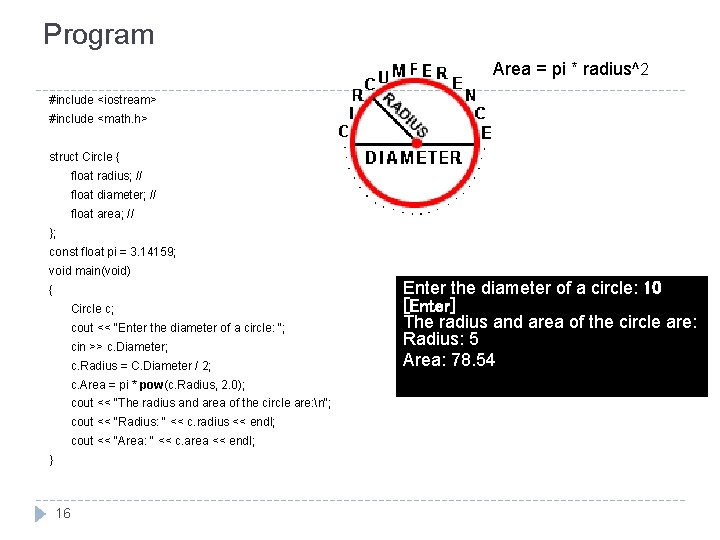
Program Area = pi * radius^2 #include <iostream> #include <math. h> struct Circle { float radius; // float diameter; // float area; // }; const float pi = 3. 14159; void main(void) { Circle c; cout << "Enter the diameter of a circle: "; cin >> c. Diameter; c. Radius = C. Diameter / 2; c. Area = pi * pow(c. Radius, 2. 0); cout << "The radius and area of the circle are: n"; cout << "Radius: " << c. radius << endl; cout << "Area: " << c. area << endl; } 16 Enter the diameter of a circle: 10 [Enter] The radius and area of the circle are: Radius: 5 Area: 78. 54
Strings as Structure Members � When a character array is a structure member, use the same sting manipulation techniques with it as you would with any other character array. 17
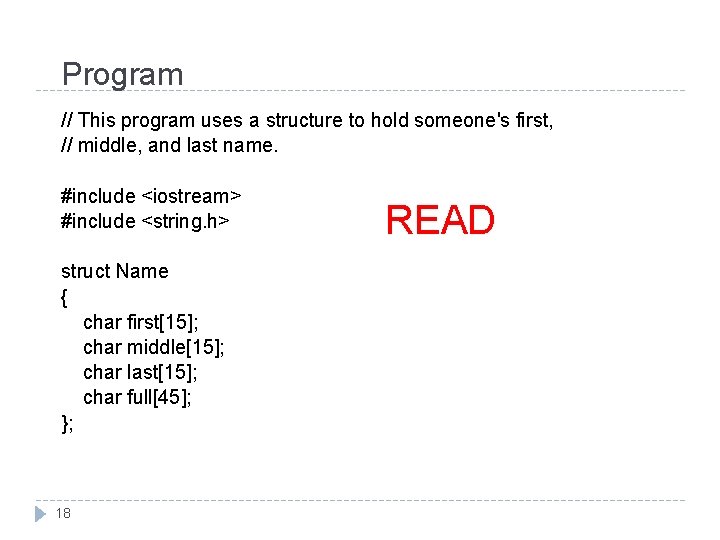
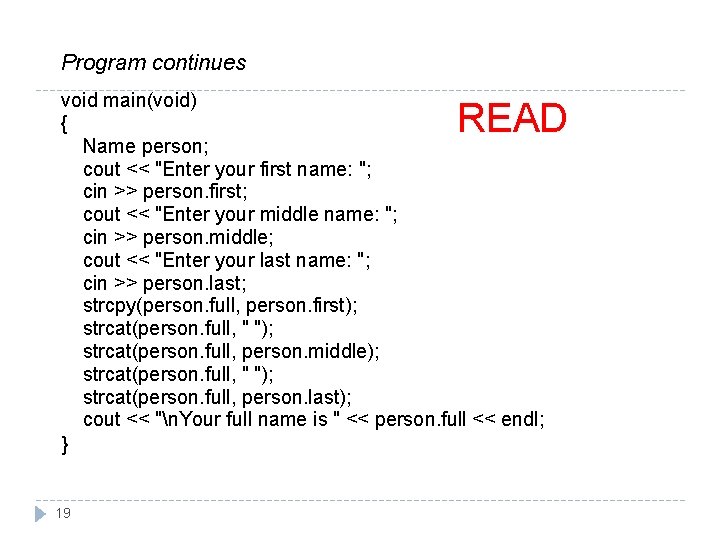
Program // This program uses a structure to hold someone's first, // middle, and last name. #include <iostream> #include <string. h> struct Name { char first[15]; char middle[15]; char last[15]; char full[45]; }; 18 READ
Program continues void main(void) { Name person; cout << "Enter your first name: "; cin >> person. first; cout << "Enter your middle name: "; cin >> person. middle; cout << "Enter your last name: "; cin >> person. last; strcpy(person. full, person. first); strcat(person. full, " "); strcat(person. full, person. middle); strcat(person. full, " "); strcat(person. full, person. last); cout << "n. Your full name is " << person. full << endl; } READ 19
Program Output with Example Input Enter your first name: Josephine [Enter] Enter your middle name: Yvonne [Enter] Enter your last name: Smith [Enter] Your full name is Josephine Yvonne Smith 20 READ
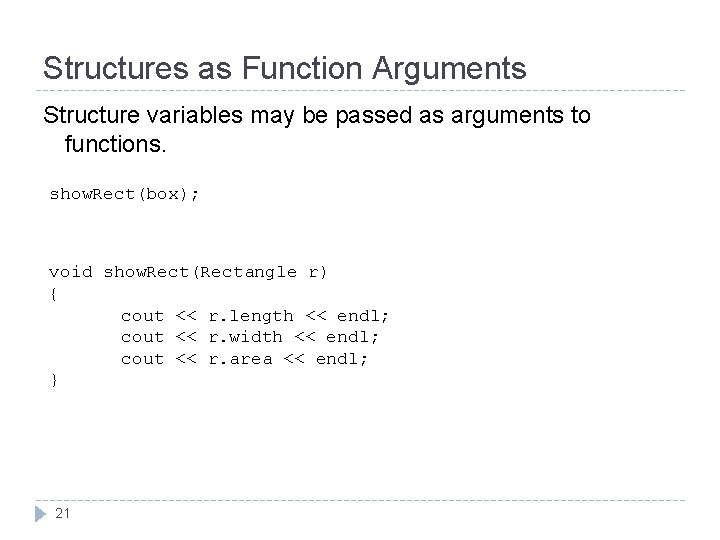
Structures as Function Arguments Structure variables may be passed as arguments to functions. show. Rect(box); void show. Rect(Rectangle r) { cout << r. length << endl; cout << r. width << endl; cout << r. area << endl; } 21
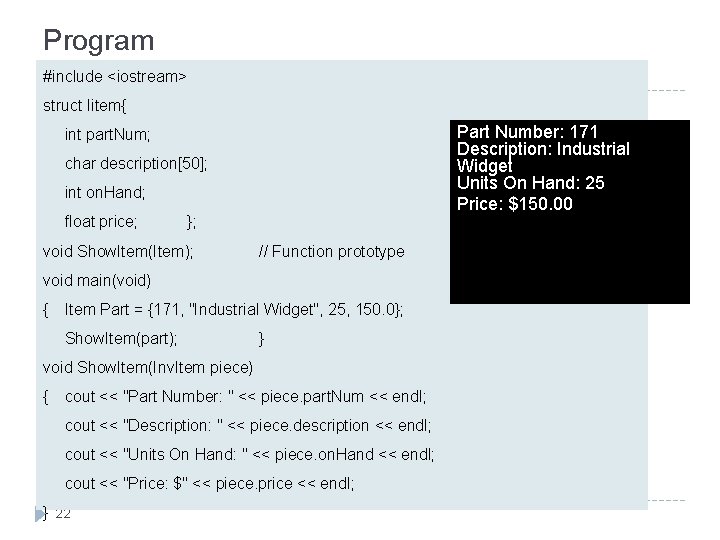
Program #include <iostream> struct Iitem{ Part Number: 171 Description: Industrial Widget Units On Hand: 25 Price: $150. 00 int part. Num; char description[50]; int on. Hand; float price; }; void Show. Item(Item); // Function prototype void main(void) { Item Part = {171, "Industrial Widget", 25, 150. 0}; Show. Item(part); } void Show. Item(Inv. Item piece) { cout << "Part Number: " << piece. part. Num << endl; cout << "Description: " << piece. description << endl; cout << "Units On Hand: " << piece. on. Hand << endl; cout << "Price: $" << piece. price << endl; } 22