
CS 111 Sept 3 More data representation Review

- Slides: 12
CS 111 – Sept. 3 More data representation • Review hex notation • Text – ASCII and Unicode • Sound and images • Commitment: – For Wednesday: Please read pp. 46 -57 – Quiz next Friday
Numbers in a byte • A byte is 8 bits • So, how big can an 8 -bit binary number be? • Hexidecimal shorthand – 8/4 = 2 hexidecimal digits per byte – What do the letters ‘a’ – ‘f’ mean? a = 10, b = 11, c = 12, d = 13, e = 14, f = 15 – Example: 010111102 = 5 e in hex. – Try this one: 1110002 = ______ in hex. – Try this one: a 4 c in hex = ____ in binary.
Text • Fundamental unit is the character. • Each character of a text document is given a numerical code. • ASCII code – Contiguous (make it easy to alphabetize) – Case sensitive – One byte per character • ASCII table (p. 597) – ‘A’ = 65 ‘a’ = 97 ‘ 0’ = 48 – Try encoding the word: “Dog”
Unicode • To support foreign alphabet and misc. symbols. • Extension of ASCII • 16 bits per character, rather than 8 • unicode. org has code charts • Codes are given in hex.
Sampling • “Real” sound and visual data are continuous, constantly changing • Sampling means to take rapid snapshots • Video: 30 images a second is good enough for our eyes • Real sound is in the form of a wave (p. 43) • Sampling sound means finding points along the curve. – Music CD: take a reading 44, 100 times a second, and store as a 16 -bit number… How much data is captured in 1 hour? – MIDI (= Musical Instrument Digital Interface) uses far less space, though does not sound like an actual recording.
Images • Fundamental unit is the pixel • Usually 8 bits (1 byte) per pixel – This means each pixel is assigned a value from 0 to 255 – What do these numbers mean? Depends on color system – Grayscale = system for B/W images • Image dimensions are (horiz x vert) – Ex. 400 x 300 120, 000 pixels • Aspect ratio – When changing size, this should not change.
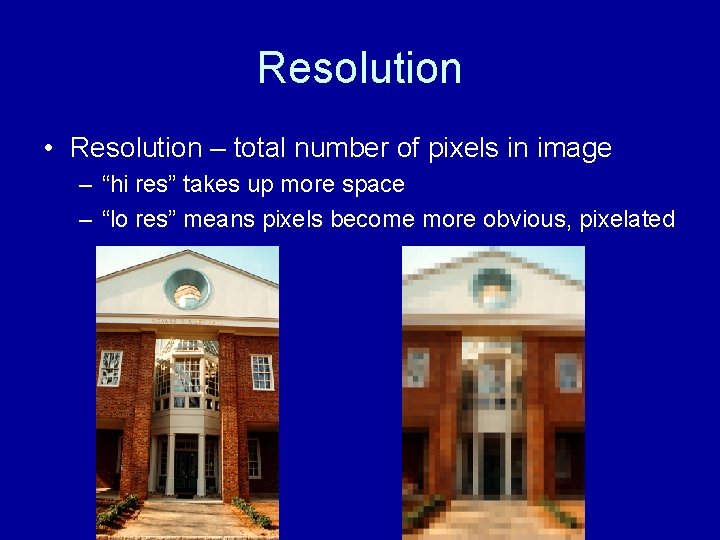
Resolution • Resolution – total number of pixels in image – “hi res” takes up more space – “lo res” means pixels become more obvious, pixelated
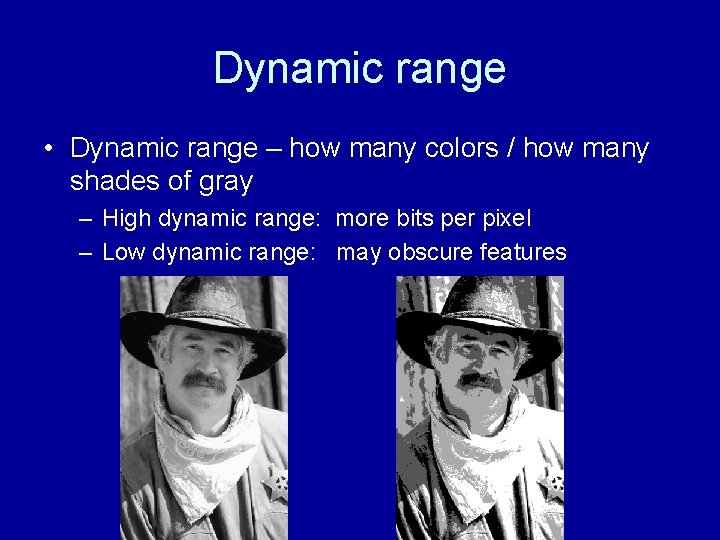
Dynamic range • Dynamic range – how many colors / how many shades of gray – High dynamic range: more bits per pixel – Low dynamic range: may obscure features
B/W vs. color • B/W: usually 1 byte per pixel – Each pixel = grayscale number 0 -255 – Ex. 180 is a brighter shade of gray • Color: usually 3 bytes (24 bits) per pixel – Each pixel has 3 values, each 0 -255 – Ex. (200, 50, 128) = ? – Most common scheme is RGB, where each pixel has a red #, green #, and blue #.
RGB system • Based on primary colors for light • (red, green, blue) • Examples – Black = (0, 0, 0) – Purple = (75, 0, 100) – White = (255, 255) • How about (x, x, x) or (0, 0, x) ?
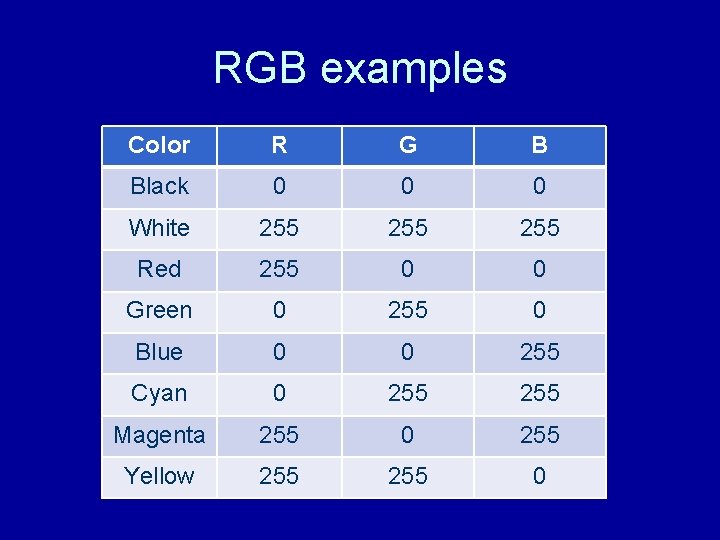
RGB examples Color R G B Black 0 0 0 White 255 255 Red 255 0 0 Green 0 255 0 Blue 0 0 255 Cyan 0 255 Magenta 255 0 255 Yellow 255 0
Indexed color • Do we really need 24 bits to represent color of one pixel? – This means we allocate 16, 777, 216 colors! – About 200 would be more practical • Indexed color is a “compressed” RGB – 6 values of each primary color, not 256 – Use hex values 00, 33, 66, 99, cc, ff – This is the color system used on the Web. • 1 byte per pixel instead of 3 • Use “dithering” to simulate in-between colors.