
CS 107 Lecture 10 Introduction to Assembly Reading
CS 107, Lecture 10 Introduction to Assembly Reading: B&O 3. 1 -3. 4 This document is copyright (C) Stanford Computer Science, Lisa Yan, and Nick Troccoli, licensed under Creative Commons Attribution 2. 5 License. All rights reserved. Based on slides created by Marty Stepp, Cynthia Lee, Chris Gregg, and others. 1
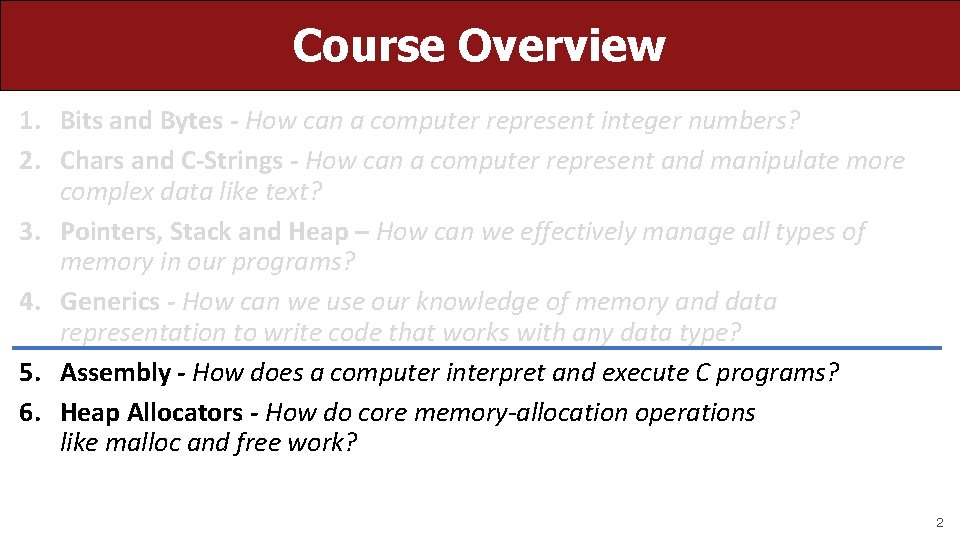
Course Overview 1. Bits and Bytes - How can a computer represent integer numbers? 2. Chars and C-Strings - How can a computer represent and manipulate more complex data like text? 3. Pointers, Stack and Heap – How can we effectively manage all types of memory in our programs? 4. Generics - How can we use our knowledge of memory and data representation to write code that works with any data type? 5. Assembly - How does a computer interpret and execute C programs? 6. Heap Allocators - How do core memory-allocation operations like malloc and free work? 2
CS 107 Topic 5: How does a computer interpret and execute C programs? 3

Learning Assembly Moving data around Arithmetic and logical operations Control flow Function calls This Lecture 11 Lecture 12 Lecture 13 4
Learning Goals • Learn what assembly language is and why it is important • Become familiar with the format of human-readable assembly and x 86 • Learn the mov instruction and how data moves around at the assembly level 5
Lecture Plan • Overview: GCC and Assembly • Demo: Looking at an executable • Registers and The Assembly Level of Abstraction • The mov Instruction • Live Session cp -r /afs/ir/class/cs 107/lecture-code/lect 10. 7 11 24 35 57 6
Lecture Plan • Overview: GCC and Assembly • Demo: Looking at an executable • Registers and The Assembly Level of Abstraction • The mov Instruction • Live Session cp -r /afs/ir/class/cs 107/lecture-code/lect 10. 7 11 24 35 57 7
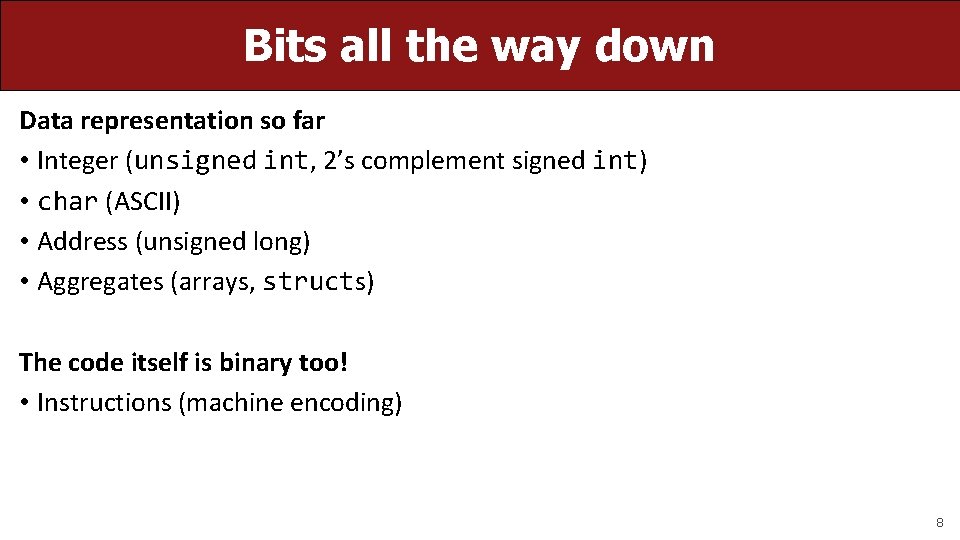
Bits all the way down Data representation so far • Integer (unsigned int, 2’s complement signed int) • char (ASCII) • Address (unsigned long) • Aggregates (arrays, structs) The code itself is binary too! • Instructions (machine encoding) 8
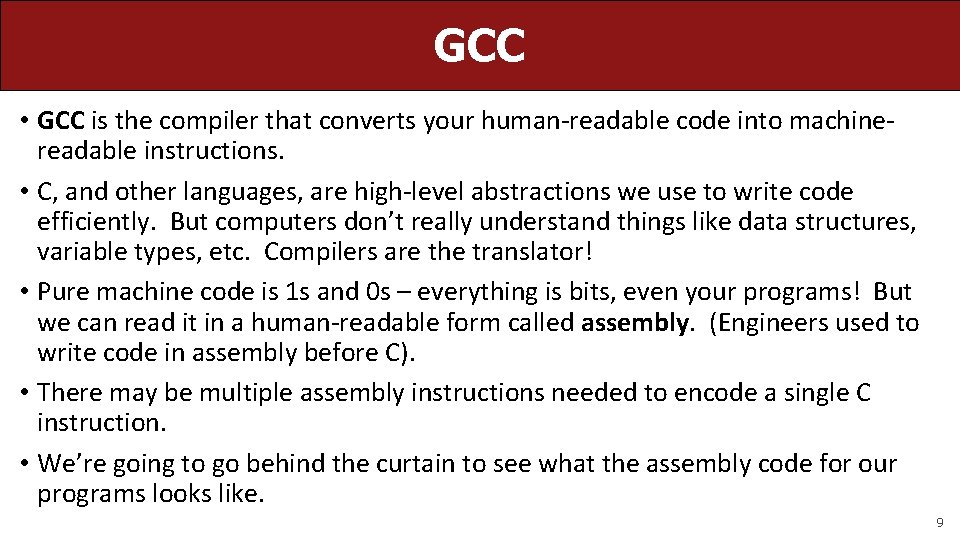
GCC • GCC is the compiler that converts your human-readable code into machinereadable instructions. • C, and other languages, are high-level abstractions we use to write code efficiently. But computers don’t really understand things like data structures, variable types, etc. Compilers are the translator! • Pure machine code is 1 s and 0 s – everything is bits, even your programs! But we can read it in a human-readable form called assembly. (Engineers used to write code in assembly before C). • There may be multiple assembly instructions needed to encode a single C instruction. • We’re going to go behind the curtain to see what the assembly code for our programs looks like. 9
Lecture Plan • Overview: GCC and Assembly • Demo: Looking at an executable • Registers and The Assembly Level of Abstraction • The mov Instruction • Live Session cp -r /afs/ir/class/cs 107/lecture-code/lect 10. 7 11 24 35 57 10
Demo: Looking at an Executable (objdump -d) 11
![Our First Assembly int sum_array(int arr[], int nelems) { int sum = 0; for](http://slidetodoc.com/presentation_image_h2/3eaa59da777513a31473ba082dd3cb4a/image-12.jpg "Our First Assembly int sum_array(int arr[], int nelems) { int sum = 0; for")
Our First Assembly int sum_array(int arr[], int nelems) { int sum = 0; for (int i = 0; i < nelems; i++) { sum += arr[i]; } return sum; } What does this look like in assembly? 12
![Our First Assembly int sum_array(int arr[], int nelems) { int sum = 0; for](http://slidetodoc.com/presentation_image_h2/3eaa59da777513a31473ba082dd3cb4a/image-13.jpg "Our First Assembly int sum_array(int arr[], int nelems) { int sum = 0; for")
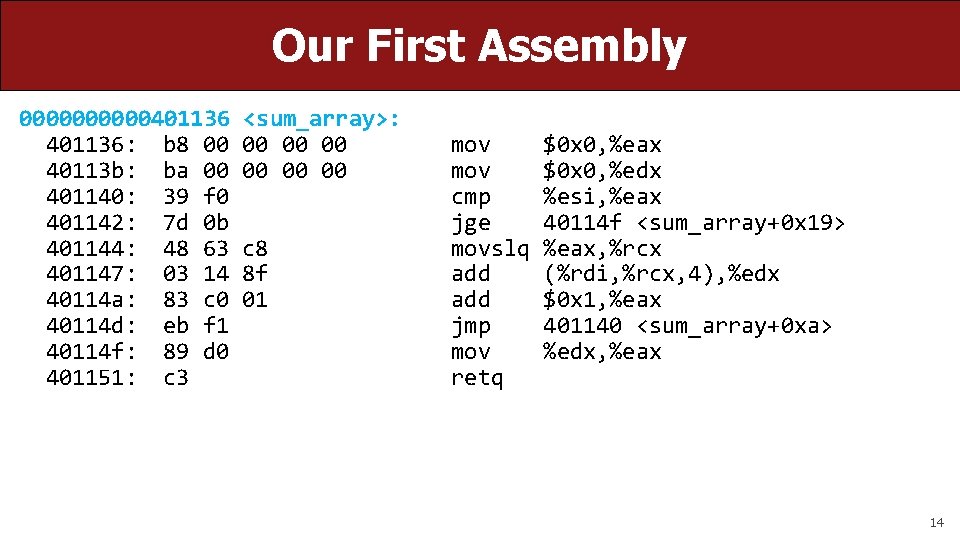
Our First Assembly int sum_array(int arr[], int nelems) { int sum = 0; for (int i = 0; i < nelems; i++) { sum += arr[i]; } return sum; } 00000401136 <sum_array>: 401136: b 8 00 00 40113 b: ba 00 00 401140: 39 f 0 401142: 7 d 0 b 401144: 48 63 c 8 401147: 03 14 8 f 40114 a: 83 c 0 01 40114 d: eb f 1 40114 f: 89 d 0 401151: c 3 mov cmp jge movslq add jmp mov retq make objdump -d sum $0 x 0, %eax $0 x 0, %edx %esi, %eax 40114 f <sum_array+0 x 19> %eax, %rcx (%rdi, %rcx, 4), %edx $0 x 1, %eax 401140 <sum_array+0 xa> %edx, %eax 13
Our First Assembly 00000401136: b 8 00 40113 b: ba 00 401140: 39 f 0 401142: 7 d 0 b 401144: 48 63 401147: 03 14 40114 a: 83 c 0 40114 d: eb f 1 40114 f: 89 d 0 401151: c 3 <sum_array>: 00 00 00 c 8 8 f 01 mov cmp jge movslq add jmp mov retq $0 x 0, %eax $0 x 0, %edx %esi, %eax 40114 f <sum_array+0 x 19> %eax, %rcx (%rdi, %rcx, 4), %edx $0 x 1, %eax 401140 <sum_array+0 xa> %edx, %eax 14
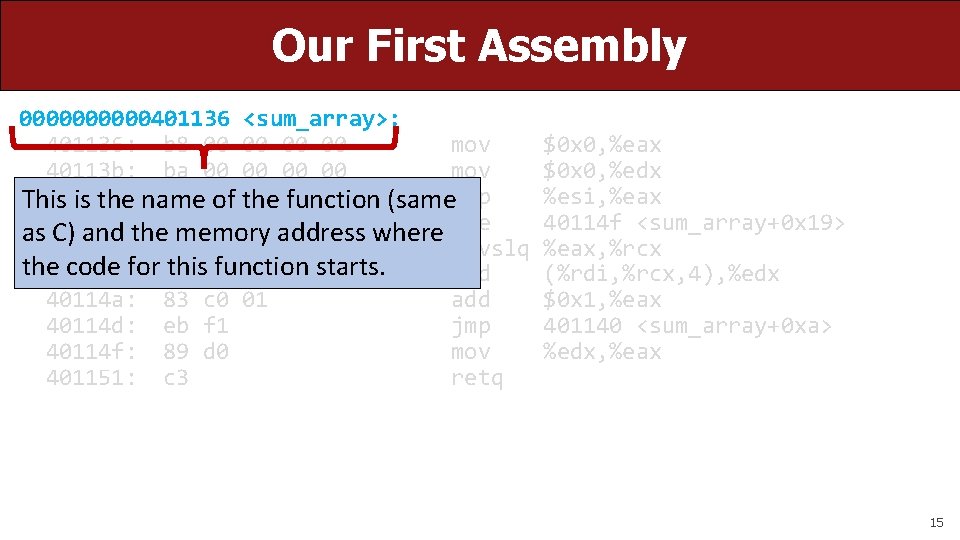
Our First Assembly 00000401136 <sum_array>: 401136: b 8 00 00 mov 40113 b: ba 00 00 mov 401140: 39 f 0 This is the name of the function (samecmp 0 b as 401142: C) and the 7 d memory address where jge 401144: 48 63 c 8 movslq the 401147: code for 03 this 14 function starts. 8 f add 40114 a: 83 c 0 01 add 40114 d: eb f 1 jmp 40114 f: 89 d 0 mov 401151: c 3 retq $0 x 0, %eax $0 x 0, %edx %esi, %eax 40114 f <sum_array+0 x 19> %eax, %rcx (%rdi, %rcx, 4), %edx $0 x 1, %eax 401140 <sum_array+0 xa> %edx, %eax 15
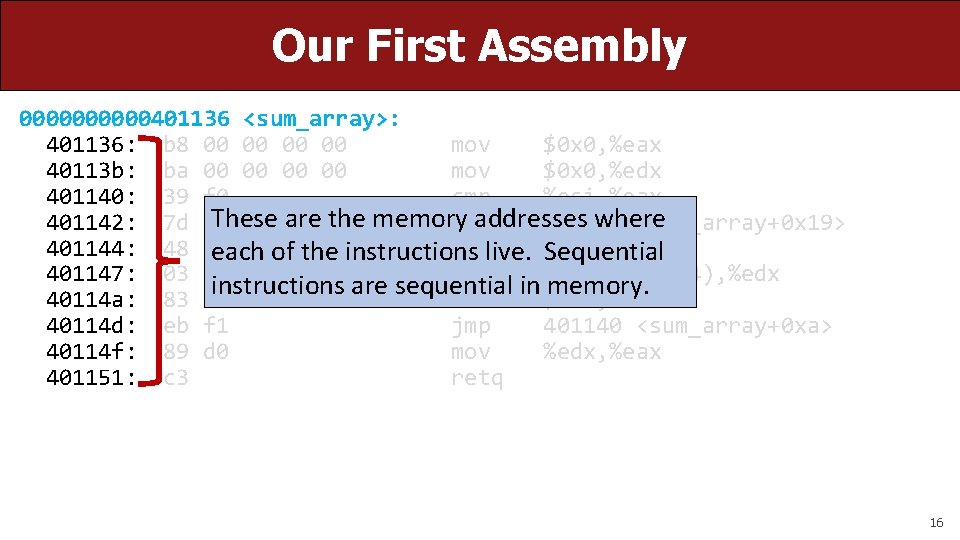
Our First Assembly 00000401136 <sum_array>: 401136: b 8 00 00 mov $0 x 0, %eax 40113 b: ba 00 00 mov $0 x 0, %edx 401140: 39 f 0 cmp %esi, %eax These are the memory addresses where 401142: 7 d 0 b jge 40114 f <sum_array+0 x 19> 401144: 48 63 c 8 of the instructions movslq each live. %eax, %rcx Sequential 401147: 03 14 8 f add (%rdi, %rcx, 4), %edx instructions are sequential in memory. 40114 a: 83 c 0 01 add $0 x 1, %eax 40114 d: eb f 1 jmp 401140 <sum_array+0 xa> 40114 f: 89 d 0 mov %edx, %eax 401151: c 3 retq 16
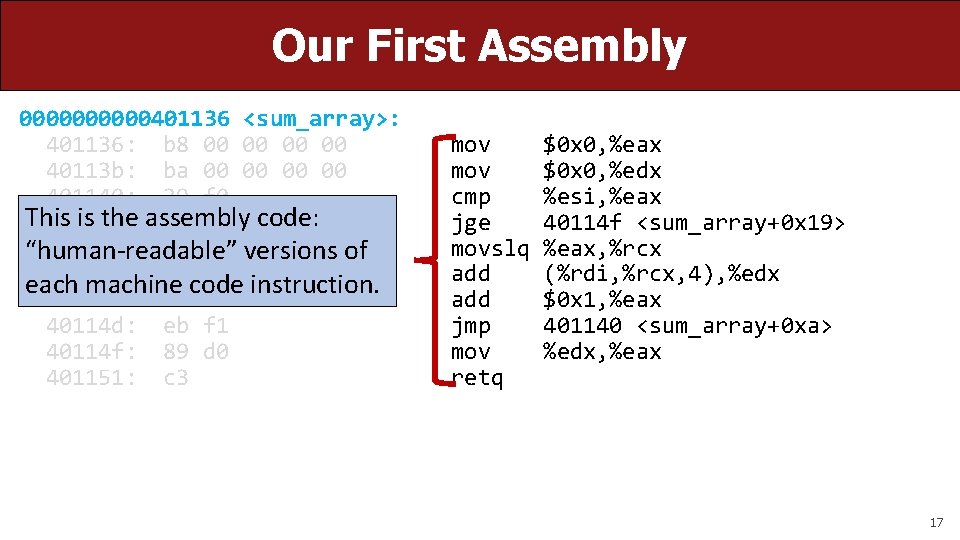
Our First Assembly 00000401136 <sum_array>: 401136: b 8 00 00 40113 b: ba 00 00 401140: 39 f 0 This is the assembly 401142: 7 d 0 b code: 401144: 48 63 c 8 “human-readable” versions of 401147: 03 code 14 8 f each machine instruction. 40114 a: 83 c 0 01 40114 d: eb f 1 40114 f: 89 d 0 401151: c 3 mov cmp jge movslq add jmp mov retq $0 x 0, %eax $0 x 0, %edx %esi, %eax 40114 f <sum_array+0 x 19> %eax, %rcx (%rdi, %rcx, 4), %edx $0 x 1, %eax 401140 <sum_array+0 xa> %edx, %eax 17
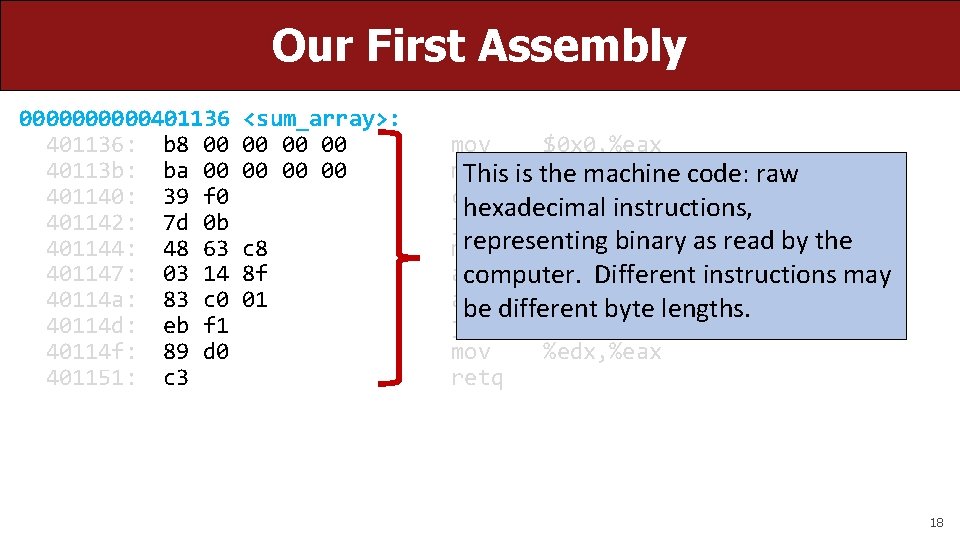
Our First Assembly 00000401136: b 8 00 40113 b: ba 00 401140: 39 f 0 401142: 7 d 0 b 401144: 48 63 401147: 03 14 40114 a: 83 c 0 40114 d: eb f 1 40114 f: 89 d 0 401151: c 3 <sum_array>: 00 00 00 c 8 8 f 01 mov $0 x 0, %eax mov $0 x 0, %edx This is the machine code: raw cmp %esi, %eax hexadecimal instructions, jge 40114 f <sum_array+0 x 19> representing binary as read by the movslq %eax, %rcx add (%rdi, %rcx, 4), %edx computer. Different instructions may add $0 x 1, %eax be different byte lengths. jmp 401140 <sum_array+0 xa> mov %edx, %eax retq 18
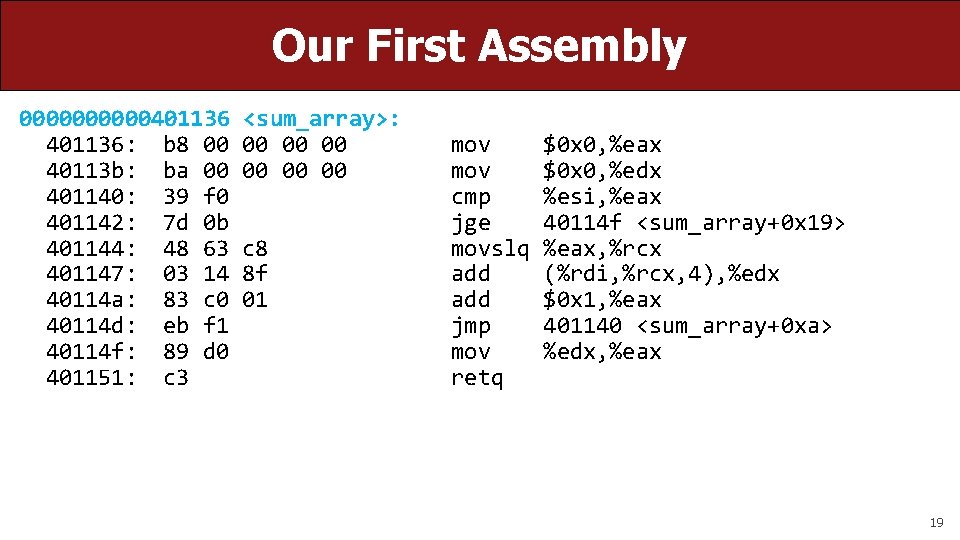
Our First Assembly 00000401136: b 8 00 40113 b: ba 00 401140: 39 f 0 401142: 7 d 0 b 401144: 48 63 401147: 03 14 40114 a: 83 c 0 40114 d: eb f 1 40114 f: 89 d 0 401151: c 3 <sum_array>: 00 00 00 c 8 8 f 01 mov cmp jge movslq add jmp mov retq $0 x 0, %eax $0 x 0, %edx %esi, %eax 40114 f <sum_array+0 x 19> %eax, %rcx (%rdi, %rcx, 4), %edx $0 x 1, %eax 401140 <sum_array+0 xa> %edx, %eax 19
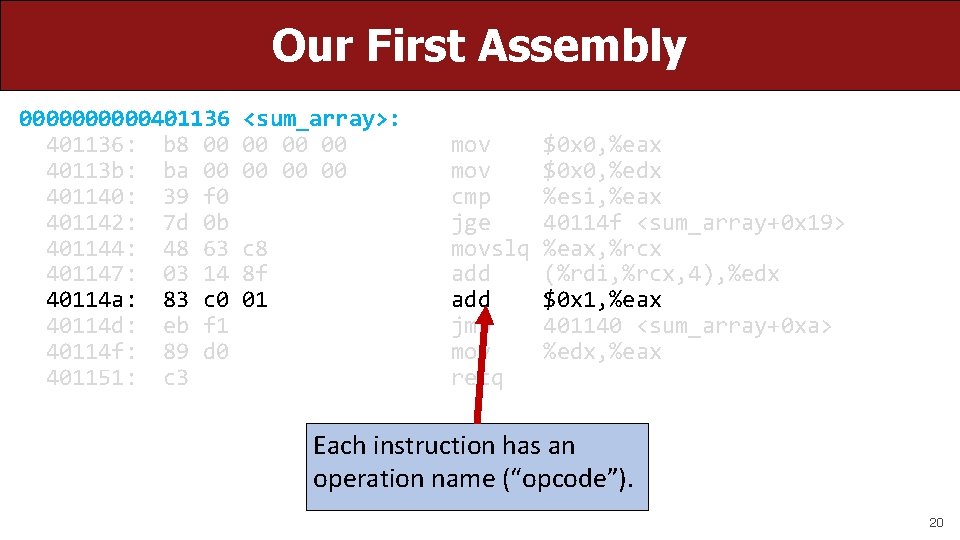
Our First Assembly 00000401136: b 8 00 40113 b: ba 00 401140: 39 f 0 401142: 7 d 0 b 401144: 48 63 401147: 03 14 40114 a: 83 c 0 40114 d: eb f 1 40114 f: 89 d 0 401151: c 3 <sum_array>: 00 00 00 c 8 8 f 01 mov cmp jge movslq add jmp mov retq $0 x 0, %eax $0 x 0, %edx %esi, %eax 40114 f <sum_array+0 x 19> %eax, %rcx (%rdi, %rcx, 4), %edx $0 x 1, %eax 401140 <sum_array+0 xa> %edx, %eax Each instruction has an operation name (“opcode”). 20
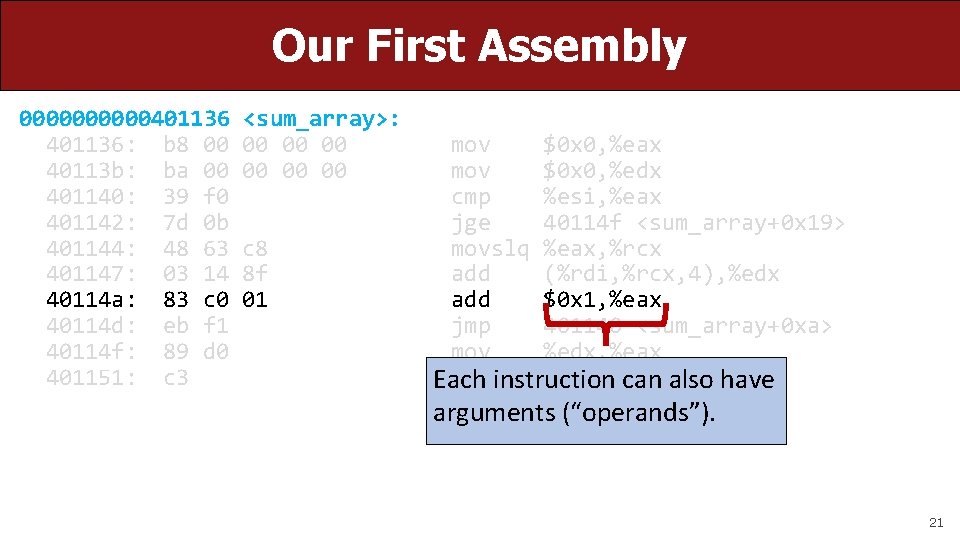
Our First Assembly 00000401136: b 8 00 40113 b: ba 00 401140: 39 f 0 401142: 7 d 0 b 401144: 48 63 401147: 03 14 40114 a: 83 c 0 40114 d: eb f 1 40114 f: 89 d 0 401151: c 3 <sum_array>: 00 00 00 c 8 8 f 01 mov $0 x 0, %eax mov $0 x 0, %edx cmp %esi, %eax jge 40114 f <sum_array+0 x 19> movslq %eax, %rcx add (%rdi, %rcx, 4), %edx add $0 x 1, %eax jmp 401140 <sum_array+0 xa> mov %edx, %eax retqinstruction can also have Each arguments (“operands”). 21
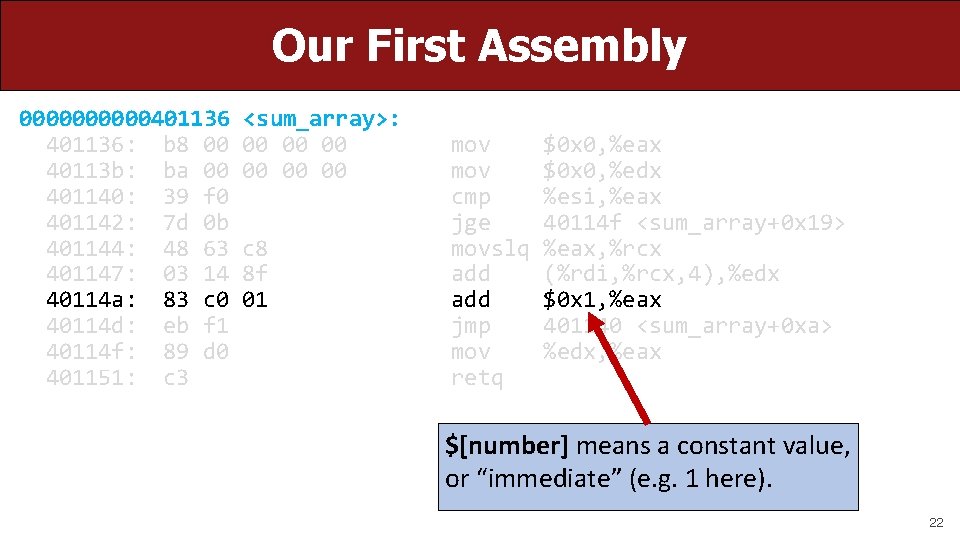
Our First Assembly 00000401136: b 8 00 40113 b: ba 00 401140: 39 f 0 401142: 7 d 0 b 401144: 48 63 401147: 03 14 40114 a: 83 c 0 40114 d: eb f 1 40114 f: 89 d 0 401151: c 3 <sum_array>: 00 00 00 c 8 8 f 01 mov cmp jge movslq add jmp mov retq $0 x 0, %eax $0 x 0, %edx %esi, %eax 40114 f <sum_array+0 x 19> %eax, %rcx (%rdi, %rcx, 4), %edx $0 x 1, %eax 401140 <sum_array+0 xa> %edx, %eax $[number] means a constant value, or “immediate” (e. g. 1 here). 22
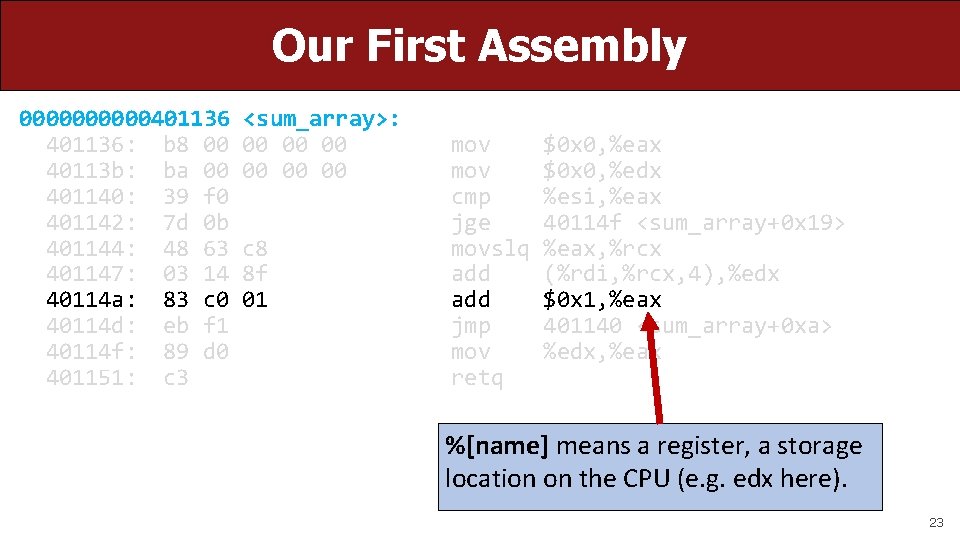
Our First Assembly 00000401136: b 8 00 40113 b: ba 00 401140: 39 f 0 401142: 7 d 0 b 401144: 48 63 401147: 03 14 40114 a: 83 c 0 40114 d: eb f 1 40114 f: 89 d 0 401151: c 3 <sum_array>: 00 00 00 c 8 8 f 01 mov cmp jge movslq add jmp mov retq $0 x 0, %eax $0 x 0, %edx %esi, %eax 40114 f <sum_array+0 x 19> %eax, %rcx (%rdi, %rcx, 4), %edx $0 x 1, %eax 401140 <sum_array+0 xa> %edx, %eax %[name] means a register, a storage location on the CPU (e. g. edx here). 23
Lecture Plan • Overview: GCC and Assembly • Demo: Looking at an executable • Registers and The Assembly Level of Abstraction • The mov instruction cp -r /afs/ir/class/cs 107/lecture-code/lect 10. 7 11 24 35 24
Assembly Abstraction • C abstracts away the low-level details of machine code. It lets us work using variables, variable types, and other higher-level abstractions. • C and other languages let us write code that works on most machines. • Assembly code is just bytes! No variable types, no type checking, etc. • Assembly/machine code is processor-specific. • What is the level of abstraction for assembly code? 25

Registers %rax 26
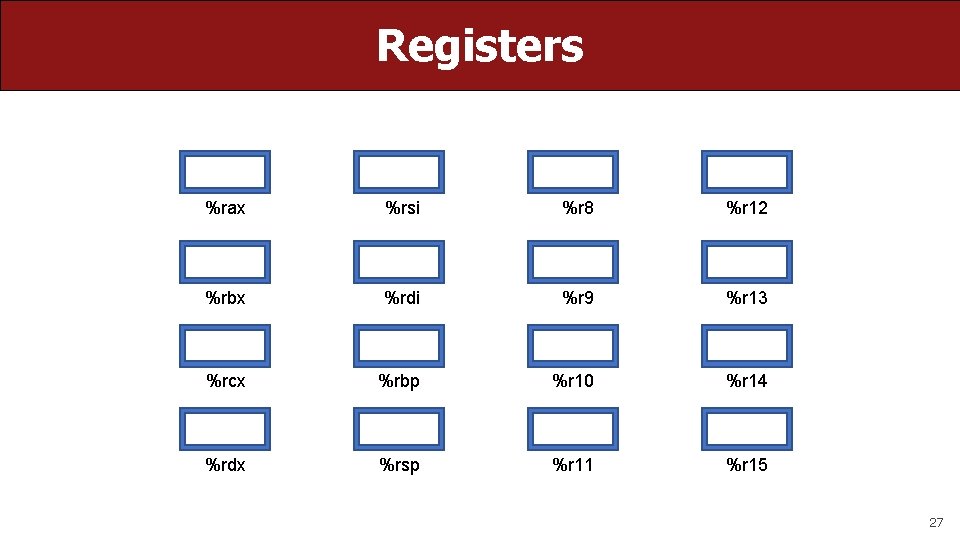
Registers %rax %rsi %r 8 %r 12 %rbx %rdi %r 9 %r 13 %rcx %rbp %r 10 %r 14 %rdx %rsp %r 11 %r 15 27
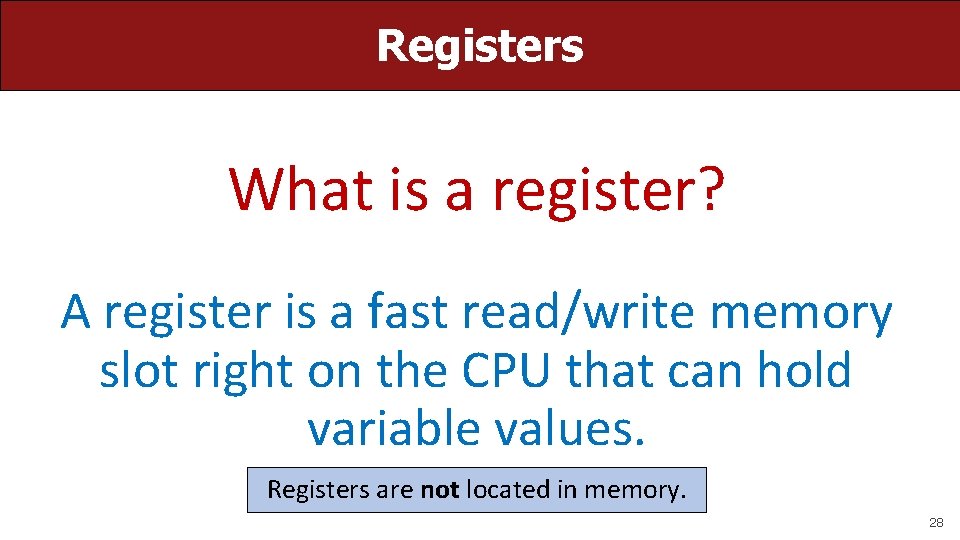
Registers What is a register? A register is a fast read/write memory slot right on the CPU that can hold variable values. Registers are not located in memory. 28
Registers • A register is a 64 -bit space inside the processor. • There are 16 registers available, each with a unique name. • Registers are like “scratch paper” for the processor. Data being calculated or manipulated is moved to registers first. Operations are performed on registers. • Registers also hold parameters and return values for functions. • Registers are extremely fast memory! • Processor instructions consist mostly of moving data into/out of registers and performing arithmetic on them. This is the level of logic your program must be in to execute! 29
Machine-Level Code Assembly instructions manipulate these registers. For example: • One instruction adds two numbers in registers • One instruction transfers data from a register to memory • One instruction transfers data from memory to a register 30
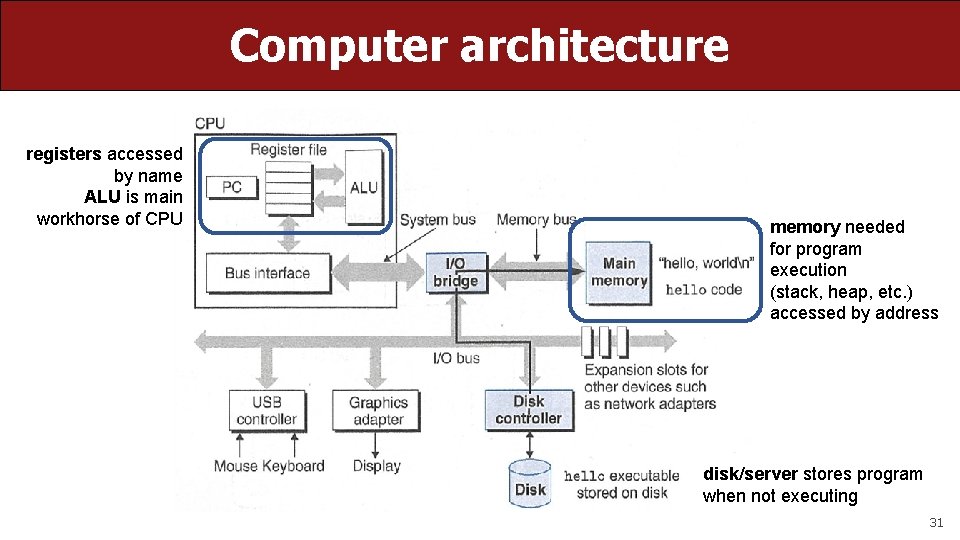
Computer architecture registers accessed by name ALU is main workhorse of CPU memory needed for program execution (stack, heap, etc. ) accessed by address disk/server stores program when not executing 31
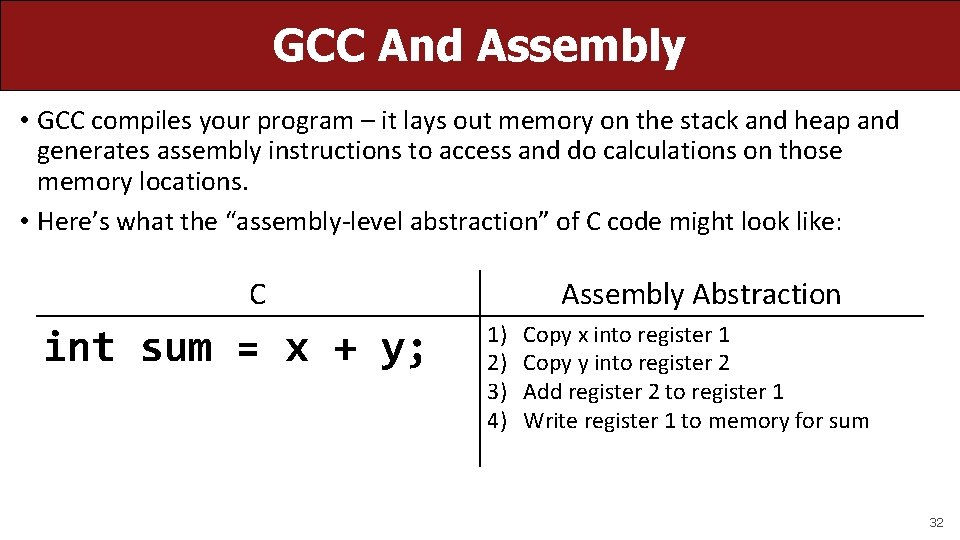
GCC And Assembly • GCC compiles your program – it lays out memory on the stack and heap and generates assembly instructions to access and do calculations on those memory locations. • Here’s what the “assembly-level abstraction” of C code might look like: C int sum = x + y; Assembly Abstraction 1) 2) 3) 4) Copy x into register 1 Copy y into register 2 Add register 2 to register 1 Write register 1 to memory for sum 32
Assembly • We are going to learn the x 86 -64 instruction set architecture. This instruction set is used by Intel and AMD processors. • There are many other instruction sets: ARM, MIPS, etc. 33
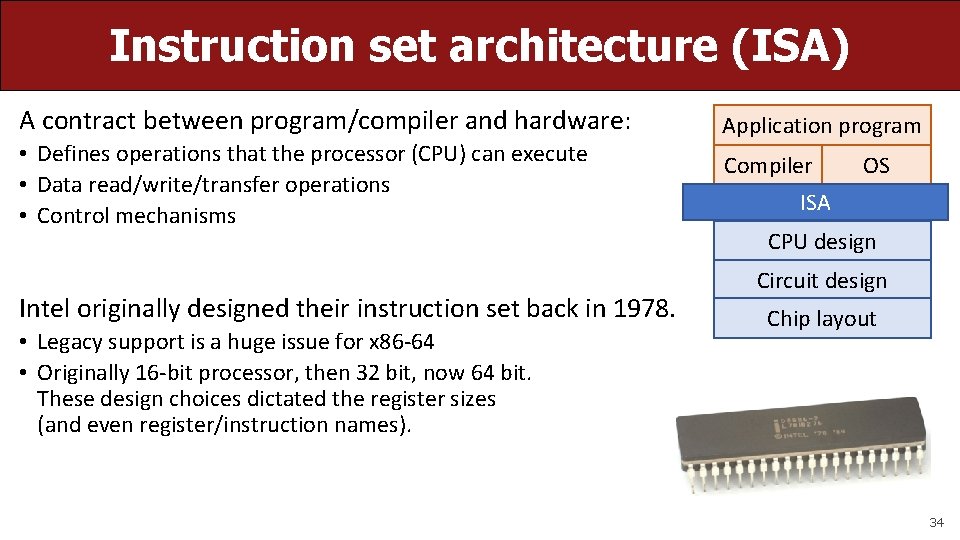
Instruction set architecture (ISA) A contract between program/compiler and hardware: • Defines operations that the processor (CPU) can execute • Data read/write/transfer operations • Control mechanisms Intel originally designed their instruction set back in 1978. • Legacy support is a huge issue for x 86 -64 • Originally 16 -bit processor, then 32 bit, now 64 bit. These design choices dictated the register sizes (and even register/instruction names). Application program Compiler OS ISA CPU design Circuit design Chip layout 34
Lecture Plan • Overview: GCC and Assembly • Demo: Looking at an executable • Registers and The Assembly Level of Abstraction • The mov Instruction • Live Session cp -r /afs/ir/class/cs 107/lecture-code/lect 10. 7 11 24 35 57 35
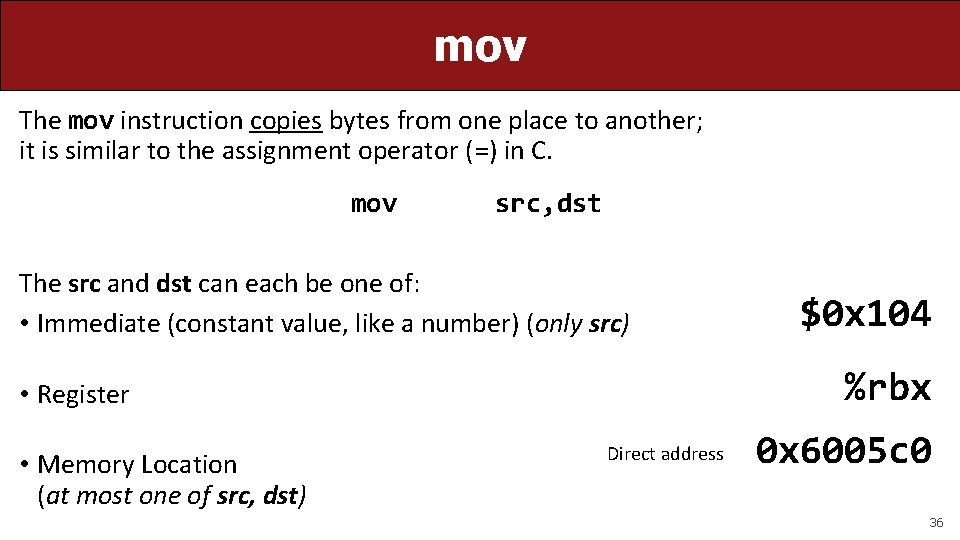
mov The mov instruction copies bytes from one place to another; it is similar to the assignment operator (=) in C. mov src, dst The src and dst can each be one of: • Immediate (constant value, like a number) (only src) %rbx • Register • Memory Location (at most one of src, dst) $0 x 104 Direct address 0 x 6005 c 0 36
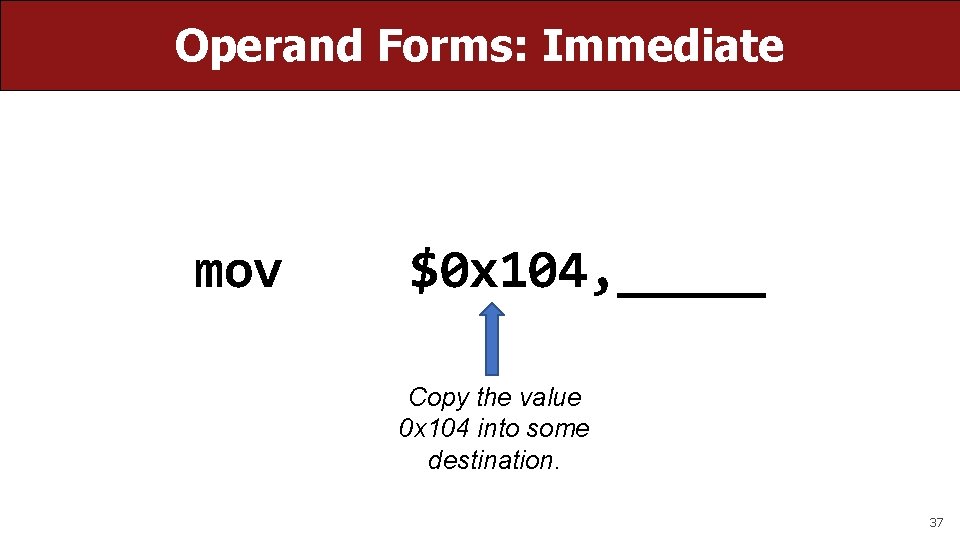
Operand Forms: Immediate mov $0 x 104, _____ Copy the value 0 x 104 into some destination. 37
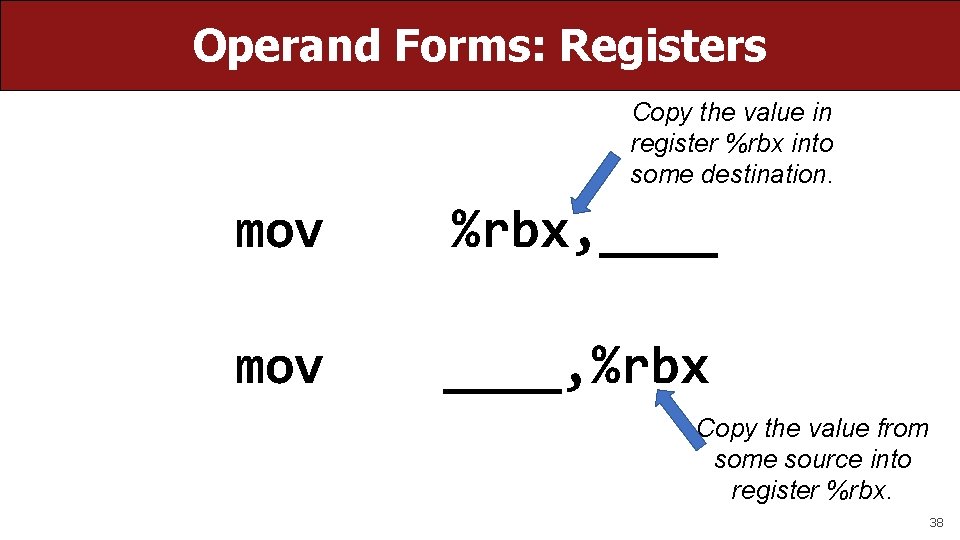
Operand Forms: Registers Copy the value in register %rbx into some destination. mov %rbx, ____ mov ____, %rbx Copy the value from some source into register %rbx. 38
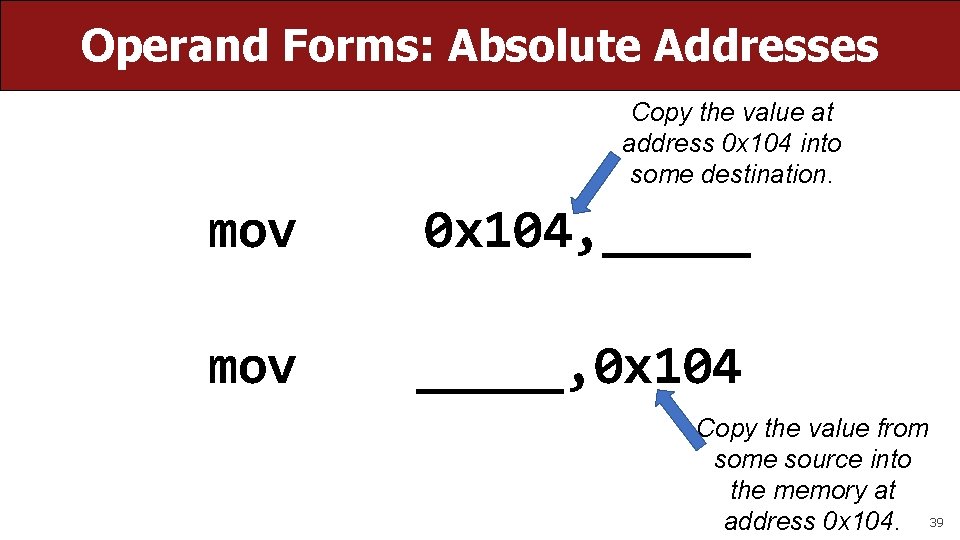
Operand Forms: Absolute Addresses Copy the value at address 0 x 104 into some destination. mov 0 x 104, _____ mov _____, 0 x 104 Copy the value from some source into the memory at address 0 x 104. 39
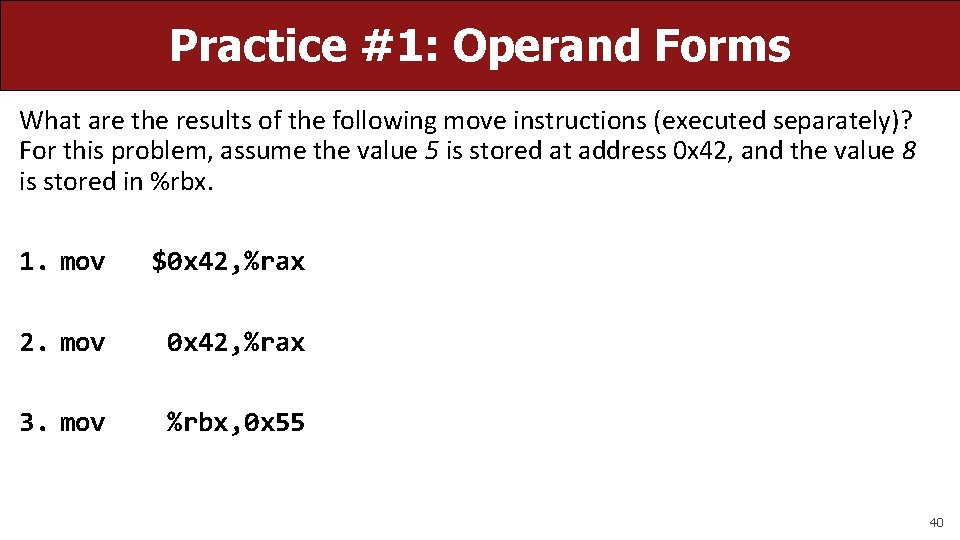
Practice #1: Operand Forms What are the results of the following move instructions (executed separately)? For this problem, assume the value 5 is stored at address 0 x 42, and the value 8 is stored in %rbx. 1. mov $0 x 42, %rax 2. mov 0 x 42, %rax 3. mov %rbx, 0 x 55 40
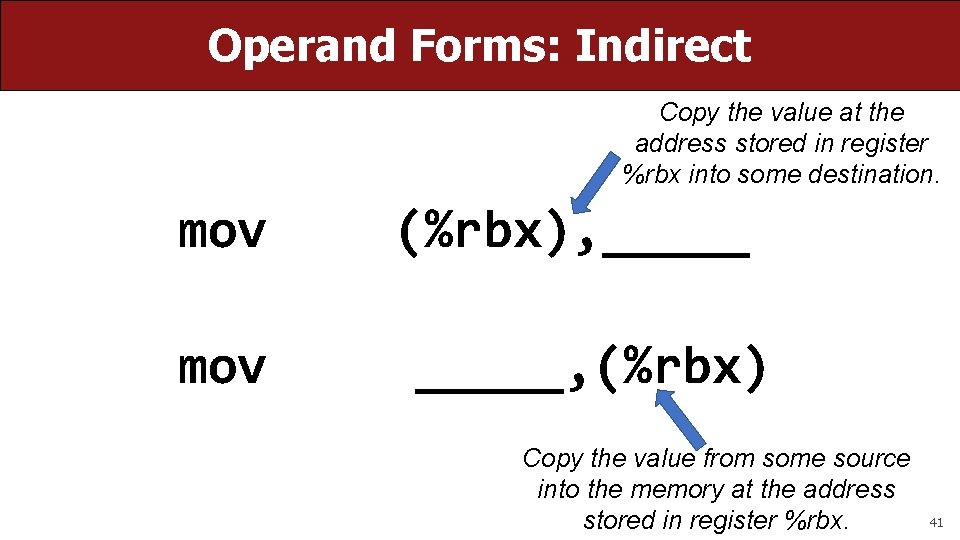
Operand Forms: Indirect Copy the value at the address stored in register %rbx into some destination. mov (%rbx), _____, (%rbx) Copy the value from some source into the memory at the address stored in register %rbx. 41
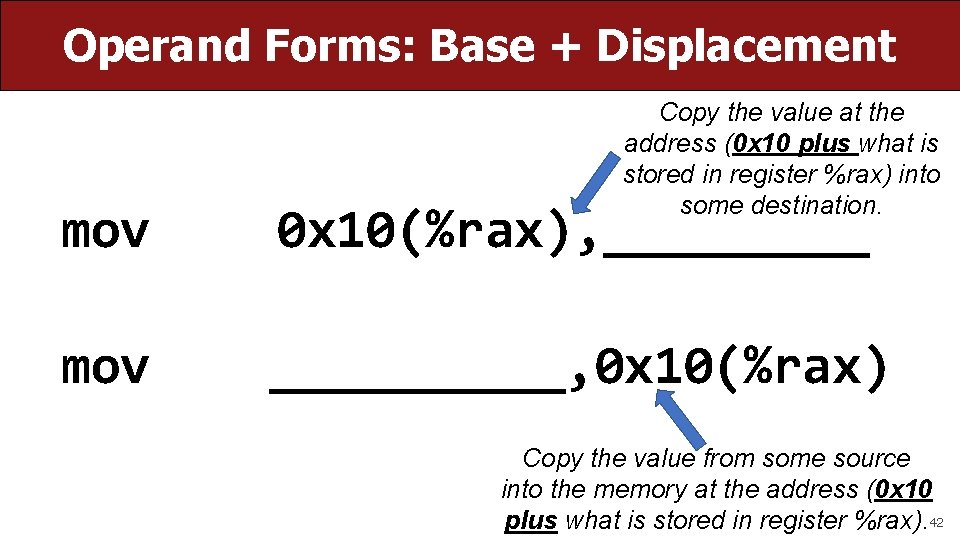
Operand Forms: Base + Displacement Copy the value at the address (0 x 10 plus what is stored in register %rax) into some destination. mov 0 x 10(%rax), _____ mov _____, 0 x 10(%rax) Copy the value from some source into the memory at the address (0 x 10 plus what is stored in register %rax). 42
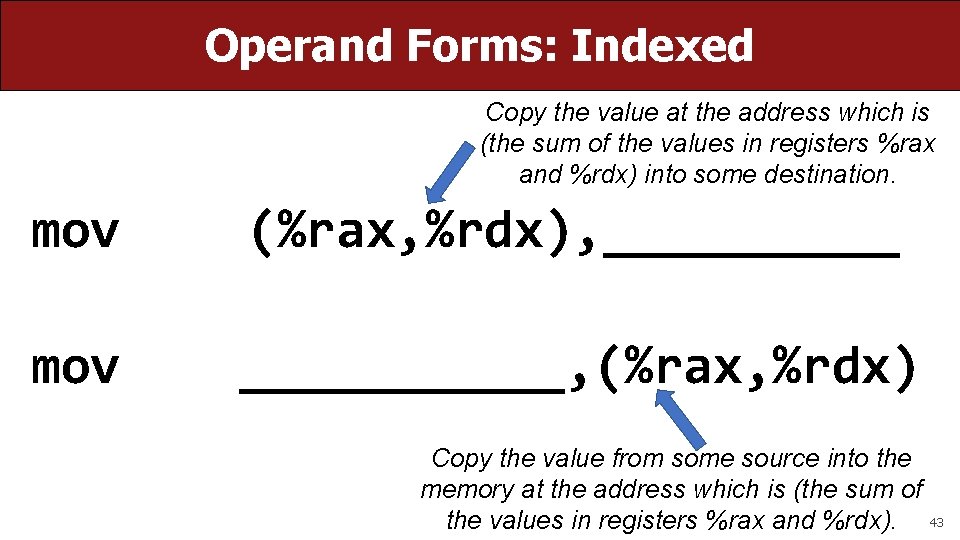
Operand Forms: Indexed Copy the value at the address which is (the sum of the values in registers %rax and %rdx) into some destination. mov (%rax, %rdx), _____ mov ______, (%rax, %rdx) Copy the value from some source into the memory at the address which is (the sum of the values in registers %rax and %rdx). 43
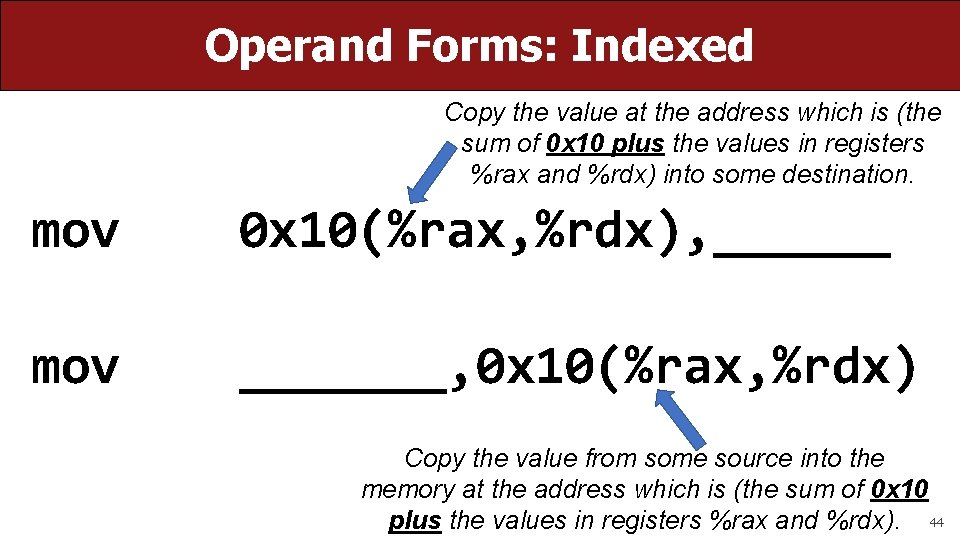
Operand Forms: Indexed Copy the value at the address which is (the sum of 0 x 10 plus the values in registers %rax and %rdx) into some destination. mov 0 x 10(%rax, %rdx), ______ mov _______, 0 x 10(%rax, %rdx) Copy the value from some source into the memory at the address which is (the sum of 0 x 10 plus the values in registers %rax and %rdx). 44
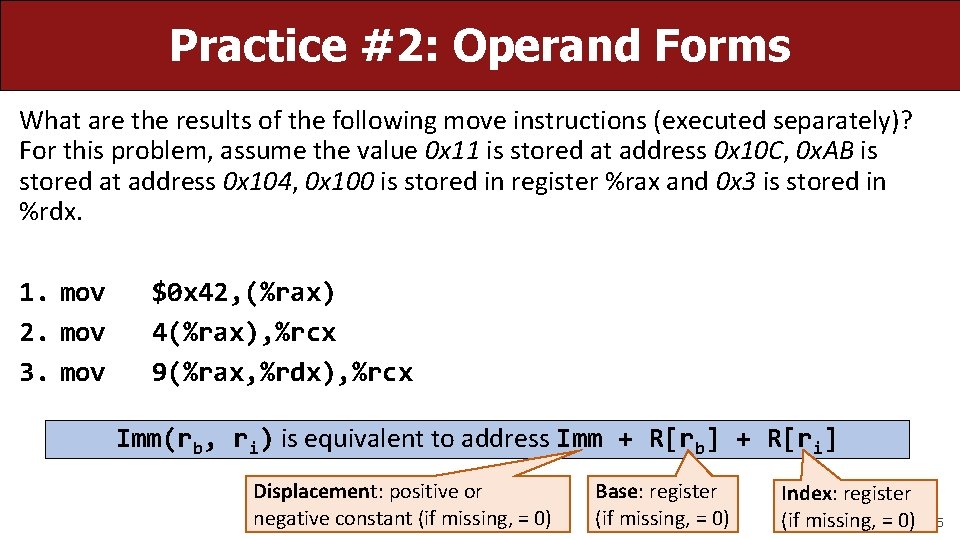
Practice #2: Operand Forms What are the results of the following move instructions (executed separately)? For this problem, assume the value 0 x 11 is stored at address 0 x 10 C, 0 x. AB is stored at address 0 x 104, 0 x 100 is stored in register %rax and 0 x 3 is stored in %rdx. 1. mov 2. mov 3. mov $0 x 42, (%rax) 4(%rax), %rcx 9(%rax, %rdx), %rcx Imm(rb, ri) is equivalent to address Imm + R[rb] + R[ri] Displacement: positive or negative constant (if missing, = 0) Base: register (if missing, = 0) Index: register (if missing, = 0) 45
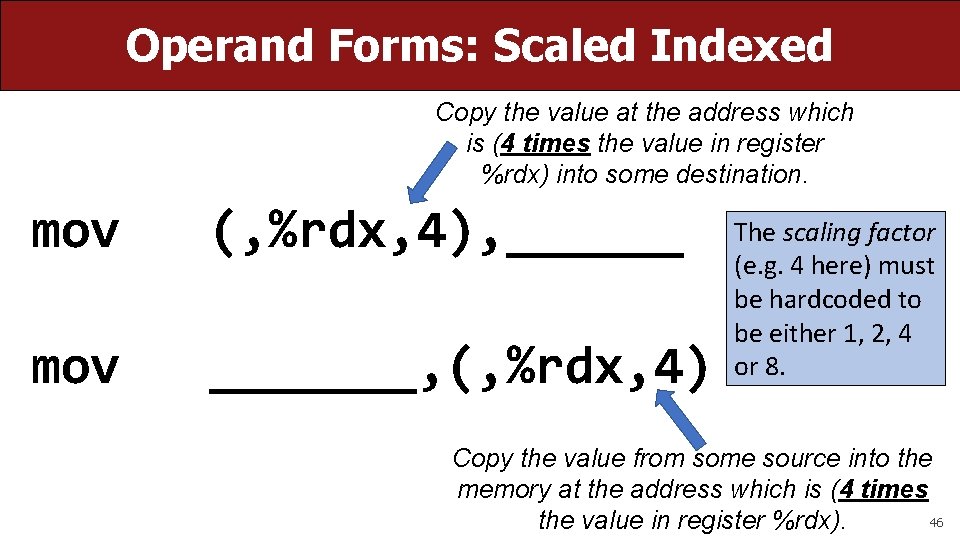
Operand Forms: Scaled Indexed Copy the value at the address which is (4 times the value in register %rdx) into some destination. mov (, %rdx, 4), ______ mov _______, (, %rdx, 4) The scaling factor (e. g. 4 here) must be hardcoded to be either 1, 2, 4 or 8. Copy the value from some source into the memory at the address which is (4 times 46 the value in register %rdx).
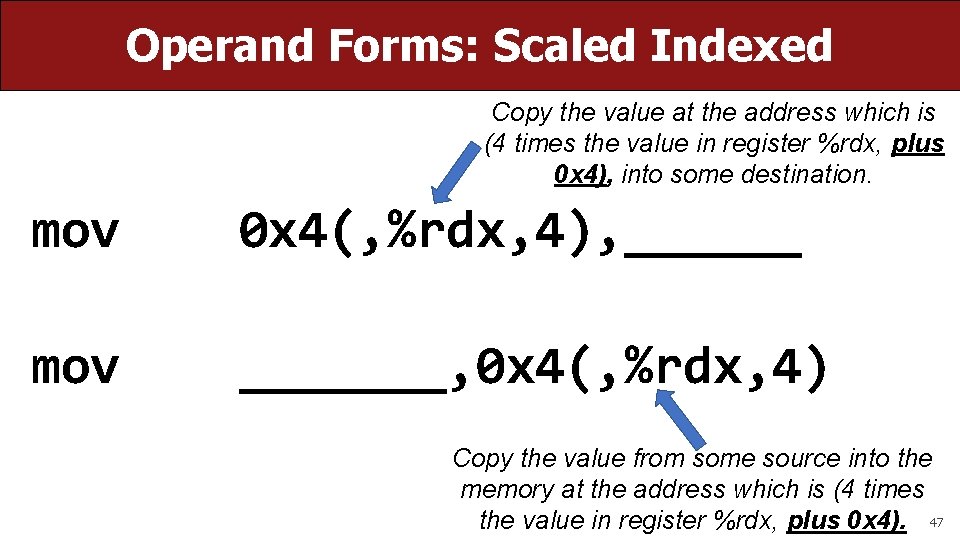
Operand Forms: Scaled Indexed Copy the value at the address which is (4 times the value in register %rdx, plus 0 x 4), into some destination. mov 0 x 4(, %rdx, 4), ______ mov _______, 0 x 4(, %rdx, 4) Copy the value from some source into the memory at the address which is (4 times the value in register %rdx, plus 0 x 4). 47
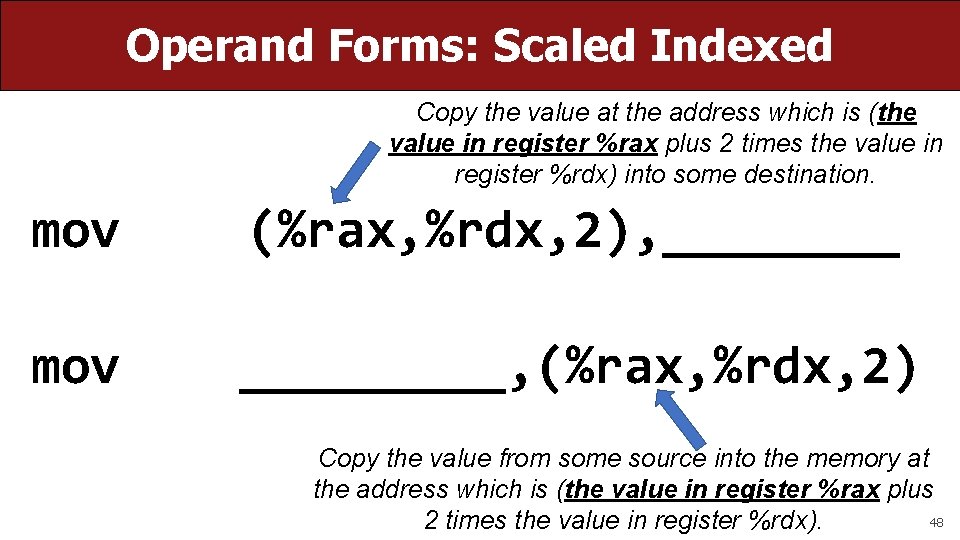
Operand Forms: Scaled Indexed Copy the value at the address which is (the value in register %rax plus 2 times the value in register %rdx) into some destination. mov (%rax, %rdx, 2), ____ mov _____, (%rax, %rdx, 2) Copy the value from some source into the memory at the address which is (the value in register %rax plus 48 2 times the value in register %rdx).
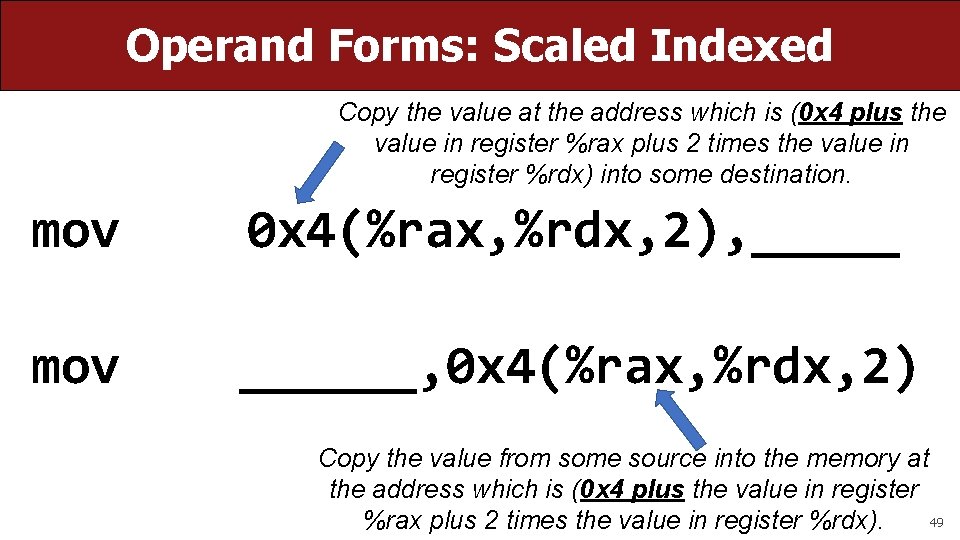
Operand Forms: Scaled Indexed Copy the value at the address which is (0 x 4 plus the value in register %rax plus 2 times the value in register %rdx) into some destination. mov 0 x 4(%rax, %rdx, 2), _____ mov ______, 0 x 4(%rax, %rdx, 2) Copy the value from some source into the memory at the address which is (0 x 4 plus the value in register 49 %rax plus 2 times the value in register %rdx).
![Most General Operand Form Imm(rb, ri, s) is equivalent to… Imm + R[rb] +](http://slidetodoc.com/presentation_image_h2/3eaa59da777513a31473ba082dd3cb4a/image-50.jpg "Most General Operand Form Imm(rb, ri, s) is equivalent to… Imm + R[rb] +")
Most General Operand Form Imm(rb, ri, s) is equivalent to… Imm + R[rb] + R[ri]*s 50
![Most General Operand Form Imm(rb, ri, s) is equivalent to address Imm + R[rb]](http://slidetodoc.com/presentation_image_h2/3eaa59da777513a31473ba082dd3cb4a/image-51.jpg "Most General Operand Form Imm(rb, ri, s) is equivalent to address Imm + R[rb]")
Most General Operand Form Imm(rb, ri, s) is equivalent to address Imm + R[rb] + R[ri]*s Displacement: pos/neg constant (if missing, = 0) Index: register (if missing, = 0) Base: register (if Scale must be missing, = 0) 1, 2, 4, or 8 (if missing, = 1) 51
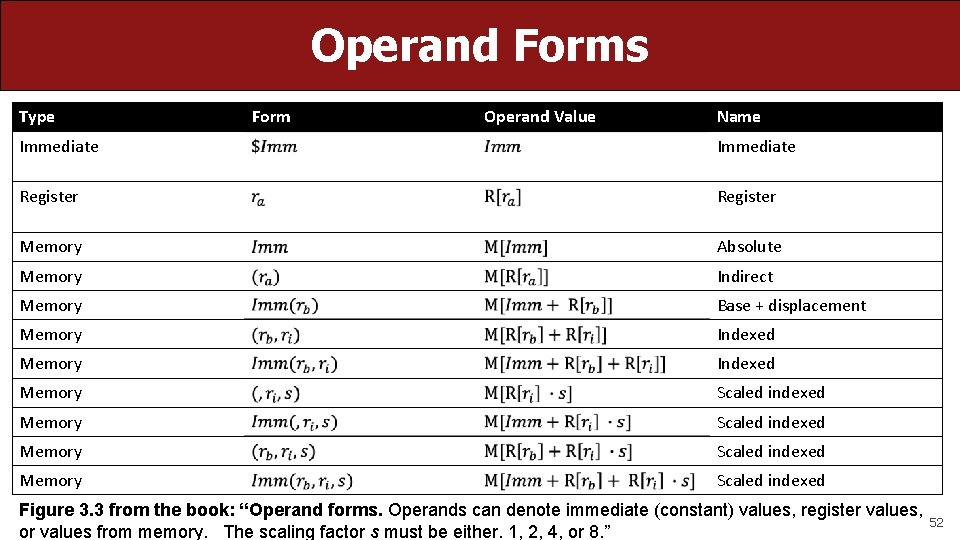
Operand Forms Type Form Operand Value Name Immediate Register Memory Absolute Memory Indirect Memory Base + displacement Memory Indexed Memory Scaled indexed Figure 3. 3 from the book: “Operand forms. Operands can denote immediate (constant) values, register values, or values from memory. The scaling factor s must be either. 1, 2, 4, or 8. ” 52
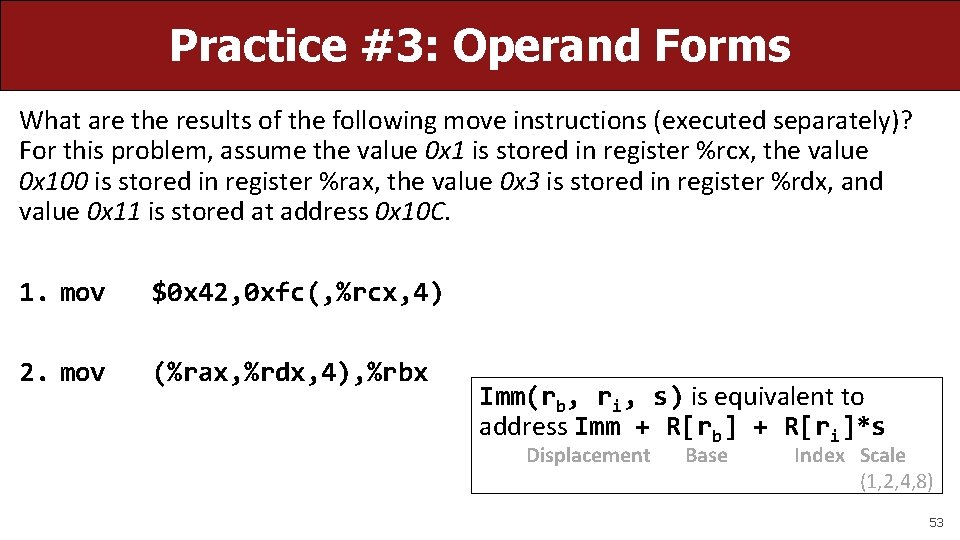
Practice #3: Operand Forms What are the results of the following move instructions (executed separately)? For this problem, assume the value 0 x 1 is stored in register %rcx, the value 0 x 100 is stored in register %rax, the value 0 x 3 is stored in register %rdx, and value 0 x 11 is stored at address 0 x 10 C. 1. mov $0 x 42, 0 xfc(, %rcx, 4) 2. mov (%rax, %rdx, 4), %rbx Imm(rb, ri, s) is equivalent to address Imm + R[rb] + R[ri]*s Displacement Base Index Scale (1, 2, 4, 8) 53
Goals of indirect addressing: C Why are there so many forms of indirect addressing? We see these indirect addressing paradigms in C as well! 54
![Our First Assembly int sum_array(int arr[], int nelems) { int sum = 0; for](http://slidetodoc.com/presentation_image_h2/3eaa59da777513a31473ba082dd3cb4a/image-55.jpg "Our First Assembly int sum_array(int arr[], int nelems) { int sum = 0; for")
Our First Assembly int sum_array(int arr[], int nelems) { int sum = 0; for (int i = 0; i < nelems; i++) { sum += arr[i]; } return sum; } 000004005 b 6 <sum_array>: 4005 b 6: ba 00 00 4005 bb: b 8 00 00 4005 c 0: eb 09 4005 c 2: 48 63 ca 4005 c 5: 03 04 8 f 4005 c 8: 83 c 2 01 4005 cb: 39 to f 2 this We’ll come back 4005 cd: in future 7 c f 3 lectures! example 4005 cf: f 3 c 3 We’re 1/4 th of the way to understanding assembly! What looks understandable right now? Some notes: • Registers store addresses and values • mov src, dst copies value into dst • sizeof(int) is 4 • Instructions executed sequentially mov $0 x 0, %edx mov $0 x 0, %eax jmp 4005 cb <sum_array+0 x 15> movslq %edx, %rcx add (%rdi, %rcx, 4), %eax add $0 x 1, %edx cmp %esi, %edx jl 4005 c 2 <sum_array+0 xc> repz retq � 55
Recap • Overview: GCC and Assembly • Demo: Looking at an executable • Registers and The Assembly Level of Abstraction • The mov instruction Next time: diving deeper into assembly 56

Live Session Slides 57
Plan For Today • 10 minutes: general review • 5 minutes: post questions or comments on Ed for what we should discuss Lecture 10 takeaway: Assembly is the human-readable version of the form our programs are ultimately executed in by the processor. The compiler translates source code to machine code. The most common assembly instruction is mov to move data around. 58
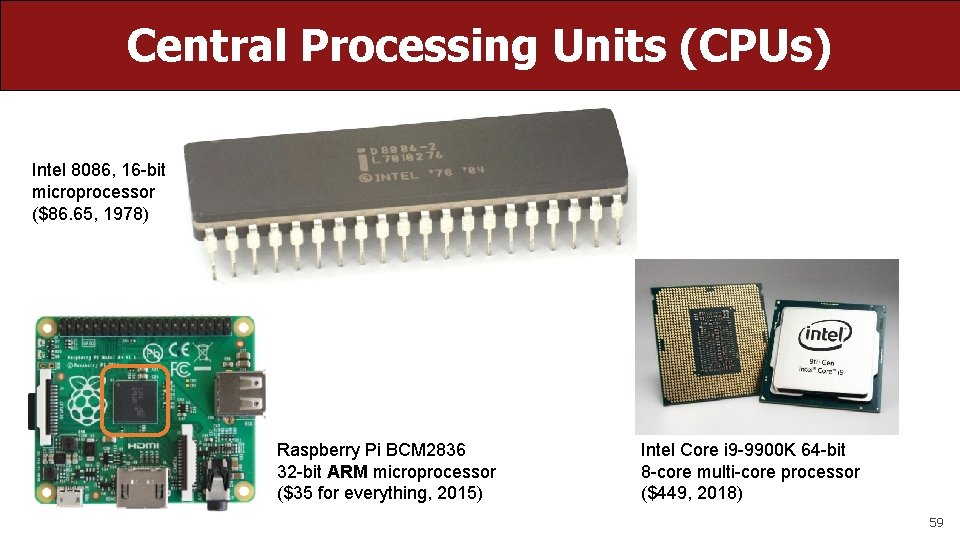
Central Processing Units (CPUs) Intel 8086, 16 -bit microprocessor ($86. 65, 1978) Raspberry Pi BCM 2836 32 -bit ARM microprocessor ($35 for everything, 2015) Intel Core i 9 -9900 K 64 -bit 8 -core multi-core processor ($449, 2018) 59
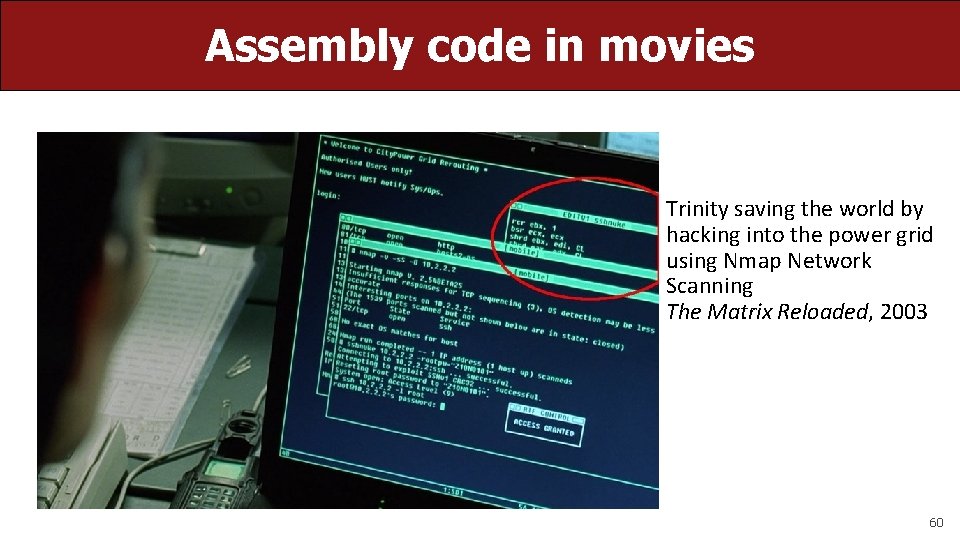
Assembly code in movies Trinity saving the world by hacking into the power grid using Nmap Network Scanning The Matrix Reloaded, 2003 60
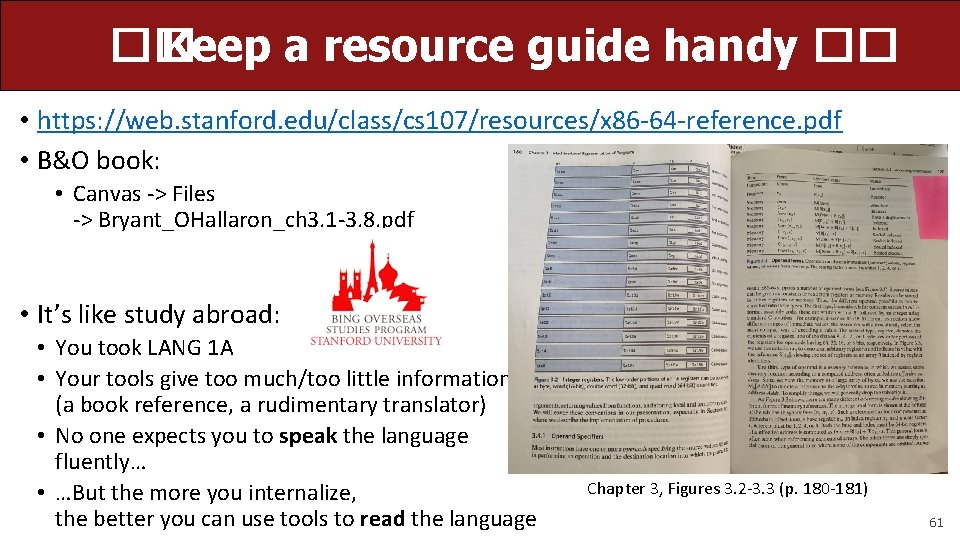
�� Keep a resource guide handy �� • https: //web. stanford. edu/class/cs 107/resources/x 86 -64 -reference. pdf • B&O book: • Canvas -> Files -> Bryant_OHallaron_ch 3. 1 -3. 8. pdf • It’s like study abroad: • You took LANG 1 A • Your tools give too much/too little information (a book reference, a rudimentary translator) • No one expects you to speak the language fluently… • …But the more you internalize, the better you can use tools to read the language Chapter 3, Figures 3. 2 -3. 3 (p. 180 -181) 61
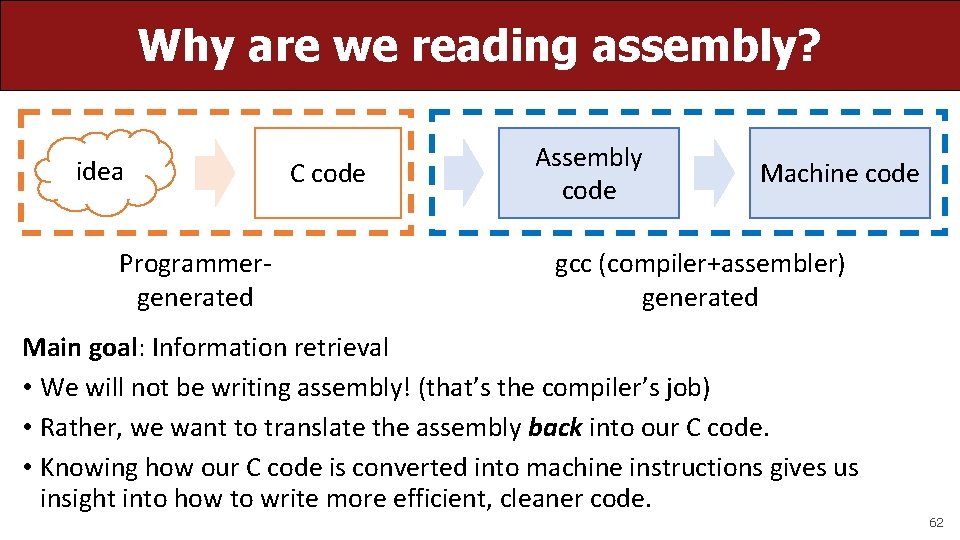
Why are we reading assembly? idea Programmergenerated C code Assembly code Machine code gcc (compiler+assembler) generated Main goal: Information retrieval • We will not be writing assembly! (that’s the compiler’s job) • Rather, we want to translate the assembly back into our C code. • Knowing how our C code is converted into machine instructions gives us insight into how to write more efficient, cleaner code. 62
Plan For Today • 10 minutes: general review • 5 minutes: post questions or comments on Ed for what we should discuss Lecture 10 takeaway: Assembly is the human-readable version of the form our programs are ultimately executed in by the processor. The compiler translates source code to machine code. The most common assembly instruction is mov to move data around. 63
Extended warmup: Information Synthesis Spend a few minutes thinking about the main paradigms of the mov instruction. • What might be the equivalent C-like operation? • Examples (note %r__ registers are 64 -bit): 1. mov $0 x 0, %rdx 2. mov %rdx, %rcx 3. mov $0 x 42, (%rdi) 4. mov (%rax, %rcx, 8), %rax � 64
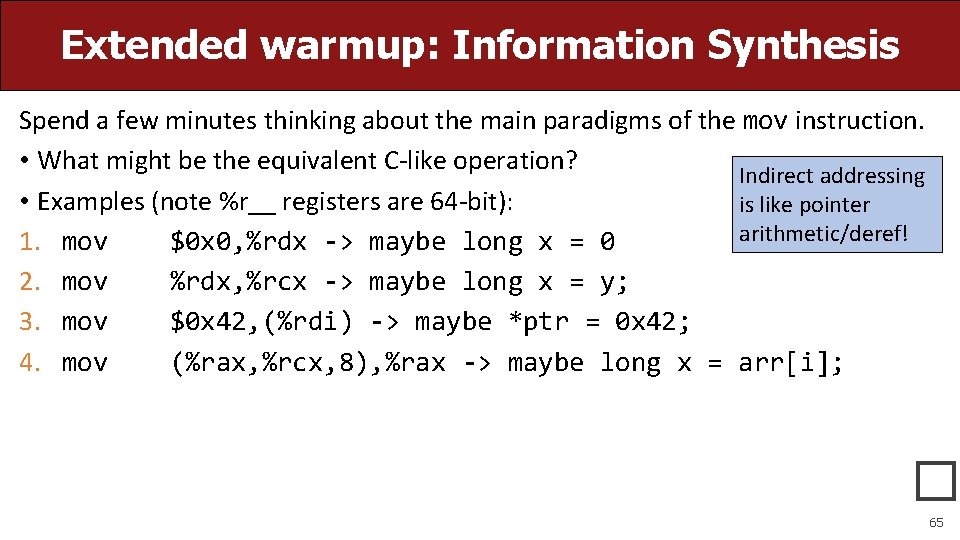
Extended warmup: Information Synthesis Spend a few minutes thinking about the main paradigms of the mov instruction. • What might be the equivalent C-like operation? Indirect addressing • Examples (note %r__ registers are 64 -bit): is like pointer arithmetic/deref! 1. mov $0 x 0, %rdx -> maybe long x = 0 2. mov %rdx, %rcx -> maybe long x = y; 3. mov $0 x 42, (%rdi) -> maybe *ptr = 0 x 42; 4. mov (%rax, %rcx, 8), %rax -> maybe long x = arr[i]; � 65
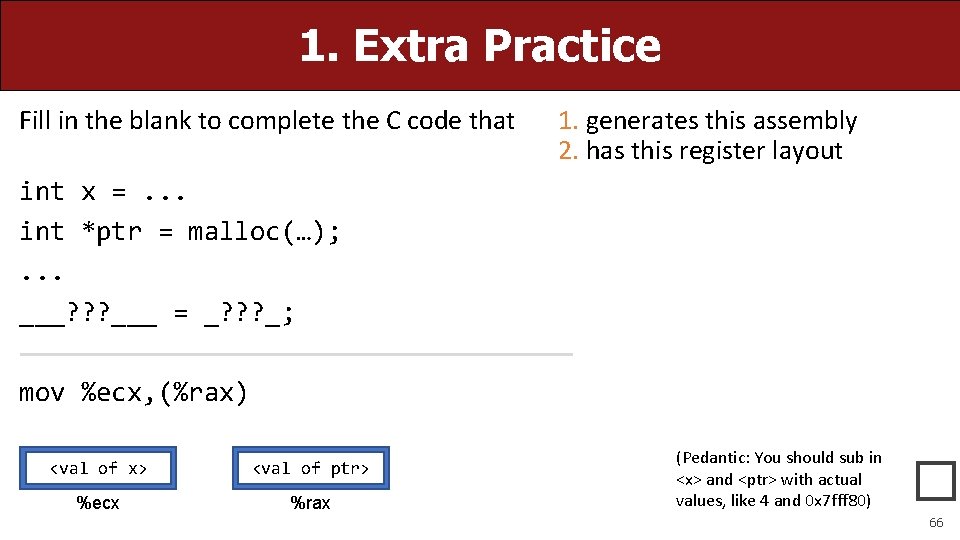
1. Extra Practice Fill in the blank to complete the C code that 1. generates this assembly 2. has this register layout int x =. . . int *ptr = malloc(…); . . . ___? ? ? ___ = _? ? ? _; mov %ecx, (%rax) <val of x> <val of ptr> %ecx %rax (Pedantic: You should sub in <x> and <ptr> with actual values, like 4 and 0 x 7 fff 80) � 66
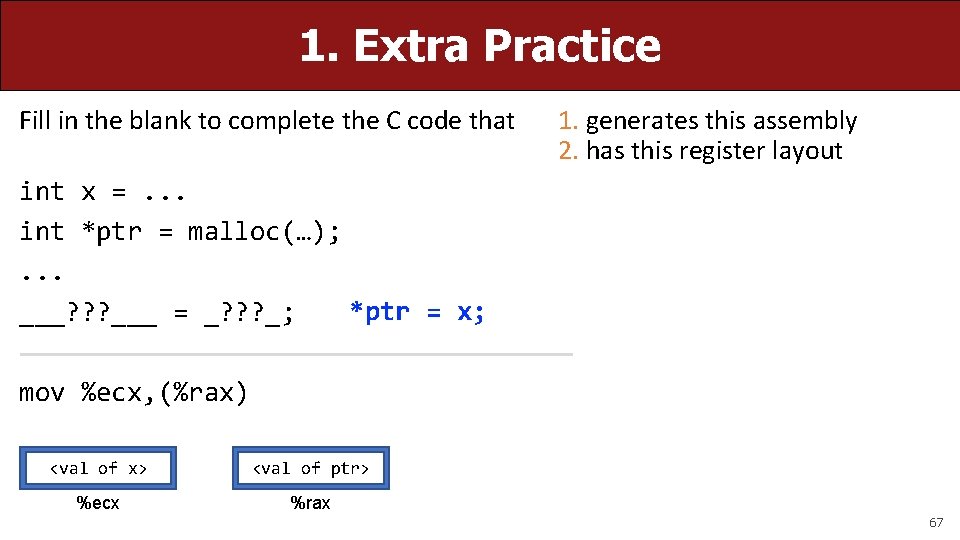
1. Extra Practice Fill in the blank to complete the C code that 1. generates this assembly 2. has this register layout int x =. . . int *ptr = malloc(…); . . . *ptr = x; ___? ? ? ___ = _? ? ? _; mov %ecx, (%rax) <val of x> <val of ptr> %ecx %rax 67
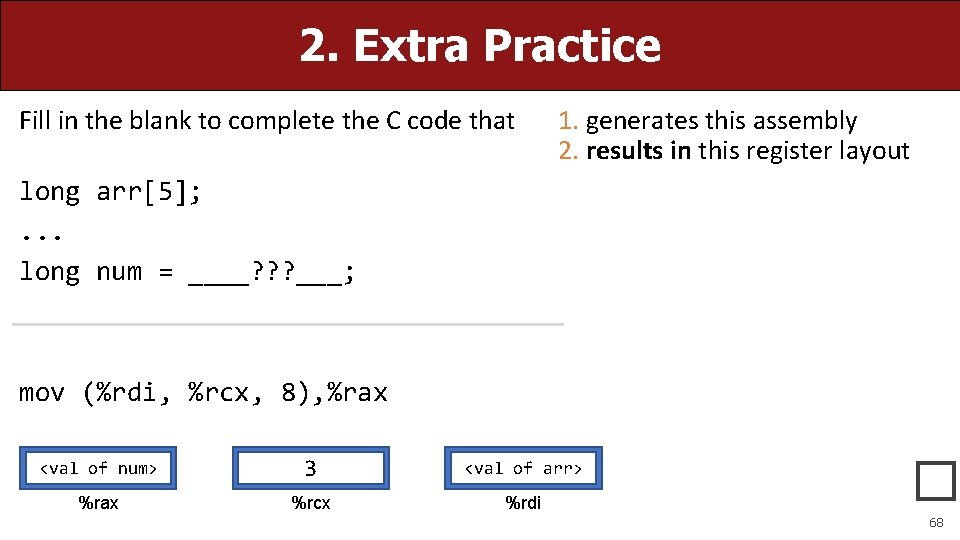
2. Extra Practice Fill in the blank to complete the C code that 1. generates this assembly 2. results in this register layout long arr[5]; . . . long num = ____? ? ? ___; mov (%rdi, %rcx, 8), %rax <val of num> 3 <val of arr> %rax %rcx %rdi � 68
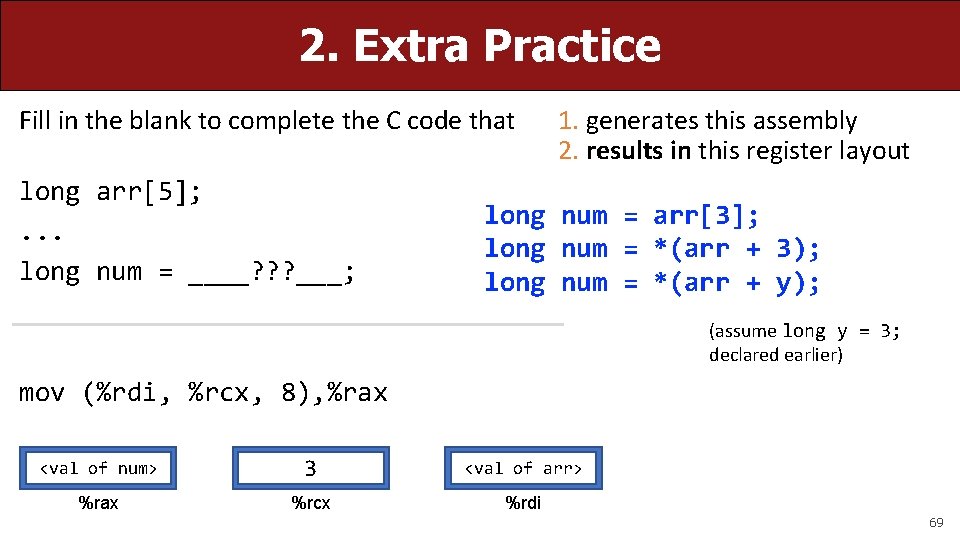
2. Extra Practice Fill in the blank to complete the C code that long arr[5]; . . . long num = ____? ? ? ___; 1. generates this assembly 2. results in this register layout long num = arr[3]; long num = *(arr + 3); long num = *(arr + y); (assume long y = 3; declared earlier) mov (%rdi, %rcx, 8), %rax <val of num> 3 <val of arr> %rax %rcx %rdi 69
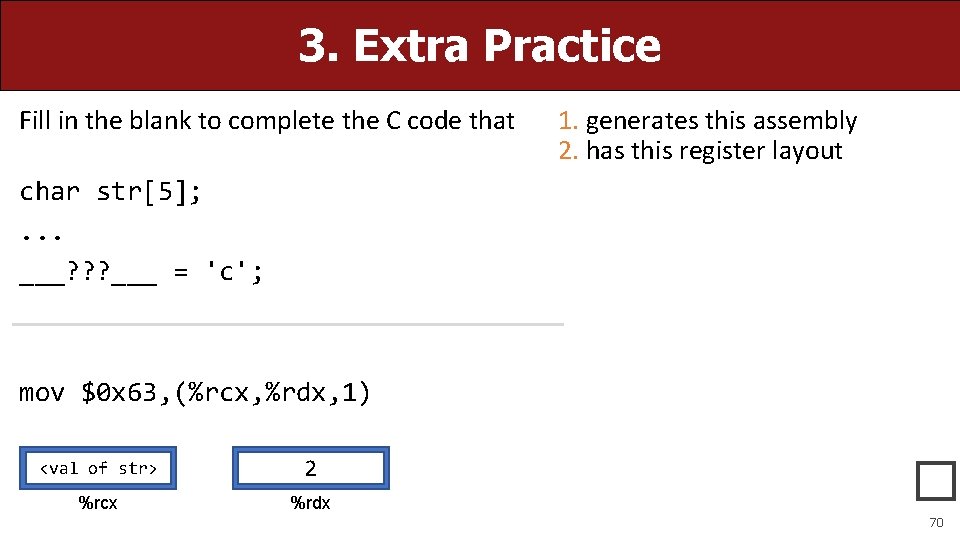
3. Extra Practice Fill in the blank to complete the C code that 1. generates this assembly 2. has this register layout char str[5]; . . . ___? ? ? ___ = 'c'; mov $0 x 63, (%rcx, %rdx, 1) <val of str> 2 %rcx %rdx � 70
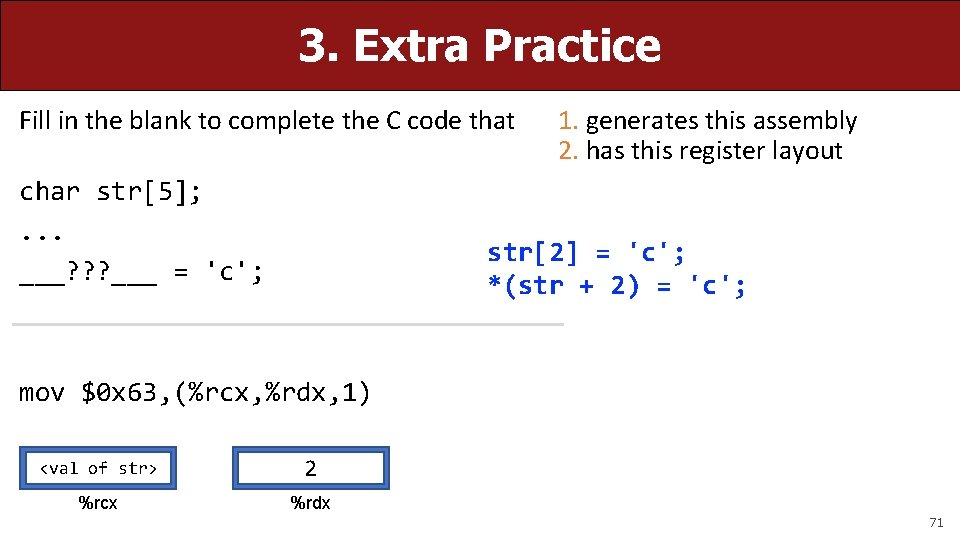
3. Extra Practice Fill in the blank to complete the C code that char str[5]; . . . ___? ? ? ___ = 'c'; 1. generates this assembly 2. has this register layout str[2] = 'c'; *(str + 2) = 'c'; mov $0 x 63, (%rcx, %rdx, 1) <val of str> 2 %rcx %rdx 71
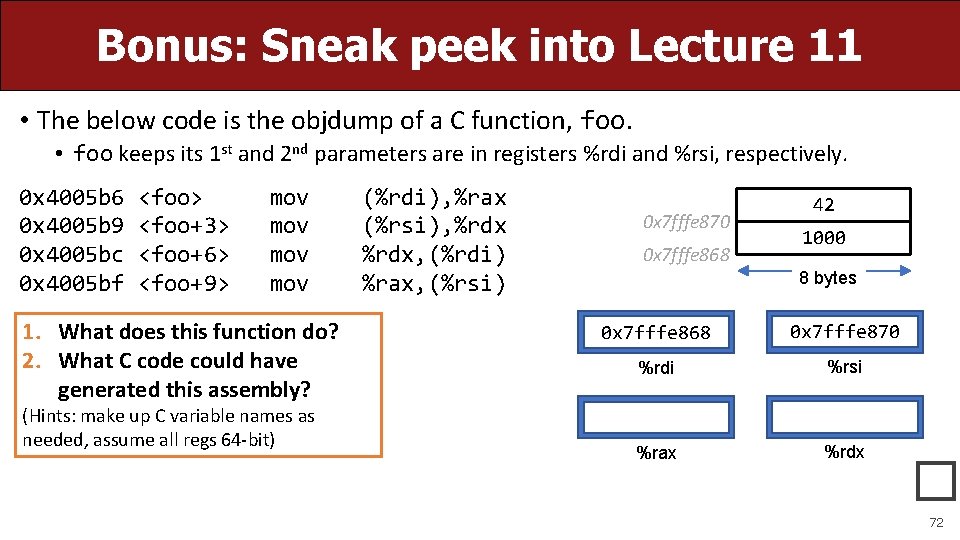
Bonus: Sneak peek into Lecture 11 • The below code is the objdump of a C function, foo. • foo keeps its 1 st and 2 nd parameters are in registers %rdi and %rsi, respectively. 0 x 4005 b 6 0 x 4005 b 9 0 x 4005 bc 0 x 4005 bf <foo> <foo+3> <foo+6> <foo+9> mov mov 1. What does this function do? 2. What C code could have generated this assembly? (Hints: make up C variable names as needed, assume all regs 64 -bit) (%rdi), %rax (%rsi), %rdx, (%rdi) %rax, (%rsi) 0 x 7 fffe 870 0 x 7 fffe 868 42 1000 8 bytes 0 x 7 fffe 868 0 x 7 fffe 870 %rdi %rsi %rax %rdx � 72
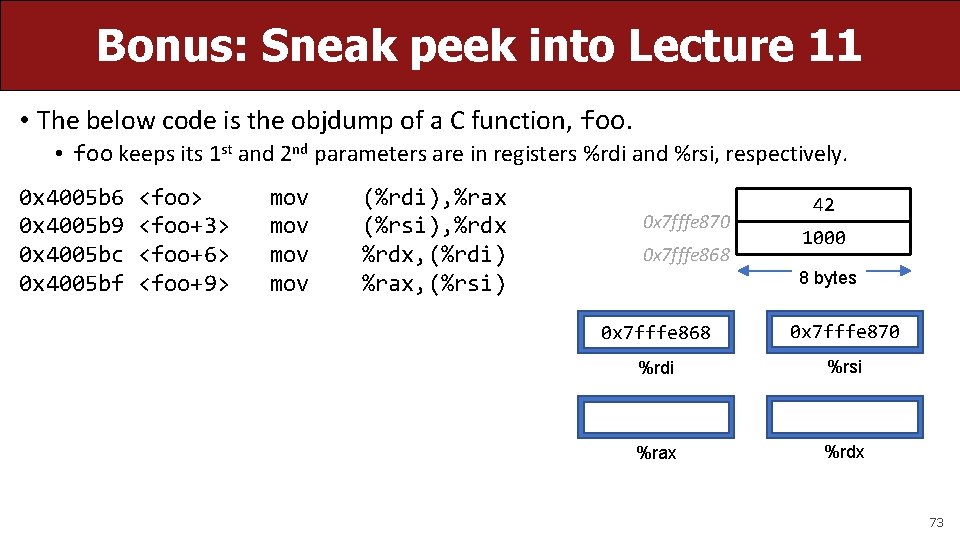
Bonus: Sneak peek into Lecture 11 • The below code is the objdump of a C function, foo. • foo keeps its 1 st and 2 nd parameters are in registers %rdi and %rsi, respectively. 0 x 4005 b 6 0 x 4005 b 9 0 x 4005 bc 0 x 4005 bf <foo> <foo+3> <foo+6> <foo+9> mov mov (%rdi), %rax (%rsi), %rdx, (%rdi) %rax, (%rsi) 0 x 7 fffe 870 0 x 7 fffe 868 42 1000 8 bytes 0 x 7 fffe 868 0 x 7 fffe 870 %rdi %rsi %rax %rdx 73
- Slides: 73