
CS 105 Tour of the Black Holes of
CS 105 “Tour of the Black Holes of Computing!” Processes Topics n n cs 105 Process context switches Creating and destroying processes
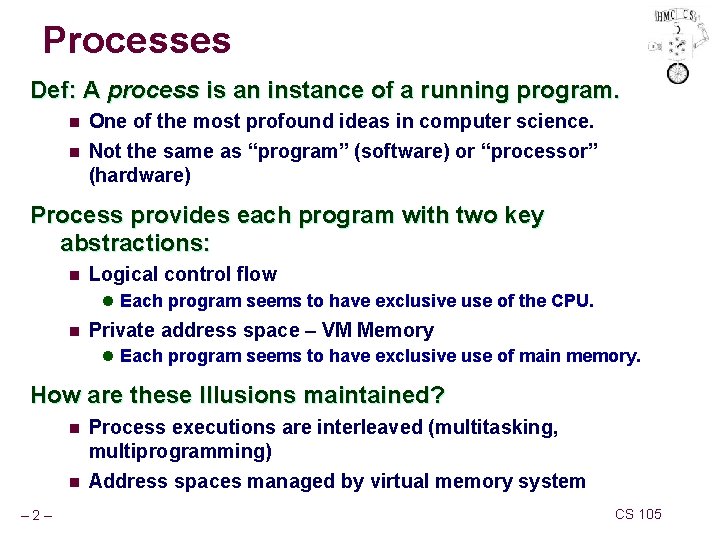
Processes Def: A process is an instance of a running program. n One of the most profound ideas in computer science. n Not the same as “program” (software) or “processor” (hardware) Process provides each program with two key abstractions: n Logical control flow l Each program seems to have exclusive use of the CPU. n Private address space – VM Memory l Each program seems to have exclusive use of main memory. How are these Illusions maintained? n n – 2– Process executions are interleaved (multitasking, multiprogramming) Address spaces managed by virtual memory system CS 105
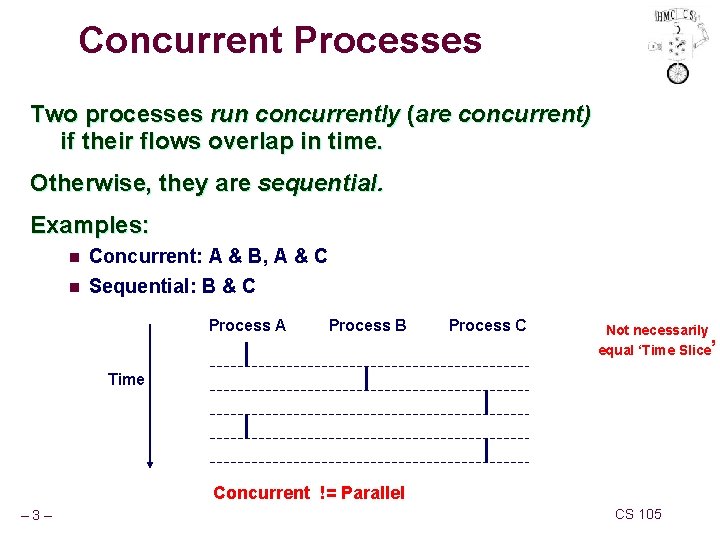
Concurrent Processes Two processes run concurrently (are concurrent) if their flows overlap in time. Otherwise, they are sequential. Examples: n n Concurrent: A & B, A & C Sequential: B & C Process A Process B Process C Not necessarily equal ‘Time Slice’ Time Concurrent != Parallel – 3– CS 105
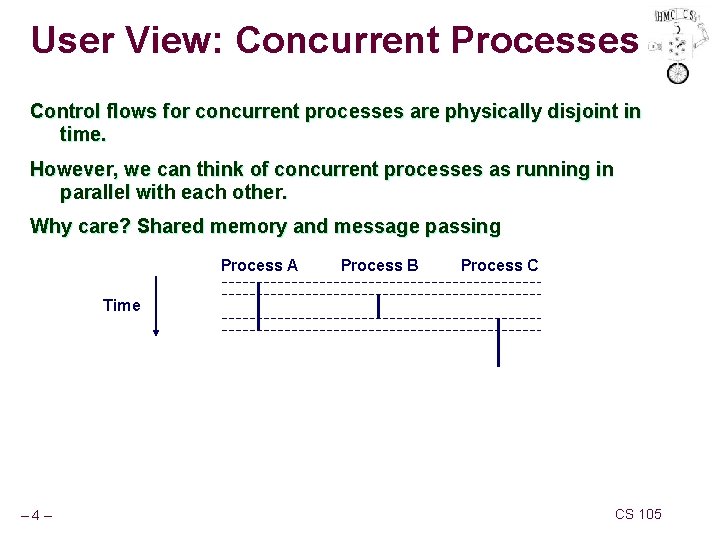
User View: Concurrent Processes Control flows for concurrent processes are physically disjoint in time. However, we can think of concurrent processes as running in parallel with each other. Why care? Shared memory and message passing Process A Process B Process C Time – 4– CS 105
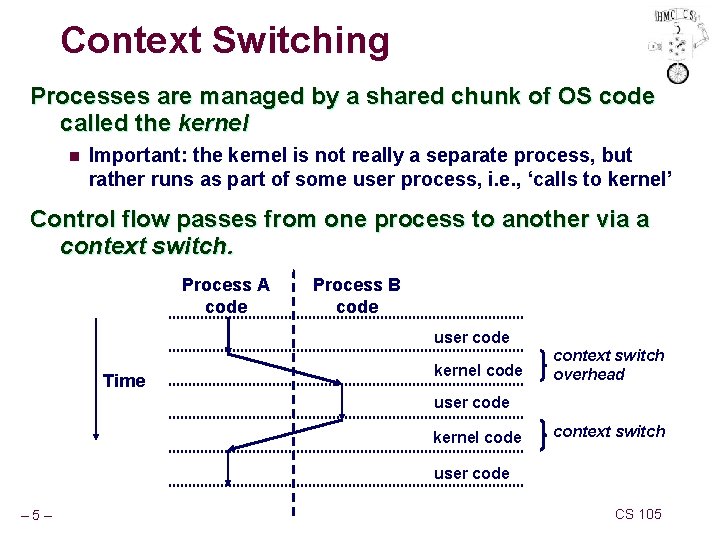
Context Switching Processes are managed by a shared chunk of OS code called the kernel n Important: the kernel is not really a separate process, but rather runs as part of some user process, i. e. , ‘calls to kernel’ Control flow passes from one process to another via a context switch. Process A code Process B code user code Time kernel code context switch overhead user code kernel code context switch user code – 5– CS 105
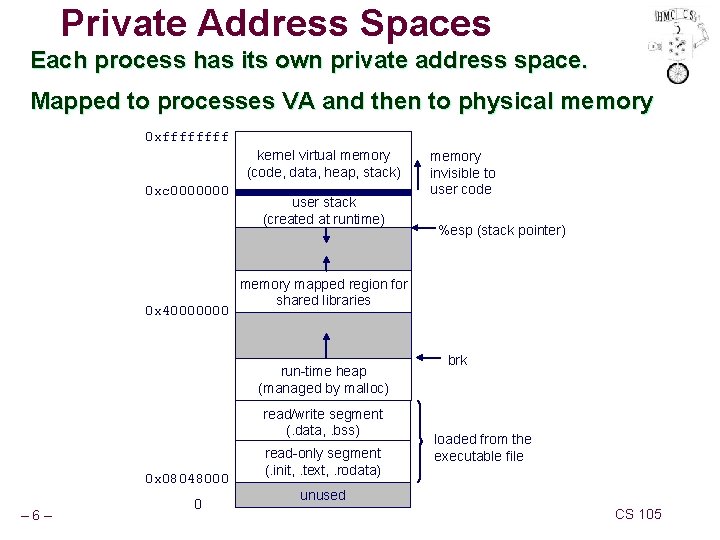
Private Address Spaces Each process has its own private address space. Mapped to processes VA and then to physical memory 0 xffff kernel virtual memory (code, data, heap, stack) 0 xc 0000000 0 x 40000000 user stack (created at runtime) read/write segment (. data, . bss) – 6– 0 %esp (stack pointer) memory mapped region for shared libraries run-time heap (managed by malloc) 0 x 08048000 memory invisible to user code read-only segment (. init, . text, . rodata) brk loaded from the executable file unused CS 105
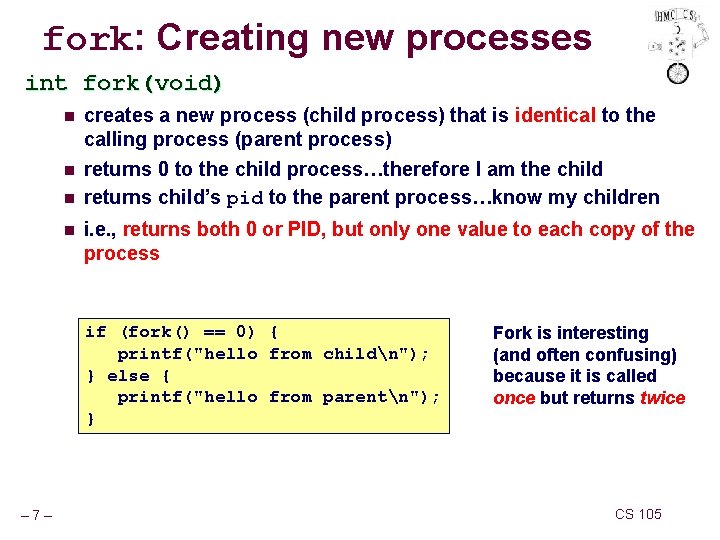
fork: Creating new processes int fork(void) n n creates a new process (child process) that is identical to the calling process (parent process) returns 0 to the child process…therefore I am the child returns child’s pid to the parent process…know my children i. e. , returns both 0 or PID, but only one value to each copy of the process if (fork() == 0) { printf("hello from childn"); } else { printf("hello from parentn"); } – 7– Fork is interesting (and often confusing) because it is called once but returns twice CS 105
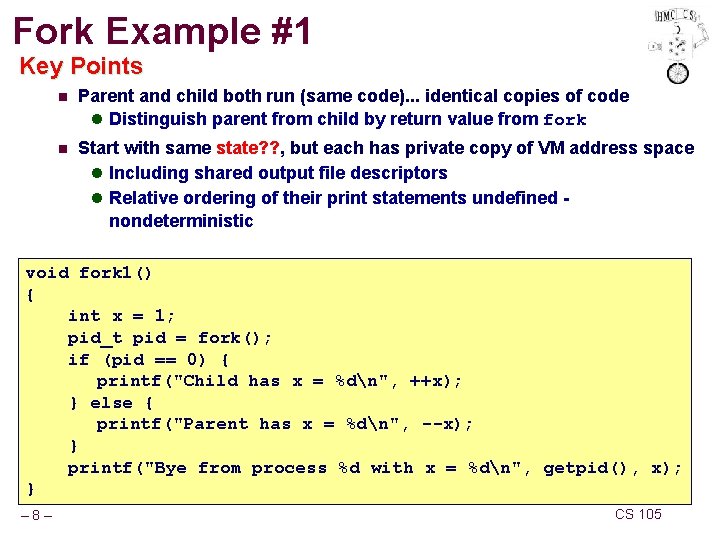
Fork Example #1 Key Points n Parent and child both run (same code). . . identical copies of code l Distinguish parent from child by return value from fork n Start with same state? ? , but each has private copy of VM address space l Including shared output file descriptors l Relative ordering of their print statements undefined nondeterministic void fork 1() { int x = 1; pid_t pid = fork(); if (pid == 0) { printf("Child has x = %dn", ++x); } else { printf("Parent has x = %dn", --x); } printf("Bye from process %d with x = %dn", getpid(), x); } – 8– CS 105

Fork Example #2 Key Points n Both parent and child can continue forking n Note – nothing done with PID by default. It is up to the process (code) to use PID void fork 2() { printf("L 0n"); fork(); printf("L 1n"); fork(); printf("Byen"); } – 9– L 0 L 1 Bye Bye CS 105
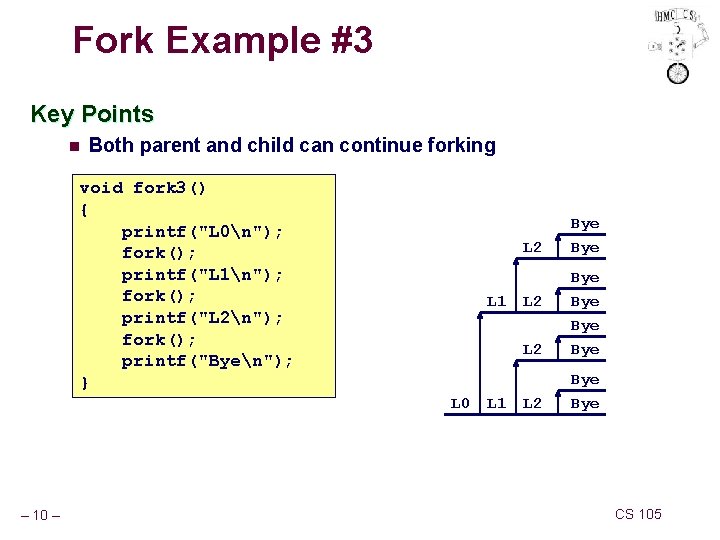
Fork Example #3 Key Points n Both parent and child can continue forking void fork 3() { printf("L 0n"); fork(); printf("L 1n"); fork(); printf("L 2n"); fork(); printf("Byen"); } L 1 L 0 – 10 – L 1 L 2 Bye Bye CS 105
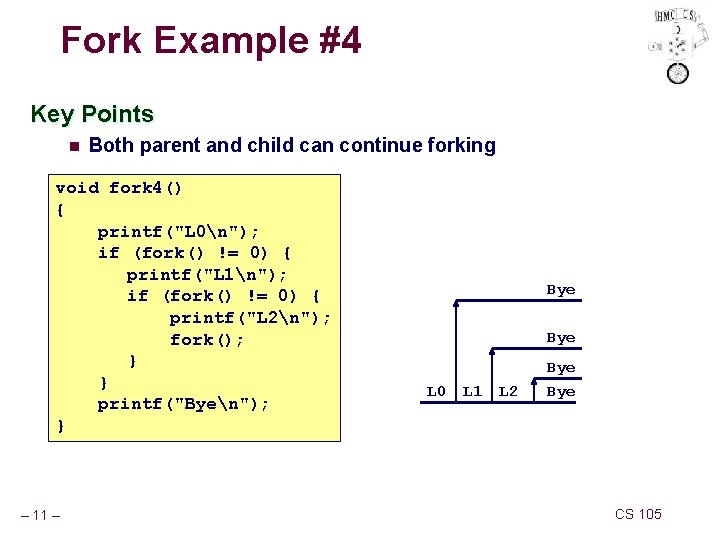
Fork Example #4 Key Points n Both parent and child can continue forking void fork 4() { printf("L 0n"); if (fork() != 0) { printf("L 1n"); if (fork() != 0) { printf("L 2n"); fork(); } } printf("Byen"); } – 11 – Bye L 0 L 1 L 2 Bye CS 105
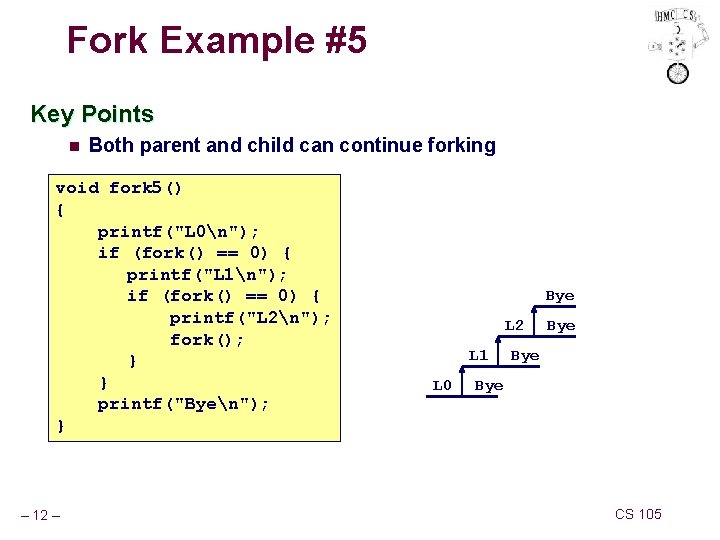
Fork Example #5 Key Points n Both parent and child can continue forking void fork 5() { printf("L 0n"); if (fork() == 0) { printf("L 1n"); if (fork() == 0) { printf("L 2n"); fork(); } } printf("Byen"); } – 12 – Bye L 2 L 1 L 0 Bye Bye CS 105
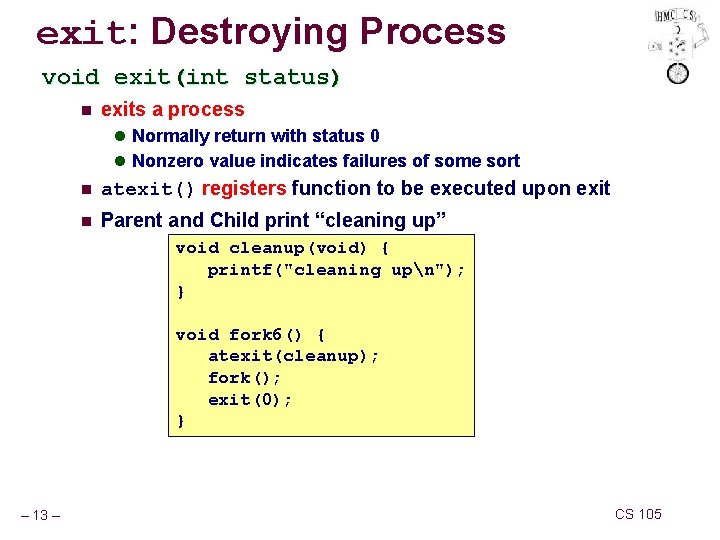
exit: Destroying Process void exit(int status) n exits a process l Normally return with status 0 l Nonzero value indicates failures of some sort n atexit() registers function to be executed upon exit n Parent and Child print “cleaning up” void cleanup(void) { printf("cleaning upn"); } void fork 6() { atexit(cleanup); fork(); exit(0); } – 13 – CS 105
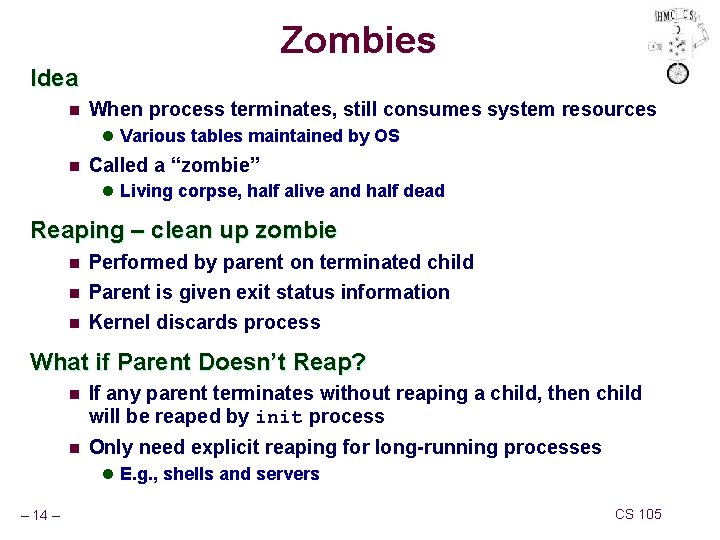
Zombies Idea n When process terminates, still consumes system resources l Various tables maintained by OS n Called a “zombie” l Living corpse, half alive and half dead Reaping – clean up zombie n n n Performed by parent on terminated child Parent is given exit status information Kernel discards process What if Parent Doesn’t Reap? n If any parent terminates without reaping a child, then child will be reaped by init process n Only need explicit reaping for long-running processes l E. g. , shells and servers – 14 – CS 105
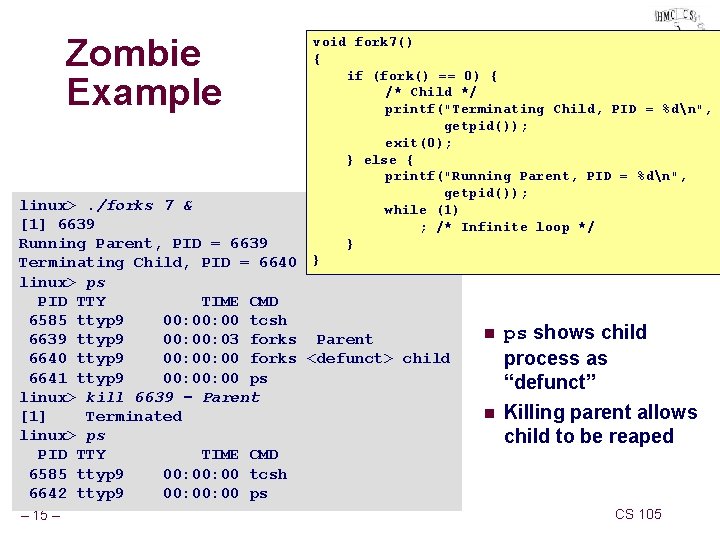
Zombie Example void fork 7() { if (fork() == 0) { /* Child */ printf("Terminating Child, PID = %dn", getpid()); exit(0); } else { printf("Running Parent, PID = %dn", getpid()); while (1) ; /* Infinite loop */ } } linux>. /forks 7 & [1] 6639 Running Parent, PID = 6639 Terminating Child, PID = 6640 linux> ps PID TTY TIME CMD 6585 ttyp 9 00: 00 tcsh 6639 ttyp 9 00: 03 forks Parent 6640 ttyp 9 00: 00 forks <defunct> child 6641 ttyp 9 00: 00 ps linux> kill 6639 – Parent [1] Terminated linux> ps PID TTY TIME CMD 6585 ttyp 9 00: 00 tcsh 6642 ttyp 9 00: 00 ps – 15 – n n ps shows child process as “defunct” Killing parent allows child to be reaped CS 105
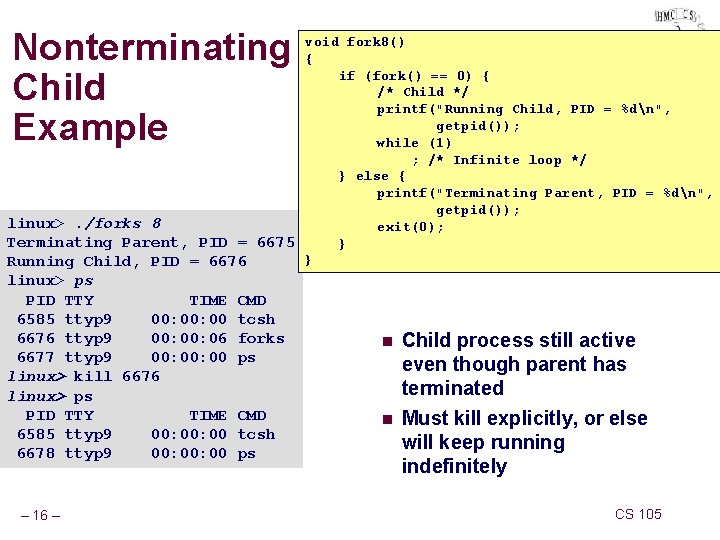
Nonterminating Child Example void fork 8() { if (fork() == 0) { /* Child */ printf("Running Child, PID = %dn", getpid()); while (1) ; /* Infinite loop */ } else { printf("Terminating Parent, PID = %dn", getpid()); linux>. /forks 8 exit(0); Terminating Parent, PID = 6675 } } Running Child, PID = 6676 linux> ps PID TTY TIME 6585 ttyp 9 00: 00 6676 ttyp 9 00: 06 6677 ttyp 9 00: 00 linux> kill 6676 linux> ps PID TTY TIME 6585 ttyp 9 00: 00 6678 ttyp 9 00: 00 – 16 – CMD tcsh forks ps CMD tcsh ps n n Child process still active even though parent has terminated Must kill explicitly, or else will keep running indefinitely CS 105
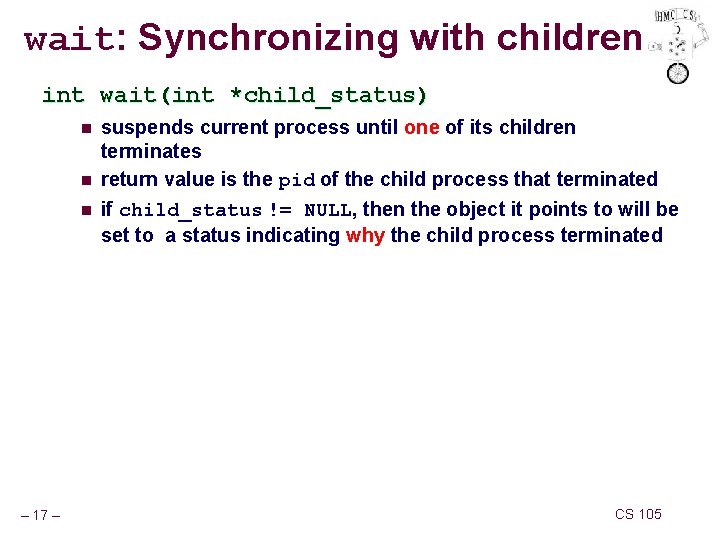
wait: Synchronizing with children int wait(int *child_status) n n n – 17 – suspends current process until one of its children terminates return value is the pid of the child process that terminated if child_status != NULL, then the object it points to will be set to a status indicating why the child process terminated CS 105
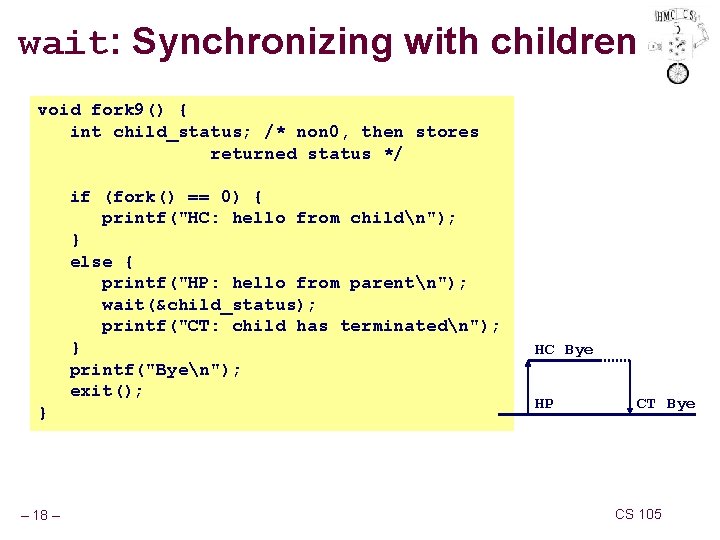
wait: Synchronizing with children void fork 9() { int child_status; /* non 0, then stores returned status */ if (fork() == 0) { printf("HC: hello from childn"); } else { printf("HP: hello from parentn"); wait(&child_status); printf("CT: child has terminatedn"); } printf("Byen"); exit(); } – 18 – HC Bye HP CT Bye CS 105
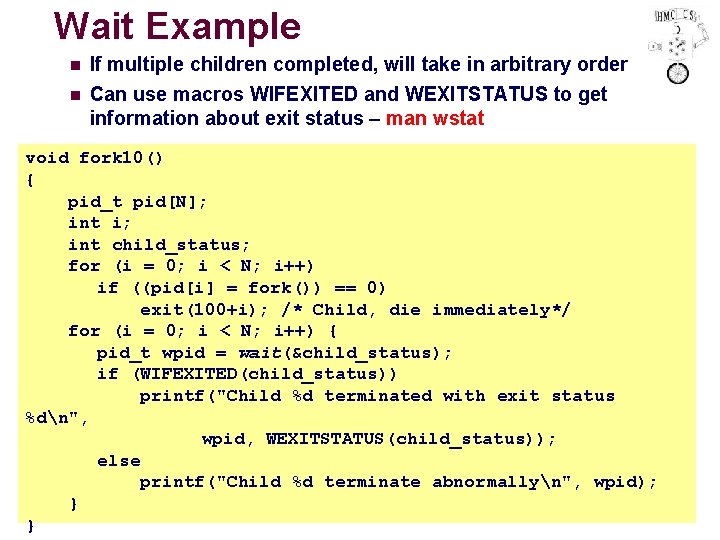
Wait Example n n If multiple children completed, will take in arbitrary order Can use macros WIFEXITED and WEXITSTATUS to get information about exit status – man wstat void fork 10() { pid_t pid[N]; int i; int child_status; for (i = 0; i < N; i++) if ((pid[i] = fork()) == 0) exit(100+i); /* Child, die immediately*/ for (i = 0; i < N; i++) { pid_t wpid = wait(&child_status); if (WIFEXITED(child_status)) printf("Child %d terminated with exit status %dn", wpid, WEXITSTATUS(child_status)); else printf("Child %d terminate abnormallyn", wpid); } CS 105 – 19 – }
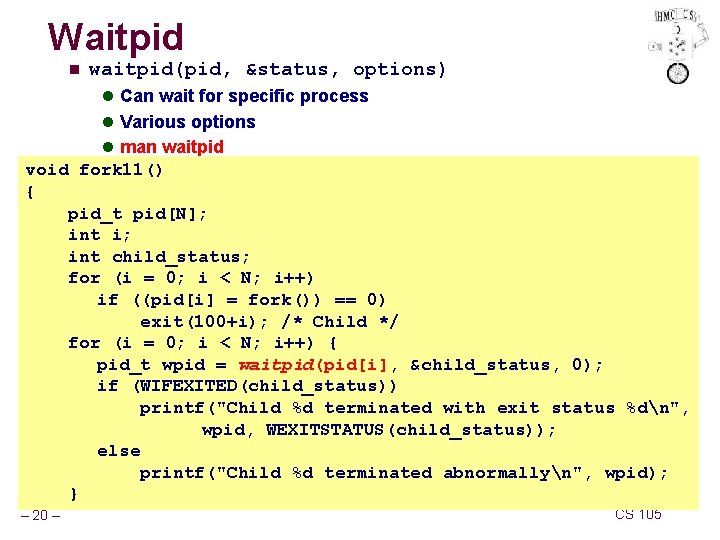
Waitpid n waitpid(pid, &status, options) l Can wait for specific process l Various options l man waitpid void fork 11() { pid_t pid[N]; int i; int child_status; for (i = 0; i < N; i++) if ((pid[i] = fork()) == 0) exit(100+i); /* Child */ for (i = 0; i < N; i++) { pid_t wpid = waitpid(pid[i], &child_status, 0); if (WIFEXITED(child_status)) printf("Child %d terminated with exit status %dn", wpid, WEXITSTATUS(child_status)); else printf("Child %d terminated abnormallyn", wpid); } – 20 – CS 105
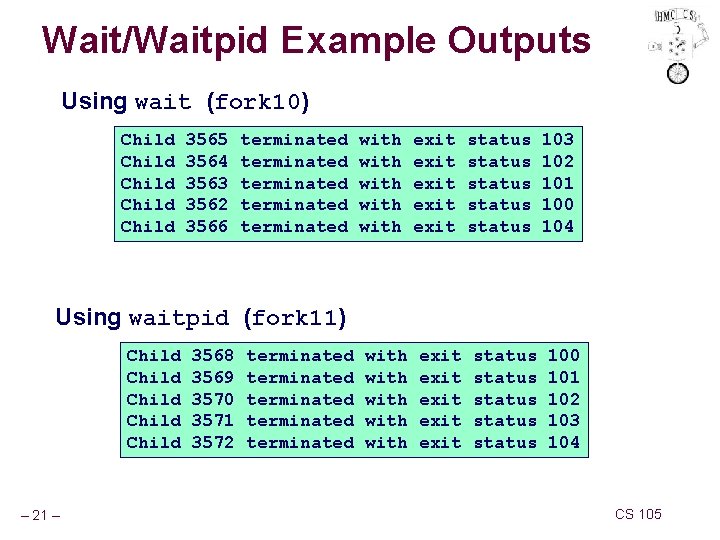
Wait/Waitpid Example Outputs Using wait (fork 10) Child Child 3565 3564 3563 3562 3566 terminated terminated with with exit exit status status 103 102 101 100 104 Using waitpid (fork 11) Child Child – 21 – 3568 3569 3570 3571 3572 terminated terminated with with exit exit status status 100 101 102 103 104 CS 105
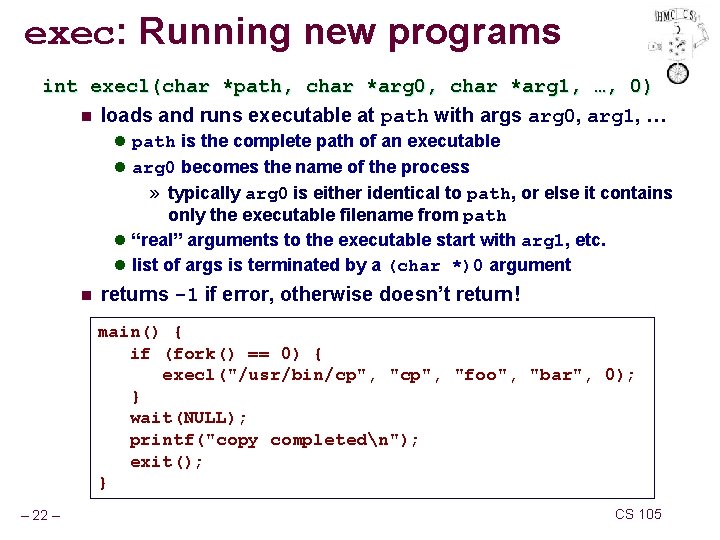
exec: Running new programs int execl(char *path, char *arg 0, char *arg 1, …, 0) n loads and runs executable at path with args arg 0, arg 1, … l path is the complete path of an executable l arg 0 becomes the name of the process » typically arg 0 is either identical to path, or else it contains only the executable filename from path l “real” arguments to the executable start with arg 1, etc. l list of args is terminated by a (char *)0 argument n returns -1 if error, otherwise doesn’t return! main() { if (fork() == 0) { execl("/usr/bin/cp", "foo", "bar", 0); } wait(NULL); printf("copy completedn"); exit(); } – 22 – CS 105
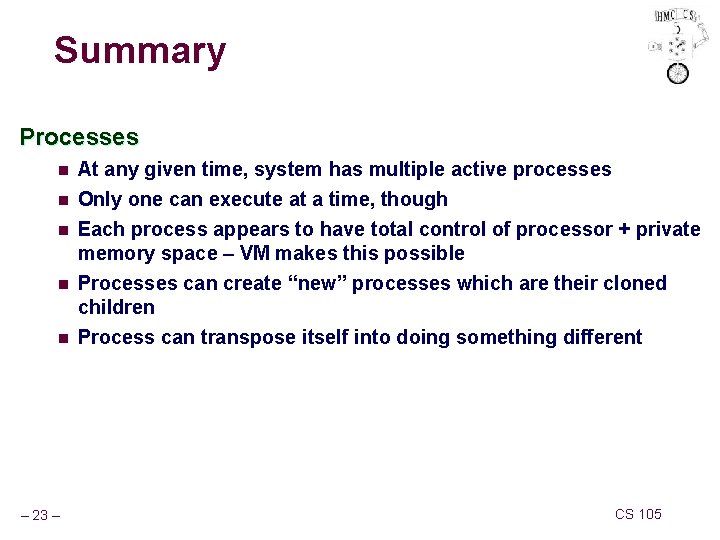
Summary Processes n n n – 23 – At any given time, system has multiple active processes Only one can execute at a time, though Each process appears to have total control of processor + private memory space – VM makes this possible Processes can create “new” processes which are their cloned children Process can transpose itself into doing something different CS 105
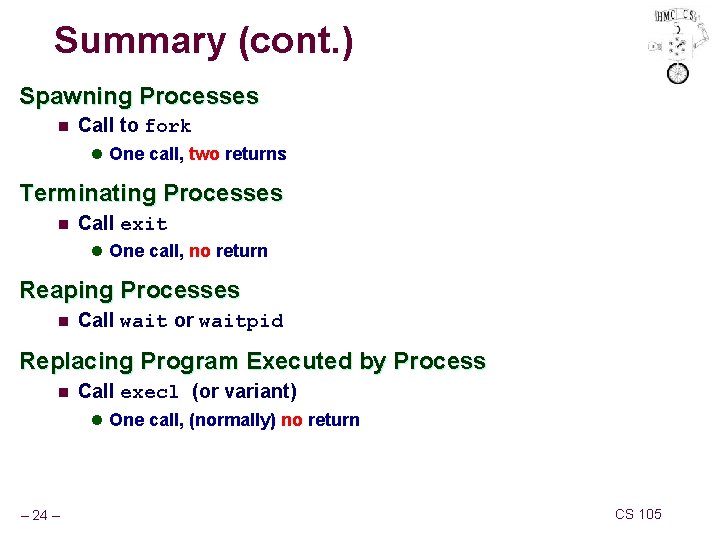
Summary (cont. ) Spawning Processes n Call to fork l One call, two returns Terminating Processes n Call exit l One call, no return Reaping Processes n Call wait or waitpid Replacing Program Executed by Process n Call execl (or variant) l One call, (normally) no return – 24 – CS 105
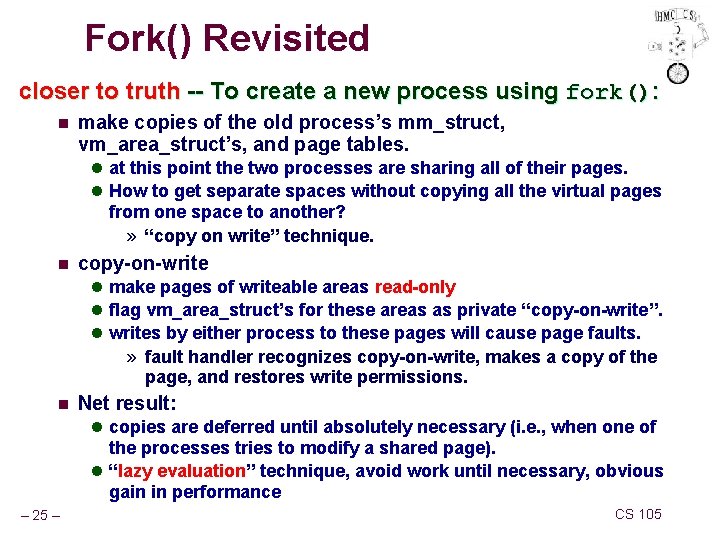
Fork() Revisited closer to truth -- To create a new process using fork(): n make copies of the old process’s mm_struct, vm_area_struct’s, and page tables. l at this point the two processes are sharing all of their pages. l How to get separate spaces without copying all the virtual pages from one space to another? » “copy on write” technique. n copy-on-write l make pages of writeable areas read-only l flag vm_area_struct’s for these areas as private “copy-on-write”. l writes by either process to these pages will cause page faults. » fault handler recognizes copy-on-write, makes a copy of the page, and restores write permissions. n Net result: l copies are deferred until absolutely necessary (i. e. , when one of the processes tries to modify a shared page). l “lazy evaluation” technique, avoid work until necessary, obvious gain in performance – 25 – CS 105
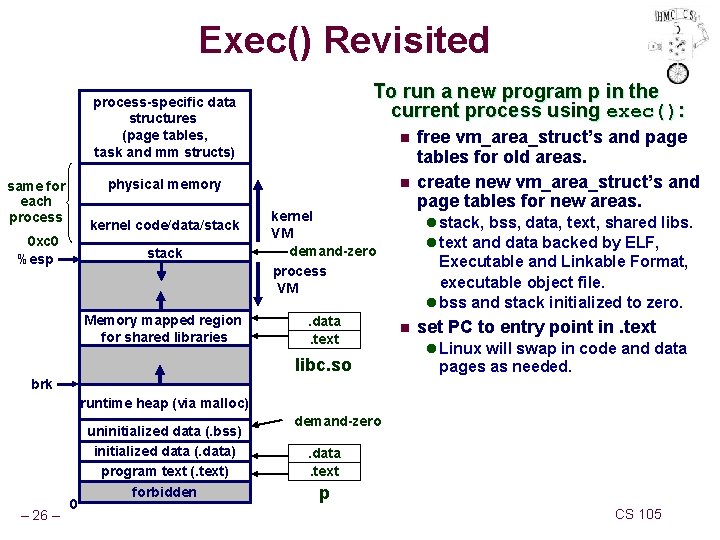
Exec() Revisited To run a new program p in the current process using exec(): process-specific data structures (page tables, task and mm structs) n n physical memory same for each process stack kernel VM demand-zero process VM Memory mapped region for shared libraries . data. text kernel code/data/stack 0 xc 0 %esp libc. so free vm_area_struct’s and page tables for old areas. create new vm_area_struct’s and page tables for new areas. l stack, bss, data, text, shared libs. l text and data backed by ELF, Executable and Linkable Format, executable object file. l bss and stack initialized to zero. n set PC to entry point in. text l Linux will swap in code and data pages as needed. brk runtime heap (via malloc) – 26 – 0 uninitialized data (. bss) initialized data (. data) program text (. text) forbidden demand-zero. data. text p CS 105
- Slides: 26